21st Century Education
21st Education Context
21ST Century School.
■ In the 21st century, schools are adopting a project-based curriculum that
focuses on real-world problems and human issues. This shift from
traditional textbook-driven education to a more holistic approach
connects teachers, students, and the community to the world’s
knowledge. Teachers are transforming from information dispensers to
facilitators, helping students translate information into knowledge and
wisdom. This requires a “culture of inquiry” and adaptability from
learners. Teachers must discover student interest, instill curiosity, be
flexible, and inspire resourcefulness for lifelong learning.
21st Century Curriculum
■ The twenty-first century curriculum is interdisciplinary,
project-based, and research-driven, connecting students
to local, national, and global communities. It integrates
higher-order thinking skills, multiple intelligences,
technology, multimedia, literacies, and authentic
assessments. Instruction is thematic, project-based, and
connected to previous knowledge, personal experiences,
interests, talents, and habits, rather than focusing solely
on memorization.
21st Century Learning Environment
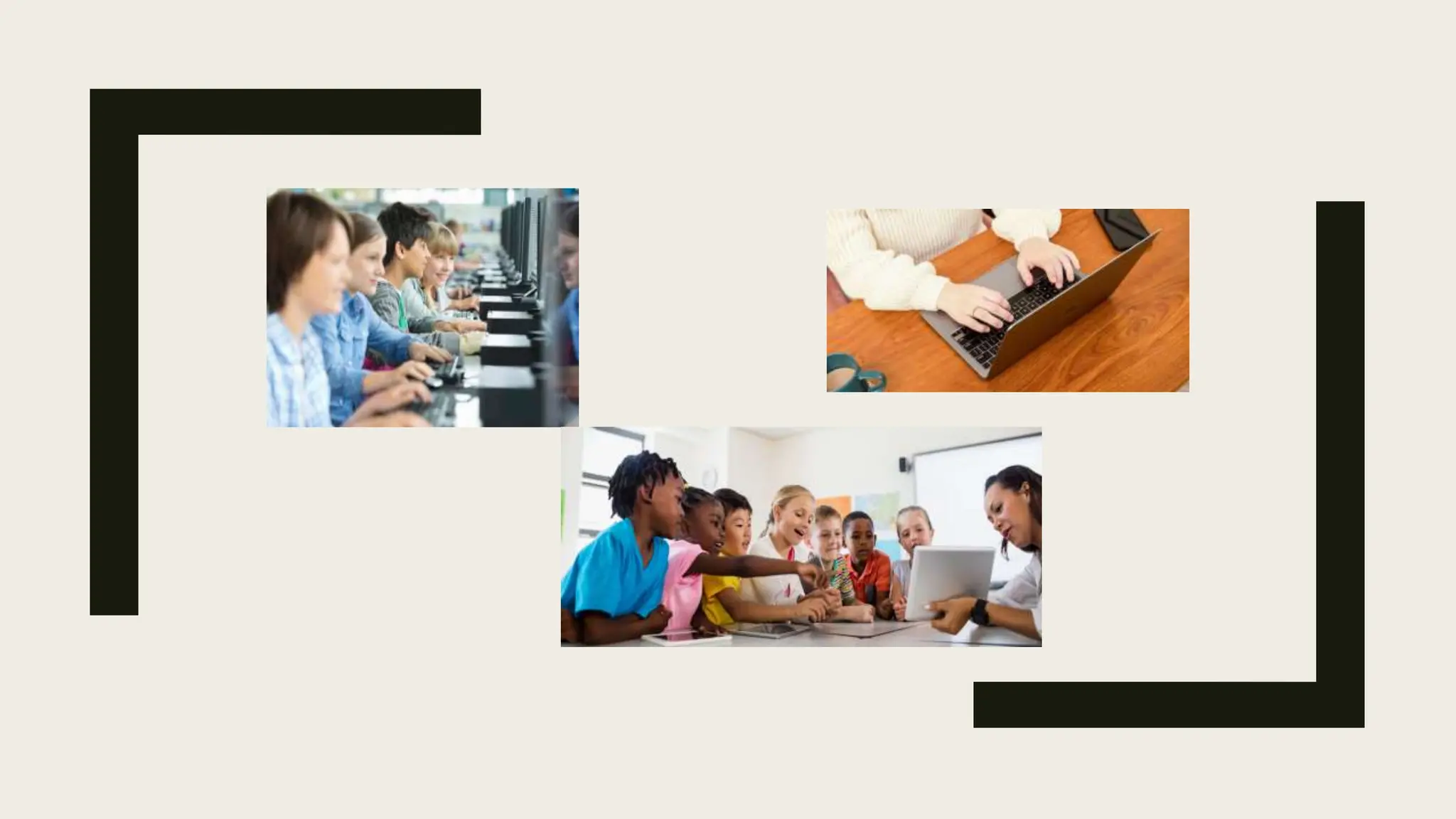
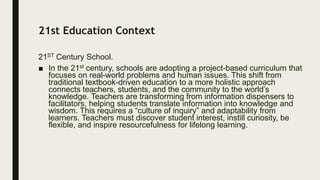
■ A 21st Century classroom is a collaborative learning environment
where students exchange insights, coach and mentor each other,
and share talents and skills. Cooperative learning emphasizes
cooperation over competition. To create a world-class 21st-century
learning environment, schools should focus on environmentally
friendly, energy-efficient, and “green” practices. An ideal learning
environment includes ample wall space, diverse group work areas,
and spaces for parents and the community to watch performances
and discuss.
Technology in the 21st Century Pedagogy
■ Technologies are tools for students to use knowledge for personal
and social purposes, and 21st-century learning requires full access
to technology. Schools should provide better Wifi, laboratories, and
learning centers for simulation and manipulative work, and utilize
other resources for knowledge exploration.
Understanding 21st Century Learners
■ Digital natives and digital immigrants are two distinct groups of
students. Digital natives are holistic, non-linear, and learn through
experience, while immigrants are sequential and linear. Students
have been immersed in the 2nd Century media culture, spending
an average of six hours a day on electronic media. They easily
navigate multimedia resources, but use them for entertainment
purposes. To succeed in an online collaborative research-based
environment, students should be prepared to become media
literate and capable of researching, analyzing, synthesizing,
critiquing, and evaluating new knowledge.
21st Century Skills Outcome and the Demands in the Job
Market.
■ The Partnership for 21st Century Skills (P21) emphasizes the
importance of developing critical thinking, creative problem-
solving, collaboration, and communication skills for students to
succeed in the information age. These skills are crucial in the job
market, as they require knowledge of trades, following directions,
and adaptability to changing technologies. To meet industry
demands, schools should integrate industry-demanded work skills
into their curriculum, ensuring a perfect match between academe
and industry demands.
The 21st Century Learning Implications
■ 21st Century skills are relevant to all academic areas and can be taught in
various settings. Teachers should practice teaching cross-disciplinary skills,
such as integrating research methods, articulating technical concepts, and using
emerging technologies. Accrediting organizations and regulatory bodies may
require these skills in the curriculum, and assessment tools should include these
skills. Schools should use applied skills, multiple technologies, and new ways of
analyzing and processing information. Students should be taught how to
process, analyze, and use information in real-life settings. Schools should adapt
and develop new ways of teaching and learning that reflect a changing world.
The purpose of education for the 21st Century is to prepare students for success
after graduation, prioritizing knowledge and skills in high demand. Teachers and
students must understand the sociohistorical context of their current situation
and how it can inform their future vision.
THE CRITICAL ATTRIBUTES OF 21ST CENTURY EDUCATION
Education continuously changes dramatically throughout time. There is a paradigm shift in the way
teaching and learning is delivered. Therefore, the 21st century teacher needs to develop essential
knowledge, skills ad values in order to cope with these changes and address students need (21st
Century Schools, 2011).
The following are eight attributes of 21st Century education and their implications:
1. Integrated and Interdisciplinary. In the 21st Century, education integrates various disciplines, requiring
curriculum reviews and strategies to enhance students’ learning experiences by integrating different
subjects.
2. Technologies and Multimedia. In the 21st Century, education utilizes ICT and multimedia to enhance
teaching and learning processes, necessitating the acquisition and use of computers and multimedia
equipment.
3. Global Classrooms. In the 21st Century, education aims to produce global citizens by exposing
students to local, national, and global issues, including peace, cultural diversity, climate change, and
global warming.
4. Creating/Adapting to Constant Personal and Social Change and Lifelong Learning. In the 21st Century,
education emphasizes lifelong learning beyond the classroom, allowing students to apply knowledge in
real-life situations. Teachers should facilitate students’ learning beyond academics, ensuring they
continue to learn outside the school for life.
5. Student-Centered. Education in The 21st Century is focused on students as learners while addressing
their needs, differentiated is relevant in the 21st Century classrooms, whore diversity factors and issues
are taken into account and addressed when planning and delivering instruction, including their learning
styles, interests, needs and abilities.
6. In the 21st Century, education should focus on developing life
and work skills like critical thinking, problem-solving, decision-
making, and CT literacy, with teachers prioritizing these abilities.
7. Project-Based and Research-Driven. 21st Century education
emphasizes data, information and evidence-based decision-
making through student activities that encourage active learning.
This implies the need for knowledge and skills in research, such
as self-directed activities, learning projects, investigatory projects,
capstones ‘and other research-based output.
8. Relevant, Rigorous and Real World. Education in the 21
Century is meaningful as it connects to real-life experiences of
learners. It implies the use of Current and relevant information
linked to real-life situations and contexts.
The Characteristics of a 21st Century Teacher
1. Multi-literate. Teachers know how to use various technologies in teaching.
2. Multi-specialist. Teachers are not only knowledge course subject they teach but also
in other area so that they can help the learner build up what they gain in the classroom
and outside the school and make sense of What was learned.
3. Multi-skilled. Teachers cope with the demand for’ widening learning opportunities by
being skillful not just in teaching but ‘also in facilitating and organizing groups and
activities.
4. Self-directed. Teachers are responsible for various aspects of school life and know
how to initiate action to realize the learning goals of the students and the educational
goals of the country, at large.
5. Lifelong learner. Teachers embrace the, ideal that learning never ends. Therefore,
teachers must be constantly updated on the latest information related to their subject
and pedagogic trends. They should also share what they are learning with their
students and colleagues with, a high sense of professionalism.
6. Flexible. Teachers are able to adapt to various learning styles and needs of the learners. They
can facilitate learner-centered teaching with flexibility using alternative modes of delivery.
7. Creative problem solver. Teachers create innovative ideas and effective solutions to the arising
problems in the field, be it in the classroom, in the school or the profession as a whole.
8. Critical thinker. Teachers are critical thinkers as they encourage students to reflect on what they
have learned, and rekindle in them the desire to ask questions, reason out, probe, and establish
their own knowledge and belief.
9. Has a passion for excellent teaching. Teachers possess passion in the teaching profession to
ensure that students are motivated to learn under their guidance and care.
10. High Emotional Quotient (EQ). Teachers do not just have the head but also the heart to teach.
Teaching is emotionally taxing but an influential job as it involves interaction with human beings.
COMMON 21ST CENTURY TECHNOLOGY TOOLS FOR LEARNING
1. Affinity Groups. These are groups or communities that unite individuals with common interests.
Electronic spaces extend the range of possibilities for such groups.
2. Blogs. Web logs or “blogs” are interactive websites, often open to the public that can include Web
links, photographs and audio and video elements.
3. E-portfolio. It refers to student’s works that are generated, selected, organized, stored and revised
digitally. Often, electronic portfolios are accessible to multiple audiences and can be moved from one site
to another easily. It can document the process of learning, promote integrative thinking, display final
work, and/or provide a space for reflective learning.
4. Hypertext. These are electronic texts that provide multiple links and allow users to trace ideas in
immediate and idiosyncratic directions. Hypermedia adds sound, video, animation, and/or virtual reality
environments to the user’s choices.
5. Podcasts. These are digitalized audio files that are stored on the Internet and downloaded to listeners’
computers or most likely to MP3 players. The term “podcast” comes from iPod, the popular MP3 player.
6. Web 2.0. This refers to a second generation of Web-based communities that demonstrate the participatory literacies
that students need for the 21st-century.
7. Myspace (http://www.Myspace.com) . It is a social networking website that offers an interactive user-submitted
network of friends, personal profiles,.
blogs, groups, photos, music and videos internationally. Students can rate professors, discuss books, and connect with
high school and college classmates here.
8. Second Life (http://www.secondlife.com) . It is an Internet-based 3-D virtual world that uses avatars (digital
representations) to explore, socialize, participate in individual or group activities, create and trade items (virtual property)
and services.
9. Semantic Web. It is an extension of the current Web that puts data into a common format so that instead of humans
working with individual search engines (e.g., Google,. Ask Jeeves) to locate information, the search engines themselves
feed into a single mechanism that provides this searching on its own. Sometimes called Web 3.0, this technology
enables
integration of virtually all kinds of information for more efficient and comprehensive retrieval.
10. Webkinz (http://www.webkinz.com). It is an Internet simulation wherein children learn pet care and other skills.
11. Wiki. It refers to software that fosters collaboration and communication online.
Wikis enable students to create, comment upon, and revise collaborative projects.
One of the most prominent is Wikipedia (http://www.wikipedia.org) , an online
multilingual free-content encyclopedia which has 7.9 million articles in 253
languages.
12. YouTube (http://www.Youtube.com). It is a popular website for video sharing
where users can upload, view and share video footage, including movie clips, TV
clips, and music videos, even student-produced videos.
13. Google Docs. It allows students to collaborate with other people and the
document materials that need to be compiled, processed, transacted and analyzed.
14. Prezi. It allows individuals to use pre-made, creative presentation templates.
15. Easybib. It allows individuals to generate citations in any given format.
16. Social media platforms (Facebook, Twitter, Edmodo, Schoology, Instagram,
etc.). These are means to communicate and share ideas among users.
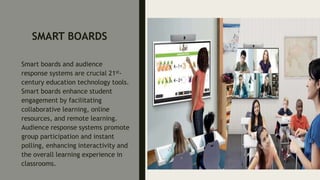
17. Smartboards and audience response systems. These are replacement for
traditional chalkboards or whiteboards in classrooms.
18. ReadWriteThink.org. (www.readwritethink.org). It is a repository of
standards-based literacy lessons that offer teachers instructional ideas for
Internet integration.
19. WebQuest Page (www.webquest.org). It provides WebQuests on an array
of topics across content areas with a template for creating one’s own.
20. Literacy Web (http://www.literacy.uconn.edu). It is an online portal that
includes a large number of new literacy’s resources for new literacies for
teachers. (http://cnets.iste.orgneachers/tglossary.ml#)
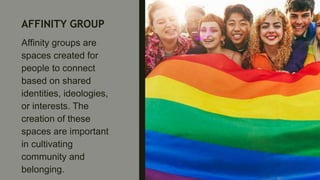
AFFINITY GROUP
Affinity groups are
spaces created for
people to connect
based on shared
identities, ideologies,
or interests. The
creation of these
spaces are important
in cultivating
community and
belonging.
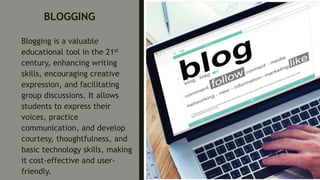
BLOGGING
Blogging is a valuable
educational tool in the 21st
century, enhancing writing
skills, encouraging creative
expression, and facilitating
group discussions. It allows
students to express their
voices, practice
communication, and develop
courtesy, thoughtfulness, and
basic technology skills, making
it cost-effective and user-
friendly.
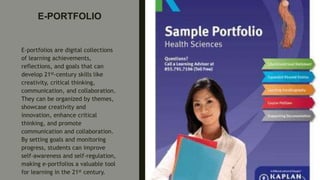
E-PORTFOLIO
E-portfolios are digital collections
of learning achievements,
reflections, and goals that can
develop 21st-century skills like
creativity, critical thinking,
communication, and collaboration.
They can be organized by themes,
showcase creativity and
innovation, enhance critical
thinking, and promote
communication and collaboration.
By setting goals and monitoring
progress, students can improve
self-awareness and self-regulation,
making e-portfolios a valuable tool
for learning in the 21st century.
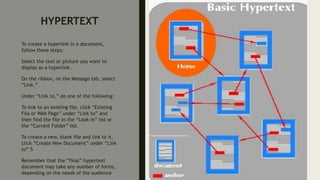
HYPERTEXT
To create a hyperlink in a document,
follow these steps:
Select the text or picture you want to
display as a hyperlink.
On the ribbon, on the Message tab, select
“Link.”
Under “Link to,” do one of the following:
To link to an existing file, click “Existing
File or Web Page” under “Link to” and
then find the file in the “Look in” list or
the “Current Folder” list.
To create a new, blank file and link to it,
click “Create New Document” under “Link
to” 5
Remember that the “final” hypertext
document may take any number of forms,
depending on the needs of the audience
PODCAST
Podcasts are audio programs
accessible on various devices.
They can be found using
podcast apps like Apple
Podcasts, Google Podcasts, and
Spotify, or on web browsers like
Chrome, Safari, or Microsoft
Edge. Users can download or
stream podcasts, with
downloading allowing
uninterrupted listening and
streaming allowing access from
any internet connection.
Listening to podcasts requires
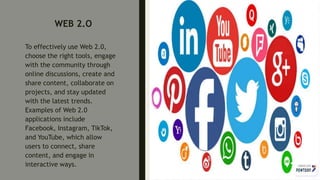
WEB 2.O
To effectively use Web 2.0,
choose the right tools, engage
with the community through
online discussions, create and
share content, collaborate on
projects, and stay updated
with the latest trends.
Examples of Web 2.0
applications include
Facebook, Instagram, TikTok,
and YouTube, which allow
users to connect, share
content, and engage in
interactive ways.
MYSPACE
http://www.Myspace.com
SECONDLIFE
http://www.secondlife.com
SEMANTIC WEB
Semantic web technology tools are
essential for developing websites.
Choose a programming language
like Java, Python, or Ruby, and
search for relevant tools like RDF,
RDFa, and OWL. Create semantic
markup using tools like WooRank’s
Metadata Tool or JSON-LD Schema
Generator. Validate the markup
using tools like Schemantra. Add
the semantic markup to improve
SEO and user experience. Explore
other tools like conversion tools,
data management tools, glossaries,
ontology building platforms,
Semantic Web browsers, validators,
XML editors, and Xpath tools.
WEBKINZ
http://Webkinz.com
WIKIPEDIA
http://wikipedia.com
YOUTUBE
http://Youtube.com
GOOGLE DOCS
Google Docs is a free online
word processing software that
enables users to create and edit
documents. Accessible through
docs.google.com or the Android
app, users can create new
documents, collaborate with
others, and use features like
voice typing and smart chips.
PREZI
To use Prezi, you can start by visiting
the Prezi website and creating an
account. Once you’re logged in, you can
choose a template or start with a blank
Prezi. Then, you can add text, images,
and other content to your presentation.
Prezi allows you to create non-linear
presentations, so you can arrange your
content in a way that suits your
narrative. You can also use the zooming
feature to focus on different elements
of your presentation. Prezi offers how-
to videos and training sessions on their
website to help you get started and
learn all the ways you can use the
EASYBIB
EasyBib is a citation tool that
enables users to create
bibliographies and citations
in MLA, APA, and Chicago
styles. It requires
registration, inputs source
information, and selects the
appropriate citation style.
The citation is then exported.
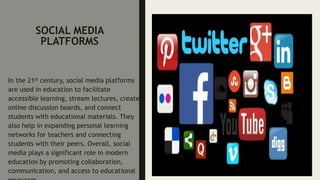
SOCIAL MEDIA
PLATFORMS
In the 21st century, social media platforms
are used in education to facilitate
accessible learning, stream lectures, create
online discussion boards, and connect
students with educational materials. They
also help in expanding personal learning
networks for teachers and connecting
students with their peers. Overall, social
media plays a significant role in modern
education by promoting collaboration,
communication, and access to educational
SMART BOARDS
Smart boards and audience
response systems are crucial 21st-
century education technology tools.
Smart boards enhance student
engagement by facilitating
collaborative learning, online
resources, and remote learning.
Audience response systems promote
group participation and instant
polling, enhancing interactivity and
the overall learning experience in
classrooms.
READWRITETHINK. ORG
www.readwritethink.o
rg
WEBQUEST
www.webquest.org
LITERACY WEB
http://www.literacy.uconn.edu
THANK YOU!!

PowerPoint presentation for 21st century

  • 3.
  • 4.
    21st Education Context 21STCentury School. ■ In the 21st century, schools are adopting a project-based curriculum that focuses on real-world problems and human issues. This shift from traditional textbook-driven education to a more holistic approach connects teachers, students, and the community to the world’s knowledge. Teachers are transforming from information dispensers to facilitators, helping students translate information into knowledge and wisdom. This requires a “culture of inquiry” and adaptability from learners. Teachers must discover student interest, instill curiosity, be flexible, and inspire resourcefulness for lifelong learning.
  • 5.
    21st Century Curriculum ■The twenty-first century curriculum is interdisciplinary, project-based, and research-driven, connecting students to local, national, and global communities. It integrates higher-order thinking skills, multiple intelligences, technology, multimedia, literacies, and authentic assessments. Instruction is thematic, project-based, and connected to previous knowledge, personal experiences, interests, talents, and habits, rather than focusing solely on memorization.
  • 6.
    21st Century LearningEnvironment ■ A 21st Century classroom is a collaborative learning environment where students exchange insights, coach and mentor each other, and share talents and skills. Cooperative learning emphasizes cooperation over competition. To create a world-class 21st-century learning environment, schools should focus on environmentally friendly, energy-efficient, and “green” practices. An ideal learning environment includes ample wall space, diverse group work areas, and spaces for parents and the community to watch performances and discuss.
  • 7.
    Technology in the21st Century Pedagogy ■ Technologies are tools for students to use knowledge for personal and social purposes, and 21st-century learning requires full access to technology. Schools should provide better Wifi, laboratories, and learning centers for simulation and manipulative work, and utilize other resources for knowledge exploration.
  • 8.
    Understanding 21st CenturyLearners ■ Digital natives and digital immigrants are two distinct groups of students. Digital natives are holistic, non-linear, and learn through experience, while immigrants are sequential and linear. Students have been immersed in the 2nd Century media culture, spending an average of six hours a day on electronic media. They easily navigate multimedia resources, but use them for entertainment purposes. To succeed in an online collaborative research-based environment, students should be prepared to become media literate and capable of researching, analyzing, synthesizing, critiquing, and evaluating new knowledge.
  • 9.
    21st Century SkillsOutcome and the Demands in the Job Market. ■ The Partnership for 21st Century Skills (P21) emphasizes the importance of developing critical thinking, creative problem- solving, collaboration, and communication skills for students to succeed in the information age. These skills are crucial in the job market, as they require knowledge of trades, following directions, and adaptability to changing technologies. To meet industry demands, schools should integrate industry-demanded work skills into their curriculum, ensuring a perfect match between academe and industry demands.
  • 10.
    The 21st CenturyLearning Implications ■ 21st Century skills are relevant to all academic areas and can be taught in various settings. Teachers should practice teaching cross-disciplinary skills, such as integrating research methods, articulating technical concepts, and using emerging technologies. Accrediting organizations and regulatory bodies may require these skills in the curriculum, and assessment tools should include these skills. Schools should use applied skills, multiple technologies, and new ways of analyzing and processing information. Students should be taught how to process, analyze, and use information in real-life settings. Schools should adapt and develop new ways of teaching and learning that reflect a changing world. The purpose of education for the 21st Century is to prepare students for success after graduation, prioritizing knowledge and skills in high demand. Teachers and students must understand the sociohistorical context of their current situation and how it can inform their future vision.
  • 11.
    THE CRITICAL ATTRIBUTESOF 21ST CENTURY EDUCATION Education continuously changes dramatically throughout time. There is a paradigm shift in the way teaching and learning is delivered. Therefore, the 21st century teacher needs to develop essential knowledge, skills ad values in order to cope with these changes and address students need (21st Century Schools, 2011). The following are eight attributes of 21st Century education and their implications: 1. Integrated and Interdisciplinary. In the 21st Century, education integrates various disciplines, requiring curriculum reviews and strategies to enhance students’ learning experiences by integrating different subjects. 2. Technologies and Multimedia. In the 21st Century, education utilizes ICT and multimedia to enhance teaching and learning processes, necessitating the acquisition and use of computers and multimedia equipment. 3. Global Classrooms. In the 21st Century, education aims to produce global citizens by exposing students to local, national, and global issues, including peace, cultural diversity, climate change, and global warming. 4. Creating/Adapting to Constant Personal and Social Change and Lifelong Learning. In the 21st Century, education emphasizes lifelong learning beyond the classroom, allowing students to apply knowledge in real-life situations. Teachers should facilitate students’ learning beyond academics, ensuring they continue to learn outside the school for life. 5. Student-Centered. Education in The 21st Century is focused on students as learners while addressing their needs, differentiated is relevant in the 21st Century classrooms, whore diversity factors and issues are taken into account and addressed when planning and delivering instruction, including their learning styles, interests, needs and abilities.
  • 12.
    6. In the21st Century, education should focus on developing life and work skills like critical thinking, problem-solving, decision- making, and CT literacy, with teachers prioritizing these abilities. 7. Project-Based and Research-Driven. 21st Century education emphasizes data, information and evidence-based decision- making through student activities that encourage active learning. This implies the need for knowledge and skills in research, such as self-directed activities, learning projects, investigatory projects, capstones ‘and other research-based output. 8. Relevant, Rigorous and Real World. Education in the 21 Century is meaningful as it connects to real-life experiences of learners. It implies the use of Current and relevant information linked to real-life situations and contexts.
  • 13.
    The Characteristics ofa 21st Century Teacher 1. Multi-literate. Teachers know how to use various technologies in teaching. 2. Multi-specialist. Teachers are not only knowledge course subject they teach but also in other area so that they can help the learner build up what they gain in the classroom and outside the school and make sense of What was learned. 3. Multi-skilled. Teachers cope with the demand for’ widening learning opportunities by being skillful not just in teaching but ‘also in facilitating and organizing groups and activities. 4. Self-directed. Teachers are responsible for various aspects of school life and know how to initiate action to realize the learning goals of the students and the educational goals of the country, at large. 5. Lifelong learner. Teachers embrace the, ideal that learning never ends. Therefore, teachers must be constantly updated on the latest information related to their subject and pedagogic trends. They should also share what they are learning with their students and colleagues with, a high sense of professionalism.
  • 14.
    6. Flexible. Teachersare able to adapt to various learning styles and needs of the learners. They can facilitate learner-centered teaching with flexibility using alternative modes of delivery. 7. Creative problem solver. Teachers create innovative ideas and effective solutions to the arising problems in the field, be it in the classroom, in the school or the profession as a whole. 8. Critical thinker. Teachers are critical thinkers as they encourage students to reflect on what they have learned, and rekindle in them the desire to ask questions, reason out, probe, and establish their own knowledge and belief. 9. Has a passion for excellent teaching. Teachers possess passion in the teaching profession to ensure that students are motivated to learn under their guidance and care. 10. High Emotional Quotient (EQ). Teachers do not just have the head but also the heart to teach. Teaching is emotionally taxing but an influential job as it involves interaction with human beings.
  • 15.
    COMMON 21ST CENTURYTECHNOLOGY TOOLS FOR LEARNING 1. Affinity Groups. These are groups or communities that unite individuals with common interests. Electronic spaces extend the range of possibilities for such groups. 2. Blogs. Web logs or “blogs” are interactive websites, often open to the public that can include Web links, photographs and audio and video elements. 3. E-portfolio. It refers to student’s works that are generated, selected, organized, stored and revised digitally. Often, electronic portfolios are accessible to multiple audiences and can be moved from one site to another easily. It can document the process of learning, promote integrative thinking, display final work, and/or provide a space for reflective learning. 4. Hypertext. These are electronic texts that provide multiple links and allow users to trace ideas in immediate and idiosyncratic directions. Hypermedia adds sound, video, animation, and/or virtual reality environments to the user’s choices. 5. Podcasts. These are digitalized audio files that are stored on the Internet and downloaded to listeners’ computers or most likely to MP3 players. The term “podcast” comes from iPod, the popular MP3 player.
  • 16.
    6. Web 2.0.This refers to a second generation of Web-based communities that demonstrate the participatory literacies that students need for the 21st-century. 7. Myspace (http://www.Myspace.com) . It is a social networking website that offers an interactive user-submitted network of friends, personal profiles,. blogs, groups, photos, music and videos internationally. Students can rate professors, discuss books, and connect with high school and college classmates here. 8. Second Life (http://www.secondlife.com) . It is an Internet-based 3-D virtual world that uses avatars (digital representations) to explore, socialize, participate in individual or group activities, create and trade items (virtual property) and services. 9. Semantic Web. It is an extension of the current Web that puts data into a common format so that instead of humans working with individual search engines (e.g., Google,. Ask Jeeves) to locate information, the search engines themselves feed into a single mechanism that provides this searching on its own. Sometimes called Web 3.0, this technology enables integration of virtually all kinds of information for more efficient and comprehensive retrieval. 10. Webkinz (http://www.webkinz.com). It is an Internet simulation wherein children learn pet care and other skills.
  • 17.
    11. Wiki. Itrefers to software that fosters collaboration and communication online. Wikis enable students to create, comment upon, and revise collaborative projects. One of the most prominent is Wikipedia (http://www.wikipedia.org) , an online multilingual free-content encyclopedia which has 7.9 million articles in 253 languages. 12. YouTube (http://www.Youtube.com). It is a popular website for video sharing where users can upload, view and share video footage, including movie clips, TV clips, and music videos, even student-produced videos. 13. Google Docs. It allows students to collaborate with other people and the document materials that need to be compiled, processed, transacted and analyzed. 14. Prezi. It allows individuals to use pre-made, creative presentation templates. 15. Easybib. It allows individuals to generate citations in any given format.
  • 18.
    16. Social mediaplatforms (Facebook, Twitter, Edmodo, Schoology, Instagram, etc.). These are means to communicate and share ideas among users. 17. Smartboards and audience response systems. These are replacement for traditional chalkboards or whiteboards in classrooms. 18. ReadWriteThink.org. (www.readwritethink.org). It is a repository of standards-based literacy lessons that offer teachers instructional ideas for Internet integration. 19. WebQuest Page (www.webquest.org). It provides WebQuests on an array of topics across content areas with a template for creating one’s own. 20. Literacy Web (http://www.literacy.uconn.edu). It is an online portal that includes a large number of new literacy’s resources for new literacies for teachers. (http://cnets.iste.orgneachers/tglossary.ml#)
  • 19.
    AFFINITY GROUP Affinity groupsare spaces created for people to connect based on shared identities, ideologies, or interests. The creation of these spaces are important in cultivating community and belonging.
  • 20.
    BLOGGING Blogging is avaluable educational tool in the 21st century, enhancing writing skills, encouraging creative expression, and facilitating group discussions. It allows students to express their voices, practice communication, and develop courtesy, thoughtfulness, and basic technology skills, making it cost-effective and user- friendly.
  • 21.
    E-PORTFOLIO E-portfolios are digitalcollections of learning achievements, reflections, and goals that can develop 21st-century skills like creativity, critical thinking, communication, and collaboration. They can be organized by themes, showcase creativity and innovation, enhance critical thinking, and promote communication and collaboration. By setting goals and monitoring progress, students can improve self-awareness and self-regulation, making e-portfolios a valuable tool for learning in the 21st century.
  • 22.
    HYPERTEXT To create ahyperlink in a document, follow these steps: Select the text or picture you want to display as a hyperlink. On the ribbon, on the Message tab, select “Link.” Under “Link to,” do one of the following: To link to an existing file, click “Existing File or Web Page” under “Link to” and then find the file in the “Look in” list or the “Current Folder” list. To create a new, blank file and link to it, click “Create New Document” under “Link to” 5 Remember that the “final” hypertext document may take any number of forms, depending on the needs of the audience
  • 23.
    PODCAST Podcasts are audioprograms accessible on various devices. They can be found using podcast apps like Apple Podcasts, Google Podcasts, and Spotify, or on web browsers like Chrome, Safari, or Microsoft Edge. Users can download or stream podcasts, with downloading allowing uninterrupted listening and streaming allowing access from any internet connection. Listening to podcasts requires
  • 24.
    WEB 2.O To effectivelyuse Web 2.0, choose the right tools, engage with the community through online discussions, create and share content, collaborate on projects, and stay updated with the latest trends. Examples of Web 2.0 applications include Facebook, Instagram, TikTok, and YouTube, which allow users to connect, share content, and engage in interactive ways.
  • 25.
  • 26.
  • 27.
    SEMANTIC WEB Semantic webtechnology tools are essential for developing websites. Choose a programming language like Java, Python, or Ruby, and search for relevant tools like RDF, RDFa, and OWL. Create semantic markup using tools like WooRank’s Metadata Tool or JSON-LD Schema Generator. Validate the markup using tools like Schemantra. Add the semantic markup to improve SEO and user experience. Explore other tools like conversion tools, data management tools, glossaries, ontology building platforms, Semantic Web browsers, validators, XML editors, and Xpath tools.
  • 28.
  • 29.
  • 30.
  • 31.
    GOOGLE DOCS Google Docsis a free online word processing software that enables users to create and edit documents. Accessible through docs.google.com or the Android app, users can create new documents, collaborate with others, and use features like voice typing and smart chips.
  • 32.
    PREZI To use Prezi,you can start by visiting the Prezi website and creating an account. Once you’re logged in, you can choose a template or start with a blank Prezi. Then, you can add text, images, and other content to your presentation. Prezi allows you to create non-linear presentations, so you can arrange your content in a way that suits your narrative. You can also use the zooming feature to focus on different elements of your presentation. Prezi offers how- to videos and training sessions on their website to help you get started and learn all the ways you can use the
  • 33.
    EASYBIB EasyBib is acitation tool that enables users to create bibliographies and citations in MLA, APA, and Chicago styles. It requires registration, inputs source information, and selects the appropriate citation style. The citation is then exported.
  • 34.
    SOCIAL MEDIA PLATFORMS In the21st century, social media platforms are used in education to facilitate accessible learning, stream lectures, create online discussion boards, and connect students with educational materials. They also help in expanding personal learning networks for teachers and connecting students with their peers. Overall, social media plays a significant role in modern education by promoting collaboration, communication, and access to educational
  • 35.
    SMART BOARDS Smart boardsand audience response systems are crucial 21st- century education technology tools. Smart boards enhance student engagement by facilitating collaborative learning, online resources, and remote learning. Audience response systems promote group participation and instant polling, enhancing interactivity and the overall learning experience in classrooms.
  • 36.
  • 37.
  • 38.
  • 39.