Poster Design 101 AECGSA  October 3, 2007
Getting Started Research Poster: Introduction/need for research Conceptual or Theoretical Framework (Literature Review) Methodology Results/findings Conclusion Implications/ recommendations/impact on profession References Innovative Idea Poster: Introduction/need for innovation or idea How it works/ methodology/program phases/steps Results to date/implications Future plans/Advice to others Costs/resources needed References
Guidelines 36” tall x 48” long Use PowerPoint or InDesign Make the title the largest font on the poster  Include your name(s) and affiliation(s) in next largest font Start top left Keep words to a minimum Include photographs or tables Keep background design simple dark text on light background
AEE 6767 Poster Winner, Fall 2005   designed in PowerPoint
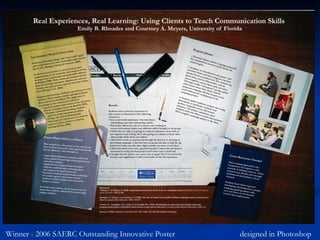
Winner - 2006 SAERC Outstanding Innovative Poster  designed in Photoshop
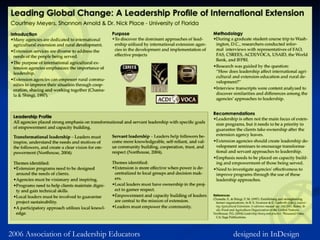
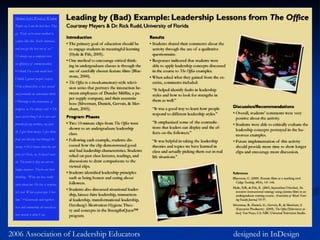
2006 Association of Leadership Educators   designed in InDesign
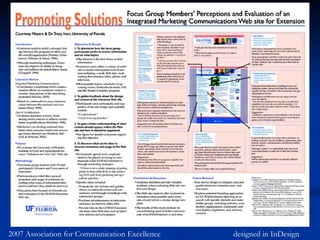
2007 Association for Communication Excellence   designed in InDesign
Printing options CIRCA lab $3 no lamination ICS printing ~$50 with lamination preferred for conferences, but not required
Advice Do an excellent job on the poster narrative. Pick out the most important bullet points. Don’t wait until the last minute to get started. Have several people look at the design. Make it easy to read.

Poster design 101

  • 1.
    Poster Design 101AECGSA October 3, 2007
  • 2.
    Getting Started ResearchPoster: Introduction/need for research Conceptual or Theoretical Framework (Literature Review) Methodology Results/findings Conclusion Implications/ recommendations/impact on profession References Innovative Idea Poster: Introduction/need for innovation or idea How it works/ methodology/program phases/steps Results to date/implications Future plans/Advice to others Costs/resources needed References
  • 3.
    Guidelines 36” tallx 48” long Use PowerPoint or InDesign Make the title the largest font on the poster Include your name(s) and affiliation(s) in next largest font Start top left Keep words to a minimum Include photographs or tables Keep background design simple dark text on light background
  • 4.
    AEE 6767 PosterWinner, Fall 2005 designed in PowerPoint
  • 5.
    Winner - 2006SAERC Outstanding Innovative Poster designed in Photoshop
  • 6.
    2006 Association ofLeadership Educators designed in InDesign
  • 7.
    2006 Association ofLeadership Educators designed in InDesign
  • 8.
    2007 Association forCommunication Excellence designed in InDesign
  • 9.
    Printing options CIRCAlab $3 no lamination ICS printing ~$50 with lamination preferred for conferences, but not required
  • 10.
    Advice Do anexcellent job on the poster narrative. Pick out the most important bullet points. Don’t wait until the last minute to get started. Have several people look at the design. Make it easy to read.

Editor's Notes

  • #2 Can present posters at SAAS – Ag Comm, SAAS – Ag Ed, ALE, ACE, AIAEE Will have to do one for AEE 6767
  • #3 Read the “Call for Posters” carefully Don’t have to use every heading, but should have something from each bullet point
  • #11 Don’t wait until the last minute – problems may happen with the printer (I tried 4 times to print the poster for ACE this summer). Make it easy to read – no distracting backgrounds. Clean fonts, nothing too fancy.