Planning for
Research Data Management
26th
January 2016
Isabel Chadwick,
Research Data Management Librarian
library-research-support@open.ac.uk
Overview of session
• What is Research Data Management?
• Why bother?
• Data Management Planning: step-by-step
• Questions
with a little help from my friends...
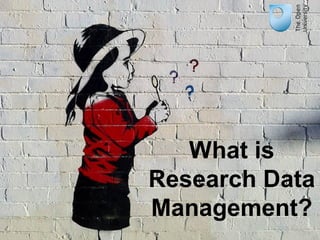
What is
Research Data
Management?
What is Research Data
Management?
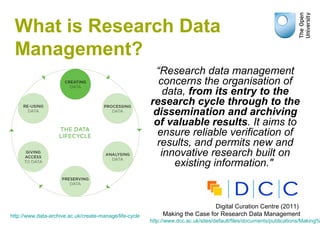
“Research data management
concerns the organisation of
data, from its entry to the
research cycle through to the
dissemination and archiving
of valuable results. It aims to
ensure reliable verification of
results, and permits new and
innovative research built on
existing information."
Digital Curation Centre (2011)
Making the Case for Research Data Management
http://www.dcc.ac.uk/sites/default/files/documents/publications/Making%
http://www.data-archive.ac.uk/create-manage/life-cycle
Why bother?
Or even worse...
Good data management...
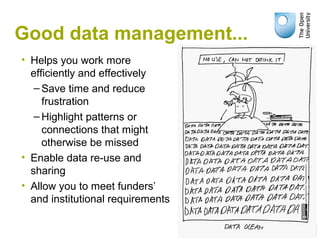
• Helps you work more
efficiently and effectively
– Save time and reduce
frustration
– Highlight patterns or
connections that might
otherwise be missed
• Enable data re-use and
sharing
• Allow you to meet funders’
and institutional requirements
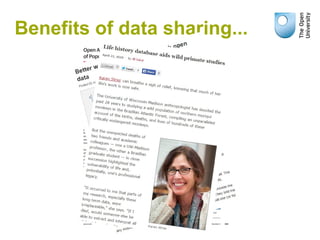
Benefits of data sharing...
OU Principles of
Research Data Management
“Research data must be managed to the highest
standards throughout their life-cycle in order to
support excellence in research practice.
In keeping with OU principles of open-ness, it is
expected that research data will be open and
accessible to other researchers, as soon as
appropriate and verifiable, subject to the application
of appropriate safeguards relating to the sensitivity
of the data and legal requirements.”
OU Principles of Research Data Management, April 2013
http://intranet.open.ac.uk/research-school/strategy-info-governance/docs/CoPamendedJuly20
Data Management Planning
• Make informed decisions to anticipate
and avoid problems
• Avoid duplication, data loss and
security breaches
• Develop procedures early on for
consistency
• Ensure data are accurate, complete,
reliable and secure
• Save time and effort – make your life
easier!
Data Management Plans are useful whenever
you are creating data to:
Data Management Planning
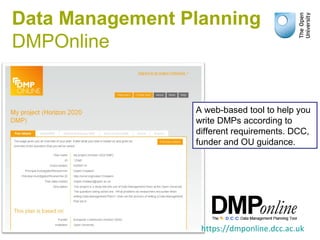
DMPOnline
https://dmponline.dcc.ac.uk
A web-based tool to help you
write DMPs according to
different requirements. DCC,
funder and OU guidance.
The rest of the session...
“Write a paragraph on the aim
and purpose of your research.”
1. Introduction and Context
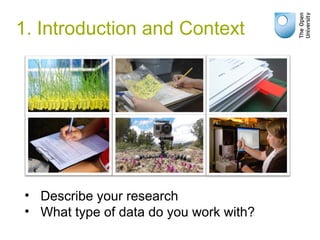
• Describe your research
• What type of data do you work with?
1. Introduction and Context
“Describe the data aspects of your
research, how you will capture/generate
them, the file formats you are using and
why. Mention how metadata will be created
to describe the data, and your reasons for
choosing particular data standards and
approaches.”
2. Data types, formats,
standards and capture methods
2. Data types, formats,
standards and capture methods
2. Data types, formats,
standards and capture methods
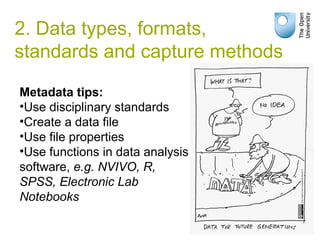
Metadata tips:
•Use disciplinary standards
•Create a data file
•Use file properties
•Use functions in data analysis
software, e.g. NVIVO, R,
SPSS, Electronic Lab
Notebooks
2. Data types, formats,
standards and capture methods
“Detail any ethical and privacy issues,
including the consent of participants.
Explain the copyright/IPR and whether
there are any data licensing issues – either
for data you are reusing, or your data which
you will make available to others.”
3. Ethics and Intellectual Property
3. Ethics and Intellectual
Property
3. Ethics and Intellectual
Property
3. Ethics and Intellectual
Property
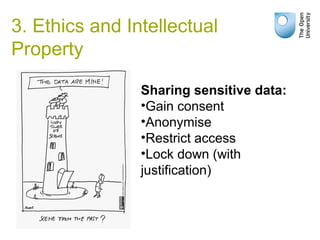
Sharing sensitive data:
•Gain consent
•Anonymise
•Restrict access
•Lock down (with
justification)
3. Ethics and Intellectual
Property
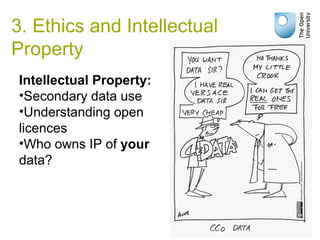
Intellectual Property:
•Secondary data use
•Understanding open
licences
•Who owns IP of your
data?
3. Ethics and Intellectual
Property
“Note who would be interested in your data,
and describe how you will make them
available (with any restrictions). Detail any
reasons not to share, as well as embargo
periods or if you want time to exploit your
data for publishing.”
4. Access, Data Sharing
and Re-use
4. Access, Data Sharing and
Re-use
4. Access, Data Sharing and
Re-use
4. Access, Data Sharing and
Re-use
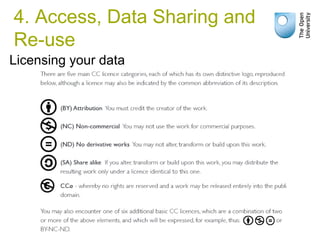
Licensing your data
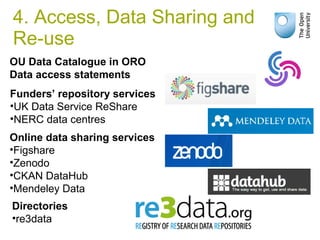
OU Data Catalogue in ORO
Data access statements
Online data sharing services
•Figshare
•Zenodo
•CKAN DataHub
•Mendeley Data
Directories
•re3data
Funders’ repository services
•UK Data Service ReShare
•NERC data centres
4. Access, Data Sharing and
Re-use
4. Access, Data Sharing and
Re-use
“Give a rough idea of data volume. Say
where and on what media you will store
data, and how they will be backed-up.
Mention security measures to protect data
which are sensitive or valuable.”
5. Short-term storage and data
management
5. Short-term Storage and
Data Management
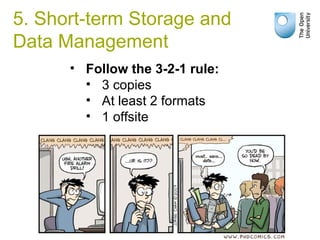
• Follow the 3-2-1 rule:
• 3 copies
• At least 2 formats
• 1 offsite
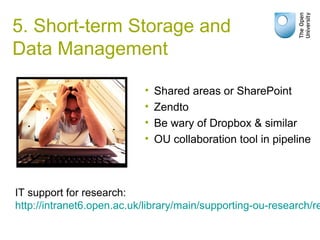
• Shared areas or SharePoint
• Zendto
• Be wary of Dropbox & similar
• OU collaboration tool in pipeline
IT support for research:
http://intranet6.open.ac.uk/library/main/supporting-ou-research/re
5. Short-term Storage and
Data Management
5. Short-term Storage and
Data Management
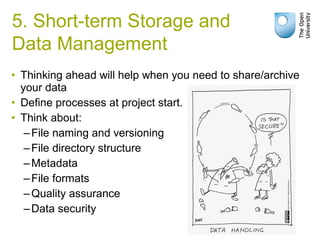
• Thinking ahead will help when you need to share/archive
your data
• Define processes at project start.
• Think about:
–File naming and versioning
–File directory structure
–Metadata
–File formats
–Quality assurance
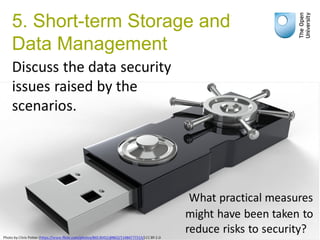
–Data security
5. Short-term Storage and
Data Management
5. Short-term Storage and
Data Management
5. Short-term Storage and
Data Management
“Consider what data are worth selecting for
long-term access and preservation and how
you will need to prepare those data for
archiving. Say where you intend to deposit
the data.”
6. Deposit and long-term
preservation
6. Deposit and long-term
preservation
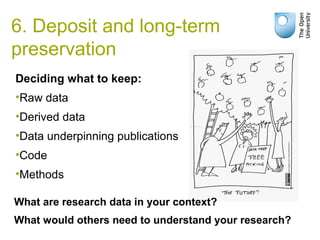
Deciding what to keep:
•Raw data
•Derived data
•Data underpinning publications
•Code
•Methods
What are research data in your context?
What would others need to understand your research?
6. Deposit and long-term
preservation
To allow long-term access to data:
•Don't use obscure formats
•Don't use obscure media
•Don't rely on technology being
available
•Provide sufficient documentation
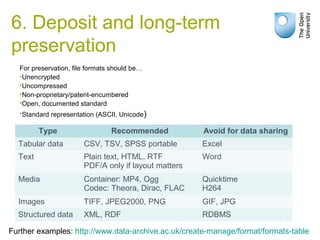
For preservation, file formats should be…
•Unencrypted
•Uncompressed
•Non-proprietary/patent-encumbered
•Open, documented standard
•Standard representation (ASCII, Unicode)
Type Recommended Avoid for data sharing
Tabular data CSV, TSV, SPSS portable Excel
Text Plain text, HTML, RTF
PDF/A only if layout matters
Word
Media Container: MP4, Ogg
Codec: Theora, Dirac, FLAC
Quicktime
H264
Images TIFF, JPEG2000, PNG GIF, JPG
Structured data XML, RDF RDBMS
Further examples: http://www.data-archive.ac.uk/create-manage/format/formats-table
6. Deposit and long-term
preservation
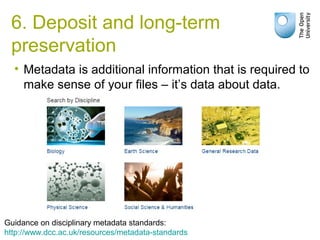
• Metadata is additional information that is required to
make sense of your files – it’s data about data.
Guidance on disciplinary metadata standards:
http://www.dcc.ac.uk/resources/metadata-standards
6. Deposit and long-term
preservation
6. Deposit and long-term
preservation
Library Services
How we can help
• Data Management Plan checking
• Support with setting up new projects
• Advice on preparation of data for sharing
• Data catalogue on ORO
• Online guidance
• Enquiries
• Development of new tools to enable data management
and sharing
Email: library-research-support@open.ac.uk
Useful links
• The OU Research Data Management intranet site:
http://intranet6.open.ac.uk/library/main/supporting-ou-research/research-data-m
• VRE:
http://www.open.ac.uk/students/research/activities/lists/organising-your-researc
• Digital Curation Centre: http://www.dcc.ac.uk/
• DMPOnline: https://dmponline.dcc.ac.uk/
• UK Data Archive: http://www.data-archive.ac.uk/
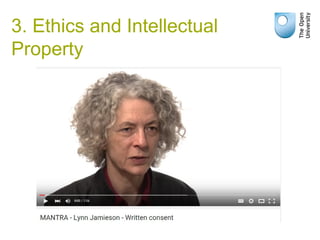
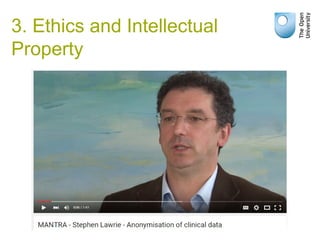
• MANTRA: http://datalib.edina.ac.uk/mantra/
• The Orb: http://open.ac.uk/blogs/the_orb
Reflection
and
Questions
Image credits
Other cartoons from the Research Data Alliance 4th
Plenary, Amsterdam 2014:
https://rd-alliance.org/plenary-meetings/fourth-plenary/plenary-cartoons.html (CC-BY)
BASF (2007) Crop Design – the fine art of gene
discovery,
https://www.flickr.com/photos/basf/4837267013
(CC BY-NC-ND 2.0)
Jay Oliver (2005) UGA research in Tifton, GA. June
2005,
https://www.flickr.com/photos/ugacommunications/6254516052
(CC BY-NC 2.0)
Teddy-rised (2008) Making every litter count,
https://www.flickr.com/photos/teddy-
rised/2947952302 (CC BY-NC-ND 2.0)
Stan Leary (2009) University of Georgia Griffin
Campus:Research,
https://www.flickr.com/photos/ugacommuni
cations/6254368548 (CC BY-NC 2.0)
Morten Oddvik (2011) Papers,
https://www.flickr.com/photos/mortsan/5430418545
(CC BY 2.0)
Lars Rosengreen (2012) Using a GoPro camera to
collect data on pollinators,
https://www.flickr.com/photos/46369606@N04/75
43827396/ (CC BY-NC-ND 2.0)
Casldlyrose (2009) Be Prepared
https://www.flickr.com/photos/calsidyrose/3552473
207 (CC-BY 2.0)
Caleb Roenigk (2012) Writing? Yeah.
https://www.flickr.com/photos/crdot/6855538268/
(CC-BY 2.0)
Jamie Henderson (2010) Day 22
https://www.flickr.com/photos/xelcise/4296734826
(CC-BY-NC-ND 2.0)
PHDComics.com (2007)
http://www.phdcomics.com/comics/archive.p
hp?comicid=814 (CC-BY 2.0)
Sybren Stuvel (2008) Frustration
https://www.flickr.com/photos/sybrenstuvel (CC-
BY-NC-ND 2.0)
Brian Yap (2012) Blowing Questions
https://www.flickr.com/photos/sybrenstuvel (CC-
BY-NC 2.0)

Planning for Research Data Management: 26th January 2016

  • 1.
    Planning for Research DataManagement 26th January 2016 Isabel Chadwick, Research Data Management Librarian library-research-support@open.ac.uk
  • 2.
    Overview of session •What is Research Data Management? • Why bother? • Data Management Planning: step-by-step • Questions with a little help from my friends...
  • 3.
  • 4.
    What is ResearchData Management? “Research data management concerns the organisation of data, from its entry to the research cycle through to the dissemination and archiving of valuable results. It aims to ensure reliable verification of results, and permits new and innovative research built on existing information." Digital Curation Centre (2011) Making the Case for Research Data Management http://www.dcc.ac.uk/sites/default/files/documents/publications/Making% http://www.data-archive.ac.uk/create-manage/life-cycle
  • 5.
  • 6.
  • 7.
    Good data management... •Helps you work more efficiently and effectively – Save time and reduce frustration – Highlight patterns or connections that might otherwise be missed • Enable data re-use and sharing • Allow you to meet funders’ and institutional requirements
  • 8.
    Benefits of datasharing...
  • 9.
    OU Principles of ResearchData Management “Research data must be managed to the highest standards throughout their life-cycle in order to support excellence in research practice. In keeping with OU principles of open-ness, it is expected that research data will be open and accessible to other researchers, as soon as appropriate and verifiable, subject to the application of appropriate safeguards relating to the sensitivity of the data and legal requirements.” OU Principles of Research Data Management, April 2013 http://intranet.open.ac.uk/research-school/strategy-info-governance/docs/CoPamendedJuly20
  • 10.
    Data Management Planning •Make informed decisions to anticipate and avoid problems • Avoid duplication, data loss and security breaches • Develop procedures early on for consistency • Ensure data are accurate, complete, reliable and secure • Save time and effort – make your life easier! Data Management Plans are useful whenever you are creating data to:
  • 11.
    Data Management Planning DMPOnline https://dmponline.dcc.ac.uk Aweb-based tool to help you write DMPs according to different requirements. DCC, funder and OU guidance.
  • 12.
    The rest ofthe session...
  • 13.
    “Write a paragraphon the aim and purpose of your research.” 1. Introduction and Context
  • 14.
    1. Introduction andContext • Describe your research • What type of data do you work with?
  • 15.
  • 16.
    “Describe the dataaspects of your research, how you will capture/generate them, the file formats you are using and why. Mention how metadata will be created to describe the data, and your reasons for choosing particular data standards and approaches.” 2. Data types, formats, standards and capture methods
  • 17.
    2. Data types,formats, standards and capture methods
  • 18.
    2. Data types,formats, standards and capture methods Metadata tips: •Use disciplinary standards •Create a data file •Use file properties •Use functions in data analysis software, e.g. NVIVO, R, SPSS, Electronic Lab Notebooks
  • 19.
    2. Data types,formats, standards and capture methods
  • 20.
    “Detail any ethicaland privacy issues, including the consent of participants. Explain the copyright/IPR and whether there are any data licensing issues – either for data you are reusing, or your data which you will make available to others.” 3. Ethics and Intellectual Property
  • 21.
    3. Ethics andIntellectual Property
  • 22.
    3. Ethics andIntellectual Property
  • 23.
    3. Ethics andIntellectual Property Sharing sensitive data: •Gain consent •Anonymise •Restrict access •Lock down (with justification)
  • 24.
    3. Ethics andIntellectual Property Intellectual Property: •Secondary data use •Understanding open licences •Who owns IP of your data?
  • 25.
    3. Ethics andIntellectual Property
  • 26.
    “Note who wouldbe interested in your data, and describe how you will make them available (with any restrictions). Detail any reasons not to share, as well as embargo periods or if you want time to exploit your data for publishing.” 4. Access, Data Sharing and Re-use
  • 27.
    4. Access, DataSharing and Re-use
  • 28.
    4. Access, DataSharing and Re-use
  • 29.
    4. Access, DataSharing and Re-use Licensing your data
  • 30.
    OU Data Cataloguein ORO Data access statements Online data sharing services •Figshare •Zenodo •CKAN DataHub •Mendeley Data Directories •re3data Funders’ repository services •UK Data Service ReShare •NERC data centres 4. Access, Data Sharing and Re-use
  • 31.
    4. Access, DataSharing and Re-use
  • 32.
    “Give a roughidea of data volume. Say where and on what media you will store data, and how they will be backed-up. Mention security measures to protect data which are sensitive or valuable.” 5. Short-term storage and data management
  • 33.
    5. Short-term Storageand Data Management • Follow the 3-2-1 rule: • 3 copies • At least 2 formats • 1 offsite
  • 34.
    • Shared areasor SharePoint • Zendto • Be wary of Dropbox & similar • OU collaboration tool in pipeline IT support for research: http://intranet6.open.ac.uk/library/main/supporting-ou-research/re 5. Short-term Storage and Data Management
  • 35.
    5. Short-term Storageand Data Management
  • 36.
    • Thinking aheadwill help when you need to share/archive your data • Define processes at project start. • Think about: –File naming and versioning –File directory structure –Metadata –File formats –Quality assurance –Data security 5. Short-term Storage and Data Management
  • 37.
    5. Short-term Storageand Data Management
  • 38.
    5. Short-term Storageand Data Management
  • 39.
    “Consider what dataare worth selecting for long-term access and preservation and how you will need to prepare those data for archiving. Say where you intend to deposit the data.” 6. Deposit and long-term preservation
  • 40.
    6. Deposit andlong-term preservation Deciding what to keep: •Raw data •Derived data •Data underpinning publications •Code •Methods What are research data in your context? What would others need to understand your research?
  • 41.
    6. Deposit andlong-term preservation To allow long-term access to data: •Don't use obscure formats •Don't use obscure media •Don't rely on technology being available •Provide sufficient documentation
  • 42.
    For preservation, fileformats should be… •Unencrypted •Uncompressed •Non-proprietary/patent-encumbered •Open, documented standard •Standard representation (ASCII, Unicode) Type Recommended Avoid for data sharing Tabular data CSV, TSV, SPSS portable Excel Text Plain text, HTML, RTF PDF/A only if layout matters Word Media Container: MP4, Ogg Codec: Theora, Dirac, FLAC Quicktime H264 Images TIFF, JPEG2000, PNG GIF, JPG Structured data XML, RDF RDBMS Further examples: http://www.data-archive.ac.uk/create-manage/format/formats-table 6. Deposit and long-term preservation
  • 43.
    • Metadata isadditional information that is required to make sense of your files – it’s data about data. Guidance on disciplinary metadata standards: http://www.dcc.ac.uk/resources/metadata-standards 6. Deposit and long-term preservation
  • 44.
    6. Deposit andlong-term preservation
  • 45.
    Library Services How wecan help • Data Management Plan checking • Support with setting up new projects • Advice on preparation of data for sharing • Data catalogue on ORO • Online guidance • Enquiries • Development of new tools to enable data management and sharing Email: library-research-support@open.ac.uk
  • 46.
    Useful links • TheOU Research Data Management intranet site: http://intranet6.open.ac.uk/library/main/supporting-ou-research/research-data-m • VRE: http://www.open.ac.uk/students/research/activities/lists/organising-your-researc • Digital Curation Centre: http://www.dcc.ac.uk/ • DMPOnline: https://dmponline.dcc.ac.uk/ • UK Data Archive: http://www.data-archive.ac.uk/ • MANTRA: http://datalib.edina.ac.uk/mantra/ • The Orb: http://open.ac.uk/blogs/the_orb
  • 47.
  • 48.
    Image credits Other cartoonsfrom the Research Data Alliance 4th Plenary, Amsterdam 2014: https://rd-alliance.org/plenary-meetings/fourth-plenary/plenary-cartoons.html (CC-BY) BASF (2007) Crop Design – the fine art of gene discovery, https://www.flickr.com/photos/basf/4837267013 (CC BY-NC-ND 2.0) Jay Oliver (2005) UGA research in Tifton, GA. June 2005, https://www.flickr.com/photos/ugacommunications/6254516052 (CC BY-NC 2.0) Teddy-rised (2008) Making every litter count, https://www.flickr.com/photos/teddy- rised/2947952302 (CC BY-NC-ND 2.0) Stan Leary (2009) University of Georgia Griffin Campus:Research, https://www.flickr.com/photos/ugacommuni cations/6254368548 (CC BY-NC 2.0) Morten Oddvik (2011) Papers, https://www.flickr.com/photos/mortsan/5430418545 (CC BY 2.0) Lars Rosengreen (2012) Using a GoPro camera to collect data on pollinators, https://www.flickr.com/photos/46369606@N04/75 43827396/ (CC BY-NC-ND 2.0) Casldlyrose (2009) Be Prepared https://www.flickr.com/photos/calsidyrose/3552473 207 (CC-BY 2.0) Caleb Roenigk (2012) Writing? Yeah. https://www.flickr.com/photos/crdot/6855538268/ (CC-BY 2.0) Jamie Henderson (2010) Day 22 https://www.flickr.com/photos/xelcise/4296734826 (CC-BY-NC-ND 2.0) PHDComics.com (2007) http://www.phdcomics.com/comics/archive.p hp?comicid=814 (CC-BY 2.0) Sybren Stuvel (2008) Frustration https://www.flickr.com/photos/sybrenstuvel (CC- BY-NC-ND 2.0) Brian Yap (2012) Blowing Questions https://www.flickr.com/photos/sybrenstuvel (CC- BY-NC 2.0)

Editor's Notes

  • #2 (2 minutes) •Welcome •Introduce myself •Housekeeping
  • #12 3 mins (65) DMPOnline is a tool developed by the DCC which helps you to write your data management plan. There are templates for dmps for all the research councils, Horizon 2020, Wellcome Trust and CRUK. It takes you through the sections of the templates and gives guidance as you work. We’ve now incorporated some OU guidance into this as well. There is also an OU template for researchers who are not funded by any of the bodies for which there is a template, but feel it would be helpful to write a data management plan anyway. If you do try out this tool, please give me any feedback you might have.
  • #13 https://www.flickr.com/photos/crdot/6855538268/
  • #19 https://www.flickr.com/photos/vox/4398623044
  • #29 https://www.flickr.com/photos/xelcise/4296734826
  • #30 https://www.flickr.com/photos/xelcise/4296734826
  • #31 2 mins (37) There are a number of ways that you can share your data. The OU does not currently have the capacity to archive research data and make it publicly available, but there is a project happening which is looking into ways that we can achieve this. The first step will be to include metadata records of research data in ORO, which will directly link to your publications in ORO and also to the underpinning data wherever that may be stored. This should be ready in the autumn, and it will be a requirement that all research data created at the OU is recorded. Externally, there are a number of repositories. Your funder may well have a repository in which you are required to deposit your data, like the ESRC which has recently re-branded its ESRC datastore. Those who had experienced the datastore will be please to hear that this now seems to be a faster, more user-friendly service than the previous incarnation. Also, the NERC data centres. In addition to this there are several free, online services like Figshare, which was devised by someone from UCL and is used now by various journals to publish data underpinning research publications. It can also be used as a datastore throughout your project, as it allows online analysis of data, and collaboration with other partners. You may upload unlimited public data and you also get a 1GB allowance for private data. Zenodo is a similar tool, but can only be used for publication, this was developed by CERN as part of the EU OpenAIRE project and is aimed at the long-tail of science. There is a maximum threshold for upload of 2GB per file, but you are able to include multiple files in one dataset or collection. CKAN datahub is another similar, free-to-use tool. There are now a number of journals which specialise in research data, here are 2 examples. Other journals may allow you to link to your data stored in Figshare or Dryad. And finally here are 2 directories of data repositories, which list a range of repositories according to academic discipline.
  • #34 https://makingbones.files.wordpress.com/2012/09/phd23.gif
  • #37 This is important, and you may not go into much detail on this at DMP stage, so worth thinking about at project launch. Have worked with a number of projects on setting up strategies.
  • #38 This is important, and you may not go into much detail on this at DMP stage, so worth thinking about at project launch. Have worked with a number of projects on setting up strategies.
  • #39 This is important, and you may not go into much detail on this at DMP stage, so worth thinking about at project launch. Have worked with a number of projects on setting up strategies.
  • #44 1 min (45) Slide 19- metadata (1) (2 mins) It’s not a new idea Most people do it to a certain extent without thinking You might organize your collection by artist, title, even colour! This is made much easier in a digital environment
  • #46 Send DMPs in advance of bid submission! Preferably a week ahead, if possible. But later is better than never! I am happy to meet with Pis and project teams at the beginning of projects to discuss strategies for managing data and clarify funder requirements. Also able to set up bespoke training sessions for departments/research groups At the end of your project, hopefully your data will have been managed in a way that facilitates sharing, but if in doubt get in touch for help Guidance is on the intranet site, URL on next slide. Send enquiries to email at bottom of screen, this way anyone from the team can pick it up if I’m away. The RDM project is developing some infrastructure, with 2 aims: collaborating on data during projects, and sharing and preserving data post-project. Just starting procurement process now and hope to have something in place by mid-2016.
  • #47 2 mins (68) Links to additional resources are available on the RDM intranet site. I’ll put this presentation on the site after the workshop.
  • #48 https://www.flickr.com/photos/yewenyi/7909176606/