Plan and Enter Assessments
using Students Achieve

                         SCS Mid-term PD Day - Friday, Nov 9, 2012
Create an assignment   Record marks + data   View achievement


    3 Objectives for today
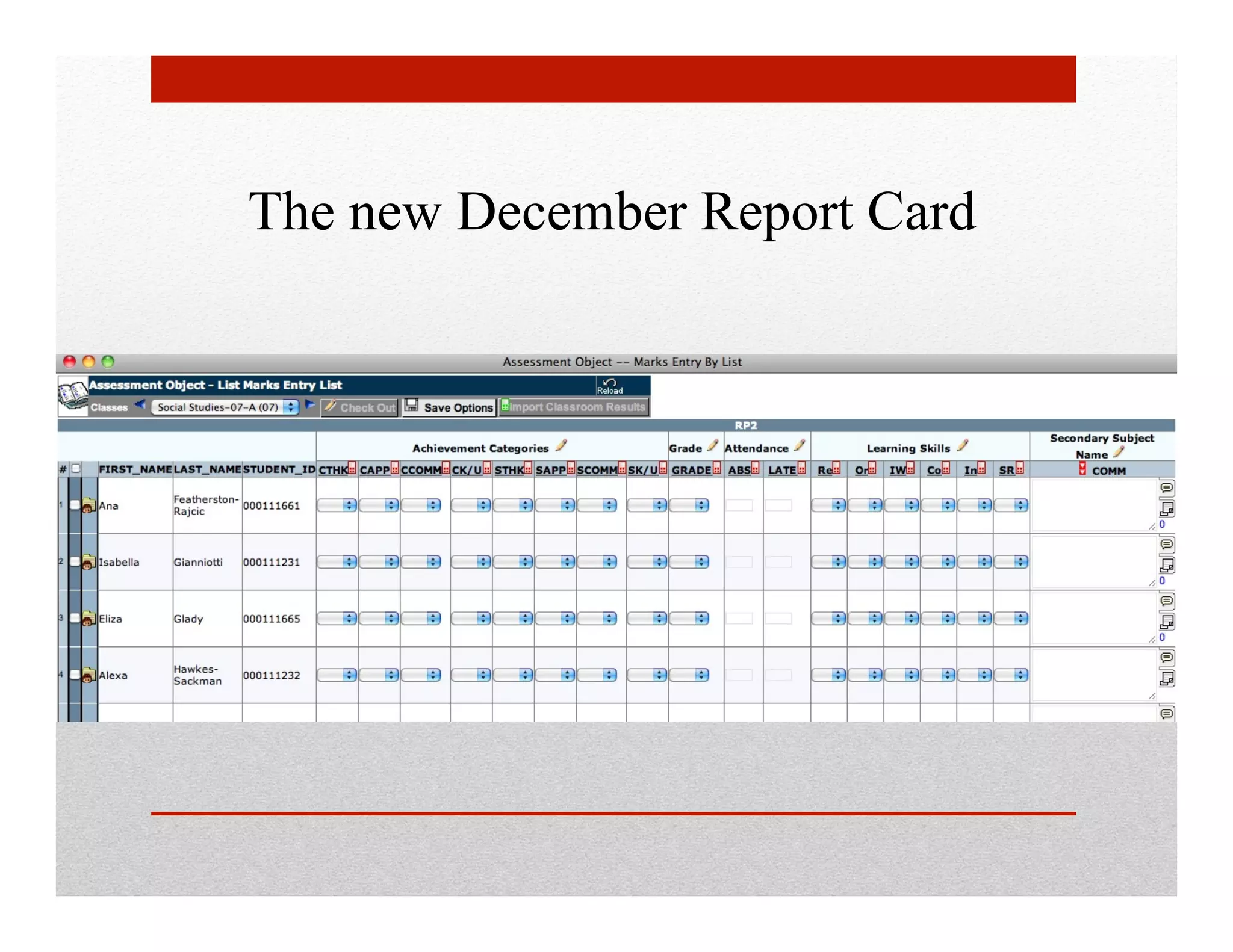
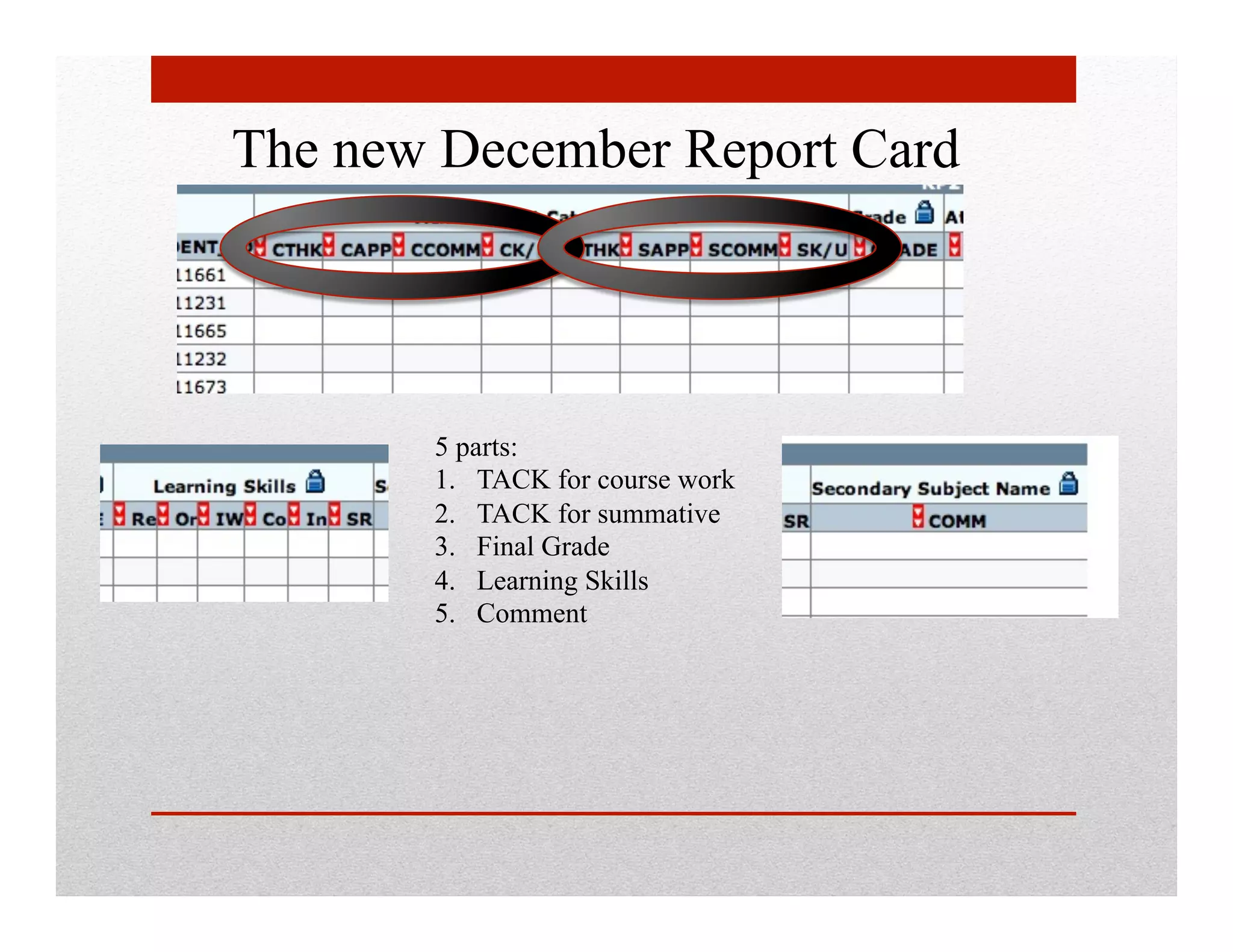
The new December Report Card


       5 parts:
       1.  TACK for course work
       2.  TACK for summative
       3.  Final Grade
       4.  Learning Skills
       5.  Comment
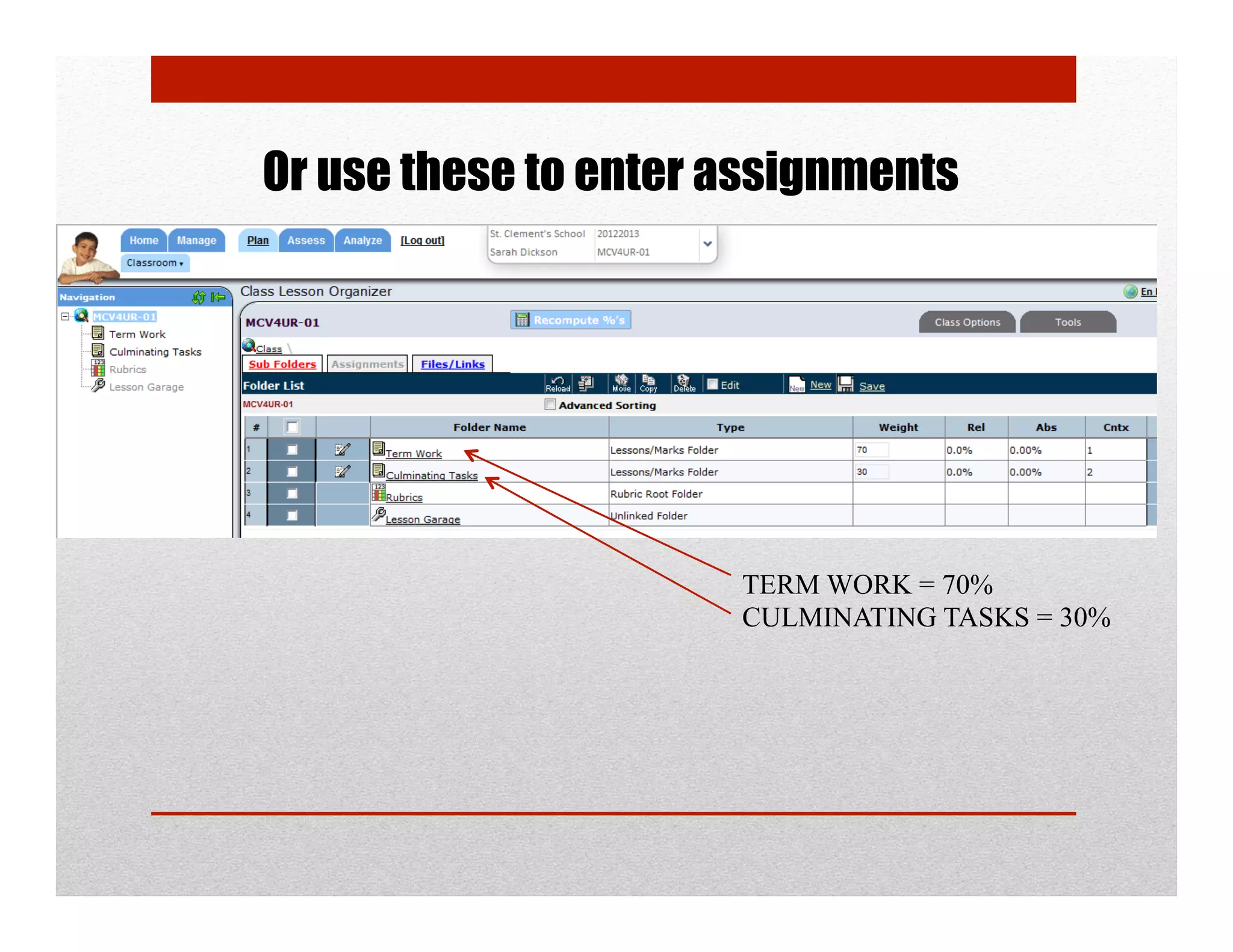
Or use these to enter assignments


                      TERM WORK = 70%
                      CULMINATING TASKS = 30%
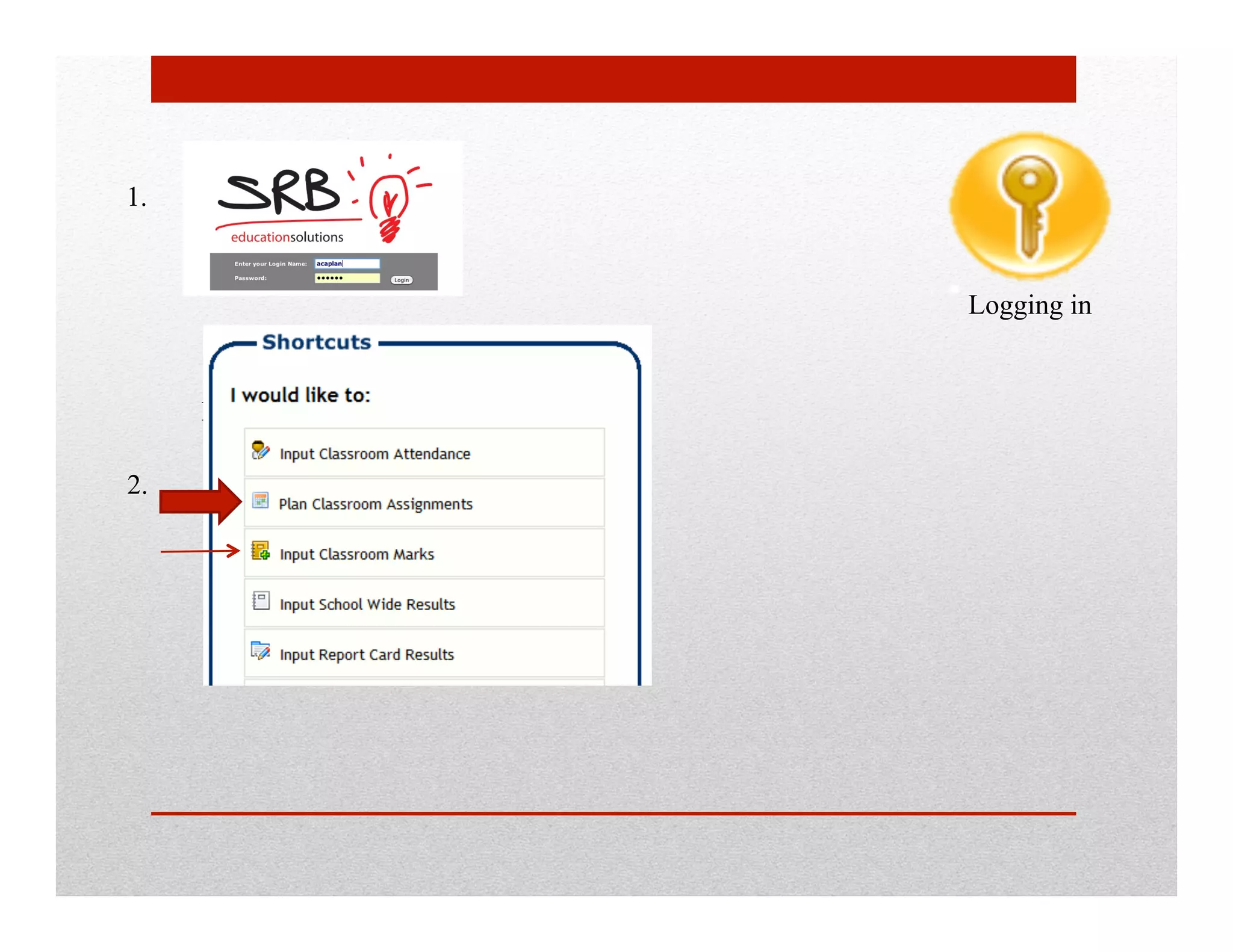
1.


                                           Logging in


     https://sas.scs.on.ca/sasteacherweb

2.
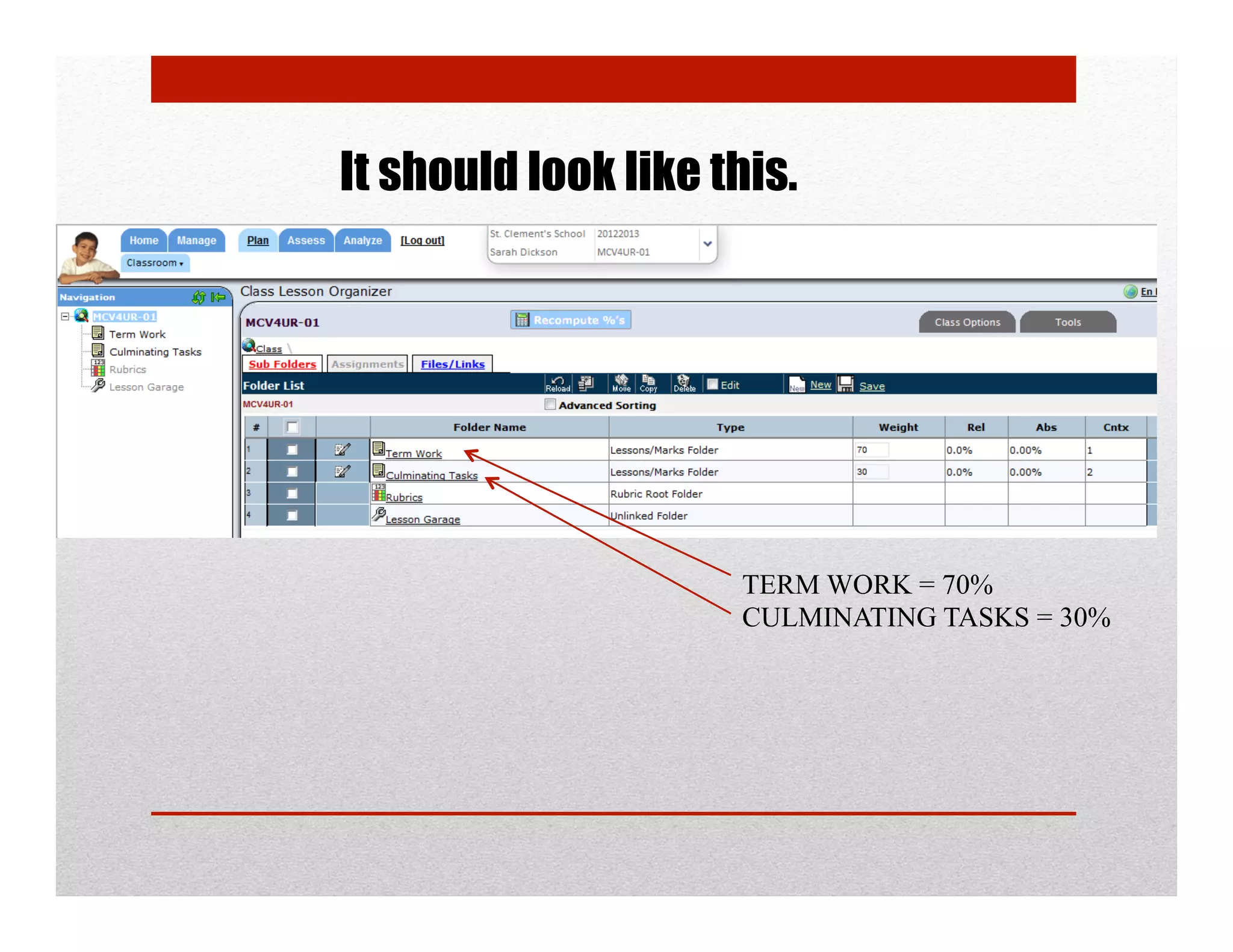
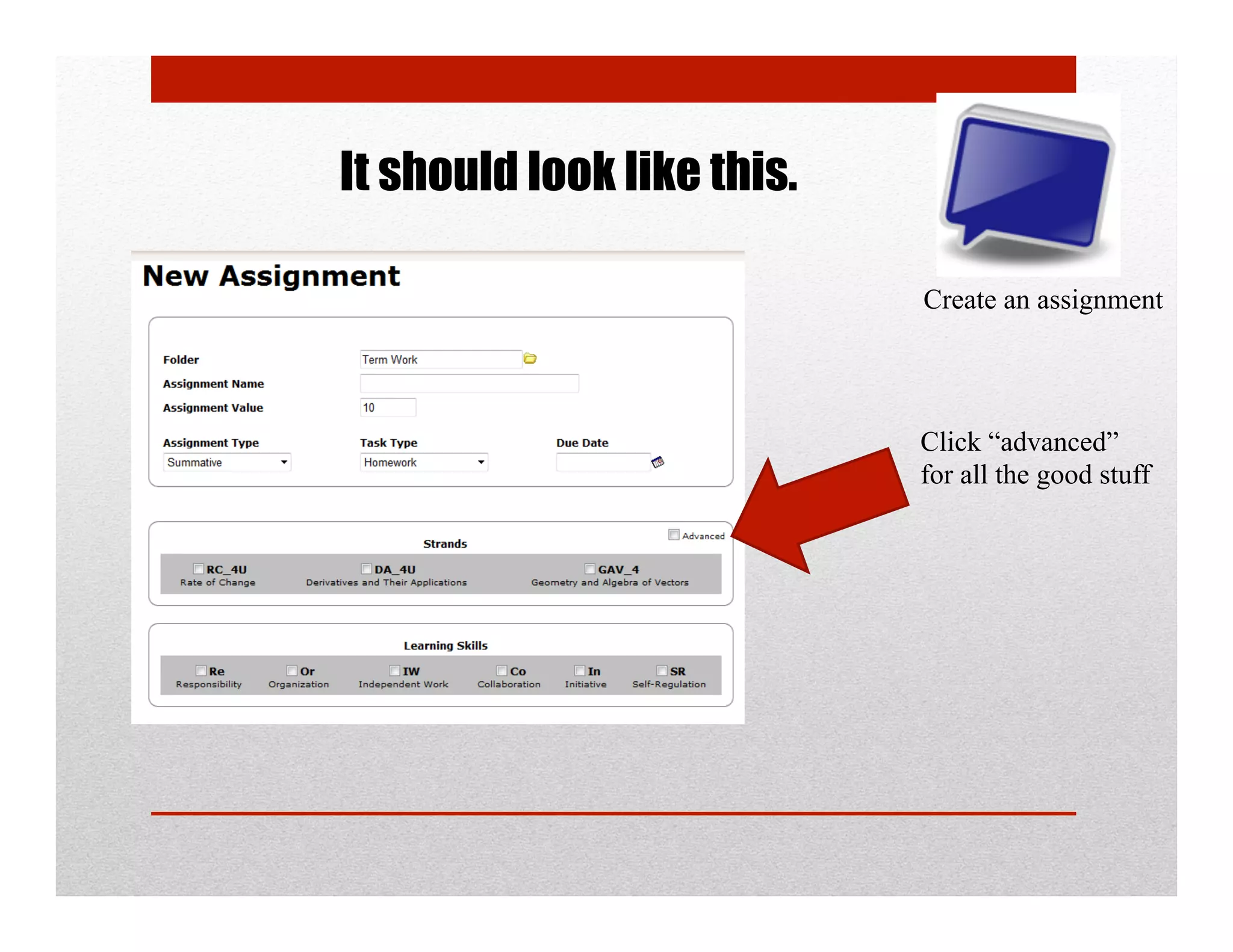
It should look like this.


                     TERM WORK = 70%
                     CULMINATING TASKS = 30%
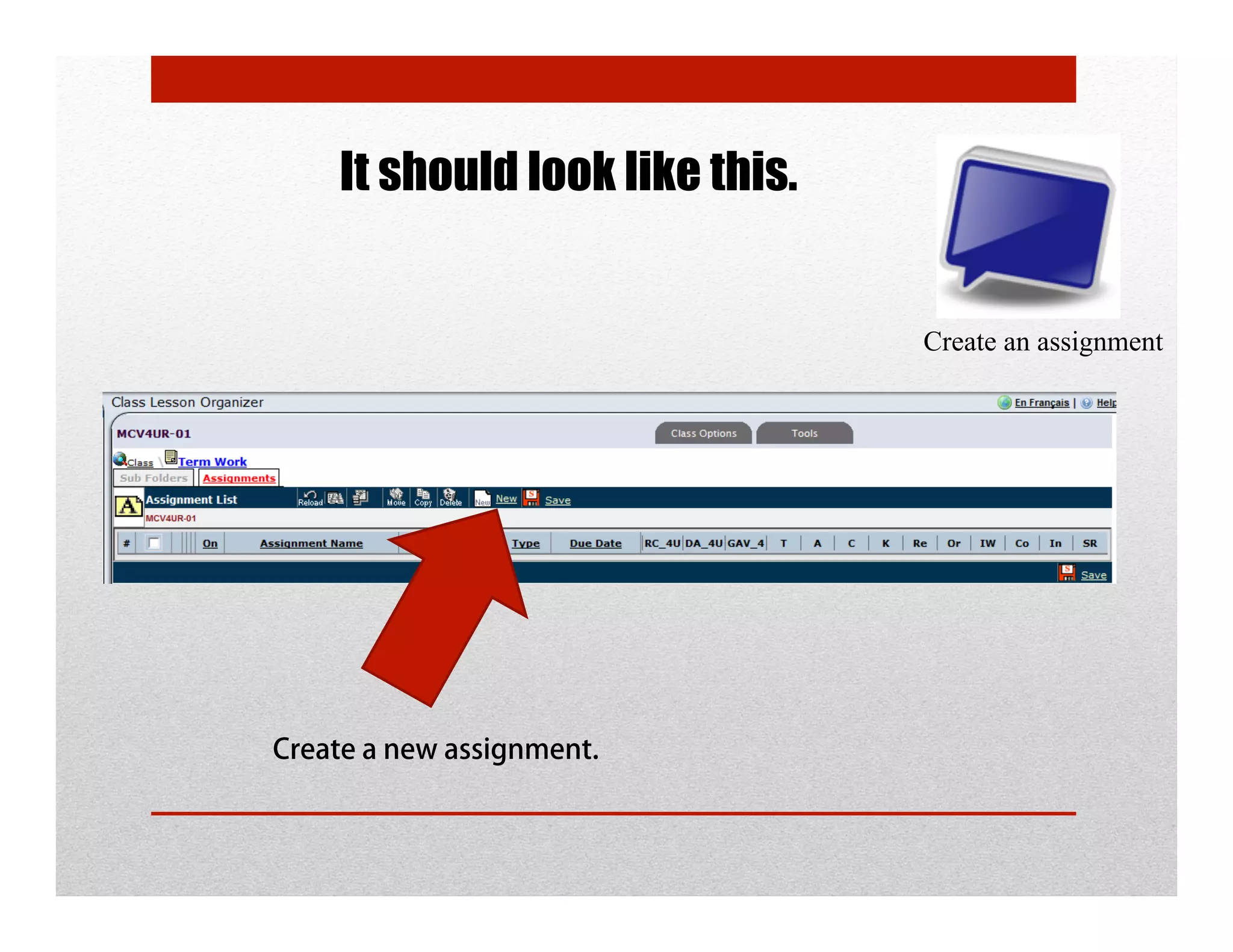
It should look like this.


                                Create an assignment


Create a new assignment.
It should look like this.

                            Create an assignment


                            Click “advanced”
                            for all the good stuff
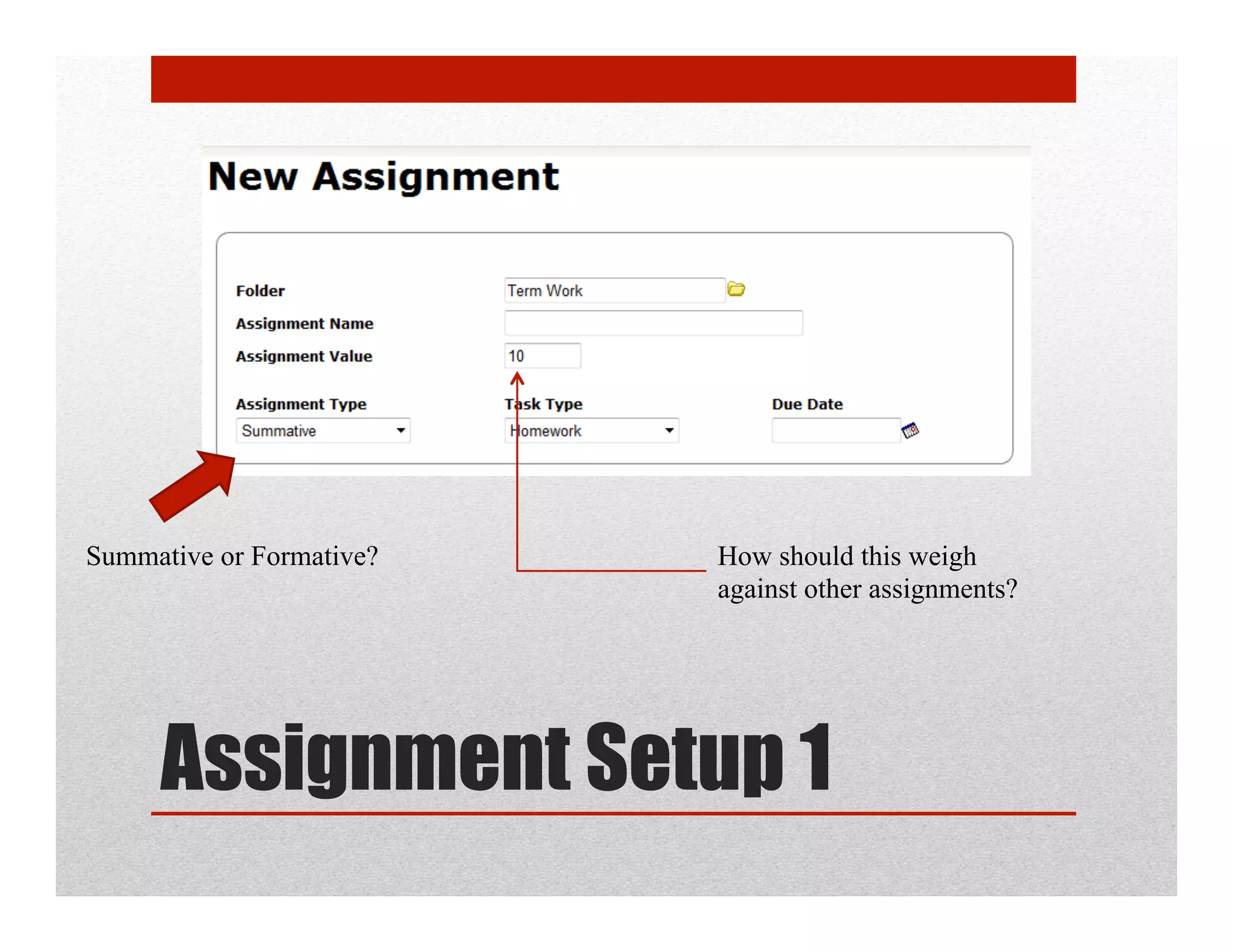
Summative or Formative?   How should this weigh
                          against other assignments?


     Assignment Setup 1
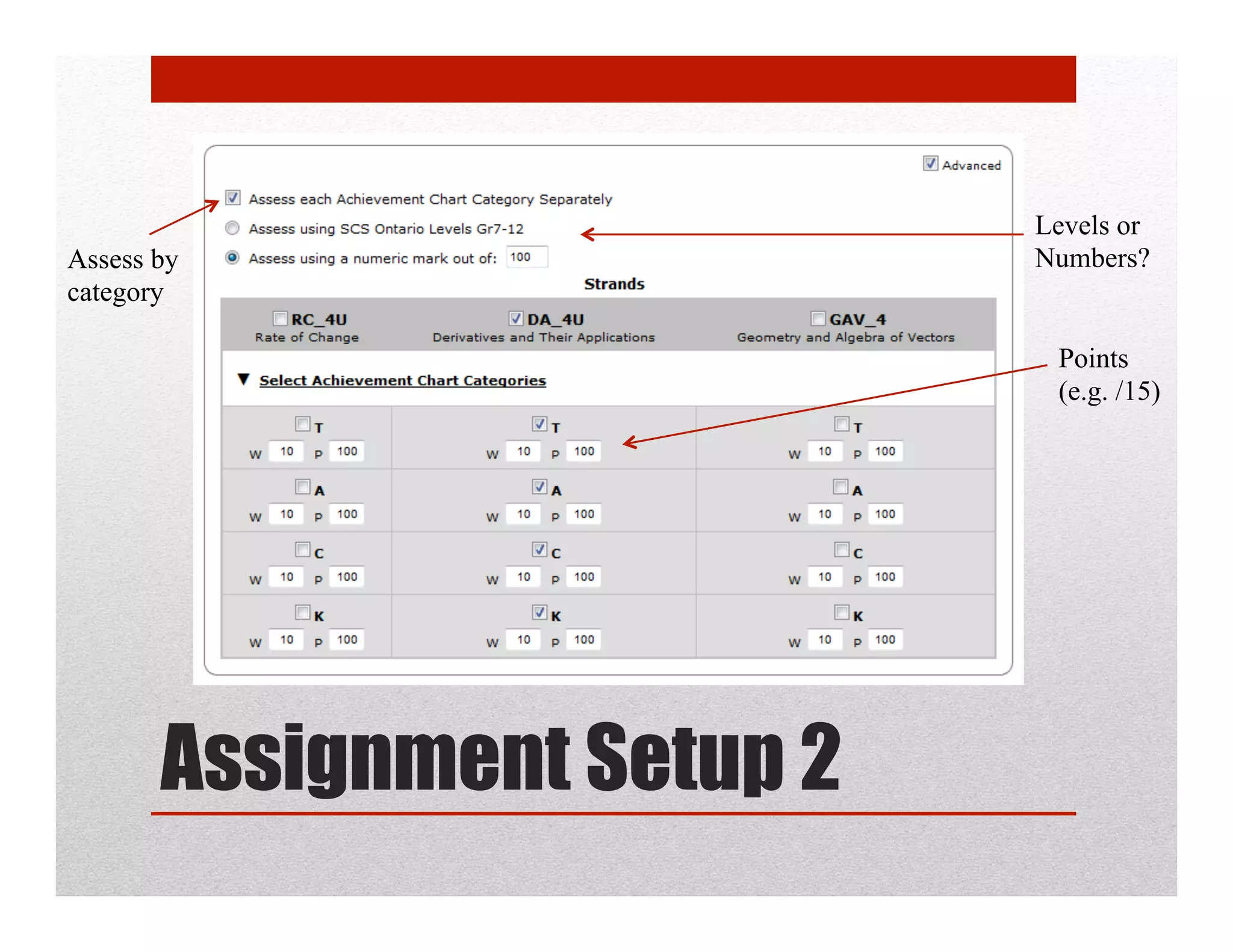
Levels or
Assess by                   Numbers?
category

                             Points
                             (e.g. /15)


       Assignment Setup 2
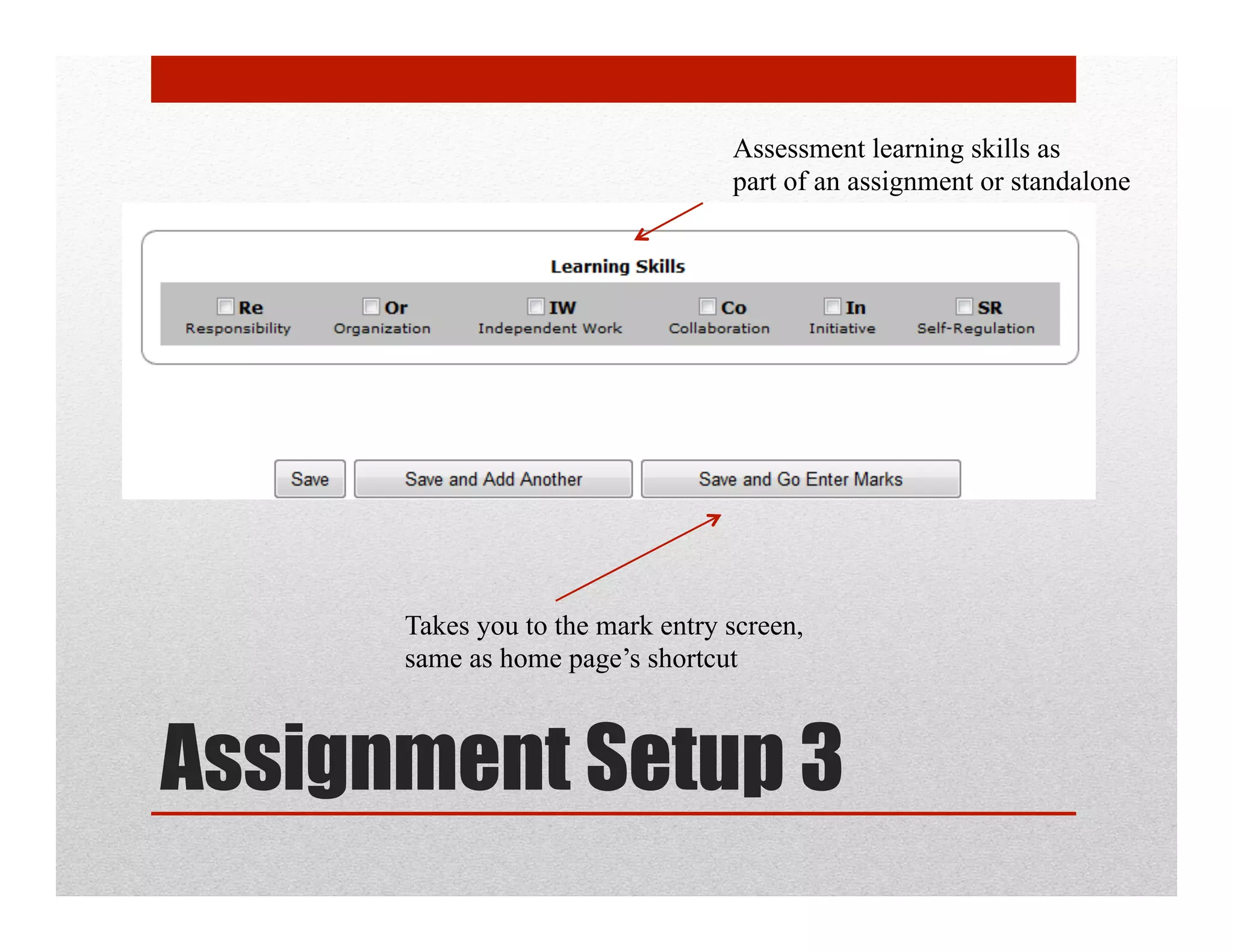
Assessment learning skills as
                                  part of an assignment or standalone


      Takes you to the mark entry screen,
      same as home page’s shortcut


Assignment Setup 3
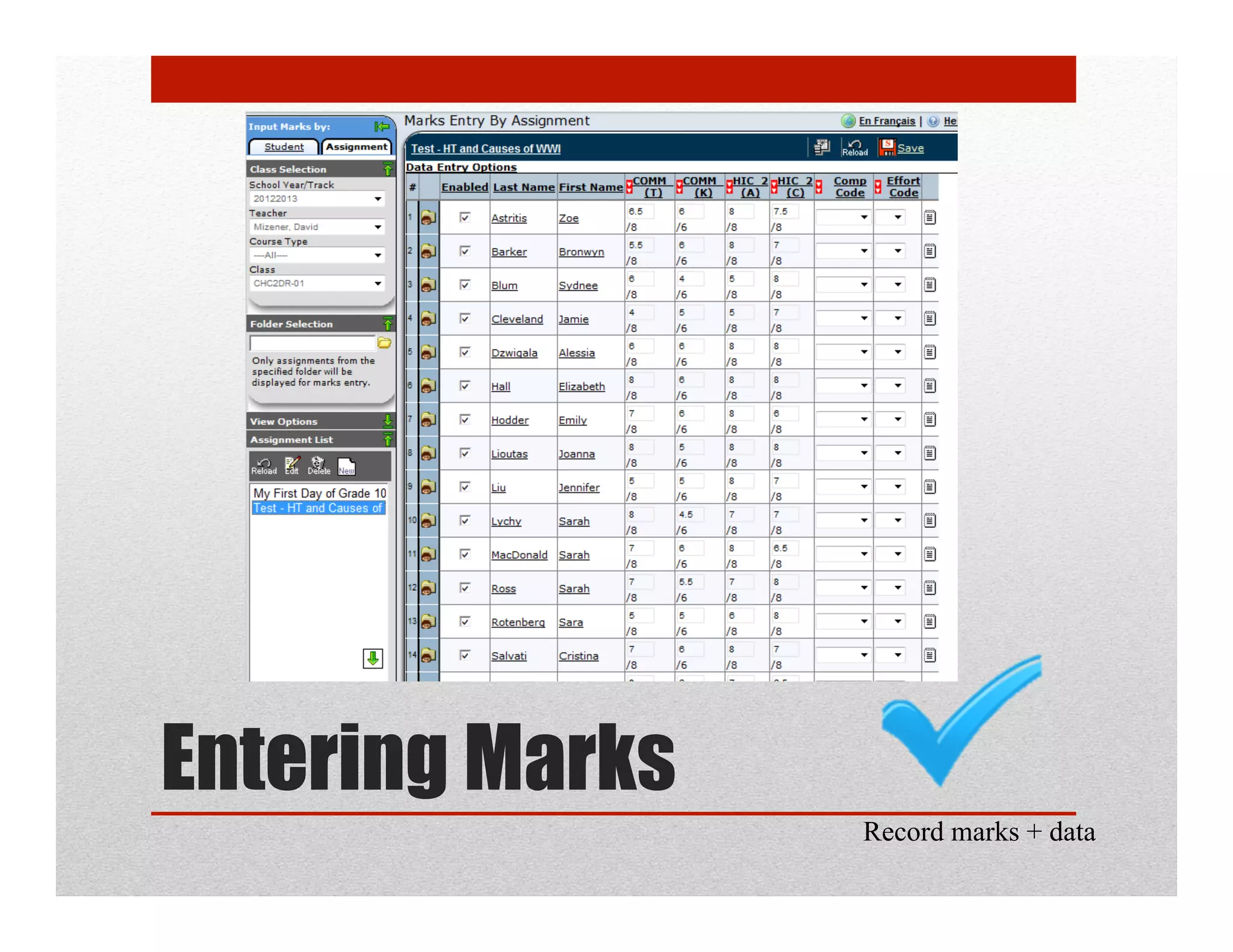
Entering Marks
                 Record marks + data
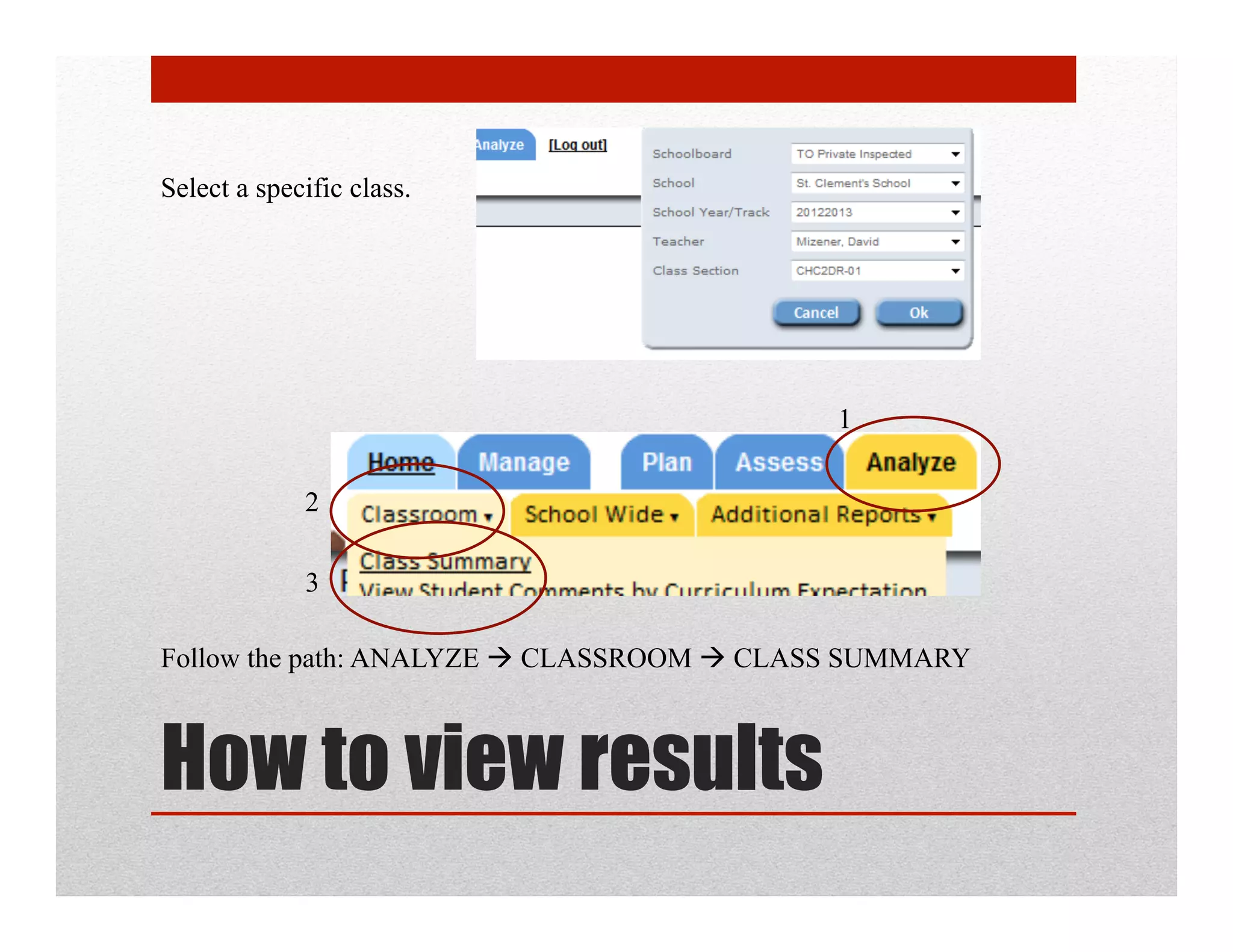
Select a specific class.


                                           1

             2

             3

Follow the path: ANALYZE  CLASSROOM  CLASS SUMMARY


How to view results
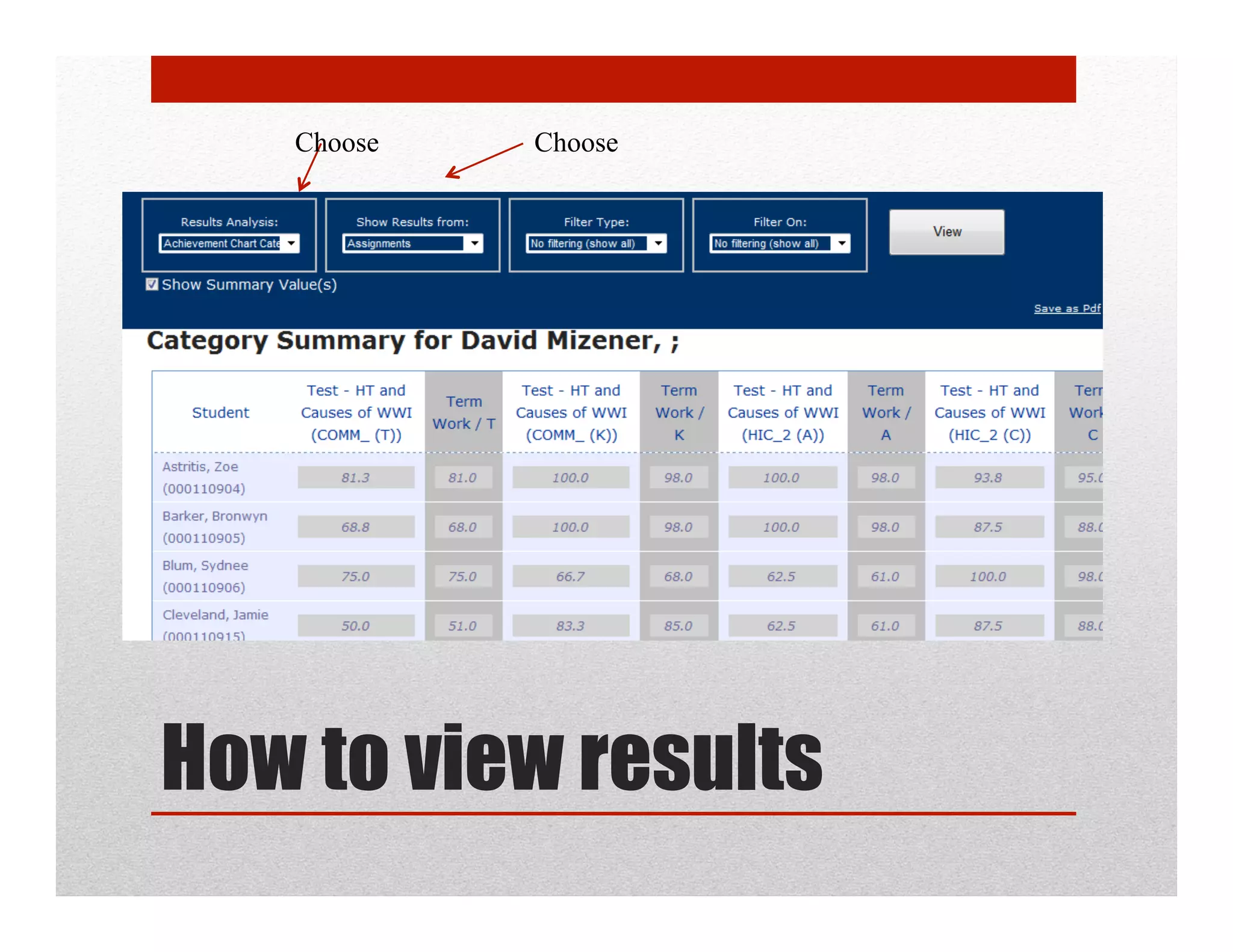
Choose   Choose


How to view results
Plan and Enter Assessments
using Students Achieve

Plan and create assessments in sa

  • 1.
    Plan and EnterAssessments using Students Achieve SCS Mid-term PD Day - Friday, Nov 9, 2012
  • 2.
    Create an assignment Record marks + data View achievement 3 Objectives for today
  • 3.
    The new DecemberReport Card
  • 4.
    The new DecemberReport Card 5 parts: 1.  TACK for course work 2.  TACK for summative 3.  Final Grade 4.  Learning Skills 5.  Comment
  • 5.
    Or use theseto enter assignments TERM WORK = 70% CULMINATING TASKS = 30%
  • 6.
    1. Logging in https://sas.scs.on.ca/sasteacherweb 2.
  • 7.
    It should looklike this. TERM WORK = 70% CULMINATING TASKS = 30%
  • 8.
    It should looklike this. Create an assignment Create a new assignment.
  • 9.
    It should looklike this. Create an assignment Click “advanced” for all the good stuff
  • 10.
    Summative or Formative? How should this weigh against other assignments? Assignment Setup 1
  • 11.
    Levels or Assess by Numbers? category Points (e.g. /15) Assignment Setup 2
  • 12.
    Assessment learning skillsas part of an assignment or standalone Takes you to the mark entry screen, same as home page’s shortcut Assignment Setup 3
  • 13.
    Entering Marks Record marks + data
  • 14.
    Select a specificclass. 1 2 3 Follow the path: ANALYZE  CLASSROOM  CLASS SUMMARY How to view results
  • 15.
    Choose Choose How to view results
  • 16.
    Plan and EnterAssessments using Students Achieve