Cascading Style Sheets
By: Mohammad Al-Shalabi & Mohammad Opada Al-Bosh
Introduction
• CSS stands for Cascading Style Sheets.
• Styles define how to display HTML elements.
• External Style Sheets can save a lot of work.
• External Style Sheets are stored in CSS files.
Styles Solved a Big Problem
By: Mohammad Al-Shalabi & Mohammad Opada Al-Bosh
• HTML was never intended to contain tags for formatting
a document.
• HTML was intended to define the content of a document,
like:<h1>This is a heading</h1>
• tags like <font>, and color attributes were added to the
HTML 3.2 specification.
• In HTML 4.0, all formatting could be removed from the
HTML document, and stored in a separate CSS file.
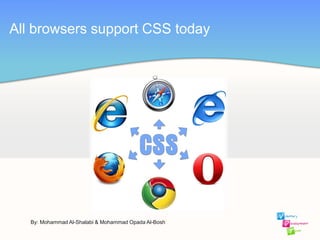
All browsers support CSS today
By: Mohammad Al-Shalabi & Mohammad Opada Al-Bosh
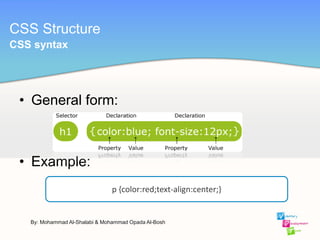
• General form:
• Example:
CSS Structure
p {color:red;text-align:center;}
By: Mohammad Al-Shalabi & Mohammad Opada Al-Bosh
CSS syntax
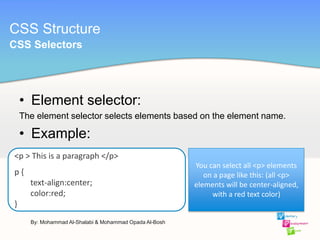
• Element selector:
The element selector selects elements based on the element name.
• Example:
CSS Structure
<p > This is a paragraph </p>
p {
text-align:center;
color:red;
}
By: Mohammad Al-Shalabi & Mohammad Opada Al-Bosh
CSS Selectors
You can select all <p> elements
on a page like this: (all <p>
elements will be center-aligned,
with a red text color)
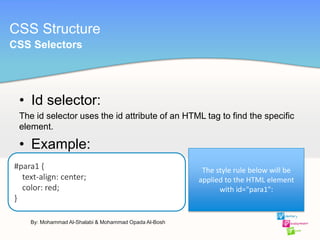
• Id selector:
The id selector uses the id attribute of an HTML tag to find the specific
element.
• Example:
CSS Structure
#para1 {
text-align: center;
color: red;
}
By: Mohammad Al-Shalabi & Mohammad Opada Al-Bosh
CSS Selectors
The style rule below will be
applied to the HTML element
with id="para1":
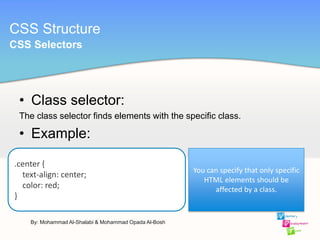
• Class selector:
The class selector finds elements with the specific class.
• Example:
CSS Structure
.center {
text-align: center;
color: red;
}
By: Mohammad Al-Shalabi & Mohammad Opada Al-Bosh
CSS Selectors
You can specify that only specific
HTML elements should be
affected by a class.
By: Mohammad Al-Shalabi & Mohammad Opada Al-Bosh
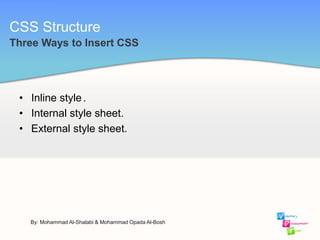
• Inline style.
• Internal style sheet.
• External style sheet.
Three Ways to Insert CSS
CSS Structure
CSS Structure
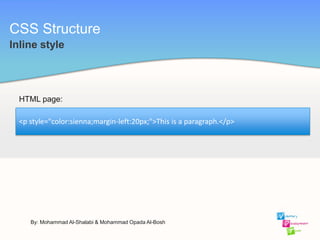
Inline style
<p style="color:sienna;margin-left:20px;">This is a paragraph.</p>
HTML page:
By: Mohammad Al-Shalabi & Mohammad Opada Al-Bosh
CSS Structure
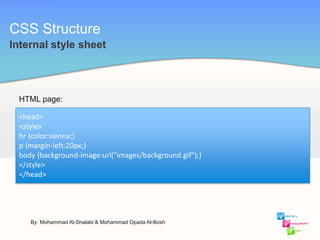
Internal style sheet
<head>
<style>
hr {color:sienna;}
p {margin-left:20px;}
body {background-image:url("images/background.gif");}
</style>
</head>
HTML page:
By: Mohammad Al-Shalabi & Mohammad Opada Al-Bosh
CSS Structure
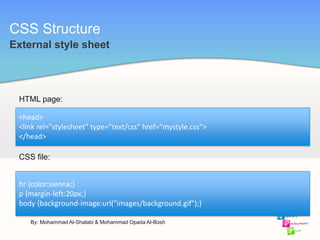
External style sheet
<head>
<link rel="stylesheet" type="text/css" href="mystyle.css">
</head>
HTML page:
By: Mohammad Al-Shalabi & Mohammad Opada Al-Bosh
hr {color:sienna;}
p {margin-left:20px;}
body {background-image:url("images/background.gif");}
CSS file:
CSS Structure
background properties
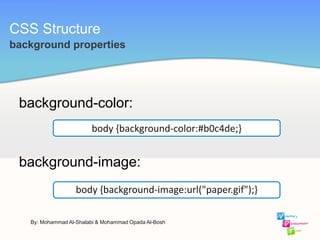
background-color:
By: Mohammad Al-Shalabi & Mohammad Opada Al-Bosh
body {background-image:url("paper.gif");}
body {background-color:#b0c4de;}
background-image:
CSS Structure
background properties
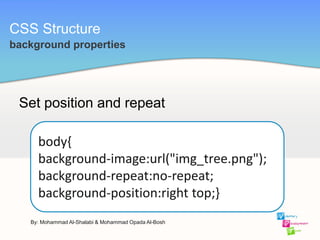
Set position and repeat
By: Mohammad Al-Shalabi & Mohammad Opada Al-Bosh
body{
background-image:url("img_tree.png");
background-repeat:no-repeat;
background-position:right top;}
CSS Structure
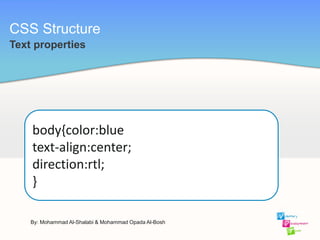
Text properties
By: Mohammad Al-Shalabi & Mohammad Opada Al-Bosh
body{color:blue
text-align:center;
direction:rtl;
}
CSS Structure
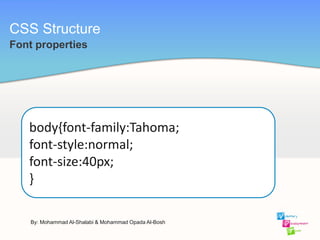
Font properties
By: Mohammad Al-Shalabi & Mohammad Opada Al-Bosh
body{font-family:Tahoma;
font-style:normal;
font-size:40px;
}
CSS Structure
Link properties
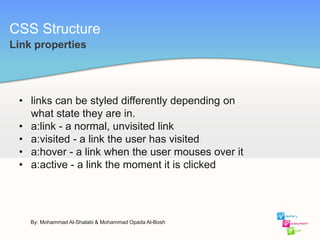
• links can be styled differently depending on
what state they are in.
• a:link - a normal, unvisited link
• a:visited - a link the user has visited
• a:hover - a link when the user mouses over it
• a:active - a link the moment it is clicked
By: Mohammad Al-Shalabi & Mohammad Opada Al-Bosh
CSS Structure
Link properties
By: Mohammad Al-Shalabi & Mohammad Opada Al-Bosh
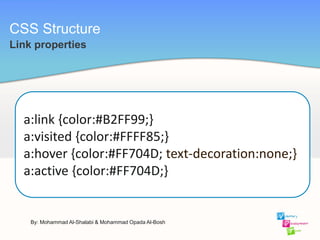
a:link {color:#B2FF99;}
a:visited {color:#FFFF85;}
a:hover {color:#FF704D; text-decoration:none;}
a:active {color:#FF704D;}
CSS Structure
List properties
By: Mohammad Al-Shalabi & Mohammad Opada Al-Bosh
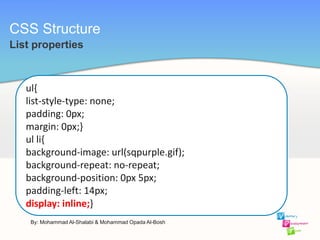
ul{
list-style-type: none;
padding: 0px;
margin: 0px;}
ul li{
background-image: url(sqpurple.gif);
background-repeat: no-repeat;
background-position: 0px 5px;
padding-left: 14px;
display: inline;}
CSS Structure
Table Border
By: Mohammad Al-Shalabi & Mohammad Opada Al-Bosh
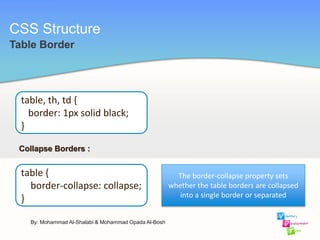
table, th, td {
border: 1px solid black;
}
Collapse Borders :
table {
border-collapse: collapse;
}
The border-collapse property sets
whether the table borders are collapsed
into a single border or separated
CSS Structure
Box Model
By: Mohammad Al-Shalabi & Mohammad Opada Al-Bosh
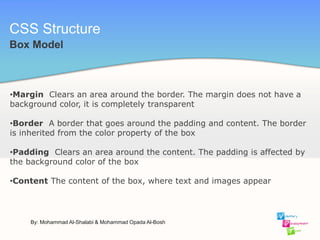
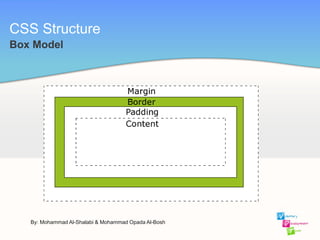
•Margin Clears an area around the border. The margin does not have a
background color, it is completely transparent
•Border A border that goes around the padding and content. The border
is inherited from the color property of the box
•Padding Clears an area around the content. The padding is affected by
the background color of the box
•Content The content of the box, where text and images appear
CSS Structure
Box Model
By: Mohammad Al-Shalabi & Mohammad Opada Al-Bosh
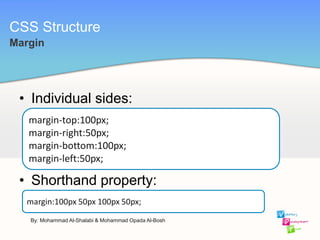
• Individual sides:
• Shorthand property:
CSS Structure
margin-top:100px;
margin-right:50px;
margin-bottom:100px;
margin-left:50px;
Margin
margin:100px 50px 100px 50px;
By: Mohammad Al-Shalabi & Mohammad Opada Al-Bosh
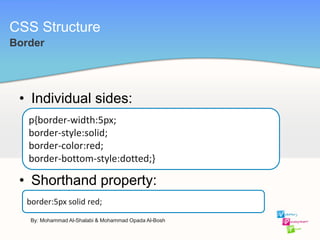
• Individual sides:
• Shorthand property:
CSS Structure
p{border-width:5px;
border-style:solid;
border-color:red;
border-bottom-style:dotted;}
Border
border:5px solid red;
By: Mohammad Al-Shalabi & Mohammad Opada Al-Bosh
CSS Structure
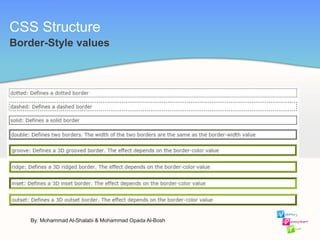
Border-Style values
By: Mohammad Al-Shalabi & Mohammad Opada Al-Bosh
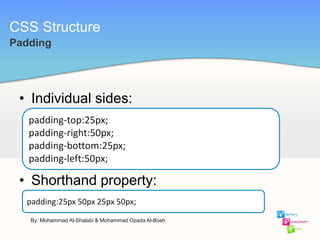
• Individual sides:
• Shorthand property:
CSS Structure
padding-top:25px;
padding-right:50px;
padding-bottom:25px;
padding-left:50px;
Padding
padding:25px 50px 25px 50px;
By: Mohammad Al-Shalabi & Mohammad Opada Al-Bosh
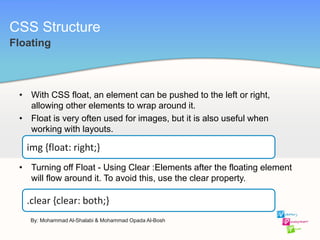
• With CSS float, an element can be pushed to the left or right,
allowing other elements to wrap around it.
• Float is very often used for images, but it is also useful when
working with layouts.
• Turning off Float - Using Clear :Elements after the floating element
will flow around it. To avoid this, use the clear property.
CSS Structure
img {float: right;}
Floating
.clear {clear: both;}
By: Mohammad Al-Shalabi & Mohammad Opada Al-Bosh
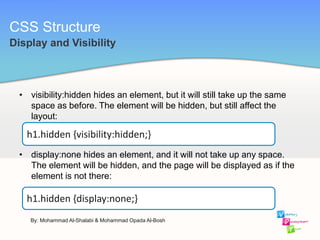
• visibility:hidden hides an element, but it will still take up the same
space as before. The element will be hidden, but still affect the
layout:
• display:none hides an element, and it will not take up any space.
The element will be hidden, and the page will be displayed as if the
element is not there:
CSS Structure
h1.hidden {visibility:hidden;}
Display and Visibility
h1.hidden {display:none;}
By: Mohammad Al-Shalabi & Mohammad Opada Al-Bosh
• The CSS positioning properties allow you to position an element. It
can also place an element behind another, and specify what should
happen when an element's content is too big.
• There are four different positioning methods.
 Static Positioning
 Fixed Positioning
 Relative Positioning
 Absolute Positioning
CSS Structure
Positioning
By: Mohammad Al-Shalabi & Mohammad Opada Al-Bosh
• HTML elements are positioned static by default. A static positioned
element is always positioned according to the normal flow of the
page.
• Static positioned elements are not affected by the top, bottom, left,
and right properties.
CSS Structure
Static Positioning
By: Mohammad Al-Shalabi & Mohammad Opada Al-Bosh
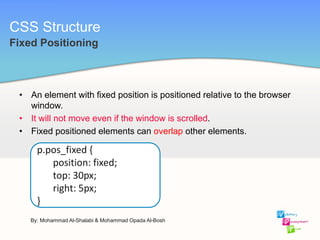
• An element with fixed position is positioned relative to the browser
window.
• It will not move even if the window is scrolled.
• Fixed positioned elements can overlap other elements.
CSS Structure
Fixed Positioning
p.pos_fixed {
position: fixed;
top: 30px;
right: 5px;
}
By: Mohammad Al-Shalabi & Mohammad Opada Al-Bosh
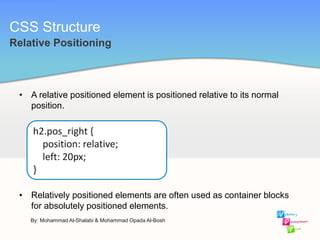
• A relative positioned element is positioned relative to its normal
position.
• Relatively positioned elements are often used as container blocks
for absolutely positioned elements.
CSS Structure
Relative Positioning
h2.pos_right {
position: relative;
left: 20px;
}
By: Mohammad Al-Shalabi & Mohammad Opada Al-Bosh
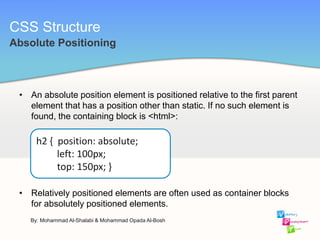
• An absolute position element is positioned relative to the first parent
element that has a position other than static. If no such element is
found, the containing block is <html>:
• Relatively positioned elements are often used as container blocks
for absolutely positioned elements.
CSS Structure
Absolute Positioning
h2 { position: absolute;
left: 100px;
top: 150px; }
By: Mohammad Al-Shalabi & Mohammad Opada Al-Bosh
Notes
1 Don’t forget saving file in .css format.
2 We will see the output in the browser.
Let’s Test it live !
By: Mohammad Al-Shalabi & Mohammad Opada Al-Bosh

Php workshop L01 CSS

  • 1.
  • 2.
    By: Mohammad Al-Shalabi& Mohammad Opada Al-Bosh Introduction • CSS stands for Cascading Style Sheets. • Styles define how to display HTML elements. • External Style Sheets can save a lot of work. • External Style Sheets are stored in CSS files.
  • 3.
    Styles Solved aBig Problem By: Mohammad Al-Shalabi & Mohammad Opada Al-Bosh • HTML was never intended to contain tags for formatting a document. • HTML was intended to define the content of a document, like:<h1>This is a heading</h1> • tags like <font>, and color attributes were added to the HTML 3.2 specification. • In HTML 4.0, all formatting could be removed from the HTML document, and stored in a separate CSS file.
  • 4.
    All browsers supportCSS today By: Mohammad Al-Shalabi & Mohammad Opada Al-Bosh
  • 5.
    • General form: •Example: CSS Structure p {color:red;text-align:center;} By: Mohammad Al-Shalabi & Mohammad Opada Al-Bosh CSS syntax
  • 6.
    • Element selector: Theelement selector selects elements based on the element name. • Example: CSS Structure <p > This is a paragraph </p> p { text-align:center; color:red; } By: Mohammad Al-Shalabi & Mohammad Opada Al-Bosh CSS Selectors You can select all <p> elements on a page like this: (all <p> elements will be center-aligned, with a red text color)
  • 7.
    • Id selector: Theid selector uses the id attribute of an HTML tag to find the specific element. • Example: CSS Structure #para1 { text-align: center; color: red; } By: Mohammad Al-Shalabi & Mohammad Opada Al-Bosh CSS Selectors The style rule below will be applied to the HTML element with id="para1":
  • 8.
    • Class selector: Theclass selector finds elements with the specific class. • Example: CSS Structure .center { text-align: center; color: red; } By: Mohammad Al-Shalabi & Mohammad Opada Al-Bosh CSS Selectors You can specify that only specific HTML elements should be affected by a class.
  • 9.
    By: Mohammad Al-Shalabi& Mohammad Opada Al-Bosh • Inline style. • Internal style sheet. • External style sheet. Three Ways to Insert CSS CSS Structure
  • 10.
    CSS Structure Inline style <pstyle="color:sienna;margin-left:20px;">This is a paragraph.</p> HTML page: By: Mohammad Al-Shalabi & Mohammad Opada Al-Bosh
  • 11.
    CSS Structure Internal stylesheet <head> <style> hr {color:sienna;} p {margin-left:20px;} body {background-image:url("images/background.gif");} </style> </head> HTML page: By: Mohammad Al-Shalabi & Mohammad Opada Al-Bosh
  • 12.
    CSS Structure External stylesheet <head> <link rel="stylesheet" type="text/css" href="mystyle.css"> </head> HTML page: By: Mohammad Al-Shalabi & Mohammad Opada Al-Bosh hr {color:sienna;} p {margin-left:20px;} body {background-image:url("images/background.gif");} CSS file:
  • 13.
    CSS Structure background properties background-color: By:Mohammad Al-Shalabi & Mohammad Opada Al-Bosh body {background-image:url("paper.gif");} body {background-color:#b0c4de;} background-image:
  • 14.
    CSS Structure background properties Setposition and repeat By: Mohammad Al-Shalabi & Mohammad Opada Al-Bosh body{ background-image:url("img_tree.png"); background-repeat:no-repeat; background-position:right top;}
  • 15.
    CSS Structure Text properties By:Mohammad Al-Shalabi & Mohammad Opada Al-Bosh body{color:blue text-align:center; direction:rtl; }
  • 16.
    CSS Structure Font properties By:Mohammad Al-Shalabi & Mohammad Opada Al-Bosh body{font-family:Tahoma; font-style:normal; font-size:40px; }
  • 17.
    CSS Structure Link properties •links can be styled differently depending on what state they are in. • a:link - a normal, unvisited link • a:visited - a link the user has visited • a:hover - a link when the user mouses over it • a:active - a link the moment it is clicked By: Mohammad Al-Shalabi & Mohammad Opada Al-Bosh
  • 18.
    CSS Structure Link properties By:Mohammad Al-Shalabi & Mohammad Opada Al-Bosh a:link {color:#B2FF99;} a:visited {color:#FFFF85;} a:hover {color:#FF704D; text-decoration:none;} a:active {color:#FF704D;}
  • 19.
    CSS Structure List properties By:Mohammad Al-Shalabi & Mohammad Opada Al-Bosh ul{ list-style-type: none; padding: 0px; margin: 0px;} ul li{ background-image: url(sqpurple.gif); background-repeat: no-repeat; background-position: 0px 5px; padding-left: 14px; display: inline;}
  • 20.
    CSS Structure Table Border By:Mohammad Al-Shalabi & Mohammad Opada Al-Bosh table, th, td { border: 1px solid black; } Collapse Borders : table { border-collapse: collapse; } The border-collapse property sets whether the table borders are collapsed into a single border or separated
  • 21.
    CSS Structure Box Model By:Mohammad Al-Shalabi & Mohammad Opada Al-Bosh •Margin Clears an area around the border. The margin does not have a background color, it is completely transparent •Border A border that goes around the padding and content. The border is inherited from the color property of the box •Padding Clears an area around the content. The padding is affected by the background color of the box •Content The content of the box, where text and images appear
  • 22.
    CSS Structure Box Model By:Mohammad Al-Shalabi & Mohammad Opada Al-Bosh
  • 23.
    • Individual sides: •Shorthand property: CSS Structure margin-top:100px; margin-right:50px; margin-bottom:100px; margin-left:50px; Margin margin:100px 50px 100px 50px; By: Mohammad Al-Shalabi & Mohammad Opada Al-Bosh
  • 24.
    • Individual sides: •Shorthand property: CSS Structure p{border-width:5px; border-style:solid; border-color:red; border-bottom-style:dotted;} Border border:5px solid red; By: Mohammad Al-Shalabi & Mohammad Opada Al-Bosh
  • 25.
    CSS Structure Border-Style values By:Mohammad Al-Shalabi & Mohammad Opada Al-Bosh
  • 26.
    • Individual sides: •Shorthand property: CSS Structure padding-top:25px; padding-right:50px; padding-bottom:25px; padding-left:50px; Padding padding:25px 50px 25px 50px; By: Mohammad Al-Shalabi & Mohammad Opada Al-Bosh
  • 27.
    • With CSSfloat, an element can be pushed to the left or right, allowing other elements to wrap around it. • Float is very often used for images, but it is also useful when working with layouts. • Turning off Float - Using Clear :Elements after the floating element will flow around it. To avoid this, use the clear property. CSS Structure img {float: right;} Floating .clear {clear: both;} By: Mohammad Al-Shalabi & Mohammad Opada Al-Bosh
  • 28.
    • visibility:hidden hidesan element, but it will still take up the same space as before. The element will be hidden, but still affect the layout: • display:none hides an element, and it will not take up any space. The element will be hidden, and the page will be displayed as if the element is not there: CSS Structure h1.hidden {visibility:hidden;} Display and Visibility h1.hidden {display:none;} By: Mohammad Al-Shalabi & Mohammad Opada Al-Bosh
  • 29.
    • The CSSpositioning properties allow you to position an element. It can also place an element behind another, and specify what should happen when an element's content is too big. • There are four different positioning methods.  Static Positioning  Fixed Positioning  Relative Positioning  Absolute Positioning CSS Structure Positioning By: Mohammad Al-Shalabi & Mohammad Opada Al-Bosh
  • 30.
    • HTML elementsare positioned static by default. A static positioned element is always positioned according to the normal flow of the page. • Static positioned elements are not affected by the top, bottom, left, and right properties. CSS Structure Static Positioning By: Mohammad Al-Shalabi & Mohammad Opada Al-Bosh
  • 31.
    • An elementwith fixed position is positioned relative to the browser window. • It will not move even if the window is scrolled. • Fixed positioned elements can overlap other elements. CSS Structure Fixed Positioning p.pos_fixed { position: fixed; top: 30px; right: 5px; } By: Mohammad Al-Shalabi & Mohammad Opada Al-Bosh
  • 32.
    • A relativepositioned element is positioned relative to its normal position. • Relatively positioned elements are often used as container blocks for absolutely positioned elements. CSS Structure Relative Positioning h2.pos_right { position: relative; left: 20px; } By: Mohammad Al-Shalabi & Mohammad Opada Al-Bosh
  • 33.
    • An absoluteposition element is positioned relative to the first parent element that has a position other than static. If no such element is found, the containing block is <html>: • Relatively positioned elements are often used as container blocks for absolutely positioned elements. CSS Structure Absolute Positioning h2 { position: absolute; left: 100px; top: 150px; } By: Mohammad Al-Shalabi & Mohammad Opada Al-Bosh
  • 34.
    Notes 1 Don’t forgetsaving file in .css format. 2 We will see the output in the browser. Let’s Test it live ! By: Mohammad Al-Shalabi & Mohammad Opada Al-Bosh