Slide
10 best practices for
Passwordreset
emails
Simple tips to make sure your
users have a secure and
successful experience when
resetting their passwords.
www.mailazy.com
1
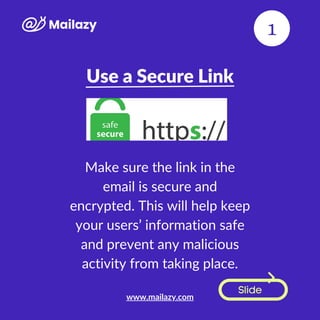
Use a Secure Link
Slide
Make sure the link in the
email is secure and
encrypted. This will help keep
your users’ information safe
and prevent any malicious
activity from taking place.
1
www.mailazy.com
Include Clear Instructions
Slide
Provide clear instructions on
how to reset their passwords
in the email itself. This will
help ensure that your users
don’t get confused or
frustrated during the process.
2
www.mailazy.com
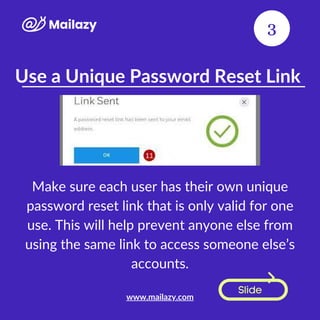
Use a Unique Password Reset Link
Slide
Make sure each user has their own unique
password reset link that is only valid for one
use. This will help prevent anyone else from
using the same link to access someone else’s
accounts.
3
www.mailazy.com
Offer Assistance
Slide
Include contact information in the email
so that if users have any questions or
need help with the process, they can
easily reach out for assistance.
4
www.mailazy.com
Send Reminders
Slide
If you notice that some users haven’t
clicked on their password reset links after
a certain period of time, consider sending
them a reminder email to encourage them
to complete the process sooner rather
than later.I
5
www.mailazy.com
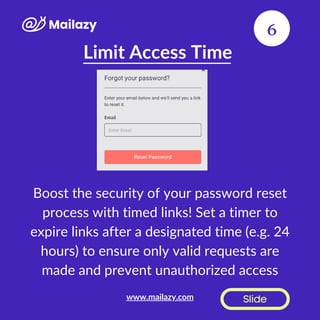
Limit Access Time
Slide
Boost the security of your password reset
process with timed links! Set a timer to
expire links after a designated time (e.g. 24
hours) to ensure only valid requests are
made and prevent unauthorized access
6
www.mailazy.com
Monitor Activity
Slide
Monitor activity around
password reset emails, such as
failed attempts or suspicious
activity, so you can take
appropriate action if needed
(e.g., disabling accounts).
7
www.mailazy.com
Avoid Phishing Scams
Slide
Protect your brand and avoid phishing
scams with authentic emails! Ensure your
emails have a legitimate look & come
from a trusted source (e.g. your company
domain). Keep your customers safe from
fraud.
8
www.mailazy.com
Use Two-Factor Authentication
Slide
Take password reset security to the next
level with two-factor authentication!
Require both a code sent via text and a
new password for added protection. Keep
your accounts secure from unauthorized
access. #TwoFactorAuthentication
9
www.mailazy.com
Test Regularly
Slide
Make sure you test your system regularly
to ensure everything is working properly
and there aren't any security issues or
vulnerabilities present in your system's
setup/configuration/codebase etc.. Doing
this regularly will help keep everyone's
accounts safe and secure!
10
www.mailazy.com

Password reset email best Practices

  • 1.
    Slide 10 best practicesfor Passwordreset emails Simple tips to make sure your users have a secure and successful experience when resetting their passwords. www.mailazy.com 1
  • 2.
    Use a SecureLink Slide Make sure the link in the email is secure and encrypted. This will help keep your users’ information safe and prevent any malicious activity from taking place. 1 www.mailazy.com
  • 3.
    Include Clear Instructions Slide Provideclear instructions on how to reset their passwords in the email itself. This will help ensure that your users don’t get confused or frustrated during the process. 2 www.mailazy.com
  • 4.
    Use a UniquePassword Reset Link Slide Make sure each user has their own unique password reset link that is only valid for one use. This will help prevent anyone else from using the same link to access someone else’s accounts. 3 www.mailazy.com
  • 5.
    Offer Assistance Slide Include contactinformation in the email so that if users have any questions or need help with the process, they can easily reach out for assistance. 4 www.mailazy.com
  • 6.
    Send Reminders Slide If younotice that some users haven’t clicked on their password reset links after a certain period of time, consider sending them a reminder email to encourage them to complete the process sooner rather than later.I 5 www.mailazy.com
  • 7.
    Limit Access Time Slide Boostthe security of your password reset process with timed links! Set a timer to expire links after a designated time (e.g. 24 hours) to ensure only valid requests are made and prevent unauthorized access 6 www.mailazy.com
  • 8.
    Monitor Activity Slide Monitor activityaround password reset emails, such as failed attempts or suspicious activity, so you can take appropriate action if needed (e.g., disabling accounts). 7 www.mailazy.com
  • 9.
    Avoid Phishing Scams Slide Protectyour brand and avoid phishing scams with authentic emails! Ensure your emails have a legitimate look & come from a trusted source (e.g. your company domain). Keep your customers safe from fraud. 8 www.mailazy.com
  • 10.
    Use Two-Factor Authentication Slide Takepassword reset security to the next level with two-factor authentication! Require both a code sent via text and a new password for added protection. Keep your accounts secure from unauthorized access. #TwoFactorAuthentication 9 www.mailazy.com
  • 11.
    Test Regularly Slide Make sureyou test your system regularly to ensure everything is working properly and there aren't any security issues or vulnerabilities present in your system's setup/configuration/codebase etc.. Doing this regularly will help keep everyone's accounts safe and secure! 10 www.mailazy.com