 Hardware
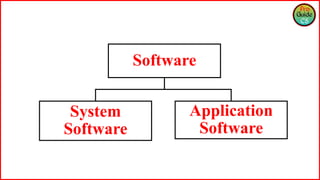
 Software
 System Software
 Application Software
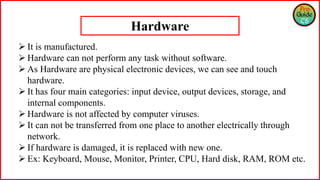
 It is manufactured.
 Hardware can not perform any task without software.
 As Hardware are physical electronic devices, we can see and touch
hardware.
 It has four main categories: input device, output devices, storage, and
internal components.
 Hardware is not affected by computer viruses.
 It can not be transferred from one place to another electrically through
network.
 If hardware is damaged, it is replaced with new one.
 Ex: Keyboard, Mouse, Monitor, Printer, CPU, Hard disk, RAM, ROM etc.
Hardware
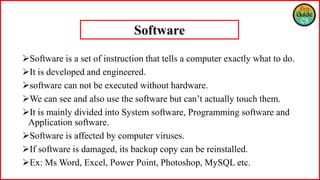
Software is a set of instruction that tells a computer exactly what to do.
It is developed and engineered.
software can not be executed without hardware.
We can see and also use the software but can’t actually touch them.
It is mainly divided into System software, Programming software and
Application software.
Software is affected by computer viruses.
If software is damaged, its backup copy can be reinstalled.
Ex: Ms Word, Excel, Power Point, Photoshop, MySQL etc.
Software
Software
System
Software
Application
Software
System Software
System Software is the type of software which is the interface between
application software and system.
In general System software are developed in low level language which is
more compatible with the system hardware in order to interact with.
System software is used for operating computer hardware.
As mentioned in above points system software are specific to system
hardware so less or no user interaction available in case of system software.
System software can run independently. It provides platform for running
application software.
Some examples of system software’s are compiler, assembler, debugger,
driver, etc.
• Application Software is the type of software which runs as per user request.
It runs on the platform which is provide by system software.
• Application software high level language is used for their development as
they are developed as some specific purpose software.
• Application software is used by user to perform specific task.
• Application software are installed according to user’s requirements.
• Application software can’t run independently. They can’t run without the
presence of system software..
• Examples of application software’s are word processor, web browser, media
player, etc.
Application Software
Thank You

Part 5.1 Hardware | Software | System Software | Application Software

  • 1.
     Hardware  Software System Software  Application Software
  • 2.
     It ismanufactured.  Hardware can not perform any task without software.  As Hardware are physical electronic devices, we can see and touch hardware.  It has four main categories: input device, output devices, storage, and internal components.  Hardware is not affected by computer viruses.  It can not be transferred from one place to another electrically through network.  If hardware is damaged, it is replaced with new one.  Ex: Keyboard, Mouse, Monitor, Printer, CPU, Hard disk, RAM, ROM etc. Hardware
  • 3.
    Software is aset of instruction that tells a computer exactly what to do. It is developed and engineered. software can not be executed without hardware. We can see and also use the software but can’t actually touch them. It is mainly divided into System software, Programming software and Application software. Software is affected by computer viruses. If software is damaged, its backup copy can be reinstalled. Ex: Ms Word, Excel, Power Point, Photoshop, MySQL etc. Software
  • 4.
  • 5.
    System Software System Softwareis the type of software which is the interface between application software and system. In general System software are developed in low level language which is more compatible with the system hardware in order to interact with. System software is used for operating computer hardware. As mentioned in above points system software are specific to system hardware so less or no user interaction available in case of system software. System software can run independently. It provides platform for running application software. Some examples of system software’s are compiler, assembler, debugger, driver, etc.
  • 6.
    • Application Softwareis the type of software which runs as per user request. It runs on the platform which is provide by system software. • Application software high level language is used for their development as they are developed as some specific purpose software. • Application software is used by user to perform specific task. • Application software are installed according to user’s requirements. • Application software can’t run independently. They can’t run without the presence of system software.. • Examples of application software’s are word processor, web browser, media player, etc. Application Software
  • 7.