WELCOME
TO
ASP.NET Tutorials
on
Panel Control
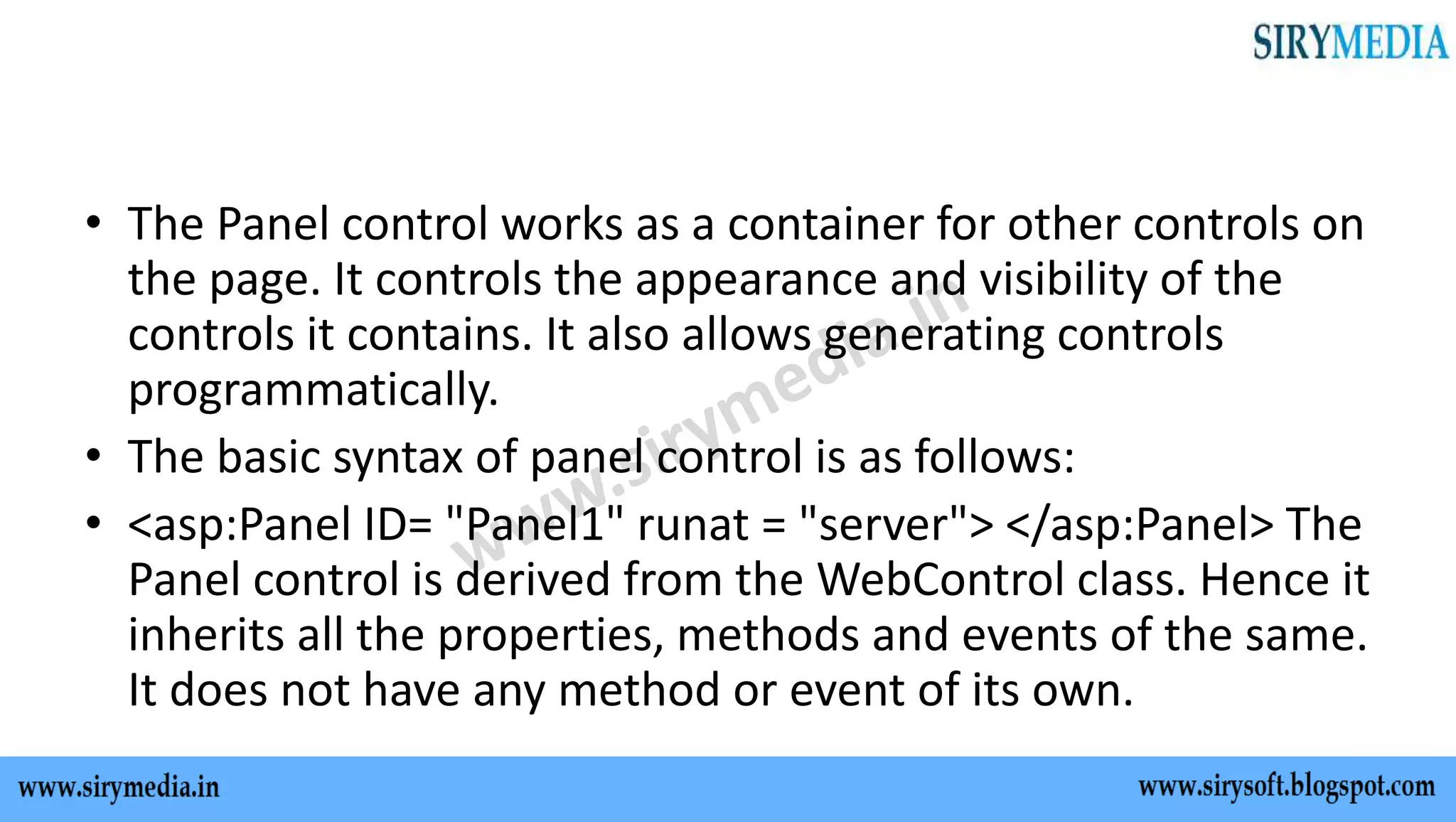
• The Panel control works as a container for other controls on
the page. It controls the appearance and visibility of the
controls it contains. It also allows generating controls
programmatically.
• The basic syntax of panel control is as follows:
• <asp:Panel ID= "Panel1" runat = "server"> </asp:Panel> The
Panel control is derived from the WebControl class. Hence it
inherits all the properties, methods and events of the same.
It does not have any method or event of its own.
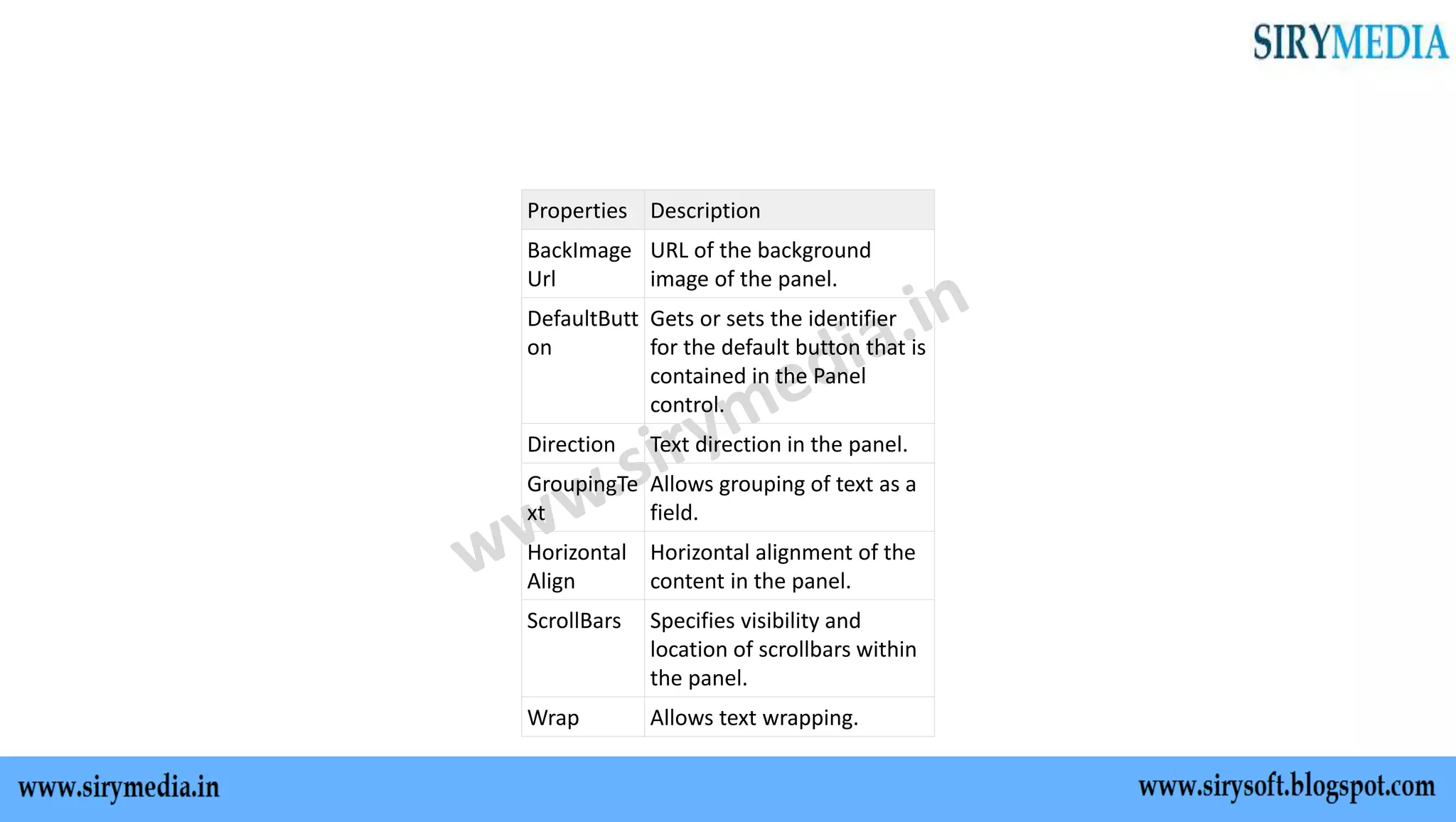
Properties Description
BackImage
Url
URL of the background
image of the panel.
DefaultButt
on
Gets or sets the identifier
for the default button that is
contained in the Panel
control.
Direction Text direction in the panel.
GroupingTe
xt
Allows grouping of text as a
field.
Horizontal
Align
Horizontal alignment of the
content in the panel.
ScrollBars Specifies visibility and
location of scrollbars within
the panel.
Wrap Allows text wrapping.
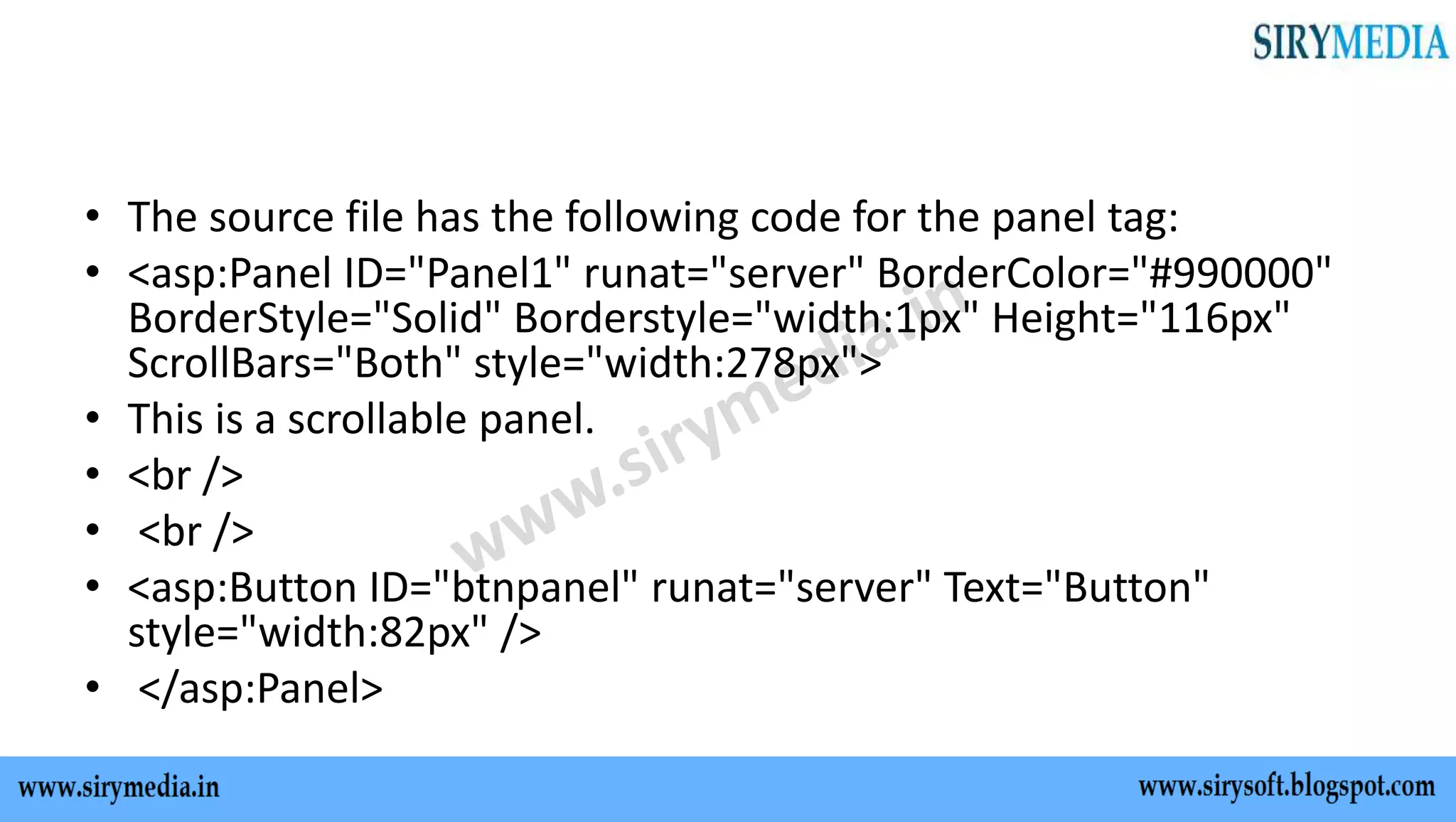
• The source file has the following code for the panel tag:
• <asp:Panel ID="Panel1" runat="server" BorderColor="#990000"
BorderStyle="Solid" Borderstyle="width:1px" Height="116px"
ScrollBars="Both" style="width:278px">
• This is a scrollable panel.
• <br />
• <br />
• <asp:Button ID="btnpanel" runat="server" Text="Button"
style="width:82px" />
• </asp:Panel>
Thank You
For more updates on C#, ASP.NET, MVC, JAVASCRIPT, HTML,
CSS tutorials subscribe to our YouTube channel
SIRYMEDIA
For more visit our website
www.sirymedia.in

Panel control in asp.net

  • 1.
  • 2.
  • 3.
    • The Panelcontrol works as a container for other controls on the page. It controls the appearance and visibility of the controls it contains. It also allows generating controls programmatically. • The basic syntax of panel control is as follows: • <asp:Panel ID= "Panel1" runat = "server"> </asp:Panel> The Panel control is derived from the WebControl class. Hence it inherits all the properties, methods and events of the same. It does not have any method or event of its own.
  • 4.
    Properties Description BackImage Url URL ofthe background image of the panel. DefaultButt on Gets or sets the identifier for the default button that is contained in the Panel control. Direction Text direction in the panel. GroupingTe xt Allows grouping of text as a field. Horizontal Align Horizontal alignment of the content in the panel. ScrollBars Specifies visibility and location of scrollbars within the panel. Wrap Allows text wrapping.
  • 5.
    • The sourcefile has the following code for the panel tag: • <asp:Panel ID="Panel1" runat="server" BorderColor="#990000" BorderStyle="Solid" Borderstyle="width:1px" Height="116px" ScrollBars="Both" style="width:278px"> • This is a scrollable panel. • <br /> • <br /> • <asp:Button ID="btnpanel" runat="server" Text="Button" style="width:82px" /> • </asp:Panel>
  • 6.
    Thank You For moreupdates on C#, ASP.NET, MVC, JAVASCRIPT, HTML, CSS tutorials subscribe to our YouTube channel SIRYMEDIA For more visit our website www.sirymedia.in