OSVR Client API
Overview
Ryan A. Pavlik, PhD
Sensics, Inc.
July-2015
Links
● Dev Portal: http://osvr.github.io/build-with/#building-an-app-with-c++-or-c
● Docs on “Writing a Client Application”
○ http://resource.osvr.com/docs/OSVR-Core/md_TopicWritingClientApplication.
html
● Example state-based tracker client:
○ Cross-referenced source in Doxygen: http://resource.osvr.com/docs/OSVR-
Core/TrackerState_8cpp_source.html
○ https://github.com/OSVR/OSVR-
Core/blob/master/examples/clients/TrackerState.cpp
● Example callback-based button client:
○ Cross-referenced source in Doxygen: http://resource.osvr.com/docs/OSVR-
Core/ButtonCallback_8cpp_source.html
○ https://github.com/OSVR/OSVR-
Core/blob/master/examples/clients/ButtonCallback.cpp
Basic Concepts
● Direct API is C, for ABI stability and FFI
compatibility
● Recommended native code interface is
included C++ header-only wrappers
● .NET/Mono interface: Managed-OSVR
○ Used for Unity support
● All share a similar design, and are generally
modeled on the C++ API.
Client Context Object
● Pass reverse domain name “app id”.
● No implicit global state: on startup, get a
context object, on shutdown, close it.
● Client context handles the attempted
connection to the OSVR server.
● Does not spawn its own thread - call update
on the client context to transfer control and
process messages.
Interface Objects (handles)
● Request using a “semantic path” in the path
tree
○ example: /me/head
○ If no applicable path exists, just add an alias using
the server config.
● Obtained from client context
● If not freed before client context is closed,
freed automatically.
Two Ways of Accessing Data
● Most data accessible equally through the
“state interface” and the “callback interface”
● For native code, no substantial difference in
performance between the two, just different
ways of getting the same data.
Callback
● Can register a callback for a particular
device interface or message type
○ “userdata” void pointer to be able to associate a
callback with an object.
○ During a ClientContext Update, gets called once for
each new data point for that path.
○ Since tracker rate is > framerate, often processing
multiple tracker callbacks per frame
● Unregister callback: Free interface object
State
● Fundamentally the same data as callback,
but on demand
○ Internally, callback automatically registered that
updates the state.
○ May be more convenient than native-managed
transitions for data that will be ignored anyway.
● Caveat: No state data until first new data
received with Update!
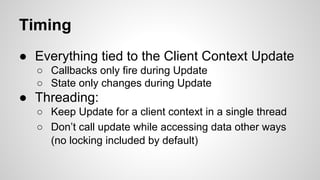
Timing
● Everything tied to the Client Context Update
○ Callbacks only fire during Update
○ State only changes during Update
● Threading:
○ Keep Update for a client context in a single thread
○ Don’t call update while accessing data other ways
(no locking included by default)
For more information:
● OSVR developer portal
○ http://osvr.github.io
● Sensics – Founding contributor to OSVR,
experts working in VR/AR for over a decade
○ http://www.sensics.com

OSVR Client Application Design

  • 1.
    OSVR Client API Overview RyanA. Pavlik, PhD Sensics, Inc. July-2015
  • 2.
    Links ● Dev Portal:http://osvr.github.io/build-with/#building-an-app-with-c++-or-c ● Docs on “Writing a Client Application” ○ http://resource.osvr.com/docs/OSVR-Core/md_TopicWritingClientApplication. html ● Example state-based tracker client: ○ Cross-referenced source in Doxygen: http://resource.osvr.com/docs/OSVR- Core/TrackerState_8cpp_source.html ○ https://github.com/OSVR/OSVR- Core/blob/master/examples/clients/TrackerState.cpp ● Example callback-based button client: ○ Cross-referenced source in Doxygen: http://resource.osvr.com/docs/OSVR- Core/ButtonCallback_8cpp_source.html ○ https://github.com/OSVR/OSVR- Core/blob/master/examples/clients/ButtonCallback.cpp
  • 3.
    Basic Concepts ● DirectAPI is C, for ABI stability and FFI compatibility ● Recommended native code interface is included C++ header-only wrappers ● .NET/Mono interface: Managed-OSVR ○ Used for Unity support ● All share a similar design, and are generally modeled on the C++ API.
  • 4.
    Client Context Object ●Pass reverse domain name “app id”. ● No implicit global state: on startup, get a context object, on shutdown, close it. ● Client context handles the attempted connection to the OSVR server. ● Does not spawn its own thread - call update on the client context to transfer control and process messages.
  • 5.
    Interface Objects (handles) ●Request using a “semantic path” in the path tree ○ example: /me/head ○ If no applicable path exists, just add an alias using the server config. ● Obtained from client context ● If not freed before client context is closed, freed automatically.
  • 6.
    Two Ways ofAccessing Data ● Most data accessible equally through the “state interface” and the “callback interface” ● For native code, no substantial difference in performance between the two, just different ways of getting the same data.
  • 7.
    Callback ● Can registera callback for a particular device interface or message type ○ “userdata” void pointer to be able to associate a callback with an object. ○ During a ClientContext Update, gets called once for each new data point for that path. ○ Since tracker rate is > framerate, often processing multiple tracker callbacks per frame ● Unregister callback: Free interface object
  • 8.
    State ● Fundamentally thesame data as callback, but on demand ○ Internally, callback automatically registered that updates the state. ○ May be more convenient than native-managed transitions for data that will be ignored anyway. ● Caveat: No state data until first new data received with Update!
  • 9.
    Timing ● Everything tiedto the Client Context Update ○ Callbacks only fire during Update ○ State only changes during Update ● Threading: ○ Keep Update for a client context in a single thread ○ Don’t call update while accessing data other ways (no locking included by default)
  • 10.
    For more information: ●OSVR developer portal ○ http://osvr.github.io ● Sensics – Founding contributor to OSVR, experts working in VR/AR for over a decade ○ http://www.sensics.com