Coyau/WikimediaCommons/CC-BY-SA-3.0
Journalism widgets
OHIO SCHOOL MEDIA
ASSOCIATION
SPRING 2016
AprilKillingsworth/Flickr/CC-BY-2.0
Kroll BoP
For starters
• Does your site platform have limits (e.g.,
javascript)?
• Can you easily insert HTML in pages?
• Does your school require administrative
approval for posting?
ANIMATED GIFS
GETMOVING
AprilKillingsworth/Flickr/CC-BY-2.0
Kroll BoP
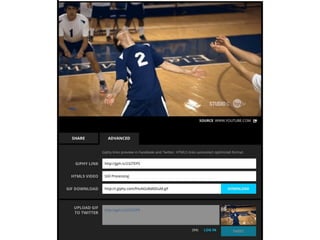
Animated GIFs
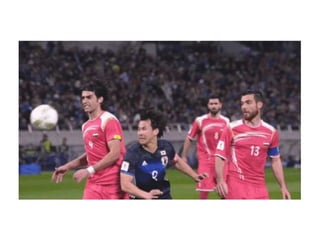
• Faster to load than video, doesn’t require
a player
• Quickly highlights key moments, reactions
AprilKillingsworth/Flickr/CC-BY-2.0
Kroll BoP
Reaction GIFs
AprilKillingsworth/Flickr/CC-BY-2.0
Kroll BoP
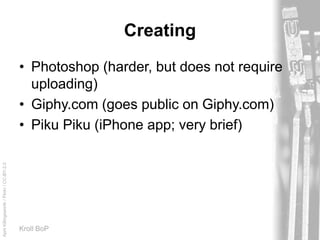
Creating
• Photoshop (harder, but does not require
uploading)
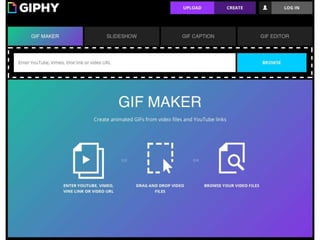
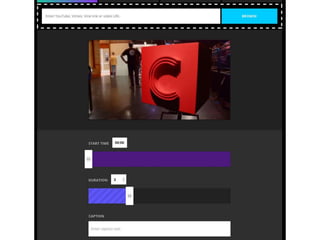
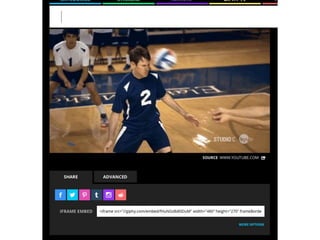
• Giphy.com (goes public on Giphy.com)
• Piku Piku (iPhone app; very brief)
AprilKillingsworth/Flickr/CC-BY-2.0
Kroll BoP
Suggestions
• Let your profile subjects wave and smile at
users
• Explain team’s key plays
• Time-lapse to demonstrate a problem
(hallway congestion, cafeteria food waste)
ANNOTATIONS
ADDING DEPTH
AprilKillingsworth/Flickr/CC-BY-2.0
Kroll BoP
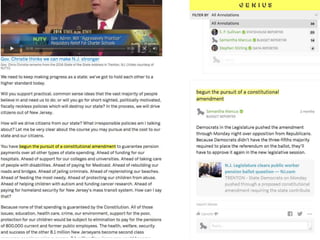
Annotation
• Annotate (add notes to) text
• Allow users to see the original while also
providing explanations & commentary
AprilKillingsworth/Flickr/CC-BY-2.0
Kroll BoP
Tools
• Linking (no comments; leaves page)
• Edited images (hard to change, limited
usability)
• Genius.com, Hypothes.is (open forums)
• DocumentCloud.org (harder to use)
AprilKillingsworth/Flickr/CC-BY-2.0
Kroll BoP
Genius example
• Live link
• Special arrangment with Genius.com to
limit outside users
• Special code to make annotations visible
to all
AprilKillingsworth/Flickr/CC-BY-2.0
Kroll BoP
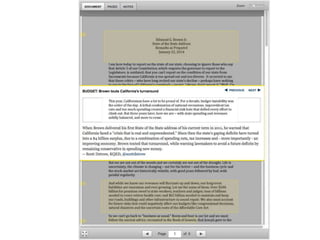
DocumentCloud example
• Live link
• Different embed options, or link to
DocumentCloud site
• Has WordPress plugin
AprilKillingsworth/Flickr/CC-BY-2.0
Kroll BoP
Suggestions
• Use photo editing software to annotate a
classroom wall, a student’s bedroom, a
teacher’s briefcase
• Use Genius or Hypothes.is to critique or
explain examples to staff
• Use DocumentCloud to embed annotated
versions of school rules
AUDIO CLIPS
ATTRACTINGATTENTION
AprilKillingsworth/Flickr/CC-BY-2.0
Kroll BoP
Audio clips
• Highlight great quotes
• Encourage reporters to record interviews
• Stand out in social media
AprilKillingsworth/Flickr/CC-BY-2.0
Kroll BoP
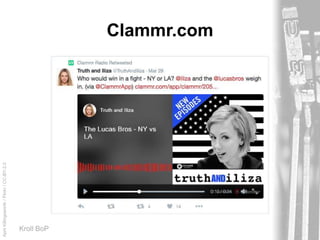
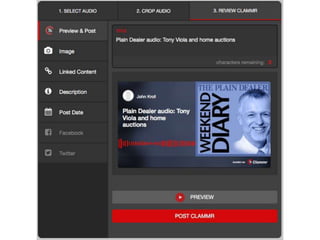
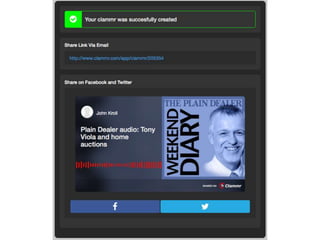
Clammr.com
AprilKillingsworth/Flickr/CC-BY-2.0
Kroll BoP
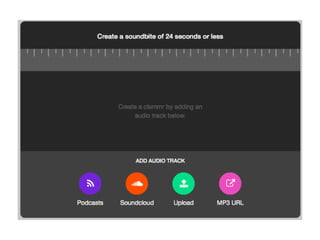
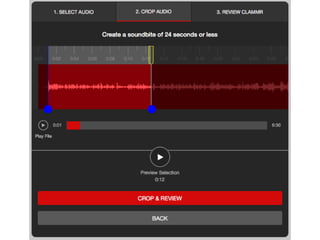
Creation & use
• Up to 24 seconds of audio
• Edit from longer piece within the app
• Embed in social media
AprilKillingsworth/Flickr/CC-BY-2.0
Kroll BoP
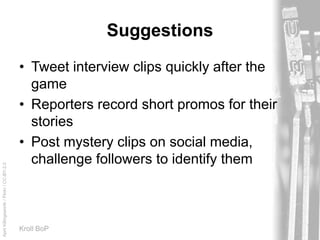
Suggestions
• Tweet interview clips quickly after the
game
• Reporters record short promos for their
stories
• Post mystery clips on social media,
challenge followers to identify them
QUIZZES
GETTHEM INVOLVED
AprilKillingsworth/Flickr/CC-BY-2.0
Kroll BoP
Quizzes
• More engaging than polls; can stand on
their own
• Tap into competitive drive
• Promote sharing on social media
AprilKillingsworth/Flickr/CC-BY-2.0
Kroll BoP
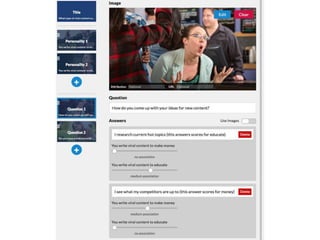
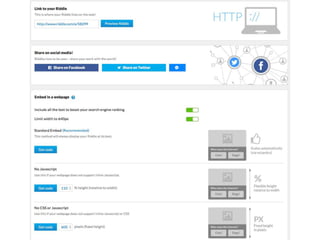
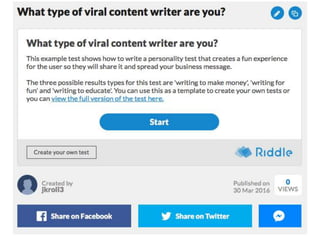
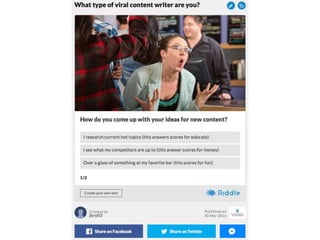
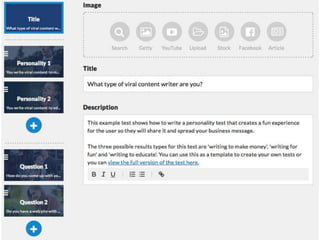
Riddle.com
• Free to join (includes Riddle branding)
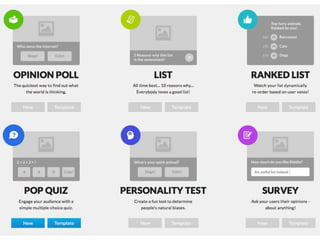
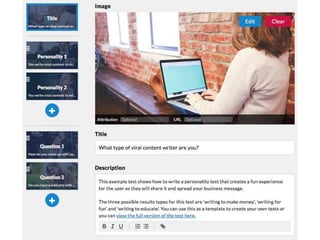
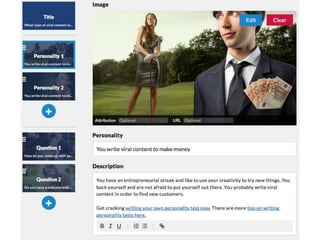
• Templates lead you through creation
• License-free stock images available
• Photo-heavy quizzes
• “Personality” quizzes
• Risk: Site homepage may host some
NSFS topics
AprilKillingsworth/Flickr/CC-BY-2.0
Kroll BoP
Suggestions
• Use personality quiz to suggest new music
• Quizzes on teachers
AGGREGATION
CAPTUREAN EVENT
AprilKillingsworth/Flickr/CC-BY-2.0
Kroll BoP
Aggregation
• Build a story up from pieces & parts –
tweets, video, photos, web pages
• Archive social media reaction in an easy-
to-read format
• Compile live tweeting to create an instant
post
AprilKillingsworth/Flickr/CC-BY-2.0
Kroll BoP
Storify.com
• Most sophisticated and flexible platform
• Drag-and-drop from web, social media
• Add your own comments
• Embeddable
• Video instructions: bit.ly/osma-storify
AprilKillingsworth/Flickr/CC-BY-2.0
Kroll BoP
What it does
http://thelambertpost.com/3061/showcase/pr
om-fashion-show-takes-the-lambert-stage/
AprilKillingsworth/Flickr/CC-BY-2.0
Kroll BoP
Suggestions
• Several reporters live tweet an event;
assemble those + photos for in-the-
moment post
• Capture something that sparks social
media reaction (bomb scare?) using
tweets to supplement news story
SOCIAL MEDIA MANAGEMENT
KEEPINTOUCH
AprilKillingsworth/Flickr/CC-BY-2.0
Kroll BoP
Social media managers
• Monitor multiple social media outlets in
one screen
• Track specific hashtags, regular words or
users
• Manage posting to social media
AprilKillingsworth/Flickr/CC-BY-2.0
Kroll BoP
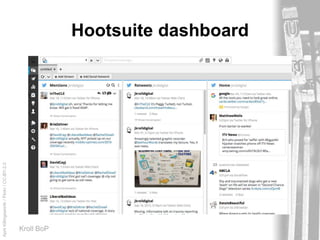
Hootsuite.com
• Combine accounts on Twitter, Facebook,
WordPress, Instagram, YouTube, Storify,
Vimeo, Flickr …
• Create streams based on your account,
searches, keywords, user lists
• Create and schedule posts; target
audience
AprilKillingsworth/Flickr/CC-BY-2.0
Kroll BoP
Hootsuite dashboard
AprilKillingsworth/Flickr/CC-BY-2.0
Kroll BoP
Suggestions
• Monitor official school and community
accounts
• Create lists (opt-in?) for students, staff
• Maintain searches for school/team names
FREE PHOTOS
THEY’RE PHOTOS!THEY’RE FREE!
AprilKillingsworth/Flickr/CC-BY-2.0
Kroll BoP
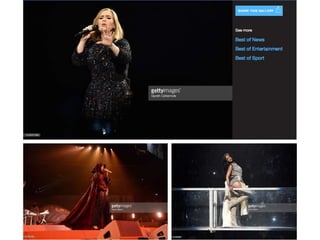
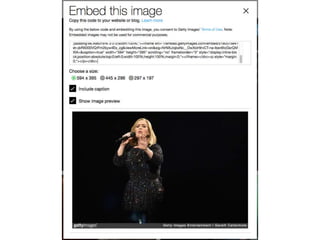
Gettyimages.com
• Find a photo (including news, entertainers,
etc.)
• Click the “embed” button
• Select options (caption)
• Paste code into your page source code
AprilKillingsworth/Flickr/CC-BY-2.0
Kroll BoP
Disadvantages
• Probably won’t work with automated
thumbnails or slideshows
• May cause problems with responsive sites
MAPS
ASENSE OF PLACE
AprilKillingsworth/Flickr/CC-BY-2.0
Kroll BoP
Maps
• Answer the “where” question
• Provide directions
AprilKillingsworth/Flickr/CC-BY-2.0
Kroll BoP
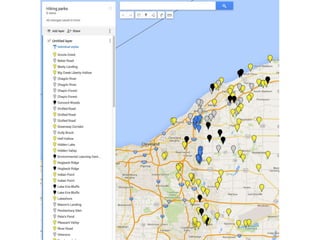
Google.com/mymaps
• Add markers by hand or using address
search
• Add routes
• Put text or photos (including StreetView)
into popups
• Embed on your site (copy and paste
HTML)
AprilKillingsworth/Flickr/CC-BY-2.0
Kroll BoP
Suggestions
• Best places for after prom
• Stadiums and gyms in your league
• Where teachers came from
• Crimes in the community
WRAPPING UP
GETGOING!
AprilKillingsworth/Flickr/CC-BY-2.0
Kroll BoP
Goals
• Make your site more than shovelware;
don’t just dump print content online
• Test one new tool per month. Ask yourself:
What kind of story can this tell?
• Try, fail, review and try again
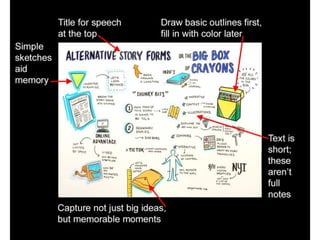
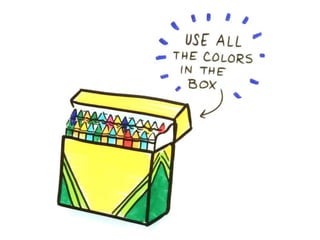
• Use the Big Box of Crayons
OSMA widgets

OSMA widgets