Org Chart Viewer
          and
Mobile Company Directory
   In PeopleSoft 9.1
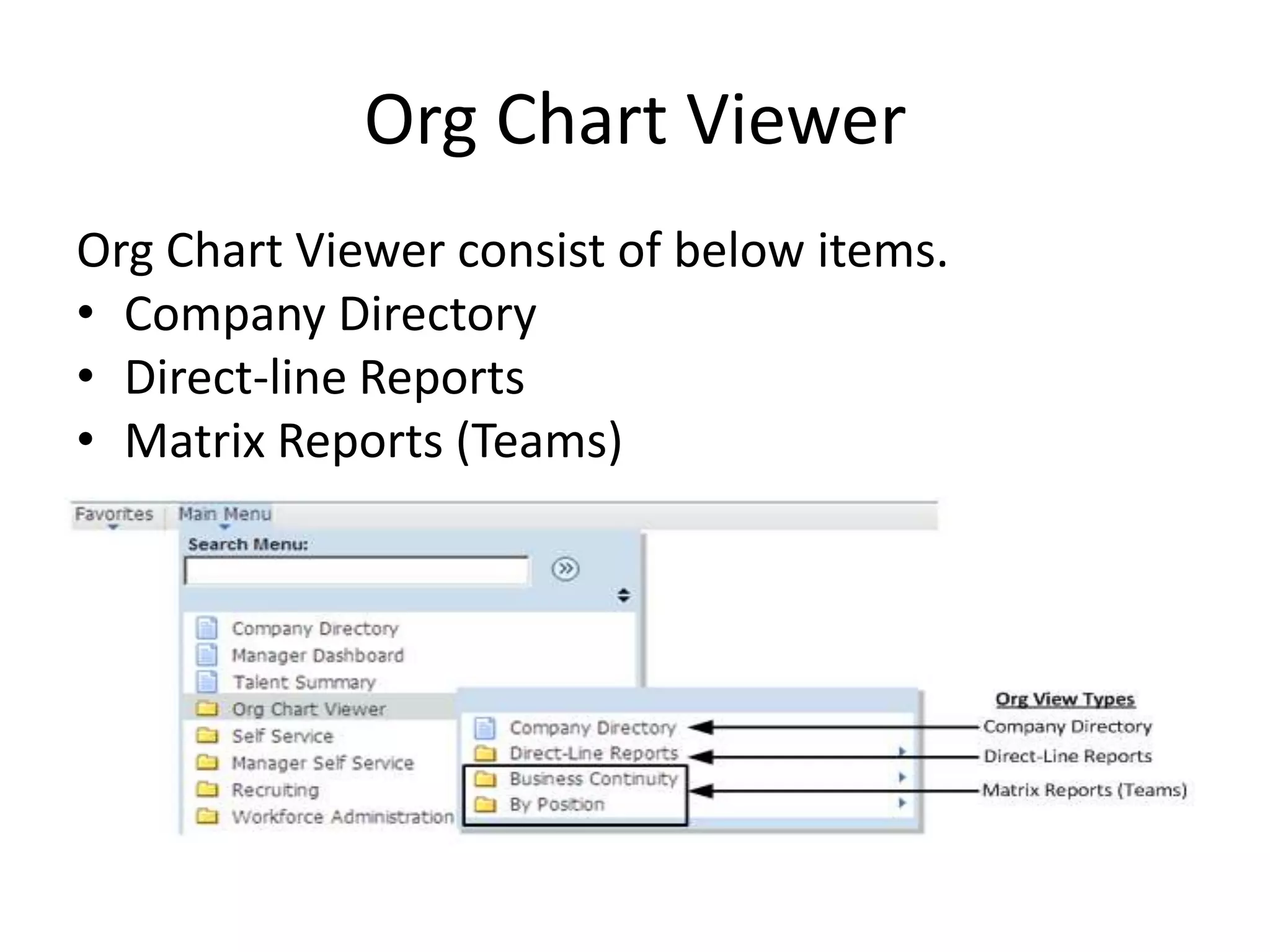
Org Chart Viewer
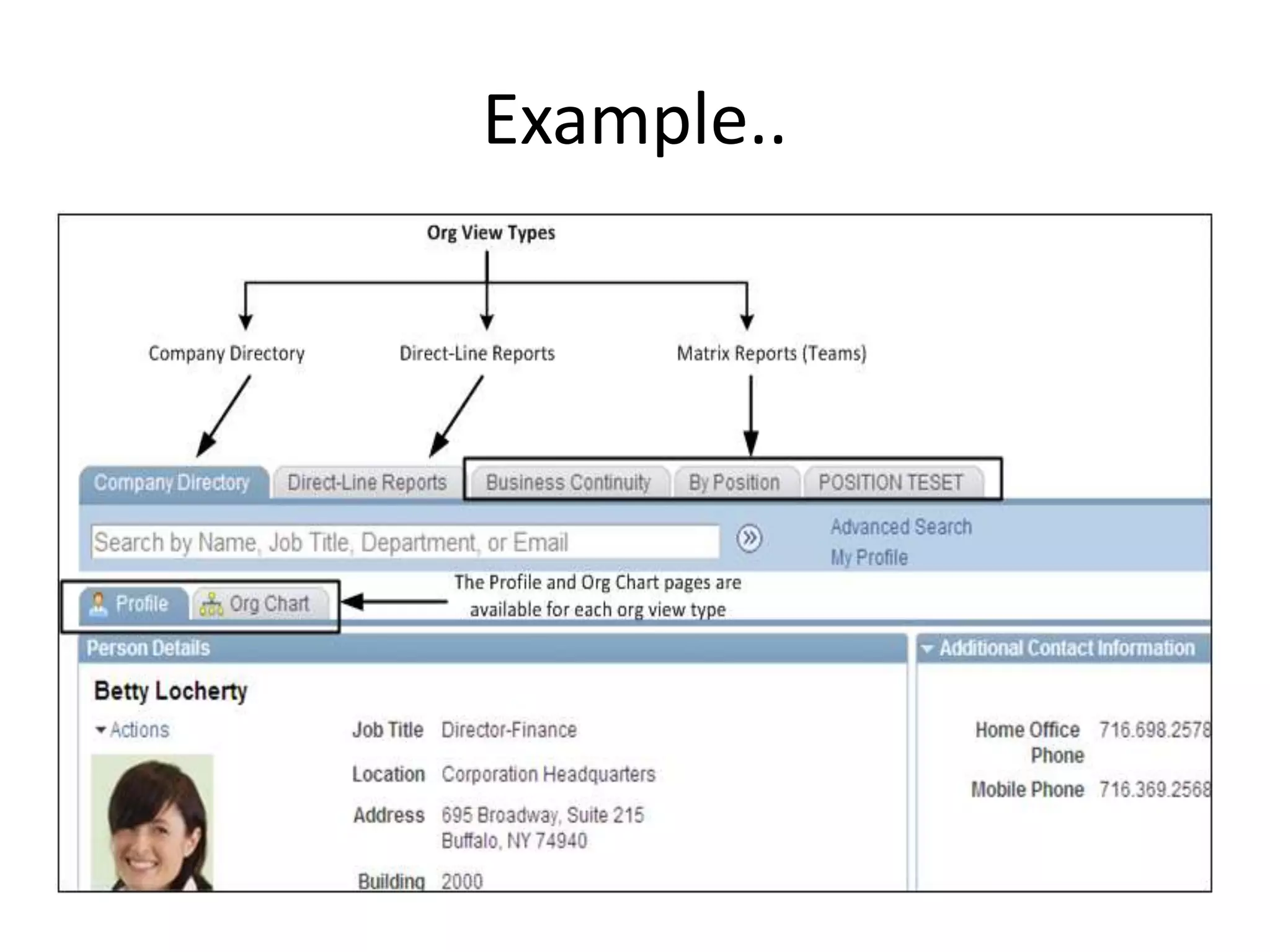
Org Chart Viewer consist of below items.
• Company Directory
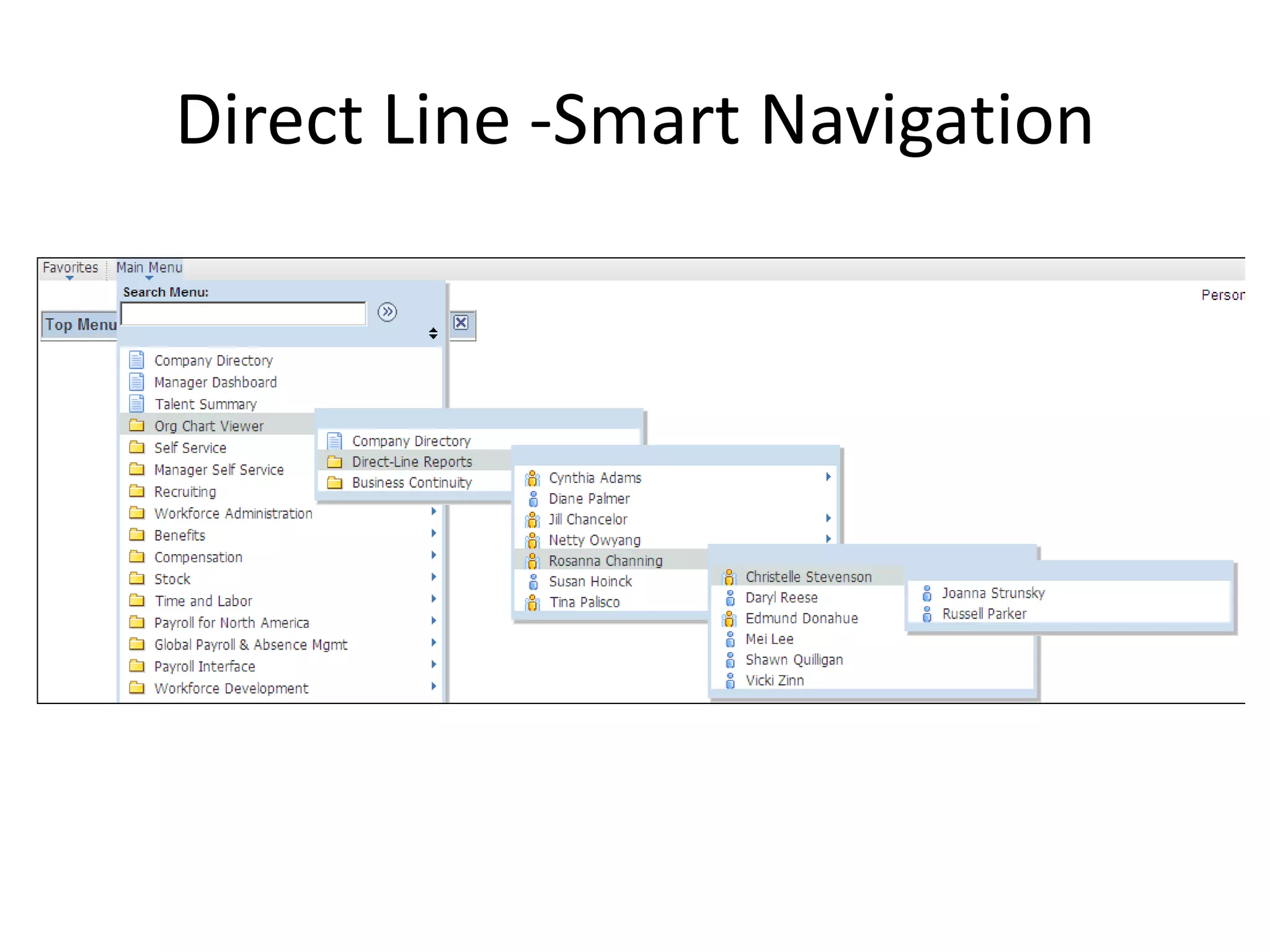
• Direct-line Reports
• Matrix Reports (Teams)
Example..
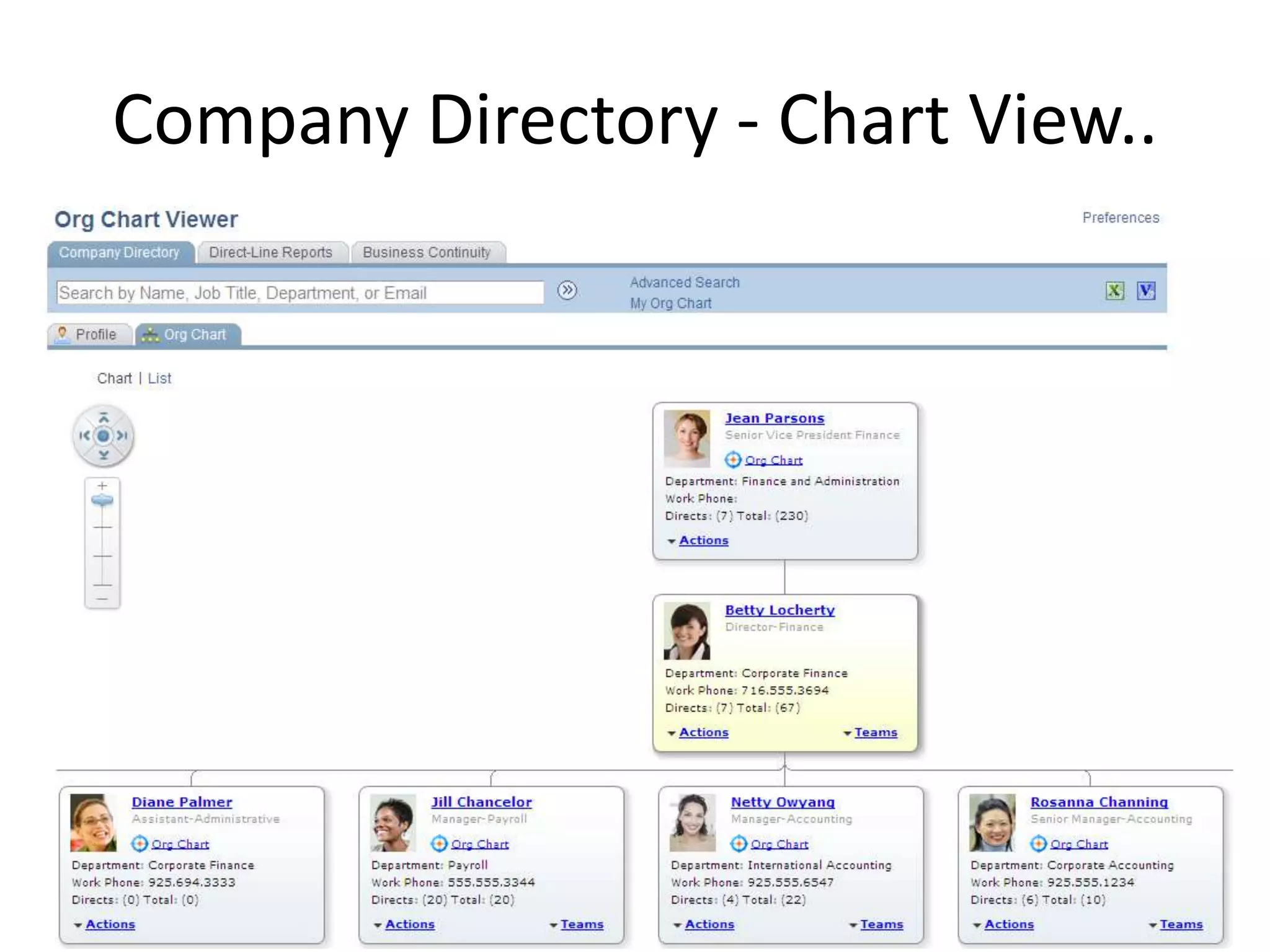
Company Directory - Chart View..
• Chart View provides various information and
  can perform the action. Which reduces many
  click and reduces confusion to navigate to
  system.
  – Action dropdown is configurable.
  – Each node shows Total and Direct reports.
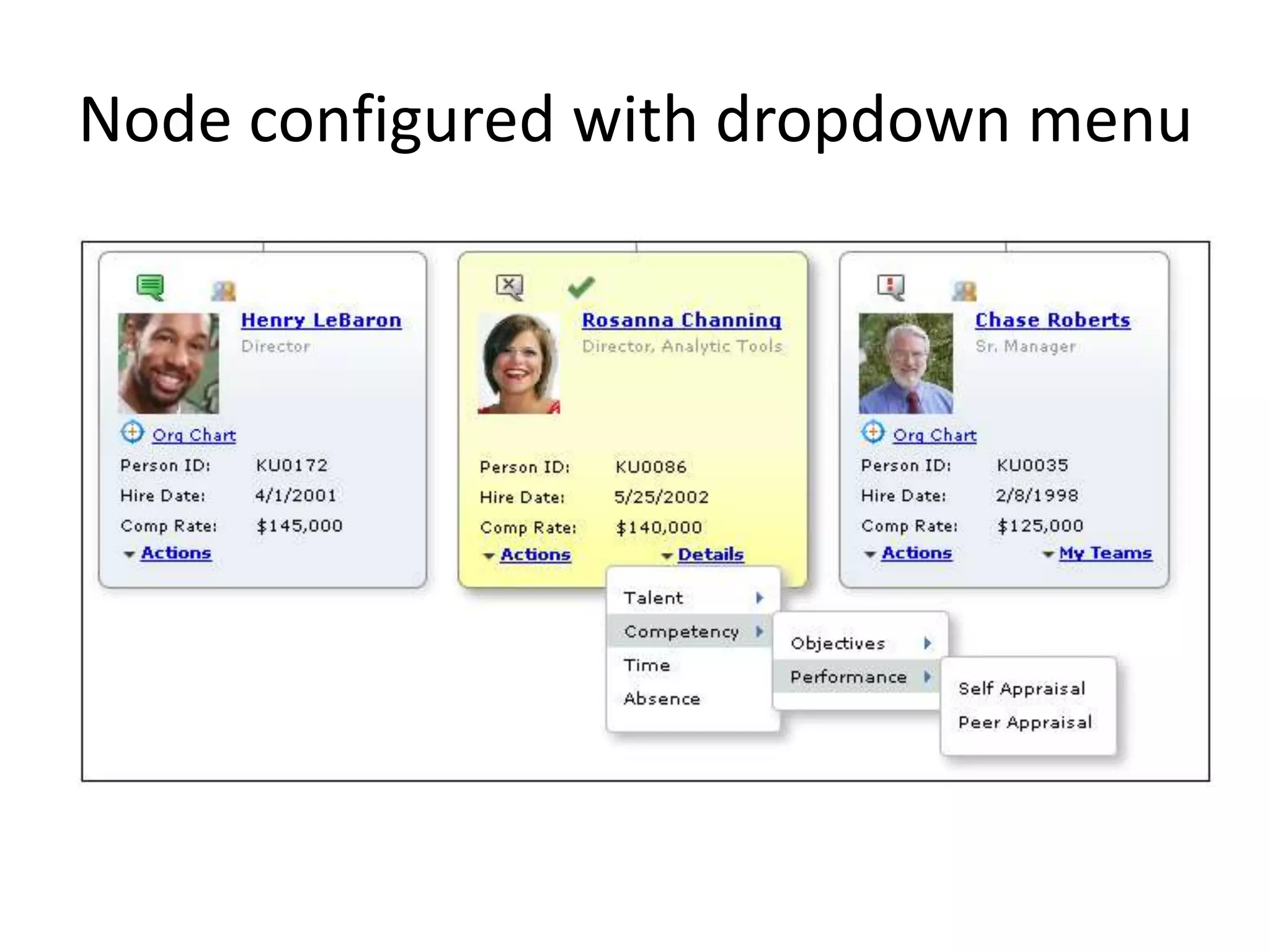
  – Node information can be configured.
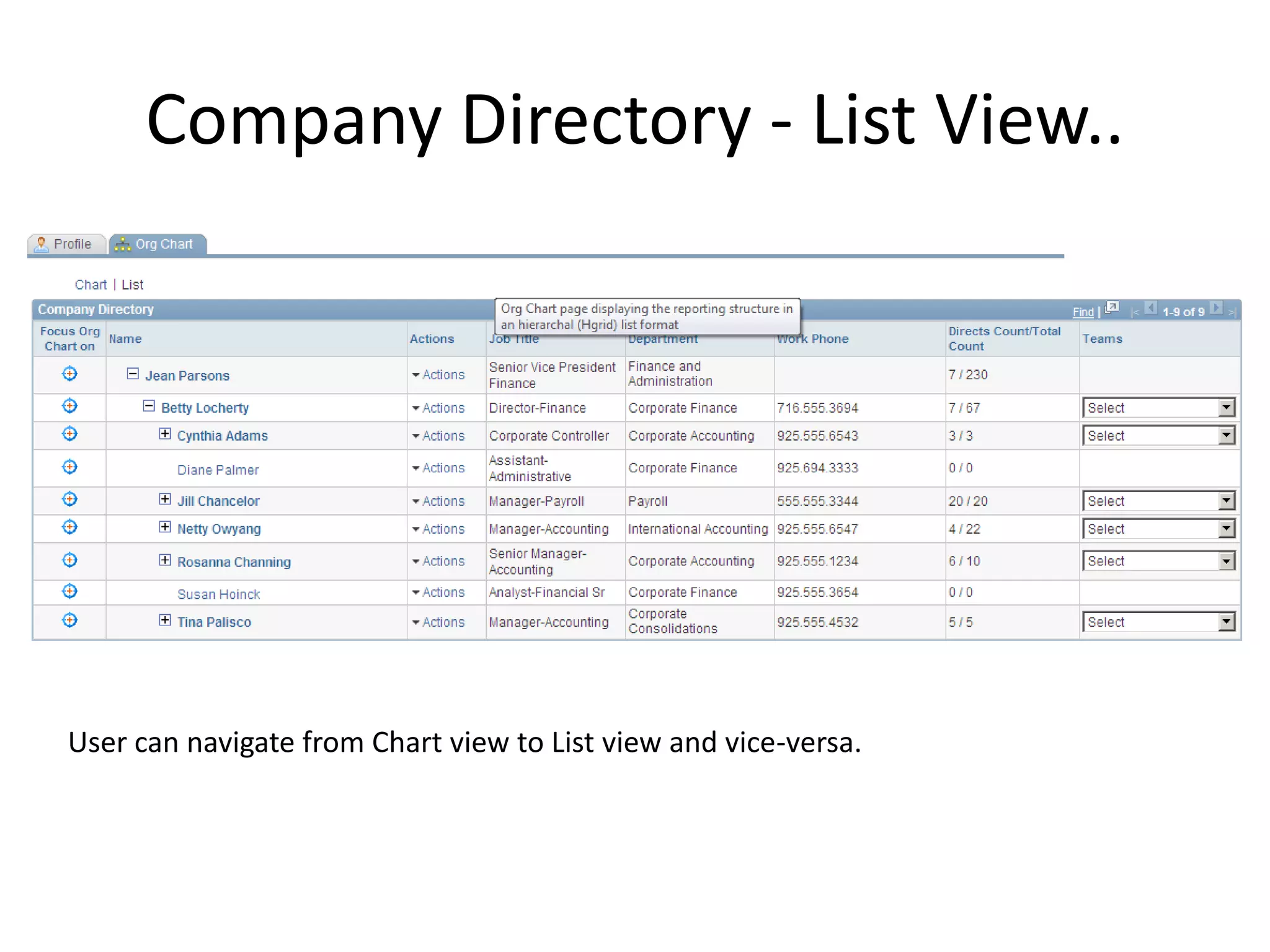
Company Directory - List View..


User can navigate from Chart view to List view and vice-versa.
Direct Line -Smart Navigation
Matrix Reports
• Manual (where the owner is at the top of the
  node)
• Access Type (using the Direct Reports API)
  –   By Department Manager ID
  –   By Department Security Tree
  –   By Group ID
  –   By Part Posn Mgmt Dept Mgr ID
  –   By Part Posn Mgmt Supervisor
  –   By Reports To Position
  –   By Supervisor ID
• Tree-based hierarchy
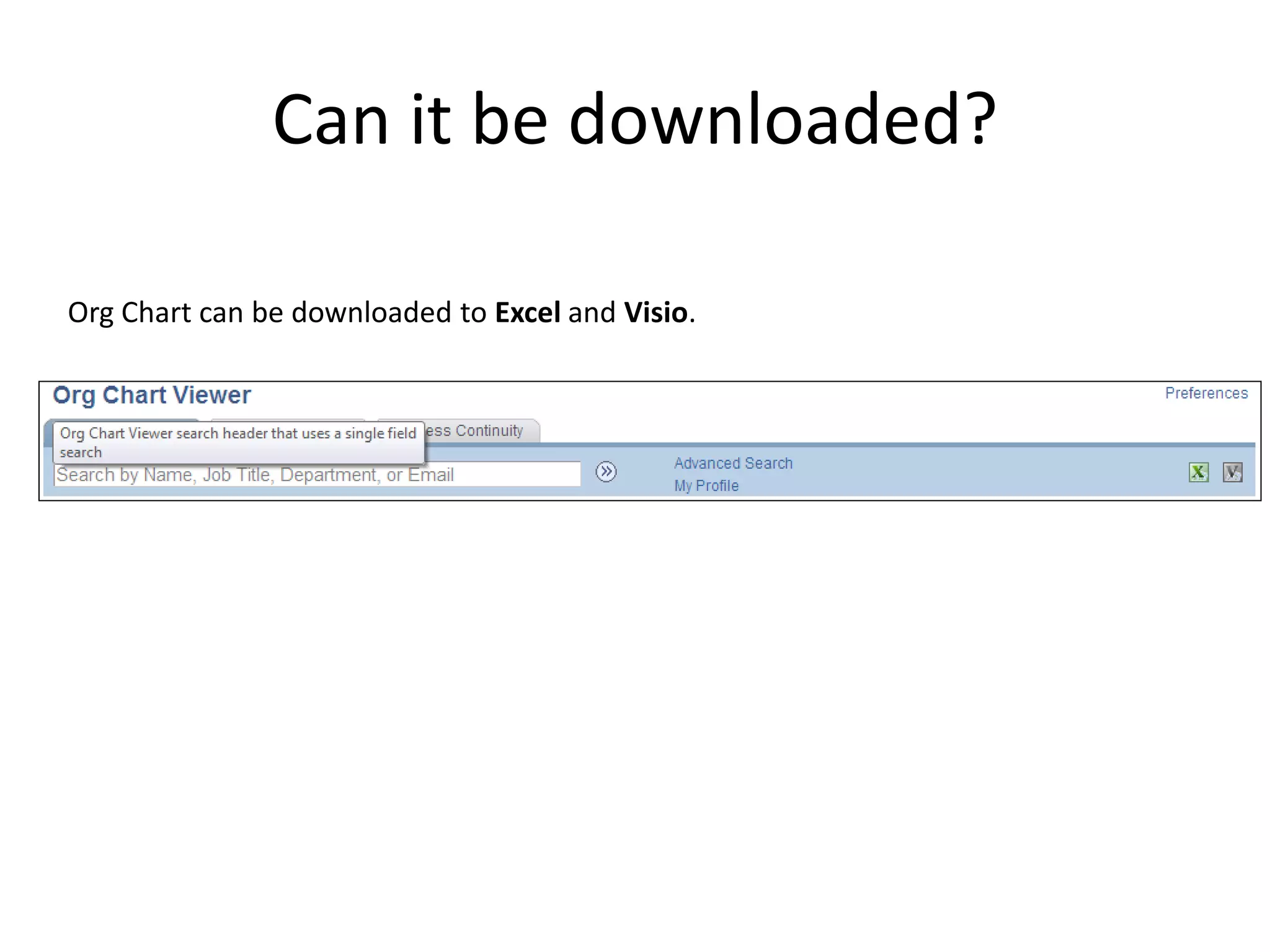
Can it be downloaded?

Org Chart can be downloaded to Excel and Visio.
Node configured with dropdown menu
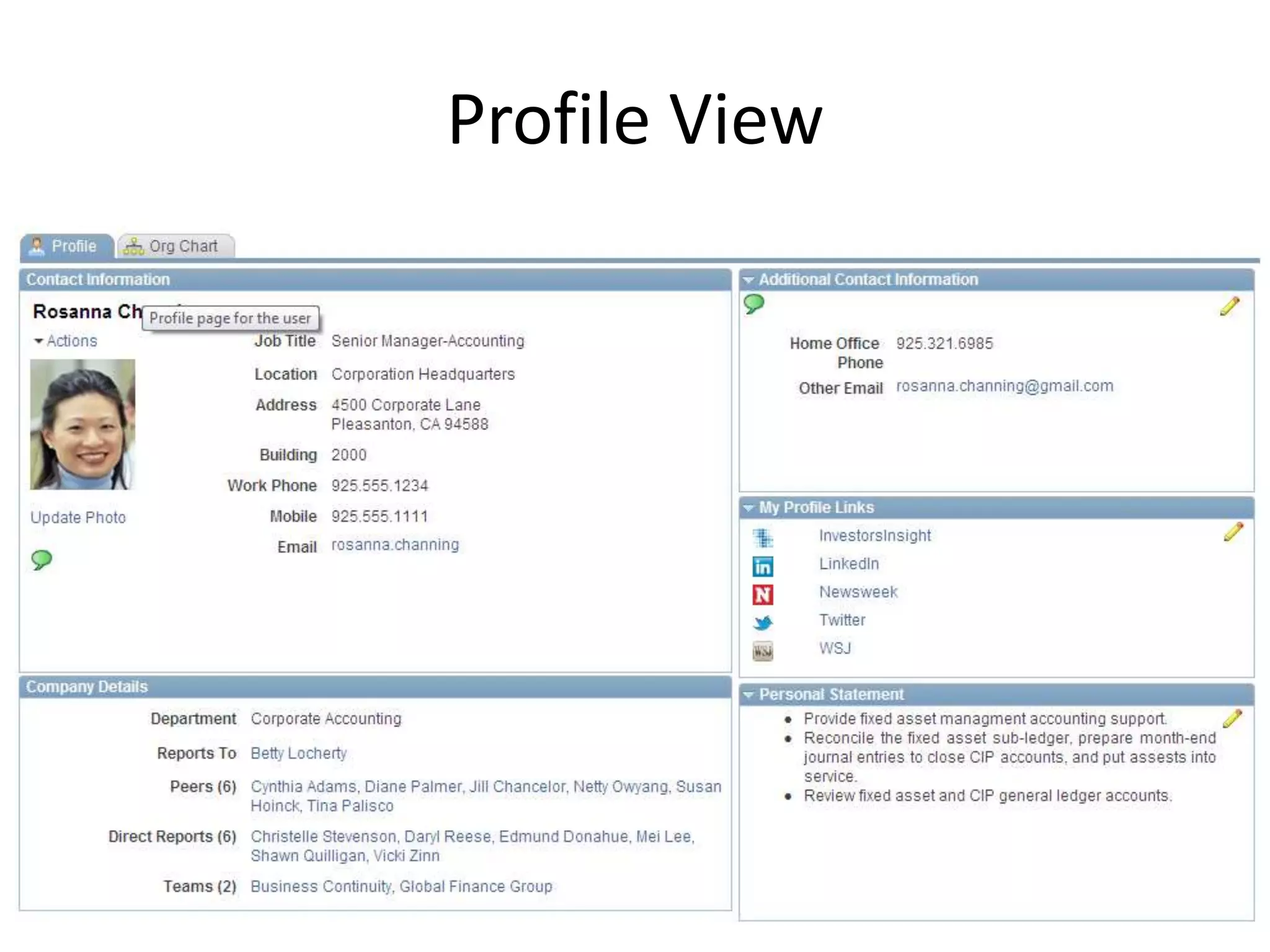
Profile View
Benefits
• User engagement with the system.
• Better user experience.
• We can configure the chart to show a person’s
  IM presence as part of their node. A user
  could then start a chat session in a chat client
  with the person from the organization chart.
• Better visibility on indirect reports.
• Include personal note and personal profile
  links.
Mobile Company Directory
Available on..
• Company Directory – Tablet
• Company Directory – Phone ( for the Smart
  phone)
What can we do?
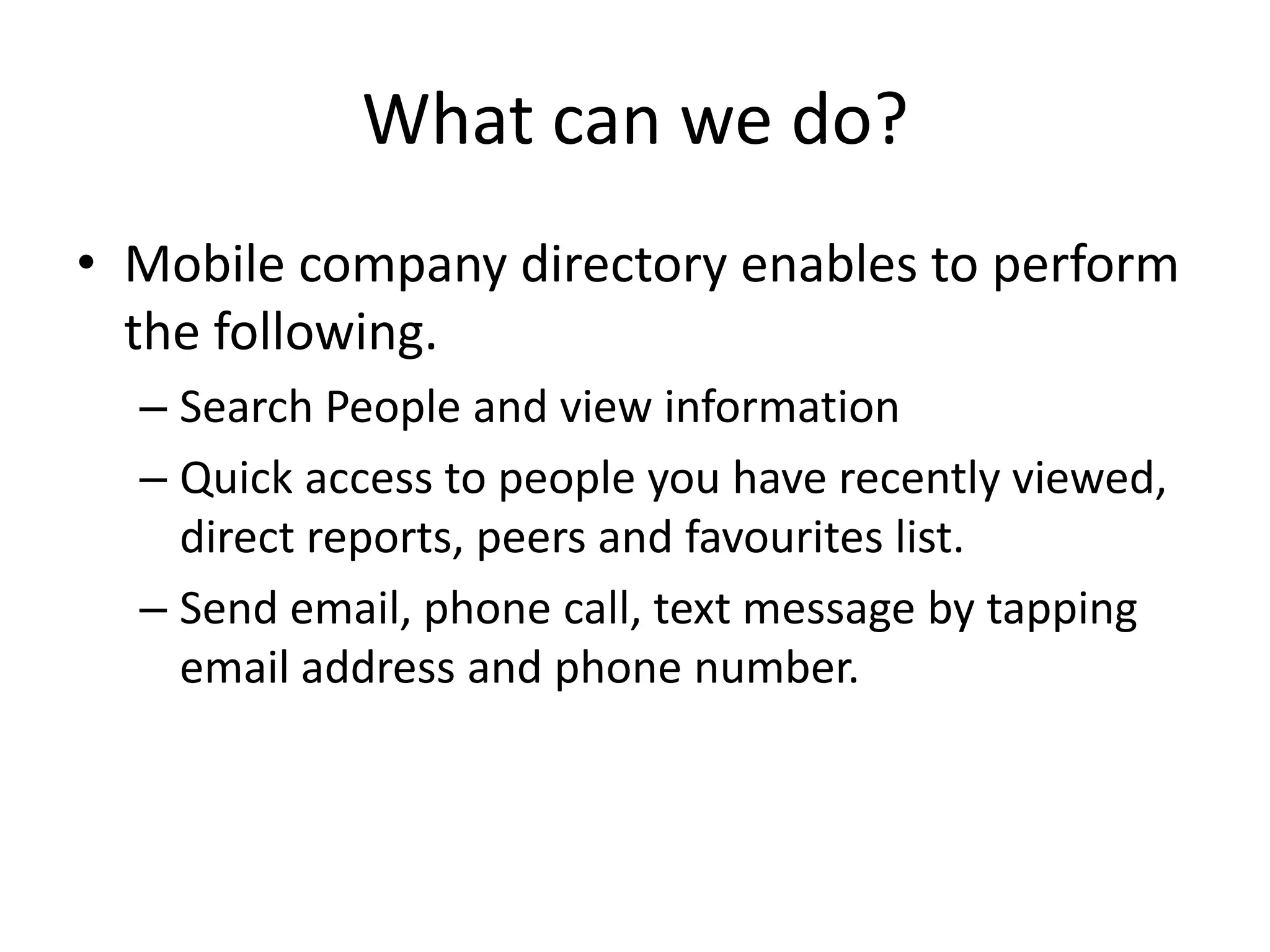
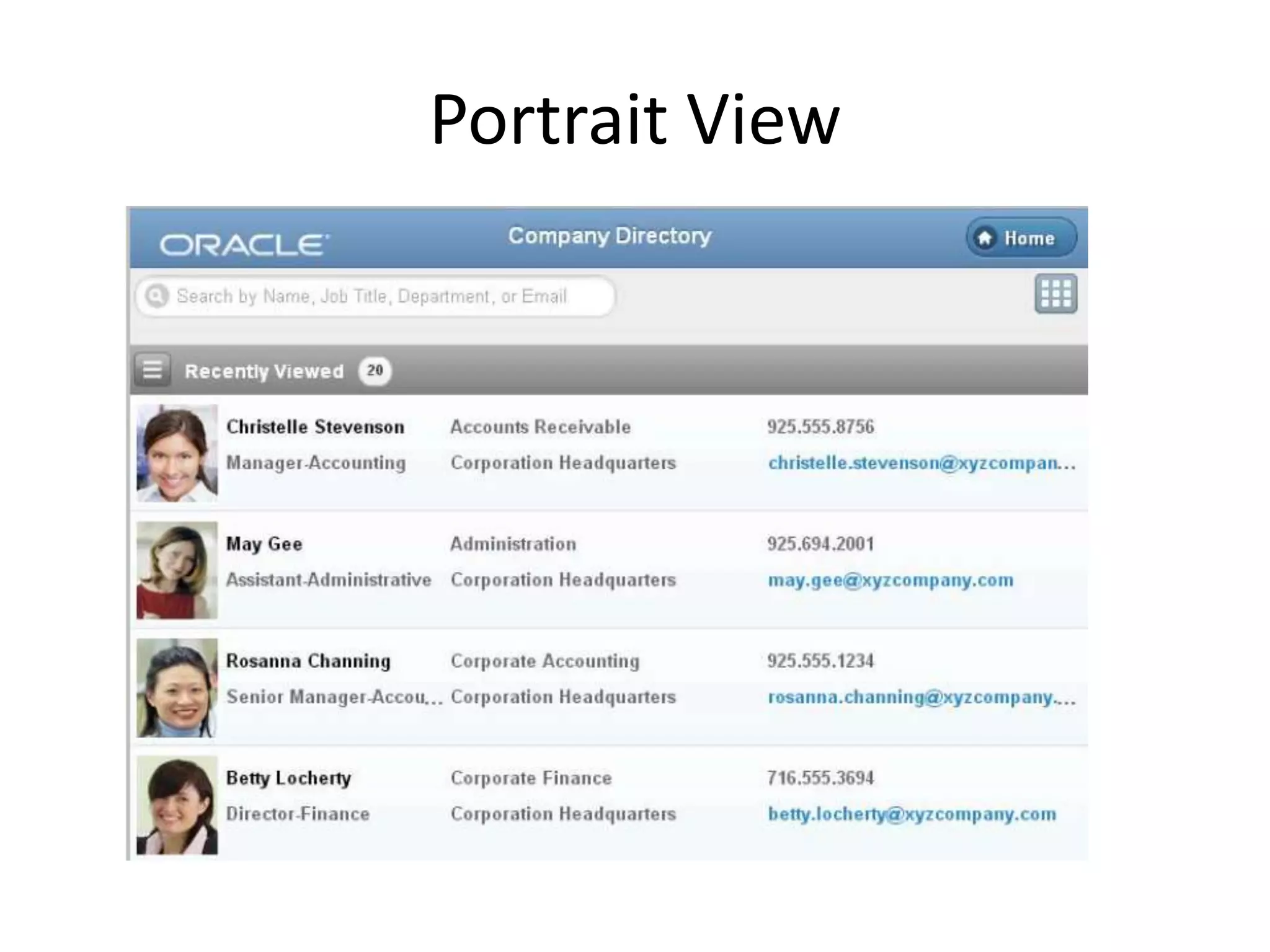
• Mobile company directory enables to perform
  the following.
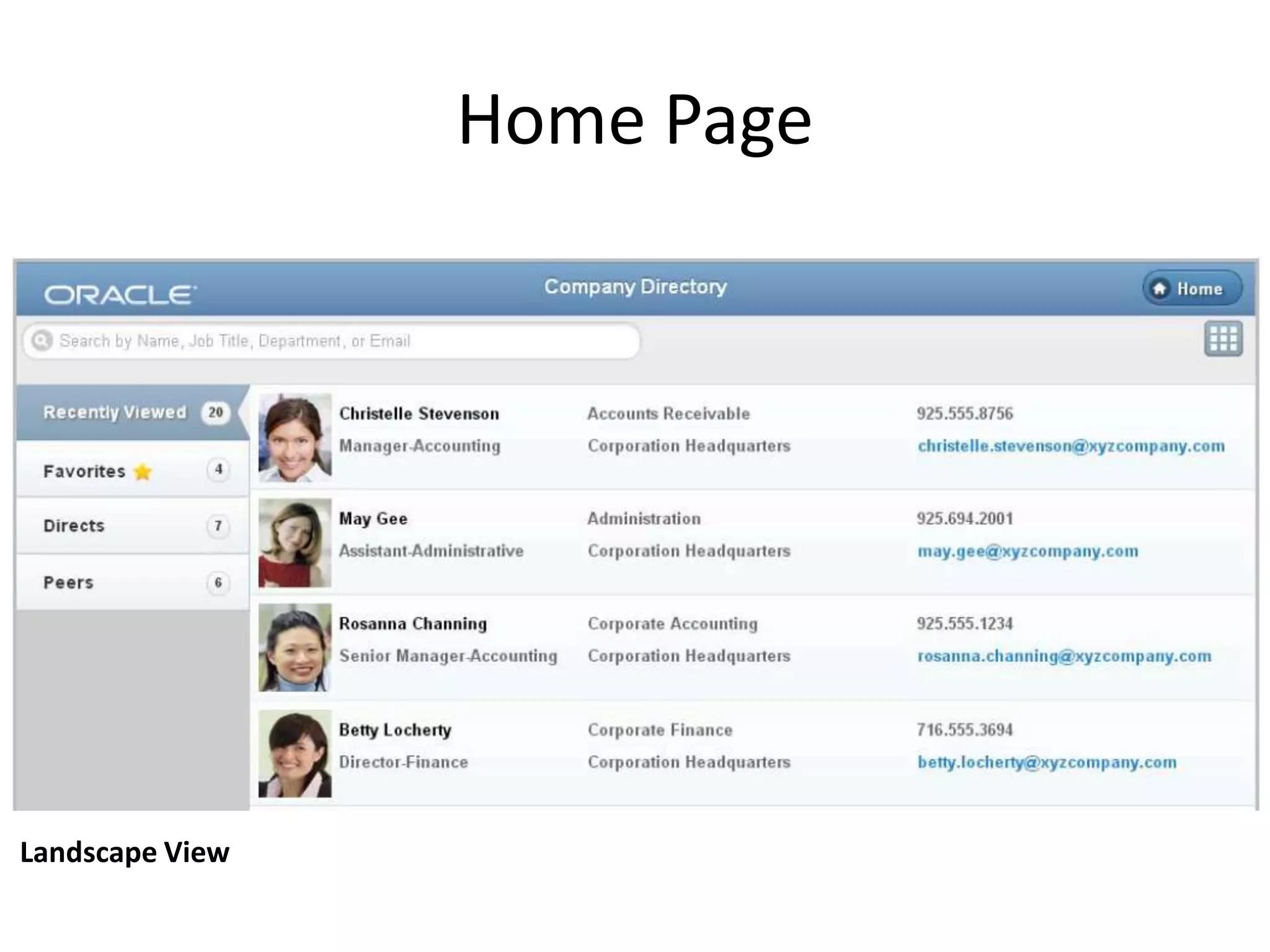
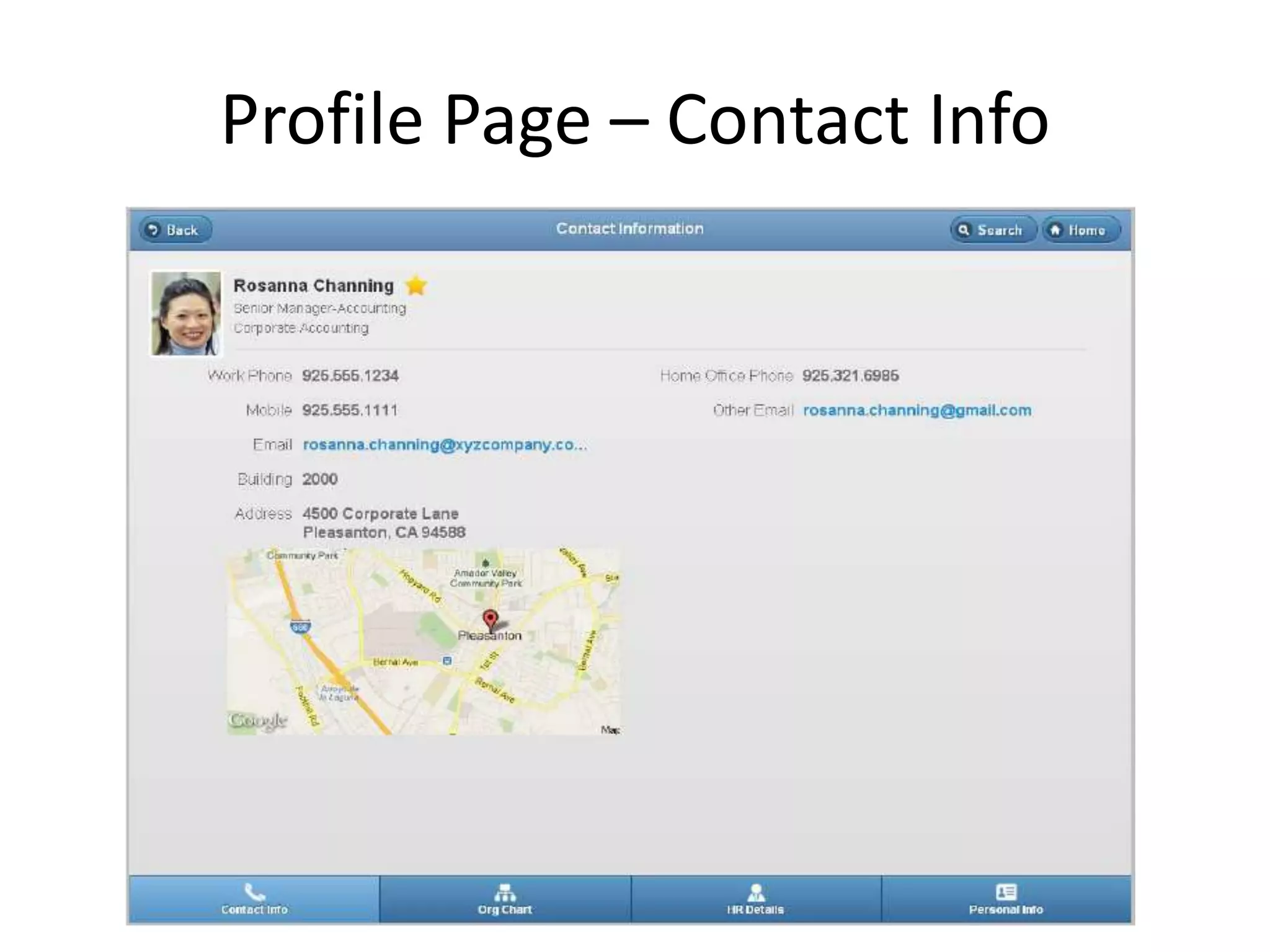
  – Search People and view information
  – Quick access to people you have recently viewed,
    direct reports, peers and favourites list.
  – Send email, phone call, text message by tapping
    email address and phone number.
Home Page


Landscape View
Portrait View
Profile Page – Contact Info
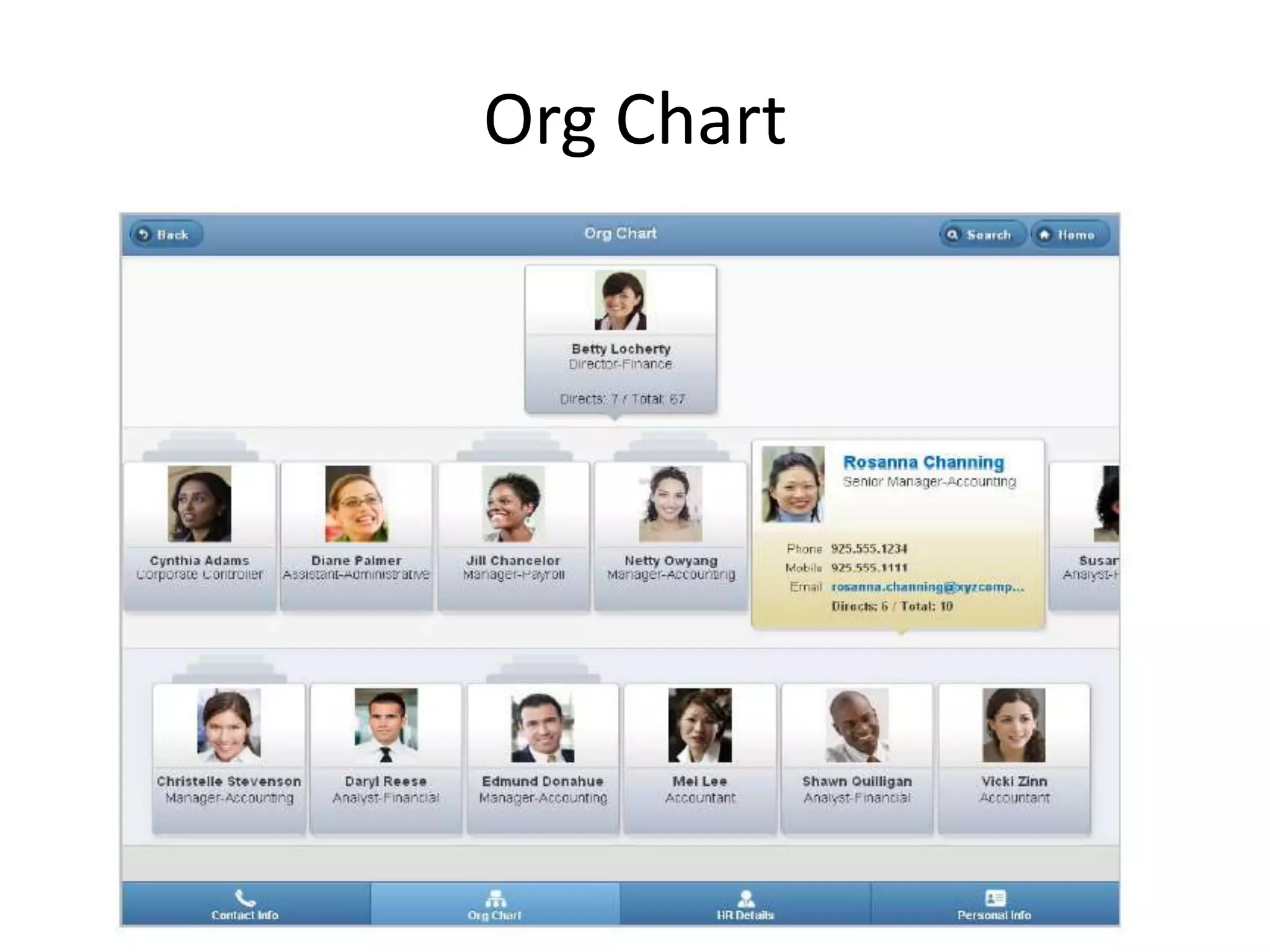
Org Chart
Org Chart
• Mobile version of org chart has same feature
  as Desktop version except action menu is not
  available.
• Mobile version / Tablet version can be
  configured.
• Quick access of information.
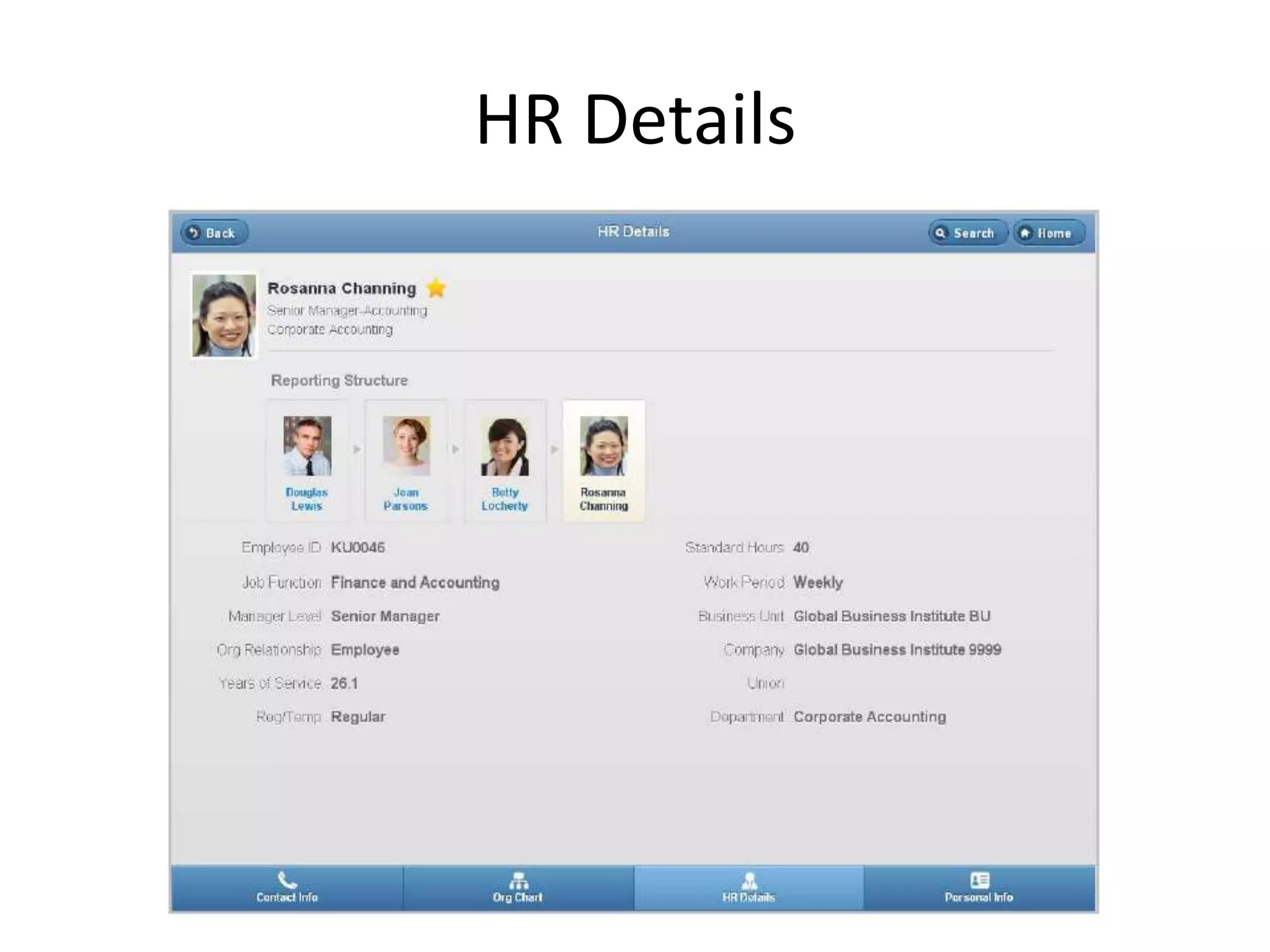
HR Details
FAQ…
• Does this require licence?
   – No. This is part of PeopleSoft HCM 9.1 and should have
     PeopleTools version higher that 8.52.
   – Hence this reduces addition maintenance to support
     different application for Org Chart.
• Functional difference between Org View and
  Company Directory.
   – Org View extends the feature of Direct-line reports and
     Matrix view.
FAQ…
• Can the information on Mobile pages customizable?
   – No. But the information can be configurable.
• Can the ad-hoc chart be prepared?
   – Matrix view can be useful on this.
• Is it possible to build custom Org Chart?
   – Yes. Development effort required to build.
FAQ…
• This chart type can be used to display many
  different types of hierarchical relationships.
  – People in organizations
  – Positions in organizations
  – Departments in organizations

Org chart viewer and mobile company directory

  • 1.
    Org Chart Viewer and Mobile Company Directory In PeopleSoft 9.1
  • 2.
    Org Chart Viewer OrgChart Viewer consist of below items. • Company Directory • Direct-line Reports • Matrix Reports (Teams)
  • 3.
  • 4.
    Company Directory -Chart View..
  • 5.
    Company Directory -Chart View.. • Chart View provides various information and can perform the action. Which reduces many click and reduces confusion to navigate to system. – Action dropdown is configurable. – Each node shows Total and Direct reports. – Node information can be configured.
  • 6.
    Company Directory -List View.. User can navigate from Chart view to List view and vice-versa.
  • 7.
  • 8.
    Matrix Reports • Manual(where the owner is at the top of the node) • Access Type (using the Direct Reports API) – By Department Manager ID – By Department Security Tree – By Group ID – By Part Posn Mgmt Dept Mgr ID – By Part Posn Mgmt Supervisor – By Reports To Position – By Supervisor ID • Tree-based hierarchy
  • 9.
    Can it bedownloaded? Org Chart can be downloaded to Excel and Visio.
  • 10.
    Node configured withdropdown menu
  • 11.
  • 12.
    Benefits • User engagementwith the system. • Better user experience. • We can configure the chart to show a person’s IM presence as part of their node. A user could then start a chat session in a chat client with the person from the organization chart. • Better visibility on indirect reports. • Include personal note and personal profile links.
  • 13.
  • 14.
    Available on.. • CompanyDirectory – Tablet • Company Directory – Phone ( for the Smart phone)
  • 15.
    What can wedo? • Mobile company directory enables to perform the following. – Search People and view information – Quick access to people you have recently viewed, direct reports, peers and favourites list. – Send email, phone call, text message by tapping email address and phone number.
  • 16.
  • 17.
  • 18.
    Profile Page –Contact Info
  • 19.
  • 20.
    Org Chart • Mobileversion of org chart has same feature as Desktop version except action menu is not available. • Mobile version / Tablet version can be configured. • Quick access of information.
  • 21.
  • 22.
    FAQ… • Does thisrequire licence? – No. This is part of PeopleSoft HCM 9.1 and should have PeopleTools version higher that 8.52. – Hence this reduces addition maintenance to support different application for Org Chart. • Functional difference between Org View and Company Directory. – Org View extends the feature of Direct-line reports and Matrix view.
  • 23.
    FAQ… • Can theinformation on Mobile pages customizable? – No. But the information can be configurable. • Can the ad-hoc chart be prepared? – Matrix view can be useful on this. • Is it possible to build custom Org Chart? – Yes. Development effort required to build.
  • 24.
    FAQ… • This charttype can be used to display many different types of hierarchical relationships. – People in organizations – Positions in organizations – Departments in organizations