Download to read offline

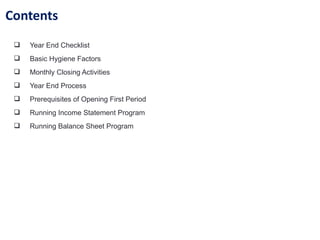
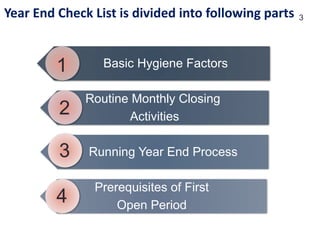


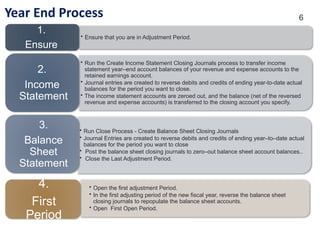


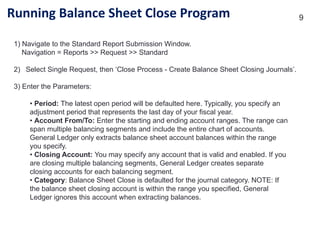


Oracle period end closing process it is mainly useful to know basics of Finance. he period close process for perpetual costing enables you to summarize costs related to inventory and manufacturing activities for a given accounting period. Generally, you should open and close periods for each separate inventory organization independently. By keeping only one period open, you can ensure that your transactions are dated correctly and posted to the correct accounting period. (For month-end adjustment purposes, you can temporarily hold multiple open periods.) The accounting periods and the period close process in Cost Management use the same periods, fiscal calendar, and other financial information found in General Ledger (GL). Inventory and Work in Process (WIP) transactions automatically create accounting entries. All accounting entries have transaction dates that belong in one accounting period. You can report and reconcile your transaction activity to an accounting period and GL. Note: Transactions use default accounts when standard costing is used. If Subledger Accounting (SLA) is enabled and SLA rules are customized, then the default accounts are not used. Note: Purchasing holds the accounting entries for receipts into receiving inspection and for deliveries into expense destinations. This includes any perpetual receipt accruals. Purchasing also has a separate period open and close, and uses separate processes to load the general ledger interface. It is not required to summarize transaction records before closing one accounting period, and opening the new accounting period. The period status is set to Closed not Summarized until the summarization process is completed. You can set the profile option CST:Period Summary to perform the summarization process automatically when you close the period. You can also set the option to perform the summarization process manually, which enables you to delay or not perform summarization. The Period Close Reconciliation report can be run at any time during the period. If generated for an open period, then it is a simulation of the period summarization. If generated for a Closed not Summarized period, then it creates summarization data that cannot be changed and sets the period status to Closed.. If generated for a Closed period, then it retrieves the summarized data. Caution: If you are using Oracle Enterprise Install Base and have the profile option 'CSE: Use eIB Costing Hook set to Y, then be aware that the accounted value and onhand value of eIB trackable items will not reconcile if your asset subinventories have quantities of these items that have already been converted to fixed assets. For details about the meaning of some of the terms used in this discussion and for a set of recommendations to avoid potential reconciliation issues for eIB trackable items, see the Oracle Enterprise Install Base and Implementation Guide.


