R12 Legal Entity configurator
Architectural Changes in R12 Financials


•   Legal Entity
•   Ledger Sets
•   Accounting Engine(SLA)
•   Transaction Based Taxes(EBTAX)
•   Intercompany Accounting (AGIS)
•   Multi-Organization Access Control(MOAC)
Relevance of LEGAL ENTITY
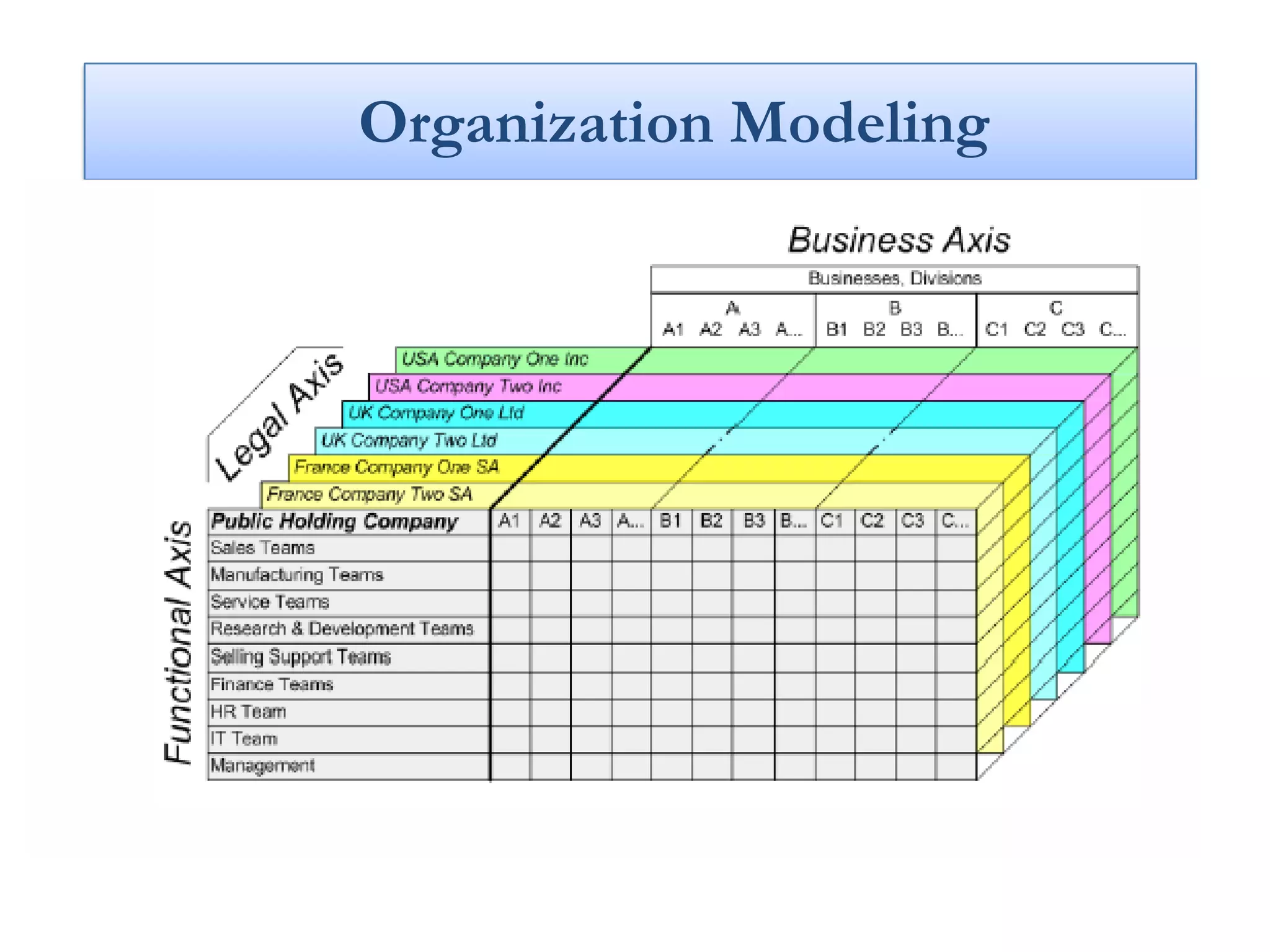
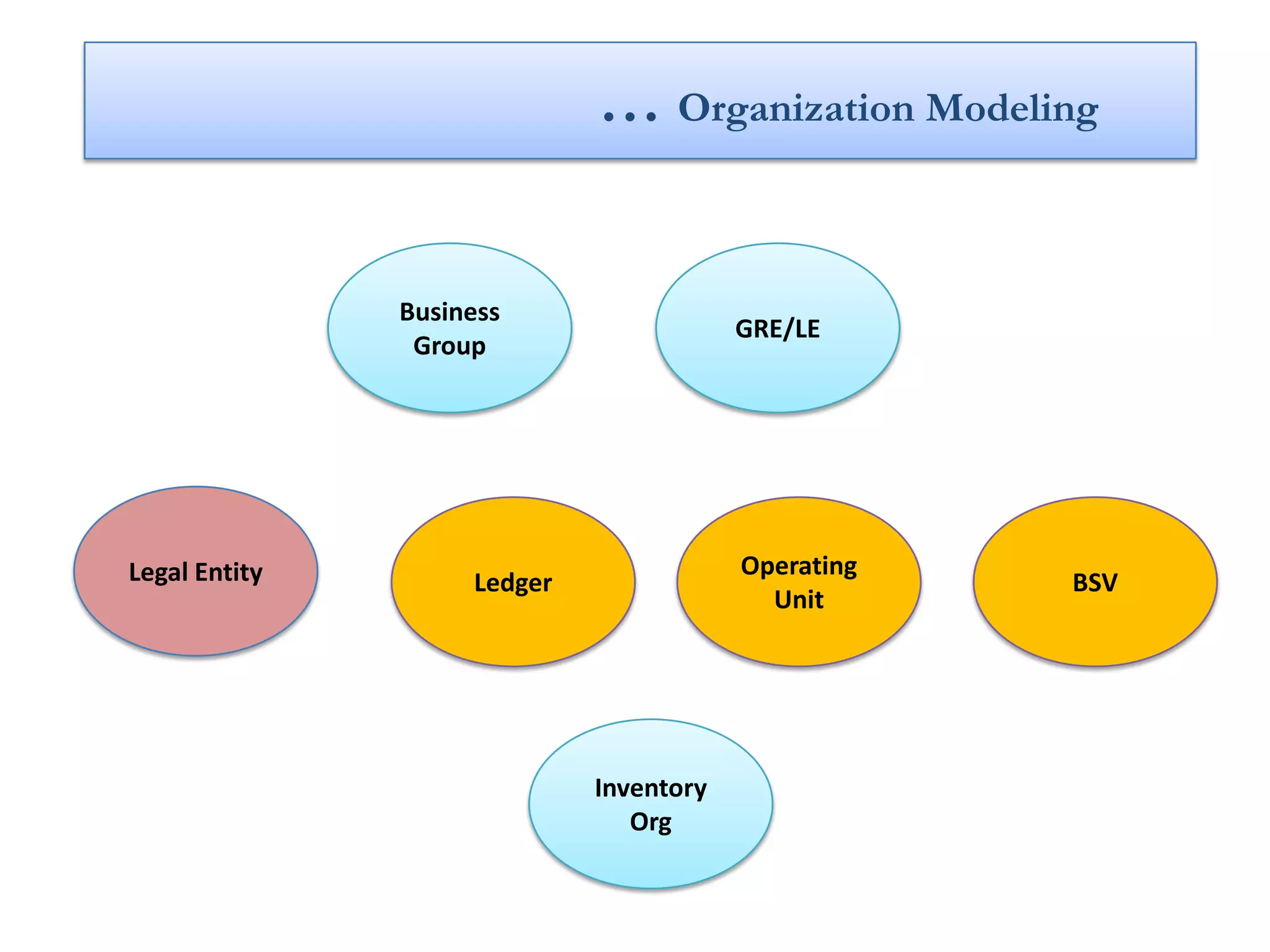
Organization Modeling
… Organization Modeling


               Business
                                         GRE/LE
                Group


Legal Entity                             Operating
                    Ledger                           BSV
                                           Unit


                             Inventory
                                Org
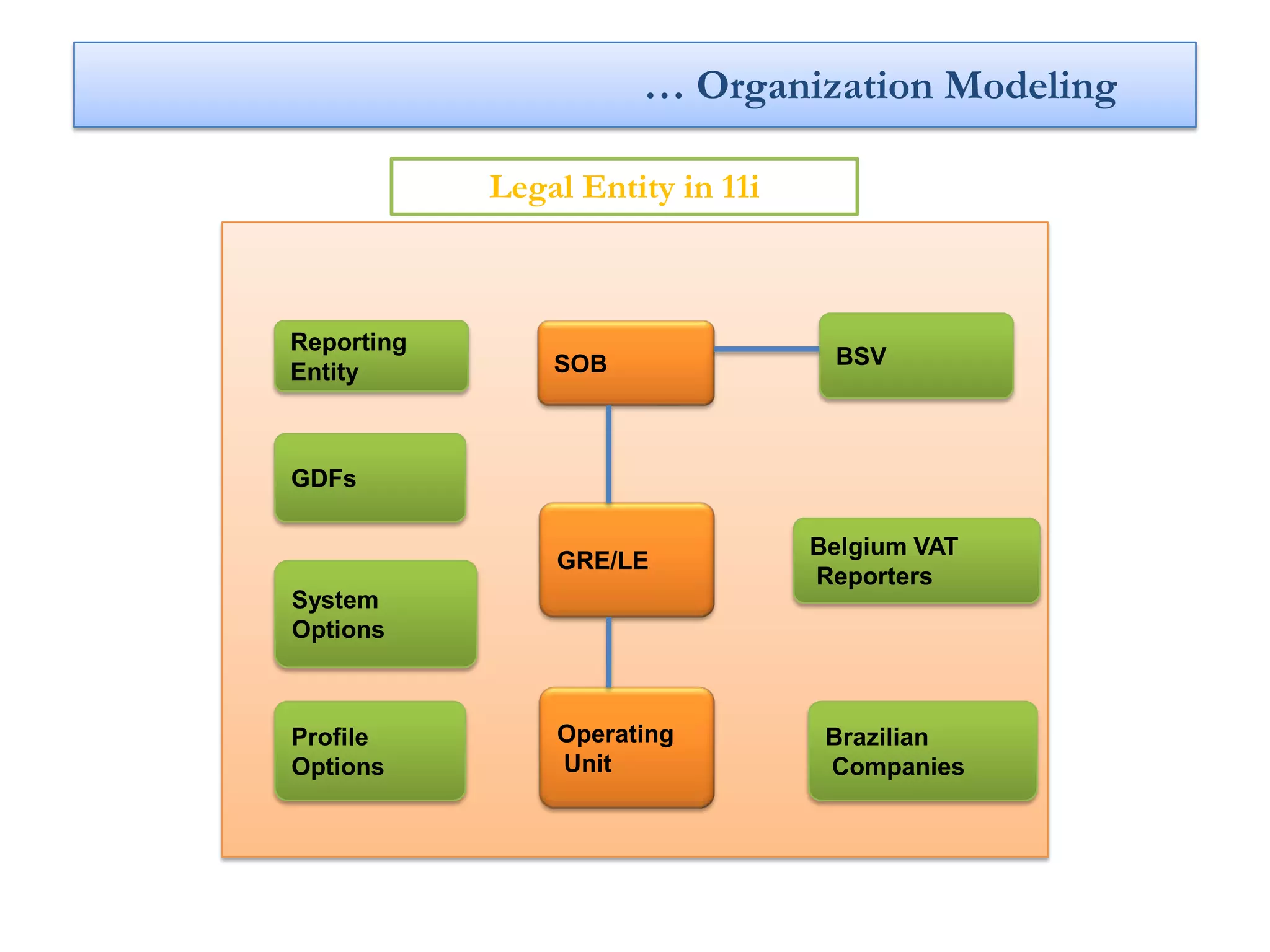
… Organization Modeling

            Legal Entity in 11i


Reporting
                SOB                BSV
Entity


GDFs

                                  Belgium VAT
                GRE/LE
                                  Reporters
System
Options


Profile         Operating          Brazilian
Options         Unit               Companies
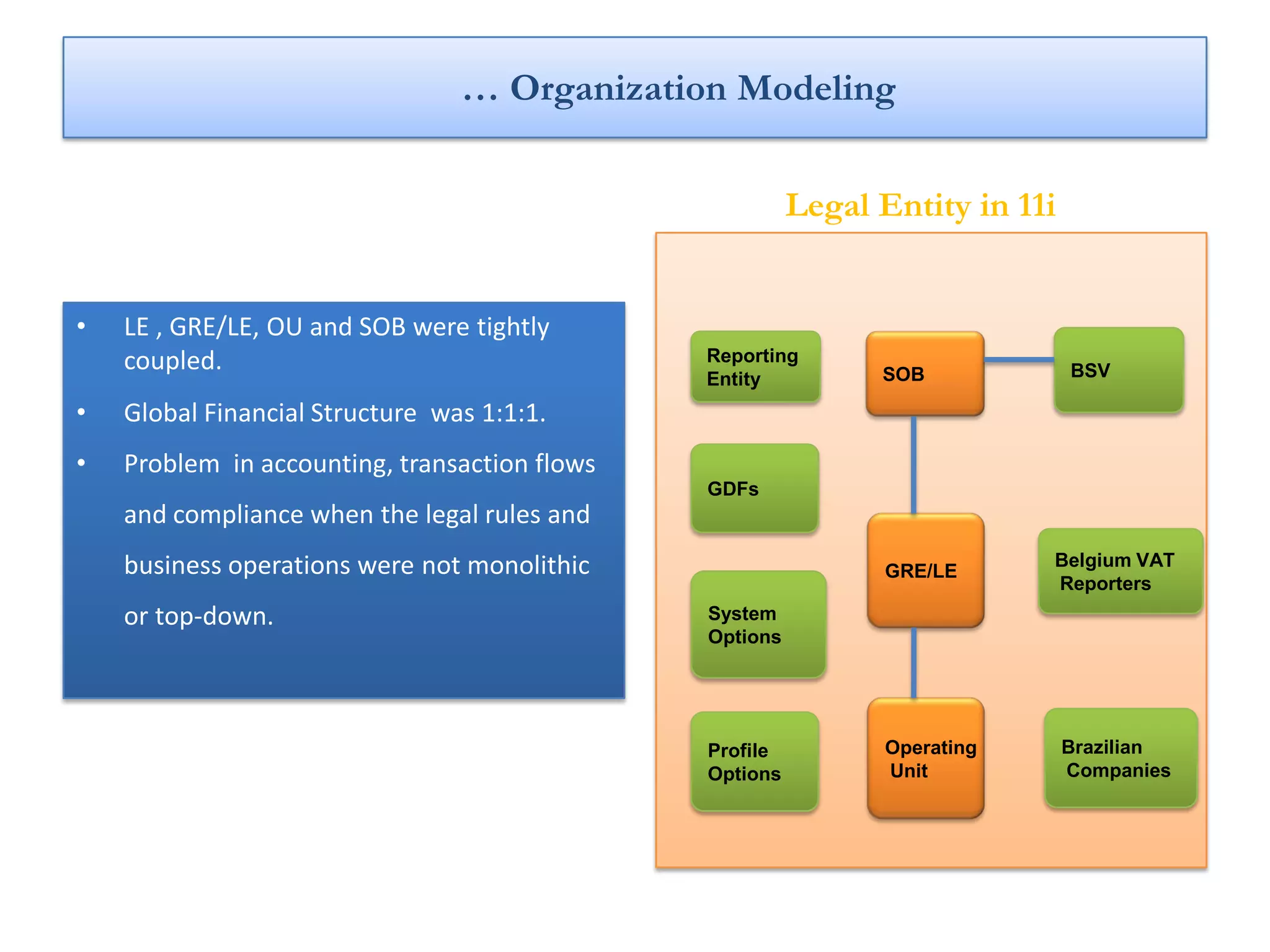
… Organization Modeling

                                                         Legal Entity in 11i


•   LE , GRE/LE, OU and SOB were tightly
    coupled.                                   Reporting
                                                               SOB             BSV
                                               Entity
•   Global Financial Structure was 1:1:1.
•   Problem in accounting, transaction flows
                                               GDFs
    and compliance when the legal rules and
    business operations were not monolithic                    GRE/LE
                                                                           Belgium VAT
                                                                           Reporters
    or top-down.                               System
                                               Options


                                               Profile         Operating       Brazilian
                                               Options         Unit            Companies
New design in R12
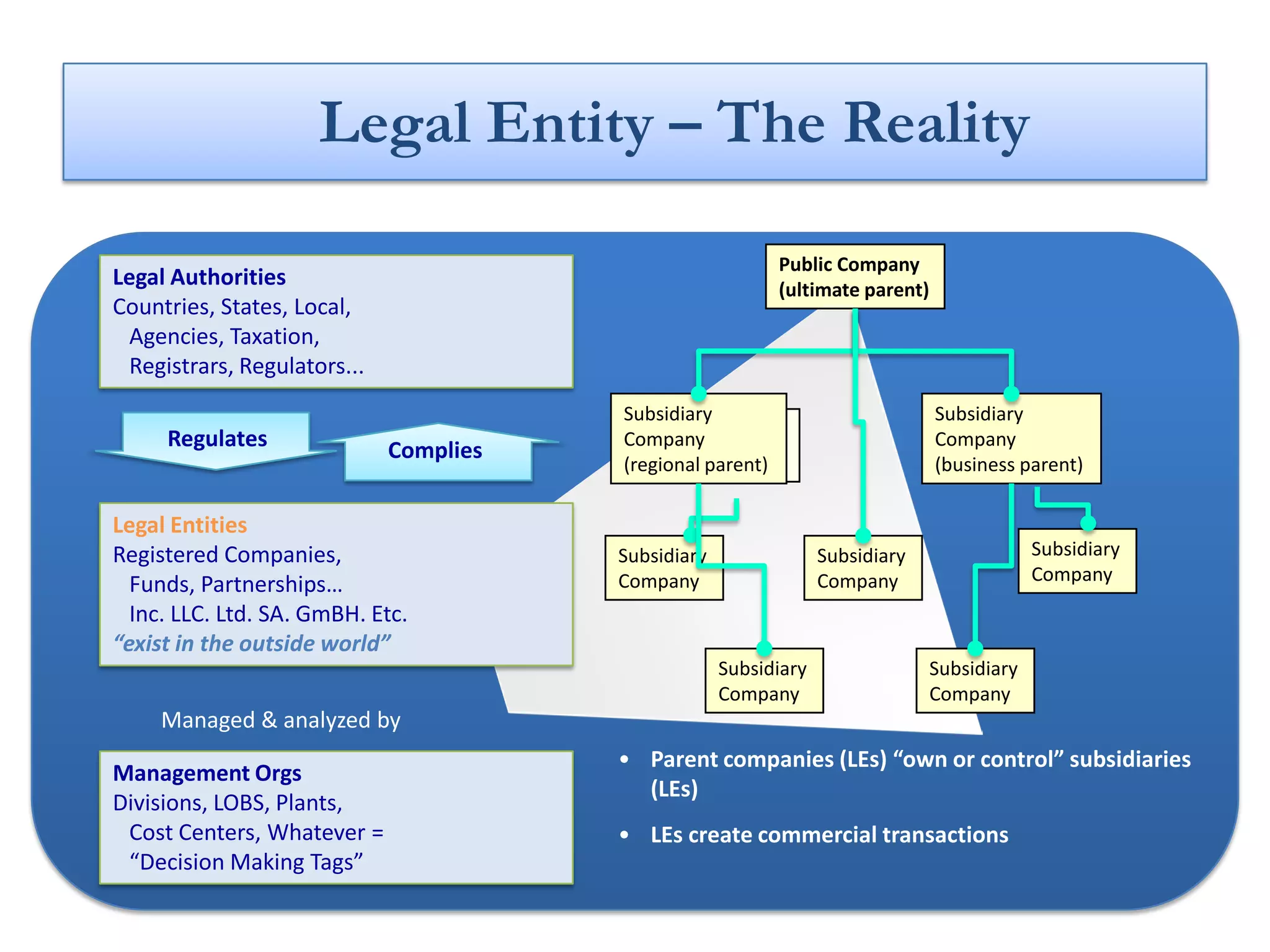
Legal Entity – The Reality

                                                            Public Company
Legal Authorities                                           (ultimate parent)
Countries, States, Local,
 Agencies, Taxation,
 Registrars, Regulators...
                                        Subsidiary                              Subsidiary
     Regulates                               Public
                                        Company                                 Company
                             Complies          Company
                                        (regional parent)                       (business parent)

Legal Entities
Registered Companies,                   Subsidiary                Subsidiary                 Subsidiary
                                        Company                   Company                    Company
  Funds, Partnerships…
  Inc. LLC. Ltd. SA. GmBH. Etc.
“exist in the outside world”
                                                     Subsidiary                 Subsidiary
                                                     Company                    Company
     Managed & analyzed by
                                        • Parent companies (LEs) “own or control” subsidiaries
Management Orgs
                                          (LEs)
Divisions, LOBS, Plants,
 Cost Centers, Whatever =               • LEs create commercial transactions
 “Decision Making Tags”
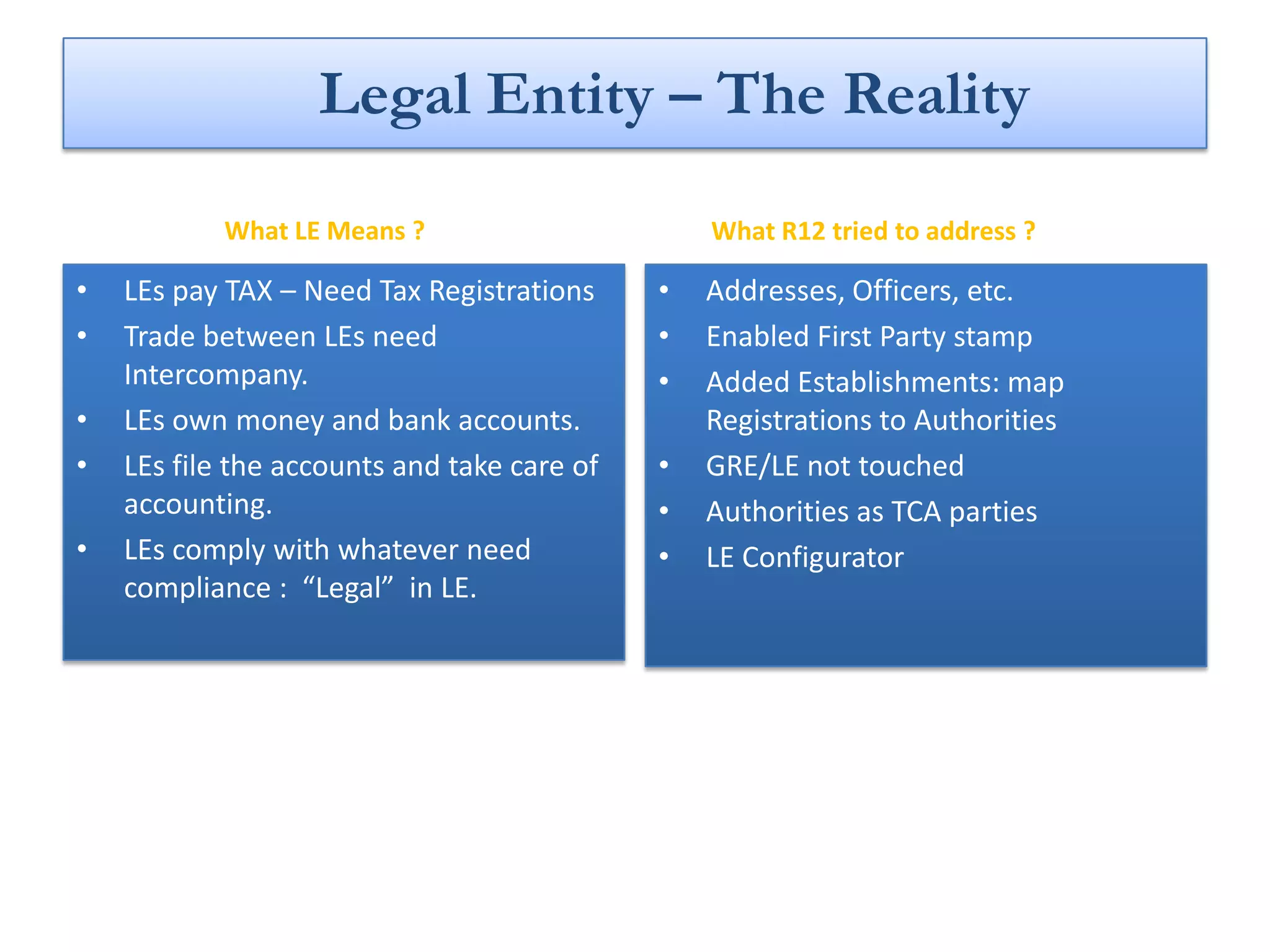
Legal Entity – The Reality
            What LE Means ?                      What R12 tried to address ?

•   LEs pay TAX – Need Tax Registrations     •   Addresses, Officers, etc.

•   Trade between LEs need                   •   Enabled First Party stamp
    Intercompany.                            •   Added Establishments: map
•   LEs own money and bank accounts.             Registrations to Authorities
•   LEs file the accounts and take care of   •   GRE/LE not touched
    accounting.                              •   Authorities as TCA parties
•   LEs comply with whatever need            •   LE Configurator
    compliance : “Legal” in LE.
New structure in R12
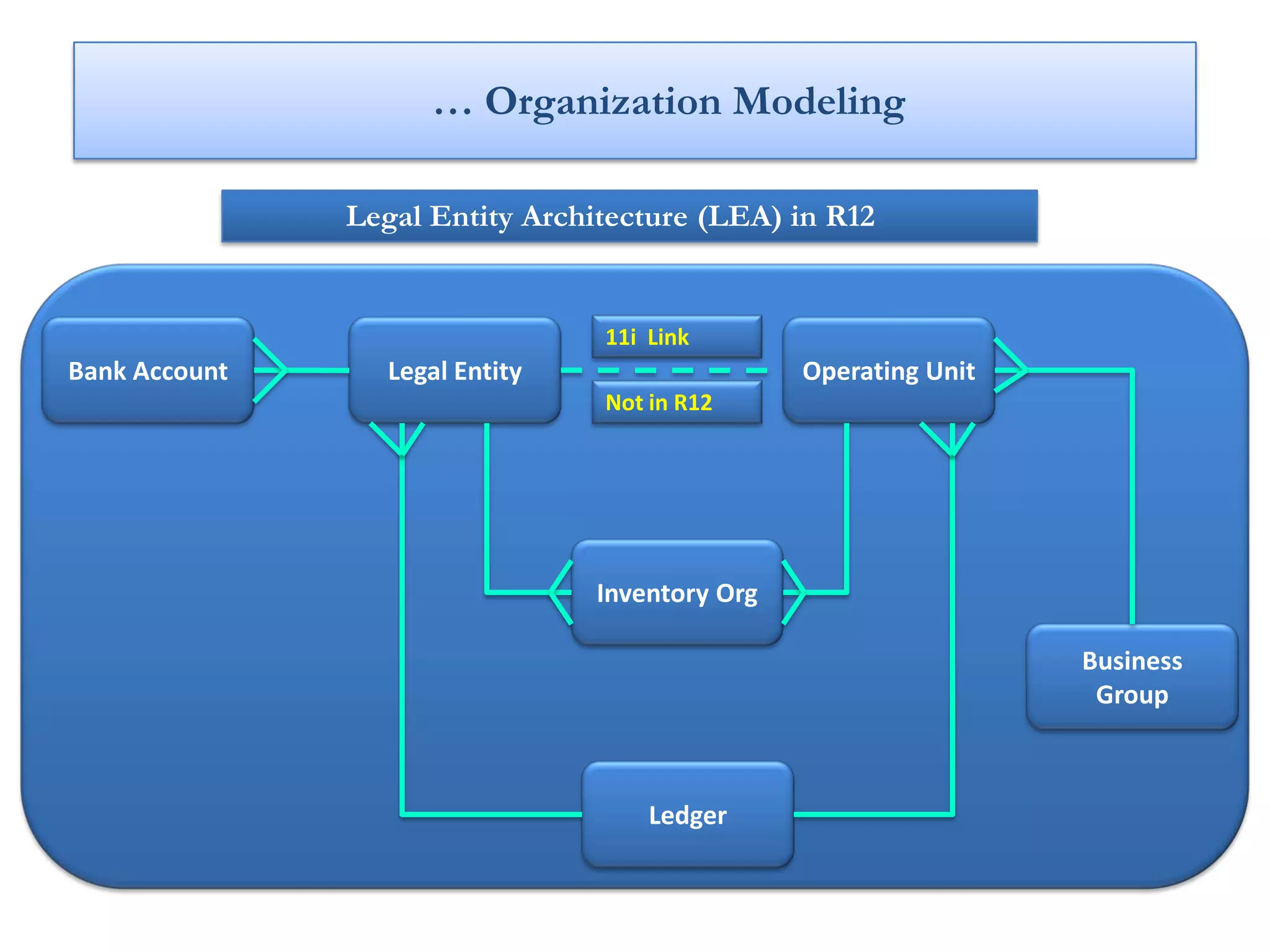
… Organization Modeling

               Legal Entity Architecture (LEA) in R12


                                 11i Link
Bank Account      Legal Entity                   Operating Unit
                                 Not in R12


                                 Inventory Org

                                                                  Business
                                                                   Group


                                     Ledger
… Organization Modeling

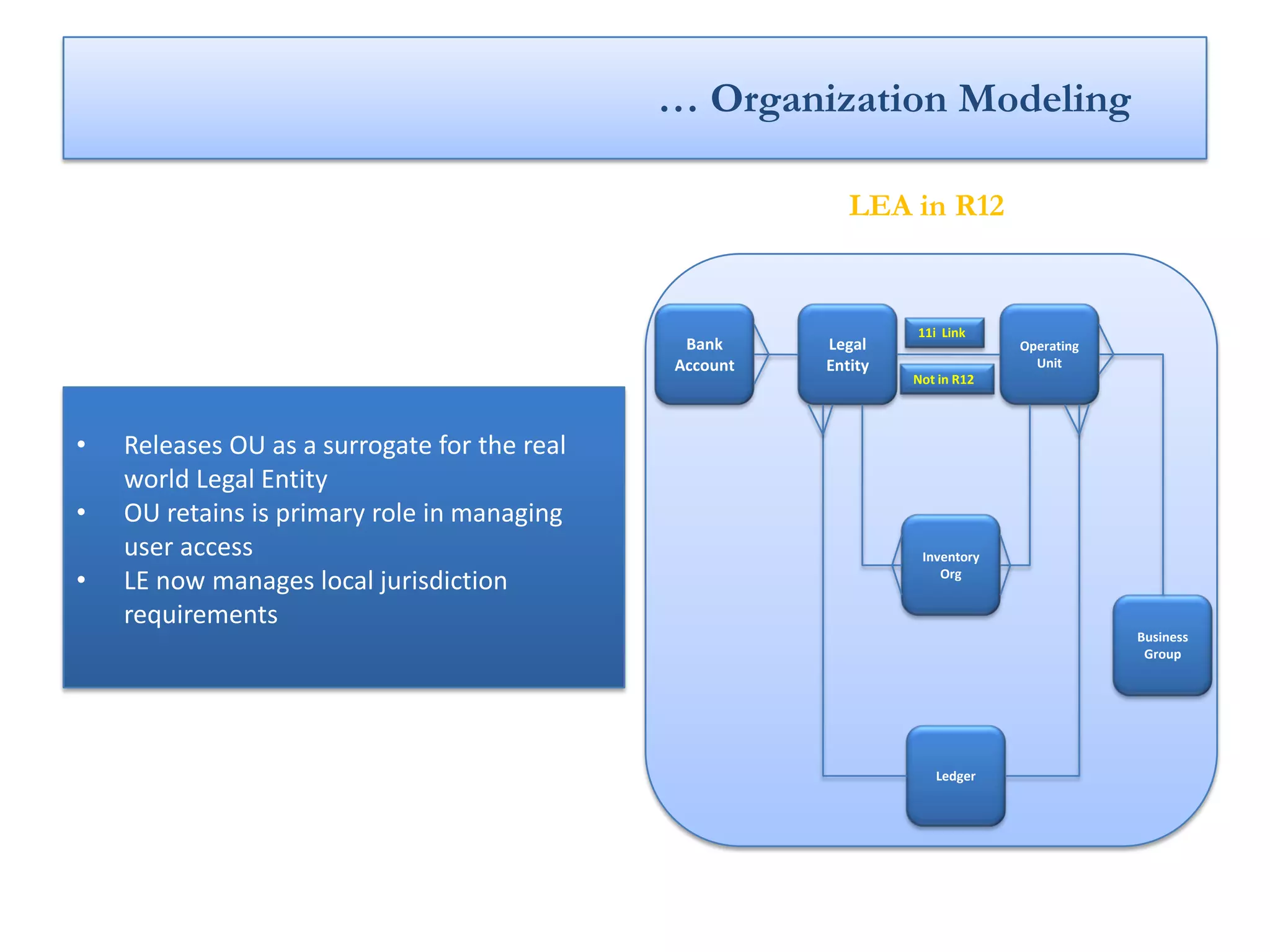
                                                           LEA in R12


                                                                 11i Link
                                               Bank     Legal                 Operating
                                              Account   Entity                  Unit
                                                                 Not in R12


•   Releases OU as a surrogate for the real
    world Legal Entity
•   OU retains is primary role in managing
    user access                                                   Inventory
•   LE now manages local jurisdiction                                Org


    requirements
                                                                                          Business
                                                                                           Group


                                                                    Ledger
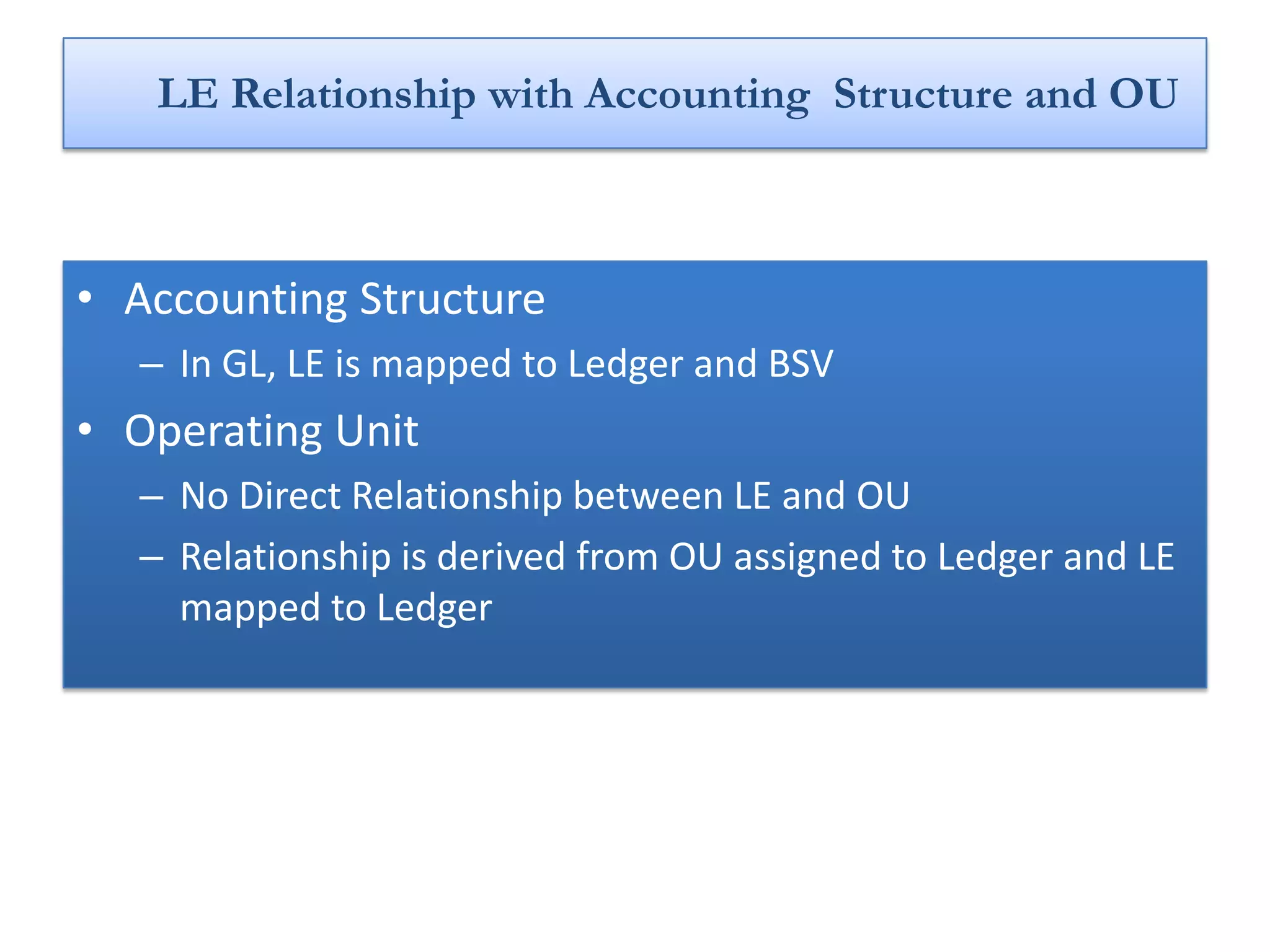
LE Relationship with Accounting Structure and OU


• Accounting Structure
  – In GL, LE is mapped to Ledger and BSV
• Operating Unit
  – No Direct Relationship between LE and OU
  – Relationship is derived from OU assigned to Ledger and LE
    mapped to Ledger
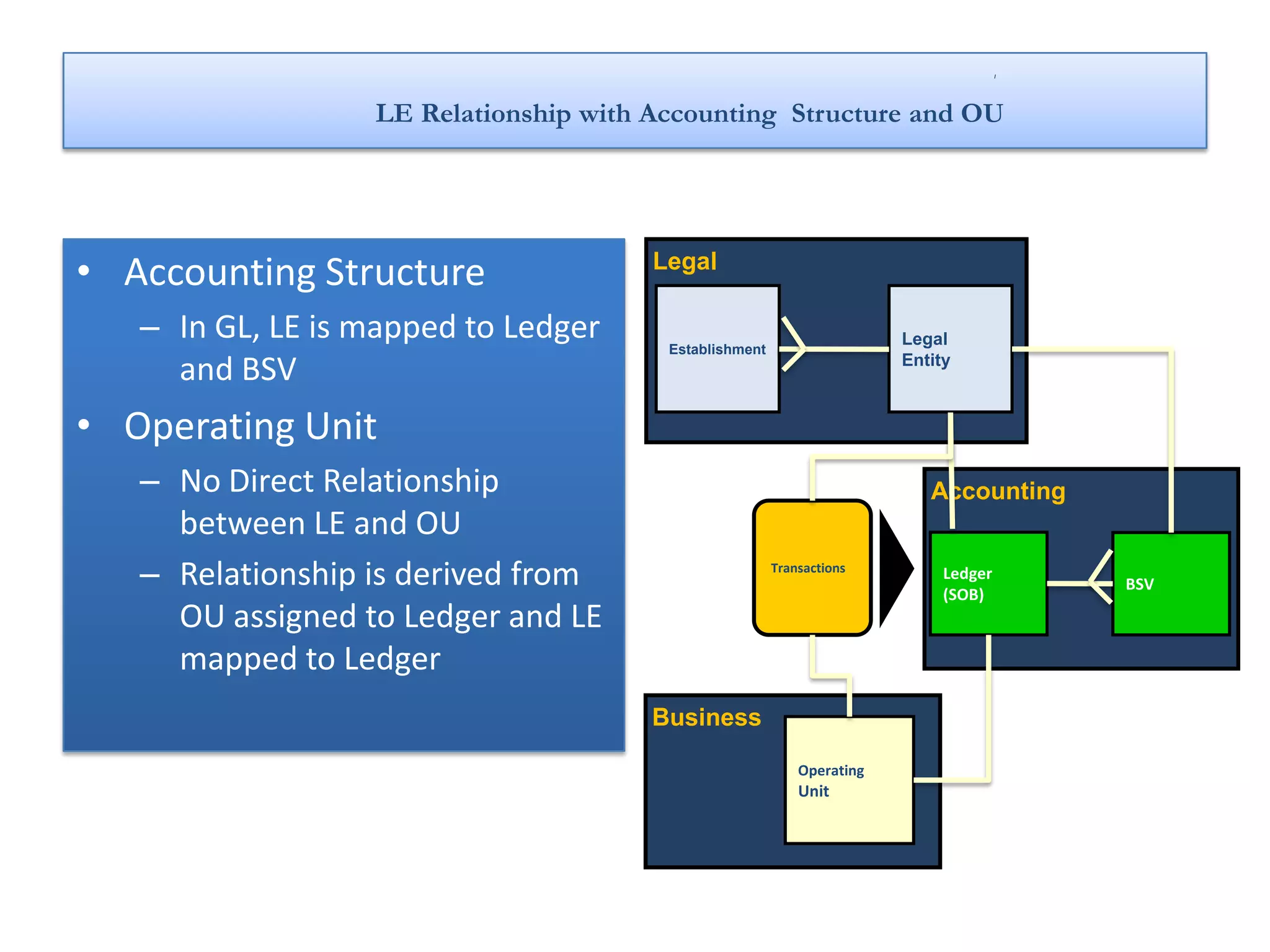
LE Relationship with Accounting Structure and OU


• Accounting Structure                 Legal

   – In GL, LE is mapped to Ledger      Establishment
                                                                        Legal

     and BSV                                                            Entity


• Operating Unit
   – No Direct Relationship                                                Accounting
     between LE and OU
   – Relationship is derived from                       Transactions         Ledger
                                                                             (SOB)
                                                                                        BSV

     OU assigned to Ledger and LE
     mapped to Ledger
                                       Business

                                                            Operating
                                                            Unit
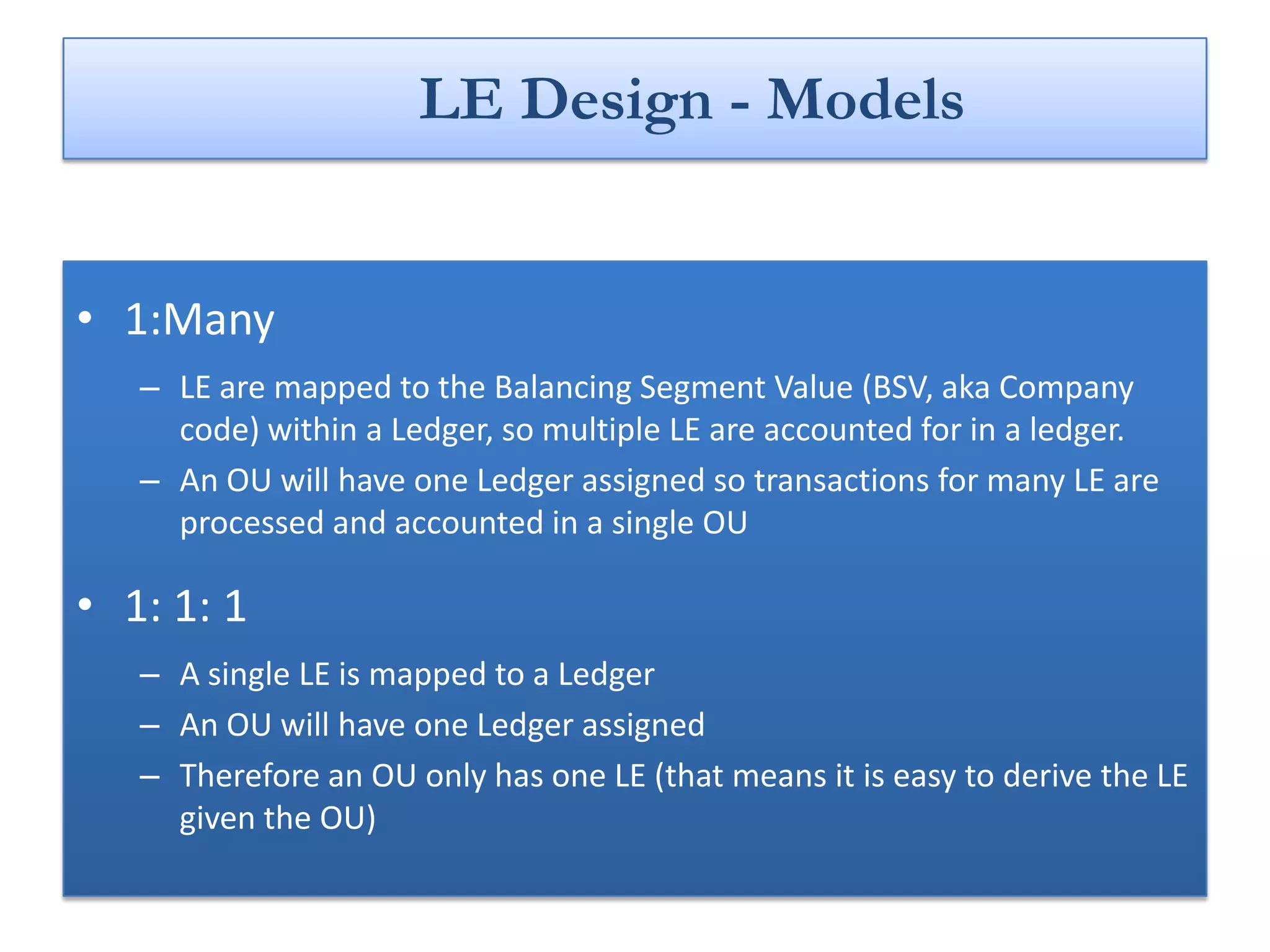
LE Design - Models


• 1:Many
   – LE are mapped to the Balancing Segment Value (BSV, aka Company
     code) within a Ledger, so multiple LE are accounted for in a ledger.
   – An OU will have one Ledger assigned so transactions for many LE are
     processed and accounted in a single OU

• 1: 1: 1
   – A single LE is mapped to a Ledger
   – An OU will have one Ledger assigned
   – Therefore an OU only has one LE (that means it is easy to derive the LE
     given the OU)
What Model Should I use ?
• That Depends on where the LE is registered
• The 1:M model is recommended and preferred in the
  US, the 1:1:1 model is recommended for most non
  US regions.
How to Set Up Legal Entity ?
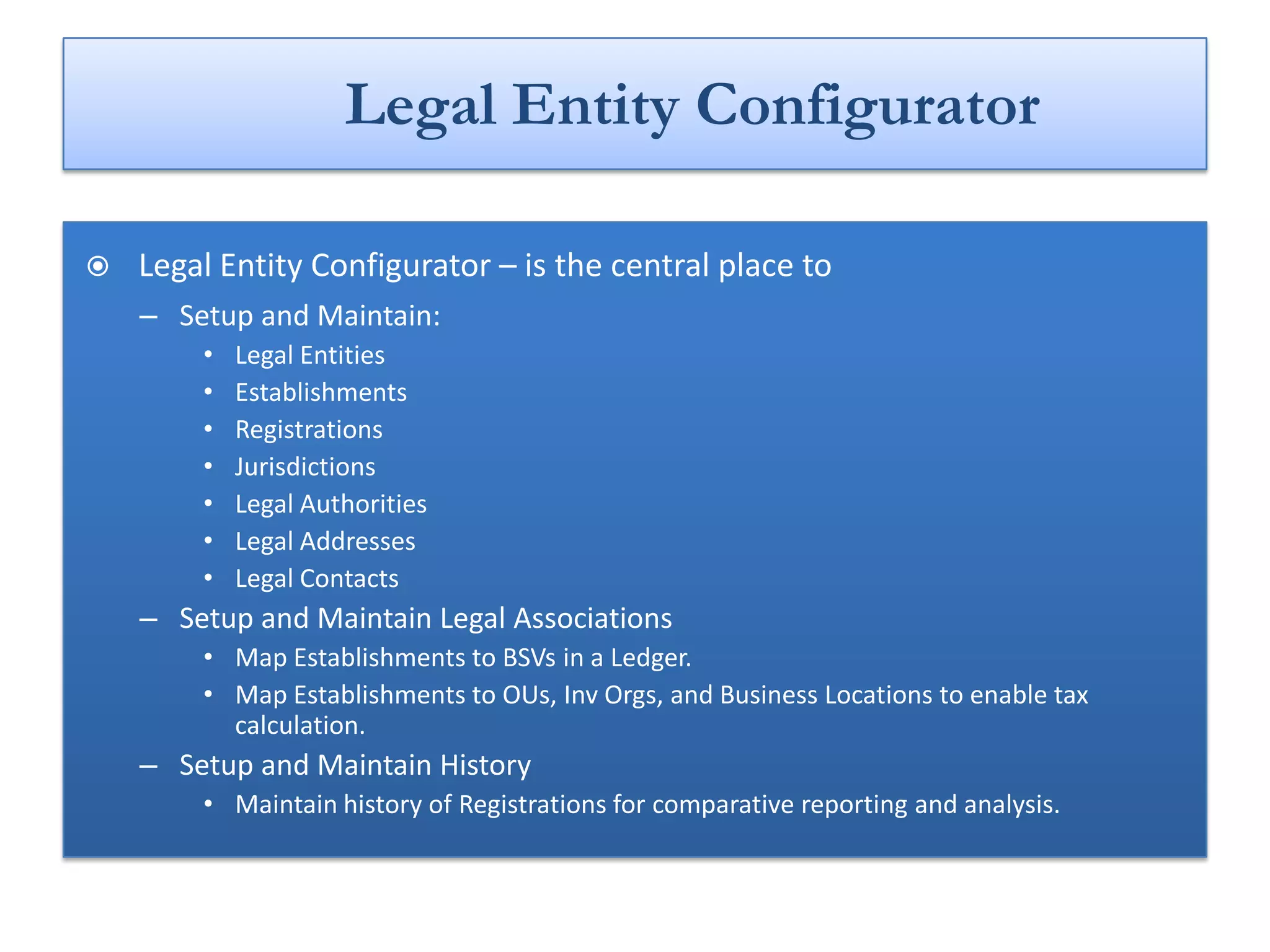
Legal Entity Configurator

   Legal Entity Configurator – is the central place to
    – Setup and Maintain:
        •   Legal Entities
        •   Establishments
        •   Registrations
        •   Jurisdictions
        •   Legal Authorities
        •   Legal Addresses
        •   Legal Contacts
    – Setup and Maintain Legal Associations
        • Map Establishments to BSVs in a Ledger.
        • Map Establishments to OUs, Inv Orgs, and Business Locations to enable tax
          calculation.
    – Setup and Maintain History
        • Maintain history of Registrations for comparative reporting and analysis.
Key Concepts

   First Party Legal Entity (LE)
    – Legal Entity of the Deploying Company.
    – Initiates and Owns Transactions.
    – It can own property, trade, repay debt, pay taxes and account for themselves.

   Establishment
    – “Building block” of a Legal Entity.
    – 100% owned and controlled by the Legal Entity.
    – Required for registrations within local level Jurisdictions.

   Legal Authority
    – Legal body in charge of enforcing legislation, collecting fees/taxes and making
      financial appropriations.
… Key Concepts


   Jurisdiction
    – Is a formulation of a legislative category and territory to which legal rules are
      grounded.
   Legal Associations
    – Centralized repository and a common mechanism for maintaining associations
      between business entities (BSVs, OUs, etc) and legal constructs (legal entities,
      establishments).
   Default Legal Context
     – One of the Legal Entities sharing the Ledger will be stored on the Operating Unit
       (OU) when the OU is created. This LE will provide any downstream process with
       a DLC, which will act as a proxy for the owning LE.
   Legal Entity Stamping
    – Stamping is the identification and recording of the first party legal entity for the
      given transaction. The first party legal entity is the legal entity that owns the
      transaction.
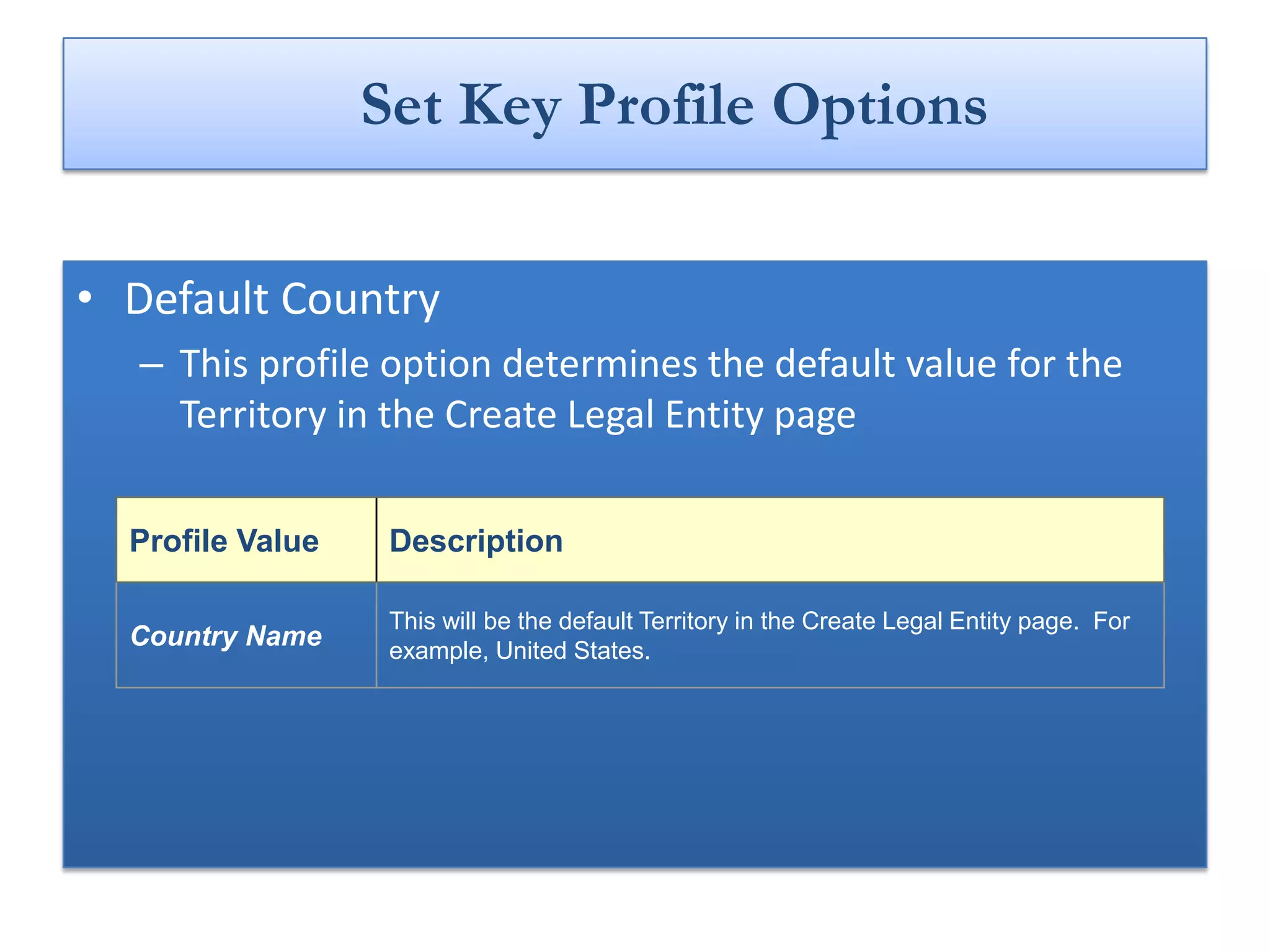
Set Key Profile Options

• Default Country
  – This profile option determines the default value for the
    Territory in the Create Legal Entity page

  Profile Value    Description

                   This will be the default Territory in the Create Legal Entity page. For
  Country Name     example, United States.
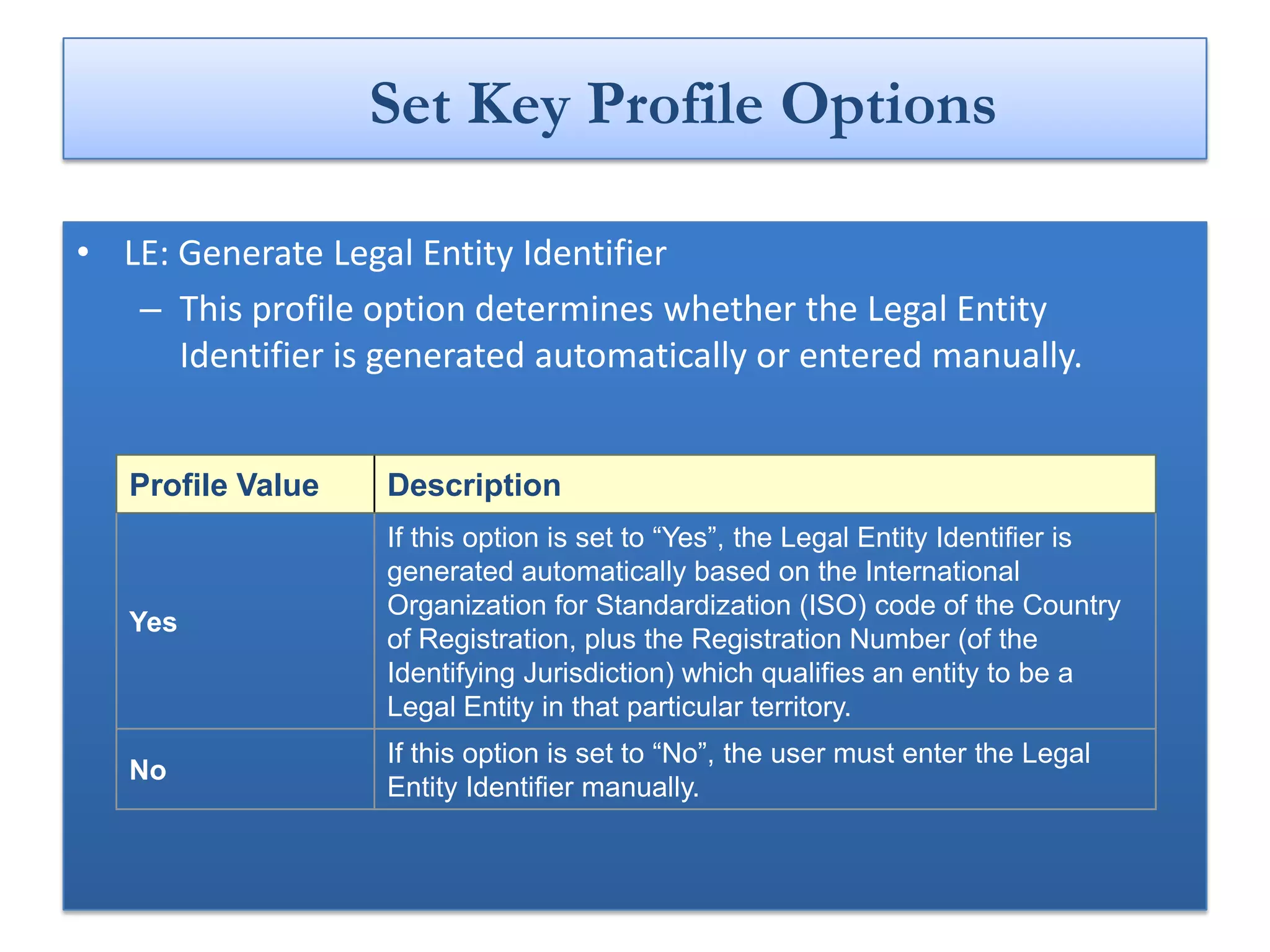
Set Key Profile Options

• LE: Generate Legal Entity Identifier
   – This profile option determines whether the Legal Entity
      Identifier is generated automatically or entered manually.


   Profile Value   Description
                   If this option is set to “Yes”, the Legal Entity Identifier is
                   generated automatically based on the International
                   Organization for Standardization (ISO) code of the Country
   Yes
                   of Registration, plus the Registration Number (of the
                   Identifying Jurisdiction) which qualifies an entity to be a
                   Legal Entity in that particular territory.
                   If this option is set to “No”, the user must enter the Legal
   No
                   Entity Identifier manually.
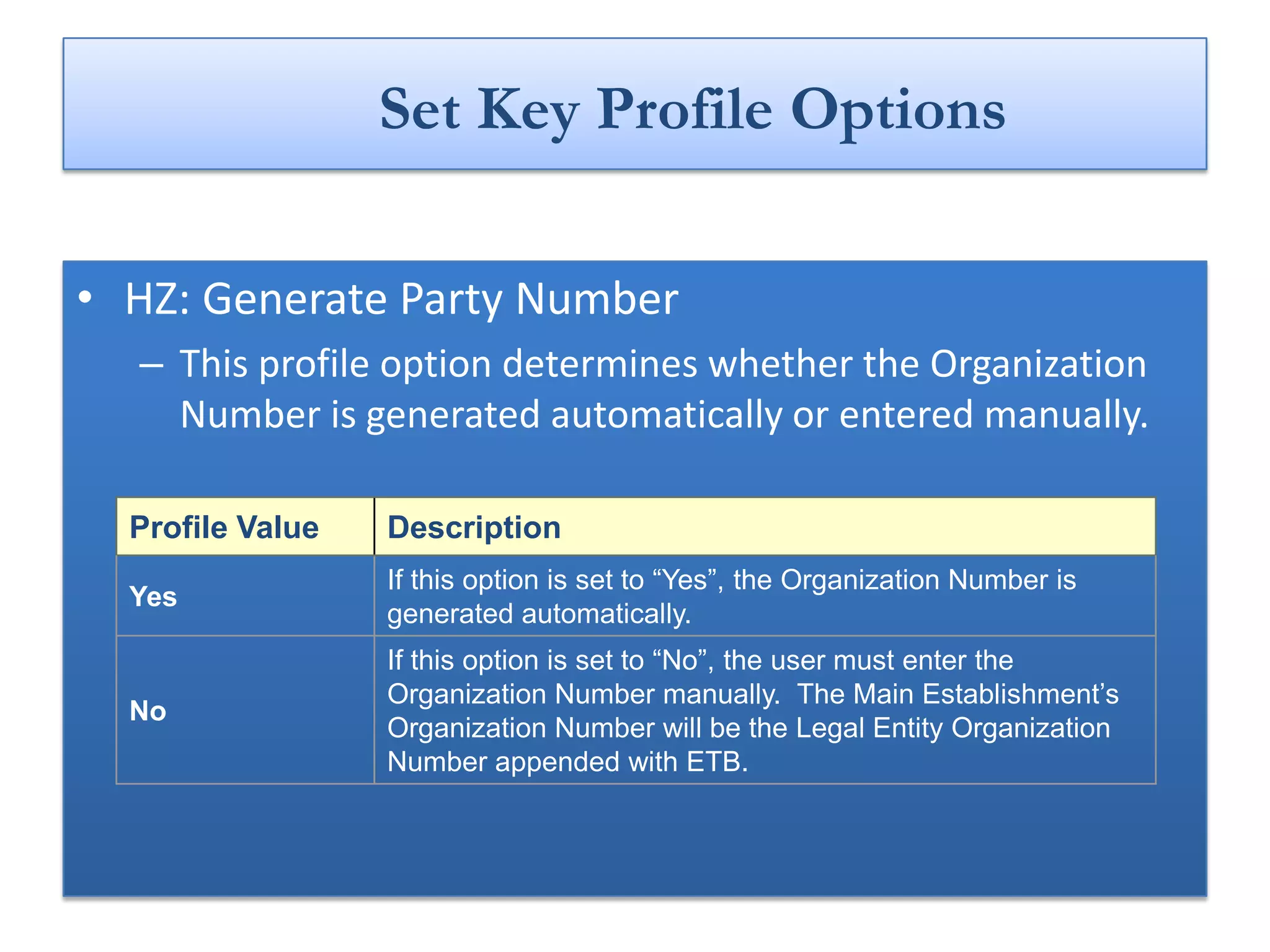
Set Key Profile Options

• HZ: Generate Party Number
  – This profile option determines whether the Organization
    Number is generated automatically or entered manually.

  Profile Value   Description
                  If this option is set to “Yes”, the Organization Number is
  Yes
                  generated automatically.
                  If this option is set to “No”, the user must enter the
                  Organization Number manually. The Main Establishment’s
  No
                  Organization Number will be the Legal Entity Organization
                  Number appended with ETB.
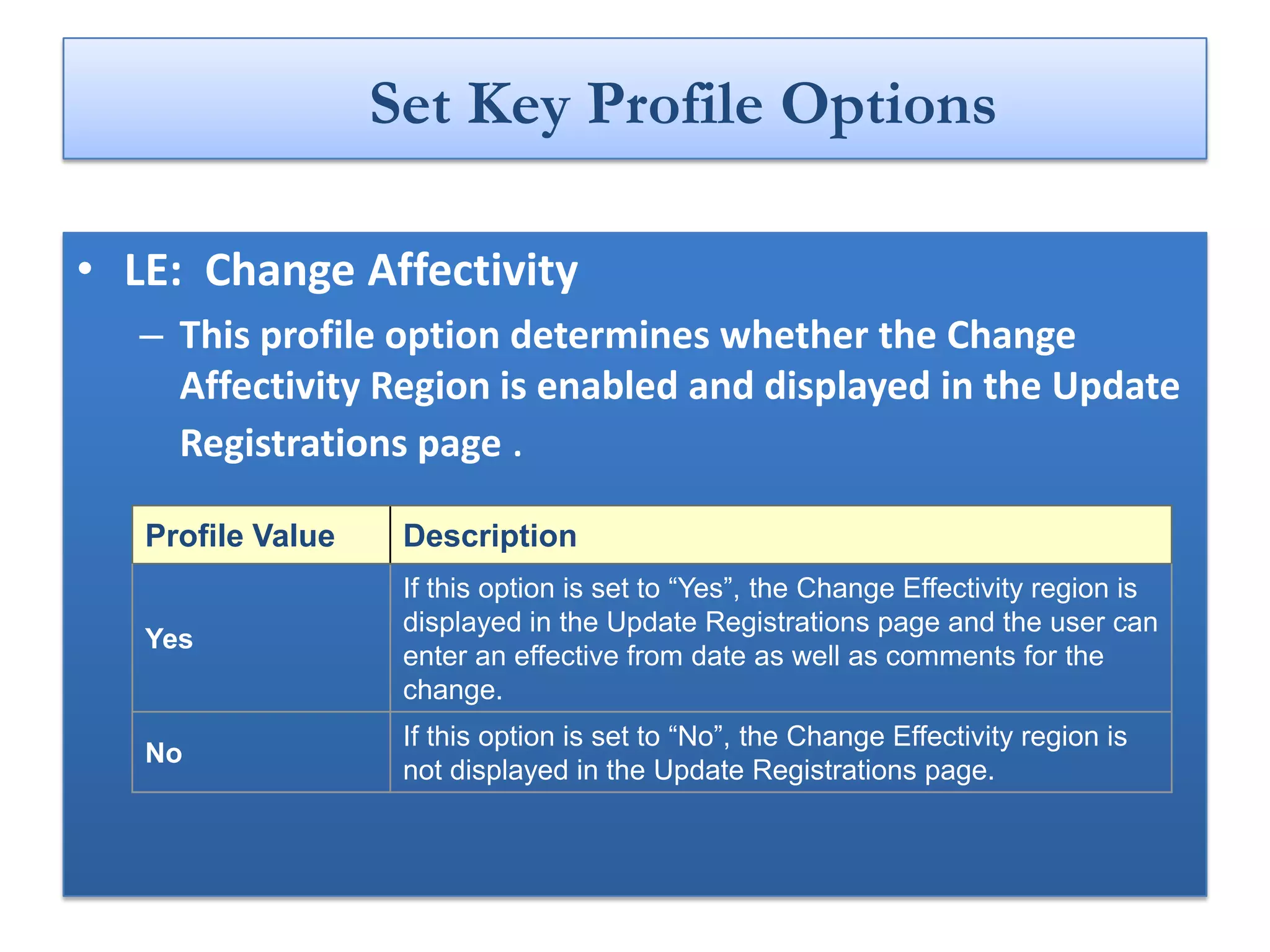
Set Key Profile Options

• LE: Change Affectivity
   – This profile option determines whether the Change
     Affectivity Region is enabled and displayed in the Update
     Registrations page .

   Profile Value    Description
                    If this option is set to “Yes”, the Change Effectivity region is
                    displayed in the Update Registrations page and the user can
   Yes
                    enter an effective from date as well as comments for the
                    change.
                    If this option is set to “No”, the Change Effectivity region is
   No
                    not displayed in the Update Registrations page.
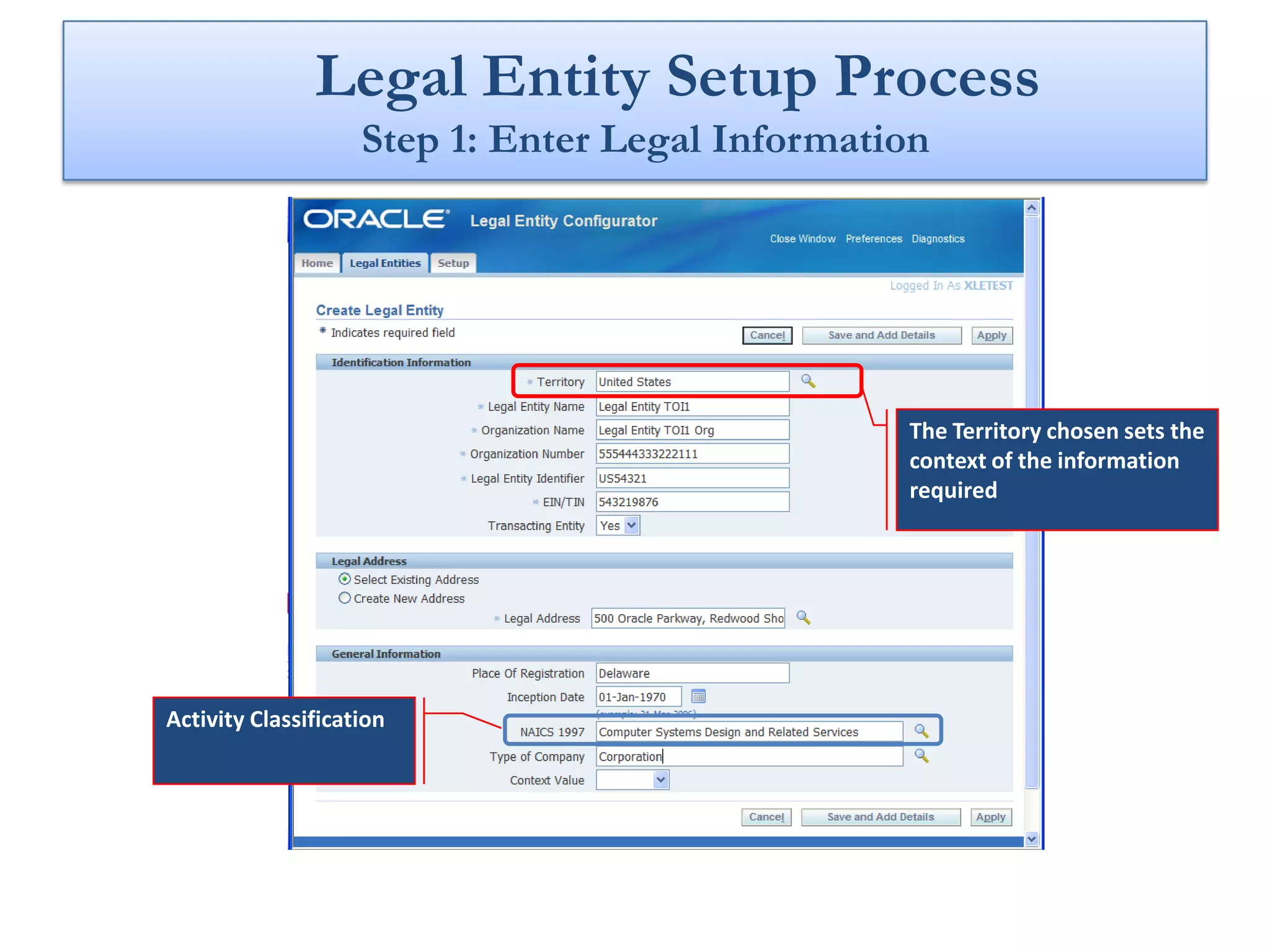
Legal Entity Setup Process
                    Step 1: Enter Legal Information


                                                 The Territory chosen sets the
                                                 context of the information
                                                 required


Activity Classification
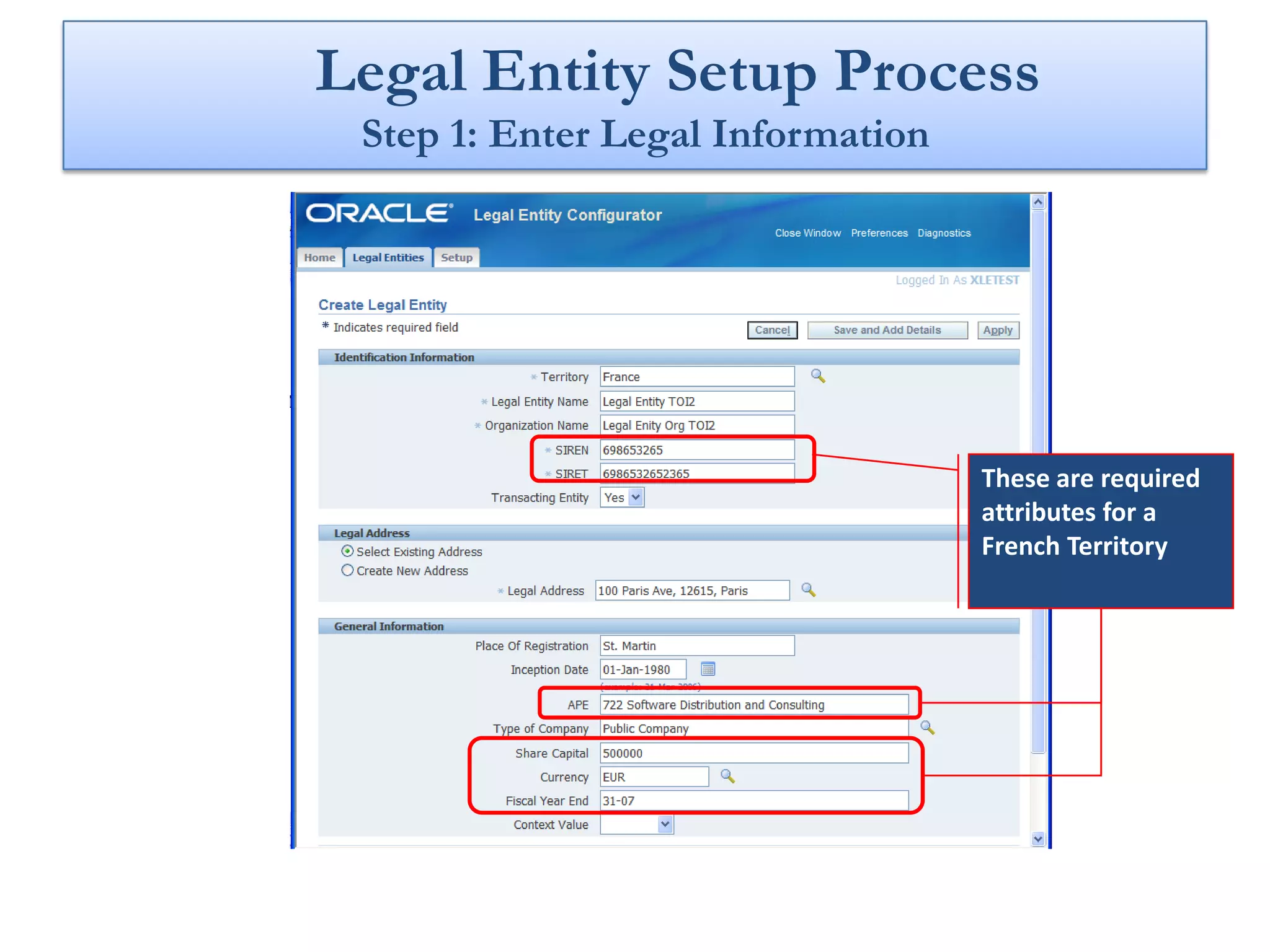
Legal Entity Setup Process
 Step 1: Enter Legal Information


                                   These are required
                                   attributes for a
                                   French Territory
Legal Entity Setup Process
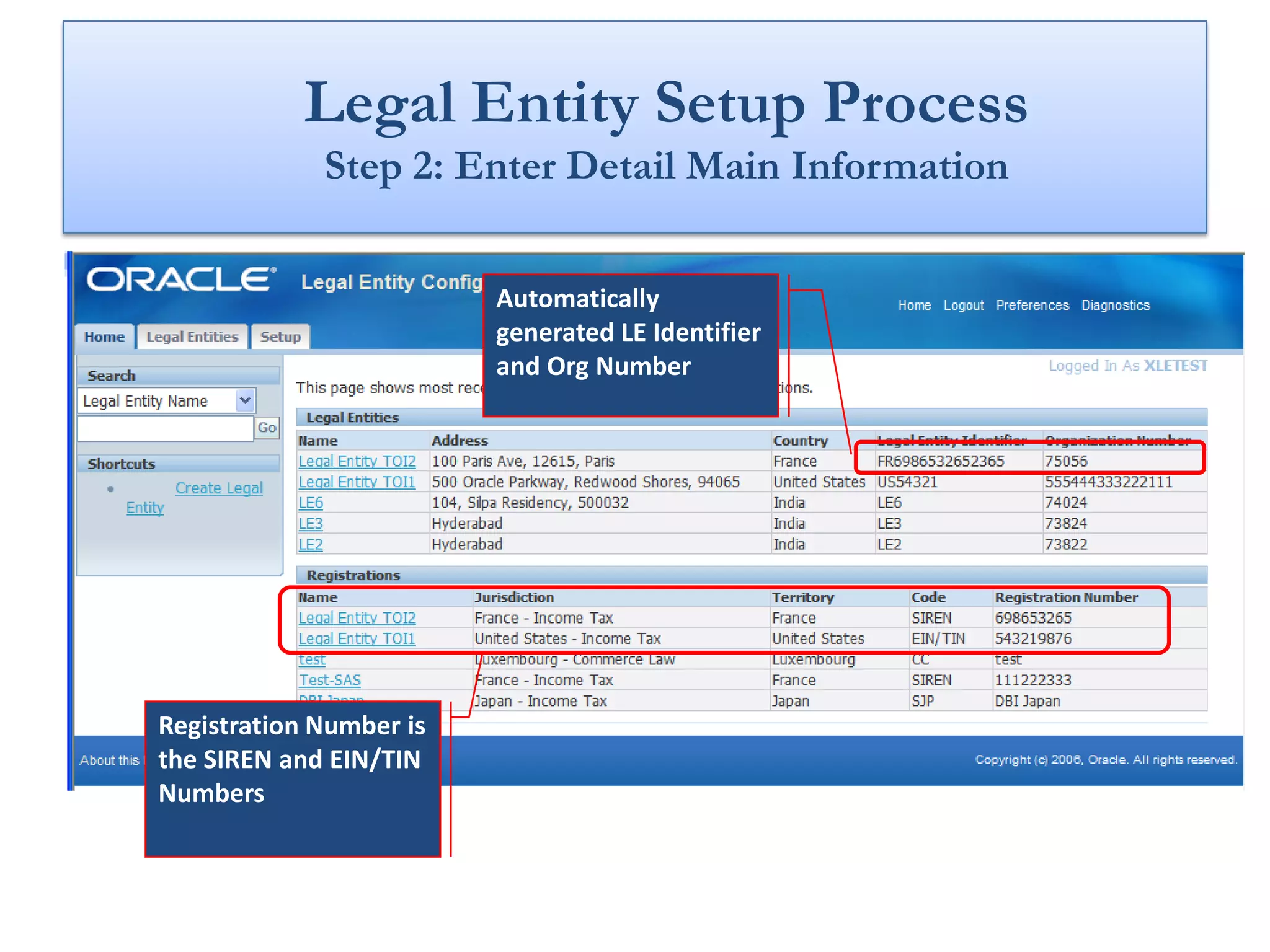
             Step 2: Enter Detail Main Information


                         Automatically
                         generated LE Identifier
                         and Org Number


Registration Number is
the SIREN and EIN/TIN
Numbers
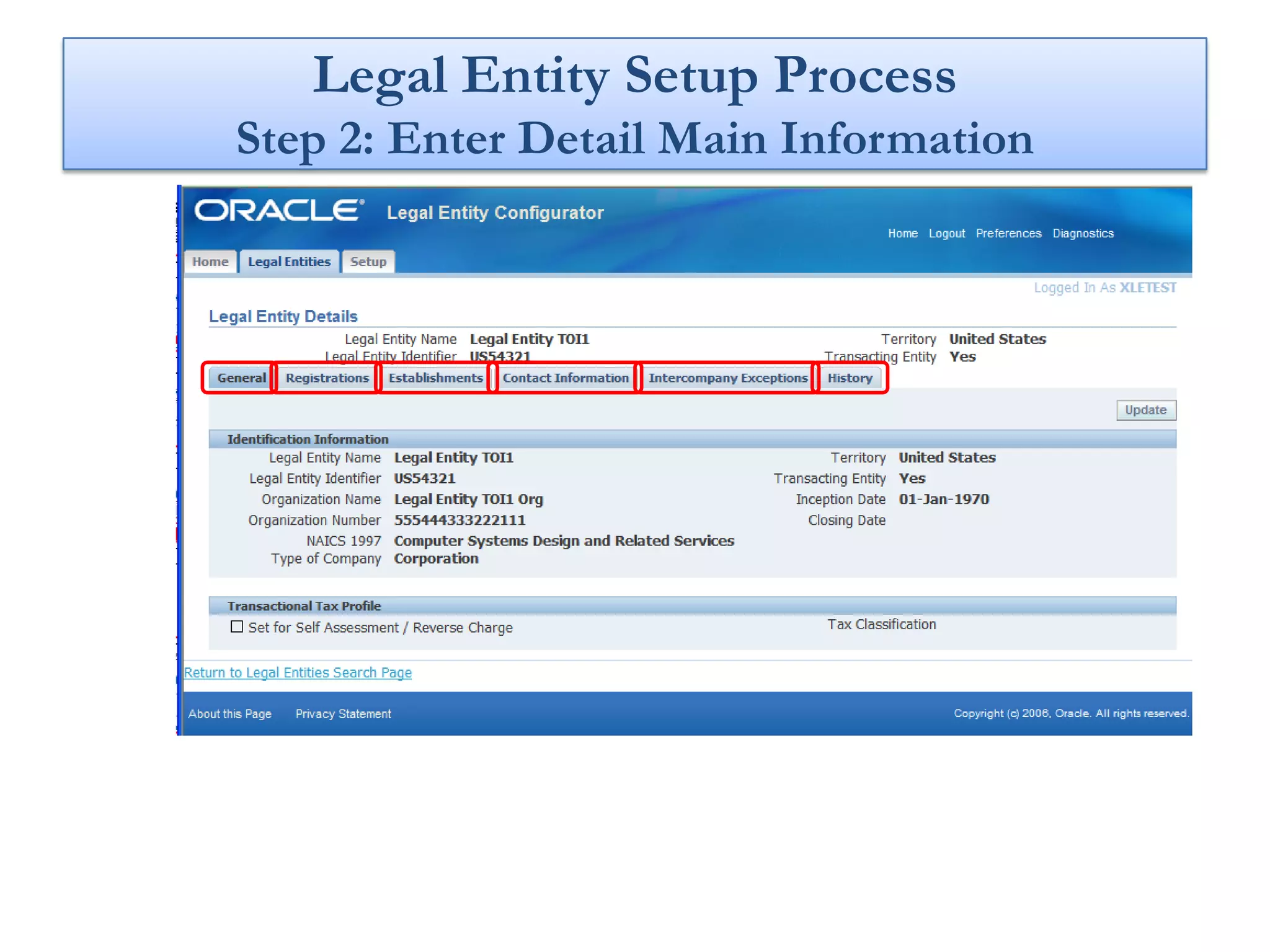
Legal Entity Setup Process
Step 2: Enter Detail Main Information
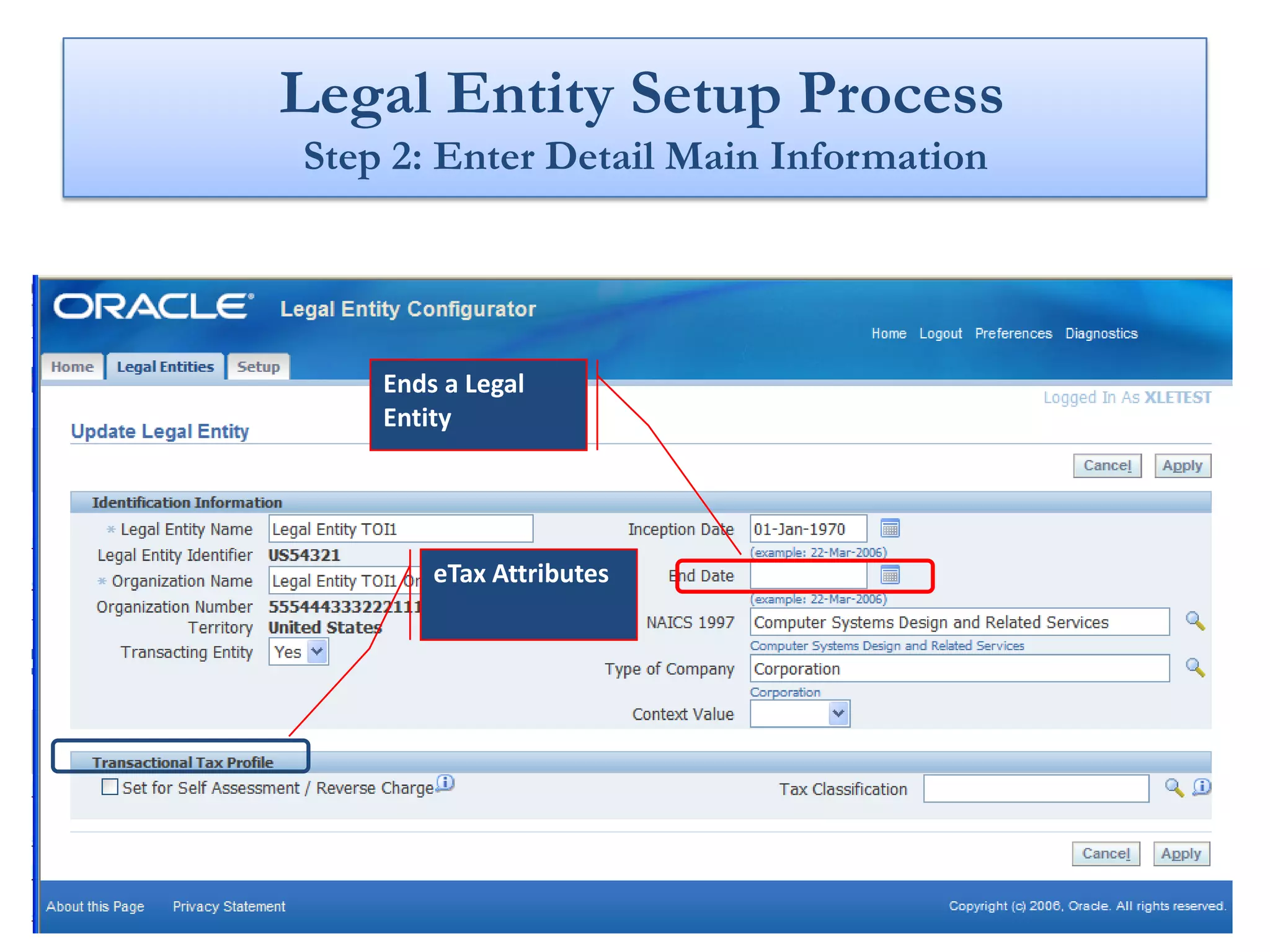
Legal Entity Setup Process
Step 2: Enter Detail Main Information


    Ends a Legal
    Entity


        eTax Attributes
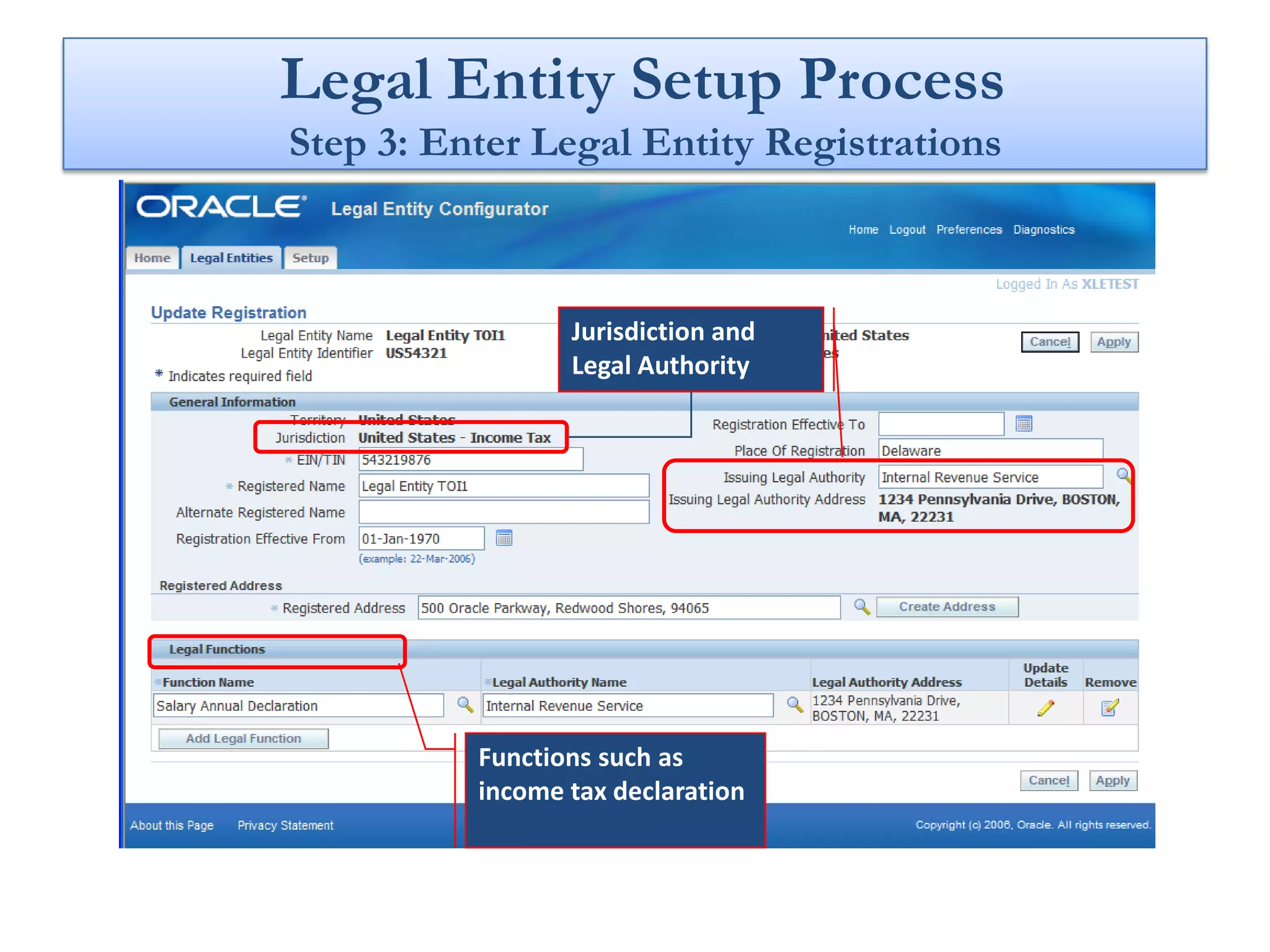
Legal Entity Setup Process
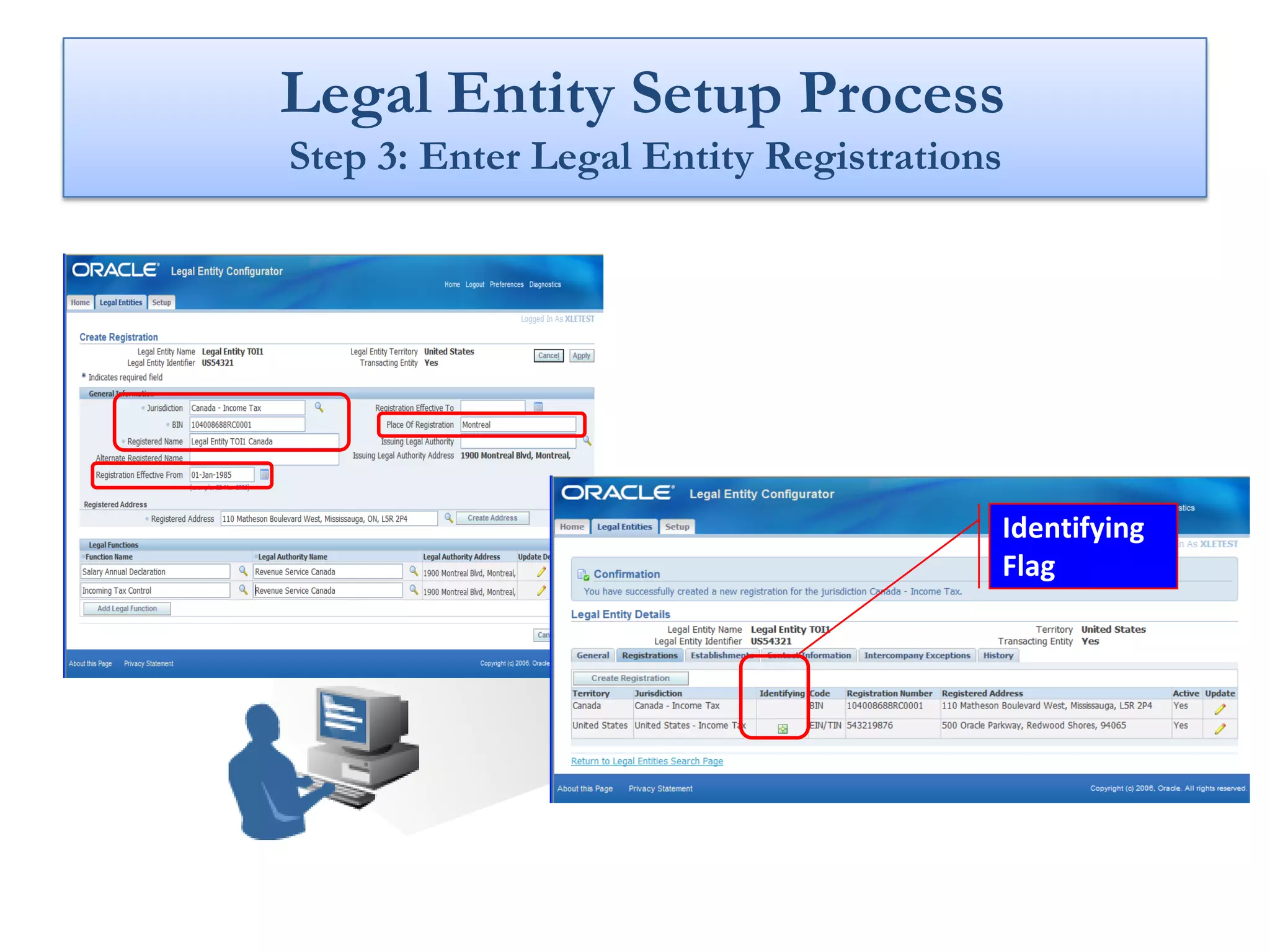
Step 3: Enter Legal Entity Registrations


                 Jurisdiction and
                 Legal Authority


          Functions such as
          income tax declaration
Legal Entity Setup Process
Step 3: Enter Legal Entity Registrations


                                           Identifying
                                           Flag
Legal Entity Setup Process
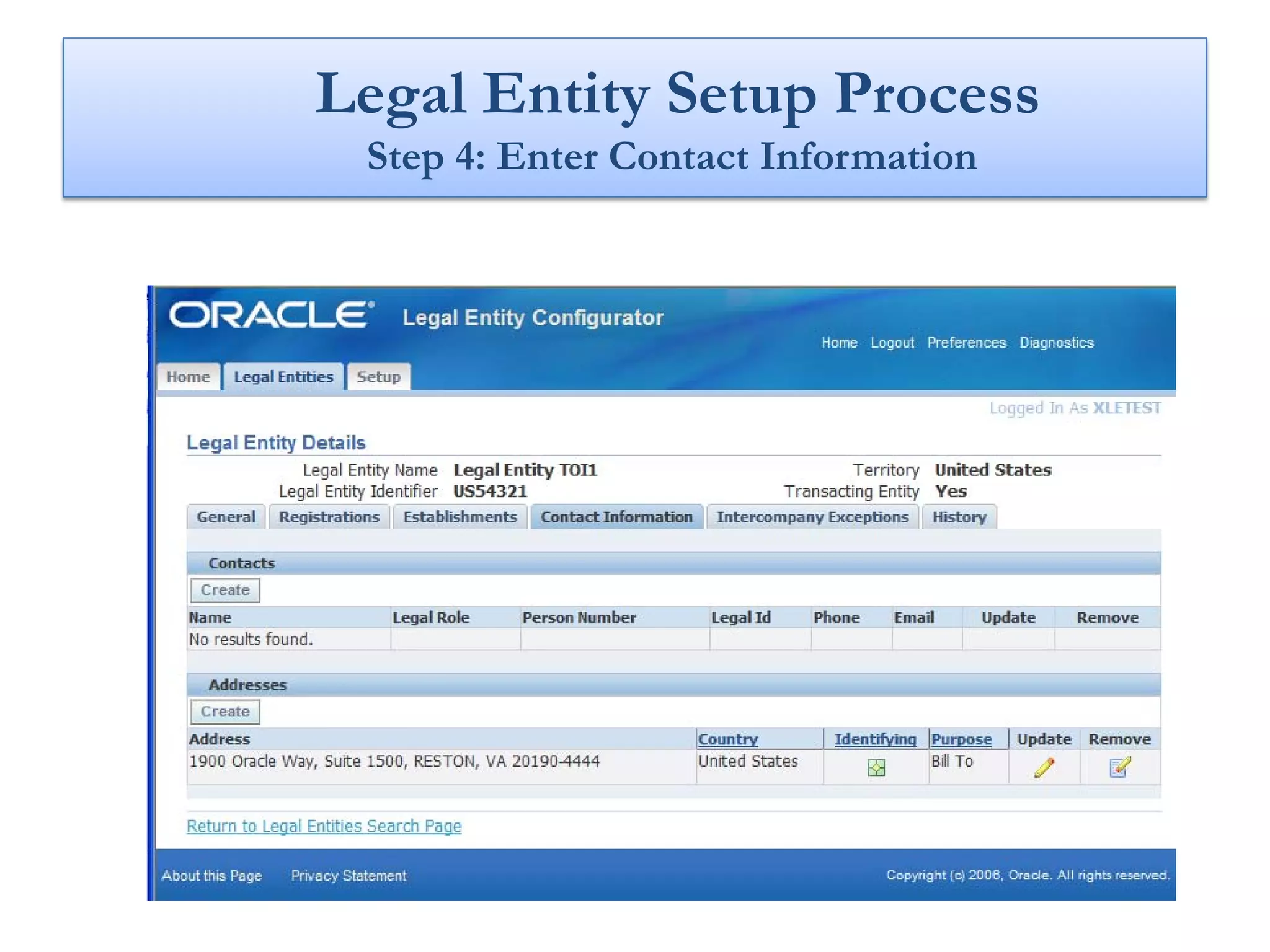
 Step 4: Enter Contact Information
Legal Entity Setup Process
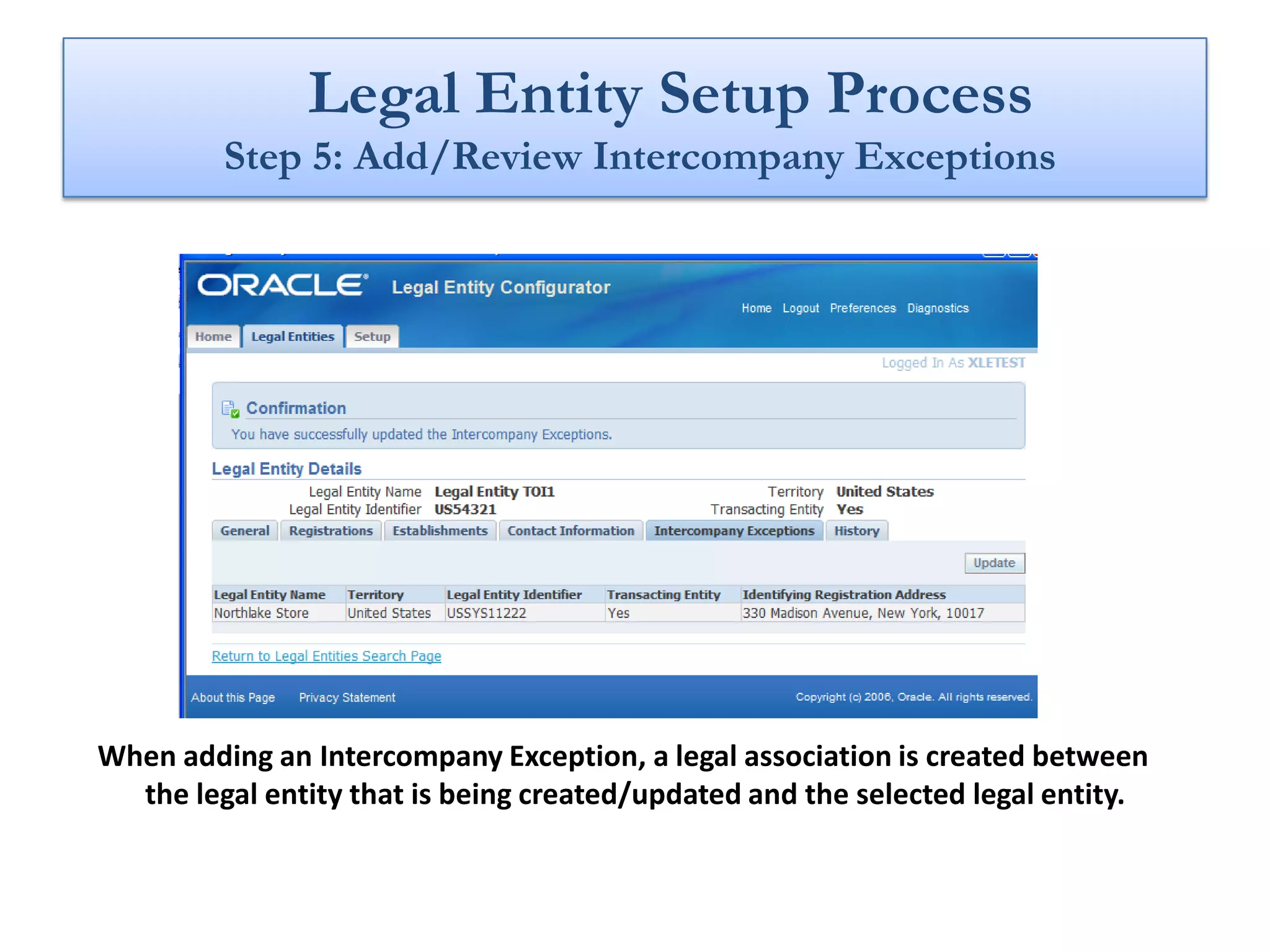
         Step 5: Add/Review Intercompany Exceptions


When adding an Intercompany Exception, a legal association is created between
  the legal entity that is being created/updated and the selected legal entity.
Legal Entity Setup Process
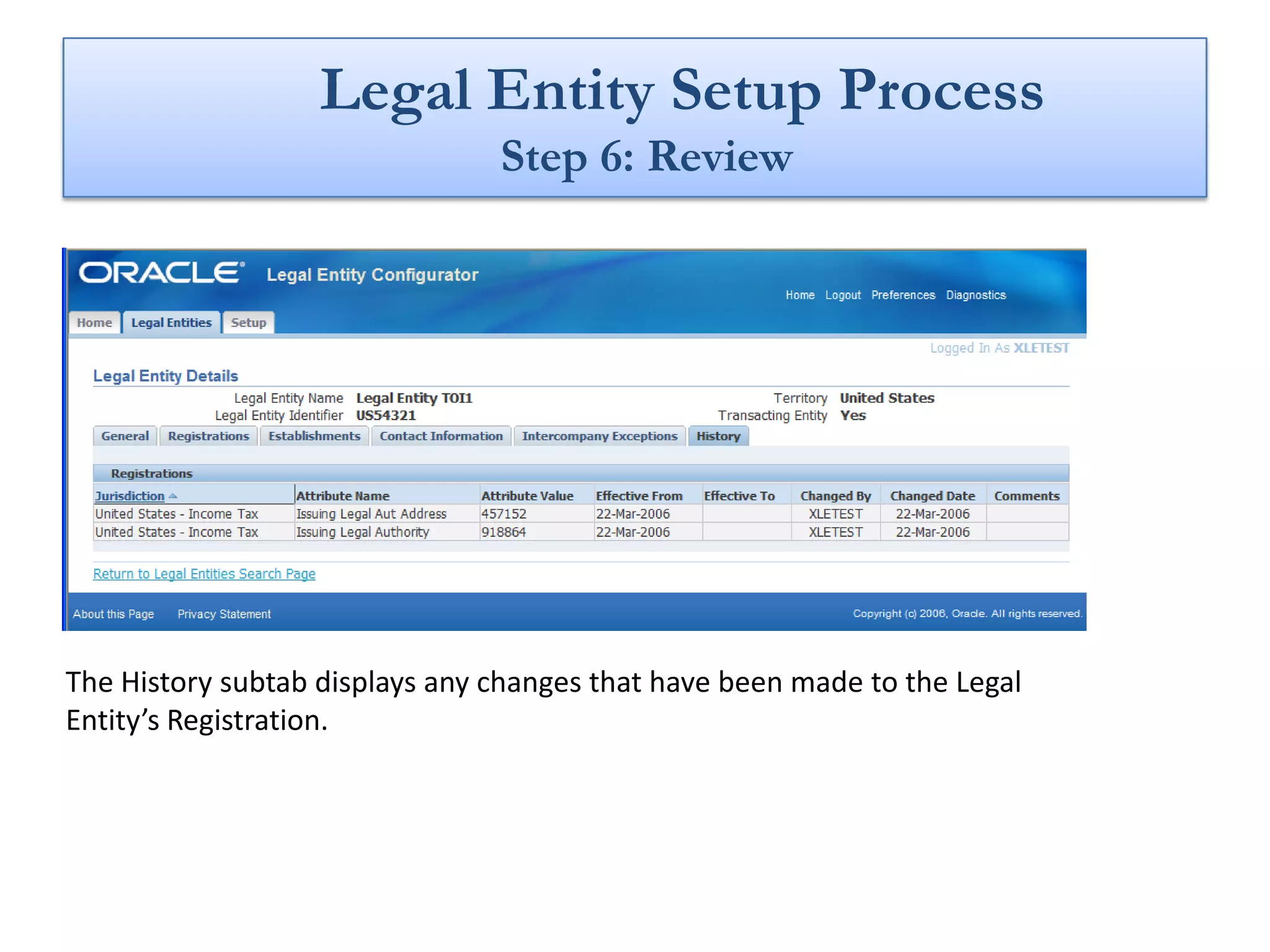
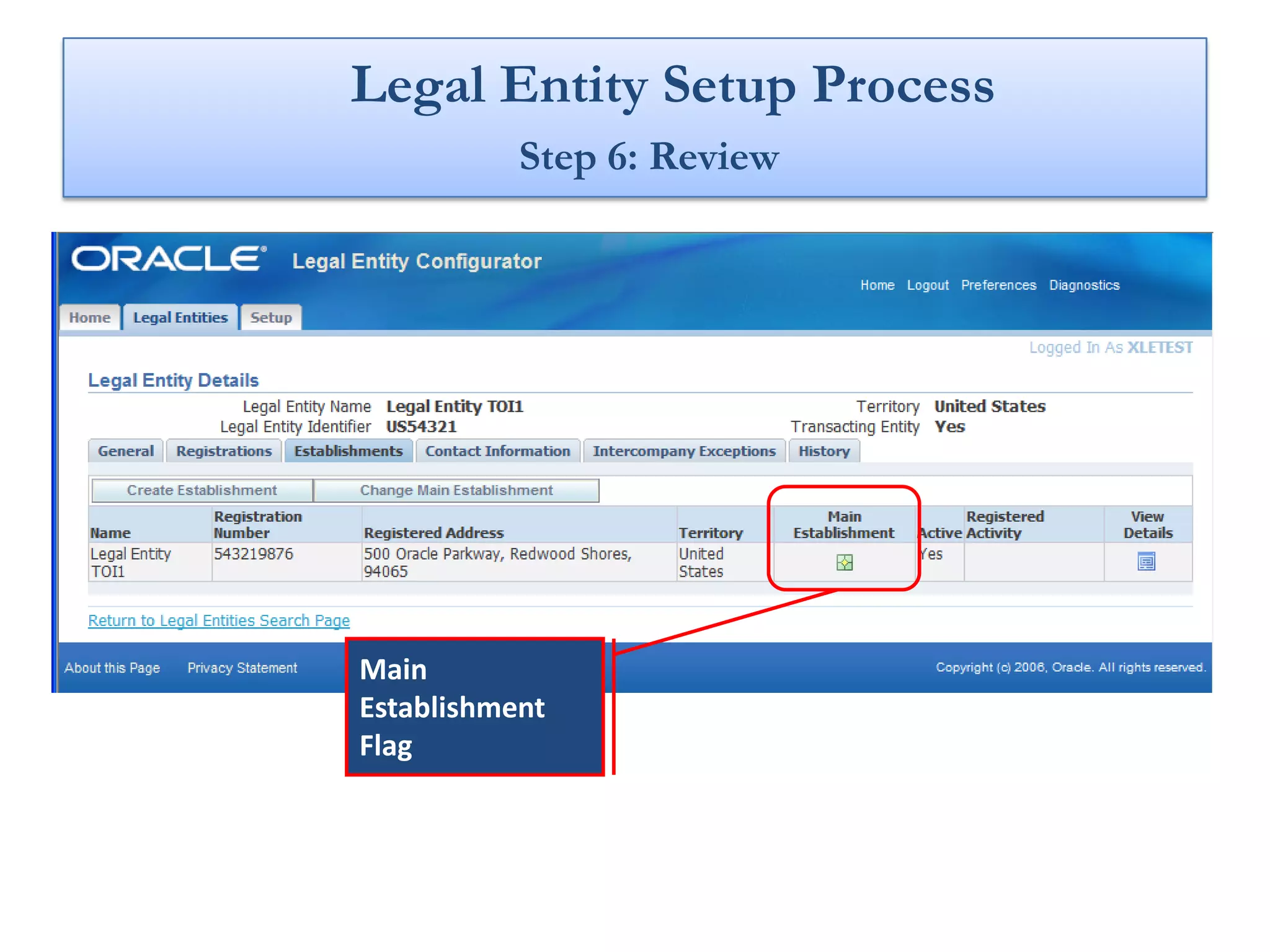
                                Step 6: Review


The History subtab displays any changes that have been made to the Legal
Entity’s Registration.
Legal Entity Setup Process
           Step 6: Review


Main
Establishment
Flag
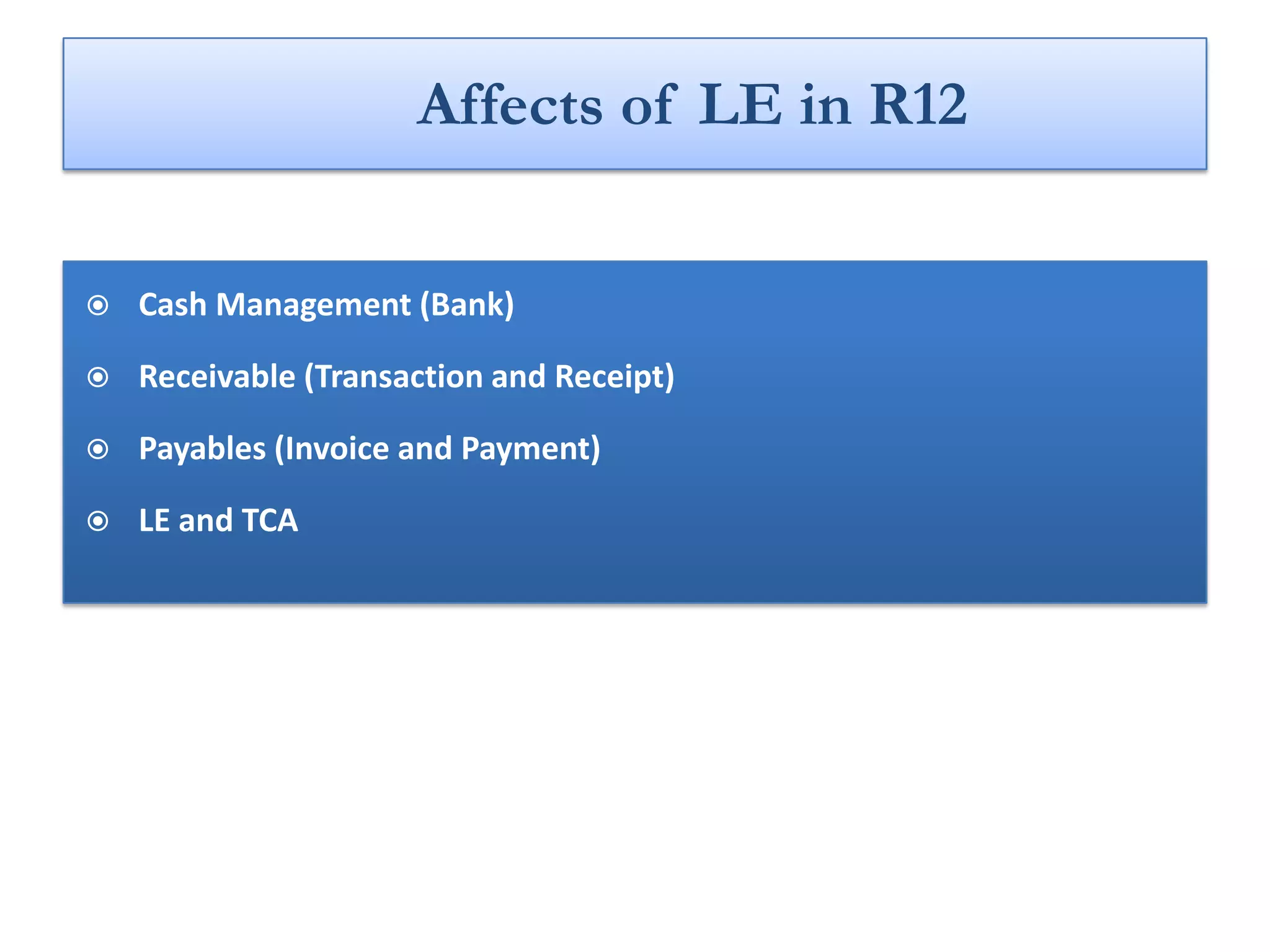
Affects of LE in R12


   Cash Management (Bank)

   Receivable (Transaction and Receipt)

   Payables (Invoice and Payment)

   LE and TCA
Join our growing Network at www.OracleERP.org

Oracle R12 Legal Entity

  • 1.
    R12 Legal Entityconfigurator
  • 2.
    Architectural Changes inR12 Financials • Legal Entity • Ledger Sets • Accounting Engine(SLA) • Transaction Based Taxes(EBTAX) • Intercompany Accounting (AGIS) • Multi-Organization Access Control(MOAC)
  • 3.
  • 4.
  • 5.
    … Organization Modeling Business GRE/LE Group Legal Entity Operating Ledger BSV Unit Inventory Org
  • 6.
    … Organization Modeling Legal Entity in 11i Reporting SOB BSV Entity GDFs Belgium VAT GRE/LE Reporters System Options Profile Operating Brazilian Options Unit Companies
  • 7.
    … Organization Modeling Legal Entity in 11i • LE , GRE/LE, OU and SOB were tightly coupled. Reporting SOB BSV Entity • Global Financial Structure was 1:1:1. • Problem in accounting, transaction flows GDFs and compliance when the legal rules and business operations were not monolithic GRE/LE Belgium VAT Reporters or top-down. System Options Profile Operating Brazilian Options Unit Companies
  • 8.
  • 9.
    Legal Entity –The Reality Public Company Legal Authorities (ultimate parent) Countries, States, Local, Agencies, Taxation, Registrars, Regulators... Subsidiary Subsidiary Regulates Public Company Company Complies Company (regional parent) (business parent) Legal Entities Registered Companies, Subsidiary Subsidiary Subsidiary Company Company Company Funds, Partnerships… Inc. LLC. Ltd. SA. GmBH. Etc. “exist in the outside world” Subsidiary Subsidiary Company Company Managed & analyzed by • Parent companies (LEs) “own or control” subsidiaries Management Orgs (LEs) Divisions, LOBS, Plants, Cost Centers, Whatever = • LEs create commercial transactions “Decision Making Tags”
  • 10.
    Legal Entity –The Reality What LE Means ? What R12 tried to address ? • LEs pay TAX – Need Tax Registrations • Addresses, Officers, etc. • Trade between LEs need • Enabled First Party stamp Intercompany. • Added Establishments: map • LEs own money and bank accounts. Registrations to Authorities • LEs file the accounts and take care of • GRE/LE not touched accounting. • Authorities as TCA parties • LEs comply with whatever need • LE Configurator compliance : “Legal” in LE.
  • 11.
  • 12.
    … Organization Modeling Legal Entity Architecture (LEA) in R12 11i Link Bank Account Legal Entity Operating Unit Not in R12 Inventory Org Business Group Ledger
  • 13.
    … Organization Modeling LEA in R12 11i Link Bank Legal Operating Account Entity Unit Not in R12 • Releases OU as a surrogate for the real world Legal Entity • OU retains is primary role in managing user access Inventory • LE now manages local jurisdiction Org requirements Business Group Ledger
  • 14.
    LE Relationship withAccounting Structure and OU • Accounting Structure – In GL, LE is mapped to Ledger and BSV • Operating Unit – No Direct Relationship between LE and OU – Relationship is derived from OU assigned to Ledger and LE mapped to Ledger
  • 15.
    LE Relationship withAccounting Structure and OU • Accounting Structure Legal – In GL, LE is mapped to Ledger Establishment Legal and BSV Entity • Operating Unit – No Direct Relationship Accounting between LE and OU – Relationship is derived from Transactions Ledger (SOB) BSV OU assigned to Ledger and LE mapped to Ledger Business Operating Unit
  • 16.
    LE Design -Models • 1:Many – LE are mapped to the Balancing Segment Value (BSV, aka Company code) within a Ledger, so multiple LE are accounted for in a ledger. – An OU will have one Ledger assigned so transactions for many LE are processed and accounted in a single OU • 1: 1: 1 – A single LE is mapped to a Ledger – An OU will have one Ledger assigned – Therefore an OU only has one LE (that means it is easy to derive the LE given the OU)
  • 17.
  • 18.
    • That Dependson where the LE is registered • The 1:M model is recommended and preferred in the US, the 1:1:1 model is recommended for most non US regions.
  • 19.
    How to SetUp Legal Entity ?
  • 20.
    Legal Entity Configurator  Legal Entity Configurator – is the central place to – Setup and Maintain: • Legal Entities • Establishments • Registrations • Jurisdictions • Legal Authorities • Legal Addresses • Legal Contacts – Setup and Maintain Legal Associations • Map Establishments to BSVs in a Ledger. • Map Establishments to OUs, Inv Orgs, and Business Locations to enable tax calculation. – Setup and Maintain History • Maintain history of Registrations for comparative reporting and analysis.
  • 21.
    Key Concepts  First Party Legal Entity (LE) – Legal Entity of the Deploying Company. – Initiates and Owns Transactions. – It can own property, trade, repay debt, pay taxes and account for themselves.  Establishment – “Building block” of a Legal Entity. – 100% owned and controlled by the Legal Entity. – Required for registrations within local level Jurisdictions.  Legal Authority – Legal body in charge of enforcing legislation, collecting fees/taxes and making financial appropriations.
  • 22.
    … Key Concepts  Jurisdiction – Is a formulation of a legislative category and territory to which legal rules are grounded.  Legal Associations – Centralized repository and a common mechanism for maintaining associations between business entities (BSVs, OUs, etc) and legal constructs (legal entities, establishments).  Default Legal Context – One of the Legal Entities sharing the Ledger will be stored on the Operating Unit (OU) when the OU is created. This LE will provide any downstream process with a DLC, which will act as a proxy for the owning LE.  Legal Entity Stamping – Stamping is the identification and recording of the first party legal entity for the given transaction. The first party legal entity is the legal entity that owns the transaction.
  • 23.
    Set Key ProfileOptions • Default Country – This profile option determines the default value for the Territory in the Create Legal Entity page Profile Value Description This will be the default Territory in the Create Legal Entity page. For Country Name example, United States.
  • 24.
    Set Key ProfileOptions • LE: Generate Legal Entity Identifier – This profile option determines whether the Legal Entity Identifier is generated automatically or entered manually. Profile Value Description If this option is set to “Yes”, the Legal Entity Identifier is generated automatically based on the International Organization for Standardization (ISO) code of the Country Yes of Registration, plus the Registration Number (of the Identifying Jurisdiction) which qualifies an entity to be a Legal Entity in that particular territory. If this option is set to “No”, the user must enter the Legal No Entity Identifier manually.
  • 25.
    Set Key ProfileOptions • HZ: Generate Party Number – This profile option determines whether the Organization Number is generated automatically or entered manually. Profile Value Description If this option is set to “Yes”, the Organization Number is Yes generated automatically. If this option is set to “No”, the user must enter the Organization Number manually. The Main Establishment’s No Organization Number will be the Legal Entity Organization Number appended with ETB.
  • 26.
    Set Key ProfileOptions • LE: Change Affectivity – This profile option determines whether the Change Affectivity Region is enabled and displayed in the Update Registrations page . Profile Value Description If this option is set to “Yes”, the Change Effectivity region is displayed in the Update Registrations page and the user can Yes enter an effective from date as well as comments for the change. If this option is set to “No”, the Change Effectivity region is No not displayed in the Update Registrations page.
  • 27.
    Legal Entity SetupProcess Step 1: Enter Legal Information The Territory chosen sets the context of the information required Activity Classification
  • 28.
    Legal Entity SetupProcess Step 1: Enter Legal Information These are required attributes for a French Territory
  • 29.
    Legal Entity SetupProcess Step 2: Enter Detail Main Information Automatically generated LE Identifier and Org Number Registration Number is the SIREN and EIN/TIN Numbers
  • 30.
    Legal Entity SetupProcess Step 2: Enter Detail Main Information
  • 31.
    Legal Entity SetupProcess Step 2: Enter Detail Main Information Ends a Legal Entity eTax Attributes
  • 32.
    Legal Entity SetupProcess Step 3: Enter Legal Entity Registrations Jurisdiction and Legal Authority Functions such as income tax declaration
  • 33.
    Legal Entity SetupProcess Step 3: Enter Legal Entity Registrations Identifying Flag
  • 34.
    Legal Entity SetupProcess Step 4: Enter Contact Information
  • 35.
    Legal Entity SetupProcess Step 5: Add/Review Intercompany Exceptions When adding an Intercompany Exception, a legal association is created between the legal entity that is being created/updated and the selected legal entity.
  • 36.
    Legal Entity SetupProcess Step 6: Review The History subtab displays any changes that have been made to the Legal Entity’s Registration.
  • 37.
    Legal Entity SetupProcess Step 6: Review Main Establishment Flag
  • 38.
    Affects of LEin R12  Cash Management (Bank)  Receivable (Transaction and Receipt)  Payables (Invoice and Payment)  LE and TCA
  • 39.
    Join our growingNetwork at www.OracleERP.org