ORACLE 
BASIC DATABASE CONCEPTS 
It is a coherent collection of data with some inherent meaning, designed, built and populated with data for a specific purpose. A database stores data that is useful to us. This data is only a part of the entire data available in the world around us; 
Characteristics of a Database Management System: 
 It represents complex relationships between data. 
 Keeps a tight control of data redundancy. 
 Enforces user-defined rules to ensure the integrity of table. 
 Has a centralized data dictionary for the storage of information pertaining to data and its manipulation. 
 Ensures that data can be shared across applications. 
 Enforces data access authorization. 
CONCEPT OF RDBMS: 
He applied the principles of relationships in statistics to data management and came up with twelve laws. Using mathematics, he proved that if all these 12 laws were incorporated into database core technology, there would be a revolution in the speed of incorporated into database core technology, there would be a revolution in the speed of any DBMS system while managing data, even when used on network operating systems. All of a sudden new life was injected into software houses who had devoted large sums of money in developing DBMS system that programmers could use to manage data. 
These software houses took up the challenge and many products came into existence which propounded that they followed Codd’s laws; 
However, none of these products have been successful implementing all 12 laws into their DMBS core technology. The lesser the number of Codd’s laws implemented in a product’s core technology, greater are the overheads the product will place on the hardware used for running it. 
Characteristics of A Relational Database Model System: 
 The relational data management model eliminated all parent-child relationships and instead represented all data in the database as simple row/column tables of data values. 
 A relation is similar to a table with rows/columns of data values. The rows of a table are referred to as Tuples and the columns are referred to as Attributes. Several tuples of equal length . 
 Each table is an independent entity and there is no physical relationship between tables. 
 Most data management system based on the relational model have a built-in support for query language like ANSI SQl or QBE(Query by Example). These queries are simple English constructs that allow adhoc data manipulation from a table. 
 Relational model of data management is based on set theory. Built –in query language is designed in the RDBMS, so that it can manipulate sets of data. 
 The user interface used with relational models is non-procedural because only what needs to be done is specified and not how it has to be done. Using any of the other methods, you have not only to specify what needs to be done but how it has to be done as well.
E. F. TED CODD’S LAWS FOR A FULLY FUNCTIONAL RELATIONAL DATABASE MANAGEMENT SYSTEM 
 Relational Database Management:-A relational database management system uses only its relational capabilities to manage the information stored in its database. 
 Information Representation:- All information stored in a relational database is represented only by data item values, which are stored in the tables that make up the database. Association between data items are not logically represented in any other way, such as, by the use of painters from one table to the other. 
 Logical Accessibility: - Every data item value stored in a relational database is accessible by stating the name of the table it is stored in, the name of the column under which it is stored and the values of the primary key that defines the row in which it is stored. 
 Representation of null values:- The database management system has a consistent method for representing null values. For example, null values for numeric data must be distinct from zero or any other numeric value and for character data it must be different from a string of blanks or any other character value. 
 Catalog Facilities:- The logical description of al relational database is represented in the same manner as ordinary data. This is done so that the facilities of the relational database management system itself can be used to maintain database description. 
 Data Language:- A relational database management system may support many types of languages for describing data and accessing the database. However, there must be at least one language that uses ordinary character strings to support the definition of data, the definition of views, the manipulation of data, constraints on data integrity, information concerning authorization and the boundaries for recovery of unuts. 
 View Updatability: - Any view that can be defined using combinations of base tables, that are theoretically updatable, is capable of being updated by the relational database management system. 
 Insert, Update and Delete: - Any operation that describes the results of a single retrieval operation is capable of being applied to an insert, update or delete operation as well. 
 Physical Data Independency: - Changes made to physical storage representation or access methods do not require changes to be made to application programs. 
 Logical Data Independence: - Changes made to tables, that do not modify any data stored in that table, do not require changes to be made to application program. 
 Integrity Constraints: - Constraints that apply to entity integrity and referential integrity are specifiable by the data language implemented by the database management system and not by the statements coded into the applications program. 
 Database Distribution:- The data language implemented by the relational database management system supports the ability to distribute the database without requiring changes to be made to application programs. This facility must be provided in the data language, whether or not the database management system itself supports distributed databases.
DATA TYPES 
 CHAR: – Values of this data type are fixed length character strings of maximum length 255 characters. 
 VARCHAR/VARCHAR2:- Values of this data type are variable length character strings of maximum length 200 characters. 
 NUMBER : - The number data type is used to store numbers. Numbers of virtually any magnitude maybe stored up to 38 digits of precision. Numbers as large as 9.99*10 to the power 124, i.e. 1 followed by 125 zeros can be stored. 
 DATE:- The standard format is DD- MM-YY as in 12-MAR-91. To enter dates other than the standard format, use the appropriate functions. Data Time stores date in the 24-hour format. By default, the time in a data fields is 12:00:00 am, if no time portion is specified. The default data for a data field is the first day of the current month. 
 LONG:- Cell defined as LONG can be store variable length character strings containing upto 65,535 characters. Long data can be used to store arrays of binary data in ASCII format. 
CREATE TABLE COMMAND 
CREATE TABLE table name 
(Column name data type (size), column name data type (size)); 
Table Name: client_master 
Column Name 
Data Type 
Size 
Attributes 
Client_no 
Varchar2 
6 
Name 
Varchar2 
20 
Address1 
Varchar2 
30 
Address2 
Varchar2 
30 
City 
Varchar2 
15 
State 
Varchar2 
15 
Pincode 
Number 
6 
Remarks 
Varchar2 
60 
Bal_due 
Number 
10,2 
CREATE TABLE client_master 
(client_no varchar2(6) , name varchar2(20), address1 varchar2(30), 
address2 varchar2(30 ), city varchar2(15), state varchar2(15), 
pincode number(6), remarks varchar2(60), bal_due number(10,2)); 
Table Name: product_master 
Column Name 
Data Type 
Size 
Attributes 
Product_no 
Varchar2 
6 
Description 
Varchar2 
5 
Profit_percent 
Varchar2 
2,2 
Unit_measure 
Varchar2 
10 
Qty_on_hand 
Number 
8 
Reorder_lvl 
Number 
8 
Sell_price 
Number 
8,2 
Cost_price 
Number 
8,2
CREATE TABLE product_master 
(product_no varchar2(6), description varchar2(5), profit_percent number(2,2), 
Unit_measure varchar2(10), qty_on_hand number(8), reorder_lvl number(8), 
Sell_price number(8,2), cost_price number(8,2)); 
Creating a table from a table: 
Syntax: 
CREATE TABLE tablename 
[(column name, column name)] 
AS SELECT column name, column name form table name; 
Note: if the source table from which the target table is being created, has records in it then the target table is populated with these records as well. 
CREATE TABLE supplier_master 
(supplier_no, supplier_name, address1, address2, city, state, pincode, remarks) 
AS SELECT client_no, name, address1, address2, city, state, pincode, remarks form client_master; 
INSERTION OF DATA INTO TABLES 
Inserting a single row of data into a table: 
Syntax: 
INSERT INTO table name 
[(column name, column name)] 
VALUES (expression, expression); 
Example: 
INSERT INTO client_master 
(client_no, name, address1, address2, city, state, pincode) 
Values(‘C00001’,’Sumit Kumar’,’A-7, Surya Apartment’, ’Ratu Raod ‘, ’Ranchi’, 
‘Jharkhand’,834001); 
Note: The Character expressions must be in single quotes. 
Inserting data into a table from another table: 
Syntax: 
INSERT INTO table name 
SELECT column name, column name 
From table mane; 
Example: 
Insert records in table supplier_master from table client_master 
INSERT INTO supplier_master 
SELECT client_no, name, address1, address2, city, state, pincode, remarks 
From client_master; 
Insertion of selected data into a table from another table: 
Syntax: 
INSERT INTO table name 
SELECT column name, column name 
From table name 
WHERE column name = expression; 
Example: 
INSERT INTO supplier_master 
SELECT client_no, name, address1, address2, city, pincode, state, remarks, 
From client_master
Where client_no = ‘C00001’; 
UPDATING THE CONCEPTS OF A TABLE 
Update the records in a table 
Syntax: 
UPDATE table name 
Set column name = expression, column name = expression,........ 
Where column name = expression; 
Example: 
UPDATE client_master 
SET name = ‘Vijay Kumar’, address1 = ‘DCS jay Apartment’ 
Where client_no=’C00002’; 
DELETION OPERATIONS 
Deletion of all rows 
Syntax: 
Delete from table name; 
Example: 
DELETE FROM client_master; 
Deletion of a specified number of rows: 
Syntax: 
DELETE FROM table name WHERE search condition; 
Example: 
DELETE FROM client_master WHERE clienet_no = ‘C00002’; 
THE MANY FACES OF THE SELECT COMMAND 
Global Data extract: 
Example: 
Select all records from table client_master; 
SELECT * from client_master; 
The retrieval of specific columns from a table: 
Example: 
SELECT client_no, name 
FROM client_master; 
Elimination of duplicates from the Select statement: 
Example: 
Select unique rows from client_master 
SELECT DISTINCT client_no, name 
FROM client_master 
Sorting of data in a table: 
Example: 
SELECT client_no, name, address1, address2, city, pincode 
From client_master 
ORDER BY client_no; 
Selecting a data set from table data: 
Example: 
SELECT client_no, name 
FROM client_master
WHERE client_no = ‘C00004’; 
MODIFYING THE STRUCTURE OF TABLES 
Adding new Columns: 
Syntax: 
ALTER TABLE tablename 
ADD(new columnname datatype(size), new column name datatype(size)......); 
Example: 
ALTER TABLE client_master 
ADD(clirnt_tel number(8), client_fax number(15)); 
Modifying existing columns: 
Syntax: 
ALTER TABLE tablename 
MODIFY (columnname new data type(size)); 
Example: 
ALTER TABLE client_master 
MODIFY (client_fax varchar2(25)); 
Restriction on the Alter table: 
Using the alter table clause you cannot perform the following task: 
 Change the name of table. 
 Change the name of Column. 
 Drop a Column. 
 Decrease the size of a column if table data exists. 
Removing / Deleting /Dropping Tables: 
Syntax: 
Drop Table tablename; 
Example: 
DROP TABLE clint_master; 
DATA CONSTRAINTS 
Beside the cell name, cell length and cell type, there are other parameters i.e. other data constraints, that can be passed to the DBA at cell creation time. 
These data constraints will be connected to a cell by the DBA as flags. Whenever a user attempts to load a cell with data, the DBA will check the data being loaded into the cell against the data constraints defined at the time the cell was created. If the data being loaded fails any of the data constraint checks fired by the DBA, the DBA will not load the data into the cell, reject the entered record, and will flash an error message to the user. 
The constraints can either be placed at the column level or at the table level; 
Column Level Constraints: 
If the constraints are defined along with the column definition, it is called as column level constraint. Column level constraint can be applied to any one column at a time i.e. they are local to specific column. If the constraint spans across multiple columns, the user will have to use table level constraints.
Table Level Constraints: 
If the data constraint attached to a specific cell in a table references the contents of another cell in the table then user will have to use table level constraints. Table level constraints are stored as a part of the global table definition. 
NULL Value Concepts: 
While creating table, if a row lacks a data value for a particular column, that value is said to be null. Column of any data types may contain null values unless the column was defined as not null when the table was created. 
Principles of NULL Values: 
 Setting a null value is appropriate when the actual value is unknown, or when a value would not be meaningful. 
 A null value is not equivalent to a value of zero. 
 A null value will evaluate to null in any expression e.g. null multiplied by 10 is null. 
 When a column name is defined as not null, then that column becomes a mandatory column. It implies that the user is forced to enter data into that column. 
Example: 
Create table client_master with a not null constraint on columns client_no, name, address1, adress2. 
NOT NULL as a column constraint: 
CREATE TABEL client_master1 
(client_no varchar2(6), NOT NULL, 
Name varchar2(20) NOT NULL, 
Address1 varchar2(30) NOT NULL, 
Address2 varchar2(30) NOT NULL, 
City varchar2(15), state varchar2(15), pincode number(6), 
Remarks varchar2(60), bal_due number(10,2)); 
Primary Key Concepts: 
A primary key is one or more column in a table used to uniquely indentify each row in the table. Primary key values must not be null and must be unique across the column. 
A multicolumn primary key is called a composite primary key. The only function that a primary key performs is to uniquely identify a row and thus if one column is used it is just as good as if multiple columns are used. Multiple columns i.e. composite keys) are used only when the system designed requires a primary key that cannot be contained in a single column. 
PRIMARY Key as a Column Constraint: 
CREATE TABLE client_master 
(client_no varchar2(6) PRIMARY KEY, name varchar2(20),address1 varchar2(30), 
Address2 varchar2(30), city varchar2(15), state varchar2(15), pincode number(6), remarks varchar2(60), bal_due number(10,2)); 
PRIMARY Key as a Table Constraint: 
CREATE TABLE sales_order_detials 
(s_order_no varchar2(6), product_no varchar2(6), 
qty_ordered number(8), qty_sisp number(8), 
product_rate number(8,2), PRIMARY KEY(s_order_no, product_no));
Unique key Concepts 
A unique key is similar to a primary key, except that the purpose of a unique key is to ensure that information in the column for each record is unique, as with telephone or driver’s licence numbers. A table may have many unique keys. 
UNIQUE as Column constraint 
CREATE TABLE client_master2 
(client_no varchar2(6) CONSTRAINT cnum_ukey UNIQUE, name varchar2(20), 
address1 varchar2(20), city varchar2(15), state varchar2(20), pincode number(6), 
remarks varchar2(60), bal_due number(10,2), partpay_yn char(1)); 
UNIQUE as a Table Constraint: 
CREATE TABLE client_master 
(client_no varchar2(6), name varchar2(20), 
address1 varchar2(30), pincode number(6); 
remarks varchar2(60), bal_due number(10,2), CONSTRAINT cnum_ukey UNIQUE(client_no)); 
DEFAULT VALUE CONCEPTS: 
At the time of cell creation a default value can be assigned to it. When the user is loading a record with values this cell empty, the DBA will automatically load this cell with the default value specified. The data type of the default value should match the data type of the column. You can use the default clause to specify any default value you want. 
CREATE TABLE sales_order 
(s_order_no varchar2(6) PRIMARY KEY, 
s_order_date date, client_no varchar2(6),Salesman_no varchar2(6), 
dely_type char(1) DEFAULT ‘F’, Billed_yn char(1), dely_date date, order_status varchar2(10)); 
Table Name: salesman_master 
Column Name 
Data Type 
Size 
Attributes 
Salesman_no 
Varchar2 
6 
Primary Key 
Salesman_name 
Varchar2 
20 
Not Null 
Address1 
Varchar2 
30 
Not Null 
Address2 
Varchar2 
30 
Not Null 
City 
Varchar2 
20 
Pincode 
Varchar2 
6 
State 
Varchar2 
20 
Sal_amt 
Number 
8,2 
Not Null 
Tgt_to_get 
Number 
6,2 
Not Null 
Ytd_sales 
Number 
6,2 
Not Null
Remarks 
Varcha2 
60 
Table Name: sales_order 
Column Name 
Data Type 
Size 
Attributes 
S_order_no 
Varchar2 
6 
Primary Key 
S_order_date 
Date 
Client_no 
Varchar2 
6 
Foreign key references client_no of client_master table 
Dely_addr 
Varchar2 
25 
Salesman_no 
Varchar2 
6 
Foreign key references salesman_no of salesman_master table 
Dely_type 
Char 
1 
Delivery : part(P)/ full (F), default ‘F’ 
Billed_yn 
Char 
1 
Dely-date 
Date 
Cannot be less than s_order_date 
Order_status 
Varchar2 
10 
Values(‘In Process’,’Fulfilled’,’BackOrder’,’Canceled’ ) 
FOREIGN KEY CONCEPTS: 
Foreign keys represent relationships between tables. A foreign key is a column (or a group of columns) whose values are derived from the primary key of the same or some other table. 
The existence of a foreign key implies that the table with the foreign key is related to the primary key table from which the foreign key is derived. A foreign key must have a corresponding primary key value in the primary key table to have a meaning. 
The Foreign Key/ Reference Constraint: 
 Rejects an Insert or update of a value, if a corresponding value does not currently exit in the primary key table; 
 Rejects a DELETE, if it would invalidate a REFERENCES constraint; 
 Must reference a PRIMARY KEY or UNIQUE column(s) in primary key table; 
 Will reference the PRIMARY KEY of the primary key table if no column or group of columns is specified in the constraint; 
 Must reference a table, not a view or cluster; 
 Requires that you own the primary key table, have REFERENCE privilege on it, or have column- level REFERENCE privilege on the reference columns in the primary key table; 
FOREIGN KEY as a Column constraint: 
CREATE TABLE sales_order_details1 
(s_order_no varchar2(6) REFERENCE sales_order,Product_no varchar2(6), qty_ordered number(8), 
qty_disp number(8), product_rate number(8,2),PRIMARY KEY(s_order_no, product_no)); 
FOREIGN KEY as a Table constraint: 
CREATE TABLE sales_order_details1 
(s_order_no varchar2(6), product_no varchar2(6),Qty_ordered number(8), qty_disp number(8), 
Product_rate number(8,2),PRIMARY KEY(s_order_no, product_no),
FOREIGNKEY (s_order_no) REFERENCES sales_order); 
CHECK Integrity Constraints: 
Use the CHECK constraint when you need to enforce integrity rules that can be evaluated based on a logical expression. Never use CHECK constraints if the constraints can be defined using the not null, primary key or foreign key constraint. 
 A CHECK constraint on the client_no column of the client_master so that no client_no value starts with ‘C’. 
 A CHECH constraint on name column of client_master so that the name is entered in upper case. 
 A CHECH constraint on the city column of the client_master so that only the cities “BOMBAY”, “NEW DELHI”, “MADRAS ” and “CALCUTTA” as allowed. 
CREATE TABLE client_master3 
(client_no varchar2(6) CONSTRAINT ck_clientno CHECK(client_no like ‘C%’), name varchar2(20) CONSTRAINT ck_cname CHECK(name=upper(name)), address1 varchar2(30), address2 varchar2(30), city varchar2(15) CONSTRAINT ck_city CHECK(city IN(‘NEW DELHI’, ‘BOMBAY’, ‘CALCUTTA’, ‘MADRAS’)), state varchar2(15), pincode number(6), remarks varchar2(60), bal_due number(10,2)); 
When using CHECK constraints, consider the ANSI/ISO standard which states that a CHECK constraint is violated only if the condition evaluates to FALSE, TRUE, and UNKNOWN values do not violate a check condition. Therefore, make sure that a check constraint that you define actually enforces the rule you need to enforce. 
Integrity constraints in the ALTER TABLE command: 
You can also define integrity constraints using the constraint clause in the ALTER TABLE command. The following example show the definition of several integrity constraints. 
1. Add Primary Key on column supplier_no in table supplier_master 
ALTER TABLE supplier_master 
ADD PRIMARY KEY(supplier_no); 
2. Add Foreign key constraint on column s_order_no in table sales_order_details referencing table sales_order, modify column qty_ordered to include NOT NULL constant; 
1st step 
create table sales_order1 
(s_order_no varchar2(6)PRIMARY KEY,s_order_date date, client_no varchar2(6)); 
2nd step 
create table sales_order_details1 
(s_order_no varchar2(6), product_no varchar2(6),qty_order number(8), 
PRIMARY KEY(s_order_no, product_no)); 
3rd step 
ALTER TABLE sales_order_details1 
ADD CONSTRAINT order_fkey
FOREIGN KEY(s_order_no) REFERENCES sales_order1 
MODIFY (qty_ordered number(8) NOT NULL); 
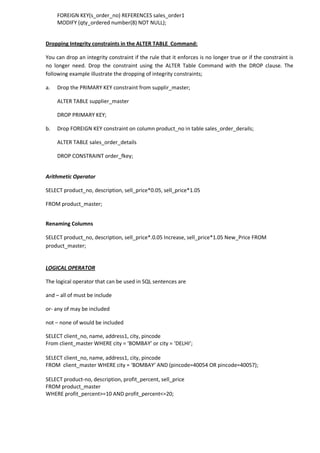
Dropping Integrity constraints in the ALTER TABLE Command: 
You can drop an integrity constraint if the rule that it enforces is no longer true or if the constraint is no longer need. Drop the constraint using the ALTER Table Command with the DROP clause. The following example illustrate the dropping of integrity constraints; 
a. Drop the PRIMARY KEY constraint from supplir_master; 
ALTER TABLE supplier_master 
DROP PRIMARY KEY; 
b. Drop FOREIGN KEY constraint on column product_no in table sales_order_derails; 
ALTER TABLE sales_order_details 
DROP CONSTRAINT order_fkey; 
Arithmetic Operator 
SELECT product_no, description, sell_price*0.05, sell_price*1.05 
FROM product_master; 
Renaming Columns 
SELECT product_no, description, sell_price*.0.05 Increase, sell_price*1.05 New_Price FROM product_master; 
LOGICAL OPERATOR 
The logical operator that can be used in SQL sentences are 
and – all of must be include 
or- any of may be included 
not – none of would be included 
SELECT client_no, name, address1, city, pincode 
From client_master WHERE city = ‘BOMBAY’ or city = ‘DELHI’; 
SELECT client_no, name, address1, city, pincode 
FROM client_master WHERE city = ‘BOMBAY’ AND (pincode=40054 OR pincode=40057); 
SELECT product-no, description, profit_percent, sell_price 
FROM product_master 
WHERE profit_percent>=10 AND profit_percent<=20;
Range Searching 
1. Select product_no, description, profit_percent, sell_price where profit_percent is between 10 and 20 both inclusive; 
Select product_no, description , profit_percent, sell_price from product_master 
Where profit_percent BETWEEN 10 AND 20; 
2. Select product_no, description, profit_percent, sell_price where profit_percent is not between 10 and 20; 
SELECT product_no, description, profit_percent, sell_price FROM product_master 
WHERE profit_percent NOT BETWEEN 10 AND 15; 
Pattern Matching 
Use of like predicate: 
1. Select supplier_name from supplier_master where the first two characters of name are ‘ja’; 
SELECT supplier_name FROM supplier_master 
WHERE supplier_name LIKE ‘ja%’; 
2. Select supplier_name form supplier_master where the second character of name is ‘r’ or ‘h’; 
SELECT supplier_name FROM supplier_master 
WHERE supplier_name LIKE ‘_r%’ or supplier_name LIKE ‘_h%’; 
3. Select supplier_name, address1, address2, city and pincode from supplier_master where name is 3 character long and the first two characters are ‘ja’; 
SELECT supplier_name, address1, address2, city, pincode 
FROM supplier_master WHERE supplier_name like ‘ja_’; 
In and not in predicates 
1. Select supplier_name, address1, address2, city and pincode from supplier_master where name is ‘ramos’, ‘clark’, ‘pramada’, or ‘aruna’; 
SELECT supplier_name, address1, address2, city pincode 
FROM supplier_master 
WHERE supplier_name IN(‘Ramos’, ‘Clark’,’Pramada’,’Aruna’);
ORACLE FUNCTION 
Function are used to manipulate data item and return a result. Function follow the format of: function_name(argument1, argument2,....). An argument is a user-supplied variable or constant. The structure of function is such that it accepts zero or more argument. 
Examples: 
AVG 
Syntax 
AVG([DISTINCT |ALL]n) 
Purpose 
Return average value of n, ignoring null values. 
Example 
SELECT AVG(sell_price)”Average” FROM product- master 
MIN 
Syntax 
MIN([DISTINCT|ALL] expr) 
Purpose 
Returns minimum value of expr. 
Example 
SELECT MIN(s_order_date)”Minimum Date” from sales_order; 
COUNT(expr) 
Syntax 
COUNT([DISTINCT |ALL]expr) 
Purpose 
Returns the number of rows where expr is not null 
Example 
SELECT COUNT(order_no) “No of Orders” FROM sales_order; 
COUNT(*) 
Syntax 
COUNT(*) 
Purpose 
Returns the number of rows in the table, including duplicates and those with nulls. 
Example 
SELECT COUNT(*) “Total” FROM client master; 
MAX 
Syntax 
MAX([DISTINCT |ALL expr]) 
Purpose 
Returns maximum value of expr. 
Example 
SELECT MAX(qty_ordered)”Maximum” form sales_order_details 
SUM 
Syntax 
SUM([DISTINCT |ALL]n) 
Purpose 
Returns sum of Values of N 
Example 
SELECT SUM(qty_ordered)”Total Qty” from sales_order_details WHERE product_no = ‘P0001’; 
ABS 
Syntax 
ABS(n) 
Purpose 
Returns the absolute value of N 
Example 
SELECT ABS(-15) “Absolute ” FROM dual; 
POWER 
Syntax 
POWER(m,n) 
Purpose 
Returns m raised to nth power n must be an integer; else an error is returned . 
Example 
SELECT POWER(3,2)”Raised” FROM dual; 
ROUND 
Syntax 
ROUND(n[,m]) 
Purpose 
Returns n rounded to m places right of the decimal point : if m is omitted, to 0 places. M can be negative to round off digits left of the decimal point. M must be an integer. 
Example 
SELECT ROUND(15.19,1)”Round” FROM dual; 
SQRT 
Syntax 
SQRT(n) 
Purpose 
Returns square root of n; if n<0, NULL SQRT returns a real result 
Example 
SELECT SQRT(25) “Square Root” From dual 
LOWER 
Syntax 
LOWER(char) 
Purpose 
Returns char, with all letter in lowercase 
Example 
SELECT LOWER (‘IVAN BAYROSS’)”Lower” from dual 
INITCAP 
Syntax 
INITCAP(char) 
Purpose 
Returns string with the first letter in upper case
Example 
SELECT INITCAP(‘IVAN BAYROSS’)”Title Case” FROM dual; 
UPPER 
Syntax 
UPPER(char) 
Purpose 
Return char, with all letter forced to uppercase 
Example 
SELECT UPPER(‘Ms. carol’) FROM dual; 
SUBSTR 
Syntax 
SUBSTR(CHAR,M[,N]) 
Purpose 
Returns a portion of char, beginning at character m, n characters long(if n is omitted, to the end char). The first position of char is 1. 
Example 
SELECT SUBSTR(‘ABCDEFG’,2,3)”Substring ” form dual 
LENGTH 
Syntax 
LENGTH(char) 
Purpose 
Returns the length of char 
Example 
SELECT LENGTH(‘ELEPHANT’)”Length” from dual 
LTRIM 
Syntax 
LTRIM(char[,set]) 
Purpose 
Removes characters from the left of char with initial characters removed upto the first character not in set. 
Example 
SELECT LTRIM(‘xxxxXxxLAST WORD’,’x’)”Left trim example ” from dual; 
RTRIM 
Syntax 
RTRIM(char,[set]) 
Purpose 
Returns char, with final characters removed after the last character not in the set. Set is optional it defaults to 
Example 
SELECT RTRIM(‘TURNERxxXxx’,’x’)”RTRIM Example” from dual; 
LPAD 
Syntax 
LPAD(char1,n[,char2]) 
Purpose 
Returns char1, left padded to length n with the sequence of characters in char2; char2 default to blank. 
Example 
SELECT LPAD(‘PAGE 1’,14,’*’) ”Lpad” from dual; 
RPAD 
Syntax 
RPAD(char1,n[,char2]) 
Purpose 
Returns char1, right-padded to length n with the characters in char2, replicate as many times as necessary; if char2 is omitted, right-pad with blanks. 
Example 
SELECT RPAD(NAME,10,’X’)”RPAD Example” FROM client_master WHERE name=’TURNER’; 
TO_NUMBER 
Syntax 
TO_NUMBER(char) 
Purpose 
Converts char, a character value containing a number, to a value of NUMBER datatype. 
Example 
UPDATE product_master set sell_price = sell_price +TO_NUMBER(SUBSTR(‘&100’,2,3)); 
TO_DATE 
Syntax 
TO_DATE(char[,fmt]) 
Purpose 
Converts a character field to a data field 
Example 
INSERT INTO sales_order(s_order_no, s_order_date) values (‘O87650’, TO_DATE(’30- SEP-85 10:55 A.M.’,’DD-MON-YY HH:MI A.M.’); 
TO_CHAR 
Syntax 
To_char(d[,fmt]) 
Purpose 
Converts a value of DATE datatype to CHAR value in the format specified by the char value fmt. Fmt must be a date format. If fmt is omitted, d is converted to a character value in the default data format, i.e. “DD-MON-YY”. 
Example 
SELECT TO_CHAR(s_order_date,’Month DD,YYYY) “New Data Format” FROM sales_order WHERE s_order_no = ‘O42453’;
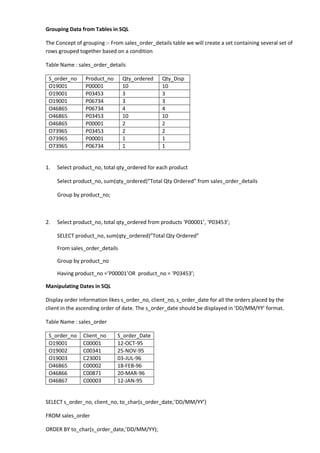
Grouping Data from Tables in SQL 
The Concept of grouping :- From sales_order_details table we will create a set containing several set of rows grouped together based on a condition 
Table Name : sales_order_details 
S_order_no 
Product_no 
Qty_ordered 
Qty_Disp 
O19001 
P00001 
10 
10 
O19001 
P03453 
3 
3 
O19001 
P06734 
3 
3 
O46865 
P06734 
4 
4 
O46865 
P03453 
10 
10 
O46865 
P00001 
2 
2 
O73965 
P03453 
2 
2 
O73965 
P00001 
1 
1 
O73965 
P06734 
1 
1 
1. Select product_no, total qty_ordered for each product 
Select product_no, sum(qty_ordered)”Total Qty Ordered” from sales_order_details 
Group by product_no; 
2. Select product_no, total qty_ordered from products ‘P00001’, ‘P03453’; 
SELECT product_no, sum(qty_ordered)”Total Qty Ordered” 
From sales_order_details 
Group by product_no 
Having product_no =’P00001’OR product_no = ‘P03453’; 
Manipulating Dates in SQL 
Display order information likes s_order_no, client_no, s_order_date for all the orders placed by the client in the ascending order of date. The s_order_date should be displayed in ‘DD/MM/YY’ format. 
Table Name : sales_order 
S_order_no 
Client_no 
S_order_Date 
O19001 
C00001 
12-OCT-95 
O19002 
C00341 
25-NOV-95 
O19003 
C23001 
03-JUL-96 
O46865 
C00002 
18-FEB-96 
O46866 
C00871 
20-MAR-96 
O46867 
C00003 
12-JAN-95 
SELECT s_order_no, client_no, to_char(s_order_date,’DD/MM/YY’) 
FROM sales_order 
ORDER BY to_char(s_order_date,’DD/MM/YY);
JOINS 
Joining Multiple Tables: Sometime we require to treat more than one table as though it were a single entity. Then a single SQL sentence can manipulate data from all the tables as though the tables were not separate objects, but one single entity. 
To achieve this, we have to join tables are joined on columns that have the same data type and data width in the tables; 
Table Name Client_master 
S_order_no 
Client_no 
C00001 
RAJ 
C00341 
SUMIT 
C23001 
AMIT 
C00002 
ANIL 
C00871 
AJIT 
C00003 
BABITA 
Example 1: 
SELECT s_order_no, name, to_char(s_oder_date,’DD/MM/YY’) 
FROM sales_order, client_master 
WHERE client_master.client_no = sales_order.client_no 
ORDER BY to_char(s_order_date,’DD/MM/YY’); 
Example 2: 
Select product_no, product_description and total qty_ordered for each product. 
Table name : Product_master 
Product_no 
Description 
P00001 
1.44 Floppies 
P03453 
Monitors 
P06734 
Mouse 
P07865 
1.22 Floppies 
P07868 
Keyboards 
P07885 
CD Drive 
P07965 
HDD 
P07975 
1.44 Drive 
P08865 
1.22 Drive 
SELECT sales_order_details.product_no, description, sum(qty_ordered)”Total Qty Ordered” 
From sales_order_details, product_master 
WHERE product_master.product_no = sales_order_details.product_no 
Group by sales_order_details.product_no, description;
Self Joins: 
In some situations, you may find it necessary to join a table to itself, as though you were joining two separate tables. This is referred to as a self – join, the combined results consists of two rows from the same table. 
Table Name: employee 
Employee_No 
Name 
Manager_no 
E00001 
Raj Kumar Singh 
E00002 
E00002 
Babita Sharma 
E00003 
E00003 
Anita Sukla 
E00004 
E00004 
Chanda Kochar 
- 
E00005 
Anil Kochar 
- 
SELECT emp.name, mngr.name manager 
FROM employee emp, employee mngr 
WHERE emp.manager_no = mngr.employee_no; 
SUBQUERIES 
A sub query is a form of an SQL statement that appears inside another SQL statement. It is also termed as nested query. The statement containing a subquery is called a parent statement. The rows returned by the subquery are used by the parent statement. 
It can be used by the following commands 
 To insert records in the target table. 
 To create tables and insert records in this table. 
 To update records in the target table. 
 To create views. 
 To provide values for the conditions in the WHERE, HAVING IN, SELECT, UPDATE and DELETE Statement. 
Examples: 
1. Creating client_master table from the oldclient_master table: 
CREATE TABLE client_master 
AS SELECT *from oldclientmaster; 
2. Select orders placed by ‘Rahul Desai’ 
SELECT *from sales_order 
Where client_no = (Select client_no from client_master Where name = ‘Rahul Desai’); 
3. To determine the non moving products in the product_master table: 
SELECT product_no, description FROM product_master 
WHERE product-no NOT IN (Select product_no FROM sales_order_details); 
4. To select the name of persons who are in Mr. Pradeep department and who have also worked on an inventory control system. 
SELECT ename, deptno from emp
Where deptno IN(SELECT deptno from emp where ename = ‘Pradeep’) AND ename IN(SELECT ename from inv_sys); 
USING THE UNION 
Union Clause: 
The user can put together multiple queries and combine their output the union clause. The union clause merges the output of two or more queries into a single set of rows and columns. 
Example: 
Select all the clients and the salesman in the city of ‘Bombay’; 
SELECT salesman_no “ID”, name FROM salesman_master 
WHERE city = ‘Bombay’ 
UNION 
SELECT client_no “ID”, name FROM client_master 
WHERE city = ‘Bombay’; 
Intersect Clause: 
The user can put together multiple queries and combine their output using the intersect clause. The Intersect clause outputs only rows produced by both the queries intersected i.e. the output in an Intersect clause will include only those rows that are retrieved by both the queries. 
SELECT name FROM salesman_master WHERE city = ‘Bombay’ 
INTERSECT 
SELECT name FROM salesman_master 
WHERE ‘Bombay’ IN (SELECt city FROM client_master WHERE client_master.client_no IN (SELECT client_no FROM sales_order WHERE salesman_no = salesman_master.salesman_no)); 
INDEXES 
An Index is an ordered list of contents of a column or group of columns in a table. An index created on the single column of the table is called Simple Index. When multiple table columns are included in the index it is called composite Index. 
Simple Index: 
CREATE INDEX indexfilename 
ON tablename(columnname); 
Example: Create an index on the table client_master, field client_no 
CREATE INDEX client_ndx 
ON client_master(client_no); 
Composite Index: 
CREATE INDEX indexfilename
ON table name(column name , column name ); 
Example: 
Create a composite index on the sales_order_details table for the columns s_order_no and product_no. 
CREATE INDEX sales_order_details _ntx 
ON sales_order_details(s_order_no, product_no); 
Dropping Indexes: 
An index can be dropped by using the Drop INDEX command 
Syntax: DROP INDEX indexfilename; 
Example: Drop index client_ndx on table client_master; 
DROP INDEX client_ndx; 
VIEWS 
Logical data is how we want to see the current data in our database. Physical data is how this data is actually placed in our database. 
View are masks placed upon tables. This allows the programmer to develop a method via which we can display predetermined data to user according to our desire. 
View may be created for following reason: 
 The DBA stores the view as a definition only. Hence, there is no duplication of data. 
 Simplifies queries. 
 Can be queried as a base table itself. 
 Provides data security 
 Avoids data redundancy. 
Creation of views: 
Syntax: 
CREATE VIEW viewname AS 
SELECT columnname, columnname 
FROM tablename 
WHERE columnname = expression list. 
Example: 
Create view on client_master for the admin department 
CREATE VIEW vw_clientadmin AS 
SELECT name, address1, address2, city, pincode, state
FROM client_master; 
DATABASE TRIGGERS 
Introduction: 
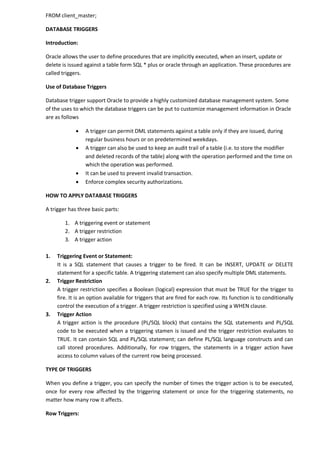
Oracle allows the user to define procedures that are implicitly executed, when an insert, update or delete is issued against a table form SQL * plus or oracle through an application. These procedures are called triggers. 
Use of Database Triggers 
Database trigger support Oracle to provide a highly customized database management system. Some of the uses to which the database triggers can be put to customize management information in Oracle are as follows 
 A trigger can permit DML statements against a table only if they are issued, during regular business hours or on predetermined weekdays. 
 A trigger can also be used to keep an audit trail of a table (i.e. to store the modifier and deleted records of the table) along with the operation performed and the time on which the operation was performed. 
 It can be used to prevent invalid transaction. 
 Enforce complex security authorizations. 
HOW TO APPLY DATABASE TRIGGERS 
A trigger has three basic parts: 
1. A triggering event or statement 
2. A trigger restriction 
3. A trigger action 
1. Triggering Event or Statement: 
It is a SQL statement that causes a trigger to be fired. It can be INSERT, UPDATE or DELETE statement for a specific table. A triggering statement can also specify multiple DML statements. 
2. Trigger Restriction 
A trigger restriction specifies a Boolean (logical) expression that must be TRUE for the trigger to fire. It is an option available for triggers that are fired for each row. Its function is to conditionally control the execution of a trigger. A trigger restriction is specified using a WHEN clause. 
3. Trigger Action 
A trigger action is the procedure (PL/SQL block) that contains the SQL statements and PL/SQL code to be executed when a triggering stamen is issued and the trigger restriction evaluates to TRUE. It can contain SQL and PL/SQL statement; can define PL/SQL language constructs and can call stored procedures. Additionally, for row triggers, the statements in a trigger action have access to column values of the current row being processed. 
TYPE OF TRIGGERS 
When you define a trigger, you can specify the number of times the trigger action is to be executed, once for every row affected by the triggering statement or once for the triggering statements, no matter how many row it affects. 
Row Triggers:
A row trigger is fired each time the table is affected by the triggering statement. For example if an UPDATE statement updates multiple rows of a table, a row trigger is fired once for each row affected by the UPDATE statement. If the triggering statement affects no rows, the trigger is not executed at all. Row trigger should be used when the trigger action code depends on the data provided by the triggering statement or rows that are affected. 
Statement Triggers: 
A row trigger is fired once on behalf of the triggering statement, independent of the number of rows the triggering statement affects. Statement triggers are useful if the code in the trigger action does not depend on the data provided by the triggering statement or the rows affected. 
Before VS after Trigger 
When defining a trigger you can specify the trigger timing, i.e. you can specify when the trigger action is to be executed in relation to the triggering statement. BEFORE and AFETR apply to both row and the statement triggers. 
Before Trigger: 
Before triggers execute the trigger action before the triggering statement. These types of triggers are commonly used in the following situation. 
* Before trigger are used when the trigger action should determine whether or not the triggering statement should be allowed to complete. By using a before trigger, you can eliminate unnecessary processing of the triggering statement. 
*Before trigger are used to derive specific column values before completing a triggering INSERT or UPDATE statement. 
After Trigger: 
After trigger execute the trigger action after the trigger statement is executed. These type of trigger are commonly used in the following situation: 
* After trigger are used when you want the triggering statement to complete before executing the trigger action. 
* If a before trigger is already present, an after trigger can perform different actions on the same triggering statement. 
Keywords and Parameters 
The keywords and the parameters used for creating database trigger are explained below: 
OR REPLACE : Recreates the trigger if it already exists. You can use this option to change the definition of an existing trigger without first dropping it. 
SCHEMA : is the schema to contain the trigger. If you omit the schema, Oracle creates the trigger in your own schema. 
TRIGGERNAME: is the name of the trigger to be created. 
BEFORE : indicates that Oracle fires the trigger before executing the triggering statement.
AFTER : indicates that Oracle fires the trigger after executing the triggering statement. 
DELETE : indicates that Oracle fires the trigger whenever a delete statement removes a row from the table. 
INSERT : indicates that Oracles fires the trigger whenever an INSERT statement adds a row from the table. 
UPDATE : indicates that Oracle fires the trigger whenever an UPDATE statement changes a value in one of the columns specified in the of clause. If you omit the of clause, oracle fires the tiger whenever an update statement a value in any column of the table. 
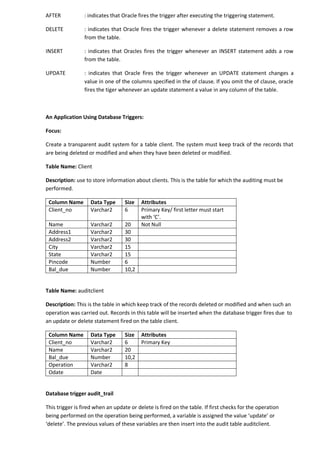
An Application Using Database Triggers: 
Focus: 
Create a transparent audit system for a table client. The system must keep track of the records that are being deleted or modified and when they have been deleted or modified. 
Table Name: Client 
Description: use to store information about clients. This is the table for which the auditing must be performed. 
Column Name 
Data Type 
Size 
Attributes 
Client_no 
Varchar2 
6 
Primary Key/ first letter must start with ‘C’. 
Name 
Varchar2 
20 
Not Null 
Address1 
Varchar2 
30 
Address2 
Varchar2 
30 
City 
Varchar2 
15 
State 
Varchar2 
15 
Pincode 
Number 
6 
Bal_due 
Number 
10,2 
Table Name: auditclient 
Description: This is the table in which keep track of the records deleted or modified and when such an operation was carried out. Records in this table will be inserted when the database trigger fires due to an update or delete statement fired on the table client. 
Column Name 
Data Type 
Size 
Attributes 
Client_no 
Varchar2 
6 
Primary Key 
Name 
Varchar2 
20 
Bal_due 
Number 
10,2 
Operation 
Varchar2 
8 
Odate 
Date 
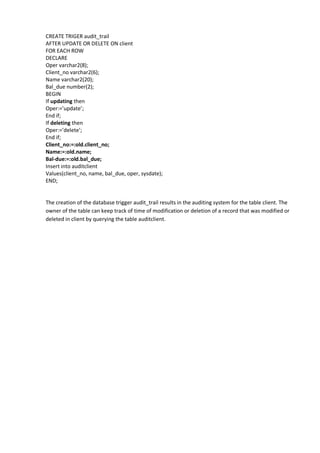
Database trigger audit_trail 
This trigger is fired when an update or delete is fired on the table. If first checks for the operation being performed on the operation being performed, a variable is assigned the value ‘update’ or ‘delete’. The previous values of these variables are then insert into the audit table auditclient.
CREATE TRIGER audit_trail 
AFTER UPDATE OR DELETE ON client 
FOR EACH ROW 
DECLARE 
Oper varchar2(8); 
Client_no varchar2(6); 
Name varchar2(20); 
Bal_due number(2); 
BEGIN 
If updating then 
Oper:=’update’; 
End if; 
If deleting then 
Oper:=’delete’; 
End if; 
Client_no:=:old.client_no; 
Name:=:old.name; 
Bal-due:=:old.bal_due; 
Insert into auditclient 
Values(client_no, name, bal_due, oper, sysdate); 
END; 
The creation of the database trigger audit_trail results in the auditing system for the table client. The owner of the table can keep track of time of modification or deletion of a record that was modified or deleted in client by querying the table auditclient.

Oracle

  • 1.
    ORACLE BASIC DATABASECONCEPTS It is a coherent collection of data with some inherent meaning, designed, built and populated with data for a specific purpose. A database stores data that is useful to us. This data is only a part of the entire data available in the world around us; Characteristics of a Database Management System:  It represents complex relationships between data.  Keeps a tight control of data redundancy.  Enforces user-defined rules to ensure the integrity of table.  Has a centralized data dictionary for the storage of information pertaining to data and its manipulation.  Ensures that data can be shared across applications.  Enforces data access authorization. CONCEPT OF RDBMS: He applied the principles of relationships in statistics to data management and came up with twelve laws. Using mathematics, he proved that if all these 12 laws were incorporated into database core technology, there would be a revolution in the speed of incorporated into database core technology, there would be a revolution in the speed of any DBMS system while managing data, even when used on network operating systems. All of a sudden new life was injected into software houses who had devoted large sums of money in developing DBMS system that programmers could use to manage data. These software houses took up the challenge and many products came into existence which propounded that they followed Codd’s laws; However, none of these products have been successful implementing all 12 laws into their DMBS core technology. The lesser the number of Codd’s laws implemented in a product’s core technology, greater are the overheads the product will place on the hardware used for running it. Characteristics of A Relational Database Model System:  The relational data management model eliminated all parent-child relationships and instead represented all data in the database as simple row/column tables of data values.  A relation is similar to a table with rows/columns of data values. The rows of a table are referred to as Tuples and the columns are referred to as Attributes. Several tuples of equal length .  Each table is an independent entity and there is no physical relationship between tables.  Most data management system based on the relational model have a built-in support for query language like ANSI SQl or QBE(Query by Example). These queries are simple English constructs that allow adhoc data manipulation from a table.  Relational model of data management is based on set theory. Built –in query language is designed in the RDBMS, so that it can manipulate sets of data.  The user interface used with relational models is non-procedural because only what needs to be done is specified and not how it has to be done. Using any of the other methods, you have not only to specify what needs to be done but how it has to be done as well.
  • 2.
    E. F. TEDCODD’S LAWS FOR A FULLY FUNCTIONAL RELATIONAL DATABASE MANAGEMENT SYSTEM  Relational Database Management:-A relational database management system uses only its relational capabilities to manage the information stored in its database.  Information Representation:- All information stored in a relational database is represented only by data item values, which are stored in the tables that make up the database. Association between data items are not logically represented in any other way, such as, by the use of painters from one table to the other.  Logical Accessibility: - Every data item value stored in a relational database is accessible by stating the name of the table it is stored in, the name of the column under which it is stored and the values of the primary key that defines the row in which it is stored.  Representation of null values:- The database management system has a consistent method for representing null values. For example, null values for numeric data must be distinct from zero or any other numeric value and for character data it must be different from a string of blanks or any other character value.  Catalog Facilities:- The logical description of al relational database is represented in the same manner as ordinary data. This is done so that the facilities of the relational database management system itself can be used to maintain database description.  Data Language:- A relational database management system may support many types of languages for describing data and accessing the database. However, there must be at least one language that uses ordinary character strings to support the definition of data, the definition of views, the manipulation of data, constraints on data integrity, information concerning authorization and the boundaries for recovery of unuts.  View Updatability: - Any view that can be defined using combinations of base tables, that are theoretically updatable, is capable of being updated by the relational database management system.  Insert, Update and Delete: - Any operation that describes the results of a single retrieval operation is capable of being applied to an insert, update or delete operation as well.  Physical Data Independency: - Changes made to physical storage representation or access methods do not require changes to be made to application programs.  Logical Data Independence: - Changes made to tables, that do not modify any data stored in that table, do not require changes to be made to application program.  Integrity Constraints: - Constraints that apply to entity integrity and referential integrity are specifiable by the data language implemented by the database management system and not by the statements coded into the applications program.  Database Distribution:- The data language implemented by the relational database management system supports the ability to distribute the database without requiring changes to be made to application programs. This facility must be provided in the data language, whether or not the database management system itself supports distributed databases.
  • 3.
    DATA TYPES CHAR: – Values of this data type are fixed length character strings of maximum length 255 characters.  VARCHAR/VARCHAR2:- Values of this data type are variable length character strings of maximum length 200 characters.  NUMBER : - The number data type is used to store numbers. Numbers of virtually any magnitude maybe stored up to 38 digits of precision. Numbers as large as 9.99*10 to the power 124, i.e. 1 followed by 125 zeros can be stored.  DATE:- The standard format is DD- MM-YY as in 12-MAR-91. To enter dates other than the standard format, use the appropriate functions. Data Time stores date in the 24-hour format. By default, the time in a data fields is 12:00:00 am, if no time portion is specified. The default data for a data field is the first day of the current month.  LONG:- Cell defined as LONG can be store variable length character strings containing upto 65,535 characters. Long data can be used to store arrays of binary data in ASCII format. CREATE TABLE COMMAND CREATE TABLE table name (Column name data type (size), column name data type (size)); Table Name: client_master Column Name Data Type Size Attributes Client_no Varchar2 6 Name Varchar2 20 Address1 Varchar2 30 Address2 Varchar2 30 City Varchar2 15 State Varchar2 15 Pincode Number 6 Remarks Varchar2 60 Bal_due Number 10,2 CREATE TABLE client_master (client_no varchar2(6) , name varchar2(20), address1 varchar2(30), address2 varchar2(30 ), city varchar2(15), state varchar2(15), pincode number(6), remarks varchar2(60), bal_due number(10,2)); Table Name: product_master Column Name Data Type Size Attributes Product_no Varchar2 6 Description Varchar2 5 Profit_percent Varchar2 2,2 Unit_measure Varchar2 10 Qty_on_hand Number 8 Reorder_lvl Number 8 Sell_price Number 8,2 Cost_price Number 8,2
  • 4.
    CREATE TABLE product_master (product_no varchar2(6), description varchar2(5), profit_percent number(2,2), Unit_measure varchar2(10), qty_on_hand number(8), reorder_lvl number(8), Sell_price number(8,2), cost_price number(8,2)); Creating a table from a table: Syntax: CREATE TABLE tablename [(column name, column name)] AS SELECT column name, column name form table name; Note: if the source table from which the target table is being created, has records in it then the target table is populated with these records as well. CREATE TABLE supplier_master (supplier_no, supplier_name, address1, address2, city, state, pincode, remarks) AS SELECT client_no, name, address1, address2, city, state, pincode, remarks form client_master; INSERTION OF DATA INTO TABLES Inserting a single row of data into a table: Syntax: INSERT INTO table name [(column name, column name)] VALUES (expression, expression); Example: INSERT INTO client_master (client_no, name, address1, address2, city, state, pincode) Values(‘C00001’,’Sumit Kumar’,’A-7, Surya Apartment’, ’Ratu Raod ‘, ’Ranchi’, ‘Jharkhand’,834001); Note: The Character expressions must be in single quotes. Inserting data into a table from another table: Syntax: INSERT INTO table name SELECT column name, column name From table mane; Example: Insert records in table supplier_master from table client_master INSERT INTO supplier_master SELECT client_no, name, address1, address2, city, state, pincode, remarks From client_master; Insertion of selected data into a table from another table: Syntax: INSERT INTO table name SELECT column name, column name From table name WHERE column name = expression; Example: INSERT INTO supplier_master SELECT client_no, name, address1, address2, city, pincode, state, remarks, From client_master
  • 5.
    Where client_no =‘C00001’; UPDATING THE CONCEPTS OF A TABLE Update the records in a table Syntax: UPDATE table name Set column name = expression, column name = expression,........ Where column name = expression; Example: UPDATE client_master SET name = ‘Vijay Kumar’, address1 = ‘DCS jay Apartment’ Where client_no=’C00002’; DELETION OPERATIONS Deletion of all rows Syntax: Delete from table name; Example: DELETE FROM client_master; Deletion of a specified number of rows: Syntax: DELETE FROM table name WHERE search condition; Example: DELETE FROM client_master WHERE clienet_no = ‘C00002’; THE MANY FACES OF THE SELECT COMMAND Global Data extract: Example: Select all records from table client_master; SELECT * from client_master; The retrieval of specific columns from a table: Example: SELECT client_no, name FROM client_master; Elimination of duplicates from the Select statement: Example: Select unique rows from client_master SELECT DISTINCT client_no, name FROM client_master Sorting of data in a table: Example: SELECT client_no, name, address1, address2, city, pincode From client_master ORDER BY client_no; Selecting a data set from table data: Example: SELECT client_no, name FROM client_master
  • 6.
    WHERE client_no =‘C00004’; MODIFYING THE STRUCTURE OF TABLES Adding new Columns: Syntax: ALTER TABLE tablename ADD(new columnname datatype(size), new column name datatype(size)......); Example: ALTER TABLE client_master ADD(clirnt_tel number(8), client_fax number(15)); Modifying existing columns: Syntax: ALTER TABLE tablename MODIFY (columnname new data type(size)); Example: ALTER TABLE client_master MODIFY (client_fax varchar2(25)); Restriction on the Alter table: Using the alter table clause you cannot perform the following task:  Change the name of table.  Change the name of Column.  Drop a Column.  Decrease the size of a column if table data exists. Removing / Deleting /Dropping Tables: Syntax: Drop Table tablename; Example: DROP TABLE clint_master; DATA CONSTRAINTS Beside the cell name, cell length and cell type, there are other parameters i.e. other data constraints, that can be passed to the DBA at cell creation time. These data constraints will be connected to a cell by the DBA as flags. Whenever a user attempts to load a cell with data, the DBA will check the data being loaded into the cell against the data constraints defined at the time the cell was created. If the data being loaded fails any of the data constraint checks fired by the DBA, the DBA will not load the data into the cell, reject the entered record, and will flash an error message to the user. The constraints can either be placed at the column level or at the table level; Column Level Constraints: If the constraints are defined along with the column definition, it is called as column level constraint. Column level constraint can be applied to any one column at a time i.e. they are local to specific column. If the constraint spans across multiple columns, the user will have to use table level constraints.
  • 7.
    Table Level Constraints: If the data constraint attached to a specific cell in a table references the contents of another cell in the table then user will have to use table level constraints. Table level constraints are stored as a part of the global table definition. NULL Value Concepts: While creating table, if a row lacks a data value for a particular column, that value is said to be null. Column of any data types may contain null values unless the column was defined as not null when the table was created. Principles of NULL Values:  Setting a null value is appropriate when the actual value is unknown, or when a value would not be meaningful.  A null value is not equivalent to a value of zero.  A null value will evaluate to null in any expression e.g. null multiplied by 10 is null.  When a column name is defined as not null, then that column becomes a mandatory column. It implies that the user is forced to enter data into that column. Example: Create table client_master with a not null constraint on columns client_no, name, address1, adress2. NOT NULL as a column constraint: CREATE TABEL client_master1 (client_no varchar2(6), NOT NULL, Name varchar2(20) NOT NULL, Address1 varchar2(30) NOT NULL, Address2 varchar2(30) NOT NULL, City varchar2(15), state varchar2(15), pincode number(6), Remarks varchar2(60), bal_due number(10,2)); Primary Key Concepts: A primary key is one or more column in a table used to uniquely indentify each row in the table. Primary key values must not be null and must be unique across the column. A multicolumn primary key is called a composite primary key. The only function that a primary key performs is to uniquely identify a row and thus if one column is used it is just as good as if multiple columns are used. Multiple columns i.e. composite keys) are used only when the system designed requires a primary key that cannot be contained in a single column. PRIMARY Key as a Column Constraint: CREATE TABLE client_master (client_no varchar2(6) PRIMARY KEY, name varchar2(20),address1 varchar2(30), Address2 varchar2(30), city varchar2(15), state varchar2(15), pincode number(6), remarks varchar2(60), bal_due number(10,2)); PRIMARY Key as a Table Constraint: CREATE TABLE sales_order_detials (s_order_no varchar2(6), product_no varchar2(6), qty_ordered number(8), qty_sisp number(8), product_rate number(8,2), PRIMARY KEY(s_order_no, product_no));
  • 8.
    Unique key Concepts A unique key is similar to a primary key, except that the purpose of a unique key is to ensure that information in the column for each record is unique, as with telephone or driver’s licence numbers. A table may have many unique keys. UNIQUE as Column constraint CREATE TABLE client_master2 (client_no varchar2(6) CONSTRAINT cnum_ukey UNIQUE, name varchar2(20), address1 varchar2(20), city varchar2(15), state varchar2(20), pincode number(6), remarks varchar2(60), bal_due number(10,2), partpay_yn char(1)); UNIQUE as a Table Constraint: CREATE TABLE client_master (client_no varchar2(6), name varchar2(20), address1 varchar2(30), pincode number(6); remarks varchar2(60), bal_due number(10,2), CONSTRAINT cnum_ukey UNIQUE(client_no)); DEFAULT VALUE CONCEPTS: At the time of cell creation a default value can be assigned to it. When the user is loading a record with values this cell empty, the DBA will automatically load this cell with the default value specified. The data type of the default value should match the data type of the column. You can use the default clause to specify any default value you want. CREATE TABLE sales_order (s_order_no varchar2(6) PRIMARY KEY, s_order_date date, client_no varchar2(6),Salesman_no varchar2(6), dely_type char(1) DEFAULT ‘F’, Billed_yn char(1), dely_date date, order_status varchar2(10)); Table Name: salesman_master Column Name Data Type Size Attributes Salesman_no Varchar2 6 Primary Key Salesman_name Varchar2 20 Not Null Address1 Varchar2 30 Not Null Address2 Varchar2 30 Not Null City Varchar2 20 Pincode Varchar2 6 State Varchar2 20 Sal_amt Number 8,2 Not Null Tgt_to_get Number 6,2 Not Null Ytd_sales Number 6,2 Not Null
  • 9.
    Remarks Varcha2 60 Table Name: sales_order Column Name Data Type Size Attributes S_order_no Varchar2 6 Primary Key S_order_date Date Client_no Varchar2 6 Foreign key references client_no of client_master table Dely_addr Varchar2 25 Salesman_no Varchar2 6 Foreign key references salesman_no of salesman_master table Dely_type Char 1 Delivery : part(P)/ full (F), default ‘F’ Billed_yn Char 1 Dely-date Date Cannot be less than s_order_date Order_status Varchar2 10 Values(‘In Process’,’Fulfilled’,’BackOrder’,’Canceled’ ) FOREIGN KEY CONCEPTS: Foreign keys represent relationships between tables. A foreign key is a column (or a group of columns) whose values are derived from the primary key of the same or some other table. The existence of a foreign key implies that the table with the foreign key is related to the primary key table from which the foreign key is derived. A foreign key must have a corresponding primary key value in the primary key table to have a meaning. The Foreign Key/ Reference Constraint:  Rejects an Insert or update of a value, if a corresponding value does not currently exit in the primary key table;  Rejects a DELETE, if it would invalidate a REFERENCES constraint;  Must reference a PRIMARY KEY or UNIQUE column(s) in primary key table;  Will reference the PRIMARY KEY of the primary key table if no column or group of columns is specified in the constraint;  Must reference a table, not a view or cluster;  Requires that you own the primary key table, have REFERENCE privilege on it, or have column- level REFERENCE privilege on the reference columns in the primary key table; FOREIGN KEY as a Column constraint: CREATE TABLE sales_order_details1 (s_order_no varchar2(6) REFERENCE sales_order,Product_no varchar2(6), qty_ordered number(8), qty_disp number(8), product_rate number(8,2),PRIMARY KEY(s_order_no, product_no)); FOREIGN KEY as a Table constraint: CREATE TABLE sales_order_details1 (s_order_no varchar2(6), product_no varchar2(6),Qty_ordered number(8), qty_disp number(8), Product_rate number(8,2),PRIMARY KEY(s_order_no, product_no),
  • 10.
    FOREIGNKEY (s_order_no) REFERENCESsales_order); CHECK Integrity Constraints: Use the CHECK constraint when you need to enforce integrity rules that can be evaluated based on a logical expression. Never use CHECK constraints if the constraints can be defined using the not null, primary key or foreign key constraint.  A CHECK constraint on the client_no column of the client_master so that no client_no value starts with ‘C’.  A CHECH constraint on name column of client_master so that the name is entered in upper case.  A CHECH constraint on the city column of the client_master so that only the cities “BOMBAY”, “NEW DELHI”, “MADRAS ” and “CALCUTTA” as allowed. CREATE TABLE client_master3 (client_no varchar2(6) CONSTRAINT ck_clientno CHECK(client_no like ‘C%’), name varchar2(20) CONSTRAINT ck_cname CHECK(name=upper(name)), address1 varchar2(30), address2 varchar2(30), city varchar2(15) CONSTRAINT ck_city CHECK(city IN(‘NEW DELHI’, ‘BOMBAY’, ‘CALCUTTA’, ‘MADRAS’)), state varchar2(15), pincode number(6), remarks varchar2(60), bal_due number(10,2)); When using CHECK constraints, consider the ANSI/ISO standard which states that a CHECK constraint is violated only if the condition evaluates to FALSE, TRUE, and UNKNOWN values do not violate a check condition. Therefore, make sure that a check constraint that you define actually enforces the rule you need to enforce. Integrity constraints in the ALTER TABLE command: You can also define integrity constraints using the constraint clause in the ALTER TABLE command. The following example show the definition of several integrity constraints. 1. Add Primary Key on column supplier_no in table supplier_master ALTER TABLE supplier_master ADD PRIMARY KEY(supplier_no); 2. Add Foreign key constraint on column s_order_no in table sales_order_details referencing table sales_order, modify column qty_ordered to include NOT NULL constant; 1st step create table sales_order1 (s_order_no varchar2(6)PRIMARY KEY,s_order_date date, client_no varchar2(6)); 2nd step create table sales_order_details1 (s_order_no varchar2(6), product_no varchar2(6),qty_order number(8), PRIMARY KEY(s_order_no, product_no)); 3rd step ALTER TABLE sales_order_details1 ADD CONSTRAINT order_fkey
  • 11.
    FOREIGN KEY(s_order_no) REFERENCESsales_order1 MODIFY (qty_ordered number(8) NOT NULL); Dropping Integrity constraints in the ALTER TABLE Command: You can drop an integrity constraint if the rule that it enforces is no longer true or if the constraint is no longer need. Drop the constraint using the ALTER Table Command with the DROP clause. The following example illustrate the dropping of integrity constraints; a. Drop the PRIMARY KEY constraint from supplir_master; ALTER TABLE supplier_master DROP PRIMARY KEY; b. Drop FOREIGN KEY constraint on column product_no in table sales_order_derails; ALTER TABLE sales_order_details DROP CONSTRAINT order_fkey; Arithmetic Operator SELECT product_no, description, sell_price*0.05, sell_price*1.05 FROM product_master; Renaming Columns SELECT product_no, description, sell_price*.0.05 Increase, sell_price*1.05 New_Price FROM product_master; LOGICAL OPERATOR The logical operator that can be used in SQL sentences are and – all of must be include or- any of may be included not – none of would be included SELECT client_no, name, address1, city, pincode From client_master WHERE city = ‘BOMBAY’ or city = ‘DELHI’; SELECT client_no, name, address1, city, pincode FROM client_master WHERE city = ‘BOMBAY’ AND (pincode=40054 OR pincode=40057); SELECT product-no, description, profit_percent, sell_price FROM product_master WHERE profit_percent>=10 AND profit_percent<=20;
  • 12.
    Range Searching 1.Select product_no, description, profit_percent, sell_price where profit_percent is between 10 and 20 both inclusive; Select product_no, description , profit_percent, sell_price from product_master Where profit_percent BETWEEN 10 AND 20; 2. Select product_no, description, profit_percent, sell_price where profit_percent is not between 10 and 20; SELECT product_no, description, profit_percent, sell_price FROM product_master WHERE profit_percent NOT BETWEEN 10 AND 15; Pattern Matching Use of like predicate: 1. Select supplier_name from supplier_master where the first two characters of name are ‘ja’; SELECT supplier_name FROM supplier_master WHERE supplier_name LIKE ‘ja%’; 2. Select supplier_name form supplier_master where the second character of name is ‘r’ or ‘h’; SELECT supplier_name FROM supplier_master WHERE supplier_name LIKE ‘_r%’ or supplier_name LIKE ‘_h%’; 3. Select supplier_name, address1, address2, city and pincode from supplier_master where name is 3 character long and the first two characters are ‘ja’; SELECT supplier_name, address1, address2, city, pincode FROM supplier_master WHERE supplier_name like ‘ja_’; In and not in predicates 1. Select supplier_name, address1, address2, city and pincode from supplier_master where name is ‘ramos’, ‘clark’, ‘pramada’, or ‘aruna’; SELECT supplier_name, address1, address2, city pincode FROM supplier_master WHERE supplier_name IN(‘Ramos’, ‘Clark’,’Pramada’,’Aruna’);
  • 13.
    ORACLE FUNCTION Functionare used to manipulate data item and return a result. Function follow the format of: function_name(argument1, argument2,....). An argument is a user-supplied variable or constant. The structure of function is such that it accepts zero or more argument. Examples: AVG Syntax AVG([DISTINCT |ALL]n) Purpose Return average value of n, ignoring null values. Example SELECT AVG(sell_price)”Average” FROM product- master MIN Syntax MIN([DISTINCT|ALL] expr) Purpose Returns minimum value of expr. Example SELECT MIN(s_order_date)”Minimum Date” from sales_order; COUNT(expr) Syntax COUNT([DISTINCT |ALL]expr) Purpose Returns the number of rows where expr is not null Example SELECT COUNT(order_no) “No of Orders” FROM sales_order; COUNT(*) Syntax COUNT(*) Purpose Returns the number of rows in the table, including duplicates and those with nulls. Example SELECT COUNT(*) “Total” FROM client master; MAX Syntax MAX([DISTINCT |ALL expr]) Purpose Returns maximum value of expr. Example SELECT MAX(qty_ordered)”Maximum” form sales_order_details SUM Syntax SUM([DISTINCT |ALL]n) Purpose Returns sum of Values of N Example SELECT SUM(qty_ordered)”Total Qty” from sales_order_details WHERE product_no = ‘P0001’; ABS Syntax ABS(n) Purpose Returns the absolute value of N Example SELECT ABS(-15) “Absolute ” FROM dual; POWER Syntax POWER(m,n) Purpose Returns m raised to nth power n must be an integer; else an error is returned . Example SELECT POWER(3,2)”Raised” FROM dual; ROUND Syntax ROUND(n[,m]) Purpose Returns n rounded to m places right of the decimal point : if m is omitted, to 0 places. M can be negative to round off digits left of the decimal point. M must be an integer. Example SELECT ROUND(15.19,1)”Round” FROM dual; SQRT Syntax SQRT(n) Purpose Returns square root of n; if n<0, NULL SQRT returns a real result Example SELECT SQRT(25) “Square Root” From dual LOWER Syntax LOWER(char) Purpose Returns char, with all letter in lowercase Example SELECT LOWER (‘IVAN BAYROSS’)”Lower” from dual INITCAP Syntax INITCAP(char) Purpose Returns string with the first letter in upper case
  • 14.
    Example SELECT INITCAP(‘IVANBAYROSS’)”Title Case” FROM dual; UPPER Syntax UPPER(char) Purpose Return char, with all letter forced to uppercase Example SELECT UPPER(‘Ms. carol’) FROM dual; SUBSTR Syntax SUBSTR(CHAR,M[,N]) Purpose Returns a portion of char, beginning at character m, n characters long(if n is omitted, to the end char). The first position of char is 1. Example SELECT SUBSTR(‘ABCDEFG’,2,3)”Substring ” form dual LENGTH Syntax LENGTH(char) Purpose Returns the length of char Example SELECT LENGTH(‘ELEPHANT’)”Length” from dual LTRIM Syntax LTRIM(char[,set]) Purpose Removes characters from the left of char with initial characters removed upto the first character not in set. Example SELECT LTRIM(‘xxxxXxxLAST WORD’,’x’)”Left trim example ” from dual; RTRIM Syntax RTRIM(char,[set]) Purpose Returns char, with final characters removed after the last character not in the set. Set is optional it defaults to Example SELECT RTRIM(‘TURNERxxXxx’,’x’)”RTRIM Example” from dual; LPAD Syntax LPAD(char1,n[,char2]) Purpose Returns char1, left padded to length n with the sequence of characters in char2; char2 default to blank. Example SELECT LPAD(‘PAGE 1’,14,’*’) ”Lpad” from dual; RPAD Syntax RPAD(char1,n[,char2]) Purpose Returns char1, right-padded to length n with the characters in char2, replicate as many times as necessary; if char2 is omitted, right-pad with blanks. Example SELECT RPAD(NAME,10,’X’)”RPAD Example” FROM client_master WHERE name=’TURNER’; TO_NUMBER Syntax TO_NUMBER(char) Purpose Converts char, a character value containing a number, to a value of NUMBER datatype. Example UPDATE product_master set sell_price = sell_price +TO_NUMBER(SUBSTR(‘&100’,2,3)); TO_DATE Syntax TO_DATE(char[,fmt]) Purpose Converts a character field to a data field Example INSERT INTO sales_order(s_order_no, s_order_date) values (‘O87650’, TO_DATE(’30- SEP-85 10:55 A.M.’,’DD-MON-YY HH:MI A.M.’); TO_CHAR Syntax To_char(d[,fmt]) Purpose Converts a value of DATE datatype to CHAR value in the format specified by the char value fmt. Fmt must be a date format. If fmt is omitted, d is converted to a character value in the default data format, i.e. “DD-MON-YY”. Example SELECT TO_CHAR(s_order_date,’Month DD,YYYY) “New Data Format” FROM sales_order WHERE s_order_no = ‘O42453’;
  • 15.
    Grouping Data fromTables in SQL The Concept of grouping :- From sales_order_details table we will create a set containing several set of rows grouped together based on a condition Table Name : sales_order_details S_order_no Product_no Qty_ordered Qty_Disp O19001 P00001 10 10 O19001 P03453 3 3 O19001 P06734 3 3 O46865 P06734 4 4 O46865 P03453 10 10 O46865 P00001 2 2 O73965 P03453 2 2 O73965 P00001 1 1 O73965 P06734 1 1 1. Select product_no, total qty_ordered for each product Select product_no, sum(qty_ordered)”Total Qty Ordered” from sales_order_details Group by product_no; 2. Select product_no, total qty_ordered from products ‘P00001’, ‘P03453’; SELECT product_no, sum(qty_ordered)”Total Qty Ordered” From sales_order_details Group by product_no Having product_no =’P00001’OR product_no = ‘P03453’; Manipulating Dates in SQL Display order information likes s_order_no, client_no, s_order_date for all the orders placed by the client in the ascending order of date. The s_order_date should be displayed in ‘DD/MM/YY’ format. Table Name : sales_order S_order_no Client_no S_order_Date O19001 C00001 12-OCT-95 O19002 C00341 25-NOV-95 O19003 C23001 03-JUL-96 O46865 C00002 18-FEB-96 O46866 C00871 20-MAR-96 O46867 C00003 12-JAN-95 SELECT s_order_no, client_no, to_char(s_order_date,’DD/MM/YY’) FROM sales_order ORDER BY to_char(s_order_date,’DD/MM/YY);
  • 16.
    JOINS Joining MultipleTables: Sometime we require to treat more than one table as though it were a single entity. Then a single SQL sentence can manipulate data from all the tables as though the tables were not separate objects, but one single entity. To achieve this, we have to join tables are joined on columns that have the same data type and data width in the tables; Table Name Client_master S_order_no Client_no C00001 RAJ C00341 SUMIT C23001 AMIT C00002 ANIL C00871 AJIT C00003 BABITA Example 1: SELECT s_order_no, name, to_char(s_oder_date,’DD/MM/YY’) FROM sales_order, client_master WHERE client_master.client_no = sales_order.client_no ORDER BY to_char(s_order_date,’DD/MM/YY’); Example 2: Select product_no, product_description and total qty_ordered for each product. Table name : Product_master Product_no Description P00001 1.44 Floppies P03453 Monitors P06734 Mouse P07865 1.22 Floppies P07868 Keyboards P07885 CD Drive P07965 HDD P07975 1.44 Drive P08865 1.22 Drive SELECT sales_order_details.product_no, description, sum(qty_ordered)”Total Qty Ordered” From sales_order_details, product_master WHERE product_master.product_no = sales_order_details.product_no Group by sales_order_details.product_no, description;
  • 17.
    Self Joins: Insome situations, you may find it necessary to join a table to itself, as though you were joining two separate tables. This is referred to as a self – join, the combined results consists of two rows from the same table. Table Name: employee Employee_No Name Manager_no E00001 Raj Kumar Singh E00002 E00002 Babita Sharma E00003 E00003 Anita Sukla E00004 E00004 Chanda Kochar - E00005 Anil Kochar - SELECT emp.name, mngr.name manager FROM employee emp, employee mngr WHERE emp.manager_no = mngr.employee_no; SUBQUERIES A sub query is a form of an SQL statement that appears inside another SQL statement. It is also termed as nested query. The statement containing a subquery is called a parent statement. The rows returned by the subquery are used by the parent statement. It can be used by the following commands  To insert records in the target table.  To create tables and insert records in this table.  To update records in the target table.  To create views.  To provide values for the conditions in the WHERE, HAVING IN, SELECT, UPDATE and DELETE Statement. Examples: 1. Creating client_master table from the oldclient_master table: CREATE TABLE client_master AS SELECT *from oldclientmaster; 2. Select orders placed by ‘Rahul Desai’ SELECT *from sales_order Where client_no = (Select client_no from client_master Where name = ‘Rahul Desai’); 3. To determine the non moving products in the product_master table: SELECT product_no, description FROM product_master WHERE product-no NOT IN (Select product_no FROM sales_order_details); 4. To select the name of persons who are in Mr. Pradeep department and who have also worked on an inventory control system. SELECT ename, deptno from emp
  • 18.
    Where deptno IN(SELECTdeptno from emp where ename = ‘Pradeep’) AND ename IN(SELECT ename from inv_sys); USING THE UNION Union Clause: The user can put together multiple queries and combine their output the union clause. The union clause merges the output of two or more queries into a single set of rows and columns. Example: Select all the clients and the salesman in the city of ‘Bombay’; SELECT salesman_no “ID”, name FROM salesman_master WHERE city = ‘Bombay’ UNION SELECT client_no “ID”, name FROM client_master WHERE city = ‘Bombay’; Intersect Clause: The user can put together multiple queries and combine their output using the intersect clause. The Intersect clause outputs only rows produced by both the queries intersected i.e. the output in an Intersect clause will include only those rows that are retrieved by both the queries. SELECT name FROM salesman_master WHERE city = ‘Bombay’ INTERSECT SELECT name FROM salesman_master WHERE ‘Bombay’ IN (SELECt city FROM client_master WHERE client_master.client_no IN (SELECT client_no FROM sales_order WHERE salesman_no = salesman_master.salesman_no)); INDEXES An Index is an ordered list of contents of a column or group of columns in a table. An index created on the single column of the table is called Simple Index. When multiple table columns are included in the index it is called composite Index. Simple Index: CREATE INDEX indexfilename ON tablename(columnname); Example: Create an index on the table client_master, field client_no CREATE INDEX client_ndx ON client_master(client_no); Composite Index: CREATE INDEX indexfilename
  • 19.
    ON table name(columnname , column name ); Example: Create a composite index on the sales_order_details table for the columns s_order_no and product_no. CREATE INDEX sales_order_details _ntx ON sales_order_details(s_order_no, product_no); Dropping Indexes: An index can be dropped by using the Drop INDEX command Syntax: DROP INDEX indexfilename; Example: Drop index client_ndx on table client_master; DROP INDEX client_ndx; VIEWS Logical data is how we want to see the current data in our database. Physical data is how this data is actually placed in our database. View are masks placed upon tables. This allows the programmer to develop a method via which we can display predetermined data to user according to our desire. View may be created for following reason:  The DBA stores the view as a definition only. Hence, there is no duplication of data.  Simplifies queries.  Can be queried as a base table itself.  Provides data security  Avoids data redundancy. Creation of views: Syntax: CREATE VIEW viewname AS SELECT columnname, columnname FROM tablename WHERE columnname = expression list. Example: Create view on client_master for the admin department CREATE VIEW vw_clientadmin AS SELECT name, address1, address2, city, pincode, state
  • 20.
    FROM client_master; DATABASETRIGGERS Introduction: Oracle allows the user to define procedures that are implicitly executed, when an insert, update or delete is issued against a table form SQL * plus or oracle through an application. These procedures are called triggers. Use of Database Triggers Database trigger support Oracle to provide a highly customized database management system. Some of the uses to which the database triggers can be put to customize management information in Oracle are as follows  A trigger can permit DML statements against a table only if they are issued, during regular business hours or on predetermined weekdays.  A trigger can also be used to keep an audit trail of a table (i.e. to store the modifier and deleted records of the table) along with the operation performed and the time on which the operation was performed.  It can be used to prevent invalid transaction.  Enforce complex security authorizations. HOW TO APPLY DATABASE TRIGGERS A trigger has three basic parts: 1. A triggering event or statement 2. A trigger restriction 3. A trigger action 1. Triggering Event or Statement: It is a SQL statement that causes a trigger to be fired. It can be INSERT, UPDATE or DELETE statement for a specific table. A triggering statement can also specify multiple DML statements. 2. Trigger Restriction A trigger restriction specifies a Boolean (logical) expression that must be TRUE for the trigger to fire. It is an option available for triggers that are fired for each row. Its function is to conditionally control the execution of a trigger. A trigger restriction is specified using a WHEN clause. 3. Trigger Action A trigger action is the procedure (PL/SQL block) that contains the SQL statements and PL/SQL code to be executed when a triggering stamen is issued and the trigger restriction evaluates to TRUE. It can contain SQL and PL/SQL statement; can define PL/SQL language constructs and can call stored procedures. Additionally, for row triggers, the statements in a trigger action have access to column values of the current row being processed. TYPE OF TRIGGERS When you define a trigger, you can specify the number of times the trigger action is to be executed, once for every row affected by the triggering statement or once for the triggering statements, no matter how many row it affects. Row Triggers:
  • 21.
    A row triggeris fired each time the table is affected by the triggering statement. For example if an UPDATE statement updates multiple rows of a table, a row trigger is fired once for each row affected by the UPDATE statement. If the triggering statement affects no rows, the trigger is not executed at all. Row trigger should be used when the trigger action code depends on the data provided by the triggering statement or rows that are affected. Statement Triggers: A row trigger is fired once on behalf of the triggering statement, independent of the number of rows the triggering statement affects. Statement triggers are useful if the code in the trigger action does not depend on the data provided by the triggering statement or the rows affected. Before VS after Trigger When defining a trigger you can specify the trigger timing, i.e. you can specify when the trigger action is to be executed in relation to the triggering statement. BEFORE and AFETR apply to both row and the statement triggers. Before Trigger: Before triggers execute the trigger action before the triggering statement. These types of triggers are commonly used in the following situation. * Before trigger are used when the trigger action should determine whether or not the triggering statement should be allowed to complete. By using a before trigger, you can eliminate unnecessary processing of the triggering statement. *Before trigger are used to derive specific column values before completing a triggering INSERT or UPDATE statement. After Trigger: After trigger execute the trigger action after the trigger statement is executed. These type of trigger are commonly used in the following situation: * After trigger are used when you want the triggering statement to complete before executing the trigger action. * If a before trigger is already present, an after trigger can perform different actions on the same triggering statement. Keywords and Parameters The keywords and the parameters used for creating database trigger are explained below: OR REPLACE : Recreates the trigger if it already exists. You can use this option to change the definition of an existing trigger without first dropping it. SCHEMA : is the schema to contain the trigger. If you omit the schema, Oracle creates the trigger in your own schema. TRIGGERNAME: is the name of the trigger to be created. BEFORE : indicates that Oracle fires the trigger before executing the triggering statement.
  • 22.
    AFTER : indicatesthat Oracle fires the trigger after executing the triggering statement. DELETE : indicates that Oracle fires the trigger whenever a delete statement removes a row from the table. INSERT : indicates that Oracles fires the trigger whenever an INSERT statement adds a row from the table. UPDATE : indicates that Oracle fires the trigger whenever an UPDATE statement changes a value in one of the columns specified in the of clause. If you omit the of clause, oracle fires the tiger whenever an update statement a value in any column of the table. An Application Using Database Triggers: Focus: Create a transparent audit system for a table client. The system must keep track of the records that are being deleted or modified and when they have been deleted or modified. Table Name: Client Description: use to store information about clients. This is the table for which the auditing must be performed. Column Name Data Type Size Attributes Client_no Varchar2 6 Primary Key/ first letter must start with ‘C’. Name Varchar2 20 Not Null Address1 Varchar2 30 Address2 Varchar2 30 City Varchar2 15 State Varchar2 15 Pincode Number 6 Bal_due Number 10,2 Table Name: auditclient Description: This is the table in which keep track of the records deleted or modified and when such an operation was carried out. Records in this table will be inserted when the database trigger fires due to an update or delete statement fired on the table client. Column Name Data Type Size Attributes Client_no Varchar2 6 Primary Key Name Varchar2 20 Bal_due Number 10,2 Operation Varchar2 8 Odate Date Database trigger audit_trail This trigger is fired when an update or delete is fired on the table. If first checks for the operation being performed on the operation being performed, a variable is assigned the value ‘update’ or ‘delete’. The previous values of these variables are then insert into the audit table auditclient.
  • 23.
    CREATE TRIGER audit_trail AFTER UPDATE OR DELETE ON client FOR EACH ROW DECLARE Oper varchar2(8); Client_no varchar2(6); Name varchar2(20); Bal_due number(2); BEGIN If updating then Oper:=’update’; End if; If deleting then Oper:=’delete’; End if; Client_no:=:old.client_no; Name:=:old.name; Bal-due:=:old.bal_due; Insert into auditclient Values(client_no, name, bal_due, oper, sysdate); END; The creation of the database trigger audit_trail results in the auditing system for the table client. The owner of the table can keep track of time of modification or deletion of a record that was modified or deleted in client by querying the table auditclient.