
SCHOOL OF COMPUTER SCIENCE & IT-
         DAVV, INDORE


        Presentation on
   Oracle 11g Data warehouse
          Introduction
            Presented by:
            Aditya Trivedi
     aadi.trivedi01@gmail.com
Goal:
   The goal of this presentation is to introduce you to the data
    warehousing solutions available in the Oracle Database.
   The primary interfaces used are
       Oracle Enterprise Manager,
       Oracle Warehouse Builder, and
       SQL*Plus.


                         25 November 2011                       2
Data Warehouse:
   A data warehouse is a relational or multidimensional database that
    is designed for query and analysis. They are not optimized for
    transaction processing, which is the domain of OLTP systems.
   Data warehouses usually consolidate historical and transactional
    data derived from multiple sources.
   Data in a data warehouse usually stores many months or years of
    data to support historical analysis.
   The data in a data warehouse is typically loaded through an
    extraction, transformation, and loading (ETL) process from one or
    more data sources such as OLTP applications, mainframe
    applications, or external data providers.


                           25 November 2011                              3
The Key Characteristics of a Data Warehouse:
The key characteristics of a data warehouse are as follows:
      Some data is denormalized for simplification and to improve
       performance.
      Large amounts of historical data are used.
      Queries often retrieve large amounts of data.
      Both planned and ad hoc queries are common.
      The data load is controlled.
 In general, high data throughput is the key to a successful data
  warehouse.


                        25 November 2011                         4
Common Oracle Data Warehousing Tasks:

As an Oracle data warehousing administrator or designer, you can
  expect to be involved in the following tasks:
 Configuring an Oracle database for use as a data warehouse
 Designing data warehouses
 Performing upgrades of the database and software to new release
  levels
 Managing schema objects, such as tables, indexes, and materialized
  views
 Managing users and security
 Developing routines used for the Extraction, Transformation, and
  Loading (ETL) process
 Creating reports based on the data in the data warehouse
 Backing up the data warehouse and performing recovery when
  necessary
 Monitoring the data warehouse's performance and taking preventive
  or corrective action as required

                         25 November 2011                          5
Setting up your Data Warehouse System:
This section discusses how to initially configure your data warehouse
  environment. It includes the following topics:
 General Steps for Setting up a Data Warehouse System
 Preparing the Environment
 Setting Up a Database for a Data Warehouse
 Accessing Oracle Warehouse Builder


                          25 November 2011                              6
General Steps for Setting up a Data Warehouse
System:
   Size and configure your hardware.
   Install the Oracle Database software.
   Optimize the Database for use as a data warehouse.
   Access the Oracle Warehouse Builder software.


                           25 November 2011              7
Preparing the Environment:

For better throughput and performance we need to follow these steps:
 How Many CPUs and What Clock Speed Do I Need?
 How Much Memory Do I Need?
 How Many Disks Do I Need?
 How Do I Determine Sufficient I/O Bandwidth?


                          25 November 2011                             8
How Many CPUs and What Clock Speed Do I
Need?
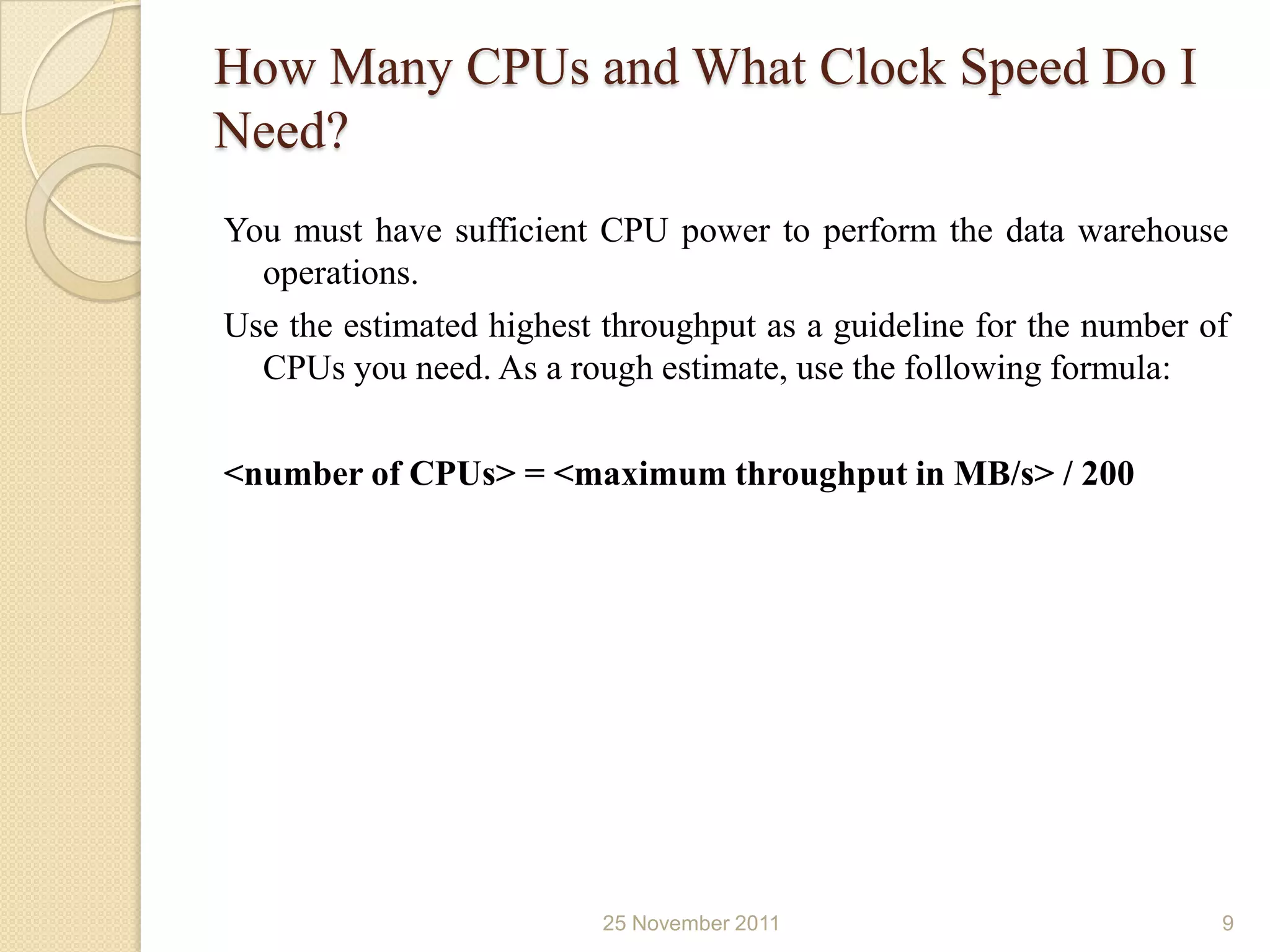
You must have sufficient CPU power to perform the data warehouse
  operations.
Use the estimated highest throughput as a guideline for the number of
  CPUs you need. As a rough estimate, use the following formula:

<number of CPUs> = <maximum throughput in MB/s> / 200


                          25 November 2011                          9
How Much Memory Do I Need?

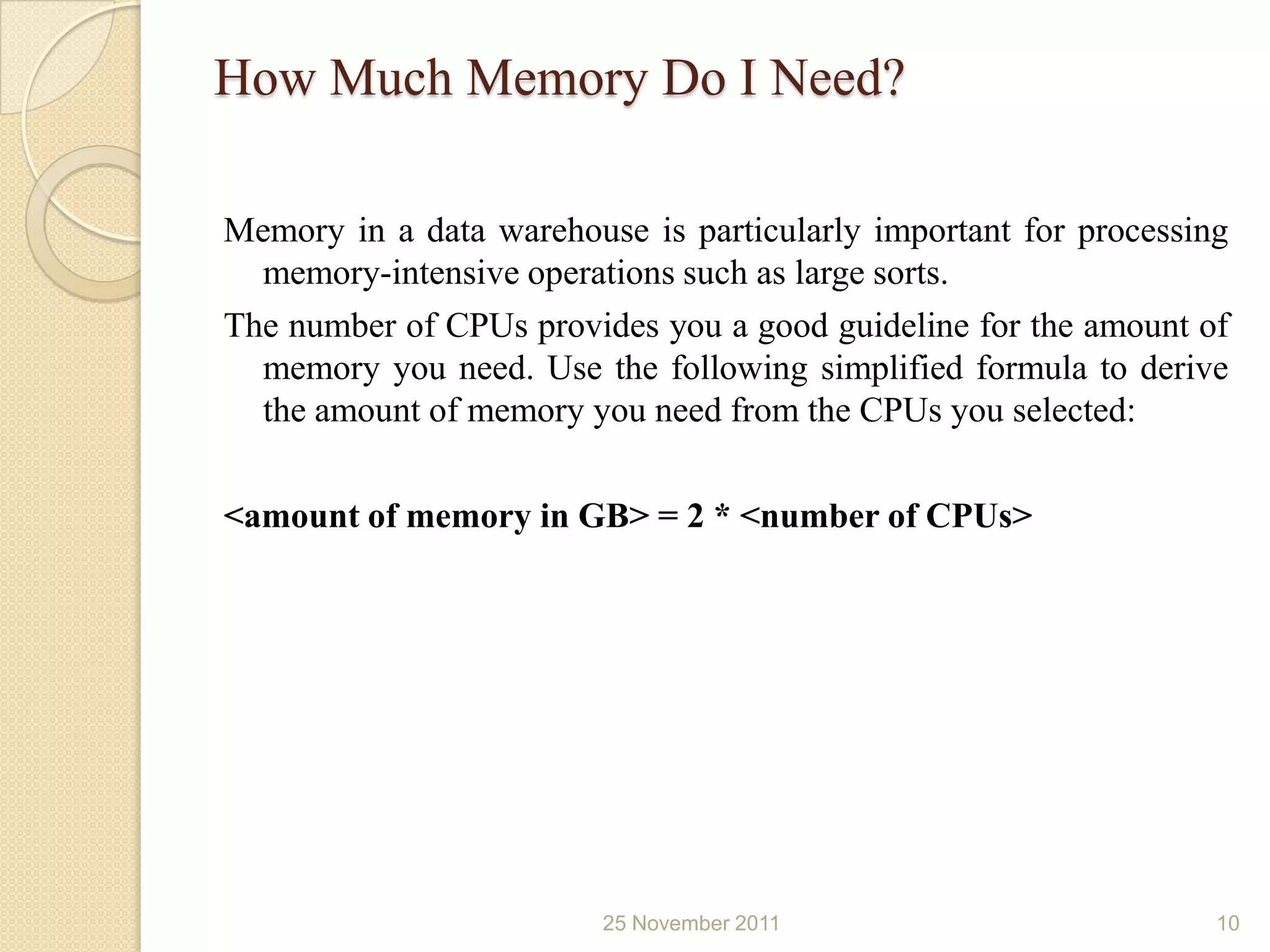
Memory in a data warehouse is particularly important for processing
  memory-intensive operations such as large sorts.
The number of CPUs provides you a good guideline for the amount of
  memory you need. Use the following simplified formula to derive
  the amount of memory you need from the CPUs you selected:

<amount of memory in GB> = 2 * <number of CPUs>


                         25 November 2011                         10
How Many Disks Do I Need?

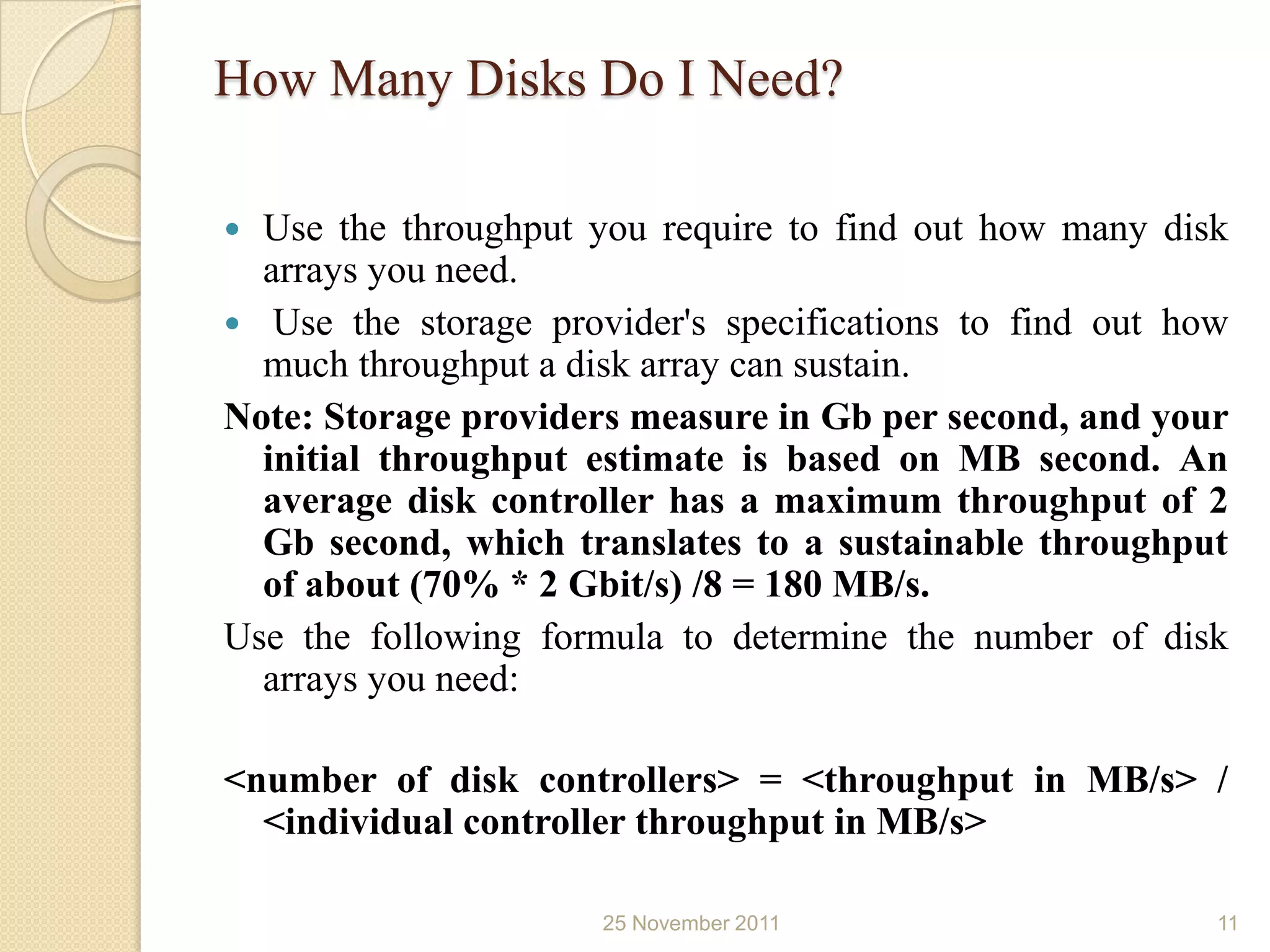
 Use the throughput you require to find out how many disk
  arrays you need.
 Use the storage provider's specifications to find out how
  much throughput a disk array can sustain.
Note: Storage providers measure in Gb per second, and your
  initial throughput estimate is based on MB second. An
  average disk controller has a maximum throughput of 2
  Gb second, which translates to a sustainable throughput
  of about (70% * 2 Gbit/s) /8 = 180 MB/s.
Use the following formula to determine the number of disk
  arrays you need:

<number of disk controllers> = <throughput in MB/s> /
  <individual controller throughput in MB/s>

                      25 November 2011                    11
How Do I Determine Sufficient I/O
Bandwidth?
   Host Bus Adapters (HBAs)- between server and storage
   Switches- between servers and SAN
   Ethernet adapters- for network connectivity
   Wires- to connect individual components
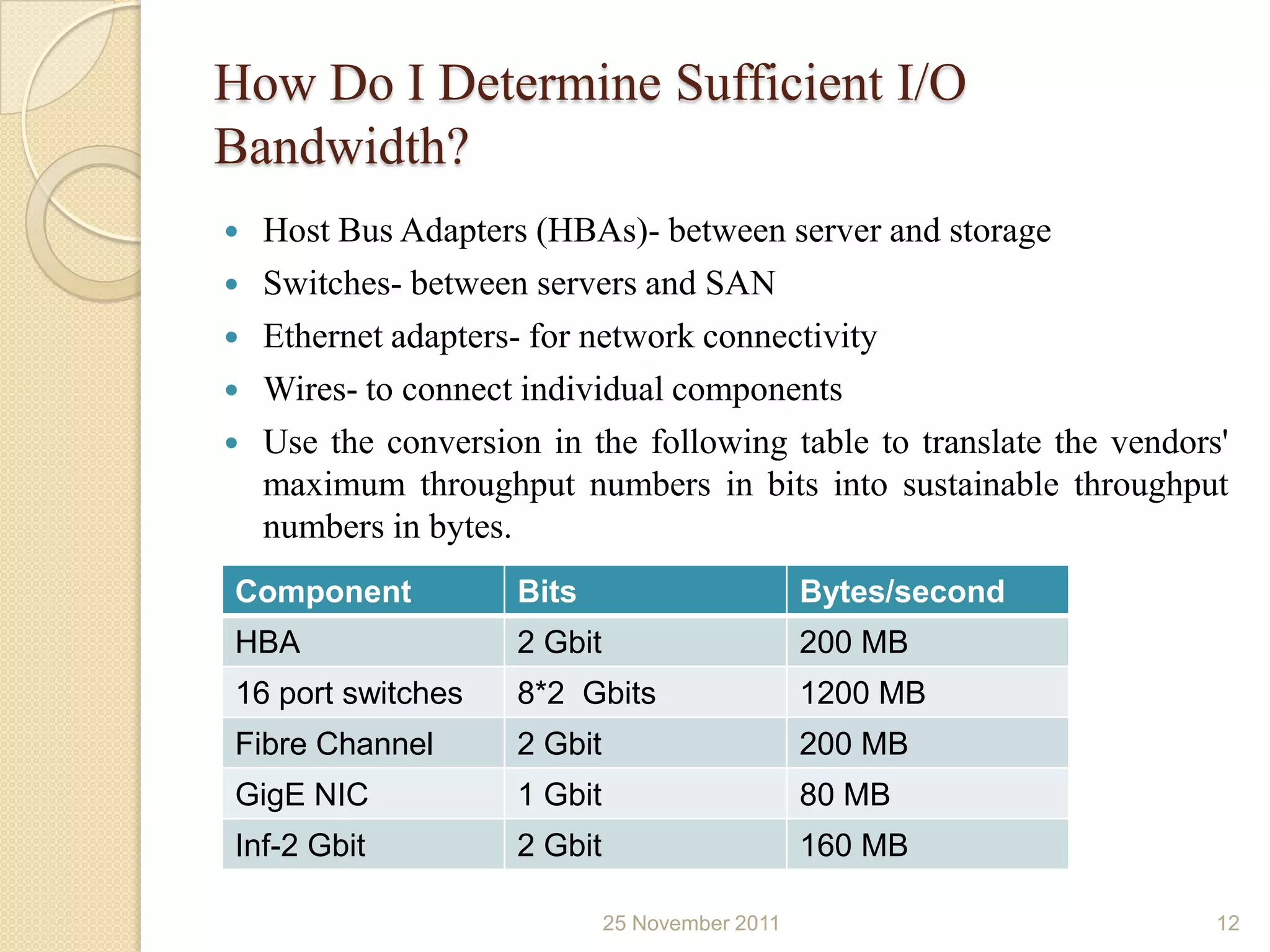
   Use the conversion in the following table to translate the vendors'
    maximum throughput numbers in bits into sustainable throughput
    numbers in bytes.
Component            Bits                        Bytes/second
HBA                  2 Gbit                      200 MB
16 port switches     8*2 Gbits                   1200 MB
Fibre Channel        2 Gbit                      200 MB
GigE NIC             1 Gbit                      80 MB
Inf-2 Gbit           2 Gbit                      160 MB

                              25 November 2011                        12
Verifying the Data Warehouse Hardware
Configuration:
Two tools for verifying throughput are
 ddutility
 Orion
An Oracle-supplied tool (we’ll consider here dd utility only)


                         25 November 2011                       13
dd Utility:
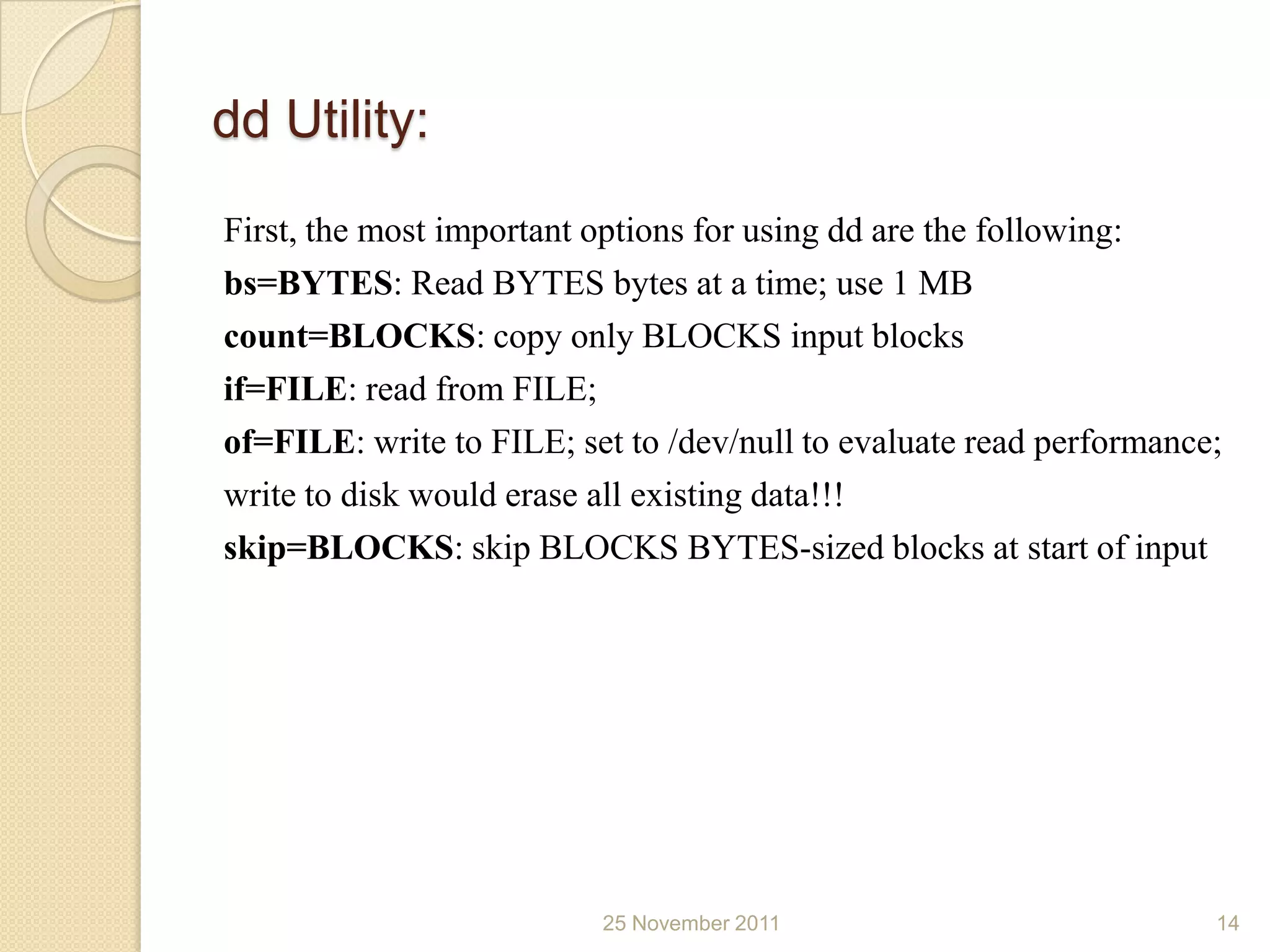
First, the most important options for using dd are the following:
bs=BYTES: Read BYTES bytes at a time; use 1 MB
count=BLOCKS: copy only BLOCKS input blocks
if=FILE: read from FILE;
of=FILE: write to FILE; set to /dev/null to evaluate read performance;
write to disk would erase all existing data!!!
skip=BLOCKS: skip BLOCKS BYTES-sized blocks at start of input


                          25 November 2011                           14
dd Utility (...)

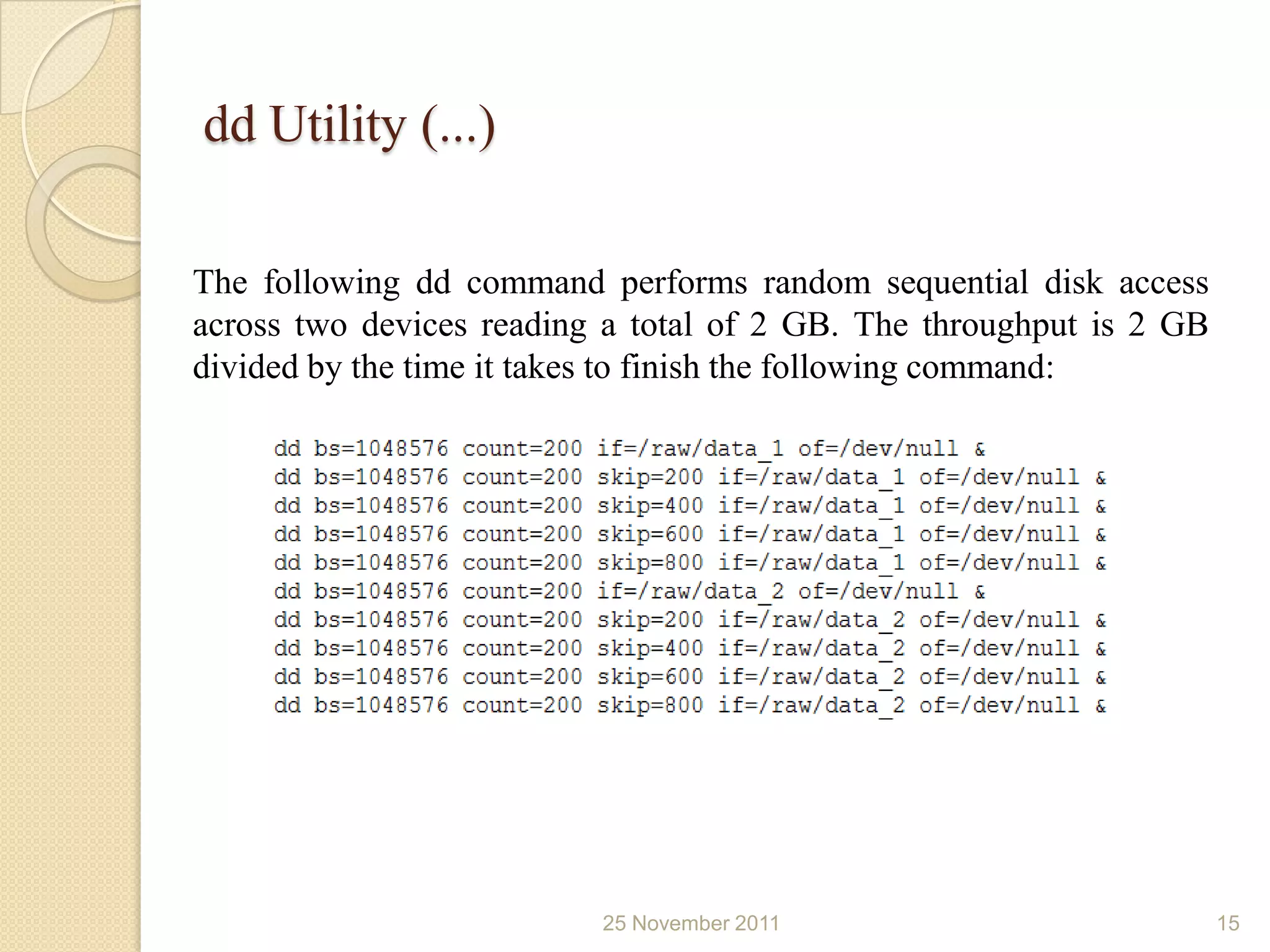
The following dd command performs random sequential disk access
across two devices reading a total of 2 GB. The throughput is 2 GB
divided by the time it takes to finish the following command:


                          25 November 2011                           15
Setting Up a Database for a Data Warehouse:

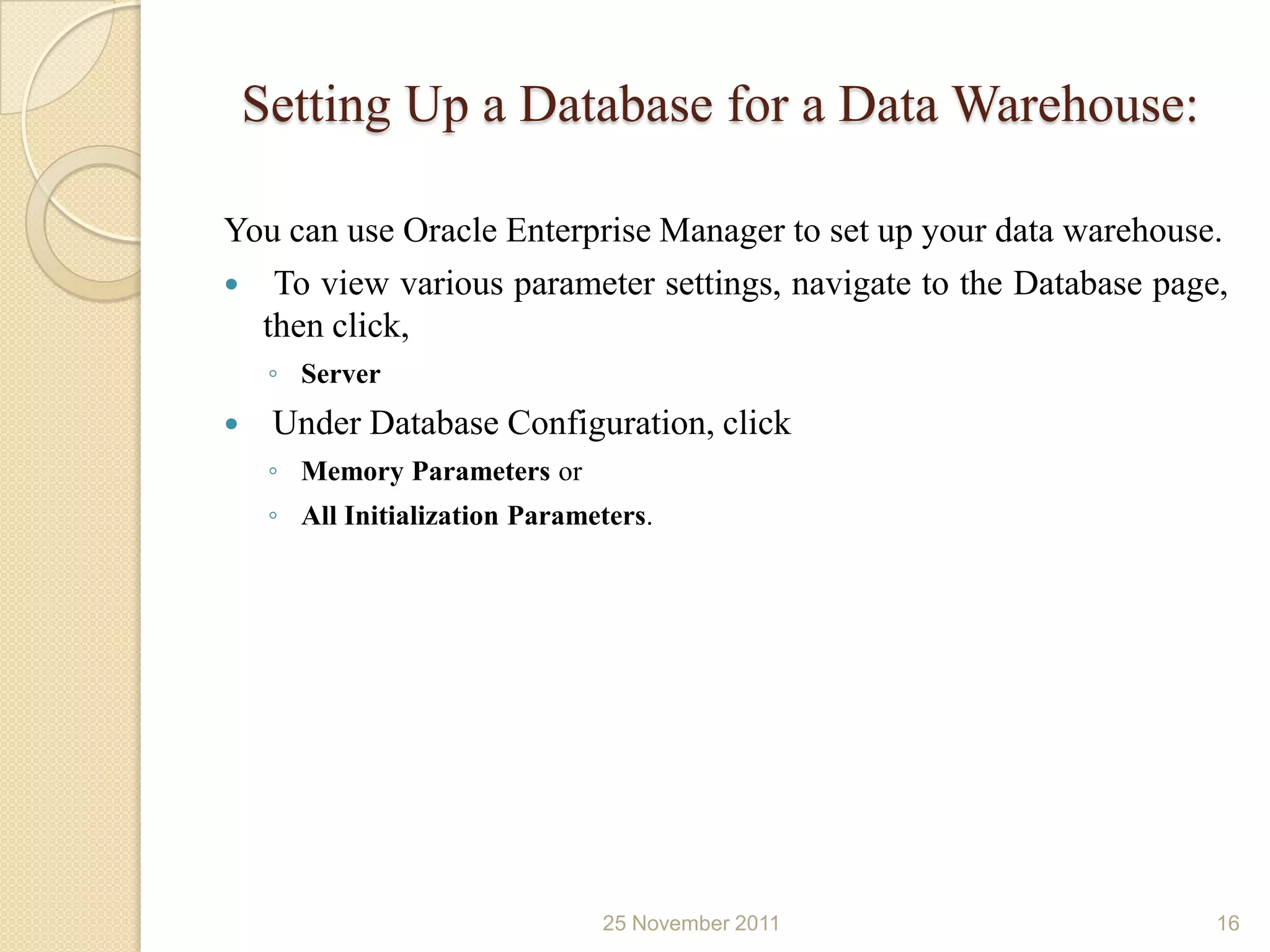
You can use Oracle Enterprise Manager to set up your data warehouse.
 To view various parameter settings, navigate to the Database page,
  then click,
     ◦ Server
    Under Database Configuration, click
     ◦ Memory Parameters or
     ◦ All Initialization Parameters.


                                25 November 2011                   16
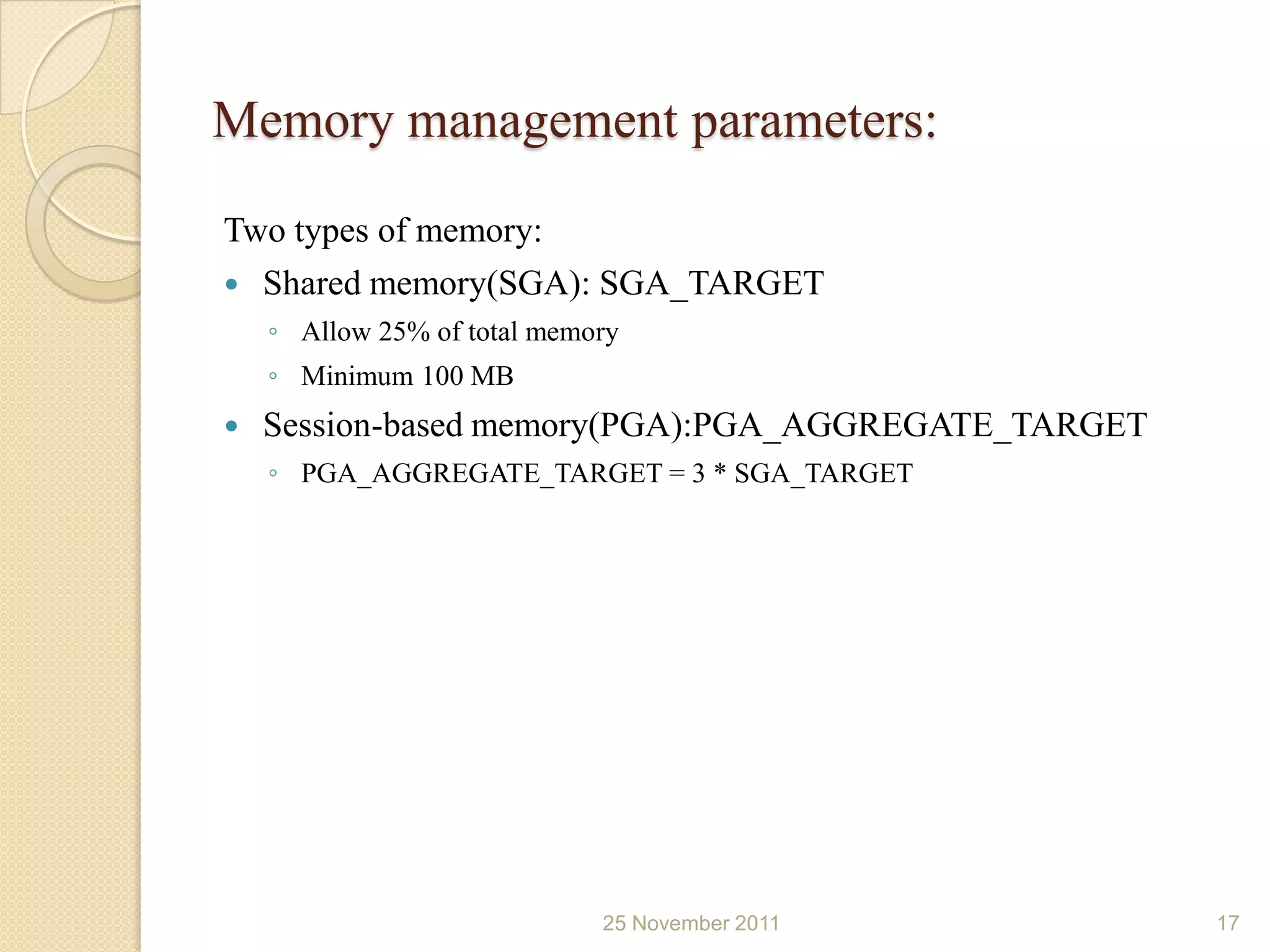
Memory management parameters:
Two types of memory:
 Shared memory(SGA): SGA_TARGET
    ◦ Allow 25% of total memory
    ◦ Minimum 100 MB
   Session-based memory(PGA):PGA_AGGREGATE_TARGET
    ◦ PGA_AGGREGATE_TARGET = 3 * SGA_TARGET


                             25 November 2011        17
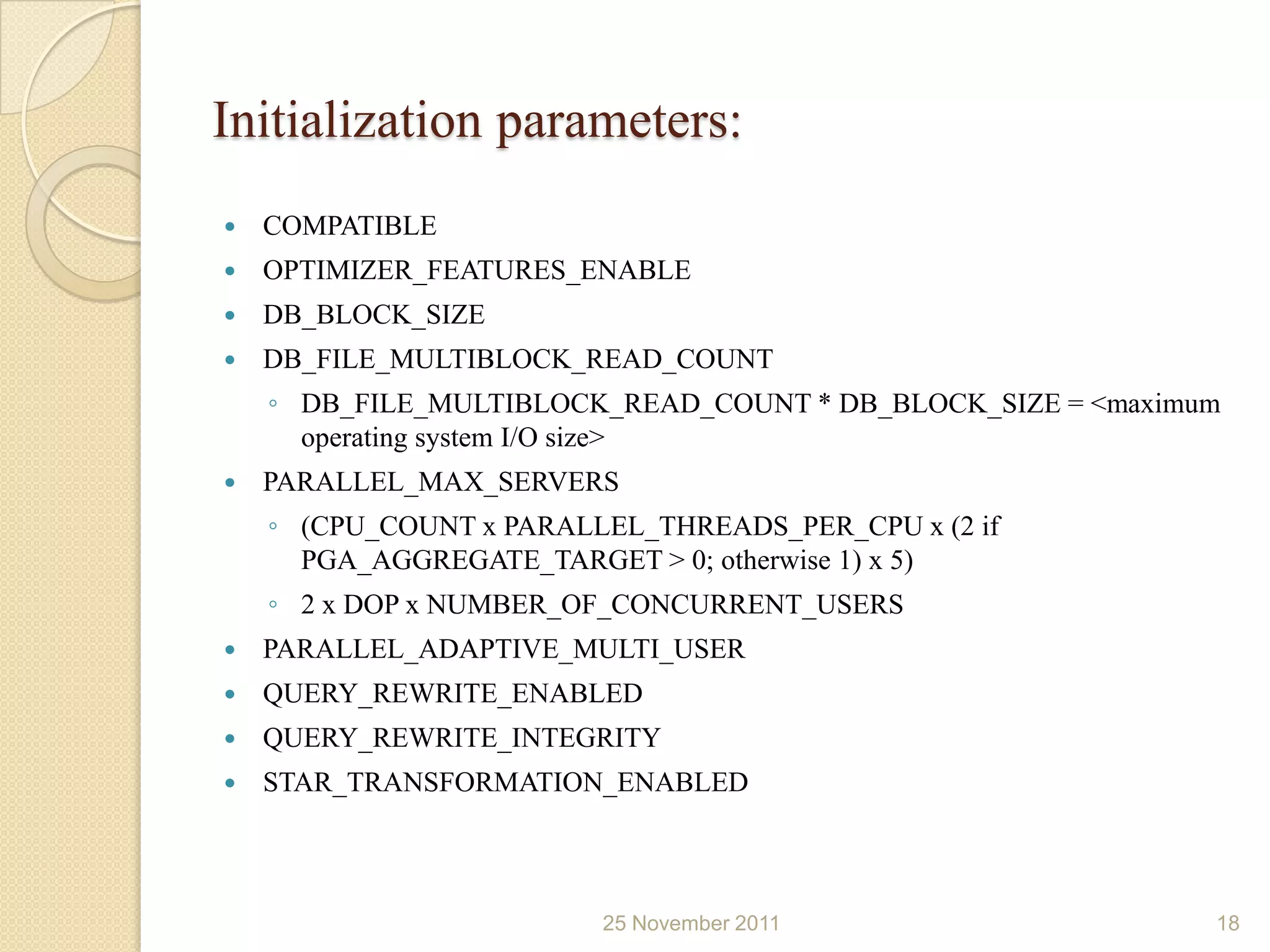
Initialization parameters:
   COMPATIBLE
   OPTIMIZER_FEATURES_ENABLE
   DB_BLOCK_SIZE
   DB_FILE_MULTIBLOCK_READ_COUNT
    ◦ DB_FILE_MULTIBLOCK_READ_COUNT * DB_BLOCK_SIZE = <maximum
      operating system I/O size>
   PARALLEL_MAX_SERVERS
    ◦ (CPU_COUNT x PARALLEL_THREADS_PER_CPU x (2 if
      PGA_AGGREGATE_TARGET > 0; otherwise 1) x 5)
    ◦ 2 x DOP x NUMBER_OF_CONCURRENT_USERS
   PARALLEL_ADAPTIVE_MULTI_USER
   QUERY_REWRITE_ENABLED
   QUERY_REWRITE_INTEGRITY
   STAR_TRANSFORMATION_ENABLED


                         25 November 2011                    18
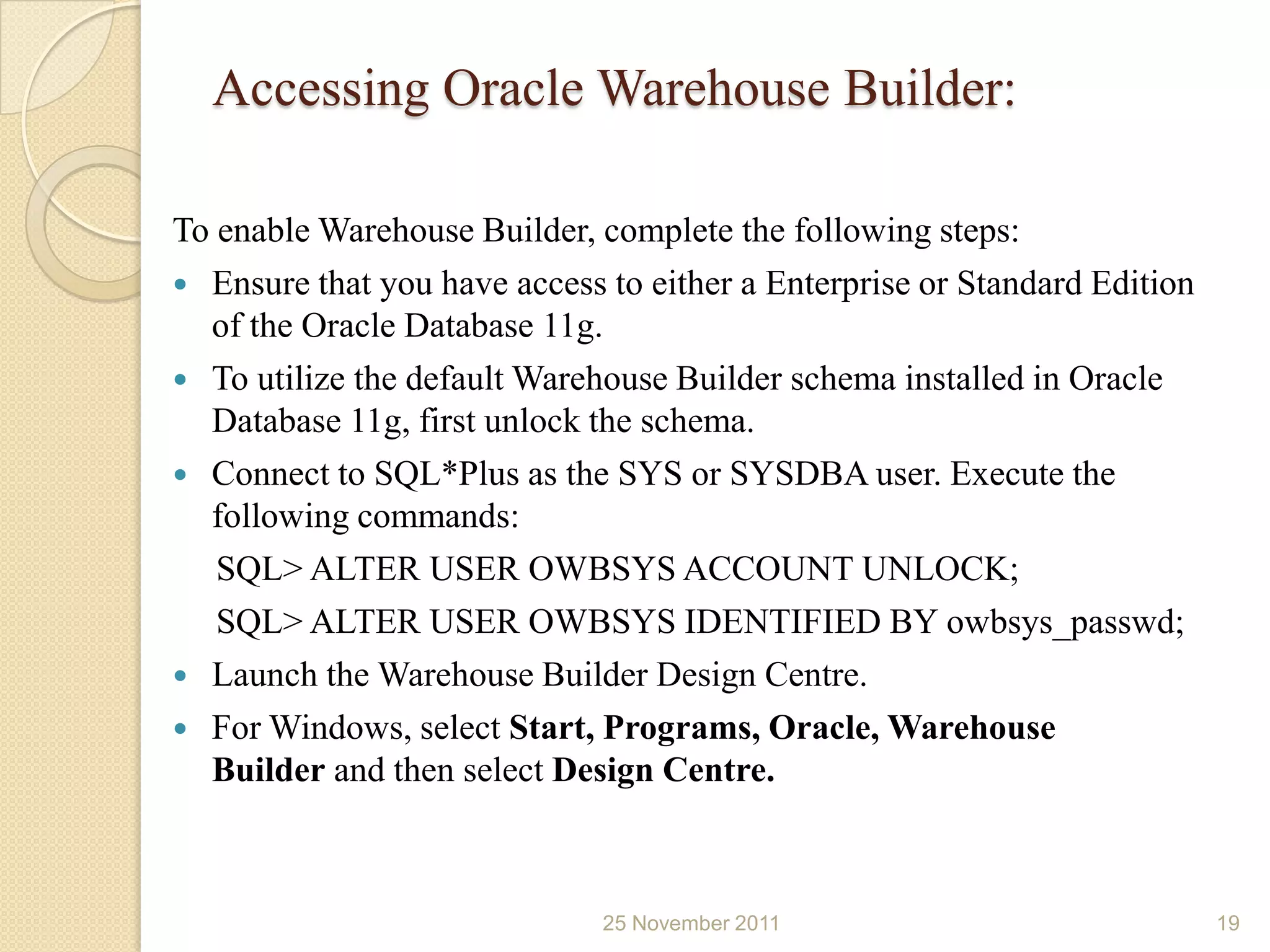
Accessing Oracle Warehouse Builder:

To enable Warehouse Builder, complete the following steps:
 Ensure that you have access to either a Enterprise or Standard Edition
  of the Oracle Database 11g.
 To utilize the default Warehouse Builder schema installed in Oracle
  Database 11g, first unlock the schema.
 Connect to SQL*Plus as the SYS or SYSDBA user. Execute the
  following commands:
   SQL> ALTER USER OWBSYS ACCOUNT UNLOCK;
   SQL> ALTER USER OWBSYS IDENTIFIED BY owbsys_passwd;
 Launch the Warehouse Builder Design Centre.
 For Windows, select Start, Programs, Oracle, Warehouse
  Builder and then select Design Centre.


                              25 November 2011                             19
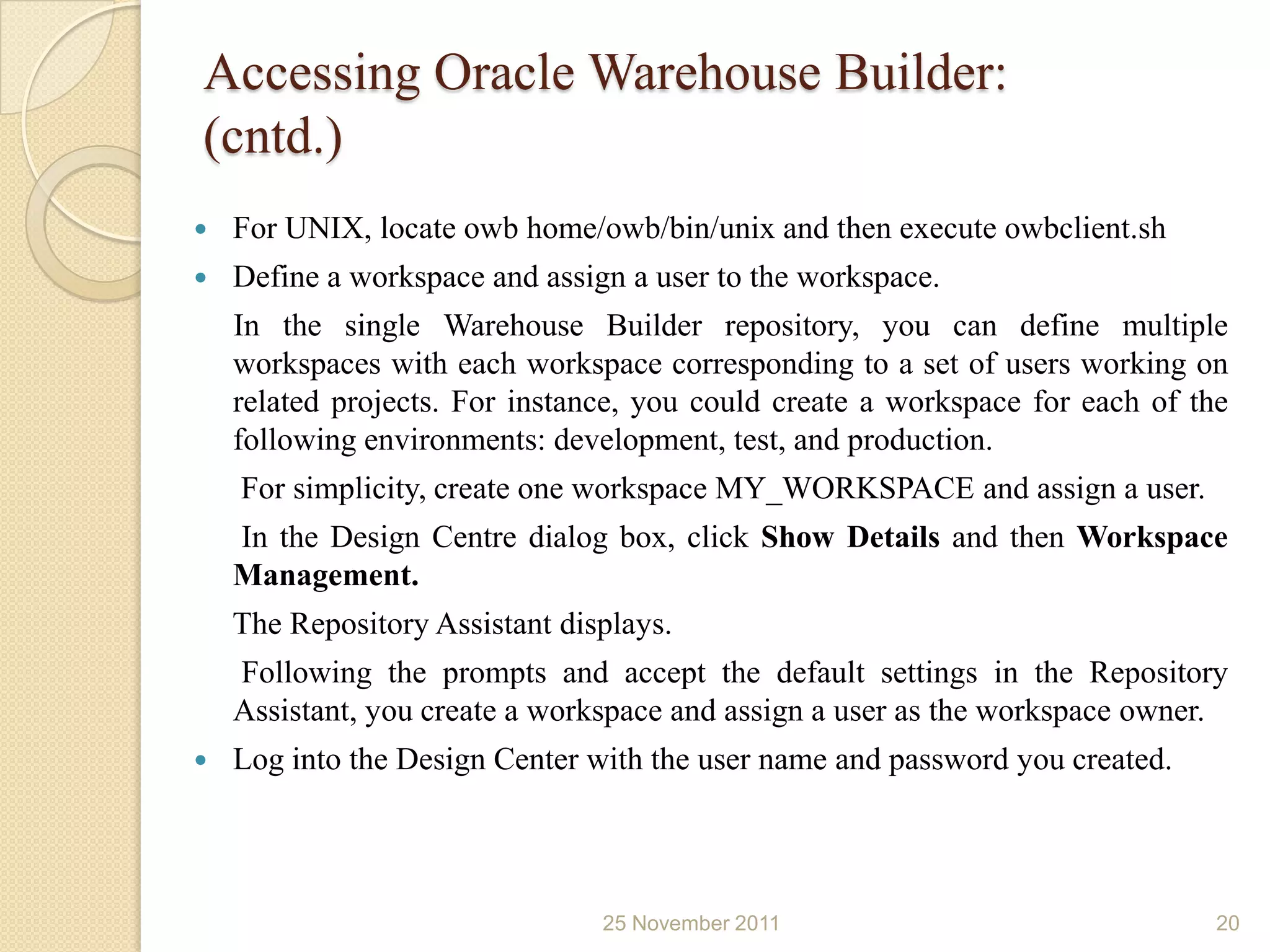
Accessing Oracle Warehouse Builder:
(cntd.)
   For UNIX, locate owb home/owb/bin/unix and then execute owbclient.sh
   Define a workspace and assign a user to the workspace.
    In the single Warehouse Builder repository, you can define multiple
    workspaces with each workspace corresponding to a set of users working on
    related projects. For instance, you could create a workspace for each of the
    following environments: development, test, and production.
    For simplicity, create one workspace MY_WORKSPACE and assign a user.
    In the Design Centre dialog box, click Show Details and then Workspace
    Management.
    The Repository Assistant displays.
    Following the prompts and accept the default settings in the Repository
    Assistant, you create a workspace and assign a user as the workspace owner.
   Log into the Design Center with the user name and password you created.


                                25 November 2011                               20
References:
   Setting up your data warehouse system
    “http://docs.oracle.com/cd/B28359_01/server.111/b28314/tdpdw_sy
    stem.htm”


                          25 November 2011                        21
Thank you..!!


   25 November 2011   22

Oracle 11g data warehouse introdution

  • 1.
    SCHOOL OF COMPUTERSCIENCE & IT- DAVV, INDORE Presentation on Oracle 11g Data warehouse Introduction Presented by: Aditya Trivedi aadi.trivedi01@gmail.com
  • 2.
    Goal:  The goal of this presentation is to introduce you to the data warehousing solutions available in the Oracle Database.  The primary interfaces used are  Oracle Enterprise Manager,  Oracle Warehouse Builder, and  SQL*Plus. 25 November 2011 2
  • 3.
    Data Warehouse:  A data warehouse is a relational or multidimensional database that is designed for query and analysis. They are not optimized for transaction processing, which is the domain of OLTP systems.  Data warehouses usually consolidate historical and transactional data derived from multiple sources.  Data in a data warehouse usually stores many months or years of data to support historical analysis.  The data in a data warehouse is typically loaded through an extraction, transformation, and loading (ETL) process from one or more data sources such as OLTP applications, mainframe applications, or external data providers. 25 November 2011 3
  • 4.
    The Key Characteristicsof a Data Warehouse: The key characteristics of a data warehouse are as follows:  Some data is denormalized for simplification and to improve performance.  Large amounts of historical data are used.  Queries often retrieve large amounts of data.  Both planned and ad hoc queries are common.  The data load is controlled.  In general, high data throughput is the key to a successful data warehouse. 25 November 2011 4
  • 5.
    Common Oracle DataWarehousing Tasks: As an Oracle data warehousing administrator or designer, you can expect to be involved in the following tasks:  Configuring an Oracle database for use as a data warehouse  Designing data warehouses  Performing upgrades of the database and software to new release levels  Managing schema objects, such as tables, indexes, and materialized views  Managing users and security  Developing routines used for the Extraction, Transformation, and Loading (ETL) process  Creating reports based on the data in the data warehouse  Backing up the data warehouse and performing recovery when necessary  Monitoring the data warehouse's performance and taking preventive or corrective action as required 25 November 2011 5
  • 6.
    Setting up yourData Warehouse System: This section discusses how to initially configure your data warehouse environment. It includes the following topics:  General Steps for Setting up a Data Warehouse System  Preparing the Environment  Setting Up a Database for a Data Warehouse  Accessing Oracle Warehouse Builder 25 November 2011 6
  • 7.
    General Steps forSetting up a Data Warehouse System:  Size and configure your hardware.  Install the Oracle Database software.  Optimize the Database for use as a data warehouse.  Access the Oracle Warehouse Builder software. 25 November 2011 7
  • 8.
    Preparing the Environment: Forbetter throughput and performance we need to follow these steps:  How Many CPUs and What Clock Speed Do I Need?  How Much Memory Do I Need?  How Many Disks Do I Need?  How Do I Determine Sufficient I/O Bandwidth? 25 November 2011 8
  • 9.
    How Many CPUsand What Clock Speed Do I Need? You must have sufficient CPU power to perform the data warehouse operations. Use the estimated highest throughput as a guideline for the number of CPUs you need. As a rough estimate, use the following formula: <number of CPUs> = <maximum throughput in MB/s> / 200 25 November 2011 9
  • 10.
    How Much MemoryDo I Need? Memory in a data warehouse is particularly important for processing memory-intensive operations such as large sorts. The number of CPUs provides you a good guideline for the amount of memory you need. Use the following simplified formula to derive the amount of memory you need from the CPUs you selected: <amount of memory in GB> = 2 * <number of CPUs> 25 November 2011 10
  • 11.
    How Many DisksDo I Need?  Use the throughput you require to find out how many disk arrays you need.  Use the storage provider's specifications to find out how much throughput a disk array can sustain. Note: Storage providers measure in Gb per second, and your initial throughput estimate is based on MB second. An average disk controller has a maximum throughput of 2 Gb second, which translates to a sustainable throughput of about (70% * 2 Gbit/s) /8 = 180 MB/s. Use the following formula to determine the number of disk arrays you need: <number of disk controllers> = <throughput in MB/s> / <individual controller throughput in MB/s> 25 November 2011 11
  • 12.
    How Do IDetermine Sufficient I/O Bandwidth?  Host Bus Adapters (HBAs)- between server and storage  Switches- between servers and SAN  Ethernet adapters- for network connectivity  Wires- to connect individual components  Use the conversion in the following table to translate the vendors' maximum throughput numbers in bits into sustainable throughput numbers in bytes. Component Bits Bytes/second HBA 2 Gbit 200 MB 16 port switches 8*2 Gbits 1200 MB Fibre Channel 2 Gbit 200 MB GigE NIC 1 Gbit 80 MB Inf-2 Gbit 2 Gbit 160 MB 25 November 2011 12
  • 13.
    Verifying the DataWarehouse Hardware Configuration: Two tools for verifying throughput are  ddutility  Orion An Oracle-supplied tool (we’ll consider here dd utility only) 25 November 2011 13
  • 14.
    dd Utility: First, themost important options for using dd are the following: bs=BYTES: Read BYTES bytes at a time; use 1 MB count=BLOCKS: copy only BLOCKS input blocks if=FILE: read from FILE; of=FILE: write to FILE; set to /dev/null to evaluate read performance; write to disk would erase all existing data!!! skip=BLOCKS: skip BLOCKS BYTES-sized blocks at start of input 25 November 2011 14
  • 15.
    dd Utility (...) Thefollowing dd command performs random sequential disk access across two devices reading a total of 2 GB. The throughput is 2 GB divided by the time it takes to finish the following command: 25 November 2011 15
  • 16.
    Setting Up aDatabase for a Data Warehouse: You can use Oracle Enterprise Manager to set up your data warehouse.  To view various parameter settings, navigate to the Database page, then click, ◦ Server  Under Database Configuration, click ◦ Memory Parameters or ◦ All Initialization Parameters. 25 November 2011 16
  • 17.
    Memory management parameters: Twotypes of memory:  Shared memory(SGA): SGA_TARGET ◦ Allow 25% of total memory ◦ Minimum 100 MB  Session-based memory(PGA):PGA_AGGREGATE_TARGET ◦ PGA_AGGREGATE_TARGET = 3 * SGA_TARGET 25 November 2011 17
  • 18.
    Initialization parameters:  COMPATIBLE  OPTIMIZER_FEATURES_ENABLE  DB_BLOCK_SIZE  DB_FILE_MULTIBLOCK_READ_COUNT ◦ DB_FILE_MULTIBLOCK_READ_COUNT * DB_BLOCK_SIZE = <maximum operating system I/O size>  PARALLEL_MAX_SERVERS ◦ (CPU_COUNT x PARALLEL_THREADS_PER_CPU x (2 if PGA_AGGREGATE_TARGET > 0; otherwise 1) x 5) ◦ 2 x DOP x NUMBER_OF_CONCURRENT_USERS  PARALLEL_ADAPTIVE_MULTI_USER  QUERY_REWRITE_ENABLED  QUERY_REWRITE_INTEGRITY  STAR_TRANSFORMATION_ENABLED 25 November 2011 18
  • 19.
    Accessing Oracle WarehouseBuilder: To enable Warehouse Builder, complete the following steps:  Ensure that you have access to either a Enterprise or Standard Edition of the Oracle Database 11g.  To utilize the default Warehouse Builder schema installed in Oracle Database 11g, first unlock the schema.  Connect to SQL*Plus as the SYS or SYSDBA user. Execute the following commands: SQL> ALTER USER OWBSYS ACCOUNT UNLOCK; SQL> ALTER USER OWBSYS IDENTIFIED BY owbsys_passwd;  Launch the Warehouse Builder Design Centre.  For Windows, select Start, Programs, Oracle, Warehouse Builder and then select Design Centre. 25 November 2011 19
  • 20.
    Accessing Oracle WarehouseBuilder: (cntd.)  For UNIX, locate owb home/owb/bin/unix and then execute owbclient.sh  Define a workspace and assign a user to the workspace. In the single Warehouse Builder repository, you can define multiple workspaces with each workspace corresponding to a set of users working on related projects. For instance, you could create a workspace for each of the following environments: development, test, and production. For simplicity, create one workspace MY_WORKSPACE and assign a user. In the Design Centre dialog box, click Show Details and then Workspace Management. The Repository Assistant displays. Following the prompts and accept the default settings in the Repository Assistant, you create a workspace and assign a user as the workspace owner.  Log into the Design Center with the user name and password you created. 25 November 2011 20
  • 21.
    References:  Setting up your data warehouse system “http://docs.oracle.com/cd/B28359_01/server.111/b28314/tdpdw_sy stem.htm” 25 November 2011 21
  • 22.
    Thank you..!! 25 November 2011 22