OPTIMIZING ACCESS WITH
SQL SERVER
JUAN SOTO
JUAN SOTO
IT Impact Inc.
jsoto@itimpact.com
AccessExperts.net
AccessExperts.net/blog
Twitter:@jsoto22
Find all links at:
http://bit.ly/bundles/jsoto22/1
About me:
Only Puerto Rican Access
MVP
Co-Founder
AccessUserGroups.org
Love playing poker
ADOLFO SOCORRO, PH.D.
• Local rep for IT Impact, Inc.
• Ph.D. in Computer Sciences
• Extensive Consulting Experience
ACCESS EXPERT
• Developer
• Consultant
• Expert in Access with SQL Server optimization
QUICK SURVEY
• First time to the meeting?
• Access Developers?
• Who uses Access with SQL Server now?
JUST WHAT THE HECK IS A ACCESS GUY DOING AT A
SQL SERVER MEETING?
• Not a SQL Server Expert
• Not a DBA
• And now: a deep discussion on running SQL
Server clusters for high availability
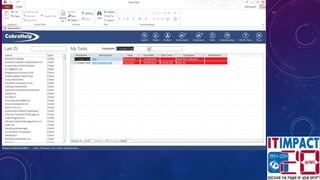
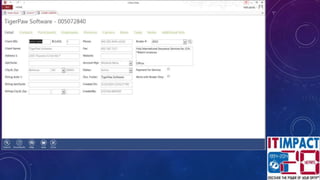
THE CASE FOR MICROSOFT ACCESS
• Most popular desktop database in the world
• Most users have it on their desktop
• Rapid Development Tool
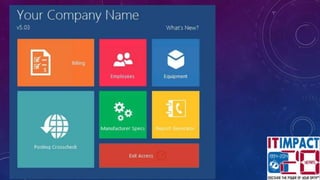
• Easy to use, lots of templates
I Access
WHY THE LOVE?
• Rapid development - save money/time vs. .Net
• Contains all of the tools needed to develop rich
applications: report designer included
• No need for custom controls
• Wide range of solutions possible
• Rich integration with office
WHY IS ACCESS USED IF IT’S SO BAD?
• It’s in Office, my company gave it to me along with Word,PowerPoint
and Excel, so I guess I can use it?
• Users first choice is to go to IT and ask for help, but IT is too busy
with enterprise projects.
• (SQL Server Guys: How many times have you turned away small projects?)
• Business is so unique off the shelf software not a solution
• Employees can “cobble” together a database quickly, just enough to
be dangerous
WHY IT DOESN’T LIKE ACCESS DATABASES
• Departmental Islands of Data
• Non-Conformity
• Hard To Support at Help Desk
• Not possible to share data over WAN or VPN
• Not sharable outside the corporate net
• NOT secure, sneaker net
• Can become mission critical, than what?
I don’t care for Jet/ACE
What is Jet/ACE
anyway?
WHY JET DOES NOT CUT IT
Disadvantages
• File based, no server
component
• Can’t handle more than
25 users
• Prone to
crashes/corruption
Advantages
• No need for server
equipment
• Great for small (less than
5 users) databases IF
there is a small data set
I
SQL Server
(Express)!
SQL SERVER (EXPRESS)
• Best thing that ever happened to Access!
• Make an unbeatable combination if done right
• Saves on development costs over web and .net
• Provides UI flexibility and rapid response to
business changes
• Cut out Jet or minimize Jet’s role
• No need for separate reporting tools
• No need for custom controls
SQL SERVER (EXPRESS)
• Best thing that ever happened to Access!
• Make an unbeatable combination if done right
• Cut out Jet or minimize Jet’s role
TOP TEN THINGS YOU CAN DO IN SQL SERVER YOU CAN’T
DO IN ACCESS
• #10 Table Triggers
• #9 Identity Insert
• #8 Identity Seed
• #7 Table Function Calls
• #6 Table Variables
• #5 Triggers for Views
• #4 Batch Transactions/Rollback
• #3 Backup while in use
• #2 Column Security
• #1 Intellisense SSMS
USE ACCESS ONLY FOR THE EYE
CANDY
• All code and reporting in Access
• All data storage, security and querying in SQL
• Use local tables to minimize traffic, i.e. static tables in Access
• Minimize connections
• In short, treat Access as the presentation layer, not the data
layer
MIGRATING ACCESS DATA INTO SQL
• Use the Microsoft SQL Server Migration Assistant
for Access bit.ly/SQLMigration
• REVIEW the suggested conversions
• Follow these conventions:
• Make all Yes/No fields bit, with zero as default
• All tables must have a time stamp field (avoids record conflicts)
• Create Indexes for foreign keys, (Access will auto-generate them if the field
ends in ID, such as CustomerID but SQL server does not)
MIGRATING QUERIES INTO VIEWS
• Can’t migrate hybrid queries that use local Jet tables
• Must replace Access custom functions
• Convert Access native functions to SQL version
• Views used in data entry will require local indexes, which can be created in
Access using this SQL code:
• Create IndexName On ViewNameInAccess (field1, field2,…) WITH
PRIMARY"
• Views will also require delete trigger when multiple tables used in view
• Views are considered tables in regular Access
OPTIMAL DESIGN
• Use Windows credentials for user validation, security roles
and limiting users to features and data
• Use SQL Server to store most data, use local tables for small
lists.
• Use DSNless tables for rapid deployment
• Use ADODB with SQLOLEDB and bypass jet to send
commands direct to SQL
DESIGN CONTINUED
• Use a unique view for each report
• Use stored procedures for inserts, deletes, and business
rules
• Use pass through queries to retrieve output of stored
procedures as tables in Access
WHAT ABOUT STORED PROCEDURES?
• Only way to use them in regular Access is through a pass-
through query, which would require re-building them each
time arguments change or through code using ADODB
recordset or command object.
• Use the QueryDef object to create queries on the fly with
code
• In code: Use ADODB recordset object to return recordset
from stored procedure
SQL SERVER OVER THE WEB AND
ACCESS
• Great when there is no VPN available
• Requires extensive optimization and tweaking
• Faster then Jet!
*NEW* ACCESS WEB APPS
• Easliy create web apps and deploy in seconds
• Great for data collection apps
• Works with IE, Chrome and Safari
• Upload to SharePoint
• Stores all data on SQL Server, including webpages and report designs
DEMO ACCESS WEB APPS
PROS & CONS
• Benefits
• Users comfortable with creating Access solutions will experience short
learning curve
• No need to worry about users overloading the system
• No need to learn Visual Basic for Applications, safer environment
• Disadvantages
• Does not use VBA
• Limited functionality in Access
• Look at it as Access 1.0 for the Web
WHAT’S NEXT?
• Subscribe to my blog at AccessExperts.com/blog
• Contact me at AccessExperts.com/Contact
• Connect with me on LinkedIN
• Attend a AccessUserGroups.org meeting!
• Access Latino America
• Access with SQL Server

Optimizing Access with SQL Server

  • 1.
  • 2.
    JUAN SOTO IT ImpactInc. jsoto@itimpact.com AccessExperts.net AccessExperts.net/blog Twitter:@jsoto22 Find all links at: http://bit.ly/bundles/jsoto22/1 About me: Only Puerto Rican Access MVP Co-Founder AccessUserGroups.org Love playing poker
  • 3.
    ADOLFO SOCORRO, PH.D. •Local rep for IT Impact, Inc. • Ph.D. in Computer Sciences • Extensive Consulting Experience
  • 4.
    ACCESS EXPERT • Developer •Consultant • Expert in Access with SQL Server optimization
  • 5.
    QUICK SURVEY • Firsttime to the meeting? • Access Developers? • Who uses Access with SQL Server now?
  • 6.
    JUST WHAT THEHECK IS A ACCESS GUY DOING AT A SQL SERVER MEETING? • Not a SQL Server Expert • Not a DBA • And now: a deep discussion on running SQL Server clusters for high availability
  • 7.
    THE CASE FORMICROSOFT ACCESS • Most popular desktop database in the world • Most users have it on their desktop • Rapid Development Tool • Easy to use, lots of templates
  • 11.
  • 12.
    WHY THE LOVE? •Rapid development - save money/time vs. .Net • Contains all of the tools needed to develop rich applications: report designer included • No need for custom controls • Wide range of solutions possible • Rich integration with office
  • 13.
    WHY IS ACCESSUSED IF IT’S SO BAD? • It’s in Office, my company gave it to me along with Word,PowerPoint and Excel, so I guess I can use it? • Users first choice is to go to IT and ask for help, but IT is too busy with enterprise projects. • (SQL Server Guys: How many times have you turned away small projects?) • Business is so unique off the shelf software not a solution • Employees can “cobble” together a database quickly, just enough to be dangerous
  • 14.
    WHY IT DOESN’TLIKE ACCESS DATABASES • Departmental Islands of Data • Non-Conformity • Hard To Support at Help Desk • Not possible to share data over WAN or VPN • Not sharable outside the corporate net • NOT secure, sneaker net • Can become mission critical, than what?
  • 15.
    I don’t carefor Jet/ACE What is Jet/ACE anyway?
  • 16.
    WHY JET DOESNOT CUT IT Disadvantages • File based, no server component • Can’t handle more than 25 users • Prone to crashes/corruption Advantages • No need for server equipment • Great for small (less than 5 users) databases IF there is a small data set
  • 17.
  • 18.
    SQL SERVER (EXPRESS) •Best thing that ever happened to Access! • Make an unbeatable combination if done right • Saves on development costs over web and .net • Provides UI flexibility and rapid response to business changes • Cut out Jet or minimize Jet’s role • No need for separate reporting tools • No need for custom controls
  • 19.
    SQL SERVER (EXPRESS) •Best thing that ever happened to Access! • Make an unbeatable combination if done right • Cut out Jet or minimize Jet’s role
  • 20.
    TOP TEN THINGSYOU CAN DO IN SQL SERVER YOU CAN’T DO IN ACCESS • #10 Table Triggers • #9 Identity Insert • #8 Identity Seed • #7 Table Function Calls • #6 Table Variables • #5 Triggers for Views • #4 Batch Transactions/Rollback • #3 Backup while in use • #2 Column Security • #1 Intellisense SSMS
  • 21.
    USE ACCESS ONLYFOR THE EYE CANDY • All code and reporting in Access • All data storage, security and querying in SQL • Use local tables to minimize traffic, i.e. static tables in Access • Minimize connections • In short, treat Access as the presentation layer, not the data layer
  • 22.
    MIGRATING ACCESS DATAINTO SQL • Use the Microsoft SQL Server Migration Assistant for Access bit.ly/SQLMigration • REVIEW the suggested conversions • Follow these conventions: • Make all Yes/No fields bit, with zero as default • All tables must have a time stamp field (avoids record conflicts) • Create Indexes for foreign keys, (Access will auto-generate them if the field ends in ID, such as CustomerID but SQL server does not)
  • 23.
    MIGRATING QUERIES INTOVIEWS • Can’t migrate hybrid queries that use local Jet tables • Must replace Access custom functions • Convert Access native functions to SQL version • Views used in data entry will require local indexes, which can be created in Access using this SQL code: • Create IndexName On ViewNameInAccess (field1, field2,…) WITH PRIMARY" • Views will also require delete trigger when multiple tables used in view • Views are considered tables in regular Access
  • 24.
    OPTIMAL DESIGN • UseWindows credentials for user validation, security roles and limiting users to features and data • Use SQL Server to store most data, use local tables for small lists. • Use DSNless tables for rapid deployment • Use ADODB with SQLOLEDB and bypass jet to send commands direct to SQL
  • 25.
    DESIGN CONTINUED • Usea unique view for each report • Use stored procedures for inserts, deletes, and business rules • Use pass through queries to retrieve output of stored procedures as tables in Access
  • 26.
    WHAT ABOUT STOREDPROCEDURES? • Only way to use them in regular Access is through a pass- through query, which would require re-building them each time arguments change or through code using ADODB recordset or command object. • Use the QueryDef object to create queries on the fly with code • In code: Use ADODB recordset object to return recordset from stored procedure
  • 27.
    SQL SERVER OVERTHE WEB AND ACCESS • Great when there is no VPN available • Requires extensive optimization and tweaking • Faster then Jet!
  • 28.
    *NEW* ACCESS WEBAPPS • Easliy create web apps and deploy in seconds • Great for data collection apps • Works with IE, Chrome and Safari • Upload to SharePoint • Stores all data on SQL Server, including webpages and report designs
  • 29.
  • 30.
    PROS & CONS •Benefits • Users comfortable with creating Access solutions will experience short learning curve • No need to worry about users overloading the system • No need to learn Visual Basic for Applications, safer environment • Disadvantages • Does not use VBA • Limited functionality in Access • Look at it as Access 1.0 for the Web
  • 31.
    WHAT’S NEXT? • Subscribeto my blog at AccessExperts.com/blog • Contact me at AccessExperts.com/Contact • Connect with me on LinkedIN • Attend a AccessUserGroups.org meeting! • Access Latino America • Access with SQL Server