Developer Night
Sponsored by
Agenda
1. Integrating Analytics the Right Way
2. Going Deeper with Heap and Optimizely
3. Segmenting results with audiences
4. Experimenting in a DevOps World
5. Server-side testing in a Serverless world
6. Managing Your Full Stack Experiments From Within
Your Own Repository
7. Optimizing the Performance of Client-Side
Experimentation
8. How Optimizely uses Full Stack
9. Q&A
Integrating Analytics the
Right Way
Rocky McGredy
Solutions Engineer, Optimizely
Ali Baker
Technical Support Engineer, Optimizely
1. Why Integrate?
2. How Integrations Work
3. Implementation
Challenges
4. Solutions/Best Practices
Agenda
Why Integrate?
• Our results are best for finding winning
variations
• Analytics platforms contain historical user data
and reporting
• Knowing when a user is in a variation is useful
How Integrations Work
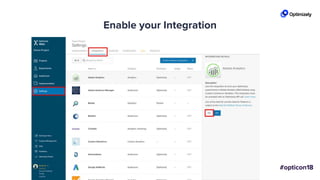
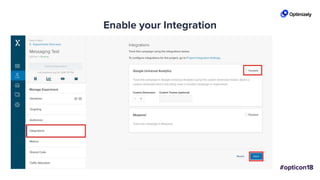
Enable your Integration
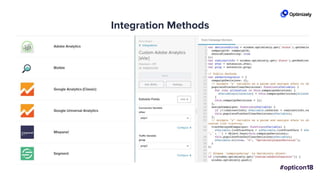
Integration Methods
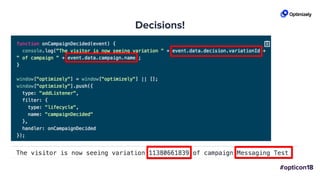
Decisions!Decisions!
Implementation
Challenges
Reporting Differences
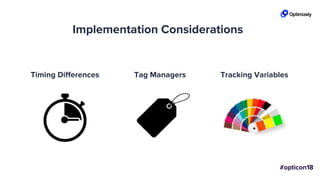
Implementation Considerations
Timing Differences Tag Managers Tracking Variables
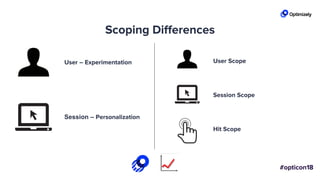
Scoping Differences
User – Experimentation
Session – Personalization
User Scope
Session Scope
Hit Scope
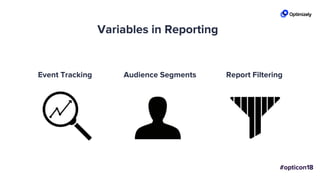
Variables in Reporting
Event Tracking Audience Segments Report Filtering
Solutions &
Best Practices
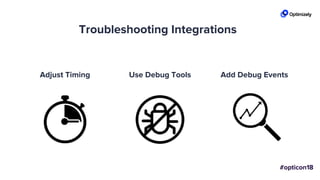
Troubleshooting Integrations
Adjust Timing Use Debug Tools Add Debug Events
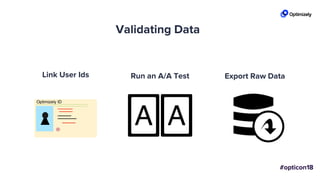
Link User Ids Run an A/A Test Export Raw Data
Validating Data
Support for integrations
SupportDocumentation
Integrating With Full Stack
• Similar to custom
analytics
• Notification listeners
• Use first party data
Key Learnings
• Integrations send experiment decision data
• Consider independent factors: timing, tag
managers, reporting
• Run a test to validate data
• Use your debugging tools
• We’re here to help!
Diving Deeper with Heap
and Optimizely
Taylor Udell
Lead Solutions Architect, Heap
What is Heap? A behavioral analytics platform
that has revolutionized
collecting and managing data
without implementing any
tracking calls
Going Deeper than Your
Goal Metrics
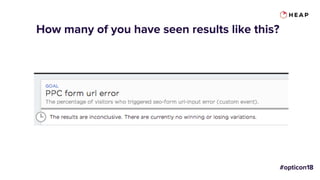
How many of you have seen results like this?
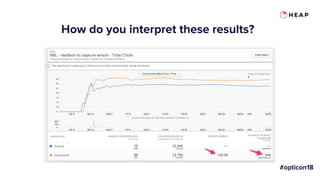
How do you interpret these results?
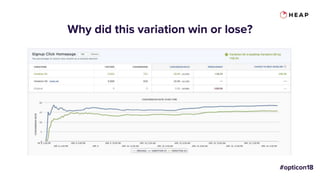
Why did this variation win or lose?
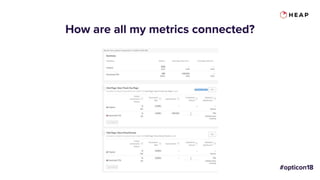
How are all my metrics connected?
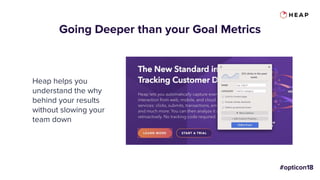
Going Deeper than your Goal Metrics
Heap helps you
understand the why
behind your results
without slowing your
team down
Key Benefits of
using Heap +
Optimizely in
your stack
1. Develop More
Hypotheses
2. Deploy tests and
changes without
delaying for tracking
code
3. Go deeper than goal
metrics
Segmenting results with
Optimizely audiences
Michal Fasanek
Technical Support Engineer, Optimizely
What’s this presentation
about?
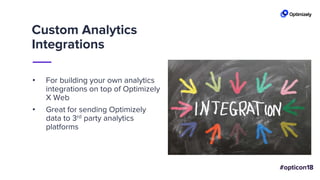
Custom Analytics
Integrations
• For building your own analytics
integrations on top of Optimizely
X Web
• Great for sending Optimizely
data to 3rd party analytics
platforms
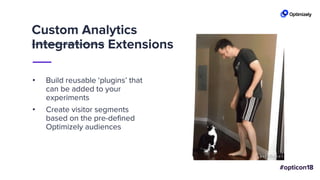
Custom Analytics
Integrations Extensions
• Build reusable ‘plugins’ that
can be added to your
experiments
• Create visitor segments
based on the pre-defined
Optimizely audiences
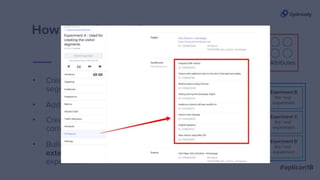
• Create custom attributes that
correspond with your audiences
• Add them to an experiment
• Create audiences matching the
segments you care about
How does it work?
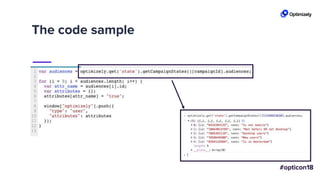
• Build the custom analytics
extension and add it to the
experiment
The code sample
Why is this awesome?
• You can re-purpose audiences that
are already used for targeting
• No additional costs
• Works automatically across the
entire project
Resources
• Github repository containing the code sample
used in this presentation:
https://github.com/michal-
optimizely/audience_segment_builder
• Documentation for Custom analytics extensions
• Documentation for Custom Attributes
• How to: Segmenting experiment results
Experimenting in a
DevOps World
Joy Scharmen
Director DevOps, Optimizely
All life DevOps is an experiment.
The more experiments you make
the better.
-Ralph Waldo Emerson, sort of
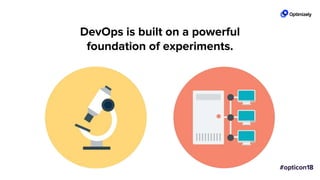
DevOps is built on a powerful
foundation of experiments.
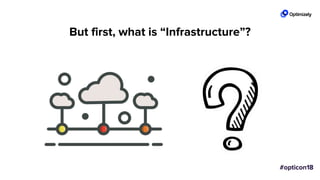
But first, what is “Infrastructure”?
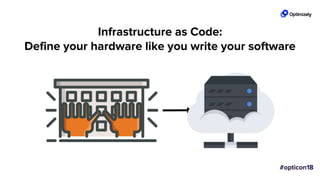
Infrastructure as Code:
Define your hardware like you write your software
Experiment with your Infrastructure
Build your code & Deploy it to your users
Continuous Integration & Continuous Deployment:
Continuous Experimentation
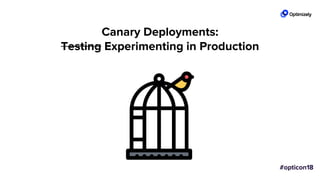
Canary Deployments:
Testing Experimenting in Production
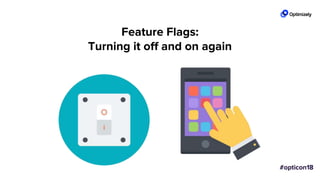
Feature Flags:
Turning it off and on again
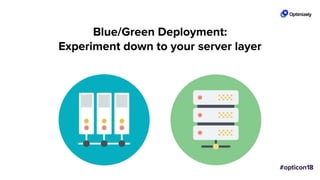
Blue/Green Deployment:
Experiment down to your server layer
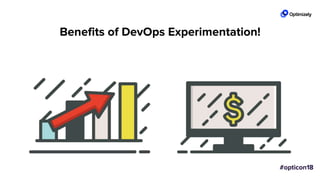
Benefits of DevOps Experimentation!
Server-side testing in a
Serverless world
Andreas Bloomquist
Sr. Solutions Engineer
Serverless
Computing
FaaS
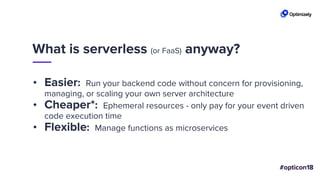
• Easier: Run your backend code without concern for provisioning,
managing, or scaling your own server architecture
• Cheaper*: Ephemeral resources - only pay for your event driven
code execution time
• Flexible: Manage functions as microservices
What is serverless (or FaaS) anyway?
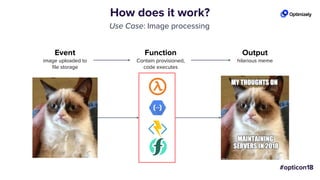
How does it work?
Use Case: Image processing
Output
hilarious meme
Function
Contain provisioned,
code executes
Event
image uploaded to
file storage
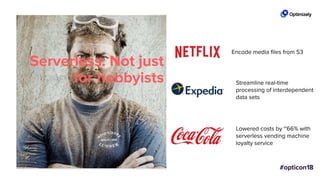
Serverless: Not just
for hobbyists
Encode media files from S3
Streamline real-time
processing of interdependent
data sets
Lowered costs by ~66% with
serverless vending machine
loyalty service
let’s experiment!
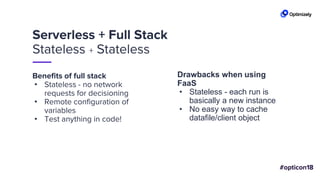
Serverless + Full Stack
Stateless + Stateless
Benefits of full stack
• Stateless - no network
requests for decisioning
• Remote configuration of
variables
• Test anything in code!
Drawbacks when using
FaaS
• Stateless - each run is
basically a new instance
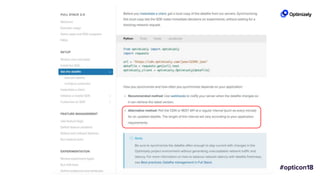
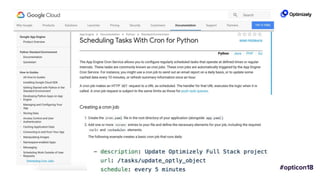
• No easy way to cache
datafile/client object
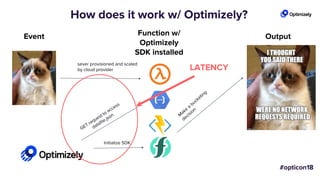
How does it work w/ Optimizely?
OutputFunction w/
Optimizely
SDK installed
Event
Initialize SDK
sever provisioned and scaled
by cloud provider LATENCY
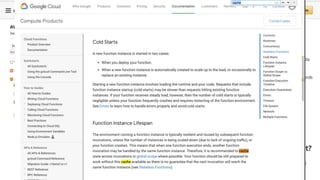
Overcoming latency in FaaS
Option 1
Option 2
stay in your
network
Option 3
do your
homework
fool me once...
Stateless !== stateless
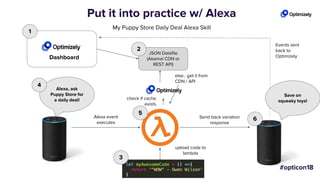
Put it into practice w/ Alexa
else.. get it from
CDN / API
Alexa event
executes
Send back variation
response
My Puppy Store Daily Deal Alexa Skill
Alexa, ask
Puppy Store for
a daily deal!
Dashboard
1
check if cache
exists
Events sent
back to
Optimizely
Save on
squeaky toys!
upload code to
lambda
JSON Datafile
(Akamai CDN or
REST API)
2
3
4
5
6
Time for a demo...
Optimizing the Performance of
Client-Side Experimentation
Spencer Wilson
Software Engineer, Optimizely
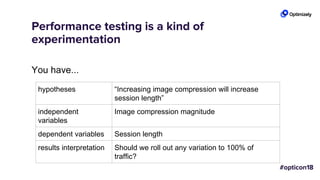
Performance testing is a kind of
experimentation
You have...
hypotheses “Increasing image compression will increase
session length”
independent
variables
Image compression magnitude
dependent variables Session length
results interpretation Should we roll out any variation to 100% of
traffic?
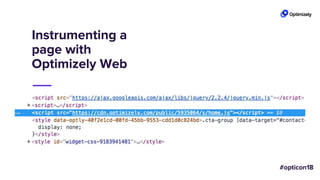
Instrumenting a
page with
Optimizely Web
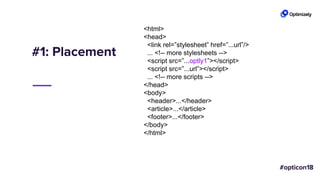
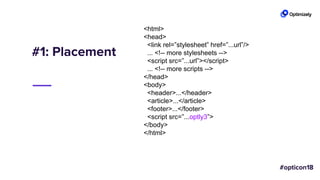
#1: Placement
<html>
<head>
<link rel=”stylesheet” href=”...url”/>
... <!-- more stylesheets -->
<script src=”...optly1”></script>
<script src=”...url”></script>
... <!-- more scripts -->
</head>
<body>
<header>...</header>
<article>...</article>
<footer>...</footer>
</body>
</html>
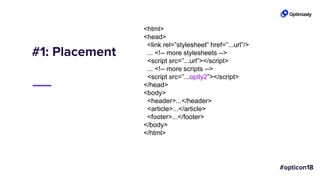
#1: Placement
<html>
<head>
<link rel=”stylesheet” href=”...url”/>
... <!-- more stylesheets -->
<script src=”...url”></script>
... <!-- more scripts -->
<script src=”...optly2”></script>
</head>
<body>
<header>...</header>
<article>...</article>
<footer>...</footer>
</body>
</html>
#1: Placement
<html>
<head>
<link rel=”stylesheet” href=”...url”/>
... <!-- more stylesheets -->
<script src=”...url”></script>
... <!-- more scripts -->
</head>
<body>
<header>...</header>
<article>...</article>
<footer>...</footer>
<script src=”...optly3”>
</body>
</html>
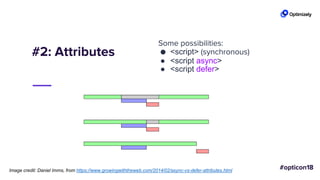
#2: Attributes
Some possibilities:
● <script> (synchronous)
● <script async>
● <script defer>
Image credit: Daniel Imms, from https://www.growingwiththeweb.com/2014/02/async-vs-defer-attributes.html
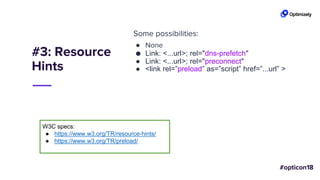
#3: Resource
Hints
Some possibilities:
● None
● Link: <...url>; rel="dns-prefetch"
● Link: <...url>; rel="preconnect"
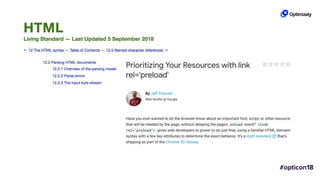
● <link rel=”preload” as=”script” href=”...url” >
W3C specs:
● https://www.w3.org/TR/resource-hints/
● https://www.w3.org/TR/preload/
Metrics
● DO: Endeavor to measure impact on users

○ first [contentful] paint, via browser
○ first meaningful paint, via you
○ key business metrics
● DON’T:
○ Use any single metric, like the document’s
load event
L I V E D E M O
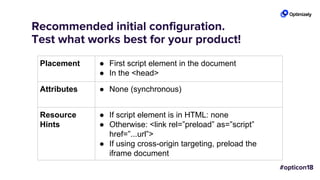
Recommended initial configuration.
Test what works best for your product!
Placement ● First script element in the document
● In the <head>
Attributes ● None (synchronous)
Resource
Hints
● If script element is in HTML: none
● Otherwise: <link rel=”preload” as=”script”
href=”...url”>
● If using cross-origin targeting, preload the
iframe document
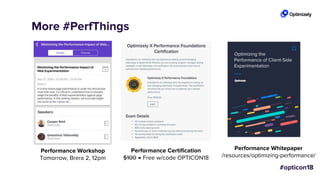
More #PerfThings
Performance Workshop
Tomorrow, Brera 2, 12pm
Performance Certification
$100 → Free w/code OPTICON18
Performance Whitepaper
/resources/optimizing-performance/
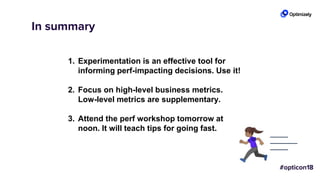
In summary
1. Experimentation is an effective tool for
informing perf-impacting decisions. Use it!
2. Focus on high-level business metrics.
Low-level metrics are supplementary.
3. Attend the perf workshop tomorrow at
noon. It will teach tips for going fast.
References
● Steve Souders, “I <3 image bytes”: https://www.stevesouders.com/blog/2013/04/26/i/
● Ilya Grigorik, “Chrome’s preloader delivers a ~20% speed improvement!”:
https://plus.google.com/+IlyaGrigorik/posts/8AwRUE7wqAE
● Tony Gentilcore, “The WebKit PreloadScanner”: http://gent.ilcore.com/2011/01/webkit-
preloadscanner.html
● Philip Walton, “User-centric Performance Metrics”:
https://developers.google.com/web/fundamentals/performance/user-centric-performance-
metrics
● Addy Osmani, “Preload, Prefetch and Priorities in Chrome”:
https://medium.com/reloading/preload-prefetch-and-priorities-in-chrome-776165961bbf
Managing Your Full Stack
Experiments From Within Your
Own Repository
Travis Beck
Software Engineer, Optimizely
Optimizely Full Stack is easy to use
But do Developers want to have to switch
in and out of yet another web app?
Can we make it easier?
A New Feature:
turbo_mode
We want to test it out on low risk users
If it works, then roll it out to everyone
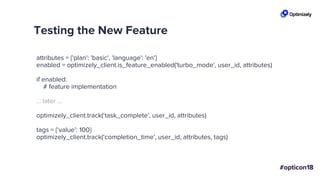
Testing the New Feature
attributes = {'plan': 'basic', 'language': 'en'}
enabled = optimizely_client.is_feature_enabled('turbo_mode', user_id, attributes)
if enabled:
# feature implementation
... later ...
optimizely_client.track(‘task_complete', user_id, attributes)
tags = {‘value’: 100}
optimizely_client.track(‘completion_time', user_id, attributes, tags)
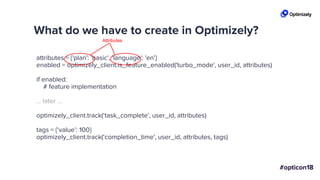
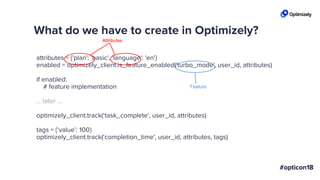
What do we have to create in Optimizely?
attributes = {'plan': 'basic', 'language': 'en'}
enabled = optimizely_client.is_feature_enabled('turbo_mode', user_id, attributes)
if enabled:
# feature implementation
... later ...
optimizely_client.track(‘task_complete', user_id, attributes)
tags = {‘value’: 100}
optimizely_client.track(‘completion_time', user_id, attributes, tags)
Attributes
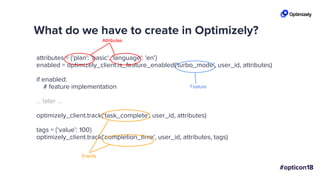
What do we have to create in Optimizely?
attributes = {'plan': 'basic', 'language': 'en'}
enabled = optimizely_client.is_feature_enabled('turbo_mode', user_id, attributes)
if enabled:
# feature implementation
... later ...
optimizely_client.track(‘task_complete', user_id, attributes)
tags = {‘value’: 100}
optimizely_client.track(‘completion_time', user_id, attributes, tags)
Attributes
Feature
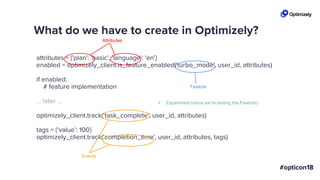
What do we have to create in Optimizely?
attributes = {'plan': 'basic', 'language': 'en'}
enabled = optimizely_client.is_feature_enabled('turbo_mode', user_id, attributes)
if enabled:
# feature implementation
... later ...
optimizely_client.track(‘task_complete', user_id, attributes)
tags = {‘value’: 100}
optimizely_client.track(‘completion_time', user_id, attributes, tags)
Attributes
Feature
Events
What do we have to create in Optimizely?
attributes = {'plan': 'basic', 'language': 'en'}
enabled = optimizely_client.is_feature_enabled('turbo_mode', user_id, attributes)
if enabled:
# feature implementation
... later ...
optimizely_client.track(‘task_complete', user_id, attributes)
tags = {‘value’: 100}
optimizely_client.track(‘completion_time', user_id, attributes, tags)
Attributes
Feature
Events
+ Experiment (since we’re testing the Feature)
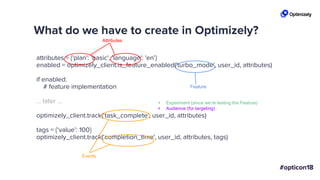
What do we have to create in Optimizely?
attributes = {'plan': 'basic', 'language': 'en'}
enabled = optimizely_client.is_feature_enabled('turbo_mode', user_id, attributes)
if enabled:
# feature implementation
... later ...
optimizely_client.track(‘task_complete', user_id, attributes)
tags = {‘value’: 100}
optimizely_client.track(‘completion_time', user_id, attributes, tags)
Attributes
Feature
Events
+ Experiment (since we’re testing the Feature)
+ Audience (for targeting)
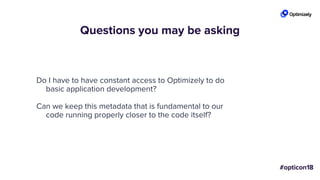
Questions you may be asking
Do I have to have constant access to Optimizely to do
basic application development?
Can we keep this metadata that is fundamental to our
code running properly closer to the code itself?
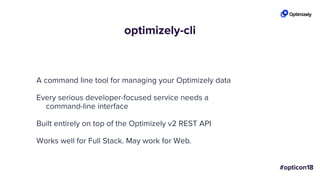
optimizely-cli
A command line tool for managing your Optimizely data
Every serious developer-focused service needs a
command-line interface
Built entirely on top of the Optimizely v2 REST API
Works well for Full Stack. May work for Web.
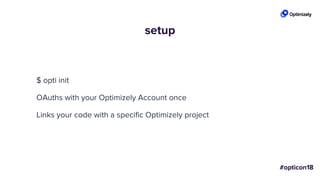
setup
$ opti init
OAuths with your Optimizely Account once
Links your code with a specific Optimizely project
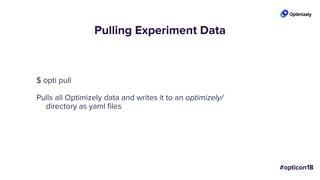
Pulling Experiment Data
$ opti pull
Pulls all Optimizely data and writes it to an optimizely/
directory as yaml files
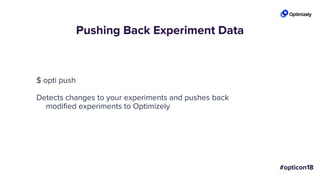
Pushing Back Experiment Data
$ opti push
Detects changes to your experiments and pushes back
modified experiments to Optimizely
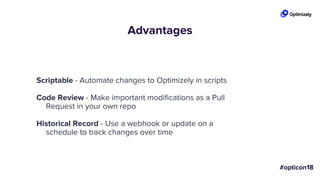
Advantages
Scriptable - Automate changes to Optimizely in scripts
Code Review - Make important modifications as a Pull
Request in your own repo
Historical Record - Use a webhook or update on a
schedule to track changes over time
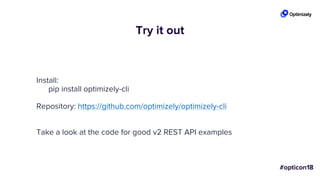
Try it out
Install:
pip install optimizely-cli
Repository: https://github.com/optimizely/optimizely-cli
Take a look at the code for good v2 REST API examples
Journey Up Mt. Experimentation
Ali Rizvi, Software Engineer
Mike Ng, Software Engineer
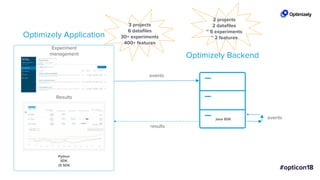
Results
Experiment
management
Optimizely Application
Optimizely Backend
Java SDK
Python
SDK
JS SDK
events
events
results
3 projects
6 datafiles
30+ experiments
400+ features
2 projects
2 datafiles
~ 5 experiments
~ 2 features
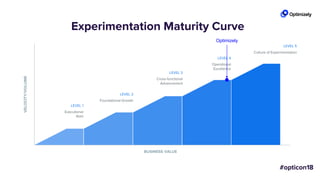
BUSINESS VALUE
VELOCITY/VOLUME
LEVEL 1
Executional
Start
LEVEL 2
Foundational Growth
LEVEL 3
Cross-functional
Advancement
LEVEL 4
Operational
Excellence
LEVEL 5
Culture of Experimentation
Experimentation Maturity Curve
Optimizely
How did we get here?
Level 1
Managing the datafile
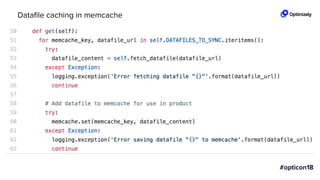
Datafile caching in memcache
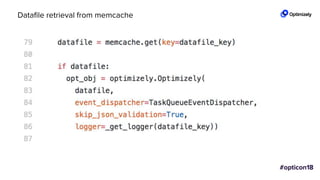
Datafile retrieval from memcache
Level 1
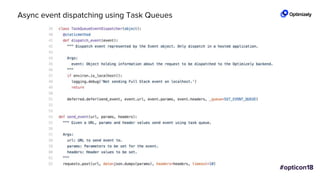
Event dispatching
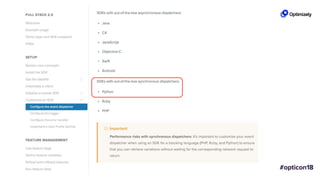
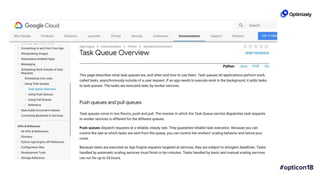
Async event dispatching using Task Queues
Level 2
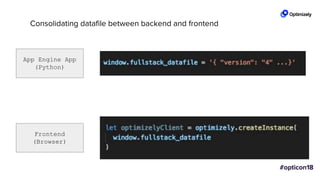
Datafile syncing
Consolidating datafile between backend and frontend
App Engine App
(Python)
Frontend
(Browser)
Level 3
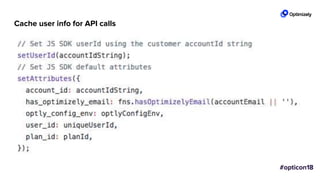
Convenience methods
Cache user info for API calls
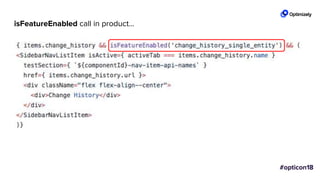
isFeatureEnabled call in product...
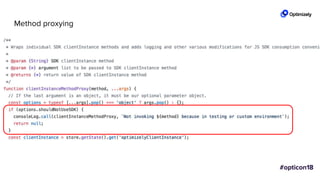
Method proxying
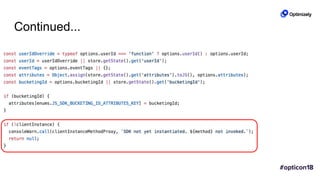
Continued...
Level 3
Consolidating datafiles
Level 3
Implement proper logging
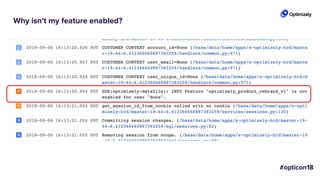
Why isn't my feature enabled?
Level 4
Making QA Easy - Demo
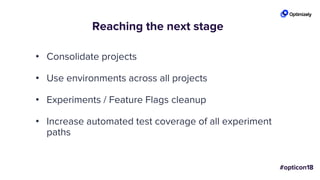
Reaching the next stage
• Consolidate projects
• Use environments across all projects
• Experiments / Feature Flags cleanup
• Increase automated test coverage of all experiment
paths
Takeaways
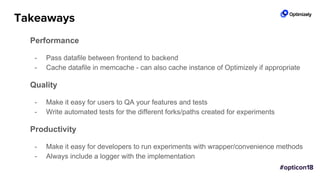
Performance
- Pass datafile between frontend to backend
- Cache datafile in memcache - can also cache instance of Optimizely if appropriate
Quality
- Make it easy for users to QA your features and tests
- Write automated tests for the different forks/paths created for experiments
Productivity
- Make it easy for developers to run experiments with wrapper/convenience methods
- Always include a logger with the implementation
Q&A
Thank you!Thank You!
Opticon18: Developer Night

Opticon18: Developer Night

  • 2.
  • 3.
    Agenda 1. Integrating Analyticsthe Right Way 2. Going Deeper with Heap and Optimizely 3. Segmenting results with audiences 4. Experimenting in a DevOps World 5. Server-side testing in a Serverless world 6. Managing Your Full Stack Experiments From Within Your Own Repository 7. Optimizing the Performance of Client-Side Experimentation 8. How Optimizely uses Full Stack 9. Q&A
  • 4.
    Integrating Analytics the RightWay Rocky McGredy Solutions Engineer, Optimizely Ali Baker Technical Support Engineer, Optimizely
  • 5.
    1. Why Integrate? 2.How Integrations Work 3. Implementation Challenges 4. Solutions/Best Practices Agenda
  • 6.
    Why Integrate? • Ourresults are best for finding winning variations • Analytics platforms contain historical user data and reporting • Knowing when a user is in a variation is useful
  • 7.
  • 8.
  • 9.
  • 10.
  • 11.
  • 12.
  • 13.
  • 14.
    Implementation Considerations Timing DifferencesTag Managers Tracking Variables
  • 15.
    Scoping Differences User –Experimentation Session – Personalization User Scope Session Scope Hit Scope
  • 16.
    Variables in Reporting EventTracking Audience Segments Report Filtering
  • 17.
  • 18.
    Troubleshooting Integrations Adjust TimingUse Debug Tools Add Debug Events
  • 19.
    Link User IdsRun an A/A Test Export Raw Data Validating Data
  • 20.
  • 21.
    Integrating With FullStack • Similar to custom analytics • Notification listeners • Use first party data
  • 22.
    Key Learnings • Integrationssend experiment decision data • Consider independent factors: timing, tag managers, reporting • Run a test to validate data • Use your debugging tools • We’re here to help!
  • 23.
    Diving Deeper withHeap and Optimizely Taylor Udell Lead Solutions Architect, Heap
  • 24.
    What is Heap?A behavioral analytics platform that has revolutionized collecting and managing data without implementing any tracking calls
  • 25.
    Going Deeper thanYour Goal Metrics
  • 26.
    How many ofyou have seen results like this?
  • 27.
    How do youinterpret these results?
  • 28.
    Why did thisvariation win or lose?
  • 29.
    How are allmy metrics connected?
  • 30.
    Going Deeper thanyour Goal Metrics Heap helps you understand the why behind your results without slowing your team down
  • 31.
    Key Benefits of usingHeap + Optimizely in your stack 1. Develop More Hypotheses 2. Deploy tests and changes without delaying for tracking code 3. Go deeper than goal metrics
  • 32.
    Segmenting results with Optimizelyaudiences Michal Fasanek Technical Support Engineer, Optimizely
  • 33.
  • 34.
    Custom Analytics Integrations • Forbuilding your own analytics integrations on top of Optimizely X Web • Great for sending Optimizely data to 3rd party analytics platforms
  • 35.
    Custom Analytics Integrations Extensions •Build reusable ‘plugins’ that can be added to your experiments • Create visitor segments based on the pre-defined Optimizely audiences
  • 36.
    • Create customattributes that correspond with your audiences • Add them to an experiment • Create audiences matching the segments you care about How does it work? • Build the custom analytics extension and add it to the experiment
  • 37.
  • 39.
    Why is thisawesome? • You can re-purpose audiences that are already used for targeting • No additional costs • Works automatically across the entire project
  • 40.
    Resources • Github repositorycontaining the code sample used in this presentation: https://github.com/michal- optimizely/audience_segment_builder • Documentation for Custom analytics extensions • Documentation for Custom Attributes • How to: Segmenting experiment results
  • 41.
    Experimenting in a DevOpsWorld Joy Scharmen Director DevOps, Optimizely All life DevOps is an experiment. The more experiments you make the better. -Ralph Waldo Emerson, sort of
  • 42.
    DevOps is builton a powerful foundation of experiments.
  • 43.
    But first, whatis “Infrastructure”?
  • 44.
    Infrastructure as Code: Defineyour hardware like you write your software
  • 45.
    Experiment with yourInfrastructure
  • 46.
    Build your code& Deploy it to your users
  • 47.
    Continuous Integration &Continuous Deployment: Continuous Experimentation
  • 48.
  • 49.
    Feature Flags: Turning itoff and on again
  • 50.
  • 51.
    Benefits of DevOpsExperimentation!
  • 52.
    Server-side testing ina Serverless world Andreas Bloomquist Sr. Solutions Engineer
  • 53.
  • 54.
    • Easier: Runyour backend code without concern for provisioning, managing, or scaling your own server architecture • Cheaper*: Ephemeral resources - only pay for your event driven code execution time • Flexible: Manage functions as microservices What is serverless (or FaaS) anyway?
  • 55.
    How does itwork? Use Case: Image processing Output hilarious meme Function Contain provisioned, code executes Event image uploaded to file storage
  • 56.
    Serverless: Not just forhobbyists Encode media files from S3 Streamline real-time processing of interdependent data sets Lowered costs by ~66% with serverless vending machine loyalty service
  • 58.
  • 59.
    Serverless + FullStack Stateless + Stateless Benefits of full stack • Stateless - no network requests for decisioning • Remote configuration of variables • Test anything in code! Drawbacks when using FaaS • Stateless - each run is basically a new instance • No easy way to cache datafile/client object
  • 60.
    How does itwork w/ Optimizely? OutputFunction w/ Optimizely SDK installed Event Initialize SDK sever provisioned and scaled by cloud provider LATENCY
  • 62.
  • 63.
  • 65.
  • 66.
  • 67.
  • 68.
  • 69.
  • 70.
  • 72.
    Put it intopractice w/ Alexa else.. get it from CDN / API Alexa event executes Send back variation response My Puppy Store Daily Deal Alexa Skill Alexa, ask Puppy Store for a daily deal! Dashboard 1 check if cache exists Events sent back to Optimizely Save on squeaky toys! upload code to lambda JSON Datafile (Akamai CDN or REST API) 2 3 4 5 6
  • 73.
    Time for ademo...
  • 74.
    Optimizing the Performanceof Client-Side Experimentation Spencer Wilson Software Engineer, Optimizely
  • 76.
    Performance testing isa kind of experimentation You have... hypotheses “Increasing image compression will increase session length” independent variables Image compression magnitude dependent variables Session length results interpretation Should we roll out any variation to 100% of traffic?
  • 77.
  • 78.
    #1: Placement <html> <head> <link rel=”stylesheet”href=”...url”/> ... <!-- more stylesheets --> <script src=”...optly1”></script> <script src=”...url”></script> ... <!-- more scripts --> </head> <body> <header>...</header> <article>...</article> <footer>...</footer> </body> </html>
  • 79.
    #1: Placement <html> <head> <link rel=”stylesheet”href=”...url”/> ... <!-- more stylesheets --> <script src=”...url”></script> ... <!-- more scripts --> <script src=”...optly2”></script> </head> <body> <header>...</header> <article>...</article> <footer>...</footer> </body> </html>
  • 80.
    #1: Placement <html> <head> <link rel=”stylesheet”href=”...url”/> ... <!-- more stylesheets --> <script src=”...url”></script> ... <!-- more scripts --> </head> <body> <header>...</header> <article>...</article> <footer>...</footer> <script src=”...optly3”> </body> </html>
  • 81.
    #2: Attributes Some possibilities: ●<script> (synchronous) ● <script async> ● <script defer> Image credit: Daniel Imms, from https://www.growingwiththeweb.com/2014/02/async-vs-defer-attributes.html
  • 82.
    #3: Resource Hints Some possibilities: ●None ● Link: <...url>; rel="dns-prefetch" ● Link: <...url>; rel="preconnect" ● <link rel=”preload” as=”script” href=”...url” > W3C specs: ● https://www.w3.org/TR/resource-hints/ ● https://www.w3.org/TR/preload/
  • 83.
    Metrics ● DO: Endeavorto measure impact on users ○ first [contentful] paint, via browser ○ first meaningful paint, via you ○ key business metrics ● DON’T: ○ Use any single metric, like the document’s load event
  • 84.
    L I VE D E M O
  • 85.
    Recommended initial configuration. Testwhat works best for your product! Placement ● First script element in the document ● In the <head> Attributes ● None (synchronous) Resource Hints ● If script element is in HTML: none ● Otherwise: <link rel=”preload” as=”script” href=”...url”> ● If using cross-origin targeting, preload the iframe document
  • 86.
    More #PerfThings Performance Workshop Tomorrow,Brera 2, 12pm Performance Certification $100 → Free w/code OPTICON18 Performance Whitepaper /resources/optimizing-performance/
  • 87.
    In summary 1. Experimentationis an effective tool for informing perf-impacting decisions. Use it! 2. Focus on high-level business metrics. Low-level metrics are supplementary. 3. Attend the perf workshop tomorrow at noon. It will teach tips for going fast.
  • 88.
    References ● Steve Souders,“I <3 image bytes”: https://www.stevesouders.com/blog/2013/04/26/i/ ● Ilya Grigorik, “Chrome’s preloader delivers a ~20% speed improvement!”: https://plus.google.com/+IlyaGrigorik/posts/8AwRUE7wqAE ● Tony Gentilcore, “The WebKit PreloadScanner”: http://gent.ilcore.com/2011/01/webkit- preloadscanner.html ● Philip Walton, “User-centric Performance Metrics”: https://developers.google.com/web/fundamentals/performance/user-centric-performance- metrics ● Addy Osmani, “Preload, Prefetch and Priorities in Chrome”: https://medium.com/reloading/preload-prefetch-and-priorities-in-chrome-776165961bbf
  • 89.
    Managing Your FullStack Experiments From Within Your Own Repository Travis Beck Software Engineer, Optimizely
  • 90.
    Optimizely Full Stackis easy to use
  • 91.
    But do Developerswant to have to switch in and out of yet another web app?
  • 92.
    Can we makeit easier?
  • 93.
    A New Feature: turbo_mode Wewant to test it out on low risk users If it works, then roll it out to everyone
  • 94.
    Testing the NewFeature attributes = {'plan': 'basic', 'language': 'en'} enabled = optimizely_client.is_feature_enabled('turbo_mode', user_id, attributes) if enabled: # feature implementation ... later ... optimizely_client.track(‘task_complete', user_id, attributes) tags = {‘value’: 100} optimizely_client.track(‘completion_time', user_id, attributes, tags)
  • 95.
    What do wehave to create in Optimizely? attributes = {'plan': 'basic', 'language': 'en'} enabled = optimizely_client.is_feature_enabled('turbo_mode', user_id, attributes) if enabled: # feature implementation ... later ... optimizely_client.track(‘task_complete', user_id, attributes) tags = {‘value’: 100} optimizely_client.track(‘completion_time', user_id, attributes, tags) Attributes
  • 96.
    What do wehave to create in Optimizely? attributes = {'plan': 'basic', 'language': 'en'} enabled = optimizely_client.is_feature_enabled('turbo_mode', user_id, attributes) if enabled: # feature implementation ... later ... optimizely_client.track(‘task_complete', user_id, attributes) tags = {‘value’: 100} optimizely_client.track(‘completion_time', user_id, attributes, tags) Attributes Feature
  • 97.
    What do wehave to create in Optimizely? attributes = {'plan': 'basic', 'language': 'en'} enabled = optimizely_client.is_feature_enabled('turbo_mode', user_id, attributes) if enabled: # feature implementation ... later ... optimizely_client.track(‘task_complete', user_id, attributes) tags = {‘value’: 100} optimizely_client.track(‘completion_time', user_id, attributes, tags) Attributes Feature Events
  • 98.
    What do wehave to create in Optimizely? attributes = {'plan': 'basic', 'language': 'en'} enabled = optimizely_client.is_feature_enabled('turbo_mode', user_id, attributes) if enabled: # feature implementation ... later ... optimizely_client.track(‘task_complete', user_id, attributes) tags = {‘value’: 100} optimizely_client.track(‘completion_time', user_id, attributes, tags) Attributes Feature Events + Experiment (since we’re testing the Feature)
  • 99.
    What do wehave to create in Optimizely? attributes = {'plan': 'basic', 'language': 'en'} enabled = optimizely_client.is_feature_enabled('turbo_mode', user_id, attributes) if enabled: # feature implementation ... later ... optimizely_client.track(‘task_complete', user_id, attributes) tags = {‘value’: 100} optimizely_client.track(‘completion_time', user_id, attributes, tags) Attributes Feature Events + Experiment (since we’re testing the Feature) + Audience (for targeting)
  • 100.
    Questions you maybe asking Do I have to have constant access to Optimizely to do basic application development? Can we keep this metadata that is fundamental to our code running properly closer to the code itself?
  • 101.
    optimizely-cli A command linetool for managing your Optimizely data Every serious developer-focused service needs a command-line interface Built entirely on top of the Optimizely v2 REST API Works well for Full Stack. May work for Web.
  • 102.
    setup $ opti init OAuthswith your Optimizely Account once Links your code with a specific Optimizely project
  • 103.
    Pulling Experiment Data $opti pull Pulls all Optimizely data and writes it to an optimizely/ directory as yaml files
  • 104.
    Pushing Back ExperimentData $ opti push Detects changes to your experiments and pushes back modified experiments to Optimizely
  • 105.
    Advantages Scriptable - Automatechanges to Optimizely in scripts Code Review - Make important modifications as a Pull Request in your own repo Historical Record - Use a webhook or update on a schedule to track changes over time
  • 106.
    Try it out Install: pipinstall optimizely-cli Repository: https://github.com/optimizely/optimizely-cli Take a look at the code for good v2 REST API examples
  • 107.
    Journey Up Mt.Experimentation Ali Rizvi, Software Engineer Mike Ng, Software Engineer
  • 110.
    Results Experiment management Optimizely Application Optimizely Backend JavaSDK Python SDK JS SDK events events results 3 projects 6 datafiles 30+ experiments 400+ features 2 projects 2 datafiles ~ 5 experiments ~ 2 features
  • 111.
    BUSINESS VALUE VELOCITY/VOLUME LEVEL 1 Executional Start LEVEL2 Foundational Growth LEVEL 3 Cross-functional Advancement LEVEL 4 Operational Excellence LEVEL 5 Culture of Experimentation Experimentation Maturity Curve Optimizely
  • 112.
    How did weget here?
  • 115.
  • 118.
  • 119.
  • 120.
  • 123.
    Async event dispatchingusing Task Queues
  • 124.
  • 125.
    Consolidating datafile betweenbackend and frontend App Engine App (Python) Frontend (Browser)
  • 126.
  • 127.
    Cache user infofor API calls
  • 128.
  • 129.
  • 130.
  • 131.
  • 133.
  • 134.
    Why isn't myfeature enabled?
  • 135.
    Level 4 Making QAEasy - Demo
  • 136.
    Reaching the nextstage • Consolidate projects • Use environments across all projects • Experiments / Feature Flags cleanup • Increase automated test coverage of all experiment paths
  • 137.
    Takeaways Performance - Pass datafilebetween frontend to backend - Cache datafile in memcache - can also cache instance of Optimizely if appropriate Quality - Make it easy for users to QA your features and tests - Write automated tests for the different forks/paths created for experiments Productivity - Make it easy for developers to run experiments with wrapper/convenience methods - Always include a logger with the implementation
  • 138.
  • 139.