Rick Graziani graziani@cabrillo.edu 2
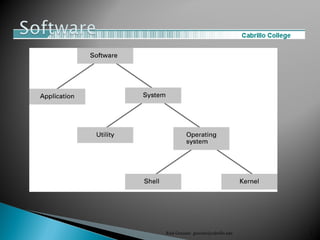
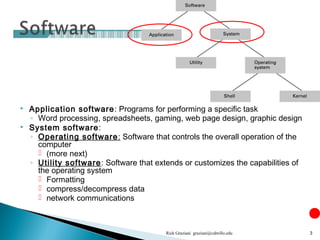
 Application software: Programs for performing a specific task
◦ Word processing, spreadsheets, gaming, web page design, graphic design
 System software:
◦ Operating software: Software that controls the overall operation of the
computer
 (more next)
◦ Utility software: Software that extends or customizes the capabilities of
the operating system
 Formatting
 compress/decompress data
 network communications
Rick Graziani graziani@cabrillo.edu 3
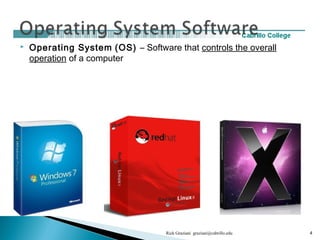
 Operating System (OS) – Software that controls the overall
operation of a computer
Rick Graziani graziani@cabrillo.edu 4
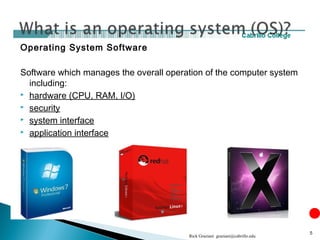
Operating System Software
Software which manages the overall operation of the computer system
including:
 hardware (CPU, RAM, I/O)
 security
 system interface
 application interface
Rick Graziani graziani@cabrillo.edu
5
Rick Graziani graziani@cabrillo.edu 6
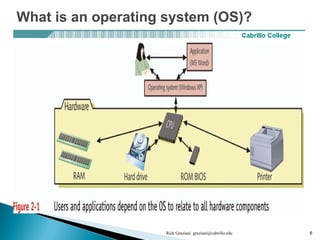
What is an operating system (OS)?
Rick Graziani graziani@cabrillo.edu 7
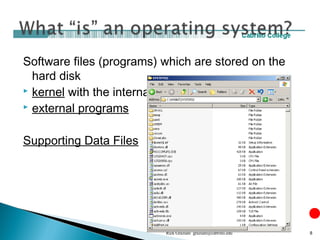
Software files (programs) which are stored on the
hard disk
 kernel with the internal programs
 external programs
Supporting Data Files
Rick Graziani graziani@cabrillo.edu 8
1. Manages and Interacts with Computer
Hardware
2. Provides and Manages System Security
3. Provides the System Interface
4. Provides the Interface for Application
Software
Rick Graziani graziani@cabrillo.edu 9
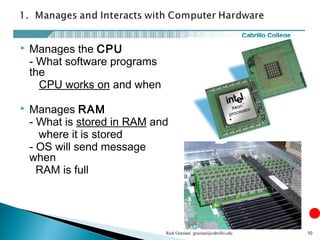
 Manages the CPU
- What software programs
the
CPU works on and when
 Manages RAM
- What is stored in RAM and
where it is stored
- OS will send message
when
RAM is full
Rick Graziani graziani@cabrillo.edu 10
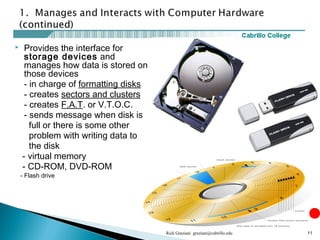
 Provides the interface for
storage devices and
manages how data is stored on
those devices
- in charge of formatting disks
- creates sectors and clusters
- creates F.A.T. or V.T.O.C.
- sends message when disk is
full or there is some other
problem with writing data to
the disk
- virtual memory
- CD-ROM, DVD-ROM
- Flash drive
Rick Graziani graziani@cabrillo.edu 11
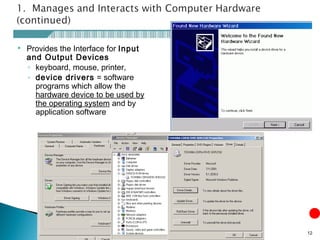
 Provides the Interface for Input
and Output Devices
◦ keyboard, mouse, printer,
◦ device drivers = software
programs which allow the
hardware device to be used by
the operating system and by
application software
Rick Graziani graziani@cabrillo.edu 12
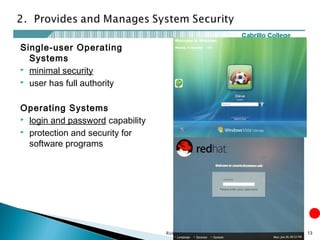
Single-user Operating
Systems
 minimal security
 user has full authority
Operating Systems
 login and password capability
 protection and security for
software programs
Rick Graziani graziani@cabrillo.edu 13
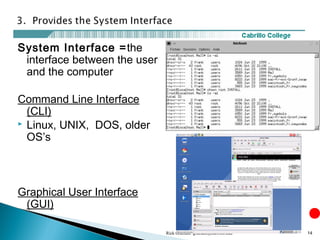
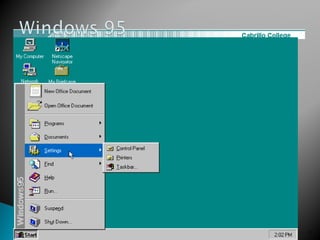
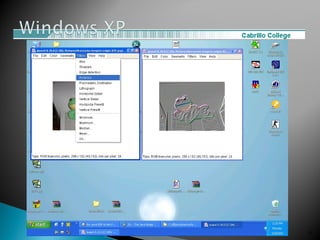
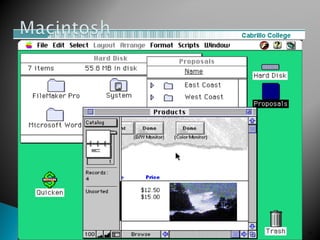
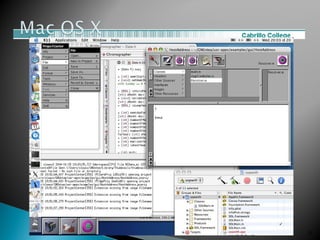
System Interface =the
interface between the user
and the computer
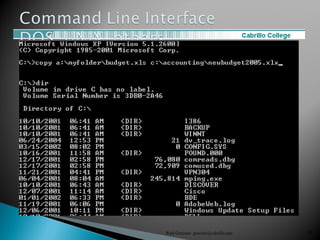
Command Line Interface
(CLI)
 Linux, UNIX, DOS, older
OS’s
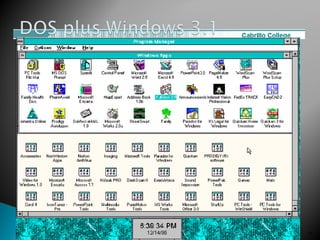
Graphical User Interface
(GUI)
Rick Graziani graziani@cabrillo.edu 14
Rick Graziani graziani@cabrillo.edu 15
Rick Graziani graziani@cabrillo.edu 16
Rick Graziani graziani@cabrillo.edu 17
Rick Graziani graziani@cabrillo.edu 18
Rick Graziani graziani@cabrillo.edu 19
Rick Graziani graziani@cabrillo.edu 20
Rick Graziani graziani@cabrillo.edu 21
Rick Graziani graziani@cabrillo.edu 22
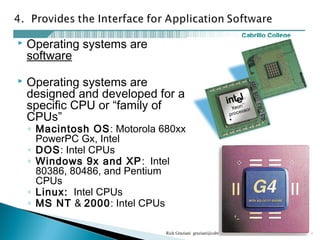
 Operating systems are
software
 Operating systems are
designed and developed for a
specific CPU or “family of
CPUs”
◦ Macintosh OS: Motorola 680xx,
PowerPC Gx, Intel
◦ DOS: Intel CPUs
◦ Windows 9x and XP: Intel
80386, 80486, and Pentium
CPUs
◦ Linux: Intel CPUs
◦ MS NT & 2000: Intel CPUs
Rick Graziani graziani@cabrillo.edu 23
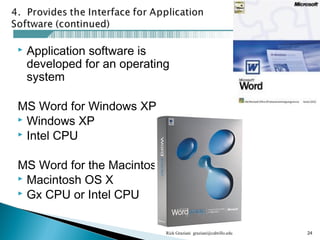
 Application software is
developed for an operating
system
MS Word for Windows XP
 Windows XP
 Intel CPU
MS Word for the Macintosh
 Macintosh OS X
 Gx CPU or Intel CPU
Rick Graziani graziani@cabrillo.edu 24
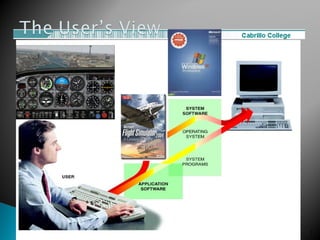
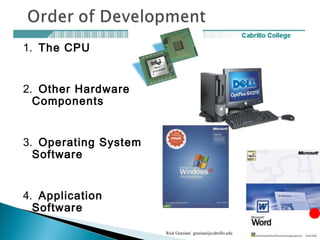
1. The CPU
2. Other Hardware
Components
3. Operating System
Software
4. Application
Software
Rick Graziani graziani@cabrillo.edu 25
Rick Graziani graziani@cabrillo.edu 26

Operating systems

  • 2.
  • 3.
     Application software:Programs for performing a specific task ◦ Word processing, spreadsheets, gaming, web page design, graphic design  System software: ◦ Operating software: Software that controls the overall operation of the computer  (more next) ◦ Utility software: Software that extends or customizes the capabilities of the operating system  Formatting  compress/decompress data  network communications Rick Graziani graziani@cabrillo.edu 3
  • 4.
     Operating System(OS) – Software that controls the overall operation of a computer Rick Graziani graziani@cabrillo.edu 4
  • 5.
    Operating System Software Softwarewhich manages the overall operation of the computer system including:  hardware (CPU, RAM, I/O)  security  system interface  application interface Rick Graziani graziani@cabrillo.edu 5
  • 6.
    Rick Graziani graziani@cabrillo.edu6 What is an operating system (OS)?
  • 7.
  • 8.
    Software files (programs)which are stored on the hard disk  kernel with the internal programs  external programs Supporting Data Files Rick Graziani graziani@cabrillo.edu 8
  • 9.
    1. Manages andInteracts with Computer Hardware 2. Provides and Manages System Security 3. Provides the System Interface 4. Provides the Interface for Application Software Rick Graziani graziani@cabrillo.edu 9
  • 10.
     Manages theCPU - What software programs the CPU works on and when  Manages RAM - What is stored in RAM and where it is stored - OS will send message when RAM is full Rick Graziani graziani@cabrillo.edu 10
  • 11.
     Provides theinterface for storage devices and manages how data is stored on those devices - in charge of formatting disks - creates sectors and clusters - creates F.A.T. or V.T.O.C. - sends message when disk is full or there is some other problem with writing data to the disk - virtual memory - CD-ROM, DVD-ROM - Flash drive Rick Graziani graziani@cabrillo.edu 11
  • 12.
     Provides theInterface for Input and Output Devices ◦ keyboard, mouse, printer, ◦ device drivers = software programs which allow the hardware device to be used by the operating system and by application software Rick Graziani graziani@cabrillo.edu 12
  • 13.
    Single-user Operating Systems  minimalsecurity  user has full authority Operating Systems  login and password capability  protection and security for software programs Rick Graziani graziani@cabrillo.edu 13
  • 14.
    System Interface =the interfacebetween the user and the computer Command Line Interface (CLI)  Linux, UNIX, DOS, older OS’s Graphical User Interface (GUI) Rick Graziani graziani@cabrillo.edu 14
  • 15.
  • 16.
  • 17.
  • 18.
  • 19.
  • 20.
  • 21.
  • 22.
  • 23.
     Operating systemsare software  Operating systems are designed and developed for a specific CPU or “family of CPUs” ◦ Macintosh OS: Motorola 680xx, PowerPC Gx, Intel ◦ DOS: Intel CPUs ◦ Windows 9x and XP: Intel 80386, 80486, and Pentium CPUs ◦ Linux: Intel CPUs ◦ MS NT & 2000: Intel CPUs Rick Graziani graziani@cabrillo.edu 23
  • 24.
     Application softwareis developed for an operating system MS Word for Windows XP  Windows XP  Intel CPU MS Word for the Macintosh  Macintosh OS X  Gx CPU or Intel CPU Rick Graziani graziani@cabrillo.edu 24
  • 25.
    1. The CPU 2.Other Hardware Components 3. Operating System Software 4. Application Software Rick Graziani graziani@cabrillo.edu 25
  • 26.