What is anOperating System?
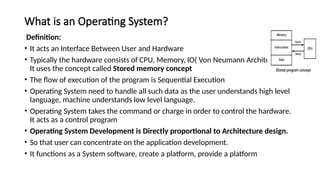
Definition:
• It acts an Interface Between User and Hardware
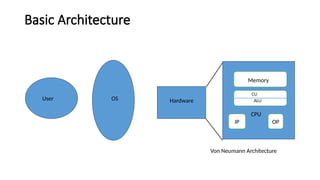
• Typically the hardware consists of CPU, Memory, IO( Von Neumann Architecture).
It uses the concept called Stored memory concept
• The flow of execution of the program is Sequential Execution
• Operating System need to handle all such data as the user understands high level
language, machine understands low level language.
• Operating System takes the command or charge in order to control the hardware.
It acts as a control program
• Operating System Development is Directly proportional to Architecture design.
• So that user can concentrate on the application development.
• It functions as a System software, create a platform, provide a platform
5.
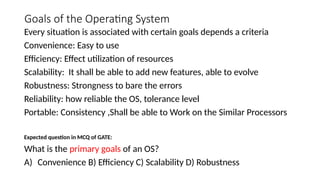
Goals of theOperating System
Every situation is associated with certain goals depends a criteria
Convenience: Easy to use
Efficiency: Effect utilization of resources
Scalability: It shall be able to add new features, able to evolve
Robustness: Strongness to bare the errors
Reliability: how reliable the OS, tolerance level
Portable: Consistency ,Shall be able to Work on the Similar Processors
Expected question in MCQ of GATE:
What is the primary goals of an OS?
A) Convenience B) Efficiency C) Scalability D) Robustness
6.
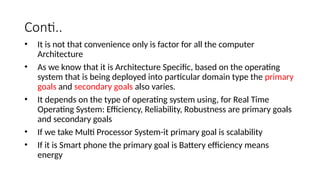
Conti..
• It isnot that convenience only is factor for all the computer
Architecture
• As we know that it is Architecture Specific, based on the operating
system that is being deployed into particular domain type the primary
goals and secondary goals also varies.
• It depends on the type of operating system using, for Real Time
Operating System: Efficiency, Reliability, Robustness are primary goals
and secondary goals
• If we take Multi Processor System-it primary goal is scalability
• If it is Smart phone the primary goal is Battery efficiency means
energy
7.
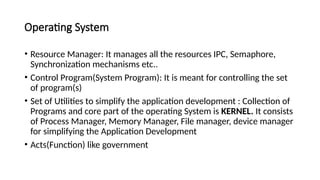
Operating System
• ResourceManager: It manages all the resources IPC, Semaphore,
Synchronization mechanisms etc..
• Control Program(System Program): It is meant for controlling the set
of program(s)
• Set of Utilities to simplify the application development : Collection of
Programs and core part of the operating System is KERNEL. It consists
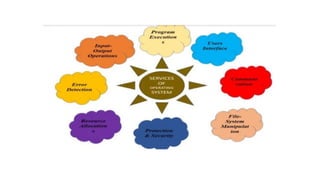
of Process Manager, Memory Manager, File manager, device manager
for simplifying the Application Development
• Acts(Function) like government
8.
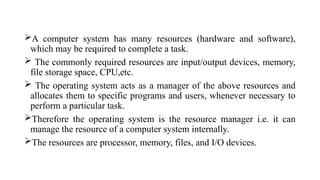
A computer systemhas many resources (hardware and software),
which may be required to complete a task.
The commonly required resources are input/output devices, memory,
file storage space, CPU,etc.
The operating system acts as a manager of the above resources and
allocates them to specific programs and users, whenever necessary to
perform a particular task.
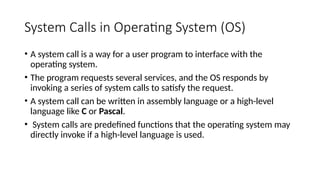
Therefore the operating system is the resource manager i.e. it can
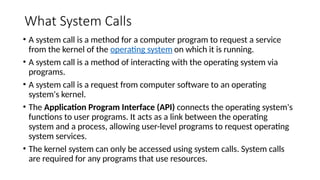
manage the resource of a computer system internally.
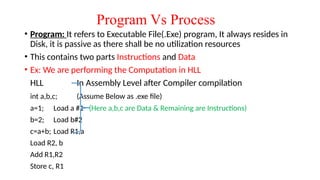
The resources are processor, memory, files, and I/O devices.
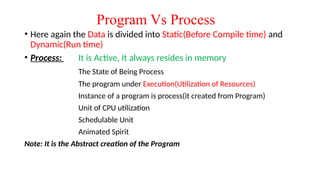
9.
• In simpleterms, an operating system is an interface between the
computer user and the machine.
• It is very important that every computer must have an operating
system in order to run other programs.
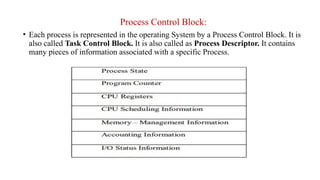
• The operating system mainly coordinates the use of the hardware
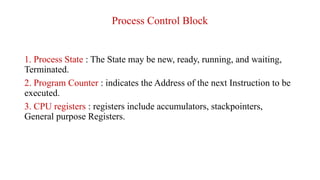
among the various system programs and application programs for
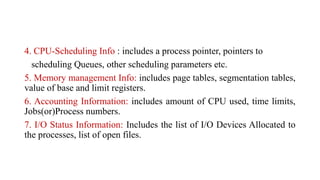
various users.
10.
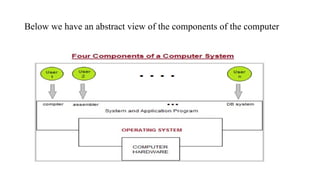
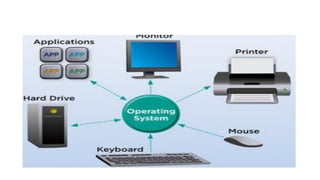
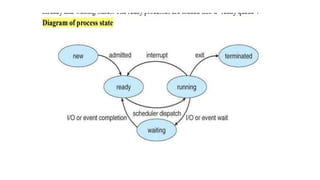
Below we havean abstract view of the components of the computer
11.
• The ComputerHardware contains a central processing unit(CPU), the
memory, and the input/output (I/O) devices and it provides the basic
computing resources for the system.
• The Application programs like spreadsheets, Web browsers, word
processors, etc. are used to define the ways in which these resources
are used to solve the computing problems of the users.
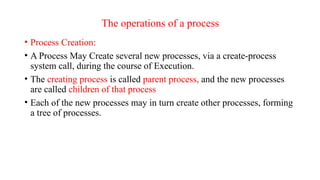
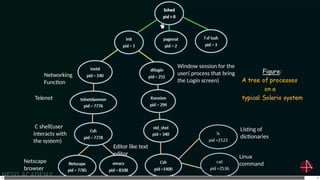
• And the System program mainly consists of compilers, loaders,
editors, OS, etc.
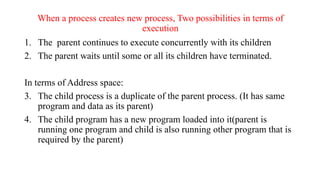
12.
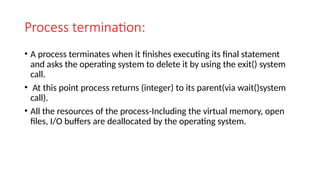
• The OperatingSystem is mainly used to control the hardware and
coordinate its use among the various application programs for the
different users.
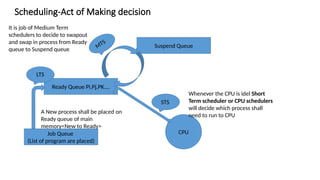
• Basically, Computer System mainly consists of hardware, software,
and data.
13.
OS is mainlydesigned in order to serve two basic purposes:
1. The operating system mainly controls the allocation and use of the
computing System’s resources among the various user and tasks.
2. It mainly provides an interface between the computer hardware and
the programmer that simplifies and makes feasible for coding, creation
of application programs and debugging.
14.
Two Views ofOperating System
1. User's View
2. System View
Operating System: User View
• The user view of the computer refers to the interface being used.
systems are designed for one user to monopolize its resources, to
maximize the work that the user is performing.
• Operating system is designed mostly for ease of use, with attention
paid to performance, and none paid to resource utilization.
15.
• Operating System:System View
• The operating system can be viewed as a resource allocator .
• A computer system consists of many resources like - hardware and
software - that must be managed efficiently.
• The operating system acts as the manager of the resources, decides
between conflicting requests, controls the execution of programs, etc.
16.
• Types ofOperating System
1. Simple Batch System
2. Multiprogrammed
3. Time-Shared
4. Personal Computer
5. Parallel
6. Distributed Systems
7. Real Time Systems
17.
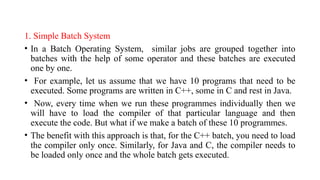
1. Simple BatchSystem
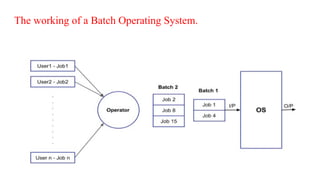
• In a Batch Operating System, similar jobs are grouped together into
batches with the help of some operator and these batches are executed
one by one.
• For example, let us assume that we have 10 programs that need to be
executed. Some programs are written in C++, some in C and rest in Java.
• Now, every time when we run these programmes individually then we
will have to load the compiler of that particular language and then
execute the code. But what if we make a batch of these 10 programmes.
• The benefit with this approach is that, for the C++ batch, you need to load
the compiler only once. Similarly, for Java and C, the compiler needs to
be loaded only once and the whole batch gets executed.
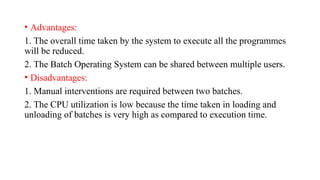
• Advantages:
1. Theoverall time taken by the system to execute all the programmes
will be reduced.
2. The Batch Operating System can be shared between multiple users.
• Disadvantages:
1. Manual interventions are required between two batches.
2. The CPU utilization is low because the time taken in loading and
unloading of batches is very high as compared to execution time.
20.
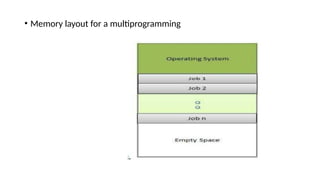
• Multiprogramming: Abilityof the operating system to hold multiple
ready to run programs
• Sharing the processor, when two or more programs reside in memory
at the same time, is referred as multiprogramming.
• Multiprogramming assumes a single shared processor.
• The main Objective is to utilize the CPU
• Multiprogramming increases CPU utilization by organizing jobs so
that the CPU always has one to execute.
• Note: Throughput : Number of Programs completed in UNIT time
21.
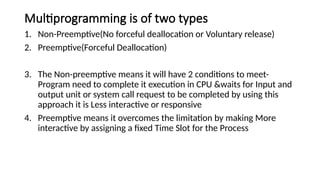
Multiprogramming is oftwo types
1. Non-Preemptive(No forceful deallocation or Voluntary release)
2. Preemptive(Forceful Deallocation)
3. The Non-preemptive means it will have 2 conditions to meet-
Program need to complete it execution in CPU &waits for Input and
output unit or system call request to be completed by using this
approach it is Less interactive or responsive
4. Preemptive means it overcomes the limitation by making More
interactive by assigning a fixed Time Slot for the Process
• The operatingsystem keeps several jobs in memory at a time.
• This set of jobs is a subset of the jobs kept in the job pool.
• The operating system picks and begins to execute one of the jobs in
the memory.
• Multiprogramming operating systems monitor the state of all active
programs and system resources using memory management programs
to ensures that the CPU is never idle, unless there are no jobs to
process.
24.
Time-Sharing Operating System
•In a Multi-tasking Operating System, more than one processes are
being executed at a particular time with the help of the time-sharing
concept.
• Time-sharing environment, we decide a time that is called time
quantum and when the process starts its execution then the execution
continues for only that amount of time and after that, other processes
will be given chance for that amount of time only.
• In the next cycle, the first process will again come for its execution
and it will be executed for that time quantum only and again next
process will come.
25.
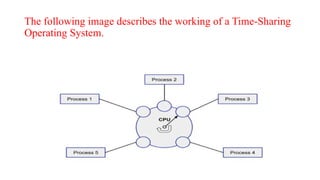
The following imagedescribes the working of a Time-Sharing
Operating System.
26.
Advantages:
1. Since equaltime quantum is given to each process, so each process
gets equal opportunity to execute.
2. The CPU will be busy in most of the cases .
Disadvantages:
1. Process having higher priority will not get the chance to be executed
first because the equal opportunity is given to each process.
27.
• Personal Computers
•Personal computer operating system provides a good interface to a
single user.
• Personal computer operating systems are widely used for word
processing, spreadsheets and Internet access.
• The operating system such as windows 7, windows 10, etc. are
personal computer operating system.
28.
• We usepersonal computer operating system for your personal
purposes, for example, to chatting with your friends using some social
media sites.
• Reading some articles from internet, making projects through
Microsoft PowerPoint or any other, designing your website.
• Programming something, watching some videos and movies, listening
to some songs and many more
30.
Parallel Processing
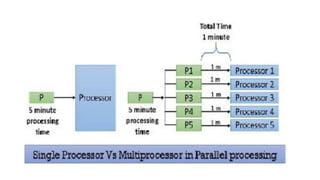
• Parallelprocessing requires multiple processors and all the processor
works simultaneously in the system.
• The task is divided into subparts and these subparts are then distributed
among the available processors in the system.
• Parallel processing completes the job on the shortest possible time.
• All the processors in the parallel processing environment should run on
the same operating system.
• All processors here are tightly coupled and are packed in one casing. All
the processors in the system share the common secondary storage like the
hard disk. As this is the first place where the programs are to be placed.
31.
• There isone more thing that all the processors in the system share i.e.
the user terminal (from where the user interact with the system).
• The user need not to be aware of the inner architecture of the
machine.
• He should feel that he is dealing with the single processor only and
his interaction with the system would be the same as in a single
processor.
33.
• Advantages
1. Itsaves time and money as many resources working together will reduce the
time and cut potential costs.
2. It can be impractical to solve larger problems on Serial Computing.
3. It can take advantage of non-local resources when the local resources are
finite.
4. Serial Computing ‘wastes’ the potential computing power, thus Parallel
Computing makes better work of the hardware.
• Disadvantages
1. It addresses such as communication and synchronization between multiple
sub-tasks and processes which is difficult to achieve.
2. The algorithms must be managed in such a way that they can be handled in a
parallel mechanism.
34.
• 3. Thealgorithms or programs must have low coupling and high
cohesion. But it’s difficult to create such programs.
• 4. More technically skilled and expert programmers can code a
parallelism-based program well.
35.
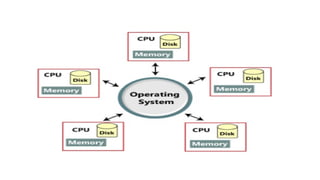
• Distributed OperatingSystem
• These types of the operating system is a recent advancement in the world of
computer technology ,Various autonomous interconnected computers
communicate with each other using a shared communication network.
• Independent systems possess their own memory unit and CPU. These are referred
to as loosely coupled systems or distributed systems.
• These system’s processors differ in size and function.
• The major benefit of working with these types of the operating system is that it is
always possible that one user can access the files or software which are not
actually present on his system but some other system connected within this
network i.e., remote access is enabled within the devices connected in that
network.
37.
• Advantages ofDistributed Operating System:
• Failure of one will not affect the other network communication, as all
systems are independent from each other
• Electronic mail increases the data exchange speed since resources are
being shared, computation is highly fast and durable .
• Load on host computer reduces: These systems are easily scalable as
many systems can be easily added to the network Delay in data
processing reduces.
38.
• Disadvantages ofDistributed Operating System:
• Failure of the main network will stop the entire communication
• To establish distributed systems the language which is used are not
well defined .
• These types of systems are not readily available as they are very
expensive.
40.
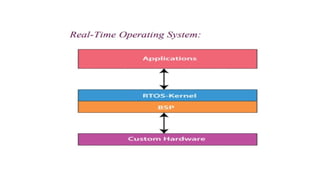
• It isdeveloped for real-time applications where data should be processed in
a fixed, small duration of time.
• It is used in an environment where multiple processes are supposed to be
accepted and processed in a short time.
• RTOS requires quick input and immediate response, e.g., in a petroleum
refinery, if the temperate gets too high and crosses the threshold value, there
should be an immediate response to this situation to avoid the explosion.
• Similarly, this system is used to control scientific instruments, missile
launch systems, traffic lights control systems, air traffic control systems, etc.
41.
• This systemis further divided into two types based on the time
constraints:
• Hard Real-Time Systems:
• These are used for the applications where timing is critical or response
time is a major factor; even a delay of a fraction of the second can
result in a disaster.
• For example, airbags and automatic parachutes that open instantly in
case of an accident. Besides this, these systems lack virtual memory.
42.
• Soft Real-TimeSystems:
• These are used for application where timing or response time is less
critical.
• Here, the failure to meet the deadline may result in a degraded
performance instead of a disaster.
• For example, video surveillance (cctv), video player, virtual reality,
etc. Here, the deadlines are not critical for every task every time.
43.
Advantages of real-timeoperating system:
• The output is more and quick owing to the maximum utilization of
devices and system
• Task shifting is very quick, e.g., 3 microseconds, due to which it
seems that several tasks are executed simultaneously
• Gives more importance to the currently running applications than the
queued application
• It can be used in embedded systems like in transport and others.
• It is free of errors.
• Memory is allocated appropriately.
44.
Disadvantages of real-timeoperating system:
• A fewer number of tasks can run simultaneously to avoid errors.
• It is not easy for a designer to write complex and difficult algorithms
or proficient programs required to get the desired output.
• Specific drivers and interrupt signals are required to respond to
interrupts quickly.
• It may be very expensive due to the involvement of the resources
required to work.
45.
• An operatingsystem is an interface which provides services to both
the user and to the programs.
• It provides an environment for the program to execute.
• It also provides users with the services of how to execute programs in
a convenient manner.
• The operating system provides some services to program and also to
the users of those programs.
• The specific services provided by the OS are off course different
46.
• Following arethe common services provided by an operating system:
1. Program execution
2. I/O operations
3. File system manipulation
4. Communication
5. Error detection
6. Resource allocation
7. Protection
48.
• 1) ProgramExecution
• An operating system must be able to load many kinds of activities into
the memory and to run it.
• The program must be able to end its execution, either normally or
abnormally.
• A process includes the complete execution of the written program or
code.
• There are some of the activities which are performed by the operating
system:
49.
• The operatingsystem Loads program into memory
• It also Executes the program
• It Handles the program’s execution
• It Provides a mechanism for process synchronization
• It Provides a mechanism for process communication
50.
2) I/O Operations
•The communication between the user and devices drivers are
managed by the operating system.
• I/O devices are required for any running process. In I/O a file or an I/O
devices can be involved.
• I/O operations are the read or write operations which are done with the
help of input-output devices.
• Operating system give the access to the I/O devices when it required
51.
3) File systemmanipulation
• The collection of related information which represent some content is
known as a file.
• The computer can store files on the secondary storage devices. For
long-term storage purpose.
• Examples of storage media include magnetic tape, magnetic disk and
optical disk drives like CD, DVD.
• A file system is a collection of directories for easy understand and
usage. These directories contain some files.
• There are some major activities which are performed by an operating
system with respect to file management.
52.
• The operatingsystem gives an access to the program for performing
an operation on the file.
• Programs need to read and write a file.
• The user can create/delete a file by using an interface provided by the
operating system.
• The operating system provides an interface to the user creates/ delete
directories.
• The backup of the file system can be created by using an interface
provided by the operating system.
53.
4) Communication
• Inthe computer system, there is a collection of processors which do
not share memory peripherals devices or a clock, the operating system
manages communication between all the processes.
• Multiple processes can communicate with every process through
communication lines in the network.
• There are some major activities that are carried by an operating system
with respect to communication.
• Two processes may require data to be transferred between the process.
• Both the processes can be on one computer or a different computer,
but are connected through a computer network.
54.
5) Error handling
•An error is one part of the system that may cause malfunctioning of the
complete system.
• The operating system constantly monitors the system for detecting errors to
avoid some situations.
• This give relives to the user of the worry of getting an error in the various
parts of the system causing malfunctioning.
• The error can occur anytime and anywhere. The error may occur anywhere in
the computer system like in CPU, in I/O devices or in the memory hardware.
There are some activities that are performed by an operating system:
• The OS continuously checks for the possible errors.
• The OS takes an appropriate action to correct errors and consistent computing.
55.
6) Resource management
•When there are multiple users or multiple jobs running at the same
time resources must be allocated to each of them.
There are some major activities that are performed by an operating
system:
• The OS manages all kinds of resources using schedulers.
• CPU scheduling algorithm is used for better utilization of CPU.
56.
7) Protection
• Theowners of information stored in a multi-user computer system want
to control its use.
• When several disjoints processes execute concurrently it should not be
possible for any process to interfere with another process.
• Every process in the computer system must be secured and controlled.
• Operating system can be implemented with the help of various structures.
• The structure of the OS depends mainly on how the various common
components of the operating system are interconnected and melded into
the kernel. Depending on this we have following structures of the
operating system:
57.
System Calls inOperating System (OS)
• A system call is a way for a user program to interface with the
operating system.
• The program requests several services, and the OS responds by
invoking a series of system calls to satisfy the request.
• A system call can be written in assembly language or a high-level
language like C or Pascal.
• System calls are predefined functions that the operating system may
directly invoke if a high-level language is used.
58.
What System Calls
•A system call is a method for a computer program to request a service
from the kernel of the operating system on which it is running.
• A system call is a method of interacting with the operating system via
programs.
• A system call is a request from computer software to an operating
system's kernel.
• The Application Program Interface (API) connects the operating system's
functions to user programs. It acts as a link between the operating
system and a process, allowing user-level programs to request operating
system services.
• The kernel system can only be accessed using system calls. System calls
are required for any programs that use resources.
59.
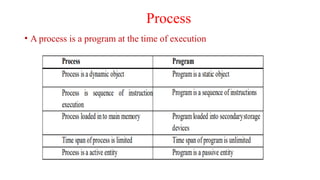
Program Vs Process
•Program: It refers to Executable File(.Exe) program, It always resides in
Disk, it is passive as there shall be no utilization resources
• This contains two parts Instructions and Data
• Ex: We are performing the Computation in HLL
HLL In Assembly Level after Compiler compilation
int a,b,c; (Assume Below as .exe file)
a=1; Load a #1 (Here a,b,c are Data & Remaining are Instructions)
b=2; Load b#2
c=a+b; Load R1,a
Load R2, b
Add R1,R2
Store c, R1
60.
Program Vs Process
•Here again the Data is divided into Static(Before Compile time) and
Dynamic(Run time)
• Process: It is Active, It always resides in memory
The State of Being Process
The program under Execution(Utilization of Resources)
Instance of a program is process(it created from Program)
Unit of CPU utilization
Schedulable Unit
Animated Spirit
Note: It is the Abstract creation of the Program
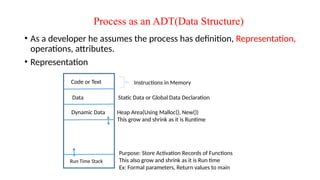
Process as anADT(Data Structure)
• As a developer he assumes the process has definition, Representation,
operations, attributes.
• Representation
Code or Text
Data
Dynamic Data
Run Time Stack
Instructions in Memory
Static Data or Global Data Declaration
Heap Area(Using Malloc(), New())
This grow and shrink as it is Runtime
Purpose: Store Activation Records of Functions
This also grow and shrink as it is Run time
Ex: Formal parameters, Return values to main
63.
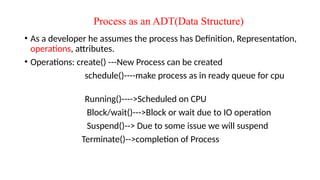
Process as anADT(Data Structure)
• As a developer he assumes the process has Definition, Representation,
operations, attributes.
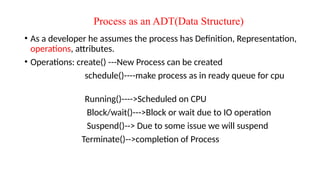
• Operations: create() ---New Process can be created
schedule()----make process as in ready queue for cpu
Running()---->Scheduled on CPU
Block/wait()--->Block or wait due to IO operation
Suspend()--> Due to some issue we will suspend
Terminate()-->completion of Process
64.
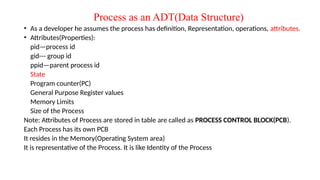
Process as anADT(Data Structure)
• As a developer he assumes the process has definition, Representation, operations, attributes.
• Attributes(Properties):
pid—process id
gid--- group id
ppid—parent process id
State
Program counter(PC)
General Purpose Register values
Memory Limits
Size of the Process
Note: Attributes of Process are stored in table are called as PROCESS CONTROL BLOCK(PCB).
Each Process has its own PCB
It resides in the Memory(Operating System area)
It is representative of the Process. It is like Identity of the Process
65.
Process Control Block:
•Each process is represented in the operating System by a Process Control Block. It is
also called Task Control Block. It is also called as Process Descriptor. It contains
many pieces of information associated with a specific Process.
66.
Process Control Block
1.Process State : The State may be new, ready, running, and waiting,
Terminated.
2. Program Counter : indicates the Address of the next Instruction to be
executed.
3. CPU registers : registers include accumulators, stackpointers,
General purpose Registers.
67.
4. CPU-Scheduling Info: includes a process pointer, pointers to
scheduling Queues, other scheduling parameters etc.
5. Memory management Info: includes page tables, segmentation tables,
value of base and limit registers.
6. Accounting Information: includes amount of CPU used, time limits,
Jobs(or)Process numbers.
7. I/O Status Information: Includes the list of I/O Devices Allocated to
the processes, list of open files.
69.
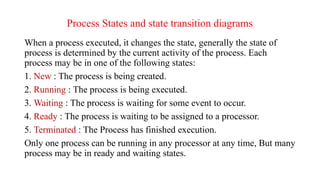
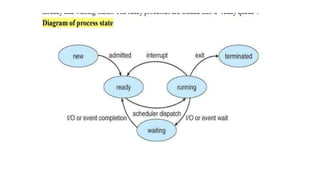
Process States andstate transition diagrams
When a process executed, it changes the state, generally the state of
process is determined by the current activity of the process. Each
process may be in one of the following states:
1. New : The process is being created.
2. Running : The process is being executed.
3. Waiting : The process is waiting for some event to occur.
4. Ready : The process is waiting to be assigned to a processor.
5. Terminated : The Process has finished execution.
Only one process can be running in any processor at any time, But many
process may be in ready and waiting states.
70.
Process as anADT(Data Structure)
• As a developer he assumes the process has Definition, Representation,
operations, attributes.
• Operations: create() ---New Process can be created
schedule()----make process as in ready queue for cpu
Running()---->Scheduled on CPU
Block/wait()--->Block or wait due to IO operation
Suspend()--> Due to some issue we will suspend
Terminate()-->completion of Process
72.
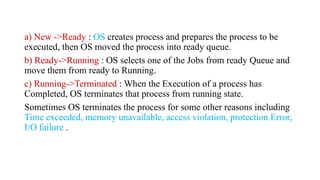
a) New ->Ready: OS creates process and prepares the process to be
executed, then OS moved the process into ready queue.
b) Ready->Running : OS selects one of the Jobs from ready Queue and
move them from ready to Running.
c) Running->Terminated : When the Execution of a process has
Completed, OS terminates that process from running state.
Sometimes OS terminates the process for some other reasons including
Time exceeded, memory unavailable, access violation, protection Error,
I/O failure .
73.
d) Running->Ready :When the time slot of the processor expired (or) If
the processor received any interrupt signal, the OS shifted Running ->
Ready State.
e) Running -> Waiting : A process is put into the waiting state, if the
process need an event occur (or) an I/O Device require.
f) Waiting->Ready : A process in the waiting state is moved to ready
state when the event for which it has been Completed.
74.
Process concepts
• ProcessStates: A process can be in one of several states, such as running, waiting,
ready, or terminated. These states represent the progress and activity of a process
throughout its lifecycle.
• Process Control Block (PCB): PCB is a data structure used by the operating system
to manage and store information about a process.
• It contains details like process ID, program counter, registers, memory pointers,
scheduling information, and more.
• Process Scheduling: Process scheduling is the mechanism by which the operating
system determines the order and priority of process execution.
75.
• Inter processCommunication (IPC): Processes often need to
communicate with each other to exchange data or synchronize their
activities.
• IPC mechanisms, like shared memory, message passing, or pipes,
enable communication and coordination between processes.
76.
• Resource Allocation:Scheduling involves assigning resources, such as
devices or memory to specific tasks.
• Gantt Charts: Gantt charts are visual representations of project
schedules. They display tasks as horizontal bars along a timeline,
indicating their start and end time, dependencies, and resource
allocations.
• Overall, process concepts deal with the execution and management of
process within an operating system.
77.
The operations ofa process
• Process Creation:
• A Process May Create several new processes, via a create-process
system call, during the course of Execution.
• The creating process is called parent process, and the new processes
are called children of that process
• Each of the new processes may in turn create other processes, forming
a tree of processes.
78.
C shell(user
interacts with
thesystem)
Window session for the
user( process that bring
the Login screen)
Telenet
Networking
Function
Netscape
browser
Editor like text
editor
Listing of
dictionaries
Linux
command
79.
When a processcreates new process, Two possibilities in terms of
execution
1. The parent continues to execute concurrently with its children
2. The parent waits until some or all its children have terminated.
In terms of Address space:
3. The child process is a duplicate of the parent process. (It has same
program and data as its parent)
4. The child program has a new program loaded into it(parent is
running one program and child is also running other program that is
required by the parent)
80.
Process termination:
• Aprocess terminates when it finishes executing its final statement
and asks the operating system to delete it by using the exit() system
call.
• At this point process returns (integer) to its parent(via wait()system
call).
• All the resources of the process-Including the virtual memory, open
files, I/O buffers are deallocated by the operating system.
81.
Other ways situationsof Process termination
• A process can cause the termination of the other process via on an appropriate
system call
• Usually such type a call can be invoked only by the parent of the process that is
to be terminated.
• Otherwise users could arbitrarily kill each other’s job
• Parent may terminate its child process while it is in execution for various reasons
• Child has exceed its usage for the some of the resources that it has
allocated(parent must have mechanism to find it out)
• The task asked to children its no longer required
• The parent is exiting, and the operating system doesnot allow a child to continue
if it parent terminates.
82.
• Process Scheduling:
Theobjective of the multiprogramming is to have some process
running all the times, to maximize CPU utilization. so we can say that
resources are efficiently utilized
In order to meet this objective, the process scheduler selects an
available process(possibility from a set of available processes) from a
program execution on the CPU.
Here the Process Scheduler determines the order and priority of
process execution through process scheduling.
• Now, the Scheduling algorithms decide which processes will run,
when they will run, and for how long.
83.
Scheduling-Act of Makingdecision
CPU
Ready Queue Pi,Pj,PK….
Suspend Queue
Job Queue
(List of program are placed)
Whenever the CPU is idel Short
Term scheduler or CPU schedulers
will decide which process shall
need to run to CPU
LTS
STS
A New process shall be placed on
Ready queue of main
memory<New to Ready>
MTS
It is job of Medium Term
schedulers to decide to swapout
and swap in process from Ready
queue to Suspend queue
84.
• Types ofschedulers
1. Long term scheduler: select the jobs from the job pool and loaded
these jobs into main memory (ready queue).Long term scheduler is also
called job scheduler.
2. Short term scheduler: select the process from ready queue, and
allocates it to the cpu.If a process requires an I/O device, which is not
present available then process enters device queue.
short term scheduler maintains ready queue, device queue. Also called
as cpu scheduler.
85.
3. Medium termscheduler: if process request an I/O device in the
middle of the execution, then the process removed from the main
memory and loaded into the waiting queue.
• When the I/O operation completed, then the job moved from waiting
queue to ready queue. These two operations performed by medium
term scheduler.
86.
• Context Switch:Assume, main memory contains more than one process. If cpu is
executing a process, if time expires or if a high priority process enters into main
memory, then the scheduler saves information about current process in the PCB
and switches to execute the another process.
• The concept of moving CPU by scheduler from one process to other process is
known as context switch.
• Non-Preemptive Scheduling: CPU is assigned to one process, CPU do not release
until the competition of that process.
• Preemptive scheduling: here CPU can release the processes even in the middle of
the execution. CPU received a signal from process p2. OS compares the priorities
of p1 ,p2. If p1>p2, CPU continues the execution of p1. If p1<p2 CPU preempt p1
and assigned to p2.
87.
Threads:
A process isdivided into number of light weight process, each light weight process
is said to be a Thread.
Thread has a program counter (Keeps track of which instruction to execute next),
registers (holds its current working variables),
stack (execution History).
Thread States:
1. born State : A thread is just created.
2. ready state : The thread is waiting for CPU.
3. running : System assigns the processor to the thread.
4. sleep : A sleeping thread becomes ready after the designated sleep time expires.
5. dead : The Execution of the thread finished
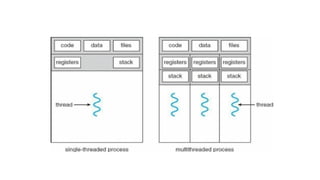
• Multithreading
• Aprocess is divided into number of smaller tasks each task is called a
Thread. Number of Threads with in a Process execute at a time is
called Multithreading.
• If a program, is multithreaded, even when some portion of it is
blocked, the whole program is not blocked.
• The rest of the program continues working If multiple CPU’s are
available.
• Multithreading gives best performance. If we have only a single
thread, number of CPU’s available, No performance benefits achieved.
• Process creation is heavy-weight while thread creation is light-weight
Can simplify code, increase efficiency
91.
Kernels are generallymultithreaded
• CODE- Contains instruction
• DATA- holds global variable
• FILES-opening and closing files
• REGISTER- contain information about CPU state
• STACK-parameters, local variables, functions
• Global variable can be accessed from anywhere inside the program
while a static local variable can be accessed only where its scope
exists

![OPERATING SYSTEM UNIT-1 [Autosaved].pptx](https://image.slidesharecdn.com/operatingsystemunit-1autosaved-250916174638-ee20439e/85/OPERATING-SYSTEM-UNIT-1-Autosaved-pptx-92-320.jpg)
![OPERATING SYSTEM UNIT-1 [Autosaved].pptx](https://cdn.slidesharecdn.com/ss_thumbnails/operatingsystemunit-1autosaved-250602162951-72288d92-thumbnail.jpg?width=640&height=640&fit=bounds)


![Operating systems1[1]](https://cdn.slidesharecdn.com/ss_thumbnails/operatingsystems11-130921090125-phpapp01-thumbnail.jpg?width=640&height=640&fit=bounds)


