Office Layout Working Environment
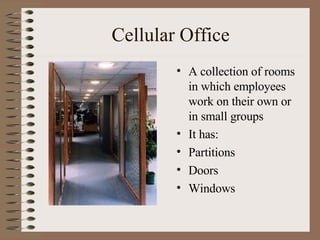
Cellular Office A collection of rooms in which employees work on their own or in small groups It has: Partitions Doors Windows
Advantages of Cellular Office Rooms can be locked Less distractions for employees Offices can be used for meetings Each room designed for employee Noisy office equipment can be housed elsewhere Infections and illnesses less easily spread Employees can personalise their environment
Disadvantages of Cellular Office Harder for manager to supervise staff Communication may be more difficult Time lost moving from room to room Employees may feel isolated Overheads are higher due to individual rooms Harder to change work area layout Less friendly or relaxed atmosphere
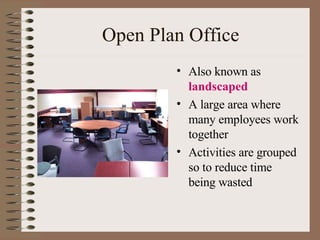
Open Plan Office Also known as  landscaped A large area where many employees work together Activities are grouped so to reduce time being wasted
Advantages of Open Plan Office Easier for managers to supervise staff Easier to organise meetings of groups of workers Less time wasted passing information/work Overheads cost less Work area size can be changed Equipment can be shared more easily
Disadvantages of Open Plan Office Employees may find it hard to concentrate Employees may be distracted Difficult to restrict access Fewer areas for confidential meetings Infections and illnesses can be more easily spread Less wall space for departmental information Lighting, heating and ventilation may not suit everyone
Deciding Office Layout Depends on: Size of organisation – number of employees Organisation expanding or contracting? Type of work involved Space available Financial resources available
Office Layout Be adaptable to meet volume changes Provide enough work and storage space Take account of flow of work Allow easy access for employees Economical to maintain Easy access to services Easy access to equipment Provide security for equipment and information
What is Ergonomics Ergonomics deals with how the working environment affects the work of the employees. It is user-centred in its approach Studying people using equipment Talking to them Asking them to test objects
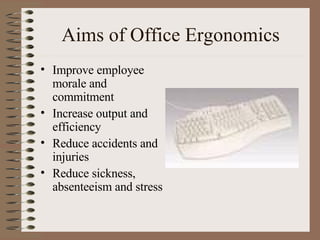
Aims of Office Ergonomics Improve employee morale and commitment Increase output and efficiency Reduce accidents and injuries Reduce sickness, absenteeism and stress
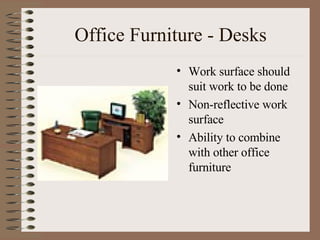
Office Furniture - Desks Work surface should suit work to be done Non-reflective work surface Ability to combine with other office furniture
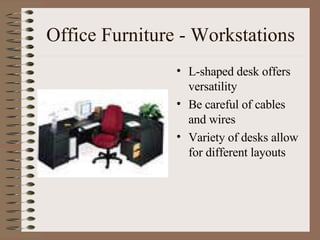
Office Furniture - Workstations L-shaped desk offers versatility Be careful of cables and wires Variety of desks allow for different layouts
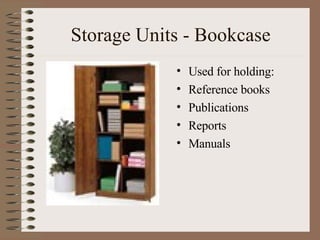
Storage Units - Bookcase Used for holding: Reference books Publications Reports Manuals
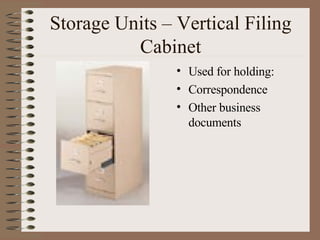
Storage Units – Vertical Filing Cabinet Used for holding: Correspondence Other business documents
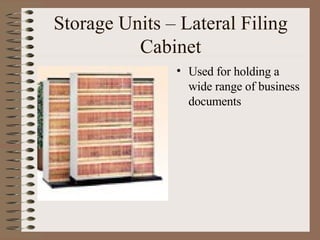
Storage Units – Lateral Filing Cabinet Used for holding a wide range of business documents
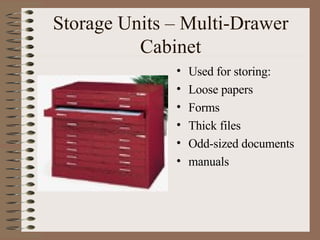
Storage Units – Multi-Drawer Cabinet Used for storing: Loose papers Forms Thick files Odd-sized documents manuals
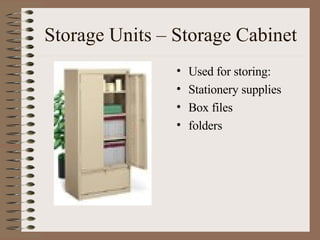
Storage Units – Storage Cabinet Used for storing: Stationery supplies Box files folders
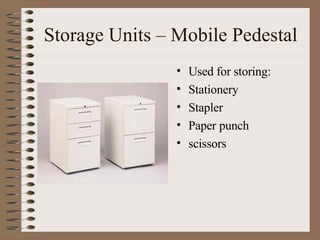
Storage Units – Mobile Pedestal Used for storing: Stationery Stapler Paper punch scissors
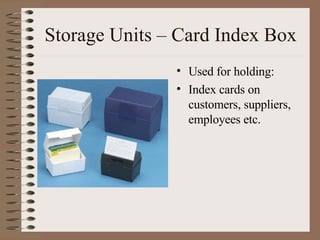
Storage Units – Card Index Box Used for holding: Index cards on customers, suppliers, employees etc.
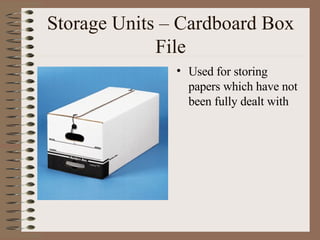
Storage Units – Cardboard Box File Used for storing papers which have not been fully dealt with
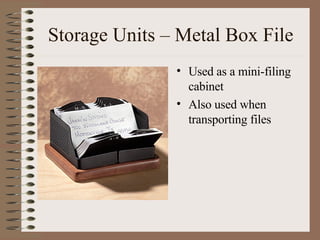
Storage Units – Metal Box File Used as a mini-filing cabinet Also used when transporting files
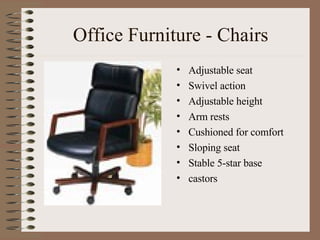
Office Furniture - Chairs Adjustable seat Swivel action Adjustable height Arm rests Cushioned for comfort Sloping seat Stable 5-star base castors
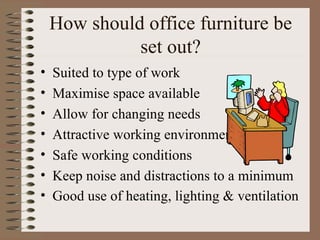
How should office furniture be set out? Suited to type of work Maximise space available Allow for changing needs Attractive working environment Safe working conditions Keep noise and distractions to a minimum Good use of heating, lighting & ventilation
Organising a workstation Workstations should: Have cable management system Free from clutter Close at hand materials Easy phone access Storage drawers available
Impact of ICT on work practices and workstation layout Employees can now work: At home Travelling On customers’ premises In hotel rooms Employees can use: Laptop Mobile phones Voicemail Fax machines Pagers videoconferencing
Homeworking/Teleworking Homeworking is when employees spend contracted time at home Depends on type of work Not suitable for face-to-face jobs Teleworking is when work at home is transmitted via ICT to workplace Writers, journalists, researchers etc.
Advantages of Homeworking Less space needed at employer’s Less time wasted  commuting Transport and parking costs eliminated Aids disabled staff Motivation may increase due to own time management Less stressful for employees More flexibility in arranging hours
Disadvantages of Homeworking Work unsupervised ICT purchase costs Harder to satisfy Health & Safety  Harder to provide ICT support Harder to conduct training Less social interaction
Hot Desking Hot Desks are terminals provided for employees who occasionally need them Saves costly ICT equipment Booked in advance Hot Rooms  – bookable meeting areas Carrels  – small booth for solo work Touchdown Areas  – areas for drop-in staff
Organising Work Job-sharing Flexitime
Job Sharing Employees share a full-time job Salary paid as proportion Suitable for non-commitment to full time work Not suitable for all jobs –  senior managers
Flexitime Flexible start/finish times Core time Should improve timekeeping Avoid gridlock Clock in and out Reduction in overtime pay Credit hours
Office Layout – Managerial Implications Change in heating, lighting cabling etc… Purchase of additional equipment Provision of hot desks, touchdown areas Provision of staff training Safety & security of equipment & information Health, safety & welfare of staff
Implementing Change Plan introduction of changes Introduce change gradually Let employees know Involve employees at each stage Explain how changes will affect employees Consult & negotiate with employee reps Provide apt training

Office Layout

  • 1.
  • 2.
    Cellular Office Acollection of rooms in which employees work on their own or in small groups It has: Partitions Doors Windows
  • 3.
    Advantages of CellularOffice Rooms can be locked Less distractions for employees Offices can be used for meetings Each room designed for employee Noisy office equipment can be housed elsewhere Infections and illnesses less easily spread Employees can personalise their environment
  • 4.
    Disadvantages of CellularOffice Harder for manager to supervise staff Communication may be more difficult Time lost moving from room to room Employees may feel isolated Overheads are higher due to individual rooms Harder to change work area layout Less friendly or relaxed atmosphere
  • 5.
    Open Plan OfficeAlso known as landscaped A large area where many employees work together Activities are grouped so to reduce time being wasted
  • 6.
    Advantages of OpenPlan Office Easier for managers to supervise staff Easier to organise meetings of groups of workers Less time wasted passing information/work Overheads cost less Work area size can be changed Equipment can be shared more easily
  • 7.
    Disadvantages of OpenPlan Office Employees may find it hard to concentrate Employees may be distracted Difficult to restrict access Fewer areas for confidential meetings Infections and illnesses can be more easily spread Less wall space for departmental information Lighting, heating and ventilation may not suit everyone
  • 8.
    Deciding Office LayoutDepends on: Size of organisation – number of employees Organisation expanding or contracting? Type of work involved Space available Financial resources available
  • 9.
    Office Layout Beadaptable to meet volume changes Provide enough work and storage space Take account of flow of work Allow easy access for employees Economical to maintain Easy access to services Easy access to equipment Provide security for equipment and information
  • 10.
    What is ErgonomicsErgonomics deals with how the working environment affects the work of the employees. It is user-centred in its approach Studying people using equipment Talking to them Asking them to test objects
  • 11.
    Aims of OfficeErgonomics Improve employee morale and commitment Increase output and efficiency Reduce accidents and injuries Reduce sickness, absenteeism and stress
  • 12.
    Office Furniture -Desks Work surface should suit work to be done Non-reflective work surface Ability to combine with other office furniture
  • 13.
    Office Furniture -Workstations L-shaped desk offers versatility Be careful of cables and wires Variety of desks allow for different layouts
  • 14.
    Storage Units -Bookcase Used for holding: Reference books Publications Reports Manuals
  • 15.
    Storage Units –Vertical Filing Cabinet Used for holding: Correspondence Other business documents
  • 16.
    Storage Units –Lateral Filing Cabinet Used for holding a wide range of business documents
  • 17.
    Storage Units –Multi-Drawer Cabinet Used for storing: Loose papers Forms Thick files Odd-sized documents manuals
  • 18.
    Storage Units –Storage Cabinet Used for storing: Stationery supplies Box files folders
  • 19.
    Storage Units –Mobile Pedestal Used for storing: Stationery Stapler Paper punch scissors
  • 20.
    Storage Units –Card Index Box Used for holding: Index cards on customers, suppliers, employees etc.
  • 21.
    Storage Units –Cardboard Box File Used for storing papers which have not been fully dealt with
  • 22.
    Storage Units –Metal Box File Used as a mini-filing cabinet Also used when transporting files
  • 23.
    Office Furniture -Chairs Adjustable seat Swivel action Adjustable height Arm rests Cushioned for comfort Sloping seat Stable 5-star base castors
  • 24.
    How should officefurniture be set out? Suited to type of work Maximise space available Allow for changing needs Attractive working environment Safe working conditions Keep noise and distractions to a minimum Good use of heating, lighting & ventilation
  • 25.
    Organising a workstationWorkstations should: Have cable management system Free from clutter Close at hand materials Easy phone access Storage drawers available
  • 26.
    Impact of ICTon work practices and workstation layout Employees can now work: At home Travelling On customers’ premises In hotel rooms Employees can use: Laptop Mobile phones Voicemail Fax machines Pagers videoconferencing
  • 27.
    Homeworking/Teleworking Homeworking iswhen employees spend contracted time at home Depends on type of work Not suitable for face-to-face jobs Teleworking is when work at home is transmitted via ICT to workplace Writers, journalists, researchers etc.
  • 28.
    Advantages of HomeworkingLess space needed at employer’s Less time wasted commuting Transport and parking costs eliminated Aids disabled staff Motivation may increase due to own time management Less stressful for employees More flexibility in arranging hours
  • 29.
    Disadvantages of HomeworkingWork unsupervised ICT purchase costs Harder to satisfy Health & Safety Harder to provide ICT support Harder to conduct training Less social interaction
  • 30.
    Hot Desking HotDesks are terminals provided for employees who occasionally need them Saves costly ICT equipment Booked in advance Hot Rooms – bookable meeting areas Carrels – small booth for solo work Touchdown Areas – areas for drop-in staff
  • 31.
  • 32.
    Job Sharing Employeesshare a full-time job Salary paid as proportion Suitable for non-commitment to full time work Not suitable for all jobs – senior managers
  • 33.
    Flexitime Flexible start/finishtimes Core time Should improve timekeeping Avoid gridlock Clock in and out Reduction in overtime pay Credit hours
  • 34.
    Office Layout –Managerial Implications Change in heating, lighting cabling etc… Purchase of additional equipment Provision of hot desks, touchdown areas Provision of staff training Safety & security of equipment & information Health, safety & welfare of staff
  • 35.
    Implementing Change Planintroduction of changes Introduce change gradually Let employees know Involve employees at each stage Explain how changes will affect employees Consult & negotiate with employee reps Provide apt training