
Odoo Introduction
Matiar Rahman
Content
1. Odoo Introduction
2. How to create Odoo user
3. How to set user password
4. How to change user password
Odoo Introduction
Odoo Introduction
Odoo, formerly OpenERP has been founded in 2005. Odoo
thrives in a unique and fully open ecosystem combining the
resources of its open source community, partners’ network
and vendor.
Odoo provides 30 main applications supported by the editor.
In addition, the community, comprised of more than 1,500
active members, has contributed more than 4000 apps to
cover a wide variety of business needs.
The network of 550+ certified partners, established in more
than 120 countries, deploys the solution locally. The software,
available online or on-premise, is the most installed
management software worldwide.
How to create Odoo user?
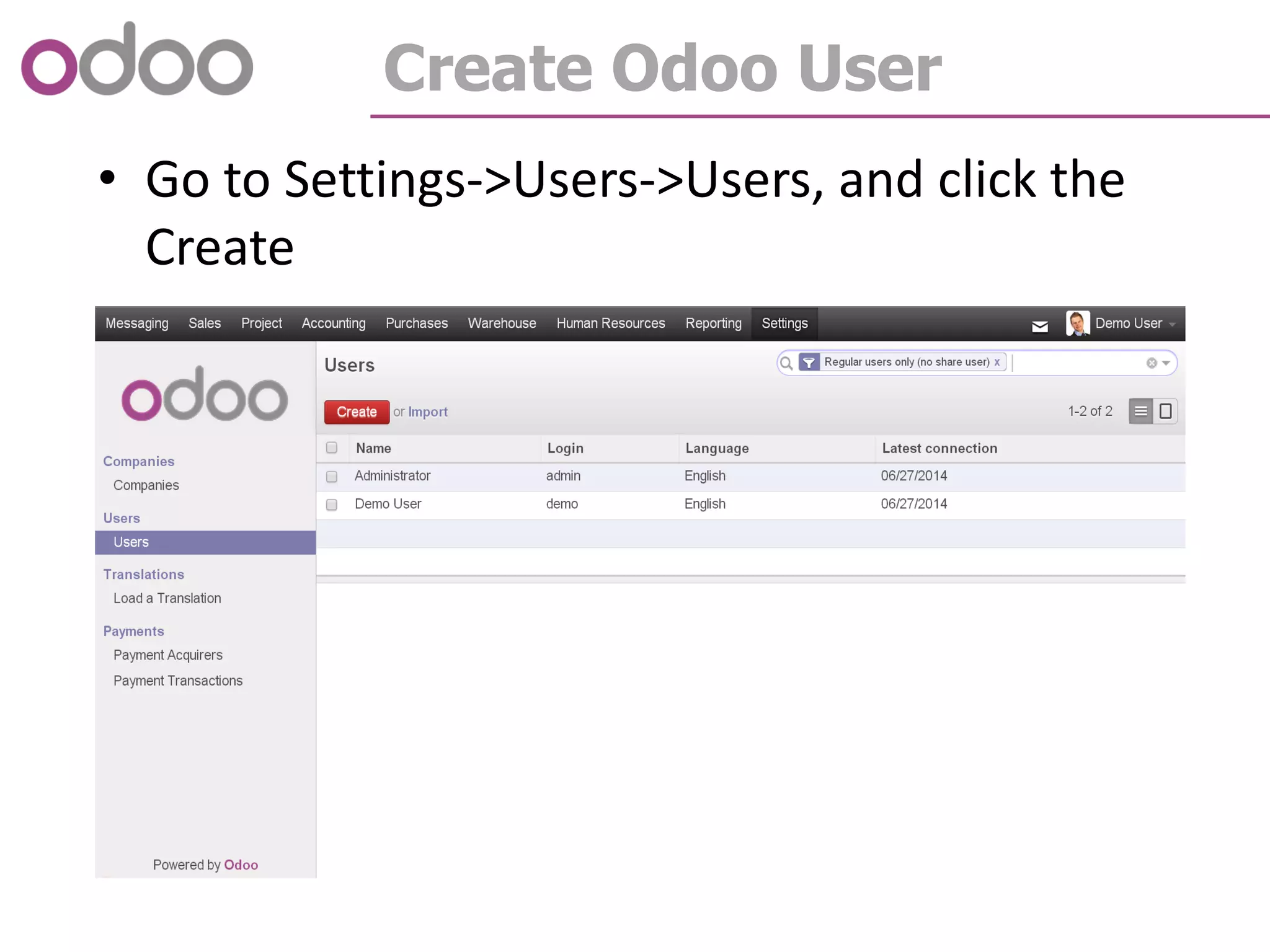
Create Odoo User
• Go to Settings->Users->Users, and click the
Create
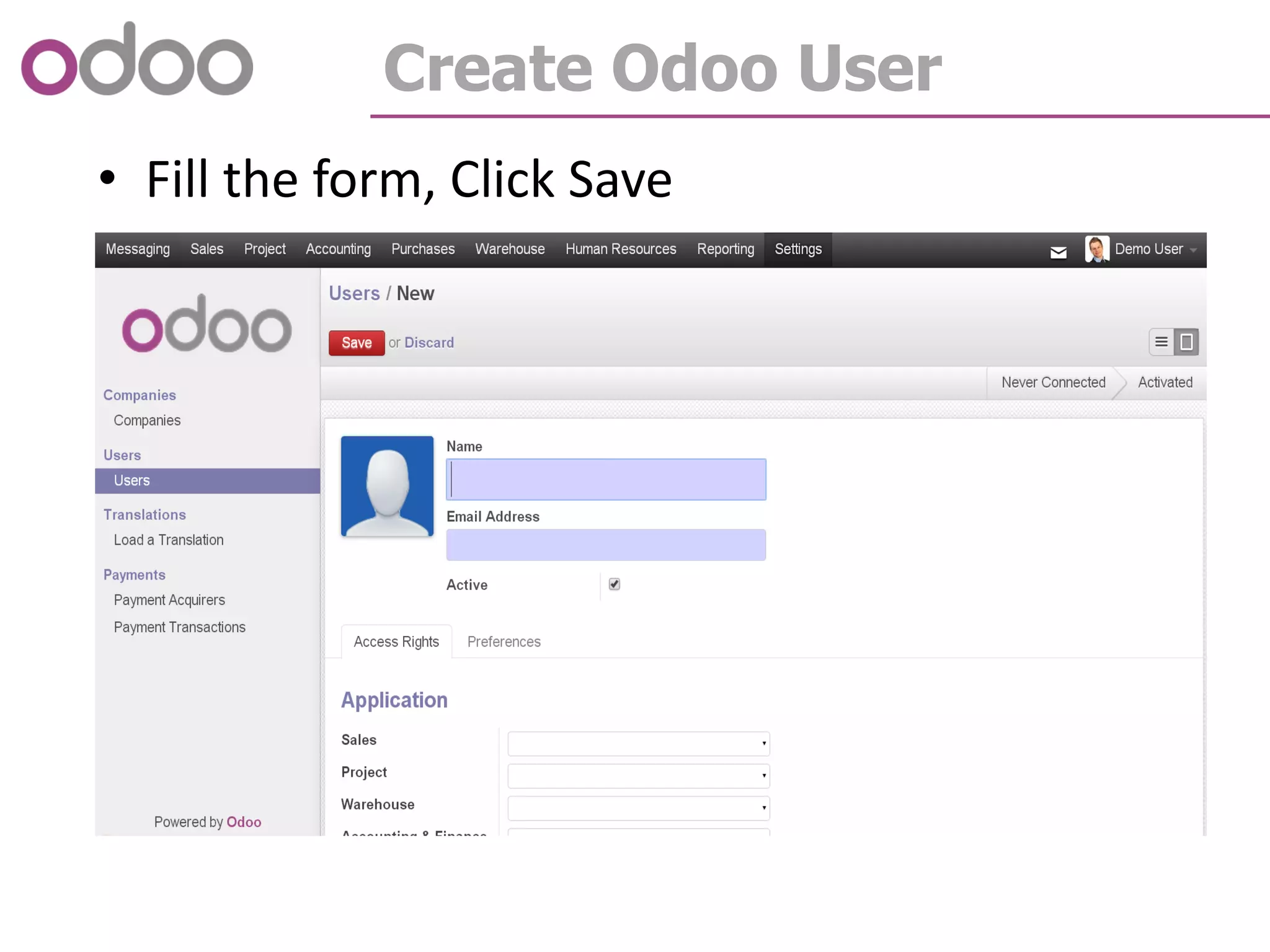
Create Odoo User
• Fill the form, Click Save
How to set user password?
Set User Password
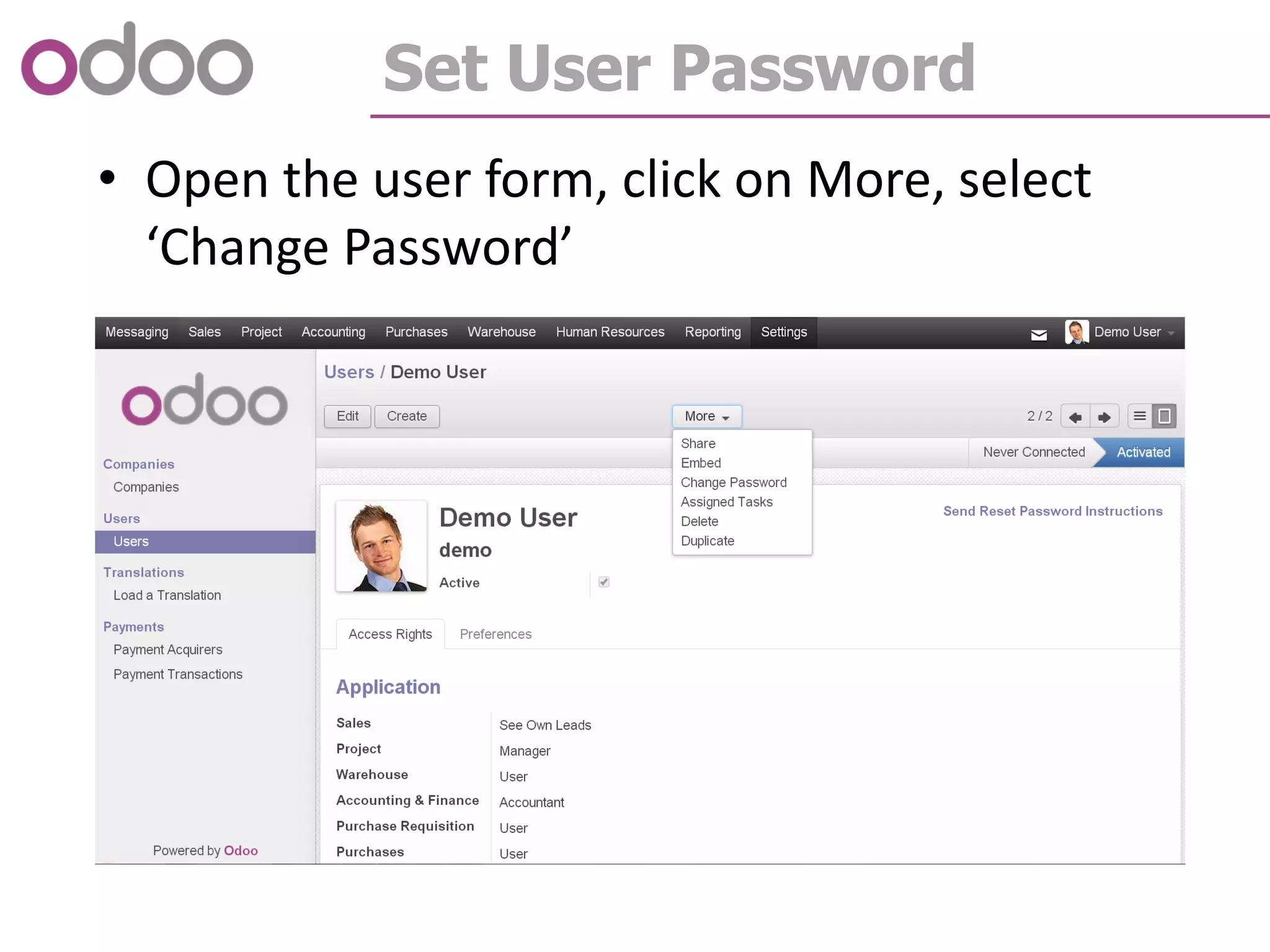
• Open the user form, click on More, select
‘Change Password’
Set User Password
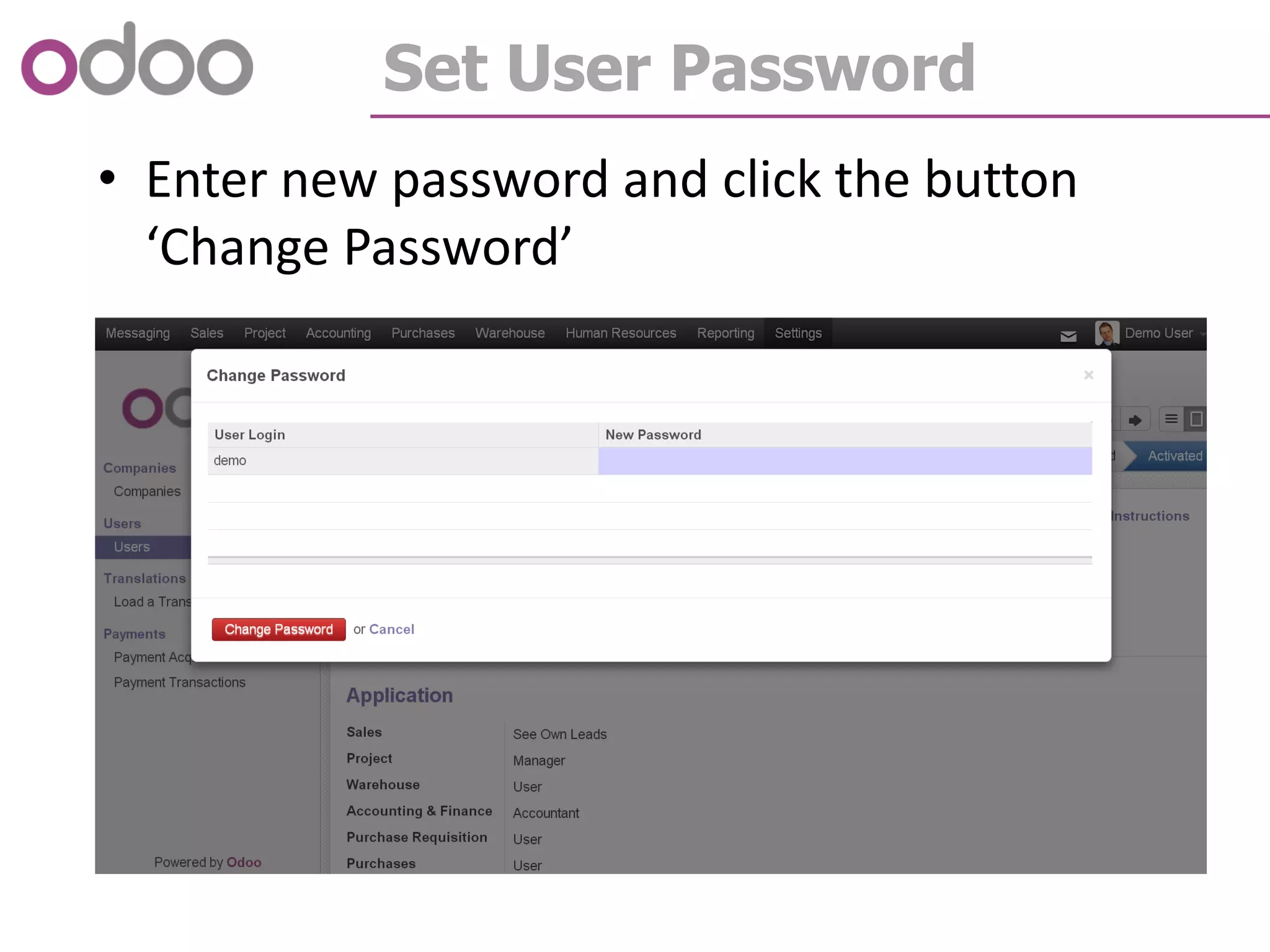
• Enter new password and click the button
‘Change Password’
How to change user password?
Change User Password
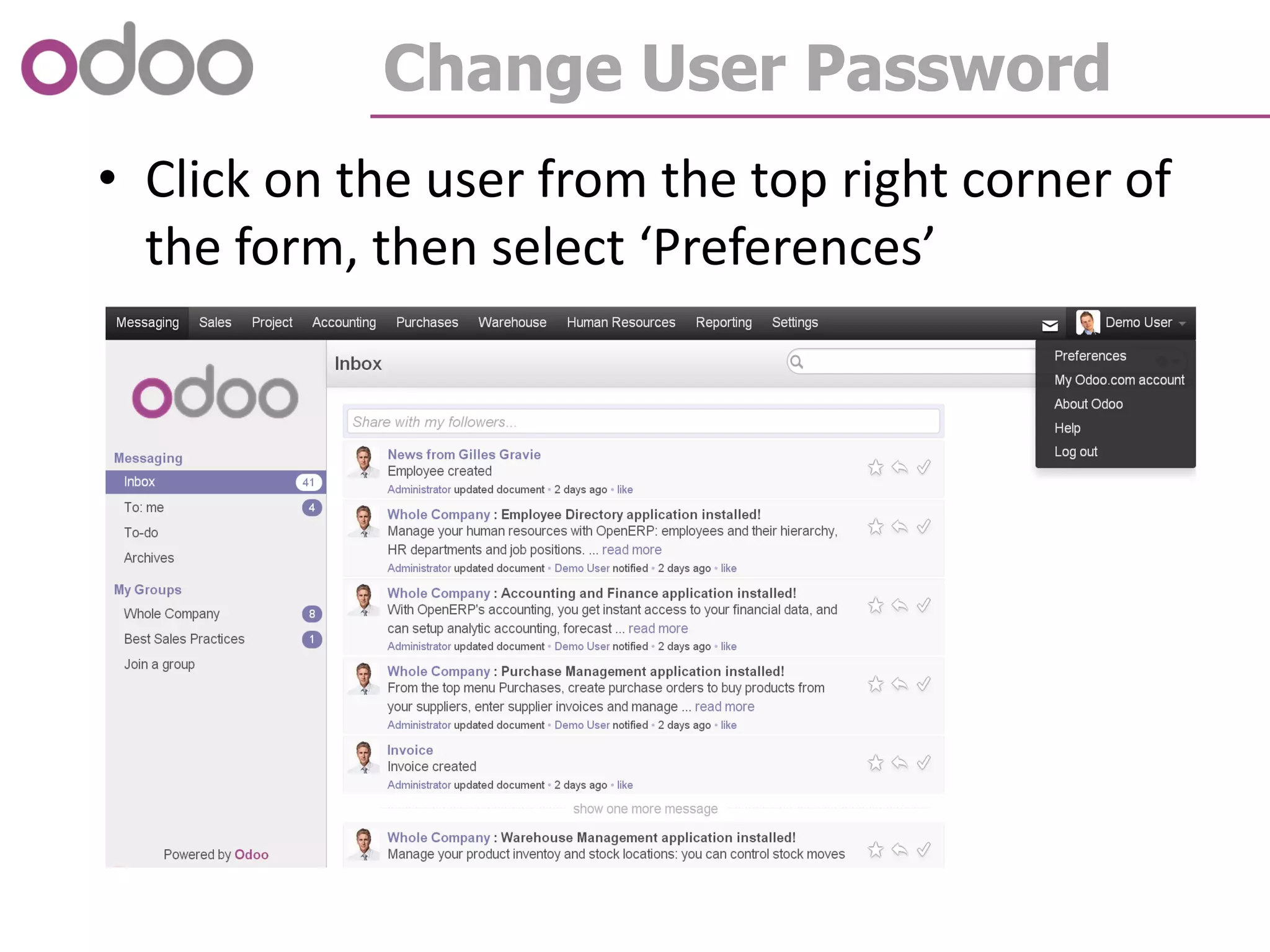
• Click on the user from the top right corner of
the form, then select ‘Preferences’
Change User Password
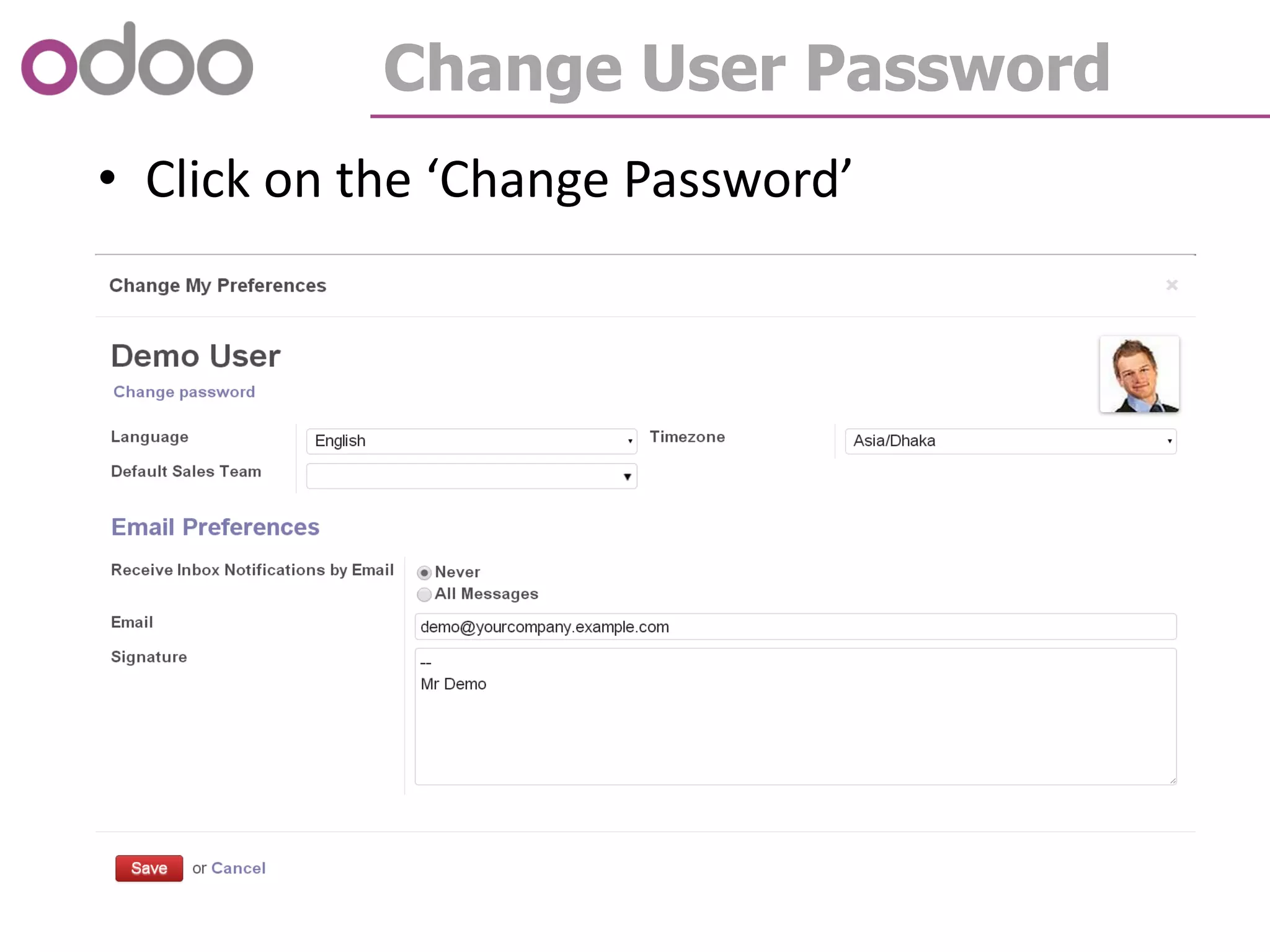
• Click on the ‘Change Password’
Change User Password
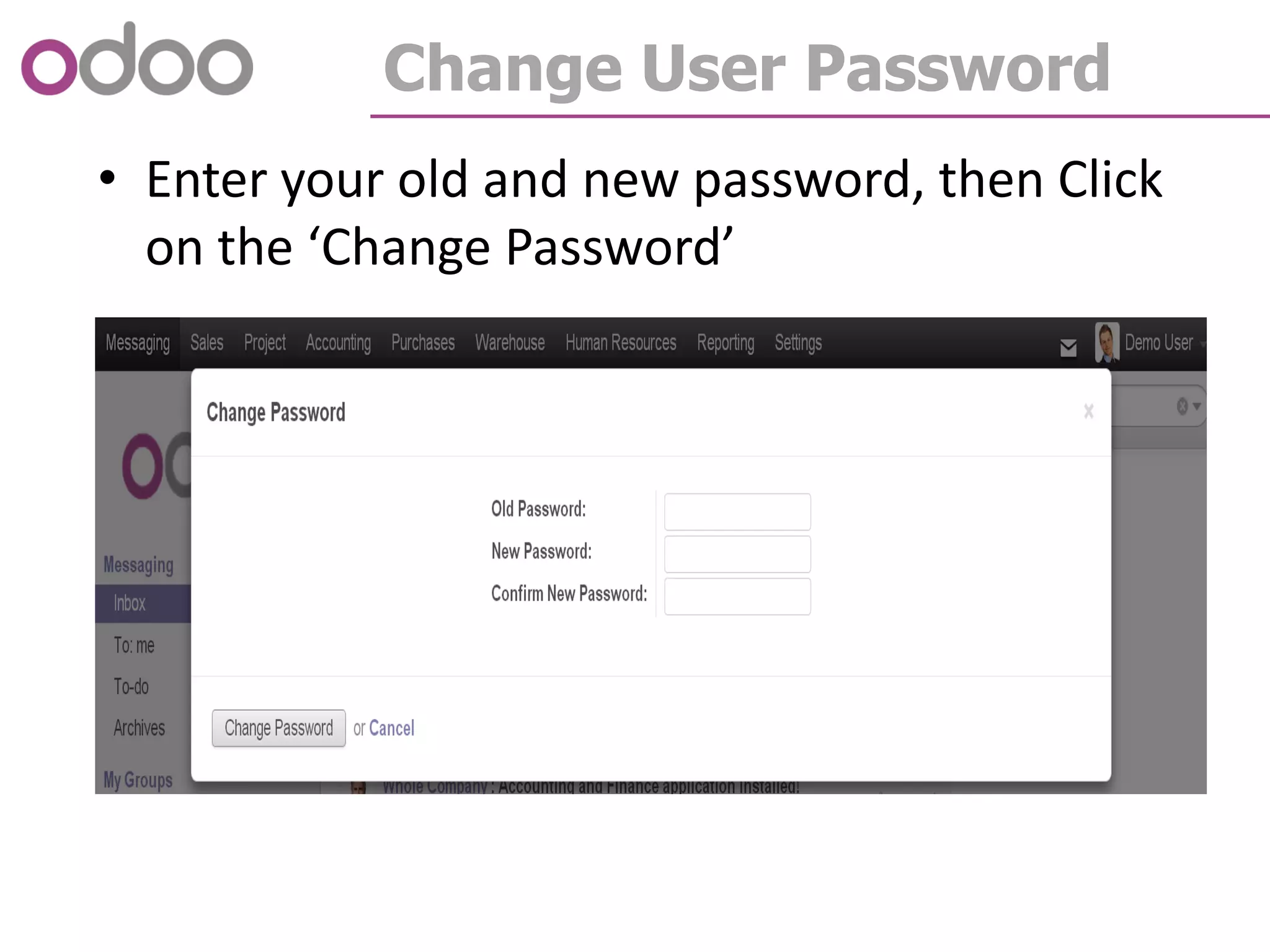
• Enter your old and new password, then Click
on the ‘Change Password’
Thank You!

Odoo How to - Session - 1