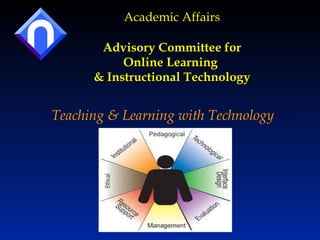
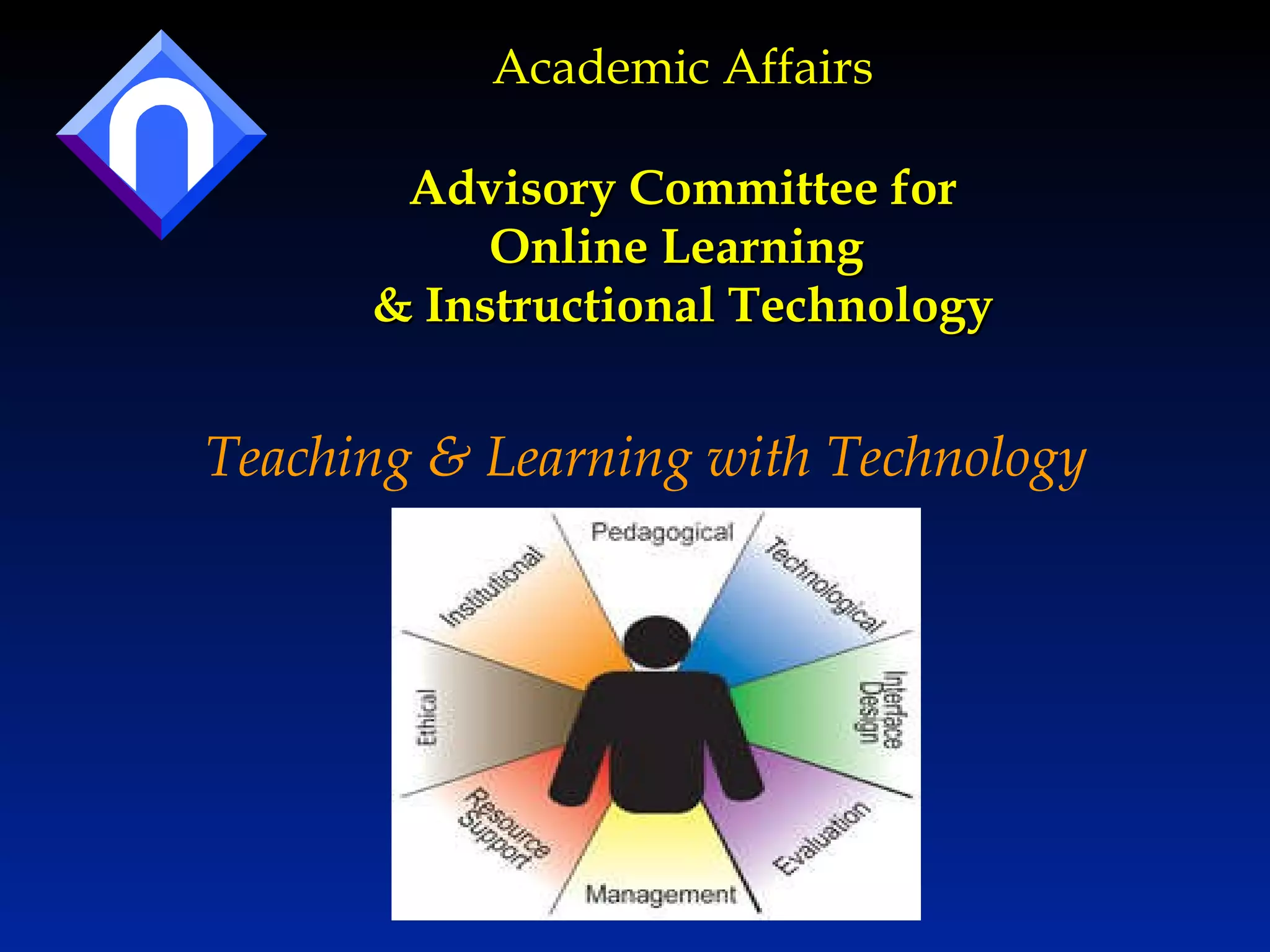
Academic Affairs Advisory Committee for Online Learning  & Instructional Technology Teaching & Learning with Technology
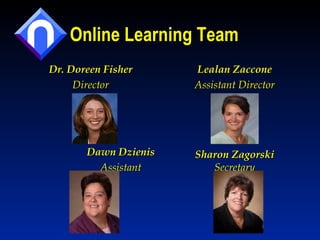
Online Learning Team Dr. Doreen Fisher Director Dawn Dzienis Assistant Lealan Zaccone Assistant Director Sharon Zagorski Secretary
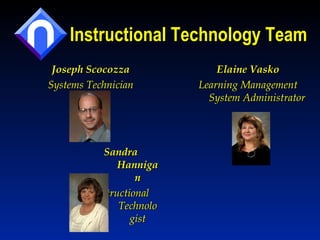
Instructional Technology Team Joseph Scocozza Systems Technician Sandra Hannigan Instructional Technologist Elaine Vasko Learning Management System Administrator
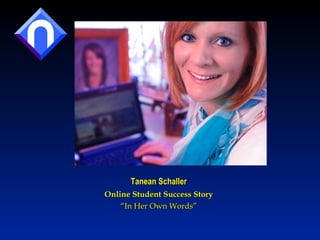
Tanean Schaller Online Student Success Story “ In Her Own Words”
100% Online Degrees Associate in Applied Science: Accounting Associate in Arts: Business Administration Associate in Applied Science: Criminal Justice Associate in Applied Science: Early Childhood Ed Associate in Arts: General Studies Associate in Arts: Liberal Arts Associate in Arts: Social Work Associate in Applied Science : Special Education – Paraeducator Training Associate in Arts: Sport Management
Hybrid Degrees:  Some Courses On Campus 1-2 Courses Associate in Applied Science: Business Management Associate in Arts: Journalism Associate in Arts: Education – Middle Level Associate in Applied Science : Secondary Education 3 or more Courses Associate in Applied Science: Funeral Services Associate in Applied Science: Automotive Technology Associate in Arts: Communication Studies
100% Online Specialized Programs Early Childhood Education Certificate Child Development Associate Certificate Accounting Diploma Accounting Assistant Diploma Early Childhood Education-Family Child Care Early Childhood Education-School-Age Child Care Leadership for Early Childhood Program Director Continued.. Library Technical Assistant Small Business Management Non-credit Programs Energy Efficiency Training Perioperative Nursing Literacy – GED RV Maintenance Ed2goPro
Online and Hybrid Courses Course Sections “ W” sections are regular-start courses “ V” sections are late-start courses “ Y” sections are “hybrid” courses Such courses require some on-campus meetings Examples: BIOS 115, BIOS 160, BIOS 204, BIOS 254
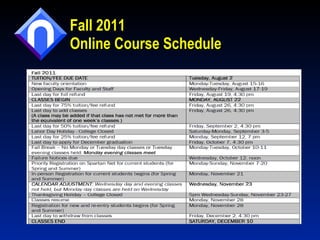
Fall 2011 Online Course Schedule
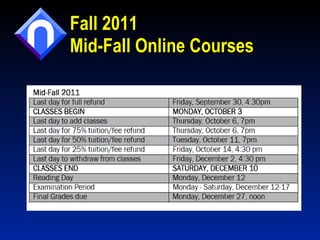
Fall 2011  Mid-Fall Online Courses
Required Equipment Computer Internet access Email account Internet Browser Examples: Internet Explorer 6.0 or higher, Firefox Visit the following website: http://www.northampton.edu/distancelearn/how/TechnicalRequirements.htm
Computer Services Helpdesk Help Desk: 610-861-5413 [email_address]   The Computer Services Help Desk  provides support for: All hardware and software on campus  Student email addresses  Spartan Net  Online learning
Question #1 Is it recommended to use an organizer such as a monthly calendar or email calendar? 1) Yes 2) No
Question #2 It is important to be in communication with your professor via email, phone or by an on-campus appointment throughout your course.  1) True 2) False
Skills for Success Successful Online Learning students : Must be disciplined, self-motivated, independent, and proactive learners that need no prodding from an instructor to study or complete assignments. Ask Questions, contact the instructor and engage. Read the syllabus and map out course readings, assignments, and due dates. Avail themselves of tutoring or other support services as necessary. Complete assignments on time, participate in Elluminate or discussion sessions, and don’t procrastinate.
Office of Online Learning “ Getting Started” Letters Each letter has important information about your course Instructor Name Textbook Information Testing Information Special Requirements Blackboard access
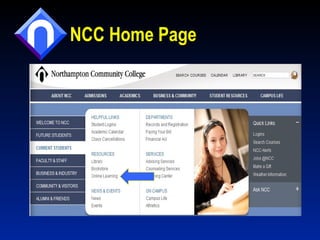
NCC Home Page
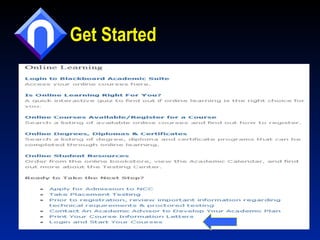
Get Started
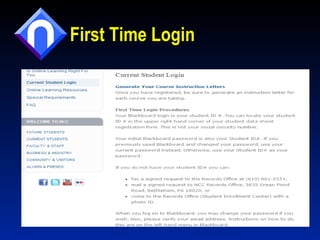
First Time Login
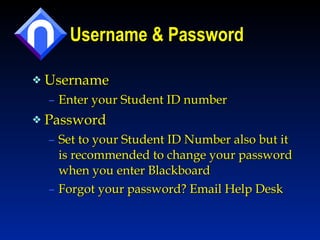
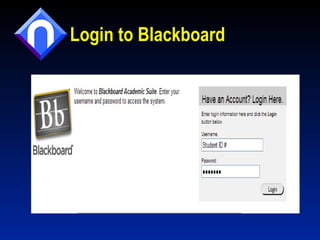
Username & Password Username  Enter your Student ID number Password  Set to your Student ID Number also but it is recommended to change your password when you enter Blackboard Forgot your password? Email Help Desk
Privacy/Security The College strives to protect your privacy, so remember to keep your login and password private for your own safety and privacy.
Technology Skills & Blackboard 9 Commonly used computer skills : Copy and Paste Save documents – options to edit then submit Upload documents  Send email with attachments Blackboard 9: How to email within Blackboard  (select a few or all recipients, blind copy for self) How to submit assignments
Helpful Information  for Early Childhood Students Upload pictures with assignments E-Modules E-Portfolio Contact information for Technology Support Help Desk: 610-861-5413 [email_address]
Contact Your Professor For: Questions about the syllabus Course assignments Books and materials  Any content related question
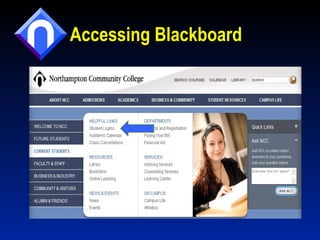
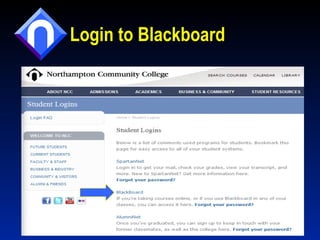
Accessing Blackboard
Login to Blackboard
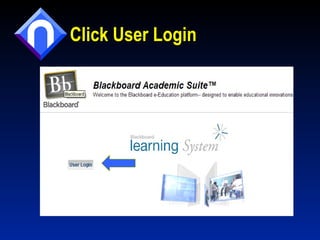
Click User Login
Login to Blackboard
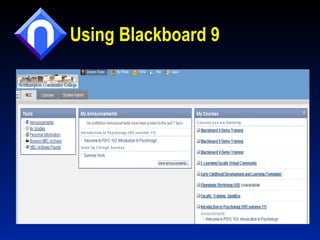
Using Blackboard 9
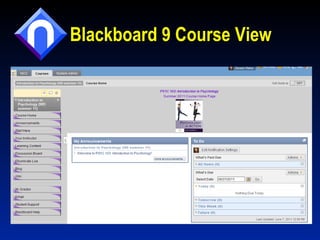
Blackboard 9 Course View
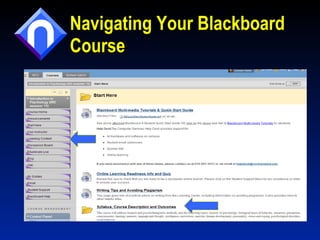
Navigating Your Blackboard Course
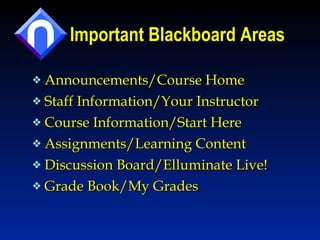
Important Blackboard Areas Announcements/Course Home Staff Information/Your Instructor Course Information/Start Here Assignments/Learning Content  Discussion Board/Elluminate Live! Grade Book/My Grades
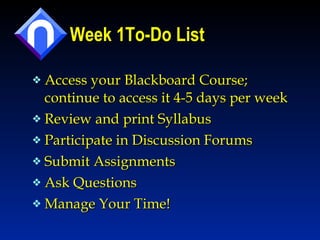
Week 1To-Do List Access your Blackboard Course; continue to access it 4-5 days per week Review and print Syllabus Participate in Discussion Forums Submit Assignments Ask Questions Manage Your Time!
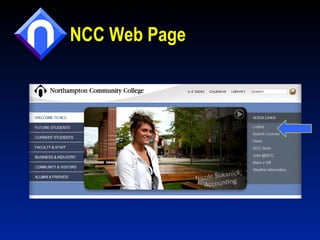
NCC Web Page
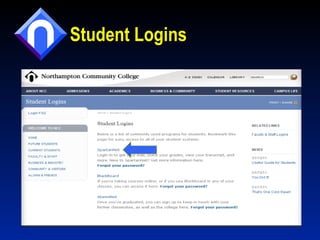
Student Logins
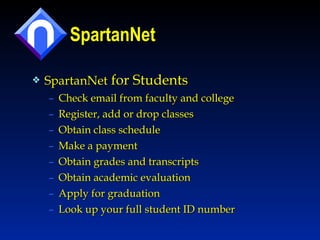
SpartanNet SpartanNet  for Students  Check email from faculty and college Register, add or drop classes Obtain class schedule Make a payment Obtain grades and transcripts  Obtain academic evaluation Apply for graduation Look up your full student ID number
Student Email All students receive a free College email account for life You are encouraged to use it  Official means of communication from the College  Your email address will be  [email_address] e.g. dfisher@spartan.northampton.edu
Online LearningTechnologies Blackboard Elluminate Live Respondus Lockdown Browser Publisher-Created Resources Examples: MyMathLab, WileyPlus CourseEval
Student Support Student Information Sessions Online Learning, Library and Learning Center via Main, Monroe or Elluminate Blackboard 9 Training starting July 2011 Multi-media Tutorials for Students: https://sites.google.com/site/blackboard9forstudents/ Online Learning Orientation Online Library Resources Proctored Exams Online Tutoring  Learning Outside the Walls
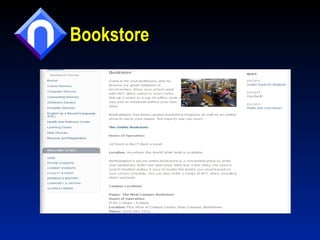
Bookstore
Bookstore Updates Rental Textbooks E-Textbooks To purchase your books: www.tinyurl.com/NCCBookstore
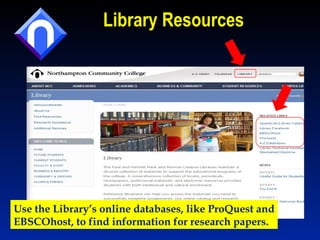
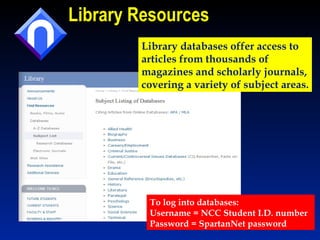
Library Resources Use the Library’s online databases, like ProQuest and EBSCOhost, to find information for research papers.
Library Resources To log into databases: Username = NCC Student I.D. number Password = SpartanNet password Library databases offer access to  articles from thousands of  magazines and scholarly journals, covering a variety of subject areas.
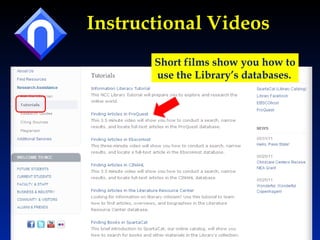
Instructional Videos Short films show you how to use the Library’s databases.
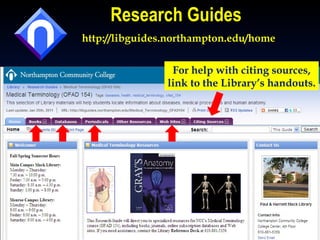
Research Guides http://libguides.northampton.edu/home For help with citing sources, link to the Library’s handouts.
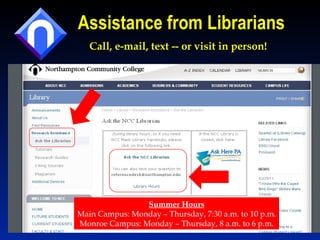
Assistance from Librarians Call, e-mail, text -- or visit in person! Summer Hours Main Campus: Monday – Thursday, 7:30 a.m. to 10 p.m. Monroe Campus: Monday – Thursday, 8 a.m. to 6 p.m.
Scheduling Proctored Exams at NCC Libraries Students must call the Library during  scheduled operating hours Dates when you may call to schedule an exam: Monday, July 25 to Thursday, July 28 Monday, August 1 to Thursday, August 4 If Monroe Campus Library is more convenient, call  570-688-2475 for proctoring and Library service hours.
Final Exams & Library Hours Final Exam Period Monday, August 15  Tuesday, August 16 Main Campus Library will be open: 7:30 a.m. to 11 p.m.
Library Services Ask Us! facebook.com/ncclibraryservices
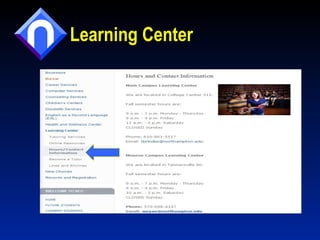
Learning Center
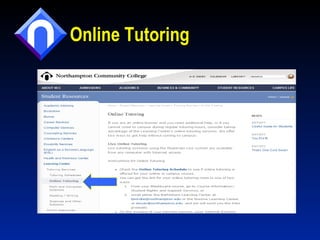
Online Tutoring
Tutoring Services for Online Learners Subjects Accounting Early Childhood [email_address] English and Writing for all courses [email_address] Math Spanish
Stay Informed!  Connect with the Learning Center Facebook Page to learn about upcoming workshops, tutoring schedules, and so much more!  
Resources  Student Information Sessions Online Learning Information Sheet Blackboard 9 Resources and Help Blackboard 9 Getting Started Blackboard 9 Submitting Assignments Online Students/Library Information about Proctored Testing
Helpful Contact Information Contact the Office of Online Learning if you encounter problems with your course or instructor this semester Phone: 610-332-6089 or 610-861-4160 Email: onlinelearning@northampton.edu  Website: www.northampton.edu/onlinelearning
Helpful Contact Information For Blackboard or computer-related questions contact the Help Desk Phone: 610-861-5413 Email: helpdesk@northampton.edu  Website:  http://www.northampton.edu/office/compservices/support.htm  For Elluminate Live Technical Support Call  1-866-388-8674 (select option 2) or visit www.elluminate.com/support
Questions? For more information contact  Dr. Doreen Fisher  at: [email_address] 610-861-5534 Kopecek 238

Nso june2011

  • 1.
    Academic Affairs AdvisoryCommittee for Online Learning & Instructional Technology Teaching & Learning with Technology
  • 2.
    Online Learning TeamDr. Doreen Fisher Director Dawn Dzienis Assistant Lealan Zaccone Assistant Director Sharon Zagorski Secretary
  • 3.
    Instructional Technology TeamJoseph Scocozza Systems Technician Sandra Hannigan Instructional Technologist Elaine Vasko Learning Management System Administrator
  • 4.
    Tanean Schaller OnlineStudent Success Story “ In Her Own Words”
  • 5.
    100% Online DegreesAssociate in Applied Science: Accounting Associate in Arts: Business Administration Associate in Applied Science: Criminal Justice Associate in Applied Science: Early Childhood Ed Associate in Arts: General Studies Associate in Arts: Liberal Arts Associate in Arts: Social Work Associate in Applied Science : Special Education – Paraeducator Training Associate in Arts: Sport Management
  • 6.
    Hybrid Degrees: Some Courses On Campus 1-2 Courses Associate in Applied Science: Business Management Associate in Arts: Journalism Associate in Arts: Education – Middle Level Associate in Applied Science : Secondary Education 3 or more Courses Associate in Applied Science: Funeral Services Associate in Applied Science: Automotive Technology Associate in Arts: Communication Studies
  • 7.
    100% Online SpecializedPrograms Early Childhood Education Certificate Child Development Associate Certificate Accounting Diploma Accounting Assistant Diploma Early Childhood Education-Family Child Care Early Childhood Education-School-Age Child Care Leadership for Early Childhood Program Director Continued.. Library Technical Assistant Small Business Management Non-credit Programs Energy Efficiency Training Perioperative Nursing Literacy – GED RV Maintenance Ed2goPro
  • 8.
    Online and HybridCourses Course Sections “ W” sections are regular-start courses “ V” sections are late-start courses “ Y” sections are “hybrid” courses Such courses require some on-campus meetings Examples: BIOS 115, BIOS 160, BIOS 204, BIOS 254
  • 9.
    Fall 2011 OnlineCourse Schedule
  • 10.
    Fall 2011 Mid-Fall Online Courses
  • 11.
    Required Equipment ComputerInternet access Email account Internet Browser Examples: Internet Explorer 6.0 or higher, Firefox Visit the following website: http://www.northampton.edu/distancelearn/how/TechnicalRequirements.htm
  • 12.
    Computer Services HelpdeskHelp Desk: 610-861-5413 [email_address] The Computer Services Help Desk provides support for: All hardware and software on campus Student email addresses Spartan Net Online learning
  • 13.
    Question #1 Isit recommended to use an organizer such as a monthly calendar or email calendar? 1) Yes 2) No
  • 14.
    Question #2 Itis important to be in communication with your professor via email, phone or by an on-campus appointment throughout your course. 1) True 2) False
  • 15.
    Skills for SuccessSuccessful Online Learning students : Must be disciplined, self-motivated, independent, and proactive learners that need no prodding from an instructor to study or complete assignments. Ask Questions, contact the instructor and engage. Read the syllabus and map out course readings, assignments, and due dates. Avail themselves of tutoring or other support services as necessary. Complete assignments on time, participate in Elluminate or discussion sessions, and don’t procrastinate.
  • 16.
    Office of OnlineLearning “ Getting Started” Letters Each letter has important information about your course Instructor Name Textbook Information Testing Information Special Requirements Blackboard access
  • 17.
  • 18.
  • 19.
  • 20.
    Username & PasswordUsername Enter your Student ID number Password Set to your Student ID Number also but it is recommended to change your password when you enter Blackboard Forgot your password? Email Help Desk
  • 21.
    Privacy/Security The Collegestrives to protect your privacy, so remember to keep your login and password private for your own safety and privacy.
  • 22.
    Technology Skills &Blackboard 9 Commonly used computer skills : Copy and Paste Save documents – options to edit then submit Upload documents Send email with attachments Blackboard 9: How to email within Blackboard (select a few or all recipients, blind copy for self) How to submit assignments
  • 23.
    Helpful Information for Early Childhood Students Upload pictures with assignments E-Modules E-Portfolio Contact information for Technology Support Help Desk: 610-861-5413 [email_address]
  • 24.
    Contact Your ProfessorFor: Questions about the syllabus Course assignments Books and materials Any content related question
  • 25.
  • 26.
  • 27.
  • 28.
  • 29.
  • 30.
  • 31.
  • 32.
    Important Blackboard AreasAnnouncements/Course Home Staff Information/Your Instructor Course Information/Start Here Assignments/Learning Content Discussion Board/Elluminate Live! Grade Book/My Grades
  • 33.
    Week 1To-Do ListAccess your Blackboard Course; continue to access it 4-5 days per week Review and print Syllabus Participate in Discussion Forums Submit Assignments Ask Questions Manage Your Time!
  • 34.
  • 35.
  • 36.
    SpartanNet SpartanNet for Students Check email from faculty and college Register, add or drop classes Obtain class schedule Make a payment Obtain grades and transcripts Obtain academic evaluation Apply for graduation Look up your full student ID number
  • 37.
    Student Email Allstudents receive a free College email account for life You are encouraged to use it Official means of communication from the College Your email address will be [email_address] e.g. dfisher@spartan.northampton.edu
  • 38.
    Online LearningTechnologies BlackboardElluminate Live Respondus Lockdown Browser Publisher-Created Resources Examples: MyMathLab, WileyPlus CourseEval
  • 39.
    Student Support StudentInformation Sessions Online Learning, Library and Learning Center via Main, Monroe or Elluminate Blackboard 9 Training starting July 2011 Multi-media Tutorials for Students: https://sites.google.com/site/blackboard9forstudents/ Online Learning Orientation Online Library Resources Proctored Exams Online Tutoring Learning Outside the Walls
  • 40.
  • 41.
    Bookstore Updates RentalTextbooks E-Textbooks To purchase your books: www.tinyurl.com/NCCBookstore
  • 42.
    Library Resources Usethe Library’s online databases, like ProQuest and EBSCOhost, to find information for research papers.
  • 43.
    Library Resources Tolog into databases: Username = NCC Student I.D. number Password = SpartanNet password Library databases offer access to articles from thousands of magazines and scholarly journals, covering a variety of subject areas.
  • 44.
    Instructional Videos Shortfilms show you how to use the Library’s databases.
  • 45.
    Research Guides http://libguides.northampton.edu/homeFor help with citing sources, link to the Library’s handouts.
  • 46.
    Assistance from LibrariansCall, e-mail, text -- or visit in person! Summer Hours Main Campus: Monday – Thursday, 7:30 a.m. to 10 p.m. Monroe Campus: Monday – Thursday, 8 a.m. to 6 p.m.
  • 47.
    Scheduling Proctored Examsat NCC Libraries Students must call the Library during scheduled operating hours Dates when you may call to schedule an exam: Monday, July 25 to Thursday, July 28 Monday, August 1 to Thursday, August 4 If Monroe Campus Library is more convenient, call 570-688-2475 for proctoring and Library service hours.
  • 48.
    Final Exams &Library Hours Final Exam Period Monday, August 15 Tuesday, August 16 Main Campus Library will be open: 7:30 a.m. to 11 p.m.
  • 49.
    Library Services AskUs! facebook.com/ncclibraryservices
  • 50.
  • 51.
  • 52.
    Tutoring Services forOnline Learners Subjects Accounting Early Childhood [email_address] English and Writing for all courses [email_address] Math Spanish
  • 53.
    Stay Informed! Connect with the Learning Center Facebook Page to learn about upcoming workshops, tutoring schedules, and so much more!  
  • 54.
    Resources StudentInformation Sessions Online Learning Information Sheet Blackboard 9 Resources and Help Blackboard 9 Getting Started Blackboard 9 Submitting Assignments Online Students/Library Information about Proctored Testing
  • 55.
    Helpful Contact InformationContact the Office of Online Learning if you encounter problems with your course or instructor this semester Phone: 610-332-6089 or 610-861-4160 Email: onlinelearning@northampton.edu Website: www.northampton.edu/onlinelearning
  • 56.
    Helpful Contact InformationFor Blackboard or computer-related questions contact the Help Desk Phone: 610-861-5413 Email: helpdesk@northampton.edu Website: http://www.northampton.edu/office/compservices/support.htm For Elluminate Live Technical Support Call 1-866-388-8674 (select option 2) or visit www.elluminate.com/support
  • 57.
    Questions? For moreinformation contact Dr. Doreen Fisher at: [email_address] 610-861-5534 Kopecek 238

Editor's Notes

  • #38 If you have another account you prefer, you might be able to forward your email from the MC3 account into your personal account.