?weird browsers?
code.talks 2015 — september 30th 2015
this slide is
inspirational as fuck
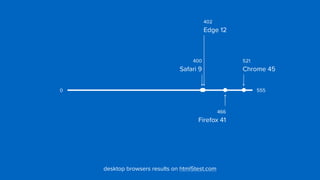
402

Edge 12
400

Safari 9
521

Chrome 45
466

Firefox 41
5550
desktop browsers results on html5test.com
402

Edge 12
400

Safari 9
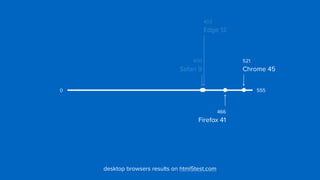
466

Firefox 41
5550
desktop browsers results on html5test.com
521

Chrome 45
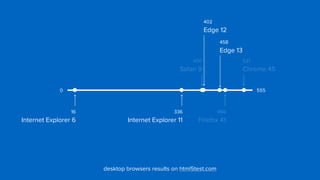
402

Edge 12
400

Safari 9
521

Chrome 45
466

Firefox 41
5550
desktop browsers results on html5test.com
16

Internet Explorer 6
458

Edge 13
336

Internet Explorer 11
?weird browsers?
code.talks 2015 — september 30th 2015
browsers and devices that do not

adhere to current expectations
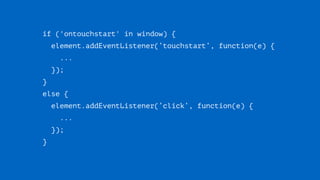
if ('ontouchstart' in window) {
element.addEventListener(‘touchstart’, function(e) {

...

});
}

else {

element.addEventListener(‘click’, function(e) {

...

});
}
?weird browsers?
?weird browsers?
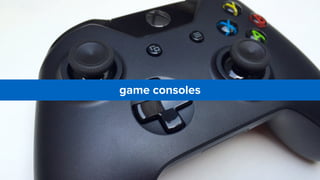
game consoles
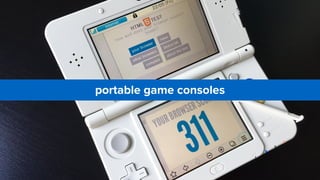
portable game consoles
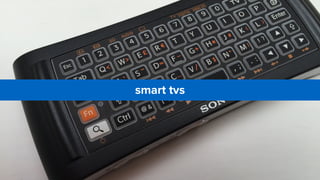
smart tvs
e-readers
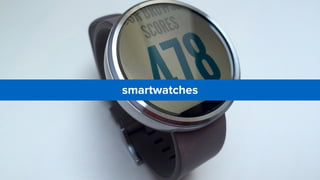
smartwatches
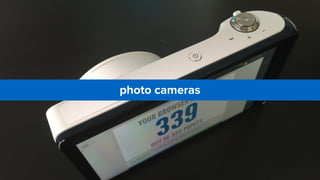
photo cameras
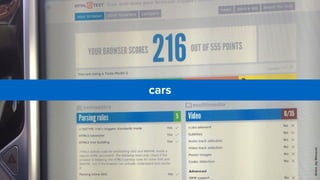
cars
AndreJayMeissner
comparable with mobile before 

the iphone and android
everybody is trying to figure it out
smart tvs, set-top boxes
and consoles
“big screen browsers”
television browsers are pretty good
the last generation of television sets use
operating systems that originate from mobile
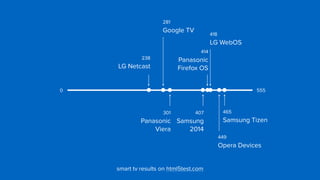
418

LG WebOS
281

Google TV
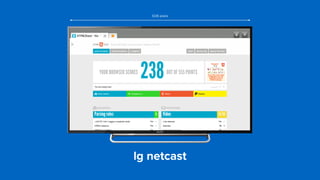
238

LG Netcast
465

Samsung Tizen
449

Opera Devices
301

Panasonic

Viera
smart tv results on html5test.com
5550
414

Panasonic

Firefox OS
407

Samsung

2014
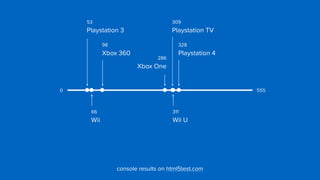
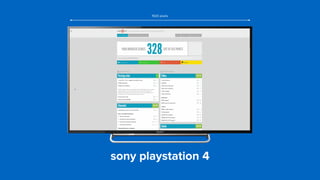
328

Playstation 4
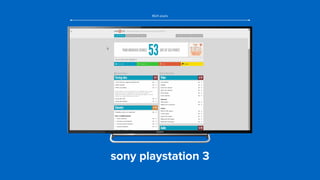
53

Playstation 3
309

Playstation TV
98

Xbox 360
286

Xbox One
311

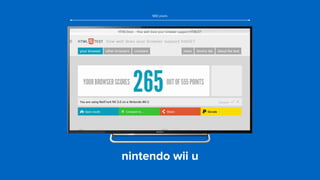
Wii U
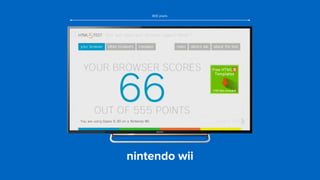
66

Wii
5550
console results on html5test.com
1
control
the biggest challenge of 

of television browsers
navigation
(without mouse or touchscreen)
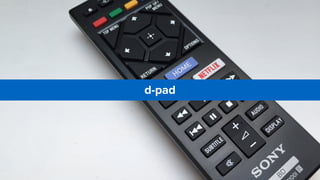
d-pad
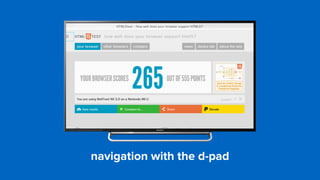
navigation with the d-pad
but it can be worse:
moving the cursor with the arrow keys
alternatives
analog controllers
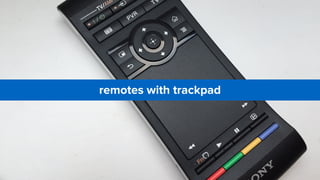
remotes with trackpad
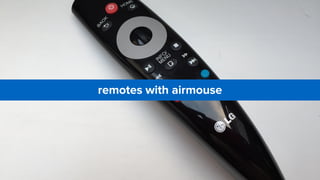
remotes with airmouse
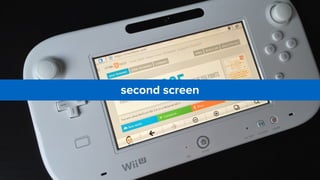
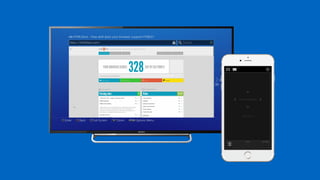
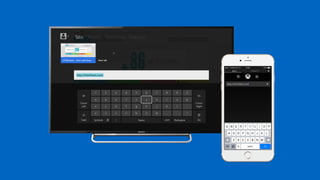
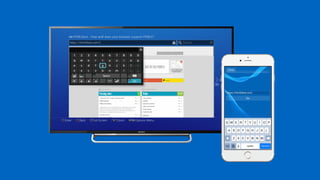
second screen
many manufacturers also create apps for
controlling the smart tv, console or set-top box
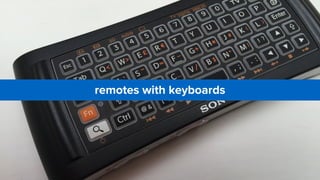
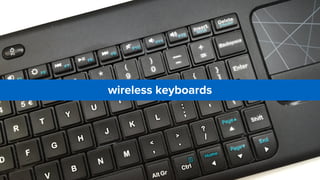
text input
(without keyboard)
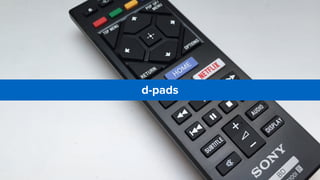
d-pads
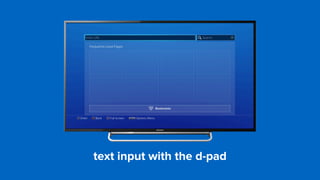
text input with the d-pad
alternatives
remotes with keyboards
wireless keyboards
and apps
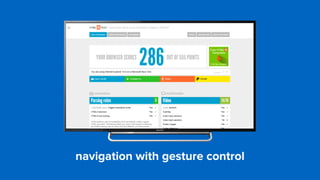
gesture control
(throw your hands up in the air,

and wave ’em like you just don’t care)
navigation with gesture control
can we control these input methods 

directly from javascript?
the d-pad
maybe
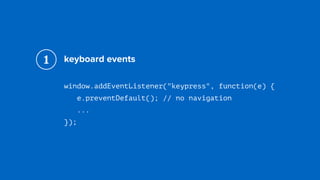
keyboard events
window.addEventListener("keypress", function(e) {

e.preventDefault(); // no navigation

...
});
1
the gamepad
maybe
the gamepad api
var gamepads = navigator.getGamepads();

for (var i = 0; i < gamepads.length; i++) {

...

}
1
wii u api
window.setInterval(function() {

var state = window.wiiu.gamepad.update();

...
}, 100);
2
the webcam
no*
gestures
no*
2
the difference between 

a television and a monitor
overscan
(let’s make it a bit more complicated)
due to historical reasons televisions will 

not show the borders of the image
the television enlarges all images 

from the hdmi input by 5%
1920 pixels
the television enlarges all images 

from the hdmi input by 5%
1920 pixels
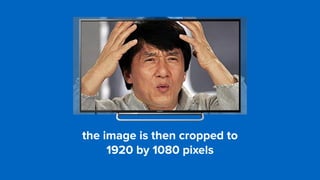
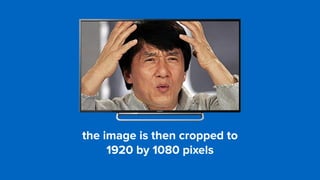
the image is then cropped to 

1920 by 1080 pixels
the image is then cropped to 

1920 by 1080 pixels
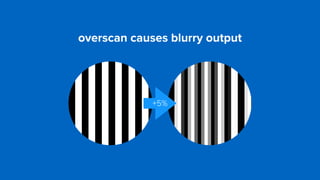
overscan causes blurry output
+5%
solution 1
overscan correction
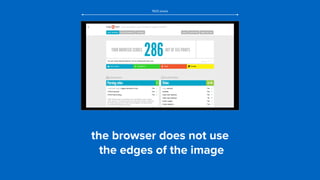
the browser does not use

the edges of the image
1920 pixels
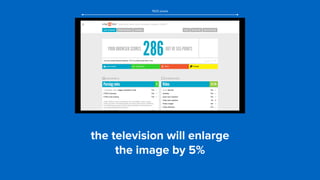
the television will enlarge 

the image by 5%
1920 pixels
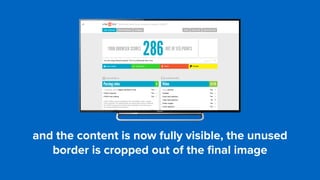
and the content is now fully visible, the unused
border is cropped out of the final image
but not every television set enlarges the 

image by exactly 5%, this can vary between
manufacturers and models
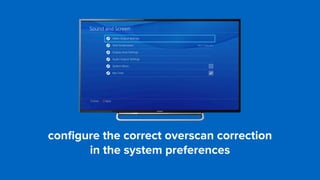
configure the correct overscan correction 

in the system preferences
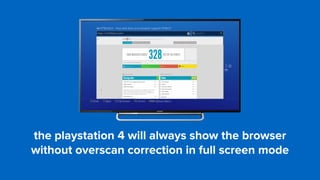
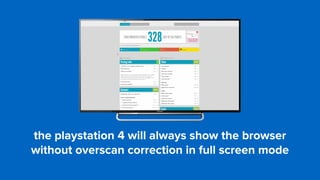
the playstation 4 will always show the browser
without overscan correction in full screen mode
the playstation 4 will always show the browser
without overscan correction in full screen mode
solution 2
no overscan
it is possible to disable overscan 

on many television sets
‘screen fit’, ‘pixel perfect’ or ‘just scan’
the playstation 3 always shows the 

browser with overscan correction
the viewport
(i really need some aspirine!)
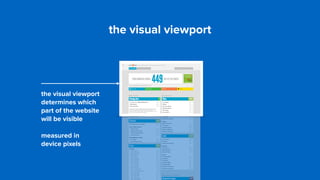
the visual viewport
determines which
part of the website
will be visible
measured in 

device pixels
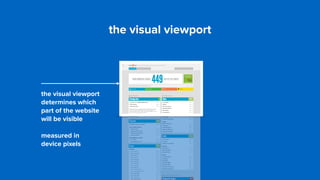
the visual viewport
the visual viewport
determines which
part of the website
will be visible
measured in 

device pixels
the visual viewport
the visual viewport
the visual viewport
determines which
part of the website
will be visible
measured in 

device pixels
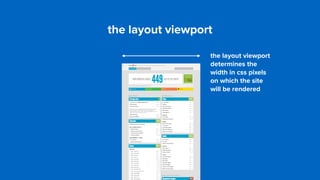
the layout viewport
the layout viewport
determines the
width in css pixels
on which the site
will be rendered
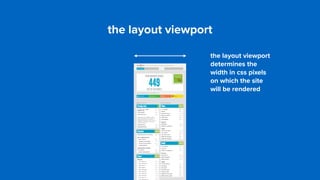
the layout viewport
the layout viewport
determines the
width in css pixels
on which the site
will be rendered
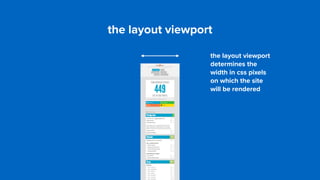
the layout viewport
the layout viewport
determines the
width in css pixels
on which the site
will be rendered
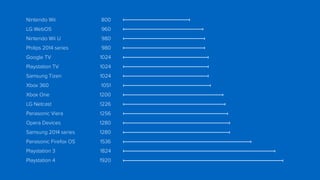
the default layout viewport is different on 

every smart tv, console or set-top box
between 800 and 1920 css pixels
it is possible to change the width of the 

layout viewport with the ‘meta viewport’ tag
<meta name="viewport" content=“width=device-width">
<meta name="viewport" content="width=1024">
physical device pixels
device scale factor
complication:

meta viewport is not supported
it is not possible to get the same layout viewport 

width in all of the different browsers
complication:

device pixel ratio is not supported
there is no proper way to show images with the same
resolution as the physical screen
nintendo wii
800 pixels
nintendo wii u
980 pixels
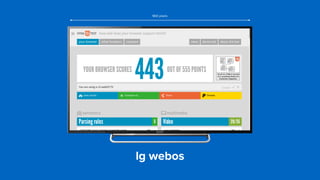
lg webos
960 pixels
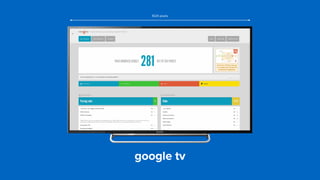
google tv
1024 pixels
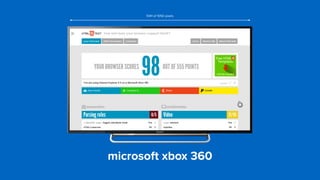
microsoft xbox 360
1041 of 1050 pixels
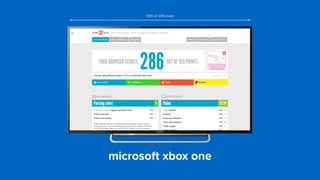
microsoft xbox one
1200 of 1236 pixels
lg netcast
1226 pixels
sony playstation 3
1824 pixels
sony playstation 4
1920 pixels
Nintendo Wii 800
LG WebOS 960
Nintendo Wii U 980
Philips 2014 series 980
Google TV 1024
Playstation TV 1024
Samsung Tizen 1024
Xbox 360 1051
Xbox One 1200
LG Netcast 1226
Panasonic Viera 1256
Opera Devices 1280
Samsung 2014 series 1280
Panasonic Firefox OS 1536
Playstation 3 1824
Playstation 4 1920
device pixels != device pixels
(of course not)
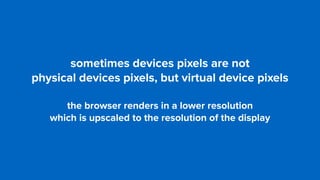
sometimes devices pixels are not 

physical devices pixels, but virtual device pixels
the browser renders in a lower resolution 

which is upscaled to the resolution of the display
3
distance to the screen
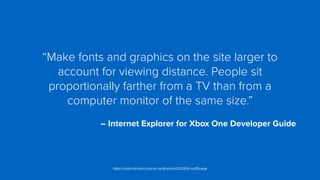
“Make fonts and graphics on the site larger to
account for viewing distance. People sit
proportionally farther from a TV than from a
computer monitor of the same size.”


– Internet Explorer for Xbox One Developer Guide
https://msdn.microsoft.com/en-us/library/dn532261(v=vs.85).aspx
fluid design++
the size of the contents is determined 

by the width of the viewport
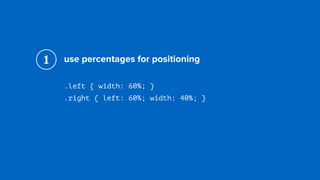
use percentages for positioning
.left { width: 60%; }

.right { left: 60%; width: 40%; }
1
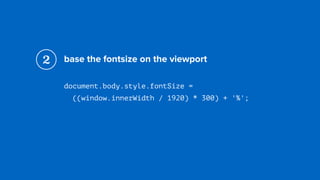
base the fontsize on the viewport
document.body.style.fontSize = 

((window.innerWidth / 1920) * 300) + '%';
2
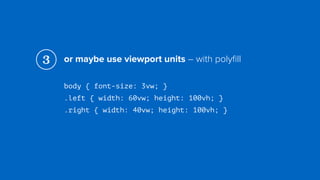
or maybe use viewport units – with polyfill
body { font-size: 3vw; }

.left { width: 60vw; height: 100vh; }

.right { width: 40vw; height: 100vh; }
3
use a safe margin around the contents
body {

padding: 5%;

}
4
youtube tv website
identifying smart tv’s
(css for televisions)
css media types
@media tv {

body {

font-size: 300%;
}
}
1
×
css media types
all television browsers use the 

css media type ‘screen’
1
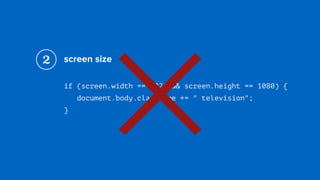
screen size
if (screen.width == 1920 && screen.height == 1080) {

document.body.className += " television";

}
2
×
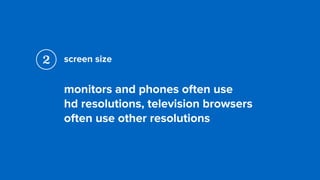
screen size
monitors and phones often use 

hd resolutions, television browsers
often use other resolutions
2
useragent sniffing
if (navigator.userAgent.search(/TV/i) >= 0) {

document.body.className += " television";

}
3
×
useragent sniffing
not all smart tv’s are recognisable
Mozilla/5.0 (X11; Linux; ko-KR) 

AppleWebKit/534.26+ (KHTML, like Gecko) 

Version/5.0 Safari/534.26+
3
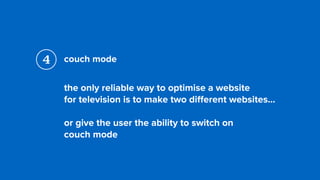
couch mode
the only reliable way to optimise a website 

for television is to make two different websites…
or give the user the ability to switch on 

couch mode
4
4
be careful with

feature detection
“Basically every feature that talks to the 

operating system or hardware, is suspect.”


– Me
http://blog.html5test.com/2015/08/the-problems-with-feature-detection/
if (!!navigator.geolocation) {
navigator.geolocation.getCurrentPosition(

success, failure

);
}

else {

// alternative

}
if (!!navigator.geolocation) {
navigator.geolocation.getCurrentPosition(

success, failure

);
}
1 failure is called with a “permission denied” error code
2 no callback at all to success or failure
if (!!navigator.geolocation) {
navigator.geolocation.getCurrentPosition(

success, failure

);
}
3 success is called with longitude = 0 and latitude = 0
4 success is called with the coordinates of 

Mountain View, USA
is there a future for web apps 

on the big screen?
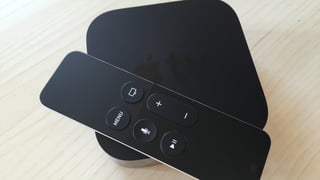
the new apple tv does not ship 

with a browser by default
android tv does not ship 

with a browser by default
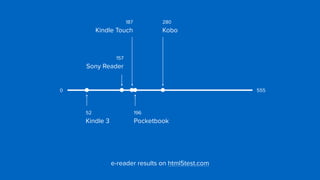
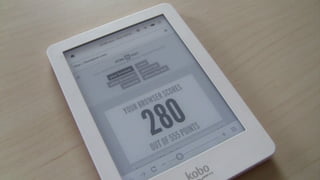
e-readers
e-reader results on html5test.com
5550
196

Pocketbook
280

Kobo
157

Sony Reader
52

Kindle 3
187

Kindle Touch
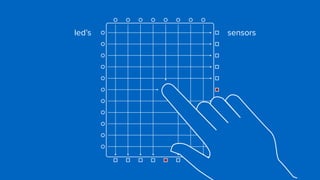
infrared touch screen
led’s sensors
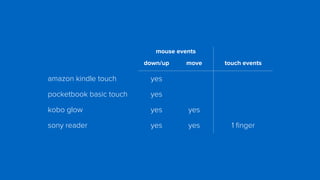
mouse events
down/up move touch events
amazon kindle touch yes
pocketbook basic touch yes
kobo glow yes yes
sony reader yes yes 1 finger
e-ink screens
(slow, slower, slowest)
microscopic electrostatic charged balls
+ –
– +
+ –
– +
microscopic electrostatic charged balls
maybe css animations and transitions 

weren’t such a great idea after all
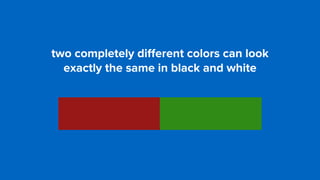
two completely different colors can look 

exactly the same in black and white
two completely different colors can look 

exactly the same in black and white
identifying e-readers
(css for e-ink screens)
css monochrome mediaquery
@media (monochrome) {

...
}
1
×
css monochrome mediaquery
all tested e-readers act like 

they have a color screen
1
useragent sniffing
there is no universal marker in the
useragent string, but we can recognise
individual manufacturers and models
2
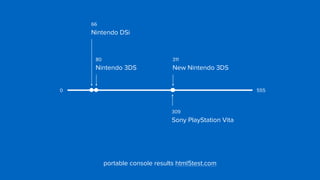
portable consoles
66

Nintendo DSi
309

Sony PlayStation Vita
311

New Nintendo 3DS
portable console results html5test.com
5550
80

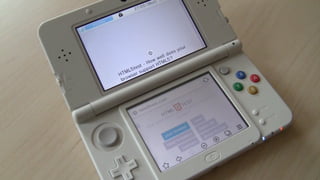
Nintendo 3DS
two screens
(surprisingly normal)
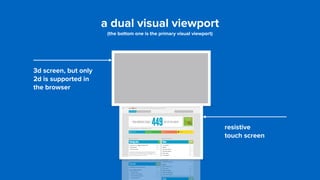
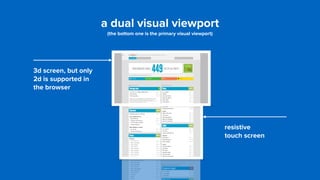
a dual visual viewport

(the bottom one is the primary visual viewport)
3d screen, but only
2d is supported in
the browser
resistive 

touch screen
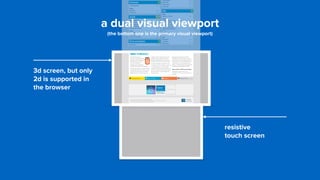
a dual visual viewport

(the bottom one is the primary visual viewport)
3d screen, but only
2d is supported in
the browser
resistive 

touch screen
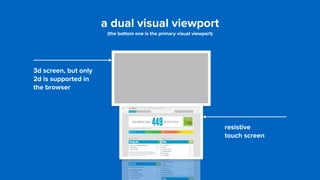
a dual visual viewport

(the bottom one is the primary visual viewport)
3d screen, but only
2d is supported in
the browser
resistive 

touch screen
a dual visual viewport

(the bottom one is the primary visual viewport)
3d screen, but only
2d is supported in
the browser
resistive 

touch screen
?weird browsers!
“We cannot predict future behavior 

from a current experience that sucks”


– Jason Grigsby
http://blog.cloudfour.com/on-the-device-context-continuum/
thank you
niels leenheer

@html5test

Niels Leenheer - Weird browsers - code.talks 2015