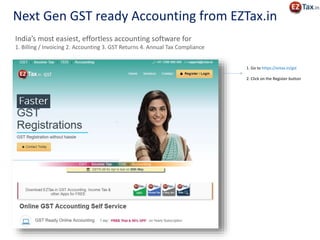
Next Gen GST ready Accounting from EZTax.in
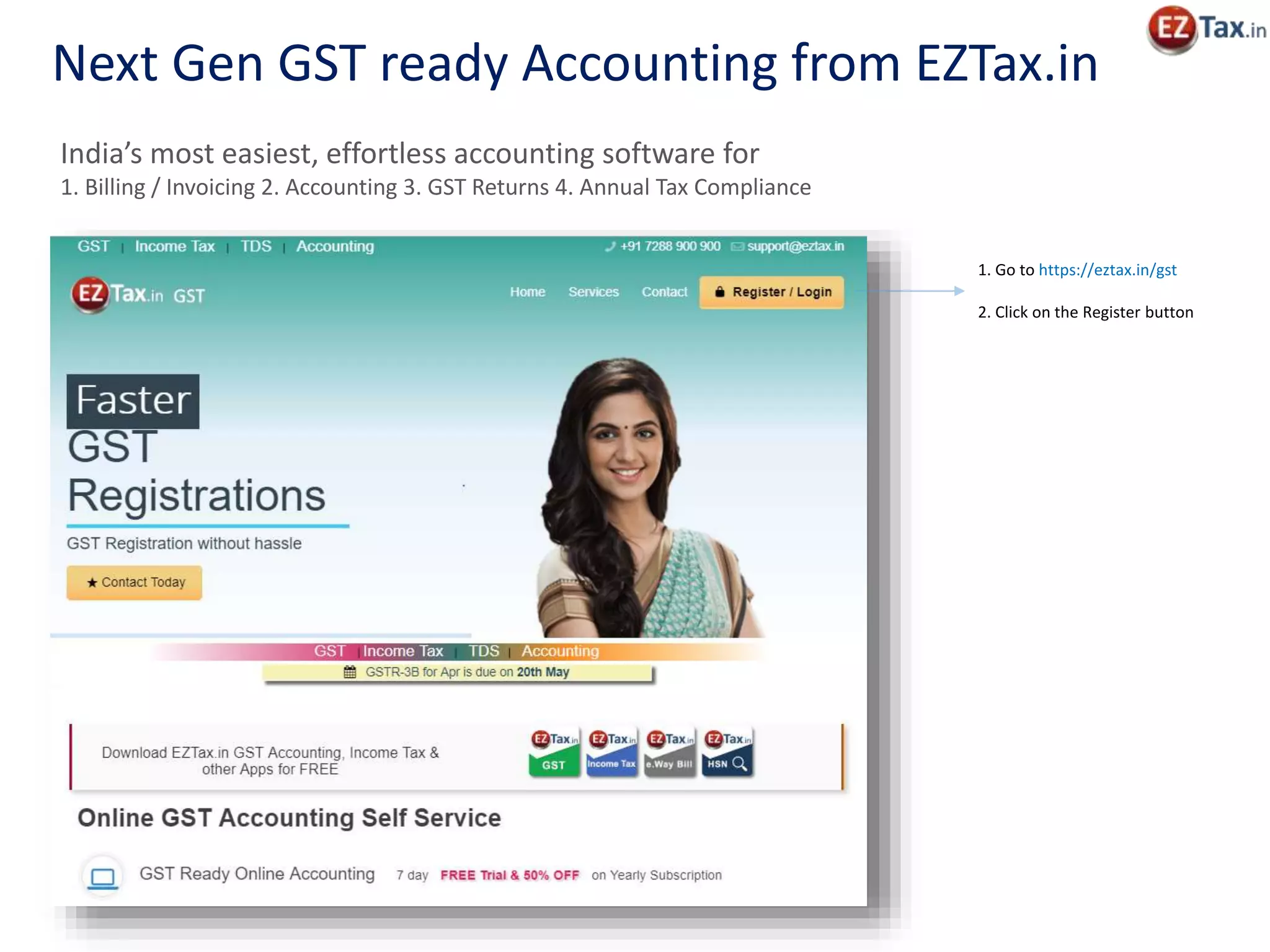
1. Go to https://eztax.in/gst
2. Click on the Register button
India’s most easiest, effortless accounting software for
1. Billing / Invoicing 2. Accounting 3. GST Returns 4. Annual Tax Compliance
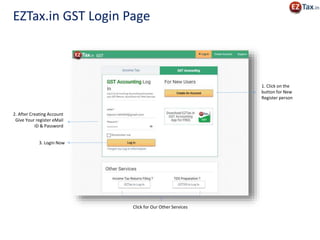
1. Click on the
button for New
Register person
2. After Creating Account
Give Your register eMail
ID & Password
Click for Our Other Services
3. Login Now
EZTax.in GST Login Page
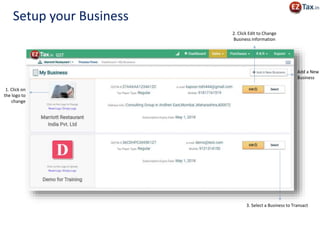
1. Click on
the logo to
change
2. Click Edit to Change
Business information
Add a New
Business
3. Select a Business to Transact
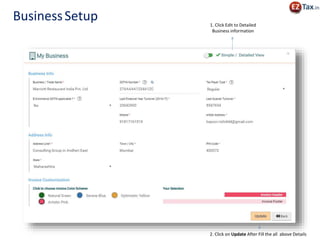
Setup your Business
BusinessSetup 1. Click Edit to Detailed
Business information
2. Click on Update After Fill the all above Details
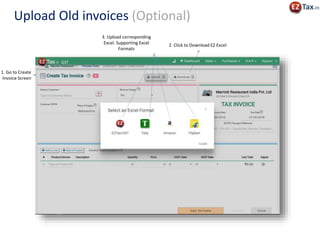
3. Upload corresponding
Excel. Supporting Excel
Formats
2. Click to Download EZ Excel
Upload Old invoices (Optional)
1. Go to Create
Invoice Screen
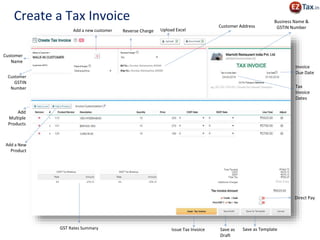
Issue Tax Invoice
Customer
Name
Customer
GSTIN
Number
Add
Multiple
Products
GST Rates Summary
Business Name &
GSTIN NumberCustomer Address
Save as
Draft
Save as Template
Tax
Invoice
Dates
Invoice
Due Date
Direct Pay
Upload ExcelAdd a new customer Reverse Charge
Create a Tax Invoice
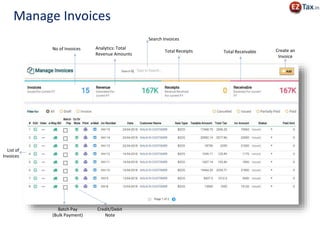
Create an
Invoice
No of Invoices Analytics: Total
Revenue Amounts
Total Receipts Total Receivable
List of
Invoices
Batch Pay
(Bulk Payment)
Credit/Debit
Note
Search Invoices
Manage Invoices
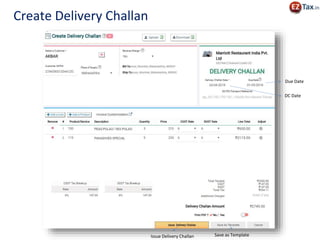
Issue Delivery Challan Save as Template
DC Date
Due Date
Create Delivery Challan
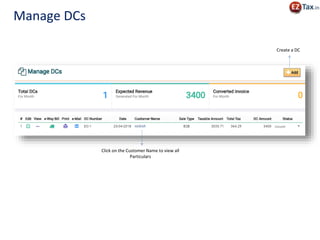
Click on the Customer Name to view all
Particulars
Create a DC
Manage DCs
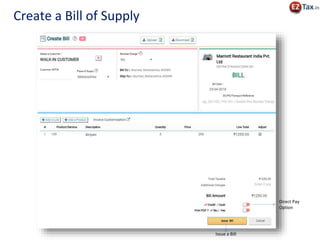
Issue a Bill
Direct Pay
Option
Create a Bill of Supply
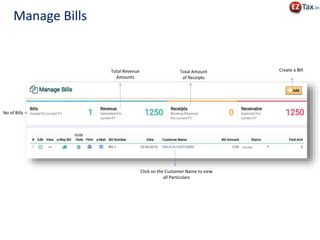
Create a Bill
No of Bills
Total Revenue
Amounts
Total Amount
of Receipts
Click on the Customer Name to view
all Particulars
Manage Bills
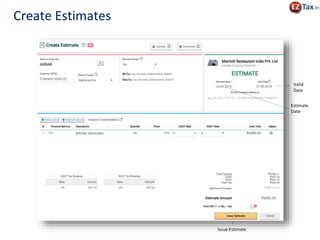
Issue Estimate
Estimate
Date
Valid
Date
Create Estimates
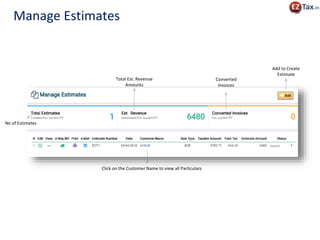
Add to Create
Estimate
No of Estimates
Total Est. Revenue
Amounts
Converted
Invoices
Click on the Customer Name to view all Particulars
Manage Estimates
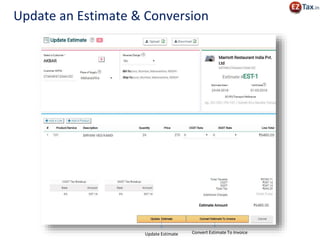
Update Estimate Convert Estimate To Invoice
Update an Estimate & Conversion
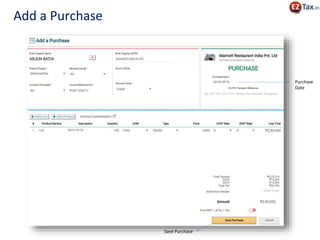
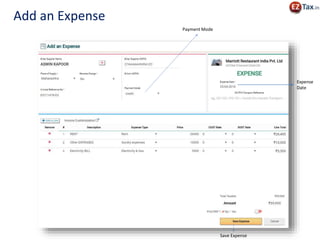
Save Purchase
Purchase
Date
Add a Purchase
Create a
Purchase
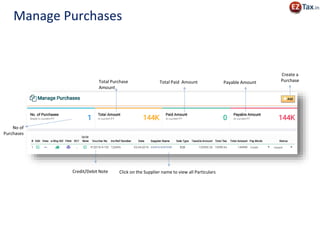
No of
Purchases
Total Purchase
Amount
Total Paid Amount Payable Amount
Click on the Supplier name to view all ParticularsCredit/Debit Note
Manage Purchases
Save Expense
Expense
Date
Payment Mode
Add an Expense
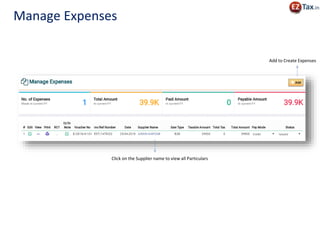
Add to Create Expenses
Click on the Supplier name to view all Particulars
Manage Expenses
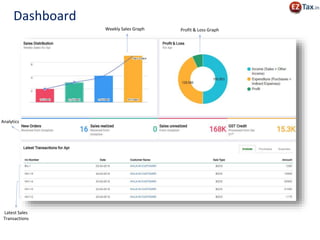
Profit & Loss GraphWeekly Sales Graph
Analytics
Latest Sales
Transactions
Dashboard
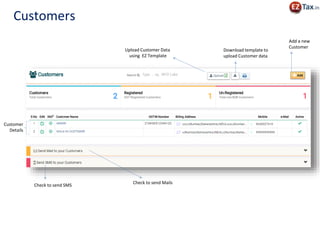
Upload Customer Data
using EZ Template
Add a new
Customer
Download template to
upload Customer data
Customer
Details
Check to send Mails
Check to send SMS
Customers
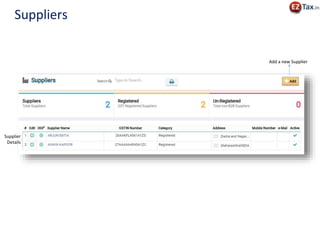
Add a new Supplier
Supplier
Details
Suppliers
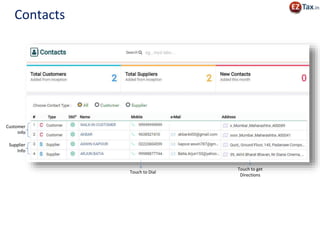
Customer
Info
Supplier
Info
Touch to Dial
Contacts
Touch to get
Directions
Upload Products Data
using EZ Template
Download EZ Template
to upload Products data
Products
Details
Add a new
Product
Remaining Stock & Alerts Get to know the
Stock Adjustments
Products
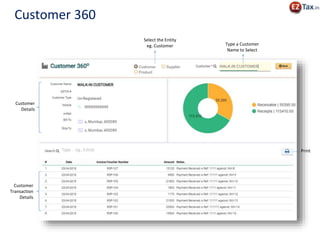
Select the Entity
eg. Customer Type a Customer
Name to Select
Customer
Details
Customer
Transaction
Details
Print
Customer 360
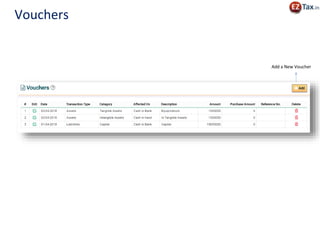
Add a New Voucher
Vouchers
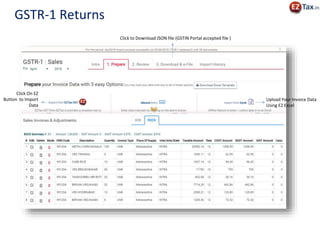
GSTR-1 Returns
Upload Your Invoice Data
Using EZ Excel
Click to Download JSON file (GSTIN Portal accepted file )
Click On EZ
Button to Import
Data
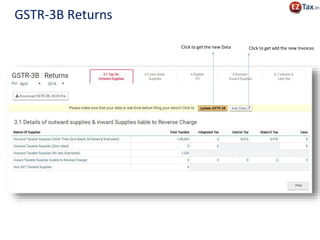
GSTR-3B Returns
Click to get the new Data Click to get add the new Invoices
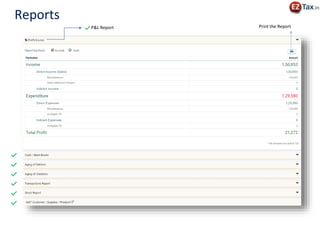
Reports
P&L Report Print the Report
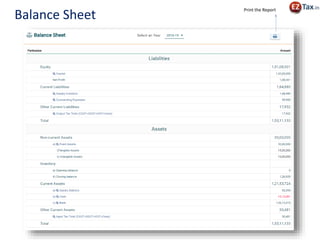
Balance Sheet
Print the Report
https://eztax.in/gst
@ 7288 900 900
support@eztax.in

Next Generation GST Accounting Software from EZTax.in