Credits
• I didn’tmake these slides
• I’ve cut them from a series of 10 lectures by Roi Yehoshua, at Bar-Ilan
• without permission (though I’ll try and fix this!)
• URL to full slides on website
• I’ve cut slides with details of code, etc - get these from full slides
• Purpose:
• enough framework to get you started on ROS
• further tutorial material, etc on website, too
3.
ROS - Lecture1
Lecturer: Roi Yehoshua
roiyeho@gmail.com
October 2016
ROS Introduction
Main concepts
Basic commands
(C)2016 Roi Yehoshua
Whatis ROS?
• ROS is an open-source robot operating system
• A set of software libraries and tools that help
you build robot applications that work across a
wide variety of robotic platforms
• Originally developed in 2007 at the Stanford
Artificial Intelligence Laboratory and
development continued at Willow Garage
• Since 2013 managed by OSRF (Open Source
Robotics Foundation)
5
6.
(C)2016 Roi Yehoshua
ROSMain Features
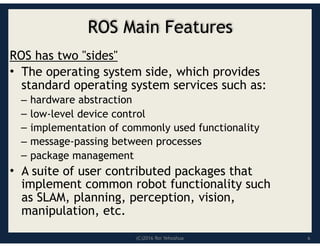
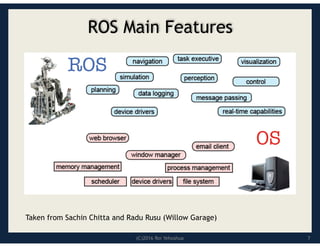
ROS has two "sides"
• The operating system side, which provides
standard operating system services such as:
– hardware abstraction
– low-level device control
– implementation of commonly used functionality
– message-passing between processes
– package management
• A suite of user contributed packages that
implement common robot functionality such
as SLAM, planning, perception, vision,
manipulation, etc.
6
(C)2016 Roi Yehoshua
ROSPhilosophy
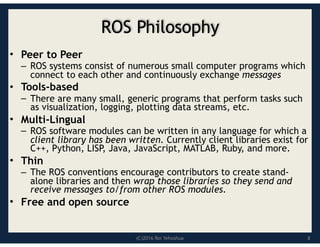
• Peer to Peer
– ROS systems consist of numerous small computer programs which
connect to each other and continuously exchange messages
• Tools-based
– There are many small, generic programs that perform tasks such
as visualization, logging, plotting data streams, etc.
• Multi-Lingual
– ROS software modules can be written in any language for which a
client library has been written. Currently client libraries exist for
C++, Python, LISP, Java, JavaScript, MATLAB, Ruby, and more.
• Thin
– The ROS conventions encourage contributors to create stand-
alone libraries and then wrap those libraries so they send and
receive messages to/from other ROS modules.
• Free and open source
8
(C)2016 Roi Yehoshua
ROSCore Concepts
• Nodes
• Messages and Topics
• Services
• ROS Master
• Parameters
• Stacks and packages
11
12.
(C)2016 Roi Yehoshua
ROSNodes
• Single-purposed executable programs
– e.g. sensor driver(s), actuator driver(s), mapper,
planner, UI, etc.
• Individually compiled, executed, and managed
• Nodes are written using a ROS client library
– roscpp – C++ client library
– rospy – python client library
• Nodes can publish or subscribe to a Topic
• Nodes can also provide or use a Service
12
13.
(C)2016 Roi Yehoshua
ROSTopics
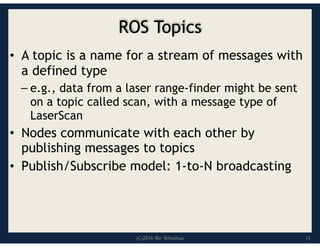
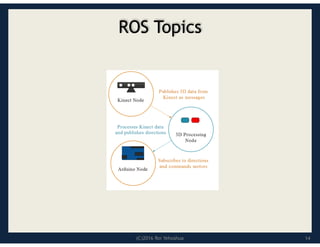
• A topic is a name for a stream of messages with
a defined type
– e.g., data from a laser range-finder might be sent
on a topic called scan, with a message type of
LaserScan
• Nodes communicate with each other by
publishing messages to topics
• Publish/Subscribe model: 1-to-N broadcasting
13
(C)2016 Roi Yehoshua
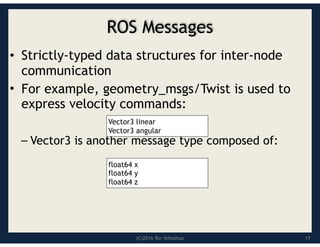
ROSMessages
• Strictly-typed data structures for inter-node
communication
• For example, geometry_msgs/Twist is used to
express velocity commands:
– Vector3 is another message type composed of:
Vector3 linear
Vector3 angular
float64 x
float64 y
float64 z
17
18.
(C)2016 Roi Yehoshua
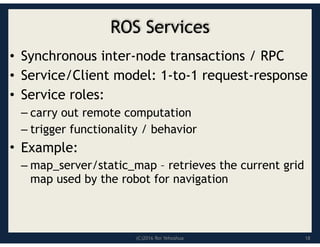
ROSServices
• Synchronous inter-node transactions / RPC
• Service/Client model: 1-to-1 request-response
• Service roles:
– carry out remote computation
– trigger functionality / behavior
• Example:
– map_server/static_map – retrieves the current grid
map used by the robot for navigation
18
19.
(C)2016 Roi Yehoshua
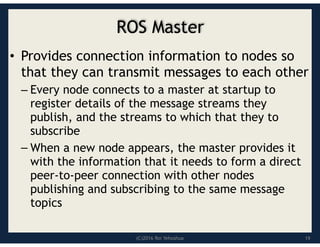
ROSMaster
• Provides connection information to nodes so
that they can transmit messages to each other
– Every node connects to a master at startup to
register details of the message streams they
publish, and the streams to which that they to
subscribe
– When a new node appears, the master provides it
with the information that it needs to form a direct
peer-to-peer connection with other nodes
publishing and subscribing to the same message
topics
19
20.
(C)2016 Roi Yehoshua
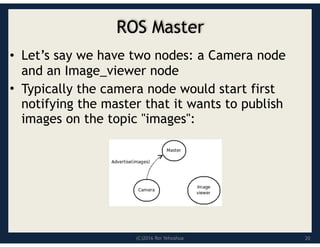
ROSMaster
• Let’s say we have two nodes: a Camera node
and an Image_viewer node
• Typically the camera node would start first
notifying the master that it wants to publish
images on the topic "images":
20
21.
(C)2016 Roi Yehoshua
ROSMaster
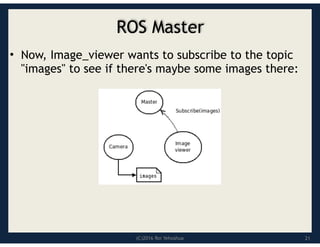
• Now, Image_viewer wants to subscribe to the topic
"images" to see if there's maybe some images there:
21
22.
(C)2016 Roi Yehoshua
ROSMaster
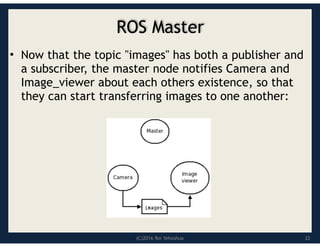
• Now that the topic "images" has both a publisher and
a subscriber, the master node notifies Camera and
Image_viewer about each others existence, so that
they can start transferring images to one another:
22
23.
(C)2016 Roi Yehoshua
ParameterServer
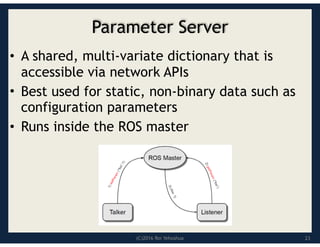
• A shared, multi-variate dictionary that is
accessible via network APIs
• Best used for static, non-binary data such as
configuration parameters
• Runs inside the ROS master
23
24.
(C)2016 Roi Yehoshua
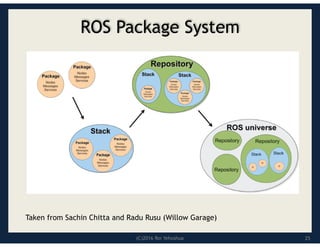
ROSPackages
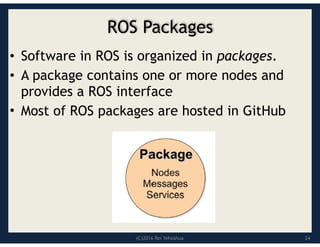
• Software in ROS is organized in packages.
• A package contains one or more nodes and
provides a ROS interface
• Most of ROS packages are hosted in GitHub
24
25.
(C)2016 Roi Yehoshua
ROSPackage System
Taken from Sachin Chitta and Radu Rusu (Willow Garage)
25
(C)2016 Roi Yehoshua
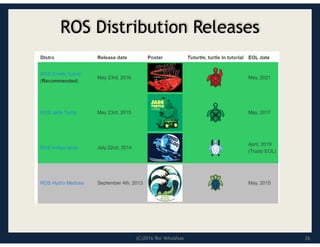
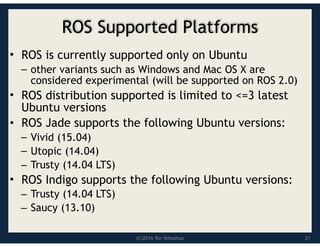
ROSSupported Platforms
• ROS is currently supported only on Ubuntu
– other variants such as Windows and Mac OS X are
considered experimental (will be supported on ROS 2.0)
• ROS distribution supported is limited to <=3 latest
Ubuntu versions
• ROS Jade supports the following Ubuntu versions:
– Vivid (15.04)
– Utopic (14.04)
– Trusty (14.04 LTS)
• ROS Indigo supports the following Ubuntu versions:
– Trusty (14.04 LTS)
– Saucy (13.10)
27
28.
(C)2016 Roi Yehoshua
ROSInstallation
• If you already have Ubuntu installed, follow the
instructions at:
• http://wiki.ros.org/ROS/Installation
• note: there are different distributions, etc
described there
28
29.
(C)2016 Roi Yehoshua
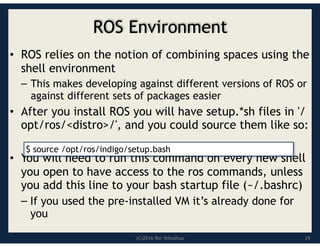
ROSEnvironment
• ROS relies on the notion of combining spaces using the
shell environment
– This makes developing against different versions of ROS or
against different sets of packages easier
• After you install ROS you will have setup.*sh files in '/
opt/ros/<distro>/', and you could source them like so:
• You will need to run this command on every new shell
you open to have access to the ros commands, unless
you add this line to your bash startup file (~/.bashrc)
– If you used the pre-installed VM it’s already done for
you
$ source /opt/ros/indigo/setup.bash
29
(C)2016 Roi Yehoshua
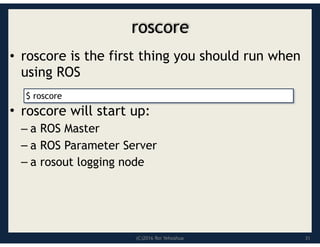
roscore
•roscore is the first thing you should run when
using ROS
• roscore will start up:
– a ROS Master
– a ROS Parameter Server
– a rosout logging node
31
$ roscore
32.
(C)2016 Roi Yehoshua
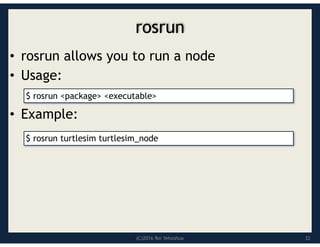
rosrun
•rosrun allows you to run a node
• Usage:
• Example:
$ rosrun <package> <executable>
$ rosrun turtlesim turtlesim_node
32
33.
(C)2016 Roi Yehoshua
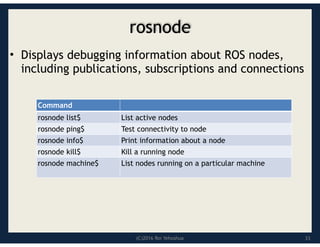
rosnode
•Displays debugging information about ROS nodes,
including publications, subscriptions and connections
Command
List active nodes
rosnode list$
Test connectivity to node
rosnode ping$
Print information about a node
rosnode info$
Kill a running node
rosnode kill$
List nodes running on a particular machine
rosnode machine$
33
34.
(C)2016 Roi Yehoshua
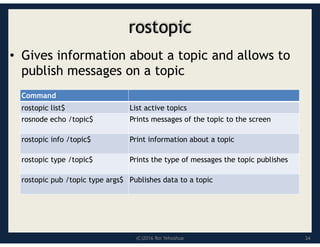
rostopic
•Gives information about a topic and allows to
publish messages on a topic
Command
List active topics
rostopic list$
Prints messages of the topic to the screen
rosnode echo /topic$
Print information about a topic
rostopic info /topic$
Prints the type of messages the topic publishes
rostopic type /topic$
Publishes data to a topic
rostopic pub /topic type args$
34
35.
ROS – Lecture3
Lecturer: Roi Yehoshua
roiyeho@gmail.com
October 2016
ROS topics
Publishers and subscribers
roslaunch
Custom message types
(C)2016 Roi Yehoshua
ROSTopics
• Topics implement a publish/subscribe communication
mechanism
– one of the more common ways to exchange data in a distributed
system.
• Before nodes start to transmit data over topics, they must
first announce, or advertise, both the topic name and the
types of messages that are going to be sent
• Then they can start to send, or publish, the actual data on
the topic.
• Nodes that want to receive messages on a topic can
subscribe to that topic by making a request to roscore.
• After subscribing, all messages on the topic are delivered to
the node that made the request.
38.
(C)2016 Roi Yehoshua
ROSTopics
• In ROS, all messages on the same topic must be of
the same data type
• Topic names often describe the messages that are
sent over them
• For example, on the PR2 robot, the topic /
wide_stereo/right/image_color is used for color
images from the rightmost camera of the wide-angle
stereo pair
39.
(C)2016 Roi Yehoshua
TopicPublisher
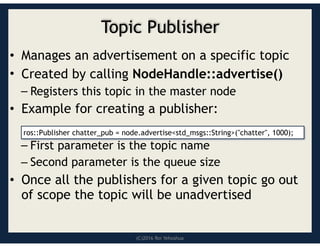
• Manages an advertisement on a specific topic
• Created by calling NodeHandle::advertise()
– Registers this topic in the master node
• Example for creating a publisher:
– First parameter is the topic name
– Second parameter is the queue size
• Once all the publishers for a given topic go out
of scope the topic will be unadvertised
ros::Publisher chatter_pub = node.advertise<std_msgs::String>("chatter", 1000);
40.
(C)2016 Roi Yehoshua
Runningthe Nodes From Terminal
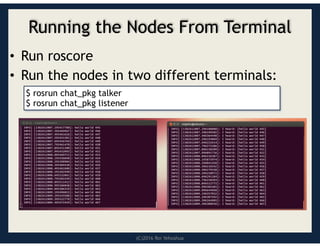
• Run roscore
• Run the nodes in two different terminals:
$ rosrun chat_pkg talker
$ rosrun chat_pkg listener
41.
(C)2016 Roi Yehoshua
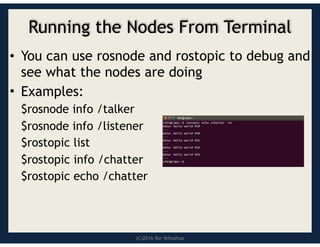
Runningthe Nodes From Terminal
• You can use rosnode and rostopic to debug and
see what the nodes are doing
• Examples:
$rosnode info /talker
$rosnode info /listener
$rostopic list
$rostopic info /chatter
$rostopic echo /chatter
42.
(C)2016 Roi Yehoshua
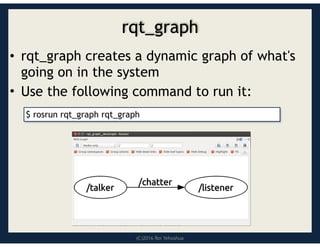
rqt_graph
•rqt_graph creates a dynamic graph of what's
going on in the system
• Use the following command to run it:
$ rosrun rqt_graph rqt_graph
43.
(C)2016 Roi Yehoshua
ROSNames
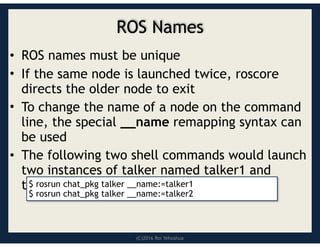
• ROS names must be unique
• If the same node is launched twice, roscore
directs the older node to exit
• To change the name of a node on the command
line, the special __name remapping syntax can
be used
• The following two shell commands would launch
two instances of talker named talker1 and
talker2
$ rosrun chat_pkg talker __name:=talker1
$ rosrun chat_pkg talker __name:=talker2
44.
(C)2016 Roi Yehoshua
ROSNames
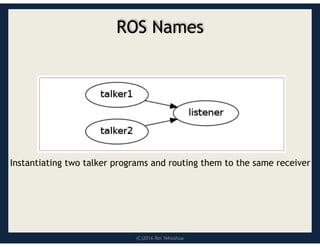
Instantiating two talker programs and routing them to the same receiver
45.
(C)2016 Roi Yehoshua
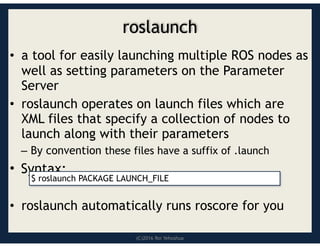
roslaunch
•a tool for easily launching multiple ROS nodes as
well as setting parameters on the Parameter
Server
• roslaunch operates on launch files which are
XML files that specify a collection of nodes to
launch along with their parameters
– By convention these files have a suffix of .launch
• Syntax:
• roslaunch automatically runs roscore for you
$ roslaunch PACKAGE LAUNCH_FILE
46.
(C)2016 Roi Yehoshua
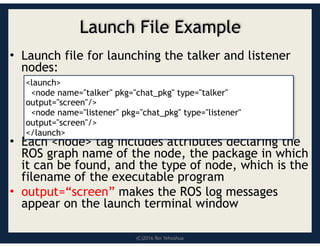
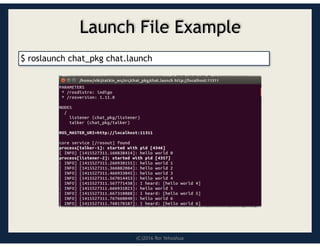
LaunchFile Example
• Launch file for launching the talker and listener
nodes:
• Each <node> tag includes attributes declaring the
ROS graph name of the node, the package in which
it can be found, and the type of node, which is the
filename of the executable program
• output=“screen” makes the ROS log messages
appear on the launch terminal window
<launch>
<node name="talker" pkg="chat_pkg" type="talker"
output="screen"/>
<node name="listener" pkg="chat_pkg" type="listener"
output="screen"/>
</launch>
(C)2016 Roi Yehoshua
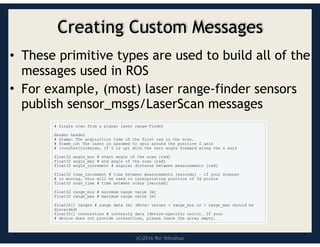
CreatingCustom Messages
• These primitive types are used to build all of the
messages used in ROS
• For example, (most) laser range-finder sensors
publish sensor_msgs/LaserScan messages
49.
(C)2016 Roi Yehoshua
CreatingCustom Messages
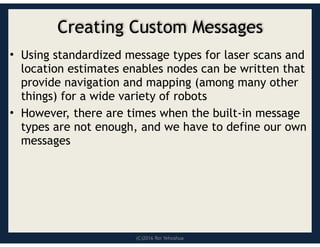
• Using standardized message types for laser scans and
location estimates enables nodes can be written that
provide navigation and mapping (among many other
things) for a wide variety of robots
• However, there are times when the built-in message
types are not enough, and we have to define our own
messages
50.
(C)2016 Roi Yehoshua
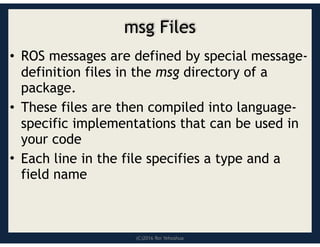
msgFiles
• ROS messages are defined by special message-
definition files in the msg directory of a
package.
• These files are then compiled into language-
specific implementations that can be used in
your code
• Each line in the file specifies a type and a
field name
51.
(C)2016 Roi Yehoshua
Usingrosmsg
• That's all you need to do to create a msg
• Let's make sure that ROS can see it using
the rosmsg show command:
$ rosmsg show [message type]
52.
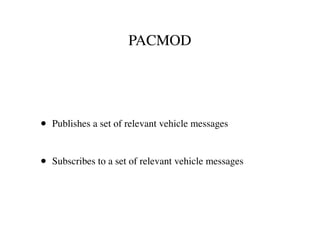
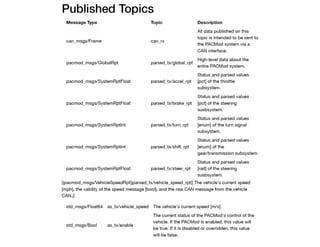
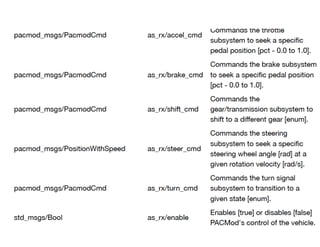
PACMOD
• Publishes aset of relevant vehicle messages
• Subscribes to a set of relevant vehicle messages
55.
ROS – Lecture4
Lecturer: Roi Yehoshua
roiyeho@gmail.com
October 2016
Gazebo simulator
Reading Sensor Data
Wander-Bot
56.
(C)2016 Roi Yehoshua
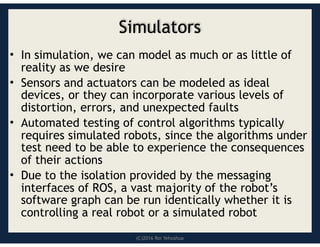
Simulators
•In simulation, we can model as much or as little of
reality as we desire
• Sensors and actuators can be modeled as ideal
devices, or they can incorporate various levels of
distortion, errors, and unexpected faults
• Automated testing of control algorithms typically
requires simulated robots, since the algorithms under
test need to be able to experience the consequences
of their actions
• Due to the isolation provided by the messaging
interfaces of ROS, a vast majority of the robot’s
software graph can be run identically whether it is
controlling a real robot or a simulated robot
57.
(C)2016 Roi Yehoshua
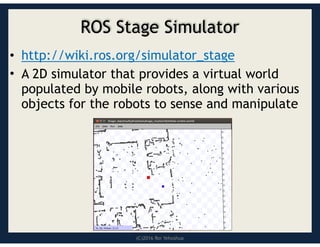
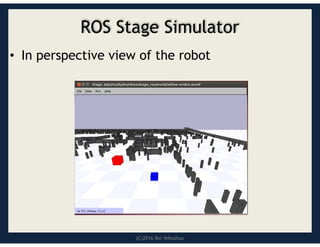
ROSStage Simulator
• http://wiki.ros.org/simulator_stage
• A 2D simulator that provides a virtual world
populated by mobile robots, along with various
objects for the robots to sense and manipulate
(C)2016 Roi Yehoshua
Gazebo
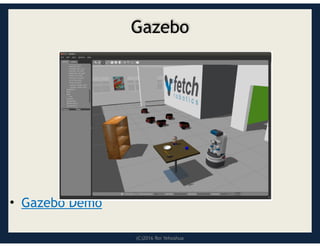
•A multi-robot simulator
• Like Stage, it is capable of simulating a
population of robots, sensors and objects, but
does so in 3D
• Includes an accurate simulation of rigid-body
physics and generates realistic sensor feedback
• Allows code designed to operate a physical
robot to be executed in an artificial
environment
• Gazebo is under active development at the OSRF
(Open Source Robotics Foundation)
(C)2016 Roi Yehoshua
Gazebo
•ROS Indigo comes with Gazebo V2.2
• Gazebo home page - http://gazebosim.org/
• Gazebo tutorials - http://gazebosim.org/
tutorials
62.
(C)2016 Roi Yehoshua
GazeboArchitecture
Gazebo consists of two processes:
• Server: Runs the physics loop and generates
sensor data
– Executable: gzserver
– Libraries: Physics, Sensors, Rendering, Transport
• Client: Provides user interaction and
visualization of a simulation.
– Executable: gzclient
– Libraries: Transport, Rendering, GUI
63.
ROS – Lecture5
Lecturer: Roi Yehoshua
roiyeho@gmail.com
October 2016
Mapping in ROS
rviz
ROS Services
64.
(C)2016 Roi Yehoshua
WhyMapping?
• Building maps is one of the fundamental
problems in mobile robotics
• Maps allow robots to efficiently carry out their
tasks, such as localization, path planning,
activity planning, etc.
• There are different ways to create a map of the
environment
65.
(C)2016 Roi Yehoshua
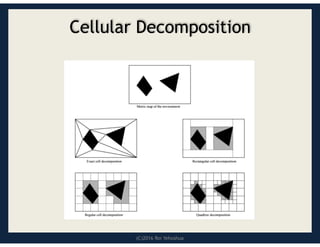
CellularDecomposition
• Decompose free space for path planning
• Exact decomposition
– Cover the free space exactly
– Example: trapezoidal decomposition, meadow map
• Approximate decomposition
– Represent part of the free space, needed for
navigation
– Example: grid maps, quadtrees, Voronoi graphs
(C)2016 Roi Yehoshua
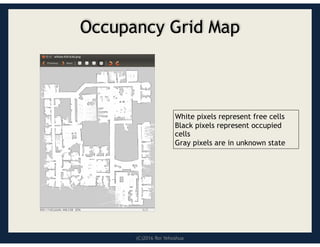
OccupancyGrid Map (OGM)
• Maps the environment as a grid of cells
– Cell sizes typically range from 5 to 50 cm
• Each cell holds a probability value that the
cell is occupied in the range [0,100]
• Unknown is indicated by -1
– Usually unknown areas are areas that the robot
sensors cannot detect (beyond obstacles)
68.
(C)2016 Roi Yehoshua
OccupancyGrid Map
White pixels represent free cells
Black pixels represent occupied
cells
Gray pixels are in unknown state
69.
(C)2016 Roi Yehoshua
OccupancyGrid Maps
• Pros:
– Simple representation
– Speed
• Cons:
– Not accurate - if an object falls inside a portion of a
grid cell, the whole cell is marked occupied
– Wasted space
70.
(C)2016 Roi Yehoshua
Mapsin ROS
• Map files are stored as images, with a variety of
common formats being supported (such as PNG, JPG,
and PGM)
• Although color images can be used, they are
converted to grayscale images before being
interpreted by ROS
• Associated with each map is a YAML file that holds
additional information about the map
71.
(C)2016 Roi Yehoshua
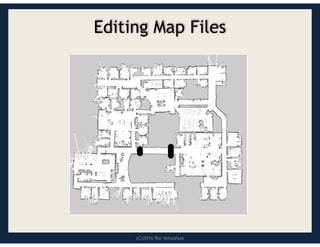
EditingMap Files
• Since maps are represented as image files, you can
edit them in your favorite image editor
• This allows you to tidy up any maps that you create
from sensor data, removing things that shouldn’t be
there, or adding in fake obstacles to influence path
planning
• For example, you can stop the robot from planning
paths through certain areas of the map by drawing a
line across a corridor you don’t want to the robot to
drive through
(C)2016 Roi Yehoshua
SLAM
•Simultaneous localization and mapping (SLAM)
is a technique used by robots to build up a map
within an unknown environment while at the
same time keeping track of their current
location
• A chicken or egg problem: An unbiased map is
needed for localization while an accurate pose
estimate is needed to build that map
74.
(C)2016 Roi Yehoshua
gmapping
•http://wiki.ros.org/gmapping
• The gmapping package provides laser-based
SLAM as a ROS node called slam_gmapping
• Uses the FastSLAM algorithm
• It takes the laser scans and the odometry and
builds a 2D occupancy grid map
• It updates the map state while the robot
moves
• ROS with gmapping video
75.
(C)2016 Roi Yehoshua
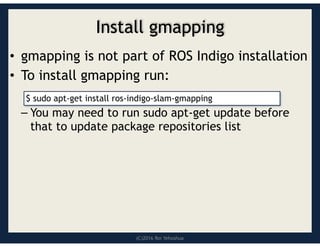
Installgmapping
• gmapping is not part of ROS Indigo installation
• To install gmapping run:
– You may need to run sudo apt-get update before
that to update package repositories list
$ sudo apt-get install ros-indigo-slam-gmapping
76.
(C)2016 Roi Yehoshua
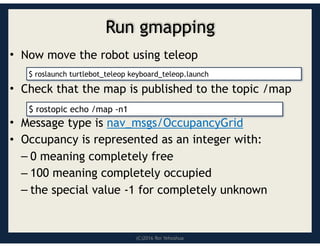
Rungmapping
• Now move the robot using teleop
• Check that the map is published to the topic /map
• Message type is nav_msgs/OccupancyGrid
• Occupancy is represented as an integer with:
– 0 meaning completely free
– 100 meaning completely occupied
– the special value -1 for completely unknown
$ rostopic echo /map -n1
$ roslaunch turtlebot_teleop keyboard_teleop.launch
77.
(C)2016 Roi Yehoshua
map_server
•map_server allows you to load and save maps
• To install the package:
• To save dynamically generated maps to a file:
• map_saver generates the following files in the
current directory:
– map.pgm – the map itself
– map.yaml – the map’s metadata
$ sudo apt-get install ros-indigo-map-server
$ rosrun map_server map_saver [-f mapname]
78.
(C)2016 Roi Yehoshua
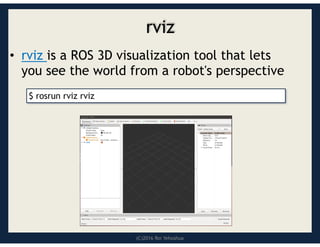
rviz
•rviz is a ROS 3D visualization tool that lets
you see the world from a robot's perspective
$ rosrun rviz rviz
79.
(C)2016 Roi Yehoshua
rvizUseful Commands
• Use right mouse button or scroll wheel to
zoom in or out
• Use the left mouse button to pan (shift-click)
or rotate (click)
80.
(C)2016 Roi Yehoshua
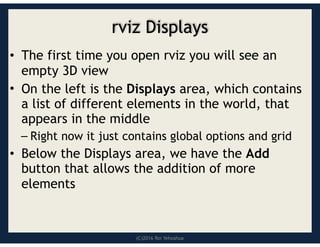
rvizDisplays
• The first time you open rviz you will see an
empty 3D view
• On the left is the Displays area, which contains
a list of different elements in the world, that
appears in the middle
– Right now it just contains global options and grid
• Below the Displays area, we have the Add
button that allows the addition of more
elements
81.
(C)2016 Roi Yehoshua
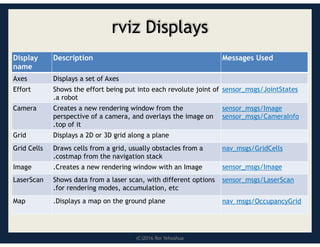
rvizDisplays
Messages Used
Description
Display
name
Displays a set of Axes
Axes
sensor_msgs/JointStates
Shows the effort being put into each revolute joint of
.a robot
Effort
sensor_msgs/Image
sensor_msgs/CameraInfo
Creates a new rendering window from the
perspective of a camera, and overlays the image on
.top of it
Camera
Displays a 2D or 3D grid along a plane
Grid
nav_msgs/GridCells
Draws cells from a grid, usually obstacles from a
.costmap from the navigation stack
Grid Cells
sensor_msgs/Image
.Creates a new rendering window with an Image
Image
sensor_msgs/LaserScan
Shows data from a laser scan, with different options
.for rendering modes, accumulation, etc
LaserScan
nav_msgs/OccupancyGrid
.Displays a map on the ground plane
Map
82.
(C)2016 Roi Yehoshua
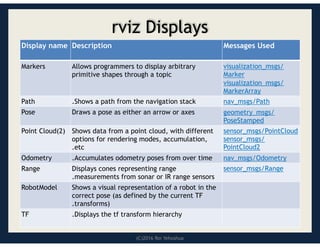
rvizDisplays
Messages Used
Description
Display name
visualization_msgs/
Marker
visualization_msgs/
MarkerArray
Allows programmers to display arbitrary
primitive shapes through a topic
Markers
nav_msgs/Path
.Shows a path from the navigation stack
Path
geometry_msgs/
PoseStamped
Draws a pose as either an arrow or axes
Pose
sensor_msgs/PointCloud
sensor_msgs/
PointCloud2
Shows data from a point cloud, with different
options for rendering modes, accumulation,
.etc
Point Cloud(2)
nav_msgs/Odometry
.Accumulates odometry poses from over time
Odometry
sensor_msgs/Range
Displays cones representing range
.measurements from sonar or IR range sensors
Range
Shows a visual representation of a robot in the
correct pose (as defined by the current TF
.transforms)
RobotModel
.Displays the tf transform hierarchy
TF
83.
(C)2016 Roi Yehoshua
ROSServices
• The next step is to learn how to load the map into
the memory in our own code
– So we can use it to plan a path for the robot
• For that purpose we will use a ROS service called
static_map provided by the map_server node
84.
(C)2016 Roi Yehoshua
ROSServices
• Services are just synchronous remote procedure calls
– They allow one node to call a function that executes in
another node
• We define the inputs and outputs of this function
similarly to the way we define new message types
• The server (which provides the service) specifies a
callback to deal with the service request, and
advertises the service.
• The client (which calls the service) then accesses this
service through a local proxy
85.
ROS – Lecture6
Lecturer: Roi Yehoshua
roiyeho@gmail.com
October 2016
ROS tf system
Get robot’s location on map
86.
(C)2016 Roi Yehoshua
Whatis tf?
• A robotic system typically has many coordinate
frames that change over time, such as a world
frame, base frame, gripper frame, head frame,
etc.
• tf is a transformation system that allows making
computations in one frame and then transforming
them to another at any desired point in time
• tf allows you to ask questions like:
– What is the current pose of the base frame of the robot in
the map frame?
– What is the pose of the object in my gripper relative to
my base?
– Where was the head frame relative to the world frame, 5
seconds ago?
87.
ROS – Lecture7
Lecturer: Roi Yehoshua
roiyeho@gmail.com
October 2016
ROS navigation stack
Costmaps
Localization
Sending goal commands (from rviz)
88.
(C)2016 Roi Yehoshua
RobotNavigation
• One of the most basic things that a robot can do is to
move around the world.
• To do this effectively, the robot needs to know where
it is and where it should be going
• This is usually achieved by giving the robot a map of
the world, a starting location, and a goal location
• In the previous lesson, we saw how to build a map of
the world from sensor data.
• Now, we’ll look at how to make your robot
autonomously navigate from one part of the world to
another, using this map and the ROS navigation
packages
89.
(C)2016 Roi Yehoshua
ROSNavigation Stack
• http://wiki.ros.org/navigation
• The goal of the navigation stack is to move a
robot from one position to another position
safely (without crashing or getting lost)
• It takes in information from the odometry and
sensors, and a goal pose and outputs safe
velocity commands that are sent to the robot
• ROS Navigation Introductory Video
90.
(C)2016 Roi Yehoshua
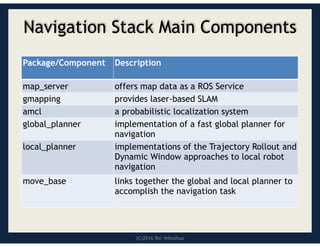
NavigationStack Main Components
Description
Package/Component
offers map data as a ROS Service
map_server
provides laser-based SLAM
gmapping
a probabilistic localization system
amcl
implementation of a fast global planner for
navigation
global_planner
implementations of the Trajectory Rollout and
Dynamic Window approaches to local robot
navigation
local_planner
links together the global and local planner to
accomplish the navigation task
move_base
91.
(C)2016 Roi Yehoshua
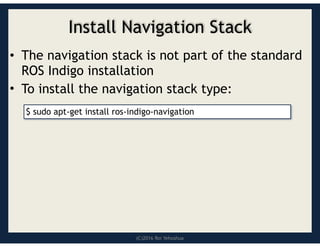
InstallNavigation Stack
• The navigation stack is not part of the standard
ROS Indigo installation
• To install the navigation stack type:
$ sudo apt-get install ros-indigo-navigation
92.
(C)2016 Roi Yehoshua
NavigationStack Requirements
Three main hardware requirements
• The navigation stack can only handle a differential
drive and holonomic wheeled robots
– It can also do certain things with biped robots, such as
localization, as long as the robot does not move sideways
• A planar laser must be mounted on the mobile
base of the robot to create the map and
localization
– Alternatively, you can generate something equivalent to
laser scans from other sensors (Kinect for example)
• Its performance will be best on robots that are
nearly square or circular
93.
(C)2016 Roi Yehoshua
NavigationPlanners
• Our robot will move through the map using two
types of navigation—global and local
• The global planner is used to create paths for a
goal in the map or a far-off distance
• The local planner is used to create paths in the
nearby distances and avoid obstacles
94.
(C)2016 Roi Yehoshua
GlobalPlanner
• NavFn provides a fast interpolated navigation
function that creates plans for a mobile base
• The global plan is computed before the robot
starts moving toward the next destination
• The planner operates on a costmap to find a
minimum cost plan from a start point to an end
point in a grid, using Dijkstra’s algorithm
• The global planner generates a series of
waypoints for the local planner to follow
95.
(C)2016 Roi Yehoshua
LocalPlanner
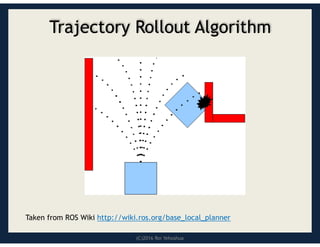
• Chooses appropriate velocity commands for the
robot to traverse the current segment of the
global path
• Combines sensory and odometry data with both
global and local cost maps
• Can recompute the robot's path on the fly to
keep the robot from striking objects yet still
allowing it to reach its destination
• Implements the Trajectory Rollout and
Dynamic Window algorithm
(C)2016 Roi Yehoshua
TrajectoryRollout Algorithm
1. Discretely sample in the robot's control space
(dx,dy,dθ)
2. For each sampled velocity, perform forward simulation
from the robot's current state to predict what would
happen if the sampled velocity were applied for some
(short) period of time
3. Evaluate each trajectory resulting from the forward
simulation, using a metric that incorporates
characteristics such as: proximity to obstacles,
proximity to the goal, proximity to the global path, and
speed
4. Discard illegal trajectories (those that collide with
obstacles)
5. Pick the highest-scoring trajectory and send the
associated velocity to the mobile base
6. Rinse and repeat
98.
ROS – Lecture10
Lecturer: Roi Yehoshua
roiyeho@gmail.com
October 2016
OpenCV
Vision in ROS
Follow-Bot
99.
(C)2016 Roi Yehoshua
OpenCV
•Open Source Computer Vision Library
• Contains efficient, well-tested implementations of many
popular computer vision algorithms
• Created/Maintained by Intel
• Routines focused on real time image processing and 2D +
3D computer vision
• http://docs.opencv.org/2.4/index.html
• http://docs.opencv.org/3.1.0/examples.html
(examples)
99
100.
(C)2016 Roi Yehoshua
ROSand OpenCV
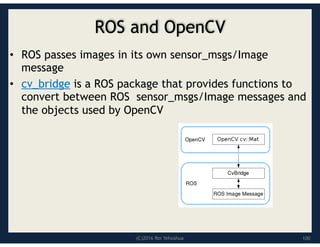
• ROS passes images in its own sensor_msgs/Image
message
• cv_bridge is a ROS package that provides functions to
convert between ROS sensor_msgs/Image messages and
the objects used by OpenCV
100
101.
(C)2016 Roi Yehoshua
AcquiringImages
• Images in ROS are sent around the system using the
sensor_msgs/Image message type
• To have images stream into our nodes, we need to
subscribe to a topic where they are being published
• Each robot will have its own method for doing this, and
names may vary
• Use rostopic list to find out what topics contain the
robot’s camera data
101

![(C)2016 Roi Yehoshua
Using rosmsg
• That's all you need to do to create a msg
• Let's make sure that ROS can see it using
the rosmsg show command:
$ rosmsg show [message type]](https://image.slidesharecdn.com/newrosblock-250516072217-42445313/85/NewROSBlock-for-basic-knowledge-and-beginner-51-320.jpg)
![(C)2016 Roi Yehoshua
Occupancy Grid Map (OGM)
• Maps the environment as a grid of cells
– Cell sizes typically range from 5 to 50 cm
• Each cell holds a probability value that the
cell is occupied in the range [0,100]
• Unknown is indicated by -1
– Usually unknown areas are areas that the robot
sensors cannot detect (beyond obstacles)](https://image.slidesharecdn.com/newrosblock-250516072217-42445313/85/NewROSBlock-for-basic-knowledge-and-beginner-67-320.jpg)
![(C)2016 Roi Yehoshua
map_server
• map_server allows you to load and save maps
• To install the package:
• To save dynamically generated maps to a file:
• map_saver generates the following files in the
current directory:
– map.pgm – the map itself
– map.yaml – the map’s metadata
$ sudo apt-get install ros-indigo-map-server
$ rosrun map_server map_saver [-f mapname]](https://image.slidesharecdn.com/newrosblock-250516072217-42445313/85/NewROSBlock-for-basic-knowledge-and-beginner-77-320.jpg)
![Robot operating system [ROS]](https://cdn.slidesharecdn.com/ss_thumbnails/robotoperatingsystemautosaved-200614222945-thumbnail.jpg?width=640&height=640&fit=bounds)


