NH STATE PUBLICATIONS DIGITAL LIBRARYOctober 2009Janet EklundAdministrator of Library Operations, NHSLCharles ShipmanReference Librarian, NHSL
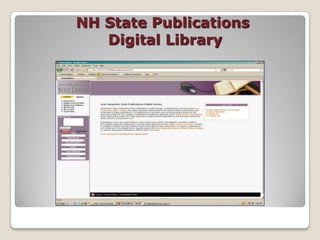
NH State Publications Digital Library
 The Challenge of Digital PreservationWhat is digital preservation?"Digital preservation combines policies, strategies and actions that ensure access to digital content over time."American Library Association, 2008
New Hampshire State Library CircumstancesStatutory mandate & depository program
The question: To print or not to print?
Acquisition challenge
Access
Collection Development Policy Getting StartedSeptember 2007 – January 2009Organizational & financial commitment
A pilot project
Identification of roles & responsibilities
Training & education
Fugitive documents?The Solution A Web PortalContent management systemDigital ArchivingFiles type agnosticFull-text vs. controlled searching?PTFS (Progressive Technologies Federal Systems)
The Cost# of records (2,500 records or 10 GB)ASP hosting solutionTechnical supportTrainingThe Spider!First year grand total?$44,000 – first year grand total
 The Learning Curve Going LiveGo live date: January 20, 2009
Training: 3 days September 2009
3 months of trial and error
3 months of manual manipulation
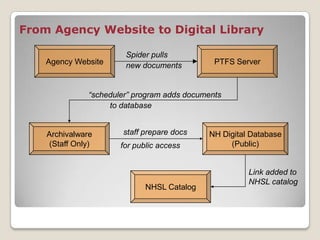
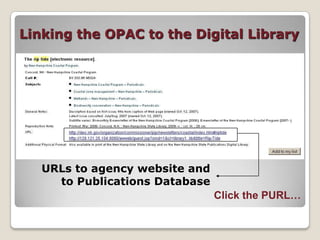
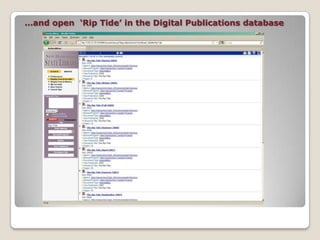
System administration decisionsFrom Agency Website to Digital LibraryAgency WebsitePTFS ServerSpider pullsnew documents“scheduler” program adds documentsto databaseArchivalware(Staff Only)NH Digital Database(Public)staff prepare docsfor public accessLink added to NHSL catalogNHSL Catalog
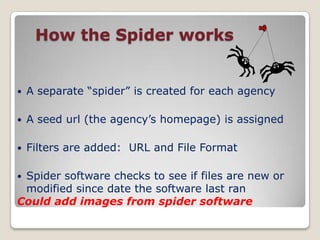
 How the Spider worksA separate “spider” is created for each agencyA seed url (the agency’s homepage) is assignedFilters are added:  URL and File FormatSpider software checks to see if files are new or modified since date the software last ranCould add images from spider software
 Preparing documents for the databaseStep 1: Is it a “State Publication?”Use Collection Development Policy for guidance:www.nh.gov/nhsl/about/documents/CollectionPolicy2008.pdfWhat should be kept?			Annual Reports			Newsletters			Brochures			Handbooks, manuals
 Preparing documents for the databaseStep 1: Is it a “State Publication?”What should be discarded?		Meeting Agendas		Press Releases		Office Email Correspondence“Gray areas”: 		Archive EVERYTHING		           vs.		Collection Development Policy
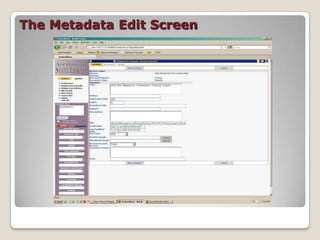
Preparing documents  for the database Step 2: Adding MetadataGoal: Maximize ease of access while keeping 	workload manageableMetadata fields restricted to a few key fields:		Title, Serial Title, Author, Year Published, # PagesSome data is added automatically:File type, File size, Original URL
The Metadata Edit Screen
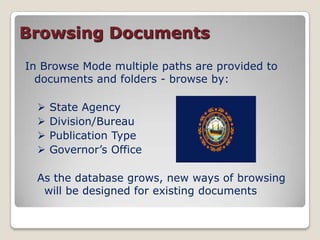
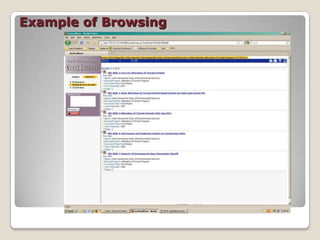
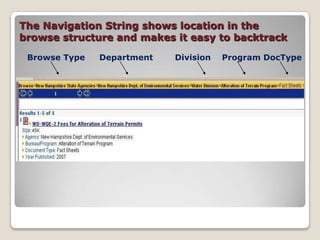
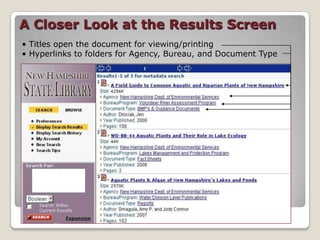
Preparing documents  for the database Step 3: Assigning a FolderDocuments can be filed in a folder structure similar to Windows ExplorerPatrons can browse folders for documents in addition to searching text or metadataFolders make it possible to guide users to a set of docs using PURLs
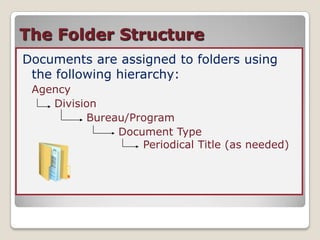
The Folder StructureDocuments are assigned to folders using the following hierarchy:Agency		Division			Bureau/Program				Document Type 					               Periodical Title (as needed)
 Creating the User  InterfaceGoal:Combine ease of use with powerful 	search optionsProvide multiple paths to publications:
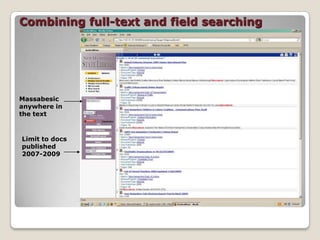
   Full Text Searching
   Field Searching
   BrowsingFull-Text SearchingThree forms:Boolean: 		Allows typical search options – phrase 			searches, AND/OR/NOT operators, and 			wildcards
Concept:		Broadens searches by comparing terms 			to a pre-existing dictionary
Pattern:		Searches for patterns of text that best 			match the patron’s search terms  Field SearchingField searches allow users to search by year, agency, bureau, author, title, serial title

NHSL Digital Library

  • 1.
    NH STATE PUBLICATIONSDIGITAL LIBRARYOctober 2009Janet EklundAdministrator of Library Operations, NHSLCharles ShipmanReference Librarian, NHSL
  • 2.
    NH State PublicationsDigital Library
  • 3.
    The Challengeof Digital PreservationWhat is digital preservation?"Digital preservation combines policies, strategies and actions that ensure access to digital content over time."American Library Association, 2008
  • 4.
    New Hampshire StateLibrary CircumstancesStatutory mandate & depository program
  • 5.
    The question: Toprint or not to print?
  • 6.
  • 7.
  • 8.
    Collection Development PolicyGetting StartedSeptember 2007 – January 2009Organizational & financial commitment
  • 9.
  • 10.
    Identification of roles& responsibilities
  • 11.
  • 12.
    Fugitive documents?The SolutionA Web PortalContent management systemDigital ArchivingFiles type agnosticFull-text vs. controlled searching?PTFS (Progressive Technologies Federal Systems)
  • 13.
    The Cost# ofrecords (2,500 records or 10 GB)ASP hosting solutionTechnical supportTrainingThe Spider!First year grand total?$44,000 – first year grand total
  • 14.
    The LearningCurve Going LiveGo live date: January 20, 2009
  • 15.
    Training: 3 daysSeptember 2009
  • 16.
    3 months oftrial and error
  • 17.
    3 months ofmanual manipulation
  • 18.
    System administration decisionsFromAgency Website to Digital LibraryAgency WebsitePTFS ServerSpider pullsnew documents“scheduler” program adds documentsto databaseArchivalware(Staff Only)NH Digital Database(Public)staff prepare docsfor public accessLink added to NHSL catalogNHSL Catalog
  • 19.
    How theSpider worksA separate “spider” is created for each agencyA seed url (the agency’s homepage) is assignedFilters are added: URL and File FormatSpider software checks to see if files are new or modified since date the software last ranCould add images from spider software
  • 20.
    Preparing documentsfor the databaseStep 1: Is it a “State Publication?”Use Collection Development Policy for guidance:www.nh.gov/nhsl/about/documents/CollectionPolicy2008.pdfWhat should be kept? Annual Reports Newsletters Brochures Handbooks, manuals
  • 21.
    Preparing documentsfor the databaseStep 1: Is it a “State Publication?”What should be discarded? Meeting Agendas Press Releases Office Email Correspondence“Gray areas”: Archive EVERYTHING vs. Collection Development Policy
  • 22.
    Preparing documents for the database Step 2: Adding MetadataGoal: Maximize ease of access while keeping workload manageableMetadata fields restricted to a few key fields: Title, Serial Title, Author, Year Published, # PagesSome data is added automatically:File type, File size, Original URL
  • 23.
  • 24.
    Preparing documents for the database Step 3: Assigning a FolderDocuments can be filed in a folder structure similar to Windows ExplorerPatrons can browse folders for documents in addition to searching text or metadataFolders make it possible to guide users to a set of docs using PURLs
  • 25.
    The Folder StructureDocumentsare assigned to folders using the following hierarchy:Agency Division Bureau/Program Document Type Periodical Title (as needed)
  • 26.
    Creating theUser InterfaceGoal:Combine ease of use with powerful search optionsProvide multiple paths to publications:
  • 27.
    Full Text Searching
  • 28.
    Field Searching
  • 29.
    BrowsingFull-Text SearchingThree forms:Boolean: Allows typical search options – phrase searches, AND/OR/NOT operators, and wildcards
  • 30.
    Concept: Broadens searches bycomparing terms to a pre-existing dictionary
  • 31.
    Pattern: Searches for patternsof text that best match the patron’s search terms Field SearchingField searches allow users to search by year, agency, bureau, author, title, serial title