Network Security :
Windows Servers
Prof. Gerardo T. Ortega Carrasquillo
MCP, MCTS, A+ Network +, IC3
About the Speaker
• More than 7 years of Professional Experience on the IT
Field
• IT Professor on different universities.
• MCP, MCTS, A+, Network +, IC3 Certifications
• Master Degree on Information Technology Audit of
University of the Sacret Heart of Puerto Rico
• Currently pursuing a doctoral degree on Information
Security and Assurance on Capella University.
(Dissertation Phase)
Information Security
• According to SANS Institute, “Information Security refers
to the processes and methodologies which are designed
and implemented to protect print, electronic,
• or any other form of confidential, private and sensitive
information or data from unauthorized access, use,
misuse, disclosure, destruction, modification, or
disruption.”
http://www.sans.org/information-security
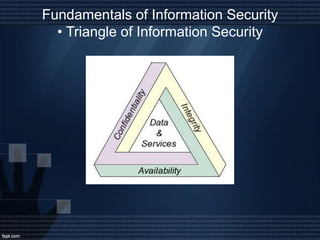
Fundamentals of Information Security
• Triangle of Information Security
Important Documents
• Internet Usage and Management Policy
• Network Usage and Management Policy
• Email Usage and Management Policy
• Network Documentation (Updated)
• Disaster Recovery Plan (Updated)
Why is important a Network Server Audit?
• The servers are one of the core components of an network infrastructure of an
organization.They usually manage a large amount of users, groups, and other
resources in the organization. It is important to periodically make IT Audits and
assessment to verify the health of the IT Network Infrastructure.
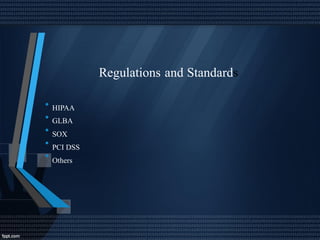
Regulations and Standards
•
•
•
•
•
HIPAA
GLBA
SOX
PCI DSS
Others
Purpose of Windows Server Audit and
requirements
•
•
•
•
•
Ensure compliance with regulations and standards
Reduce the risk of information security attacks in the network
Verify the health of the network
Verify the employee’s performance in the work
Improve the security and quality of the operations.
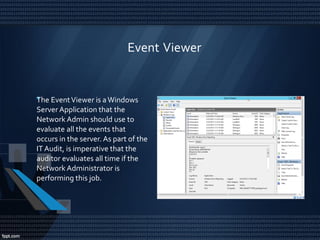
Event Viewer
•The EventViewer is a Windows
Server Application that the
Network Admin should use to
evaluate all the events that
occurs in the server. As part of the
IT Audit, is imperative that the
auditor evaluates all time if the
Network Administrator is
performing this job.
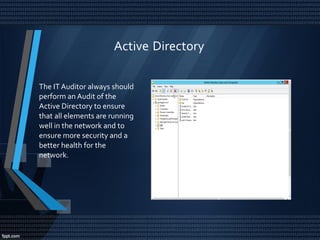
Active Directory
The IT Auditor always should
perform an Audit of the
Active Directory to ensure
that all elements are running
well in the network and to
ensure more security and a
better health for the
network.
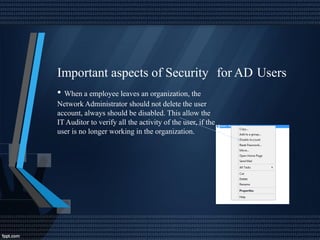
Important aspects of Security
• When a employee leaves an organization, the
Network Administrator should not delete the user
account, always should be disabled. This allow the
IT Auditor to verify all the activity of the user, if the
user is no longer working in the organization.
for AD Users
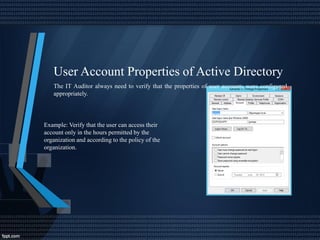
User Account Properties of Active Directory
The IT Auditor always need to verify that the properties of user accounts were configured
appropriately.
Example: Verify that the user can access their
account only in the hours permitted by the
organization and according to the policy of the
organization.
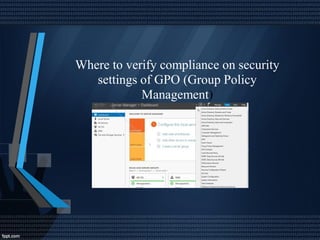
Where to verify compliance on security
settings of GPO (Group Policy
Management)
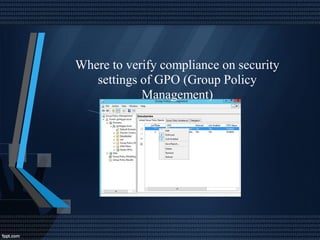
Where to verify compliance on security
settings of GPO (Group Policy
Management)
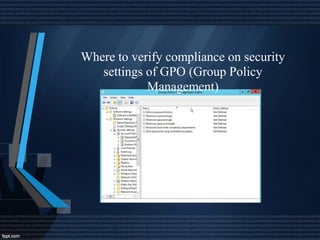
Where to verify compliance on security
settings of GPO (Group Policy
Management)
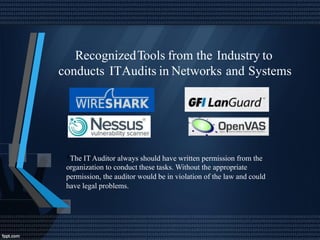
RecognizedTools from the Industry to
conducts ITAudits in Networks and Systems
*The IT Auditor always should have written permission from the
organization to conduct these tasks. Without the appropriate
permission, the auditor would be in violation of the law and could
have legal problems.
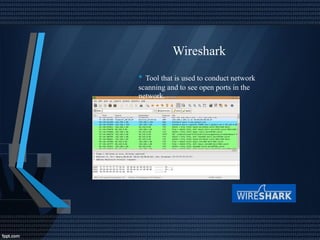
Wireshark
• Tool that is used to conduct network
scanning and to see open ports in the
network.
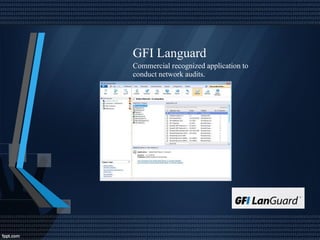
GFI Languard
Commercial recognized application to
conduct network audits.
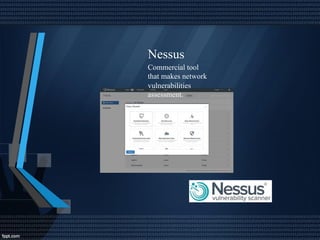
Nessus
Commercial tool
that makes network
vulnerabilities
assessment.
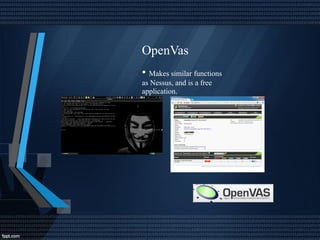
OpenVas
• Makes similar functions
as Nessus, and is a free
application.
Recommendations for a Good Windows
and Network Audit
•
Server
Verify the logs
Maintain updated the servers with all patches
Verify and maintain network documentation.
Always verify the Backups of the Network.
Ensure that the software and operating systems updated are running well
•
•
•
•
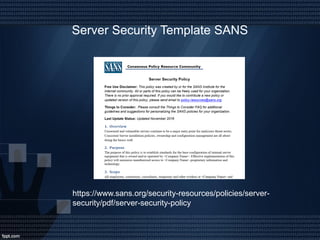
Server Security Template SANS
https://www.sans.org/security-resources/policies/server-
security/pdf/server-security-policy

Network Security of Windows Servers

  • 1.
    Network Security : WindowsServers Prof. Gerardo T. Ortega Carrasquillo MCP, MCTS, A+ Network +, IC3
  • 2.
    About the Speaker •More than 7 years of Professional Experience on the IT Field • IT Professor on different universities. • MCP, MCTS, A+, Network +, IC3 Certifications • Master Degree on Information Technology Audit of University of the Sacret Heart of Puerto Rico • Currently pursuing a doctoral degree on Information Security and Assurance on Capella University. (Dissertation Phase)
  • 3.
    Information Security • Accordingto SANS Institute, “Information Security refers to the processes and methodologies which are designed and implemented to protect print, electronic, • or any other form of confidential, private and sensitive information or data from unauthorized access, use, misuse, disclosure, destruction, modification, or disruption.” http://www.sans.org/information-security
  • 4.
    Fundamentals of InformationSecurity • Triangle of Information Security
  • 5.
    Important Documents • InternetUsage and Management Policy • Network Usage and Management Policy • Email Usage and Management Policy • Network Documentation (Updated) • Disaster Recovery Plan (Updated)
  • 6.
    Why is importanta Network Server Audit? • The servers are one of the core components of an network infrastructure of an organization.They usually manage a large amount of users, groups, and other resources in the organization. It is important to periodically make IT Audits and assessment to verify the health of the IT Network Infrastructure.
  • 7.
  • 8.
    Purpose of WindowsServer Audit and requirements • • • • • Ensure compliance with regulations and standards Reduce the risk of information security attacks in the network Verify the health of the network Verify the employee’s performance in the work Improve the security and quality of the operations.
  • 9.
    Event Viewer •The EventVieweris a Windows Server Application that the Network Admin should use to evaluate all the events that occurs in the server. As part of the IT Audit, is imperative that the auditor evaluates all time if the Network Administrator is performing this job.
  • 10.
    Active Directory The ITAuditor always should perform an Audit of the Active Directory to ensure that all elements are running well in the network and to ensure more security and a better health for the network.
  • 11.
    Important aspects ofSecurity • When a employee leaves an organization, the Network Administrator should not delete the user account, always should be disabled. This allow the IT Auditor to verify all the activity of the user, if the user is no longer working in the organization. for AD Users
  • 12.
    User Account Propertiesof Active Directory The IT Auditor always need to verify that the properties of user accounts were configured appropriately. Example: Verify that the user can access their account only in the hours permitted by the organization and according to the policy of the organization.
  • 13.
    Where to verifycompliance on security settings of GPO (Group Policy Management)
  • 14.
    Where to verifycompliance on security settings of GPO (Group Policy Management)
  • 15.
    Where to verifycompliance on security settings of GPO (Group Policy Management)
  • 16.
    RecognizedTools from theIndustry to conducts ITAudits in Networks and Systems *The IT Auditor always should have written permission from the organization to conduct these tasks. Without the appropriate permission, the auditor would be in violation of the law and could have legal problems.
  • 17.
    Wireshark • Tool thatis used to conduct network scanning and to see open ports in the network.
  • 18.
    GFI Languard Commercial recognizedapplication to conduct network audits.
  • 19.
    Nessus Commercial tool that makesnetwork vulnerabilities assessment.
  • 20.
    OpenVas • Makes similarfunctions as Nessus, and is a free application.
  • 21.
    Recommendations for aGood Windows and Network Audit • Server Verify the logs Maintain updated the servers with all patches Verify and maintain network documentation. Always verify the Backups of the Network. Ensure that the software and operating systems updated are running well • • • •
  • 22.
    Server Security TemplateSANS https://www.sans.org/security-resources/policies/server- security/pdf/server-security-policy