What we aregoing to cover...
• The basics of Active Directory
• What AD is
• What AD isn't
• Tools
• Management Concepts
• Additional Services
• Q & A
3.
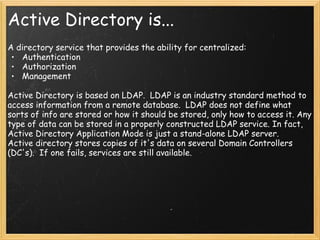
Active Directory is...
Adirectory service that provides the ability for centralized:
• Authentication
• Authorization
• Management
Active Directory is based on LDAP. LDAP is an industry standard method to
access information from a remote database. LDAP does not define what
sorts of info are stored or how it should be stored, only how to access it. Any
type of data can be stored in a properly constructed LDAP service. In fact,
Active Directory Application Mode is just a stand-alone LDAP server.
Active directory stores copies of it's data on several Domain Controllers
(DC's). If one fails, services are still available.
4.
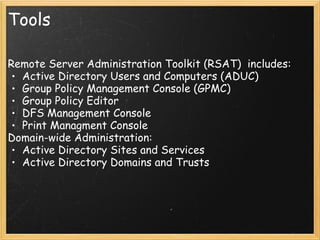
Tools
Remote Server AdministrationToolkit (RSAT) includes:
• Active Directory Users and Computers (ADUC)
• Group Policy Management Console (GPMC)
• Group Policy Editor
• DFS Management Console
• Print Managment Console
Domain-wide Administration:
• Active Directory Sites and Services
• Active Directory Domains and Trusts
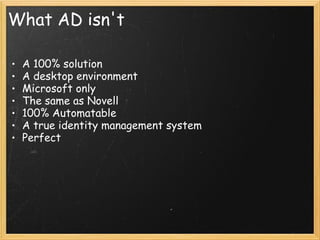
What AD isn't
•A 100% solution
• A desktop environment
• Microsoft only
• The same as Novell
• 100% Automatable
• A true identity management system
• Perfect
7.
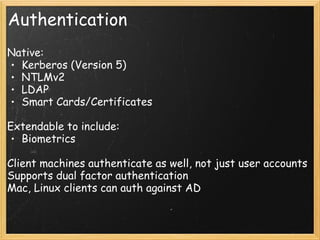
Authentication
Native:
• Kerberos (Version5)
• NTLMv2
• LDAP
• Smart Cards/Certificates
Extendable to include:
• Biometrics
Client machines authenticate as well, not just user accounts
Supports dual factor authentication
Mac, Linux clients can auth against AD
8.
Trusts
Trusts don't implyany sort of authorization or rights
assignment. If Domain "A" trusts Domain "B" all it implies is
that accounts from "B" can be used in "A" No rights
assignments of any kind are made automatically.
This makes it possible to access resources in multiple
domains using a single account.
Trusts:
• Intra-Forest
• Inter-Forest
• Cross Realm
9.
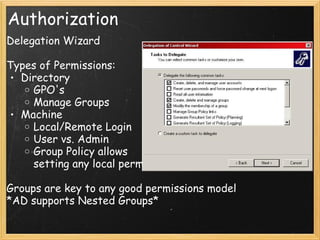
Authorization
Delegation Wizard
Types ofPermissions:
• Directory
o GPO's
o Manage Groups
• Machine
o Local/Remote Login
o User vs. Admin
o Group Policy allows
setting any local permission
Groups are key to any good permissions model
*AD supports Nested Groups*
10.
Management Concepts
• DomainStructure
o OU structure
o User/Computer Locations
o Grouping Strategy
• Group Policy
o Linking
o Filtering
Groups
WMI Filters
o Starter GPO's
o Copying GPO's
o Group Policy Modelling
11.
Policies vs. Preferences
•Policies:
o Policies usually cannot be changed by end user
o Configuring IE
o Deploying Software
o Configuring Desktop Experience
• Preferences:
o End user override optional per setting
o Pushing Files/Reg Keys/Shortcuts
o Item-Level Targeting
Both have User and Computer Settings
Loopback - Process User settings using Computer location
Windows Server UpdateServices (WSUS)
Unified Patch Management for MS Products - FREE
• Apply patches based on grouping
o Server side groups
o *Client Side Targeting via Group Policy*
• Types of Patches:
o Service Packs/Security Patches/Bugfixes
o Drivers
o Defender definitions
o Office Patches/Service Packs
o Add-ons: Windows Media, Silverlight, GPP, etc.
o Server Products: SQL, IIS
• Ability to back out patches per group of machines (not
always supported by the patches)
14.
Distributed File System(DFS)
DFS is a Network File System
Core CAL Required
• Roots (Namespaces)
o Delegation
• Folders
o Create Arbitrary
structure
• Targets
o Where the files are
• Multi-Master Replication
15.
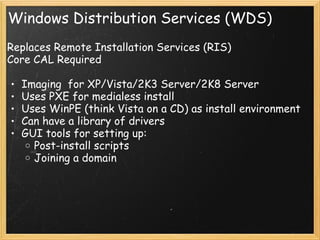
Windows Distribution Services(WDS)
Replaces Remote Installation Services (RIS)
Core CAL Required
• Imaging for XP/Vista/2K3 Server/2K8 Server
• Uses PXE for medialess install
• Uses WinPE (think Vista on a CD) as install environment
• Can have a library of drivers
• GUI tools for setting up:
o Post-install scripts
o Joining a domain
16.
Additional Services
Core CALRequired (NCSU has a Site License!):
Certificate Services - PKI
File Services (Clustering, iSCSI)
Print Services
IIS / Webdav
Sharepoint Services 3.0
Additional stuff we don't use: DNS/DHCP
Additional CAL Required:
Terminal Services
#1 Introduce instructors, thank ISE for the room and DELTA for recording the class.
#3 A directory service is a software solution for storing data in a hierarchical, extensible and easily searchable format.
Lightweight directory access protocol
#4 Most administration tools are MMC snap-ins. MMC is extensible and you can build you own custom consoles or dashboards consisting of your primary tools.
To get to the Administrative tools:
Right click on the taskbar, select "properties", start menu, customize, display administrative tools.
RSAT is Vista SP1-only
#5 Run ADUC.
There are lots of types of objects. Most of them are not viewable in ADUC.
99% of your work will be with OU's/Users/Computers/Groups.
#6 A 100% solution:
Its a foundation and a framework to add services and functionality.
A desktop environment:
Things like roaming profiles, home directories, application loads and workstation imaging are choices that are made. AD provides access to these features and more, but you are not locked into them by the technology itself.
The same as Novell:
Specifically, its not anywhere near the same implementations of Novell currently on campus: Wolfprep, the Admin Desktop, etc. Both use LDAP, have a schema, objects, and a permissions model. All directory services start out the same; its how you choose to implement them that determines success or failure.
100% Automateable
Sorry, It does not replace an IT person making sane decisions.
#7 Adding authentication is fairly easy. Authorization or management is a different story.
#8 ACSAD is the classic on-campus example of a resource domain
OIT Printing solution
Domain Migrations
Authentication against other domains: MIT, Auth Domains.
#9 In ADUC, select View->Advanced Features to view security tab.
#10 Domain Structure:
Faculty
Staff
Grad Students
Teaching Labs
Public Labs
Kiosks
Servers
Where to put Macs?
Open up GPMC
Starter GPO's - Administrative Templates only.