The Basic Computer Network-Hardware   within Mountain High School
presented by Karen Kelly       for Ed Tech 541
IntroductionDemographicsMountain High School has aStaff  ~ 45 Student population ~ 800 Relatively diverse population (International Program and Student Exchange Program)A high percentage of students that move on to College and University after graduation.School Objective  “To utilize technology to improve engagement”. School Needs  " To be able to provide our 21st Century learners with the tools they need to learn in today's modern world."
So how is itconnected?
How is it possible to…
Lets take a look…
First: Some basic terminology….
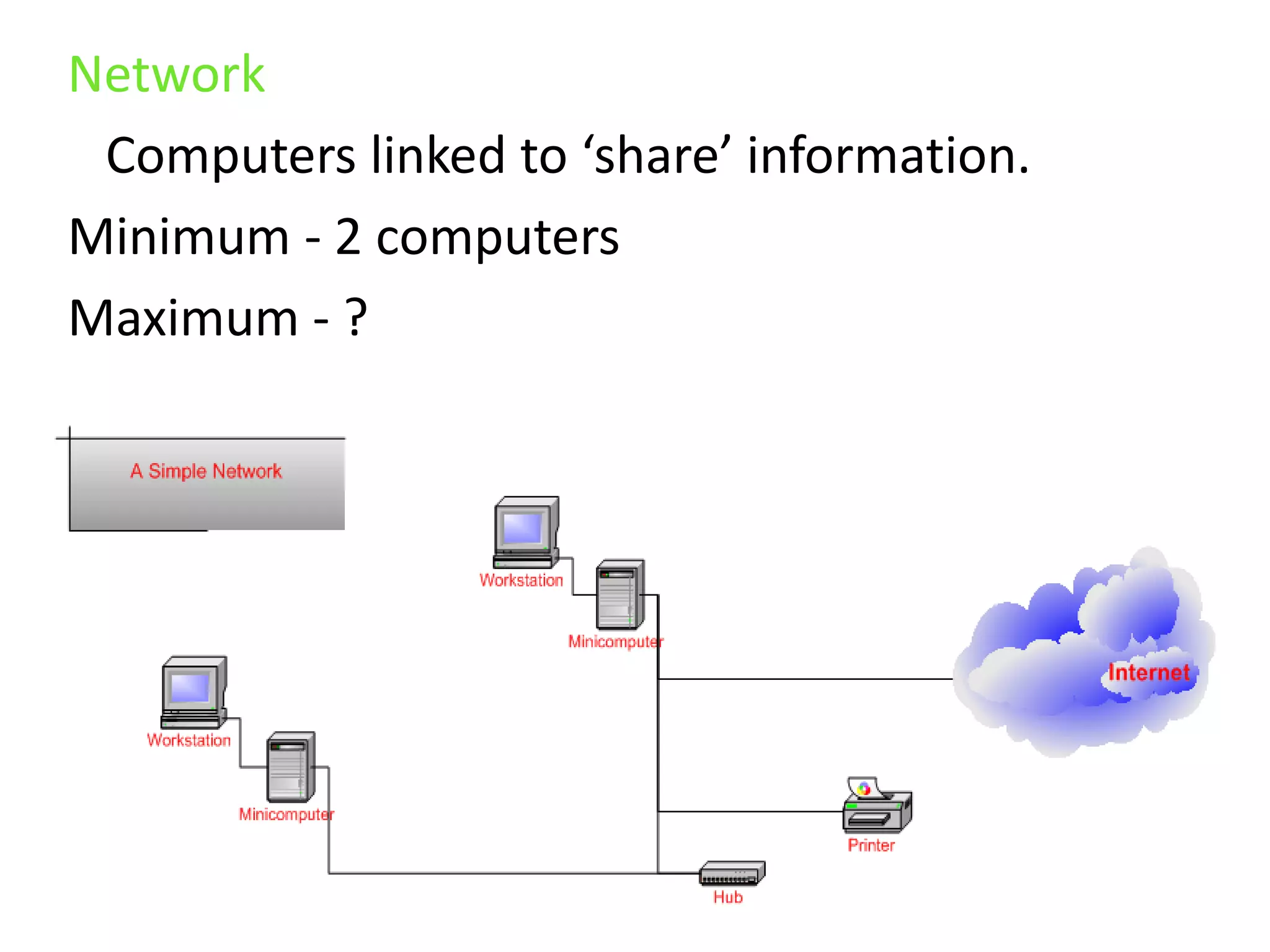
Network   Computers linked to ‘share’ information.Minimum - 2 computersMaximum - ?
TCP/IP   Transmission Control Protocol/Internet Protocol    The standards/rules for computers so they   can communicate within networks.
ISPInternet Service ProviderRequired in order to connect to the Internet.Example:Shaw
Second: The Goods ….
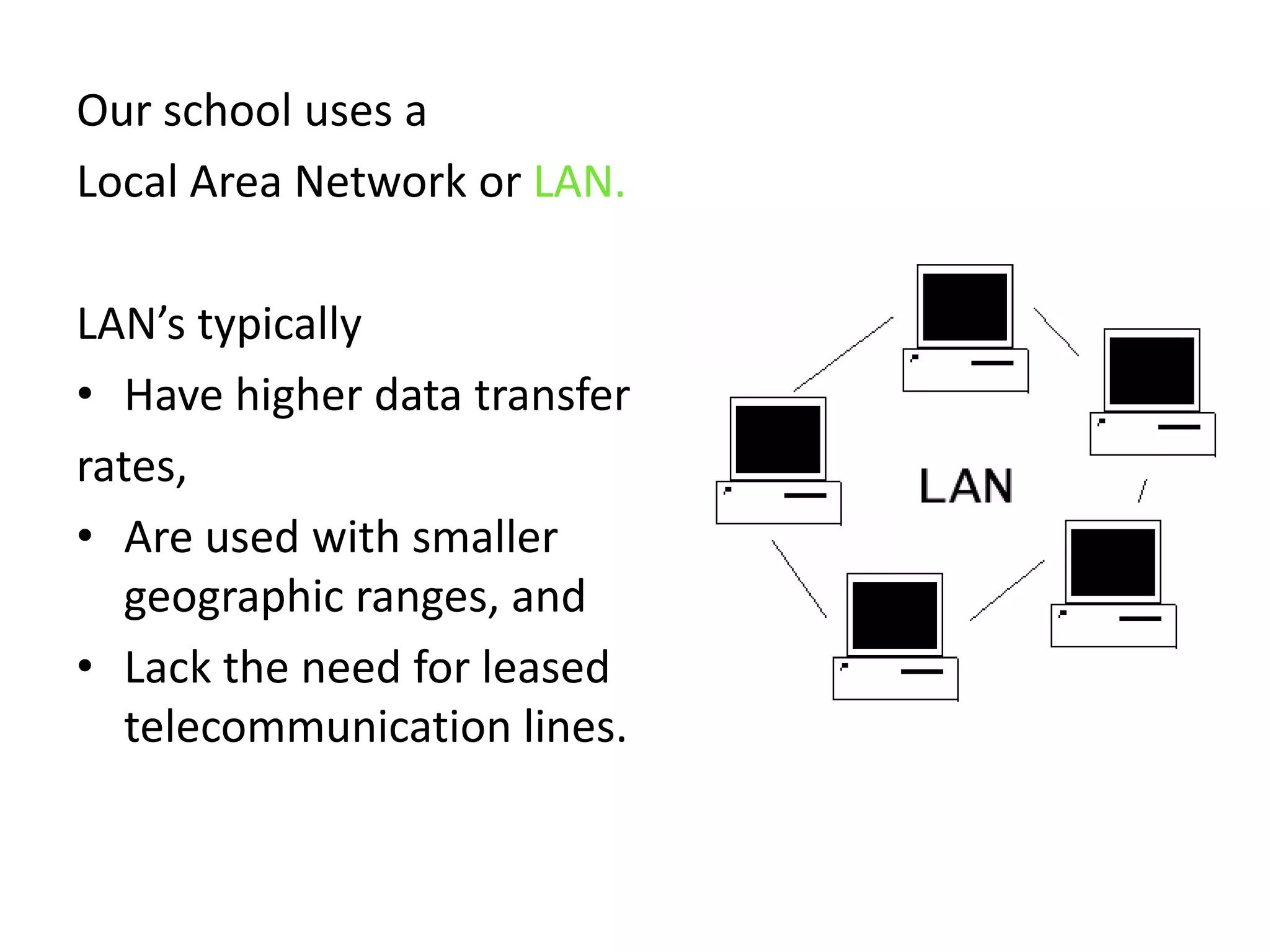
Our school uses a Local Area Network or LAN. LAN’s typically Have higher data transferrates, Are used with smaller geographic ranges, and Lack the need for leased telecommunication lines.
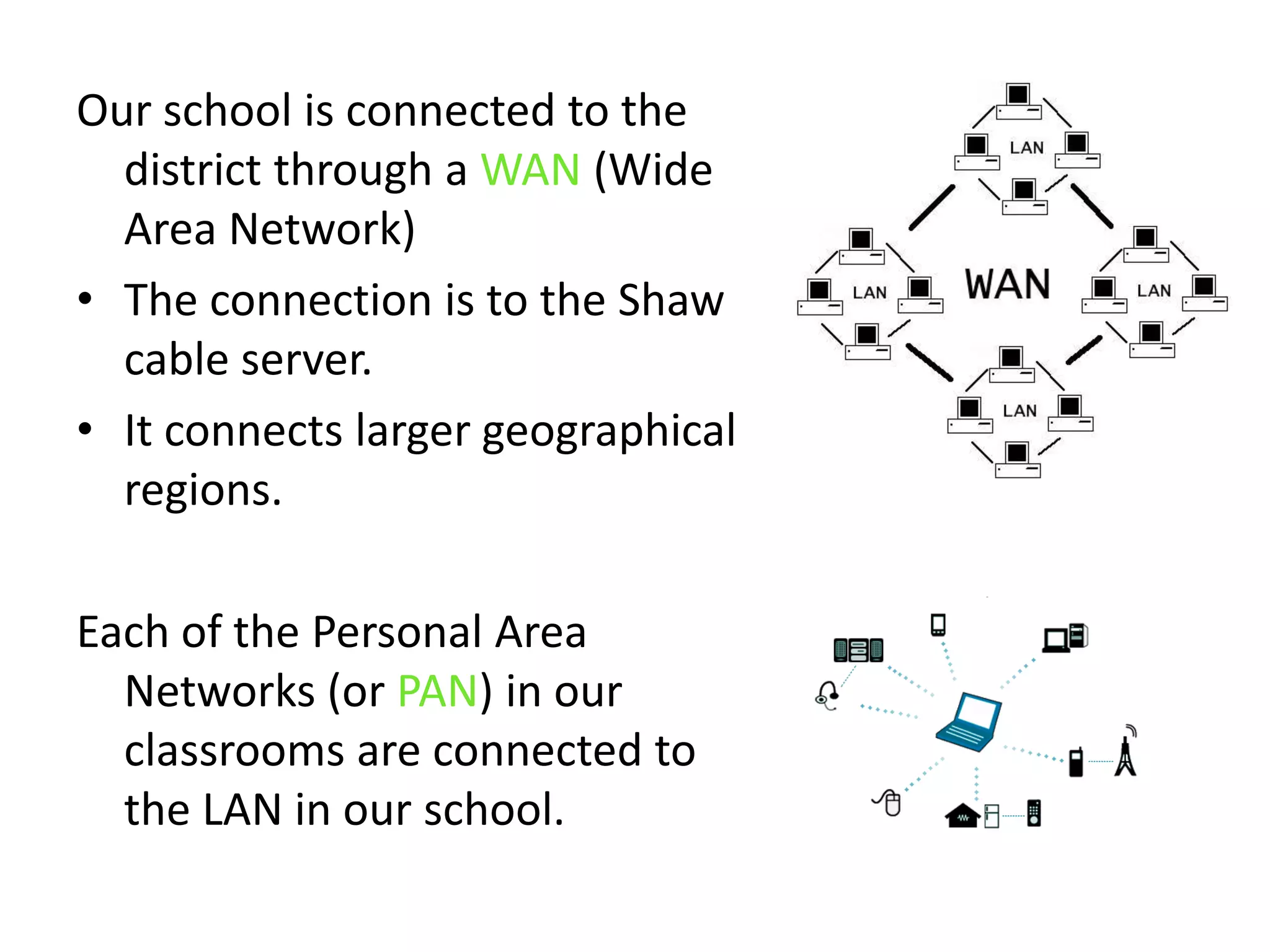
Our school is connected to the district through a WAN (Wide Area Network)The connection is to the Shaw cable server.It connects larger geographical regions.Each of the Personal Area Networks (or PAN) in our classrooms are connected to the LAN in our school.
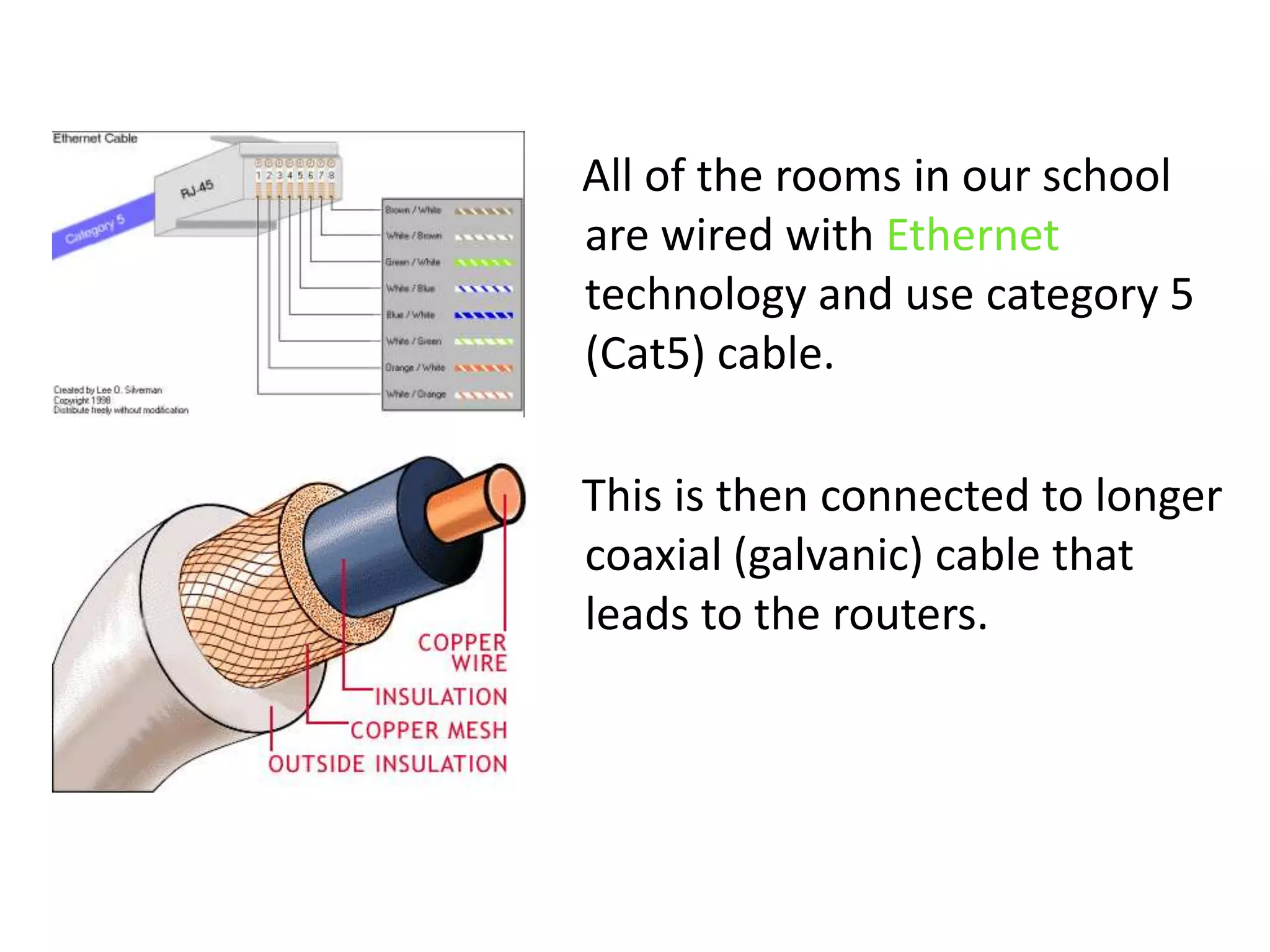
    All of the rooms in our school are wired with Ethernet technology and use category 5 (Cat5) cable.     This is then connected to longer coaxial (galvanic) cable that leads to the routers.
     All Ethernet connections    Understand IP protocol.     Are connected to a central or‘top’ access distribution router that connects to the the Intranet and Internet.
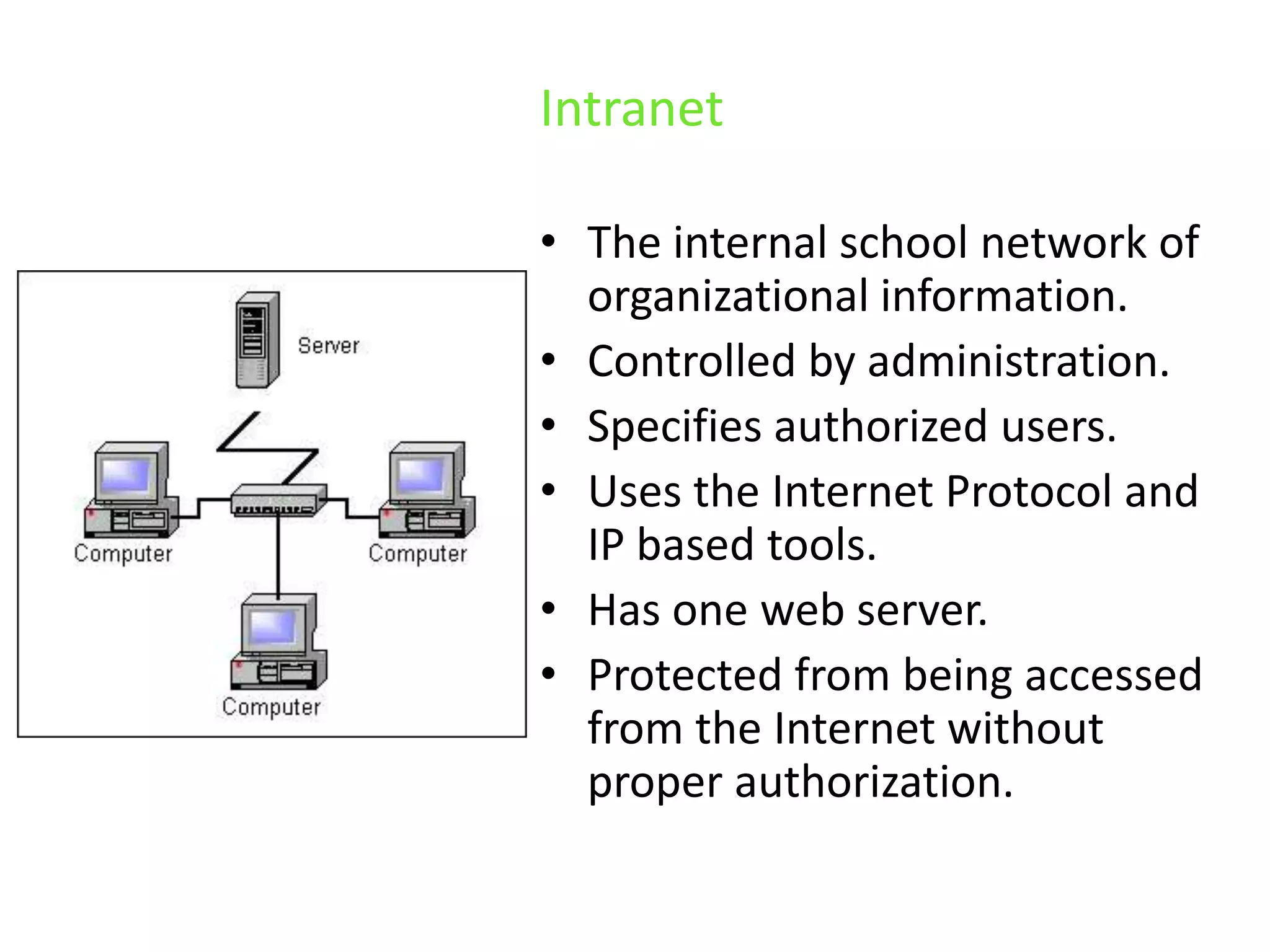
IntranetThe internal school network of organizational information.Controlled by administration. Specifies authorized users. Uses the Internet Protocol and IP based tools.Has one web server.Protected from being accessed from the Internet without proper authorization.
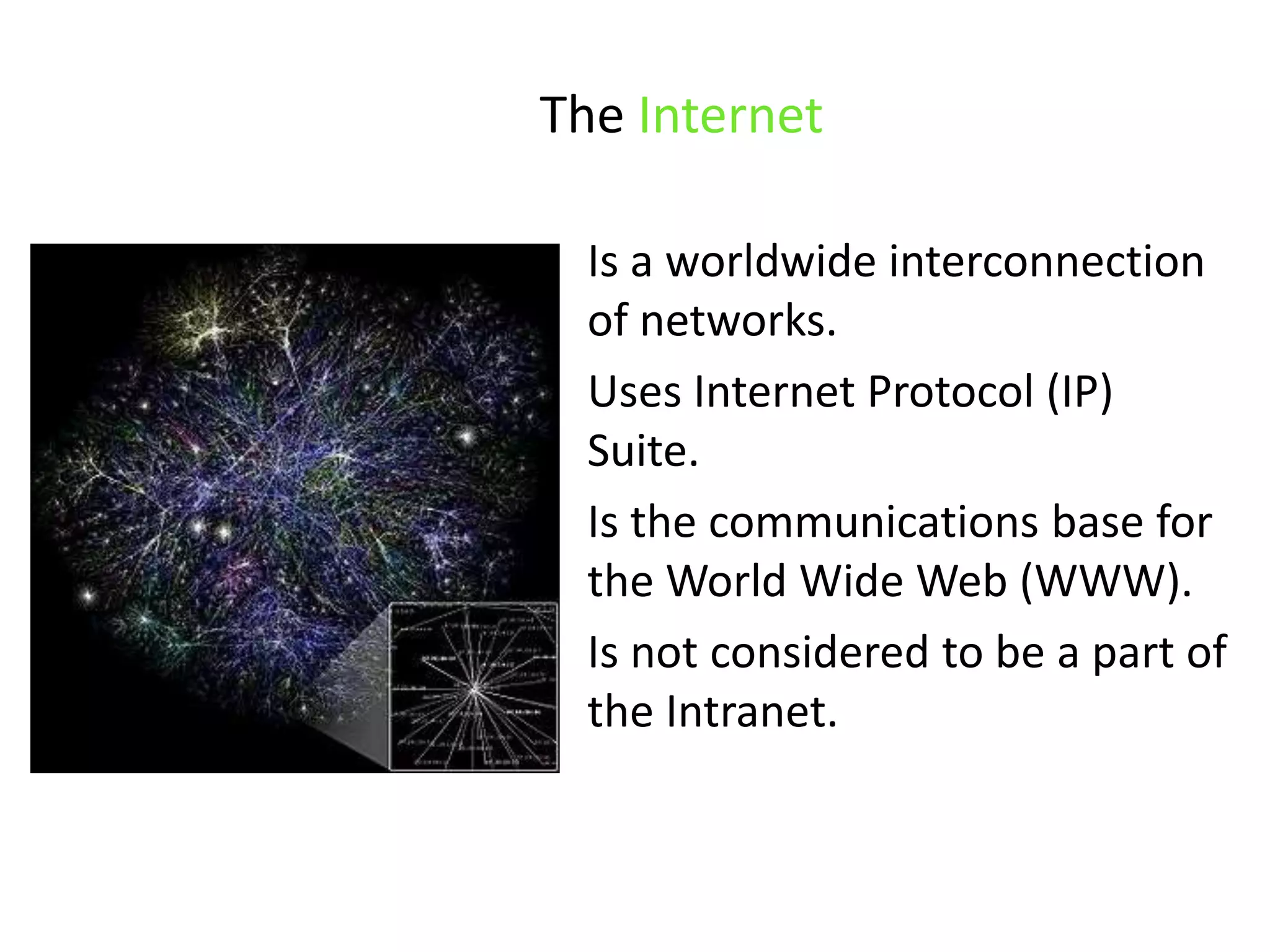
The InternetIs a worldwide interconnection of networks. Uses Internet Protocol (IP) Suite. Is the communications base for the World Wide Web (WWW).Is not considered to be a part of the Intranet.
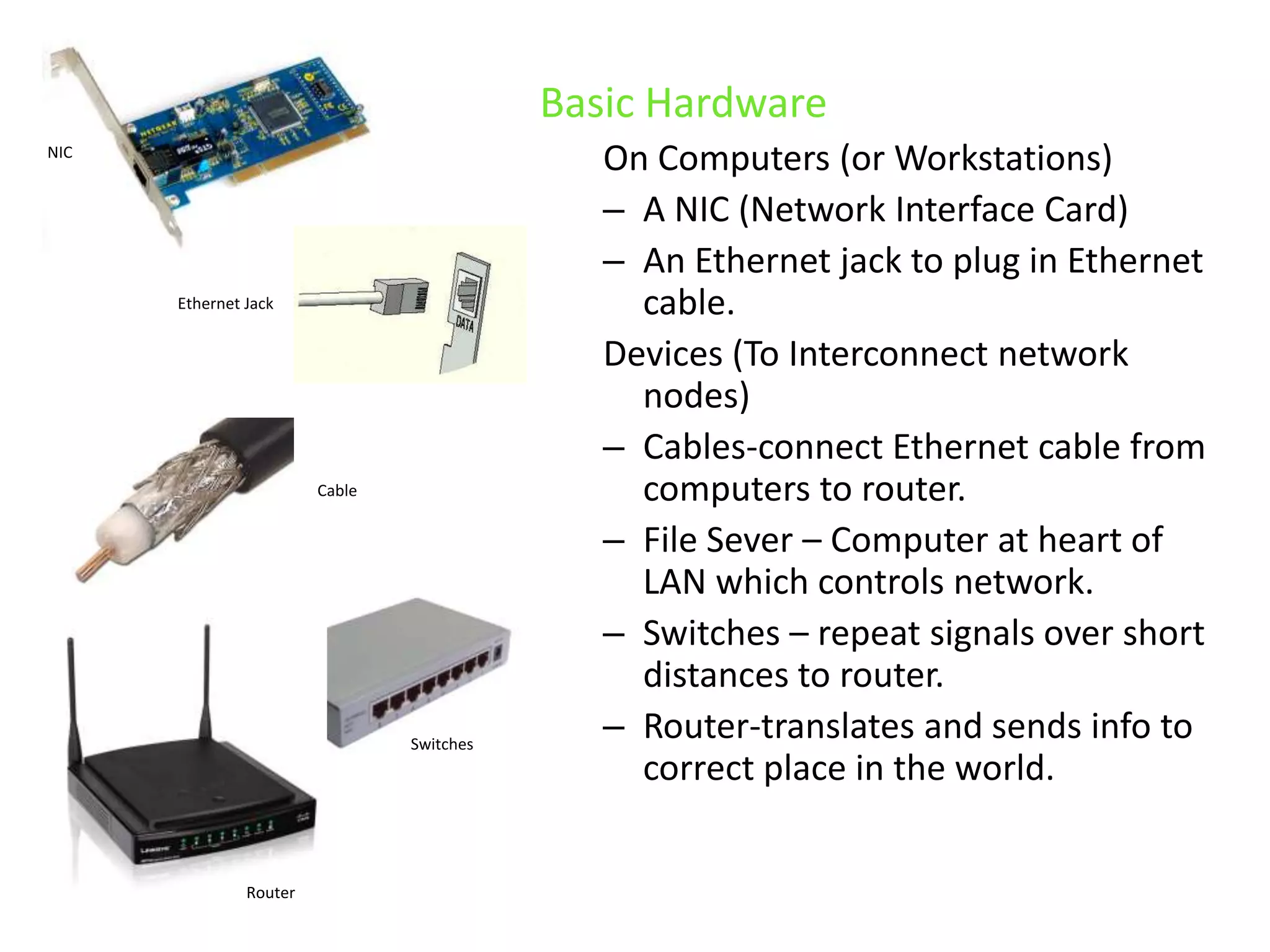
Basic HardwareOn Computers (or Workstations)A NIC (Network Interface Card)An Ethernet jack to plug in Ethernet cable.Devices (To Interconnect network nodes)Cables-connect Ethernet cable from computers to router.File Sever – Computer at heart of LAN which controls network.Switches – repeat signals over short distances to router. Router-translates and sends info to correct place in the world.NICEthernet JackCableSwitchesRouter
Basic SoftwareOn ComputersWeb browser softwareHTTP (Hypertext Transfer Protocol) (An Internet-based protocol for sending and receiving webpages.)Web browser Software
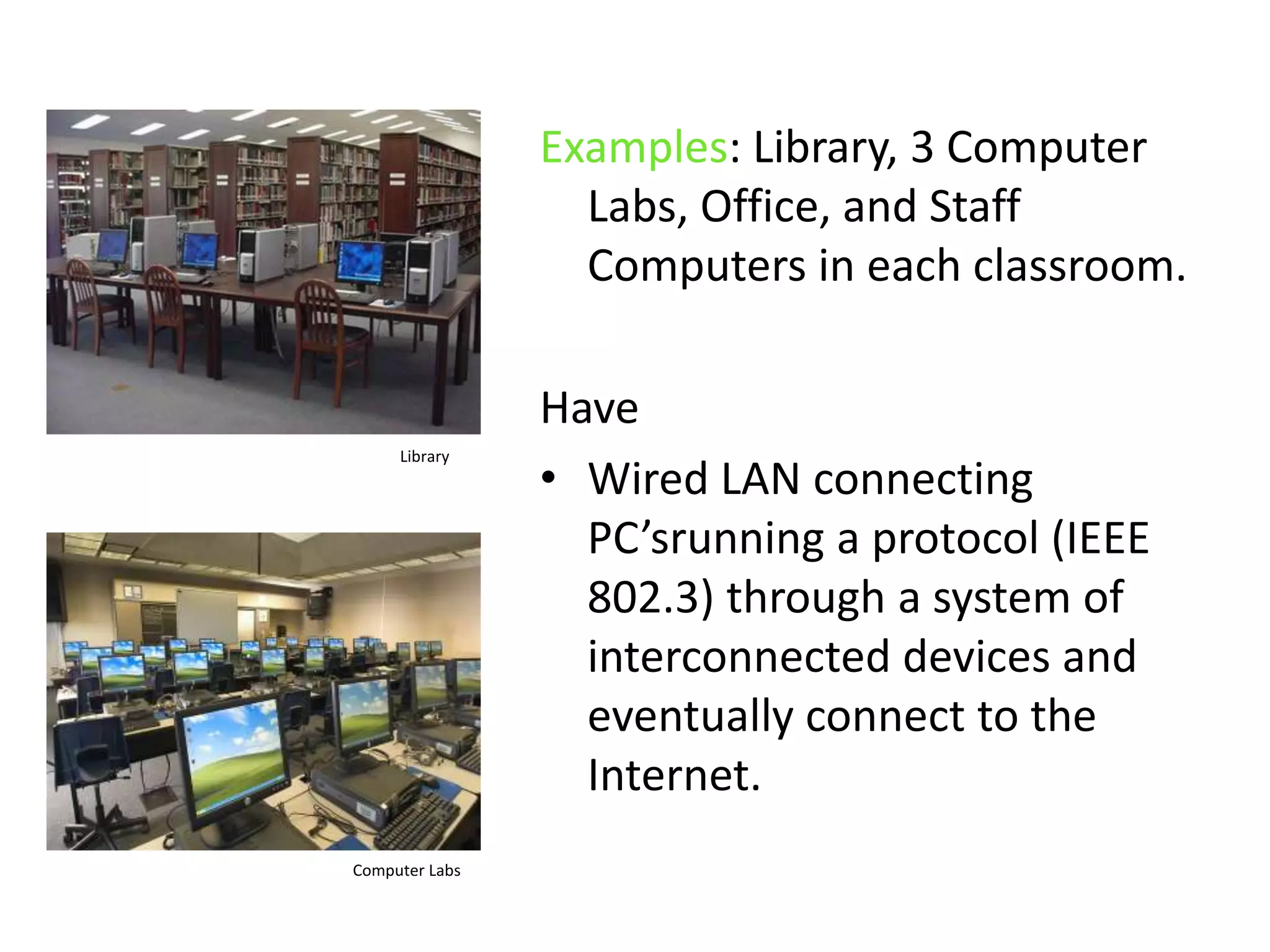
Examples: Library, 3 Computer Labs, Office, and Staff Computers in each classroom.HaveWired LAN connecting PC’srunning a protocol (IEEE 802.3) through a system of interconnected devices and eventually connect to the Internet. LibraryComputer Labs
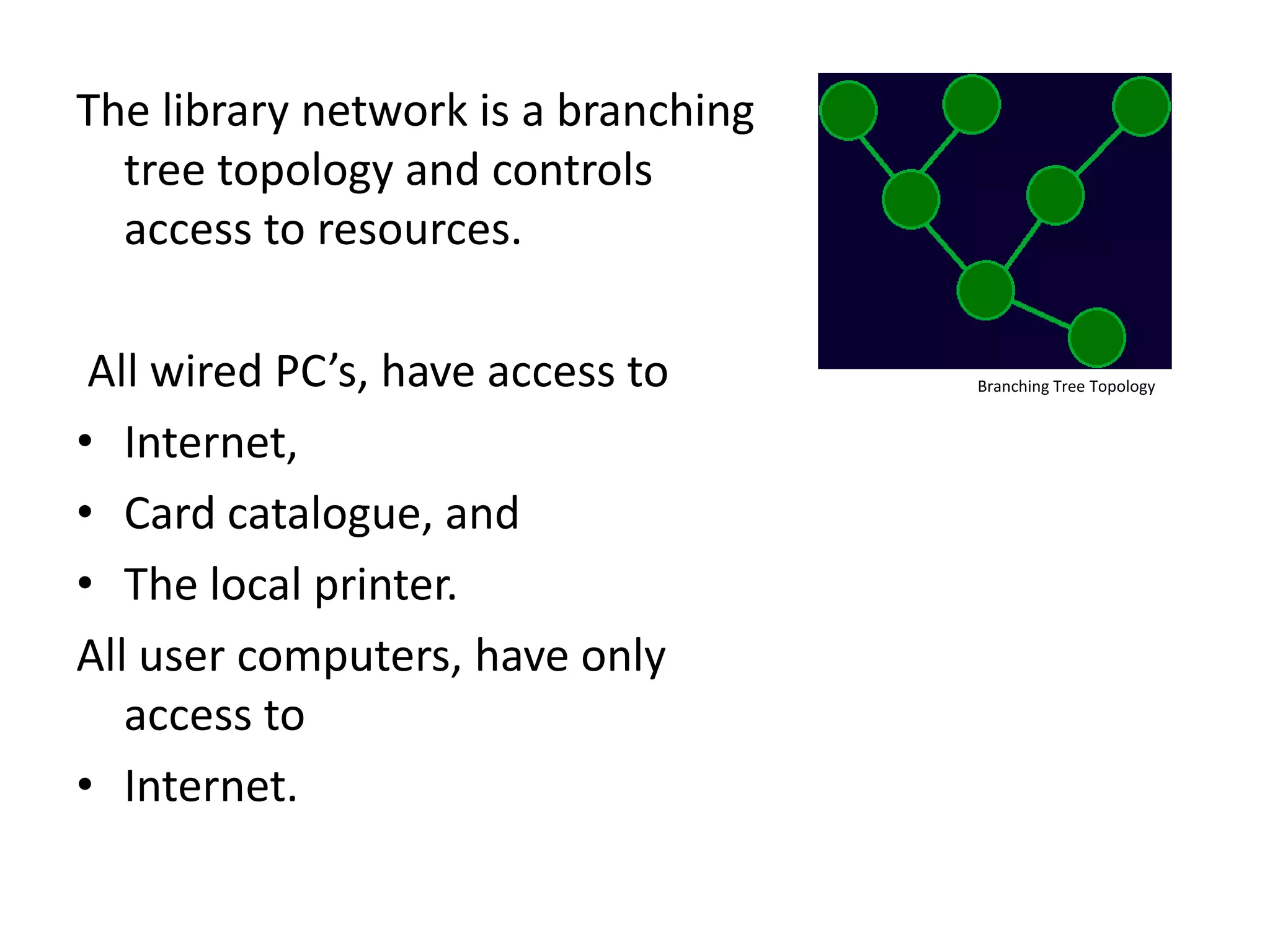
The library network is a branching tree topology and controls access to resources. All wired PC’s, have access toInternet, Card catalogue, andThe local printer.All user computers, have only access to Internet.Branching Tree Topology
The staff computers, in each classroom, all canAccess and use a limited part of the school network including attendance and reporting records.Use Internet Access the library, andUse the local printer.
 Several of the rooms in our school are also connected to wireless technology. (WLAN)These devices use high-frequency radio wave  ‘spread spectrum’ technology for transmission.Wireless
Examples: Library, and Student Multipurpose RoomHaveWireless LAN for users to interconnect local devices and to connect to the internet. Do Not HaveAccess to a printer orAccess to the school network.
ReferencesAn educator's guide to school networks. (2010). Florida Center for Instructional Technology. Retrieved from http://fcit.usf.edu/network/Computer network. (2010). made IT information of technology. Retrieved from http://madeit.co.cc/computer-network-part-13/
Credits for ImagesSlide #1: School – Photograph Karen KellySlide #8: Simple Network - http://bit.ly/98EpHYSlide #12: LAN -http://bit.ly/aBvA1nSlide #13: WAN - http://bit.ly/aBvA1nSlide #13: PAN - http://bit.ly/a5n3acSlide #14: Ethernet - http://bit.ly/cCkoVMSlide #14: Coaxial Cable - http://bit.ly/9qf46lSlide #16: Intranet – http://bit.ly/agdcQJSlide #17: Internet - http://bit.ly/dh8MdLSlide #18: NIC - http://bit.ly/9JKk7vSlide #18: Ethernet Jack - http://bit.ly/dagih9Slide #18: Coaxial Cable - http://bit.ly/b5eXtqSlide #18: Switch - http://bit.ly/cxnYMzSlide #18: Router - http://bit.ly/9TJhs9Slide #19: Web Browsers- http://bit.ly/cCZPuHSlide #20: Library - http://bit.ly/b1hdwbSlide #20: Computer Lab - http://bit.ly/9KztBDSlide #21: Branching Tree Topology - http://bit.ly/c2kYV7Slide #23: Wireless - http://bit.ly/93c0ab
Thank You!

Network Hardware Project

  • 1.
    The Basic ComputerNetwork-Hardware within Mountain High School
  • 2.
    presented by KarenKelly for Ed Tech 541
  • 3.
    IntroductionDemographicsMountain High Schoolhas aStaff ~ 45 Student population ~ 800 Relatively diverse population (International Program and Student Exchange Program)A high percentage of students that move on to College and University after graduation.School Objective “To utilize technology to improve engagement”. School Needs " To be able to provide our 21st Century learners with the tools they need to learn in today's modern world."
  • 4.
    So how isitconnected?
  • 5.
    How is itpossible to…
  • 6.
  • 7.
    First: Some basicterminology….
  • 8.
    Network Computers linked to ‘share’ information.Minimum - 2 computersMaximum - ?
  • 9.
    TCP/IP Transmission Control Protocol/Internet Protocol The standards/rules for computers so they can communicate within networks.
  • 10.
    ISPInternet Service ProviderRequiredin order to connect to the Internet.Example:Shaw
  • 11.
  • 12.
    Our school usesa Local Area Network or LAN. LAN’s typically Have higher data transferrates, Are used with smaller geographic ranges, and Lack the need for leased telecommunication lines.
  • 13.
    Our school isconnected to the district through a WAN (Wide Area Network)The connection is to the Shaw cable server.It connects larger geographical regions.Each of the Personal Area Networks (or PAN) in our classrooms are connected to the LAN in our school.
  • 14.
    All of the rooms in our school are wired with Ethernet technology and use category 5 (Cat5) cable. This is then connected to longer coaxial (galvanic) cable that leads to the routers.
  • 15.
    All Ethernet connections Understand IP protocol. Are connected to a central or‘top’ access distribution router that connects to the the Intranet and Internet.
  • 16.
    IntranetThe internal schoolnetwork of organizational information.Controlled by administration. Specifies authorized users. Uses the Internet Protocol and IP based tools.Has one web server.Protected from being accessed from the Internet without proper authorization.
  • 17.
    The InternetIs aworldwide interconnection of networks. Uses Internet Protocol (IP) Suite. Is the communications base for the World Wide Web (WWW).Is not considered to be a part of the Intranet.
  • 18.
    Basic HardwareOn Computers(or Workstations)A NIC (Network Interface Card)An Ethernet jack to plug in Ethernet cable.Devices (To Interconnect network nodes)Cables-connect Ethernet cable from computers to router.File Sever – Computer at heart of LAN which controls network.Switches – repeat signals over short distances to router. Router-translates and sends info to correct place in the world.NICEthernet JackCableSwitchesRouter
  • 19.
    Basic SoftwareOn ComputersWebbrowser softwareHTTP (Hypertext Transfer Protocol) (An Internet-based protocol for sending and receiving webpages.)Web browser Software
  • 20.
    Examples: Library, 3Computer Labs, Office, and Staff Computers in each classroom.HaveWired LAN connecting PC’srunning a protocol (IEEE 802.3) through a system of interconnected devices and eventually connect to the Internet. LibraryComputer Labs
  • 21.
    The library networkis a branching tree topology and controls access to resources. All wired PC’s, have access toInternet, Card catalogue, andThe local printer.All user computers, have only access to Internet.Branching Tree Topology
  • 22.
    The staff computers,in each classroom, all canAccess and use a limited part of the school network including attendance and reporting records.Use Internet Access the library, andUse the local printer.
  • 23.
    Several ofthe rooms in our school are also connected to wireless technology. (WLAN)These devices use high-frequency radio wave ‘spread spectrum’ technology for transmission.Wireless
  • 24.
    Examples: Library, andStudent Multipurpose RoomHaveWireless LAN for users to interconnect local devices and to connect to the internet. Do Not HaveAccess to a printer orAccess to the school network.
  • 25.
    ReferencesAn educator's guideto school networks. (2010). Florida Center for Instructional Technology. Retrieved from http://fcit.usf.edu/network/Computer network. (2010). made IT information of technology. Retrieved from http://madeit.co.cc/computer-network-part-13/
  • 26.
    Credits for ImagesSlide#1: School – Photograph Karen KellySlide #8: Simple Network - http://bit.ly/98EpHYSlide #12: LAN -http://bit.ly/aBvA1nSlide #13: WAN - http://bit.ly/aBvA1nSlide #13: PAN - http://bit.ly/a5n3acSlide #14: Ethernet - http://bit.ly/cCkoVMSlide #14: Coaxial Cable - http://bit.ly/9qf46lSlide #16: Intranet – http://bit.ly/agdcQJSlide #17: Internet - http://bit.ly/dh8MdLSlide #18: NIC - http://bit.ly/9JKk7vSlide #18: Ethernet Jack - http://bit.ly/dagih9Slide #18: Coaxial Cable - http://bit.ly/b5eXtqSlide #18: Switch - http://bit.ly/cxnYMzSlide #18: Router - http://bit.ly/9TJhs9Slide #19: Web Browsers- http://bit.ly/cCZPuHSlide #20: Library - http://bit.ly/b1hdwbSlide #20: Computer Lab - http://bit.ly/9KztBDSlide #21: Branching Tree Topology - http://bit.ly/c2kYV7Slide #23: Wireless - http://bit.ly/93c0ab
  • 27.