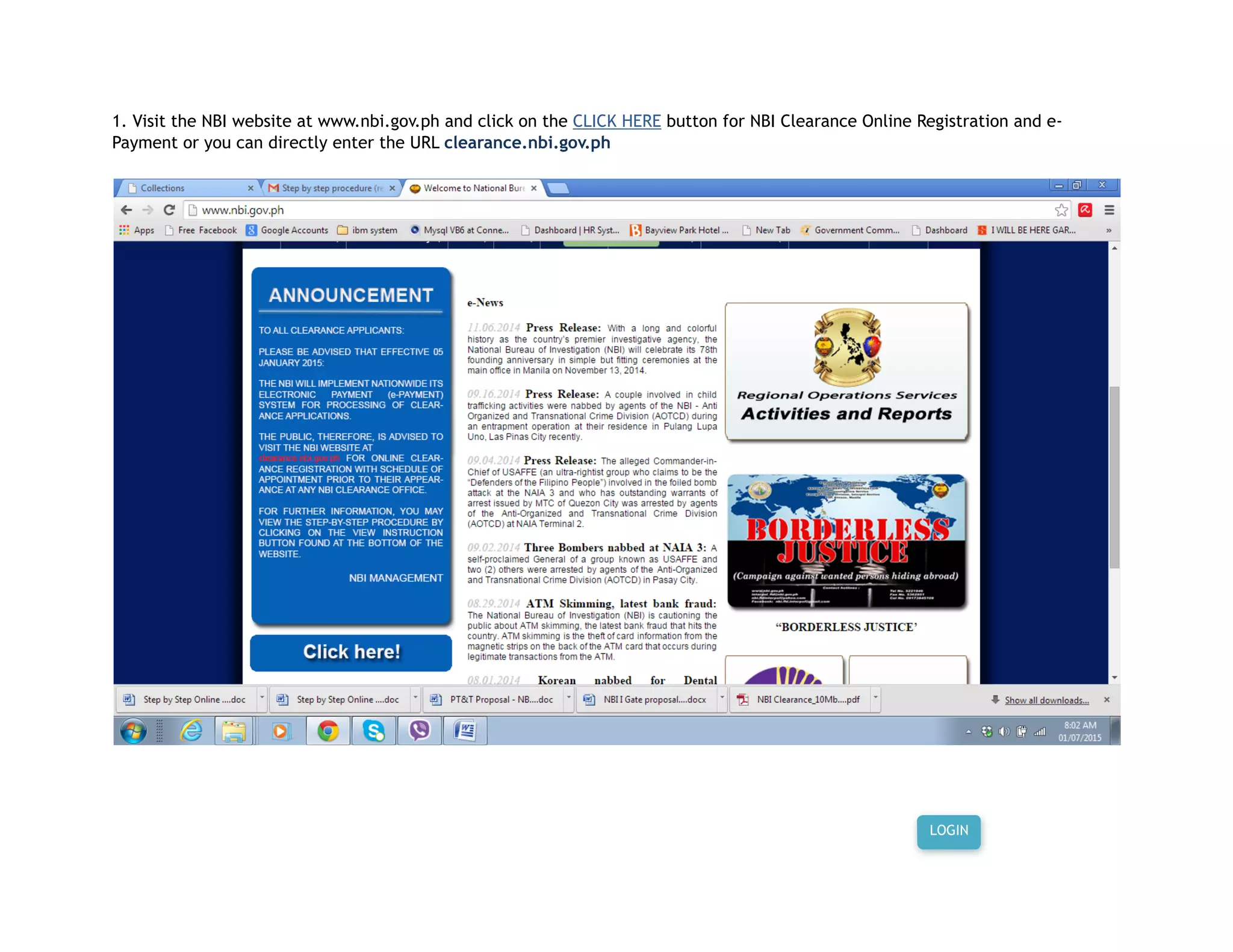
1. Visit the NBI website at www.nbi.gov.ph and click on the CLICK HERE button for NBI Clearance Online Registration and e-
Payment or you can directly enter the URL clearance.nbi.gov.ph
LOGIN
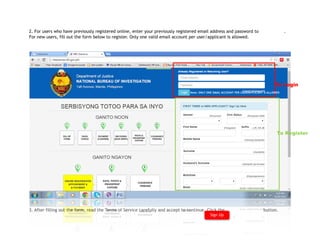
2. For users who have previously registered online, enter your previously registered email address and password to .
For new users, fill out the form below to register. Only one valid email account per user/applicant is allowed.
3. After filling out the form, read the Terms of Service carefully and accept to continue. Click the button.
To Register
To Login
Sign Up
Note: ONLY ONE EMAIL ACCOUNT PER USER/APPLICANT IS ALLOWED
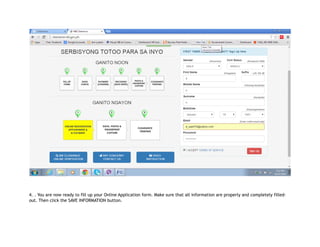
4. . You are now ready to fill up your Online Application form. Make sure that all information are properly and completely filled-
out. Then click the SAVE INFORMATION button.
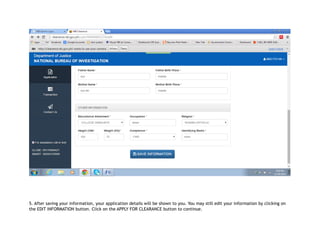
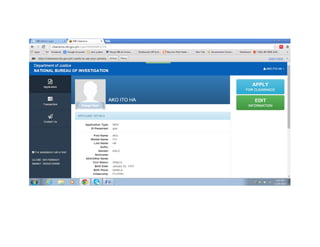
5. After saving your information, your application details will be shown to you. You may still edit your information by clicking on
the EDIT INFORMATION button. Click on the APPLY FOR CLEARANCE button to continue.
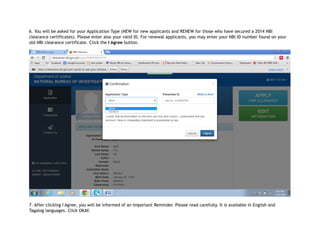
6. You will be asked for your Application Type (NEW for new applicants and RENEW for those who have secured a 2014 NBI
clearance certificates). Please enter also your valid ID. For renewal applicants, you may enter your NBI ID number found on your
old NBI clearance certificate. Click the I Agree button.
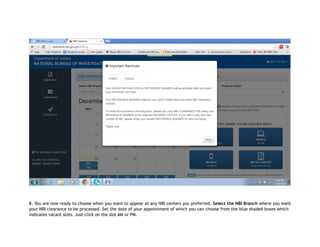
7. After clicking I Agree, you will be informed of an Important Reminder. Please read carefully. It is available in English and
Tagalog languages. Click OKAY.
8. You are now ready to choose when you want to appear at any NBI centers you preferred. Select the NBI Branch where you want
your NBI clearance to be processed. Set the date of your appointment of which you can choose from the blue shaded boxes which
indicates vacant slots. Just click on the slot AM or PM.
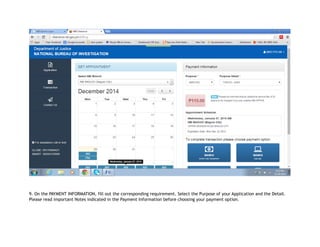
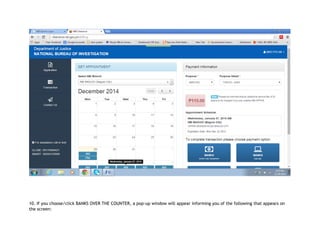
9. On the PAYMENT INFORMATION, fill out the corresponding requirement. Select the Purpose of your Application and the Detail.
Please read important Notes indicated in the Payment Information before choosing your payment option.
10. If you choose/click BANKS OVER THE COUNTER, a pop-up window will appear informing you of the following that appears on
the screen:
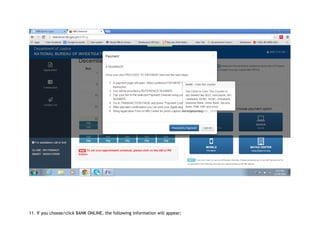
11. If you choose/click BANK ONLINE, the following information will appear:
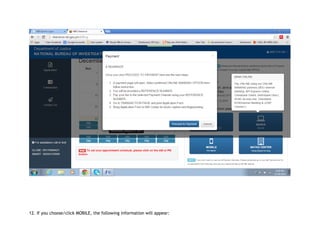
12. If you choose/click MOBILE, the following information will appear:
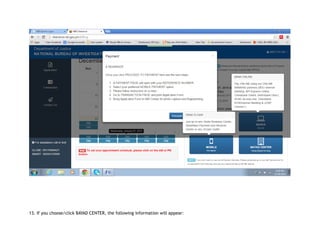
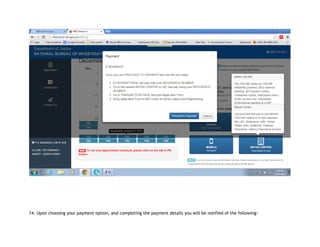
13. If you choose/click BAYAD CENTER, the following information will appear:
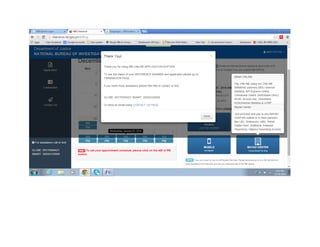
14. Upon choosing your payment option, and completing the payment details you will be notified of the following:
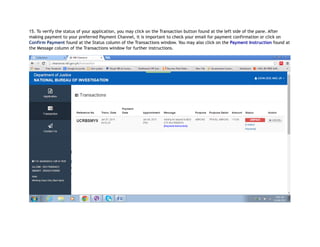
15. To verify the status of your application, you may click on the Transaction button found at the left side of the pane. After
making payment to your preferred Payment Channel, it is important to check your email for payment confirmation or click on
Confirm Payment found at the Status column of the Transactions window. You may also click on the Payment Instruction found at
the Message column of the Transactions window for further instructions.
16. You are now done and ready to appear on your preferred appointment schedule for the capture of your fingerprint biometrics
and photographs.
THANK YOU.
National Bureau of Investigation
*** Our commitment for Total Quality Service to the public***

Nbi step by_step_guidelines

  • 1.
    1. Visit theNBI website at www.nbi.gov.ph and click on the CLICK HERE button for NBI Clearance Online Registration and e- Payment or you can directly enter the URL clearance.nbi.gov.ph LOGIN
  • 2.
    2. For userswho have previously registered online, enter your previously registered email address and password to . For new users, fill out the form below to register. Only one valid email account per user/applicant is allowed. 3. After filling out the form, read the Terms of Service carefully and accept to continue. Click the button. To Register To Login Sign Up Note: ONLY ONE EMAIL ACCOUNT PER USER/APPLICANT IS ALLOWED
  • 3.
    4. . Youare now ready to fill up your Online Application form. Make sure that all information are properly and completely filled- out. Then click the SAVE INFORMATION button.
  • 4.
    5. After savingyour information, your application details will be shown to you. You may still edit your information by clicking on the EDIT INFORMATION button. Click on the APPLY FOR CLEARANCE button to continue.
  • 6.
    6. You willbe asked for your Application Type (NEW for new applicants and RENEW for those who have secured a 2014 NBI clearance certificates). Please enter also your valid ID. For renewal applicants, you may enter your NBI ID number found on your old NBI clearance certificate. Click the I Agree button. 7. After clicking I Agree, you will be informed of an Important Reminder. Please read carefully. It is available in English and Tagalog languages. Click OKAY.
  • 7.
    8. You arenow ready to choose when you want to appear at any NBI centers you preferred. Select the NBI Branch where you want your NBI clearance to be processed. Set the date of your appointment of which you can choose from the blue shaded boxes which indicates vacant slots. Just click on the slot AM or PM.
  • 8.
    9. On thePAYMENT INFORMATION, fill out the corresponding requirement. Select the Purpose of your Application and the Detail. Please read important Notes indicated in the Payment Information before choosing your payment option.
  • 9.
    10. If youchoose/click BANKS OVER THE COUNTER, a pop-up window will appear informing you of the following that appears on the screen:
  • 10.
    11. If youchoose/click BANK ONLINE, the following information will appear:
  • 11.
    12. If youchoose/click MOBILE, the following information will appear:
  • 12.
    13. If youchoose/click BAYAD CENTER, the following information will appear:
  • 13.
    14. Upon choosingyour payment option, and completing the payment details you will be notified of the following:
  • 15.
    15. To verifythe status of your application, you may click on the Transaction button found at the left side of the pane. After making payment to your preferred Payment Channel, it is important to check your email for payment confirmation or click on Confirm Payment found at the Status column of the Transactions window. You may also click on the Payment Instruction found at the Message column of the Transactions window for further instructions.
  • 16.
    16. You arenow done and ready to appear on your preferred appointment schedule for the capture of your fingerprint biometrics and photographs. THANK YOU. National Bureau of Investigation *** Our commitment for Total Quality Service to the public***