1
GDB MySQL参数
苏普
2010-10
Open-files-limit
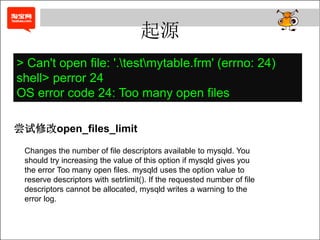
起源
> Can't open file: '.testmytable.frm' (errno: 24)
shell> perror 24
OS error code 24: Too many open files
尝试修改open_files_limit
Changes the number of file descriptors available to mysqld. You
should try increasing the value of this option if mysqld gives you
the error Too many open files. mysqld uses the option value to
reserve descriptors with setrlimit(). If the requested number of file
descriptors cannot be allocated, mysqld writes a warning to the
error log.
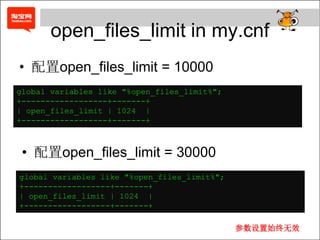
open_files_limit in my.cnf
• 配置open_files_limit = 10000
global variables like "%open_files_limit%";
+------------------+-------+
| open_files_limit | 1024 |
+------------------+-------+
• 配置open_files_limit = 30000
global variables like "%open_files_limit%";
+------------------+-------+
| open_files_limit | 1024 |
+------------------+-------+
参数设置始终无效
Why?
• 开启了一个痛苦代码追踪过程
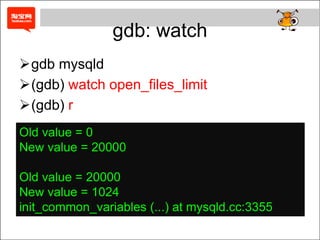
gdb: watch
gdb mysqld
(gdb) watch open_files_limit
(gdb) r
Old value = 0
New value = 20000
Old value = 20000
New value = 1024
init_common_variables (...) at mysqld.cc:3355
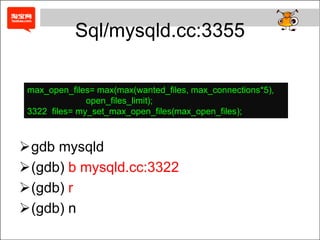
Sql/mysqld.cc:3355
max_open_files= max(max(wanted_files, max_connections*5),
open_files_limit);
3322 files= my_set_max_open_files(max_open_files);
gdb mysqld
(gdb) b mysqld.cc:3322
(gdb) r
(gdb) n
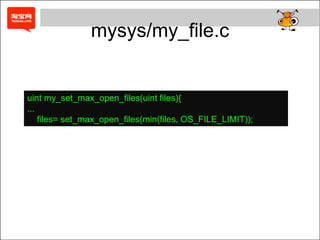
mysys/my_file.c
uint my_set_max_open_files(uint files){
...
files= set_max_open_files(min(files, OS_FILE_LIMIT));
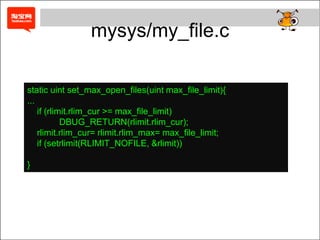
mysys/my_file.c
static uint set_max_open_files(uint max_file_limit){
...
if (rlimit.rlim_cur >= max_file_limit)
DBUG_RETURN(rlimit.rlim_cur);
rlimit.rlim_cur= rlimit.rlim_max= max_file_limit;
if (setrlimit(RLIMIT_NOFILE, &rlimit))
}
Linux && setrlimit
• man setrlimit
– set resource limits
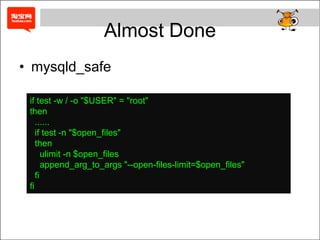
Almost Done
• mysqld_safe
if test -w / -o "$USER" = "root"
then
......
if test -n "$open_files"
then
ulimit -n $open_files
append_arg_to_args "--open-files-limit=$open_files"
fi
fi
Simple? or not?
• That’s all
• Who’s next
Q & A

Mysql参数-GDB