Agenda
• • Basicsof Replication
• • Why Replication Needed
• • Types Of Replication
• • Replication For MySQL
• • Configuring MySQL Replication
• • Testing a Replicated MySQL System
3.
Basics of Replication
•• Master / Slave, Master / Master, and Circular
replication
• • Master writes all DDL and DML statements
in binary log
• • Slaves read the binary log and run queries
locally
• • A master can have many slaves; a slave only
one master
• • MySQL Replication is asynchronous
4.
Master - Slaveand Master-Master
Replication Architecture
• • Master – Slave: Master handles writes, slave
handles reads
• • Master – Master: Both act as master and
slave for each other
Why Replication Needed
•• Using Replication for Backups
• • Different storage engines for performance
• • Scale-Out (Splitting load between servers)
• • Reporting system on slave
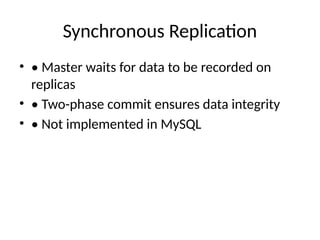
Synchronous Replication
• •Master waits for data to be recorded on
replicas
• • Two-phase commit ensures data integrity
• • Not implemented in MySQL
9.
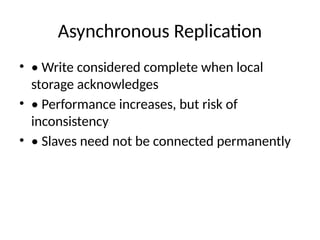
Asynchronous Replication
• •Write considered complete when local
storage acknowledges
• • Performance increases, but risk of
inconsistency
• • Slaves need not be connected permanently
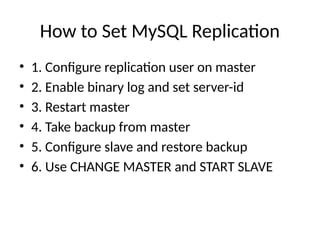
How to SetMySQL Replication
• 1. Configure replication user on master
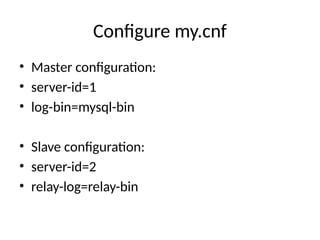
• 2. Enable binary log and set server-id
• 3. Restart master
• 4. Take backup from master
• 5. Configure slave and restore backup
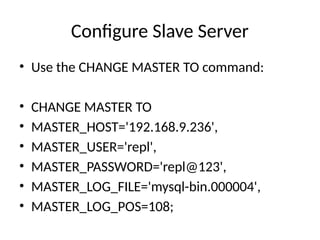
• 6. Use CHANGE MASTER and START SLAVE
Configure Slave Server
•Use the CHANGE MASTER TO command:
• CHANGE MASTER TO
• MASTER_HOST='192.168.9.236',
• MASTER_USER='repl',
• MASTER_PASSWORD='repl@123',
• MASTER_LOG_FILE='mysql-bin.000004',
• MASTER_LOG_POS=108;
14.
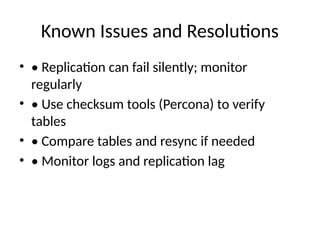
Known Issues andResolutions
• • Replication can fail silently; monitor
regularly
• • Use checksum tools (Percona) to verify
tables
• • Compare tables and resync if needed
• • Monitor logs and replication lag
15.
Thank You
• Preparedby: VITS Anil
• Questions?
• Feel free to reach out for clarifications.