Research-Based Principles of Multimedia Design
Click a link to learn more about each category.
Manage Essential Processing
Foster Generative Processing
Reduce Extraneous Processing
Multimedia should not “overload” a learner by forcing them to
process too much information, or unimportant information.
Reduce Extraneous Processing Manage Essential Processing Foster Generative Processing
Home
Coherence
Contiguity
Signaling
Redundancy
Coherence
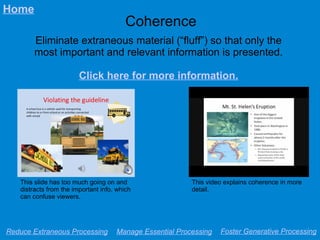
Eliminate extraneous material (“fluff”) so that only the
most important and relevant information is presented.
Click here for more information.
Reduce Extraneous Processing Manage Essential Processing Foster Generative Processing
Home
This slide has too much going on and
distracts from the important info, which
can confuse viewers.
This video explains coherence in more
detail.
Signaling
Provide clear cues to call attention to the most important
or relevant information for learners in a presentation.
Click here for more information.
Reduce Extraneous Processing Manage Essential Processing Foster Generative Processing
Home
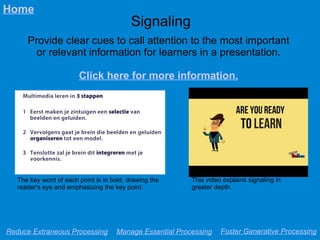
The key word of each point is in bold, drawing the
reader's eye and emphasizing the key point.
This video explains signaling in
greater depth.
Redundancy
Avoid presenting the same information in more than one
format (e.g. vocally, in images) in the same place.
Click here for more information.
Reduce Extraneous Processing Manage Essential Processing Foster Generative Processing
Home
This video explains redundancy in more
detail.
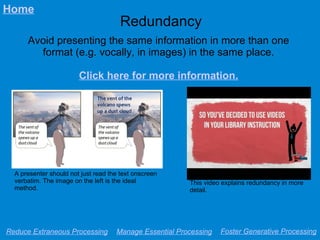
A presenter should not just read the text onscreen
verbatim. The image on the left is the ideal
method.
Contiguity
Present related information close to each other both
spatially and temporally to allow learners to connect.
Click here for more information.
Reduce Extraneous Processing Manage Essential Processing Foster Generative Processing
Home
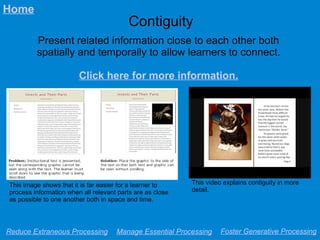
This image shows that it is far easier for a learner to
process information when all relevant parts are as close
as possible to one another both in space and time.
This video explains contiguity in more
detail.
Manage Essential Processing
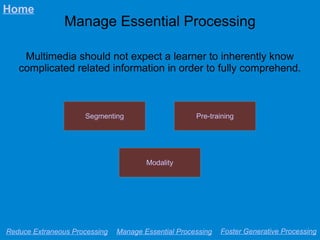
Multimedia should not expect a learner to inherently know
complicated related information in order to fully comprehend.
Reduce Extraneous Processing Manage Essential Processing Foster Generative Processing
Home
Modality
Segmenting Pre-training
Segmenting
Provide information in smaller, easy-to-process “chunks”
or sections rather than one large, unbroken mass.
Click here for more information.
Reduce Extraneous Processing Manage Essential Processing Foster Generative Processing
Home
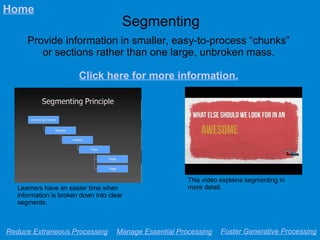
This video explains segmenting in
more detail.Learners have an easier time when
information is broken down into clear
segments.
Pre-training
Give learners an opportunity to familiarize themselves
with key terms and concepts before the presentation.
Click here for more information.
Reduce Extraneous Processing Manage Essential Processing Foster Generative Processing
Home
This video explains pre-training in more
detail.
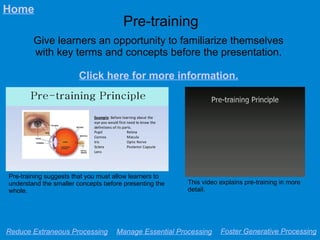
Pre-training suggests that you must allow learners to
understand the smaller concepts before presenting the
whole.
Modality
When possible, present information vocally rather than in
a printed form, letting learners focus on visual elements.
Click here for more information.
Reduce Extraneous Processing Manage Essential Processing Foster Generative Processing
Home
This video explains modality in more
depth.
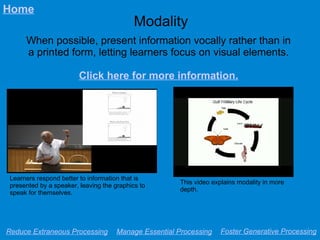
Learners respond better to information that is
presented by a speaker, leaving the graphics to
speak for themselves.
Foster Generative Processing
Multimedia should involve the learner and motivate them to
connect with and make sense of the material.
Reduce Extraneous Processing Manage Essential Processing Foster Generative Processing
Home
Image
Personalization Voice
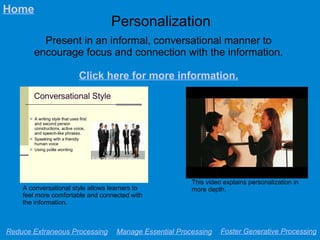
Personalization
Present in an informal, conversational manner to
encourage focus and connection with the information.
Click here for more information.
Reduce Extraneous Processing Manage Essential Processing Foster Generative Processing
Home
A conversational style allows learners to
feel more comfortable and connected with
the information.
This video explains personalization in
more depth.
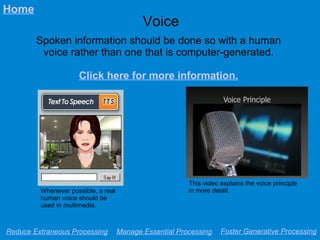
Voice
Spoken information should be done so with a human
voice rather than one that is computer-generated.
Click here for more information.
Reduce Extraneous Processing Manage Essential Processing Foster Generative Processing
Home
This video explains the voice principle
in more detail.Whenever possible, a real
human voice should be
used in multimedia.
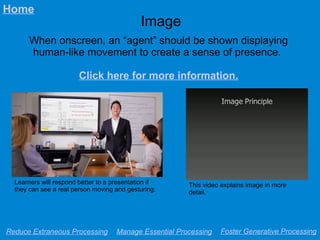
Image
When onscreen, an “agent” should be shown displaying
human-like movement to create a sense of presence.
Click here for more information.
Reduce Extraneous Processing Manage Essential Processing Foster Generative Processing
Home
This video explains image in more
detail.
Learners will respond better to a presentation if
they can see a real person moving and gesturing.

Multimedia Principles Presentation

  • 1.
    Research-Based Principles ofMultimedia Design Click a link to learn more about each category. Manage Essential Processing Foster Generative Processing Reduce Extraneous Processing
  • 2.
    Reduce Extraneous Processing Multimediashould not “overload” a learner by forcing them to process too much information, or unimportant information. Reduce Extraneous Processing Manage Essential Processing Foster Generative Processing Home Coherence Contiguity Signaling Redundancy
  • 3.
    Coherence Eliminate extraneous material(“fluff”) so that only the most important and relevant information is presented. Click here for more information. Reduce Extraneous Processing Manage Essential Processing Foster Generative Processing Home This slide has too much going on and distracts from the important info, which can confuse viewers. This video explains coherence in more detail.
  • 4.
    Signaling Provide clear cuesto call attention to the most important or relevant information for learners in a presentation. Click here for more information. Reduce Extraneous Processing Manage Essential Processing Foster Generative Processing Home The key word of each point is in bold, drawing the reader's eye and emphasizing the key point. This video explains signaling in greater depth.
  • 5.
    Redundancy Avoid presenting thesame information in more than one format (e.g. vocally, in images) in the same place. Click here for more information. Reduce Extraneous Processing Manage Essential Processing Foster Generative Processing Home This video explains redundancy in more detail. A presenter should not just read the text onscreen verbatim. The image on the left is the ideal method.
  • 6.
    Contiguity Present related informationclose to each other both spatially and temporally to allow learners to connect. Click here for more information. Reduce Extraneous Processing Manage Essential Processing Foster Generative Processing Home This image shows that it is far easier for a learner to process information when all relevant parts are as close as possible to one another both in space and time. This video explains contiguity in more detail.
  • 7.
    Manage Essential Processing Multimediashould not expect a learner to inherently know complicated related information in order to fully comprehend. Reduce Extraneous Processing Manage Essential Processing Foster Generative Processing Home Modality Segmenting Pre-training
  • 8.
    Segmenting Provide information insmaller, easy-to-process “chunks” or sections rather than one large, unbroken mass. Click here for more information. Reduce Extraneous Processing Manage Essential Processing Foster Generative Processing Home This video explains segmenting in more detail.Learners have an easier time when information is broken down into clear segments.
  • 9.
    Pre-training Give learners anopportunity to familiarize themselves with key terms and concepts before the presentation. Click here for more information. Reduce Extraneous Processing Manage Essential Processing Foster Generative Processing Home This video explains pre-training in more detail. Pre-training suggests that you must allow learners to understand the smaller concepts before presenting the whole.
  • 10.
    Modality When possible, presentinformation vocally rather than in a printed form, letting learners focus on visual elements. Click here for more information. Reduce Extraneous Processing Manage Essential Processing Foster Generative Processing Home This video explains modality in more depth. Learners respond better to information that is presented by a speaker, leaving the graphics to speak for themselves.
  • 11.
    Foster Generative Processing Multimediashould involve the learner and motivate them to connect with and make sense of the material. Reduce Extraneous Processing Manage Essential Processing Foster Generative Processing Home Image Personalization Voice
  • 12.
    Personalization Present in aninformal, conversational manner to encourage focus and connection with the information. Click here for more information. Reduce Extraneous Processing Manage Essential Processing Foster Generative Processing Home A conversational style allows learners to feel more comfortable and connected with the information. This video explains personalization in more depth.
  • 13.
    Voice Spoken information shouldbe done so with a human voice rather than one that is computer-generated. Click here for more information. Reduce Extraneous Processing Manage Essential Processing Foster Generative Processing Home This video explains the voice principle in more detail.Whenever possible, a real human voice should be used in multimedia.
  • 14.
    Image When onscreen, an“agent” should be shown displaying human-like movement to create a sense of presence. Click here for more information. Reduce Extraneous Processing Manage Essential Processing Foster Generative Processing Home This video explains image in more detail. Learners will respond better to a presentation if they can see a real person moving and gesturing.