

Streamline your SAAS
website for conversions
How small design changes
helped us
Improve conversions
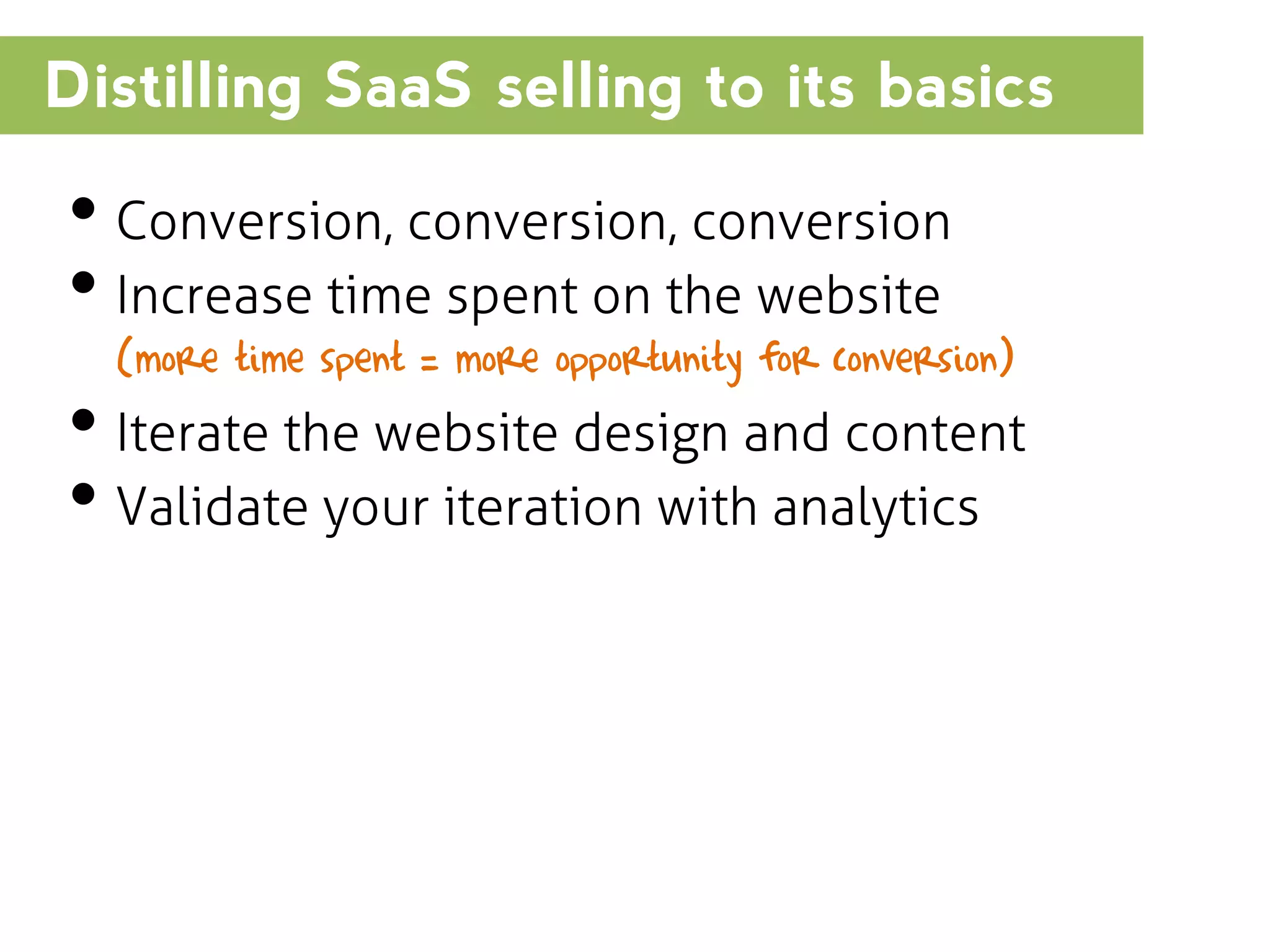
Distilling SaaS selling to its basics

โ€ข Conversion, conversion, conversion
โ€ข Increase time spent on the website
(more time spent = more opportunity for conversion)

โ€ข Iterate the website design and content
โ€ข Validate your iteration with analytics
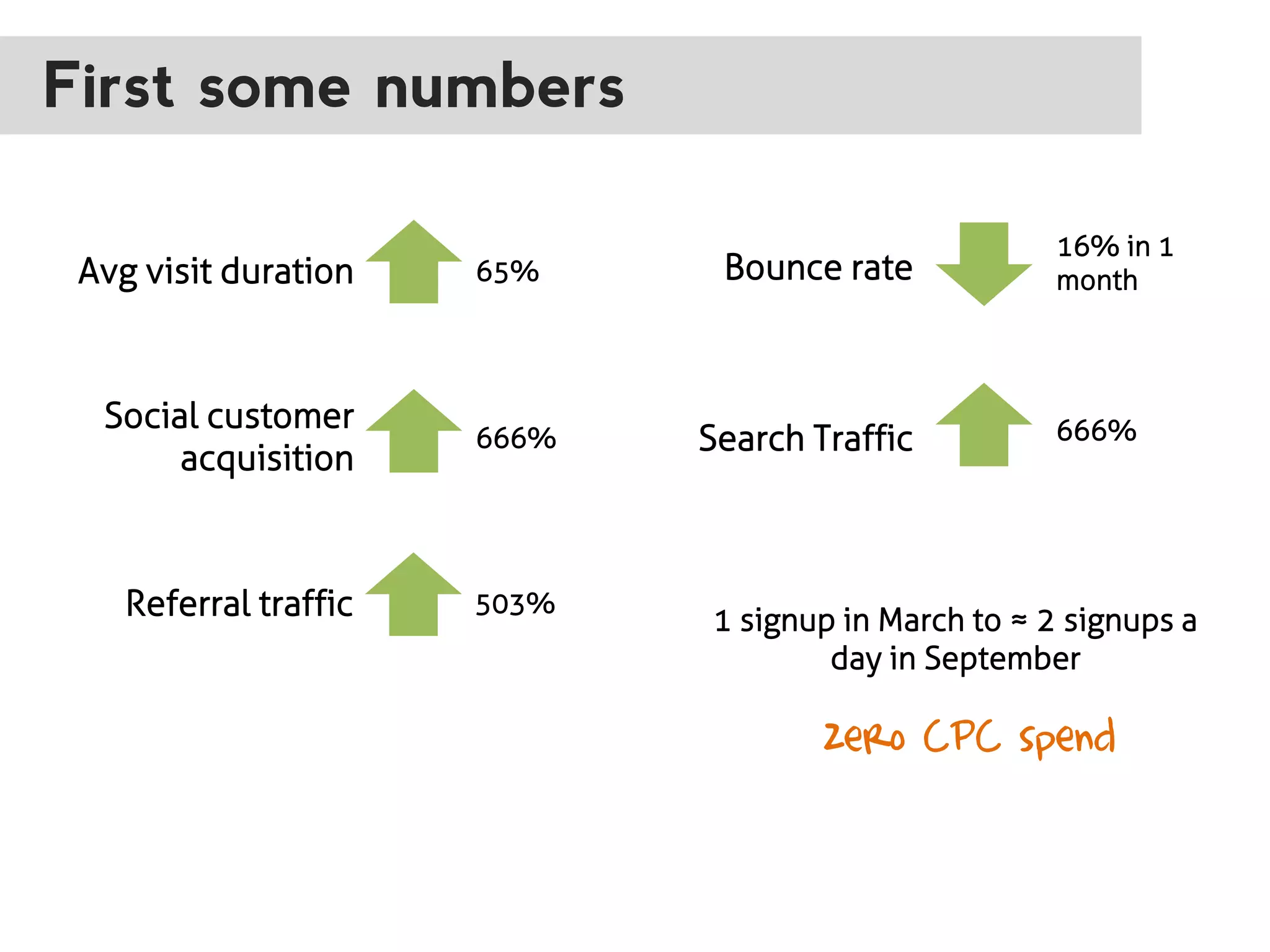
First some numbers
Avg visit duration

65%

Social customer
acquisition

666%

Referral traffic

503%

Bounce rate

Search Traffic

16% in 1
month

666%

1 signup in March to โ‰ˆ 2 signups a
day in September

zero CPC spend
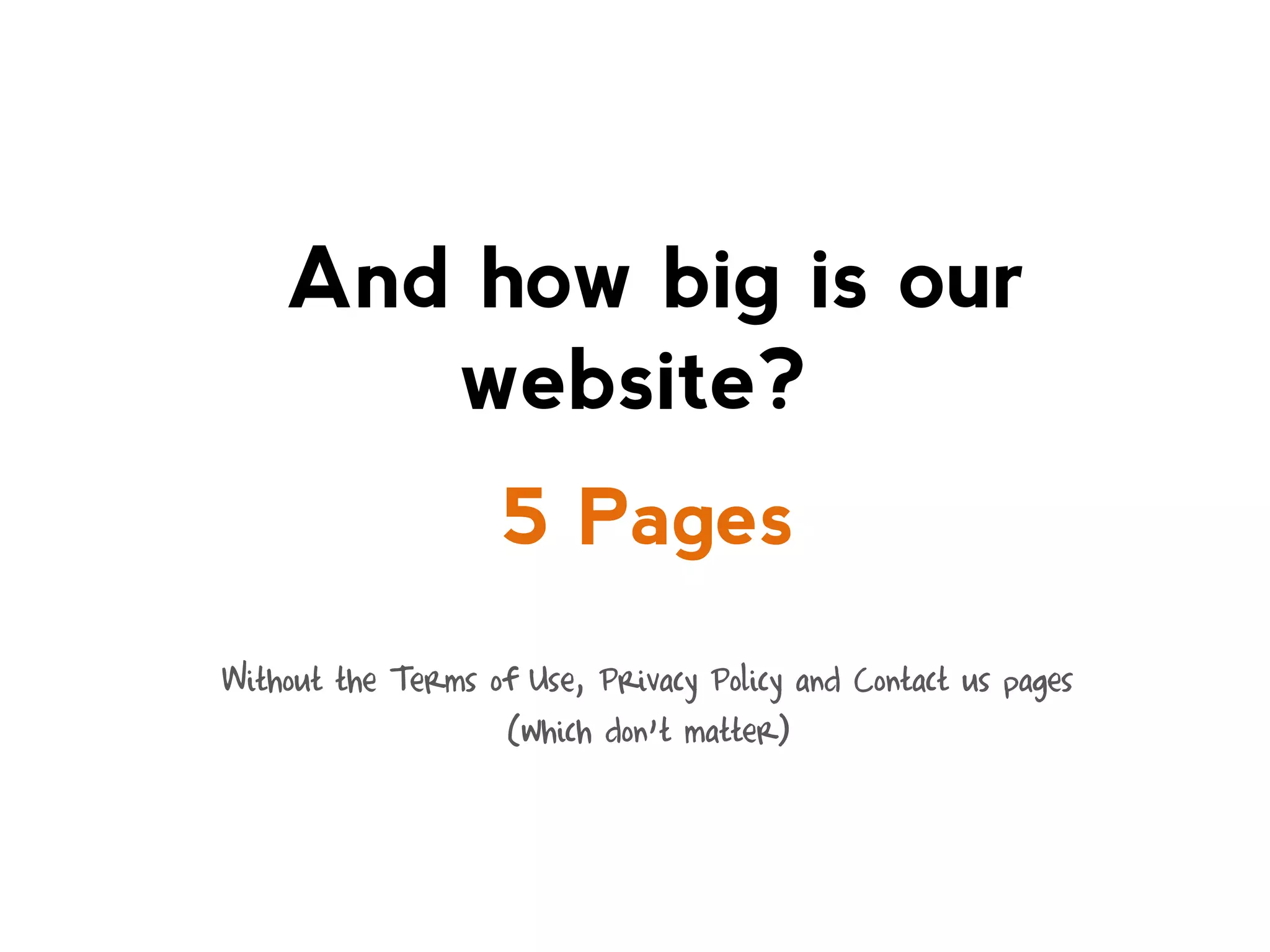
And how big is our
website?
5 Pages
Without the Terms of Use, Privacy Policy and Contact us pages
(which donโ€™t matter)
Letโ€™s see what we did to
get here
Our 5 rules for SAAS
websites optimization
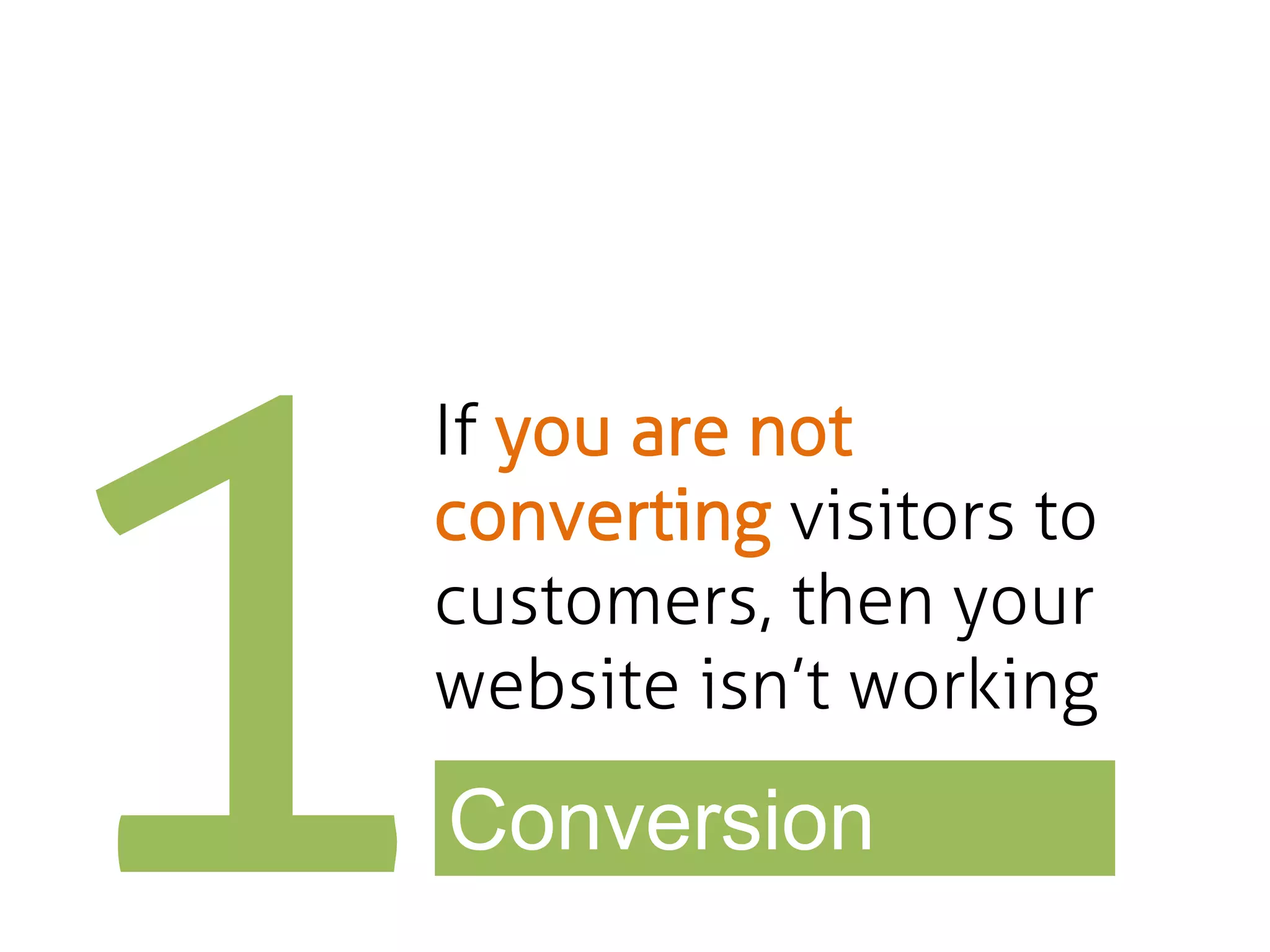
If you are not
converting visitors to
customers, then your
website isnโ€™t working

Conversion
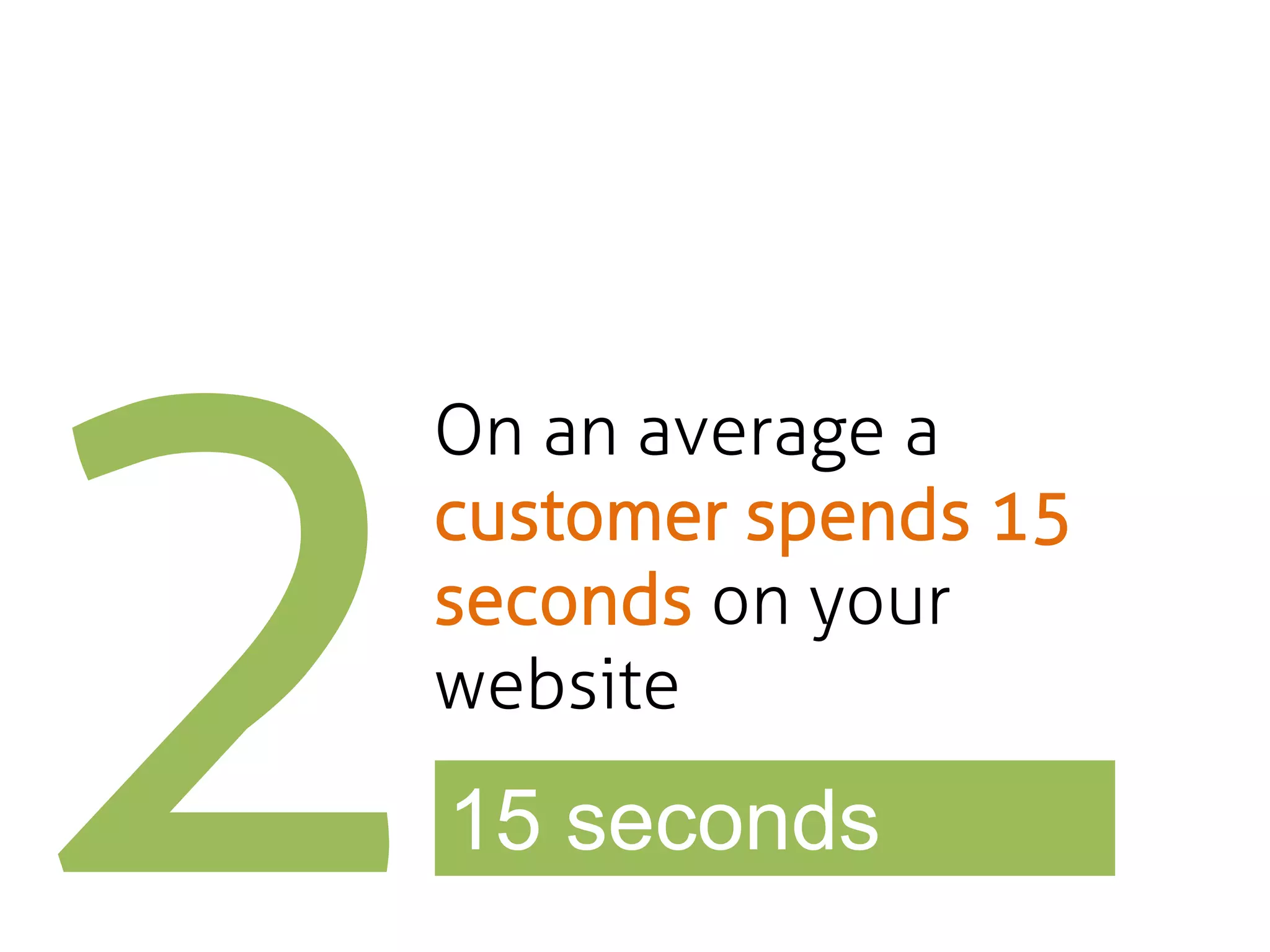
On an average a
customer spends 15
seconds on your
website

15 seconds
Aim to communicate
your value proposition
in 10 seconds

Value proposition
Longer your customer
stays greater the
probability of
conversion

> visit duration
I am not making
this up!

The Weibull Hazard Function
โ€œResearchers discovered that 99% of Web pages have a negative aging effect. Users spend their
initial time on a page in ruthless triage to abandon the dross ASAP.

The probability of leaving is very high during these first few seconds because users are extremely
skeptical, having suffered countless poorly designed Web pages in the pastโ€ [1]
More the number of
clicks to get somewhere,
lesser the number of
people getting there

Reduce clicks
- Prototype stage
- We were selling a concept
- Looking for seed funding
- Released in Q2 of 2011

VERSION 1
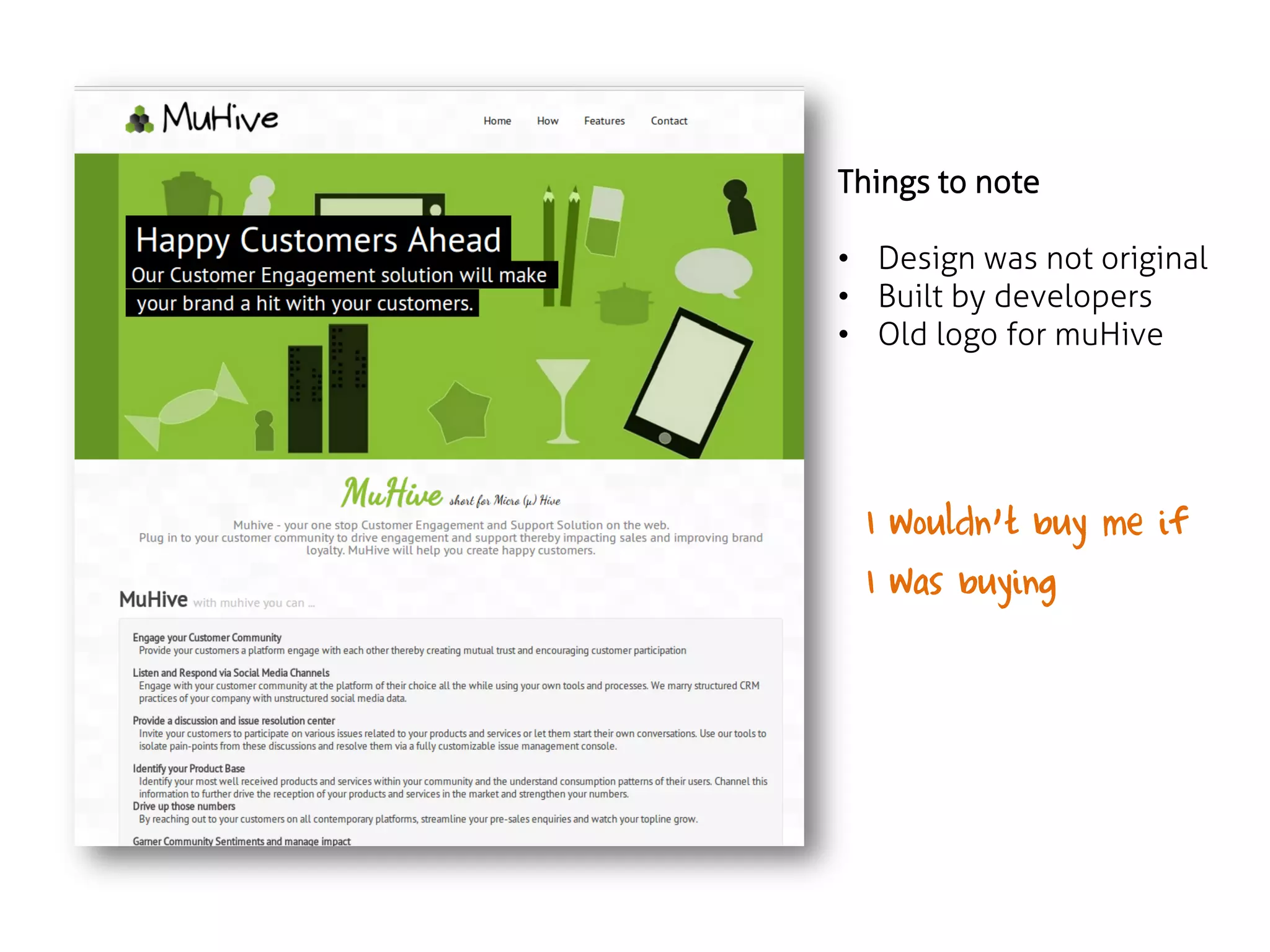
Things to note
โ€ข Design was not original
โ€ข Built by developers
โ€ข Old logo for muHive

I wouldnโ€™t buy me if
I was buying
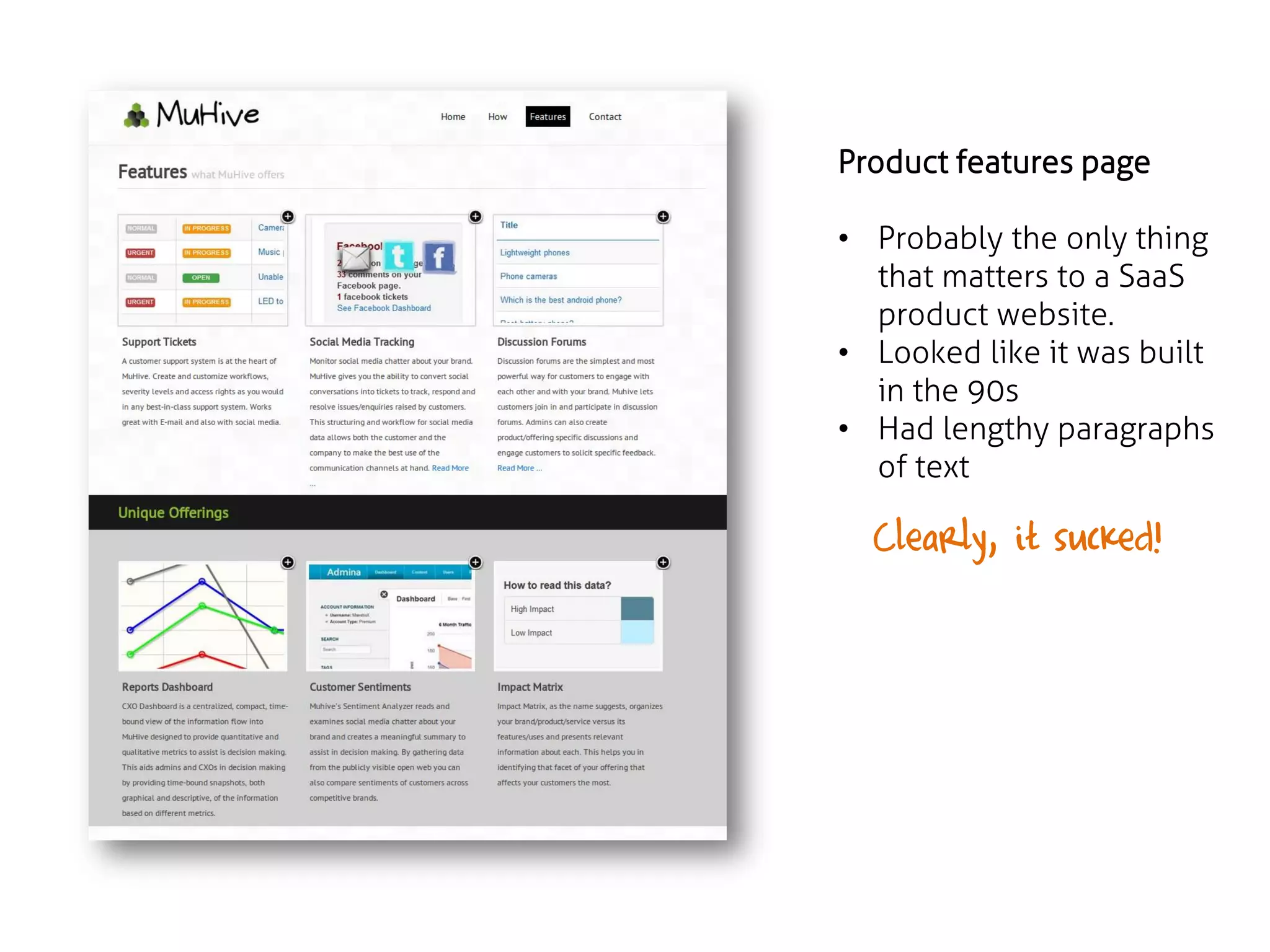
Product features page
โ€ข Probably the only thing
that matters to a SaaS
product website.
โ€ข Looked like it was built
in the 90s
โ€ข Had lengthy paragraphs
of text

Clearly, it sucked!
Retrospective

(beginners mistake)

1. Developers shouldnโ€™t pretend to be designers
2. Positioning was weak

Basically, we didnโ€™t follow the 5 rules
BUT, our prototype could
talk the talk โ€ฆ
Result: We got our seed funding!
- Immediate focus: create a brand identity
- Seed investor brought design skills
- Released towards end of Q3 of 2012

VERSION 2
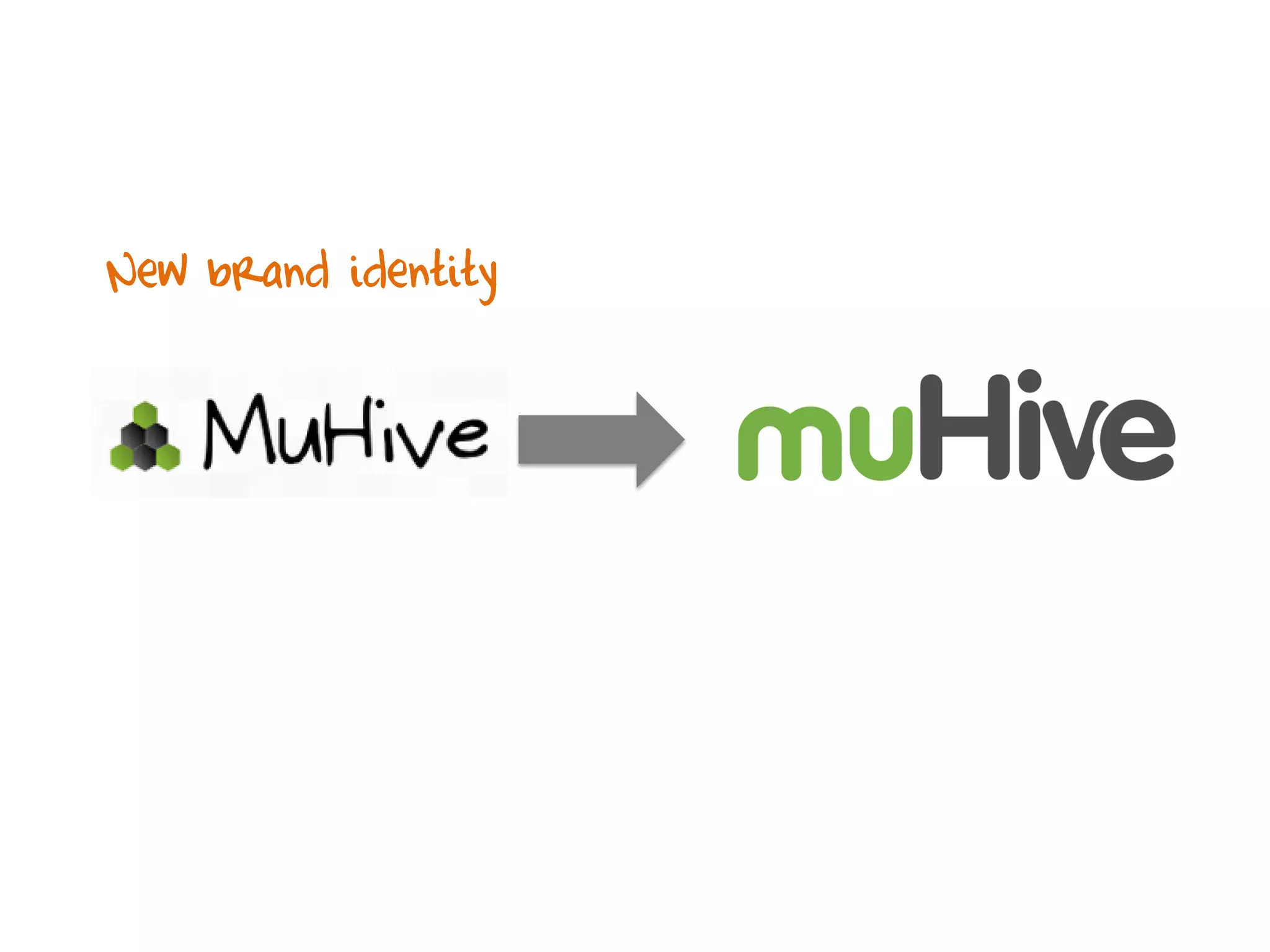
New brand identity
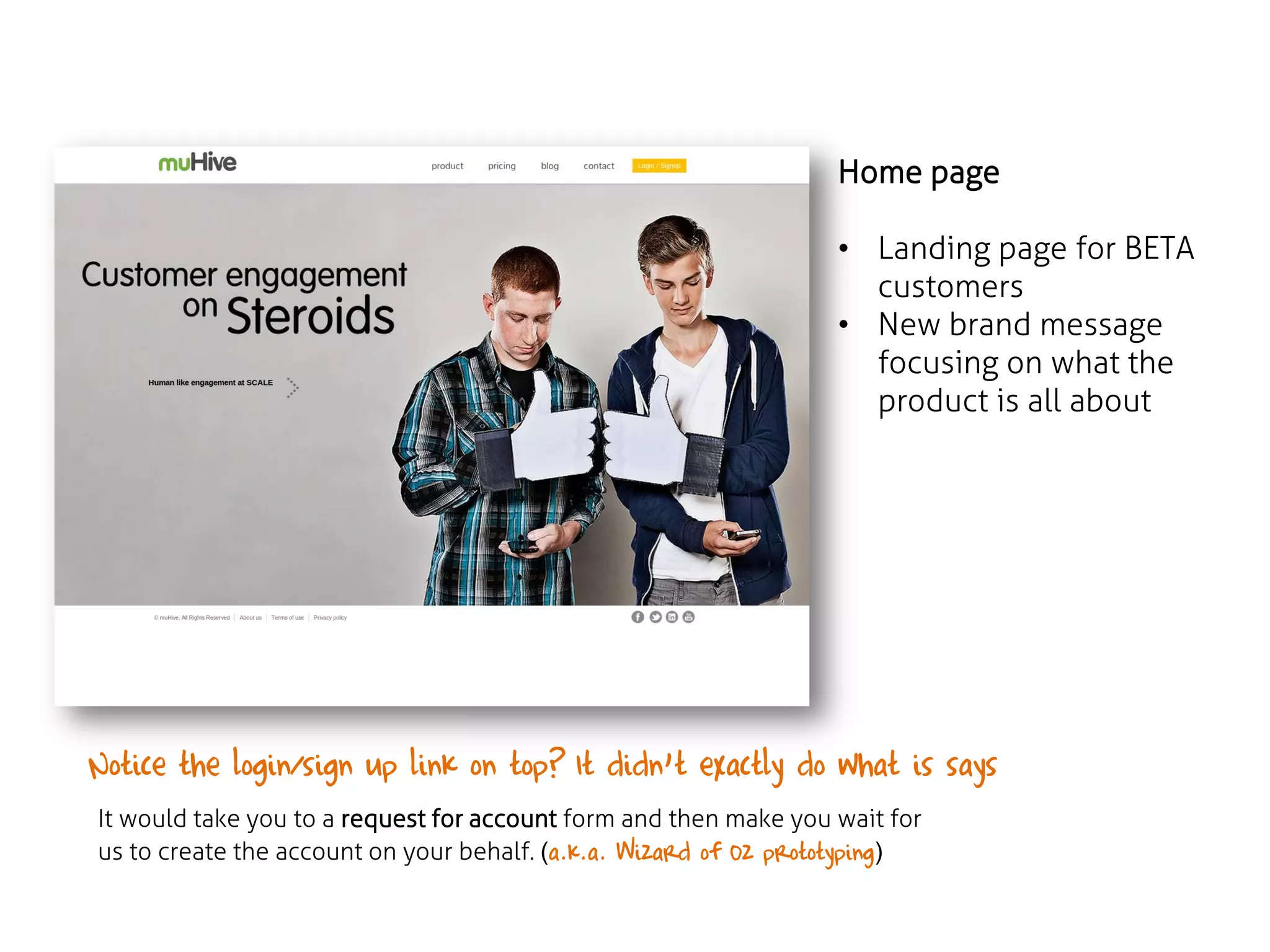
Home page
โ€ข Landing page for BETA
customers
โ€ข New brand message
focusing on what the
product is all about

Notice the login/sign up link on top? It didnโ€™t exactly do what is says โ€ฆโ€ฆ
It would take you to a request for account form and then make you wait for
us to create the account on your behalf. (a.k.a. Wizard of Oz prototyping)
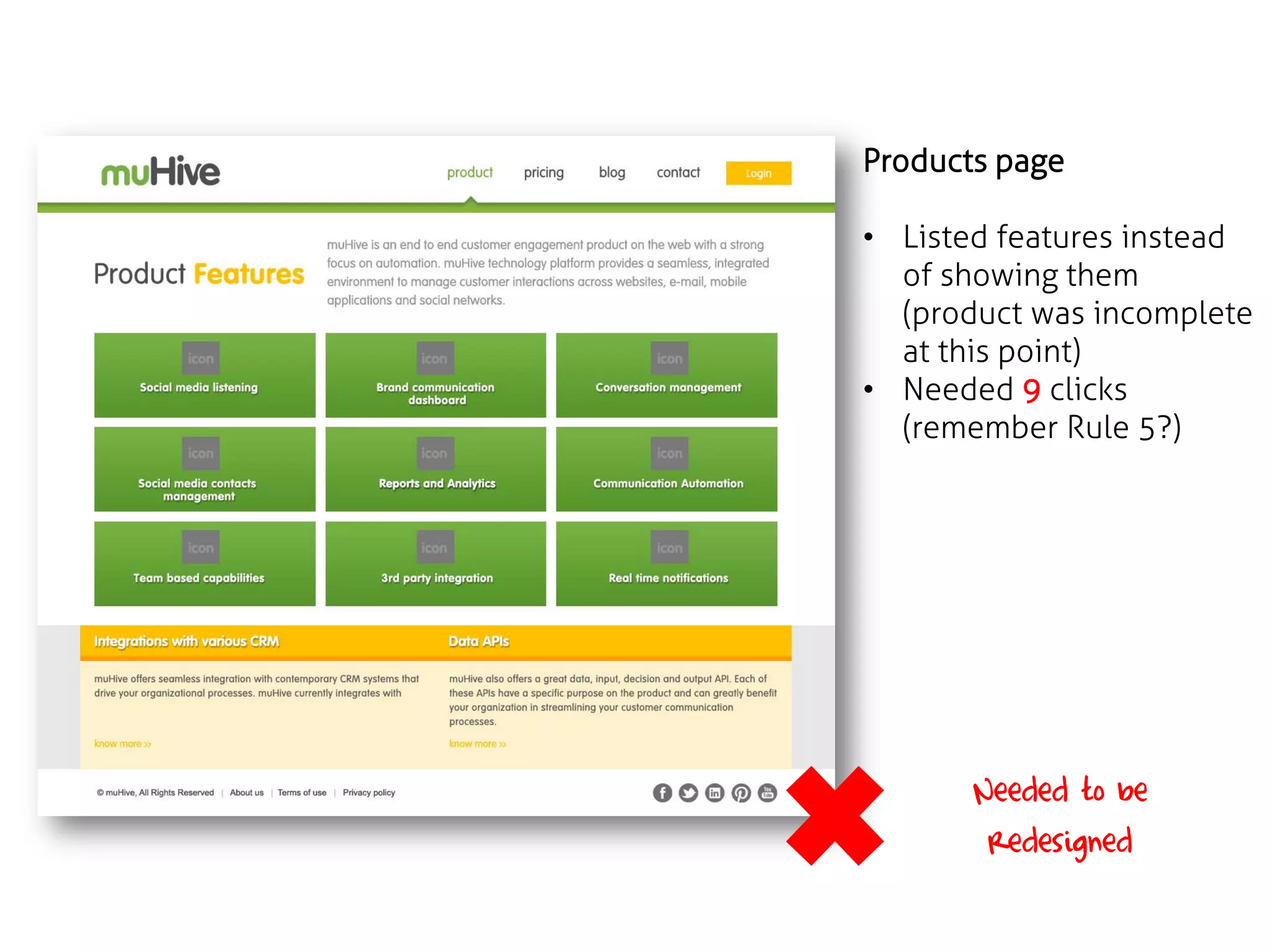
Products page
โ€ข Listed features instead
of showing them
(product was incomplete
at this point)
โ€ข Needed 9 clicks
(remember Rule 5?)

Needed to be
redesigned
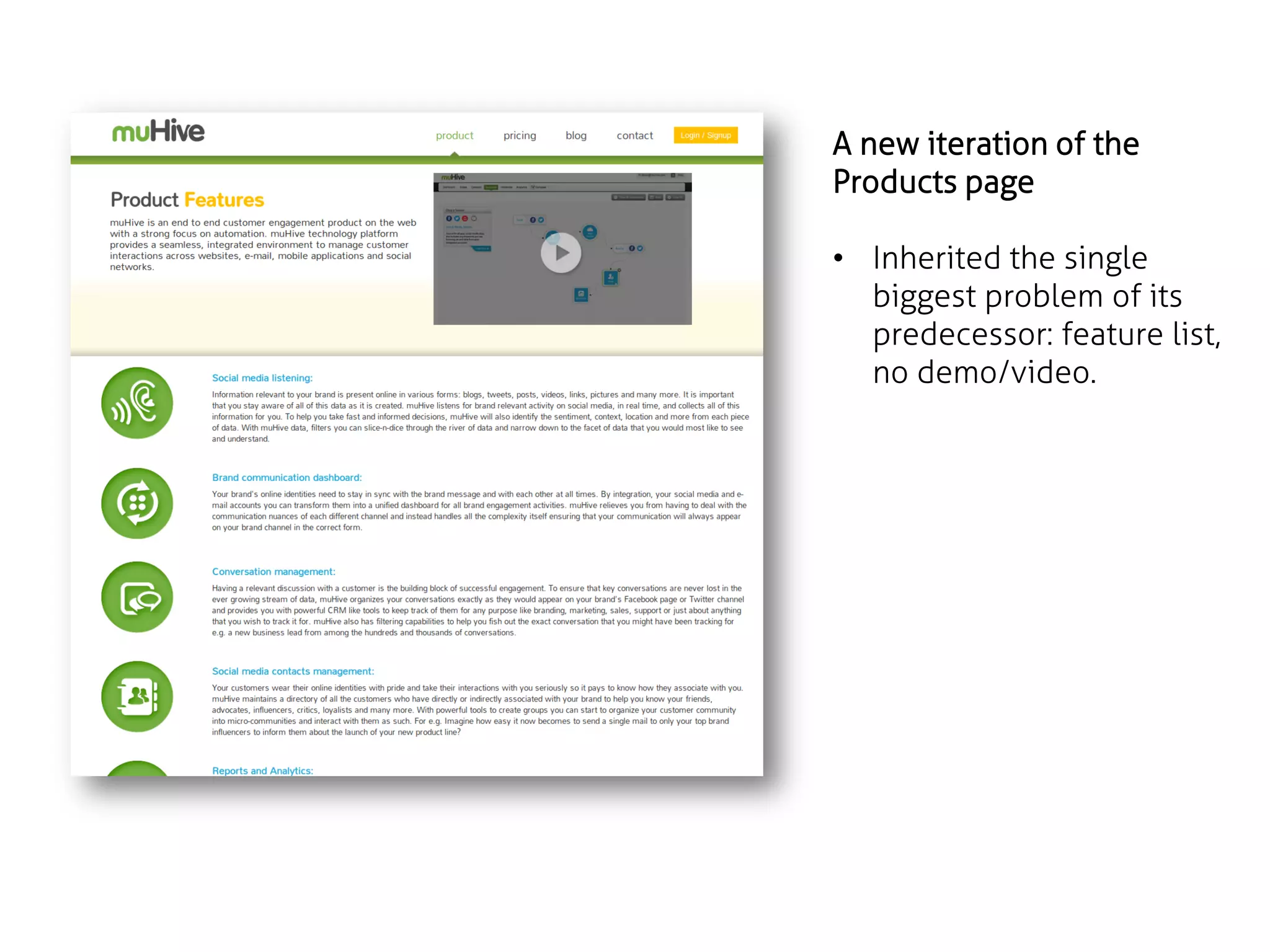
A new iteration of the
Products page
โ€ข Inherited the single
biggest problem of its
predecessor: feature list,
no demo/video.
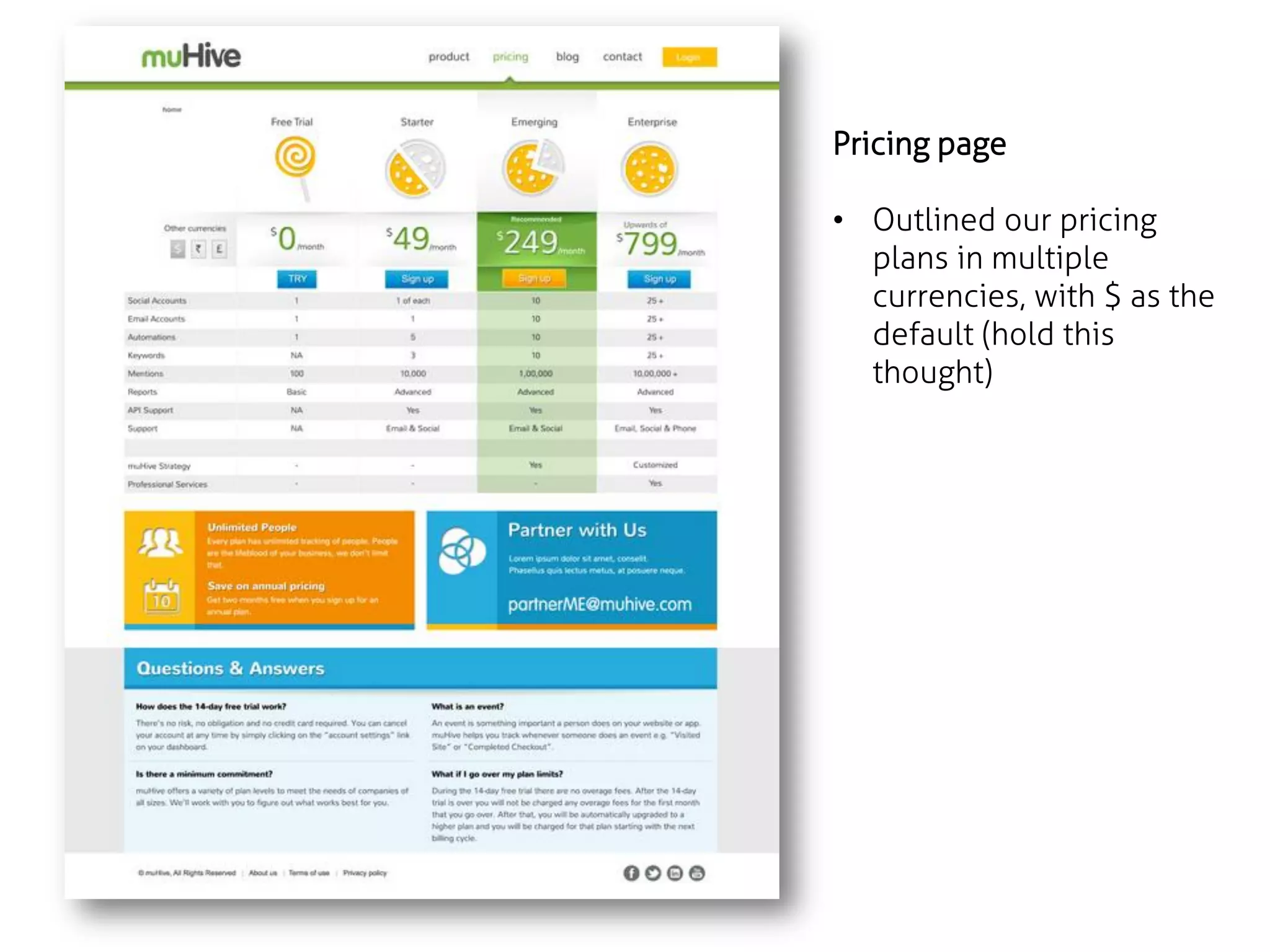
Pricing page
โ€ข Outlined our pricing
plans in multiple
currencies, with $ as the
default (hold this
thought)
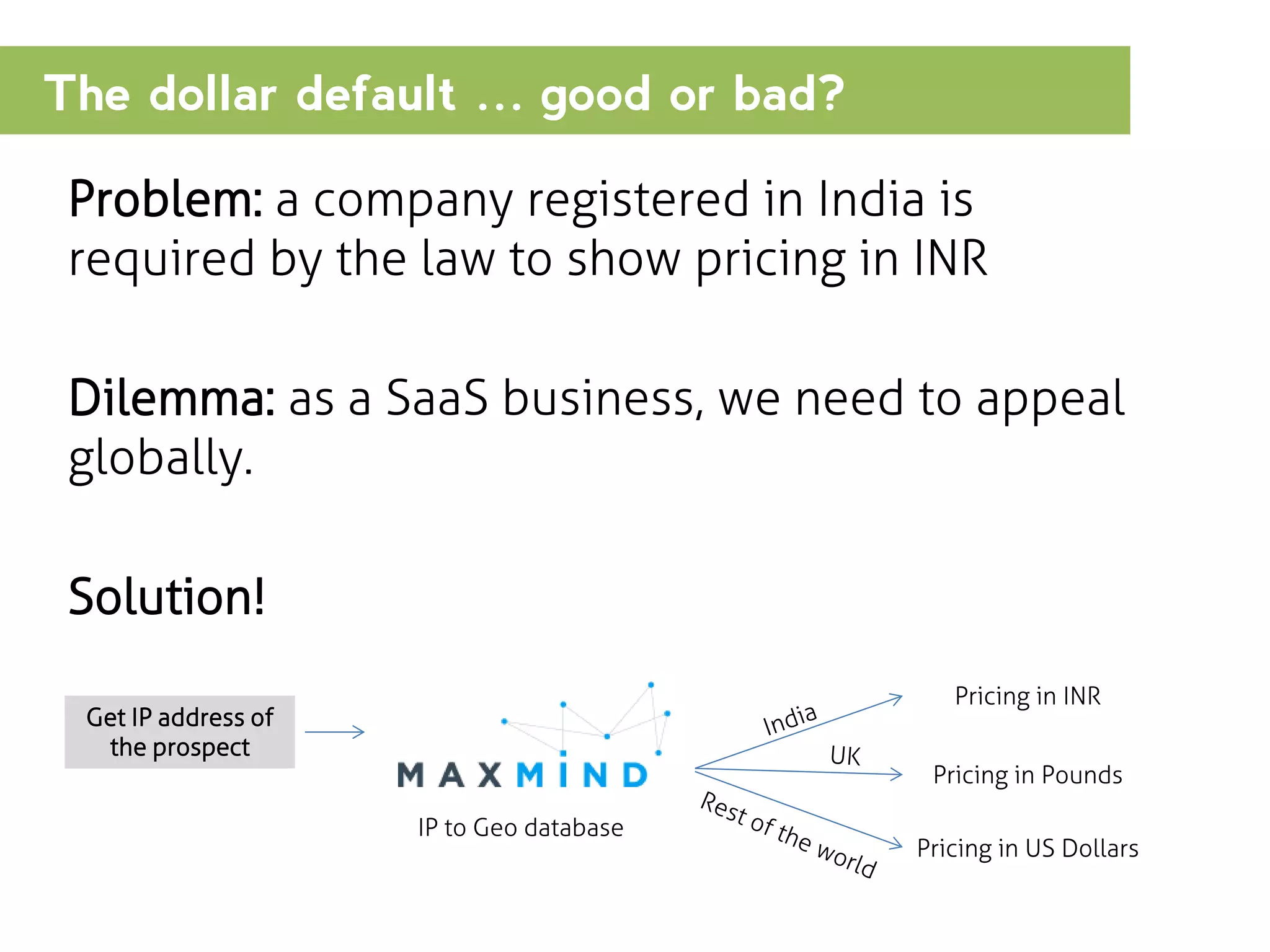
The dollar default โ€ฆ good or bad?
Problem: a company registered in India is
required by the law to show pricing in INR
Dilemma: as a SaaS business, we need to appeal
globally.

Solution!
Pricing in INR

Get IP address of
the prospect

Pricing in Pounds
IP to Geo database

Pricing in US Dollars
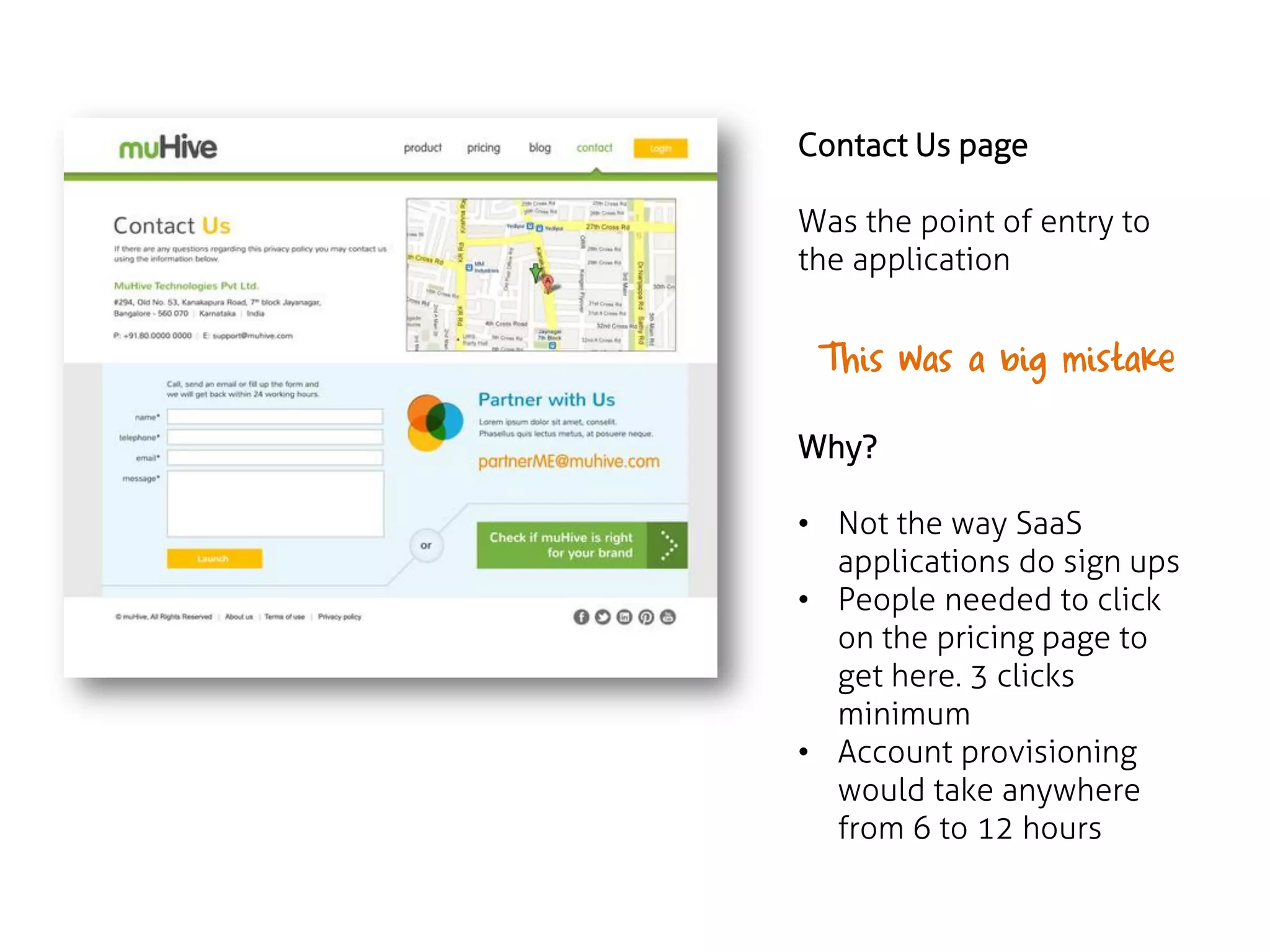
Contact Us page

Was the point of entry to
the application

This was a big mistake
Why?
โ€ข Not the way SaaS
applications do sign ups
โ€ข People needed to click
on the pricing page to
get here. 3 clicks
minimum
โ€ข Account provisioning
would take anywhere
from 6 to 12 hours
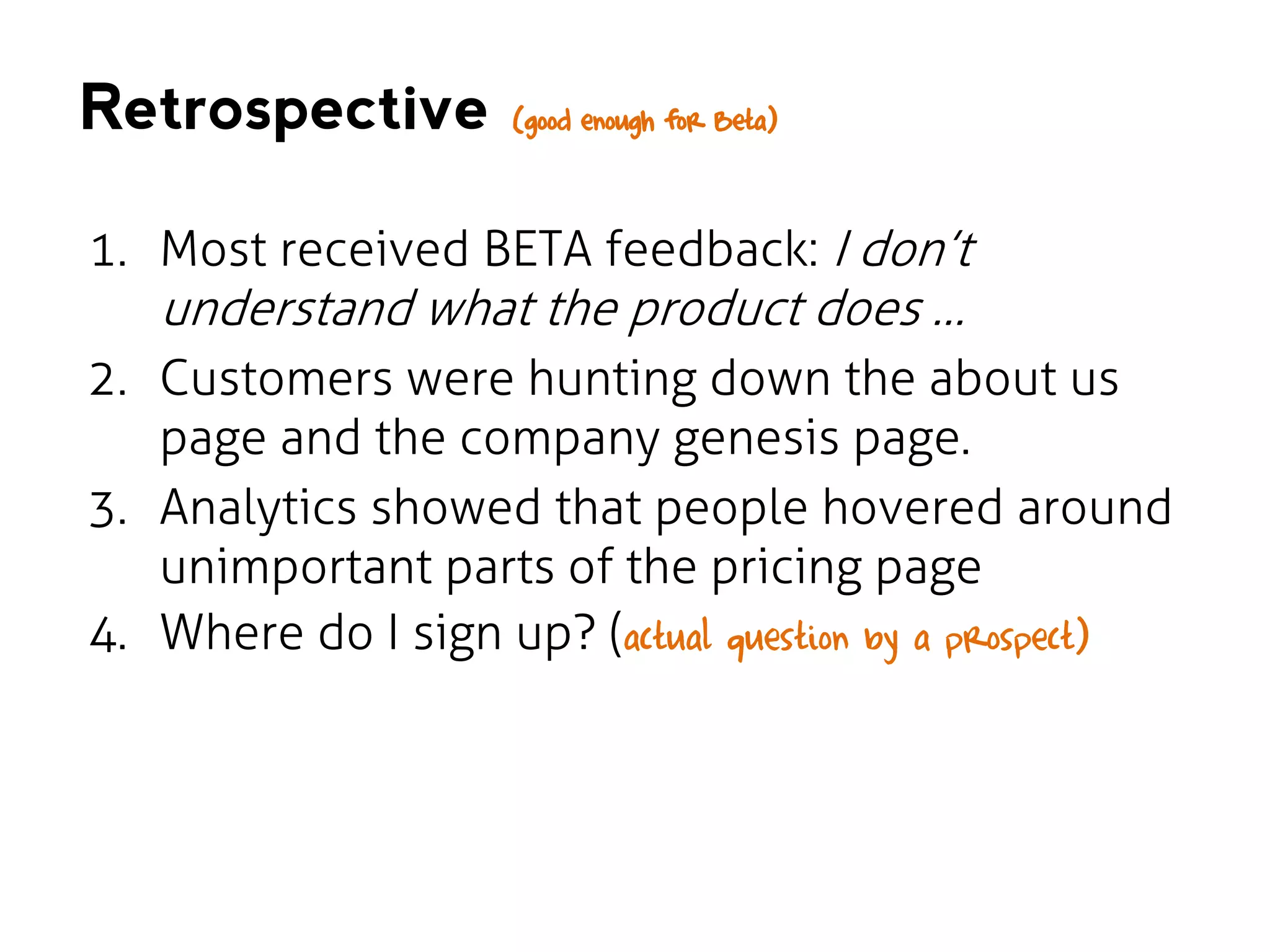
Retrospective

(good enough for Beta)

1. Most received BETA feedback: I donโ€™t

understand what the product does โ€ฆ

2. Customers were hunting down the about us
page and the company genesis page.
3. Analytics showed that people hovered around
unimportant parts of the pricing page
4. Where do I sign up? (actual question by a prospect)
- Focus: Public launch of muHive
- Fixed usability issues from BETA
- Released towards end of Q1 of 2013

VERSION 3
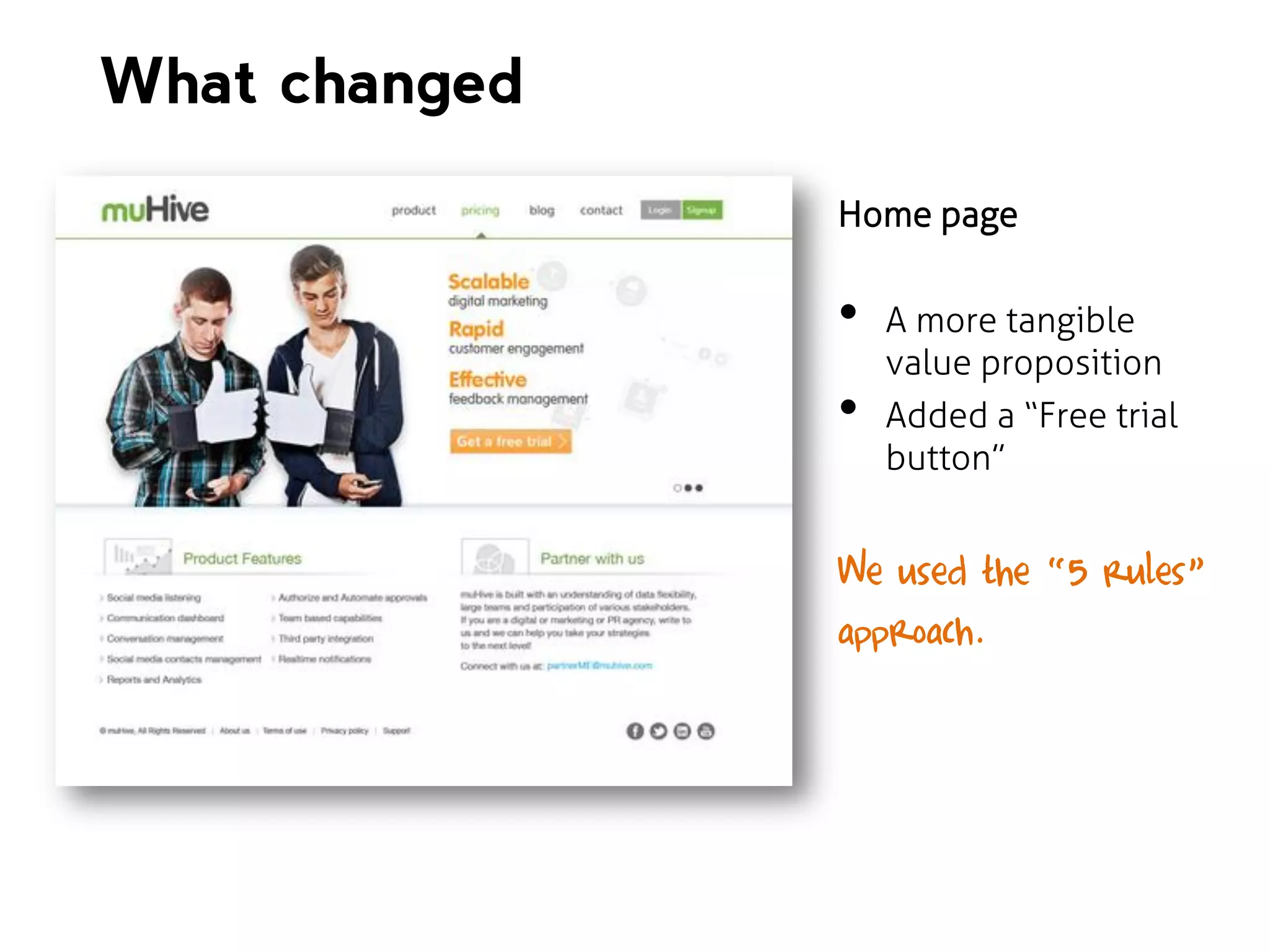
What changed
Home page

โ€ข
โ€ข

A more tangible
value proposition
Added a โ€œFree trial
buttonโ€

We used the โ€œ5 rulesโ€
approach.
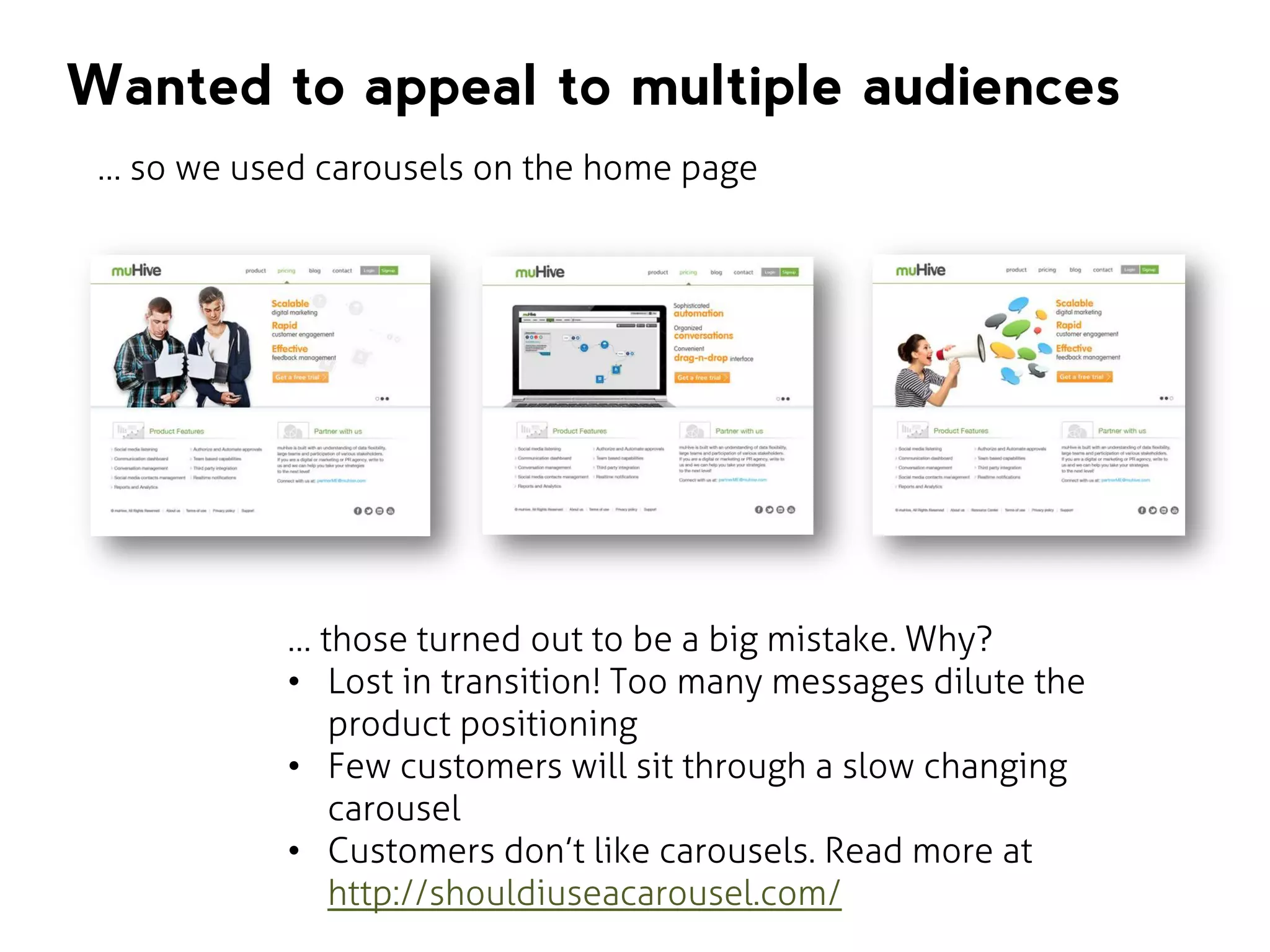
Wanted to appeal to multiple audiences
โ€ฆ so we used carousels on the home page

โ€ฆ those turned out to be a big mistake. Why?
โ€ข Lost in transition! Too many messages dilute the
product positioning
โ€ข Few customers will sit through a slow changing
carousel
โ€ข Customers donโ€™t like carousels. Read more at
http://shouldiuseacarousel.com/
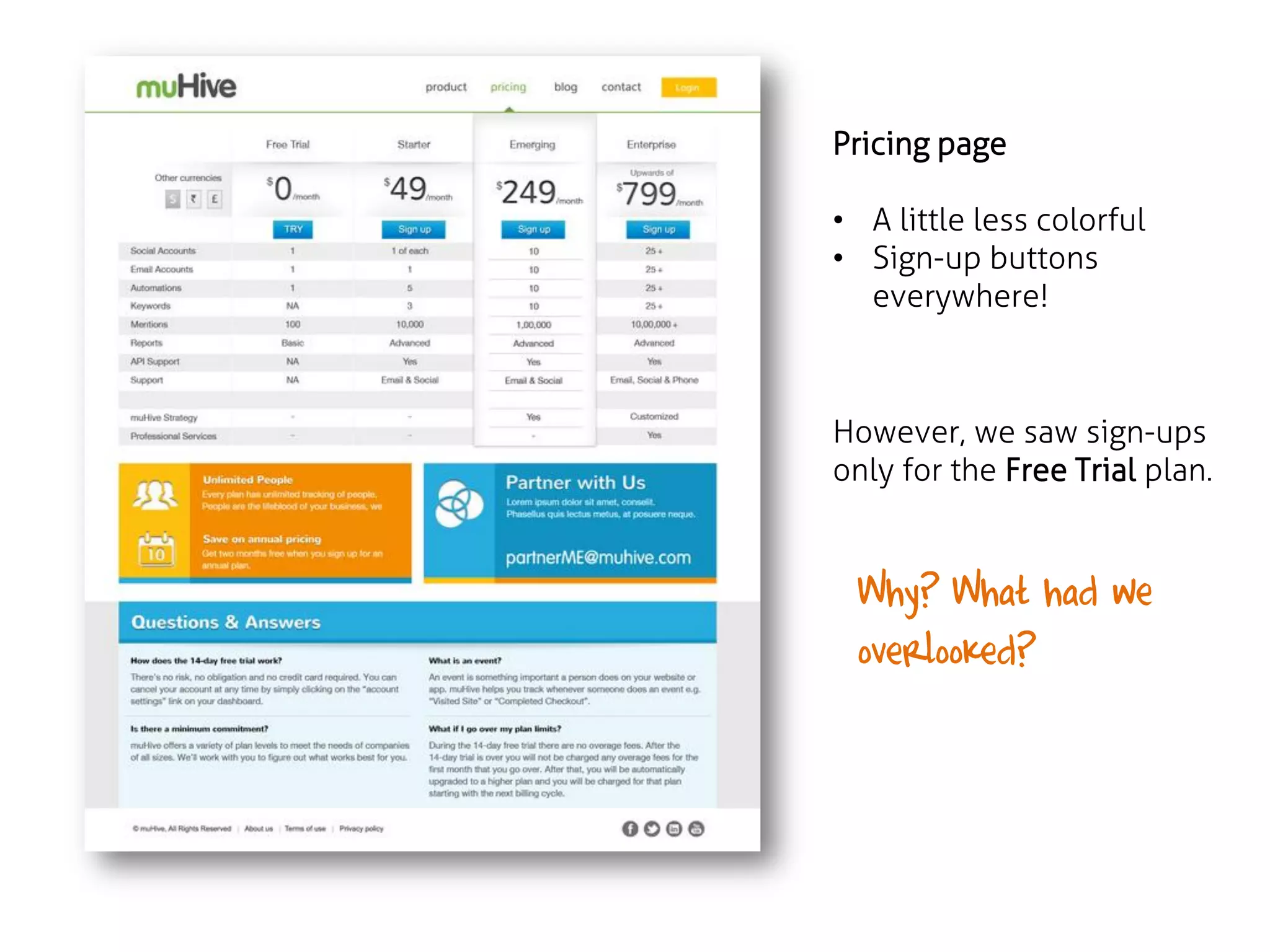
Pricing page
โ€ข A little less colorful
โ€ข Sign-up buttons
everywhere!

However, we saw sign-ups
only for the Free Trial plan.

Why? What had we
overlooked?
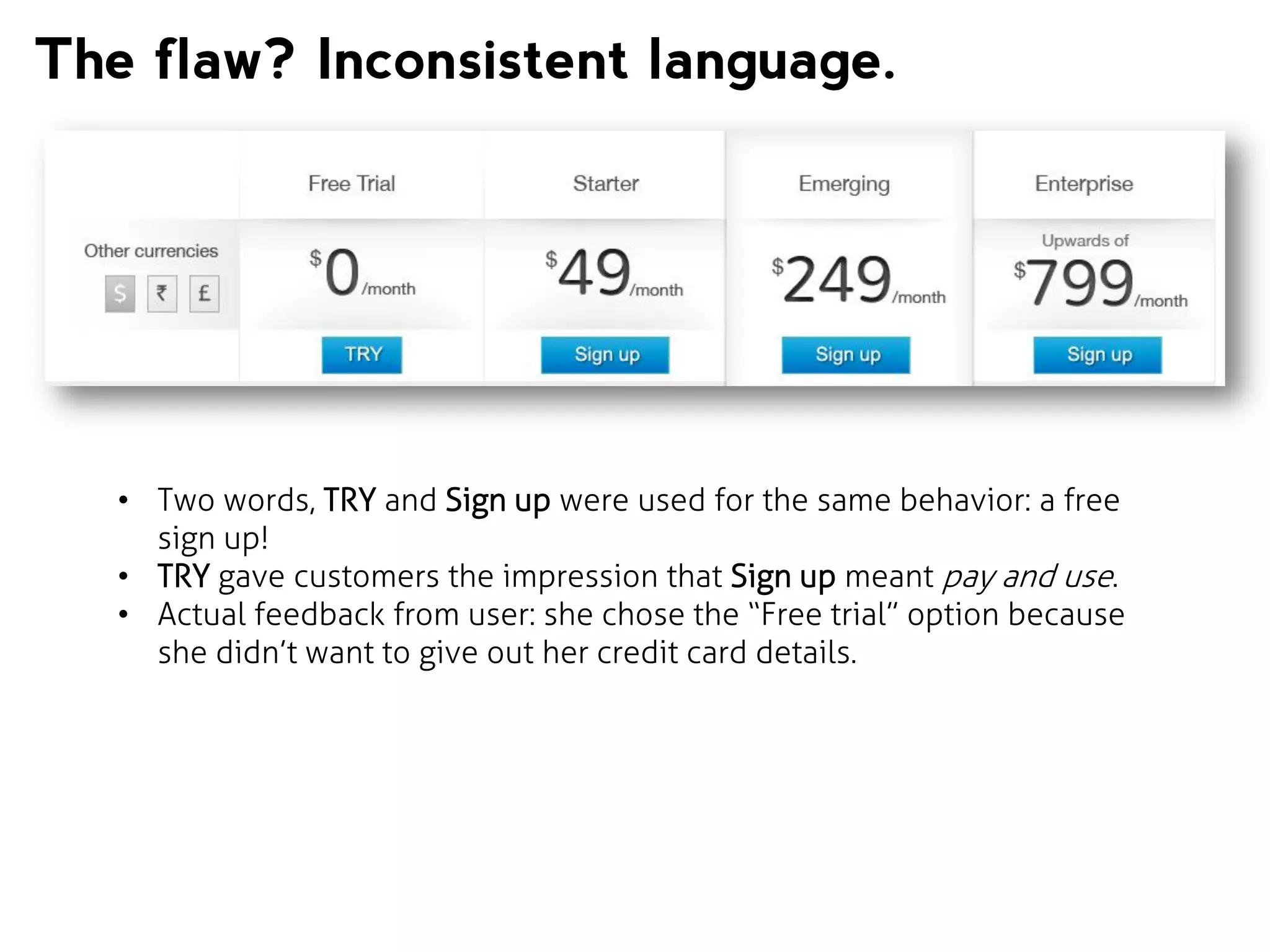
The flaw? Inconsistent language.

โ€ข Two words, TRY and Sign up were used for the same behavior: a free
sign up!
โ€ข TRY gave customers the impression that Sign up meant pay and use.
โ€ข Actual feedback from user: she chose the โ€œFree trialโ€ option because
she didnโ€™t want to give out her credit card details.
Retrospective

(still not working as we expected it)

1. Needed sign ups on all plans
2. People are extremely edgy about giving out
their credit card details (especially in India)
3. Needed to reduce bounce rate of the homepage
4. USP of our product wasnโ€™t visible
5. Why canโ€™t I see a video demo? (actual question by a
prospect)
- Focus: Delivering the USP
- Value proposition in a one line message
- Released around early Q3 of 2013

VERSION 4
What we needed to work on

โ€ข Little idea of what a user did within a page (lack
โ€ข
โ€ข

of in-page analytics)
Videos, videos, videos
Users want to know value. Product page spoke
only features.

Realized our website was screwed when a blogger covered us
(true story)
Advanced analytics
Three must use features of Google Analytics: Events, Experiments,
Goals

โ€ข

Events: to track how users use website elements. For e.g.: we add
the code
onClick="_gaq.push(['_trackEvent', โ€˜Scroll Depth', โ€™100%']);"

tells us, how many people scrolled to the bottom of a page.
Advanced analytics
โ€ข

โ€ข

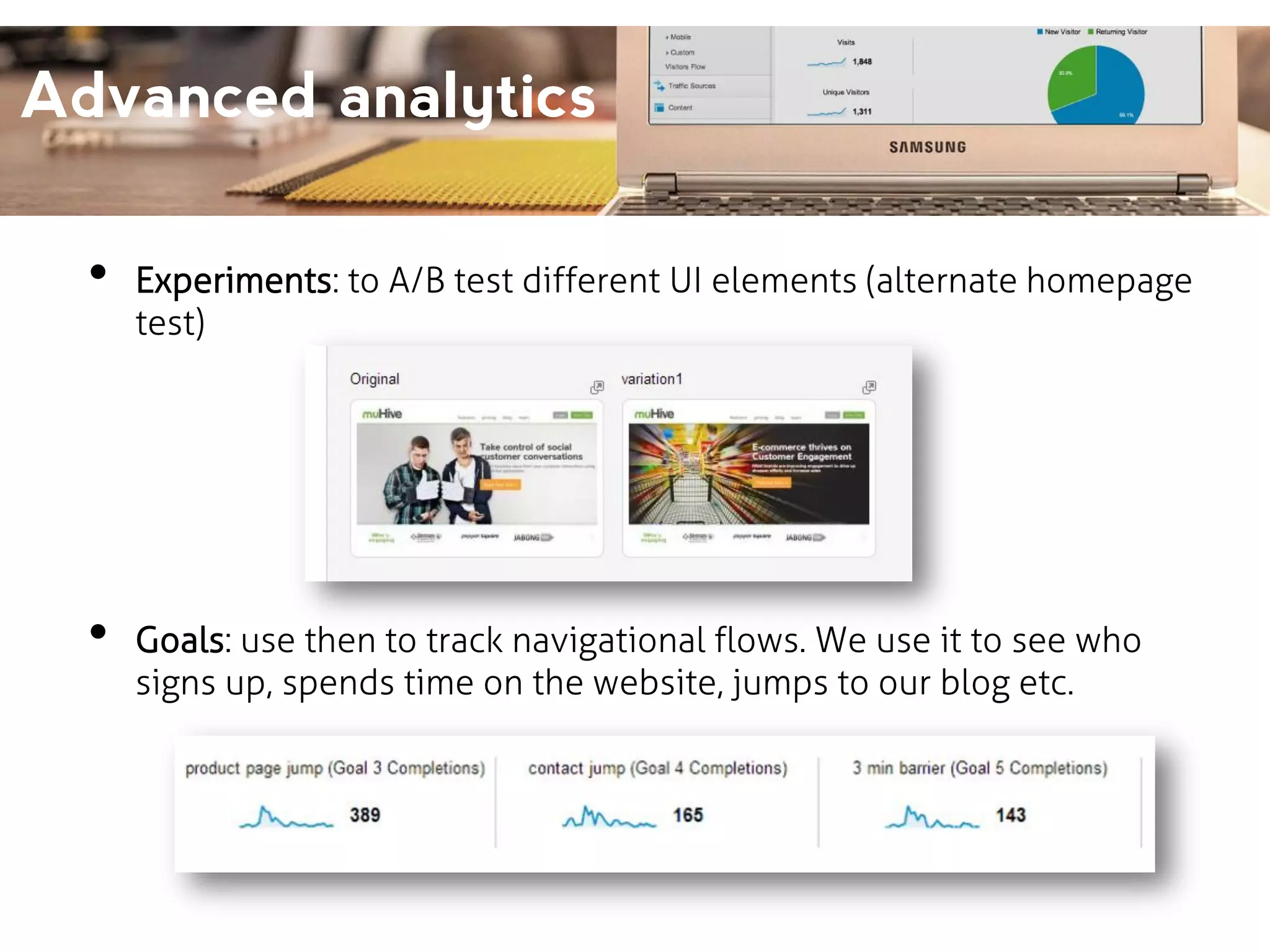
Experiments: to A/B test different UI elements (alternate homepage
test)

Goals: use then to track navigational flows. We use it to see who
signs up, spends time on the website, jumps to our blog etc.
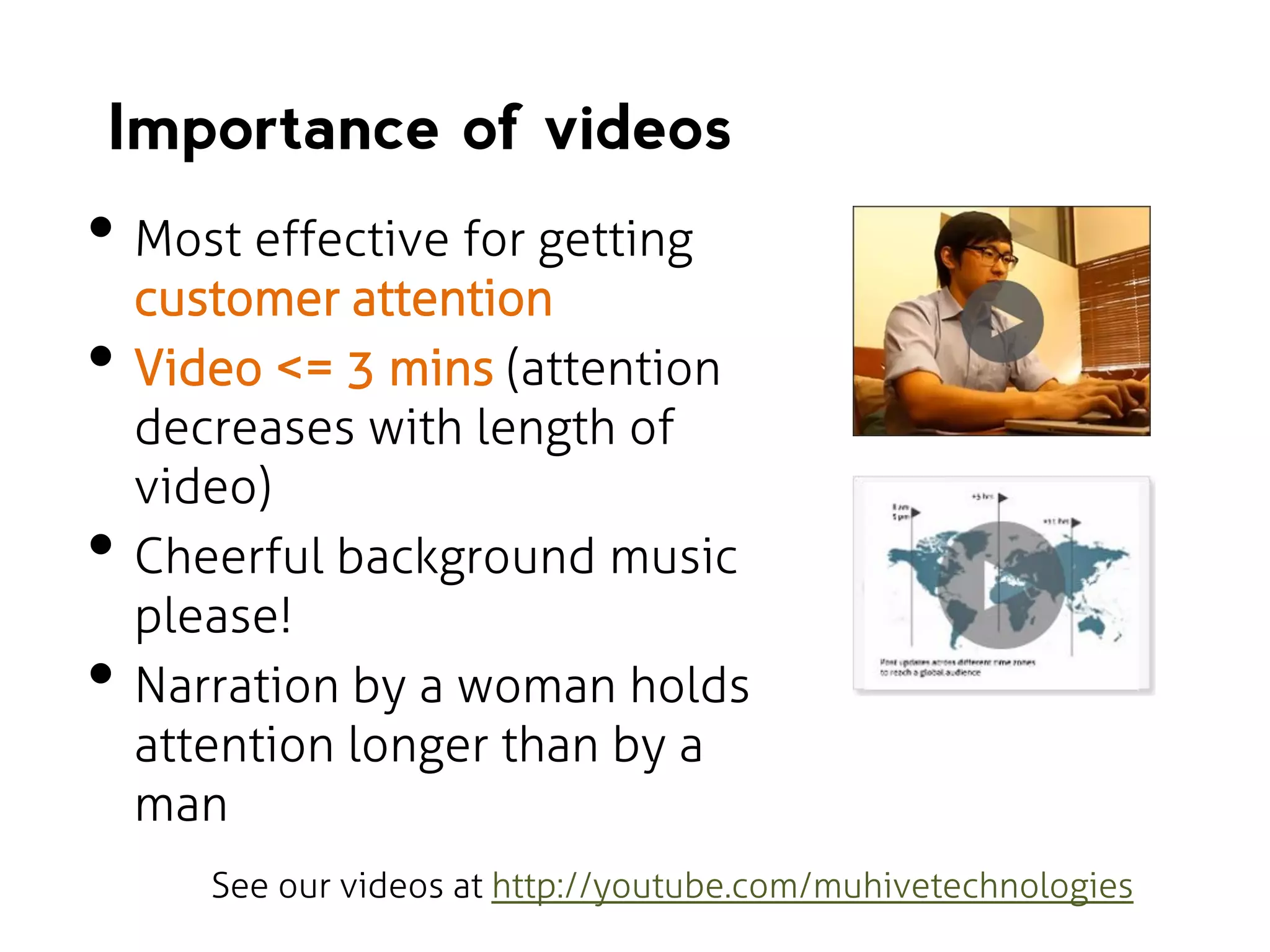
Importance of videos

โ€ข Most effective for getting
โ€ข

โ€ข
โ€ข

customer attention
Video <= 3 mins (attention
decreases with length of
video)
Cheerful background music
please!
Narration by a woman holds
attention longer than by a
man
See our videos at http://youtube.com/muhivetechnologies
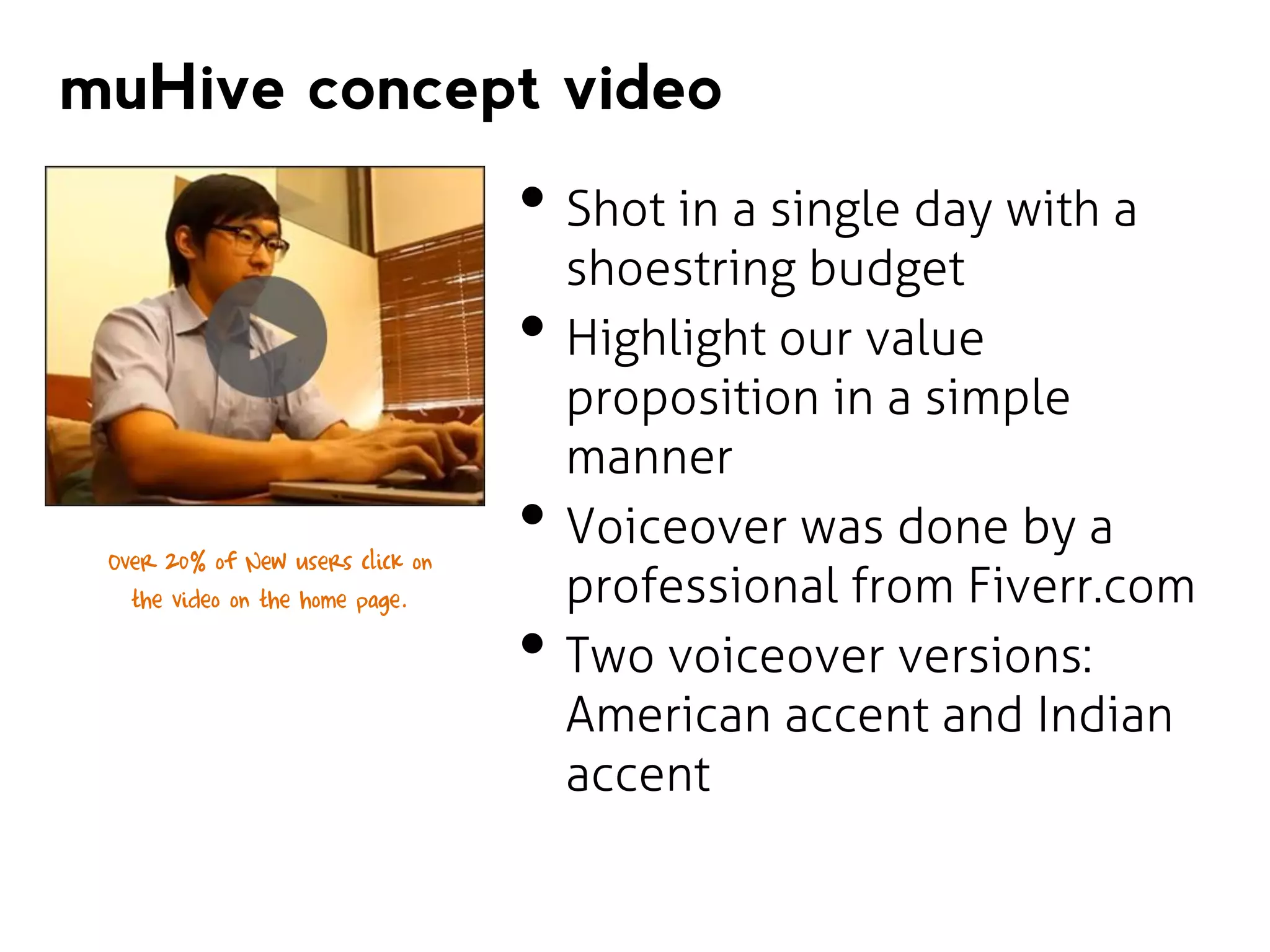
muHive concept video

โ€ข Shot in a single day with a
โ€ข
Over 20% of New users click on
the video on the home page.

โ€ข
โ€ข

shoestring budget
Highlight our value
proposition in a simple
manner
Voiceover was done by a
professional from Fiverr.com
Two voiceover versions:
American accent and Indian
accent
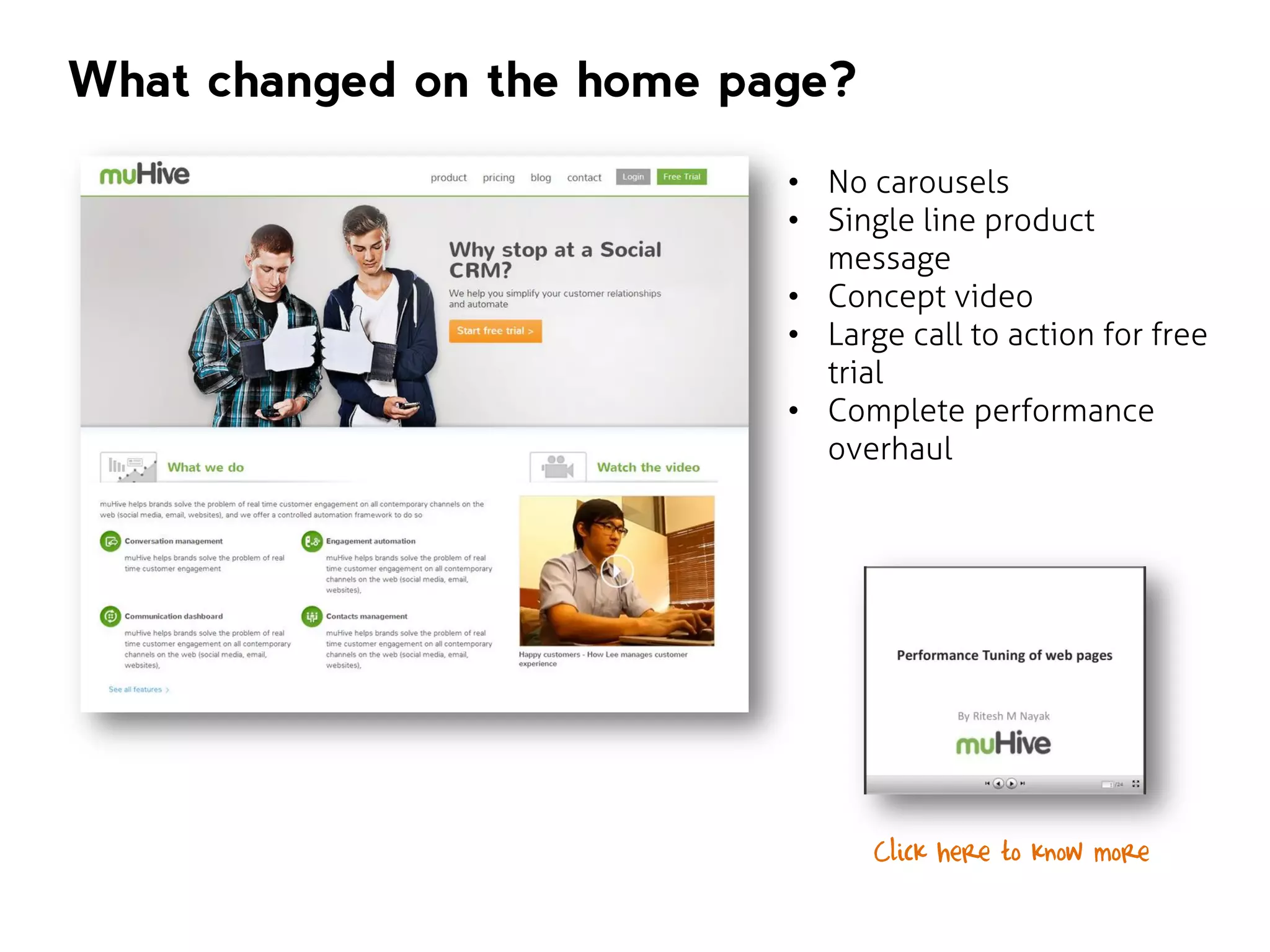
What changed on the home page?
โ€ข No carousels
โ€ข Single line product
message
โ€ข Concept video
โ€ข Large call to action for free
trial
โ€ข Complete performance
overhaul

Click here to know more
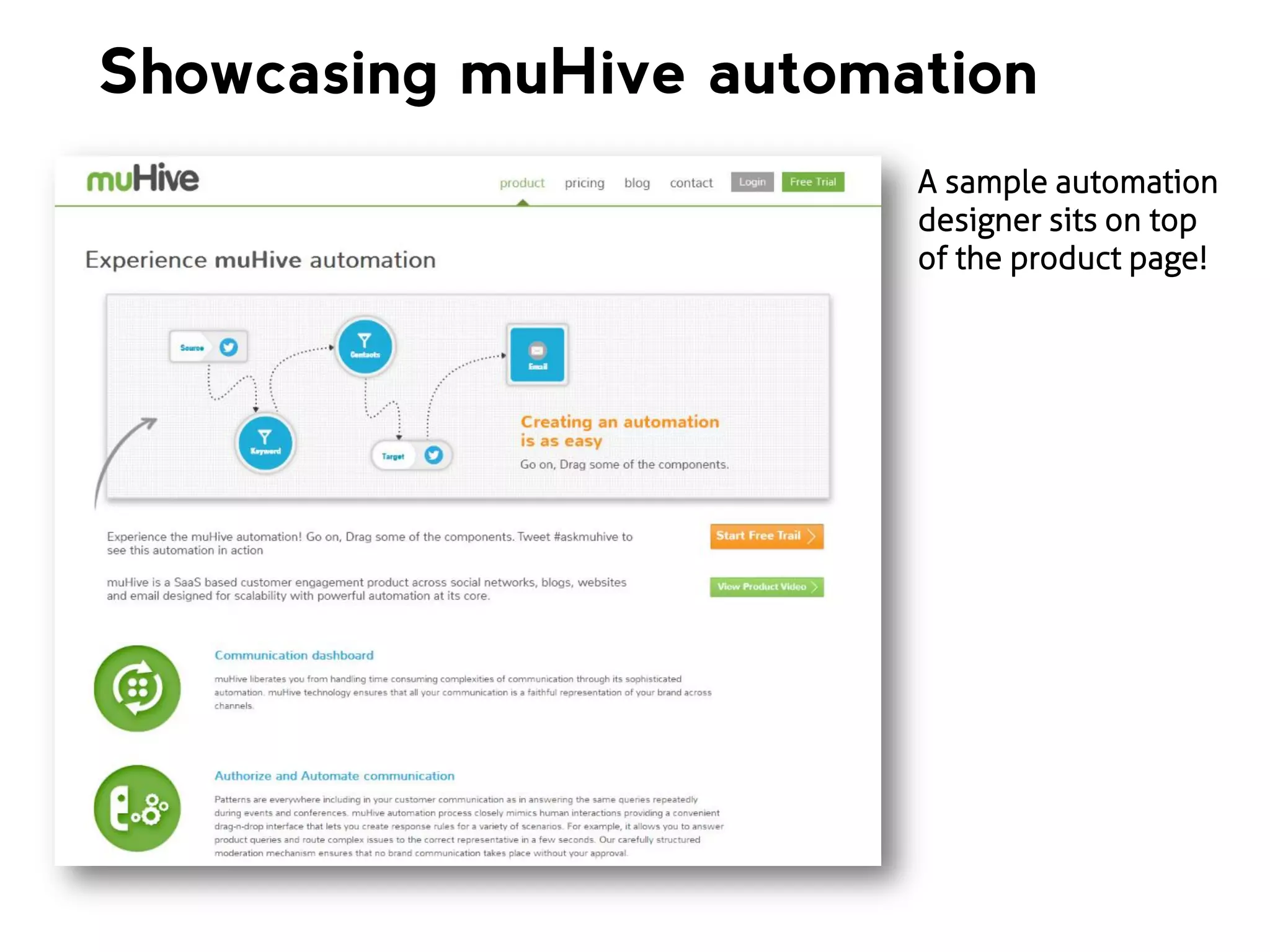
Showcasing muHive automation
A sample automation
designer sits on top
of the product page!
Bounce rate of the
homepage reduced but
people werenโ€™t spending
time on the product page
we needed to explain our product using
videos or screenshots.
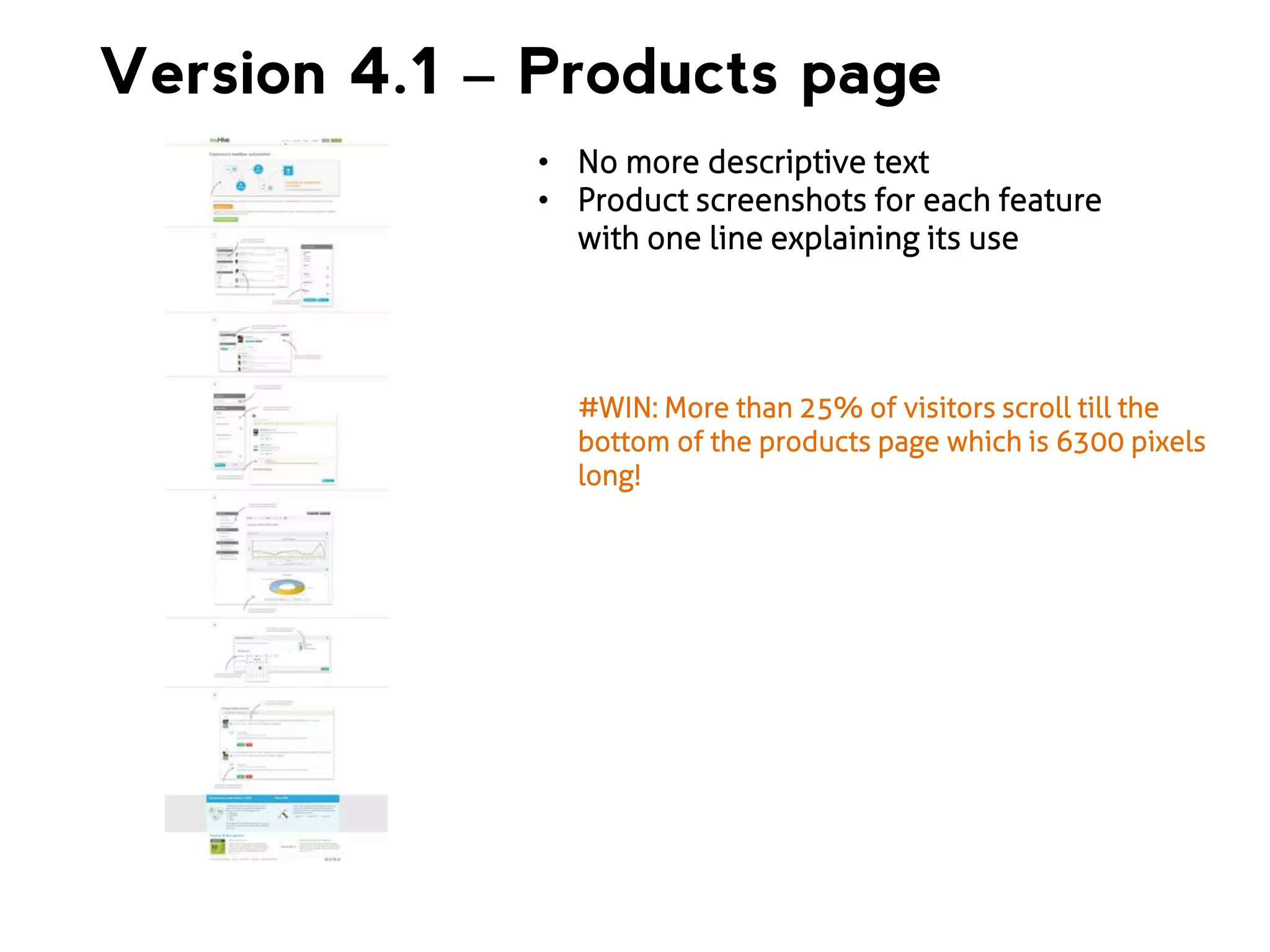
Version 4.1 โ€“ Products page
โ€ข No more descriptive text
โ€ข Product screenshots for each feature
with one line explaining its use

#WIN: More than 25% of visitors scroll till the
bottom of the products page which is 6300 pixels
long!
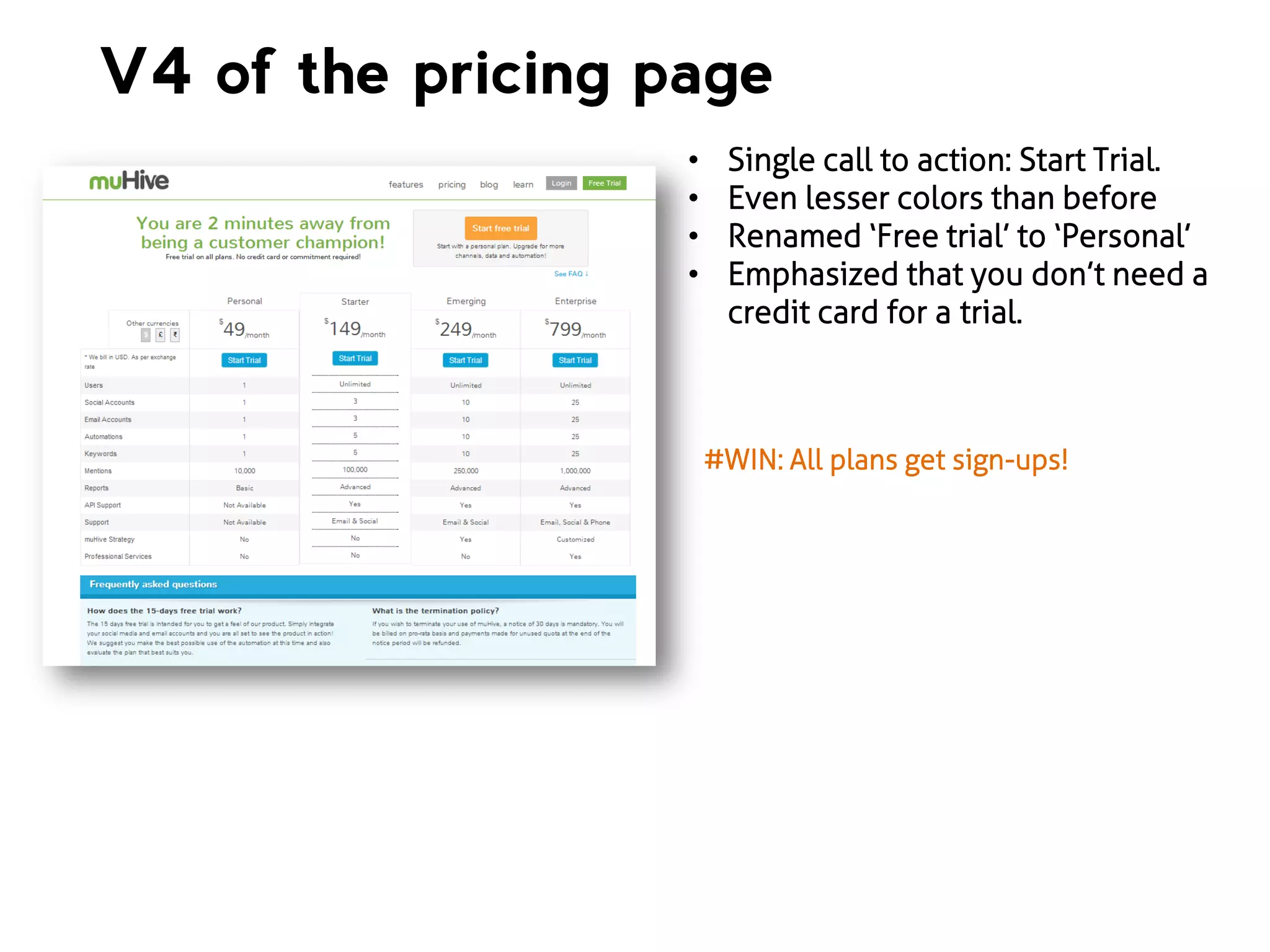
V4 of the pricing page
โ€ข
โ€ข
โ€ข
โ€ข

Single call to action: Start Trial.
Even lesser colors than before
Renamed โ€˜Free trialโ€™ to โ€˜Personalโ€™
Emphasized that you donโ€™t need a
credit card for a trial.

#WIN: All plans get sign-ups!
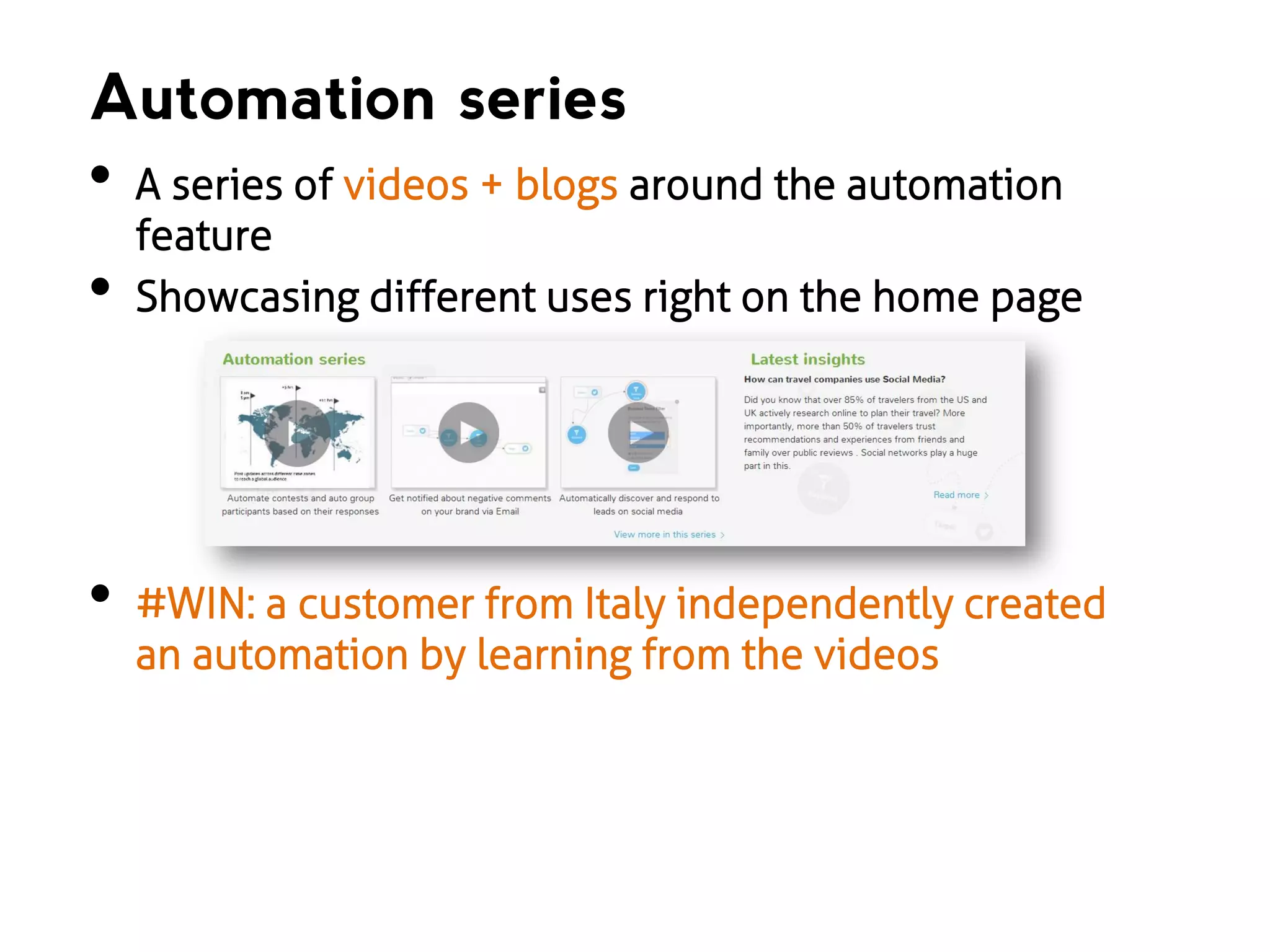
Automation series

โ€ข

โ€ข

โ€ข

A series of videos + blogs around the automation
feature
Showcasing different uses right on the home page

#WIN: a customer from Italy independently created
an automation by learning from the videos
The same question again
Who are your customers?
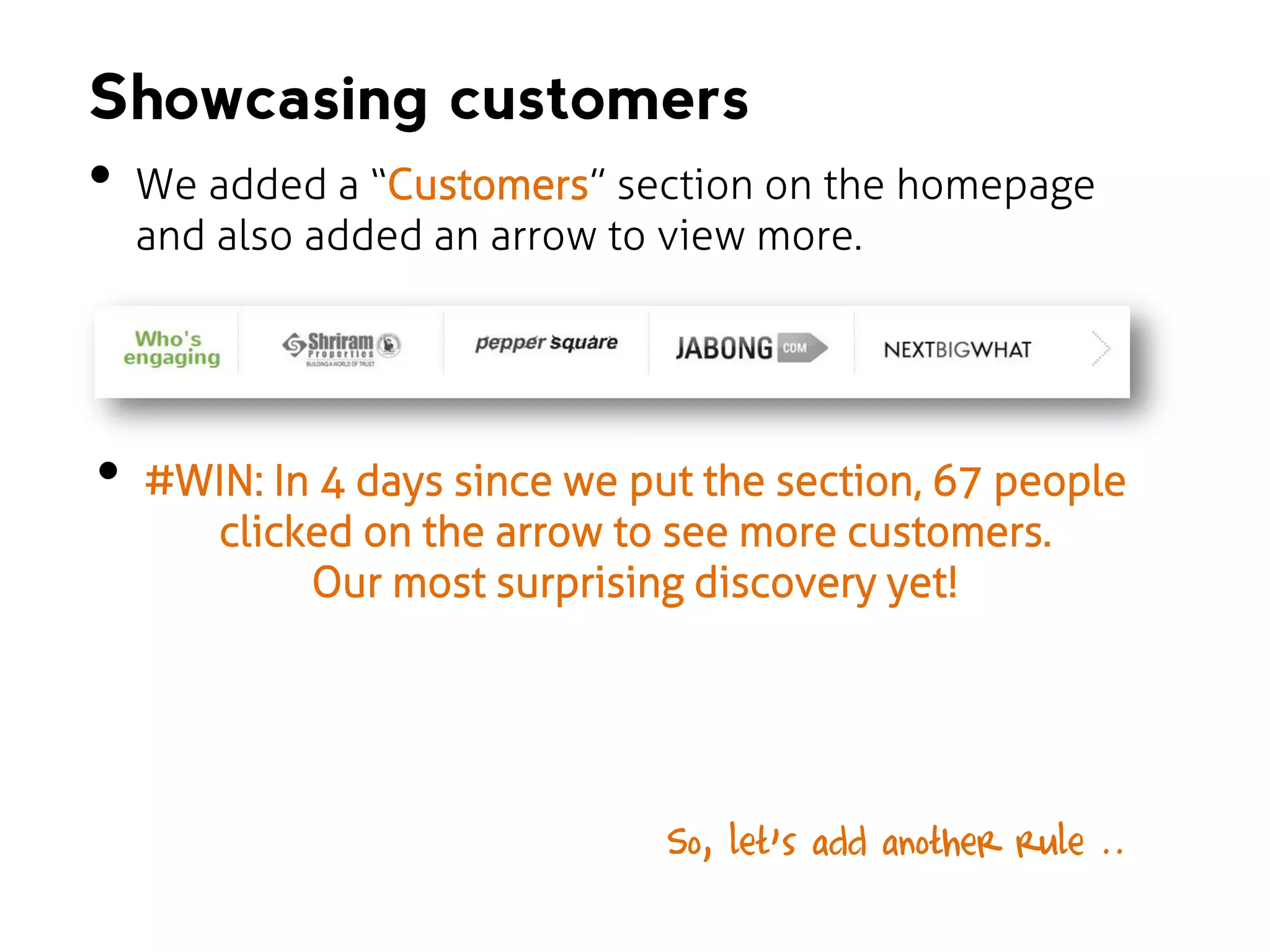
Showcasing customers

โ€ข

โ€ข

We added a โ€œCustomersโ€ section on the homepage
and also added an arrow to view more.

#WIN: In 4 days since we put the section, 67 people
clicked on the arrow to see more customers.
Our most surprising discovery yet!

So, letโ€™s add another rule ..โ€ฆ
Customers like to see
other customers who
have bought/used your
product/service

Showcase people
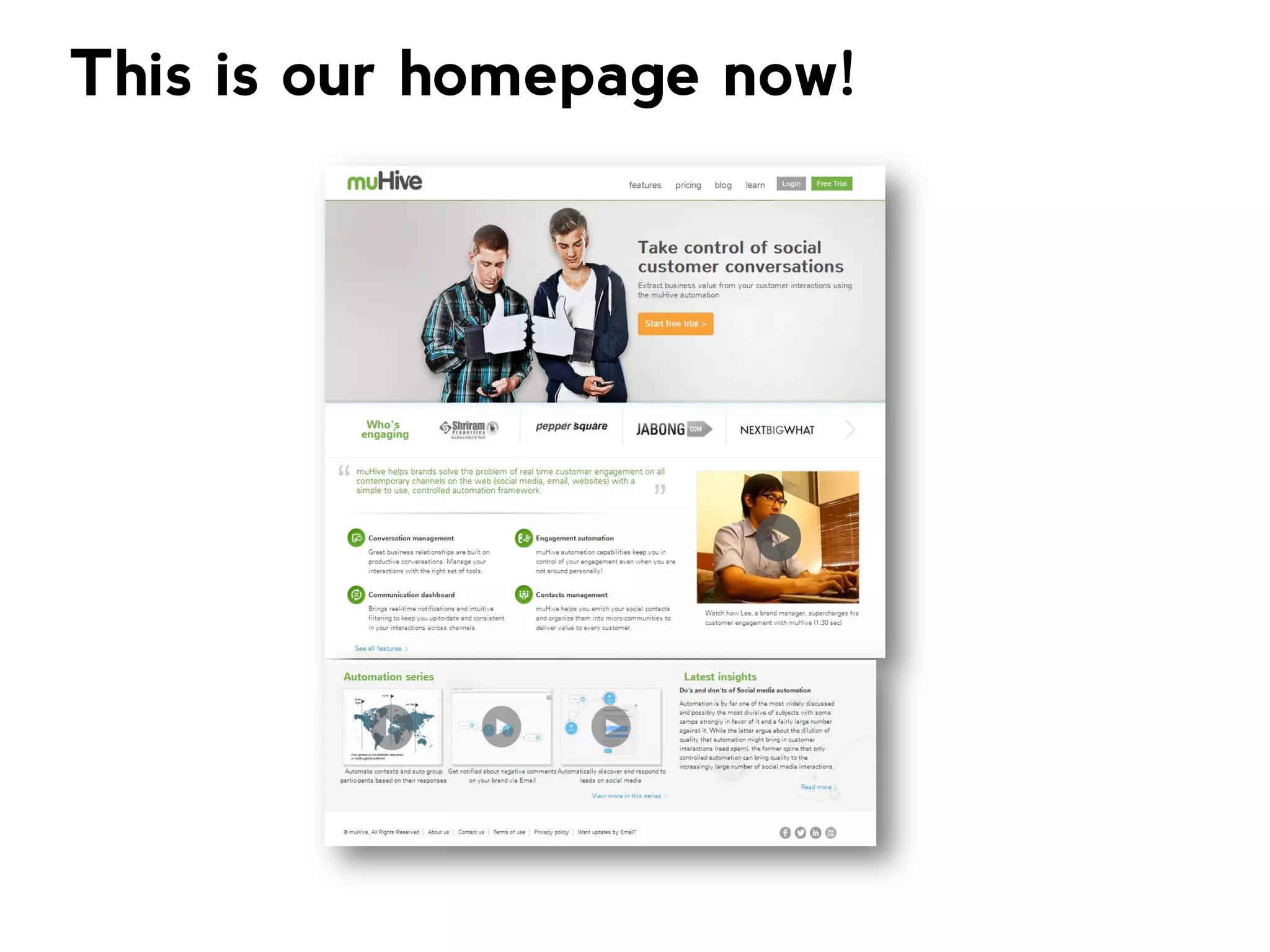
This is our homepage now!
Retrospective
1. Remember the 6 rules for SaaS websites
2. Use images and videos in place of text
3. De-clutter your pages and have a clear call to
action
4. If you are a product company, showcase your
product and your USP on the website.
5. Use analytics to drive your decisions
6. Convert! Convert! Convert!
Keep watching this space!
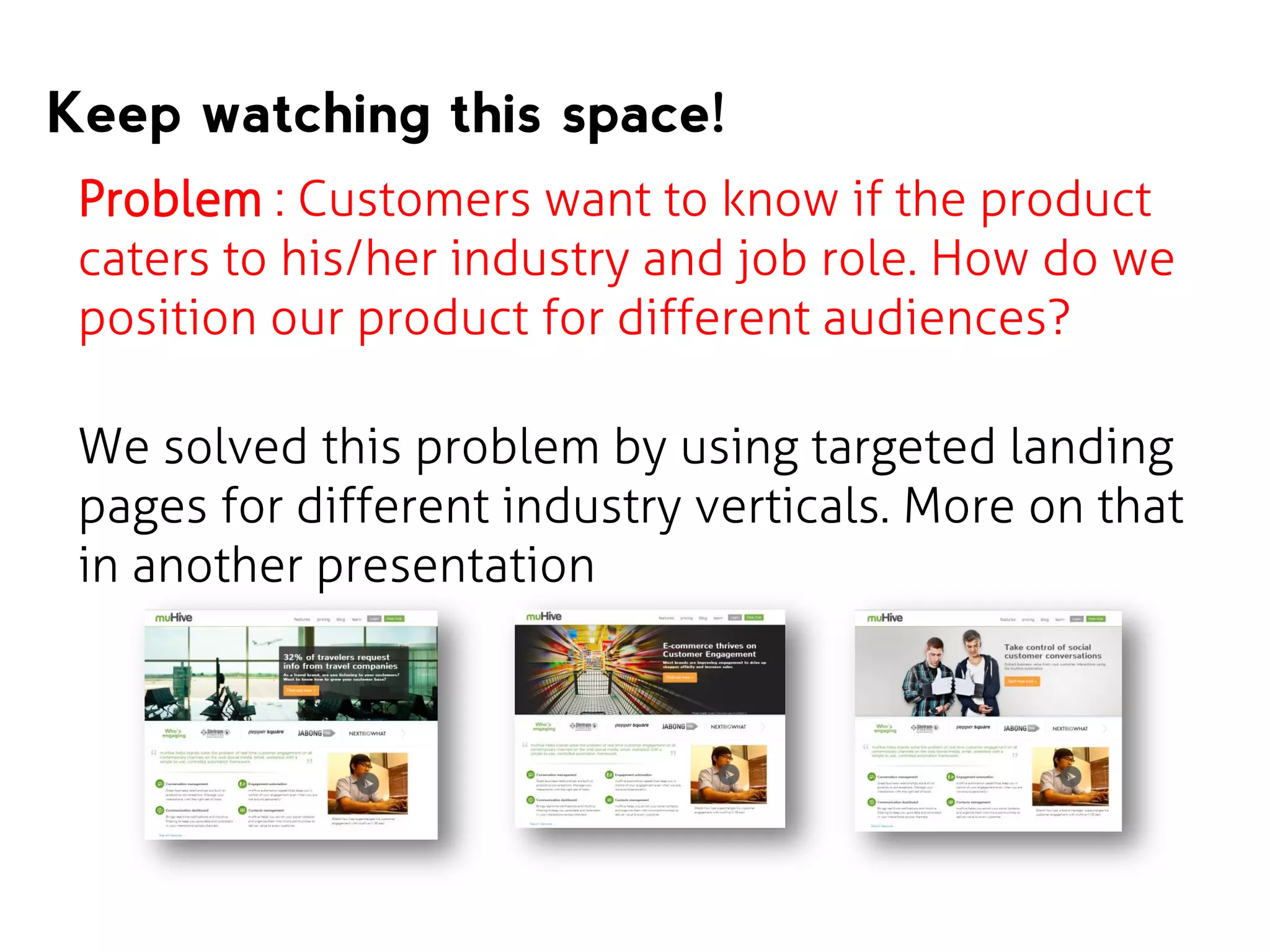
Problem : Customers want to know if the product
caters to his/her industry and job role. How do we
position our product for different audiences?

We solved this problem by using targeted landing
pages for different industry verticals. More on that
in another presentation
Share this deck with friends
If you think you learnt something from this deck, Click
on the โ€œShareโ€ icon below to share this with your
friends and colleagues.

www.muhive.com
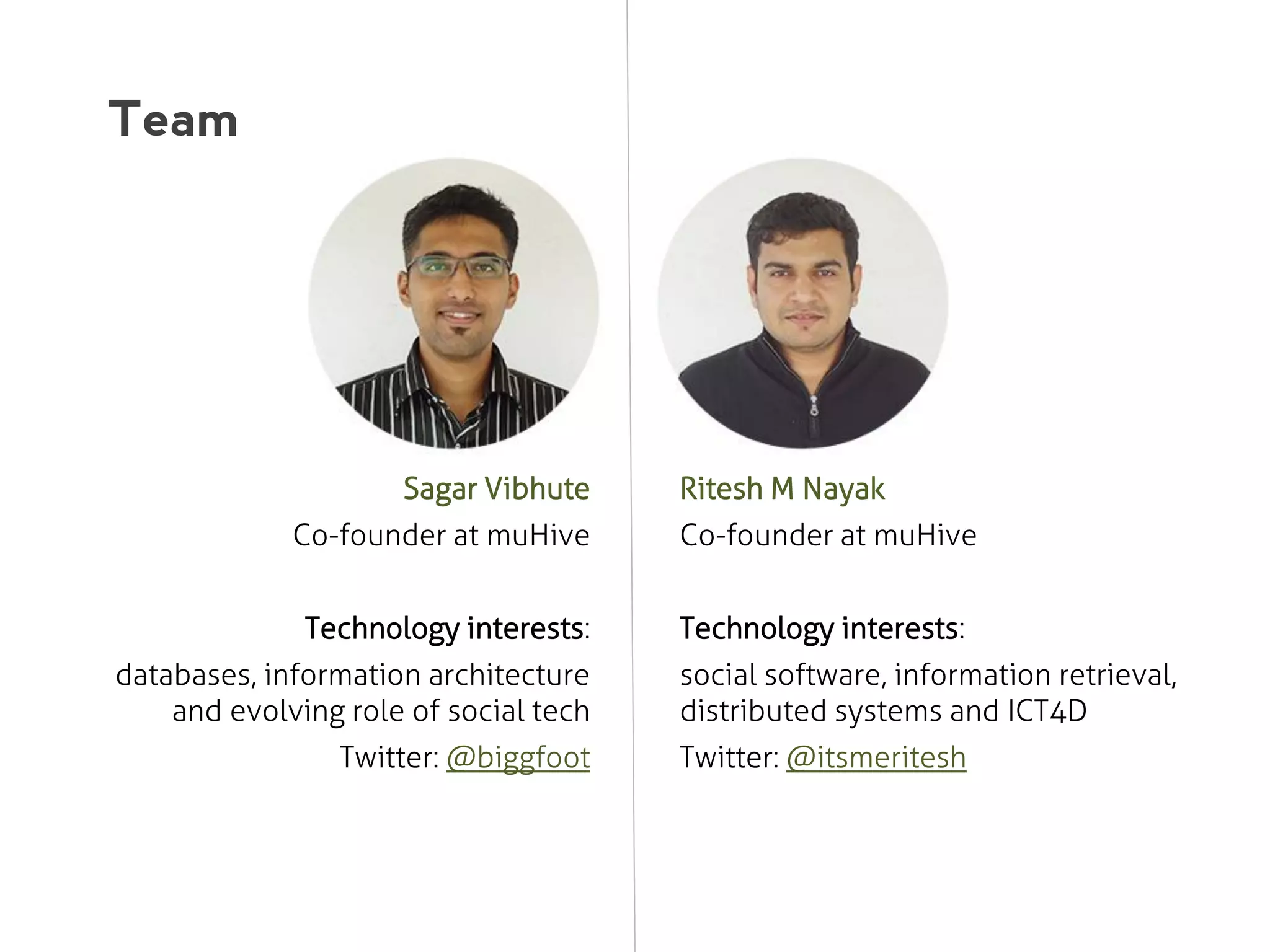
Team

Sagar Vibhute

Ritesh M Nayak

Co-founder at muHive

Co-founder at muHive

Technology interests:

Technology interests:

databases, information architecture
and evolving role of social tech
Twitter: @biggfoot

social software, information retrieval,
distributed systems and ICT4D
Twitter: @itsmeritesh
www.muhive.com

@muHive

/muHive

thank you
References
1.

http://www.nngroup.com/articles/how-long-do-users-stay-on-web-pages/

2.

http://www.maxmind.com/en/home

3.

Screenshots from muHive.com website: http://muhive.com

4.

Wayback archive images

5.

Google Analytics image: http://google.com/analytics

6.

Events API:
https://developers.google.com/analytics/devguides/collection/gajs/eventTrackerG
uide

Website optimization for SaaS conversions - muHive

  • 1.
    Streamline your SAAS websitefor conversions How small design changes helped us Improve conversions
  • 2.
    Distilling SaaS sellingto its basics โ€ข Conversion, conversion, conversion โ€ข Increase time spent on the website (more time spent = more opportunity for conversion) โ€ข Iterate the website design and content โ€ข Validate your iteration with analytics
  • 3.
    First some numbers Avgvisit duration 65% Social customer acquisition 666% Referral traffic 503% Bounce rate Search Traffic 16% in 1 month 666% 1 signup in March to โ‰ˆ 2 signups a day in September zero CPC spend
  • 4.
    And how bigis our website? 5 Pages Without the Terms of Use, Privacy Policy and Contact us pages (which donโ€™t matter)
  • 5.
    Letโ€™s see whatwe did to get here
  • 6.
    Our 5 rulesfor SAAS websites optimization
  • 7.
    If you arenot converting visitors to customers, then your website isnโ€™t working Conversion
  • 8.
    On an averagea customer spends 15 seconds on your website 15 seconds
  • 9.
    Aim to communicate yourvalue proposition in 10 seconds Value proposition
  • 10.
    Longer your customer staysgreater the probability of conversion > visit duration
  • 11.
    I am notmaking this up! The Weibull Hazard Function โ€œResearchers discovered that 99% of Web pages have a negative aging effect. Users spend their initial time on a page in ruthless triage to abandon the dross ASAP. The probability of leaving is very high during these first few seconds because users are extremely skeptical, having suffered countless poorly designed Web pages in the pastโ€ [1]
  • 12.
    More the numberof clicks to get somewhere, lesser the number of people getting there Reduce clicks
  • 13.
    - Prototype stage -We were selling a concept - Looking for seed funding - Released in Q2 of 2011 VERSION 1
  • 14.
    Things to note โ€ขDesign was not original โ€ข Built by developers โ€ข Old logo for muHive I wouldnโ€™t buy me if I was buying
  • 15.
    Product features page โ€ขProbably the only thing that matters to a SaaS product website. โ€ข Looked like it was built in the 90s โ€ข Had lengthy paragraphs of text Clearly, it sucked!
  • 16.
    Retrospective (beginners mistake) 1. Developersshouldnโ€™t pretend to be designers 2. Positioning was weak Basically, we didnโ€™t follow the 5 rules
  • 17.
    BUT, our prototypecould talk the talk โ€ฆ Result: We got our seed funding!
  • 18.
    - Immediate focus:create a brand identity - Seed investor brought design skills - Released towards end of Q3 of 2012 VERSION 2
  • 19.
  • 20.
    Home page โ€ข Landingpage for BETA customers โ€ข New brand message focusing on what the product is all about Notice the login/sign up link on top? It didnโ€™t exactly do what is says โ€ฆโ€ฆ It would take you to a request for account form and then make you wait for us to create the account on your behalf. (a.k.a. Wizard of Oz prototyping)
  • 21.
    Products page โ€ข Listedfeatures instead of showing them (product was incomplete at this point) โ€ข Needed 9 clicks (remember Rule 5?) Needed to be redesigned
  • 22.
    A new iterationof the Products page โ€ข Inherited the single biggest problem of its predecessor: feature list, no demo/video.
  • 23.
    Pricing page โ€ข Outlinedour pricing plans in multiple currencies, with $ as the default (hold this thought)
  • 24.
    The dollar defaultโ€ฆ good or bad? Problem: a company registered in India is required by the law to show pricing in INR Dilemma: as a SaaS business, we need to appeal globally. Solution! Pricing in INR Get IP address of the prospect Pricing in Pounds IP to Geo database Pricing in US Dollars
  • 25.
    Contact Us page Wasthe point of entry to the application This was a big mistake Why? โ€ข Not the way SaaS applications do sign ups โ€ข People needed to click on the pricing page to get here. 3 clicks minimum โ€ข Account provisioning would take anywhere from 6 to 12 hours
  • 26.
    Retrospective (good enough forBeta) 1. Most received BETA feedback: I donโ€™t understand what the product does โ€ฆ 2. Customers were hunting down the about us page and the company genesis page. 3. Analytics showed that people hovered around unimportant parts of the pricing page 4. Where do I sign up? (actual question by a prospect)
  • 27.
    - Focus: Publiclaunch of muHive - Fixed usability issues from BETA - Released towards end of Q1 of 2013 VERSION 3
  • 28.
    What changed Home page โ€ข โ€ข Amore tangible value proposition Added a โ€œFree trial buttonโ€ We used the โ€œ5 rulesโ€ approach.
  • 29.
    Wanted to appealto multiple audiences โ€ฆ so we used carousels on the home page โ€ฆ those turned out to be a big mistake. Why? โ€ข Lost in transition! Too many messages dilute the product positioning โ€ข Few customers will sit through a slow changing carousel โ€ข Customers donโ€™t like carousels. Read more at http://shouldiuseacarousel.com/
  • 30.
    Pricing page โ€ข Alittle less colorful โ€ข Sign-up buttons everywhere! However, we saw sign-ups only for the Free Trial plan. Why? What had we overlooked?
  • 31.
    The flaw? Inconsistentlanguage. โ€ข Two words, TRY and Sign up were used for the same behavior: a free sign up! โ€ข TRY gave customers the impression that Sign up meant pay and use. โ€ข Actual feedback from user: she chose the โ€œFree trialโ€ option because she didnโ€™t want to give out her credit card details.
  • 32.
    Retrospective (still not workingas we expected it) 1. Needed sign ups on all plans 2. People are extremely edgy about giving out their credit card details (especially in India) 3. Needed to reduce bounce rate of the homepage 4. USP of our product wasnโ€™t visible 5. Why canโ€™t I see a video demo? (actual question by a prospect)
  • 33.
    - Focus: Deliveringthe USP - Value proposition in a one line message - Released around early Q3 of 2013 VERSION 4
  • 34.
    What we neededto work on โ€ข Little idea of what a user did within a page (lack โ€ข โ€ข of in-page analytics) Videos, videos, videos Users want to know value. Product page spoke only features. Realized our website was screwed when a blogger covered us (true story)
  • 35.
    Advanced analytics Three mustuse features of Google Analytics: Events, Experiments, Goals โ€ข Events: to track how users use website elements. For e.g.: we add the code onClick="_gaq.push(['_trackEvent', โ€˜Scroll Depth', โ€™100%']);" tells us, how many people scrolled to the bottom of a page.
  • 36.
    Advanced analytics โ€ข โ€ข Experiments: toA/B test different UI elements (alternate homepage test) Goals: use then to track navigational flows. We use it to see who signs up, spends time on the website, jumps to our blog etc.
  • 37.
    Importance of videos โ€ขMost effective for getting โ€ข โ€ข โ€ข customer attention Video <= 3 mins (attention decreases with length of video) Cheerful background music please! Narration by a woman holds attention longer than by a man See our videos at http://youtube.com/muhivetechnologies
  • 38.
    muHive concept video โ€ขShot in a single day with a โ€ข Over 20% of New users click on the video on the home page. โ€ข โ€ข shoestring budget Highlight our value proposition in a simple manner Voiceover was done by a professional from Fiverr.com Two voiceover versions: American accent and Indian accent
  • 39.
    What changed onthe home page? โ€ข No carousels โ€ข Single line product message โ€ข Concept video โ€ข Large call to action for free trial โ€ข Complete performance overhaul Click here to know more
  • 40.
    Showcasing muHive automation Asample automation designer sits on top of the product page!
  • 41.
    Bounce rate ofthe homepage reduced but people werenโ€™t spending time on the product page we needed to explain our product using videos or screenshots.
  • 42.
    Version 4.1 โ€“Products page โ€ข No more descriptive text โ€ข Product screenshots for each feature with one line explaining its use #WIN: More than 25% of visitors scroll till the bottom of the products page which is 6300 pixels long!
  • 43.
    V4 of thepricing page โ€ข โ€ข โ€ข โ€ข Single call to action: Start Trial. Even lesser colors than before Renamed โ€˜Free trialโ€™ to โ€˜Personalโ€™ Emphasized that you donโ€™t need a credit card for a trial. #WIN: All plans get sign-ups!
  • 44.
    Automation series โ€ข โ€ข โ€ข A seriesof videos + blogs around the automation feature Showcasing different uses right on the home page #WIN: a customer from Italy independently created an automation by learning from the videos
  • 45.
    The same questionagain Who are your customers?
  • 46.
    Showcasing customers โ€ข โ€ข We addeda โ€œCustomersโ€ section on the homepage and also added an arrow to view more. #WIN: In 4 days since we put the section, 67 people clicked on the arrow to see more customers. Our most surprising discovery yet! So, letโ€™s add another rule ..โ€ฆ
  • 47.
    Customers like tosee other customers who have bought/used your product/service Showcase people
  • 48.
    This is ourhomepage now!
  • 49.
    Retrospective 1. Remember the6 rules for SaaS websites 2. Use images and videos in place of text 3. De-clutter your pages and have a clear call to action 4. If you are a product company, showcase your product and your USP on the website. 5. Use analytics to drive your decisions 6. Convert! Convert! Convert!
  • 50.
    Keep watching thisspace! Problem : Customers want to know if the product caters to his/her industry and job role. How do we position our product for different audiences? We solved this problem by using targeted landing pages for different industry verticals. More on that in another presentation
  • 51.
    Share this deckwith friends If you think you learnt something from this deck, Click on the โ€œShareโ€ icon below to share this with your friends and colleagues. www.muhive.com
  • 52.
    Team Sagar Vibhute Ritesh MNayak Co-founder at muHive Co-founder at muHive Technology interests: Technology interests: databases, information architecture and evolving role of social tech Twitter: @biggfoot social software, information retrieval, distributed systems and ICT4D Twitter: @itsmeritesh
  • 53.
  • 54.
    References 1. http://www.nngroup.com/articles/how-long-do-users-stay-on-web-pages/ 2. http://www.maxmind.com/en/home 3. Screenshots from muHive.comwebsite: http://muhive.com 4. Wayback archive images 5. Google Analytics image: http://google.com/analytics 6. Events API: https://developers.google.com/analytics/devguides/collection/gajs/eventTrackerG uide