INTRODUCTION TO MSEXCEL
Microsoft Excel is a powerful spreadsheet program used for organizing, analyzing, and
visualizing data, offering features like formulas, functions, pivot tables, and charts,
making it a valuable tool for various tasks.
Core Functionality:
Spreadsheet Structure: Excel organizes data in a grid of rows and columns,
where each cell can hold text, numbers, or formulas
Formulas and Functions: Excel allows you to perform calculations and data
manipulation using formulas and built-in functions (e.g., SUM, AVERAGE).
Data Analysis: Features like pivot tables and charts help you summarize, analyze,
and visualize data effectively.
Customization: Excel offers various formatting options to enhance the
appearance and readability of your spreadsheets.
The Quick AccessToolbar
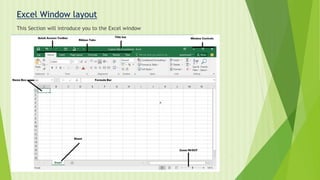
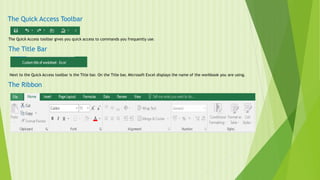
The Quick Access toolbar gives you quick access to commands you frequently use.
The Title Bar
Next to the Quick Access toolbar is the Title bar. On the Title bar, Microsoft Excel displays the name of the workbook you are using.
The Ribbon
6.
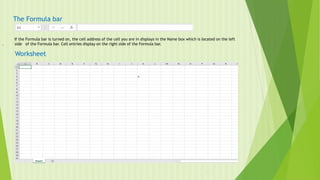
The Formula bar
Ifthe Formula bar is turned on, the cell address of the cell you are in displays in the Name box which is located on the left
. side of the Formula bar. Cell entries display on the right side of the Formula bar.
Worksheet
7.
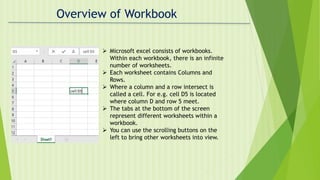
Overview of Workbook
Microsoft excel consists of workbooks.
Within each workbook, there is an infinite
number of worksheets.
Each worksheet contains Columns and
Rows.
Where a column and a row intersect is
called a cell. For e.g. cell D5 is located
where column D and row 5 meet.
The tabs at the bottom of the screen
represent different worksheets within a
workbook.
You can use the scrolling buttons on the
left to bring other worksheets into view.
8.
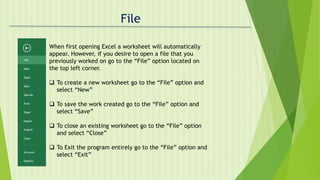
File
When first openingExcel a worksheet will automatically
appear. However, if you desire to open a file that you
previously worked on go to the “File” option located on
the top left corner.
To create a new worksheet go to the “File” option and
select “New”
To save the work created go to the “File” option and
select “Save”
To close an existing worksheet go to the “File” option
and select “Close”
To Exit the program entirely go to the “File” option and
select “Exit”
9.
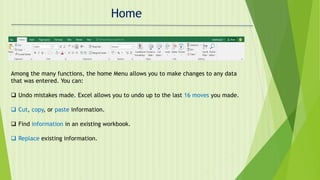
Home
Among the manyfunctions, the home Menu allows you to make changes to any data
that was entered. You can:
Undo mistakes made. Excel allows you to undo up to the last 16 moves you made.
Cut, copy, or paste information.
Find information in an existing workbook.
Replace existing information.
10.
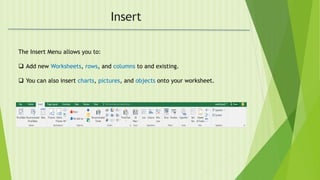
Insert
The Insert Menuallows you to:
Add new Worksheets, rows, and columns to and existing.
You can also insert charts, pictures, and objects onto your worksheet.
11.
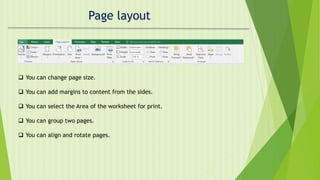
Page layout
Youcan change page size.
You can add margins to content from the sides.
You can select the Area of the worksheet for print.
You can group two pages.
You can align and rotate pages.
12.
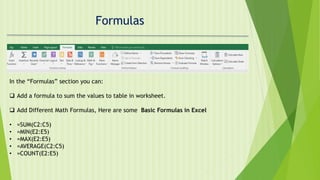
Formulas
In the “Formulas”section you can:
Add a formula to sum the values to table in worksheet.
Add Different Math Formulas, Here are some Basic Formulas in Excel
• =SUM(C2:C5)
• =MIN(E2:E5)
• =MAX(E2:E5)
• =AVERAGE(C2:C5)
• =COUNT(E2:E5)
13.
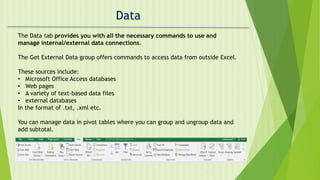
Data
The Data tabprovides you with all the necessary commands to use and
manage internal/external data connections.
The Get External Data group offers commands to access data from outside Excel.
These sources include:
• Microsoft Office Access databases
• Web pages
• A variety of text-based data files
• external databases
In the format of .txt, .xml etc.
You can manage data in pivot tables where you can group and ungroup data and
add subtotal.
14.
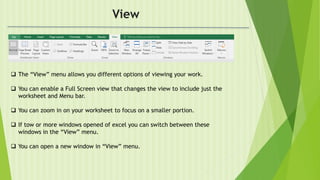
View
The “View”menu allows you different options of viewing your work.
You can enable a Full Screen view that changes the view to include just the
worksheet and Menu bar.
You can zoom in on your worksheet to focus on a smaller portion.
If tow or more windows opened of excel you can switch between these
windows in the “View” menu.
You can open a new window in “View” menu.
15.
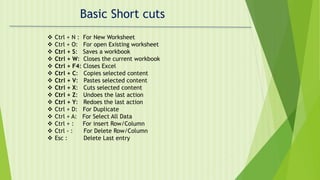
Basic Short cuts
Ctrl + N : For New Worksheet
Ctrl + O: For open Existing worksheet
Ctrl + S: Saves a workbook
Ctrl + W: Closes the current workbook
Ctrl + F4: Closes Excel
Ctrl + C: Copies selected content
Ctrl + V: Pastes selected content
Ctrl + X: Cuts selected content
Ctrl + Z: Undoes the last action
Ctrl + Y: Redoes the last action
Ctrl + D: For Duplicate
Ctrl + A: For Select All Data
Ctrl + : For insert Row/Column
Ctrl - : For Delete Row/Column
Esc : Delete Last entry