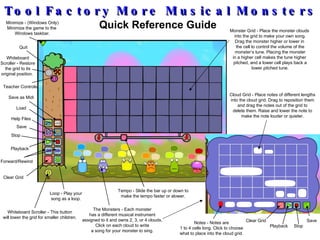
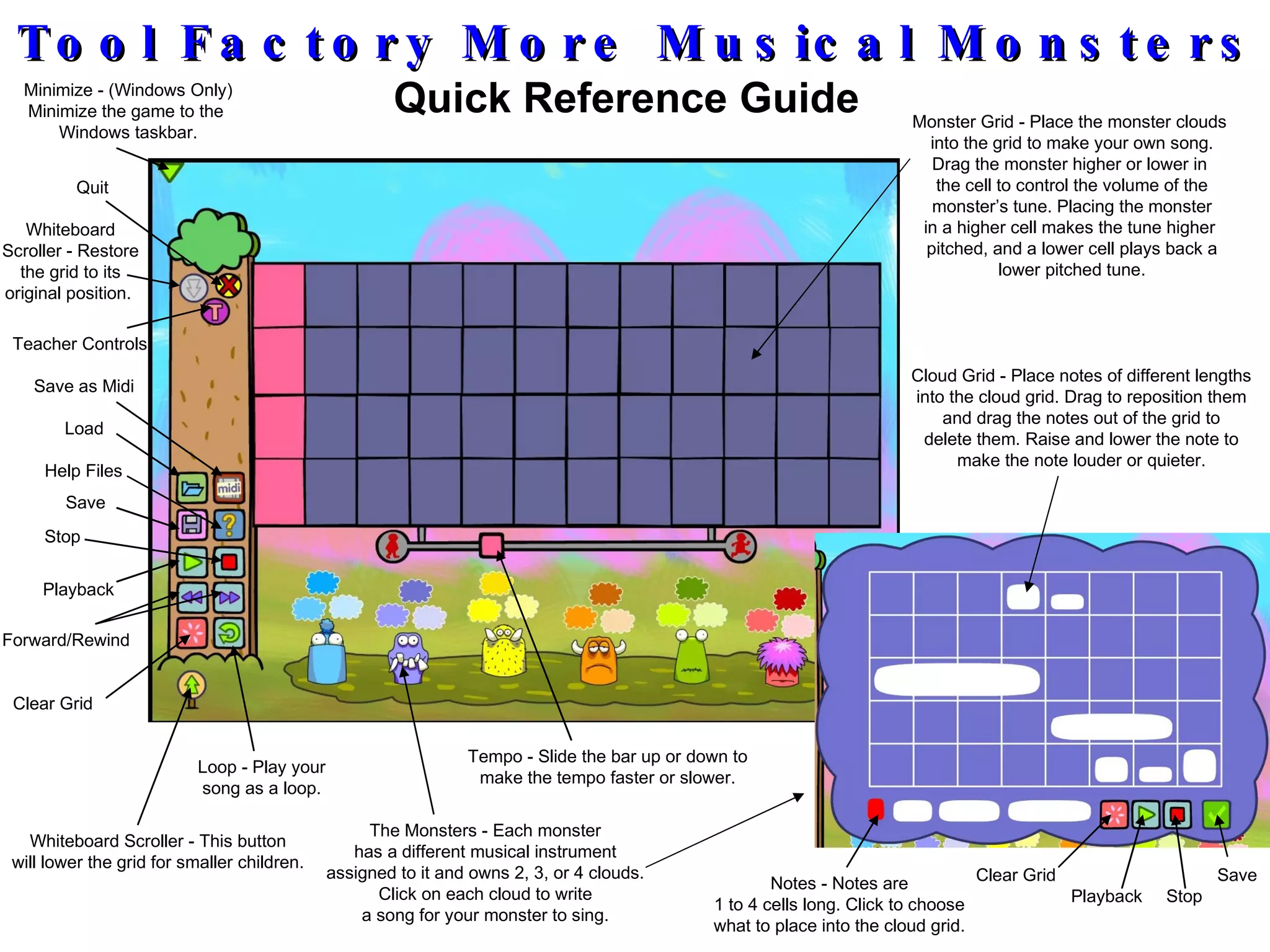
This document provides instructions for recording and using custom sound clips within the Tool Factory More Musical Monsters game:
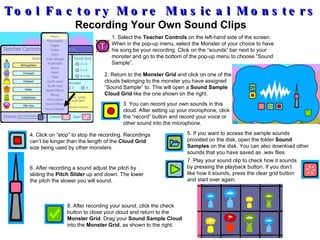
1. Select a monster and assign its song to be a "Sound Sample" using the Teacher Controls.
2. Click on one of the monster's clouds to open the Sound Sample Cloud Grid for recording.
3. Record a sound clip into the grid using a connected microphone. Adjust the pitch of the recording using the provided slider.
4. After recording, close the cloud and drag it into the Monster Grid to include the custom sound in your song.


![Getting Started with Apache Spark: Big Data Made Simple [Free Meetup]](https://cdn.slidesharecdn.com/ss_thumbnails/apachesparkgettingstarted-260203175547-8361bcc3-thumbnail.jpg?width=640&height=640&fit=bounds)


