Monolog in PHP
Presenter : SATHEESKUMAR A
Company : MINDFIRE SOLUTIONS
Date : 04/06/2014
Presenter: Satheeskumar A, Mindfire Solutions
About me
➢ Zend Certified Engineer (ZCE)
➢ Oracle Certified Mysql Professional (OCP – MYSQL)
➢ 10 gen certified Mongodb professional
➢ Microsoft Certified HTML5 professional
➢ Accrediated certified Scrum Master
Skills: PHP, Mysql, Symfony2, CodeIgniter, SVN, GIT,
Doctrine, Propel ...
Connect me:
Facebook: https://www.facebook.com/satheeskumar.ashokkumar/
Twitter: https://twitter.com/sathees1kumar
Linked in: in.linkedin.com/in/satheeskumara/
Google Plus: https://plus.google.com/+satheeskumara
Contact me:
E-mail: satheeskumara@mindfiresolutions.com / Sathees1kumar@gmail.com
Skype: mfsi_satheesk
Presenter: Satheeskumar A, Mindfire Solutions
Agenda

What is Logging

History of logging

Need of Logging

Current Conventions

Use of Monolog

Components of Monolog

Different Types of Handlers

Types of Formatters

Tips and Tricks

Sample Code
Take Away
“To know the best method of logging data of different
contexts for specific environments such as test/dev
and production”
Presenter: Satheeskumar A, Mindfire Solutions
Logging
Presenter: Satheeskumar A, Mindfire Solutions

The process of using a computer to collect data through
sensors/listeners/events.

Analyze the data and save and output the results of the
collection and analysis.

Data logging also implies the control of how the computer
collects and analyzes the data.
History of Logging
Presenter: Satheeskumar A, Mindfire Solutions

Even with use of computers there was a real need to measure the
overall performance of any reasearch

Early 1980's there was a Instrument called VELA (virtual laboratory)
used for data harvesting

Late 1980's, A device was invented to collect information through
sensors

Later then data logging/harvesting has been used widely in all
applications/reasearches/products.
Need of Logging
Presenter: Satheeskumar A, Mindfire Solutions

Track Users activity/Movement

Transaction Logging

Track user errors

System level failures/warnings

Research Data collection and Interpretation
Types of Logging
Presenter: Satheeskumar A, Mindfire Solutions

Error / Exception logs

Access logs

System logs

Application logs

Database logs

Transaction logs

Mailer logs
etc...
Current Conventions - Apache/PHP
Presenter: Satheeskumar A, Mindfire Solutions
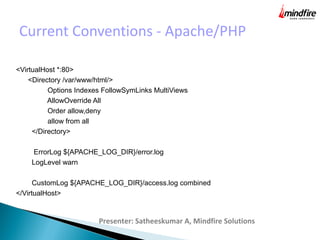
<VirtualHost *:80>
<Directory /var/www/html/>
Options Indexes FollowSymLinks MultiViews
AllowOverride All
Order allow,deny
allow from all
</Directory>
ErrorLog ${APACHE_LOG_DIR}/error.log
LogLevel warn
CustomLog ${APACHE_LOG_DIR}/access.log combined
</VirtualHost>
Monolog Enters Here...
Presenter: Satheeskumar A, Mindfire Solutions

Monolog is a PHP library that support different levels of
logging for PHP Applications and depends on PSR.

Inspired by Python Logbook library

Provides stack of handlers

More Powerful than conventional way of logging in
applications
What's different ?
Presenter: Satheeskumar A, Mindfire Solutions
●
Monolog sends your logs to files, sockets, inboxes, databases
and various web services.
●
Channel based approach
●
Different stack of handlers for specific channels
●
Pile up handler stack based on severity.
●
Format Interpretation depending on severity and channel
●
Prevents Bubbling when severity is reached
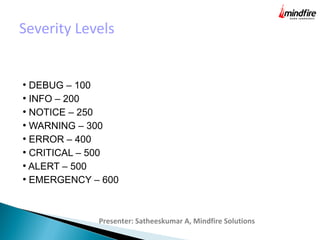
Severity Levels
Presenter: Satheeskumar A, Mindfire Solutions
●
DEBUG – 100
●
INFO – 200
●
NOTICE – 250
●
WARNING – 300
●
ERROR – 400
●
CRITICAL – 500
●
ALERT – 500
●
EMERGENCY – 600
Components that make up
Presenter: Satheeskumar A, Mindfire Solutions
●
Handlers
●
Formatters
●
Processors
●
Dependent packages like send_mail / FirePHP/
Chrome PHP etc..
Handlers
Presenter: Satheeskumar A, Mindfire Solutions
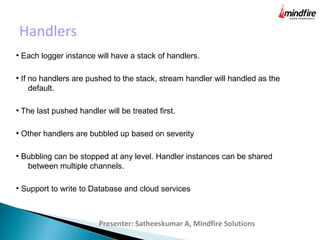
●
Each logger instance will have a stack of handlers.
●
If no handlers are pushed to the stack, stream handler will handled as the
default.
●
The last pushed handler will be treated first.
●
Other handlers are bubbled up based on severity
●
Bubbling can be stopped at any level. Handler instances can be shared
between multiple channels.
●
Support to write to Database and cloud services
Formatters
Presenter: Satheeskumar A, Mindfire Solutions
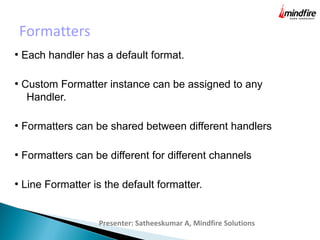
●
Each handler has a default format.
●
Custom Formatter instance can be assigned to any
Handler.
●
Formatters can be shared between different handlers
●
Formatters can be different for different channels
●
Line Formatter is the default formatter.
Processors
Presenter: Satheeskumar A, Mindfire Solutions
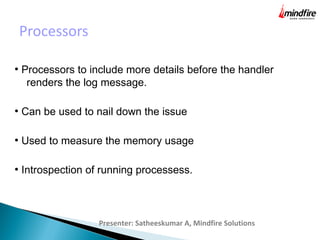
●
Processors to include more details before the handler
renders the log message.
●
Can be used to nail down the issue
●
Used to measure the memory usage
●
Introspection of running processess.
Advantages
Presenter: Satheeskumar A, Mindfire Solutions
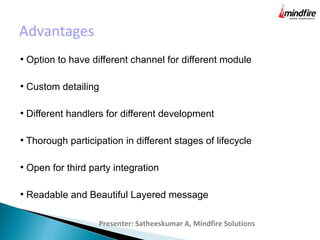
●
Option to have different channel for different module
●
Custom detailing
●
Different handlers for different development
●
Thorough participation in different stages of lifecycle
●
Open for third party integration
●
Readable and Beautiful Layered message
Monolog in Development Env
Presenter: Satheeskumar A, Mindfire Solutions
●
Use of FirePHPHandler and ChromePHPHandler
●
FirePHPFormatting can be used to format the log messages
●
Prevention of bubbling from writing to database
Monolog in Production Env
Presenter: Satheeskumar A, Mindfire Solutions
●
Rotatelog handler rotates log
●
Send Beautiful error messages via HTML mails
●
Write the log messages to any Database mysql, mongo, couch.
●
Support with ORM packages like Doctrine etc..
●
Can be integrated to cloud services like Loggly
●
Keeps your log messages distinct for different modular
functionality
Lets dirty our hands with code
Presenter: Satheeskumar A, Mindfire Solutions
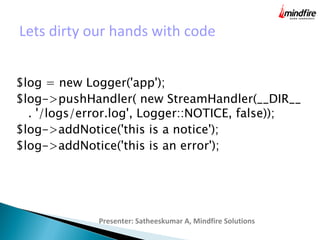
$log = new Logger('app');
$log->pushHandler( new StreamHandler(__DIR__
. '/logs/error.log', Logger::NOTICE, false));
$log->addNotice('this is a notice');
$log->addNotice('this is an error');
Sample Code in GIT
Presenter: Satheeskumar A, Mindfire Solutions
https://github.com/sathees1kumar/monolog
Feel free to fork and play :)
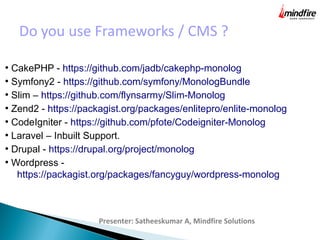
Do you use Frameworks / CMS ?
Presenter: Satheeskumar A, Mindfire Solutions
●
CakePHP - https://github.com/jadb/cakephp-monolog
●
Symfony2 - https://github.com/symfony/MonologBundle
●
Slim – https://github.com/flynsarmy/Slim-Monolog
●
Zend2 - https://packagist.org/packages/enlitepro/enlite-monolog
●
CodeIgniter - https://github.com/pfote/Codeigniter-Monolog
●
Laravel – Inbuilt Support.
●
Drupal - https://drupal.org/project/monolog
●
Wordpress -
https://packagist.org/packages/fancyguy/wordpress-monolog
References
Presenter: Satheeskumar A, Mindfire Solutions
The only link which is more than enough to get started with,
https://github.com/Seldaek/monolog
?
Presenter: Satheeskumar A, Mindfire Solutions
Thank you :)
Presenter: Satheeskumar A, Mindfire Solutions
www.mindfiresolutions.com
https://www.facebook.com/MindfireSolutions
http://www.linkedin.com/company/mindfire-solutions
http://twitter.com/mindfires

Use of Monolog with PHP

  • 1.
    Monolog in PHP Presenter: SATHEESKUMAR A Company : MINDFIRE SOLUTIONS Date : 04/06/2014
  • 2.
    Presenter: Satheeskumar A,Mindfire Solutions About me ➢ Zend Certified Engineer (ZCE) ➢ Oracle Certified Mysql Professional (OCP – MYSQL) ➢ 10 gen certified Mongodb professional ➢ Microsoft Certified HTML5 professional ➢ Accrediated certified Scrum Master Skills: PHP, Mysql, Symfony2, CodeIgniter, SVN, GIT, Doctrine, Propel ... Connect me: Facebook: https://www.facebook.com/satheeskumar.ashokkumar/ Twitter: https://twitter.com/sathees1kumar Linked in: in.linkedin.com/in/satheeskumara/ Google Plus: https://plus.google.com/+satheeskumara Contact me: E-mail: satheeskumara@mindfiresolutions.com / Sathees1kumar@gmail.com Skype: mfsi_satheesk
  • 3.
    Presenter: Satheeskumar A,Mindfire Solutions Agenda  What is Logging  History of logging  Need of Logging  Current Conventions  Use of Monolog  Components of Monolog  Different Types of Handlers  Types of Formatters  Tips and Tricks  Sample Code
  • 4.
    Take Away “To knowthe best method of logging data of different contexts for specific environments such as test/dev and production” Presenter: Satheeskumar A, Mindfire Solutions
  • 5.
    Logging Presenter: Satheeskumar A,Mindfire Solutions  The process of using a computer to collect data through sensors/listeners/events.  Analyze the data and save and output the results of the collection and analysis.  Data logging also implies the control of how the computer collects and analyzes the data.
  • 6.
    History of Logging Presenter:Satheeskumar A, Mindfire Solutions  Even with use of computers there was a real need to measure the overall performance of any reasearch  Early 1980's there was a Instrument called VELA (virtual laboratory) used for data harvesting  Late 1980's, A device was invented to collect information through sensors  Later then data logging/harvesting has been used widely in all applications/reasearches/products.
  • 7.
    Need of Logging Presenter:Satheeskumar A, Mindfire Solutions  Track Users activity/Movement  Transaction Logging  Track user errors  System level failures/warnings  Research Data collection and Interpretation
  • 8.
    Types of Logging Presenter:Satheeskumar A, Mindfire Solutions  Error / Exception logs  Access logs  System logs  Application logs  Database logs  Transaction logs  Mailer logs etc...
  • 9.
    Current Conventions -Apache/PHP Presenter: Satheeskumar A, Mindfire Solutions <VirtualHost *:80> <Directory /var/www/html/> Options Indexes FollowSymLinks MultiViews AllowOverride All Order allow,deny allow from all </Directory> ErrorLog ${APACHE_LOG_DIR}/error.log LogLevel warn CustomLog ${APACHE_LOG_DIR}/access.log combined </VirtualHost>
  • 10.
    Monolog Enters Here... Presenter:Satheeskumar A, Mindfire Solutions  Monolog is a PHP library that support different levels of logging for PHP Applications and depends on PSR.  Inspired by Python Logbook library  Provides stack of handlers  More Powerful than conventional way of logging in applications
  • 11.
    What's different ? Presenter:Satheeskumar A, Mindfire Solutions ● Monolog sends your logs to files, sockets, inboxes, databases and various web services. ● Channel based approach ● Different stack of handlers for specific channels ● Pile up handler stack based on severity. ● Format Interpretation depending on severity and channel ● Prevents Bubbling when severity is reached
  • 12.
    Severity Levels Presenter: SatheeskumarA, Mindfire Solutions ● DEBUG – 100 ● INFO – 200 ● NOTICE – 250 ● WARNING – 300 ● ERROR – 400 ● CRITICAL – 500 ● ALERT – 500 ● EMERGENCY – 600
  • 13.
    Components that makeup Presenter: Satheeskumar A, Mindfire Solutions ● Handlers ● Formatters ● Processors ● Dependent packages like send_mail / FirePHP/ Chrome PHP etc..
  • 14.
    Handlers Presenter: Satheeskumar A,Mindfire Solutions ● Each logger instance will have a stack of handlers. ● If no handlers are pushed to the stack, stream handler will handled as the default. ● The last pushed handler will be treated first. ● Other handlers are bubbled up based on severity ● Bubbling can be stopped at any level. Handler instances can be shared between multiple channels. ● Support to write to Database and cloud services
  • 15.
    Formatters Presenter: Satheeskumar A,Mindfire Solutions ● Each handler has a default format. ● Custom Formatter instance can be assigned to any Handler. ● Formatters can be shared between different handlers ● Formatters can be different for different channels ● Line Formatter is the default formatter.
  • 16.
    Processors Presenter: Satheeskumar A,Mindfire Solutions ● Processors to include more details before the handler renders the log message. ● Can be used to nail down the issue ● Used to measure the memory usage ● Introspection of running processess.
  • 17.
    Advantages Presenter: Satheeskumar A,Mindfire Solutions ● Option to have different channel for different module ● Custom detailing ● Different handlers for different development ● Thorough participation in different stages of lifecycle ● Open for third party integration ● Readable and Beautiful Layered message
  • 18.
    Monolog in DevelopmentEnv Presenter: Satheeskumar A, Mindfire Solutions ● Use of FirePHPHandler and ChromePHPHandler ● FirePHPFormatting can be used to format the log messages ● Prevention of bubbling from writing to database
  • 19.
    Monolog in ProductionEnv Presenter: Satheeskumar A, Mindfire Solutions ● Rotatelog handler rotates log ● Send Beautiful error messages via HTML mails ● Write the log messages to any Database mysql, mongo, couch. ● Support with ORM packages like Doctrine etc.. ● Can be integrated to cloud services like Loggly ● Keeps your log messages distinct for different modular functionality
  • 20.
    Lets dirty ourhands with code Presenter: Satheeskumar A, Mindfire Solutions $log = new Logger('app'); $log->pushHandler( new StreamHandler(__DIR__ . '/logs/error.log', Logger::NOTICE, false)); $log->addNotice('this is a notice'); $log->addNotice('this is an error');
  • 21.
    Sample Code inGIT Presenter: Satheeskumar A, Mindfire Solutions https://github.com/sathees1kumar/monolog Feel free to fork and play :)
  • 22.
    Do you useFrameworks / CMS ? Presenter: Satheeskumar A, Mindfire Solutions ● CakePHP - https://github.com/jadb/cakephp-monolog ● Symfony2 - https://github.com/symfony/MonologBundle ● Slim – https://github.com/flynsarmy/Slim-Monolog ● Zend2 - https://packagist.org/packages/enlitepro/enlite-monolog ● CodeIgniter - https://github.com/pfote/Codeigniter-Monolog ● Laravel – Inbuilt Support. ● Drupal - https://drupal.org/project/monolog ● Wordpress - https://packagist.org/packages/fancyguy/wordpress-monolog
  • 23.
    References Presenter: Satheeskumar A,Mindfire Solutions The only link which is more than enough to get started with, https://github.com/Seldaek/monolog
  • 24.
    ? Presenter: Satheeskumar A,Mindfire Solutions
  • 25.
    Thank you :) Presenter:Satheeskumar A, Mindfire Solutions
  • 26.