Building Serverless Apps with
MongoDB Atlas on Google
Cloud Platform
+
Speakers
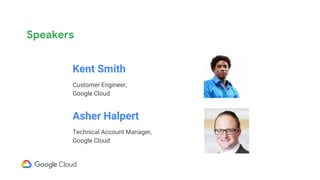
Kent Smith
Customer Engineer,
Google Cloud
Asher Halpert
Technical Account Manager,
Google Cloud
Use-case
● We are developing a global web-based application with the majority of
our users in the US and a smaller percentage of users in the UK and
Australia.
● We want to use our application to have native scaling capabilities, so
we can focus less of our time on managing the infrastructure and
more time on adding new features and capabilities
● Given the long distances involved for our user base, latency is a
concern for us.
● Before committing to a direction, our CTO would like to begin with a
proof of concept for our suggested architecture
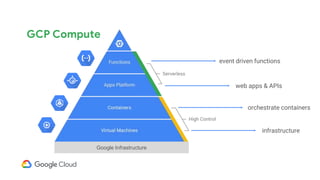
Google Infrastructure
event driven functions
web apps & APIs
orchestrate containers
infrastructure
GCP Compute
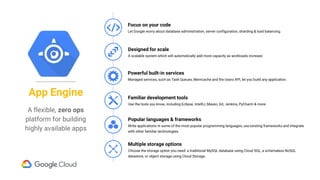
Powerful built-in services
Managed services, such as Task Queues, Memcache and the Users API, let you build any application.
Designed for scale
A scalable system which will automatically add more capacity as workloads increase.
Focus on your code
Let Google worry about database administration, server configuration, sharding & load balancing.
Popular languages & frameworks
Write applications in some of the most popular programming languages, use existing frameworks and integrate
with other familiar technologies.
Familiar development tools
Use the tools you know, including Eclipse, IntellIJ, Maven, Git, Jenkins, PyCharm & more.
Multiple storage options
Choose the storage option you need: a traditional MySQL database using Cloud SQL, a schemaless NoSQL
datastore, or object storage using Cloud Storage.
A flexible, zero ops
platform for building
highly available apps
App Engine
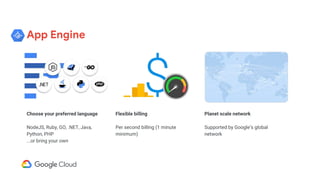
App Engine
Choose your preferred language
NodeJS, Ruby, GO, .NET, Java,
Python, PHP
...or bring your own
Flexible billing
Per second billing (1 minute
minimum)
Planet scale network
Supported by Google’s global
network
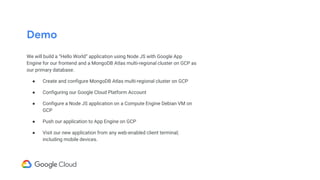
Demo
We will build a “Hello World” application using Node JS with Google App
Engine for our frontend and a MongoDB Atlas multi-regional cluster on GCP as
our primary database.
● Create and configure MongoDB Atlas multi-regional cluster on GCP
● Configuring our Google Cloud Platform Account
● Configure a Node JS application on a Compute Engine Debian VM on
GCP
● Push our application to App Engine on GCP
● Visit our new application from any web-enabled client terminal;
including mobile devices.
DEMO
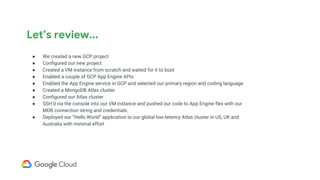
Let’s review...
● We created a new GCP project
● Configured our new project
● Created a VM instance from scratch and waited for it to boot
● Enabled a couple of GCP App Engine APIs
● Enabled the App Engine service in GCP and selected our primary region and coding language
● Created a MongoDB Atlas cluster
● Configured our Atlas cluster
● SSH’d via the console into our VM instance and pushed our code to App Engine flex with our
MDB connection string and credentials.
● Deployed our “Hello World” application to our global low-latency Atlas cluster in US, UK and
Australia with minimal effort
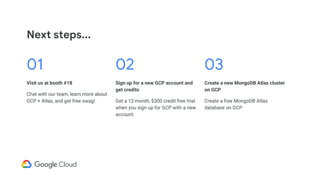
Next steps...
01
Visit us at booth #18
Chat with our team, learn more about
GCP + Atlas, and get free swag!
02
Sign up for a new GCP account and
get credits
Get a 12-month, $300 credit free trial
when you sign up for GCP with a new
account.
03
Create a new MongoDB Atlas cluster
on GCP
Create a free MongoDB Atlas
database on GCP

MongoDB World 2018: Building Serverless Apps with MongoDB Atlas on Google Cloud Platform

  • 1.
    Building Serverless Appswith MongoDB Atlas on Google Cloud Platform
  • 2.
  • 3.
    Speakers Kent Smith Customer Engineer, GoogleCloud Asher Halpert Technical Account Manager, Google Cloud
  • 4.
    Use-case ● We aredeveloping a global web-based application with the majority of our users in the US and a smaller percentage of users in the UK and Australia. ● We want to use our application to have native scaling capabilities, so we can focus less of our time on managing the infrastructure and more time on adding new features and capabilities ● Given the long distances involved for our user base, latency is a concern for us. ● Before committing to a direction, our CTO would like to begin with a proof of concept for our suggested architecture
  • 5.
    Google Infrastructure event drivenfunctions web apps & APIs orchestrate containers infrastructure GCP Compute
  • 6.
    Powerful built-in services Managedservices, such as Task Queues, Memcache and the Users API, let you build any application. Designed for scale A scalable system which will automatically add more capacity as workloads increase. Focus on your code Let Google worry about database administration, server configuration, sharding & load balancing. Popular languages & frameworks Write applications in some of the most popular programming languages, use existing frameworks and integrate with other familiar technologies. Familiar development tools Use the tools you know, including Eclipse, IntellIJ, Maven, Git, Jenkins, PyCharm & more. Multiple storage options Choose the storage option you need: a traditional MySQL database using Cloud SQL, a schemaless NoSQL datastore, or object storage using Cloud Storage. A flexible, zero ops platform for building highly available apps App Engine
  • 7.
    App Engine Choose yourpreferred language NodeJS, Ruby, GO, .NET, Java, Python, PHP ...or bring your own Flexible billing Per second billing (1 minute minimum) Planet scale network Supported by Google’s global network
  • 8.
    Demo We will builda “Hello World” application using Node JS with Google App Engine for our frontend and a MongoDB Atlas multi-regional cluster on GCP as our primary database. ● Create and configure MongoDB Atlas multi-regional cluster on GCP ● Configuring our Google Cloud Platform Account ● Configure a Node JS application on a Compute Engine Debian VM on GCP ● Push our application to App Engine on GCP ● Visit our new application from any web-enabled client terminal; including mobile devices.
  • 9.
  • 10.
    Let’s review... ● Wecreated a new GCP project ● Configured our new project ● Created a VM instance from scratch and waited for it to boot ● Enabled a couple of GCP App Engine APIs ● Enabled the App Engine service in GCP and selected our primary region and coding language ● Created a MongoDB Atlas cluster ● Configured our Atlas cluster ● SSH’d via the console into our VM instance and pushed our code to App Engine flex with our MDB connection string and credentials. ● Deployed our “Hello World” application to our global low-latency Atlas cluster in US, UK and Australia with minimal effort
  • 11.
    Next steps... 01 Visit usat booth #18 Chat with our team, learn more about GCP + Atlas, and get free swag! 02 Sign up for a new GCP account and get credits Get a 12-month, $300 credit free trial when you sign up for GCP with a new account. 03 Create a new MongoDB Atlas cluster on GCP Create a free MongoDB Atlas database on GCP