Bringing Data to Life with
MongoDB Charts
Grigori Melnik
VP, Products, Server and Enterprise Tools
@gmelnik
Jay Gordon
Developer Advocate
@jaydestro
NYC MUG, Jul 24, 2017
2
Agenda
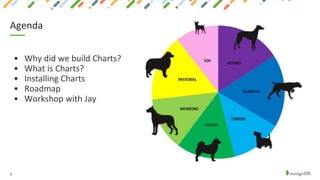
• Why did we build Charts?
• What is Charts?
• Installing Charts
• Roadmap
• Workshop with Jay
3
Safe Harbor Statement
The development, release, and timing of any features or functionality
described for our products remains at our sole discretion. This information
is merely intended to outline our general product direction and it should
not be relied on in making a purchasing decision nor is this a commitment,
promise or legal obligation to deliver any material, code, or functionality.
4
5
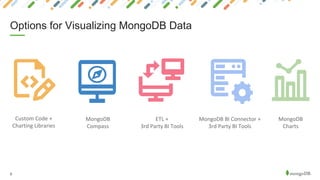
Options for Visualizing MongoDB Data
Custom Code +
Charting Libraries
ETL +
3rd Party BI Tools
MongoDB BI Connector +
3rd Party BI Tools
MongoDB
Charts
MongoDB
Compass
6
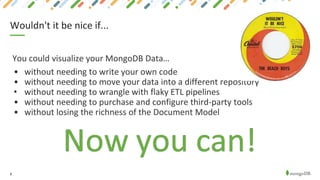
Wouldn't it be nice if...
You could visualize your MongoDB Data…
• without needing to write your own code
• without needing to move your data into a different repository
• without needing to wrangle with flaky ETL pipelines
• without needing to purchase and configure third-party tools
• without losing the richness of the Document Model
7
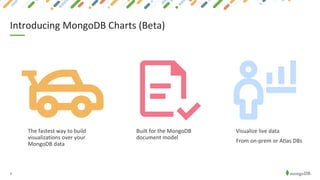
Introducing MongoDB Charts (Beta)
The fastest way to build
visualizations over your
MongoDB data
Built for the MongoDB
document model
Visualize live data
From on-prem or Atlas DBs
8
Charts Basic Concepts
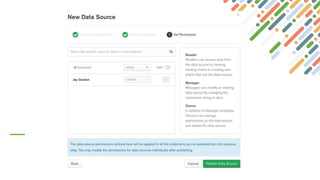
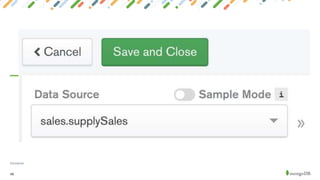
• A data source is a reference to a MongoDB collection or view that
contains data you want to visualize.
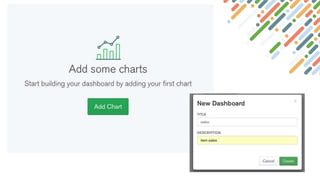
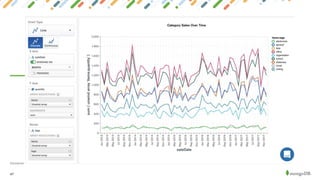
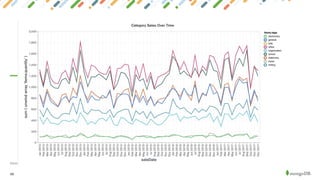
• A chart is a visualization of data from a single data source.
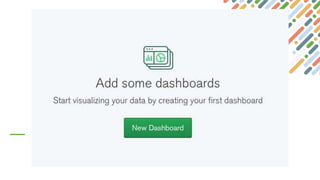
• A dashboard is a collection of charts which you manage as a unit (name,
layout, sharing)
9
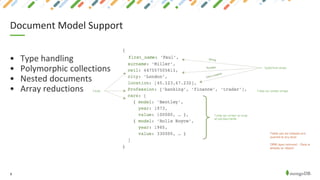
Document Model Support
• Type handling
• Polymorphic collections
• Nested documents
• Array reductions
10
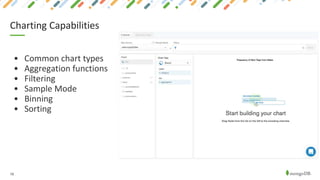
Charting Capabilities
• Common chart types
• Aggregation functions
• Filtering
• Sample Mode
• Binning
• Sorting
Demo:
A Quick Tour of
MongoDB Charts
12
• Charts Beta is now available to download!
• No cost to use the beta
• Download and install instructions @ http://mongodb.com/charts
• Charts runs as a Docker container on a server of your choice
• Supported on any OS that runs Docker CE or EE (Linux, MacOS, Windows)
• Can be a physical server, cloud VM or even a laptop
Installing Charts
13
• Charts requires a MongoDB instance to run
• For storing metadata about users, data sources and dashboards
• Can be any MongoDB instance in your organization (including Atlas)
• Not included in the Charts Docker container
Installing Charts
14
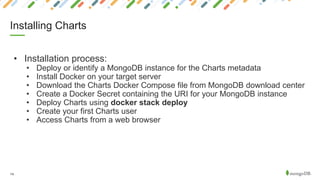
• Installation process:
• Deploy or identify a MongoDB instance for the Charts metadata
• Install Docker on your target server
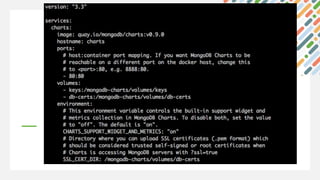
• Download the Charts Docker Compose file from MongoDB download center
• Create a Docker Secret containing the URI for your MongoDB instance
• Deploy Charts using docker stack deploy
• Create your first Charts user
• Access Charts from a web browser
Installing Charts
Getting Started!
Workshop time with Jay Gordon
Developer Advocate
Join Community Slack, #nycmug
https://community-slack.mongodb.com
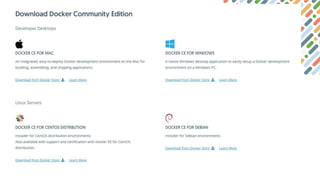
Install Docker
https://www.docker.com/community-edition
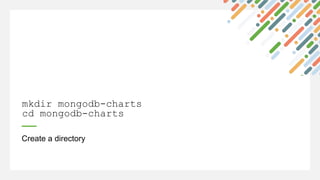
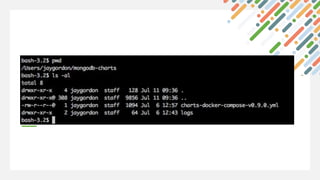
Create a directory
mkdir mongodb-charts
cd mongodb-charts
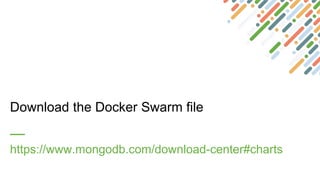
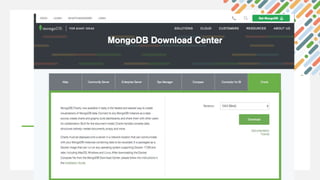
Download the Docker Swarm file
https://www.mongodb.com/download-center#charts
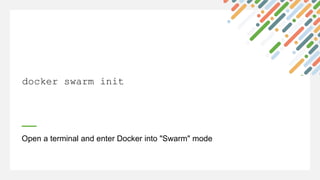
Open a terminal and enter Docker into "Swarm" mode
docker swarm init
Sign up for MongoDB Atlas
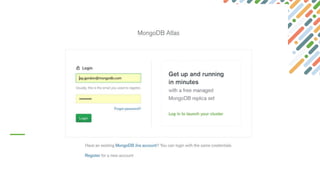
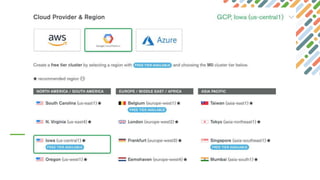
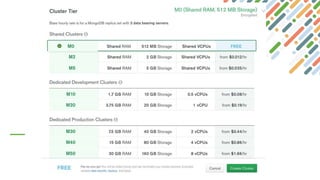
https://www.mongodb.com/cloud/atlas
26
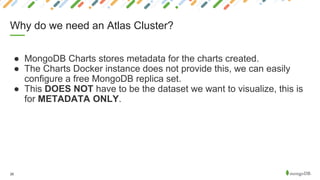
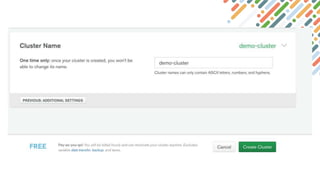
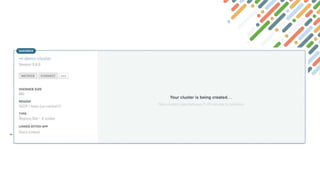
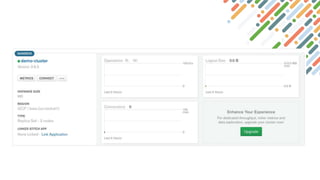
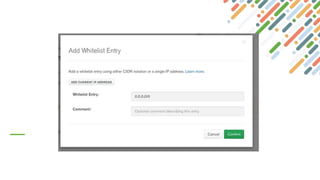
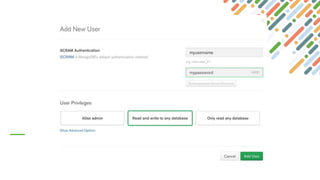
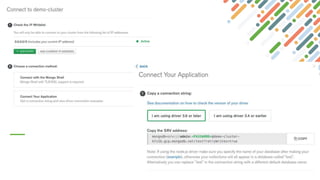
● MongoDB Charts stores metadata for the charts created.
● The Charts Docker instance does not provide this, we can easily
configure a free MongoDB replica set.
● This DOES NOT have to be the dataset we want to visualize, this is
for METADATA ONLY.
Why do we need an Atlas Cluster?
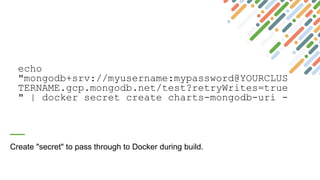
echo
"mongodb+srv://myusername:mypassword@YOURCLUS
TERNAME.gcp.mongodb.net/test?retryWrites=true
" | docker secret create charts-mongodb-uri -
Create "secret" to pass through to Docker during build.
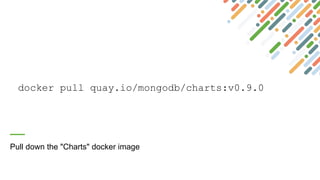
docker pull quay.io/mongodb/charts:v0.9.0
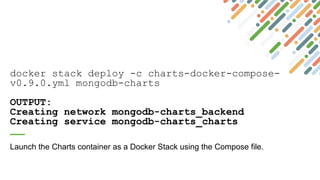
Pull down the "Charts" docker image
docker stack deploy -c charts-docker-compose-
v0.9.0.yml mongodb-charts
OUTPUT:
Creating network mongodb-charts_backend
Creating service mongodb-charts_charts
Launch the Charts container as a Docker Stack using the Compose file.
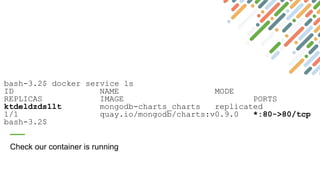
bash-3.2$ docker service ls
ID NAME MODE
REPLICAS IMAGE PORTS
ktdeldzds1lt mongodb-charts_charts replicated
1/1 quay.io/mongodb/charts:v0.9.0 *:80->80/tcp
bash-3.2$
Check our container is running
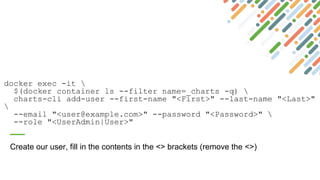
docker exec -it 
$(docker container ls --filter name=_charts -q) 
charts-cli add-user --first-name "<First>" --last-name "<Last>"

--email "<user@example.com>" --password "<Password>" 
--role "<UserAdmin|User>"
Create our user, fill in the contents in the <> brackets (remove the <>)
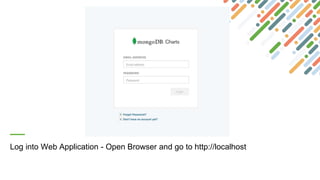
Log into Web Application - Open Browser and go to http://localhost
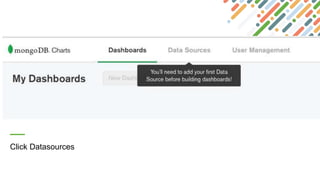
Click Datasources
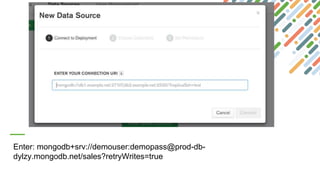
Enter: mongodb+srv://demouser:demopass@prod-db-
dylzy.mongodb.net/sales?retryWrites=true
47
Disclaimer
48
Disclaimer
49
Disclaimer
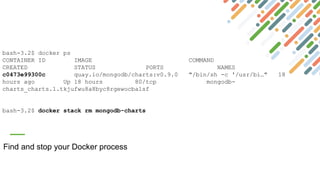
Find and stop your Docker process
bash-3.2$ docker ps
CONTAINER ID IMAGE COMMAND
CREATED STATUS PORTS NAMES
c0473e99300c quay.io/mongodb/charts:v0.9.0 "/bin/sh -c '/usr/bi…" 18
hours ago Up 18 hours 80/tcp mongodb-
charts_charts.1.tkjufwu8a8byc8rgewocba1sf
bash-3.2$ docker stack rm mongodb-charts
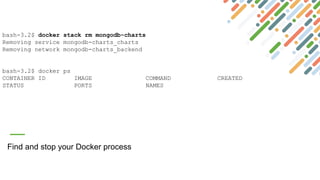
Find and stop your Docker process
bash-3.2$ docker stack rm mongodb-charts
Removing service mongodb-charts_charts
Removing network mongodb-charts_backend
bash-3.2$ docker ps
CONTAINER ID IMAGE COMMAND CREATED
STATUS PORTS NAMES
52
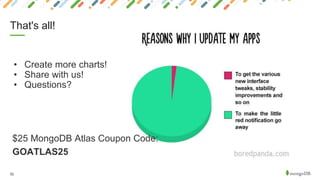
That's all!
• Create more charts!
• Share with us!
• Questions?
$25 MongoDB Atlas Coupon Code:
GOATLAS25

MongoDB Charts Meetup - 7-24-2018

  • 1.
    Bringing Data toLife with MongoDB Charts Grigori Melnik VP, Products, Server and Enterprise Tools @gmelnik Jay Gordon Developer Advocate @jaydestro NYC MUG, Jul 24, 2017
  • 2.
    2 Agenda • Why didwe build Charts? • What is Charts? • Installing Charts • Roadmap • Workshop with Jay
  • 3.
    3 Safe Harbor Statement Thedevelopment, release, and timing of any features or functionality described for our products remains at our sole discretion. This information is merely intended to outline our general product direction and it should not be relied on in making a purchasing decision nor is this a commitment, promise or legal obligation to deliver any material, code, or functionality.
  • 4.
  • 5.
    5 Options for VisualizingMongoDB Data Custom Code + Charting Libraries ETL + 3rd Party BI Tools MongoDB BI Connector + 3rd Party BI Tools MongoDB Charts MongoDB Compass
  • 6.
    6 Wouldn't it benice if... You could visualize your MongoDB Data… • without needing to write your own code • without needing to move your data into a different repository • without needing to wrangle with flaky ETL pipelines • without needing to purchase and configure third-party tools • without losing the richness of the Document Model
  • 7.
    7 Introducing MongoDB Charts(Beta) The fastest way to build visualizations over your MongoDB data Built for the MongoDB document model Visualize live data From on-prem or Atlas DBs
  • 8.
    8 Charts Basic Concepts •A data source is a reference to a MongoDB collection or view that contains data you want to visualize. • A chart is a visualization of data from a single data source. • A dashboard is a collection of charts which you manage as a unit (name, layout, sharing)
  • 9.
    9 Document Model Support •Type handling • Polymorphic collections • Nested documents • Array reductions
  • 10.
    10 Charting Capabilities • Commonchart types • Aggregation functions • Filtering • Sample Mode • Binning • Sorting
  • 11.
    Demo: A Quick Tourof MongoDB Charts
  • 12.
    12 • Charts Betais now available to download! • No cost to use the beta • Download and install instructions @ http://mongodb.com/charts • Charts runs as a Docker container on a server of your choice • Supported on any OS that runs Docker CE or EE (Linux, MacOS, Windows) • Can be a physical server, cloud VM or even a laptop Installing Charts
  • 13.
    13 • Charts requiresa MongoDB instance to run • For storing metadata about users, data sources and dashboards • Can be any MongoDB instance in your organization (including Atlas) • Not included in the Charts Docker container Installing Charts
  • 14.
    14 • Installation process: •Deploy or identify a MongoDB instance for the Charts metadata • Install Docker on your target server • Download the Charts Docker Compose file from MongoDB download center • Create a Docker Secret containing the URI for your MongoDB instance • Deploy Charts using docker stack deploy • Create your first Charts user • Access Charts from a web browser Installing Charts
  • 15.
    Getting Started! Workshop timewith Jay Gordon Developer Advocate
  • 16.
    Join Community Slack,#nycmug https://community-slack.mongodb.com
  • 17.
  • 19.
    Create a directory mkdirmongodb-charts cd mongodb-charts
  • 20.
    Download the DockerSwarm file https://www.mongodb.com/download-center#charts
  • 24.
    Open a terminaland enter Docker into "Swarm" mode docker swarm init
  • 25.
    Sign up forMongoDB Atlas https://www.mongodb.com/cloud/atlas
  • 26.
    26 ● MongoDB Chartsstores metadata for the charts created. ● The Charts Docker instance does not provide this, we can easily configure a free MongoDB replica set. ● This DOES NOT have to be the dataset we want to visualize, this is for METADATA ONLY. Why do we need an Atlas Cluster?
  • 36.
    echo "mongodb+srv://myusername:mypassword@YOURCLUS TERNAME.gcp.mongodb.net/test?retryWrites=true " | dockersecret create charts-mongodb-uri - Create "secret" to pass through to Docker during build.
  • 37.
    docker pull quay.io/mongodb/charts:v0.9.0 Pulldown the "Charts" docker image
  • 38.
    docker stack deploy-c charts-docker-compose- v0.9.0.yml mongodb-charts OUTPUT: Creating network mongodb-charts_backend Creating service mongodb-charts_charts Launch the Charts container as a Docker Stack using the Compose file.
  • 39.
    bash-3.2$ docker servicels ID NAME MODE REPLICAS IMAGE PORTS ktdeldzds1lt mongodb-charts_charts replicated 1/1 quay.io/mongodb/charts:v0.9.0 *:80->80/tcp bash-3.2$ Check our container is running
  • 40.
    docker exec -it $(docker container ls --filter name=_charts -q) charts-cli add-user --first-name "<First>" --last-name "<Last>" --email "<user@example.com>" --password "<Password>" --role "<UserAdmin|User>" Create our user, fill in the contents in the <> brackets (remove the <>)
  • 41.
    Log into WebApplication - Open Browser and go to http://localhost
  • 42.
  • 43.
  • 47.
  • 48.
  • 49.
  • 50.
    Find and stopyour Docker process bash-3.2$ docker ps CONTAINER ID IMAGE COMMAND CREATED STATUS PORTS NAMES c0473e99300c quay.io/mongodb/charts:v0.9.0 "/bin/sh -c '/usr/bi…" 18 hours ago Up 18 hours 80/tcp mongodb- charts_charts.1.tkjufwu8a8byc8rgewocba1sf bash-3.2$ docker stack rm mongodb-charts
  • 51.
    Find and stopyour Docker process bash-3.2$ docker stack rm mongodb-charts Removing service mongodb-charts_charts Removing network mongodb-charts_backend bash-3.2$ docker ps CONTAINER ID IMAGE COMMAND CREATED STATUS PORTS NAMES
  • 52.
    52 That's all! • Createmore charts! • Share with us! • Questions? $25 MongoDB Atlas Coupon Code: GOATLAS25