
Module Positions
in a Joomla template


    www.joomlablogger.net
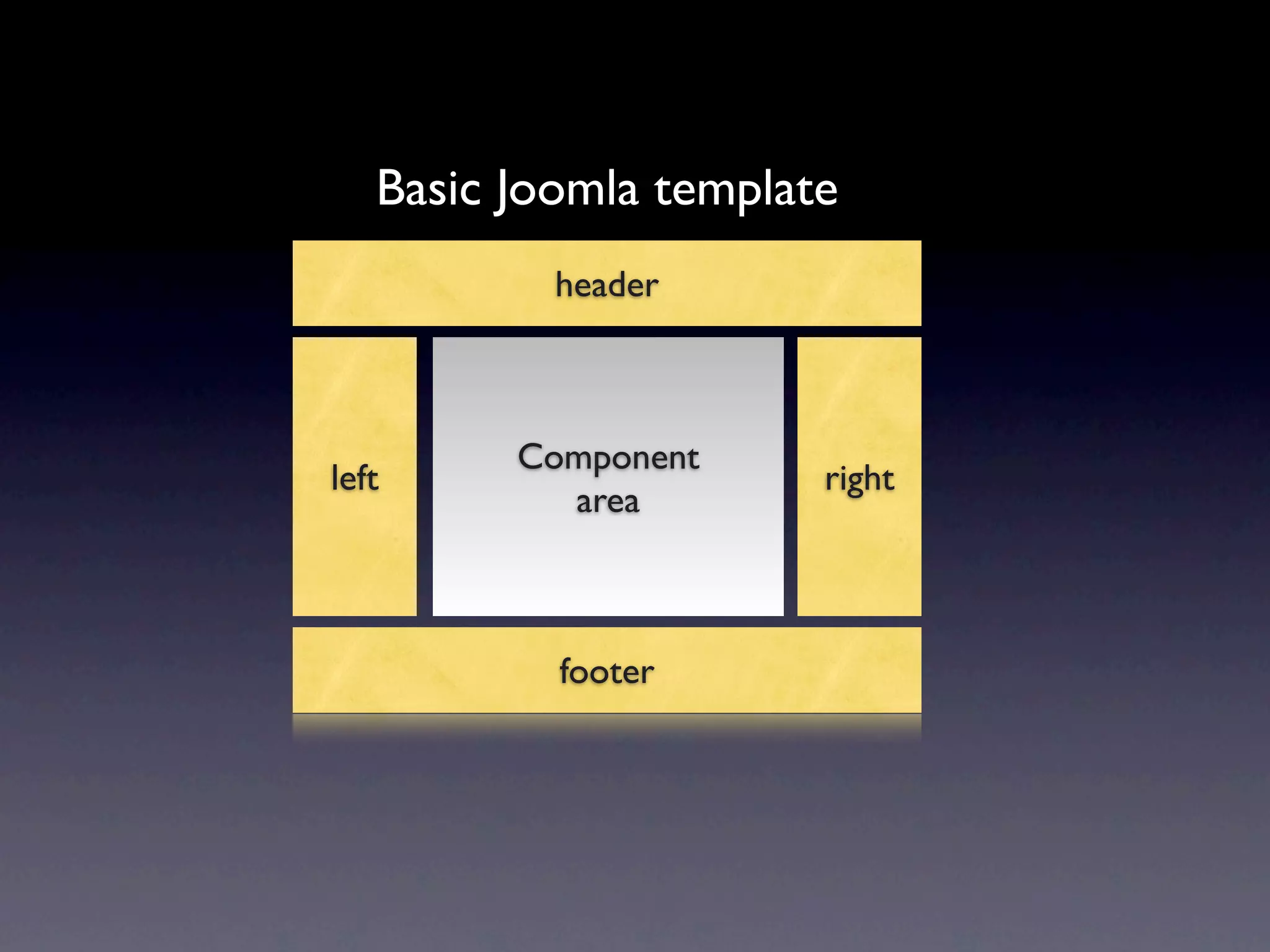
Basic Joomla template
           header


         Component
left                   right
           area


           footer
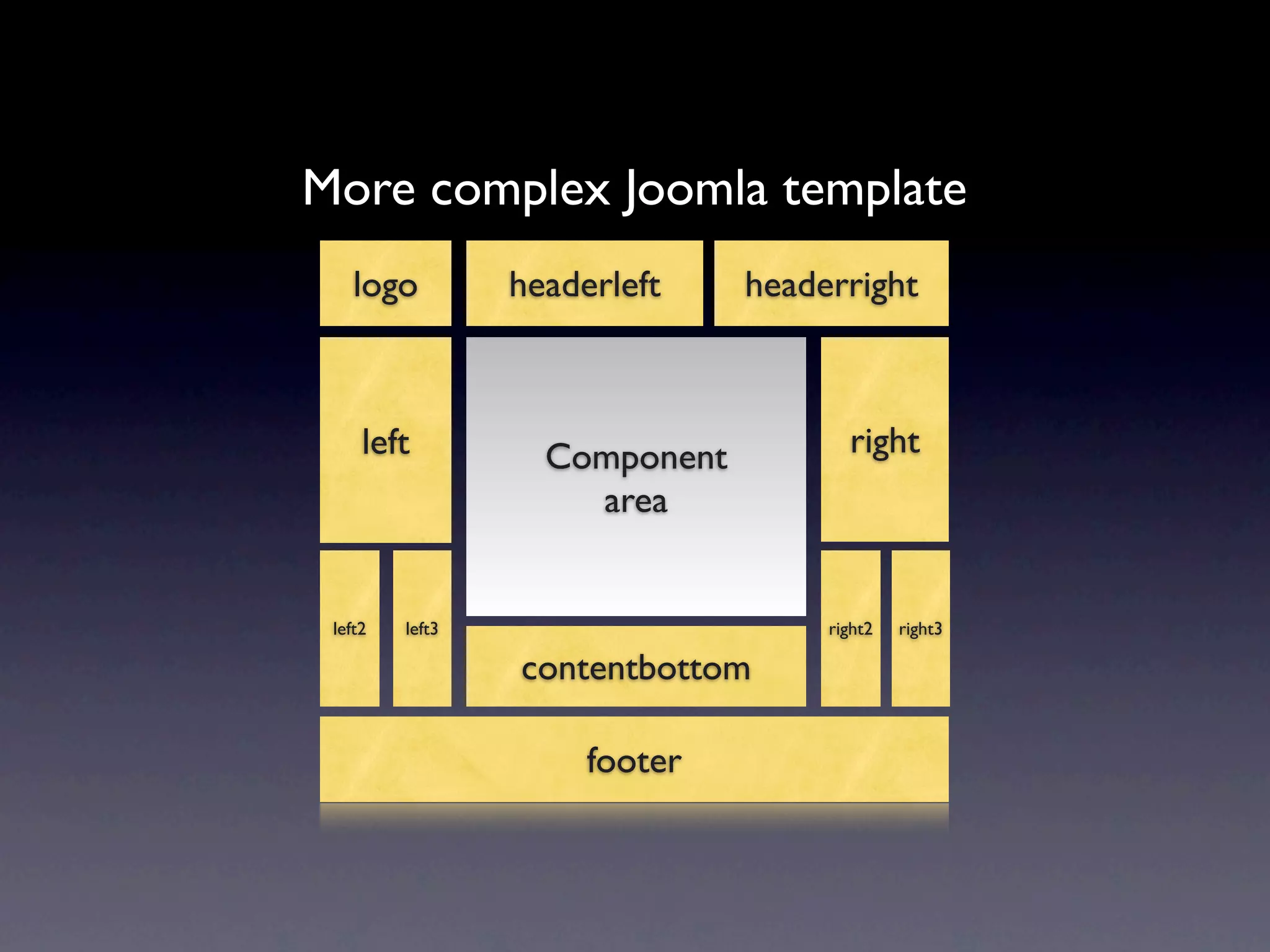
More complex Joomla template
    logo         headerleft    headerright


     left          Component          right
                     area


 left2   left3                      right2   right3

                 contentbottom

                      footer
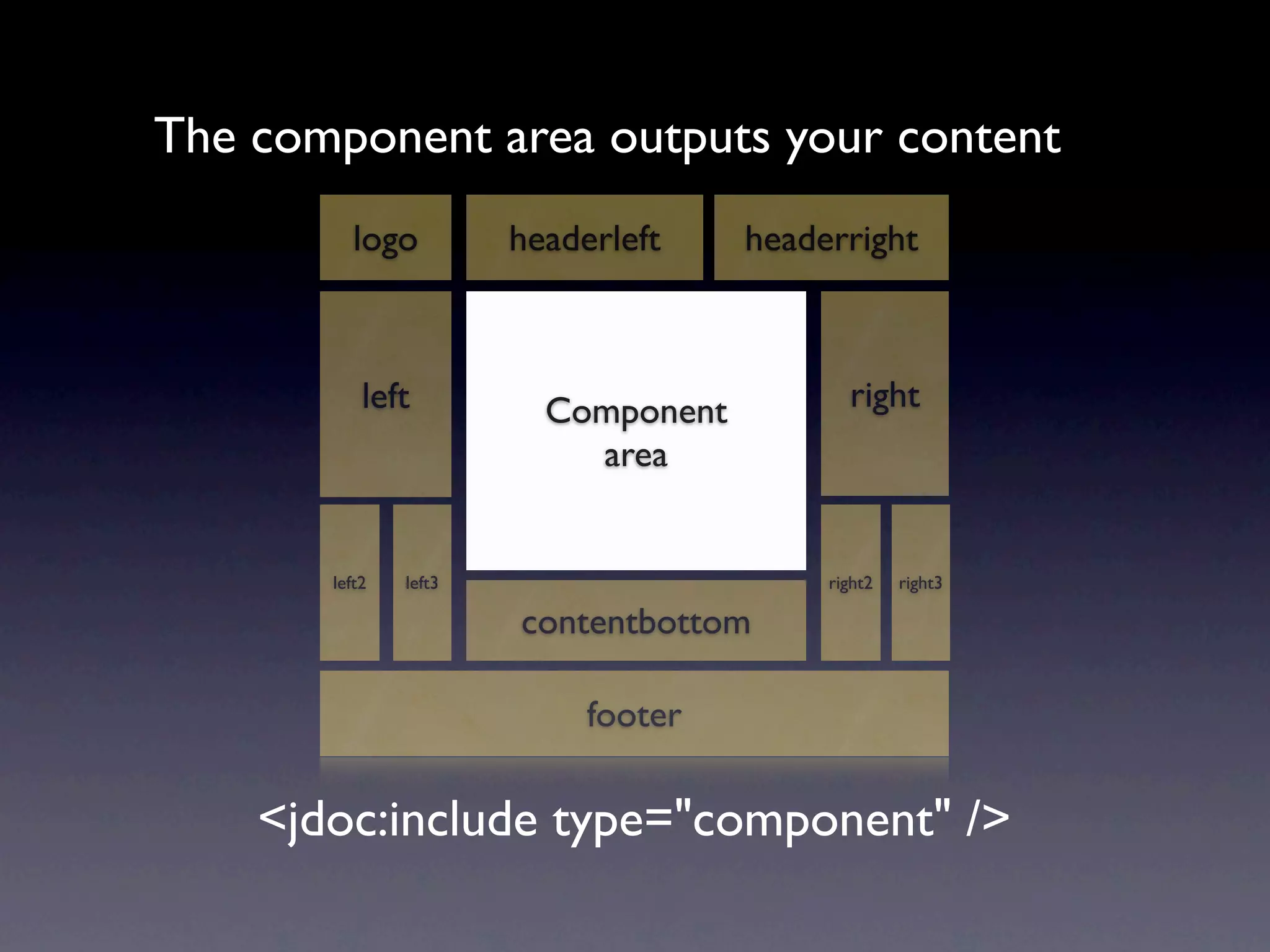
The component area outputs your content
          logo         headerleft    headerright


           left          Component          right
                           area


       left2   left3                      right2   right3

                       contentbottom

                            footer

    <jdoc:include type="component" />
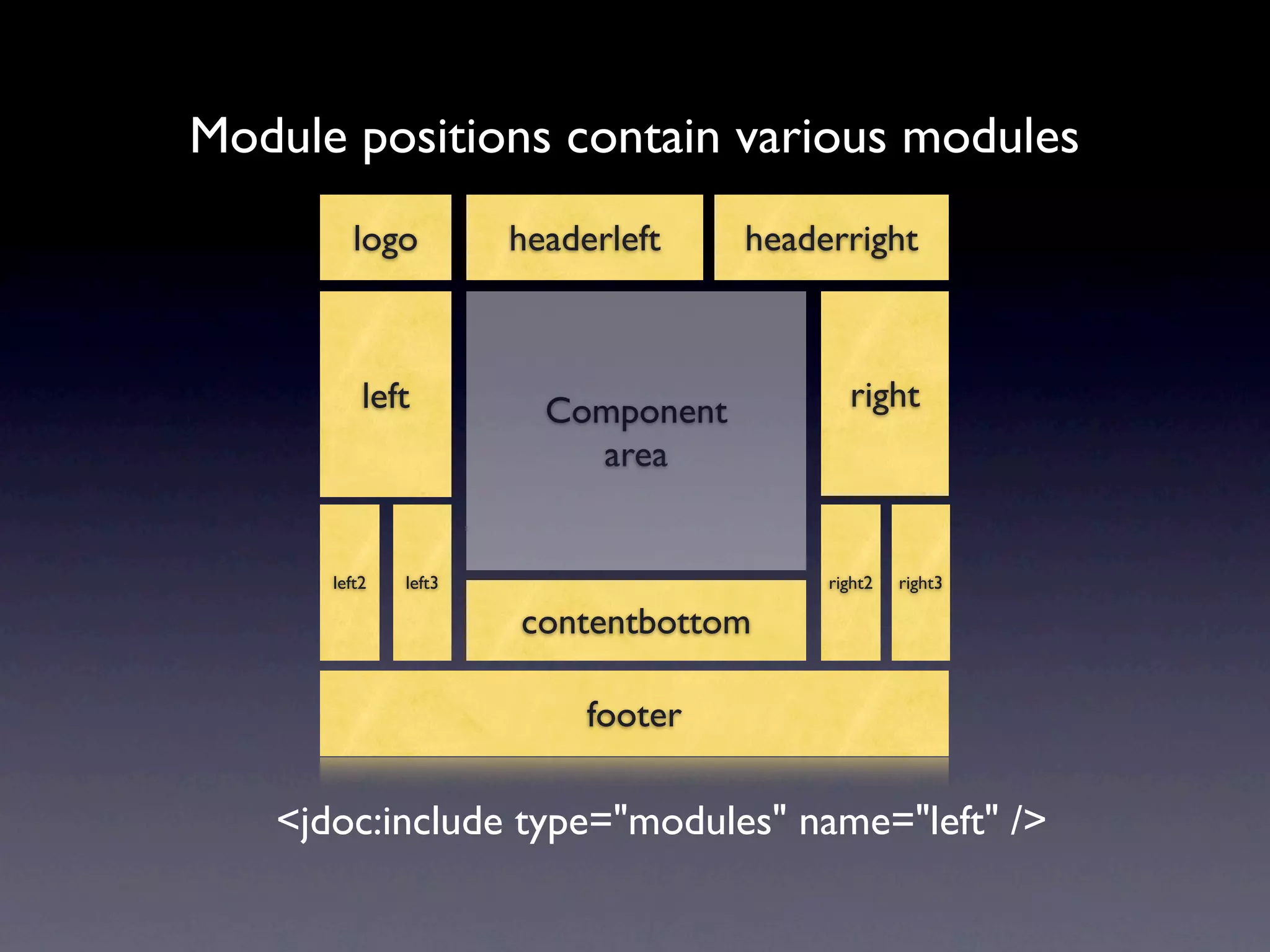
Module positions contain various modules
         logo         headerleft    headerright


          left          Component          right
                          area


      left2   left3                      right2   right3

                      contentbottom

                           footer

   <jdoc:include type="modules" name="left" />
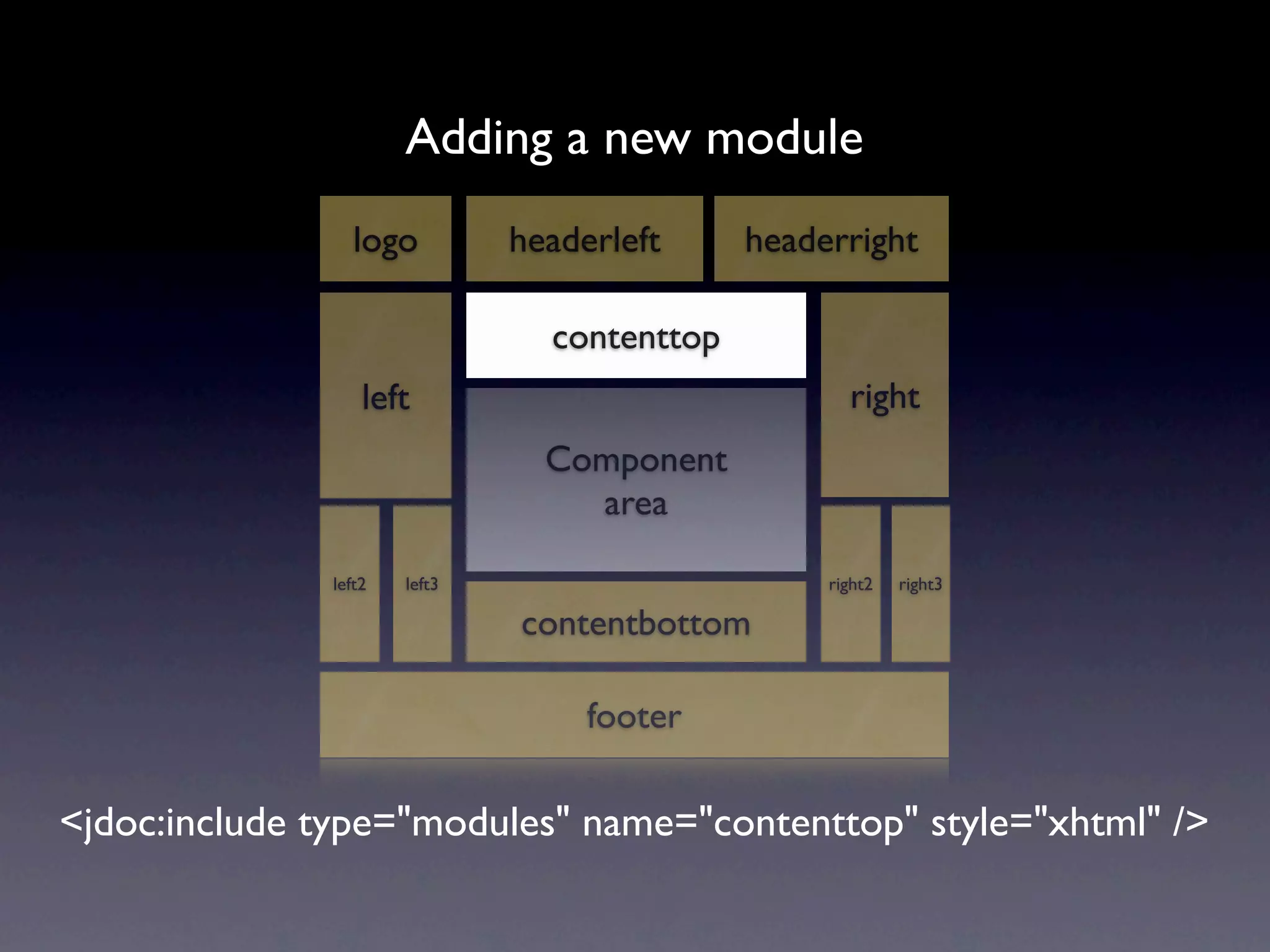
Adding a new module
                  logo         headerleft     headerright

                                 contenttop
                   left                              right
                                 Component
                                   area

               left2   left3                       right2   right3

                               contentbottom

                                    footer

<jdoc:include type="modules" name="contenttop" style="xhtml" />
PHP snippet goes into your
                 template index.php file

<jdoc:include type="modules" name="contenttop" style="xhtml" />
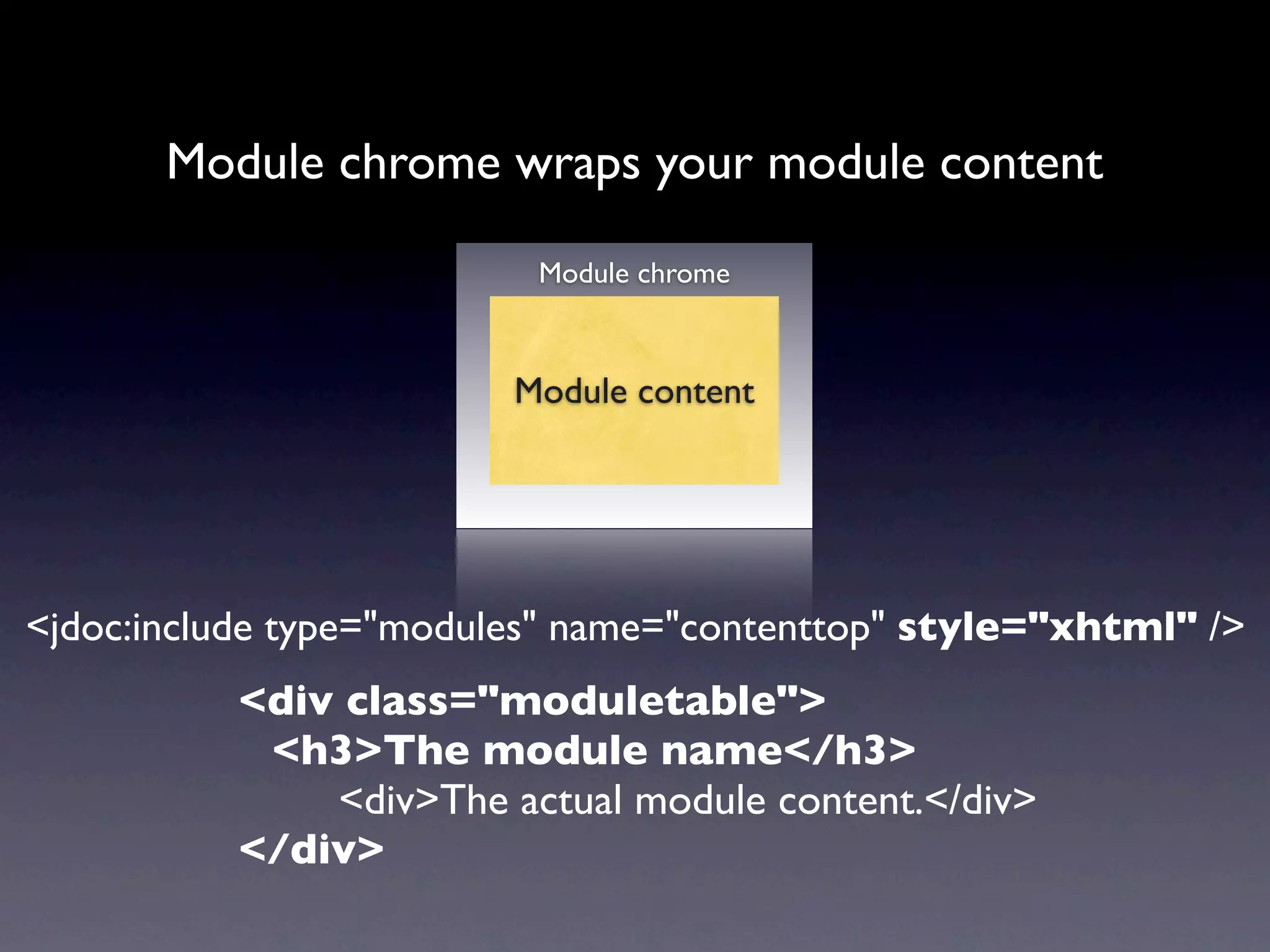
Module chrome wraps your module content

                          Module chrome


                         Module content


<jdoc:include type="modules" name="contenttop" style="xhtml" />
          <div class="moduletable">
           <h3>The module name</h3>
              <div>The actual module content.</div>
          </div>
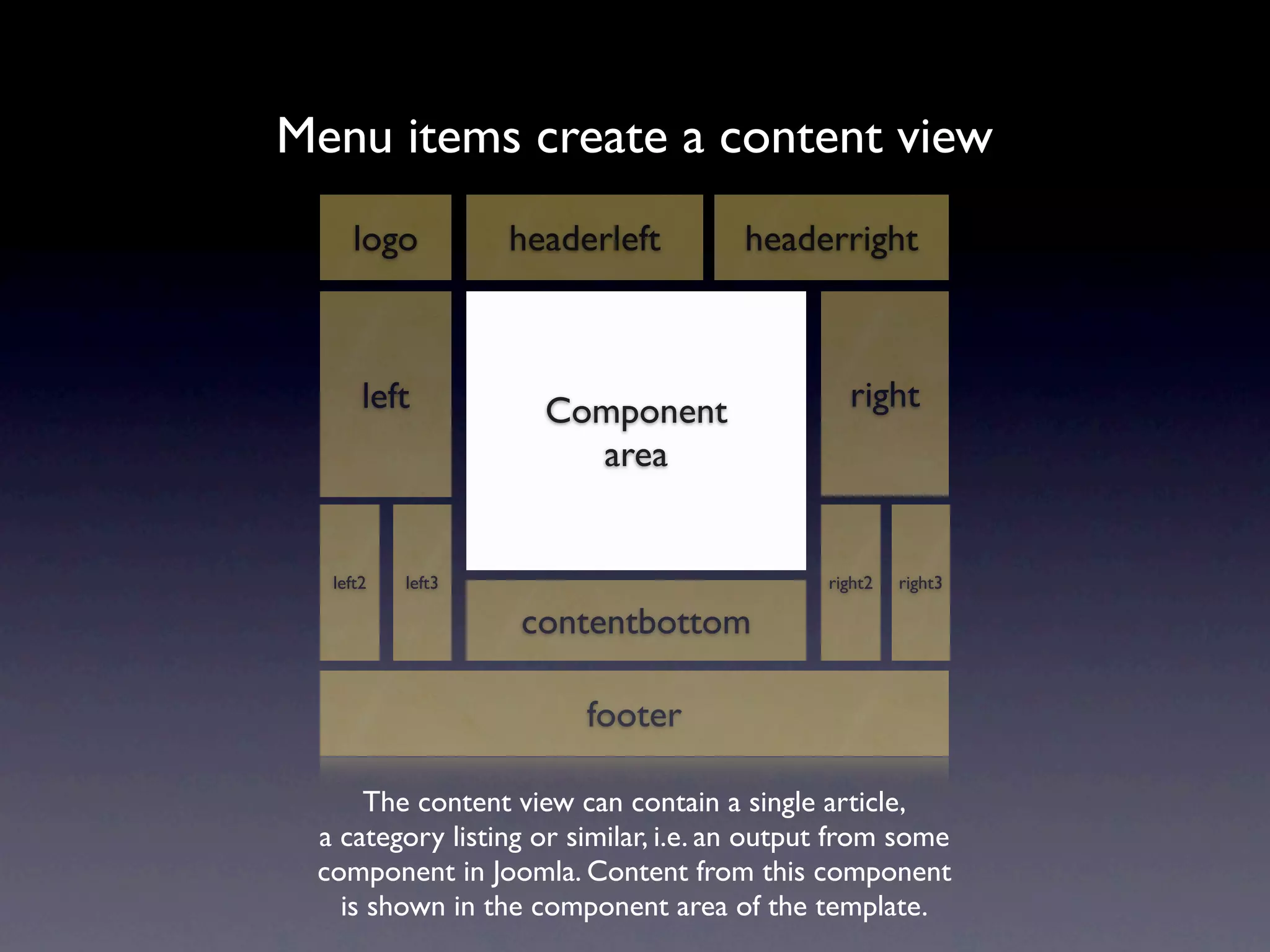
Menu items create a content view
     logo         headerleft          headerright


      left          Component                  right
                      area


  left2   left3                              right2   right3

                  contentbottom

                        footer

     The content view can contain a single article,
 a category listing or similar, i.e. an output from some
 component in Joomla. Content from this component
   is shown in the component area of the template.
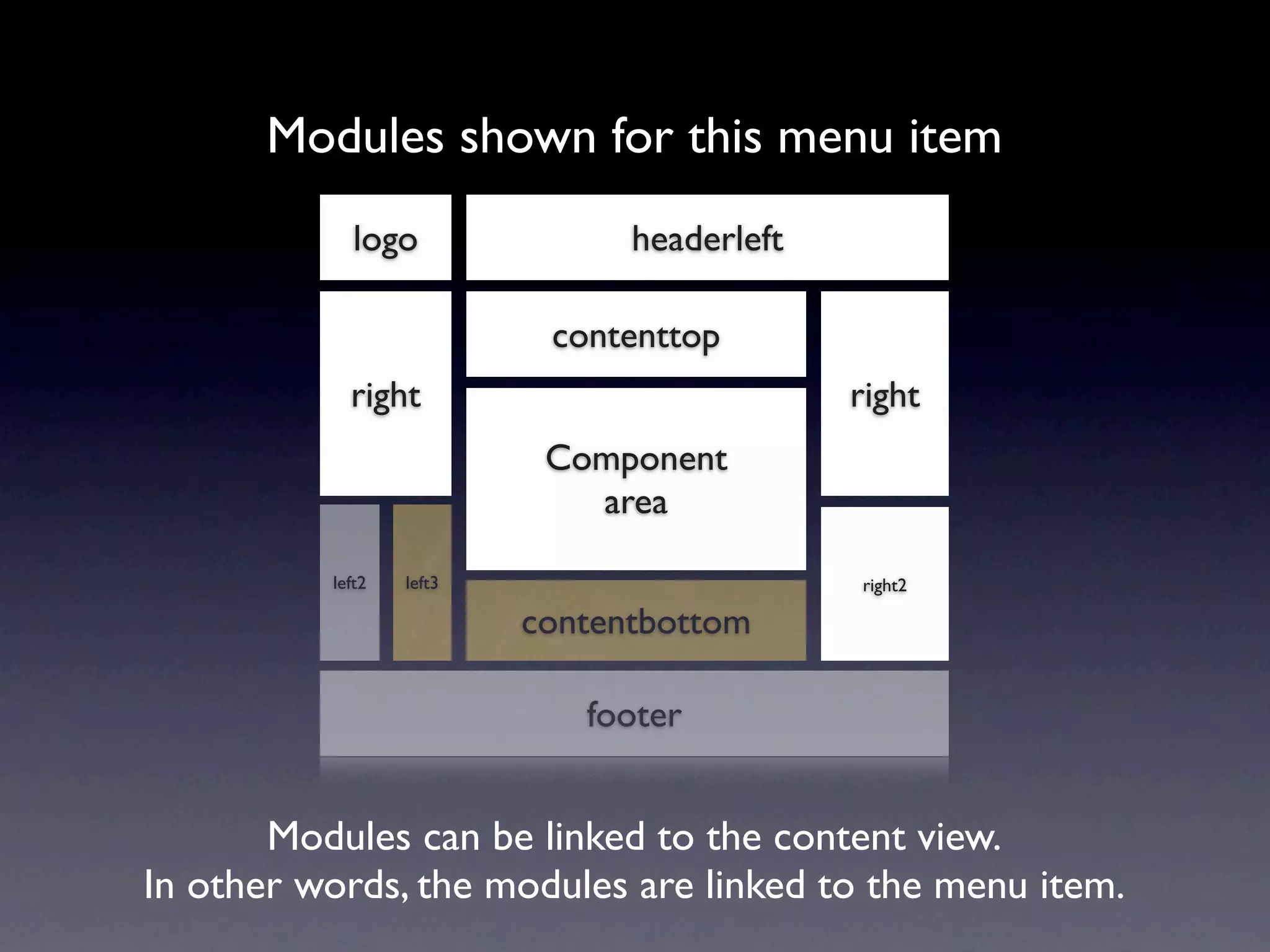
Modules shown for this menu item
             logo               headerleft

                           contenttop
            right                            right
                           Component
                             area

          left2   left3                      right2

                          contentbottom

                             footer


       Modules can be linked to the content view.
In other words, the modules are linked to the menu item.
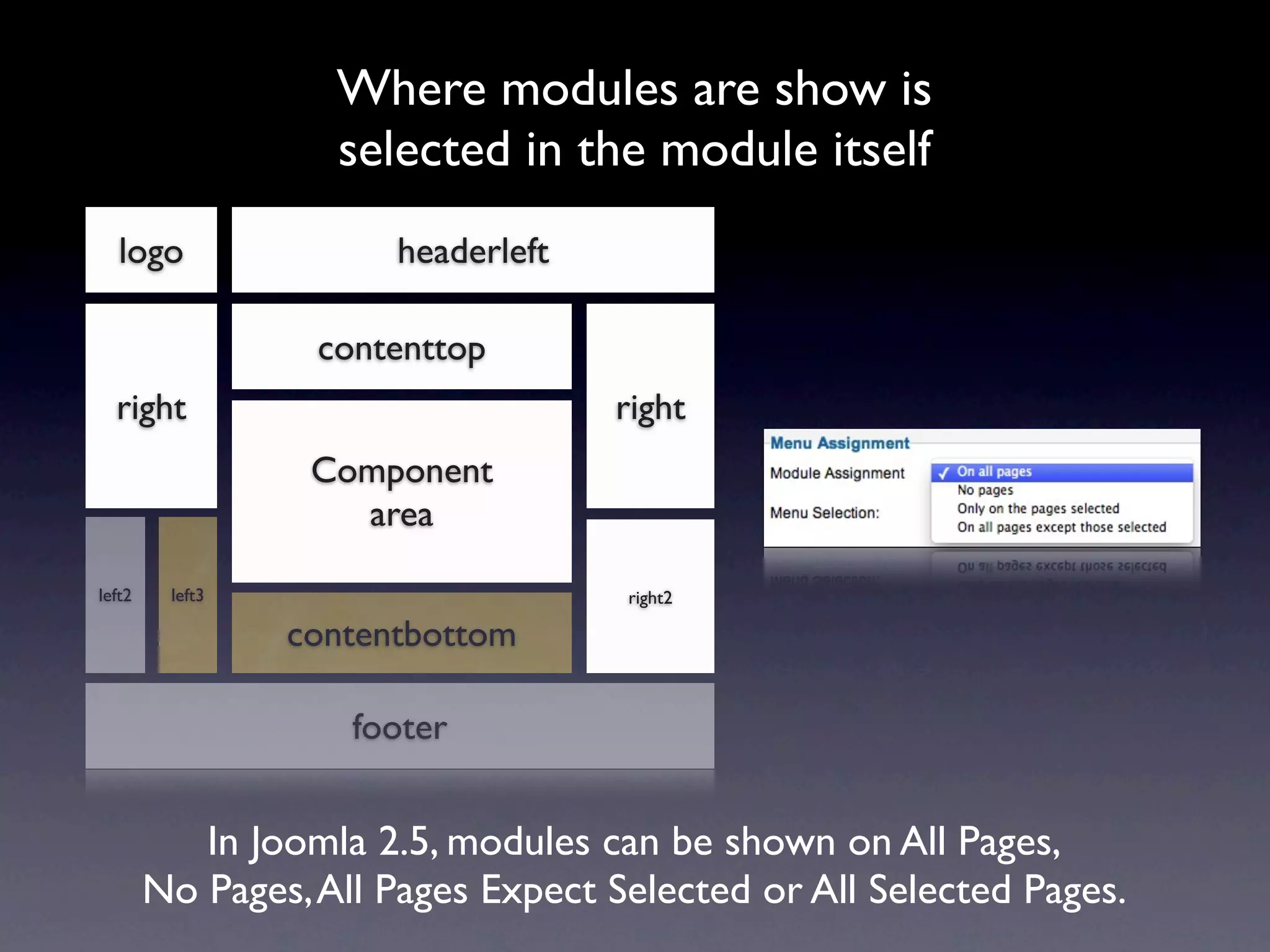
Where modules are show is
                   selected in the module itself
   logo                headerleft

                  contenttop
  right                             right
                  Component
                    area

left2    left3                      right2

                 contentbottom

                    footer


           In Joomla 2.5, modules can be shown on All Pages,
        No Pages, All Pages Expect Selected or All Selected Pages.
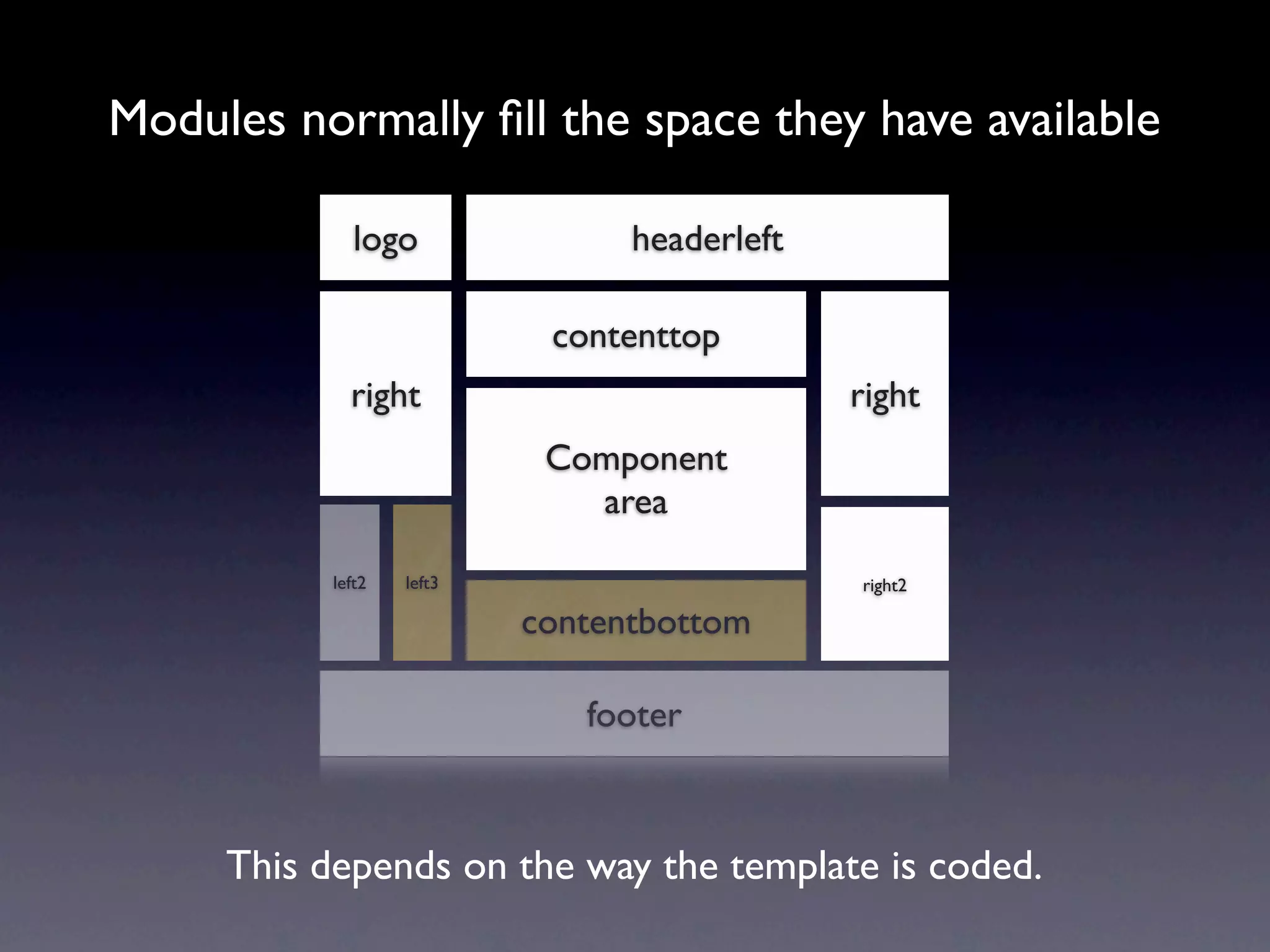
Modules normally fill the space they have available

              logo               headerleft

                            contenttop
             right                            right
                            Component
                              area

           left2   left3                      right2

                           contentbottom

                              footer


     This depends on the way the template is coded.
www.joomlablogger.net

Module positions

  • 1.
    Module Positions in aJoomla template www.joomlablogger.net
  • 2.
    Basic Joomla template header Component left right area footer
  • 3.
    More complex Joomlatemplate logo headerleft headerright left Component right area left2 left3 right2 right3 contentbottom footer
  • 4.
    The component areaoutputs your content logo headerleft headerright left Component right area left2 left3 right2 right3 contentbottom footer <jdoc:include type="component" />
  • 5.
    Module positions containvarious modules logo headerleft headerright left Component right area left2 left3 right2 right3 contentbottom footer <jdoc:include type="modules" name="left" />
  • 6.
    Adding a newmodule logo headerleft headerright contenttop left right Component area left2 left3 right2 right3 contentbottom footer <jdoc:include type="modules" name="contenttop" style="xhtml" />
  • 7.
    PHP snippet goesinto your template index.php file <jdoc:include type="modules" name="contenttop" style="xhtml" />
  • 8.
    Module chrome wrapsyour module content Module chrome Module content <jdoc:include type="modules" name="contenttop" style="xhtml" /> <div class="moduletable"> <h3>The module name</h3> <div>The actual module content.</div> </div>
  • 9.
    Menu items createa content view logo headerleft headerright left Component right area left2 left3 right2 right3 contentbottom footer The content view can contain a single article, a category listing or similar, i.e. an output from some component in Joomla. Content from this component is shown in the component area of the template.
  • 10.
    Modules shown forthis menu item logo headerleft contenttop right right Component area left2 left3 right2 contentbottom footer Modules can be linked to the content view. In other words, the modules are linked to the menu item.
  • 11.
    Where modules areshow is selected in the module itself logo headerleft contenttop right right Component area left2 left3 right2 contentbottom footer In Joomla 2.5, modules can be shown on All Pages, No Pages, All Pages Expect Selected or All Selected Pages.
  • 12.
    Modules normally fillthe space they have available logo headerleft contenttop right right Component area left2 left3 right2 contentbottom footer This depends on the way the template is coded.
  • 13.

Editor's Notes