Modern Module
Development
Morgan Haskel | Puppet Labs
@KnittyNerd
Definitions
• ‘Module’ - code to install and configure a single
piece of software
• ‘Roles and Profiles’ - code to compose modules
in a more site-specific manner
How Did We Get Here?
• Before the forge
• Early forge
• Today
What Now?
• Deploying a new
technology != writing
a new module
• Start with the Puppet
Forge
• Check GitHub
Module Evaluation
Supported Modules
• Extensively tested
• Platform compatibility
• Widely used
• Actively maintained
Approved Modules
• Nominated by module authors or community
members
• Nominations reviewed by modules team
• Checked for functionality and following best
practices
• Evaluated against comparable modules
• Nominate a module you love today!
Module Scoring System
• Lint checking
• Puppet compatibility
• Metadata checking
• Community ratings
Does It Work For You?
• Check the module
documentation
• See if the module can
generate your
existing configuration
• How customizable is
it?
Other Checks
• Is the module actively maintained?
• Are issues and pull requests responded to?
• Can the module get you close to your
configuration?
• Does the module follow best practices?
Starting From Scratch
Write The Module You Want
• Writing generic
modules is hard
• Iterative development
helps
• You don’t have to do
it alone
Scoping, Scoping, Scoping
• Only manage a single
thing
• Avoid monolithic
modules
• Tighter scope ==
greater flexibility
Checking Your Work
• Unit and acceptance
tests for all new
modules
• Unit tests for most
new features
• Acceptance tests for
new big features
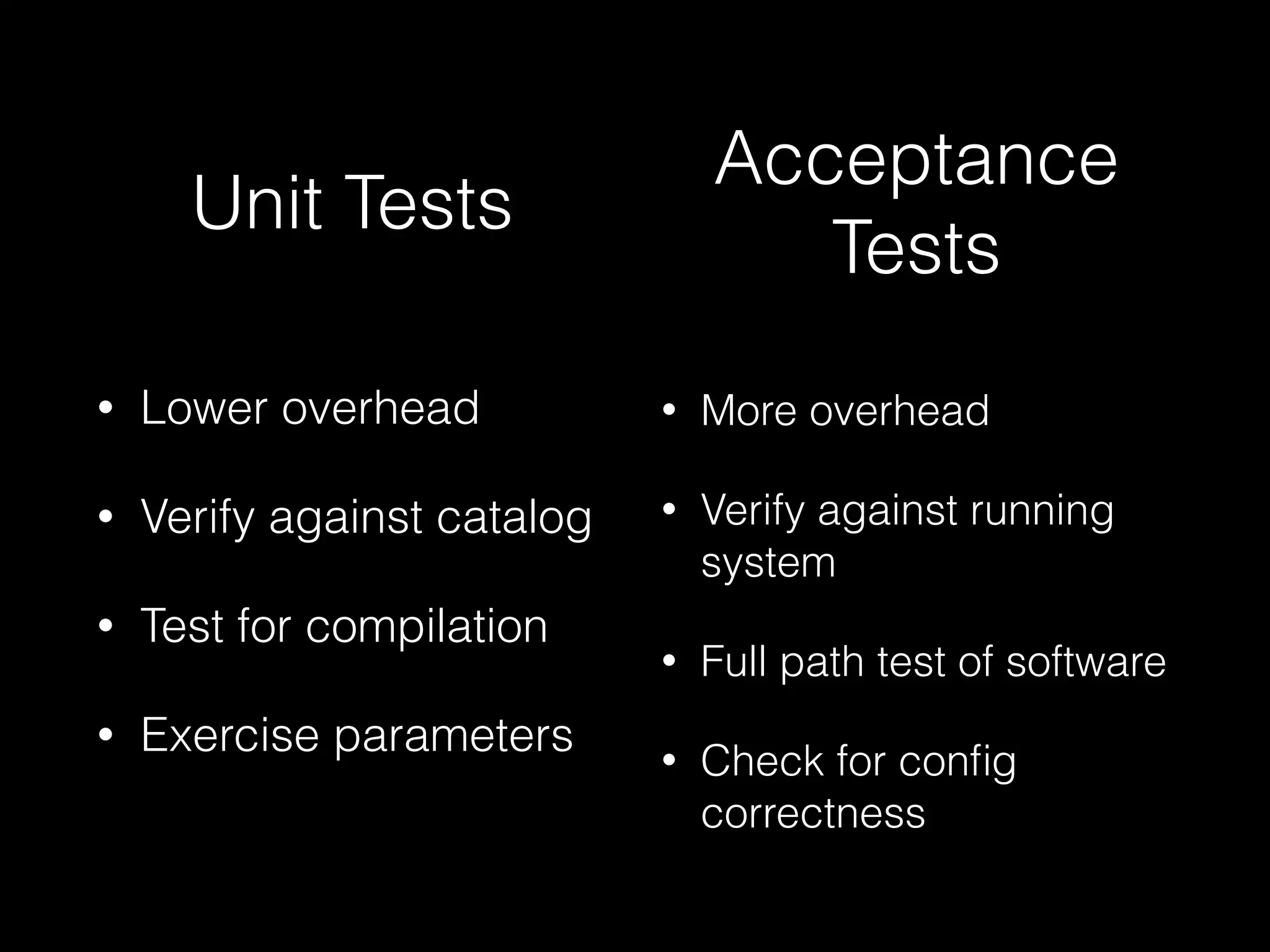
• Lower overhead
• Verify against catalog
• Test for compilation
• Exercise parameters
• More overhead
• Verify against running
system
• Full path test of software
• Check for config
correctness
Unit Tests
Acceptance
Tests
Danger Zone
Do not run acceptance
tests anywhere but on a
test system or virtual
machine.
Acceptance tests
occasionally have bugs
that can be very
destructive (rm -rf /)
Upkeep
• Test new code and
updates to existing code
• Regression tests are
important
Documentation
• Especially important
with shared code
• Don’t forget in code
comments
Life After Release
Module work isn’t done yet.
puppet-community
• GitHub organization
• Modules and tooling
maintained by and for the
Puppet community
• Reach out to @daenney and
@hirojin if you need more
information!
Development Toolkit
• Brand New Puppet Language Style Guide
• Consistency with ModuleSync
• #puppet-dev on freenode
Roles and Profiles
Putting It All Together
When in doubt, add
additional layers of
abstraction.
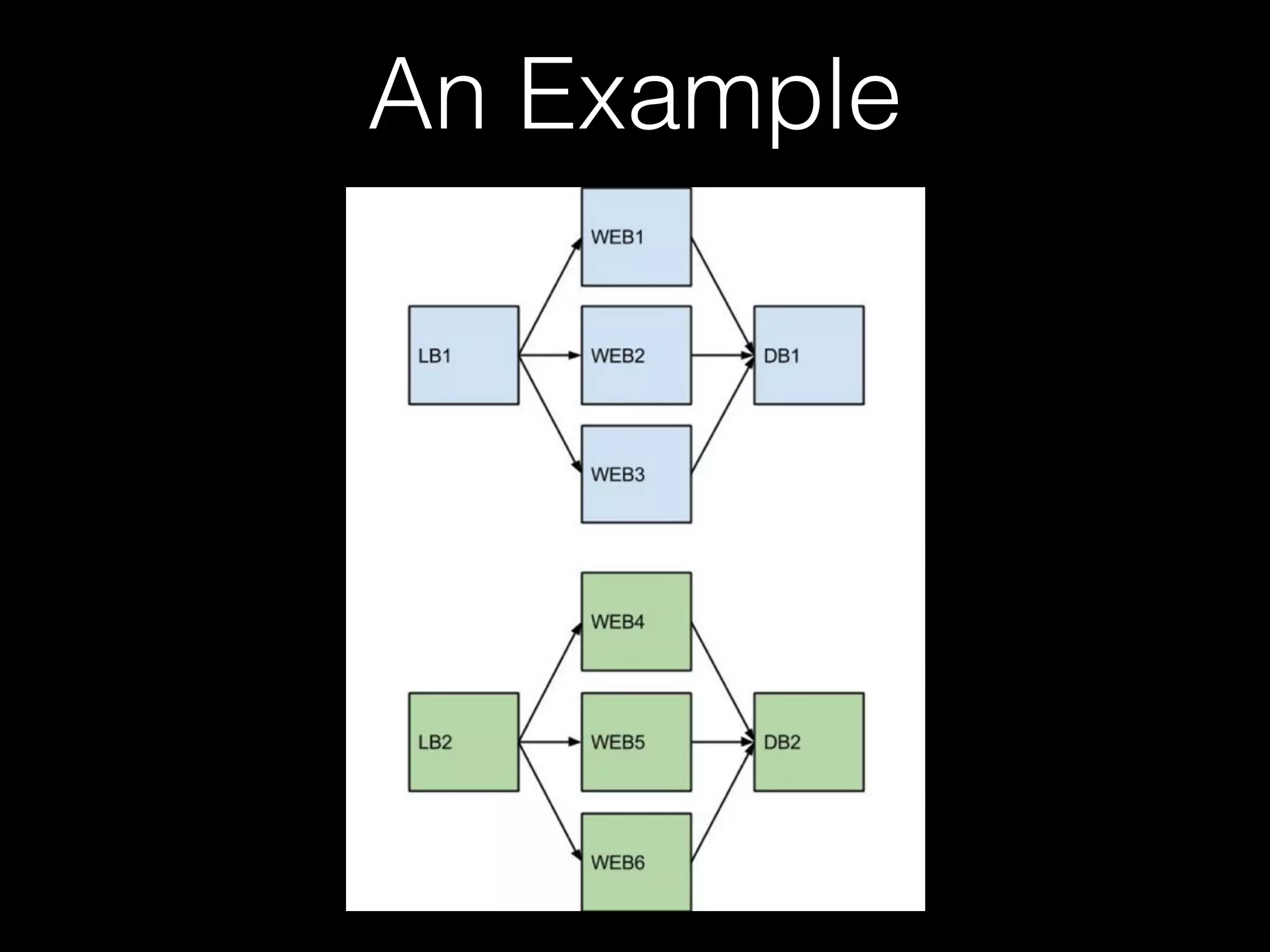
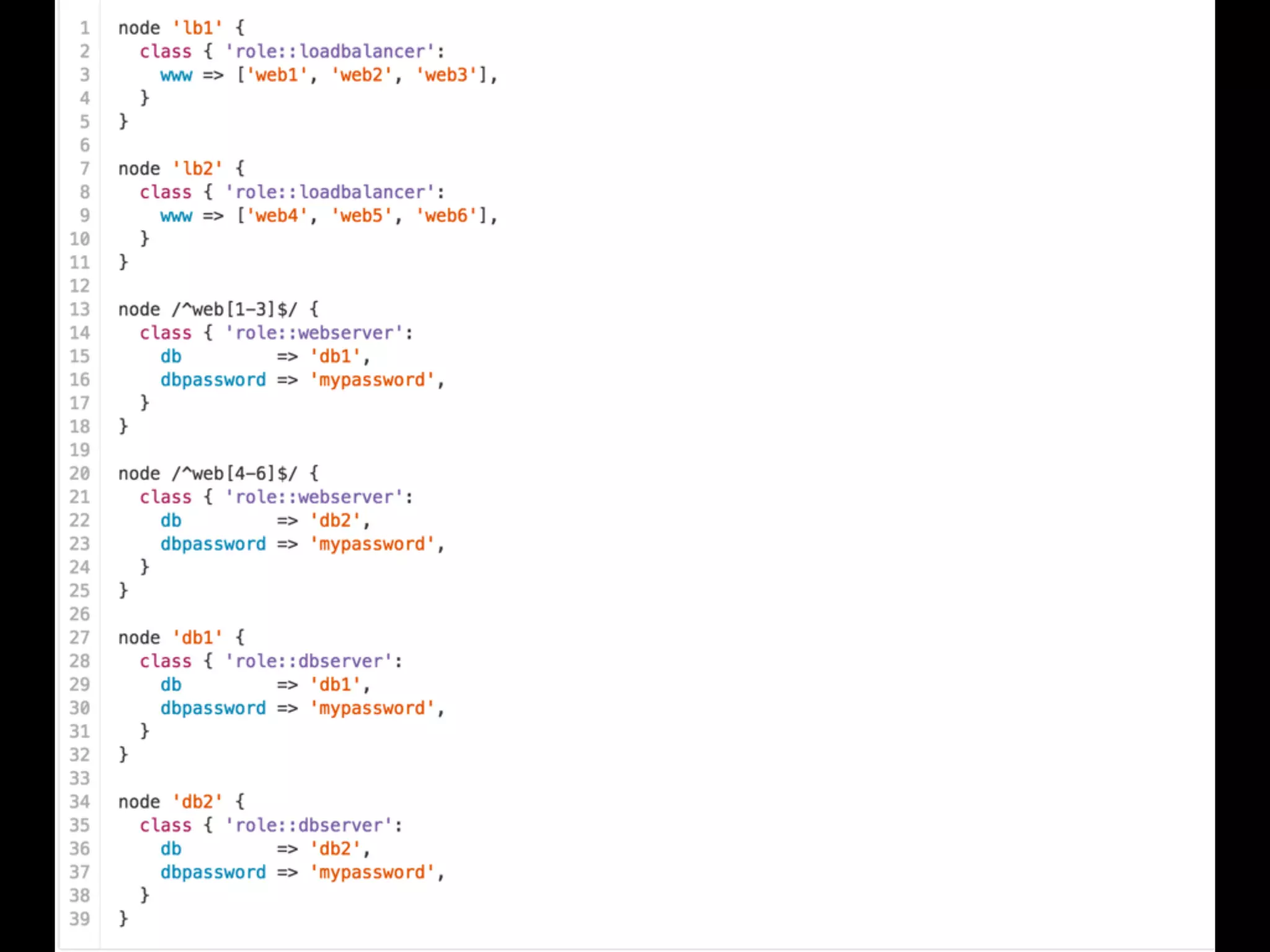
• Each node has a
single role
• Each role is
composed of one or
many profiles
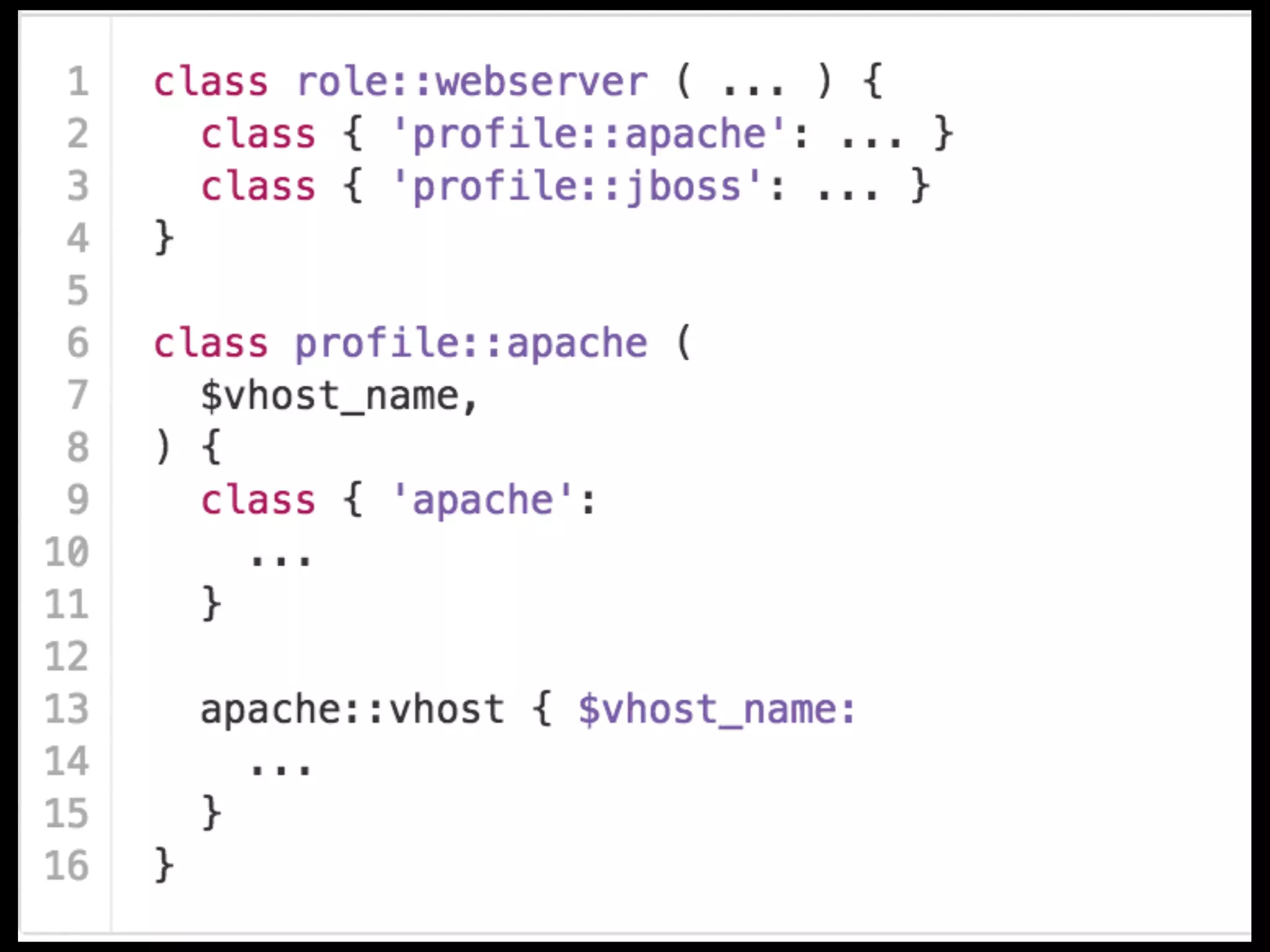
• Each profile is
composed of other
profiles or modules
An Example
Improving the Ecosystem
Find and get involved in
a local Puppet User
Group!
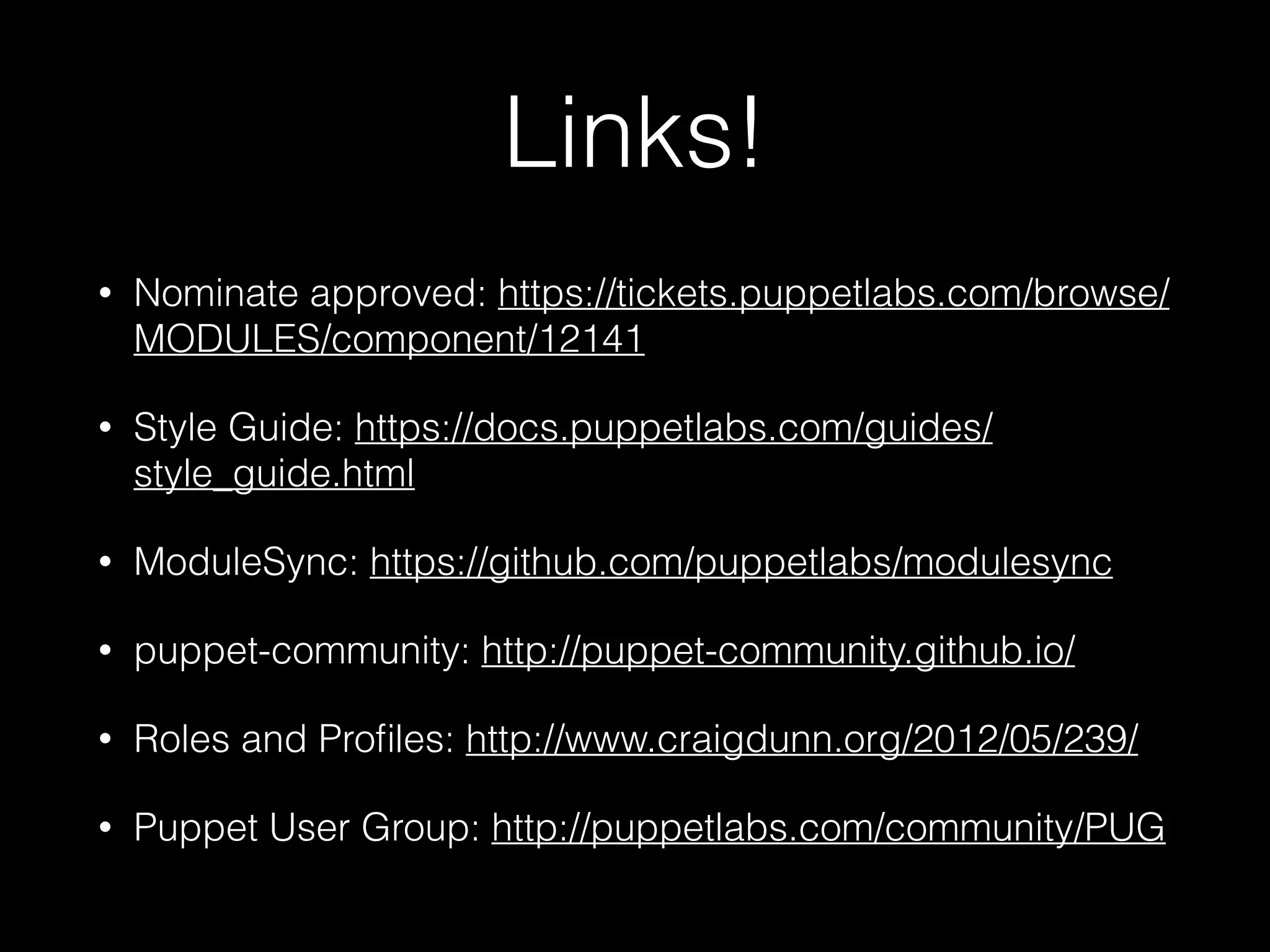
Links!
• Nominate approved: https://tickets.puppetlabs.com/browse/
MODULES/component/12141
• Style Guide: https://docs.puppetlabs.com/guides/
style_guide.html
• ModuleSync: https://github.com/puppetlabs/modulesync
• puppet-community: http://puppet-community.github.io/
• Roles and Profiles: http://www.craigdunn.org/2012/05/239/
• Puppet User Group: http://puppetlabs.com/community/PUG
Questions?

Modern Module Development

  • 1.
    Modern Module Development Morgan Haskel| Puppet Labs @KnittyNerd
  • 2.
    Definitions • ‘Module’ -code to install and configure a single piece of software • ‘Roles and Profiles’ - code to compose modules in a more site-specific manner
  • 3.
    How Did WeGet Here? • Before the forge • Early forge • Today
  • 4.
    What Now? • Deployinga new technology != writing a new module • Start with the Puppet Forge • Check GitHub
  • 5.
  • 6.
    Supported Modules • Extensivelytested • Platform compatibility • Widely used • Actively maintained
  • 7.
    Approved Modules • Nominatedby module authors or community members • Nominations reviewed by modules team • Checked for functionality and following best practices • Evaluated against comparable modules • Nominate a module you love today!
  • 8.
    Module Scoring System •Lint checking • Puppet compatibility • Metadata checking • Community ratings
  • 9.
    Does It WorkFor You? • Check the module documentation • See if the module can generate your existing configuration • How customizable is it?
  • 10.
    Other Checks • Isthe module actively maintained? • Are issues and pull requests responded to? • Can the module get you close to your configuration? • Does the module follow best practices?
  • 11.
  • 12.
    Write The ModuleYou Want • Writing generic modules is hard • Iterative development helps • You don’t have to do it alone
  • 13.
    Scoping, Scoping, Scoping •Only manage a single thing • Avoid monolithic modules • Tighter scope == greater flexibility
  • 14.
    Checking Your Work •Unit and acceptance tests for all new modules • Unit tests for most new features • Acceptance tests for new big features
  • 15.
    • Lower overhead •Verify against catalog • Test for compilation • Exercise parameters • More overhead • Verify against running system • Full path test of software • Check for config correctness Unit Tests Acceptance Tests
  • 16.
    Danger Zone Do notrun acceptance tests anywhere but on a test system or virtual machine. Acceptance tests occasionally have bugs that can be very destructive (rm -rf /)
  • 17.
    Upkeep • Test newcode and updates to existing code • Regression tests are important
  • 18.
    Documentation • Especially important withshared code • Don’t forget in code comments
  • 19.
    Life After Release Modulework isn’t done yet.
  • 20.
    puppet-community • GitHub organization •Modules and tooling maintained by and for the Puppet community • Reach out to @daenney and @hirojin if you need more information!
  • 21.
    Development Toolkit • BrandNew Puppet Language Style Guide • Consistency with ModuleSync • #puppet-dev on freenode
  • 22.
  • 23.
    Putting It AllTogether When in doubt, add additional layers of abstraction.
  • 24.
    • Each nodehas a single role • Each role is composed of one or many profiles • Each profile is composed of other profiles or modules
  • 25.
  • 28.
    Improving the Ecosystem Findand get involved in a local Puppet User Group!
  • 29.
    Links! • Nominate approved:https://tickets.puppetlabs.com/browse/ MODULES/component/12141 • Style Guide: https://docs.puppetlabs.com/guides/ style_guide.html • ModuleSync: https://github.com/puppetlabs/modulesync • puppet-community: http://puppet-community.github.io/ • Roles and Profiles: http://www.craigdunn.org/2012/05/239/ • Puppet User Group: http://puppetlabs.com/community/PUG
  • 30.