Mobile Support For Your Enterprise Intranet 
Use case(s) and options to 
optimize the mobile experience 
for your Enterprise Intranet. 
KUNAAL KAPOOR 
Twitter: @SharePointUXUI 
LinkedIn: www.linkedin.com/in/kunaalkapoor/
MOBILE ENTERPRISE 
• Employee 
Responsiveness - Faster 
Decision Making 
• Faster Issue Resolution 
• Increased Productivity 
• Higher Customer/User 
Satisfaction!
MOBILE OPTIMIZATION – Why? 
Optimizing the Intranet for mobile and tablet devices would lead to higher user 
adoption. 
Source: www.nngroup.com
MOBILE OPTIMIZATION – How? 
Workers want user-friendly mobile access for enterprise applications, 
and companies are realizing that providing mobile tools tends to 
increase productivity and responsiveness. 
But there are several ways to make this happen such as 
 bringing responsive design to the existing corporate intranet 
 creating mobile apps from scratch or 
 purchasing appropriate third-party mobile apps (if applicable).
MOBILE OPTIMIZATION – How? 
The 2 most optimal solutions for mobile support for enterprise intranets are: 
1) Responsive web design - is a web design approach aimed at crafting sites to provide 
an optimal viewing experience easy reading and navigation with a minimum of 
resizing, panning, and scrolling across a wide range of devices (from mobile phones 
to desktop computer monitors). 
2) Mobile App(s) - This is the original way of getting into the smartphone, started by 
Apple and their App store. Basically you build a program that users can install on 
their iOS/Android/other OS device, and this program delivers some kind of 
experience (in this discussion preferably some version of the intranet).
MOBILE OPTIMIZATION OPTIONS – RESPONSIVE WEB 
DESIGN 
Responsive design for an entire Intranet or SharePoint site may become costly and time 
consuming. To manage costs and speed up implementation time, start by identifying specific 
intranet pages that need to be accessible on a mobile or tablet device, such as your homepage, 
HR employee benefits page, people search and corporate directory, for example. These are all 
core, common intranet features that employees might want to access on a mobile device.
RESPONSIVE DESIGN 
• Divided into zones 
• One site to serve all 
forms and factors 
• Automatic resizing of 
content and stacking 
based on device 
resolution / dimensions
RESPONSIVE DESIGN
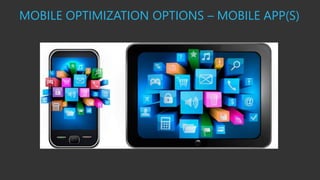
MOBILE OPTIMIZATION OPTIONS – MOBILE APP(S) 
Use various development options and approaches to create a Mobile App for an 
Intranet: 
• Xamarin 
• Telerik Appbuilder 
Intranet as an App (IAAA): Breakdown functionality into multiple apps or create one 
app for all mobile functionality! 
• Additional development is certainly required for developing an app and also the CMS 
isn’t always as simple when compared to the responsive design option. 
• Also you need to update each user’s device/app for every change/fix/update.
MOBILE OPTIMIZATION OPTIONS – MOBILE APP(S)
APPROACH BENEFITS / DIFFERENTIATORS 
Responsive Design 
• Cross-device Optimization 
• Simple CMS Integration 
• Security (like a traditional desktop Intranet solution, employees are still 
required to log in) 
Mobile App 
• Security Benefits 
• Speed 
• Integration and Offline Capabilities
SUMMARY 
Mobiles have become a part of our lives, and they will soon be having a 
big impact within our organizations. It’s an exciting time for intranets, 
and mobile devices provide a unique opportunity to finally deliver 
information to staff wherever they are, and whatever device they’re 
using. 
Intranet teams must therefore start to deliver mobile-friendly corporate 
solutions as quickly as possible. Responsive web design is a natural 
element to include in contemporary intranet redesigns. This gives 
universal access to intranet content, regardless of the devices being used. 
Responsive intranets should only be seen as a good-enough solution in 
the short term, with plans made to deliver solutions that are specifically 
designed for mobile devices and touch screens.
REFERENCES 
• http://www.nngroup.com/articles/5-reasons-for-responsive-design-intranet/ 
• http://www.nngroup.com/reports/enterprise-mobile-showcase/ 
• http://en.wikipedia.org/wiki/Responsive_web_design 
• http://www.brightstarr.com/Microsoft-Sharepoint-Solutions/SharePoint-Intranet 
WHITEPAPER 
http://www1.brightstarr.com/whitepaper-registration/flexible-workstyles-and-enterprise- 
i-t 
KUNAAL KAPOOR 
Twitter: @SharePointUXUI 
LinkedIn: www.linkedin.com/in/kunaalkapoor/

Mobile support for your enterprise intranet

  • 1.
    Mobile Support ForYour Enterprise Intranet Use case(s) and options to optimize the mobile experience for your Enterprise Intranet. KUNAAL KAPOOR Twitter: @SharePointUXUI LinkedIn: www.linkedin.com/in/kunaalkapoor/
  • 2.
    MOBILE ENTERPRISE •Employee Responsiveness - Faster Decision Making • Faster Issue Resolution • Increased Productivity • Higher Customer/User Satisfaction!
  • 3.
    MOBILE OPTIMIZATION –Why? Optimizing the Intranet for mobile and tablet devices would lead to higher user adoption. Source: www.nngroup.com
  • 4.
    MOBILE OPTIMIZATION –How? Workers want user-friendly mobile access for enterprise applications, and companies are realizing that providing mobile tools tends to increase productivity and responsiveness. But there are several ways to make this happen such as  bringing responsive design to the existing corporate intranet  creating mobile apps from scratch or  purchasing appropriate third-party mobile apps (if applicable).
  • 5.
    MOBILE OPTIMIZATION –How? The 2 most optimal solutions for mobile support for enterprise intranets are: 1) Responsive web design - is a web design approach aimed at crafting sites to provide an optimal viewing experience easy reading and navigation with a minimum of resizing, panning, and scrolling across a wide range of devices (from mobile phones to desktop computer monitors). 2) Mobile App(s) - This is the original way of getting into the smartphone, started by Apple and their App store. Basically you build a program that users can install on their iOS/Android/other OS device, and this program delivers some kind of experience (in this discussion preferably some version of the intranet).
  • 6.
    MOBILE OPTIMIZATION OPTIONS– RESPONSIVE WEB DESIGN Responsive design for an entire Intranet or SharePoint site may become costly and time consuming. To manage costs and speed up implementation time, start by identifying specific intranet pages that need to be accessible on a mobile or tablet device, such as your homepage, HR employee benefits page, people search and corporate directory, for example. These are all core, common intranet features that employees might want to access on a mobile device.
  • 7.
    RESPONSIVE DESIGN •Divided into zones • One site to serve all forms and factors • Automatic resizing of content and stacking based on device resolution / dimensions
  • 8.
  • 9.
    MOBILE OPTIMIZATION OPTIONS– MOBILE APP(S) Use various development options and approaches to create a Mobile App for an Intranet: • Xamarin • Telerik Appbuilder Intranet as an App (IAAA): Breakdown functionality into multiple apps or create one app for all mobile functionality! • Additional development is certainly required for developing an app and also the CMS isn’t always as simple when compared to the responsive design option. • Also you need to update each user’s device/app for every change/fix/update.
  • 10.
    MOBILE OPTIMIZATION OPTIONS– MOBILE APP(S)
  • 11.
    APPROACH BENEFITS /DIFFERENTIATORS Responsive Design • Cross-device Optimization • Simple CMS Integration • Security (like a traditional desktop Intranet solution, employees are still required to log in) Mobile App • Security Benefits • Speed • Integration and Offline Capabilities
  • 12.
    SUMMARY Mobiles havebecome a part of our lives, and they will soon be having a big impact within our organizations. It’s an exciting time for intranets, and mobile devices provide a unique opportunity to finally deliver information to staff wherever they are, and whatever device they’re using. Intranet teams must therefore start to deliver mobile-friendly corporate solutions as quickly as possible. Responsive web design is a natural element to include in contemporary intranet redesigns. This gives universal access to intranet content, regardless of the devices being used. Responsive intranets should only be seen as a good-enough solution in the short term, with plans made to deliver solutions that are specifically designed for mobile devices and touch screens.
  • 13.
    REFERENCES • http://www.nngroup.com/articles/5-reasons-for-responsive-design-intranet/ • http://www.nngroup.com/reports/enterprise-mobile-showcase/ • http://en.wikipedia.org/wiki/Responsive_web_design • http://www.brightstarr.com/Microsoft-Sharepoint-Solutions/SharePoint-Intranet WHITEPAPER http://www1.brightstarr.com/whitepaper-registration/flexible-workstyles-and-enterprise- i-t KUNAAL KAPOOR Twitter: @SharePointUXUI LinkedIn: www.linkedin.com/in/kunaalkapoor/