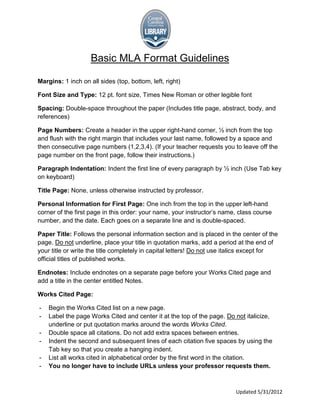
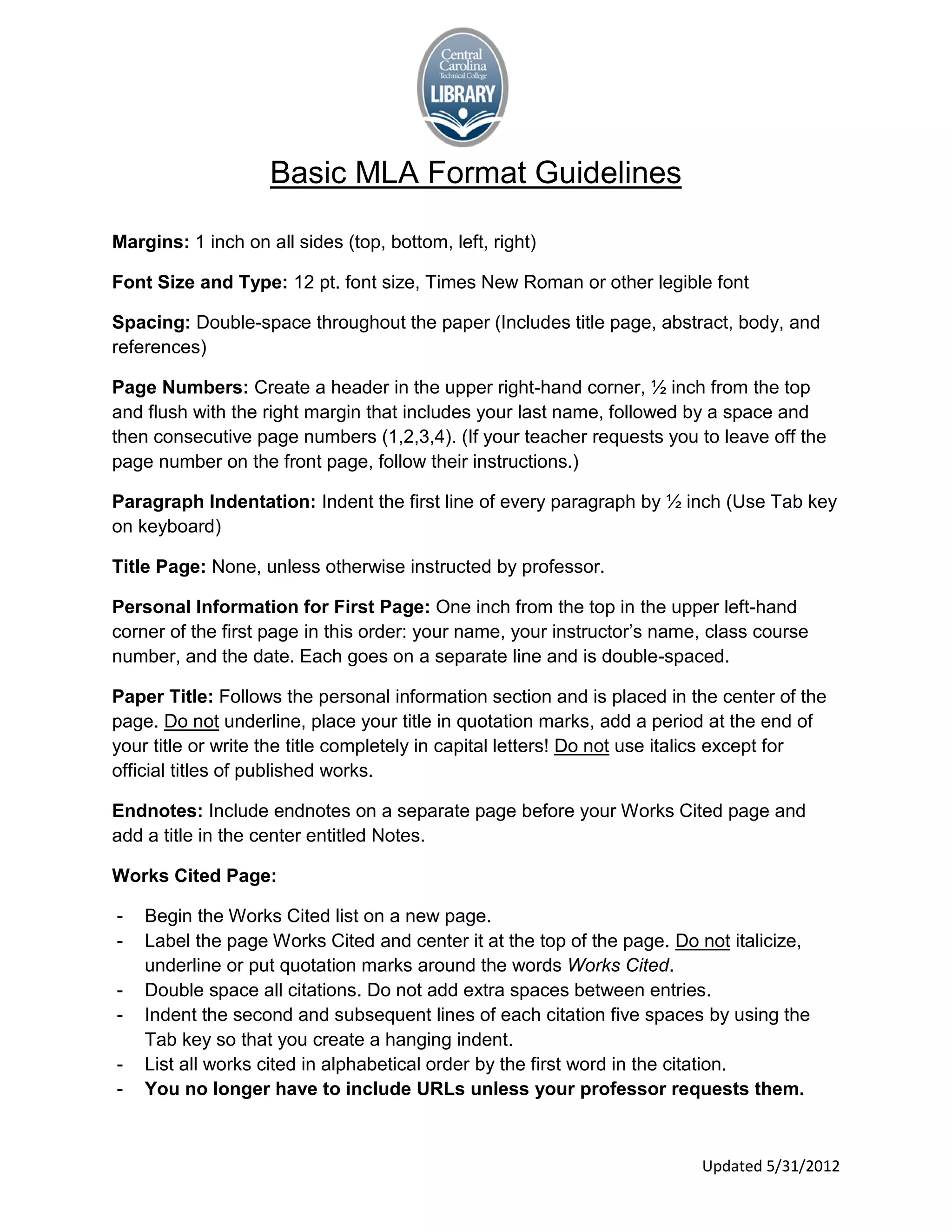
Basic MLA Format Guidelines

Margins: 1 inch on all sides (top, bottom, left, right)

Font Size and Type: 12 pt. font size, Times New Roman or other legible font

Spacing: Double-space throughout the paper (Includes title page, abstract, body, and
references)

Page Numbers: Create a header in the upper right-hand corner, ½ inch from the top
and flush with the right margin that includes your last name, followed by a space and
then consecutive page numbers (1,2,3,4). (If your teacher requests you to leave off the
page number on the front page, follow their instructions.)

Paragraph Indentation: Indent the first line of every paragraph by ½ inch (Use Tab key
on keyboard)

Title Page: None, unless otherwise instructed by professor.

Personal Information for First Page: One inch from the top in the upper left-hand
corner of the first page in this order: your name, your instructor’s name, class course
number, and the date. Each goes on a separate line and is double-spaced.

Paper Title: Follows the personal information section and is placed in the center of the
page. Do not underline, place your title in quotation marks, add a period at the end of
your title or write the title completely in capital letters! Do not use italics except for
official titles of published works.

Endnotes: Include endnotes on a separate page before your Works Cited page and
add a title in the center entitled Notes.

Works Cited Page:

-   Begin the Works Cited list on a new page.
-   Label the page Works Cited and center it at the top of the page. Do not italicize,
    underline or put quotation marks around the words Works Cited.
-   Double space all citations. Do not add extra spaces between entries.
-   Indent the second and subsequent lines of each citation five spaces by using the
    Tab key so that you create a hanging indent.
-   List all works cited in alphabetical order by the first word in the citation.
-   You no longer have to include URLs unless your professor requests them.


                                                                          Updated 5/31/2012
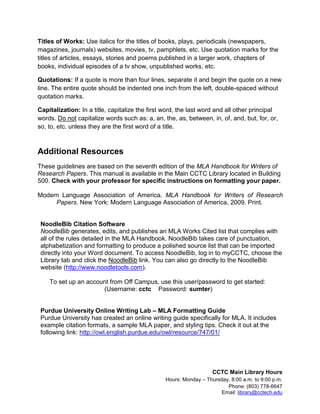
Titles of Works: Use italics for the titles of books, plays, periodicals (newspapers,
magazines, journals) websites, movies, tv, pamphlets, etc. Use quotation marks for the
titles of articles, essays, stories and poems published in a larger work, chapters of
books, individual episodes of a tv show, unpublished works, etc.

Quotations: If a quote is more than four lines, separate it and begin the quote on a new
line. The entire quote should be indented one inch from the left, double-spaced without
quotation marks.

Capitalization: In a title, capitalize the first word, the last word and all other principal
words. Do not capitalize words such as: a, an, the, as, between, in, of, and, but, for, or,
so, to, etc. unless they are the first word of a title.


Additional Resources
These guidelines are based on the seventh edition of the MLA Handbook for Writers of
Research Papers. This manual is available in the Main CCTC Library located in Building
500. Check with your professor for specific instructions on formatting your paper.

Modern Language Association of America. MLA Handbook for Writers of Research
     Papers. New York: Modern Language Association of America, 2009. Print.


 NoodleBib Citation Software
 NoodleBib generates, edits, and publishes an MLA Works Cited list that complies with
 all of the rules detailed in the MLA Handbook. NoodleBib takes care of punctuation,
 alphabetization and formatting to produce a polished source list that can be imported
 directly into your Word document. To access NoodleBib, log in to myCCTC, choose the
 Library tab and click the NoodleBib link. You can also go directly to the NoodleBib
 website (http://www.noodletools.com).

    To set up an account from Off Campus, use this user/password to get started:
                      (Username: cctc Password: sumter)


 Purdue University Online Writing Lab – MLA Formatting Guide
 Purdue University has created an online writing guide specifically for MLA. It includes
 example citation formats, a sample MLA paper, and styling tips. Check it out at the
 following link: http://owl.english.purdue.edu/owl/resource/747/01/


                                                                   CCTC Main Library Hours
                                                Hours: Monday – Thursday, 8:00 a.m. to 9:00 p.m.
                                                                        Phone: (803) 778-6647
                                                                      Email: library@cctech.edu

MLA Format Guidelines

  • 1.
    Basic MLA FormatGuidelines Margins: 1 inch on all sides (top, bottom, left, right) Font Size and Type: 12 pt. font size, Times New Roman or other legible font Spacing: Double-space throughout the paper (Includes title page, abstract, body, and references) Page Numbers: Create a header in the upper right-hand corner, ½ inch from the top and flush with the right margin that includes your last name, followed by a space and then consecutive page numbers (1,2,3,4). (If your teacher requests you to leave off the page number on the front page, follow their instructions.) Paragraph Indentation: Indent the first line of every paragraph by ½ inch (Use Tab key on keyboard) Title Page: None, unless otherwise instructed by professor. Personal Information for First Page: One inch from the top in the upper left-hand corner of the first page in this order: your name, your instructor’s name, class course number, and the date. Each goes on a separate line and is double-spaced. Paper Title: Follows the personal information section and is placed in the center of the page. Do not underline, place your title in quotation marks, add a period at the end of your title or write the title completely in capital letters! Do not use italics except for official titles of published works. Endnotes: Include endnotes on a separate page before your Works Cited page and add a title in the center entitled Notes. Works Cited Page: - Begin the Works Cited list on a new page. - Label the page Works Cited and center it at the top of the page. Do not italicize, underline or put quotation marks around the words Works Cited. - Double space all citations. Do not add extra spaces between entries. - Indent the second and subsequent lines of each citation five spaces by using the Tab key so that you create a hanging indent. - List all works cited in alphabetical order by the first word in the citation. - You no longer have to include URLs unless your professor requests them. Updated 5/31/2012
  • 2.
    Titles of Works:Use italics for the titles of books, plays, periodicals (newspapers, magazines, journals) websites, movies, tv, pamphlets, etc. Use quotation marks for the titles of articles, essays, stories and poems published in a larger work, chapters of books, individual episodes of a tv show, unpublished works, etc. Quotations: If a quote is more than four lines, separate it and begin the quote on a new line. The entire quote should be indented one inch from the left, double-spaced without quotation marks. Capitalization: In a title, capitalize the first word, the last word and all other principal words. Do not capitalize words such as: a, an, the, as, between, in, of, and, but, for, or, so, to, etc. unless they are the first word of a title. Additional Resources These guidelines are based on the seventh edition of the MLA Handbook for Writers of Research Papers. This manual is available in the Main CCTC Library located in Building 500. Check with your professor for specific instructions on formatting your paper. Modern Language Association of America. MLA Handbook for Writers of Research Papers. New York: Modern Language Association of America, 2009. Print. NoodleBib Citation Software NoodleBib generates, edits, and publishes an MLA Works Cited list that complies with all of the rules detailed in the MLA Handbook. NoodleBib takes care of punctuation, alphabetization and formatting to produce a polished source list that can be imported directly into your Word document. To access NoodleBib, log in to myCCTC, choose the Library tab and click the NoodleBib link. You can also go directly to the NoodleBib website (http://www.noodletools.com). To set up an account from Off Campus, use this user/password to get started: (Username: cctc Password: sumter) Purdue University Online Writing Lab – MLA Formatting Guide Purdue University has created an online writing guide specifically for MLA. It includes example citation formats, a sample MLA paper, and styling tips. Check it out at the following link: http://owl.english.purdue.edu/owl/resource/747/01/ CCTC Main Library Hours Hours: Monday – Thursday, 8:00 a.m. to 9:00 p.m. Phone: (803) 778-6647 Email: library@cctech.edu