www.luxoft.com
Introducing to Regular Expressions
Author: Mikhail Khristophorov
Last update 18 July 2017
www.luxoft.com
Agenda
 What is Regular Expressions?
 History of Regular Expressions
 Vocabulary
 Examples
 Regexes and Java
 Questions and Answers
www.luxoft.com
A regular expression, regex or regexp (sometimes called a rational expression) is, in
theoretical computer science and formal language theory, a sequence of characters that
define a search pattern. Usually this pattern is then used by string searching algorithms for
"find" or "find and replace" operations on strings.
^(https?|ftp|file)://[-a-zA-Z0-9+&@#/%?=~_|!:,.;]*[-a-zA-Z0-
9+&@#/%=~_|]
What is Regular Expressions?
www.luxoft.com
History of Regular Expressions
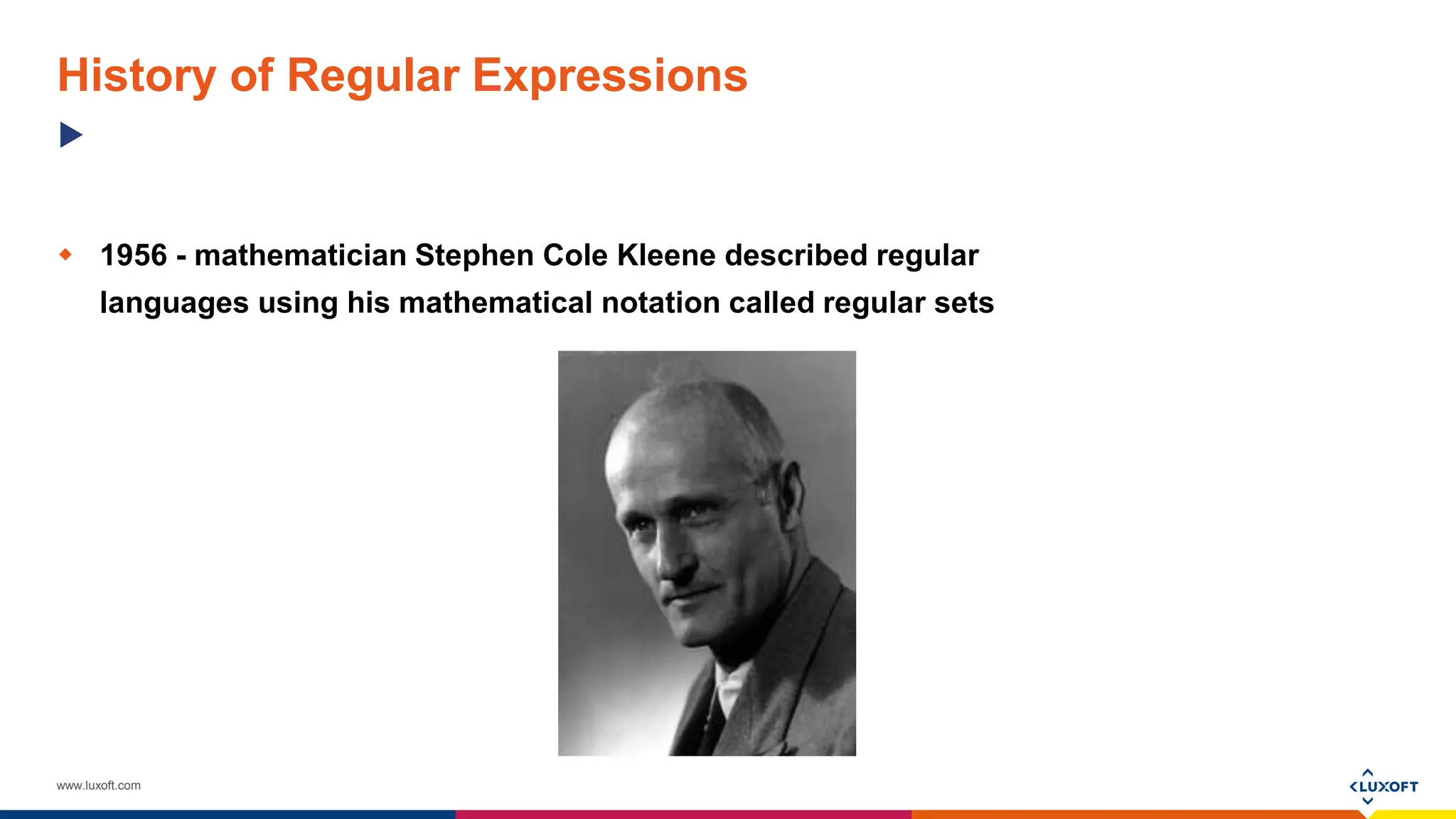
 1956 - mathematician Stephen Cole Kleene described regular
languages using his mathematical notation called regular sets
www.luxoft.com
History of Regular Expressions
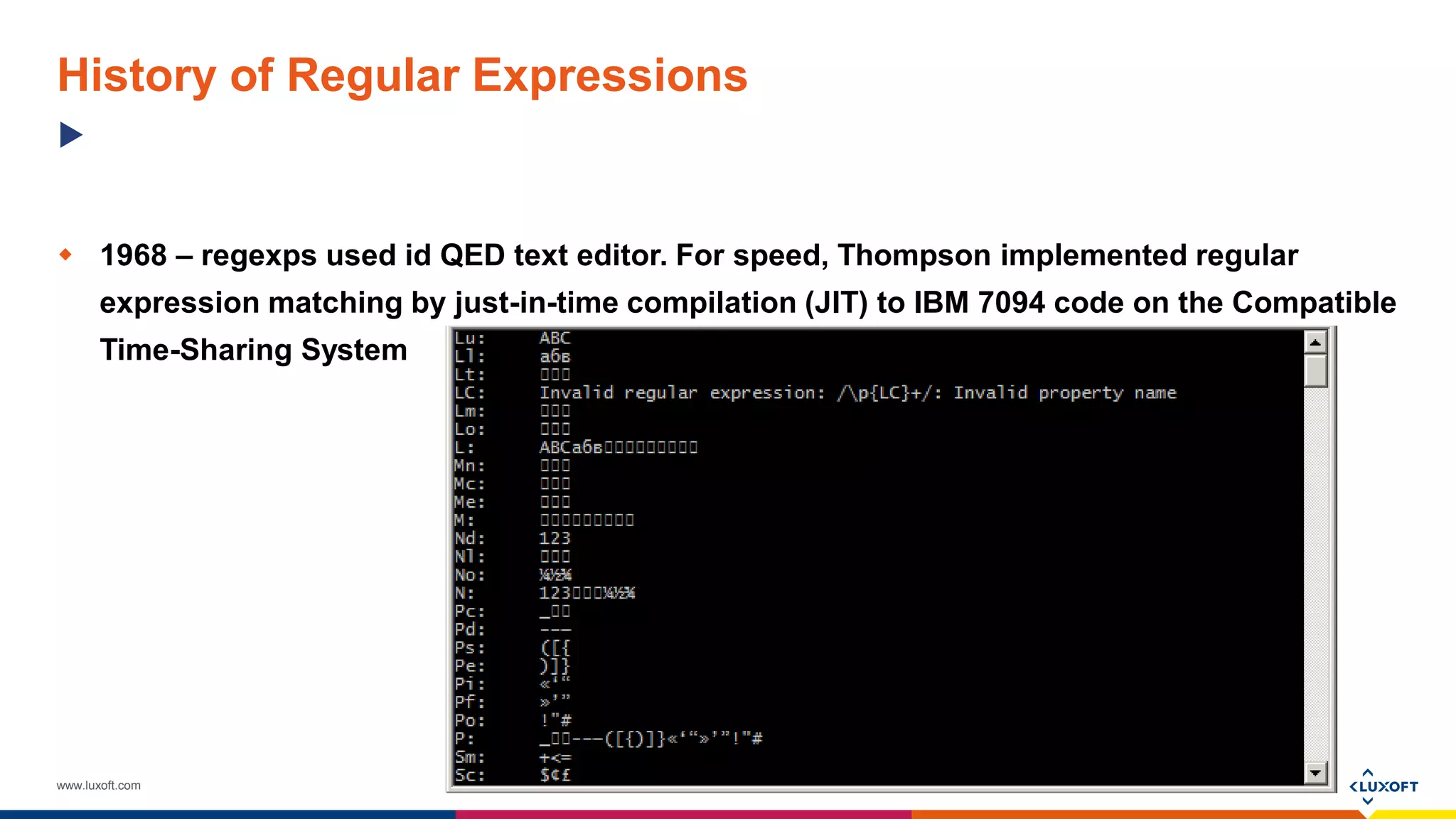
 1968 – regexps used id QED text editor. For speed, Thompson implemented regular
expression matching by just-in-time compilation (JIT) to IBM 7094 code on the Compatible
Time-Sharing System
www.luxoft.com
History of Regular Expressions
 1987 – Perl language announced
www.luxoft.com
History of Regular Expressions
 Present time - regexes are widely supported in programming languages, text processing
programs (particular lexers), advanced text editors, and some other programs
www.luxoft.com
Vocabulary
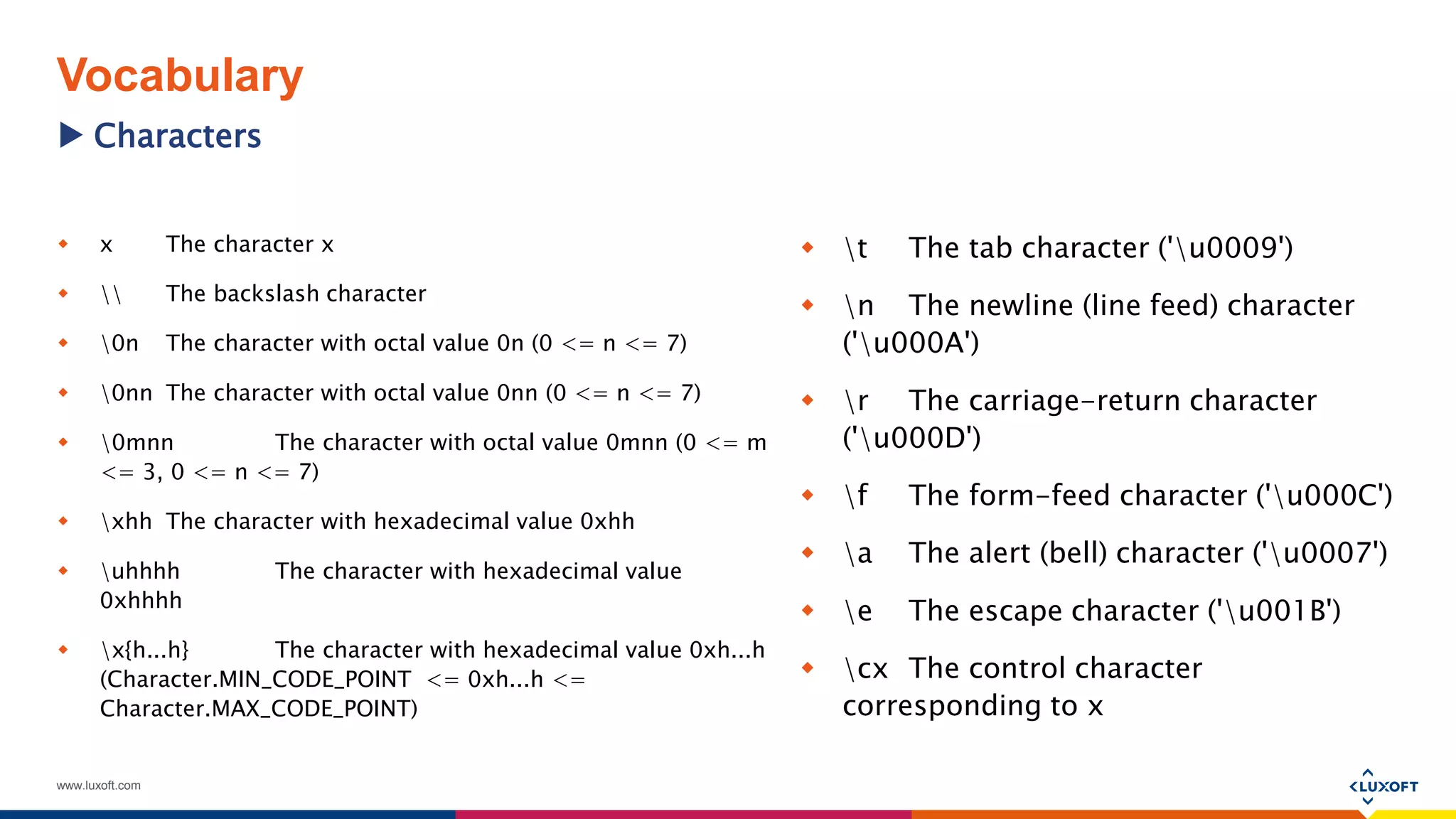
 x The character x
  The backslash character
 0n The character with octal value 0n (0 <= n <= 7)
 0nn The character with octal value 0nn (0 <= n <= 7)
 0mnn The character with octal value 0mnn (0 <= m
<= 3, 0 <= n <= 7)
 xhh The character with hexadecimal value 0xhh
 uhhhh The character with hexadecimal value
0xhhhh
 x{h...h} The character with hexadecimal value 0xh...h
(Character.MIN_CODE_POINT <= 0xh...h <=
Character.MAX_CODE_POINT)
 t The tab character ('u0009')
 n The newline (line feed) character
('u000A')
 r The carriage-return character
('u000D')
 f The form-feed character ('u000C')
 a The alert (bell) character ('u0007')
 e The escape character ('u001B')
 cx The control character
corresponding to x
Characters
www.luxoft.com
Vocabulary
 [abc] a, b, or c (simple class)
 [^abc] Any character except a, b, or c (negation)
 [a-zA-Z] a through z or A through Z, inclusive (range)
 [a-d[m-p]] a through d, or m through p: [a-dm-p] (union)
 [a-z&&[def]] d, e, or f (intersection)
 [a-z&&[^bc]]a through z, except for b and c: [ad-z] (subtraction)
 [a-z&&[^m-p]] a through z, and not m through p: [a-lq-z](subtraction)
Character classes
www.luxoft.com
Vocabulary
 . Any character (may or may not match line terminators)
 d A digit: [0-9]
 D A non-digit: [^0-9]
 h A horizontal whitespace character: [ txA0u1680u180eu2000-u200au202fu205fu3000]
 H A non-horizontal whitespace character: [^h]
 s A whitespace character: [ tnx0Bfr]
 S A non-whitespace character: [^s]
 v A vertical whitespace character: [nx0Bfrx85u2028u2029]
 V A non-vertical whitespace character: [^v]
 w A word character: [a-zA-Z_0-9]
 W A non-word character: [^w]
Predefined character classes
www.luxoft.com
Vocabulary
 ^ The beginning of a line
 $ The end of a line
 b A word boundary
 B A non-word boundary
 A The beginning of the input
 G The end of the previous match
 Z The end of the input but for the final terminator, if any
 z The end of the input

 Linebreak matcher
 R Any Unicode linebreak sequence, is equivalent to u000Du000A|[u000Au000Bu000Cu000Du0085u2028u2029]
Boundary matchers
www.luxoft.com
Vocabulary
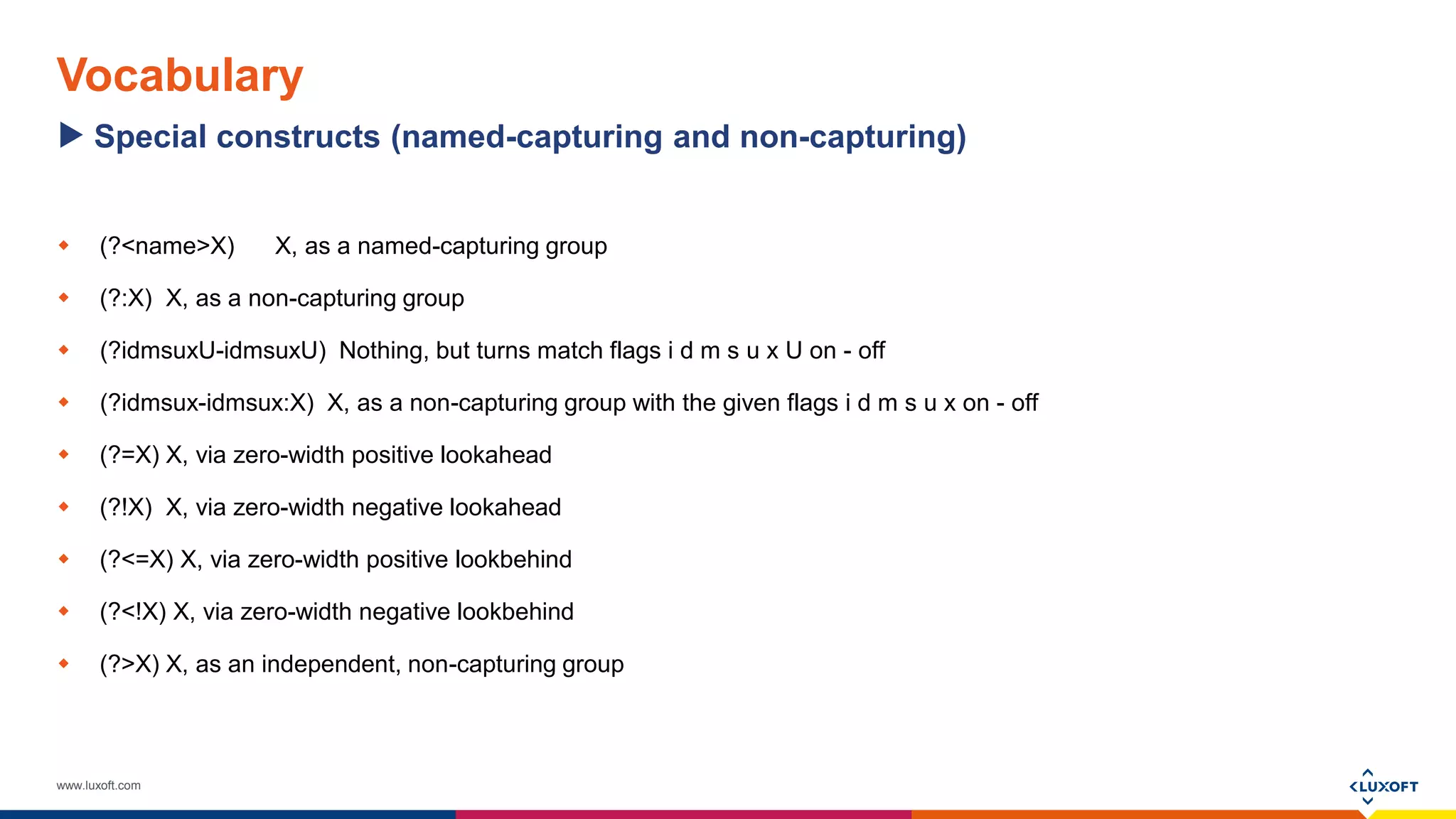
 (?<name>X) X, as a named-capturing group
 (?:X) X, as a non-capturing group
 (?idmsuxU-idmsuxU) Nothing, but turns match flags i d m s u x U on - off
 (?idmsux-idmsux:X) X, as a non-capturing group with the given flags i d m s u x on - off
 (?=X) X, via zero-width positive lookahead
 (?!X) X, via zero-width negative lookahead
 (?<=X) X, via zero-width positive lookbehind
 (?<!X) X, via zero-width negative lookbehind
 (?>X) X, as an independent, non-capturing group
Special constructs (named-capturing and non-capturing)
www.luxoft.com
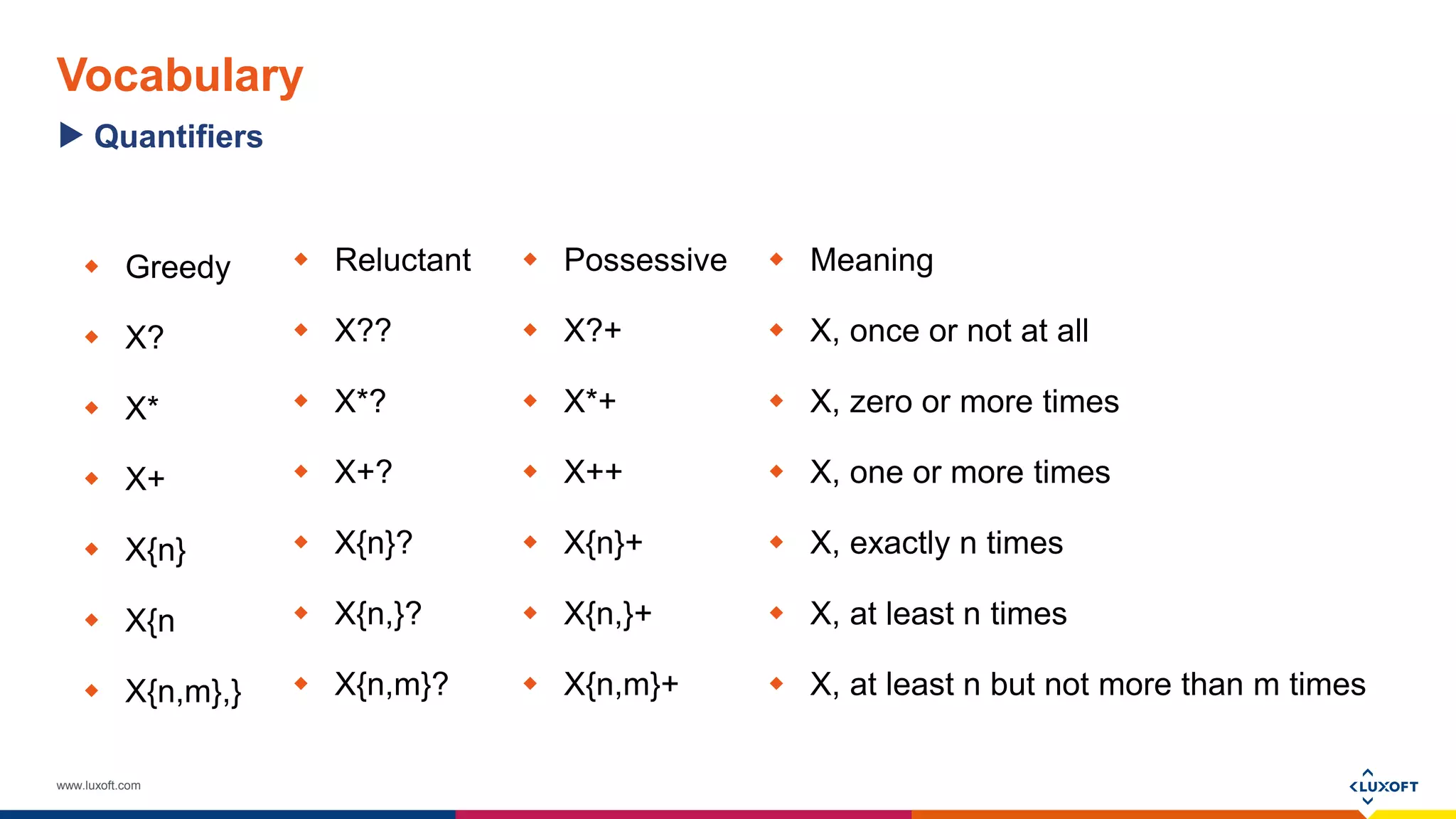
Vocabulary
 Greedy
 X?
 X*
 X+
 X{n}
 X{n
 X{n,m},}
 Meaning
 X, once or not at all
 X, zero or more times
 X, one or more times
 X, exactly n times
 X, at least n times
 X, at least n but not more than m times
Quantifiers
 Reluctant
 X??
 X*?
 X+?
 X{n}?
 X{n,}?
 X{n,m}?
 Possessive
 X?+
 X*+
 X++
 X{n}+
 X{n,}+
 X{n,m}+
www.luxoft.com
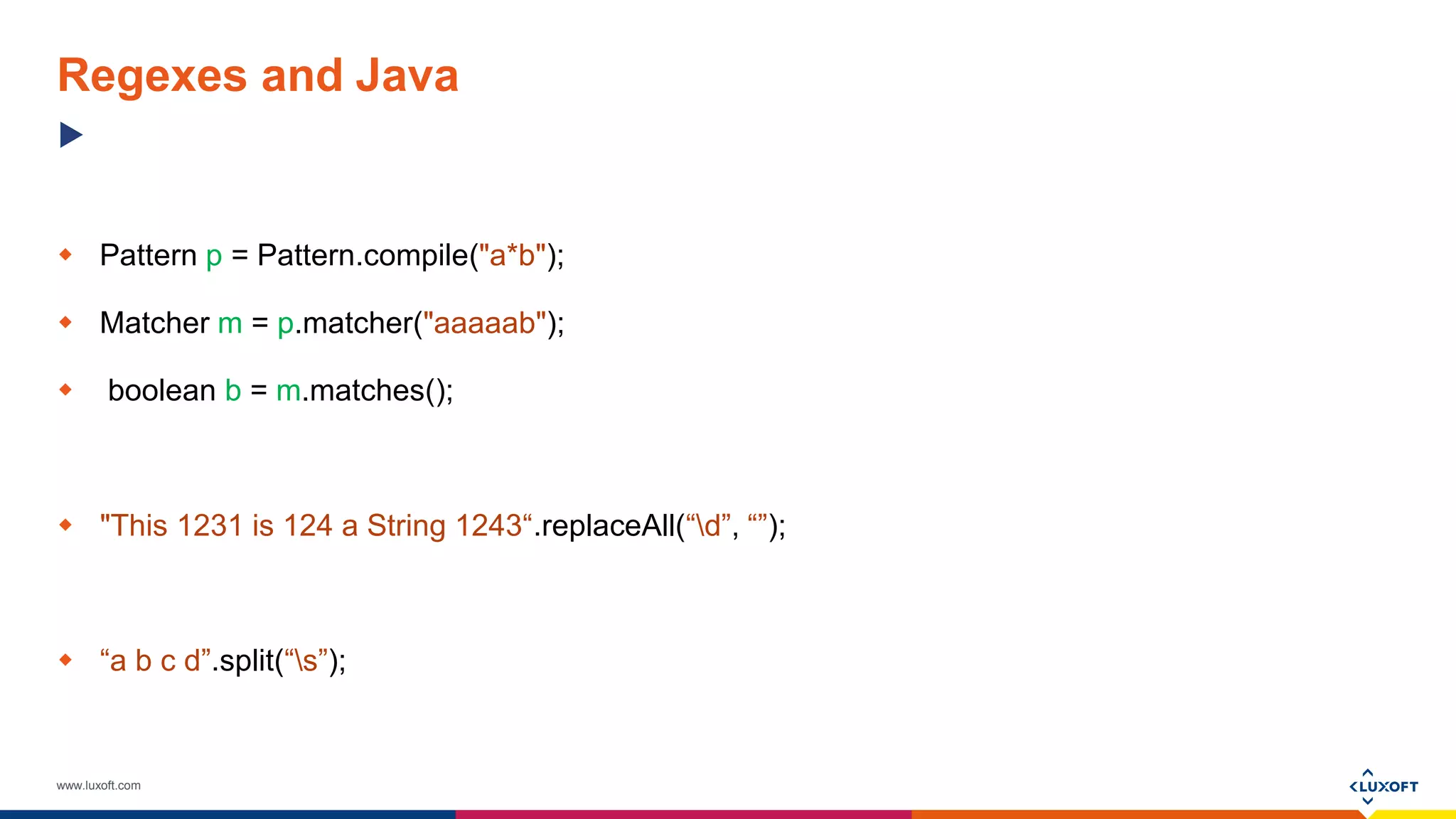
Regexes and Java
 Pattern p = Pattern.compile("a*b");
 Matcher m = p.matcher("aaaaab");
 boolean b = m.matches();
 "This 1231 is 124 a String 1243“.replaceAll(“d”, “”);
 “a b c d”.split(“s”);
www.luxoft.com
Regexes and Java
 Lets try to validate is provided string is phone:
String phoneRegex = "(+d*)?(?d{2,3})?[d-]+";
String phone = "+38(048)720-70-01";
String notPhone = "+38(048)asb720-70-01";
Pattern phonePattern = Pattern.compile(phoneRegex);
Matcher phoneMatcher = phonePattern.matcher(phone);
System.out.println("Is phone " + phone + " " + phoneMatcher.matches());
phoneMatcher = phonePattern.matcher(notPhone);
System.out.println("Is phone " + notPhone + " " + phoneMatcher.matches());
 Or we can use Pattern.matches() method:
String phoneRegex = "(+d*)?(?d{2,3})?[d-]+";
String phone = "+38(048)720-70-01";
String notPhone = "+38(048)asb720-70-01";
System.out.println("Is phone " + phone + " " + Pattern.matches(phoneRegex, phone));
System.out.println("Is phone " + notPhone + " " + Pattern.matches(phoneRegex, notPhone));
Examples Pattern-Matcher
www.luxoft.com
Regexes and Java
 Now lets split the string into words:
String string = "This string contain several words";
Pattern wordSplitPattern = Pattern.compile("s");
String[] words = wordSplitPattern.split(string);
for (String word : words)
{
System.out.println(word);
}
 Or we can use Matcher for it:
String string = "This string contain several words";
Pattern wordSplitPattern = Pattern.compile("S+");
Matcher wordSplitMatcher = wordSplitPattern.matcher(string);
while (wordSplitMatcher.find())
{
System.out.println(wordSplitMatcher.group());
}
Examples Pattern-Matcher
www.luxoft.com
Regexes and Java
 We can validate phone number only using
String:
String phoneRegex = "(+d*)?(?d{2,3})?[d-]+";
String phone = "+38(048)720-70-01";
String notPhone = "+38(048)asb720-70-01";
System.out.println("Is phone " + phone + " " + phone.matches(phoneRegex));
System.out.println("Is phone " + notPhone + " " + notPhone.matches(phoneRegex));
 Method matches in String use Pattern-Matcher
inside:
public boolean matches(String regex) {
return Pattern.matches(regex, this);
}
Examples Strings
www.luxoft.com
Regexes and Java
 We can split string using String.split():
String string = "This string contain several words";
String[] words = string.split("s");
for (String word : words)
{
System.out.println(word);
}
 String.split() use Pattern.split() inside:
public String[] split(String regex, int limit) {
* * *
return Pattern.compile(regex).split(this, limit);
}
Examples Strings
www.luxoft.com
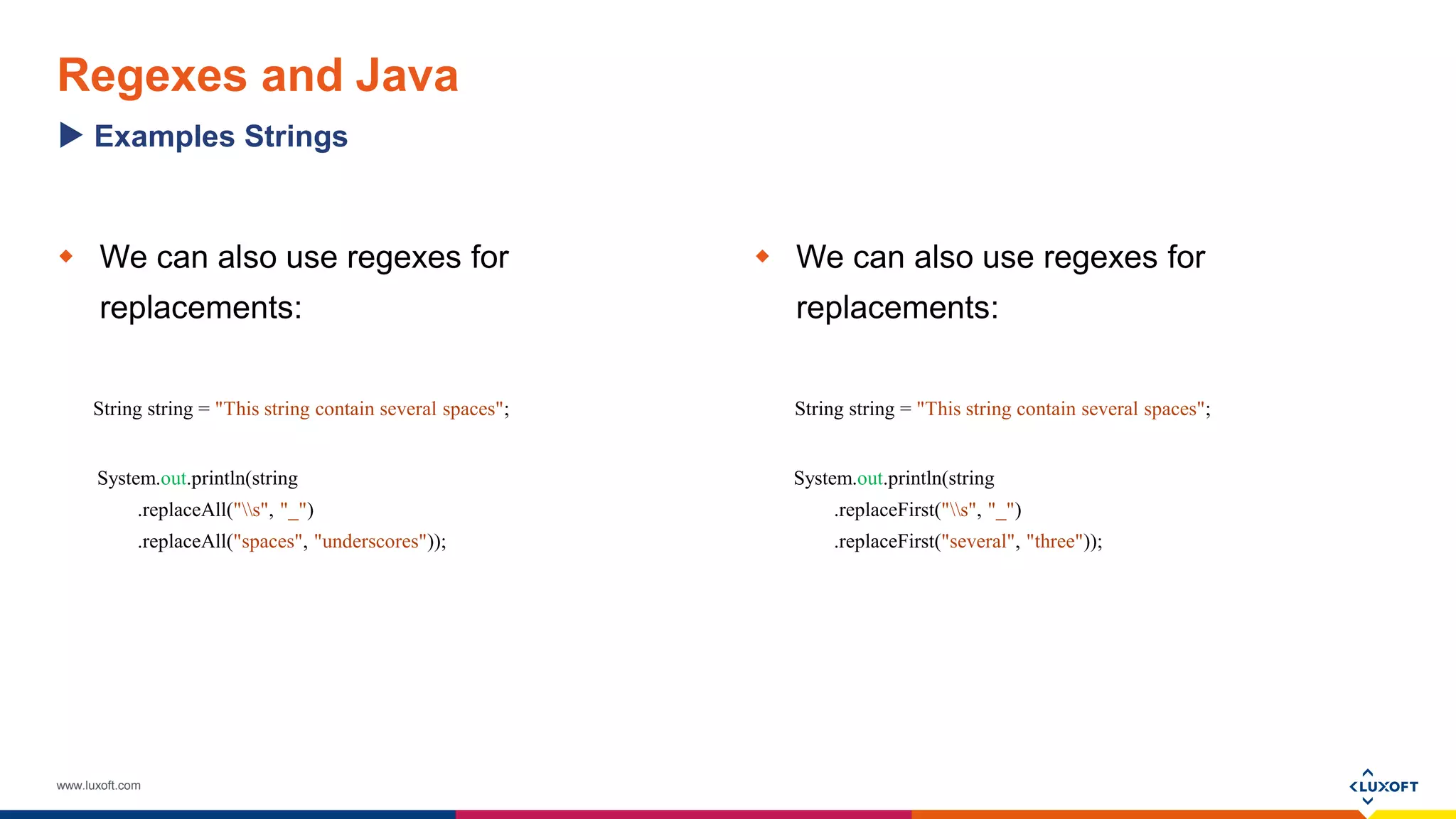
Regexes and Java
 We can also use regexes for
replacements:
String string = "This string contain several spaces";
System.out.println(string
.replaceAll("s", "_")
.replaceAll("spaces", "underscores"));
 We can also use regexes for
replacements:
String string = "This string contain several spaces";
System.out.println(string
.replaceFirst("s", "_")
.replaceFirst("several", "three"));
Examples Strings
www.luxoft.com
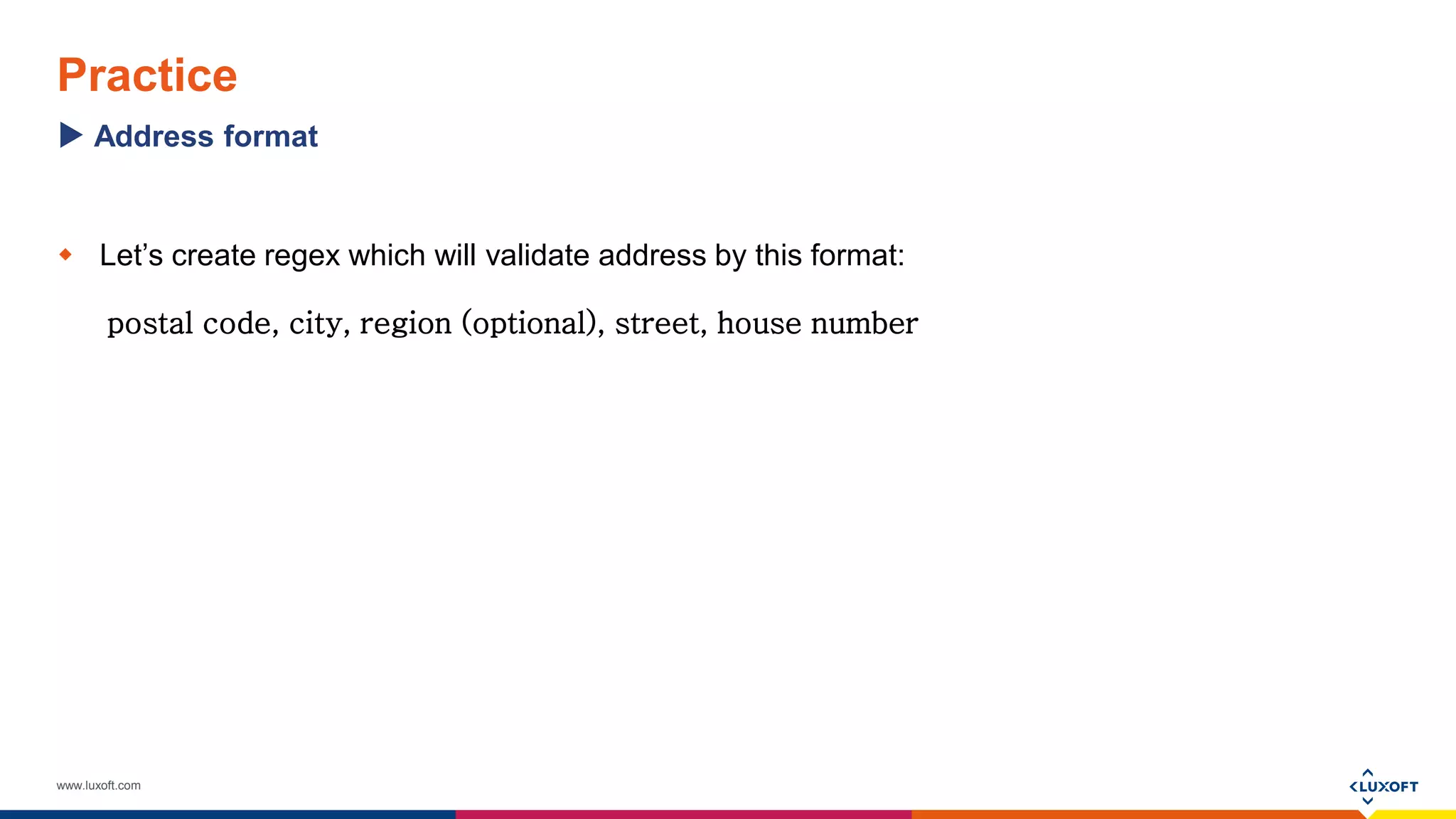
Practice
 Let’s create regex which will validate address by this format:
postal code, city, region (optional), street, house number
Address format
www.luxoft.com
Practice
 Given a properties file, which contain records, written in such format:
property_name=property_value
For example, we have such data:
version=1.0
groupId=com.luxoft.regexp
artifactId=com.luxoft.regexp
Lets build parser, which can read this file.
Split properties
www.luxoft.com
THANK YOU!

Mikhail Khristophorov "Introduction to Regular Expressions"

  • 1.
    www.luxoft.com Introducing to RegularExpressions Author: Mikhail Khristophorov Last update 18 July 2017
  • 2.
    www.luxoft.com Agenda  What isRegular Expressions?  History of Regular Expressions  Vocabulary  Examples  Regexes and Java  Questions and Answers
  • 3.
    www.luxoft.com A regular expression,regex or regexp (sometimes called a rational expression) is, in theoretical computer science and formal language theory, a sequence of characters that define a search pattern. Usually this pattern is then used by string searching algorithms for "find" or "find and replace" operations on strings. ^(https?|ftp|file)://[-a-zA-Z0-9+&@#/%?=~_|!:,.;]*[-a-zA-Z0- 9+&@#/%=~_|] What is Regular Expressions?
  • 4.
    www.luxoft.com History of RegularExpressions  1956 - mathematician Stephen Cole Kleene described regular languages using his mathematical notation called regular sets
  • 5.
    www.luxoft.com History of RegularExpressions  1968 – regexps used id QED text editor. For speed, Thompson implemented regular expression matching by just-in-time compilation (JIT) to IBM 7094 code on the Compatible Time-Sharing System
  • 6.
    www.luxoft.com History of RegularExpressions  1987 – Perl language announced
  • 7.
    www.luxoft.com History of RegularExpressions  Present time - regexes are widely supported in programming languages, text processing programs (particular lexers), advanced text editors, and some other programs
  • 8.
    www.luxoft.com Vocabulary  x Thecharacter x  The backslash character  0n The character with octal value 0n (0 <= n <= 7)  0nn The character with octal value 0nn (0 <= n <= 7)  0mnn The character with octal value 0mnn (0 <= m <= 3, 0 <= n <= 7)  xhh The character with hexadecimal value 0xhh  uhhhh The character with hexadecimal value 0xhhhh  x{h...h} The character with hexadecimal value 0xh...h (Character.MIN_CODE_POINT <= 0xh...h <= Character.MAX_CODE_POINT)  t The tab character ('u0009')  n The newline (line feed) character ('u000A')  r The carriage-return character ('u000D')  f The form-feed character ('u000C')  a The alert (bell) character ('u0007')  e The escape character ('u001B')  cx The control character corresponding to x Characters
  • 9.
    www.luxoft.com Vocabulary  [abc] a,b, or c (simple class)  [^abc] Any character except a, b, or c (negation)  [a-zA-Z] a through z or A through Z, inclusive (range)  [a-d[m-p]] a through d, or m through p: [a-dm-p] (union)  [a-z&&[def]] d, e, or f (intersection)  [a-z&&[^bc]]a through z, except for b and c: [ad-z] (subtraction)  [a-z&&[^m-p]] a through z, and not m through p: [a-lq-z](subtraction) Character classes
  • 10.
    www.luxoft.com Vocabulary  . Anycharacter (may or may not match line terminators)  d A digit: [0-9]  D A non-digit: [^0-9]  h A horizontal whitespace character: [ txA0u1680u180eu2000-u200au202fu205fu3000]  H A non-horizontal whitespace character: [^h]  s A whitespace character: [ tnx0Bfr]  S A non-whitespace character: [^s]  v A vertical whitespace character: [nx0Bfrx85u2028u2029]  V A non-vertical whitespace character: [^v]  w A word character: [a-zA-Z_0-9]  W A non-word character: [^w] Predefined character classes
  • 11.
    www.luxoft.com Vocabulary  ^ Thebeginning of a line  $ The end of a line  b A word boundary  B A non-word boundary  A The beginning of the input  G The end of the previous match  Z The end of the input but for the final terminator, if any  z The end of the input   Linebreak matcher  R Any Unicode linebreak sequence, is equivalent to u000Du000A|[u000Au000Bu000Cu000Du0085u2028u2029] Boundary matchers
  • 12.
    www.luxoft.com Vocabulary  (?<name>X) X,as a named-capturing group  (?:X) X, as a non-capturing group  (?idmsuxU-idmsuxU) Nothing, but turns match flags i d m s u x U on - off  (?idmsux-idmsux:X) X, as a non-capturing group with the given flags i d m s u x on - off  (?=X) X, via zero-width positive lookahead  (?!X) X, via zero-width negative lookahead  (?<=X) X, via zero-width positive lookbehind  (?<!X) X, via zero-width negative lookbehind  (?>X) X, as an independent, non-capturing group Special constructs (named-capturing and non-capturing)
  • 13.
    www.luxoft.com Vocabulary  Greedy  X? X*  X+  X{n}  X{n  X{n,m},}  Meaning  X, once or not at all  X, zero or more times  X, one or more times  X, exactly n times  X, at least n times  X, at least n but not more than m times Quantifiers  Reluctant  X??  X*?  X+?  X{n}?  X{n,}?  X{n,m}?  Possessive  X?+  X*+  X++  X{n}+  X{n,}+  X{n,m}+
  • 14.
    www.luxoft.com Regexes and Java Pattern p = Pattern.compile("a*b");  Matcher m = p.matcher("aaaaab");  boolean b = m.matches();  "This 1231 is 124 a String 1243“.replaceAll(“d”, “”);  “a b c d”.split(“s”);
  • 15.
    www.luxoft.com Regexes and Java Lets try to validate is provided string is phone: String phoneRegex = "(+d*)?(?d{2,3})?[d-]+"; String phone = "+38(048)720-70-01"; String notPhone = "+38(048)asb720-70-01"; Pattern phonePattern = Pattern.compile(phoneRegex); Matcher phoneMatcher = phonePattern.matcher(phone); System.out.println("Is phone " + phone + " " + phoneMatcher.matches()); phoneMatcher = phonePattern.matcher(notPhone); System.out.println("Is phone " + notPhone + " " + phoneMatcher.matches());  Or we can use Pattern.matches() method: String phoneRegex = "(+d*)?(?d{2,3})?[d-]+"; String phone = "+38(048)720-70-01"; String notPhone = "+38(048)asb720-70-01"; System.out.println("Is phone " + phone + " " + Pattern.matches(phoneRegex, phone)); System.out.println("Is phone " + notPhone + " " + Pattern.matches(phoneRegex, notPhone)); Examples Pattern-Matcher
  • 16.
    www.luxoft.com Regexes and Java Now lets split the string into words: String string = "This string contain several words"; Pattern wordSplitPattern = Pattern.compile("s"); String[] words = wordSplitPattern.split(string); for (String word : words) { System.out.println(word); }  Or we can use Matcher for it: String string = "This string contain several words"; Pattern wordSplitPattern = Pattern.compile("S+"); Matcher wordSplitMatcher = wordSplitPattern.matcher(string); while (wordSplitMatcher.find()) { System.out.println(wordSplitMatcher.group()); } Examples Pattern-Matcher
  • 17.
    www.luxoft.com Regexes and Java We can validate phone number only using String: String phoneRegex = "(+d*)?(?d{2,3})?[d-]+"; String phone = "+38(048)720-70-01"; String notPhone = "+38(048)asb720-70-01"; System.out.println("Is phone " + phone + " " + phone.matches(phoneRegex)); System.out.println("Is phone " + notPhone + " " + notPhone.matches(phoneRegex));  Method matches in String use Pattern-Matcher inside: public boolean matches(String regex) { return Pattern.matches(regex, this); } Examples Strings
  • 18.
    www.luxoft.com Regexes and Java We can split string using String.split(): String string = "This string contain several words"; String[] words = string.split("s"); for (String word : words) { System.out.println(word); }  String.split() use Pattern.split() inside: public String[] split(String regex, int limit) { * * * return Pattern.compile(regex).split(this, limit); } Examples Strings
  • 19.
    www.luxoft.com Regexes and Java We can also use regexes for replacements: String string = "This string contain several spaces"; System.out.println(string .replaceAll("s", "_") .replaceAll("spaces", "underscores"));  We can also use regexes for replacements: String string = "This string contain several spaces"; System.out.println(string .replaceFirst("s", "_") .replaceFirst("several", "three")); Examples Strings
  • 20.
    www.luxoft.com Practice  Let’s createregex which will validate address by this format: postal code, city, region (optional), street, house number Address format
  • 21.
    www.luxoft.com Practice  Given aproperties file, which contain records, written in such format: property_name=property_value For example, we have such data: version=1.0 groupId=com.luxoft.regexp artifactId=com.luxoft.regexp Lets build parser, which can read this file. Split properties
  • 22.