This document provides an overview of strategies for implementing and migrating to SAP S/4HANA 1709. It discusses tried and tested deployment scenarios for transitioning to S/4HANA. The document is authored by Nitin Gupta and covers topics such as an introduction to S/4HANA, the changes involved in migrating to S/4HANA like the concept of business partners and customer vendor integration, and S/4HANA migration tools and the project lifecycle for planning and executing a migration.



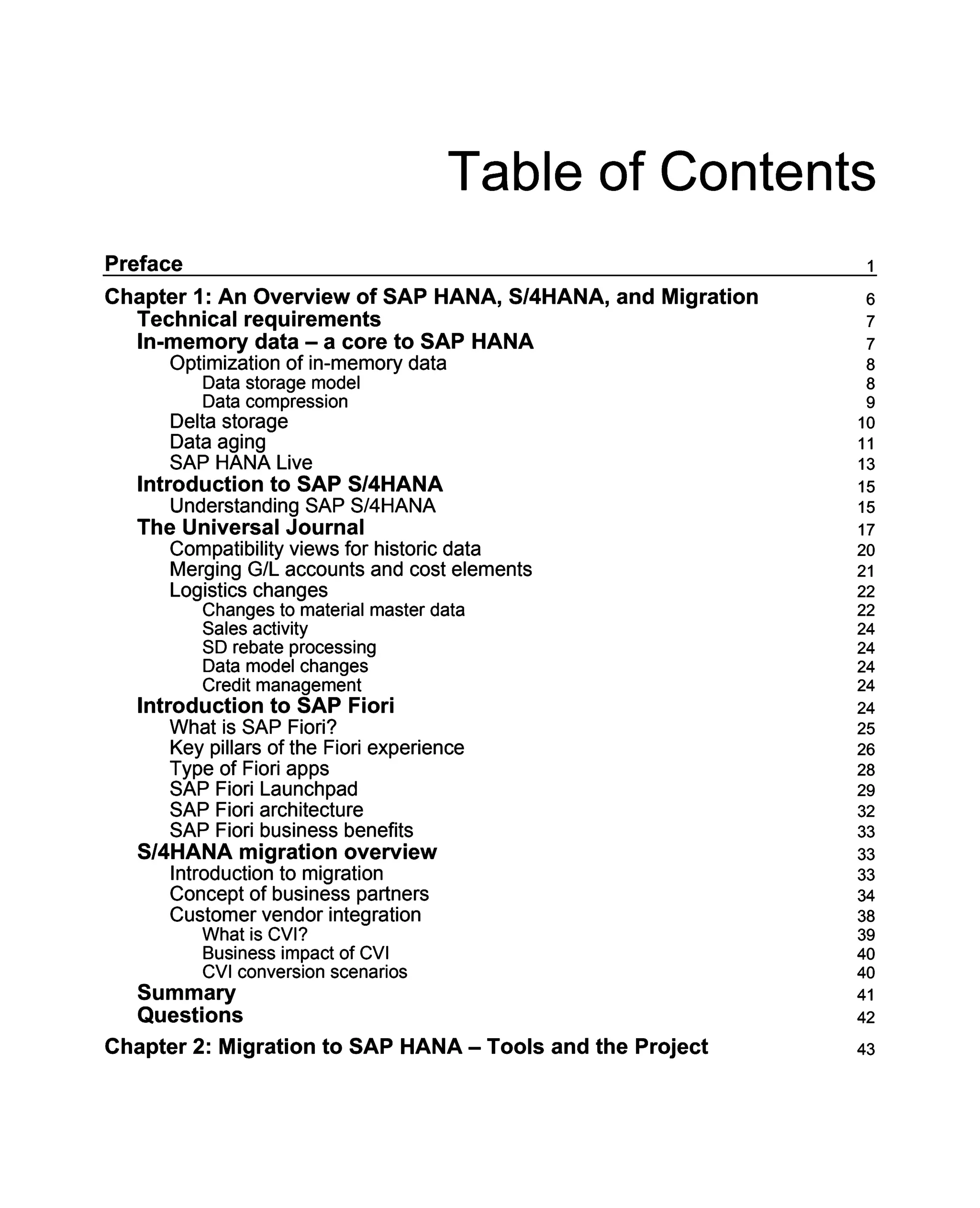
![Table of Contents
Technical requirements
System migration
SAP homogeneous system copy
Reasons for a homogeneous system copy
SAP heterogeneous system copy
System copy consequences and decision table
Migration check service
Benefits of migration check service
System copy method
Database-specific copy method for Java
SAP migration tools
ABAP OS/DB migration
DB object size calculation with R3SZCHK
JAVA OS/DB migration
System copies – import and export
Software logistics toolset
Software provisioning manager
Target database size
Migration project overview
A sample schedule
SAP OS/DB migration check analysis
SAP OS/DB check verification
Required source system information
Required source system – technical information
Performing a migration test run 59
Final migration planning
Installing and upgrading
Software update manager
Summary
Questions
Chapter 3: SAP S/4HANA – Deployment Options
What is deployment?
SAP S/4HANA deployment options
SAP S/4HANA On Premise
SAP S/4HANA on Cloud
Comparing S/4HANA On Premise and On Cloud
Types of cloud
An overview of implementation scenarios
Hybrid model of deployment
Summary
Questions
Chapter 4: Impact of S/4HANA on the SAP General Ledger
Technical requirements
The history of the General Ledger
43
43
44
44
45
45
46
47
47
47
48
48
48
52
53
53
53
54
54
55
57
57
58
58
59
60
60
61
61
62
62
63
64
65
67
67
68
69
69
70
71
71
71
[ii ]](https://image.slidesharecdn.com/masteringsaps4hana1709strategiesfo-230324035245-57e83f33/75/Mastering_SAP_S_4HANA_1709_Strategies_fo-pdf-10-2048.jpg)
![Table of Contents
An overview of the Classic General Ledger
An overview of the New General Ledger
Features of the New GL
General Ledger in SAP S/4HANA
Data structure of GL in SAP S/4HANA
Universal Journal
Ledgers and currencies
GL account and cost elements
Changes to transactions and search options
Customizing the SAP General Ledger
Activating SAP Reference IMG
Checking and adopting Fiscal year variants
Migrating General Ledger customizations
Defining settings for the Journal Entry Ledger
Defining ledger groups
Assigning the accounting principle to the ledger group
Defining a ledger for Controlling
Defining document types for posting to Controlling
Defining the document type mapping variant
Defining default values for posting in Controlling
Defining the offsetting account determination type
Defining the source ledger for migration of balances
Executing the consistency check for the General Ledger
Activating business functions
Summary
Questions
Chapter 5: Impact of S/4HANA on SAP Controlling and Profitability
Analysis
Technical requirements
An introduction to SAP Profitability Analysis (CO-PA)
Usage of COPA
Methods of profitability management
Methods of Profitability Analysis in SAP
Aspects in SAP profitability management and organization units involved
Comparative analysis of various methods
Types of CO-PA
Account-based COPA
Costing-based COPA
Differences between account-based and cost-based COPA
COPA in SAP S/4HANA
Integration of Account-based CO-PA to Universal Journal
Attributed profitability segments
Realignment in CO-PA with SAP S/4HANA
Characteristics that cannot be changed
72
72
72
74
74
78
79
79
82
85
87
88
88
89
92
94
95
95
97
97
98
99
100
100
101
101
102
102
103
103
104
104
105
107
107
108
108
109
111
112
112
115
115
[iii ]](https://image.slidesharecdn.com/masteringsaps4hana1709strategiesfo-230324035245-57e83f33/75/Mastering_SAP_S_4HANA_1709_Strategies_fo-pdf-11-2048.jpg)
![Table of Contents
Characteristics that can be changed freely 116
Characteristics that can be changed only if the account assignment is not true 116
Characteristics that are changeable if the field is initial at the time for execution
of realignment 116
Reporting options in CO-PA with SAP S/4HANA 117
The Fiori app 117
Analysis for Office 118
HANA Live 119
COGS split in S/4HANA-based CO-PA 120
Defining accounts for splitting COGS 120
Defining additional quantity fields 120
Defining accounts for Splitting Price Differences 121
Material Ledger in SAP S/4HANA 121
Significant changes in Controlling in SAP S/4HANA 122
Changes in transactions 122
Changes in tables
Changes in configuration 123
123
Configuration of the document type for CO 123
Maintaining document-type mapping for CO transactions 125
Checking and defining default values for posting in Controlling 125
Maintaining version for the ledgers 126
Summary 127
Questions 127
Chapter 6: Impact of S/4HANA on SAP Asset Accounting 128
Technical requirements
An overview of SAP Asset Accounting 128
129
Features of SAP Asset Accounting 130
Organizational units in Asset Accounting 130
Charts of depreciation
Integration components 131
133
Integrating with Controlling 133
Integrating with General Ledger (FI) 134
Integrating with Material Management (MM) 135
Asset classes and their components
An introduction to New Asset Accounting
Key changes in New Asset Accounting 136
139
139
Changes to transaction codes 140
An introduction to the Technical Clearing Account (TCA) 140
Changes to AuC and Transaction Types 143
Posting to the Universal Journal 144
New depreciation-calculation engine 144
Depreciation areas and ledgers 144
Data migration in New Asset Accounting
Summary
Questions 145
146
146
[iv ]](https://image.slidesharecdn.com/masteringsaps4hana1709strategiesfo-230324035245-57e83f33/75/Mastering_SAP_S_4HANA_1709_Strategies_fo-pdf-12-2048.jpg)
![Table of Contents
Chapter 7: S/4HANA New Functionalities – Cash Management, BPC,
and Fiori UX
Technical requirements
Introduction to Bank Account Management (BAM)
Solution overview
Redesigned approach in SAP S/4HANA
Configuration
Maintaining number ranges for bank account technical IDs
Maintaining bank account types
Configuring enable payment approval process
Configuring payment signatories
Configuring cash pool for cash concentration
Existing options for extensibility
ICF services
BAM and BAM Lite
Introduction to Cash Management
Prerequisite check
Master Data set up
Bank statement processing
Manage cash operations
One Exposure from Operations
Introduction to BPC
What's new in this area?
Before and after S/4HANA comparison
Applications used
Components supported
How data flows
Authorizations
Planning modeler
Introduction to Fiori
Summary
Questions
Chapter 8: Overview of Implementation Scenarios
Technical requirements
Available implementation scenarios
New implementation
Duration of the new implementation
Approach in new implementation
Data migration
System conversion
How to plan a migration project?
Key performance indicators (KPIs) in migration
Landscape transformation
Benefits of landscape transformation
147
148
148
148
150
151
151
152
152
154
155
157
157
160
161
162
163
164
165
168
169
170
170
172
172
173
174
176
178
181
182
183
183
183
184
185
185
186
187
189
190
190
191
[v]](https://image.slidesharecdn.com/masteringsaps4hana1709strategiesfo-230324035245-57e83f33/75/Mastering_SAP_S_4HANA_1709_Strategies_fo-pdf-13-2048.jpg)
![Table of Contents
Characteristics of SAP S/4HANA landscape transformation projects
System landscape transformation (SLT)
Preconfigured solutions
Available consolidation scenarios
Migration of business units
Migration of selected applications (central finance)
Elements of central finance
Central finance replication model
Solution methodology – central finance
Summary
Questions
Chapter 9: Period End Closing in SAP S/4HANA
Technical requirements
Closing activities
Month-end closing
Year-end closing
Reporting with SAP S/4HANA
Financial statement versions
Reporting options in SAP S/4HANA
Closing Cockpit in SAP S/4HANA
Closing Cockpit usage scenarios
Closing Cockpit configuration
Creating a template
Creating tasks
Defining the Dependencies and Create Task Lists
Releasing the Task List
Checking dependencies
Executing dependencies
Process control
Summary
Questions
Chapter 10: Premigration Activities
Technical requirements
Preparation for migration
Prechecks in migration
Preparation and migration of customizing for General Ledger
Activating SAP Reference IMG
Checking and adopting Fiscal year variants
Migrating General Ledger customization
Defining settings for the Journal Entry Ledger
Defining ledger groups
Assigning accounting principles to the ledger group
Defining the ledger for controlling
Defining document types for posting to controlling
191
192
192
193
193
193
195
195
196
196
196
197
197
197
198
199
200
200
203
204
210
211
212
213
214
215
216
216
219
219
220
221
221
221
222
224
225
226
227
228
230
232
233
234
[vi ]](https://image.slidesharecdn.com/masteringsaps4hana1709strategiesfo-230324035245-57e83f33/75/Mastering_SAP_S_4HANA_1709_Strategies_fo-pdf-14-2048.jpg)
![Table of Contents
Defining document type mapping variant
Defining default values for posting in controlling
Defining the offsetting account-determination type
Defining the source ledger for the migration of balances
Executing consistency checks for General Ledger
Activating the business functions
Preparing and migrating customization of Asset Accounting
Preparing and migrating customization of controlling
Preparing and migrating the Material Ledger customization
Preparing and migrating the House Bank accounts customization
Preparing and migrating the Credit Management customization
Summary
Questions
Chapter 11: Migration Activities
Technical requirements
Data migration
Partition of Universal JE Line Items
Regenerating CDS views and field mapping
Analyzing transaction data and status display
Starting and monitoring data migration
Overview tab
Migration runs
Status of migration run
Control tab
Tables tab
Migration of cost elements
Technical check of transactional data
Material Ledger migration
Enrichment of data
Migration of line items
Migration of balances
Calculation of depreciation and total values
Migrating General Ledger allocations
How to do it?
Migrating house bank accounts
Migrating Credit Management
Migrating Credit Management Master Data and status display
Migrating Credit Management exposure and status display
Initializing Documented Credit Decisions (DCD) and status display
Reconciling Documented Credit Decisions (DCD)
Completing migration
Reconciling and comparing migrated data
Summary
Setting migration to complete
Questions
235
236
236
237
238
238
239
242
245
245
247
253
253
254
254
254
255
256
256
257
258
258
259
259
259
260
261
263
266
269
270
271
272
272
273
275
276
277
278
279
279
280
281
282
282
[vii ]](https://image.slidesharecdn.com/masteringsaps4hana1709strategiesfo-230324035245-57e83f33/75/Mastering_SAP_S_4HANA_1709_Strategies_fo-pdf-15-2048.jpg)
![Table of Contents
Chapter 12: Post-Migration Activities
Technical requirements
Activities after migration
Running reconciliation reports
Business process validation
Transferring application indexes and displaying the status
Filling due dates in FI documents and the display status
Filling offsetting accounts in FI documents
Enrichment of balance carryforward
Settings for enrichment of balance carryforward
Reconciling the balance with line items and displaying reconciliation status
Specifications for Balance Sheet and P&L accounts
Enriching balance carryforward based on line items
Manual activities for credit management
Completing a credit management migration for unmigrated customers
Deactivating the reconciliation ledger
After migration testing
Testing HANA-optimized reports
Testing reporting
Testing database usage
Testing intercompany reconciliation
Testing Universal Journal and the closing process
Summary
Questions
Chapter 13: Central Finance – a No-Disruption Approach
Technical requirements
An overview of SAP Central Finance
Understanding Central Finance
Key business benefits and use cases
Central Finance process use cases
Key limitations
Short-life master data
Fixed assets
Inventory
Logistics documents
Costing-based COPA
Document-splitting
Profit-center-only postings
Central Finance architecture
Source system
System Landscape Transformation
SAP Master Data Governance (MDG)
S/4HANA system
Application Interface Framework (AIF)
Central Finance interfaces
283
283
283
284
284
285
286
288
289
289
290
290
293
293
293
295
295
296
296
297
297
298
298
299
300
300
301
301
302
303
304
304
305
305
305
305
306
306
306
307
307
310
311
311
314
[ viii ]](https://image.slidesharecdn.com/masteringsaps4hana1709strategiesfo-230324035245-57e83f33/75/Mastering_SAP_S_4HANA_1709_Strategies_fo-pdf-16-2048.jpg)
![Table of Contents
Central Finance mapping
Initial load and real-time replication
System configuration 315
317
323
Source system 323
System Landscape Transformation (SLT) 332
Defining objects 336
Defining the initial load object 337
Defining the replication object 337
Activating the Initial Load and Replication Objects 338
Control Load/Replication using the SAP LT Replication Server 339
S/4HANA system 339
Configuring the SAP Application Interface Framework (AIF) 340
Clearing Functionality 350
Central Payments 352
Business benefits of Central Payment
Configuring Central Payment
Managing cost-based COPA in SAP Central Finance
Summary
Questions 353
353
356
359
359
Chapter 14: Greenfield Implementation
Technical requirements
Greenfield implementation
ASAP methodology 360
360
360
361
The key benefits of the ASAP methodology 361
Phases of the ASAP methodology
Agile ASAP 8 methodology
SAP Activate
Pillars of SAP Activate 361
363
364
365
SAP Best Practices 365
Guided configuration 365
Methodology 367
SAP Activate methodology's features 368
Activate methodology key characteristics 369
The Activate methodology structure 373
Governance, roles, and responsibilities
Activate journey – new implementation (cloud) 379
380
Activate journey – new implementation (premise)
Activate journey – system conversion
Differences between SAP Launch, ASAP, and SAP Activate
Summary
Questions 383
387
390
392
392
Chapter 15: The Near Zero Downtime (NZDT) Strategy
Technical requirements
The Near Zero Downtime strategy 393
393
393
[ix]](https://image.slidesharecdn.com/masteringsaps4hana1709strategiesfo-230324035245-57e83f33/75/Mastering_SAP_S_4HANA_1709_Strategies_fo-pdf-17-2048.jpg)
![Table of Contents
Summary
Questions
Other Books You May Enjoy
395
395
396
Index 399
[x]](https://image.slidesharecdn.com/masteringsaps4hana1709strategiesfo-230324035245-57e83f33/75/Mastering_SAP_S_4HANA_1709_Strategies_fo-pdf-18-2048.jpg)
![Preface
Chapter 3, SAP S/4HANA – Deployment Options, takes you through the available
deployment options—cloud, on premise, and the hybrid model, along with their key
features, benefits, and challenges.
Chapter 4, Impact of S/4HANA on the SAP General Ledger, purely focuses on changes to
General Ledger areas with the introduction of SAPS/4HANA. We will see the necessary
functionality changes as well as the configuration changes.
Chapter 5, Impact of S/4HANA on SAP Controlling and Profitability Analysis, purely looks at
changes to Controlling as well as COPA with the introduction of SAPS/4HANA. SAP
recommends that users use Account-based COPA with S/4HANA, and also covers the
benefits. We will also take a look at the necessary functionality changes as well as the
configuration changes.
Chapter 6, Impact of S/4HANA on SAP Asset Accounting, gives you a view of all the changes
done in the Asset accounting area with the introduction of new asset accounting. It will
involve the configuration as well as the functionality changes.
Chapter 7, S/4HANA New Functionalities – Cash Management, BPC, and Fiori UX, runs you
though the new functionalities introduced in S/4HANA, such as BAM, Credit Management,
and changes to BPC, and we will also learn what Fiori is all about and see how to create a
simple Fiori tile.
Chapter 8, Overview of Implementation Scenarios, discusses the available implementation
scenarios, which may be different for each customer, and also we will learn how to move
ahead based on the present customer situation.
Chapter 9, Period End Closing in SAP S/4HANA, is mainly dedicated to the closing features
as well as the closing cockpit. We will see how the closing cockpit introduced in SAP
S/4HANA 1709 is different from the cockpit of SAP ECC.
Chapter 10, Premigration Activities, helps you learn about the preparatory activities
involved in migration.
Chapter 11, Migration Activities, covers an end-to-end view of migration activities,
including configuration, which we have to do when we move from SAP ECC to SAP
S/4HANA.
Chapter 12, Post-Migration Activities, is all about the wind up activities necessary to
complete the migration. It involves some sanity checks as well as some reconciliations.
[2]](https://image.slidesharecdn.com/masteringsaps4hana1709strategiesfo-230324035245-57e83f33/75/Mastering_SAP_S_4HANA_1709_Strategies_fo-pdf-20-2048.jpg)
![Preface
Chapter 13, Central Finance – a No-Disruption Approach, is a chapter dedicated to Central
Finance, one of the key areas in which organizations are investing and looking toward for
the future. All configurations, processes, and relevant aspects of central finance are covered
in this chapter.
Chapter 14, Greenfield Implementation, is the best way to learn about SAP activate in detail.
This chapter will guide through the methodology and how it differs from the previous SAP
implementation methodologies.
Chapter 15, The Near Zero Downtime (NZDT) Strategy, is a small chapter that guides the
readers through the core features of NZDT and explains how it can be used to reduce the
downtime during migration.
To get the most out of this book
In order to use this as the best method for learning, ensure that you understand the key
SAP terms, processes, and organization structure in SAP. Although it is not expected that
you should be aware of all SAP ECC configurations in advance, if you know them and have
previously used them in your projects, that's excellent.
When you are learning the configuration chapters, have the system ready (maybe DEMO
system) so that you can follow the instructions and get the correct results.
Download the color images
We also provide a PDF file that has color images of the screenshots/diagrams used in this
book. You can download it here: https://www.packtpub.com/sites/default/files/
downloads/MasteringSAPS4HANA1709StrategiesforImplementationandMigration_
ColorImages.pdf.
Conventions used
There are a number of text conventions used throughout this book.
CodeInText: Indicates code words in text, database table names, folder names, filenames,
file extensions, pathnames, dummy URLs, user input, and Twitter handles. Here is an
example: "The tables are merged to the ACDOCA table with the header table BKPF.
FAGLFLEXA and some other New GL tables are now obsolete."
[3]](https://image.slidesharecdn.com/masteringsaps4hana1709strategiesfo-230324035245-57e83f33/75/Mastering_SAP_S_4HANA_1709_Strategies_fo-pdf-21-2048.jpg)
![Preface
Bold: Indicates a new term, an important word, or words that you see onscreen. For
example, words in menus or dialog boxes appear in the text like this. Here is an example:
"SPRO | Financial Supply Chain Management | Cash and Liquidity Management |
Bank Account Management | Basic Settings."
Warnings or important notes appear like this.
Tips and tricks appear like this.
Get in touch
Feedback from our readers is always welcome.
General feedback: Email feedback@packtpub.com and mention the book title in the
subject of your message. If you have questions about any aspect of this book, please email
us at questions@packtpub.com.
Errata: Although we have taken every care to ensure the accuracy of our content, mistakes
do happen. If you have found a mistake in this book, we would be grateful if you would
report this to us. Please visit www.packtpub.com/submit-errata, selecting your book,
clicking on the Errata Submission Form link, and entering the details.
Piracy: If you come across any illegal copies of our works in any form on the Internet, we
would be grateful if you would provide us with the location address or website name.
Please contact us at copyright@packtpub.com with a link to the material.
If you are interested in becoming an author: If there is a topic that you have expertise in
and you are interested in either writing or contributing to a book, please visit
authors.packtpub.com.
[4]](https://image.slidesharecdn.com/masteringsaps4hana1709strategiesfo-230324035245-57e83f33/75/Mastering_SAP_S_4HANA_1709_Strategies_fo-pdf-22-2048.jpg)
![Preface
Reviews
Please leave a review. Once you have read and used this book, why not leave a review on
the site that you purchased it from? Potential readers can then see and use your unbiased
opinion to make purchase decisions, we at Packt can understand what you think about our
products, and our authors can see your feedback on their book. Thank you!
For more information about Packt, please visit packtpub.com.
[5]](https://image.slidesharecdn.com/masteringsaps4hana1709strategiesfo-230324035245-57e83f33/75/Mastering_SAP_S_4HANA_1709_Strategies_fo-pdf-23-2048.jpg)
![An Overview of SAP HANA, S/4HANA, and Migration Chapter 1
The basic concept of SAP HANA includes the following areas:
In-memory data
Optimization of in-memory data
Delta storage:
Technical requirements
For this chapter, the following are required:
SAP HANA Database 2.0
SAP ECC system with non-SAP database
SAP SLT system
Running RFC connections between systems
In-memory data ‒ a core to SAP HANA
If you have noticed the trend of computers and their core configuration, it should be
evident that there has been a drastic change over a period of time, let's say, in the last
decade. Prices have been moving around with a slight dip, and memory capacity has
increased drastically. From an enterprise server perspective, the capacity today is in
terabytes with a single enterprise-class server.
[7]](https://image.slidesharecdn.com/masteringsaps4hana1709strategiesfo-230324035245-57e83f33/75/Mastering_SAP_S_4HANA_1709_Strategies_fo-pdf-25-2048.jpg)
![An Overview of SAP HANA, S/4HANA, and Migration Chapter 1
The hard disks are cheap and affordable and are at the lowest space in the consequential
structure, but the key to this entire process of in-memory data modeling is performance. In
the following figure, if we move from top to bottom, it shows a higher latency with lower
price, and if we move vice versa, it depicts a higher performance:
The main memory is normally directly accessible, and if we compare its access to that of the
hard disk, the speed is 100,000 times faster.
All traditional database management systems use the disk as a primary storage and the
main memory is used as just a buffer.
Optimization of in-memory data
SAP HANA stores data in a columnar format, which results in effective compression and
reduction in overall data size. Also, this resolves the problem of data flow between the
main memory and cache.
Data storage model
Normally, the data storage in databases is in a table format. A table is a data structure in
which the information is organized. It can store data in rows and columns and can be used
to display data in a structured format. Databases normally comprise several tables, and
each table has a specific purpose.
[8]](https://image.slidesharecdn.com/masteringsaps4hana1709strategiesfo-230324035245-57e83f33/75/Mastering_SAP_S_4HANA_1709_Strategies_fo-pdf-26-2048.jpg)
![An Overview of SAP HANA, S/4HANA, and Migration Chapter 1
The options available are as follows:
Row-based layout: Stores data elements in a row
Columnar layout: Stores data elements in a columnar format
Let's take a look at a very simple example to understand this concept:
The preceding table is a simple example of data. Now, we will check out what it looks like
in a row-based layout:
Also, this is what it looks like in a columnar data format:
Both methods of storage have their own pros and cons, and SAP HANA supports both the
models. However, performance is enhanced when the columnar model is used, as it enables
an effective projection by accessing only relevant columns, which reduces the number of
accesses to memory. Also, it allows for an effective compression, especially when column
sorting is done.
Data compression
The technique that is used to reduce the count of bits for data in memory is known as data
compression. In this technique, the overall memory is reduced and, hence, the cost is
reduced, and all of the data reading is done on the compressed set. Many compression
methods, such as run-length encoding, cannot be applied in the row-based layout. This is a
very technical topic, so we will not go into too much detail here, but, for now, it is
important that we understand the storage scenarios and the meaning of compression.
[9]](https://image.slidesharecdn.com/masteringsaps4hana1709strategiesfo-230324035245-57e83f33/75/Mastering_SAP_S_4HANA_1709_Strategies_fo-pdf-27-2048.jpg)
![An Overview of SAP HANA, S/4HANA, and Migration Chapter 1
Delta storage
Normally, data insertion to compressed data is really slow. This problem is solved with
SAP HANA, as it brings the concept of delta storage with it. In this structure, the storage of
a columnar table includes the main storage and delta storage. Any write operation, such as
insert, update, or delete, is done in delta storage, which is, again, a columnar storage, and
any addition is appended to the end of the structure:
This is what the architecture looks like; it simplifies the database structure and results in
faster processing:
[10]](https://image.slidesharecdn.com/masteringsaps4hana1709strategiesfo-230324035245-57e83f33/75/Mastering_SAP_S_4HANA_1709_Strategies_fo-pdf-28-2048.jpg)
![An Overview of SAP HANA, S/4HANA, and Migration Chapter 1
Data aging
In today's world, we are just playing with data. Businesses' data volumes are immense, and
their data is confidential and important in terms of business continuity as well as growth
and compliances. For example, companies have to detail their financial data for 7 years to
10 years due to IRS audits.
The size of the data is growing day by day, and much effort, as well as money, is spent on
the maintenance of that data.
This is what the data view looks like:
For sure, we need the actual and latest data to run the business, which is about 10%, and,
from time to time, we might need access to 30% of the data. However, what about the
remaining 60% data? Have you accessed the documents of the projects that you worked on
7 years ago? Do you frequently see photos of your holidays that you had taken around 8-10
years ago? The typical answer is no.
The same applies to organizations; they don't really access that 60% of data. So, what are
we doing with that data? What is our strategy? In rare cases, we will need to access the old
data as and when we are showing the order history to a customer or when we are running
comparisons over decades, or during an audit.
In the new concept of data aging, the data that we access regularly, that is, the latest actual
data, is known as hot and the rest, the 60%, is known as cold. The temperature of the data
decides the strategy to store the data. The goal of aging is to reduce the main memory
footprint and to speed up database queries by only keeping operationally relevant (hot)
data in the main memory. In SAP HANA, aging is different from archiving in the sense that
cold data is still kept within the SAP HANA database and remains accessible via SQL in the
very same table as the hot data.
[11]](https://image.slidesharecdn.com/masteringsaps4hana1709strategiesfo-230324035245-57e83f33/75/Mastering_SAP_S_4HANA_1709_Strategies_fo-pdf-29-2048.jpg)
![An Overview of SAP HANA, S/4HANA, and Migration Chapter 1
Regular daily queries are on hot data, and the cold data is generally partitioned, as shown
in the following figure:
The configuration has to be defined once in the setup phase, and, using this solution, data
can be restructured by a background task and automatically pushed out of memory if
needed.
As an example of partitioning, all entries in the following table with entries 00000000 are in
hot memory:
Table name Partition ID Range
FAGLFLEXT 1 00000000
FAGLFLEXT 2 00010101 - 20120101
FAGLFLEXT 3 20120101 - 20130101
FAGLFLEXT 4 20130101 - 20140101
FAGLFLEXT 5 20140101 - 20150101
[12]](https://image.slidesharecdn.com/masteringsaps4hana1709strategiesfo-230324035245-57e83f33/75/Mastering_SAP_S_4HANA_1709_Strategies_fo-pdf-30-2048.jpg)
![An Overview of SAP HANA, S/4HANA, and Migration Chapter 1
SAP HANA Live
To gain the market and advantage in any competition, it is important for the organization
to have analytics of their own data. Every decision is driven based on data, but that
decision can be more efficient if the analytics of the data is as accurate as possible. With the
emergence of technology, there has been a shift in the data models for decision making. Old
data with multiple accesses has been replaced by new real-time data with access to a single
source of truth. Complex systems and data can have a multilayered structure, including
OLAP and OTLP systems. Before we move ahead, let's understand the following concepts:
OLAP: Online analytic processing
OLTP: Online transactional processing
In traditional databases, transaction processing is completely separate from analytics
processing. The key factor to this is the database design of both these systems. However, it
results in a complex and redundant data processing. You process the transaction now and,
for analytics, the same will be available after a day, which results in a lag for the finance
department, especially at the time of closing.
SAPS/4HANA is powered by SAP HANA, which combines both OLTP and OLAP
processing. Now, the transactional data does not need to be moved to another system for
analytics, and they run in the same tables, which results in efficiency and avoids
redundancy.
SAP HANA Live is an out-of-the-box, preconfigured, and extensible data model. It is an
architectural framework that can be used for analytical reporting on the SAP HANA
database. It enables businesses to create analytics suites based on a semantic data model
that enriches the underlying SAP ERP structures.
This data model has the following attributes:
Optimized for operational reporting
Eliminates data duplication
Ready to be consumed
Extensible
Easy to consume, with true business-like semantics
[13]](https://image.slidesharecdn.com/masteringsaps4hana1709strategiesfo-230324035245-57e83f33/75/Mastering_SAP_S_4HANA_1709_Strategies_fo-pdf-31-2048.jpg)
![An Overview of SAP HANA, S/4HANA, and Migration Chapter 1
This is what it looks like with and without SAP HANA Live:
The SAP HANA Live architecture is shown in the following figure:
[14]](https://image.slidesharecdn.com/masteringsaps4hana1709strategiesfo-230324035245-57e83f33/75/Mastering_SAP_S_4HANA_1709_Strategies_fo-pdf-32-2048.jpg)
![An Overview of SAP HANA, S/4HANA, and Migration Chapter 1
Introduction to SAP S/4HANA
The focus of this chapter will be to understand the overview of SAPS/4HANA—what is
S/4HANA, what is so interesting in S/4HANA that customers are investing, what benefits
does it provide, and how has SAP planned to make it different from its own ERP? Let's
begin deep diving to understand the concept.
Understanding SAP S/4HANA
SAPS/4HANA is an innovation that is built on native SAP HANA and is a simplified
approach of the existing SAP ERP. In the original SAP ECC system, the financial side of
SAPS/4HANA was completely robust. However, there were duplicates and limitations.
SAP was focused on removing those roadblocks. Therefore, with regular feedback from the
customers and, of course, with massive change and innovation in the system, the product
SAPS/4HANA was built. The story started in 2015 when a product was launched with the
name simple finance, and a few projects were started with SAP's commitment to
improvement. However, the product was not as successful as was expected. Then, it was
revamped as SAPS/4HANA, the final name, and was suffixed by a release number, such as
1503, 1610, and 1709 (YYMM). Until now, no version of the product was complete in terms
of innovation and features. SAP is still introducing features to the product in order to make
it simple and more usable for customers. This massive innovation from SAP occurred after
a long time. Until now, it involved only enhancements coming to ECC.
The following figure explains that the story line has spanned for more than 10 years:
[15]](https://image.slidesharecdn.com/masteringsaps4hana1709strategiesfo-230324035245-57e83f33/75/Mastering_SAP_S_4HANA_1709_Strategies_fo-pdf-33-2048.jpg)
![An Overview of SAP HANA, S/4HANA, and Migration Chapter 1
SAPS/4HANA is designed to run only on the SAP HANA database, and it already has all
the features of this powerful in-memory design from SAP. It can be deployed on-premise,
on the cloud, or on hybrid cloud as needed, and it's very flexible. The data model in SAP
S/4HANA has been simplified. It has resulted in the removal of several tables. This has
reduced the data footprint to a large extent and also simplifies the system design, usability,
and extensibility. This has resulted in making the financial management simpler and
faster. With the use of Fiori, end users receive personalized information with a detailed
level of data, taking them to the line item details of the transactions. Data analytics is a
method that varies across organizations.
Business intelligence products that cover various ways to represent data are also available.
The products include renewed managerial roles that specifically target individuals, for
example, a financial officer or receivables manager. In addition, SAP delivers renewed
transactional roles for the end users, such as the general ledger accountant or the fixed
assets accountant:
[16]](https://image.slidesharecdn.com/masteringsaps4hana1709strategiesfo-230324035245-57e83f33/75/Mastering_SAP_S_4HANA_1709_Strategies_fo-pdf-34-2048.jpg)
![An Overview of SAP HANA, S/4HANA, and Migration Chapter 1
SAPS/4HANA is not a single product; it includes many applications. Customers can begin
using the basic components and based on need further applications can be added to the
basket. SAPS/4HANA Enterprise Management is an ideal place to start. It is known as the
simplified core and is regarded as a replacement for SAP ERP. It provides support for all
core business processes. SAPS/4HANA Enterprise Management can be easily integrated
with SAPS/4HANA Line-of-Business (LoB) solutions. These options can be added at any
time and provide best-in-class LoB solutions and connections to SAP business networks.
Customers can choose LoB solutions that are most useful for their businesses.
The LoB finance solutions integrate the following to business networks, as follows:
SAP SuccessFactors:
SAPS/4HANA integration and the SAP SuccessFactors Employee
Central Payroll rapid deployment solution (function module web
service that covers finalized, COBL checks and ongoing cost center
replications not yet started)
SAP Ariba:
Ariba Invoice Management (buyer side) and payment advice and
cancel payment advice
Ariba Discount Management (buyer side) and payment proposal
and PayMeNow
Concur:
SAPS/4HANA implementation with Concur and reuse of SAP
ERP add-on (delivery by Concur product)
SAP Fieldglass:
SAPS/4HANA integration planned in a joint project with SAP
Fieldglass, LOB PROC, and SAP Master Data Governance (FIN
contributes cost center and internal order replication)
The Universal Journal
The Universal Journal is all about next-generation accounting, where a single table is
responsible for storing data in place of several tables. This is one of the major
simplifications resulting from the evolution of SAPS/4HANA. It makes the process
transparent, reconciliation free, and allows for seamless navigation and a deeper insight of
an organization's financial data. From a technical aspect, it's a redundancy-free storage of
financial data, consisting mainly of a general ledger, asset accounting, controlling, and a
material ledger.
[17]](https://image.slidesharecdn.com/masteringsaps4hana1709strategiesfo-230324035245-57e83f33/75/Mastering_SAP_S_4HANA_1709_Strategies_fo-pdf-35-2048.jpg)
![An Overview of SAP HANA, S/4HANA, and Migration Chapter 1
The General Ledger was redesigned in 2004. It added many advantages, such as
extensibility, parallel views, document splitting, and multiledger functionality, but its main
aim was to replace classic ledgers. However, it failed to provide flexibility to SAP
customers, as they were looking for improvements such as reconciliation among various
subledgers, such as AP, AR, G/L, AA, and CO. The situation used to look like this:
In the preceding figure, you will notice that there is disharmony between the financial
components, such as the depreciation areas in Asset Accounting, G/L in the General
Ledger, and the cost element in Controlling. All these resulted in manual work for the
customers in reconciling all these items with each other, wherever necessary. Now, SAP
S/4HANA has addressed this issue in the form of the Universal Journal.
Several tables are obsolete (however, SAPS/4HANA provides compatibility views to
provide access to historic data). The Universal Journal has all the columns that are needed
by the business and each component, too.
[18]](https://image.slidesharecdn.com/masteringsaps4hana1709strategiesfo-230324035245-57e83f33/75/Mastering_SAP_S_4HANA_1709_Strategies_fo-pdf-36-2048.jpg)
![An Overview of SAP HANA, S/4HANA, and Migration Chapter 1
The new architecture combines all the components that we just discussed, and in place of
the reconciliation view (the preceding figure), we now have the integrated view:
Additionally, the Universal Journal integrated the coding block extension (structure
CI_COBL), allowing the input in customer fields. There is an increasing demand from most
global companies for a holistic view of multiple accounting standards throughout the
whole ERP system. Working with parallel ledgers supports this requirement already in
G/L, as follows:
The new journal entry consists of a header (table BKPF) and their respective items
(table ACDOCA)
The new SAP HANA-based reporting of all the components (G/L, AA, ML, and
CO) can access the customer fields
The ACDOCA table contains all the fields needed for G/L, CO, AA, ML, and PA
The list of tables that were part of this structure and are merged with the ACDOCA table now
includes the following:
Index tables removed:
BSIS, BSAS, BSID, BSAD, BSIK, BSAK, BSIM, FAGLBSIS, and
FAGLBSAS
[19]](https://image.slidesharecdn.com/masteringsaps4hana1709strategiesfo-230324035245-57e83f33/75/Mastering_SAP_S_4HANA_1709_Strategies_fo-pdf-37-2048.jpg)
![An Overview of SAP HANA, S/4HANA, and Migration Chapter 1
Aggregate tables removed:
GLT0, GLT3, FAGLFEXT, KNC1, LFC1, KNC3, KFC3, COSS, and COSIP
Tables removed:
FAGLFLEXA, COEP, ANEP, ANEA, ANLC, ANLP, and MLIT
Material Ledger:
Contents of MLIT, MLPP, MLPPF, MLCR, MLCRF, MLCD, CKMI1,
and BSIM are now stored in ACDOCA; MLHD data is stored in BKPF
When we talk about the external postings (that is, coming from other systems to SAP
S/4HANA), the view looks like the one shown in the following figure:
Compatibility views for historic data
For the existing SAP customers, all the programs and custom developments will
work successfully on the existing tables. Now, what will happen to those customizations?
Every customer and consulting partner was worried about this. Customers may not want to
spend on the redevelopment of everything, and, of course, they won't want their business
and reporting to be affected due to the introduction of S/4HANA to their organization. A
very simple answer to this problem is to use compatibility views. Compatibility views are
named V_TABLE. For example, the compatibility view of the COEP table is V_COEP.
[20]](https://image.slidesharecdn.com/masteringsaps4hana1709strategiesfo-230324035245-57e83f33/75/Mastering_SAP_S_4HANA_1709_Strategies_fo-pdf-38-2048.jpg)
![An Overview of SAP HANA, S/4HANA, and Migration Chapter 1
The read operations in the ABAP code are redirected toward a view (V_COEP) via a specific
setting in the data dictionary definition of table COEP. This view then no longer reads the
physical the COEP table, but the new Universal Journal; it now maps the data back to the
structure of COEP. From the perspective of the program code, there has not been any
change:
The main focus of SAPS/4HANA development is to provide a product that does not
disrupt the business processes and business as usual.
Merging G/L accounts and cost elements
Before the Universal Journal, SAP had G/L accounts in G/L and also had (secondary) cost
elements in CO mapped to those G/L accounts. This is because the user always had to trace
the mapping rules backward. In the SAP HANA architecture, with the Universal Journal,
only one field is used to store both the G/L account and cost element. The logic is that the
G/L can be assumed to be a special type to make it a cost element. The new account is
maintained on one screen (as shown in the following screenshot).
[21]](https://image.slidesharecdn.com/masteringsaps4hana1709strategiesfo-230324035245-57e83f33/75/Mastering_SAP_S_4HANA_1709_Strategies_fo-pdf-39-2048.jpg)
![An Overview of SAP HANA, S/4HANA, and Migration Chapter 1
The following screenshot shows the creation of a new G/L account of the Secondary
Costs type:
Logistics changes
Apart from massive changes in finance, S/4HANA also came up with several changes in the
logistics area. Let's look at those changes.
Changes to material master data
Material master basic transaction code still remains the same as in ECC:
MM01 to create
MM02 to change
MM03 to display
However, the length of the material number has changed along with some field-level
changes. New fields have been added and a few fields have been removed.
This big change is the length of the Material number field. This was in heavy demand by
customers due to various industry requirements to have a lengthy material number. It was
of 18 characters in SAP ECC, and now it's 40 in S/4HANA. It was a big change, almost three
times the previous length.
Let's look at an example from both systems to see what the Material number looks like.
[22]](https://image.slidesharecdn.com/masteringsaps4hana1709strategiesfo-230324035245-57e83f33/75/Mastering_SAP_S_4HANA_1709_Strategies_fo-pdf-40-2048.jpg)
![An Overview of SAP HANA, S/4HANA, and Migration Chapter 1
The SAP ECC Material number view looks like this:
The SAPS/4HANA Material number view looks like this:
However, the default SAPS/4HANA system come with 18 characters only, and it needs to
be extended based on customer requirements.
The following is the path to activate this:
SPRO | IMG | Cross-Application Components | General Application Functions | Field
Length Extension | Activate Extended Fields
Go to new entries and check the following field:
After this, the field will look like the one shown in the following screenshot:
Another change in the material master is the foreign trade data. This is now a part of SAP
GTS and is not available in S/4HANA.
The new material type SERV is now added. As the name implies, it is intended to be used
for service. The following are the available views for the material type:
Basic data
Sales view
Purchasing view
Accounting
[23]](https://image.slidesharecdn.com/masteringsaps4hana1709strategiesfo-230324035245-57e83f33/75/Mastering_SAP_S_4HANA_1709_Strategies_fo-pdf-41-2048.jpg)
![An Overview of SAP HANA, S/4HANA, and Migration Chapter 1
Sales activity
The Sales Support function (SD-CAS) is no longer supported in S/4 HANA. SAP suggests
SAP CRM or SAP Cloud for customers as the recommended solution.
SD rebate processing
The SD rebate functionality has been replaced by Settlement Management. Hence, the
transaction VBO1 is no longer available in S/4 HANA.
Data model changes
With the introduction of SAPS/4HANA, several changes have been introduced in SAPSD:
Pricing: Prices were stored in KONV, but now they will be in PRCD_ELEMENTS
Status tables: VBUK and VBUP have been removed
Index tables removed from the system: VAKPA, VAPMA, VLKPA, VLPMA, and
VRKPA
Tables removed: VBOX, S066, and S067
Credit management
Credit management has been discontinued from S/4 HANA, and the recommended
solution is FSCM. Thus, transactions such as F.28, F.31, F.32, and F.33 are no longer
supported. The following are the new transactions in these areas:
New transactionOld transactionPurpose
UKM_BP FD32 Maintenance of credit limits
UKM_MY_DCDS VKM1 Releasing of blocked sales orders due to credit
Introduction to SAP Fiori
In this section, we will cover the key concepts and aspects of SAP Fiori. We will also deep
dive into some of the important areas. Let's begin with the question that anyone starting
with the technology may ask—what is SAP Fiori?
[24]](https://image.slidesharecdn.com/masteringsaps4hana1709strategiesfo-230324035245-57e83f33/75/Mastering_SAP_S_4HANA_1709_Strategies_fo-pdf-42-2048.jpg)
![An Overview of SAP HANA, S/4HANA, and Migration Chapter 1
What is SAP Fiori?
People are drawn to things of beauty. Fiori is an Italian word that means flower. To view
the Fiori logo, visit the official Fiori website (https://sapfioriui.com/).
SAP Fiori is the user interface (an actually beautiful user interface) for SAP applications.
SAP aims to have this experience for all its solutions over a period of time. Fiori can give
the best possible experience when interacting with the SAP Business Suite. When
implemented with SAP HANA, the solution integrates with the existing IT landscape.
Additionally, SAP Fiori results in access to the same data information via various modes
and sources:
SAP Fiori is designed with the idea that your work environment needs to be available to
you wherever you are—on your desktop, tablet, or phone.
[25 ]](https://image.slidesharecdn.com/masteringsaps4hana1709strategiesfo-230324035245-57e83f33/75/Mastering_SAP_S_4HANA_1709_Strategies_fo-pdf-43-2048.jpg)
![An Overview of SAP HANA, S/4HANA, and Migration Chapter 1
Key pillars of the Fiori experience
The following diagram represents the key pillars of Fiori:
The following are the key pillars of the Fiori experience:
Role-based: Users have access to the applications where they perform their tasks,
and the applications are specific to these tasks.
Responsive: The application interface is responsive; it adapts to the size and
device used by the users to access it.
Simple: The scope of the application is simple. There is one user, one use case,
and up to three screens for each application.
Coherent: The applications are developed with a coherent structure. The apps all
speak the same language, and can be implemented in multiple landscapes and
environments.
[26 ]](https://image.slidesharecdn.com/masteringsaps4hana1709strategiesfo-230324035245-57e83f33/75/Mastering_SAP_S_4HANA_1709_Strategies_fo-pdf-44-2048.jpg)
![An Overview of SAP HANA, S/4HANA, and Migration Chapter 1
Instant value: A low adoption barrier provides instant value, both on the IT
system side and on the user-adoption side:
[27 ]](https://image.slidesharecdn.com/masteringsaps4hana1709strategiesfo-230324035245-57e83f33/75/Mastering_SAP_S_4HANA_1709_Strategies_fo-pdf-45-2048.jpg)
![An Overview of SAP HANA, S/4HANA, and Migration Chapter 1
Type of Fiori apps
Fiori apps are of three types, as shown in the following screenshot:
Let's explain the three types of Fiori apps in detail:
Transactional apps: Offer task-based access to tasks such as change, create,
display (documents and master records), or entire processes with guided
navigation.
Analytical apps: Provide insight to action. They give you a visual overview of
complex topics for monitoring or tracking purposes.
Fact sheets: Allow you to search and explore your data. They provide a 360
degree view on essential information about an object and contextual navigation
between related objects.
[28 ]](https://image.slidesharecdn.com/masteringsaps4hana1709strategiesfo-230324035245-57e83f33/75/Mastering_SAP_S_4HANA_1709_Strategies_fo-pdf-46-2048.jpg)
![An Overview of SAP HANA, S/4HANA, and Migration Chapter 1
SAP Fiori Launchpad
The SAP Fiori Launchpad is like saving favorites in your internet browser. It is a personal
collection of apps. It functions like a bucket that displays and groups the tiles that are
required for the user's needs. It serves as the home page, KPI dashboard, and role-specific
entry point into the suite of financial applications. The Launchpad also offers active tiles
through which the user can receive updated information directly from the front page
without opening the application:
The SAP Fiori Launchpad offers themes and can be personalized to meet brand
requirements.
It offers a stable URL for bookmarking and sharing. It is browser-based and, therefore,
works with multiple devices and browsers.
Within each application, the user can interact with the SAP Fiori app. This app covers lots
of daily work tasks, along with the enterprise-level tasks. However, each pattern and
control is optimized to address a specific type of task in a simple, easy-to-use manner. They
are flexible enough to be combined and work synergistically. The consistent use of patterns
and controls ensures a coherent user experience and gives users a sense of familiarity across
SAP Fiori apps.
[29]](https://image.slidesharecdn.com/masteringsaps4hana1709strategiesfo-230324035245-57e83f33/75/Mastering_SAP_S_4HANA_1709_Strategies_fo-pdf-47-2048.jpg)
![An Overview of SAP HANA, S/4HANA, and Migration Chapter 1
The following are some personalization options:
Adding applications
Removing applications
Modifying applications
As an example, if the user is an accounts manager who is interested in the China market,
the user can create an application to take them directly to the accounting results of the
Chinese market. They can arrive at the financial results directly with one click from the SAP
Fiori Launchpad home page.
The following screenshot is an example of the design pattern:
An example of the process flow is shown in the following screenshot:
[30 ]](https://image.slidesharecdn.com/masteringsaps4hana1709strategiesfo-230324035245-57e83f33/75/Mastering_SAP_S_4HANA_1709_Strategies_fo-pdf-48-2048.jpg)
![An Overview of SAP HANA, S/4HANA, and Migration Chapter 1
An example of a chart is shown in the following screenshot:
In the SAP Fiori theme designer, custom themes can be designed for the Launchpad. For
example, the following tasks can be performed:
Changing the font color
Changing the background color
Adding images
Assigning a new theme to users
[31]](https://image.slidesharecdn.com/masteringsaps4hana1709strategiesfo-230324035245-57e83f33/75/Mastering_SAP_S_4HANA_1709_Strategies_fo-pdf-49-2048.jpg)
![An Overview of SAP HANA, S/4HANA, and Migration Chapter 1
SAP Fiori architecture
The following figure shows the latest 1709 architecture of SAP Fiori:
SAP Fiori frontend server 4.0 is an add-on product version of SAP NetWeaver AS ABAP
and delivers the frontend software components required to run Fiori 2.0 applications for
S/4HANA 1709:
Release 1511 1610 1709
SAP NetWeaver (recommended) 7.50 7.51 7.52
SAP Fiori 1.0 2.0 2.0
SAP Fiori Front End Server 2.0 3.0 4.0
[32]](https://image.slidesharecdn.com/masteringsaps4hana1709strategiesfo-230324035245-57e83f33/75/Mastering_SAP_S_4HANA_1709_Strategies_fo-pdf-50-2048.jpg)
![An Overview of SAP HANA, S/4HANA, and Migration Chapter 1
SAP Fiori business benefits
The following are some business benefits that SAP Fiori can offer to the customers over the
traditional user interface:
Reduce IT average incident resolution time
Reduce mobile app development effort
Avoid costs associated with data errors
Reduction of time to perform employee activities
S/4HANA migration overview
In this chapter, we will briefly discuss the migration process. Although the detailed
migration process will be discussed in the next chapter, it is important to understand
migration and some of its related key concepts.
Introduction to migration
Migration to SAPS/4HANA is a fairly simple process, but it is important to understand the
starting point of the customer. It can be for an existing SAP ECC customer or for a new SAP
customer and the entire process is driven by the answer to the questions, such as from
where do we want to start or where does the customer stand presently?
New SAP customers can use classic tools to migrate from legacy systems to SAPS/4HANA.
The migration process can be started at any period for the SAP ECC customer, and the
customer can be on the classic or new G/L when they start to migrate. There are no SAP
services that are needed to migrate, as there was in migration from the classic G/L to new
G/L migration.
[33]](https://image.slidesharecdn.com/masteringsaps4hana1709strategiesfo-230324035245-57e83f33/75/Mastering_SAP_S_4HANA_1709_Strategies_fo-pdf-51-2048.jpg)
![An Overview of SAP HANA, S/4HANA, and Migration Chapter 1
Each of the following can be the starting point for a customer:
Concept of business partners
Business partners can be any person or organization with an interest in your business
operations. Business partners can be customers, vendors, banks, shareholders, and so on.
Until now, in SAP, there were several redundant objects that have now been replaced by
business partners in S/4HANA. This reduces the data volume and the number of tables. For
SAP business partners, this is not new, as it was already being used in the SAP modules in
various ways:
SAP Collections Management (FSCM-COL)
SAP Credit Management (FSCM-CR)
SAP Treasury and Risk Management (TRM)
Loans Management (FS-CML)
Customer Relation Management (CRM)
Supply Chain management (SCM)
Supplier Relationship Management (SRM)
[34]](https://image.slidesharecdn.com/masteringsaps4hana1709strategiesfo-230324035245-57e83f33/75/Mastering_SAP_S_4HANA_1709_Strategies_fo-pdf-52-2048.jpg)
![An Overview of SAP HANA, S/4HANA, and Migration Chapter 1
With the emergence of SAPS/4HANA, the major impacted area with reference to business
partners are customers and vendors. Normally, the volume of this master data is huge in
every organization, and most of the time, one party shares both the relationships. The BP in
SAPS/4 HANA is capable of managing master data centrally for business partners,
customers, and vendors. BP is the only transaction needed to create, edit, and display
master data.
The following transaction codes are replaced by BP:
In the new environment, whenever the customer or vendor is created, the business partner
is always created automatically, and it provides the following benefits to the organization:
General data section of the master data is shared within different BP roles, and it
results in lowering the data volume
Due to its versatile nature, any business partner is capable of performing
multiple roles, such as customer and vendor, which makes the BP reporting more
easy
CVI is the process of synchronization between the business partner object and is
needed when migrating from SAP ECC to SAPS/4HANA
The business partner master data process is as follows:
1. Set up the general data. Once this is updated, table BUT000 will be updated:
[35]](https://image.slidesharecdn.com/masteringsaps4hana1709strategiesfo-230324035245-57e83f33/75/Mastering_SAP_S_4HANA_1709_Strategies_fo-pdf-53-2048.jpg)
![An Overview of SAP HANA, S/4HANA, and Migration Chapter 1
2. Set up the FI vendor:
Role FLVN00 enables the posting of a direct vendor invoice and role FLVN01
enables the creation of purchasing data, which is a must to create a purchase
order:
After this process, the table LFM1 is updated.
[36]](https://image.slidesharecdn.com/masteringsaps4hana1709strategiesfo-230324035245-57e83f33/75/Mastering_SAP_S_4HANA_1709_Strategies_fo-pdf-54-2048.jpg)
![An Overview of SAP HANA, S/4HANA, and Migration Chapter 1
3. Set up a customer:
Table KNA1 is updated once the customer is created, and a direct FI posting via
FB70 can be executed.
Role FLCU01 is needed if a sales order is needed to be created for the customer:
[37]](https://image.slidesharecdn.com/masteringsaps4hana1709strategiesfo-230324035245-57e83f33/75/Mastering_SAP_S_4HANA_1709_Strategies_fo-pdf-55-2048.jpg)
![An Overview of SAP HANA, S/4HANA, and Migration Chapter 1
Customer vendor integration
In this section, we will discuss the process of customer vendor integration, which is a
mandate before we migrate to S/4HANA from SAP ECC. Before we get into the process,
let's understand the basics first:
Customer: A customer is a business partner to whom goods and services are sold
and/or delivered. A business partner can be a customer and a vendor at the same
time, if, for example, your customer also supplies goods to you. A customer
master holds information on the customer, such as their name, address, bank
details, tax details, delivery, and billing preferences. This customer information is
used and stored in transactions, such as sales orders, deliveries, and invoices.
Some customer information is specific to a company (known as company code)
or sales unit (known as sales area) within your organization.
Vendor: A vendor (or supplier) is a business partner that delivers and sells goods
and services to your organization. A business partner can be a vendor and a
customer at the same time, if, for example, your vendor also buys goods from
you. A vendor master holds information on the vendor, such as their name,
address, bank details, tax details, and billing preferences. This vendor
information is used and stored in transactions, such as purchase orders, goods
receipts, and vendor invoices. Some vendor information is specific to a company
(known as company code) or purchasing unit (known as purchasing
organization) within your organization.
Let's talk about Customer Vendor Integration (CVI). For the sake of simplicity,
we will be using the term CVI going forward.
[38]](https://image.slidesharecdn.com/masteringsaps4hana1709strategiesfo-230324035245-57e83f33/75/Mastering_SAP_S_4HANA_1709_Strategies_fo-pdf-56-2048.jpg)
![An Overview of SAP HANA, S/4HANA, and Migration Chapter 1
What is CVI?
CVI is a process supported by the standard SAP Master Data Synchronization Cockpit tool.
It is used to synchronize customer and vendor master data objects with SAP business
partner objects within SAP. With CVI in place, all the customers and vendors are assigned a
BP number. The concept is illustrated in the following figure:
[39]](https://image.slidesharecdn.com/masteringsaps4hana1709strategiesfo-230324035245-57e83f33/75/Mastering_SAP_S_4HANA_1709_Strategies_fo-pdf-57-2048.jpg)
![An Overview of SAP HANA, S/4HANA, and Migration Chapter 1
Business impact of CVI
To ensure a successful upgrade, all customers, vendors, and all contacts that relate to
customers or vendors must be converted to a business partner, including customers,
vendors, and assigned contacts with the deletion flag. CVI requires high-quality master
data to be converted. The quality checks cannot be switched off on the cockpit level. This
way, the customer is forced to run a high-quality master data project for the customer and
vendor master. If not started in advance, this can be a serious roadblock for the conversion.
Before we execute the CVI conversion, SAP recommends to archive the customers/vendors
with the deletion flag. It is recommended (but not mandatory) that the business partner ID
and customer ID/vendor ID are the same. Note that in case of overlapping number ranges
for customers and vendors in the start system, an additional number range alignment is
required. The user interface for SAPS/4HANA to create and maintain customer and vendor
master data is the transaction BP. The specific transaction code to maintain
customers/vendors (as in the SAP Business Suite) is not available within SAPS/4HANA.
The BP transaction is the single point of entry to create, edit, and display master data for
business partners, customers, and vendors.
CVI ensures that customer and vendor master data tables are updated automatically after a
BP is created/changed. All KNxx and LFxx customer/vendor master data tables are still
populated as previously in the SAP Business Suite.
In SAPS/4HANA, the BP transaction covers almost all customer/vendor master data fields.
One exception is that the CVI of the vendor text in the BP master will be covered in SAP
S/4HANA 1610 SPS01, that is, 02/2017. Our customer might not be able to maintain all the
data needed using a single BP transaction in the SAP Business Suite. There are no plans to
implement additional fields here since the xD0x- and xK0x-transactions continue to exist.
CVI conversion scenarios
Based on the SAPS/4HANA implementation scenario, new install or system conversion,
different CVI process scenarios must be considered. For a new install scenario, a central
configuration for business partners, including CVI setup and test steps, is required.
[40]](https://image.slidesharecdn.com/masteringsaps4hana1709strategiesfo-230324035245-57e83f33/75/Mastering_SAP_S_4HANA_1709_Strategies_fo-pdf-58-2048.jpg)
![An Overview of SAP HANA, S/4HANA, and Migration Chapter 1
For a system conversion scenario, several preparation steps are necessary to first convert
the customer/vendor data into an SAP business partner:
Summary
As we have just started with our learning journey, we completed the introduction to our
topic. It is important to understand that SAPS/4HANA can only be implemented on a SAP
HANA database and that it provides several benefits to organizations, especially to the
finance community; several tables are obsolete, and the Universal Journal was introduced.
Also, the data aging concept saves money for the customers in archiving and maintaining
data from the past. We still have a lot to go through. Now, we will focus on the technical
aspect of migration to SAP HANA and take a look at the deployment options available.
Then, we will move on to discuss in detail each of the areas that have changed in
S/4HANA.
[41]](https://image.slidesharecdn.com/masteringsaps4hana1709strategiesfo-230324035245-57e83f33/75/Mastering_SAP_S_4HANA_1709_Strategies_fo-pdf-59-2048.jpg)
![An Overview of SAP HANA, S/4HANA, and Migration Chapter 1
Questions
1. What is SAP HANA?
2. What is SAPS/4HANA?
3. What is business partner functionality in SAPS/4HANA?
4. When is CVI needed?
5. What is the Universal Journal?
6. What will be the new length of the material number in SAPS/4HANA and is it
defaulted by SAP?
7. What is the difference between OLAP and OLTP processing?
8. What is SAP Fiori?
[42]](https://image.slidesharecdn.com/masteringsaps4hana1709strategiesfo-230324035245-57e83f33/75/Mastering_SAP_S_4HANA_1709_Strategies_fo-pdf-60-2048.jpg)
![Migration to SAP HANA – Tools and the Project Chapter 2
The following are the proposed solutions for these two system copies:
Backup/restore
Third-party tools for data unload/load
SAP system copy tools
SAP homogeneous system copy
SAP homogeneous system copy is a way to move or copy an SAP system to a new
environment. In a homogeneous system copy, the source and target system use the same
operating system (OS) and database (DB) system. The hardware architecture remains the
same, or is a certified successor, where SAP supports homogeneous copies as well.
The operating and database systems for a homogeneous system copy are combinations of
OS and DB versions released by SAP. In some cases, an OS or a DB upgrade may be
necessary on the source system before a system copy can be performed. A homogeneous
system copy can be executed by a customer. There is no need for a specific certification. For
the target system, the same OS can mean an SAP-certified successor, such as Windows 2008
or Windows 2012. Depending on the method used for executing the homogeneous system
copy, it may be necessary to upgrade the DB or the OS of the source system first. On older
SAP system releases, an upgrade may be necessary. This can be the case if the target
platform requires a DB or OS version that is not compatible with the SAP system version
that is to be copied. New hardware on the target system may be supported by the latest OS
and DB versions only.
Reasons for a homogeneous system copy
The following are some of the reasons for performing a homogeneous system copy:
System move (hardware change)
MCOD configurations involving system moves
Setting up of additional SAP systems for development, quality assurance and
training, or production
Change of the SAPSID for company-related reasons or the use of SAP-reserved
SIDs
[44]](https://image.slidesharecdn.com/masteringsaps4hana1709strategiesfo-230324035245-57e83f33/75/Mastering_SAP_S_4HANA_1709_Strategies_fo-pdf-62-2048.jpg)
![Migration to SAP HANA – Tools and the Project Chapter 2
SAP heterogeneous system copy
In a heterogeneous system copy, the source and target systems use a different OS or DB. In
many cases, a change of the hardware architecture is also involved. The operating and
database systems for a heterogeneous system copy are SAP-released combinations of OS
and DB versions. A heterogeneous system copy must be executed by a person who is
certified for OS/DB migrations, except when using the DB migration option on the software
update manager (database migration option) (SUM (DMO)), which takes care of the
necessary tasks automatically.
Depending on the method used for executing the heterogeneous system copy, it may be
necessary to upgrade the DB or the OS of the source system first. Older SAP system releases
may require an update. You may want to perform a heterogeneous system copy when a DB
or OS changes for one or more of the following reasons:
Hardware enhancements
Performance improvements
Availability of new technologies
Administrative efficiency
Cost reduction
Guarantee against hardware or software becoming obsolete
Standardization through a group-wide platform strategy
System copy consequences and decision table
The following are some of the negative consequences of a system copy:
Missing or corrupted data (worst case)
Increased support requirements for the SAP Hotline
Poor performance
User dissatisfaction
[45]](https://image.slidesharecdn.com/masteringsaps4hana1709strategiesfo-230324035245-57e83f33/75/Mastering_SAP_S_4HANA_1709_Strategies_fo-pdf-63-2048.jpg)
![Migration to SAP HANA – Tools and the Project Chapter 2
Key terms used in this process are as follows:
The type of system copy can be decided based on the following table:
Migration check service
The SAP OS/DB migration check has two service sessions:
OS/DB migration check analysis
OS/DB migration verification session
[46]](https://image.slidesharecdn.com/masteringsaps4hana1709strategiesfo-230324035245-57e83f33/75/Mastering_SAP_S_4HANA_1709_Strategies_fo-pdf-64-2048.jpg)
![Migration to SAP HANA – Tools and the Project Chapter 2
Benefits of migration check service
Some benefits of the migration check service are as follows:
Independent of third-party standalone solutions
Standardized procedures for all migrations
Avoidance of planning errors through a defined migration procedure and
inspection of the project schedule by SAP
Parameter recommendations for the target system through SAP OS/DB migration
check with special regard to OS or DB change
Efficient project implementation through cooperation with experienced
migration partners
System copy method
The following are the copy methods based on DB:
Database-specific copy method for Java
The database-specific system copy methods for Java systems replace the JLOAD
export/import part, but still require SAPinst to run on the source and target systems.
SAPinst collects various system information on the source, which is required to adjust the
target system to make it run on the target system platform.
[47]](https://image.slidesharecdn.com/masteringsaps4hana1709strategiesfo-230324035245-57e83f33/75/Mastering_SAP_S_4HANA_1709_Strategies_fo-pdf-65-2048.jpg)
![Migration to SAP HANA – Tools and the Project Chapter 2
SAP migration tools
The key objective of this section is to understand how to identify the relevant tools required
to perform the migration.
ABAP OS/DB migration
Existing systems running with Advanced Business Application Programming (ABAP)
need to be migrated.
ABAPDDIC export with R3LDCTL:
Creates table and index structures files (*.STR)
Creates the view structure file (SAPVIEW.STR)
Supports CDS views and user-defined database functions
Supports declustering
Contains knowledge about specific tables that are built in and relate to the SAP
release
Creates database-specific DDL command templates (DDL<DBS>.TPL)
R3LDCTL reads the ABAP dictionary to extract the database-independent table and index
structures and writes them into *.STR files. Every version of R3LDCTL contains release
specific, built-in knowledge about the table and index structures of specific SAP internal
tables, which cannot be retrieved from the ABAP dictionary. These structures are added
automatically (for example, the SAP NAMETAB tables, DDNTT and DDNTF).
R3LDCTL creates the DDL<DBS>.TPL and DDL<DBS>_LRG.TPL files for SAP-supported
databases. The DDL<DBS>_LRG.TPL files are mainly used to support unsorted exports.
R3LDCTL writes the structure definition of cluster tables into the *.STR files when called
with the respective decluster option.
DB object size calculation with R3SZCHK
Computes sizes of tables and indexes and stores them into extent files (*.EXT)
Limits calculation of object extent sizes to 1,700 MB (1,782,579,200 bytes)
Creates target database size file (DBSIZE.XML)
[48]](https://image.slidesharecdn.com/masteringsaps4hana1709strategiesfo-230324035245-57e83f33/75/Mastering_SAP_S_4HANA_1709_Strategies_fo-pdf-66-2048.jpg)
![Migration to SAP HANA – Tools and the Project Chapter 2
R3SZCHK generates the target database size file, DBSIZE.XML, for SAPinst. The extent sizes
written into *.EXT files will never exceed 1,700 MB (1,782,579,200 bytes). Nevertheless, the
DBSIZE.XML file is calculated from the original table and index sizes. The size
computations are based on assumptions and are limited in their accuracy. The
DDLOADD table is used to store the calculated extent sizes before writing them into *.EXT
files.
ABAP data export/import with R3LOAD
The following are the characteristics for ABAP exports and imports:
Exports and imports ABAP database objects
Writes a platform-independent data dump format
Provides efficient data compression
Ensures data dump consistency by check sums
Checks R3LOAD control files, syntax at invocation
Supports restart after exporting or importing errors
Converts data to unicode
Supports table splitting
Supports CDS views and user-defined database functions
Supports declustering during exports or imports
The following are the characteristics for SMIGR_CREATE_DDL:
The SMIGR_CREATE_DDL report runs on the source system
Generates <TABART>.SQL files containing DDL statements to recreate
nonstandard ABAP database objects on the target system (mainly BW objects)
Mandatory for all ABAP systems, not only for BW or SCM systems
[49]](https://image.slidesharecdn.com/masteringsaps4hana1709strategiesfo-230324035245-57e83f33/75/Mastering_SAP_S_4HANA_1709_Strategies_fo-pdf-67-2048.jpg)
![Migration to SAP HANA – Tools and the Project Chapter 2
The SMIGR_CREATE_DDL report generates DDL statements for nonstandard database
objects and writes them into the <TABART>.SQL files. The SQL statements are specific to the
target database type, which was applied to SMIGR_CREATE_DDL. The SQL files are used by
R3LOAD to create the nonstandard DB objects in the target database, bypassing the
information in the <PACKAGE>.STR files. Nonstandard objects use DB-specific features and
storage parameters, which are not part of the ABAP dictionary (mainly BW objects):
The SMIGR_CREATE_DDL report is executed shortly before the system is stopped for the
export. SAPinst is called to perform all required export steps. Depending on the database
and the database type, updated statistics might be required to support the R3SZCHK size
calculation. SAPinst can skip the updating statistics in most versions:
[50]](https://image.slidesharecdn.com/masteringsaps4hana1709strategiesfo-230324035245-57e83f33/75/Mastering_SAP_S_4HANA_1709_Strategies_fo-pdf-68-2048.jpg)
![Migration to SAP HANA – Tools and the Project Chapter 2
SAPinst automatically creates the shown directory structure on the named dump filesystem
and generates a LABEL.ASC file. During the export procedure, various files are placed in
the specified directory structures. The *.STR, *.TOC, *.WHR, and the dump files are stored
in the .../DATA folder. The *.WHR exists if table splitting is used. The DDL<DBS>.TPL files
are stored in the .../DB folder, and all *.EXT files and the DBSIZE.XML file are stored in
the corresponding .../DB/<DBS> database subdirectory.
The SQLFiles.LST and <TABART>.SQL files exist only if they are created by the
SMIGR_CREATE_DDL report. SAPinst copies them into the .../DB and the respective
.../DB/<DBS> subdirectory. The SQLFiles.LST file is empty (except for a timestamp) if
no <TABART>.SQL files were created.
[51]](https://image.slidesharecdn.com/masteringsaps4hana1709strategiesfo-230324035245-57e83f33/75/Mastering_SAP_S_4HANA_1709_Strategies_fo-pdf-69-2048.jpg)
![Migration to SAP HANA – Tools and the Project Chapter 2
JAVA OS/DB migration
The following are the characteristics of JLOAD Data:
Exports and imports Java DB objects
Writes a platform-independent data dump format
Provides efficient data compression
Provides data dump consistency by check sums
Supports restart after export or import errors
Supports table splitting
The following are the characteristics of a JLOAD job file creation using JPKGCTL:
Creates export and import job files for JLOAD
Combines table packaging and table splitting features
Separates metadata and data into different job files
Java target DB size calculation with JSIZECHECK:
Creates the target database DBSIZE.XML based on the DB size of the source DB
system
Requires no special DB statistics
Has a short execution time
Key points to be noted:
JSIZECHECK is normally called upon to get the DBSIZE.XML file created for all
the required target databases.
JPKGCTL helps in distributing the relevant Java tables to package files and can
also optionally split tables.
JMIGMON calls JLOAD to export the Java metadata and table data. For
applications that store their persistent data in the filesystem, SAPinst collects the
files into SAPCAR archives. The SDM is called to put its filesystem components,
including SDM repository, into the SDMKIT.JAR file.
[52]](https://image.slidesharecdn.com/masteringsaps4hana1709strategiesfo-230324035245-57e83f33/75/Mastering_SAP_S_4HANA_1709_Strategies_fo-pdf-70-2048.jpg)
![Migration to SAP HANA – Tools and the Project Chapter 2
System copies ‒ import and export
In this section, we will learn how to describe the software logistics toolset and control the
export and import processes of system copies.
Software logistics toolset
The software logistics toolset provides a product-independent delivery channel for
software logistics tools and includes the following channels:
System maintenance
System provisioning
Frontend installation
Change control
LM automation
Software provisioning manager
It provides the latest SAPinst version with software-provisioning services for several
products and releases for all platforms and includes the following topics:
System installation
System copy and migration
System uninstallation
Dual stack split
System renaming
[53]](https://image.slidesharecdn.com/masteringsaps4hana1709strategiesfo-230324035245-57e83f33/75/Mastering_SAP_S_4HANA_1709_Strategies_fo-pdf-71-2048.jpg)
![Migration to SAP HANA – Tools and the Project Chapter 2
Target database size
The filename for the target database size is DBSIZE.XML. It is created by:
ABAP: R3SZCHK
Java: JSIZECHECK
Its features are as follows:
The DBSIZE.XML content is database-specific
SAPinst requires the DBSIZE.XML file to create a database
The DBSIZE.XML file can be generated on the source system upfront of a system
copy to implement a parallel export/import
Migration project overview
Now let's take a look at how the migration project can be planned.
[54]](https://image.slidesharecdn.com/masteringsaps4hana1709strategiesfo-230324035245-57e83f33/75/Mastering_SAP_S_4HANA_1709_Strategies_fo-pdf-72-2048.jpg)
![Migration to SAP HANA – Tools and the Project Chapter 2
A sample schedule
So, this is how the steps and the plan should look:
[ 55]](https://image.slidesharecdn.com/masteringsaps4hana1709strategiesfo-230324035245-57e83f33/75/Mastering_SAP_S_4HANA_1709_Strategies_fo-pdf-73-2048.jpg)
![Migration to SAP HANA – Tools and the Project Chapter 2
The standard OS/DB migration procedure also applies to heterogeneous system copies of
ABAP systems in introductory phase projects or pilot projects. Prepare for the SAP OS/DB
Migration Check Analysis Session as early as possible. Run this process on the productive
SAP system (the source system) before the final migration. Migration test runs are iterative
processes that are used to find the optimal configuration for the target system. In some
cases, one test run is sufficient, but sometimes several repeated runs may be required. The
same project procedure applies to both the OS migration and DB migration.
Test and final migrations are mandatory only for productive SAP systems. Most other SAP
systems, such as development, test, or quality assurance systems, are less downtime critical.
If the first test run for those systems shows positive results, an additional migration run
(final migration) is not necessary:
Migrate each productive system twice—once for test migration and once for the final
migration. Development, test, and quality assurance systems are less critical and can often
be migrated in a single step. In many cases, the migration of a quality assurance system is
not necessary because it can be copied from the migration production system:
[56 ]](https://image.slidesharecdn.com/masteringsaps4hana1709strategiesfo-230324035245-57e83f33/75/Mastering_SAP_S_4HANA_1709_Strategies_fo-pdf-74-2048.jpg)
![Migration to SAP HANA – Tools and the Project Chapter 2
SAP OS/DB migration check analysis
Perform an SAP OS/DB Migration Check analysis as soon as possible after a Migration
Check has been ordered and the migration project has been approved by SAP:
Check the production system with regard to the migration.
Check the SAP system and database parameters.
Analyze performance in the SAP system and the database.
Make recommendations for the migration target system.
The SAP OS/DB Migration Check Analysis Session is focused on the special
aspects involved in the platform or database change. It is performed on the
productive SAP system with regard to the target migration system environment.
The results of the Migration Check are then recorded.
6. ABAP- and JAVA-based SAP systems components will be checked.
7.
1.
2.
3.
4.
5.
SAP OS/DB check verification
After the final migration, wait four weeks to perform the SAP OS/DB migration check
verification. Several weeks are required to collect enough data for a performance analysis.
The previous production system should stay available during this time.
[57]](https://image.slidesharecdn.com/masteringsaps4hana1709strategiesfo-230324035245-57e83f33/75/Mastering_SAP_S_4HANA_1709_Strategies_fo-pdf-75-2048.jpg)
![Migration to SAP HANA – Tools and the Project Chapter 2
Some activities during the wait period can be:
Analyze the SAP system and database logs
Analyze response times for critical transactions
Analyze performance bottlenecks in the SAP system and database
Optimize the SAP system and database parameters
Check ABAP and JAVA-based SAP systems
Required source system information
Check all software components to be certain that they can be migrated, especially Java
based components. Assess the following criteria in relation to the required source system:
Installed SAP products
Versions of installed products, for example, enhancement packages, support
packages, the kernel version, operating system, and database system
Current system landscape
Number of systems in a production state
System migration order and time schedule
Maximum system downtimes for migration purposes
System access in cases of hosting environments
Ensure that you fully understand the current system landscape. There may be OS/DB
related dependencies between certain systems, which must be analyzed first. Determine the
systems that require migration, the correct migration sequence, and the time schedule of
the customer. In the case of a hosting environment, determine whether the consultant has
access to the source system.
Required source system ‒ technical information
The following is a list of technical checks/information we need for our source system:
Current hardware (RAM, CPUs, and disk subsystem)
Size of the source databases (compressed/uncompressed)
Free local disk space for unloading the database
Largest tables and indexes
Code pages used
[58]](https://image.slidesharecdn.com/masteringsaps4hana1709strategiesfo-230324035245-57e83f33/75/Mastering_SAP_S_4HANA_1709_Strategies_fo-pdf-76-2048.jpg)
![Migration to SAP HANA – Tools and the Project Chapter 2
Tables in the ABAP dictionary, but not in the DB or the reverse
External files and interfaces
Required target system information
The following list outlines target system general information:
Target system landscape system, for example, cluster
Target hardware
RAM
CPUs
Disk subsystem
Target operating system version
Intended target database version
Date of hardware availability or delivery
Performing a migration test run
The following steps are needed for a migration test run:
1. Install migration tools and prepare the source system.2
2. Export data from the SAP source system.
3. Install the SAP product and the database software on the target system.4
4. Transport/share the data export to the target system.5
5. Create an empty target database.6
6. Load the data export into the target database.7
7. Complete the installation and perform the follow-up tasks.8
8. Configure the test environment.
9. Extensively test the migrated system.
Final migration planning
The following is a list of activities in the final migration planning process:
Create a cut-over plan
Perform the migration
Perform the follow-up tasks
Check the system
[59]](https://image.slidesharecdn.com/masteringsaps4hana1709strategiesfo-230324035245-57e83f33/75/Mastering_SAP_S_4HANA_1709_Strategies_fo-pdf-77-2048.jpg)
![Migration to SAP HANA – Tools and the Project Chapter 2
Run a backup
Start production work
Installing and upgrading
Please read SAP Note 2157996, which includes an Excel-based installation/upgrade
checklist; it will help you verify the important topics for preparing the installation and
upgrading it to SAPS/4HANA. The checklist focuses on specific aspects, conditions, and
prerequisites for the SAPS/4HANA Finance backend installation.
Customers already using SAP HANA should update their SAP HANA database to SAP
ERP 6.0 EHP7 or higher versions, and SAP HANA SPS 7 (or higher versions), to allow for
migration to SAPS/4HANA Finance. If the required minimum SAP HANA update is
planned, check whether it's reflected in the project execution plan. Similarly, verify whether
the implementation team has sufficient experience or equivalent support to install,
configure, and run an SAP ERP EHP upgrade and installation. The installation of SAP
S/4HANA Finance requires SAP ERP 6.0 systems to be updated to EHP7 or higher
versions. The stack calculation (using the maintenance optimizer) for the installation of SAP
S/4HANA Finance automatically takes this into consideration.
Software update manager
The software update manager (SUM) helps you perform release upgrades, install
enhancement packages, apply service packages, and update single components on SAP
NetWeaver. The SUM checks the current version of the system, analyzes the required
components, imports the necessary programs and add-ons, and finally installs all the
components that are divided into a number of roadmap steps, which, in turn, are further
subdivided into a sequence of phases for monitoring purposes. The SUM is the main tool
used to convert your system to SAPS/4HANA Finance. If your source system isn't yet
running on an SAP HANA database, use the database migration option (DMO) of the
SUM to migrate your database to SAP HANA during the conversion.
With SUM and DMO, you can run the upgrade to SAP ERP 6.0 EHP 7 or a higher version,
the database migration to SAP HANA, and the installation of SAPS/4HANA Finance in a
single step. If SAPS/4HANA Finance is installed using the SUM with DMO, and the source
database isn't SAP HANA, a specific uncritical error message will occur in the
MAIN_SHDRUN/ACT_UPG phase.
[60 ]](https://image.slidesharecdn.com/masteringsaps4hana1709strategiesfo-230324035245-57e83f33/75/Mastering_SAP_S_4HANA_1709_Strategies_fo-pdf-78-2048.jpg)
![Migration to SAP HANA – Tools and the Project Chapter 2
Summary
So, now that we have completed this chapter, we have a fair understanding of migration
processes, tools, services, and types, and we can relax. It is imperative that you recap all of
these; however, you don't need to remember them by heart. Try the following questions
and move on to the next chapter, as now we are gaining a detailed understanding of SAP
S/4HANA topics.
Questions
What is a homogeneous system copy?
What is a heterogeneous system copy?
What is a Migration Check service?
What can be the consequences of a system copy?
What are the key SAP migration tools?
What do we mean by the export and import of system copies?
1.
2.
3.
4.
5.
6.
[61 ]](https://image.slidesharecdn.com/masteringsaps4hana1709strategiesfo-230324035245-57e83f33/75/Mastering_SAP_S_4HANA_1709_Strategies_fo-pdf-79-2048.jpg)
![SAPS/4HANA – Deployment Options Chapter 3
With the changing trend, the data storage area has gained new flavors. Let's discuss
personal data storage. Initially, we used to store data on floppy disks, then came CDs, and
then hard disks were used. Nowadays, people take subscriptions to internet-based drives,
which can host as much data as you want; however, they need to pay based on the size of
their data, for services such as Google Drive, Dropbox, and SkyDrive. They give some space
for free, but you need to pay to get more space based on your needs.
Now, the question arises as to what benefit you get or how it is more beneficial than storing
data on CDs or disks? The following are the answers to that question:
Flexibility of using the data anywhere, anytime, and on several devices
You don't need to invest in safeguarding the drive
You don't need to have backup of data to prevent the disks from getting
damaged
You don't need to carry drives physically
This trend is known as cloud deployment of personal data. In this chapter, we will discuss
the various options available for businesses deployment and how those options can be
exercised.
SAP S/4HANA deployment options
The following are the three major deployment options available to customers while
implementing SAPS/4HANA:
On Premise
On Cloud
Hybrid
Now, we will take a look at what each model looks like and how it works.
First, we will talk about the classic On Premise model.
If a company has heavily invested in its data centers and it does not want to discontinue
using them so quickly and it's organizational processes are heavily customized along with
modifications, then On Premise is the right fit for SAPS/4HANA deployment. It is
completely supported by SAP; however, a company has to take the end-to-end
responsibility for an On Premise system, especially, in regard to system governance and
operations or the implementation of maintenance measures:
[63 ]](https://image.slidesharecdn.com/masteringsaps4hana1709strategiesfo-230324035245-57e83f33/75/Mastering_SAP_S_4HANA_1709_Strategies_fo-pdf-81-2048.jpg)
![SAPS/4HANA – Deployment Options Chapter 3
Using existing data centers and managing a system on one's own is the classic way to
manage IT systems, and to date, it is one of the most used, most preferred, and most
successful methods of deployment. If you look at the deployment model of any
organization in the past, almost all will have had this model. On Premise can be used by
two types of SAP customers:
New installations
Landscape migration for existing customers
A new installation means setting up the SAP system starting from zero, where the customer
is not using SAP presently and wants to start with SAP as their ERP system. It's like a
Greenfield project.
Those customers who are already using SAP can migrate to SAPS/4HANA. We will
discuss both these approaches in detail in subsequent chapters.
Now, let's discuss the deployment options in detail.
SAP S/4HANA On Premise
On Premise is the traditional way to manage IT systems, and the customer is responsible
for managing the servers, management of the system itself, backup, and more. The core
processes of a customer are normally On Premise, whereby they want more flexibility and
confidentiality to gain competitive advantage. Customers can customize the system as per
their needs, without any limits.
[64 ]](https://image.slidesharecdn.com/masteringsaps4hana1709strategiesfo-230324035245-57e83f33/75/Mastering_SAP_S_4HANA_1709_Strategies_fo-pdf-82-2048.jpg)
![SAPS/4HANA – Deployment Options Chapter 3
SAPS/4HANA's On Premise edition is very similar to what is used presently. Additonally,
SAPS/4HANA also includes the major processes related with finance as well as to the core
finance network, such as Ariba and SuccessFactors.
SAP S/4HANA on Cloud
On Cloud is a new approach toward data management, where the servers, management,
and backup are managed by a cloud provider, for example, in Google Drive, we just store
the data and use it as needed; however, we are not concerned about the loss of data.
SAPS/4HANA's Cloud edition covers specific business scenarios, which includes almost all
areas of business such as finance, accounting, controlling, procurement, and sales, along
with integration with SAP SuccessFactors, SAP Ariba Network, SAP Hybris, and SAP
Fieldglass.
The Cloud model considers the following:
Data security: Firewalls protect data, whereas intrusion detection systems
monitor incoming data and identify potential threats. Data and backup files are
exchanged with customers in an encrypted format or transmitted via secure
fiber-optic cables.
Data privacy: SAP ensures that data protection provisions are complied with. A
Cloud customer's data falls under the jurisdiction of their choice. SAP's support
services ensure that data protection is also maintained during maintenance
operations.
Data center locations: Data centers for the SAP HANA Enterprise Cloud are
located worldwide. Data centers are either owned and operated by SAP or
colocated at partner sites. In the future, SAP will continue to build SAP owned
and-operated data centers and pursue partner capacity.
For a list of the present data centers of SAP, visit www.sapdatacenter.com
for an updated map. This map was taken at the time of writing this book:
[65 ]](https://image.slidesharecdn.com/masteringsaps4hana1709strategiesfo-230324035245-57e83f33/75/Mastering_SAP_S_4HANA_1709_Strategies_fo-pdf-83-2048.jpg)
![SAPS/4HANA – Deployment Options Chapter 3
The following is the road map by SAP planned for its On Cloud and On Premise innovation
cycle for SAPS/4HANA:
[66 ]](https://image.slidesharecdn.com/masteringsaps4hana1709strategiesfo-230324035245-57e83f33/75/Mastering_SAP_S_4HANA_1709_Strategies_fo-pdf-84-2048.jpg)
![SAPS/4HANA – Deployment Options Chapter 3
Comparing S/4HANA On Premise and On Cloud
The following table is a comparison of On Premise and On Cloud models at a glance:
Area of comparison S/4HANA On Premise S/4HANA On Cloud
Licensing model Traditional Subscription
Speed of innovation Customer controls when to
innovate/change Customers participate in
quarterly innovation
Implementation
approach
Highly individual area focussed
approach and is related to Predefined best practices
business processes
Key scenarios, embedded
scenarios, and integrates with
other components
SAP provides the system and
is responsible for
maintenance
Limited ABAP and in-app
extensibility
Full ERP scope and integrates
Functional scope with other components
Customer controls the
Infrastructure model deployment and maintenance
Custom code Fully traditional ABAP
Types of cloud
As of now, the cloud market has the following options available:
Public cloud
Private cloud
A public cloud usually hosts data for various companies on the same server. Programmers
from various companies can build and execute code without affecting each other's work.
SAP offers public cloud services, which are governed by SAP architecture. Customers
simply pay for what they use.
In the scenario of a private cloud, the system administrators are responsible for managing
the cloud, and the cost is generally on the higher side in such cases, as the servers and
human resource costs need to be at the customer side, although the servers are dedicated to
the organization.
Selection of the type of cloud (private or public) is dependent on the organizational needs
in terms of data, which include privacy, security, cost, and confidentiality of their data.
[67 ]](https://image.slidesharecdn.com/masteringsaps4hana1709strategiesfo-230324035245-57e83f33/75/Mastering_SAP_S_4HANA_1709_Strategies_fo-pdf-85-2048.jpg)
![SAPS/4HANA – Deployment Options Chapter 3
An overview of implementation scenarios
Now, since we covered the meaning of deployment and the options for deployment for the
customer, let's run through the overview of the possible implementation scenarios for the
customer. These scenarios will be discussed in detail in a subsequent chapter, but before we
move on, it is important to get through the overview of possible scenarios.
The following are the three different implementation scenarios regarding how a customer
can move to SAPS/4HANA:
Scenario A ‒ System Conversion
Existing SAP customers who want to move to SAPS/4HANA: This scenario
involves existing SAP customers who want to implement SAPS/4HANA. The
following are the key steps on the path:
Updating to SAP NetWeaver Application Server ABAP 7.5
Migrating the database to SAP HANA (in cases where, the SAP
Business Suite system is not yet on SAP HANA)
Installation of SAPS/4HANA, On Premise edition
Installation of SAP Fiori for SAPS/4HANA, On Premise edition
Migration of data from the old data structures to the new
simplified data structures
Scenario B ‒ Landscape Transformation
Existing SAP customers who want to implement a system landscape and move
to SAPS/4HANA: This scenario is focused on existing SAP customers who want
to change their system landscape to SAPS/4HANA. The following are the steps
included:
Possibly, a new installation of SAPS/4HANA
Possibly, converting a system to SAPS/4HANA
Additional migration steps that are based on SAP Landscape
Transformation combined with SAP Landscape Optimization
services
[68 ]](https://image.slidesharecdn.com/masteringsaps4hana1709strategiesfo-230324035245-57e83f33/75/Mastering_SAP_S_4HANA_1709_Strategies_fo-pdf-86-2048.jpg)
![SAPS/4HANA – Deployment Options Chapter 3
Scenario C ‒ New Implementation
Customers who want to move from non-SAP systems to SAP systems: This is
for those customers who are using third-party applications and want to
implement SAPS/4HANA. The following are the steps included:
Installation of SAP NetWeaver Application Server ABAP 7.5 based
on SAP HANA
Installation of SAPS/4HANA, On Premise edition
Installation of SAP Fiori for SAPS/4HANA, On Premise edition
Hybrid model of deployment
The hybrid model of deployment option is the most common of all, as customers tend
to want to use On Premise systems due to their data security constraints, and they also
want to use new applications that are on the cloud as a part of their innovation road maps.
This situation is a combination of On Premise and On Cloud deployments, where some of
the applications are On Premise, such as SAP ERP, and a few applications are On Cloud,
such as SAP Ariba and Concur.
With a hybrid approach, customers can leave their existing systems undisturbed in an On
Premise environment; it consists of SAP ERP instances of various levels or legacy systems.
Adding an SAPS/4HANA instance managed in the SAP HANA Enterprise Cloud enables a
customer to adopt finance innovations at their own pace.
Summary
In this chapter, we discussed all the deployment options—On Premise, cloud, and hybrid
models. Customers can choose the model based on their needs however, all of them have
some pros and cons. So, now, you are ready to help customers in choosing the right
deployment option.
Let's move on to the next part of this book, where we will learn about the key changes in
each of the functional areas.
[69 ]](https://image.slidesharecdn.com/masteringsaps4hana1709strategiesfo-230324035245-57e83f33/75/Mastering_SAP_S_4HANA_1709_Strategies_fo-pdf-87-2048.jpg)
![SAPS/4HANA – Deployment Options Chapter 3
Questions
What is the meaning of deployment?
What are the possible options available to customers for deployment?
Explain the features of hybrid model.
What is the innovation cycle plan for On Premise, and how is it different from
hybrid?
1.
2.
3.
4.
[70 ]](https://image.slidesharecdn.com/masteringsaps4hana1709strategiesfo-230324035245-57e83f33/75/Mastering_SAP_S_4HANA_1709_Strategies_fo-pdf-88-2048.jpg)
![Impact of S/4HANA on the SAP General Ledger Chapter 4
An overview of the Classic General Ledger
The General Ledger contains all the financial transactions of a business. Along with using
the Classic General Ledger, businesses also use the Special Ledger and several other
components, such as Profit Center Accounting (PCA), in order to meet their legal and
business reporting and transactional and auditing requirements. SAP Profit Center
Accounting and the Special Ledger are separate applications. So, these modules were never
automatically reconciled in the Classic General Ledger. This was one of the major
drawbacks of using the Classic GL. However, customers probably did not have any options
at that time. This resulted in more activities at the time of month end closing so that the
reconciliation with the Classic GL could be performed. This was accomplished by the New
GL. Let's discuss the New General Ledger.
An overview of the New General Ledger
The New GL is the improvised version of the Classic GL. It comes with several advantages,
including the following:
An extension to the existing functionality available in the Classic GL
A new functionality as compared to the Classic GL (we will discuss that in a later
section)
Features of the New GL
The New GL includes the following key features:
Parallel accounting
Segment reporting
Cost of sales accounting
Document splitting
New tables
Integrated FI and CO reporting
[72]](https://image.slidesharecdn.com/masteringsaps4hana1709strategiesfo-230324035245-57e83f33/75/Mastering_SAP_S_4HANA_1709_Strategies_fo-pdf-90-2048.jpg)
![Impact of S/4HANA on the SAP General Ledger Chapter 4
When a customer wanted to migrate from the Classic GL to the New GL, certain scenarios
were available. Since the Classic GL and New GL are now replaced by SAPS/4HANA,
these scenarios may not be realistic for most customers.
The SAP General Ledger migration for migration from the Classic GL to New GL has eight
scenarios:
Scenario #1: Merging of the FILedger
Scenario #2: Merging of the FI, PCA, and/or SL Ledger
Scenario #3: Scenario 2 + segment reporting (supported by document splitting)
Scenario #4: Scenario 2 + change to the ledger solution for parallel ledger
accounting
Scenario #5: Scenario 3 + change to the ledger approach for the purpose of
parallel ledger accounting
Scenario #6: Subsequent implementation of document splitting
Scenario #7: Subsequent implementation of ledgers
Scenario #8: Subsequent change from the accounts approach to the ledger
approach
If you want to learn more about the New GL and migration from the
Classic GL, refer to the following SAP notes at the SAP service
marketplace (S-user ID required) - 1014364, 812919, 1014369, and 1070629:
https://support.sap.com/en/index.html.
[73]](https://image.slidesharecdn.com/masteringsaps4hana1709strategiesfo-230324035245-57e83f33/75/Mastering_SAP_S_4HANA_1709_Strategies_fo-pdf-91-2048.jpg)
![Impact of S/4HANA on the SAP General Ledger Chapter 4
General Ledger in SAP S/4HANA
So, now we have covered the Classic General Ledger and the New General Ledger, let's
begin the journey of the General Ledger in SAPS/4HANA.
Data structure of GL in SAP S/4HANA
If you take a look at the following figure, you will notice that it clearly shows the
comparative picture of what was happening to the data in SAP ECC and how that data is
managed in SAPS/4HANA:
[74]](https://image.slidesharecdn.com/masteringsaps4hana1709strategiesfo-230324035245-57e83f33/75/Mastering_SAP_S_4HANA_1709_Strategies_fo-pdf-92-2048.jpg)
![Impact of S/4HANA on the SAP General Ledger Chapter 4
HANA has the capability to calculate on the fly, which means it removes several tables and
indices that were creating redundancy in the process:
The tables that are meant for line items and the index of GL are GLT0, BSIS,
BSAS, FAGLFLEXA, FAGLFLEXT, FAGLBSIS, and FAGLBSAS
The total tables and application index tables of accounts receivable and accounts
payable (KNC1, KNC3, LFC1, LFC3, BSID, BSIK, BSAD, and BSAK)
The line item and total tables of controlling (COEP for certain value types
and COSP and COSS)
The material ledger tables for parallel valuations (MLIT, MLPP, MLPPF, MLCR,
MLCD, CKMI1, and BSIM)
The Asset Accounting tables (ANEK, ANEP, ANEA, ANLP, and ANLC)
[75]](https://image.slidesharecdn.com/masteringsaps4hana1709strategiesfo-230324035245-57e83f33/75/Mastering_SAP_S_4HANA_1709_Strategies_fo-pdf-93-2048.jpg)
![Impact of S/4HANA on the SAP General Ledger Chapter 4
All these tables are merged to the ACDOCA table with the header table, BKPF. FAGLFLEXA
and some other New GL tables are now obsolete, and there are new customizing tables.
ACDOCA is the new table introduced by SAP in the finance area, which is the master table
containing all line items from most of the modules, such as the assets and material ledger:
[76]](https://image.slidesharecdn.com/masteringsaps4hana1709strategiesfo-230324035245-57e83f33/75/Mastering_SAP_S_4HANA_1709_Strategies_fo-pdf-94-2048.jpg)
![Impact of S/4HANA on the SAP General Ledger Chapter 4
However, the existing programs and custom developments will successfully work on new
tables. SAP now uses compatibility views. Compatibility views are prefixed with V; for
example, V_TABLE and V_COEP for COEP.
The read operations in the ABAP code are redirected toward a view (V_COEP) via a specific
setting in the data dictionary definition of the COEP table. This view then no longer reads
the physical table, COEP, but the new Universal Journal; it now maps the data back to the
structure of COEP. From the perspective of the program code, there has not been any
change:
[77]](https://image.slidesharecdn.com/masteringsaps4hana1709strategiesfo-230324035245-57e83f33/75/Mastering_SAP_S_4HANA_1709_Strategies_fo-pdf-95-2048.jpg)
![Impact of S/4HANA on the SAP General Ledger Chapter 4
Universal Journal
In SAPS/4HANA Finance, the Universal Journal captures all the accounting-relevant
transactions in Financial Accounting (FI) and Controlling (CO) as journal entries. It thus
represents the single source of truth for both financial accounting and management
accounting. The result is a fully integrated accounting system in which all line items from
business transactions, regardless of where they occur, are located in one place. The
Universal Journal contains all the fields (columns) required by the business processes and
individual components. The first release of the Universal Journal was SAP Simple Finance
2.0, which has since been renamed SAPS/4HANA Finance.
The Universal Journal was developed in order to guarantee the integrity of financial data,
eliminate the redundancy and reconciliation effort between FI and CO, and provide
significantly higher levels of performance, transparency, and financial insight. Combining
the data structures of the different components into a single line item table (ACDOCA) results
in a single source of truth that replaces the previously separate physical tables, since data is
posted via several modules, as follows:
General Ledger Accounting (FL-GL)
Asset Accounting (FI-AA)
Controlling (CO)
Profitability Analysis (CO-PA), except costing-based
Material Ledger (CO-PA-ACT)
[78 ]](https://image.slidesharecdn.com/masteringsaps4hana1709strategiesfo-230324035245-57e83f33/75/Mastering_SAP_S_4HANA_1709_Strategies_fo-pdf-96-2048.jpg)
![Impact of S/4HANA on the SAP General Ledger Chapter 4
The Universal Journal in SAPS/4HANA can handle up to 10 currency fields. Two of them
are preconfigured, and eight are freely definable currencies. The preconfigured currencies
are company code currency and controlling area currency. These two currencies cannot be
changed. Controlling area currency is only available if you use the Controlling application
component. You can use the freely defined currencies to configure further local currencies
and to map transfer prices. For example, each posting fills all currency fields according to
the configured currency conversion rules.
What is the difference between journal entries and accounting documents? In SAP ERP,
accounting documents (also known as G/L account documents, G/L documents, or simply
documents) represented the Financial Accounting view of business transactions. They were
complemented by CO documents, which represented the Controlling view. It was not
possible to navigate directly between an accounting document and the corresponding CO
document, as they were stored in different parts of the system.
With SAPS/4HANA, accounting documents and CO documents have been superseded by
journal entries.
Ledgers and currencies
Parallel ledgers were introduced with the New GL, as we learned in the previous section.
Additional ledgers were also introduced, called Extension Ledgers. The difference between
the two is that in a parallel ledger, postings are physically made to both the leading ledger
and the parallel ledger. Extension Ledgers, however, must link to a base ledger and only
take delta postings. Extension Ledgers mandatorily need the base ledger, and it can be
leading or non-leading. So, when a user runs a report for the extension ledger, it pulls in
both the base ledger and extension ledger to show you an holistic picture. The Extension
Ledgers, however, cannot be used in Asset Accounting, as this is a limitation, and we will
talk more about it in Chapter 6, Impact of S/4HANA on SAP Asset Accounting.
GL account and cost elements
In SAP ERP, there are two areas from the accounting perspective—Finance (FI) and
Controlling (CO), which are now merged. This eradicates the data redundancies and need
for reconciliations, and makes the internal CO actual postings visible in FI as well. This has
resulted in getting away from the need for a real-time FI-CO integration, as the Controlling
data is also stored in the new finance table, ACDOCA.
[79 ]](https://image.slidesharecdn.com/masteringsaps4hana1709strategiesfo-230324035245-57e83f33/75/Mastering_SAP_S_4HANA_1709_Strategies_fo-pdf-97-2048.jpg)
![Impact of S/4HANA on the SAP General Ledger Chapter 4
To have only one field available in the Universal Journal for both the GL account and cost
element numbers, the cost elements are contained inside the GL account master records. To
make this happen, there are now four types of GL account (there were two in ECC: Balance
Sheet and Profit and Loss). They are as follows:
X Balance Sheet Account
N Non-operating Expenses or Income
P Primary Costs or Revenue
S Secondary Costs
Now, the drop-down menu in the GL master data screen (transaction FS00) looks as
follows:
Cost Element used to have default account assignments in the master data screen itself, but
now, only transaction OKB9 will be available:
[80]](https://image.slidesharecdn.com/masteringsaps4hana1709strategiesfo-230324035245-57e83f33/75/Mastering_SAP_S_4HANA_1709_Strategies_fo-pdf-98-2048.jpg)
![Impact of S/4HANA on the SAP General Ledger Chapter 4
If Primary Costs or Secondary Costs are selected as the GL account type, then, on the
Control Data tab, Controlling area settings will be visible as the cost element category. The
drop-down options are based on selecting Primary Costs as the GL account type.
Categories relating to secondary costs are available if the Secondary Costs GL account type
is selected; however, the Cost element groups will be still available:
[81 ]](https://image.slidesharecdn.com/masteringsaps4hana1709strategiesfo-230324035245-57e83f33/75/Mastering_SAP_S_4HANA_1709_Strategies_fo-pdf-99-2048.jpg)
![Impact of S/4HANA on the SAP General Ledger Chapter 4
Changes to transactions and search options
On the colored icon at the right of the top menu bar in the S/4HANA GUI, select the
Options button and then go to Interaction Design | Visualization 2, where an enhanced
search can be activated or deactivated. It can also be done via a keyboard shortcut (Ctrl+
Shift + Q):
[ 82 ]](https://image.slidesharecdn.com/masteringsaps4hana1709strategiesfo-230324035245-57e83f33/75/Mastering_SAP_S_4HANA_1709_Strategies_fo-pdf-100-2048.jpg)
![Impact of S/4HANA on the SAP General Ledger Chapter 4
This enhanced search functionality can be used as needed at several places while doing
day-to day-activities in SAP. For example, in the vendor line item report, you can find the
vendors as follows:
You can find them by name, as follows:
You can find them by vendor number, as follows:
Alternatively, you can find them by postcode, country, search term, or by any
other parameter that is available on the specific enhanced search screen.
[83]](https://image.slidesharecdn.com/masteringsaps4hana1709strategiesfo-230324035245-57e83f33/75/Mastering_SAP_S_4HANA_1709_Strategies_fo-pdf-101-2048.jpg)
![Impact of S/4HANA on the SAP General Ledger Chapter 4
The old reports, such as FBL1N, FBL5N, and FAGLL03, still exist, and, additionally, new
transactions with H as their suffix are introduced, which are powered by HANA. These
include FBL1H, FBL5H, and FAGLL03H, and they have slightly different screens. The
selection screen is almost the same, but the new button is added halfway down the
selection screen instead of at the top and is labeled Restrictions. Once a report is executed,
it looks a little different, and the line items are summarized by period:
[84 ]](https://image.slidesharecdn.com/masteringsaps4hana1709strategiesfo-230324035245-57e83f33/75/Mastering_SAP_S_4HANA_1709_Strategies_fo-pdf-102-2048.jpg)
![Impact of S/4HANA on the SAP General Ledger Chapter 4
Customizing the SAP General Ledger
Now we have learned about the changes in GL in S/4HANA along with the background of
the Classic GL and New GL, it will be a good idea to start on with the configuration of the
new items added by SAP.
The configuration is done in the SAPIMG under the following menu path (for clarity, the
screenshots of the path are also provided):
Transaction: SPRO
SAP Reference IMG:
[85 ]](https://image.slidesharecdn.com/masteringsaps4hana1709strategiesfo-230324035245-57e83f33/75/Mastering_SAP_S_4HANA_1709_Strategies_fo-pdf-103-2048.jpg)
![Impact of S/4HANA on the SAP General Ledger Chapter 4
SAP Customizing Implementation Guide | Migration from SAP ERP to SAP Accounting
powered by HANA | Preparation and Migration of Customizing | Preparation and
Migration of Customizing for the General Ledger:
Let's start by explaining each step.
[86 ]](https://image.slidesharecdn.com/masteringsaps4hana1709strategiesfo-230324035245-57e83f33/75/Mastering_SAP_S_4HANA_1709_Strategies_fo-pdf-104-2048.jpg)
![Impact of S/4HANA on the SAP General Ledger Chapter 4
Activating SAP Reference IMG
These are the steps for in SAP configuration menu:
1. Go to transaction SA38:
2. In the Program field, type RFAGL_SWAP_IMG_NEW and execute the program:
3. Choose Activate New IMG on this screen:
By completing this activity, the New IMG will be activated, which will have all the
configuration nodes for S/4HANA.
[87 ]](https://image.slidesharecdn.com/masteringsaps4hana1709strategiesfo-230324035245-57e83f33/75/Mastering_SAP_S_4HANA_1709_Strategies_fo-pdf-105-2048.jpg)
![Impact of S/4HANA on the SAP General Ledger Chapter 4
Checking and adopting Fiscal year variants
When the GL is migrating from SAP ECC to SAPS/4HANA, it is important to note that it
verifies that the Fiscal year variant in FI and CO are the same.
The Fiscal year variant is the combination of 12 months in a sequential manner, which a
company follows, and is assigned to the company code in SAP. It can be a calendar year
(January to December) or any non-calendar year (for example, April to March, July to June,
and so on).
In this step, SAP checks the Fiscal year variants of the Controlling area and of all the
company code assigned to that Controlling area. Technically, the Fiscal year variant of the
Controlling area and all its company code should be same. Any inconsistency can be
handled separately.
If the configuration is acceptable, then the following message will appear, or else the
system will ask you to handle the inconsistencies:
Migrating General Ledger customizations
In this activity, all the ledgers that are presently used by the business are migrated to the
new SAPS/4HANA version.
[88 ]](https://image.slidesharecdn.com/masteringsaps4hana1709strategiesfo-230324035245-57e83f33/75/Mastering_SAP_S_4HANA_1709_Strategies_fo-pdf-106-2048.jpg)
![Impact of S/4HANA on the SAP General Ledger Chapter 4
Use this transaction to go ahead: FINS_MIG_LEDGER_CUST
The following configuration settings are migrated with the preceding step:
Company code assignments
Currency settings
Fiscal year variant
Open period variant
Settings for real-time FI-CO integration
Any failure or warning needs to be handled before moving to the next step.
Defining settings for the Journal Entry Ledger
Before executing this IMG activity, the following prerequisites need to be met:
Company code should be completely configured with currencies, Fiscal year
variants, and open period variants
Company code should be assigned to Controlling areas
Controlling areas should be completely configured with currency types and
Fiscal year variants
Ledger 0L should be configured as the leading ledger
[89 ]](https://image.slidesharecdn.com/masteringsaps4hana1709strategiesfo-230324035245-57e83f33/75/Mastering_SAP_S_4HANA_1709_Strategies_fo-pdf-107-2048.jpg)
![Impact of S/4HANA on the SAP General Ledger Chapter 4
Once these prerequisites are met, the IMG node can be executed, and this activity results in
the ledger definition. One ledger can be the leading ledger 0L, and other ledgers can be
configured based on business requirements:
All company code needs to be assigned to the leading ledger 0L, and company code
assignments to other ledgers along with currency settings, Fiscal year variants, and open
period variants for non-leading ledgers must be completed here.
If the decision is to use parallel accounting using GL accounts, then the Parallel GL
Account checkbox must be checked:
[90 ]](https://image.slidesharecdn.com/masteringsaps4hana1709strategiesfo-230324035245-57e83f33/75/Mastering_SAP_S_4HANA_1709_Strategies_fo-pdf-108-2048.jpg)
![Impact of S/4HANA on the SAP General Ledger Chapter 4
Also, the accounting principle assignment must be done to the ledger based on business
requirements, such as IFRS and USGAAP. With this assignment, the documents posted in
one accounting principle are also posted to all the assigned ledgers, and if the ledger is not
specified, the document gets posted to all the ledgers:
To learn more about the different Fiscal year variants, refer to SAP Note #
1951609 (S-User ID required): https://support.sap.com/en/index.html.
[91]](https://image.slidesharecdn.com/masteringsaps4hana1709strategiesfo-230324035245-57e83f33/75/Mastering_SAP_S_4HANA_1709_Strategies_fo-pdf-109-2048.jpg)
![Impact of S/4HANA on the SAP General Ledger Chapter 4
Defining ledger groups
Before we start the configuration, let's understand what a ledger group is.
As per SAP, a ledger group is a combination of standard ledgers for the purpose of
applying the functions and processes of General Ledger accounting to the group as a
whole. Multiple ledgers can be combined in a ledger group. It simplifies the tasks in the
individual function and processes of General Ledger accounting. For example, it makes a
posting simultaneously in several ledgers. Each ledger is created automatically as a ledger
group of the same name:
[92 ]](https://image.slidesharecdn.com/masteringsaps4hana1709strategiesfo-230324035245-57e83f33/75/Mastering_SAP_S_4HANA_1709_Strategies_fo-pdf-110-2048.jpg)
![Impact of S/4HANA on the SAP General Ledger Chapter 4
When we create a ledger in SAP, the system generates the ledger group with the same
name, and data to any ledger can be posted and reported using the ledger group. A ledger
group has the following main features:
A ledger group can be renamed as per the requirements
Multiple ledgers can be combined in a ledger group
While posting an entry, if the ledger group is not provided, then SAP posts to all
the available ledgers by default
In the ledger group, one ledger needs to be nominated as the representative ledger, and its
0L in most of the business scenarios. The posting period of that representative ledger
determines the posting to all ledgers, and in case the posting period of the nominated
representative ledger is open and the posting period of the other ledgers is closed, the
system can post to all the ledgers. The key filters for a representative ledger are as follows:
Any required ledger can be nominated as a representative ledger. The only
condition is that all the ledgers in the group have a Fiscal year variant that is
different from the FY variant assigned to the company code.
If a ledger in a ledger group and the assigned company code have the same
Fiscal year variant, that ledger must be assigned as the representative ledger
within the ledger group:
[93 ]](https://image.slidesharecdn.com/masteringsaps4hana1709strategiesfo-230324035245-57e83f33/75/Mastering_SAP_S_4HANA_1709_Strategies_fo-pdf-111-2048.jpg)
![Impact of S/4HANA on the SAP General Ledger Chapter 4
Assigning the accounting principle to the ledger
group
For the enterprise legal requirements, the ledger group needs to be assigned to the
accounting principle:
[94 ]](https://image.slidesharecdn.com/masteringsaps4hana1709strategiesfo-230324035245-57e83f33/75/Mastering_SAP_S_4HANA_1709_Strategies_fo-pdf-112-2048.jpg)
![Impact of S/4HANA on the SAP General Ledger Chapter 4
After clicking on Assign Accounting principles to ledger groups:
Defining a ledger for Controlling
In the activity, the ledger is created where all actual CO data is posted by assigning version
0 to the ledger at the company code level. Presently, version 0 is the option that needs to be
assigned to the leading ledger and to all company code:
Defining document types for posting to
Controlling
This activity is required so that CO documents can be separated by a separate document
type. It can be an easy task to filter those in reporting.
[95 ]](https://image.slidesharecdn.com/masteringsaps4hana1709strategiesfo-230324035245-57e83f33/75/Mastering_SAP_S_4HANA_1709_Strategies_fo-pdf-113-2048.jpg)
![Impact of S/4HANA on the SAP General Ledger Chapter 4
For example, a separate document type can be created that can be used for the reposting or
allocation of primary costs. For document types used in CO, you must select the G/L
account indicator under the Account types allowed section.
The transaction code remains the same as for FI document types, OBA7.
Standard SAP gives the CO document type as standard, and if it is required to be replicated,
it can be simply copied and renamed:
[96]](https://image.slidesharecdn.com/masteringsaps4hana1709strategiesfo-230324035245-57e83f33/75/Mastering_SAP_S_4HANA_1709_Strategies_fo-pdf-114-2048.jpg)
![Impact of S/4HANA on the SAP General Ledger Chapter 4
Defining the document type mapping variant
In CO, there are several business transactions, and it may be a requirement of an
organization to segregate those transactions by their document type for internal reporting
and analysis purposes.
In this activity, the variant for mapping CO business transactions to document types is
defined. This activity must be completed for all CO actual posting business transactions.
The mapping variant is generated by default when completing the configuration activity
for the migration of the ledger in which all CO transactions are mapped to the relevant
document type:
The following screenshot shows how document types are assigned to CO transactions:
Defining default values for posting in Controlling
In this activity, the default values for posting CO business transactions are assigned, in
which the user interfaces don't allow any document type or ledger group as an input while
posting.
[97 ]](https://image.slidesharecdn.com/masteringsaps4hana1709strategiesfo-230324035245-57e83f33/75/Mastering_SAP_S_4HANA_1709_Strategies_fo-pdf-115-2048.jpg)
![Impact of S/4HANA on the SAP General Ledger Chapter 4
In case the default ledger group is not mentioned, all CO transactions will get posted to all
the ledgers:
Defining the offsetting account determination
type
Before we start configuring for this determination type, let's understand what an offsetting
account is. An offsetting account is the second leg of the accounting entry. For example, we
have the following accounting entry:
DEBIT 600100 Sundry Expense
CREDIT 122100 Bank Clearing
So, if we run the GL report for GL 600100, then the offsetting account will be 122100.
Now, what will happen if the accounting entry has multiple lines, as in the following code:
DEBIT 600100 Sundry Expense
DEBIT 600101 Rent Expense
CREDIT 122100 Bank Clearing
CREDIT 400100 Tax
[98 ]](https://image.slidesharecdn.com/masteringsaps4hana1709strategiesfo-230324035245-57e83f33/75/Mastering_SAP_S_4HANA_1709_Strategies_fo-pdf-116-2048.jpg)
![Impact of S/4HANA on the SAP General Ledger Chapter 4
Now, the credit side has two lines, so which one is the offsetting account? Here, offsetting is
needed for reporting purposes, and each business can have their own way of reporting. In
the configuration activity, this is taken care of.
In this activity, you will define the offsetting account determination for all applications.
This activity needs to be executed before the migration to SAPS/4HANA Finance. In this
case, the option selected must be As case 2, but including line items generated
automatically because the offsetting account with the highest amount along with the line
items that are generated is displayed automatically using this option:
Defining the source ledger for migration of
balances
When the migration is done, we will need to tell SAP what is the ledger to be migrated,
based on which it will read the tables.
In this configuration activity, the source ledger is selected; also, the source database table
for the balances of the SAP General Ledger, from which the transfer of opening balances is
needed. The following are used:
Target ledger
Company code (mention * if it needs to be executed for all company code)
[99]](https://image.slidesharecdn.com/masteringsaps4hana1709strategiesfo-230324035245-57e83f33/75/Mastering_SAP_S_4HANA_1709_Strategies_fo-pdf-117-2048.jpg)
![Impact of S/4HANA on the SAP General Ledger Chapter 4
Start with the fiscal year (by specifying the 0001 year, you apply the settings for
all fiscal years)
Executing the consistency check for the General
Ledger
This is the final check for customizing settings.
Transaction: FINS_CUST_CONS_CHK
This needs to be executed before the migration of transaction data, and there should be no
error messages appearing. The Check passed message should be visible, and in case of any
error, the necessary action needs to be taken:
Activating business functions
In this activating business functions activity, the business functions are activated that are
necessary for migrating to SAPS/4HANA Finance. The following given business functions
have to be activated by transaction code SFW5:
FI N_G L_C I_1
FIN_G L_CI_2
FIN_GL_CI_3
[100 ]](https://image.slidesharecdn.com/masteringsaps4hana1709strategiesfo-230324035245-57e83f33/75/Mastering_SAP_S_4HANA_1709_Strategies_fo-pdf-118-2048.jpg)
![Impact of S/4HANA on the SAP General Ledger Chapter 4
Summary
So, now we are at the end of this chapter. We covered the General Ledger processes and
configuration changes in this chapter, assuming that the background was covered with the
summary section of the Classic GL and New GL, as those form the base of the General
Ledger in S/4HANA. Understanding the Universal Journal, as this is the key innovation
area, and also the use of additional ledgers, as many customers will use them for different
purposes, is very important.
Now, we will move on to the Controlling and COPA section and will talk in detail about
the changes done in those areas using the innovation.
Questions
Now, let's see if you can answer the following questions based on the reading of this
chapter:
What were the key features of the New GL?
List the scenarios covered in the New GL.
List out tables that are removed and merged to ACDOCA.
1.
2.
3.
4. How does SAP ensure that customer customizations are not impacted with the
migration to S/4HANA?
5. What is the difference between Journal Entries and accounting documents?
6. How can we activate the New IMG?
7. What is the Appendix Ledger?
8. What is the ledger group?
[101 ]](https://image.slidesharecdn.com/masteringsaps4hana1709strategiesfo-230324035245-57e83f33/75/Mastering_SAP_S_4HANA_1709_Strategies_fo-pdf-119-2048.jpg)
![Impact of S/4HANA on SAP Controlling and Profitability Analysis Chapter 5
An introduction to SAP Profitability Analysis
(CO-PA)
The business environment is complex, dynamic, and, of course, competitive. It's all about
how to grow and sustain. If organizations don't innovate and change, they can be shut out
of the market. Now, the question is how to make the right decisions on change and strategy
to move forward, what kind of data is needed, and how can that data be analyzed and
interpreted?
Profitability is one of the key parameter to put success on radar. In order to play with the
transactional data, which results in profitability, SAP has provided the submodule in
Management Accounting or Controlling, known as CO-PA or Controlling-Profitability
Analysis. For ease of use, we will use the term CO-PA in this and subsequent chapters, as
needed:
Now, we will learn the usage of COPA and how COPA can be useful to any organization.
Usage of COPA
Let's take a look at how COPA is important to an organization:
SAP CO-PA is a helpful tool in facilitating organizations to analyze profitability
as per market segments using data from sales, profit/loss, and costing from
various SAP modules, such as FI, CO, SD, Production, and MM
CO-PA can be used across the industry
[103 ]](https://image.slidesharecdn.com/masteringsaps4hana1709strategiesfo-230324035245-57e83f33/75/Mastering_SAP_S_4HANA_1709_Strategies_fo-pdf-121-2048.jpg)
![Impact of S/4HANA on SAP Controlling and Profitability Analysis Chapter 5
The data can be analyzed by period, order, or project
Profitability analysis uses the Cost-of-sales accounting method
The market segments can be defined based on need, such as product, customers,
and orders, and they help in decision-making from a marketing standpoint
Customer + Product = Market Segment (niche marketing)
Methods of profitability management
The two accounting methods used for generating profitability statements are the cost-of
sales method and the period accounting method. Applying either method to a given set of
business transactions under a given set of laws yields the same bottom-line result, profit, in
concept. The difference is in how the overall profit and loss (P&L) picture is presented.
Companies must choose to use one of these methods for generating their legal financial
statements. The choice is often determined by the country-specific legal requirements:
Cost-of-sales accounting: In this method of accounting, the revenues and cost are
matched. It results in the P&L statement of the company and helps in conducting
margin analyses. Also, it is optimized for sales, marketing, and product
management areas.
Period accounting: In this method of accounting, the focus is on the view of the
activities and periodic change. It presents revenues and primary expenses that
have been incurred during a period (let's say, one month) and the changes in
stock value levels, work-in-process, and capitalized activities. It can be optimized
for production and profit-center areas.
Methods of Profitability Analysis in SAP
In SAP, the customer can choose to use the Profitability Analysis method based on the need
they have. It can be Profitability Analysis or Profit-Center Accounting, but the choice of the
customer should be based on the answers to the following questions in both aspects:
Considerations in Profitability Analysis:
Aspect Consideration/Question
Success of marketing projects How successful was the sales campaign for a specific
product/service?
Revenue and cost structure What is the impact of the pricing strategy on a set of customers?
[104 ]](https://image.slidesharecdn.com/masteringsaps4hana1709strategiesfo-230324035245-57e83f33/75/Mastering_SAP_S_4HANA_1709_Strategies_fo-pdf-122-2048.jpg)
![Impact of S/4HANA on SAP Controlling and Profitability Analysis Chapter 5
Contribution
segments of individual market
Which is the largest and fastest growing customer?
Contribution margin goals of
individual sales units
Have the sales force-achieved their contribution margin goals?
Considerations in Profit Center Accounting:
Aspect Consideration/Question
Controlling
Which responsibility areas have exceeded their planned profit(s) in the
past?
Return on net assets Which asset value is assigned to a profit center?
Contribution of organizational
units
What is the operating profit of a profit center or a group of profit
centers?
Managing internal sales and
services
What is the intercompany transactional summary?
The accounting numbers of the organizations will not change due to using any of the
methods; however, the view will change and, hence, the strategy and the decision-making
process will be easy, based on organizational goals. Reporting may look different in both
methods having the same base and numbers for calculation.
Reporting comparison in both methods looks as follows:
[105 ]](https://image.slidesharecdn.com/masteringsaps4hana1709strategiesfo-230324035245-57e83f33/75/Mastering_SAP_S_4HANA_1709_Strategies_fo-pdf-123-2048.jpg)
![Impact of S/4HANA on SAP Controlling and Profitability Analysis Chapter 5
Aspects in SAP profitability management and
organization units involved
When the profitability is analyzed in SAP, the various organizational units and the various
modules that are sent the data for contribution to the analysis are considered:
The definition of key organizational units for quick reference are as follows:
The operating concern is the key organizational unit within CO-PA. It defines
the extent of the marketing and sales information that can be reported in
combination by this component.
The controlling area is an organizational unit that provides flexibility to cost
accounting team and has features such as cost-center accounting and profit
center accounting, and internal orders company codes are assigned to controlling
areas. Normally, the relationship is one controlling area to many company codes,
given that the fiscal year and chart of accounts of those company codes and
controlling area are the same.
[106 ]](https://image.slidesharecdn.com/masteringsaps4hana1709strategiesfo-230324035245-57e83f33/75/Mastering_SAP_S_4HANA_1709_Strategies_fo-pdf-124-2048.jpg)
![Impact of S/4HANA on SAP Controlling and Profitability Analysis Chapter 5
The company code is an accounting and generally represents the legal entity.
Financial accounting, which includes P&L and the Balance sheet of the company,
are prepared at the company-code level.
Plant represents a production center. The Plant is assigned to company codes
from the purchasing perspective.
Comparative analysis of various methods
The following table summarizes the comparison of various methods on several parameters
based on which the decision making of an organization can be based:
Base of comparison CO-PA-Account based Profit-Center Accounting
Process Cost-of-sales accounting Period accounting
Aim Market profitability Organizational controlling
Analyzed objects Segments Profit centers
Performance figures Profit-related key figuresProfit-related and Financial key figures
Reconciliation with FinancialsPosted values Posted values
Organizational aspects Operating concern Controlling area
Types of CO-PA
SAP has a functionality that provides two types of COPA. Depending on the usage and
requirements, either or both of them can be used. In this section, we will cover both types of
COPAPA and their key differences. At this stage, it is important to focus on the differences,
as we will talk about the changes in S/4HANA COPA in a later section.
[107 ]](https://image.slidesharecdn.com/masteringsaps4hana1709strategiesfo-230324035245-57e83f33/75/Mastering_SAP_S_4HANA_1709_Strategies_fo-pdf-125-2048.jpg)
![Impact of S/4HANA on SAP Controlling and Profitability Analysis Chapter 5
Account-based COPA
Account-based COPA normally uses cost elements to store values of various attributes,
such as revenue and cost of goods sold. The limitation in account-based COPA is on the
mapping of cost of goods sold and variances, as they can only be mapped to a single GL
Account/Cost element. Now, let's look at the logic of how the actual values flow in COPA:
Costing-based COPA
In costing-based COPA, the values for key figures, such as Revenue, cost of goods sold,
variances, and overheads, are stored in the value field in the CEXXXX* tables. Accounts such
as revenue and sales deductions are mapped to the value fields in COPA.
[108 ]](https://image.slidesharecdn.com/masteringsaps4hana1709strategiesfo-230324035245-57e83f33/75/Mastering_SAP_S_4HANA_1709_Strategies_fo-pdf-126-2048.jpg)
![Impact of S/4HANA on SAP Controlling and Profitability Analysis Chapter 5
Let's take a look at how the values flow in costing-based COPA:
Differences between account-based and cost
based COPA
Now, let's take a look at how these two types of COPA differ from each other on various
grounds. The important aspect is how the transaction data is stored. The following figure
shows how the transaction data is stored in different tables in different types of COPA:
[109]](https://image.slidesharecdn.com/masteringsaps4hana1709strategiesfo-230324035245-57e83f33/75/Mastering_SAP_S_4HANA_1709_Strategies_fo-pdf-127-2048.jpg)
![Impact of S/4HANA on SAP Controlling and Profitability Analysis Chapter 5
Most of the data flows from Sales and Distribution to COPA. The following figure shows
the differences in data transfer from sales in both types of COPA:
Now, let's take a look at the overall differences in both types of COPA:
[110]](https://image.slidesharecdn.com/masteringsaps4hana1709strategiesfo-230324035245-57e83f33/75/Mastering_SAP_S_4HANA_1709_Strategies_fo-pdf-128-2048.jpg)
![Impact of S/4HANA on SAP Controlling and Profitability Analysis Chapter 5
In the following figure, you can see what the P&L of an organization looks like when
different types of COPA are used, given the transactions remain the same:
COPA in SAP S/4HANA
In SAPS/4HANA, COPA is named Simplified Profitability Analysis. In SAP ECC, it was
recommended to use Costing-based COPA due to its reporting capabilities. However, with
the emergence of SAPS/4HANA, SAP recommended using Account-based COPA, as P&L
with contribution-margin calculations is now available in Account-based COPA although it
was available only in Costing-based COPA earlier. So far, SAP has moved toward Account
based COPA.
[111 ]](https://image.slidesharecdn.com/masteringsaps4hana1709strategiesfo-230324035245-57e83f33/75/Mastering_SAP_S_4HANA_1709_Strategies_fo-pdf-129-2048.jpg)
![Impact of S/4HANA on SAP Controlling and Profitability Analysis Chapter 5
Integration of Account-based CO-PA to Universal
Journal
In Simplified Profitability Analysis, the information related to costing and revenues is
always updated and is fully reconciled with P&L. This results in using the information
easily and flexibly alongside transparency.
The Universal journal is the evidence of transparency where the COPA characteristics are
part of the ACDOCA table and is a single source of truth, which allows us drill down on any
required characteristics, such as product group, customer group, and product family:
Attributed profitability segments
With SAPS/4HANA, a new functionality is added to the CO-PA bucket, known as
attributed profitability segments. In this section, we will explain this functionality and
how it helps the organization. SAP has the following cost objects:
Internal order
Project
Service order
Sales order
Production order
Cost center
[112 ]](https://image.slidesharecdn.com/masteringsaps4hana1709strategiesfo-230324035245-57e83f33/75/Mastering_SAP_S_4HANA_1709_Strategies_fo-pdf-130-2048.jpg)
![Impact of S/4HANA on SAP Controlling and Profitability Analysis Chapter 5
Now, if (except service order) there is a real account assignment to any of the preceding
cost objects, SAP can derive the statistical COPA segment. This statistical COPA segment is
known as the attributed profitability segment. In the following scenario, the internal order
has the settlement rule as CO-PA:
The following is the settlement rule:
A Sales order is created, and internal order is assigned as 500000, as follows:
[113 ]](https://image.slidesharecdn.com/masteringsaps4hana1709strategiesfo-230324035245-57e83f33/75/Mastering_SAP_S_4HANA_1709_Strategies_fo-pdf-131-2048.jpg)
![Impact of S/4HANA on SAP Controlling and Profitability Analysis Chapter 5
The following invoice is posted to that sales order:
[114 ]](https://image.slidesharecdn.com/masteringsaps4hana1709strategiesfo-230324035245-57e83f33/75/Mastering_SAP_S_4HANA_1709_Strategies_fo-pdf-132-2048.jpg)
![Impact of S/4HANA on SAP Controlling and Profitability Analysis Chapter 5
Now, in the Accounting document in the ACDOCA table in the preceding screenshot, the
internal order is there as a real object; however, the attributed profitability segments are
also derived just as material, customer, Ship to party, and more:
This functionality can be enabled by implementing SAP Note # 2497666 (S-user ID
required), as it is not activated in the default version.
Realignment in CO-PA with SAP S/4HANA
Before we get into realignment in CO-PA with SAPS/4HANA topic, let's try to understand
realignment.
Realignment means changing (with limitations) the already-posted document. If you want
to add or change characteristics, realignment can be used. This functionality is available
from SAPS/4HANA 1610 and later releases. Realignment helps in the following ways:
Incorporates changes to product, hierarchies, sales, or customer structure in the
posted documents
Corrects the documents that are posted with the wrong characteristics
Data enrichment, by updating the documents (which may not be available at the
time of posting)
Now, let's take a look at the different characteristics and their nature with regard to
realignment.
Characteristics that cannot be changed
Company Code
Controlling Area
Functional Area
Business Area
Profit Center
[115 ]](https://image.slidesharecdn.com/masteringsaps4hana1709strategiesfo-230324035245-57e83f33/75/Mastering_SAP_S_4HANA_1709_Strategies_fo-pdf-133-2048.jpg)
![Impact of S/4HANA on SAP Controlling and Profitability Analysis Chapter 5
Partner Profit Center
Segment
Characteristics that can be changed freely
Material
Vol. Rebate Grp
Industry
Sales District
Sales Office
Sales Group
Country
Customer Group
Material Group
ABC Indicator
Form of manufacturer
Characteristics that can be changed only if the account
assignment is not true
Sales Order
Sales Order Item
WBS Element
Cost Object
Internal Order
Cost Center
Characteristics that are changeable if the field is initial
at the time for execution of realignment
Billing Type
Sales Organization
Distribution Channel
[116 ]](https://image.slidesharecdn.com/masteringsaps4hana1709strategiesfo-230324035245-57e83f33/75/Mastering_SAP_S_4HANA_1709_Strategies_fo-pdf-134-2048.jpg)
![Impact of S/4HANA on SAP Controlling and Profitability Analysis Chapter 5
Division
Plant
Customer
The transaction to execute realignment is KEND. The realignment characteristics update
the ACDOCA table, and, in case of Costing-based COPA, it also updates the segment tables
(CE4xxxx).
Reporting options in CO-PA with SAP S/4HANA
Traditionally, on KE30, reports were available for CO-PA in SAP ECC or customers
interfaced data to other reporting systems to get a robust report. Since HANA combines
OLAP and OLTP features, another way to report evolved.
The Fiori app
There are four key Fiori apps related to COPA, as follows:
Net Margin Analysis
Profit Margin
Margin Analysis
Market Segments
[117 ]](https://image.slidesharecdn.com/masteringsaps4hana1709strategiesfo-230324035245-57e83f33/75/Mastering_SAP_S_4HANA_1709_Strategies_fo-pdf-135-2048.jpg)
![Impact of S/4HANA on SAP Controlling and Profitability Analysis Chapter 5
It also provides filter and drill-down functionalities:
Analysis for Office
In Analysis for Office, there are three standard queries available, and more can be created.
It is a flexible and easy way of CO-PA reporting:
[118 ]](https://image.slidesharecdn.com/masteringsaps4hana1709strategiesfo-230324035245-57e83f33/75/Mastering_SAP_S_4HANA_1709_Strategies_fo-pdf-136-2048.jpg)
![Impact of S/4HANA on SAP Controlling and Profitability Analysis Chapter 5
It provides several reporting options and is easy to use, as people are familiar with Excel:
HANA Live
HANA Live is another way of reporting. It is based on the browser and provides access to
data and standard queries:
[119 ]](https://image.slidesharecdn.com/masteringsaps4hana1709strategiesfo-230324035245-57e83f33/75/Mastering_SAP_S_4HANA_1709_Strategies_fo-pdf-137-2048.jpg)
![Impact of S/4HANA on SAP Controlling and Profitability Analysis Chapter 5
COGS split in S/4HANA-based CO-PA
In the past, Costing-based COPA was recommended since it was capable of providing a
detailed view on the Cost of Goods Sold (COGS), the breakdown of Cost of Sales to cost
components. However, in SAPS/4HANA, Account-based COPA offers a similar
functionality.
Defining accounts for splitting COGS
The COGS is posted to a single account, which is defined in the account determination
settings. In this configuration step, we need to define the settings for COGS postings to split
the COGS amount so that it can post to different accounts according to the cost
components:
Create new G/L accounts
Specify a splitting scheme for the COA and assign a cost component structure
For each splitting scheme, specify the following information:
Account to which all costs of goods sold are posted according to
the account determination settings
Cost-component structure
COGS account-assignment for the cost component
Defining additional quantity fields
This configuration allows the aggregation of quantities across product lines, which can be
used as drivers for CO allocation:
Assign a dimension to the additional quantity fields
If aggregation of quantities is needed, use those as drivers in allocation or top
down distribution and specify a standard unit of measure
Implement the logic to fill in the additional quantity fields in BAdI
FCO_COEP_QUANTITY
[120 ]](https://image.slidesharecdn.com/masteringsaps4hana1709strategiesfo-230324035245-57e83f33/75/Mastering_SAP_S_4HANA_1709_Strategies_fo-pdf-138-2048.jpg)
![Impact of S/4HANA on SAP Controlling and Profitability Analysis Chapter 5
Defining accounts for Splitting Price Differences
In this configuration step, the settings for splitting variance categories into General Ledger
(GL) accounts can be defined. This allows a detailed analysis on price differences in the
P&L:
1. Create new G/L accounts.
2. Under Define Accounts for Material Management in Configuration
Accounting Display, choose transaction PRD Cost (Price) Differences.
3. Assign the G/L accounts where the price difference is posted.
4. Specify a splitting scheme at the controlling-area level with the chart of Accounts.
5. Enter the value of the cost element or the cost-element interval/group, and the
variance category. Once that is done, you need to assign the G/L accounts, which
were created fresh.
6. Multiple cost elements and/or variance categories can be reflected within the
same G/L account.
7. Select the default checkbox. If the target account field is empty, the system
automatically posts to the default G/L accounts.
8. Assign the splitting scheme to your company code and enter a valid from date.
Material Ledger in SAP S/4HANA
With the introduction of SAPS/4HANA, the Material Ledger activation is mandatory now,
and any transactions starting with MBXX (such as MB1A and MB1C) are replaced by
MIGO. The MBEW, EBEW, MLHD, MLIT, and CKMLLP tables are technically not available;
however, they will be available as compatibility views so that the existing customizations
can run successfully.
The Material Ledger (ML) now replaces the tables that were used previously for inventory
valuation, so there might be relevant data in the present SAP ECC system for Material
Ledger. Material Ledger will now be treated as a new subsidiary ledger for inventory
valuation, but actual costing needs to be activated for this. If ML activation is needed in
ECC before moving to S/4HANA, the conversion of Inventory Valuation and Purchase
Order history tables to Material Ledger tables is needed. Conversion gives the learning
period to the users and business for material ledger. If Actual Costing is activated in SAP
ECC, the Actual Costing Run (CKMLCP) will be revamped when you move to S/4HANA.
[121 ]](https://image.slidesharecdn.com/masteringsaps4hana1709strategiesfo-230324035245-57e83f33/75/Mastering_SAP_S_4HANA_1709_Strategies_fo-pdf-139-2048.jpg)
![Impact of S/4HANA on SAP Controlling and Profitability Analysis Chapter 5
The ML is now a part of the conversion steps for S/4HANA, so the ML activation will be
included in the migration process.
It is important to understand how the ML functionality can be used for organizational
benefits. The advantages of the multi-valuation or single-valuation ledger approach,
company-code transfer pricing, profit-center transfer pricing, alternative valuation run to
cumulate prices over several periods, and revaluing inventory according to FIFO and LIFO
can be reaped.
cockpit. For more information, refer to SAP Notes 2694618 and 2352383 (S-
While migrating from SAP ECC to S/4HANA, there is an ML migration
User ID required): https://support.sap.com/en/index.html.
Significant changes in Controlling in SAP
S/4HANA
So far, we've discussed CO-PA a lot. However, in SAPS/4HANA, it's not the only change at
the CO side. There are several other changes done in the CO module to simplify accounting
and reporting. Let's walk through those changes one by one.
Changes in transactions
With SAPS/4HANA, several areas have seen changes in transaction codes, such as with
Controlling. Multiple transactions have been changed or replaced with new ones. The
following transactions are no longer available:
Create/Change/Display Primary and Secondary Cost Elements–KA01, KA02,
KA03, and KA06
Cost Object Planning by Cost Element/Activity/Statistical Key Figure–KK16,
KK17, KK46, and KK47
Assign Currency Types to Material Ledger Type–OMX2
Assign Material Ledger Types to Valuation Area–OMX3
[122 ]](https://image.slidesharecdn.com/masteringsaps4hana1709strategiesfo-230324035245-57e83f33/75/Mastering_SAP_S_4HANA_1709_Strategies_fo-pdf-140-2048.jpg)
![Impact of S/4HANA on SAP Controlling and Profitability Analysis Chapter 5
The following transactions are changed/HANA-optimized:
Result Analysis: KKAK replaced by KKAKH
WIP Calculation: KKAO replaced by KKAOH
Variance Calculation: KSS1 replaced by KSS1H
Project Settlement: CJ8J replaced by CJ8GH
Changes in tables
In CO, the line items were stored in COEP and the header was COBK. COEP is replaced by
ACDOCA, which is the master table. COSS and COSP are completely removed.
Changes in configuration
Apart from several technical changes in Controlling, there are new configuration nodes
added. We will now look at those along with the relevance of each configuration area.
Configuration of the document type for CO
In this node, the document type can be configured for CO transactions. Since all documents
flow to the same table, it is important to segregate the accounting and controlling
transactions from a reporting perspective:
[123 ]](https://image.slidesharecdn.com/masteringsaps4hana1709strategiesfo-230324035245-57e83f33/75/Mastering_SAP_S_4HANA_1709_Strategies_fo-pdf-141-2048.jpg)
![Impact of S/4HANA on SAP Controlling and Profitability Analysis Chapter 5
Click the highlighted section:
Standard SAP has provided CO as a reference transaction.
[124 ]](https://image.slidesharecdn.com/masteringsaps4hana1709strategiesfo-230324035245-57e83f33/75/Mastering_SAP_S_4HANA_1709_Strategies_fo-pdf-142-2048.jpg)
![Impact of S/4HANA on SAP Controlling and Profitability Analysis Chapter 5
Maintaining document-type mapping for CO
transactions
This configuration node helps in controlling or restricting the type of documents
getting posted to CO:
Also, a default variant needs to be assigned:
The mapping looks as follows:
Checking and defining default values for posting in
Controlling
This setting is done for each operational company code. In this activity, the default ledger
and the document-type mapping are linked:
[125]](https://image.slidesharecdn.com/masteringsaps4hana1709strategiesfo-230324035245-57e83f33/75/Mastering_SAP_S_4HANA_1709_Strategies_fo-pdf-143-2048.jpg)
![Impact of S/4HANA on SAP Controlling and Profitability Analysis Chapter 5
Maintaining version for the ledgers
In SAPS/4HANA, you can specify the ledger from which CO will read the actual data:
Once you enter the configuration node, the following settings can be done:
With this, we have completed learning about the changes to Controlling and to CO-PA in
SAPS/4HANA.
[126 ]](https://image.slidesharecdn.com/masteringsaps4hana1709strategiesfo-230324035245-57e83f33/75/Mastering_SAP_S_4HANA_1709_Strategies_fo-pdf-144-2048.jpg)
![Impact of S/4HANA on SAP Controlling and Profitability Analysis Chapter 5
Summary
I hope that you enjoyed reading about COPA. It was a pretty detailed discussion, and we
covered almost all the aspects of the planned areas. Additionally, we discussed the key
changes in the controlling section, apart from COPA. COPA is one of the major areas that
underwent a change due to S/4HANA innovations, and SAP is focused on account-based
COPA.
Questions
What is COPA?
What are the key differences between account-based COPA and cost-based
COPA?
What are the table-level changes in COPA due to SAPS/4HANA?
What are the key features of Material Ledger?
What is the meaning of the COGS split?
How COPA is different from Profit-Center Accounting?
1.
2.
3.
4.
5.
6.
[127]](https://image.slidesharecdn.com/masteringsaps4hana1709strategiesfo-230324035245-57e83f33/75/Mastering_SAP_S_4HANA_1709_Strategies_fo-pdf-145-2048.jpg)
![Impact of S/4HANA on SAP Asset Accounting Chapter 6
An overview of SAP Asset Accounting
Asset Accounting is a subsidiary ledger in SAP, used to manage and monitor the fixed
assets of an organization, and carries detailed information about asset transactions.
Irrespective of the nature of any industry, this area works in a standard way and the only
change is with respect to countries, as each country can have its own laws and ways of
treating fixed-asset transactions. SAP Asset Accounting is a very robust and integrated
system with other components such as General Ledger, costing, and procurement.
With the standard SAP integration, Asset Accounting transfers data directly to and from
other systems:
[129 ]](https://image.slidesharecdn.com/masteringsaps4hana1709strategiesfo-230324035245-57e83f33/75/Mastering_SAP_S_4HANA_1709_Strategies_fo-pdf-147-2048.jpg)
![Impact of S/4HANA on SAP Asset Accounting Chapter 6
Features of SAP Asset Accounting
Some key features of New Asset Accounting include the following:
Asset Master Data
Depreciation posting
Transactions such as purchases, sales, retirement, and transfers
Closing activities (month-end/year-end)
Special Valuations—for example, for investment support and insurance
Processing leased assets
Organizational units in Asset Accounting
Like other SAP areas of work, Asset Accounting is dependent on some organizational
components and has some of its own organizational units. The following are the
organizational units in Asset Accounting (FI-AA):
Client: The client is the highest level in the SAP system hierarchy. This level
denotes the specific logical system that you are working on. Specifications that
you make at this level apply to all company codes.
Company code: Company code is an independent accounting unit in SAP. The
legally-required balance sheet and profit and loss statement are created at this
level.
Profit center: A profit center evaluates the success of independent areas that are
responsible for costs and revenues within a company. You decide whether you
need to create only a profit and loss statement at the profit-center level
(document breakdown not active) or a profit and loss statement and a financial
statement (document breakdown active).
Segment: A segment is a division of a company for which you can create
financial statements for external reporting. Certain accounting principles require
companies to perform segment reporting. You can define segments in your SAP
system for this purpose and provide information on the financial results of these
business segments.
[130 ]](https://image.slidesharecdn.com/masteringsaps4hana1709strategiesfo-230324035245-57e83f33/75/Mastering_SAP_S_4HANA_1709_Strategies_fo-pdf-148-2048.jpg)
![Impact of S/4HANA on SAP Asset Accounting Chapter 6
Business area: Business area is considered a separate unit for internal reporting
purposes:
Charts of depreciation
Charts of depreciation are used to manage various legal requirements for the depreciation
and valuation of assets. The keys are defined for the automatic depreciation of assets
flexibly in each chart of depreciation. Keys are based on the elements for calculation
(calculation methods, period controls, and more) that are available at the client level. Charts
of depreciation must be country-specific, so SAP provides sample charts of depreciation for
most countries. Samples cannot be used to assign company codes directly, but these can be
copied as a reference. Changes to the copied chart of depreciation are possible, for example,
the deletion of any depreciation area that is not needed for the organization:
[131]](https://image.slidesharecdn.com/masteringsaps4hana1709strategiesfo-230324035245-57e83f33/75/Mastering_SAP_S_4HANA_1709_Strategies_fo-pdf-149-2048.jpg)
![Impact of S/4HANA on SAP Asset Accounting Chapter 6
The following is how the sample chart of depreciation looks:
[132 ]](https://image.slidesharecdn.com/masteringsaps4hana1709strategiesfo-230324035245-57e83f33/75/Mastering_SAP_S_4HANA_1709_Strategies_fo-pdf-150-2048.jpg)
![Impact of S/4HANA on SAP Asset Accounting Chapter 6
The depreciation areas in a chart of depreciation are defined with a two-digit numeric key.
Depreciation area 01 is known as the leading depreciation area. This area reflects local
accounting principles in each sample chart of depreciation. The leading area has a special
role, which you can examine in various contexts throughout this book:
Integration components
Asset Accounting is integrated with several other SAP components within finance and
outside finance. We will take a look at the key integration areas.
Integrating with Controlling
In the asset Master Data, the cost object is assigned and the depreciation from any
depreciation area can be posted to the following CO objects (no asset can have two cost
centers):
Cost center
Real order
[133 ]](https://image.slidesharecdn.com/masteringsaps4hana1709strategiesfo-230324035245-57e83f33/75/Mastering_SAP_S_4HANA_1709_Strategies_fo-pdf-151-2048.jpg)
![Impact of S/4HANA on SAP Asset Accounting Chapter 6
Cost center and statistical order
WBS element
Cost center and statistical WBS element
Real estate object
Objects from PSM
Integrating with General Ledger (FI)
In Transaction AO90, the GL Accounts are assigned to the asset classes via account
determination, which integrates Asset Accounting.
[134 ]](https://image.slidesharecdn.com/masteringsaps4hana1709strategiesfo-230324035245-57e83f33/75/Mastering_SAP_S_4HANA_1709_Strategies_fo-pdf-152-2048.jpg)
![Impact of S/4HANA on SAP Asset Accounting Chapter 6
An account determination key can be used in different ways, as follows:
Integrating with Material Management (MM)
If the purchase of the Asset is done via a Purchase Order, standard integration is available
within SAP. There has been a change in this area with the introduction of the Technical
Clearing Account, which we will see in the next section.
The purchase process proceeds as follows:
A purchase requisition is created and approved.
A Purchase Order is created, and an Asset number is assigned to the PO.
A goods receipt is generated.
An invoice receipt is generated. At this stage, the Asset will receive the value (in
the case of a two-way match).
1.
2.
3.
4.
[135 ]](https://image.slidesharecdn.com/masteringsaps4hana1709strategiesfo-230324035245-57e83f33/75/Mastering_SAP_S_4HANA_1709_Strategies_fo-pdf-153-2048.jpg)
![Impact of S/4HANA on SAP Asset Accounting Chapter 6
Process looks like this:
Asset classes and their components
The asset class is the key driver in the SAP Asset Accounting module. It classifies fixed
assets and groups them according to their purpose, characteristics, and legal or tax
requirements.
[136 ]](https://image.slidesharecdn.com/masteringsaps4hana1709strategiesfo-230324035245-57e83f33/75/Mastering_SAP_S_4HANA_1709_Strategies_fo-pdf-154-2048.jpg)
![Impact of S/4HANA on SAP Asset Accounting Chapter 6
It has mainly two sections:
Master Data
Depreciation Area
Technically, each asset can only be assigned to one asset class, and an organization can
have as many asset classes as they need. The asset class is the main criterion for classifying
assets, and asset classes are created at the client level.
Here are a few examples of asset classes:
Land and similar rights
Buildings
Leasehold improvement
Outside facilities/land improvement
Software
[137 ]](https://image.slidesharecdn.com/masteringsaps4hana1709strategiesfo-230324035245-57e83f33/75/Mastering_SAP_S_4HANA_1709_Strategies_fo-pdf-155-2048.jpg)
![Impact of S/4HANA on SAP Asset Accounting Chapter 6
Concessions, licenses, and similar rights
Processing machines
General factory equipment
Freight vehicles and motor trucks
Forklifts, electric trolleys, and stacker lifts
Other vehicles
Other fixed assets
Fixtures and fittings
Asset classes establish a link between asset master records and their values and the General
Ledger (G/L) accounts, to which the related asset values and depreciation are posted. You
can control this link through account determination.
Asset number ranges are also controlled by asset classes, and an asset class can be linked to
multiple charts of depreciation. This linking allows for a globally uniform class catalog,
despite there being different Depreciation Areas.
The asset classes can be configured with default values for Master Data information and
depreciation terms for each depreciation area:
[138 ]](https://image.slidesharecdn.com/masteringsaps4hana1709strategiesfo-230324035245-57e83f33/75/Mastering_SAP_S_4HANA_1709_Strategies_fo-pdf-156-2048.jpg)
![Impact of S/4HANA on SAP Asset Accounting Chapter 6
An introduction to New Asset Accounting
With the nature of change and innovation, SAP Asset Accounting changed to SAP New
Asset Accounting. New Asset Accounting was introduced in 2013 on SAP ECC6 EhP7.
Technically, it can be used without S/4HANA too, as long as New GL and ECC6 EhP7 are
implemented. Asset Accounting is one of the key areas that was later optimized to run on
S/4HANA and was named New Asset Accounting; it comes with the integration of
the ACDOCA table, replacing classic Asset Accounting tables. New Asset Accounting is only
compatible with the New GL version. The New General Ledger is now officially renamed
SAPS/4HANA General Ledger. The baseline of Asset Accounting remains the same, where
the chart of depreciation (by country) is assigned to company code, and the COD carries the
rules for posting depreciation along with the necessary depreciation areas. Asset classes,
integration with GL (via AO90), and other features remain the same; nothing has changed
here, and values for different accounting principles can be controlled by depreciation areas.
Key changes in New Asset Accounting
Now that Asset Accounting is integrated with the ACDOCA table, it posts directly to the GL,
and the tables that stored postings of assets are now no longer available. ACDOCA is the only
single source of truth, and it posts to all relevant accounting principles in real time.
Asset Accounting-sent postings are transferred to GL at the asset level, and its detailed
information on assets is now available. Also, the transaction types are free from the
limitation of the ledger-oriented approach, and new transactions have the option of
choosing depreciation areas on the screen.
Since both FI and CO are merged in SAPS/4HANA, there are no more cost elements. The
chart of accounts Master Data is adjusted with the new field for the P&L cost elements.
Categories remain the same as they were in SAP ECC. However, the cost element category
90, which was previously used for statistical postings in the balance sheet, is not part of
this. The screen has a checkbox in COA that allows the account assignment in Asset and
Material reconciliation accounts statistically.
[139 ]](https://image.slidesharecdn.com/masteringsaps4hana1709strategiesfo-230324035245-57e83f33/75/Mastering_SAP_S_4HANA_1709_Strategies_fo-pdf-157-2048.jpg)
![Impact of S/4HANA on SAP Asset Accounting Chapter 6
Changes to transaction codes
The new transactions that were added with New Asset Accounting are as follows:
ABAAL
ABAVL
ABZOL
ABAOL
Obsolete Transactions in New Asset Accounting are as follows:
ABST2
ASKBN
AJRW
OASV
Changed Transactions in New Asset Accounting are as follows:
AFAB
AS91
AFAR
ABML
An introduction to the Technical Clearing Account
(TCA)
In SAP, all subledgers are connected to the General Ledger via reconciliation accounts. It
may be Payables, receivables, or assets documents. This helps in real-time SL and GL
reconciled, and no direct posting is allowed in the reconciliation account.
The Technical Clearing Account (TCA) is a simple reconciliation account. On a need basis,
an organization can have more than one TCA and it is defined by COA and Asset Account
determination. The traditional clearing account works as before, without any change from
SAP ECC, for example, for transaction ABZOL.
[140 ]](https://image.slidesharecdn.com/masteringsaps4hana1709strategiesfo-230324035245-57e83f33/75/Mastering_SAP_S_4HANA_1709_Strategies_fo-pdf-158-2048.jpg)
![Impact of S/4HANA on SAP Asset Accounting Chapter 6
The following is an example of the posting options, which are available for Asset
Accounting, considering the reconciliation accounts that are in place:
In the process of Asset Acquisition, SAP has introduced the concept of the TCA. In the
preceding figure, if you just focus on the last entry, it states that when an asset is purchased
via the MM process, the following accounting process happens:
DEBIT - Asset (with the necessary Reconciliation Account)
CREDIT - Vendor
When a payment is completed, the following accounting entry is posted:
DEBIT - Vendor
CREDIT - Bank Clearing
Now, what has changed? The same accounting entry shown looks like this:
Document Entry:
DEBIT - Asset (with the necessary Reconciliation Account)
CREDIT - Vendor
[141 ]](https://image.slidesharecdn.com/masteringsaps4hana1709strategiesfo-230324035245-57e83f33/75/Mastering_SAP_S_4HANA_1709_Strategies_fo-pdf-159-2048.jpg)
![Impact of S/4HANA on SAP Asset Accounting Chapter 6
The generated documents are as follows:
The operational part (Ledger Group will be blank) – Document Type KR:
DEBIT - Technical Clearing Account (TCA)
CREDIT - Vendor
In valuation part (Ledger Group will have values based on the company code setup ‒
let's say it has leading ledger (0L) and Non Leading Ledger (ZL)) ‒ Document Type AA
In Ledger 0L:
DEBIT - Asset Account (Sub Ledger & General Ledger)
CREDIT - Technical Clearing Account (TCA)
In Ledger ZL:
DEBIT - Asset Account (Sub Ledger & General Ledger)
CREDIT - Technical Clearing Account (TCA)
Now, in summary, the TCA is net off to ZERO on both ledgers, and the asset has a value in
both ledgers along with the credit to vendor, which can be paid off with the payment
process. What does this change actually mean, and what are its benefits?
In the case of asset acquisition via integration, the transaction is divided into an operational
part and a valuation part:
In the operational part, which is the vendor invoice, SAP posts a document,
which is valid for all accounting principles, such as leading ledger and non
leading ledger, and is net to with the Technical Clearing Account for integrated
asset acquisitions. Here, the system generates a ledger group-independent
document.
In the valuation part, SAP generates a separate document per accounting
principle and this document is also posted against the Technical Clearing
Account for integrated asset acquisitions. Here, the system generates ledger
group-specific documents with respect to each accounting principle.
If document-splitting is activated, the system cannot always pass the
document type of the entry view to the valuating documents. This is
because the document type can be defined so that items are designated as
required, but they only exist in the operational document, not in the
valuating document.
[142 ]](https://image.slidesharecdn.com/masteringsaps4hana1709strategiesfo-230324035245-57e83f33/75/Mastering_SAP_S_4HANA_1709_Strategies_fo-pdf-160-2048.jpg)
![Impact of S/4HANA on SAP Asset Accounting Chapter 6
Changes to AuC and Transaction Types
In the case of settlement of Asset under Construction (AuC), the settlement rules can be
different based on the ledgers:
Additionally, the transaction types are not ledger-specific anymore. In all the new
transactions, which are suffixed by L, the ledger can be selected by choosing the
depreciation area or the accounting principle:
[143 ]](https://image.slidesharecdn.com/masteringsaps4hana1709strategiesfo-230324035245-57e83f33/75/Mastering_SAP_S_4HANA_1709_Strategies_fo-pdf-161-2048.jpg)
![Impact of S/4HANA on SAP Asset Accounting Chapter 6
Posting to the Universal Journal
S/4HANA replaces the following tables with ACDOCA:
ANEP
ANEK
ANEA
ANLC
ANLP
New depreciation-calculation engine
The New Depreciation Engine is a redesigned version of the old one with some major
changes to meet some country-specific requirements. The new options available are as
follows:
To change over the depreciation method mid-year automatically
To calculate depreciation after impairment
In the past, depreciation was calculated on every transaction line item sequentially, with
the annual depreciation being the total of the line items; so, for example, you have the
depreciation for the whole year calculated on the first acquisition value and, if you have a
retirement mid-year, you would deduct half a year's depreciation on the disposal amount.
Also, if you then had an addition to the asset near the end of the year, you would add on
the depreciation for that acquisition just for those remaining months.
Now, the transactions are grouped by period, and the depreciation is calculated based on
periods.
Depreciation areas and ledgers
In SAP Asset Accounting, various accounting principles are controlled by setting up
different depreciation areas in the chart of depreciation. With the New GL, the concept of
the leading and non-leading ledger was introduced. With SAPS/4HANA, the depreciation
area is mapped to a ledger as the accounting principle is assigned to the depreciation area
in the configuration.
[144 ]](https://image.slidesharecdn.com/masteringsaps4hana1709strategiesfo-230324035245-57e83f33/75/Mastering_SAP_S_4HANA_1709_Strategies_fo-pdf-162-2048.jpg)
![Impact of S/4HANA on SAP Asset Accounting Chapter 6
Also, the ledger group is assigned to the depreciation area in the GL configuration, and
there is no need for the delta depreciation area as it was used before:
Data migration in New Asset Accounting
LSMW is no longer used to migrate Asset Data. The new transaction ABLDT to post the
legacy values uses an input-enabled ALV grid control, so it can't be used with batch input
and, therefore, can't be used by the LSMW. The possible options are as follows:
For limited volume, you can still use transaction AS91 to create the asset Master
Data, but the takeover values button is grayed out, so you can no longer enter
values and need to use the new ABLDT transaction for the values. ABLDT posts
directly to the migration account, so you don't need to make any additional
postings.
For medium volume, use transaction AS100.
For huge volumes of data, BAPI_FIXEDASSET_OVRTAKE_CREATE can be used
(for more details, refer to the SAP Note 2208321): https://support.sap.com/en/
index.html.
As the asset and General Ledger values are now in the same table (ACDOCA), the consistency
and reconciliation transactions are now obsolete and do not even exist in S/4HANA. In
S/4HANA, all the ledgers are posted in real time, hence there is no need for period
postings. For migration, it is mandatory to complete all pending period postings; SAP does
not allow us to complete these postings after migration due to the new data structure. In
SAP ECC, it worked differently, as Master Data and postings were different (via AS91 and
OASV), but, in the new world, these old transactions are not needed.
[145 ]](https://image.slidesharecdn.com/masteringsaps4hana1709strategiesfo-230324035245-57e83f33/75/Mastering_SAP_S_4HANA_1709_Strategies_fo-pdf-163-2048.jpg)
![Impact of S/4HANA on SAP Asset Accounting Chapter 6
The legacy Transaction AS91 is no longer useful for asset postings; however, it can help to
create the Master Data, and postings can be done simultaneously in the Asset accounting
and General Ledger via the ABLDT transaction.
This summarizes the key changes and innovations introduced in Asset Accounting space in
SAPS/4HANA. When we perform the migration, there are several configurations that have
changed from classic Asset Accounting, and some additional configurations and pre-checks
are also needed in order to migrate from SAP ECC Asset Accounting to SAPS/4HANA
Asset Accounting. All those changes, configurations, and pre-checks will be covered in the
subsequent chapters, which are focused on migration.
Refer to SAP help and the configuration documentation, including the
building blocks library, if you want to learn end-to-end configuration of
SAP Asset Accounting.
Summary
With this, we are done with New Asset Accounting. Just to recap, we started with classic
Asset Accounting and asset classes, and then covered the changes done in Asset
Accounting with SAPS/4HANA. The Technical Clearing Account is a very interesting area,
as it adds more value to reporting and reduces work for the month's end as accounts had to
do the reclass until now. Settlement of AUC is made easy too. Take a look at the following
questions, and see how many you can answer and which areas need more attention.
Questions
1. List the tables replaced with ACDOCA in Asset Accounting.
What is the Technical Clearing Account?
What is the use of the valuation part and the operational part of a document
posted with the Technical Clearing Account?
What is asset class?
What is account determination?
How is Asset Accounting linked to Material Management?
2.
3.
4.
5.
6.
7. What are the key changes in the data migration part in S/4HANA compared to
the previous ECC version?
[146 ]](https://image.slidesharecdn.com/masteringsaps4hana1709strategiesfo-230324035245-57e83f33/75/Mastering_SAP_S_4HANA_1709_Strategies_fo-pdf-164-2048.jpg)
![S/4HANA New Functionalities – Cash Management, BPC, and Fiori UX Chapter 7
Technical requirements
The following is required for this chapter:
SAPS/4HANA system
Introduction to Bank Account Management
(BAM)
Bank Account Management is the redesigned model of Bank Accounting as it was in SAP
ECC. Now, we will start with the solution and configuration of Bank Account
Management.
Solution overview
House Bank is the start of the story. Those of you who have worked in SAP ECC will know
what House Bank is, but to recap, House Bank is the bank with which the company has an
account. House Banks can be used for outgoing payments to vendors or employees as well
as incoming payments from customers. House Banks are additionally used in bank
transfers, bank statement processing, and some other key Cash Management processes. A
House Bank is not the same as we use on customer/vendor master data. A House Bank is
assigned to a company code and has a bank ID, and every account under that House Bank
has an Account ID. Bank Directory, House Bank, Customer/vendor bank, and associated
bank accounts are key aspects of Bank Master Maintenance in SAP.
The major difference in using this functionality in SAP ECC and SAPS/4HANA is the
capability to set up an Account ID for a Business Partner's bank master data and this
Account ID maintenance is de-linked from the House Bank setup technically.
[148 ]](https://image.slidesharecdn.com/masteringsaps4hana1709strategiesfo-230324035245-57e83f33/75/Mastering_SAP_S_4HANA_1709_Strategies_fo-pdf-166-2048.jpg)
![S/4HANA New Functionalities – Cash Management, BPC, and Fiori UX Chapter 7
We will call Bank Account Management (BAM) going forward in this chapter, and
elsewhere:
We will get the following error with this transaction:
[149 ]](https://image.slidesharecdn.com/masteringsaps4hana1709strategiesfo-230324035245-57e83f33/75/Mastering_SAP_S_4HANA_1709_Strategies_fo-pdf-167-2048.jpg)
![S/4HANA New Functionalities – Cash Management, BPC, and Fiori UX Chapter 7
The error details are here:
Redesigned approach in SAP S/4HANA
With the introduction to SAP Fiori, Management of House Banks is directed to the Fiori
app. In the Fiori app, you can set up House Banks, their Account IDs, G/L Accounts for
each of those Account IDs, and other master data. Now, SAP is treating the house bank as
master data; previously, it was configuration data and was dependent on IT teams. SAP
does not show the customizing transport screen when we save the House Bank setup in the
Fiori app. SAPS/4HANA has the following roles available for management of bank
accounts:
SAP_FI_BL_BANK_MASTERDAT_DISPL: Display Bank Master Data
SAP_FI_BL_BANK_MASTER_DATA: Maintain Bank Master Data
[150 ]](https://image.slidesharecdn.com/masteringsaps4hana1709strategiesfo-230324035245-57e83f33/75/Mastering_SAP_S_4HANA_1709_Strategies_fo-pdf-168-2048.jpg)
![S/4HANA New Functionalities – Cash Management, BPC, and Fiori UX Chapter 7
Configuration
Now, we will focus on step by step configuration of Bank Account Management, as it has
changed a lot from the previous ECC version.
Maintaining number ranges for bank account technical
IDs
Bank accounts are assigned with a technical ID. To define the technical ID assignment rules,
the following configuration is needed:
SPRO | Financial Supply Chain Management | Cash and Liquidity Management | Bank
Account Management | Basic Settings
In this step, Define Number Ranges for Bank Account Technical IDs, define the
number ranges for bank account technical IDs:
[151 ]](https://image.slidesharecdn.com/masteringsaps4hana1709strategiesfo-230324035245-57e83f33/75/Mastering_SAP_S_4HANA_1709_Strategies_fo-pdf-169-2048.jpg)
![S/4HANA New Functionalities – Cash Management, BPC, and Fiori UX Chapter 7
Maintaining bank account types
For maintaining bank account types, in SPRO use Define Settings for Bank Account
Master Data and also define account types on the Account Type Definition tab:
SPRO | IMG | Financial Supply Chain Management | Cash and Liquidity Management
| Bank Account Management | Basic Settings
Configuring enable payment approval process
The following configuration activities are needed for Bank Communication Management:
SPRO | IMG | Financial Supply Chain Management | Bank Communication
Management
In SPRO | IMG | Payment Grouping | Rule Maintenance, you can create a rule
for payment approvals. While defining this the key payment attributes such as
company code, payment method, currency, and so on can be used to define the
coverage of the payment approval process.
In SPRO | IMG | Payment Grouping | Additional Criteria for Payment
Grouping, define a grouping method for the rule you defined. In order to use the
payment approval process defined in previous step, you need to group payment
batches by each house bank account. For this, when setting it the rule ID needs to
be specified and HKTID needs to be entered as per grouping.
(Optional) If you want to define a scenario where payment approval is not
required, for example, for payments with small amounts, you can define a rule in
SPRO | IMG | Release strategy | Marking Rules for Automatic Payment (No
Approval).
(Optional) If a signature is required when users approve payments, you can
configure it in the SPRO | IMG | Basic Settings | Basic Setting for Approval,
create an entry and select the Signature required checkbox.
[152 ]](https://image.slidesharecdn.com/masteringsaps4hana1709strategiesfo-230324035245-57e83f33/75/Mastering_SAP_S_4HANA_1709_Strategies_fo-pdf-170-2048.jpg)
![S/4HANA New Functionalities – Cash Management, BPC, and Fiori UX Chapter 7
(Optional) To define the signature method for approving payments, you can
configure it in SPRO | IMG | Release strategy | Digital Signatures | Specify
Signature Method for Approval Using Simple Signature:
[153 ]](https://image.slidesharecdn.com/masteringsaps4hana1709strategiesfo-230324035245-57e83f33/75/Mastering_SAP_S_4HANA_1709_Strategies_fo-pdf-171-2048.jpg)
![S/4HANA New Functionalities – Cash Management, BPC, and Fiori UX Chapter 7
Configuring payment signatories
Once the payment approval process is enabled in Bank Communication Management, we
can configure the signatories and payment approval patterns in Bank Account
Management:
Enable the signatory function
In the configuration step, enable Signatory Control:
SPRO | IMG | Financial Supply Chain Management | Cash and Liquidity
Management | Bank Account Management, enable the function by assigning the
required function modules.
Define Signatory Groups, approval patterns and pattern priorities
In the configuration step, use Define Settings for Bank Account Master Data:
SPRO | IMG | Financial Supply Chain Management | Cash and Liquidity
Management | Bank Account Management | Basic Settings, configure the
following:
Define Signatory Groups
Define Approval Patterns: Approval patterns can be configured
for the following scenarios:
The payment is approved by a single signature and
it can be done by defining a sequential approval
pattern
The payment is approved by a joint signature where
more than one signatures are required and
signatories approve the payment in a certain order
[154 ]](https://image.slidesharecdn.com/masteringsaps4hana1709strategiesfo-230324035245-57e83f33/75/Mastering_SAP_S_4HANA_1709_Strategies_fo-pdf-172-2048.jpg)
![S/4HANA New Functionalities – Cash Management, BPC, and Fiori UX Chapter 7
The payment is approved by a joint signature where
more than one signature is required and signatories
approve the payment regardless of the sequential
order
Assign Approval Patterns: We assign the approval patterns to
bank account types and company codes.
Configuring cash pool for cash concentration
In Bank Account Management, cash pools can be created based on a bank account group
structure. In the configuration steps:
[155 ]](https://image.slidesharecdn.com/masteringsaps4hana1709strategiesfo-230324035245-57e83f33/75/Mastering_SAP_S_4HANA_1709_Strategies_fo-pdf-173-2048.jpg)
![S/4HANA New Functionalities – Cash Management, BPC, and Fiori UX Chapter 7
In Payment Request, define clearing accounts for receiving bank transfers:
In Payment Handling, configure the account determination:
[156]](https://image.slidesharecdn.com/masteringsaps4hana1709strategiesfo-230324035245-57e83f33/75/Mastering_SAP_S_4HANA_1709_Strategies_fo-pdf-174-2048.jpg)
![S/4HANA New Functionalities – Cash Management, BPC, and Fiori UX Chapter 7
Existing options for extensibility
The following options are available for extensibility to enhance Bank Account Management:
Add customer-defined fields: Here, self-defined fields can be added to the
structure FCLM_BAM_AMD
Business Add-Ins (BAdIs): You can find the BAdIs for Bank Account
Management as follows:
ICF services
Before you use the Web Dynpro application for Bank Account Management, the following
services must be activated:
[157]](https://image.slidesharecdn.com/masteringsaps4hana1709strategiesfo-230324035245-57e83f33/75/Mastering_SAP_S_4HANA_1709_Strategies_fo-pdf-175-2048.jpg)
![S/4HANA New Functionalities – Cash Management, BPC, and Fiori UX Chapter 7
Activate the transaction: SICF
Enter the following:
[158 ]](https://image.slidesharecdn.com/masteringsaps4hana1709strategiesfo-230324035245-57e83f33/75/Mastering_SAP_S_4HANA_1709_Strategies_fo-pdf-176-2048.jpg)
![S/4HANA New Functionalities – Cash Management, BPC, and Fiori UX Chapter 7
The following services must also be activated:
Also activate the following:
[159 ]](https://image.slidesharecdn.com/masteringsaps4hana1709strategiesfo-230324035245-57e83f33/75/Mastering_SAP_S_4HANA_1709_Strategies_fo-pdf-177-2048.jpg)
![S/4HANA New Functionalities – Cash Management, BPC, and Fiori UX Chapter 7
Finally, activate the following:
BAM and BAM Lite
With SAPS/4HANA, SAP introduces two kinds of BAM—BAM and BAM Lite. Now, let's
see how they are different and how can they be used in real project scenarios:
Bank Account Management (BAM): In this scenario, the bank hierarchy is based
on business partners and it allows fuzzy searches for bank accounts.
Additionally, the free style bank account groups can also be created. It supports
attachment. The following Fiori apps can be used:
Define house banks
Define house bank accounts
House bank and house bank accounts are not configuration data
any more but are treated as master data
The database table T012K is redirected to the new BAM tables
Bank Account Management Lite: This is a very basic version of BAM and is not
attached to the Cash Management license. Workflow features are not available.
The following Fiori apps can be used:
Define house banks
Define house bank accounts
House bank and house bank accounts are not configuration data
any more but are treated as master data
If you want to learn more details about these two, refer to SAP Note 2165520 (S-user ID
required): https://support.sap.com/en/index.html.
[160 ]](https://image.slidesharecdn.com/masteringsaps4hana1709strategiesfo-230324035245-57e83f33/75/Mastering_SAP_S_4HANA_1709_Strategies_fo-pdf-178-2048.jpg)
![S/4HANA New Functionalities – Cash Management, BPC, and Fiori UX Chapter 7
Some Fiori apps for BAM are:
Introduction to Cash Management
SAP ECC used to have Cash and Liquidity Management, which has now been replaced by
New Cash Management. New Cash Management includes the following three components:
Bank Account Management
Cash Operations
SAP Liquidity Management
We have already discussed Bank Account Management in detail in the previous section, so
the focus of this section will be purely on cash operations and liquidity management.
[161 ]](https://image.slidesharecdn.com/masteringsaps4hana1709strategiesfo-230324035245-57e83f33/75/Mastering_SAP_S_4HANA_1709_Strategies_fo-pdf-179-2048.jpg)
![S/4HANA New Functionalities – Cash Management, BPC, and Fiori UX Chapter 7
Before we dig into the details, understand solutions or configure anything, let's see what
these components are all about:
Cash Operations: This component deals with the day-to-day management of an
organization's working capital, including monitoring the status of incoming bank
statements; preparing cash forecast reports comprised of cash receipts,
disbursements, and closing balances; managing bank risk and exposure; and
approving and monitoring the status of payments for cash pool and
concentration
SAP Liquidity Management: This component deals with the complete liquidity
planning lifecycle, providing the functionality for hedging foreign currencies and
covering the risk exposure, preparing liquidity forecast reports, conducting cash
flow analysis, and analyzing the plan versus actual reports
Following are the key configuration nodes:
[162 ]](https://image.slidesharecdn.com/masteringsaps4hana1709strategiesfo-230324035245-57e83f33/75/Mastering_SAP_S_4HANA_1709_Strategies_fo-pdf-180-2048.jpg)
![S/4HANA New Functionalities – Cash Management, BPC, and Fiori UX Chapter 7
Prerequisite check
An important prerequisite before using this is, activation of the business
function, FIN_FSCM_CLM:
The master note: 2138445 is completely understood and all referenced
notes are implemented as per landscape suitability.
[163 ]](https://image.slidesharecdn.com/masteringsaps4hana1709strategiesfo-230324035245-57e83f33/75/Mastering_SAP_S_4HANA_1709_Strategies_fo-pdf-181-2048.jpg)
![S/4HANA New Functionalities – Cash Management, BPC, and Fiori UX Chapter 7
Master Data set up
Bank Master Data must be migrated/set up in order to proceed further. We have completed
this in the preceding section.
Bank statement processing
You'll find the import and export bank account functionality using Transaction NWBC. The
options available are as follows:
Export Bank Accounts to an XML File: This option opens the
Bank_Accounts.xml file, which contains all the active bank account master data
Download XML Spreadsheet Template: This option opens the
XML_SpreadSheet_Template.xml file in a spreadsheet, with a layout that is
specifically arranged to resemble the bank account master data user interface
Download XML Schema File for Import Validation: This option opens the
XML_Schema_lmport.xml file that provides the format of the bank account
master data, which can be used to validate the import of the bank account master
file
[164 ]](https://image.slidesharecdn.com/masteringsaps4hana1709strategiesfo-230324035245-57e83f33/75/Mastering_SAP_S_4HANA_1709_Strategies_fo-pdf-182-2048.jpg)
![S/4HANA New Functionalities – Cash Management, BPC, and Fiori UX Chapter 7
Manage cash operations
In this section, we will focus on the key steps of managing cash operations, which includes:
Monitoring the status of incoming bank statements
Preparing a daily forecast of cash positions
[165 ]](https://image.slidesharecdn.com/masteringsaps4hana1709strategiesfo-230324035245-57e83f33/75/Mastering_SAP_S_4HANA_1709_Strategies_fo-pdf-183-2048.jpg)
![S/4HANA New Functionalities – Cash Management, BPC, and Fiori UX Chapter 7
This step is necessary for setting up the transactional data that will be further consumed by
Cash Management applications. Sources of data consumption include:
Imported bank statements
Accounting Document line items
Memo records
One Exposure from Operations
To use SAPS/4HANA Finance for Cash Management, make the following configurations:
Source applications: Source applications represent the information sources that
are relevant for Cash Management. Only activated source applications will be
taken into account.
Flow types: With built-in semantics, flow types classify information from
different source components or different steps in the cash flow lifecycle from
forecast to actual.
Liquidity items: Liquidity items represent the use and purpose of the cash flow.
Typically, with liquidity items and the defined hierarchical structures, cash flows
can be classified into different categories and sub-categories in a hierarchical
view; for example, cash flows for operations, cash flows for financing, and cash
flows for investment.
Planning levels and planning groups: Planning levels and planning groups help
customers to filter and categorize cash data for different reporting and analytical
purposes. The two attributes enable integration between Cash Management and
other components.
House banks and house bank accounts: House bank accounts specify the bank
accounts used or to be used for payments.
[166 ]](https://image.slidesharecdn.com/masteringsaps4hana1709strategiesfo-230324035245-57e83f33/75/Mastering_SAP_S_4HANA_1709_Strategies_fo-pdf-184-2048.jpg)
![S/4HANA New Functionalities – Cash Management, BPC, and Fiori UX Chapter 7
Flow Type assignment of Accounting Document:
[167]](https://image.slidesharecdn.com/masteringsaps4hana1709strategiesfo-230324035245-57e83f33/75/Mastering_SAP_S_4HANA_1709_Strategies_fo-pdf-185-2048.jpg)
![S/4HANA New Functionalities – Cash Management, BPC, and Fiori UX Chapter 7
A further example of the same:
One Exposure from Operations
The One Exposure from Operations hub is a central storage location for operational data
that is relevant for managing cash and liquidity. The provision of the data in the One
Exposure from Operations hub facilitates funds planning and risk management across
multiple companies.
[168 ]](https://image.slidesharecdn.com/masteringsaps4hana1709strategiesfo-230324035245-57e83f33/75/Mastering_SAP_S_4HANA_1709_Strategies_fo-pdf-186-2048.jpg)
![S/4HANA New Functionalities – Cash Management, BPC, and Fiori UX Chapter 7
The following source applications can be integrated for real-time update into One Exposure
from Operations, and the transaction data can be consumed by SAPS/4HANA:
Financial Operations
Treasury and Risk Management (TRM)
Consumer and Mortgage Loans (FS-CML)
Contract Accounts Receivable and Payable (FI-CA)
Materials Management (MM)
Sales and Distribution (SD)
Introduction to BPC
In this section, we will talk about BPC. What is BPC; is that you are thinking now? BPC
means Business Planning and Consolidation, but we will be referring to it as BPC going
forward. BPC existed before SAPS/4HANA as well, but it was a separate product that was
kind of integrated but not as integrated as other products. BPC is a solution that allows the
financial planning from SAP BPC to integrate with SAPS/4HANA Finance and SAP Fiori
user interfaces (UIs) and workflows. This effectively replaces the old financial planning
capabilities in SAP ERP 6.0 or earlier versions.
[169 ]](https://image.slidesharecdn.com/masteringsaps4hana1709strategiesfo-230324035245-57e83f33/75/Mastering_SAP_S_4HANA_1709_Strategies_fo-pdf-187-2048.jpg)
![S/4HANA New Functionalities – Cash Management, BPC, and Fiori UX Chapter 7
What's new in this area?
SAP BPC for S/4HANA Finance has been designed to support integrated business planning
across the various finance functions, so that planning within one area automatically
updates corresponding planned values within other areas. It uses SAP BusinessObjects
Analysis for Microsoft Office, as an add-on tool for conducting the analysis of planned data
in Excel, which is integrated in real time with the SAP system. SAP BPC for S/4HANA
Finance also uses the new Planning Modeler, which acts as the central tool for configuring
all planning applications that exist in the SAP Business Warehouse (SAP BW) integrated
planning component. In this section, we'll discuss the architecture, configuration,
authorization, and settings required to activate embedded SAP BW, SAP BusinessObjects
BI, planning services and applications, and SAP BusinessObjects Analysis for Microsoft
Office, which are all the components required collectively to activate SAP BPC for
S/4HANA Finance.
Before and after S/4HANA comparison
Before SAPS/4HANA, planning used to have the following features:
Planning done in SAP GUI
Planning in silos with separate data stores
Sequential planning process
Peer-to-peer transfer programs
Long-running batch jobs
Cumbersome process of data load and calculation
Manual steps subject to errors
Simulation not possible
After the introduction of SAPS/4HANA, the following are the key features of BPC:
Common financial planning model
Parallel planning process
Real-time access to actual data and master data for modelling and variance
analysis, leading to faster decision-making
[170 ]](https://image.slidesharecdn.com/masteringsaps4hana1709strategiesfo-230324035245-57e83f33/75/Mastering_SAP_S_4HANA_1709_Strategies_fo-pdf-188-2048.jpg)
![S/4HANA New Functionalities – Cash Management, BPC, and Fiori UX Chapter 7
Flexible drilldown on various profitability drivers, including customer, product,
store, and geographical location
No data replication as it is deployed directly on the embedded SAP BW of the
SAP ERP system
Identification of trends and forecasts using predictive analysis to help the
organization stay ahead of its competitors
In-memory planning capabilities with SAP HANA optimized performance
Faster planning cycles using prebuilt planning models
Better decisions through end-to-end simulation
Advanced user experience (UX) with HTML5 and SAP BusinessObjects Analysis
for Microsoft Office, using Excel templates:
What's the motivation to implement BPC for S/4HANA?:
SAP BPC for S/4HANA Finance comes embedded with SAPS/4HANA. All the
planning is done in the same SAP instance and server. No separate SAP BW
instance is required for planning.
SAP BPC for S/4HANA Finance allows organizations using traditional financial
planning in SAP ERP 6.0 or lower to rapidly implement while protecting their
existing investment, thus minimizing the cost and time required to get this new
functionality up and running.
SAP BPC for S/4HANA Finance provides a lot of standard planning templates
and calculations covering multiple planning scenarios, which saves time during
the planning exercise.
[171 ]](https://image.slidesharecdn.com/masteringsaps4hana1709strategiesfo-230324035245-57e83f33/75/Mastering_SAP_S_4HANA_1709_Strategies_fo-pdf-189-2048.jpg)
![S/4HANA New Functionalities – Cash Management, BPC, and Fiori UX Chapter 7
Applications used
BPC uses the following applications:
SAP BPC Web client
SAP BPC, the version for NetWeaver
SAP Business client
SAP BusinessObjects Analysis for MS Office
SAP Fiori
Embedded SAP BW
Components supported
BPC supports the following components:
Cost center
Project
Internal order
Functional area
Profit center
Cost of sales
Market segment
Profit and loss items
Balance sheet items
[172 ]](https://image.slidesharecdn.com/masteringsaps4hana1709strategiesfo-230324035245-57e83f33/75/Mastering_SAP_S_4HANA_1709_Strategies_fo-pdf-190-2048.jpg)
![S/4HANA New Functionalities – Cash Management, BPC, and Fiori UX Chapter 7
How data flows
BPC is installed directly on the embedded SAP BW of the SAPS/4HANA system, where no
data replication is required. SAP BPC is able to access both the master data and the actual
transactional data in real time from the SAP HANA database:
The following business functions need to be activated using transaction SFW5:
FI N_CO_CCMGMT: Project planning
0PS_PS_CI_1: Technical prerequisite
FIN_CO_CCPLAN: Cost center planning
FIN_C0_0RPLAN: Internal order planning
[173 ]](https://image.slidesharecdn.com/masteringsaps4hana1709strategiesfo-230324035245-57e83f33/75/Mastering_SAP_S_4HANA_1709_Strategies_fo-pdf-191-2048.jpg)
![S/4HANA New Functionalities – Cash Management, BPC, and Fiori UX Chapter 7
Authorizations
The basic authorizations needed are as follows:
[174 ]](https://image.slidesharecdn.com/masteringsaps4hana1709strategiesfo-230324035245-57e83f33/75/Mastering_SAP_S_4HANA_1709_Strategies_fo-pdf-192-2048.jpg)
![S/4HANA New Functionalities – Cash Management, BPC, and Fiori UX Chapter 7
[175 ]](https://image.slidesharecdn.com/masteringsaps4hana1709strategiesfo-230324035245-57e83f33/75/Mastering_SAP_S_4HANA_1709_Strategies_fo-pdf-193-2048.jpg)
![S/4HANA New Functionalities – Cash Management, BPC, and Fiori UX Chapter 7
Planning modeler
The planning modeler is the central tool used for modelling and configuring all planning
specific applications that exist in the SAP BW integrated planning component.
It can be accessed via the RSPLAN transaction:
[176 ]](https://image.slidesharecdn.com/masteringsaps4hana1709strategiesfo-230324035245-57e83f33/75/Mastering_SAP_S_4HANA_1709_Strategies_fo-pdf-194-2048.jpg)
![S/4HANA New Functionalities – Cash Management, BPC, and Fiori UX Chapter 7
Press Enter to display the following:
[177 ]](https://image.slidesharecdn.com/masteringsaps4hana1709strategiesfo-230324035245-57e83f33/75/Mastering_SAP_S_4HANA_1709_Strategies_fo-pdf-195-2048.jpg)
![S/4HANA New Functionalities – Cash Management, BPC, and Fiori UX Chapter 7
Characteristic relationships are used to provide valid and smart combinations when
planning and to perform derivations:
Introduction to Fiori
We have already talked in other chapters about what Fiori is and what its key design
principles and features are. We will go into further detail in this section, but we will create a
boundary line, as most of the things we are going to talk about are purely technical;
however, it is important and good to know how Fiori's set up works.
[178 ]](https://image.slidesharecdn.com/masteringsaps4hana1709strategiesfo-230324035245-57e83f33/75/Mastering_SAP_S_4HANA_1709_Strategies_fo-pdf-196-2048.jpg)
![S/4HANA New Functionalities – Cash Management, BPC, and Fiori UX Chapter 7
In order to create a tile we need to have an identified transaction in SAP. Let's take VA01,
which is used to create a Sales Order in SAP:
1. Choose the catalog from the left pane:
Choose the App Launcher - Static tile:
2.
[179 ]](https://image.slidesharecdn.com/masteringsaps4hana1709strategiesfo-230324035245-57e83f33/75/Mastering_SAP_S_4HANA_1709_Strategies_fo-pdf-197-2048.jpg)
![S/4HANA New Functionalities – Cash Management, BPC, and Fiori UX Chapter 7
3. Provide the necessary details in the tile:
The entered details should be as follows:
You will see a new tile added:
[180 ]](https://image.slidesharecdn.com/masteringsaps4hana1709strategiesfo-230324035245-57e83f33/75/Mastering_SAP_S_4HANA_1709_Strategies_fo-pdf-198-2048.jpg)
![S/4HANA New Functionalities – Cash Management, BPC, and Fiori UX Chapter 7
4. On the tab, go to Target Mappings and click on the Create Target Mapping
button:
5. Fill in all the necessary details and you will see the mappings are created:
Now, you can add the newly created tile to the relevant tile group:
So, you can create your own Fiori tile now.
[181 ]](https://image.slidesharecdn.com/masteringsaps4hana1709strategiesfo-230324035245-57e83f33/75/Mastering_SAP_S_4HANA_1709_Strategies_fo-pdf-199-2048.jpg)
![S/4HANA New Functionalities – Cash Management, BPC, and Fiori UX Chapter 7
Summary
With this, we have completed the four key areas—BAM, Cash Management, BPC, and
Fiori. You might not get a chance to work on all aspects as the project will have a different
consultant for each of the areas, and that makes sense too—you cannot do everything in a
project, but it is important that you understand the functionality end to end and are aware
of the areas that have changed as compared to SAP ECC. I will not let you close the book
like this...let's have a quick test of what we have learned in these areas.
Questions
What is the difference between Bank Account Management and BAM Lite?
What areas changed in BAM with SAPS/4HANA?
Describe the important of FSCM in any SAPS/4HANA implementation.
How does BPC help an organization in its day-to-day operation?
What types of Fiori apps are there?
1.
2.
3.
4.
5.
[182 ]](https://image.slidesharecdn.com/masteringsaps4hana1709strategiesfo-230324035245-57e83f33/75/Mastering_SAP_S_4HANA_1709_Strategies_fo-pdf-200-2048.jpg)
![Overview of Implementation Scenarios Chapter 8
Three scenarios are presently available for any type of customer in order to move to SAP
S/4HANA. These are as listed:
New implementation
System conversion
Landscape transformation
New implementation
This is the scenario suitable for customers who want to move from any legacy (professional
or homegrown) system to SAPS/4HANA and want a fresh start, even if they have some
part of SAP in their diverse landscape. This results in delivering value related to process
reengineering, and the advantages of the latest innovations can be utilized.
SAP best practices can be used along with guided implementation. The fresh start can be
made without using best practices when the processes are highly complex and customized.
You can introduce SAPS/4HANA quickly and cost-effectively, and rapidly adopt
additional innovations later.
[184]](https://image.slidesharecdn.com/masteringsaps4hana1709strategiesfo-230324035245-57e83f33/75/Mastering_SAP_S_4HANA_1709_Strategies_fo-pdf-202-2048.jpg)
![Overview of Implementation Scenarios Chapter 8
Duration of the new implementation
There are several factors that affect the duration of the project. The volume and complexity
of data migration, as well as the number of data migration objects, affects the duration of
the new implementation. The duration of the SAPS/4HANA implementation is also
impacted by the scope of the business process along with the volume.
Approach in new implementation
If the customer is on-premise, then first the software installation needs to be done with the
software provisioning manager. Process design should be completed, along with the
relevant configuration and testing, and then an initial data load should be performed from
the source system, either through a file upload from a legacy system, or, if the source is
SAP, through a direct system connection:
In a new implementation, whether it is in the cloud or on-premise, the first step is planning.
This can be done by the customer IT team, the consulting partner, or by SAP, depending on
the choice of service quality, cost, and offerings.
The process can be started with a model company. SAP provides various model companies
for SAPS/4HANA. This includes a model company for marketing, project services, and
enterprise management. A model company has the benefit of having a preconfigured
environment, and the processes are ready to go. The model company contains an enterprise
structure or marketing structure, it has predefined master data, and it comes with ready-to
run business processes, including the respective reporting content and the integration
processes to adjacent SAP cloud solutions that are relevant for these business processes.
Fit/Gap analysis can be done after doing the detailed study on the model company.
[185 ]](https://image.slidesharecdn.com/masteringsaps4hana1709strategiesfo-230324035245-57e83f33/75/Mastering_SAP_S_4HANA_1709_Strategies_fo-pdf-203-2048.jpg)
![Overview of Implementation Scenarios Chapter 8
This analysis will result in a document with a list of the relevant business processes, and the
scope and details of what is not coming or predelivered. This will be the exit point for the
scoping step and the entry to the next step. In on-premise, the relevant business processes
can be activated, as it's a customer controlled system. On the cloud, the guided
configuration capabilities are available with SAPS/4HANA.
There is a new concept called self-service configuration. Self-service configuration targets
business users that can adapt and view basic settings, such as an organizational structure or
master data settings and can configure them through business user-centric applications.
Data migration
Data migration is always a challenging area in any SAP project, as it is normally a costly
affair with more commitment to time and is sometimes labor-intensive as well:
If the kick-off point is a SAP ERP system, migration is made easy, as the
mappings are preconfigured from the source to target systems, as both are SAP
systems, just different versions
If your kick-off point is any non-SAP system, SAP provides a canonical format
and from that canonical format, the mapping to the target business objects in SAP
S/4HANA are available
After migration, the business users need to join the ground. It may be key/super users, who
work like experts with the new solution, or end users. This is also a time-and resource
consuming activity, as you need to classify users and the key and end, and also, the roles
and responsibilities need to be segregated:
[186 ]](https://image.slidesharecdn.com/masteringsaps4hana1709strategiesfo-230324035245-57e83f33/75/Mastering_SAP_S_4HANA_1709_Strategies_fo-pdf-204-2048.jpg)
![Overview of Implementation Scenarios Chapter 8
System conversion
Now, let's focus on the system conversion, as this is one of the widely used scenarios in
recent SAP projects.
System conversion has a starting point where you, as a customer, have an existing ERP
system, and you want to use your previous investments in the business processes that you
have already implemented in the ERP. You want to bring them to the new world of SAP
S/4HANA, and then, once these business processes are converted to run on SAPS/4HANA,
you want to add more innovation.
You have to handle the technical preparation steps to get to SAPS/4HANA, so you will
check for add-ons and industries using the maintenance planner to ensure compatibility
with SAPS/4HANA. A deinstallation tool is available for enabled partners and SAP add
ons.
Another preparation step is to check for custom code. A custom code check tool identifies
the scope and data structures and conflicts, based on the simplification database content.
Finally, after all the preparation steps, you run a test conversion. If the test conversion is
successful, you perform the actual conversion and the cut over:
[187]](https://image.slidesharecdn.com/masteringsaps4hana1709strategiesfo-230324035245-57e83f33/75/Mastering_SAP_S_4HANA_1709_Strategies_fo-pdf-205-2048.jpg)
![Overview of Implementation Scenarios Chapter 8
A SAP Business Suite customer can move from different start releases to the SAPS/4HANA
On Premise Edition. Unicode is needed, due to technical restrictions with the S/4 kernel:
We can distinguish between technical and functional or semantic tasks during the system
conversion. As S/4HANA is altogether a new product line, the installation process is based
on life cycle management tools, such as these:
SUM – Software Update Manager
Maintenance Planner
DMO – Database Migration Option
Many of the changes are technical in nature and have no, or limited, effect on people's work
and therefore do not trigger business change management. Such changes are mandatory
when converting a system to SAPS/4HANA:
Custom code checks are based on the simplification list provided by SAP.
[188 ]](https://image.slidesharecdn.com/masteringsaps4hana1709strategiesfo-230324035245-57e83f33/75/Mastering_SAP_S_4HANA_1709_Strategies_fo-pdf-206-2048.jpg)
![Overview of Implementation Scenarios Chapter 8
In order to migrate to SAPS/4HANA, the existing custom code needs to be checked in
reference to the SAPS/4HANA simplifications. The process goes like this:
1. Load the simplifications in the custom code check tool.
2. Run the tool.
3. The system provides the list of all points where the custom code does not comply
with the data structure of SAPS/4HANA.
Running this check is not time-bound, but it should be executed before the conversion
process is started, as none of the project team would like to endure the pain of analyzing
the thousands of code lines.
How to plan a migration project?
In any migration project, the key to success is the shorter migration duration that is possible
due to minimal data load. SAP has a tool called SAP DVM Work Center that can help in
this process. SAP DVM can be used in the following ways:
It monitors the data growth
It reduces the data volume
It optimizes infrastructure and operational costs
[189 ]](https://image.slidesharecdn.com/masteringsaps4hana1709strategiesfo-230324035245-57e83f33/75/Mastering_SAP_S_4HANA_1709_Strategies_fo-pdf-207-2048.jpg)
![Overview of Implementation Scenarios Chapter 8
Some of the following questions need to be asked, which can help select the right migration
toolkit:
What is the SAP release and support package of the existing system?
What is the Unicode system?
Do you plan to rename the system ID (SID) of your productive SAP system
during migration?
Do you plan to reuse existing application server hardware for the target system?
Do you want to perform in-place migration?
Do you want to perform a full migration of the complete system, or do you want
to migrate only some of the data?
Do you expect a significant downtime due to a large database volume?
Key performance indicators (KPIs) in migration
Test key performance indicators beforehand, such as the following:
Network bandwidth
Source DB read performance (SAP Note 1875778, DB-specific settings) - crucial
for overall runtime
Perform a SAP HANA performance check with a hardware configuration check
tool (SAP Note 1943937)
Test disk performance of the source DB and primary application server
Landscape transformation
In the landscape transformation scenarios, the flexibility is added around the systems. The
customers who want to consolidate their system landscape have options, and it is even
suitable for those customers who want to transform data into a SAPS/4HANA system on
filtered criteria.
[190 ]](https://image.slidesharecdn.com/masteringsaps4hana1709strategiesfo-230324035245-57e83f33/75/Mastering_SAP_S_4HANA_1709_Strategies_fo-pdf-208-2048.jpg)
![Overview of Implementation Scenarios Chapter 8
Benefits of landscape transformation
The following are some of the key benefits of this approach:
Value-based migration: This method is based on selective data so it works with a
phased approach and focuses on those migration processes that result in higher
ROI, reducing the TCO
Agile and Flexible: Select your own pace of movement and move in your own
time to S/4HANA innovations
Downsizing TCO numbers: Simplified processes and harmonized master data
result in lowering the operational cost
Characteristics of SAP S/4HANA landscape
transformation projects
SAPS/4HANA landscape transformation projects are embedded with the following
characteristics:
It should be designed as a project in its own right and should have involvement
from IT as well as business users
When we involve people and processes, the management should be the
governing body and the end objectives should meet the requirements driven
from the offices of the CFO and CIO
Responsible business teams and management need to decide the scope and
timing of a value-based/selective data transformation project
All ERPs have different architectures, so it is important that the assessment is
done before the scope and design is agreed and readiness is achieved
Standard SAP provides the predefined migration content for dedicated
landscape transformation scenarios but some project-specific configuration steps,
technical checks, and adjustments are required and should be carried out with
complete diligence
[191]](https://image.slidesharecdn.com/masteringsaps4hana1709strategiesfo-230324035245-57e83f33/75/Mastering_SAP_S_4HANA_1709_Strategies_fo-pdf-209-2048.jpg)
![Overview of Implementation Scenarios Chapter 8
System landscape transformation (SLT)
You will come across the term system landscape transformation several times as you read this
book. For ease of reading, we will call it SLT going forward. This is the name of the
standard SAP tool/application that connects the source systems, either the legacy SAP
system or the non-SAP legacy system, with the SAPS/4HANA target environment. SAP
legacy systems can connect to SAP SLT directly as they are on the SAP platform, while non
SAP systems have to upload their data via file upload to SAPSLT.
We will be looking at the configuration of SLT for data replication in Chapter 13, Central
Finance - A No Disruption Approach:
Preconfigured solutions
SAP has provided three preconfigured solutions when the target of the landscape
transformation is SAP S/4HANA On Premise. These solutions are as follows:
Consolidation
Migration of business units
Migration of selected applications (central finance)
[192 ]](https://image.slidesharecdn.com/masteringsaps4hana1709strategiesfo-230324035245-57e83f33/75/Mastering_SAP_S_4HANA_1709_Strategies_fo-pdf-210-2048.jpg)
![Overview of Implementation Scenarios Chapter 8
Available consolidation scenarios
When we talk about the consolidation scenarios, the following are the main scenarios:
Greenfield: In this scenario, the merged systems will not be under operation in
future and a new system with a new structure and processes will be in use. This
is in case a selective migration access to source systems for historical information
is required.
Brownfield: In this scenario, the merged systems will not be under operation in
the future and a new system with a new structure will be in use but the processes
will be existing. This is in case a selective migration access to source systems for
historical information is required.
Blackfield: In this scenario, one major system will be in use and will be leading
the platform while other systems will be merged into that. All the data needs to
be migrated in such a case.
Migration of business units
In this scenario, some of the business units, let's say company code are migrated to the new
environment and others operate on the existing platform. It generally happens when the
system architecture involves multiple layers due to merger activities.
Migration of selected applications (central finance)
In life, who wants to have complexities? Does anyone want to have more troubles? Nobody
does.
[193 ]](https://image.slidesharecdn.com/masteringsaps4hana1709strategiesfo-230324035245-57e83f33/75/Mastering_SAP_S_4HANA_1709_Strategies_fo-pdf-211-2048.jpg)
![Overview of Implementation Scenarios Chapter 8
The same applies to businesses. Why should businesses follow complex processes and
system architectures? They look for ease of work and simplification in the IT landscape.
Key issues highlighted by most businesses include these:
Lack of transparency
Prolonged process execution
Service level issues
Some of the evidences of complexities are as listed:
Extractions and transformations
Mappings and harmonization
Delays and inconsistencies
Data reconciliation and validation
Central finance is an approach of replication of posting data from the source system to the
target system in SAPS/4HANA. The central finance system is the target instance, running
on SAPS/4 HANA, and on which selected business processes for finance, accounting, and
business planning can be operated.
[194 ]](https://image.slidesharecdn.com/masteringsaps4hana1709strategiesfo-230324035245-57e83f33/75/Mastering_SAP_S_4HANA_1709_Strategies_fo-pdf-212-2048.jpg)
![Overview of Implementation Scenarios Chapter 8
Key use cases for the central finance deployment include smoothening mergers or
acquisitions, adding new subsidiaries, consolidating instances or systems, and adding the
SAP capabilities to full or partially non-SAP ERP landscapes.
Elements of central finance
Key elements of central finance may include:
Multiple ERP systems
Identification of business scenarios and master data that should be consolidated
and centralized by their operations
Consolidation and simplification of financial processes as a priority
Central finance replication model
The central finance replication model should have the following features:
Replication at the transaction level
100% reconciled financial data
Harmonized financials across multiple systems (SAP or non-SAP)
Existing systems should not be disrupted
[195 ]](https://image.slidesharecdn.com/masteringsaps4hana1709strategiesfo-230324035245-57e83f33/75/Mastering_SAP_S_4HANA_1709_Strategies_fo-pdf-213-2048.jpg)
![Overview of Implementation Scenarios Chapter 8
Solution methodology ‒ central finance
Now, let's see how central finance addresses the issues and drives the results:
Issue: SAP customers with multi-ERP system landscapes have to invest a lot in
order to keep their existing ERP systems up to date
Aim: Implementing S/4HANA as a central finance scenario allows customers to
adopt the latest SAP innovations without disrupting their existing ERP systems
Results: Once financial data is replicated from the source systems into the central
finance system, customers get consolidated financial reporting and central
process execution for cash management, tax reporting, and payment solutions
Summary
We have covered all the possible implementation scenarios that a customer can have
including non-SAP systems. We will talk about the detailed migration steps to S/4HANA in
our migration chapter. There is a dedicated chapter on central finance as well, which will
provide more insights with end-to-end coverage. Now, we will start with our migration
topic in the next chapter, but before we move on, let's have a quick recap and try to answer
some questions.
Questions
Since we have completed the understanding on implementation scenarios, try to answer the
following questions and do a self-assessment:
1. What are implementation scenarios?
2. What are the steps in the new implementation project?
3. How is the implementation different in on-premise and cloud environments?
4. What are the key steps for system conversion?
5. What is landscape transformation?
6. How is Brownfield implementation different from Blackfield implementation?
7. What is central finance?
[196 ]](https://image.slidesharecdn.com/masteringsaps4hana1709strategiesfo-230324035245-57e83f33/75/Mastering_SAP_S_4HANA_1709_Strategies_fo-pdf-214-2048.jpg)
![Period End Closing in SAP S/4HANA Chapter 9
Month-end closing
Every month, certain activities are done in order to get the net result for the month. It's not
just finance–all areas participate–but as you know, everything ends with finance:
The pre-closing activities include the following, however these can differ depending on the
process:
Technical: Open a new accounting period in financial accounting (FI), close the
previous month in materials management (MM), close sub-ledgers in FI, and
perform a preliminary close of the general ledger (G/L) in FI
Financial accounting (FI): As part of the pre-closing activities, enter accruals and
deferrals, process recurring entries, and process bad-debt expenses in accounts
receivable (AR)
Materials management (MM): Maintain the goods receipt and invoice receipt
(GR/IR) clearing account, and post material revaluations
Human resources (HR): Post payroll expenses
Sales and distribution (SD): Post goods issues for deliveries to customers.
Managerial closing activities can be:
Perform controlling (CO) allocations and reposting
Lock the old accounting period
Reopen the G/L for adjustment postings
[198 ]](https://image.slidesharecdn.com/masteringsaps4hana1709strategiesfo-230324035245-57e83f33/75/Mastering_SAP_S_4HANA_1709_Strategies_fo-pdf-216-2048.jpg)
![Period End Closing in SAP S/4HANA Chapter 9
Year-end closing
At every year-end, certain activities are done in order to get the net result for the month. It's
not just finance–all areas participate–but as you know, everything ends with finance and it's
a critical time for organizations:
The pre-closing activities include the following, however these can differ based on the
process:
Technical: Open the first accounting period of the new fiscal year in FI, and
perform the balance carry forward centrally in FI
MM: Perform a physical inventory count, which may be performed on a monthly
basis
Production planning (PP) or CO: Update product-cost estimates, which may be
performed more frequently
AA: Perform asset valuations and investment support
FI: Conduct balance confirmations for customers or vendors
[199 ]](https://image.slidesharecdn.com/masteringsaps4hana1709strategiesfo-230324035245-57e83f33/75/Mastering_SAP_S_4HANA_1709_Strategies_fo-pdf-217-2048.jpg)
![Period End Closing in SAP S/4HANA Chapter 9
Reporting with SAP S/4HANA
It is important to complete the reporting on time. Of course, you have to file your tax
returns on time in order to be compliant, and the reporting is the basis of those returns, and
the next year's planning and budgeting is also based on present numbers.
Financial statement versions
For the reporting of financial statements, we have financial statement versions. A financial
statement version enables you to configure the following aspects of the report format:
The items to be included, and the sequence and hierarchy of these items
The text describing the items
The charts of accounts and the individual accounts relevant to the report
The characteristics of financial statement versions are:
You can use financial statement versions in the structured balance list, as well as
for planning, drill-down reporting, and transferring data to consolidation
You can define as many financial statement versions as you need to make reports
for various purposes, such as for tax authorities, internal users, and external
users
You can use parameters to make additional specifications, such as whether to
create the report at the business-area level, segment level, profit-center level, or
company-code level
[200 ]](https://image.slidesharecdn.com/masteringsaps4hana1709strategiesfo-230324035245-57e83f33/75/Mastering_SAP_S_4HANA_1709_Strategies_fo-pdf-218-2048.jpg)
![Period End Closing in SAP S/4HANA Chapter 9
The RFBILA00 program's structured list has the following restrictions:
Profit and loss are neither calculated nor displayed
Accounts that are not assigned to a financial statement item are not displayed
[201]](https://image.slidesharecdn.com/masteringsaps4hana1709strategiesfo-230324035245-57e83f33/75/Mastering_SAP_S_4HANA_1709_Strategies_fo-pdf-219-2048.jpg)
![Period End Closing in SAP S/4HANA Chapter 9
Non-assigned accounts items do not appear in the report
[ 202 ]](https://image.slidesharecdn.com/masteringsaps4hana1709strategiesfo-230324035245-57e83f33/75/Mastering_SAP_S_4HANA_1709_Strategies_fo-pdf-220-2048.jpg)
![Period End Closing in SAP S/4HANA Chapter 9
Reporting options in SAP S/4HANA
SAPS/4HANA Embedded Analytics blends transactions and analytics, allowing
operational reporting on live transactional data. The SAPS/4HANA for Analytics roadmap
shows three types of users:
IT users
Analytics key users
Analytics end users
With SAPS/4HANA, this concept is supported by SAP Core Data Services (CDS) views for
real-time operational reporting. The content is represented as a virtual data model (VDM),
which is based on the transactional and master data tables of SAPS/4HANA. CDS views
are normally developed, maintained, and extended in the ABAP layer of the SAP
S/4HANA.
[ 203 ]](https://image.slidesharecdn.com/masteringsaps4hana1709strategiesfo-230324035245-57e83f33/75/Mastering_SAP_S_4HANA_1709_Strategies_fo-pdf-221-2048.jpg)
![Period End Closing in SAP S/4HANA 9
Chapter
The system then generates SQL runtime views in SAP HANA to execute the data read and
transformation inside the SAP HANA database layer:
Closing Cockpit in SAP S/4HANA
The SAP Closing Cockpit is not a process, rather it's an application that enables businesses
to create a set of structured interfaces for the successful execution of a list of transactions or
programs that are part of the periodic closing process (monthly or yearly). The designed
structure works within the existing organizational structure like company code/s and also
with the scenarios affecting multiple organizational structures.
[204]](https://image.slidesharecdn.com/masteringsaps4hana1709strategiesfo-230324035245-57e83f33/75/Mastering_SAP_S_4HANA_1709_Strategies_fo-pdf-222-2048.jpg)
![Period End Closing in SAP S/4HANA Chapter 9
This is what it looks like with SAP ECC:
With the introduction of SAPS/4HANA, the Closing Cockpit was redesigned:
This is how it looks in SAPS/4HANA:
[205 ]](https://image.slidesharecdn.com/masteringsaps4hana1709strategiesfo-230324035245-57e83f33/75/Mastering_SAP_S_4HANA_1709_Strategies_fo-pdf-223-2048.jpg)
![Period End Closing in SAP S/4HANA Chapter 9
The update was easy for existing customers, as those who were using the Closing Cockpit
with SAP ECC could continue to use the same with SAPS/4HANA, and it was open to be
used with various scheduling options after November 2016. Business Automation Enabler
(BAE) works as an interface between SAP Closing Cockpit and external scheduling tasks,
such as SAP Central Process Scheduler (CPS) for necessary scheduled jobs.
With SAPS/4HANA 1709, the Closing Cockpit is part of the SAPS/4HANA core and is
embedded with Fiori. In the future, it is expected to be more automated and intelligent.
Key benefits may include:
Faster closing
Higher efficiency
More governance
Higher compliance
More transparency
Key capabilities:
Automation in closing processes, even if it includes remote systems, and user
friendliness for manual tasks
Includes notifications and workflows for collaboration
Planning of closing can be done globally and includes sufficient documentation
and audit trails
Provides realtime insights about statuses
[206 ]](https://image.slidesharecdn.com/masteringsaps4hana1709strategiesfo-230324035245-57e83f33/75/Mastering_SAP_S_4HANA_1709_Strategies_fo-pdf-224-2048.jpg)
![Period End Closing in SAP S/4HANA Chapter 9
Deployment options are presented in the following matrix:
Let's see some previews of Closing Cockpit in Fiori mode:
[207 ]](https://image.slidesharecdn.com/masteringsaps4hana1709strategiesfo-230324035245-57e83f33/75/Mastering_SAP_S_4HANA_1709_Strategies_fo-pdf-225-2048.jpg)
![Period End Closing in SAP S/4HANA Chapter 9
[208 ]](https://image.slidesharecdn.com/masteringsaps4hana1709strategiesfo-230324035245-57e83f33/75/Mastering_SAP_S_4HANA_1709_Strategies_fo-pdf-226-2048.jpg)
![Period End Closing in SAP S/4HANA Chapter 9
[209 ]](https://image.slidesharecdn.com/masteringsaps4hana1709strategiesfo-230324035245-57e83f33/75/Mastering_SAP_S_4HANA_1709_Strategies_fo-pdf-227-2048.jpg)
![Period End Closing in SAP S/4HANA Chapter 9
And you can set the tasks to be run various time zones:
Closing Cockpit usage scenarios
The following are some scenarios where Closing Cockpit can be helpful to organizations
when expediting the closing process:
When the same activities are done periodically
When more than one person is involved
When the necessary activities are performed and have a defined chronological
sequence or are defined within dependencies
[210 ]](https://image.slidesharecdn.com/masteringsaps4hana1709strategiesfo-230324035245-57e83f33/75/Mastering_SAP_S_4HANA_1709_Strategies_fo-pdf-228-2048.jpg)
![Period End Closing in SAP S/4HANA Chapter 9
When the final status of all completed periodic activities needs to be documented
and needs to be made available for leadership
When the closing tasks are documented for later checks
Closing Cockpit configuration
Let's see how SAP Closing Cockpit is configured:
[211 ]](https://image.slidesharecdn.com/masteringsaps4hana1709strategiesfo-230324035245-57e83f33/75/Mastering_SAP_S_4HANA_1709_Strategies_fo-pdf-229-2048.jpg)
![Period End Closing in SAP S/4HANA Chapter 9
Creating a template
Here, we create a consistent, reusable template:
[212 ]](https://image.slidesharecdn.com/masteringsaps4hana1709strategiesfo-230324035245-57e83f33/75/Mastering_SAP_S_4HANA_1709_Strategies_fo-pdf-230-2048.jpg)
![Period End Closing in SAP S/4HANA Chapter 9
Creating tasks
Tasks are activities based on defined sequences:
[213 ]](https://image.slidesharecdn.com/masteringsaps4hana1709strategiesfo-230324035245-57e83f33/75/Mastering_SAP_S_4HANA_1709_Strategies_fo-pdf-231-2048.jpg)
![Period End Closing in SAP S/4HANA Chapter 9
Defining the Dependencies and Create Task Lists
Here, we need to define the transactions and programs in a sequential manner, and each
task needs to be derived from the template:
[214 ]](https://image.slidesharecdn.com/masteringsaps4hana1709strategiesfo-230324035245-57e83f33/75/Mastering_SAP_S_4HANA_1709_Strategies_fo-pdf-232-2048.jpg)
![Period End Closing in SAP S/4HANA Chapter 9
Releasing the Task List
Here, the configured task is released for its application:
[215 ]](https://image.slidesharecdn.com/masteringsaps4hana1709strategiesfo-230324035245-57e83f33/75/Mastering_SAP_S_4HANA_1709_Strategies_fo-pdf-233-2048.jpg)
![Period End Closing in SAP S/4HANA Chapter 9
Checking dependencies
It is important to ensure that dependencies are taken care of and are displayed as a process:
Executing dependencies
Here, the tasks are executed:
[216 ]](https://image.slidesharecdn.com/masteringsaps4hana1709strategiesfo-230324035245-57e83f33/75/Mastering_SAP_S_4HANA_1709_Strategies_fo-pdf-234-2048.jpg)
![Period End Closing in SAP S/4HANA Chapter 9
Check the status:
[217 ]](https://image.slidesharecdn.com/masteringsaps4hana1709strategiesfo-230324035245-57e83f33/75/Mastering_SAP_S_4HANA_1709_Strategies_fo-pdf-235-2048.jpg)
![Period End Closing in SAP S/4HANA Chapter 9
Here are the types of tasks available:
[218 ]](https://image.slidesharecdn.com/masteringsaps4hana1709strategiesfo-230324035245-57e83f33/75/Mastering_SAP_S_4HANA_1709_Strategies_fo-pdf-236-2048.jpg)
![Period End Closing in SAP S/4HANA Chapter 9
Process control
Now, we will look at some additional features in Closing Cockpit that add value to
organizations.
Process control is an important feature for enhancing efficiency. It results in accountability
and supports decisions, as well as managing the policies centrally and performing periodic
risk assessments:
Summary
In this chapter, we learned about the closing activities as well as Closing Cockpit. It is
important to understand that the month-end and year-end closing processes are very
important for organizations and a lot of resources are invested in order to do them
properly. Business reporting, which may include legal as well as statutory reporting, are
key areas that businesses focus upon and the closing activities are based on that reporting.
Before we move on, let's have a quick review by answering the following questions and in
the next chapter we will move on to migration steps.
[219 ]](https://image.slidesharecdn.com/masteringsaps4hana1709strategiesfo-230324035245-57e83f33/75/Mastering_SAP_S_4HANA_1709_Strategies_fo-pdf-237-2048.jpg)
![Period End Closing in SAP S/4HANA Chapter 9
Questions
1.
2.
3.
4.
What are the major closing activities?
How does Closing Cockpit expedite closing?
What is the minimum frequency at which the closing of books is done?
Is it only finance departments that participate in closing, or are other areas
involved too? If other areas participate, please list them.
5. What value does Closing Cockpit add to the process?
[220 ]](https://image.slidesharecdn.com/masteringsaps4hana1709strategiesfo-230324035245-57e83f33/75/Mastering_SAP_S_4HANA_1709_Strategies_fo-pdf-238-2048.jpg)
![Premigration Activities Chapter 10
Prechecks in migration
Let's start with some of the necessary prechecks:
Check customizing settings for migration
With this activity, you can check whether your customizing settings are ready for migration
to SAPS/4HANA Finance. This check determines whether the ledger, company code, and
controlling area settings meet all the prerequisites for migration.
Define message types for posting before and during migration
In this customizing activity, you define that users are informed by a message when they
want to post in the system although the migration has not been set to finished.
[222 ]](https://image.slidesharecdn.com/masteringsaps4hana1709strategiesfo-230324035245-57e83f33/75/Mastering_SAP_S_4HANA_1709_Strategies_fo-pdf-240-2048.jpg)
![Premigration Activities Chapter 10
Here are the steps:
1. Enter the FINS_FI_MIG work area and select Continue.
2. For message 150, select a username if the message applies to a specific user.
Leave the field for the username empty if the message applies to all users.
3. If there is no entry for message 150 yet, create it by selecting New Entries.
4. In the Online field, define whether the message is shown in a dialog or in a
batch.
5. In the Standard field, define the type of the message.
6. If the message applies to more than one user but not to all users, select New
Entries and create additional entries for message number 150.
ALERT
Only set the migration to complete after the following conditions have been met:
You have finished all activities required for a complete migration
Your data is complete, and you have corrected all erroneous data:
[223 ]](https://image.slidesharecdn.com/masteringsaps4hana1709strategiesfo-230324035245-57e83f33/75/Mastering_SAP_S_4HANA_1709_Strategies_fo-pdf-241-2048.jpg)
![Premigration Activities Chapter 10
Set number of jobs for activities in Mass Data Framework
To process the data to be migrated in the minimum amount of time, the Mass data
Framework is used to execute the different migration steps. During the migration, the
framework divides the data into packages and starts parallel jobs to process the data in
parallel. The number of jobs into which the system divides the dataset is to be migrated in
this activity:
Preparation and migration of customizing for
General Ledger
In this activity, we have to do the customizing settings for General Ledger.
Transaction: SPRO:
SAP Reference IMG:
[224 ]](https://image.slidesharecdn.com/masteringsaps4hana1709strategiesfo-230324035245-57e83f33/75/Mastering_SAP_S_4HANA_1709_Strategies_fo-pdf-242-2048.jpg)
![Premigration Activities Chapter 10
Go to SAP Customizing Implementation Guide | Migration from SAP ERP to SAP
Accounting Powered by HANA | Preparation and Migration of Customizing |
Preparation and Migration of Customizing for the General Ledger:
Activating SAP Reference IMG
Go to transaction SA38:
[225 ]](https://image.slidesharecdn.com/masteringsaps4hana1709strategiesfo-230324035245-57e83f33/75/Mastering_SAP_S_4HANA_1709_Strategies_fo-pdf-243-2048.jpg)
![Premigration Activities Chapter 10
Input Program | RFAGL_SWAP_IMG_NEW and EXECUTE the program:
Choose Activate New IMG on this screen:
By completing this activity, the new IMG will be activated, which will have all the
configuration nodes for S/4HANA.
Checking and adopting Fiscal year variants
When the GL is moving from SAP ECC to SAPS/4HANA, it is important to note that it
verifies that the Fiscal year variant in FI and CO should be the same.
The Fiscal year variant is the combination of 12 months in a sequential manner that a
company follows and is assigned to the company code in SAP. It can be the calendar year
(January to December), or it can be any sequence of twelve months (such as April to March
or July to June).
In this step, SAP checks the Fiscal year variants of the Controlling area and all of the
company codes assigned to that controlling area. Technically, the Fiscal year variant of the
Controlling area and all its company codes should be the same. Any inconsistency can be
handled separately.
If the configuration is acceptable, the following message will appear, otherwise, the system
asks to handle the inconsistencies:
[226 ]](https://image.slidesharecdn.com/masteringsaps4hana1709strategiesfo-230324035245-57e83f33/75/Mastering_SAP_S_4HANA_1709_Strategies_fo-pdf-244-2048.jpg)
![Premigration Activities Chapter 10
Migrating General Ledger customization
In this activity, all the Ledgers presently used by the business are migrated to the new SAP
S/4HANA version.
Use the FINS_MIG_LEDGER_CUST transaction:
The following configuration settings are migrated with this step:
Company-code assignments
Currency settings
Fiscal year variants
Open-period variants
Settings for realtime FI-CO integration
Any failure or warning needs to be handled before moving on to the next step.
[227 ]](https://image.slidesharecdn.com/masteringsaps4hana1709strategiesfo-230324035245-57e83f33/75/Mastering_SAP_S_4HANA_1709_Strategies_fo-pdf-245-2048.jpg)
![Premigration Activities Chapter 10
Defining settings for the Journal Entry Ledger
Before executing this IMG activity, the following prerequisites need to be met:
Company codes are completely configured with currencies, Fiscal year variants,
and open-period variants
Company codes are assigned to controlling areas
Controlling areas are completely configured with currency types and Fiscal year
variants
Ledger 0L is configured as the Leading Ledger
Once these prerequisites are met, the IMG node can be executed, and this activity results in
the Ledger definition. One ledger can be leading ledger 0L and other ledgers can be
configured based on business requirements:
All company codes need to be assigned to the leading ledger 0L, and company-code
assignments to other ledgers along with currency settings, Fiscal year variants, and open
period variants for non-leading ledgers must be completed here.
If the decision is to use parallel accounting using GL accounts, the checkbox for Parallel GL
account must be checked:
[228 ]](https://image.slidesharecdn.com/masteringsaps4hana1709strategiesfo-230324035245-57e83f33/75/Mastering_SAP_S_4HANA_1709_Strategies_fo-pdf-246-2048.jpg)
![Premigration Activities Chapter 10
Also, the accounting principle assignment must be done to the ledger based on business
requirements, such as IFRS and USGAAP. With this assignment, the documents posted in
one accounting principle are also posted to all the assigned ledger(s), and if the ledger is not
specified, the document gets posted to all the ledgers:
and the next one is GAAP:
To learn more about having different Fiscal year variants, read SAP note
#1951609 (S-User ID required): https://support.sap.com/en/index.
html.
[229 ]](https://image.slidesharecdn.com/masteringsaps4hana1709strategiesfo-230324035245-57e83f33/75/Mastering_SAP_S_4HANA_1709_Strategies_fo-pdf-247-2048.jpg)
![Premigration Activities Chapter 10
Defining ledger groups
Before we start with configuration, let's understand what a ledger group is.
As per SAP, a ledger group is a combination of standard ledgers for the purpose of
applying the functions and processes of General Ledger Accounting to the group as a
whole. Multiple ledgers can be combined in a ledger group. It simplifies the tasks in the
individual functions and processes of General Ledger Accounting. For example, it makes a
post simultaneously in several ledgers. Each ledger is also created automatically as a ledger
group of the same name:
[230 ]](https://image.slidesharecdn.com/masteringsaps4hana1709strategiesfo-230324035245-57e83f33/75/Mastering_SAP_S_4HANA_1709_Strategies_fo-pdf-248-2048.jpg)
![Premigration Activities Chapter 10
When we create a ledger in SAP, the system generates the ledger group with the same
name, and data to any ledger can be posted and reported using the ledger group. Ledger
groups have the following main features:
Ledger groups can be renamed as per need
Multiple ledgers can be combined in a ledger group
While posting an entry, if the ledger group in not provided, SAP posts to all the
available ledgers by default
In the ledger group, one ledger needs to be nominated as a representative ledger, and
normally it's 0L in most of the business scenarios. The posting period of that representative
ledger determines the posting to all ledgers, and in case the posting period of the
nominated representative ledger is open and the posting period of the other ledgers is
closed, the system can post to all the ledgers. The key filters for a representative ledger are
the following:
Any required ledger can be nominated as a representative ledger. The only
condition is that all the ledgers in the group have a Fiscal year variant that is
different from the FY variant assigned to the company code.
If a ledger in a ledger group and the assigned company code have the same
Fiscal year variant, that ledger must be assigned as the representative ledger
within the ledger group:
[231 ]](https://image.slidesharecdn.com/masteringsaps4hana1709strategiesfo-230324035245-57e83f33/75/Mastering_SAP_S_4HANA_1709_Strategies_fo-pdf-249-2048.jpg)
![Premigration Activities Chapter 10
Assigning accounting principles to the ledger
group
For the enterprise's legal requirements, the ledger group needs to be assigned to the
accounting principle:
[232 ]](https://image.slidesharecdn.com/masteringsaps4hana1709strategiesfo-230324035245-57e83f33/75/Mastering_SAP_S_4HANA_1709_Strategies_fo-pdf-250-2048.jpg)
![Premigration Activities Chapter 10
Click the Assign Accounting Principle to Ledger Groups node:
Defining the ledger for controlling
In the activity, the ledger is created where all ACTUAL CO data is posted by assigning
version 0 to the ledger at the company-code level. Presently, version 0 is the option that
needs to be assigned to the leading ledger and to all company codes:
[233 ]](https://image.slidesharecdn.com/masteringsaps4hana1709strategiesfo-230324035245-57e83f33/75/Mastering_SAP_S_4HANA_1709_Strategies_fo-pdf-251-2048.jpg)
![Premigration Activities Chapter 10
Defining document types for posting to
controlling
This activity is required so that the CO documents can be separated by separate document
types and so it can be an easy task to filter those in reporting.
For example, a separate document type can be created that can be used for the reposting or
allocation of primary costs. For document types used in CO, you must select the G/L
account indicator under the Account types allowed section.
The transaction code remains the same as for FI document types—OBA7.
Standard SAP has given the CO document type as standard, and if it is required that it is
replicated, it can be simply copied and renamed:
[234 ]](https://image.slidesharecdn.com/masteringsaps4hana1709strategiesfo-230324035245-57e83f33/75/Mastering_SAP_S_4HANA_1709_Strategies_fo-pdf-252-2048.jpg)
![Premigration Activities Chapter 10
Defining document type mapping variant
In CO, there are several business transactions, and it may be a requirement of an
organization to segregate those transactions by document type for internal reporting and
analysis purposes.
In this activity, the variant for mapping CO business transactions to document types is
defined. This activity must be completed for all CO actual posting business transactions.
The mapping variant is generated by default when completing the configuration activity
for the migration of the ledger in which all CO transactions are mapped to the relevant
document type:
The following screenshot shows how the document type is assigned to CO transactions:
[235 ]](https://image.slidesharecdn.com/masteringsaps4hana1709strategiesfo-230324035245-57e83f33/75/Mastering_SAP_S_4HANA_1709_Strategies_fo-pdf-253-2048.jpg)
![Premigration Activities Chapter 10
Defining default values for posting in controlling
In this activity, the default values for posting CO business transactions are assigned, in
which the user interfaces don't allow any document type or ledger group as an input while
posting. In case the default ledger group is not mentioned, all CO transactions will be
posted to all the ledgers:
Defining the offsetting account-determination
type
Before we start configuring this, let's understand what an offsetting account is. The
offsetting account is the second leg of the accounting entry. For example, we have the
following accounting entry:
DEBIT 600100 Sundry Expense
CREDIT 122100 Bank Clearing
So, if we run the GL report for GL 600100, the offsetting account will be 122100.
Now, what will happen if the accounting entry has multiple lines? See the following:
DEBIT 600100 Sundry Expense
DEBIT 600101 Rent Expense
CREDIT 122100 Bank Clearing
CREDIT 400100 Tax
Now, the credit side has two lines, so which one is the offsetting account? Here, offsetting is
needed for reporting purposes, and each business can have their own way of reporting. In
the configuration activity, this is taken care of.
[236 ]](https://image.slidesharecdn.com/masteringsaps4hana1709strategiesfo-230324035245-57e83f33/75/Mastering_SAP_S_4HANA_1709_Strategies_fo-pdf-254-2048.jpg)
![Premigration Activities Chapter 10
In this activity, you define the offsetting account determination for all applications. This
activity needs to be executed before the migration to SAPS/4HANA Finance. In this case,
you must select the As case 2, but including line items generated automatically option,
because it displays the offsetting account with the highest amount, along with the line items
that are generated automatically:
Defining the source ledger for the migration of
balances
When the migration is done, we need to tell SAP which ledger is to be migrated, based on
which it will read the tables.
In this configuration activity, the source ledger is selected, and the source database table for
the balances of SAP General Ledger from which the transfer of the opening balances is
needed. The following are used:
Target ledger
Company code (mention * if it needs to be executed for all company codes)
Start Fiscal year (by specifying year 0001, you apply the settings for all Fiscal
years):
[237 ]](https://image.slidesharecdn.com/masteringsaps4hana1709strategiesfo-230324035245-57e83f33/75/Mastering_SAP_S_4HANA_1709_Strategies_fo-pdf-255-2048.jpg)
![Premigration Activities Chapter 10
Executing consistency checks for General
Ledger
This is the final check for customizing settings.
Transaction—FINS_CUST_CONS_CHK
This needs to be executed before the migration of transaction data, and there should be no
error message. Verify that the passed message is visible, and in case of any error, the
necessary action needs to be taken:
Activating the business functions
In this activity, the business functions necessary for migrating to SAPS/4HANA Finance
are activated. The following given business functions have to be activated by
the Transaction code—SFW5:
FI N_G L_C I_1
FIN_G L_CI_2
FIN_GL_CI_3
[238 ]](https://image.slidesharecdn.com/masteringsaps4hana1709strategiesfo-230324035245-57e83f33/75/Mastering_SAP_S_4HANA_1709_Strategies_fo-pdf-256-2048.jpg)
![Premigration Activities Chapter 10
Preparing and migrating customization of Asset
Accounting
In this activity, we will be customizing the settings for Asset Accounting. The following is
relevant in case the customer is presently using Classic Asset Accounting:
Once the preparatory steps are completed, the migration from Classic to New Asset
Accounting can be started. Note that this configuration section only migrates the
configuration changes and not the master/transaction data. Also, the Asset Accounting
documents are migrated as part of the migration of documents from the SAP General
Ledger.
[239 ]](https://image.slidesharecdn.com/masteringsaps4hana1709strategiesfo-230324035245-57e83f33/75/Mastering_SAP_S_4HANA_1709_Strategies_fo-pdf-257-2048.jpg)
![Premigration Activities Chapter 10
As part of the SAP landscape, the customer must have the customizing system as well as
the downstream system (test/preproduction and production). The following steps will be
based on the system, as explained:
Steps in the Customizing System:
1. Create prerequisites for the use of new Asset Accounting.
2. Install SAPS/4HANA with new Asset Accounting.
3. Follow the relevant steps for migrating to new General Ledger Accounting.
4. Migrate the charts of depreciation for new Asset Accounting.
5. Make additional manual settings in Customizing for new Asset Accounting.
6. Check the prerequisites for activating new Asset Accounting.
7. Activate the Customizing switch.
Steps in the Downstream System:
8.
1. Create prerequisites for the use of new Asset Accounting.
2. Lock the test system and production system to posting.
3. Install SAPS/4HANA with new Asset Accounting.
4. Follow the relevant steps for migrating to new General Ledger Accounting.
5. Create the necessary master data.
6. Import the new Customizing settings into your production system.
7. Make a check in the productive SAP system as to whether the transports are
successfully imported, and the Customizing switch is activated.
Unlock the production system for postings.
Prerequisites for using New Asset Accounting:
While migrating to SAP New Asset Accounting, the following components are
not allowed to be used as they are incompatible with New Asset accounting:
Non Compatible components from the Financials Extension (EA
FIN):
Lease Accounting Engine (LAE)
The Lease Accounting Engine (LAE) for the lessor
scenario, which includes CRM Leasing (CRM-LAM)
and Lease Accounting (FI-LA)
Classic Real Estate (Not RE-FX)
From Funds Management (PSM-FM) or Industry-Specific
Component Public Sector (IS-PS): Requests with Reference to Asset
[240 ]](https://image.slidesharecdn.com/masteringsaps4hana1709strategiesfo-230324035245-57e83f33/75/Mastering_SAP_S_4HANA_1709_Strategies_fo-pdf-258-2048.jpg)
![Premigration Activities Chapter 10
Financial Extension EA-FIN is activated
Use either the Ledger approach or the account approach for parallel accounting
It is recommended to archive documents from inactive accompanying codes
The parallel currencies in the leading ledger in General Ledger Accounting and
in the depreciation areas of the leading valuation in Asset Accounting must be
the same
We will cover the following section of the configuration now:
Migrate all the charts of depreciation that are valid for all relevant company codes in this
step:
[241]](https://image.slidesharecdn.com/masteringsaps4hana1709strategiesfo-230324035245-57e83f33/75/Mastering_SAP_S_4HANA_1709_Strategies_fo-pdf-259-2048.jpg)
![Premigration Activities Chapter 10
After performing all the necessary configuration steps, check whether it is OK to activate
New Asset Accounting:
Now, if all looks good, activation can be done; if not, the errors need to be resolved before
carrying out this step:
Apart from the preceding configuration steps, you need to ensure that all relevant notes are
implemented, and there is no data inconsistency in the present system.
Preparing and migrating customization of
controlling
In this section, we will customize the settings for controlling. The first step is to adapt the
PA characteristics:
[242]](https://image.slidesharecdn.com/masteringsaps4hana1709strategiesfo-230324035245-57e83f33/75/Mastering_SAP_S_4HANA_1709_Strategies_fo-pdf-260-2048.jpg)
![Premigration Activities Chapter 10
In this activity, you have to adapt the settings for profitability-segment characteristics
(segment-level characteristics) made in classic CO-PA:
Transaction: KEQ3
SAP Customizing Implementation Guide | Controlling | Profitability
Analysis | Structures | Define Profitability Segment Characteristics (Segment
Level Characteristics), since this summarization function is no longer available in
S/4HANA
In operating concerns defined for account-based CO-PA, the settings are deleted. This is
because in SAPS/4HANA, by default, each profitability segment contains all the available
characteristics.
If summarization is unavoidable due to the expected data volume, the new summarization
is SAPS/4HANA:
Transaction: KEQ7
SAP Customizing Implementation Guide | Controlling | Profitability
Analysis | Flows of Actual Values | Initial Steps | Summarization
| Summarization of Account-Based Line Items and Profitability Segments can
be utilized
For operating concerns that are defined for costing-based CO-PA only, summarized entries
are retained and can be maintained afterward with the KEQ7 transaction. Exceptions from
summarization, as were possible in the KEQ3 transaction, are no longer supported and
therefore deleted. However, summarization exceptions for the BUKRS (Company Code)
characteristic can still be defined in the KEQ7 transaction.
The settings for segment-level characteristics in classic distributed CO-PA made in the
KEQ4 transaction (SAP Customizing Implementation Guide | Controlling | Profitability
Analysis | Tools | Data Transfers Between CO-PA and Other Systems | Distributed
Profitability Analysis | Define Segment-Level Characteristics for Distributed CO
PA) are adapted so that in SAPS/4HANA, the settings of the KEQ7 transaction are
evaluated for distributed CO-PA as well.
If the operating concern is not yet defined for account-based CO-PA, and it is activated for
the account-based version in the next migration step, Maintain Operating Concern, the
summarization settings will be deleted during the generation of the client-independent
environment (as would be done in this activity for operating concerns already activated for
account-based CO-PA).
[243 ]](https://image.slidesharecdn.com/masteringsaps4hana1709strategiesfo-230324035245-57e83f33/75/Mastering_SAP_S_4HANA_1709_Strategies_fo-pdf-261-2048.jpg)
![Premigration Activities Chapter 10
Activate Account-based COPA
The following activity is done in case of any new implementations. In the case of existing
customers, the operating concern should be there if COPA is already in use (account-based
or costing-based):
[244 ]](https://image.slidesharecdn.com/masteringsaps4hana1709strategiesfo-230324035245-57e83f33/75/Mastering_SAP_S_4HANA_1709_Strategies_fo-pdf-262-2048.jpg)
![Premigration Activities Chapter 10
Preparing and migrating the Material Ledger
customization
The following activity is needed to activate the Material Ledger functionality in SAP
S/4HANA. It may or may not be in use, but it is now mandatory to activate in the system:
In case it is already in use, the preceding activity will migrate the settings done for the
Material Ledger. Note that it only migrates the configuration and not the data:
Preparing and migrating the House Bank
accounts customization
We already discussed the migration process of house bank in Chapter 7, S/4HANA New
Functionalities - Cash Management, BPC, and Fiori UX, so we will not repeat it, and will just
cover the delta settings:
[245 ]](https://image.slidesharecdn.com/masteringsaps4hana1709strategiesfo-230324035245-57e83f33/75/Mastering_SAP_S_4HANA_1709_Strategies_fo-pdf-263-2048.jpg)
![Premigration Activities Chapter 10
In step 1, we maintain the number range for the Bank Account Technical ID. The system
automatically assigns a technical ID to a bank account once it is created in the bank account
master data:
In step 2, we create number-range intervals for change requests used in Bank Account
Management (BAM). Once done, SAP automatically assigns the number to a change
request once it is created in BAM:
In step 3, we define the Bank Account Types and the Import method for the bank
statement.
Define Bank Account Types
Account types can be used as an analysis dimension in reporting and planning. This setting
is required for the migration of house bank accounts. To add a new bank account type,
choose New Entries and then specify the following:
Type: Enter a unique type ID (max 10 characters)
Description: Enter a short description for the account type, such as checking
account
Direction: Specify whether the cash flow is incoming or outgoing (or it can be
either of the two directions based on the business needs)
Attribute: Specifies whether the bank account is an operating account or a just a
functional account
Operating accounts: These are bank accounts that are used for daily business
transactions, such as receiving incoming payments and issuing outgoing
payments
Functional accounts: These are bank accounts that are used in other financial
activities, such as loans, investments, and fundraising:
[246 ]](https://image.slidesharecdn.com/masteringsaps4hana1709strategiesfo-230324035245-57e83f33/75/Mastering_SAP_S_4HANA_1709_Strategies_fo-pdf-264-2048.jpg)
![Premigration Activities Chapter 10
Preparing and migrating the Credit Management
customization
In this section, we will be covering the preparatory steps for the Credit Management
migration:
[247 ]](https://image.slidesharecdn.com/masteringsaps4hana1709strategiesfo-230324035245-57e83f33/75/Mastering_SAP_S_4HANA_1709_Strategies_fo-pdf-265-2048.jpg)
![Premigration Activities Chapter 10
Migrate Credit Management Customization
In this activity, the new configuration of Credit Management is migrated. During this
process, the system also checks whether a migration of the Credit Management settings is
necessary.
The following settings are migrated and copied to a customizing transport:
From credit control areas to credit segments
From the customizing table for the risk category to the risk class
Necessary customizing entries for the documented credit decision are made
Configuration settings for the automatic credit control are made (transaction
OVA8)
As a business partner in FIN-FSCM, the customer has only one risk class
for all segments. To ensure that the correct risk class is migrated, you
should have one consistent risk category for the customer in all credit
control areas.
The following steps needs to be performed in the Productive system:
1. Define the Credit Analyst Group as the Business Partner Group.
2. Assign the Credit Management Processor to the Credit Analyst Group.
3. Define the Settings for Credit Management Migration.
4. Check Customizing Settings:
Define the Credit Analyst Group as the Business Partner Group
In this customization activity, the Credit Analyst Group as the Business Partner of the type
group is defined. The assignment of the Credit Analyst Group to a credit representative
group is done in the following step:
[248 ]](https://image.slidesharecdn.com/masteringsaps4hana1709strategiesfo-230324035245-57e83f33/75/Mastering_SAP_S_4HANA_1709_Strategies_fo-pdf-266-2048.jpg)
![Premigration Activities Chapter 10
Assign the Credit Representative Group to the Credit Analyst Group
In this step, the credit representative group to an accounting clerk group for each credit
control area is assigned.
Assignment of the accounting clerk group to the credit representative group affects the
assignment of customers to the credit representative group. For each customer (represented
by an assigned business partner, who in turn is assigned to an accounting clerk group),
the UKMSB0 relationship type is created automatically in a subsequent step:
[249 ]](https://image.slidesharecdn.com/masteringsaps4hana1709strategiesfo-230324035245-57e83f33/75/Mastering_SAP_S_4HANA_1709_Strategies_fo-pdf-267-2048.jpg)
![Premigration Activities Chapter 10
Define the Customer Credit Group
In this step, the customer credit group is created:
Assign the Credit Management Group to the Customer Credit Group
Here, the groups for each credit control area are defined based on their need. In a second
step, each customer can be assigned to one of these groups in the application menu for the
Credit Management master data:
1. Create your groups.
2. Assign each customer to a group via the Credit Management master data:
[250 ]](https://image.slidesharecdn.com/masteringsaps4hana1709strategiesfo-230324035245-57e83f33/75/Mastering_SAP_S_4HANA_1709_Strategies_fo-pdf-268-2048.jpg)
![Premigration Activities Chapter 10
Assign the Credit Management Processor to the Credit Analyst Group
You can use the BUB1 transaction to assign employees to a Credit Analyst Group. Before
this is done, it's mandatory to migrate all employees as business partners using
the /SHCM/RH_SYNC_BUPA_FROM_EMPL report:
1. Use the UKMSBG relationship category to assign a Credit Management Processor
to a Credit Analyst Group.
2. Enter the Credit Analyst Group in the Business Partner 1 field and the Credit
Management processor, which represents an employee, in the Business Partner 2
field.
3. The Credit Management Processor is a business partner of the person type, to
which the Employee business partner role is assigned:
[251 ]](https://image.slidesharecdn.com/masteringsaps4hana1709strategiesfo-230324035245-57e83f33/75/Mastering_SAP_S_4HANA_1709_Strategies_fo-pdf-269-2048.jpg)
![Premigration Activities Chapter 10
Check and Define Credit Management Customizing
This has to be done in the production system, and the following steps need to be executed:
1. SPRO | Financial Supply Chain Management | Credit Management
2. Execute each IMG step to check the settings for SAP Credit Management and
check the following settings:
Assign Sales Documents and Delivery Documents
Assign Logical System to the Element Types for Business
Objects—check whether entries for UKM_SPS_VBAK and
UKM_SPS_LIKP exist and are assigned to the logical system
Check whether the business partner role is configured
Define settings for Credit Management Migration
Here, the target values for Credit Management that are customer-specific are defined. These
settings are needed for the migration of the Credit Management master data:
Check Customization settings
This is the final check. Here, the system checks whether the Credit Management
customization is set up correctly for the migration. The system issues warnings or error
messages in case of missing or wrong setup of customization:
[252 ]](https://image.slidesharecdn.com/masteringsaps4hana1709strategiesfo-230324035245-57e83f33/75/Mastering_SAP_S_4HANA_1709_Strategies_fo-pdf-270-2048.jpg)
![Premigration Activities Chapter 10
Summary
This concludes the preparatory activities required for migration. In the next chapter, we
will look at migration activities and then move to post-migration activities.
Questions
What are the key steps in the premigration of Asset Accounting?
1. Why are the Credit Management premigration steps necessary?
2. What are the primary checks you need to perform during premigration?
3.
[253 ]](https://image.slidesharecdn.com/masteringsaps4hana1709strategiesfo-230324035245-57e83f33/75/Mastering_SAP_S_4HANA_1709_Strategies_fo-pdf-271-2048.jpg)
![Migration Activities Chapter 11
Partition of Universal JE Line Items
During the migration to SAPS/4HANA Finance, the ACDOCA table (Universal Journal Entry
Line Items) is filled from the areas of G/L, controlling, Material Ledger, and asset
accounting. It depends on data volume in the respective applications where the ACDOCA
table can contain a large number of records. Such a number of records can have a negative
effect on the performance of select and merge operations within the system. This can be
resolved by partitioning the ACDOCA in order to prevent the negative effects. What
partitioning does is split tables horizontally into partitions. So, large tables are broken
down into smaller ones, which are more manageable.
Here are the key steps:
1. Firstly, run a sample/test migration on a copy of the productive system to
determine the number of records in the ACDOCA table.
Now, if you see more than 500 million records, partition the ACDOCA table.
If it's 2 billion records that are expected, partitioning is a must.
The recommended partition size is ~300 m to ~500 m.
If the HDB version is lower than SPS09, only the hash partitioning is available for
ACDOCA, and you need to use the BELNR—Document Number as a main
partitioning criteria.
2.
3.
4.
5.
6. If it's SPS09 or more, a range-range partitioning is available, such as by company
code and such. The key selection of the right partitioning field mainly depends
on the data distribution.
Let's take an example—Company XYZ, which is a large multinational organization and has
more than 1,800 active company codes. When the finance team examines their day-to-day
queries, they identify that the vast majority of their queries are company code-based.
However, only 50 of those 1,800 company codes account for more than 90% of the
transactions; thus, a range partition that largely separates those 50 most used company
codes from the less-used company codes and bundles those together as other, which allows
SAP HANA to effectively prune partitions. At the same time, it roughly equally distributes
the data among the partitions so that query performance does not depend upon the
company code used.
[255 ]](https://image.slidesharecdn.com/masteringsaps4hana1709strategiesfo-230324035245-57e83f33/75/Mastering_SAP_S_4HANA_1709_Strategies_fo-pdf-273-2048.jpg)
![Migration Activities Chapter 11
Regenerating CDS views and field mapping
In this activity, SAP regenerates the compatibility and data migration views so that they
can be adapted to the configuration of customer-specific entities. The following areas are
considered during generation:
General Ledger
Controlling
Material Ledger
Cash Management
Asset Accounting
Also, the following need to be generated:
Generating the redirection of SELECT-statements from the concerned data base
tables to the corresponding compatibility views
Regenerating the mapping of customer-specific fields in the data migration
procedure
The progress of this program can be checked using the SLG1 transaction with
the FINS_GENERATE subobject:
Analyzing transaction data and status display
In this activity, we will check whether all transaction data is complete and correct. The
following tables are checked:
BSIS_BCK
BSAS_BCK
BSID_BCK
BSAD_BCK
BSIK_BCK
BSAK_BCK
[256 ]](https://image.slidesharecdn.com/masteringsaps4hana1709strategiesfo-230324035245-57e83f33/75/Mastering_SAP_S_4HANA_1709_Strategies_fo-pdf-274-2048.jpg)
![Migration Activities Chapter 11
FAGLBSIS_BCK
FAGLBSAS_BCK
BKPF/BSEG/BSEG_ADD
Important checks performed during this process are as follows:
Zero-Balance check
Check whether all document line items have a document
Check whether line items are missing
Check whether clearing information is missing
Check whether entries are missing or duplicated in backup index tables
Check whether information about archiving or partially archived documents is
missing in backup tables of indices
Check whether the clearing specific to ledger groups field is valid in the line item
table
Check whether all the currency information of the documents matches the
currency customization
Check whether the open item management flag of the master and transactional
data are identical
Check whether the document date of the document header is a valid date
Starting and monitoring data migration
In this activity, the data migration activity can be started and monitored, which is needed
after S/4HANA installation. This activity groups up several activities that we will see very
soon. Wherever necessary or needed, you can reset, repeat, and, to a certain extent,
reschedule the individual activities of a data migration run:
[257 ]](https://image.slidesharecdn.com/masteringsaps4hana1709strategiesfo-230324035245-57e83f33/75/Mastering_SAP_S_4HANA_1709_Strategies_fo-pdf-275-2048.jpg)
![Migration Activities Chapter 11
This screenshot has three tables:
Overview
Control
Tables
It is important to understand what happens here in these tabs, as the entire activity runs in
the background and nothing is visible to the users.
Overview tab
This contains the following options:
Migration runs
Here, the system lists all migration runs that exist in the client that you are logged on to.
The runs are numbered according to their start date and time. The first run in the system is
displayed as number 1. In the group box, you can also see whether the run was started
manually or not, whether the run finished, and whether it was a full migration or a delta
migration.
[258 ]](https://image.slidesharecdn.com/masteringsaps4hana1709strategiesfo-230324035245-57e83f33/75/Mastering_SAP_S_4HANA_1709_Strategies_fo-pdf-276-2048.jpg)
![Migration Activities Chapter 11
Status of migration run
To display detailed information for a data migration run, double-click on the run in the
Migration Runs group box. The detailed information is then displayed in the Status group
box. You can see which activities were processed in the run and what status they have.
Activities that are marked by a green traffic light were executed completely and did not
produce any errors. The system processes the next mass data activity. Activities that were
not completed or that ran into errors are marked by a red traffic light. In this case, the data
migration run is stopped and any subsequent activities are not executed by the system. You
have to correct the errors or accept the errors that were found in those activities. Otherwise,
you cannot proceed with the migration.
Control tab
When you have selected the Control tab, you are able to start a migration run. You can also
see the data concerning the run that is currently being carried out:
Process control
Load balancing
Status of current migration run
Tables tab
On the Tables tab, the system displays the number of entries in the most important tables
that are involved in data migration.
Since we have now discussed how the migration runs and how we monitor it, it is
important to learn what is migrated as a part of this load and how the entire process works.
[259 ]](https://image.slidesharecdn.com/masteringsaps4hana1709strategiesfo-230324035245-57e83f33/75/Mastering_SAP_S_4HANA_1709_Strategies_fo-pdf-277-2048.jpg)
![Migration Activities Chapter 11
Migration of cost elements
In SAPS/4HANA, the master data of G/L accounts and cost elements are merged. Cost
elements get special G/L accounts and are maintained in the FS00 transaction (Edit G/L
Account Centrally).
Before the migration of G/L accounts and cost elements, a consistency check needs to be
done as to whether the G/L accounts and cost elements are consistent or not. An
inconsistency can be, for example, that no G/L account exists for a primary cost element. All
issues needs to be resolved before migration, otherwise G/L account master records may
have the wrong account types after migration.
Once all issues are taken care of, migration can be done, and this migration merges the cost
elements into the G/L account master data. As there is no default account assignment in the
G/L account master, the migration of account assignments in the cost element master to
default account assignments maintained via the transaction OKB9 needs to be done. The
migration of cost elements includes the following activities in the transaction that starts and
monitors migration:
GCC check consistency of G/L accounts and cost elements
GCMG/L account and cost element merge
DAA default assignment for cost elements
The migration merges the master data of G/L accounts and cost elements. Cost elements get
special G/L accounts. In detail, the migration of G/L accounts and cost elements provide
the new database field type of a General Ledger account (GLACCOUNT_TYPE) in the G/L
account master with the following values:
X: Balance sheet account
N: Non-operating expense or income
P: Primary costs or revenue
S: Secondary costs
[260 ]](https://image.slidesharecdn.com/masteringsaps4hana1709strategiesfo-230324035245-57e83f33/75/Mastering_SAP_S_4HANA_1709_Strategies_fo-pdf-278-2048.jpg)
![Migration Activities Chapter 11
For all former secondary cost elements, G/L account master data is created in the SKA1,
SKB1, and SKAT tables. For compatibility reasons, primary/secondary cost elements still
update old tables for cost elements (CSK*) tables. Default assignments in the former cost
element master (CSKB) are transferred to the default account assignments:
This activity also needs adjustment in authorization for the creation of cost elements.
Technical check of transactional data
In this step, all the transaction data is analyzed by the system. It includes the reconciliation
as well as the status display. Let's see what is included in reconciliation:
GL Document:
The field currency (WAERS) of the document header must be filled
There must be line items to each header (depending on document type) and vice
versa
Every document must have a zero balance
[261 ]](https://image.slidesharecdn.com/masteringsaps4hana1709strategiesfo-230324035245-57e83f33/75/Mastering_SAP_S_4HANA_1709_Strategies_fo-pdf-279-2048.jpg)
![Migration Activities Chapter 11
The open item management flag of master and transactional data must be the
same
New GL document (only applied if already active):
There must be new GL line items for every BSEG entry and vice versa
The amount must be the same if aggregated to BSEG level (BUZEI)
Every document must have zero balance, based on the new GL line items
The value of the following attributes must be the same:
Posting date (BUDAT)
Account (RACCT)
Currency key of transaction currency (RWCUR)
FI-GL/AP/AR Application Indices:
There must be an index entry for every document line and vice versa (if required)
Equality of the following important fields:
Company code (BUKRS)
Document number (BELNR)
Fiscal year (GJAHR)
Document line (BUZEI)
Posting date (BUDAT)
Document date (BL BLDAT)
Company Code Currency (DMBTR)
Account number (SAKNR)
Account number in GL (HKONT)
Vendor number (LIFNR)
Customer number (KUNNR)
Flag/mark whether the corresponding document of an application index entry is
already archived (XARCH), is set correctly, as the original content of the
application indices is saved in tables with the prefix *_BCK
[262 ]](https://image.slidesharecdn.com/masteringsaps4hana1709strategiesfo-230324035245-57e83f33/75/Mastering_SAP_S_4HANA_1709_Strategies_fo-pdf-280-2048.jpg)
![Migration Activities Chapter 11
CO Document:
There must be a document header for every line item
Reconciliation of aggregates with respect to line items is done in separate,
already existing reports
Reconciliation of asset management is done in separate reports
Reconciliation of Material Ledger management is not done on item level, as only
balances are migrated
When an output is generated, the program displays a list of all clients for which data
processing is performed. For each client, it includes the processed data packages and their
processing status. The data packages are specified using their technical names, such as
company code, ledger ID, year, and period. If mass data processing has not yet been
performed for a client, the processing status of the client is marked with a red traffic light.
Material Ledger migration
Material Ledger migration is mandatory in SAPS/4HANA, even if it is not in use in the
existing SAP system. Activities included in migration are as follows:
Migrate Material Ledger Master Data: With this activity, the system migrates
the ML data that is active for all valuation areas. It creates Material Ledger
Master Data in all applicable Material Ledger currencies. Additionally, all the
existing inventory aggregate values (the MBEW, EBEW, QBEW, OBEW tables) and
their complete historic data (the MBEWH, EBEWH, QBEWH, and OBEWH tables) are
migrated into the new universal journal entry table ACDOCA. Period records
newer than the last period of the previous year are converted into Material
Ledger currencies using the standard exchange rate type. Periods older than the
last period of the previous year are only migrated in home currency. During
migration execution, the balance carry forward records (BSTAT= C and
MIG_SOURCE=N) are created automatically in table ACDOCA. If the Material
Ledger is already up and running, the existing Material Ledger records are also
transferred into the ACDOCA table with all currency information.
This migration activity does not activate actual costing, since actual costing is still
optional in SAPS/4HANA. However, if you are already using actual costing in
the migration source system, ML data for actual costing will be transferred to
new data structures to enable fast and efficient cost calculation:
[263 ]](https://image.slidesharecdn.com/masteringsaps4hana1709strategiesfo-230324035245-57e83f33/75/Mastering_SAP_S_4HANA_1709_Strategies_fo-pdf-281-2048.jpg)
![Migration Activities Chapter 11
Remark
Table Name DescriptionReplacement for Purpose for
Migration
MLDOC During
step M10,
data in
MLDOC is
created
from the
last period
of the
previous
year to the
current
period for
all
valuation
areas
where
actual
costing is
activated.
MLDOCCCS MLHD, MLIT, MLPP, MLPPF, MLCR,
MLCRF, CKMLPP, CKMLCR, MLCD,
CKMLMV003, CKMLMV004, CKMLPPWIP,
and so on. Optimized data structure for
Material ML actual costing. It will be
Ledger filled during the transactional
Document update of ML data and during
ML settlement. During
step M10,
cost
component
split data is
created
based on
MLDOC
entries.
MLDOC_EXTRACT Material
Ledger
Document
Cost
Component
Split Optimized data structure for
MLKEPH, CKMLKEPH, (CKMLPRKEKO) cost components split in ML
actual costing.
Similar to MLDOC, but contains only
information about quantity and
value. It is possible to compress this
table to one entry per period and cost
estimate number via report
FCML4H_MLDOC_EXTRACT_COMPRESS.
During migration, one entry is
created for each combination of
cost estimate number, currency
type, period, category, and
process category.
MLDOCCCS_EXTRACT Extraction
of Material
Ledger
Document Similar to MLDOC_EXTRACT but
with an information per cost
Extraction component.
of Material The MLDOC_EXTRACT and
Ledger MLDOCCCS_EXTRACT tables will
Document - be used especially to calculate
Cost information about the
Component beginning inventory in a
Split specific period, by cumulating
quantities and values from all
previous periods.
[264 ]](https://image.slidesharecdn.com/masteringsaps4hana1709strategiesfo-230324035245-57e83f33/75/Mastering_SAP_S_4HANA_1709_Strategies_fo-pdf-282-2048.jpg)
![Migration Activities Chapter 11
MLRUNLIST
During
migration,
the table
MLRUNLIST
Object List is filled
for Costing based on
Run costing
runs
created in
the start
release.
Information about status of
CKMLMV011, status in CKMLPP materials and activity types in
ML costing runs.
Also, for all ML costing runs created in the start release, the post closing step needs to be
finished. It will not be possible to process costing runs created earlier in the new release.
The posting logic of the new actual costing has been changed in some details. These
changes require the following adjustments in the account determination:
Transaction OBYC or IMG | Materials Management | Valuation and Account
Assignment | Account Determination | Account Determination Without Wizard |
Configure Automatic Postings:
Transaction PRL (Activity Price Differences): This transaction was introduced
with SAPS/4HANA 1610. It is used for the offsetting posting of the cost center
credit posting (Transaction/Account Modification GBB/AUI). It maintains the
rules and posting key for transaction PRL. Then, assign the accounts that will
receive the activity price differences credited to the cost centers. From SAP
S/4HANA 1610, all activity-related postings are performed with the valuation
class <blank>. It is, therefore, not necessary to activate the Valuation
Modification in the rules of transaction PRL.
Transaction GBB/Account Modification AUI: From SAPS/4HANA 1610, all
activity-related postings are performed with the valuation class <blank>. If you
have activated the Valuation Modification in the rules of transaction GBB, ensure
that you create an account assignment entry for the General Modification AUI
and the valuation class <blank> as well.
Transactions PRK and KDV: These transactions are obsolete with SAP
S/4HANA 1610 (since the new Actual Costing no longer distinguishes between
single-level and multilevel variances). Their account assignment entries may be
removed.
[265 ]](https://image.slidesharecdn.com/masteringsaps4hana1709strategiesfo-230324035245-57e83f33/75/Mastering_SAP_S_4HANA_1709_Strategies_fo-pdf-283-2048.jpg)
![Migration Activities Chapter 11
Check Material Ledger Master Data: After performing the Material Ledger
Master Data migration activity, this activity checks and verifies the migrated
data. The existing values from the inventory and Material Ledger tables are
compared with aggregation. In case an error occurs, the necessary steps need to
be taken if it's a significant one. SAP gives an option of accepting errors (which
can be ignored) and moving ahead with migration. If there is any adjustment, it
can be reset and repeated.
Migrate Material Ledger Order history: If in the past the Material Ledger was
never active in any of the valuation areas before SAPS/4HANA conversion, this
activity ensures that all the existing production order history table records
(the MLAUFCR and MLAUFCRH tables) and purchase order history table records
(the EKBE, EKBEH, EKBZ, and EKBZH tables) are converted into Material Ledger
currencies.
Check ML Production Order and PO history: This activity verifies that all
production and purchase order history records have been converted into
Material Ledger currencies.
If you want to minimize the amount of data to be migrated, archive or
delete any data that is no longer needed. This will decrease the migration
downtime.
The relevant tables are the following:
Inventory valuation tables: MBEWH, EBEWH, QBEWH, OBEWH
Material Ledger inventory tables (only relevant if Material Ledger was active
before SAPS/4HANA migration): CKMLPP, CKMLCR
Purchase order history tables: EKBE, EKBEH, EKBZ, EKBZH
Production order history tables: MLAUFCR, MLAUFCRH
Enrichment of data
Enrichment is needed to merge FI and CO documents. It includes the following two
activities:
ENR Enrich Transactional data
R22 Check Enrichment of Transactional data
[266 ]](https://image.slidesharecdn.com/masteringsaps4hana1709strategiesfo-230324035245-57e83f33/75/Mastering_SAP_S_4HANA_1709_Strategies_fo-pdf-284-2048.jpg)
![Migration Activities Chapter 11
Steps included in the program are as follows:
1. Filling the following BSEG-fields from BKPF:
Fiscal period (H_MONAT)
Document Status (H_BSTAT)
Posting Date in the Document (H_BUDAT)
Document Date in Document (H_BLDAT)
Currency Key (H_WAERS)
Document type (H_BLART)
Local Currency (H_HWAER)
Currency Key of Second Local Currency (H_HWAE2)
Currency Key of Third Local Currency (H_HWAE3)
Reference procedure (AWTYP)
Object key (AWKEY)
Logical system of source document (AWSYS)
2. Filling of COEP from COBK and OBJNR:
Reference procedure—AWTYP
Object Key—AWKEY
Logical system of source document—AWSYS
Controlling area currency—KWAER
Account Assignment—ACCAS
Object Type—ACCASTY
Cost Center—KOSTL
Activity Type—LSTAR
Order Number—AUFNR
Order category—AUTYP
Work Breakdown Structure Element—WBS Element—PSPNR
Project definition—PSPID
Sales Document—VBELN
Sales Document Item—VBPOSNR
Assignment Object Key for CO-PA Data
Operating Concern—ERKRS
Partner Account Assignment—PACCAS
Partner Object Type—PACCASTY
[267 ]](https://image.slidesharecdn.com/masteringsaps4hana1709strategiesfo-230324035245-57e83f33/75/Mastering_SAP_S_4HANA_1709_Strategies_fo-pdf-285-2048.jpg)
![Migration Activities Chapter 11
Partner Cost Center—PKOSTL
Partner Activity—PLSTAR
Partner Order Number—PAUFNR
Partner Order Category—PAUTYP
Partner Work Breakdown Structure Element—PPSPNR
Partner Project—PPSPID
Number of Partner Sales Order—PVBELN
Partner Sales Order Item—PVBPOSNR
Partner Assignment Object Key for CO-PA Data Basis
3. Filling of profit center into CO line items:
Profit Center (PRCTR)
Partner Profit Center (PPRCT)
4. Filling of company code data into old CO line items and old CO totals:
COEP—BUKRS
COSP_BAK—BUKRS
COSS_BAK—BUKRS
5. Filling of BSEG_ADD from FAGLBSIS/AS:
Valuation Difference for the Second Local Currency—BDIF2
Valuation Difference for the Third Local Currency—BDIF3
Valuation Difference—BDIFF
Payment cards: Settlement run—CCBTC
Reference Date for Settlement—DABRZ
Financial Budget Item—FKNONT
Internal Key for Real Estate Object—IMKEY
Internal Real Estate Master Data Code—INTRENO
Tax Amount in Second Local Currency—MWST2
Tax Amount in Third Local Currency—MWST3
Tax Amount in Local Currency—MWSTS
Realized Exchange Rate Gain/Loss 2.Loc. Curr.—Part
Payments PPDIF2
Realized Exchange Rate Gain/Loss 3.Loc.Curr.—Part
Payments PPDIF3
Realized Exchange Rate Gain/Loss 1.Loc.Curr.—Part Payments
8PPDIFF
[268 ]](https://image.slidesharecdn.com/masteringsaps4hana1709strategiesfo-230324035245-57e83f33/75/Mastering_SAP_S_4HANA_1709_Strategies_fo-pdf-286-2048.jpg)
![Migration Activities Chapter 11
Production Month—Date to find period and year—PRODPER
Project number—No longer used | PS_POSNR—PROJN Old
Withholding Tax Code—QSSKZ
Payment Card Item—RFZEI
Payment Method Supplement—UZAWE
Tax Amount in Document Currency—WMWST
Bill of Exchange Usage Type—WVERW
Indicator: Open Item Management—XOPVW
Baseline Date (Due Date Calculation)—ZFBDT
Fixed Assets:
If there is a difference between the old total table and aggregated line items, the
missing depreciation line item in the ANLP table is created. These correction lines
in ANLP are created with PERAF = ‚999'.
In some cases, in statistical lines, ANEP-XANTEI had not been updated properly.
This is corrected by setting the ANEP-XANTEI field to 5.
Migration of line items
The migration of line items consists of the following activities:
MUJ Data Migration into Unified Journal—Line Items
R23 Check Migration of Journal Entry
In the transaction Start and Monitor Migration, you migrate accounting documents from
GL and the different subledgers to the universal journal entry. In case it can be determined
that line items belong together, the entries in the Universal Journal entry (UJE) are created
by merging the line item of the applications GL, CO, CO-PA, and FI-AA. After the
migration of accounting documents, the resulting line items are checked. Therefore, the
compatibility views that reproduce the original line item table are compared to the original
values in the old tables. The check of BSEG to Universal Journal compares the BSEG values
directly, as BSEG remains, and there is no compatibility view for BSEG. The system checks
the following:
The existence on the granularity of the compatibility view that might aggregate
some lines of ACDOCA.
[269 ]](https://image.slidesharecdn.com/masteringsaps4hana1709strategiesfo-230324035245-57e83f33/75/Mastering_SAP_S_4HANA_1709_Strategies_fo-pdf-287-2048.jpg)
![Migration Activities Chapter 11
If certain amount fields are identical (aggregated to the level of the compatibility
view), the amount is taken from ML and CO.
Due to the splitting of items, there might be small rounding differences in CO
(the system checks whether 100% equality in FI is reached). A difference of less
than 0.1 or less than 0.1% is accepted and not shown as an error.
The following former line item tables are considered:
New GL Line Item tables (such as FAGLFLEXA), inclusive of the Industry and
Customer tables
Cost Totals for External Postings (COSP)
Costs Totals for Internal Postings (COSS)
Document Header (ANEK) and Line Items (ANEP) for Asset Management
In addition, there are consistency checks for ACDOCA:
No duplicate entry (this is necessary as ACDOCA is not delivered with a primary
key so that the DB ensures this)
Balance zero for document with line items from FI-GL (CO does not guarantee
balance zero)
You must execute this step before you migrate the balances.
Migration of balances
Published financial statements were created in the past based on totals records. New
reporting with SAPS/4HANA is based on the Universal Journal (ACDOCA) and determines
the totals for reporting by aggregating on the fly to the Universal Journal. The Migration of
balances step ensures that after migration of the documents, the aggregated view to the
Universal Journal delivers the same results as the previous totals-based reporting. For
aggregation to ACDOCA, the corresponding compatibility views (for example,
COSP and FAGLFLEXT) are used.
[270 ]](https://image.slidesharecdn.com/masteringsaps4hana1709strategiesfo-230324035245-57e83f33/75/Mastering_SAP_S_4HANA_1709_Strategies_fo-pdf-288-2048.jpg)
![Migration Activities Chapter 11
The migration of balances consists of the following activities in the Start and Monitor
Migration transaction:
DLT Data migration to the universal journal entry—Deltas for totals
R24 Check Migration of balances
Determination and correction of differences within a component (GL, CO, AA):
These differences can be due to the following:
Balance carry forward
Archiving
Pure subledger postings such as CO-internal clearing, which have not been
reflected in real-time integration in the GL
Minor deviations from a Euro or another house currency translation are
transferred and unchanged during the migration
Customer-specific programs that made changes to transaction data
Checking the migration of balances:
After the migration of balances, the results of the migration are checked. The
aggregated values of the ACDOCA table are compared again with the values from
the old totals tables. If there are discrepancies, they are displayed in the
reconciliation of the total migration.
Calculation of depreciation and total values
The determination of the cumulative depreciation of an asset and the posting of
depreciation expense takes place in the system at different points in time:
The planned depreciation is determined with each master record change and
with each posting on the asset, and is updated in the database accordingly.
The depreciation posting run adopts the planned asset values and further posts
them in the General Ledger. The accounting document is updated in FI-GL at
asset level.
[271 ]](https://image.slidesharecdn.com/masteringsaps4hana1709strategiesfo-230324035245-57e83f33/75/Mastering_SAP_S_4HANA_1709_Strategies_fo-pdf-289-2048.jpg)
![Migration Activities Chapter 11
This activity is needed to initially build the planned depreciation values for Asset
Accounting and is based on the program Calculate Depreciation.
Prerequisites:
The Customizing data for Asset Accounting is migrated, and if classic Asset
Accounting was in use till now, the new Asset Accounting is activated
The transaction data of General Ledger Accounting and Asset Accounting is
migrated
Migrating General Ledger allocations
Here, you change the existing G/L allocation cycles for actual values to new journal entry
database tables. All G/L allocation cycles that refer to the sum table FAGLFLEXT are changed
to refer to the new view ACDOCT. Also, all field usage definitions for fields of FAGLFLEXT
are copied to new entries for the same fields of ACDOCT.
How to do it?
The following are the steps regarding migrating General Ledger allocations, but we have to
ensure that all preceding activities are completed successfully:
1. Run the program as a test run with extended checks and have the log displayed.
2. Analyze the messages, resolve any errors, and consider the warnings.
3. Once any problems have been resolved, run the program again in update (non
test) mode. If a large number of records are to be migrated, it is advisable to
execute the report in the background. You can also restrict the operation to a set
of individual ledgers.
4. Check the log and ensure that no problems are reported.
[272 ]](https://image.slidesharecdn.com/masteringsaps4hana1709strategiesfo-230324035245-57e83f33/75/Mastering_SAP_S_4HANA_1709_Strategies_fo-pdf-290-2048.jpg)
![Migration Activities Chapter 11
5. Check the allocation settings by running transaction GCA9, as requested at the
end of the log. Resolve any inconsistencies as described in the respective
messages:
Migrating house bank accounts
This program can be used to migrate the existing house bank account data to the bank
account master data in Bank Account Management, and it's not a cross-client activity.
[273 ]](https://image.slidesharecdn.com/masteringsaps4hana1709strategiesfo-230324035245-57e83f33/75/Mastering_SAP_S_4HANA_1709_Strategies_fo-pdf-291-2048.jpg)
![Migration Activities Chapter 11
The steps are as follows:
1. Select the house bank accounts that you want to migrate and specify a date in the
Opened On field.
2. To set an account type for multiple house bank accounts, select the house bank
account entries, and then choose the Set Account Type button.
3. Execute the program.
4. The system generates bank accounts based on selected house bank accounts. You
can check the migration status by checking the status icon displayed at the end of
each house bank account entry:
Green: The house bank account entry is linked to a bank account
master record, and the house bank is assigned to the bank account in
the master record.
Yellow: The house bank accounts have been migrated to or created in
Bank Account Management in an earlier version of SAPS/4HANA
Finance for cash management. You need to execute the program again
to update the data.
Red: The house bank account entry is not yet linked to a bank account
master record. If the status of a house bank account remains red after
you have executed the program for it, you can check the migration log
for more information. To access the log, in transaction SLG1, specify
the BAM_MIGRATE object:
[274 ]](https://image.slidesharecdn.com/masteringsaps4hana1709strategiesfo-230324035245-57e83f33/75/Mastering_SAP_S_4HANA_1709_Strategies_fo-pdf-292-2048.jpg)
![Migration Activities Chapter 11
Additionally, the following information is not stored with house bank accounts and
therefore they cannot be created by the program automatically. If necessary, in the Web
Dynpro application (transaction code NWBC), you can manually maintain the following
attributes for each bank account individually, or use the Import and Export Bank Accounts
tool to massively import data from an XML file:
General data—unspecified fields, such as bank statement data, payment data,
contact persons, and more
Payment signatories
Overdraft limits
Additional data
Connectivity path—linkages to account records in remote systems
Migrating Credit Management
We will be covering each of the following areas in this section:
[275 ]](https://image.slidesharecdn.com/masteringsaps4hana1709strategiesfo-230324035245-57e83f33/75/Mastering_SAP_S_4HANA_1709_Strategies_fo-pdf-293-2048.jpg)
![Migration Activities Chapter 11
Migrating Credit Management Master Data and status
display
With SAPS/4HANA, the Credit Management Master Data is moved from the FI-AR
component to FIN-FSCM-CR, and the UKM_BP transaction will be used to edit the master
data for Credit Management. It is done as per customer and credit control area—the credit
limits, the customer credit groups, the credit representative groups, the text fields, and the
risk categories are migrated in accordance with the assignments made in Customizing:
As a business partner in FIN-FSCM, the customer has only one risk class for all segments.
To ensure that the correct risk class is migrated, you should have one consistent risk
category for the customer in all credit control areas. The credit limit of the main segment for
customers is calculated according to the following logic:
If you map a credit control area to the main segment itself, the credit limit is
migrated from this credit control are a
If you didn't map a credit control area to the main segment, and you have
maintained the central master data for the customer, the credit limit will be taken
from this central master data
[276 ]](https://image.slidesharecdn.com/masteringsaps4hana1709strategiesfo-230324035245-57e83f33/75/Mastering_SAP_S_4HANA_1709_Strategies_fo-pdf-294-2048.jpg)
![Migration Activities Chapter 11
If you didn't map a credit control area to the main segment, and you haven't
maintained the central master data for the customer, the credit limit will be
calculated as the sum of all credit limits of all credit control areas of the customer:
This results in the following:
The business partner role (default—UKM000) will be created for the customer
once
The relationship UKMSB0 will be created for the respective credit analyst groups
Migrating Credit Management exposure and status
display
This migration step is executed in two steps:
Credit values of open orders and deliveries are migrated to credit exposure
Payment behavior data from Credit Management is recalculated based on the
data in Accounts Receivable (FI-AR)
Use the following transaction to view the migrated data: UKM_BP:
[ 277 ]](https://image.slidesharecdn.com/masteringsaps4hana1709strategiesfo-230324035245-57e83f33/75/Mastering_SAP_S_4HANA_1709_Strategies_fo-pdf-295-2048.jpg)
![Migration Activities Chapter 11
You will see the following:
Initializing Documented Credit Decisions (DCD) and
status display
In SAPS/4HANA, SD documents blocked by Credit Management are managed with
documented credit decisions. This particular activity can be used to initialize documented
credit decisions in SAP Credit Management.
The transaction to recheck, release, or reject blocked documents is UKM_CASE:
[278 ]](https://image.slidesharecdn.com/masteringsaps4hana1709strategiesfo-230324035245-57e83f33/75/Mastering_SAP_S_4HANA_1709_Strategies_fo-pdf-296-2048.jpg)
![Migration Activities Chapter 11
You will see the following:
Reconciling Documented Credit Decisions (DCD)
In this activity, the system reconciles that for each credit blocked sales and delivery
document, a documented credit decision exists:
Completing migration
Completing the migration process includes the reconciliation of the migrated data as well
as setting the migration to complete. Let's talk about these steps in detail:
[279 ]](https://image.slidesharecdn.com/masteringsaps4hana1709strategiesfo-230324035245-57e83f33/75/Mastering_SAP_S_4HANA_1709_Strategies_fo-pdf-297-2048.jpg)
![Migration Activities Chapter 11
Reconciling and comparing migrated data
In this step, we will perform the reconciliation between the general ledgers 0 and the
leading ledger 0L. This can be done using the transaction GCAC (Ledger Comparison). If a
currency ledger is in place, then reconcile this ledger with the leading ledger 0L.
The following programs help compare the data and key figures after the migration with the
data before the migration:
The financial statements—Program RFBILA00
The asset history sheet—Program RAGITT_ALV01
The depreciation run for the planned depreciation—Program RAHAFA_ALV01
The totals report for cost centers—Transaction Code S_ALR_87013611
Sales order selection—Program RKKBSELL
The G/L account (balance) details—Program RFSSLD00
The general ledger line items details—Program RFSOPO00
The compact document journal—Program RFBELJ00
[280 ]](https://image.slidesharecdn.com/masteringsaps4hana1709strategiesfo-230324035245-57e83f33/75/Mastering_SAP_S_4HANA_1709_Strategies_fo-pdf-298-2048.jpg)
![Migration Activities Chapter 11
The vendor sales—Program RFKUML00
The vendor open item details—Program RFKEPL00
The customer sales—Program RFKUML00
The customer (open item) details—Program RFDEPL00
The customer recurring entry original documents—Program RFDAUB00
The cost centers—actual/plan/variance—Transaction Code GR55 with report
group 1SIP
Setting migration to complete
In this step, the migration is set to complete and allows user to log in to the system and start
work. If this is not done, the users will not be allowed to log in and work. This is one of the
key activities from a technical standpoint.
Here are the prerequisites:
All activities required for migration are complete
Data is complete and all errors are resolved
Once you execute this, the system performs the following checks:
Completed check: The system checks whether another user has already set the migration to
complete. In this case, an information message is issued, and it is not possible to set the
migration to complete again.
Customizing the consistency check: The system checks whether the ledger settings are
consistent; if an error occurs in this step, you can't set the migration to complete.
Redirect check: The system checks whether the following tables have been replaced by
CDS-views (so-called compatibility views). As long as the redirect hasn't been performed,
the system will not work properly. The following tables are checked—ANLC, ANLP, ANEK,
ANEP, ANEA, COEP, and COVP, (additionally, in S/4HANA—MBEW, MBEWH, EBEW, EBEWH,
QBEW, QBEWH, OBEW, and OBEWH). If an error occurs in this step, you can't set the migration to
complete.
[281 ]](https://image.slidesharecdn.com/masteringsaps4hana1709strategiesfo-230324035245-57e83f33/75/Mastering_SAP_S_4HANA_1709_Strategies_fo-pdf-299-2048.jpg)
![Migration Activities Chapter 11
Count ACDOCA: The system checks whether the documents have been migrated to the
Universal Journal. For this, the number of records in ACDOCA is compared with the number
of records in COEP, BSEG, and FAGLFLEXA. If the number of records in ACDOCA is not
plausible, an error is issued. If an error occurs in this step, you can set the migration to
complete anyway, but you need to be sure that this is done correctly.
Check pending packages: The system checks whether all steps of the migration have been
performed successfully. All steps must be finished, and if errors occurred, they must be set
to accept.
Summary
This concludes the migration activities that need to be performed during migration to SAP
S/4HANA. Now, we will start with the post-migration activities.
Questions
What are the components of data migration?
What is migrated in GL allocations migration?
What are the prerequisites for setting migration to complete?
What is done in analysis of transaction data?
What are CDS views, and how are they important?
Which key components are migrated in Credit Management migration?
1.
2.
3.
4.
5.
6.
[282 ]](https://image.slidesharecdn.com/masteringsaps4hana1709strategiesfo-230324035245-57e83f33/75/Mastering_SAP_S_4HANA_1709_Strategies_fo-pdf-300-2048.jpg)
![Post-Migration Activities Chapter 12
Running reconciliation reports
Are you confident that what you have done so far is correct? Let's not guess, but get a
confirmation from the SAP system itself. The following reports need to be executed, and
any discrepancies found after comparing both datasets need to be analyzed and resolved to
prevent any data inconsistency in the future:
The RFBILA00 program—financial statements
The RAGITT_ALV01 report—Asset History Sheet
The RAHAFA_ALV01 report—depreciation run for planned depreciation
The RKKBSELL program—Sales Order Selection
The RFSSLD00 report—SAP General Ledger (G/L) Account Balance List
The RFSOP000 report—G/L Line Items List
The RFBELJ00 program—Compact Document Journal
The RFKUML00 report—vendor sales
The RFKOP000 report—Vendor Open Item List
The RFKUML00 report—customer sales
The RFKOP000 report—Customer Open Item List
The RFDAUB00 report—Customer Recurring Entry Original Documents
The S_ALR_87013611 transaction—totals report for cost centers
The GR55 transaction—cost centers, actual/plan/variance
Business process validation
It's not just about testing the migrated data. What about the process? What will happen if,
due to a configuration change, a process breaks down resulting in a wrong posting,
unreconciled data, or errors in key business processes. Validate the key business processes,
mainly the following:
Posting journal entries and accruals
Checking the account-determination logic in goods receipt/invoice receipt
(GR/IR)
Making invoice and inventory-related postings
[284 ]](https://image.slidesharecdn.com/masteringsaps4hana1709strategiesfo-230324035245-57e83f33/75/Mastering_SAP_S_4HANA_1709_Strategies_fo-pdf-302-2048.jpg)
![Post-Migration Activities Chapter 12
Executing depreciation runs
Making and receiving payments and clearing open items
Performing the activities related to period-end closing
Checking asset-related postings, such as asset acquisition and retirement
Executing and validating the key financial reports and balances related to profit
centers, cost centers, profitability analysis (CO-PA), and financial statements
Transferring application indexes and displaying
the status
This activity transfers application indexes to the database's cold area to reduce main
memory consumption, and it improves system performance. If data aging is in use when
the DAAG_DATA_AGING business function is active, start moving the indexes into the cold
area of the database.
The FINS_MIG_ INIT_COLD transaction is as follows:
[285 ]](https://image.slidesharecdn.com/masteringsaps4hana1709strategiesfo-230324035245-57e83f33/75/Mastering_SAP_S_4HANA_1709_Strategies_fo-pdf-303-2048.jpg)
![Post-Migration Activities Chapter 12
The results look like this:
With the FINS_MIG_MONITOR_CLD transaction, the status can be displayed and monitored:
Filling due dates in FI documents and the display
status
Executing this transaction updates the following fields:
SK1DT (Due Date for Discount 1)
SK2DT (Due Date for Discount 2)
NETDT (Net Due Date)
[286 ]](https://image.slidesharecdn.com/masteringsaps4hana1709strategiesfo-230324035245-57e83f33/75/Mastering_SAP_S_4HANA_1709_Strategies_fo-pdf-304-2048.jpg)
![Post-Migration Activities Chapter 12
The results look like this:
The status may look like one of the following:
Waiting: Data packages that haven't yet been processed
Finished: Data packages that have been successfully processed without any
errors
Issues found: Data packages that have error messages in the log
Any error message needs to be taken care of.
[287]](https://image.slidesharecdn.com/masteringsaps4hana1709strategiesfo-230324035245-57e83f33/75/Mastering_SAP_S_4HANA_1709_Strategies_fo-pdf-305-2048.jpg)
![Post-Migration Activities Chapter 12
Filling offsetting accounts in FI documents
With the FINS_MIG_GKONT transaction, the offsetting accounts can be updated:
This customizing activity fills the following fields:
GKONT (Offsetting Account Number)
GKART (Offsetting Account Type)
GHKON (G/L Offsetting Account in General Ledger)
As a prerequisite, you need to define the offsetting account determination type before you
fill the offsetting account in FI documents. The recommendation is to choose the As case 2,
but including line items generated automatically option while defining the offsetting
account determination:
[288 ]](https://image.slidesharecdn.com/masteringsaps4hana1709strategiesfo-230324035245-57e83f33/75/Mastering_SAP_S_4HANA_1709_Strategies_fo-pdf-306-2048.jpg)
![Post-Migration Activities Chapter 12
In the FINS_MIG_MONITOR_GKO transaction, the status can be monitored.
Hold on if any errors are generated, otherwise move on. Errors need to be checked,
analyzed, and corrected before proceeding. You can use the SM37 and SLG1 transactions to
complete it.
Enrichment of balance carryforward
S/4HANA allows you to update balance carryforwards in more detail than was possible in
ERP. According to business requirements, attributes can be defined for the balance carry
forward. For example, for each reconciliation account, the account assignments of the
subledger for the balance carryforward can be used to analyze a reconciliation account for
claims by a customer account.
Settings for enrichment of balance carryforward
In this step, for each ledger, the fiscal years of the balance carryforward to be enriched need
to be defined:
[ 289 ]](https://image.slidesharecdn.com/masteringsaps4hana1709strategiesfo-230324035245-57e83f33/75/Mastering_SAP_S_4HANA_1709_Strategies_fo-pdf-307-2048.jpg)
![Post-Migration Activities Chapter 12
If you have balance carryforwards to balance sheet accounts in your system from the time
before S/4HANA was introduced, these are not posted in as much detail, they are merely
aggregated. These aggregated balance carryforwards are used as a value in balance sheet
accounts without account assignment in future balance carryforwards:
Reconciling the balance with line items and displaying
reconciliation status
In this step, we need to reconcile the balance carryforward with the total of the open items
at the end of the previous year. The totals of the open items must match the balances. SAP
reconciles all the ledgers and years that you have decided to use for the enrichment:
Specifications for Balance Sheet and P&L accounts
During balance carryforward in the standard system, the balances on balance sheet
accounts with account assignments are forwarded to the same accounts. If you want to
carry forward balances with more or fewer account assignments, you have to select or
deactivate these account assignments in this implementation guide (IMG) activity. Some
account assignments are active in the SAP standard delivery, and it is not possible to
deactivate them. The system displays them for informational purposes:
[290 ]](https://image.slidesharecdn.com/masteringsaps4hana1709strategiesfo-230324035245-57e83f33/75/Mastering_SAP_S_4HANA_1709_Strategies_fo-pdf-308-2048.jpg)
![Post-Migration Activities Chapter 12
Here are the balance sheet account specifications:
[291 ]](https://image.slidesharecdn.com/masteringsaps4hana1709strategiesfo-230324035245-57e83f33/75/Mastering_SAP_S_4HANA_1709_Strategies_fo-pdf-309-2048.jpg)
![Post-Migration Activities Chapter 12
With the standard settings for balance carryforward, P&L statement accounts are carried
forward to the retained earnings account. If balance carryforward is needed with account
assignments, the additional account assignments need to be selected.
The P&L account specifications are as follows:
[292 ]](https://image.slidesharecdn.com/masteringsaps4hana1709strategiesfo-230324035245-57e83f33/75/Mastering_SAP_S_4HANA_1709_Strategies_fo-pdf-310-2048.jpg)
![Post-Migration Activities Chapter 12
Enriching balance carryforward based on line items
In this step, the balance carryforward from the open items is enriched. Beforehand, you
should determine which year and ledger enrichment you need and have the detailed
balance sheet accounts ready:
Manual activities for credit management
To complete the migration, a few manual credit management activities must be undertaken.
Completing a credit management migration for
unmigrated customers
Unmigrated customers are those for whom the following data is not migrated:
Master data
Credit-exposure data and payment behavior
Initialization of documented credit decisions
[293 ]](https://image.slidesharecdn.com/masteringsaps4hana1709strategiesfo-230324035245-57e83f33/75/Mastering_SAP_S_4HANA_1709_Strategies_fo-pdf-311-2048.jpg)
![Post-Migration Activities Chapter 12
The following must be done for each unmigrated customer before you continue with these
activities:
Customer-Vendor Integration (CVI) for the unmigrated customer should be set
up correctly
Preparatory steps for credit management migration must be complete:
Complete the data from the following program:
[294 ]](https://image.slidesharecdn.com/masteringsaps4hana1709strategiesfo-230324035245-57e83f33/75/Mastering_SAP_S_4HANA_1709_Strategies_fo-pdf-312-2048.jpg)
![Post-Migration Activities Chapter 12
Deactivating the reconciliation ledger
In SAPS/4HANA, the reconciliation ledger is no longer required, since controlling and
financial accounting share the same database table as persistency for postings. To save
memory, deactivate the reconciliation ledger for all controlling areas:
Enter the controlling area here and execute:
After migration testing
We have completed the migration activities, but do you think that's enough? Absolutely
not. It is important that we have sufficient time to verify we've done it properly and that the
data is correct; otherwise, if this is identified later, it will cause a big problem for the
organizational reporting. The following are some tests that are important.
[295 ]](https://image.slidesharecdn.com/masteringsaps4hana1709strategiesfo-230324035245-57e83f33/75/Mastering_SAP_S_4HANA_1709_Strategies_fo-pdf-313-2048.jpg)
![Post-Migration Activities Chapter 12
Testing HANA-optimized reports
Since we have moved to SAPS/4HANA, there are some transactions that are HANA
optimized and have H embedded at last. When running these transactions, we need to
ensure that they are running successfully and are giving the right data:
FBL1H: Vendor Line Items
FBL5H: Customer Line Items
FBL3H and FAGLL03H: G/L Line Items
CO88H: Settlement (Plant Selection)
VA88H: Settlement (Sales Orders)
K08GH: Settlement (Internal Orders)
CJ8GH: Settlement (Projects)
KKAKH: Result Analysis
KKAOH: WIP Calculation at Actual Cost
KKS1H: Variance Calculation with Full Settlement
KSS1H: Variance Calculation for Cost Centers
Additionally, you need to execute all/most of your custom reports to see whether they are
redirected correctly and the data is trustworthy. It is also advisable to execute the financial
statement using the S_ALR_87012284 transaction, to test whether all the SAP General
Ledger (G/L) accounts correctly reflect the balances. Using the SE16N transaction, you can
also check whether the obsolete tables, such as FAGLFLEXT and GLT0, display the
Generated Table for View message.
Testing reporting
Since all the fields are part of the ACDOCA table, including the account-based CO-PA fields,
the business now has the multidimensional drill-down balance sheet reporting capability.
Its finance team can use such reports to help the business with planning and to cope with
changing market trends. The multidimensional CO-PA report should be thoroughly tested,
along with the system performance of these reports. SAPS/4HANA Finance now provides
finance users with new reporting and analytics capabilities with real-time access to data,
allowing instant insight-to-action. The historical data can now be used for predictive
analysis, with reports and dashboards available on mobile devices for more productive
usage. It's prudent to test the linkage of the reports, using mobile devices, to ensure that the
functionality works with any mobile device.
[296 ]](https://image.slidesharecdn.com/masteringsaps4hana1709strategiesfo-230324035245-57e83f33/75/Mastering_SAP_S_4HANA_1709_Strategies_fo-pdf-314-2048.jpg)
![Post-Migration Activities Chapter 12
Testing database usage
We have talked about reducing data footprints. Since SAPS/4HANA replaces several totals
and aggregate tables with the compatibility views, it reduces memory and inconsistency by
approximately 63%. Also, when data aging is implemented, it splits the present and
historical data, and the database usage is further reduced by more than 75%, which brings a
significant reduction of database memory consumption and faster data processing.
Decreasing an organization's database size due to the reduction of the aggregation tables
helps reduce the cost of storage as well. End users should realize substantial time-saving
benefits for executing some of the critical reports involving large amounts of data and
calculations during the testing of these reports. Users can now access these reports in real
time, rather than having to wait for batch jobs to finish. The speed and online availability
are achieved using the in-memory functionality within SAP HANA and the reduction of
the number of aggregation tables.
Testing intercompany reconciliation
Select the documents using FBICS3 and further assign these using the FBICA3 transaction.
Also, FBICR3 reconciles open items on a real-time basis that accelerates the automated
matching process and reduces the closing time:
[297 ]](https://image.slidesharecdn.com/masteringsaps4hana1709strategiesfo-230324035245-57e83f33/75/Mastering_SAP_S_4HANA_1709_Strategies_fo-pdf-315-2048.jpg)
![Post-Migration Activities Chapter 12
Testing Universal Journal and the closing
process
With the introduction of Universal Journal, the internal and external accounting, such as FI,
FI-AA, controlling (CO), SAP Material Ledger (ML), and account-based CO-PA, are
harmonized and the execution of reports from a single set of data at the line item level has
been enabled, providing a single source of truth for FI. The new concept significantly
reduces the data footprint and the month-end reconciliation effort, and helps realize the full
capabilities of account-based CO-PA, where all the CO-PA fields are now part of the
Universal Journal table. As part of the overall testing approach and scope, regression
testing needs to be performed for all the existing workflows, reports, interfaces,
conversions, enhancements, and forms (WRICEF objects) to ensure that the functionality
and data flow across all systems work seamlessly without any issues.
The closing process in SAPS/4HANA Finance has been improved significantly, resulting in
a substantial reduction of the time, manual tasks, and reconciliation effort required to close
the month-end financials. The data from various sources and legacy systems can now be
combined and processed together with real-time updates to the business processes. You
now have the ability to conduct simulations and run on-the-fly reports for various business
scenarios on any device. After the migration, the first month-end closing process should be
tested thoroughly so that the users concerned with all of its functionality, including G/L,
cost accounting, asset accounting (FI-AA), accounts payable (AP), and accounts receivable
(AR), can understand and conduct the new closing process without depending on batch
jobs. Implementing the Closing Cockpit is a good option for streamlining processes where
the task sequences are assigned to individual users, with automated notifications after tasks
are completed or encounter errors.
Summary
Seamless integration between transactions and analytics streamlines and eliminates cycle
times and the reconciliation of data, and this needs to be tested, agreed upon, and signed
off by business owners and subject-matter experts, to make migrations successful and
complete. Testing the functionality will help business users understand the fundamental
changes and benefits that the new technology within SAPS/4HANA Finance brings to the
business. The testing scope for the migration to SAPS/4HANA Finance includes unit
testing, multiple cycles of integration testing, data-migration testing, regression testing,
security testing, performance testing, and user-acceptance testing.
[298 ]](https://image.slidesharecdn.com/masteringsaps4hana1709strategiesfo-230324035245-57e83f33/75/Mastering_SAP_S_4HANA_1709_Strategies_fo-pdf-316-2048.jpg)
![Post-Migration Activities Chapter 12
So, we are done with all pre-migration, migration, and post-migration activities, which are
mandatory for migration from SAP ERP to SAPS/4HANA.
How do you feel? Exhausted? Confident?
That's how the learning journey is, and practicing more in-system will help you to grasp
hold of the steps, understanding issues, and coping with challenges.
Questions
1. Why are post-migratory steps important?
2. What is intercompany reconciliation?
3. How will you test Universal Journal?
4. List the manual activities in credit management.
5. What is an offsetting account?
6. What are the prerequisites for setting the migration to complete?
7. What is a prerequisite for the analysis of transaction data?
8. What are CDS views and why are they important?
9. Which key components are migrated in credit-management migration?
[299 ]](https://image.slidesharecdn.com/masteringsaps4hana1709strategiesfo-230324035245-57e83f33/75/Mastering_SAP_S_4HANA_1709_Strategies_fo-pdf-317-2048.jpg)
![Central Finance – a No-Disruption Approach Chapter 13
An overview of SAP Central Finance
Now, we will learn what Central Finance is, how it is useful, how it can be implemented,
and the challenges during its implementation, along with its technical architecture.
Understanding Central Finance
SAP Central Finance is the way in which the distributed system landscape of a SAP
customer can be connected to a central SAPS/4HANA system. The existing systems can be
SAP or Non-SAP. Accounting documents from the source system are replicated to the
Central System, and a central reporting platform is designed for harmonized reporting:
[301 ]](https://image.slidesharecdn.com/masteringsaps4hana1709strategiesfo-230324035245-57e83f33/75/Mastering_SAP_S_4HANA_1709_Strategies_fo-pdf-319-2048.jpg)
![Central Finance – a No-Disruption Approach Chapter 13
The key stakeholders involved in any Central Finance projects are:
Corporate controllers
FICO users
Shared services center
Business Unit Controller
Management team
IT architects
Strategy Architects
Business process owners
Solutions team
Master Data Governance and Owners
Security and authorization teams
Audit teams
Key business benefits and use cases
Central Finance offers major business benefits in the following areas, as it combines several
systems and simplifies the architecture from a reporting standpoint:
Mergers and acquisitions
Faster Close
Profitability analysis
Cash-Flow management
Intercompany reconciliation
Different businesses in legal entities
System standardization
Centralized Payment systems
Budgeting
Planning
Central reporting
[302 ]](https://image.slidesharecdn.com/masteringsaps4hana1709strategiesfo-230324035245-57e83f33/75/Mastering_SAP_S_4HANA_1709_Strategies_fo-pdf-320-2048.jpg)
![Central Finance – a No-Disruption Approach Chapter 13
Central Finance process use cases
Using Central Finance in the organizational landscape offers the following benefits in terms
of processes:
Problem statement addressed by Central Finance
Issue: Organizations using SAP have diverse landscapes, which include
several systems and face issues in maintaining the systems, such as
synchronization.
Key objective: SAPS/4HANA with Central Finance enables customers to
use the S/4HANA functionality without disrupting the current landscape.
What is achieved: Centralization of processes, such as reporting and
payments, along with harmonization of data spread across the landscape
with integrated-transaction processing.
Central Finance comes with the following capabilities that an organization can leverage
from operational and strategy perspective:
Logging: Transactions can be posted to the Source system and can be replicated
in S/4HANA
Inbound posting: Central Finance is optimized for posting to S/4HANA based
on FI/CO Interfaces
Replication: Data from the Source system is replicated in Central Finance via
SLT
[303 ]](https://image.slidesharecdn.com/masteringsaps4hana1709strategiesfo-230324035245-57e83f33/75/Mastering_SAP_S_4HANA_1709_Strategies_fo-pdf-321-2048.jpg)
![Central Finance – a No-Disruption Approach Chapter 13
Mapping: Simple mapping can be done with or without using the MDG licence,
and rule-based mapping can be done via BRFplus
Reconciliation: Source and target data is completely auditable
Error-correction: Any error raised during replication can be corrected in the AIF
interface
Back posting: Integration is done via the standard SP Integration mechanism
(this includes several conditions)
Key limitations
Central Finance has some limitations, which are as follows:
Short-life master data
Short life master data are transactional cost objects that have a limited life and
specific purpose
Central Finance offers functionality to automatically create and map master data
in Central Finance when they are created on Source system for the following:
Cost object in Source system Cost object in Central system Cardinality
Production Order Product Cost Collector N:1
Product Cost Collector Product Cost Collector 1:1
Internal Order Internal Order N:1/1:1
Service Order(PM Order) Service Order(PM Order) N:1/1:1
QM Order QM Order N:1/1:1
Production Order Internal Order N:1/1:1
Service Order(PM Order) Internal Order N:1/1:1
QM Order Internal Order N:1/1:1
Settlement rules for the supported cost objects mentioned are not replicated
It is not available in standard to automatically create and map the following:
Process Orders
WBS Elements
[304 ]](https://image.slidesharecdn.com/masteringsaps4hana1709strategiesfo-230324035245-57e83f33/75/Mastering_SAP_S_4HANA_1709_Strategies_fo-pdf-322-2048.jpg)
![Central Finance – a No-Disruption Approach Chapter 13
Fixed assets
The limitations in Central Finance with fixed assets are these:
Central Finance does not replicate into the asset sub-ledger
Transactions posted against a fixed asset in the Source system currently will post
into a general ledger account only
The general ledger account needs to be set up as a normal GL account (not a
reconciliation account)
Inventory
The limitations in Central Finance with Inventory are as follows:
Central Finance does not replicate into the Inventory sub-ledger
Material movement transactions posted in the Source system currently will post
into a general ledger account only
The general ledger account needs to be set up as a normal GL account (not a
reconciliation account)
Logistics documents
Central Finance does not replicate the following Source system logistic
documents:
Sales orders
Purchase orders
Delivery documents
Material documents
Central Finance only replicates accounting documents and controlling
documents
Costing-based COPA
Central Finance does not replicate documents of costing-based CO-PA—this
includes Record Types:
Billing Documents (F)
Accounting Documents (B)
[305 ]](https://image.slidesharecdn.com/masteringsaps4hana1709strategiesfo-230324035245-57e83f33/75/Mastering_SAP_S_4HANA_1709_Strategies_fo-pdf-323-2048.jpg)
![Central Finance – a No-Disruption Approach Chapter 13
Customer Specific Record Types (1,2)
Overhead Costs (D)
Order/Project Settlement (C)
However, during replication from a costing-based CO-PA Source system, the raw
data from the sending application (SD, Shipment Costing, and more) is captured
to allow transformation from costing-based to account-based CO-PA
For the initial load, raw data from the sending application is not captured
Document-splitting
Document-splitting is not supported in a Central Finance scenario when the
Source system does not have document-splitting activated
Take on the data from Source systems during the initial load with accurate
splitting information
Profit-center-only postings
Postings made directly to the profit center accounting ledger (EC-PCA) are not replicated.
Central Finance architecture
Central Finance architecture includes several systems. It starts from Source system, which
can be SAP or Non-SAP, and it reaches the SAPS/4HANA system via SLT. MDG is also
included as an optional item:
[306 ]](https://image.slidesharecdn.com/masteringsaps4hana1709strategiesfo-230324035245-57e83f33/75/Mastering_SAP_S_4HANA_1709_Strategies_fo-pdf-324-2048.jpg)
![Central Finance – a No-Disruption Approach Chapter 13
Let's see how it changes when the SAP systems are of different releases:
Now, let's discuss the role and nature of each system involved.
Source system
In a very generic case, any release of SAP ERP and any Non-SAP system can be connected
to Central Finance, or you can say that Central Finance can receive data from any available
system. SAPS/4HANA Central Finance can be used with all SAP ERP releases that are still
under maintenance, starting from SAP ECC 6. Read SAP Note 2323494 (https://support.
sap.com/en/index.html) for more details. Systems on release level 4.6C, 4.7, and ECC 5.0
can still act as a source for Central Finance, but the implementation requires manual
implementation. Non-SAP systems, including SAP Business ByDesign and SAP Business
One, can be connected to Central Finance using SLT.
System Landscape Transformation
System Landscape Transformation (SLT) is the tool used as a middleware, which extracts
data from Source system, transforms it based on set rules, and loads it into the receiving
system.
[307 ]](https://image.slidesharecdn.com/masteringsaps4hana1709strategiesfo-230324035245-57e83f33/75/Mastering_SAP_S_4HANA_1709_Strategies_fo-pdf-325-2048.jpg)
![Central Finance – a No-Disruption Approach Chapter 13
In the Central Finance scenario, the initial load and delta replication (covered in detail in
the same chapter) is done by SAPSLT. DB triggers will detect all changes (update, insert, or
delete) and will send them to SLT. SLT will feed an interface on the target Central Finance
system. We can call it a technical enabler that feeds the receiving system. Here are some of
the technical options for the Source system and DB:
Option 1: When a Source system is SAP and a DB licence is for full use:
Option 2: When a Source system is SAP and a DB licence is runtime:
Option 3: When a Source system is Non-SAP and a DB licence is full-use or
runtime:
[308 ]](https://image.slidesharecdn.com/masteringsaps4hana1709strategiesfo-230324035245-57e83f33/75/Mastering_SAP_S_4HANA_1709_Strategies_fo-pdf-326-2048.jpg)
![Central Finance – a No-Disruption Approach Chapter 13
Now, let's talk about the options available for SLT deployment. SLT can be deployed on the
Source system, Central System, and separately too. The recommendation is to deploy SLT
as a separate instance so that the future innovations and deployments are not impacted:
Option 1: Deploy SLT as a separate instance (this is recommended):
Option 2: Deploy SLT on top of ERP:
Option 3: Deploy SLT on top of Central Finance:
[309 ]](https://image.slidesharecdn.com/masteringsaps4hana1709strategiesfo-230324035245-57e83f33/75/Mastering_SAP_S_4HANA_1709_Strategies_fo-pdf-327-2048.jpg)
![Central Finance – a No-Disruption Approach Chapter 13
Steps in SLT include the following:
SAP Master Data Governance (MDG)
Just like SLT, we have options for MDG deployment. MDG is not just used for Central
Finance, it's also used for entire organization-wide Master Data Governance. It is important
to ensure that the right option is selected so that future deployments can be managed:
Option 1: MDG is deployed as a separate instance:
Option 2: MDG is deployed the same way as Central Finance:
[310 ]](https://image.slidesharecdn.com/masteringsaps4hana1709strategiesfo-230324035245-57e83f33/75/Mastering_SAP_S_4HANA_1709_Strategies_fo-pdf-328-2048.jpg)
![Central Finance – a No-Disruption Approach Chapter 13
S/4HANA system
The SAPS/4HANA system is the receiver system that receives the processed data from
Source system via SLT. This is the end objective of the entire story line of Central Finance.
Data is received in the S/4HANA system, reported to the Universal Journal, and is available
for reporting as normal posted data; however, we can drill back from the accounting
document in S/4HANA to the source document in SAP ECC:
Application Interface Framework (AIF)
SAP AIF allows you to distribute messages to different users, use alerts, and carry out
reporting. For Central Finance, details about errors are displayed in SAP AIF, in the Central
Finance namespace, /FINCF.
In addition to the errors relating to, for example, the initial load for cost objects, errors for
the online transfer after initial load from all scenarios (cost objects, FI postings, and CO
secondary-posting documents) can be handled in the Central Finance system using SAP
AIF.
[311 ]](https://image.slidesharecdn.com/masteringsaps4hana1709strategiesfo-230324035245-57e83f33/75/Mastering_SAP_S_4HANA_1709_Strategies_fo-pdf-329-2048.jpg)
![Central Finance – a No-Disruption Approach Chapter 13
The AIF looks like this:
Click on the document:
[312 ]](https://image.slidesharecdn.com/masteringsaps4hana1709strategiesfo-230324035245-57e83f33/75/Mastering_SAP_S_4HANA_1709_Strategies_fo-pdf-330-2048.jpg)
![Central Finance – a No-Disruption Approach Chapter 13
The error is visible in the logs:
It provides the calendar view, where the user can hover the mouse and see the number of
messages per date:
Red: Error
Green: Successful
Grey: No data interfaced:
[313 ]](https://image.slidesharecdn.com/masteringsaps4hana1709strategiesfo-230324035245-57e83f33/75/Mastering_SAP_S_4HANA_1709_Strategies_fo-pdf-331-2048.jpg)
![Central Finance – a No-Disruption Approach Chapter 13
Central Finance interfaces
Implementing Central Finance involves several interfaces that feed the data to the Central
System extracted from the Source system after several cleansing and changes in-between,
which may be mapping, rule, or any custom build logic. The following figure summarizes
the involved interfaces:
One of the major challenges in Central Finance strategy-building is data. A question arises
as to which data needs to be harmonized and which is not part of harmonization strategy:
[314 ]](https://image.slidesharecdn.com/masteringsaps4hana1709strategiesfo-230324035245-57e83f33/75/Mastering_SAP_S_4HANA_1709_Strategies_fo-pdf-332-2048.jpg)
![Central Finance – a No-Disruption Approach Chapter 13
The cost-object mapping framework helps in mapping the short-living cost objects, such as
internal orders and production orders. Cost objects available in the Source system can be
mapped to cost objects in the Central Finance system, and customer-specific mapping can
be done. The related mapping information is stored in the Central Finance systems, as
illustrated:
Central Finance mapping
When accounting documents are posted in Central Finance, business-mapping is used to
harmonize the master data in the documents. Identifiers and codes in the documents must
be mapped, that is, the relationship between an identifier or code used in the Source system
and one used in Central Finance must be defined. In order to design Central Finance,
mapping is needed for these objects:
Business-object identifiers, such as like, vendors, or material. This can be
achieved with the MDG key-mapping functionality.
Codes, such as company code and business area. This can be achieved with the
MDG value-mapping functionality.
Short-living cost objects, such as production orders or internal orders. This can be
achieved with the Central Finance configurations.
[315 ]](https://image.slidesharecdn.com/masteringsaps4hana1709strategiesfo-230324035245-57e83f33/75/Mastering_SAP_S_4HANA_1709_Strategies_fo-pdf-333-2048.jpg)
![Central Finance – a No-Disruption Approach Chapter 13
Here is an example of key-mapping:
Mapping actions:
Keep Data: In this case, the field values are not mapped at all; the data from the
sending system is retained and transferred.
Mapping Obligatory: In this case, the field values for all updated fields must be
mapped to a field. If no mapping data exists, the system will raise an error.
Clear Data: In this case, the updated fields are always cleared and nothing is
transferred to the receiving system.
Map if Possible: In this case, the system tries to map any filled field. If no
mapping data exists, there is no error and the original data from the sending
system is transferred.
[316 ]](https://image.slidesharecdn.com/masteringsaps4hana1709strategiesfo-230324035245-57e83f33/75/Mastering_SAP_S_4HANA_1709_Strategies_fo-pdf-334-2048.jpg)
![Central Finance – a No-Disruption Approach Chapter 13
The standard SAP default setting is for all. Mapping entities that have no mapping action
marked are not mapped, and the value updated from the sender system is carried forward
to the receiving system:
Initial load and real-time replication
There are different kinds of initial loads, and those should be done in the following
sequence:
1. Initial load of cost objects:
Performed via SLT
Cost objects might be needed by the other initial loads
Requires configuration of the cost-object mapping framework in the
Central Finance system
Basis for replication: table AUFK and related tables
Work with filters in SLT (controlling area, order types, creation dates,
and more)
[317]](https://image.slidesharecdn.com/masteringsaps4hana1709strategiesfo-230324035245-57e83f33/75/Mastering_SAP_S_4HANA_1709_Strategies_fo-pdf-335-2048.jpg)
![Central Finance – a No-Disruption Approach Chapter 13
2. Initial load of FI postings:
Performed via IMG of the Central Finance system
Basis for replication: GLT0/FAGLFLEXT/BKPF/BSEG/COEP/CE4xxx
Online replication is based on new tables that temporarily store the raw data of an
FI posting. Raw data contains more information than stored in the FIDocument
(tables BKPF/BSEG) New tables: CFIN_ACCHD, CFIN_ACCIT and such (created via
notes 2111634, 2137557, 2141237, 2185580).
For historic data, the new tables are not filled yet. Initial load is based on posted
FI documents (the existing tables) and tries to merge information from related CO
documents:
[318 ]](https://image.slidesharecdn.com/masteringsaps4hana1709strategiesfo-230324035245-57e83f33/75/Mastering_SAP_S_4HANA_1709_Strategies_fo-pdf-336-2048.jpg)
![Central Finance – a No-Disruption Approach Chapter 13
Initial Load of Balances:
Reposting each and every single FI document causes effort (master data, runtime,
data quality, and such) for older data, it makes sense to only take over the
balances instead of individual documents:
Here is the planning of the initial load based on the calendar:
[319 ]](https://image.slidesharecdn.com/masteringsaps4hana1709strategiesfo-230324035245-57e83f33/75/Mastering_SAP_S_4HANA_1709_Strategies_fo-pdf-337-2048.jpg)
![Central Finance – a No-Disruption Approach Chapter 13
Clearing and Substitution Accounts:
Initial load of balances needs an offsetting account; it must balance to zero after
the initial load
Initial load of balances cannot post on reconciliation accounts directly:
Substitution accounts are required
In a second step, open items are posted into AP/AR with
substitution account as an offsetting account
Substitution account must balance to zero after the initial load:
Steps in Initial load of FI postings:
1. General preparations (master data, mappings, FI/CO configuration, notes, initial
load of cost objects)
2. Configuration in Source System: VCFIN_SOURCE_SET
3. Initial load configurations in Central Finance system
4. SLT configuration for FI replication:
1. Start DB-Triggers
2. Keep replication Off
[320 ]](https://image.slidesharecdn.com/masteringsaps4hana1709strategiesfo-230324035245-57e83f33/75/Mastering_SAP_S_4HANA_1709_Strategies_fo-pdf-338-2048.jpg)
![Central Finance – a No-Disruption Approach Chapter 13
5.
6.
7.
8.
9.
10.
11.
12.
Data Extract—kick off from the Central Finance system
Delta Extract
Monitor Data Extraction
Simulation Runs (simulate before posting real).
Post Initial Load Data.
Monitor Posting (for potential errors—rather business/configuration/master data
errors).
Start the SLT replication.
Compare Initial Load Postings and Expected CO Postings in Central Finance.
Transactions for comparison:
The following functionalities come with note 2240675:
The FINS_CFIN_CJ4 transaction—Central FIN Simulate Mapping
The FINS_CFIN_MONI_CJ4 transaction—Simulate Mapping Monitor
The FINS_CFIN_CJ5 transaction—Central FIN Simulate Posting
The FINS_CFIN_MONI_CJ5 transaction—Simulate Posting Monitor
The FINS_CFIN_LOAD_DEL transaction—Delete Initial Load Data
The RFINS_CFIN_DISPLAY_LOG report—Display Aggregated Initial Load
Messages
The RFINS_CFIN_CLEAR_INIT_LOAD report has been modified in such a manner
that it now also supports the simulation processes and can be called with the
FINS_CFIN_LOAD_DEL transaction:
[321 ]](https://image.slidesharecdn.com/masteringsaps4hana1709strategiesfo-230324035245-57e83f33/75/Mastering_SAP_S_4HANA_1709_Strategies_fo-pdf-339-2048.jpg)
![Central Finance – a No-Disruption Approach Chapter 13
Initial load of CO-internal postings:
13.
Performed via SLT
1.
Basis for replication: COBK/COEP
2. Work with filters (controlling area, company codes, and so on)
3.
[322 ]](https://image.slidesharecdn.com/masteringsaps4hana1709strategiesfo-230324035245-57e83f33/75/Mastering_SAP_S_4HANA_1709_Strategies_fo-pdf-340-2048.jpg)
![Central Finance – a No-Disruption Approach Chapter 13
CFIN Reconciliation Report
The reconciliation reports help Central Finance users analyze for financial
accounting of the journal entries and the balances and line items of G/L accounts.
For controlling, they can analyze internal CO documents, credit or debit amounts
per cost element, and line items of CO documents between the source and the
Central Finance system. These are GUI-based:
System configuration
Since we have now understand the concept of Central Finance, along with the importance
of all related systems, let's get into the system and configure the relevant areas.
Source system
Connection of sender system to S/4HANA system that is deployed as Central Finance
system is needed to ensure that the source and receiving system data flow works. The
source SAP system needs to be ready as per the requirements. With the steps and correction
instructions described as follows, the sender system will be enabled to send the posting
data to the Central Finance instance. When an FI or CO document is posted in the sender
system, additional data must be stored temporarily and sent to the Central Finance system.
[323 ]](https://image.slidesharecdn.com/masteringsaps4hana1709strategiesfo-230324035245-57e83f33/75/Mastering_SAP_S_4HANA_1709_Strategies_fo-pdf-341-2048.jpg)
![Central Finance – a No-Disruption Approach Chapter 13
Here are the steps to make the Source system ready:
Release instructions from SAP:
Check package in SAP:
Activate CFIN Package:
1. Implement SAP Note 2027411 (prerequisite of 2137557).
If the documents are posted in the Central Finance system via
BAPI_ACC_DOCUMENT_POST, the CHANGE method of BAdI ACC_DOCUMENT can be
used to determine the COGS split.
[324 ]](https://image.slidesharecdn.com/masteringsaps4hana1709strategiesfo-230324035245-57e83f33/75/Mastering_SAP_S_4HANA_1709_Strategies_fo-pdf-342-2048.jpg)
![Central Finance – a No-Disruption Approach Chapter 13
Manual Activities:
Create a Function group in SE37:
Package‒KBAS:
Use transaction SE11 to create the following DDIC objects:
[325 ]](https://image.slidesharecdn.com/masteringsaps4hana1709strategiesfo-230324035245-57e83f33/75/Mastering_SAP_S_4HANA_1709_Strategies_fo-pdf-343-2048.jpg)
![Central Finance – a No-Disruption Approach Chapter 13
Create the new structures:
[326 ]](https://image.slidesharecdn.com/masteringsaps4hana1709strategiesfo-230324035245-57e83f33/75/Mastering_SAP_S_4HANA_1709_Strategies_fo-pdf-344-2048.jpg)
![Central Finance – a No-Disruption Approach Chapter 13
Create the FIN_CFIN_INTEGRATION package.
2.
In SE80, click on Yes, as follows:
[327 ]](https://image.slidesharecdn.com/masteringsaps4hana1709strategiesfo-230324035245-57e83f33/75/Mastering_SAP_S_4HANA_1709_Strategies_fo-pdf-345-2048.jpg)
![Central Finance – a No-Disruption Approach Chapter 13
Enter the details as follows, and save the package:
Enter the following attributes:
Package: FIN_CFIN_INTEGRATION
Short description: Central Finance - Integration
Application component: FI
Software component: SAP_APPL
Super package: APPL
Check whether the CHECK_TABLE_OR_VIEW_NAME_STR method of the
CL_ABAP_DYN_PRG class is available in the system. If not, implement note
1601030.
3. Implement note 2137557 (version 20 or later, ideally the most recent) and execute
the created ABAP report, FIN_CFIN_NOTE_2137557, following the instructions
given on the start screen.
4. Confirm that the BSEC_T table type is available in the system.
This does not need to be executed as the table already exists in SAP ECC:
Implement note 2186815.
5.
[328 ]](https://image.slidesharecdn.com/masteringsaps4hana1709strategiesfo-230324035245-57e83f33/75/Mastering_SAP_S_4HANA_1709_Strategies_fo-pdf-346-2048.jpg)
![Central Finance – a No-Disruption Approach Chapter 13
6. Implement note 2111634 via SNOTE (ensure that the aforementioned steps are
complete).
During the implementation of the correction instructions with SNOTE,
you will get a popup with a list of all the changes to be applied to the
system. Some of the entries are marked with a yellow light and show the
following message text: Object already exists and will be overwritten.
Ensure that you select those entries for copying the changes (these entries
are not selected by default), otherwise the coding will be incomplete.
7. After implementing 2111634, the following manual activities are required:
Adjust the maintenance dialog for VCFIN_SOURCE_SET:
Start the SE11 transaction, select View, enter VCFIN_SOURCE_SET
as view name, and click on Change
In the menu, select Utilities | Table Maintenance Generator
In the menu, select Environment | Modification | Events
Add a new line by clicking on New entries with the following
attributes:
Table maintenance dialog event (T):03
FORM routine: DELETION_CHECK
Save the changes and exit
Set the processing type of the FIN_CFIN_GET_PACKAGES and
FIN_CFIN_PROCESS_PACKAGES function modules:
Start the SE37 transaction, enter the function module name, and
click on Change
On the attributes tab, set the processing type to Remote-Enabled
Module
Save and activate the function module
Implement the given notes in the sending system. Ensure that the sequence and
prerequisite details (from the Comments column) are followed:
Sr. #SAP Note #Details Comments
1 2034029 Error in tax items with FI_DOC_TO_ACC_TRANSFORM Check thelatestnote
before implementing
[329 ]](https://image.slidesharecdn.com/masteringsaps4hana1709strategiesfo-230324035245-57e83f33/75/Mastering_SAP_S_4HANA_1709_Strategies_fo-pdf-347-2048.jpg)
![Central Finance – a No-Disruption Approach Chapter 13
Incorrect assignment of BUZEI in function module
2 2210341 FI_DOC_TO_ACC_TRANSFORM Prerequisite is #1
3 2314796 Coding corrections of note 2034029 do not work in case of Prerequisite is # 1 and #2
direct VAT tax line items/postings
4 1720484 Error if reference fields are to be filled Part of the existing
support pack
5 2108225 One-time data for process/event BELEG/PROJECT Prerequisite is # 4 side
effects–5a and 5b
Resolving side-effect of #
5a 2197088 Enjoy: No one-time data for process/event BELEG/PROJECT 5
5b 2335526
F5266 when you transfer a payment of a one-time vendor to Resolving side-effect of #
the central FI system 5
6 2115885 Interface data for one-time customers is incorrect Side-effects–# 6a
6a 2128675 GETWA_NOT_ASSIGNED for invoice list Resolving side-effect of #
6
7 2075063 Opening entry France: Posting for the unappropriated Only for France (Not
retained earnings applicable to project)
8 2141237 Enhance CO-PA Posting for Central Finance Post implement–#8a
8a 2185580 Enable CO-PA Posting Enhancement for Central Finance
9 2244121 CO Reposting Document Replication and CO Key Prerequisite note #
Regeneration in Central Finance 2111634
10 2256528 Source system Data Provider for cost object and CO
Document Simulation
11 2147776 Prerequisite notes:
2111634, 2179997,
2135027, 2122455, 2196783
CentralFinance: Sourcesystem enhancements needed for
documentchange transfer
11a 2179997 For Central System
11b 2135027
11c 2122455 Preparation for transfer of document changes to SAP Central Prerequisite 1819205,
Finance 1877685, 1949636
11d 2196783 Central Finance: Error handling with AIF For Central System
If the Source system has been enabled using OSS-note and not by applying the
corresponding support package, the CFINIMG transaction does not exist. In this case, open
the VCFIN_SOURCE_SET maintenance view using the SM30 transaction.
After the SAP Notes are implemented or after enablement via support pack, follow these
steps as applicable:
If the system is enabled via the support package, the CFINIMG transaction will be
available.
[330 ]](https://image.slidesharecdn.com/masteringsaps4hana1709strategiesfo-230324035245-57e83f33/75/Mastering_SAP_S_4HANA_1709_Strategies_fo-pdf-348-2048.jpg)
![Central Finance – a No-Disruption Approach Chapter 13
If the system is enabled via OSS notes, then via the SM30 transaction, the
CFIN_SOURCE_SET view will be enabled. It will look like this and make the
following settings:
Click on Maintain and make the following settings:
Here is a description of the fields that are updated:
Sr# Field Description
1 Company code All company codes that are part of the Central Finance implementation
need to be updated here.
2 Start - balances Enter the year from which the system is expected to start transferring
balances. The system always takes the balances starting from the first fiscal
period of that year.
[331 ]](https://image.slidesharecdn.com/masteringsaps4hana1709strategiesfo-230324035245-57e83f33/75/Mastering_SAP_S_4HANA_1709_Strategies_fo-pdf-349-2048.jpg)
![Central Finance – a No-Disruption Approach Chapter 13
Enter the year from which you want the system to start transferring
3 Start - documents
documents.
4 Period - documents Enter the first period of that year from which you want the system to start
transferring documents.
5 Periods Last period of the FY 12.
6 GL reconciliation
postings T/F Check this if GL reconciliation postings triggered in CO should be
replicated to the Central Finance system during initial load. Should only be
set if secondary costs are not transferred during initial load.
7 Initial load finished Check this once initial load is complete. This improves performance.
8 Package size Standard SAP is 50.
In some cases, it may occur that after applying the latest content, the system is not able to
generate the runtime objects for the CFIN_ACCHD table in SLT. The abort happens because
of an error message that states that for the CFIN_ACCIT_PDS table, no DDIC information
can be retrieved. The CFIN_ACCIT_PDS table is missing from the Source system. To solve
this issue, perform the following steps:
1. Deactivate the configuration
2. Navigate to the template object for CFIN_ACCHD (either by double-clicking on the
template object in the IUUC_REPL_PREDEF_OBJECTS report or by entering the
respective project and subproject in the MWB transaction)
3. Choose Change and go to the sender range definition (listed as 4)
4. Right-click on the IT_ACCIT_PDS structure and choose Delete Sender Structure
from the context menu
5. Save your changes
System Landscape Transformation (SLT)
In SAPSLT, these configuration settings need to be done:
1. In the SAP LT Replication Server system, go to the LTRC transaction
(Configuration and Monitoring Dashboard):
.
[332 ]](https://image.slidesharecdn.com/masteringsaps4hana1709strategiesfo-230324035245-57e83f33/75/Mastering_SAP_S_4HANA_1709_Strategies_fo-pdf-350-2048.jpg)
![Central Finance – a No-Disruption Approach Chapter 13
2. Choose the New push-button:
In the Specify General Data tab, update the configuration name (no spaces) and
3. add a description, as desired:
Under Specify Source System, choose RFC Connection and enter the RFC
4.
destination:
[333 ]](https://image.slidesharecdn.com/masteringsaps4hana1709strategiesfo-230324035245-57e83f33/75/Mastering_SAP_S_4HANA_1709_Strategies_fo-pdf-351-2048.jpg)
![Central Finance – a No-Disruption Approach Chapter 13
5. Under Specify Target System, choose RFC Connection and enter the target
system in the RFC destination field. In the scenario for RFC Communication
field, choose Standard RFC scenario:
.
Under Specify Transfer Settings, define the initial load mode. It is
6. recommended that the Performance Optimized option is selected. This needs
approximately 10% additional storage in the Source system during the initial
load. In the Number of Data Transfer Jobs field, enter the value 1. This can be
increased later if required:
[334 ]](https://image.slidesharecdn.com/masteringsaps4hana1709strategiesfo-230324035245-57e83f33/75/Mastering_SAP_S_4HANA_1709_Strategies_fo-pdf-352-2048.jpg)
![Central Finance – a No-Disruption Approach Chapter 13
7. Under Review and Create, review your settings. If all the settings are correct,
choose Create Configuration:
.
The view of SLT after added mass transfer ID:
[335 ]](https://image.slidesharecdn.com/masteringsaps4hana1709strategiesfo-230324035245-57e83f33/75/Mastering_SAP_S_4HANA_1709_Strategies_fo-pdf-353-2048.jpg)
![Central Finance – a No-Disruption Approach Chapter 13
8. Once the configuration is complete, the following entries need to be added in
the DMC_MT_GEN_EXIT table:
MT_ID TABNAME MODULE_TYPEINCL_NAME_REPL INCL_NAME_LOADTIMESTAMP
<Mass
Transfer
ID> CFIN_ACCHDOLI IUUC_CFIN_REM_PROC_CFIN_ACCHD
<Mass
Transfer
ID> AUFK OLI IUUC_CFIN_REM_PROC_AUFK
<Mass
Transfer
ID> COBK OLI IUUC_CFIN_REM_PROC_COBK
It looks like this after adding the entries to the table:
Defining objects
Before the replication starts, the initial load and replication objects must be created. This
scenario involves working with three tables—AUFK, CFIN_ACCHD, and COBK.
In the SE38 transaction, start the IUUC_REPL_PREDEF_OBJECTS program and enter the
mass-transfer ID created by the system:
[336 ]](https://image.slidesharecdn.com/masteringsaps4hana1709strategiesfo-230324035245-57e83f33/75/Mastering_SAP_S_4HANA_1709_Strategies_fo-pdf-354-2048.jpg)
![Central Finance – a No-Disruption Approach Chapter 13
Defining the initial load object
1. Choose Copy Predefined Object and enter REPL_CFIN in the Project and
Subproject fields.
2. In the Predefined Object field, specify the predefined initial load object. Use the
value help to view all the available objects.
3. For every table, there is a load object and a replication object. The load object
contains the L (CFI_L) suffix. Select one of the load objects.
4. Under Target Object, specify the table name. Use the same table that you
specified for the predefined object. For example, if the predefined initial load
object is CFI_AUFK_L, the corresponding table name will be AUFK.
5. Ensure that the Create Predefined Load Object option is selected. Confirm the
settings.
6. Repeat the process for the other tables:
Defining the replication object
1.
2.
3.
Choose Copy Predefined Object and enter REPL_CFIN in the Project and
Subproject fields.
In the Predefined Object field, specify the predefined replication object.
For every available table, there is a load object and a corresponding replication
object. The replication object can be identified with the R suffix (CFI__R). Select
one of the replication objects.
[337 ]](https://image.slidesharecdn.com/masteringsaps4hana1709strategiesfo-230324035245-57e83f33/75/Mastering_SAP_S_4HANA_1709_Strategies_fo-pdf-355-2048.jpg)
![Central Finance – a No-Disruption Approach Chapter 13
4. Under Target Object, specify the table name. Use the same table that you
specified for the predefined replication object. For example, if the predefined
replication object is CFI_AUFK_R, your table name is AUFK.
5. Ensure that the Create Predefined Replication Objects option is selected.
Confirm your settings.
6. Repeat the process for the other tables:
Activating the Initial Load and Replication Objects
Now, you have to navigate back to the overview of predefined objects (with the
UUC_REPL_PREDEF_OBJECTS program) and set the status of the initial load as well as the
replication objects as Active:
[338 ]](https://image.slidesharecdn.com/masteringsaps4hana1709strategiesfo-230324035245-57e83f33/75/Mastering_SAP_S_4HANA_1709_Strategies_fo-pdf-356-2048.jpg)
![Central Finance – a No-Disruption Approach Chapter 13
Control Load/Replication using the SAP LT Replication
Server
Replication with SAP SLT:
Once the objects are activated, the SAP LT Replication Server can be used to
control the load and replication of data. In the SAP LT Replication Server Cockpit
(the LTRC transaction), enter the mass-transfer ID. On the Table Overview tab
page, the table can be stopped or started by choosing the Data Provisioning push
button.
Enter the table (AUFK, CFIN_ACCHD, COBK) for which the predefined objects are
defined and choose Start Replication.
The replication status in the SAP LT Replication Server Cockpit (the LTRC
transaction) can be monitored. On the Data Transfer Monitor tab page, the table
name is there once the initial load or replication object has been created. Logs on
the Application Log tab page can be checked. Before the log entries can be
viewed, the filter must be defined. The log contains details about any problems
that occurred during the replication process and details about data that could not
be replicated to the target system because of incorrect settings.
S/4HANA system
In order to implement Central Finance, the S4HANA system, which will be the Central
System, needs to be ready so that scenarios for Central Finance can be executed, including
the online replication:
Sr #SAP Note #Note details Prerequisite
1 2135027 Central Finance: Collective Note for Corrections 2144933
1a 2144933 Central Finance: Collective Note for Corrections in 1503 SPS 1505 (part 1)
1b 2154524 CFIN: Error in note 2144933
2 2142433 Central Finance: Collective Note for SP1 Correction (part3) 2155340
3 2155442 Central Finance: CKPRCH-009 error during initial load
4 2179997 Central Finance: Collective Note for Corrections in 1503 SPS 1508 (part 2) 2180067
5 2161786 CO Posting Interface Enhancement for SAP Simple Finance, on-premise
edition 1503 SPS1505 2164800
6 2178157 Central Finance: Collective
1503SPS1508 – COpart Note for SAP Simple Finance on-premise edition
2179826
7 2211878 Central Finance: Collective Note for SAP Simple Finance on-premise edition 2214462
1503 SPS1511 –CO part
[339 ]](https://image.slidesharecdn.com/masteringsaps4hana1709strategiesfo-230324035245-57e83f33/75/Mastering_SAP_S_4HANA_1709_Strategies_fo-pdf-357-2048.jpg)
![Central Finance – a No-Disruption Approach Chapter 13
8 2217711 Currency Handling Fix of CO Posting in Central Finance
Enabling Central Finance Business Mapping without the need to set up
Systems Landscape Directory (SLD)
10 2338736 DRB: RFC destinations for method calls are not determined
9 2225086
The further steps are as listed:
1. Activate the FINS_CFIN business function.
2. Implement note 2158830.
Configuring the SAP Application Interface Framework
(AIF)
Sometimes, it is not possible to post the accounting document to Central Finance. This can
happen for many reasons, mainly due to any of these:
Posting period is not open
Master data mapping does not exist
Cost Center is blocked
Error can be in initial load
Initial load of cost objects or the initial load of CO (secondary posting)
documents: Such errors are handled in the S/4HANA Central Finance system
with the SAP AIF
Initial load of FI postings: In case the errors are related to the initial load of FI
postings linked to CO documents (which is carried out in the Central Finance
system), the errors are displayed in the Customizing node| Monitor Postings
under Financial Accounting (New) | Central Finance | Initial Load Settings
Error correction with AIF
SAP AIF is the functionality that distributes the error messages to different users as per
need. In the case of Central Finance, the errors are available under the /FINCF namespace.
Errors from all scenarios of replication (initial load and real-time replication) can be
handled here.
[340 ]](https://image.slidesharecdn.com/masteringsaps4hana1709strategiesfo-230324035245-57e83f33/75/Mastering_SAP_S_4HANA_1709_Strategies_fo-pdf-358-2048.jpg)
![Central Finance – a No-Disruption Approach Chapter 13
Here are the basic steps to be executed in order to complete the configuration:
Transports:
Transport the delivered default customizing into target client. This is necessary,
since the default customizing will only be available in client 000 after installing
the SAP Application Interface Framework.
Depending on the release, the following steps are required:
AIF702: Execute the /AIF/SETUP transaction. The transaction will
generate the number ranges needed by AIF, and it will delete the
duplicate engine IDs if run in safe mode. It will also check whether
the delivery customizing is in the current client. In case the
delivery customizing is not there and you are in save mode, you
can decide whether you want to go to transaction SCC1 to copy the
customizing.
AIF701: Generate number ranges with the
/AIF/GENERATE_NUMBER_RANGES report.
AIF700: Maintain the number ranges manually.
Since the delivered customizing will only be available in client 000 after
installation, it has to be transported into the target clients.
Depending on your installed components of the SAP AIF, you have to enter the
following transport requests:
AIF702(new installation): SAPK-702AGINAIF
AIF702 (upgrade from AIF701): SAPK-702BGINAIF
AIFX702 (new installation): SAPK-702AGINAIFX
AIFX702 (upgrade from AIF701): SAPK-702BGINAIFX
AIF701 (new installation): SAPK-701AGINAIF
AIF701 (upgrade from AIF700): SAPK-701BGINAIF
AIFX701 (new installation): SAPK-701AGINAIFX
AIFX701 (upgrade from AIF700): SAPK-701BGINAIFX
AIF700: SAPK-700AGINAIF
Business Configuration (BC) Sets
In the SAPS/4HANA system, install the BC-sets:
FINS_CFIN_AIF_GEN
FINS_CFIN_AIF_POST
FINS_CFIN_AIF_CO
[341 ]](https://image.slidesharecdn.com/masteringsaps4hana1709strategiesfo-230324035245-57e83f33/75/Mastering_SAP_S_4HANA_1709_Strategies_fo-pdf-359-2048.jpg)
![Central Finance – a No-Disruption Approach Chapter 13
To install BC-Sets, perform these steps:
1. Start the SCPR3 transaction in the Central Finance system, upload or select the
corresponding BC set, choose Go to Activation Transaction, and click on
Activate BC set.
2. Start the FINS_CFIN_AIF_SETUP transaction, select complete configuration and
execute.
Implement notes
2196783 – Central Finance: Error-handling with AIF
2202650–Central Finance: Error-handling in AIF for replication of FIDocuments
2202691 – Central Finance: Error-handling in AIF for replication of CO
Documents
Functional steps:
If the use of the Interface Monitoring (/AIF/IFMON) and Monitoring and Error-Handling
(Web) (/AIFX/ERR_WEB) transactions is intended and alerts are expected via email, the
following settings must be configured:
1. Assign the business user(s) responsible for analyzing errors, in AIF, a user based
on the SAP_AIF_USER role template.
2. Register the user(s) for the scenarios who will analyze the errors going forward.
3. User(s) can be registered in the following customizing node:
SAP menu under Cross-Application Components |SAP Application Interface
Framework | Administration | Configuration | Recipients of a User or using the
/AIF/RECIPIENTS transaction. Enter the name of the user, and create a new
entry for the following:
Namespace: /FINCF
Recipient for Alert: CFIN_RECIPIENT
Message Type: Application Error or Technical Error
Select the Include on Overview Screen checkbox
To successfully set up the SAP AIF, the following number ranges need to be maintained.
The number range objects are as follows:
/AIF/AH
/AIF/FNR
/AIF/SNAP
[342 ]](https://image.slidesharecdn.com/masteringsaps4hana1709strategiesfo-230324035245-57e83f33/75/Mastering_SAP_S_4HANA_1709_Strategies_fo-pdf-360-2048.jpg)
![Central Finance – a No-Disruption Approach Chapter 13
Additionally, the following number range objects are required for SAP AIF 2.0:
/AIF/IFG
/AIF/ISG
/AIF/RUN
/AIF/VPN
The following number range objects are required for SAP AIF 3.0:
/AIF/CS
/AIF/FNR
After starting the transaction, proceed as follows for each of the aforementioned number
range objects:
1. Insert the name of the number range you want to maintain
2. Click on Number ranges
3. Click on Change Intervals
4. Click on Insert Interval
5. Insert No., From Number, To number, Current number:
[343 ]](https://image.slidesharecdn.com/masteringsaps4hana1709strategiesfo-230324035245-57e83f33/75/Mastering_SAP_S_4HANA_1709_Strategies_fo-pdf-361-2048.jpg)
![Central Finance – a No-Disruption Approach Chapter 13
This section describes the setup to be done in the Central System in order to use the
S/4HANA system as a Central Finance system.
Basic System Setup
1. Activate the FINS_CFIN Central Finance Business Function:
Complete the system connection settings:
2.
[344 ]](https://image.slidesharecdn.com/masteringsaps4hana1709strategiesfo-230324035245-57e83f33/75/Mastering_SAP_S_4HANA_1709_Strategies_fo-pdf-362-2048.jpg)
![Central Finance – a No-Disruption Approach Chapter 13
3. Define decimal places for currencies in Source systems—the OY04 transaction:
Normally, the decimal places are the same in the Source and S/4 systems. For any
currencies with differing numbers of decimal places, enter the number of decimal
places as defined in the Source system. For currencies that have the same number
of decimals in the source and Central Finance systems, you do not need to make
any entries:
Mapping
Define Technical Settings for Business Systems:
1.
[345 ]](https://image.slidesharecdn.com/masteringsaps4hana1709strategiesfo-230324035245-57e83f33/75/Mastering_SAP_S_4HANA_1709_Strategies_fo-pdf-363-2048.jpg)
![Central Finance – a No-Disruption Approach Chapter 13
Click the highlighted button and the following screen will appear:
Fill the following data:
Header Details
Business System Business System
Logical System Logical System
RFC Destination RFC Destination
File path
Logical File Path Logical
Download to PS Yes
Unicode Empty
Unicode Code Page 0
Disabled for replication Empty
All source and destination systems need to be maintained here.
2. Define Mapping Action for the Mapping Entities:
3. Define Key Mapping:
Identifiers for the business objects might be different in the sender
systems and the (S/4HANA) Central Finance system, which makes
mapping a prerequisite.
[346 ]](https://image.slidesharecdn.com/masteringsaps4hana1709strategiesfo-230324035245-57e83f33/75/Mastering_SAP_S_4HANA_1709_Strategies_fo-pdf-364-2048.jpg)
![Central Finance – a No-Disruption Approach Chapter 13
For example, in the sender system, a customer might have the ID 1000,
but in the S/4HANA system, the same customer has the ID 1900.
Therefore, if an invoice for this customer is to be posted into Central
Finance, the system needs to translate the customer ID in the
document from 1000 to 1900.
If the business objects' number ranges are the same in both the
systems, the mapping action may be kept as Keep Data and the
mapping may not be needed. However, when there are multiple
Source systems, then keep data action may not work.
The existing mappings can be displayed with the Web Dynpro
application—MDG_BS_WD_ANALYSE_IDM:
Define Scenarios for cost object mapping:
4.
Scenarios to define how a cost object category in a Source system is mapped to a
cost object category in the Central Finance system are configured here. When a
scenario is activated, the system uses a metadata set to generate a mapping table.
After defining mapping rules for scenarios, the scenario to assign a source cost
object to a central cost object can be used.
[347 ]](https://image.slidesharecdn.com/masteringsaps4hana1709strategiesfo-230324035245-57e83f33/75/Mastering_SAP_S_4HANA_1709_Strategies_fo-pdf-365-2048.jpg)
![Central Finance – a No-Disruption Approach Chapter 13
(Standard/Template Scenarios available)
The scenario is activated as follows:
Click on Source Characteristic and Central Characteristic (one at a time) and
verify the characteristics:
[348 ]](https://image.slidesharecdn.com/masteringsaps4hana1709strategiesfo-230324035245-57e83f33/75/Mastering_SAP_S_4HANA_1709_Strategies_fo-pdf-366-2048.jpg)
![Central Finance – a No-Disruption Approach Chapter 13
Now click on Central Characteristic:
If a central cost object exists, the system enters the relationship between the
source cost-object and the central cost-object in an assignment table (covered in
the next section).
If a central cost-object does not exist, the system creates a central cost-object and
enters the relationship between the source cost-object and the central cost-object
in an assignment table. The properties of the cost object in Central System are
derived by the characteristics of the cost object of the Source system (from the
column marked earlier).
Repeat this for all the applicable scenarios.
[349 ]](https://image.slidesharecdn.com/masteringsaps4hana1709strategiesfo-230324035245-57e83f33/75/Mastering_SAP_S_4HANA_1709_Strategies_fo-pdf-367-2048.jpg)
![Central Finance – a No-Disruption Approach Chapter 13
Clearing Functionality
ALERT: This should only be activated after the initial load is complete,
otherwise it is possible that all technically cleared items can be reopened
by the FINS_MIG_CJ3 transaction in the target system so that the affected
clearings cannot be processed later on.
Apply the given notes, as described in source and target systems:
Target (S/4HANA) system:
SAP Note 2219063 (https://launchpad.support.sap.com/#/
notes/2219063)
SAP Note 2193255 (https://launchpad.support.sap.com/#/
notes/2193255)
SAP Note 2287276 (https://launchpad.support.sap.com/#/
notes/2287276)
SAP Note 2325608 (https://launchpad.support.sap.com/#/
notes/2325608)
Source (ECC) system:
SAP Note 2255461 (https://launchpad.support.sap.com/#/
notes/2255461)
SAP Note 2194518 (https://launchpad.support.sap.com/#/
notes/2194518)
SAP Note 2196651 (https://launchpad.support.sap.com/#/
notes/2196651)
SAP Note 2292007 (https://i7p.wdf.sap.corp/
sap%28bD1lbiZjPTAwMQ==%29/bc/bsp/sno/ui_entry/entry.htm?
param=
69765F6D6F64653D3030312669765F7361706E6F7465735F6E756D626
5723D3232393230303726)
SAP Note 2335526 (https://launchpad.support.sap.com/#/
notes/2335526)
[350 ]](https://image.slidesharecdn.com/masteringsaps4hana1709strategiesfo-230324035245-57e83f33/75/Mastering_SAP_S_4HANA_1709_Strategies_fo-pdf-368-2048.jpg)
![Central Finance – a No-Disruption Approach Chapter 13
Here are the post-implementation steps:
1. After implementing this note, start the FINS_MIG_CJ3 transaction in the target
system to reopen the items that have been technically cleared in the target system
and are still open in the Source system:
By using the FINS_MIG_MONITOR_CJ3 transaction in the target system, you can
2. check whether all the relevant documents have been successfully processed:
Ensure that you finish the processing of FINS_MIG_MONITOR_CJ3 before any
3. other follow-up activities are triggered.
In order to transfer clearings, AIF must be used for error-handling in the target
system.
[351 ]](https://image.slidesharecdn.com/masteringsaps4hana1709strategiesfo-230324035245-57e83f33/75/Mastering_SAP_S_4HANA_1709_Strategies_fo-pdf-369-2048.jpg)
![Central Finance – a No-Disruption Approach Chapter 13
The following restriction applies to the processing of clearing data in Central
Finance:
Currency configurations: The currency settings of the company codes and
ledgers in the Central Finance system need to be set up identically to the ones of
the corresponding company codes and ledgers in the Source systems. For a
clearing posting transferred to Central Finance, the amounts of additional
currencies are always translated with the exchange rate of the current translation
date. An open item, however, has to be cleared with the exchange rate of the
translation date when the open item was originally posted.
So, in the current scope of the functionality, the clearing would not balance to
zero for each currency, and differences would not be posted as an exchange rate
difference in case of additional or different local currencies in the Central Finance
system.
Let's consider an example. Open items and clearings are transferred from company code A
in the sender system to company code B in the target system. Company code A in the
sender system has only one local currency.
Company code B in the target system has the same local currency as company code A and
an additional second local currency. If the exchange rate of the second local currency is
changed between when the invoice is posted and when the corresponding clearing
document is posted, the line item containing the resulting exchange rate difference for the
second local currency will be missing in the clearing document in the target system.
Central Payments
Central Payment is part of the SAPS/4HANA 1709 release, and it normally allows
customers to execute centralized payments and centralized clearing activities in one
S/HANA Central Finance system rather than doing those separately in every connected
Source system. The key features of Central Payments are as follows:
It can be activated at company-code level
For Company codes with Active Central Payment, all invoices are replicated in
the S/4HANA system for payment and are technically cleared in Source system
For Company codes with Inactive Central Payment:
All invoices posted in the Source systems remain open and are
paid in the Source systems only
[352 ]](https://image.slidesharecdn.com/masteringsaps4hana1709strategiesfo-230324035245-57e83f33/75/Mastering_SAP_S_4HANA_1709_Strategies_fo-pdf-370-2048.jpg)
![Central Finance – a No-Disruption Approach Chapter 13
The invoices, payment, and clearing documents are replicated in
the S/4HANA Central Finance system for complete reporting
The replicated invoices are not considered for payment in the
Central Finance system
Business benefits of Central Payment
The payment process can be centralized across landscapes
Any exception can be handled at company-code level (if payment from any
company code does not need to be centralized due to any process/exception, it
can follow the present process)
Centralization of the process will result in process standardization and training
of new resources, leveraging future innovations in S/4HANA
Any future automation can be planned on a single-line process
Configuring Central Payment
The given steps need to be followed to configure Central Payment in SAP:
1. In the SCPR20 transaction, activate the FINS_CFIN_AIF_SEPA BC Set.
2. Here's the configuration node:
[353 ]](https://image.slidesharecdn.com/masteringsaps4hana1709strategiesfo-230324035245-57e83f33/75/Mastering_SAP_S_4HANA_1709_Strategies_fo-pdf-371-2048.jpg)
![Central Finance – a No-Disruption Approach Chapter 13
3. Central Payment can be activated at company-code level. This can be done using
the SE38 transaction and can be executed after using this program:
In the S/4HANA system (which is treated as Central System), go to the
4.
CFIN_CPAY_CUST transaction and make the necessary entries. Note that these
entries cannot be deleted once made, so stay alert:
VAT configuration checks can be activated or deactivated at company-code level:
5.
[354 ]](https://image.slidesharecdn.com/masteringsaps4hana1709strategiesfo-230324035245-57e83f33/75/Mastering_SAP_S_4HANA_1709_Strategies_fo-pdf-372-2048.jpg)
![Central Finance – a No-Disruption Approach Chapter 13
6. Maintain RFC Connections with the Source system:
Reconcile the company code:
7.
[355 ]](https://image.slidesharecdn.com/masteringsaps4hana1709strategiesfo-230324035245-57e83f33/75/Mastering_SAP_S_4HANA_1709_Strategies_fo-pdf-373-2048.jpg)
![Central Finance – a No-Disruption Approach Chapter 13
8. The system gives a message for Central Payment activation:
Managing cost-based COPA in SAP Central
Finance
We'll do a recap of costing-based COPA before we jump to its management in Central
Finance. Costing-based CO-PA is the type of profitability analysis that combines/groups the
costs and revenues based on the value fields and costing-based-valuation approaches.
Costing-based CO-PA is available in SAP ERP Financials as well as SAPS/4HANA Finance
(with some modification). Profitability Analysis in Universal Journal refers to the new form
of profitability analysis, which is part of the new SAPS/4HANA Finance product. This
form of profitability analysis is also called Simplified Profitability Analysis. It is technically
based on the account-based CO-PA. This is how the mapping to the Central Profitability
UJE is done when the Source system has account-based COPA:
[356 ]](https://image.slidesharecdn.com/masteringsaps4hana1709strategiesfo-230324035245-57e83f33/75/Mastering_SAP_S_4HANA_1709_Strategies_fo-pdf-374-2048.jpg)
![Central Finance – a No-Disruption Approach Chapter 13
This is how the mapping to the Central Profitability UJE is done when the Source system
has Costing-based COPA:
[357 ]](https://image.slidesharecdn.com/masteringsaps4hana1709strategiesfo-230324035245-57e83f33/75/Mastering_SAP_S_4HANA_1709_Strategies_fo-pdf-375-2048.jpg)
![Central Finance – a No-Disruption Approach Chapter 13
The following is the method for mapping the characteristics:
[358 ]](https://image.slidesharecdn.com/masteringsaps4hana1709strategiesfo-230324035245-57e83f33/75/Mastering_SAP_S_4HANA_1709_Strategies_fo-pdf-376-2048.jpg)
![Central Finance – a No-Disruption Approach Chapter 13
Summary
With this, we complete our end-to-end configuration of Central Finance, including the
Source system, SLT, and Central System. We also understood the limitations of Central
Finance. This is one of the key areas that organizations are focusing on. I would
recommend you go through it once more as there is lot of demand for this area in projects,
and it's important to understand it completely before you go to the client. Now, I have a
task for you. What? Assess yourself.
Questions
Since we have completed a detailed discussion on Central Finance, try to answer these
questions and do a self-assessment:
1. What is Central Finance?
2. Why is Central Finance known as a Non-disruptive model of deployment?
3. What is AIF?
4. What are the key limitations of Central Finance?
5. How does Central Payment work?
6. What role does SLT play in the Central Finance scenario?
7. What is the meaning of initial load?
8. What is an online/real-time replication?
[359 ]](https://image.slidesharecdn.com/masteringsaps4hana1709strategiesfo-230324035245-57e83f33/75/Mastering_SAP_S_4HANA_1709_Strategies_fo-pdf-377-2048.jpg)
![Greenfield Implementation Chapter 14
ASAP methodology
ASAP is one of the implementation methodologies used in most SAP implementation
projects. It stands for Accelerated SAP. Its main purpose is to manage SAP implementation
in the most effective way for the benefit of the customer. Its main aim is to make an
optimum utilization of time, human resources, project quality, and so on.
The key benefits of the ASAP methodology
The following are some of the key benefits of the ASAP methodology:
Reduction in the cost of implementation using the key principles of SAP
Advanced Delivery Management into a streamlined and modular
implementation roadmap for ASAP
Transparent value delivery through a consistent reflection of the business case in
reality/true fashion
Efficient and effective project governance with quality management, and expert
guidance for implementation projects with business process management
It combines user-centric design and business processes to supplement the IT
architecture
It covers the entire project life cycle—from evaluation to delivery, and further to
post-project solution management
Consistency in content from value maps, solutions, and configuration to business
process monitoring
Uses the latest version of Solution Explorer and Solution Configurator to explore
SAP solution capabilities, select appropriate solutions, and determine the best
preassembled RDS for your project
Phases of the ASAP methodology
The ASAP methodology is a simple and rapid deployment solution with integrated support
from SAP Solution Manager. Phases in this methodology are as follows:
Project preparation: This is embedded with initial planning and preparation for
the planned project, since every project is unique with its own objectives, scope,
and priorities. The deliverables of this phase help in achieving the initial
planning steps in an efficient and effective way, such as the establishment of
project governance; planning and project schedules are done at this stage.
[361]](https://image.slidesharecdn.com/masteringsaps4hana1709strategiesfo-230324035245-57e83f33/75/Mastering_SAP_S_4HANA_1709_Strategies_fo-pdf-379-2048.jpg)
![Greenfield Implementation Chapter 14
Scope validation: The main purpose of this phase is to achieve a common
understanding of how the future operations of the company are planned. Its
main focus is on the rapid setup of the necessary environment for validation
workshops with key business users to finalize their scope and identify the delta
requirements that will be realized in the next phase.
Realization: All the planned business-process delta requirements defined during
the scope validation phase are implemented in this phase. Configuration,
development, and testing are done along with documentation. Before the
solution is released to the next phase, it is fully end-to-end integration tested and
accepted by the end users.
Final preparation: All cutover activities are completed in this phase (including
technical and load testing, end user training, system management, and cutover
rehearsal activities) so that go-live readiness is ensured. It also serves to resolve
any pending issues.
Go-live and support: Here, the main purpose is to move from a project-oriented,
preproduction environment to a live production system and provide long-term
support to business users to facilitate their transition into the newly developed
environment.
Operate: The objective of this phase is to align the application standards and
processes set up during the project with the operational business needs. The
main platform is SAP Solution Manager, which leverages the already
documented solution for IT system operations:
[362 ]](https://image.slidesharecdn.com/masteringsaps4hana1709strategiesfo-230324035245-57e83f33/75/Mastering_SAP_S_4HANA_1709_Strategies_fo-pdf-380-2048.jpg)
![Greenfield Implementation Chapter 14
Agile ASAP 8 methodology
Agile ASAP 8 methodology has the following phases:
Project preparation: It is embedded with initial planning and preparation for the
planned project, since every project is unique in its objectives, scope, and
priorities. The deliverables of this phase help in achieving the initial planning
steps in an efficient and effective way, like the establishment of project
governance; planning and project scheduling are done at this stage.
Lean Blueprint: The main purpose of this phase is to achieve a common
understanding of how the future operations of the company are planned. Its
main focus is on the rapid setup of the necessary environment that is available
for validation workshops with key business users to finalize their scope and
identify the delta requirements that will be realized in the next phase.
Realization: All the planned business process delta requirements defined during
the scope validation phase are implemented in this phase. Configuration,
development, and testing is done, along with documentation. Before the solution
is released to the next phase, it is fully end-to-end integration tested and accepted
by the end users.
Final preparation: All cutover activities are completed in this phase (including
technical and load testing, end user training, system management, and cutover
rehearsal activities) so that go-live readiness is ensured. It also serves to resolve
any pending issues.
Go-live and support: Here, the main purpose is to move from a project-oriented,
preproduction environment to a live production system and provide long-term
support to business users to facilitate their transition into the newly developed
environment.
Operate: The objective of this phase is to align the application standards and
processes set up during the project with the operational business needs. The
main platform is SAP Solution Manager which leverages the already
documented solution for IT system operations:
[363 ]](https://image.slidesharecdn.com/masteringsaps4hana1709strategiesfo-230324035245-57e83f33/75/Mastering_SAP_S_4HANA_1709_Strategies_fo-pdf-381-2048.jpg)
![Greenfield Implementation Chapter 14
SAP Activate
So, now that we have understood greenfield implementation and the ASAP methodology,
let's understand the SAP Activate methodology.
What is the SAP Activate methodology?
SAP Activate is a unique combination of SAP Best Practices, methodology, and guided
configuration that helps customers and partners deploy SAPS/4HANA. SAP Best Practices
for SAPS/4HANA are ready-to-run online transaction processing (OLTP) and online
analytical processing (OLAP) processes optimized for SAPS/4HANA. They're easily
integrated with other cloud solutions, such as SuccessFactors and the Ariba network. These
ready-to-run business processes—comprehensive, flexible, and optimized for SAP
S/4HANA—are cultivated from the collective implementation knowledge of thousands of
SAP customers.
SAP Best Practices also cover the integration and migration basics. They are basically
designed to guide users through an optimized migration process. SAP Activate also
provides a reference solution with sample data already included in the product with clear
guidelines, and with step-by-step directions on how to move from the current landscape to
the end goal. With SAP Activate, customers can determine whether the end objective is a
new implementation, a conversion of a system, or a transformation of the large landscape.
SAP Activate kicks off with SAP Best Practices in implementation and uses a single
methodology for all available deployment modes—cloud, hybrid, and on-premise. The end
goal of SAP Activate is to help customers take advantage of all the key features of SAP
S/4HANA to fit in with their circumstances and business needs.
[364 ]](https://image.slidesharecdn.com/masteringsaps4hana1709strategiesfo-230324035245-57e83f33/75/Mastering_SAP_S_4HANA_1709_Strategies_fo-pdf-382-2048.jpg)
![Greenfield Implementation Chapter 14
Pillars of SAP Activate
Activate has three core pillars:
SAP Best Practices
Guided configuration
Methodology
SAP Best Practices
This includes the following:
Ready-to-run business processes optimized for S/4HANA with OLAP and OLTP
Guided configuration
SAP Best Practices for integration and migration to S/4HANA
SAP Best Practices for extensibility to enhance SAP processes or create
customized processes
Delivery of the reference solution in the cloud for a faster start:
Guided configuration includes the following:
Tools for an assisted implementation during the initial implementation
Empowering business and IT through user assistance and business process
affinity
[365 ]](https://image.slidesharecdn.com/masteringsaps4hana1709strategiesfo-230324035245-57e83f33/75/Mastering_SAP_S_4HANA_1709_Strategies_fo-pdf-383-2048.jpg)
![Greenfield Implementation Chapter 14
Content awareness history–know the content context and what has been
configured:
Solution Builder:
This tool is used to develop and structure configuration content according to the
domain model of SAP.
All processes are modeled as scope items; scope items are implemented through
building blocks.
Content is not an option, but an integral part of the product. Solution Builder is
used to activate this SAP Best Practices content in the customer system.
Self-service configuration UIs:
Alongside the activation of ready-to-run business processes delivered by SAP
Best Practices, customers typically want to personalize processes
Personalization typically does not change a business process but adjusts settings
to reflect the customer needs
SAP provides easy-to-use Fiori applications for self-service configurations to
support personalization
Expert configuration:
From experience, I can tell you that almost no customer project can be
implemented without adjustments
Customers typically want to add new processes or adjust preconfigured business
processed delivered by SAP Activate
[366 ]](https://image.slidesharecdn.com/masteringsaps4hana1709strategiesfo-230324035245-57e83f33/75/Mastering_SAP_S_4HANA_1709_Strategies_fo-pdf-384-2048.jpg)
![Greenfield Implementation Chapter 14
With expert configuration, you can create your own scope items and (delta)
building block(s) for any complementary content development at your side:
Methodology
This includes the following:
Start with SAP Best Practices
One Agile methodology for any type of deployment—cloud, premise, mobile, or
hybrid
Designed for partner extensions
[367 ]](https://image.slidesharecdn.com/masteringsaps4hana1709strategiesfo-230324035245-57e83f33/75/Mastering_SAP_S_4HANA_1709_Strategies_fo-pdf-385-2048.jpg)
![Greenfield Implementation Chapter 14
SAP Activate methodology's features
SAP Activate methodology includes the following:
One simple, modular, and agile
Full support for initial deployment and continuous improvement
Harmonized implementation approach
Broad coverage of SAP solutions
Successor of SAP launch and ASAP
SAP Activate view:
A description of the phases is shown here:
[368 ]](https://image.slidesharecdn.com/masteringsaps4hana1709strategiesfo-230324035245-57e83f33/75/Mastering_SAP_S_4HANA_1709_Strategies_fo-pdf-386-2048.jpg)
![Greenfield Implementation Chapter 14
Activate methodology key characteristics
Activate methodology has some key characteristics, as shown here:
Start with Best Practices:
Start fast, build smart, and run simply to accelerate the time to value, while
continuously innovating with SAPS/4HANA
Onboard simple and fast with trial offerings containing test data
SAP Best Practices provide the foundation for each implementation and give
customers a kick start to move on with
SAP Best Practices for Cloud Editions:
[369 ]](https://image.slidesharecdn.com/masteringsaps4hana1709strategiesfo-230324035245-57e83f33/75/Mastering_SAP_S_4HANA_1709_Strategies_fo-pdf-387-2048.jpg)
![Greenfield Implementation Chapter 14
SAP Best Practices for the On Premise version:
Cloud-ready:
When we use the cloud-ready version, we will have the following benefits:
Accelerated development by eliminating common and manual configurations
Initial work in a SAP-hosted cloud while determining the final infrastructure
Jump-started projects with pre deployed, preassembled, and already-tested
templates
Solutions adapted to project needs using custom organizational structures,
preloaded data, and content enhancement
Benefits:
Reduced time to value
Agility
Speed of innovation
Accelerated development and implementation
[370 ]](https://image.slidesharecdn.com/masteringsaps4hana1709strategiesfo-230324035245-57e83f33/75/Mastering_SAP_S_4HANA_1709_Strategies_fo-pdf-388-2048.jpg)
![Greenfield Implementation Chapter 14
Validate Solution:
At this point, we validate the solution:
Solution Fit/Gap and Delta Design are part of Validate Solution:
Premium engagement:
SAP provides premium engagement services:
Agile solution:
Since the solution is agile, it goes with the step-by-step approach:
Introduces the agile approach as early as possible and trains the project team
Follows the standard agile process and applies relevant principles
Focused approach on business priorities first
Frequent structured reviews with business users
[371 ]](https://image.slidesharecdn.com/masteringsaps4hana1709strategiesfo-230324035245-57e83f33/75/Mastering_SAP_S_4HANA_1709_Strategies_fo-pdf-389-2048.jpg)
![Greenfield Implementation Chapter 14
Quality built in:
Quality features are already built in for the Standard SAP system.
A quality gate provides the insight into and early-stage visibility of the potential
risks and issues. It has a profound impact on reducing risks and ensuring value
for the customer.
It's a formal way of specifying and recording the transition within stages of
projects.
Each gate ensures that acceptance is met for the deliverables required and actions
are completed for any critical piece.
Project quality gate plans are defined in project management plans.
Project quality gates have the following objectives:
Assure quality at every milestone of the project
Ensure that all the major deliverables are completed with 100% compliance
Customers should be satisfied
Project managers should regularly communicate and add value and quality to
the project within scope
Project quality gates have the following benefits:
Enhance the project quality and its deliverables
Minimize the project risk
Ensure customer satisfaction and manage expectations
Improve transparency
Reduce the cycle time
[372 ]](https://image.slidesharecdn.com/masteringsaps4hana1709strategiesfo-230324035245-57e83f33/75/Mastering_SAP_S_4HANA_1709_Strategies_fo-pdf-390-2048.jpg)
![Greenfield Implementation Chapter 14
Mandatory project quality gates (along SAP Activate phases):
There are four quality gates mandatory for SAP implementation projects
Within complex projects or projects with open risks that are critical, additional Q
gates may be executed
Within agile projects, Q-gate reviews are implemented for each release
A preview at the beginning of the prepare phase is mandatory
Q-gates carried out at any time can influence the project timelines and results
Review
Ensure that all necessary standards and approaches have been established:
The Activate methodology structure
The methodology breakdown has four key areas:
Phase
Work stream
Deliverable
Task
[373 ]](https://image.slidesharecdn.com/masteringsaps4hana1709strategiesfo-230324035245-57e83f33/75/Mastering_SAP_S_4HANA_1709_Strategies_fo-pdf-391-2048.jpg)
![Greenfield Implementation Chapter 14
Methodology:
Definition of phase:
[374 ]](https://image.slidesharecdn.com/masteringsaps4hana1709strategiesfo-230324035245-57e83f33/75/Mastering_SAP_S_4HANA_1709_Strategies_fo-pdf-392-2048.jpg)
![Greenfield Implementation Chapter 14
Here is the work stream description for SAP Activate:
[375 ]](https://image.slidesharecdn.com/masteringsaps4hana1709strategiesfo-230324035245-57e83f33/75/Mastering_SAP_S_4HANA_1709_Strategies_fo-pdf-393-2048.jpg)
![Greenfield Implementation Chapter 14
Now, let's learn about the accelerators and their descriptions by the phases of the
methodology. Let's start with Prepare:
[376 ]](https://image.slidesharecdn.com/masteringsaps4hana1709strategiesfo-230324035245-57e83f33/75/Mastering_SAP_S_4HANA_1709_Strategies_fo-pdf-394-2048.jpg)
![Greenfield Implementation Chapter 14
The next phase is Explore:
Let's now move onto Realize:
[377 ]](https://image.slidesharecdn.com/masteringsaps4hana1709strategiesfo-230324035245-57e83f33/75/Mastering_SAP_S_4HANA_1709_Strategies_fo-pdf-395-2048.jpg)
![Greenfield Implementation Chapter 14
The final one is Deploy:
The Activate methodology is one of the most flexible methodologies; it suits any kind of
project, regardless of size, scope, and complexity:
[378 ]](https://image.slidesharecdn.com/masteringsaps4hana1709strategiesfo-230324035245-57e83f33/75/Mastering_SAP_S_4HANA_1709_Strategies_fo-pdf-396-2048.jpg)
![Greenfield Implementation Chapter 14
Governance, roles, and responsibilities
Project governance does the following:
Describes the right flow of information to all the stakeholders regarding the
project
Ensures that the issues are reviewed within each project and team
Outlines the relationships between internal and external groups involved in the
project
Ensures that the required approvals and direction for the project are obtained at
every phase of the project
The following figure represents the Governance Framework:
Governance, roles, and responsibilities:
The following are the roles and responsibilities at each level within an organization from
the governance perspective:
Levels 1 and 2—Executive Sponsors:
Business priorities, goals, and objectives
Decision rights and decision criteria
Ownership, change, data, and processes
Economic justification and funding
[379 ]](https://image.slidesharecdn.com/masteringsaps4hana1709strategiesfo-230324035245-57e83f33/75/Mastering_SAP_S_4HANA_1709_Strategies_fo-pdf-397-2048.jpg)
![Greenfield Implementation Chapter 14
Level 3—Program Management:
Monitoring—budget, time, and value
Communication
Level 4‒Project Team:
KPI ownership
Business priorities, goals, and objectives
Status reporting
Process-strategy development
Best practice adoption
Scope and budget adherence
Identification, resolution, and communication of issues and risks
IT requirements and dependencies
Communication to project management office (PMO)
Day-to-day execution of project tasks and managing documentation
Activate journey ‒ new implementation
(cloud)
SAP Activate can be used for new implementations on the cloud model:
[380 ]](https://image.slidesharecdn.com/masteringsaps4hana1709strategiesfo-230324035245-57e83f33/75/Mastering_SAP_S_4HANA_1709_Strategies_fo-pdf-398-2048.jpg)
![Greenfield Implementation Chapter 14
Check out these work streams on the public cloud solution:
Prepare phase: In this phase, the project teams conducted the initial planning and
preparation activities to get the projects started.
Activities are as listed:
Defining project goals, scope, and project plan
Identifying and quantifying business-value objectives
Getting the sponsorship
Establishing project standards, organization, and governance
Defining roles and responsibilities for the project team
Establishing project management, tracking, and reporting cadence
Beginning customer team self-enablement
Preparing the project environment
Team orientation
Getting access to a cloud system
[381 ]](https://image.slidesharecdn.com/masteringsaps4hana1709strategiesfo-230324035245-57e83f33/75/Mastering_SAP_S_4HANA_1709_Strategies_fo-pdf-399-2048.jpg)
![Greenfield Implementation Chapter 14
Explore: In this phase, the project team reviews the solution scenarios to match them
with business requirements and determine what can be met within the solution
boundaries and scope. Configuration values are identified and added to the backlog
list that can be used in the Realize phase. Activities included are these:
Preparing and conducting solution workshops
Confirming solutions fit to the required business processes
Continuing with customer team enablement
Identifying master data
Identifying organization setup needed
Reviewing data requirements
Beginning data cleansing
Preparing for any integration
Realize: In this phase, the project team uses a series of iterations to build and test the
complete business environment incrementally based on business scenarios and process
needs. Key activities are as given:
Configuring the solution in the development box and testing in a quality system
Walking through solution processes with stakeholders
Conducting end-to-end testing of the system
Creating a cutover plan
Preparing the change-management plan
Conducting end user training
Deploy: In this phase, the project team prepares the system for production release and
conducts the necessary activities. It includes these:
Executing the cutover plan
Transitioning business operations
Transferring from project team to support team
Closing the project officially
[382 ]](https://image.slidesharecdn.com/masteringsaps4hana1709strategiesfo-230324035245-57e83f33/75/Mastering_SAP_S_4HANA_1709_Strategies_fo-pdf-400-2048.jpg)
![Greenfield Implementation Chapter 14
Activate journey ‒ new implementation
(premise)
For on-premise implementation, the journey has four phases; and there are sets of activities
in each phase:
[383 ]](https://image.slidesharecdn.com/masteringsaps4hana1709strategiesfo-230324035245-57e83f33/75/Mastering_SAP_S_4HANA_1709_Strategies_fo-pdf-401-2048.jpg)
![Greenfield Implementation Chapter 14
Prepare: The Prepare phase provides the initial planning and preparation of the
prophecy, including the project organization and governance as well as the
schedule, budget, and management plan. The project team is trained, and the
necessary infrastructure is set up. Once the scope is validated, the team identifies
the solution and Best Practices for customer needs:
[384 ]](https://image.slidesharecdn.com/masteringsaps4hana1709strategiesfo-230324035245-57e83f33/75/Mastering_SAP_S_4HANA_1709_Strategies_fo-pdf-402-2048.jpg)
![Greenfield Implementation Chapter 14
Explore: Here, we validate the delivered solution based on the process
documentation. In the following solution-validation workshops, the delta scope
will be prioritized and followed by delta design workshops. This provides the
basis for the Realize phase:
Realize: In this phase, the solution is built and tested incrementally based on the
scenarios and process requirements identified in the Explore phase. Adoption
activities occur and operations are planned:
[385 ]](https://image.slidesharecdn.com/masteringsaps4hana1709strategiesfo-230324035245-57e83f33/75/Mastering_SAP_S_4HANA_1709_Strategies_fo-pdf-403-2048.jpg)
![Greenfield Implementation Chapter 14
Deploy: The purpose of this phase is to finalize the readiness of the organization,
its solution, and the necessary supporting tools and processes to go live. It
includes these steps:
Testing
User training
System management
All cutover activities
[386 ]](https://image.slidesharecdn.com/masteringsaps4hana1709strategiesfo-230324035245-57e83f33/75/Mastering_SAP_S_4HANA_1709_Strategies_fo-pdf-404-2048.jpg)
![Greenfield Implementation Chapter 14
Activate journey ‒ system conversion
While using SAP Activate for system conversion, the four phases remain the same,
however, their meaning changes:
Prepare: The Prepare phase provides the initial planning of the project with a
budget, resources, and timelines. The formal project needs to be set up, and the
readiness assessment needs to be completed:
[ 387 ]](https://image.slidesharecdn.com/masteringsaps4hana1709strategiesfo-230324035245-57e83f33/75/Mastering_SAP_S_4HANA_1709_Strategies_fo-pdf-405-2048.jpg)
![Greenfield Implementation Chapter 14
Explore: The Explore phase drives the detailed planning from the technical
aspect of the conversion. By the end of this phase, the technical and functional
conversion is planned in detail and is ready for execution. The migration plan
includes all the steps of data migration and volume management. After the
planning in the sandbox system, the validation is planned:
[388 ]](https://image.slidesharecdn.com/masteringsaps4hana1709strategiesfo-230324035245-57e83f33/75/Mastering_SAP_S_4HANA_1709_Strategies_fo-pdf-406-2048.jpg)
![Greenfield Implementation Chapter 14
Realize: The Realize phase outlines the necessary steps for migration to SAP
S/4HANA. The IT infrastructure needs to be set up, and systems need to be
completely configured, tested, and validated. Training needs to be prepared and
the custom code needs to be adjusted as needed. The non-production
environment needs to be migrated and validated in this phase:
Deploy: Its main objective is to ensure the readiness of SAPS/4HANA and that
all processes and tools are ready to go live. It includes final testing, end user
training, cutover, IT infrastructure finalization, and final productive conversion
to SAPS/4HANA:
[389 ]](https://image.slidesharecdn.com/masteringsaps4hana1709strategiesfo-230324035245-57e83f33/75/Mastering_SAP_S_4HANA_1709_Strategies_fo-pdf-407-2048.jpg)
![Greenfield Implementation Chapter 14
Differences between SAP Launch, ASAP,
and SAP Activate
The SAP Activate methodology is designed to succeed all variants of the ASAP
methodology and SAP Launch. The differences for different deployment options are
reflected in specific versions of the methodology for each deployment type:
[390 ]](https://image.slidesharecdn.com/masteringsaps4hana1709strategiesfo-230324035245-57e83f33/75/Mastering_SAP_S_4HANA_1709_Strategies_fo-pdf-408-2048.jpg)
![Greenfield Implementation Chapter 14
Here's how the work streams are aligned between these methodologies:
[391]](https://image.slidesharecdn.com/masteringsaps4hana1709strategiesfo-230324035245-57e83f33/75/Mastering_SAP_S_4HANA_1709_Strategies_fo-pdf-409-2048.jpg)
![Greenfield Implementation Chapter 14
Summary
This concludes our chapter on greenfield implementation. We also looked at the SAP
Activate methodology, and we compared the features with previous implementation
methodologies, such as SAP Launch and ASAP. Try to answer the following questions for
self-assessment. We will discuss about NZDT in the next chapter.
Questions
1. What are the main advantages and benefits of using SAP Best Practices?
2. Which elements are included in the guided configuration?
3. Describe the key elements and changes in the SAP Activate framework.
4. Which elements of SAP Activate are more beneficial?
5. Which methodologies are succeeded by SAP Activate?
6. List six key characteristics of SAP Activate.
[392 ]](https://image.slidesharecdn.com/masteringsaps4hana1709strategiesfo-230324035245-57e83f33/75/Mastering_SAP_S_4HANA_1709_Strategies_fo-pdf-410-2048.jpg)
![The Near Zero Downtime (NZDT) Strategy Chapter 15
During the final downtime, when the project is going to be live, only some activities are
required to be executed. The phases of NZDT are as listed here:
Recording
Clone
Upgrading to EHP7 and installing the S/4HANA add-on
Initial S4HANA migration and data validation
Delta Replay
Downtime
When the recording phase is going on, there are some restrictions applied to the business:
No archiving during the phase
No customizing changes in the SAP system
No changes in the repository
No financial postings in closed periods (any adjustments)
There will be some specific business restrictions during the recording phase with
respect to SAP asset accounting:
No transfer of legacy asset data, such as running AS91 transactions
No depreciation postings with old depreciation
No year-end closing activities FI-AA (transactions AJRW and
AJAB)
No data (master and transactions) corrections in asset accounting
using any of the reports (RACORR)
Closed fiscal years are not allowed to be reopened during this
phase
The system can continue to post in the existing production system, while an upgrade and
the initial data migration is running on a cloned system. Once the initial data migration has
been completed and checked, the downtime is necessary in the production system in order
to migrate the remaining data and complete the upgrade of the system:
[394 ]](https://image.slidesharecdn.com/masteringsaps4hana1709strategiesfo-230324035245-57e83f33/75/Mastering_SAP_S_4HANA_1709_Strategies_fo-pdf-412-2048.jpg)
![The Near Zero Downtime (NZDT) Strategy Chapter 15
Summary
So, this concludes our topic for the NZDT strategy and its steps, along with the relevant
business restrictions, and we have now understood its relevance for our migration projects.
Questions
What is NZDT?
When can we use NZDT methodology?
What are the business restrictions in NZDT?
How does NZDT reduce downtime?
[395 ]](https://image.slidesharecdn.com/masteringsaps4hana1709strategiesfo-230324035245-57e83f33/75/Mastering_SAP_S_4HANA_1709_Strategies_fo-pdf-413-2048.jpg)
![Other Books You May Enjoy
Learning SAP Analytics Cloud
Riaz Ahmed
ISBN: 978-1-78829-088-3
A clear understanding of SAP Analytics Cloud platform
Create data models using different data sources, including Excel and text files
Present professional analyses using different types of charts, tables, geo maps,
and more
Using stories, drill up and down instantly to analyze data from various angles
Share completed stories with other team members or compile them in SAP
Digital Boardroom agendas for presentation to major stakeholders
Export the results of a story to a PDF file
Save time by planning, analyzing, predicting, and collaborating in context
Discover, visualize, plan, and predict in one product as opposed to separate
solutions
[397 ]](https://image.slidesharecdn.com/masteringsaps4hana1709strategiesfo-230324035245-57e83f33/75/Mastering_SAP_S_4HANA_1709_Strategies_fo-pdf-415-2048.jpg)
![Other Books You May Enjoy
Leave a review - let other readers know what
you think
Please share your thoughts on this book with others by leaving a review on the site that you
bought it from. If you purchased the book from Amazon, please leave us an honest review
on this book's Amazon page. This is vital so that other potential readers can see and use
your unbiased opinion to make purchasing decisions, we can understand what our
customers think about our products, and our authors can see your feedback on the title that
they have worked with Packt to create. It will only take a few minutes of your time, but is
valuable to other potential customers, our authors, and Packt. Thank you!
[398 ]](https://image.slidesharecdn.com/masteringsaps4hana1709strategiesfo-230324035245-57e83f33/75/Mastering_SAP_S_4HANA_1709_Strategies_fo-pdf-416-2048.jpg)
![bank statement, processing 164
cash operations 162
cash operations, managing 165
configurations, for using SAP S/4HANA Finance
166
Master Data set up 164
One Exposure from Operations hub 168
prerequisite 163
SAP Liquidity Management 162
Central Finance, architecture
Application Interface Framework (AIF) 311
interfaces 314
mapping 315
Master Data Governance (MDG) 310
S/4HANA system 311
source system 307
System Landscape Transformation 307
Central Finance, limitations
costing-based COPA 305
document-splitting 306
fixed assets 305
Inventory 305
logistics documents 305
profit-center-only postings 306
short-life master data 304
Central Finance
about 193, 300, 301
architecture 306
business benefits 302
cost-based COPA, managing 356
elements 195
limitations 304
overview 301
process use cases 303
replication model 195
solution methodology 196
system configuration 323
Central Payments
about 352
business benefits 353
configuring 353
Central Process Scheduler (CPS) 206
changes, SAP S/4HANA
about 122
in configuration 123
in tables 123
in transactions 122
charts of depreciation 131, 133
Classic General Ledger
overview 72
closing activities
about 197
month-end closing 198
year-end closing 199
Closing Cockpit
configuration 211
dependencies, checking 216
dependencies, defining 214
task list, releasing 215
task lists, creating 214
tasks, creating 213
template, creating 212
usage, scenarios 210
using, in SAP S/4HANA 204, 206, 210
CO documents
defining, for posting 234
CO transactions
document type, configuring 123
document-type mapping maintenance 125
Controlling Profitability Analysis (COPA)
about 103
account-based COPA 108
aspects 106
costing-based COPA 108
in SAP S/4HANA 111
methods 104
methods, comparative analysis 107
organization units 106
profitability management, methods 104
types 107
uses 103
Controlling
customization, migrating 242
customization, preparing 242
default values for posting, defining 236
document types for posting, defining 234
used, for integrating SAP Asset Accounting 133
COPA, in SAP S/4HANA
about 111
attributed profitability segments 112
[400 ]](https://image.slidesharecdn.com/masteringsaps4hana1709strategiesfo-230324035245-57e83f33/75/Mastering_SAP_S_4HANA_1709_Strategies_fo-pdf-418-2048.jpg)
![Overview tab 258
status display 256
Tables tab 259
total values, calculating 271
transaction data, analyzing 256
transactional data, technical check 261
Universal JE Line items, partitioning 255
data storage model, options
columnar layout 9
options 9
roe-based layout 9
database management system (DBMS) 6
dependencies
executing 216, 218
process control 219
deployment
about 62
options, of SAP S/4HANA 63
document type mapping variant
defining 235
document-splitting 306
E
COGS split 120
integrating 112
realignment 115
reporting options 117
Core Data Services (CDS) 203
Cost of Goods Sold (COGS)
about 120
accounts, defining for Splitting Price Differences
121
additional quantity fields, defining 120
splitting, accounts defining 120
costing-based COPA
about 108, 305
managing, in Central Finance 356
Credit Management customization
migrating 247, 252
preparing 247, 252
Credit Management
Documented Credit Decisions (DCD), initializing
278
Documented Credit Decisions (DCD), reconciling
279
exposure, migrating 277
Master Data, migrating 276
migrating 275
status display, migrating 276
Customer Vendor Integration (CVI)
about 38, 39
business impact 40
conversion scenarios 40
D
data migration
about 254
balances, migrating 270
CDS views, regenerating 256
Control tab 259
cost elements, migrating 260
data enrichment 266
depreciation, calculating 271
field mapping 256
initiating 257
line items, migrating 269
Material Ledger migration 263
monitoring 257
enterprise resource planning (ERP) tool 62
F
financial statement versions 200, 202
Fiscal year variants
adopting 226
checking 226
fixed assets 305
G
General Ledger (GL), SAP S/4HANA
about 74
account and cost elements 79, 81
data structure 74, 77
ledgers and currencies 79
search options, changes 82, 84
transactions, modifying 82
Universal Journal 78
General Ledger (GL)
allocations, migrating 272
Classic General Ledger 72
[401]](https://image.slidesharecdn.com/masteringsaps4hana1709strategiesfo-230324035245-57e83f33/75/Mastering_SAP_S_4HANA_1709_Strategies_fo-pdf-419-2048.jpg)
![consistency checks, executing 238
customization, migrating 227
history 71
in SAP S/4HANA 74
New General Ledger 72
settings, customizing 224
used, for integrating SAP Asset Accounting 134
Greenfield implementation 360
H
House Bank accounts
customization, migrating 245
customization, preparing 245
migrating 273
hybrid model of deployment 69
I
implementation scenarios 183
in-memory data optimization
about 8
data compression 9
data storage model 8
in-memory data
about 7
aging 11
delta storage 10
SAP HANA Live 13
initial load 317, 323
Inventory 305
J
JAVA OS/DB
characteristics 52
Java
database-specific copy method 47
Journal Entry Ledger
settings, defining 228, 229
K
Technical Clearing Account (TCA) 140, 142
transaction codes 140
transaction types 143
Universal Journal, posting to 144
key performance indicators (KPIs)
using, in migration project 190
key pillars, SAP Fiori
coherent 26
instant value 27
responsive 26
role-based 26
simple 26
L
landscape transformation
about 190
benefits 191
preconfigured solutions 192
ledger groups
accounting principles, assigning 232
defining 230
ledger
defining, for controlling 233
logistics changes, Universal Journal
about 22
credit management 24
data model changes 24
in material master data 22
sales activity 24
SD rebate processing 24
logistics documents 305
M
key changes, New Asset Accounting
Asset under Construction (AuC) 143
depreciation areas 144
ledgers 144
New Depreciation Engine 144
mapping
actions 316
Master Data Governance (MDG) 310
Material Ledger customization
migrating 245
preparing 245
Material Management (MM)
used, for integrating SAP Asset Accounting 135
migration check service
about 46
benefits 47
[402 ]](https://image.slidesharecdn.com/masteringsaps4hana1709strategiesfo-230324035245-57e83f33/75/Mastering_SAP_S_4HANA_1709_Strategies_fo-pdf-420-2048.jpg)
![migration project
overview 54
sample schedule 55, 56
SAP OS/DB check verification 57
SAP OS/DB migration check analysis 57
migration tools, SAP
ABAP OS/DB migration 48
about 48
JAVA OS/DB migration 52
system copies 53
migration
completing 279, 281
migrated data, migrating 280
migrated data, reconciling 280
prechecks 222
preparation 221
SAP Reference IMG, activating 225
source ledger, defining 237
month-end closing 198
N
Near Zero Downtime strategy
about 393
phases 394
restrictions 394
New Asset Accounting
about 139
data migration 145, 146
key changes 139
New Depreciation Engine 144
New General Ledger
features 72
overview 72
new implementation
about 184
approach 185, 186
data migration 186
duration 185
O
offsetting account-determination type
defining 236
online analytical processing (OLAP) 364
online transaction processing (OLTP) 364
organizational units, COPA
company code 107
controlling area 106
operating concern 106
plant 107
organizational units, SAP Asset Accounting
business area 131
client 130
company code 130
profit center 130
segment 130
Overview tab, data migration
migration runs 258
migration runs, status 259
P
phases, ASAP methodology
final preparation 362,363
go-live and support 362, 363
Lean Blueprint 363
operate 362, 363
project preparation 361, 363
realization 362, 363
scope validation 362
pillars, SAP Activate
guided configuration 365
methodology 367, 368
SAP Best Practices 365
process control 219
Profit Center Accounting (PCA) 72
profit-center-only postings 306
profitability management
cost-of-sales accounting 104
period accounting 104
project governance 379
purchasing organization 38
R
real-time replication 317, 323
realignment, in COPA with SAP S/4HANA
about 115
changeable characteristics 116
freely non-changeable characteristics 116
non-changeable characteristics 115
[403 ]](https://image.slidesharecdn.com/masteringsaps4hana1709strategiesfo-230324035245-57e83f33/75/Mastering_SAP_S_4HANA_1709_Strategies_fo-pdf-421-2048.jpg)
![reconfigured solutions
about 192
business units migration 193
consolidation scenarios 193
selected applications (central finance) migration
193
reporting options, in COPA with SAP S/4HANA
about 203
Analysis for Office 118
Fiori app 117
HANA Live 119
responsibilities 379
roles 379
S
S/4HANA migration
about 33
business partners 34, 37
customer 38
customer vendor integration 38
overview 33
vendor 38
S/4HANA system
about 311, 339
Application Interface Framework (AIF),
configuring 340
functionality, clearing 350
SAP Activate
about 364
and ASAP Launch, differentiating between 390
and SAP Launch, differentiating between 390
implementations, using on cloud model 380
implementations, using on-premise
implementation 383,386
methodology key characteristics 369, 371
methodology structure 373, 378
pillars 365
system conversion 387, 389
SAP Asset Accounting
about 129
asset classes 136, 138
charts of depreciation 131, 133
features 130
integrating, with Controlling 133
integrating, with General Ledger (FI) 134
integrating, with Material Management (MM) 135
integration components 133
organizational units 130
SAP Fiori
about 24, 25, 178, 181
analytical apps 28
architecture 32
business benefits 33
fact sheets 28
key pillars 26
Launchpad 29, 31
reference 25
transactional apps 28
types 28
SAP GL
business functions, activating 100
consistency check, executing 100
customizations, migrating 88
customizing 85
default values, for posting in Controlling 97
document type mapping variant, defining 97
document types, for posting to Controlling 96
Fiscal year variants, adopting 88
Fiscal year variants, checking 88
groups, defining 92, 93
Journal Entry Ledger settings, defining 89
ledger for Controlling, defining 95
offsetting account determination type, defining
98
SAP Reference IMG, activating 87
source ledger, defining for migration of balances
99
SAP HANA Live 13
SAP HANA
in-memory data 7
installing 60
upgrading 60
SAP homogeneous system copy
about 44
reasons 44
SAP OS/DB check verification
final migration planning 59
migration test run, performing 59
required source system information 58
required technical information 58
[404 ]](https://image.slidesharecdn.com/masteringsaps4hana1709strategiesfo-230324035245-57e83f33/75/Mastering_SAP_S_4HANA_1709_Strategies_fo-pdf-422-2048.jpg)