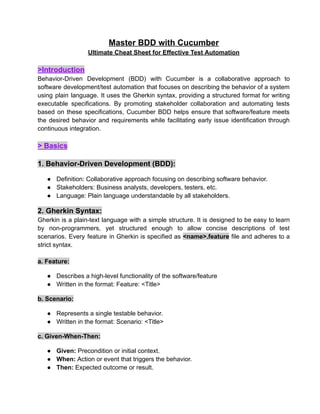
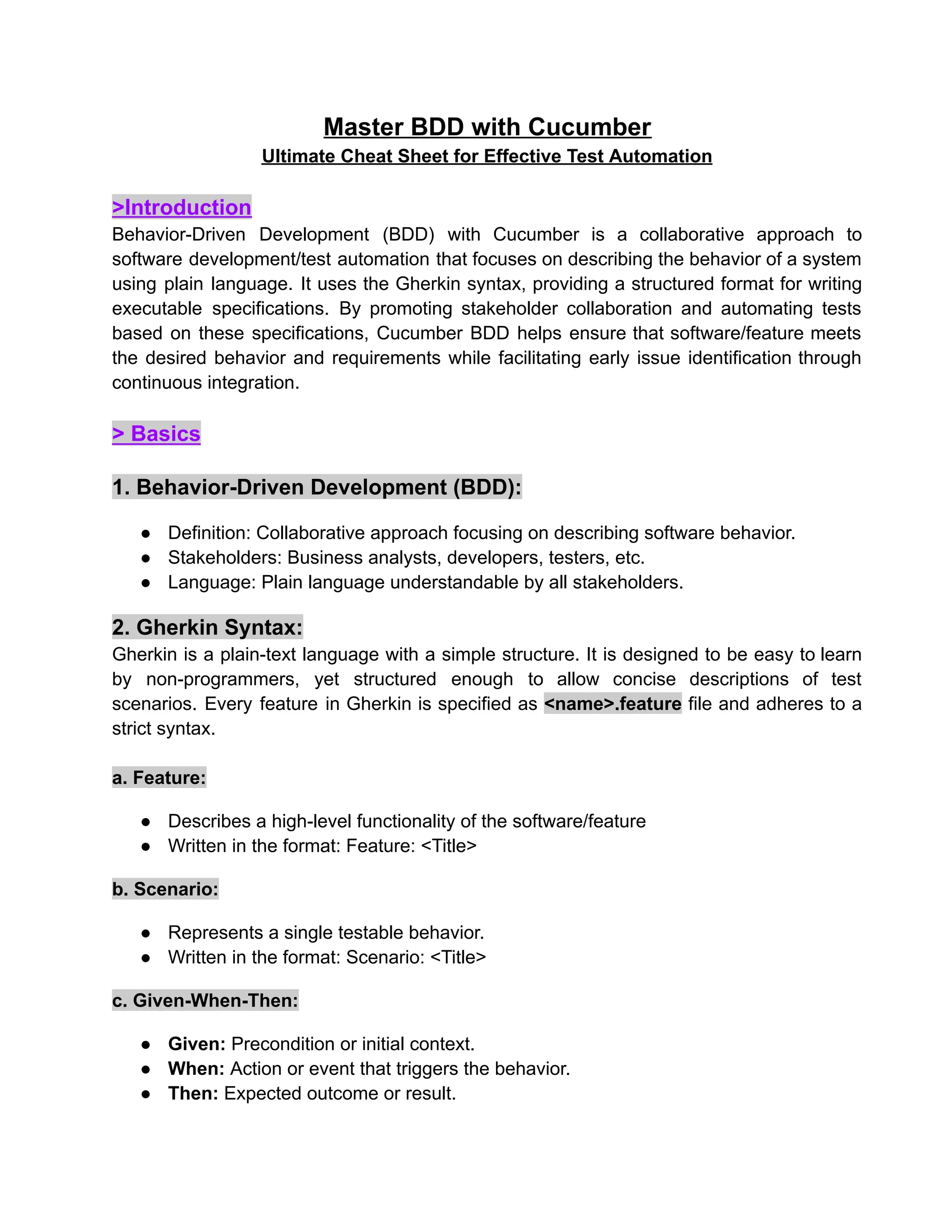
Master BDD withCucumber
Ultimate Cheat Sheet for Effective Test Automation
>Introduction
Behavior-Driven Development (BDD) with Cucumber is a collaborative approach to
software development/test automation that focuses on describing the behavior of a system
using plain language. It uses the Gherkin syntax, providing a structured format for writing
executable specifications. By promoting stakeholder collaboration and automating tests
based on these specifications, Cucumber BDD helps ensure that software/feature meets
the desired behavior and requirements while facilitating early issue identification through
continuous integration.
> Basics
1. Behavior-Driven Development (BDD):
● Definition: Collaborative approach focusing on describing software behavior.
● Stakeholders: Business analysts, developers, testers, etc.
● Language: Plain language understandable by all stakeholders.
2. Gherkin Syntax:
Gherkin is a plain-text language with a simple structure. It is designed to be easy to learn
by non-programmers, yet structured enough to allow concise descriptions of test
scenarios. Every feature in Gherkin is specified as <name>.feature file and adheres to a
strict syntax.
a. Feature:
● Describes a high-level functionality of the software/feature
● Written in the format: Feature: <Title>
b. Scenario:
● Represents a single testable behavior.
● Written in the format: Scenario: <Title>
c. Given-When-Then:
● Given: Precondition or initial context.
● When: Action or event that triggers the behavior.
● Then: Expected outcome or result.
2.
Syntax:
Feature: [Title]
Scenario: [Title]
Given[Precondition]
When [Action]
Then [Expected Outcome]
d. Keywords:
And, But: Additional steps (depends on the version of cucumber dependencies)
● Used to extend Given, When, or Then
Syntax:
Given [Condition]
And [Additional Condition]
But [Additional Condition]
e. Background:
● Defines steps that are common to all scenarios in a feature.
Syntax:
Background:
Given [Common Condition]
And [Another Common Condition]
Scenario: [Scenario Title]
When [Action]
Then [Outcome]
3. Step Definitions:
● Mapping Gherkin steps to code.
● Written in a programming language of choice (e.g., Java, JavaScript).
3.
● Regular expressionsmatch Gherkin's steps.
4. BDD Best Practices:
Cucumber: BDD tool that interprets Gherkin syntax and executes tests.
User Stories: BDD often starts with user stories to capture desired behaviours.
Collaboration: Involves collaboration among developers, testers, and domain experts.
Automated Testing: BDD scenarios can be automated for continuous integration.
Regular Review: Regularly review and update scenarios based on evolving requirements.
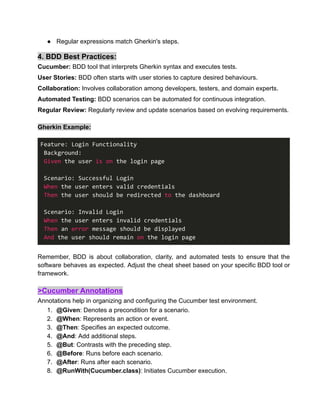
Gherkin Example:
Feature: Login Functionality
Background:
Given the user is on the login page
Scenario: Successful Login
When the user enters valid credentials
Then the user should be redirected to the dashboard
Scenario: Invalid Login
When the user enters invalid credentials
Then an error message should be displayed
And the user should remain on the login page
Remember, BDD is about collaboration, clarity, and automated tests to ensure that the
software behaves as expected. Adjust the cheat sheet based on your specific BDD tool or
framework.
>Cucumber Annotations
Annotations help in organizing and configuring the Cucumber test environment.
1. @Given: Denotes a precondition for a scenario.
2. @When: Represents an action or event.
3. @Then: Specifies an expected outcome.
4. @And: Add additional steps.
5. @But: Contrasts with the preceding step.
6. @Before: Runs before each scenario.
7. @After: Runs after each scenario.
8. @RunWith(Cucumber.class): Initiates Cucumber execution.
4.
> Advance concepts:Data Tables and Scenario Outlines
Data tables and scenario outlines allow you to provide dynamic input to your scenarios.
Scenario Outline:
The Scenario Outline keyword can be used to run the same Scenario multiple times, with
different combinations of values.
Copying and pasting scenarios to use different values quickly becomes tedious and
repetitive:
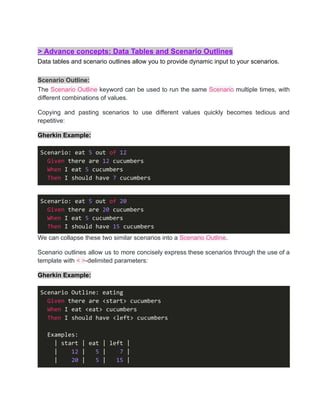
Gherkin Example:
Scenario: eat 5 out of 12
Given there are 12 cucumbers
When I eat 5 cucumbers
Then I should have 7 cucumbers
Scenario: eat 5 out of 20
Given there are 20 cucumbers
When I eat 5 cucumbers
Then I should have 15 cucumbers
We can collapse these two similar scenarios into a Scenario Outline.
Scenario outlines allow us to more concisely express these scenarios through the use of a
template with < >-delimited parameters:
Gherkin Example:
Scenario Outline: eating
Given there are <start> cucumbers
When I eat <eat> cucumbers
Then I should have <left> cucumbers
Examples:
| start | eat | left |
| 12 | 5 | 7 |
| 20 | 5 | 15 |
5.
>Data Tables
Data Tablescan be used to pass a list of values to a step.
Gherkin Example:
Given the following users exist:
| username | password |
| user1 | pass1 |
| user2 | pass2 |
Step Definition Example:
@Given("the following users exist:")
public void usersExist(DataTable dataTable) {
List<Map<String, String>> users = dataTable.asMaps(String.class,
String.class);
for (Map<String, String> user : users) {
// code to create user with username and password
}
}
>Tags
Tags can be used to organize and run specific scenarios.
Tags are specified with an @ symbol.
@tag
Scenario: Tagged Scenario
Given [Precondition]
When [Action]
Then [Expected Outcome]
Usage: Tags can be used to group scenarios, filter which tests to run, or specify
preconditions.
6.
>Hooks
Hooks are blocksof code that can run at various points in the test execution cycle.
● Types of Hooks-
● @Before: Runs before each scenario.
● @After: Runs after each scenario.
● @BeforeStep: Runs before each step.
● @AfterStep: Runs after each step.
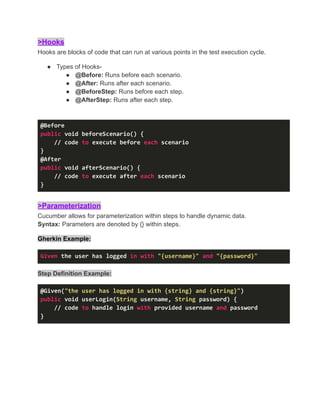
@Before
public void beforeScenario() {
// code to execute before each scenario
}
@After
public void afterScenario() {
// code to execute after each scenario
}
>Parameterization
Cucumber allows for parameterization within steps to handle dynamic data.
Syntax: Parameters are denoted by {} within steps.
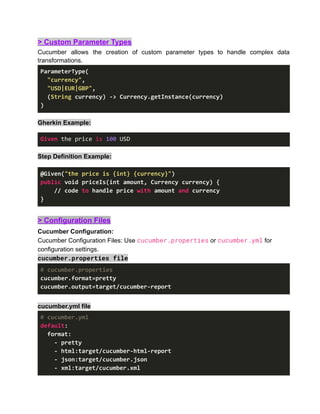
Gherkin Example:
Given the user has logged in with "{username}" and "{password}"
Step Definition Example:
@Given("the user has logged in with {string} and {string}")
public void userLogin(String username, String password) {
// code to handle login with provided username and password
}
7.
> Custom ParameterTypes
Cucumber allows the creation of custom parameter types to handle complex data
transformations.
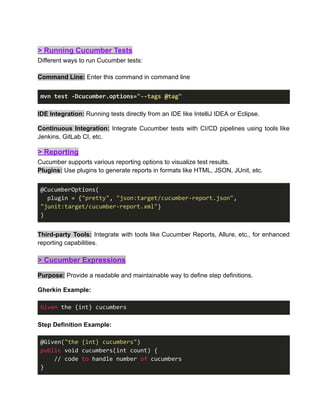
ParameterType(
"currency",
"USD|EUR|GBP",
(String currency) -> Currency.getInstance(currency)
)
Gherkin Example:
Given the price is 100 USD
Step Definition Example:
@Given("the price is {int} {currency}")
public void priceIs(int amount, Currency currency) {
// code to handle price with amount and currency
}
> Configuration Files
Cucumber Configuration:
Cucumber Configuration Files: Use cucumber.properties or cucumber.yml for
configuration settings.
cucumber.properties file
# cucumber.properties
cucumber.format=pretty
cucumber.output=target/cucumber-report
cucumber.yml file
# cucumber.yml
default:
format:
- pretty
- html:target/cucumber-html-report
- json:target/cucumber.json
- xml:target/cucumber.xml
8.
> Running CucumberTests
Different ways to run Cucumber tests:
Command Line: Enter this command in command line
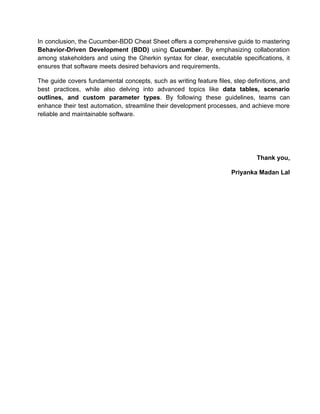
mvn test -Dcucumber.options="--tags @tag"
IDE Integration: Running tests directly from an IDE like IntelliJ IDEA or Eclipse.
Continuous Integration: Integrate Cucumber tests with CI/CD pipelines using tools like
Jenkins, GitLab CI, etc.
> Reporting
Cucumber supports various reporting options to visualize test results.
Plugins: Use plugins to generate reports in formats like HTML, JSON, JUnit, etc.
@CucumberOptions(
plugin = {"pretty", "json:target/cucumber-report.json",
"junit:target/cucumber-report.xml"}
)
Third-party Tools: Integrate with tools like Cucumber Reports, Allure, etc., for enhanced
reporting capabilities.
> Cucumber Expressions
Purpose: Provide a readable and maintainable way to define step definitions.
Gherkin Example:
Given the {int} cucumbers
Step Definition Example:
@Given("the {int} cucumbers")
public void cucumbers(int count) {
// code to handle number of cucumbers
}
9.
In conclusion, theCucumber-BDD Cheat Sheet offers a comprehensive guide to mastering
Behavior-Driven Development (BDD) using Cucumber. By emphasizing collaboration
among stakeholders and using the Gherkin syntax for clear, executable specifications, it
ensures that software meets desired behaviors and requirements.
The guide covers fundamental concepts, such as writing feature files, step definitions, and
best practices, while also delving into advanced topics like data tables, scenario
outlines, and custom parameter types. By following these guidelines, teams can
enhance their test automation, streamline their development processes, and achieve more
reliable and maintainable software.
Thank you,
Priyanka Madan Lal
![Syntax:
Feature: [Title]
Scenario: [Title]
Given [Precondition]
When [Action]
Then [Expected Outcome]
d. Keywords:
And, But: Additional steps (depends on the version of cucumber dependencies)
● Used to extend Given, When, or Then
Syntax:
Given [Condition]
And [Additional Condition]
But [Additional Condition]
e. Background:
● Defines steps that are common to all scenarios in a feature.
Syntax:
Background:
Given [Common Condition]
And [Another Common Condition]
Scenario: [Scenario Title]
When [Action]
Then [Outcome]
3. Step Definitions:
● Mapping Gherkin steps to code.
● Written in a programming language of choice (e.g., Java, JavaScript).](https://image.slidesharecdn.com/cucumber2024-250307170706-ccec21aa/85/Master-Cucumber-cheat-sheet-for-testing-pdf-2-320.jpg)
![>Data Tables
Data Tables can be used to pass a list of values to a step.
Gherkin Example:
Given the following users exist:
| username | password |
| user1 | pass1 |
| user2 | pass2 |
Step Definition Example:
@Given("the following users exist:")
public void usersExist(DataTable dataTable) {
List<Map<String, String>> users = dataTable.asMaps(String.class,
String.class);
for (Map<String, String> user : users) {
// code to create user with username and password
}
}
>Tags
Tags can be used to organize and run specific scenarios.
Tags are specified with an @ symbol.
@tag
Scenario: Tagged Scenario
Given [Precondition]
When [Action]
Then [Expected Outcome]
Usage: Tags can be used to group scenarios, filter which tests to run, or specify
preconditions.](https://image.slidesharecdn.com/cucumber2024-250307170706-ccec21aa/85/Master-Cucumber-cheat-sheet-for-testing-pdf-5-320.jpg)