Using Arrays with PHP for Forms
and Storing Information
2
Objectives
In this chapter, you will:
Manipulate array elements
Explore associative arrays
Find and extract elements and values
Understand multidimensional arrays
Use arrays in Web forms
3
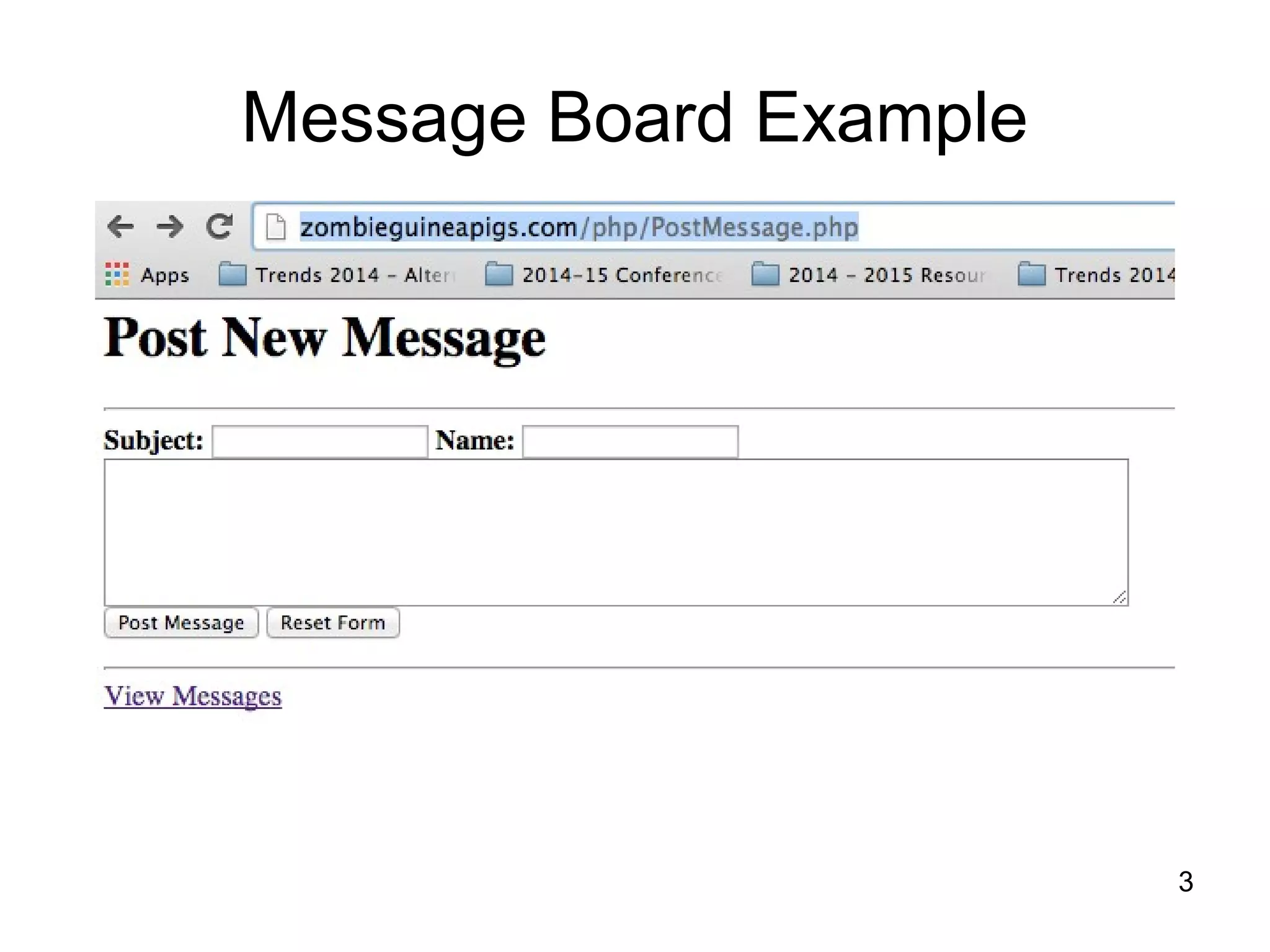
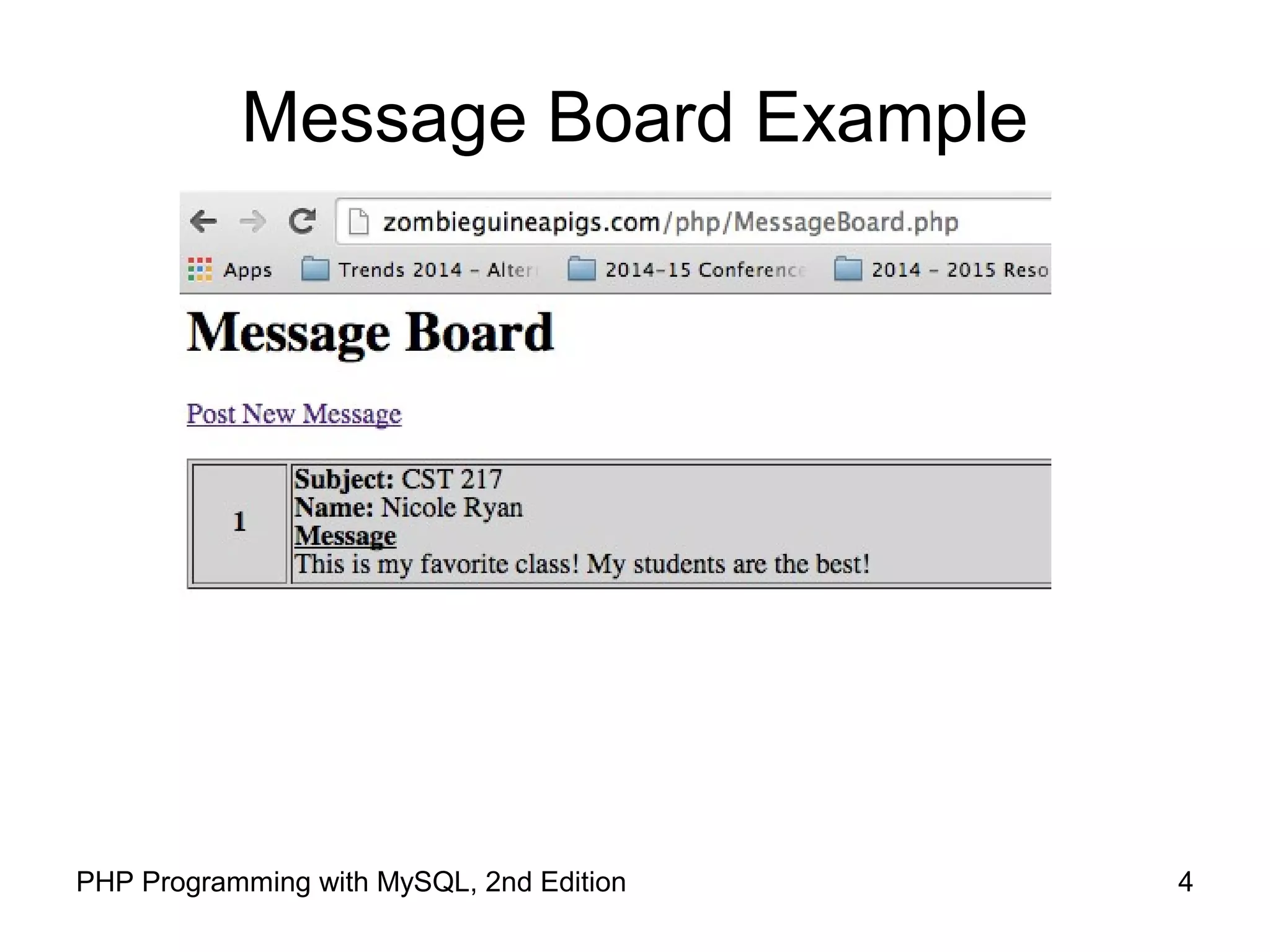
Message Board Example
4PHP Programming with MySQL, 2nd Edition
Message Board Example
5
Manipulating Elements (continued)
Code examples at:
http://zombieguineapigs.com/php
6PHP Programming with MySQL, 2nd Edition
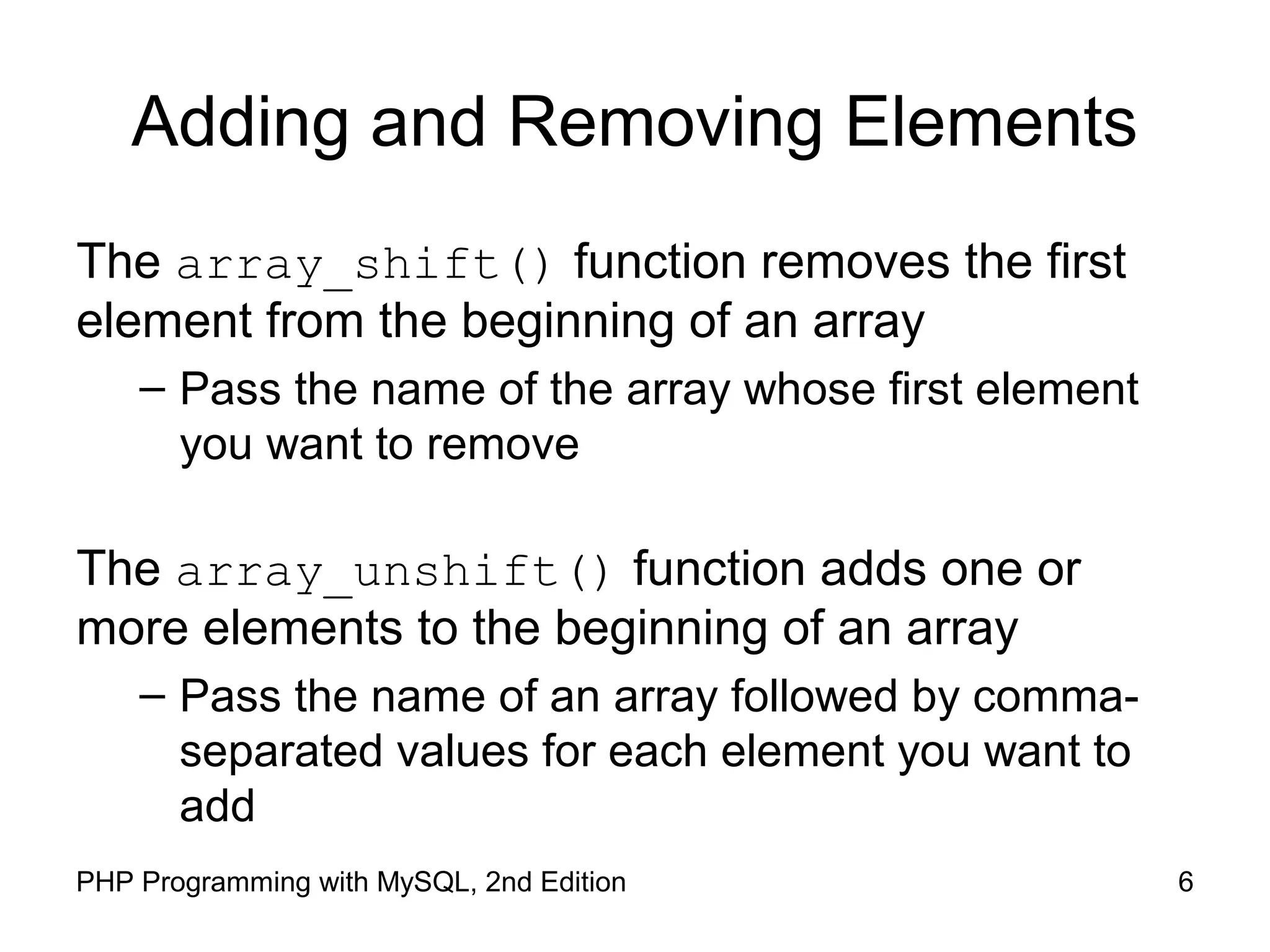
Adding and Removing Elements
The array_shift() function removes the first
element from the beginning of an array
– Pass the name of the array whose first element
you want to remove
The array_unshift() function adds one or
more elements to the beginning of an array
– Pass the name of an array followed by comma-
separated values for each element you want to
add
7PHP Programming with MySQL, 2nd Edition
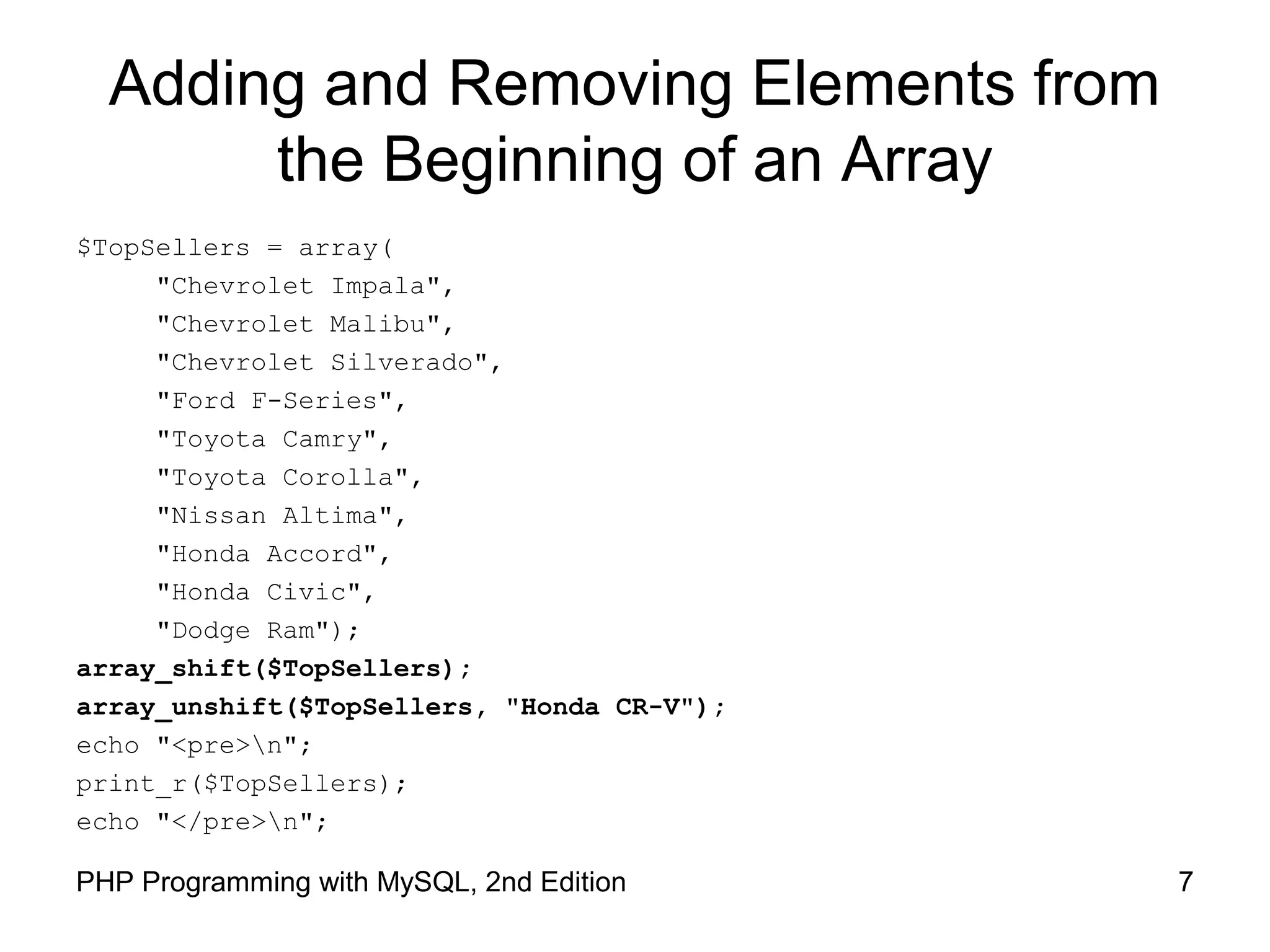
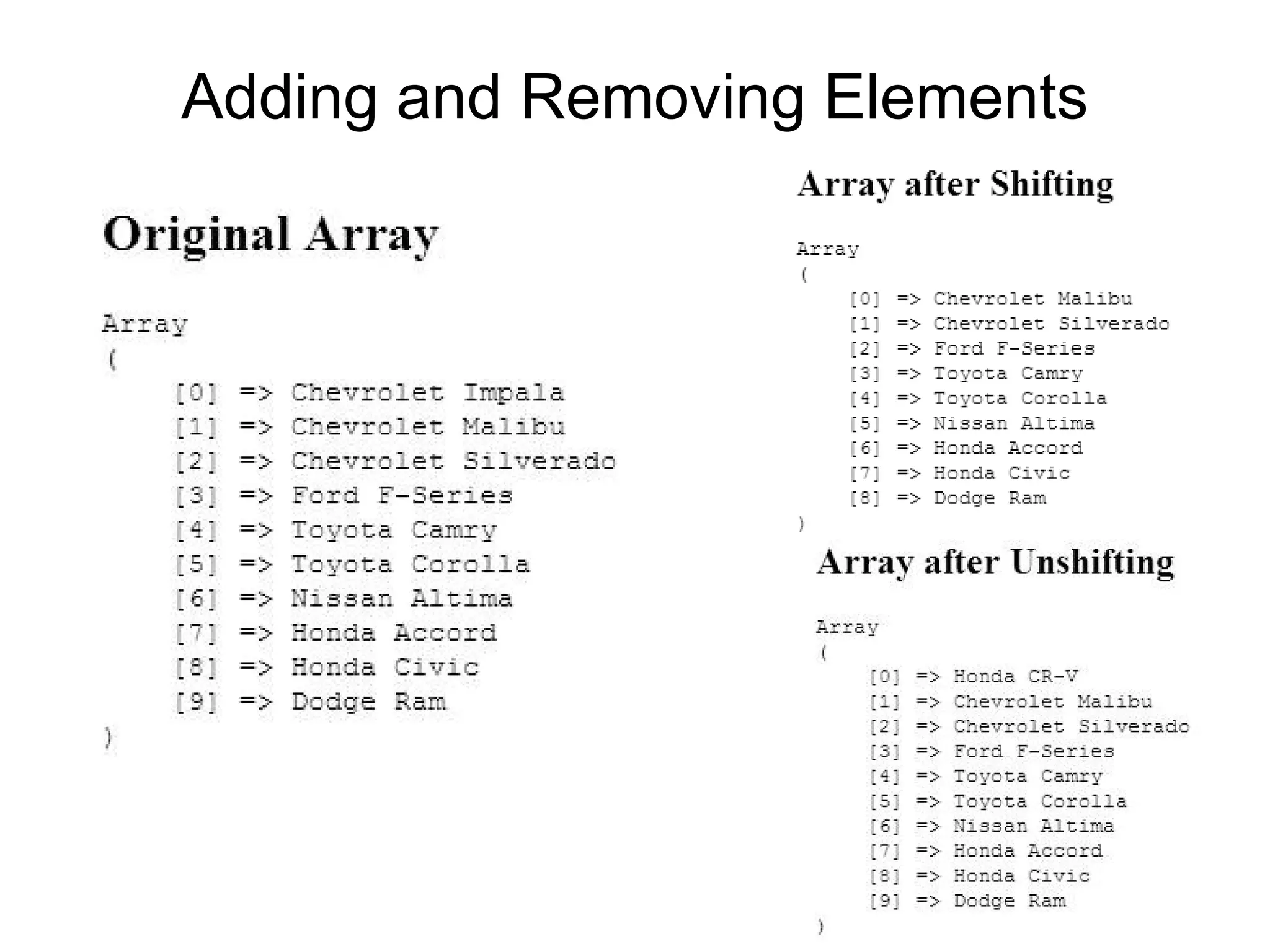
Adding and Removing Elements from
the Beginning of an Array
$TopSellers = array(
"Chevrolet Impala",
"Chevrolet Malibu",
"Chevrolet Silverado",
"Ford F-Series",
"Toyota Camry",
"Toyota Corolla",
"Nissan Altima",
"Honda Accord",
"Honda Civic",
"Dodge Ram");
array_shift($TopSellers);
array_unshift($TopSellers, "Honda CR-V");
echo "<pre>n";
print_r($TopSellers);
echo "</pre>n";
8
Adding and Removing Elements
9PHP Programming with MySQL, 2nd Edition
Adding and Removing Elements
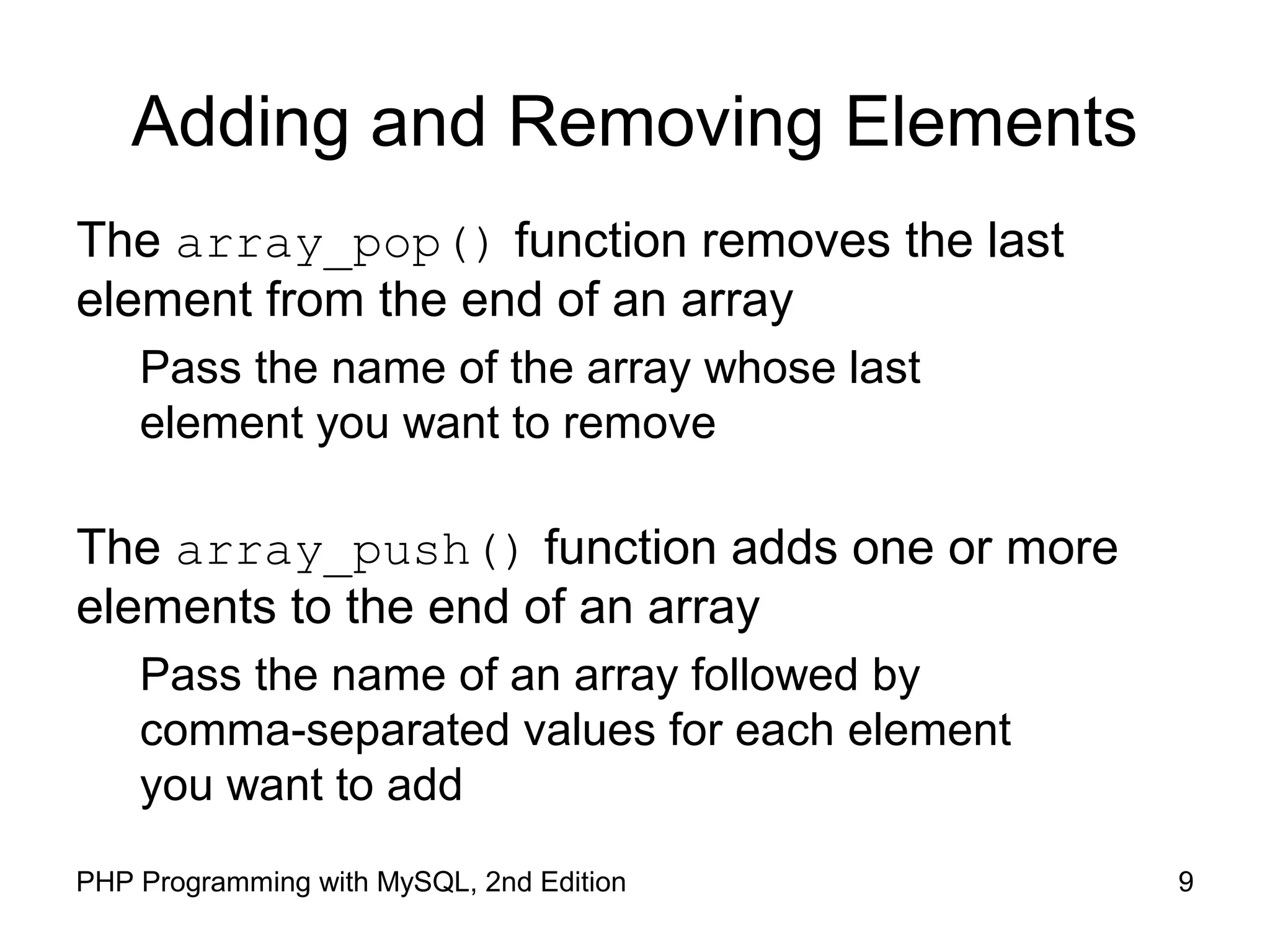
The array_pop() function removes the last
element from the end of an array
Pass the name of the array whose last
element you want to remove
The array_push() function adds one or more
elements to the end of an array
Pass the name of an array followed by
comma-separated values for each element
you want to add
10PHP Programming with MySQL, 2nd Edition
Adding and Removing Elements
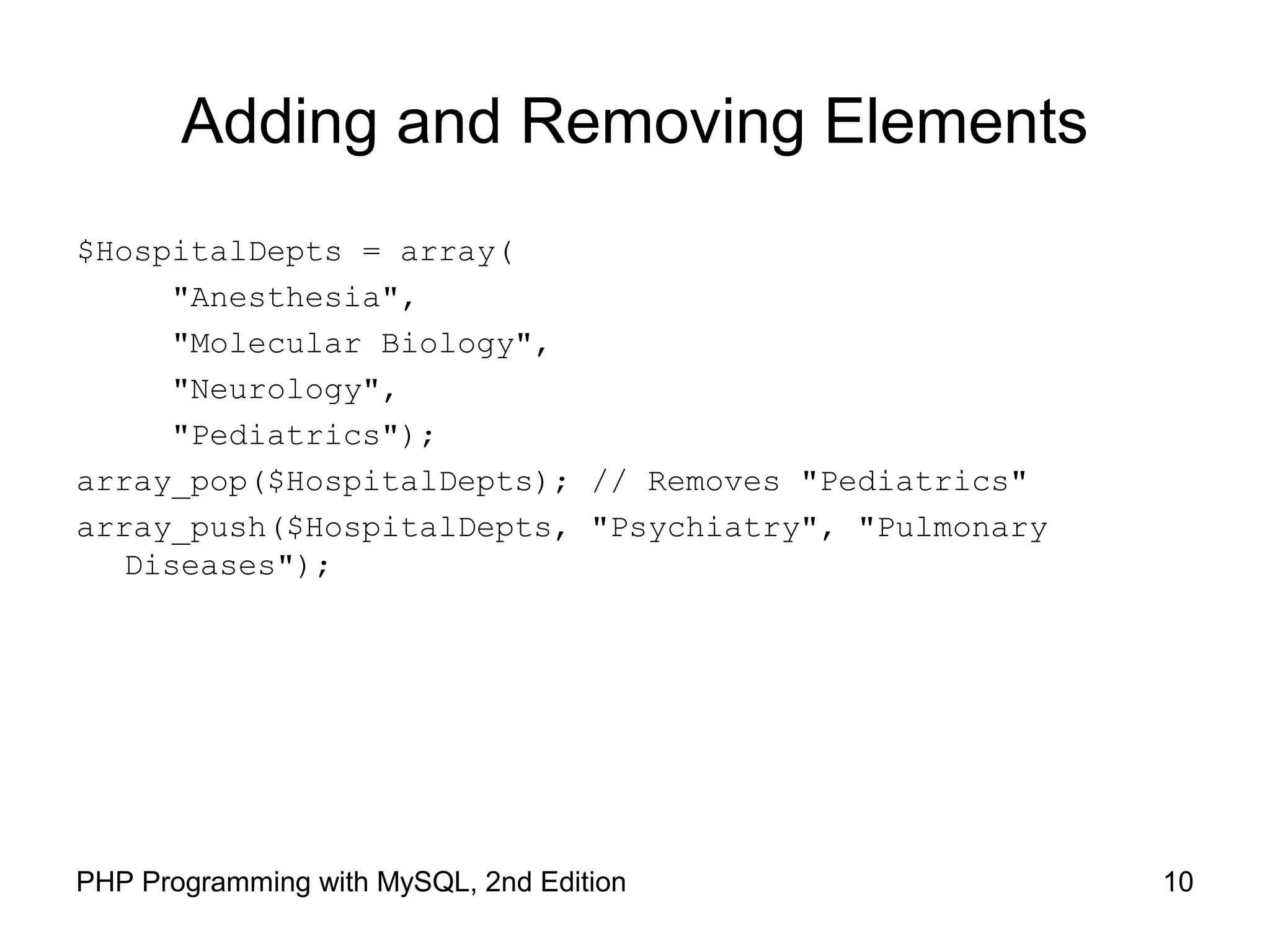
$HospitalDepts = array(
"Anesthesia",
"Molecular Biology",
"Neurology",
"Pediatrics");
array_pop($HospitalDepts); // Removes "Pediatrics"
array_push($HospitalDepts, "Psychiatry", "Pulmonary
Diseases");
11
Adding and Removing Elements
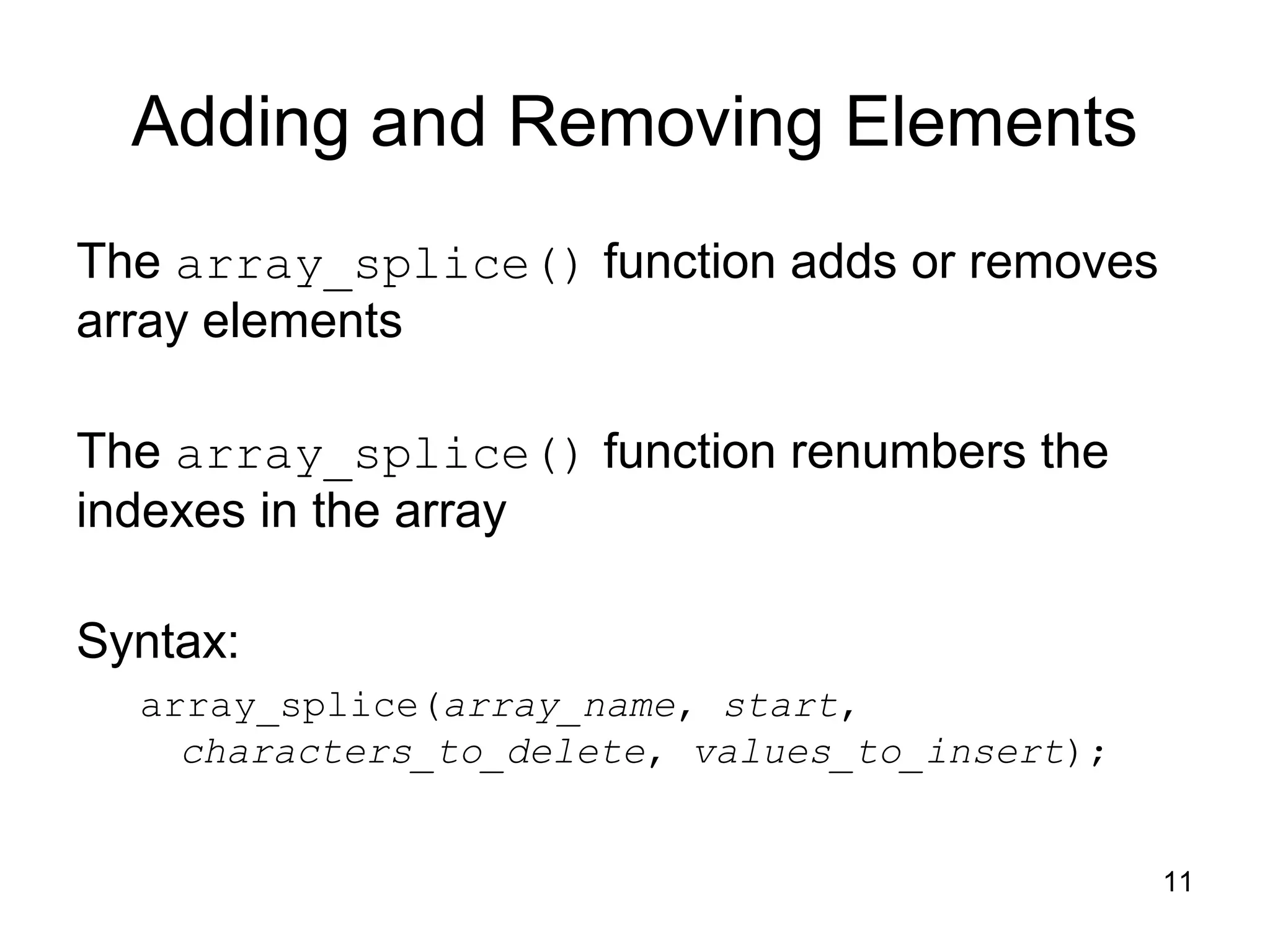
The array_splice() function adds or removes
array elements
The array_splice() function renumbers the
indexes in the array
Syntax:
array_splice(array_name, start,
characters_to_delete, values_to_insert);
12
Adding and Removing Elements
Within an Array (continued)
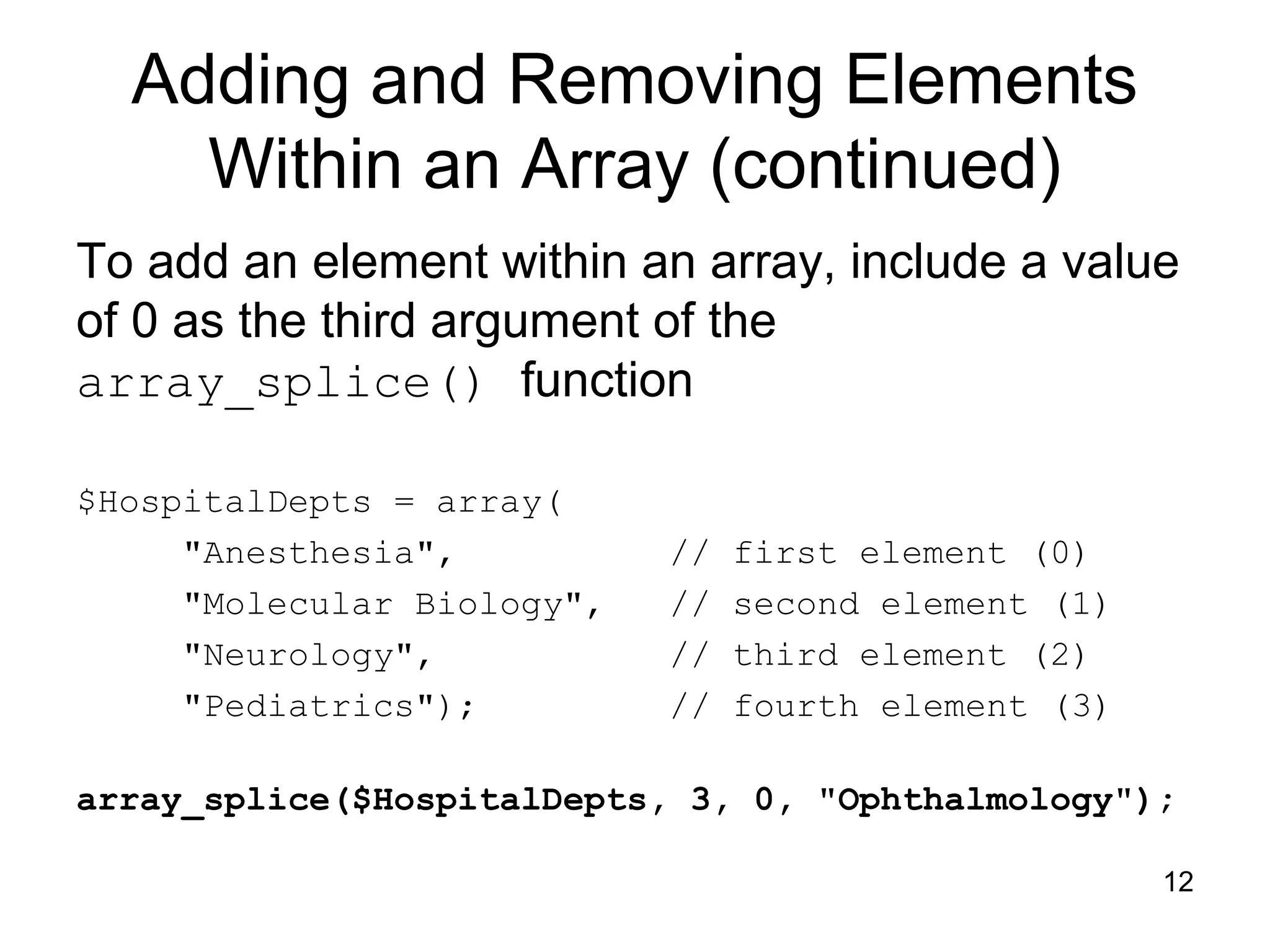
To add an element within an array, include a value
of 0 as the third argument of the
array_splice() function
$HospitalDepts = array(
"Anesthesia", // first element (0)
"Molecular Biology", // second element (1)
"Neurology", // third element (2)
"Pediatrics"); // fourth element (3)
array_splice($HospitalDepts, 3, 0, "Ophthalmology");
13
Adding and Removing Elements
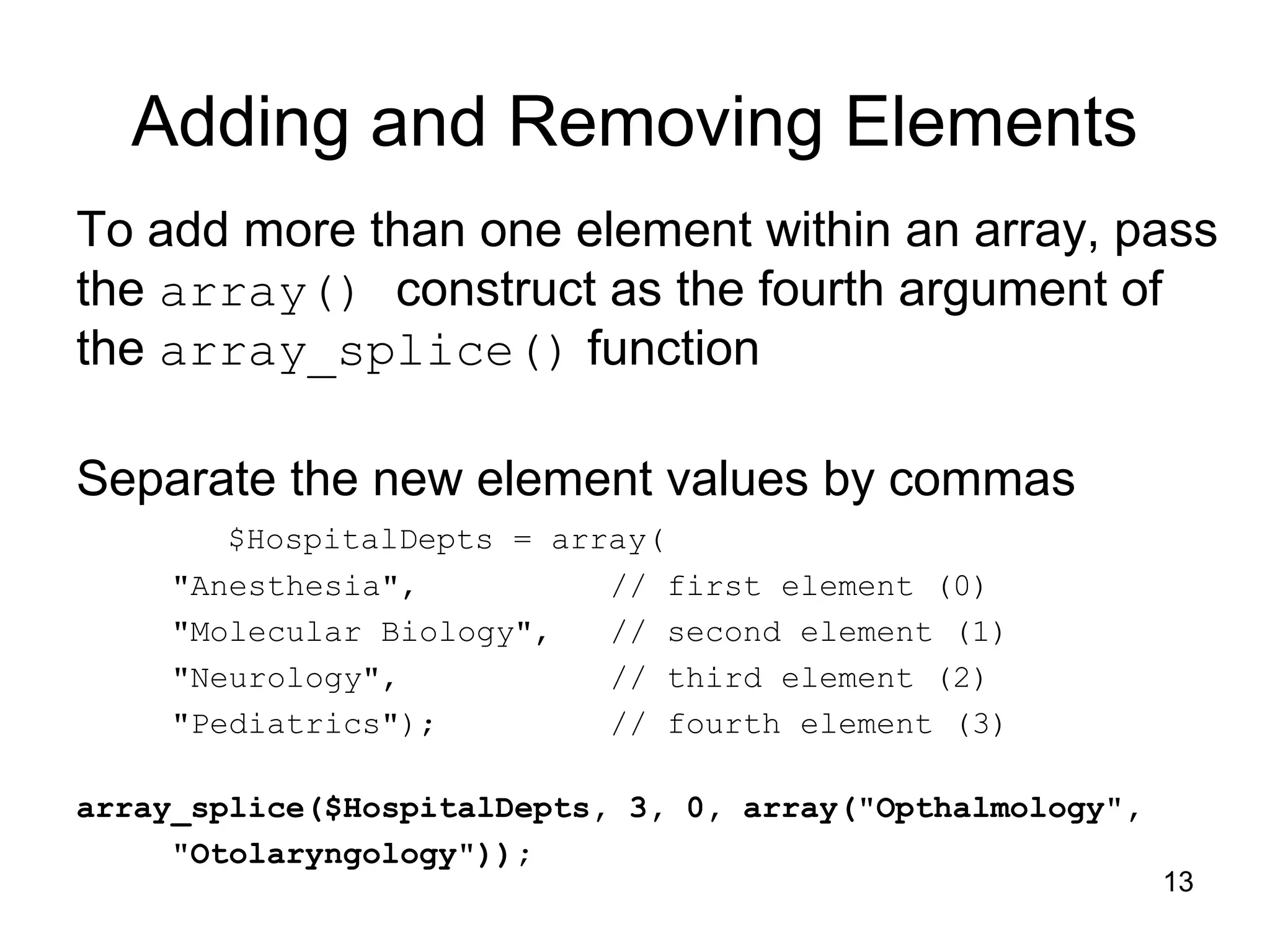
To add more than one element within an array, pass
the array() construct as the fourth argument of
the array_splice() function
Separate the new element values by commas
$HospitalDepts = array(
"Anesthesia", // first element (0)
"Molecular Biology", // second element (1)
"Neurology", // third element (2)
"Pediatrics"); // fourth element (3)
array_splice($HospitalDepts, 3, 0, array("Opthalmology",
"Otolaryngology"));
14PHP Programming with MySQL, 2nd Edition
Adding and Removing Elements
Within an Array (continued)
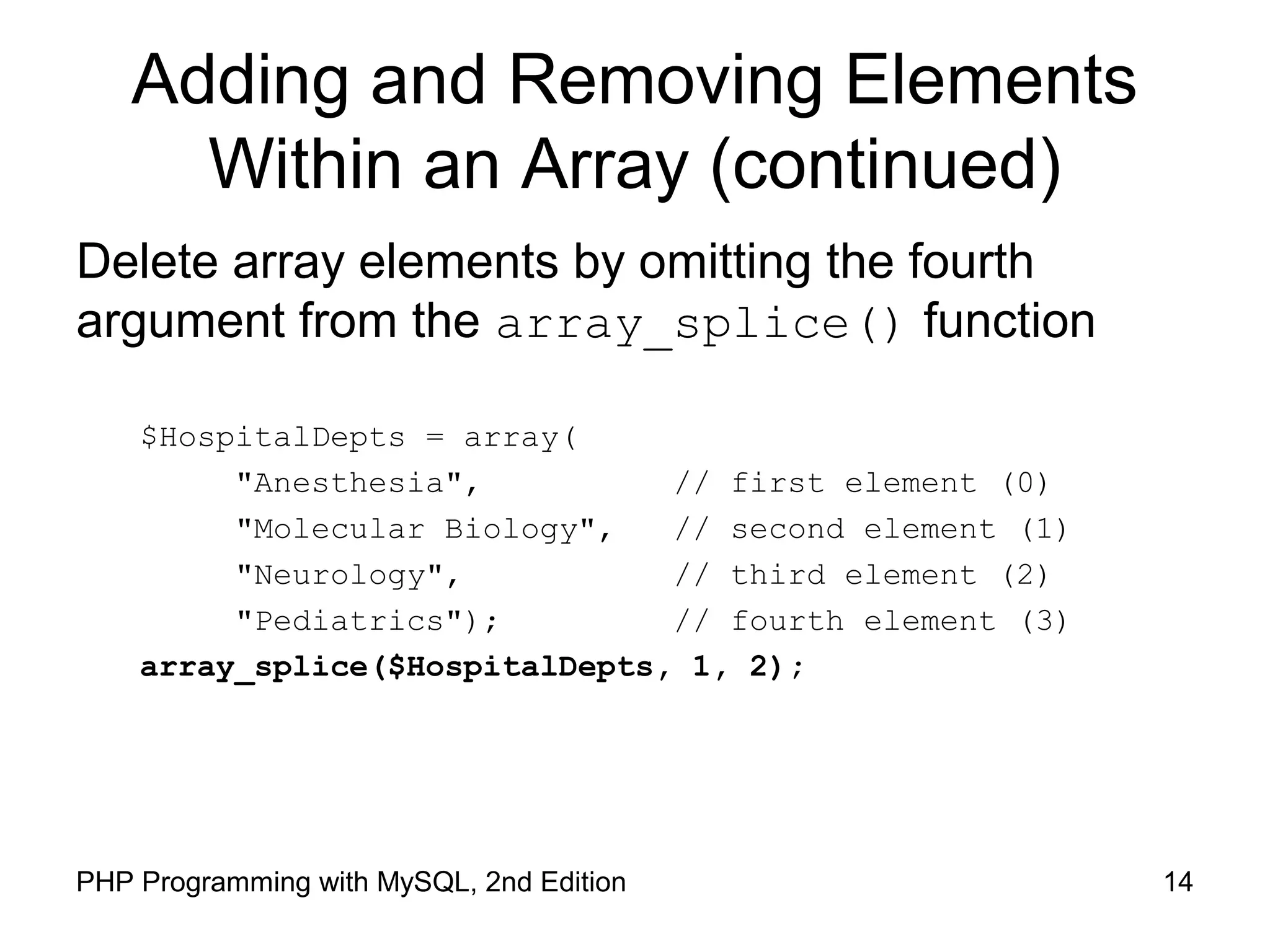
Delete array elements by omitting the fourth
argument from the array_splice() function
$HospitalDepts = array(
"Anesthesia", // first element (0)
"Molecular Biology", // second element (1)
"Neurology", // third element (2)
"Pediatrics"); // fourth element (3)
array_splice($HospitalDepts, 1, 2);
15
Adding and Removing Elements
The unset() function removes array elements
and other variables
Pass to the unset() function the array name and
index number of the element you want to remove
To remove multiple elements, separate each index
name and element number with commas
unset($HospitalDepts[1], $HospitalDepts[2]);
16
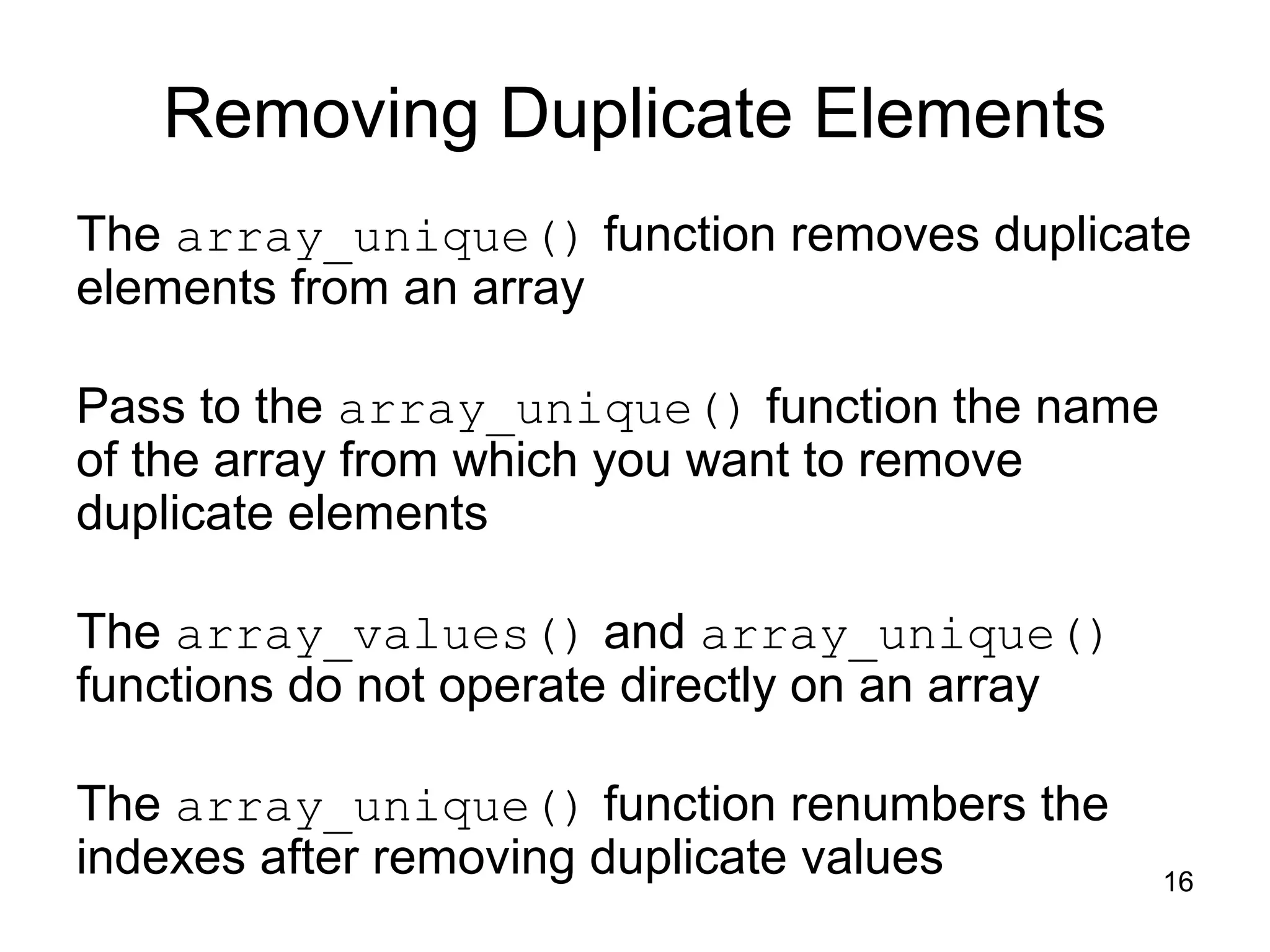
Removing Duplicate Elements
The array_unique() function removes duplicate
elements from an array
Pass to the array_unique() function the name
of the array from which you want to remove
duplicate elements
The array_values() and array_unique()
functions do not operate directly on an array
The array_unique() function renumbers the
indexes after removing duplicate values
17
Removing Duplicate Elements
$TopSellers = array(
"Ford F-Series", "Chevrolet Silverado", "Toyota Camry",
"Honda Accord", "Toyota Corolla", "Ford F-Series", "Honda
Civic",
"Honda CR-V", "Honda Accord", "Nissan Altima", "Toyota
Camry",
"Chevrolet Impala", "Dodge Ram", "Honda CR-V");
echo "<p>The 2008 top selling vehicles are:</p><p>";
$TopSellers = array_unique($TopSellers);
$TopSellers = array_values($TopSellers);
for ($i=0; $i<count($ TopSellers); ++$i) {
echo "{$TopSellers[$i]}<br />";
}
echo "</p>";
18
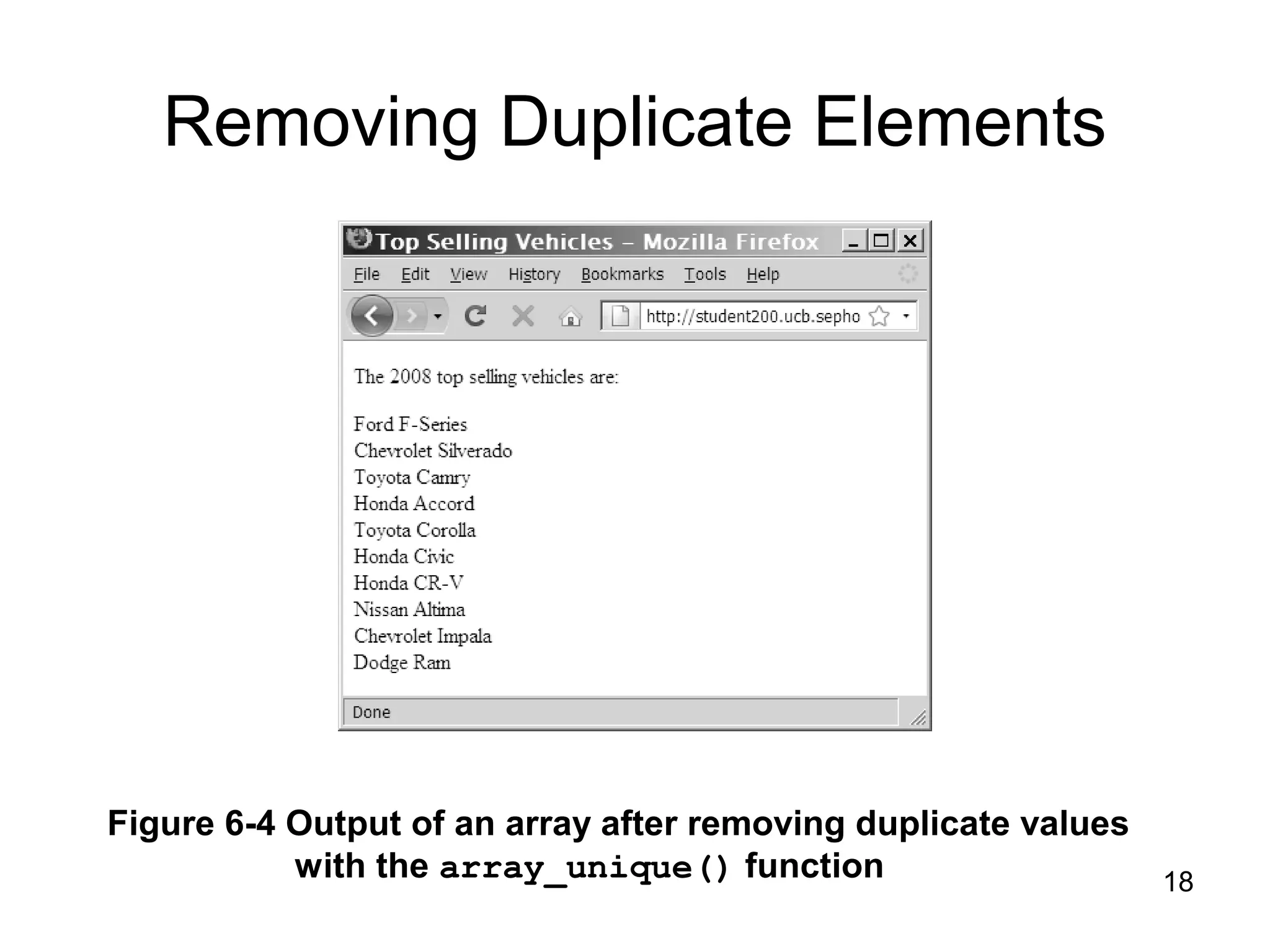
Removing Duplicate Elements
Figure 6-4 Output of an array after removing duplicate values
with the array_unique() function
19
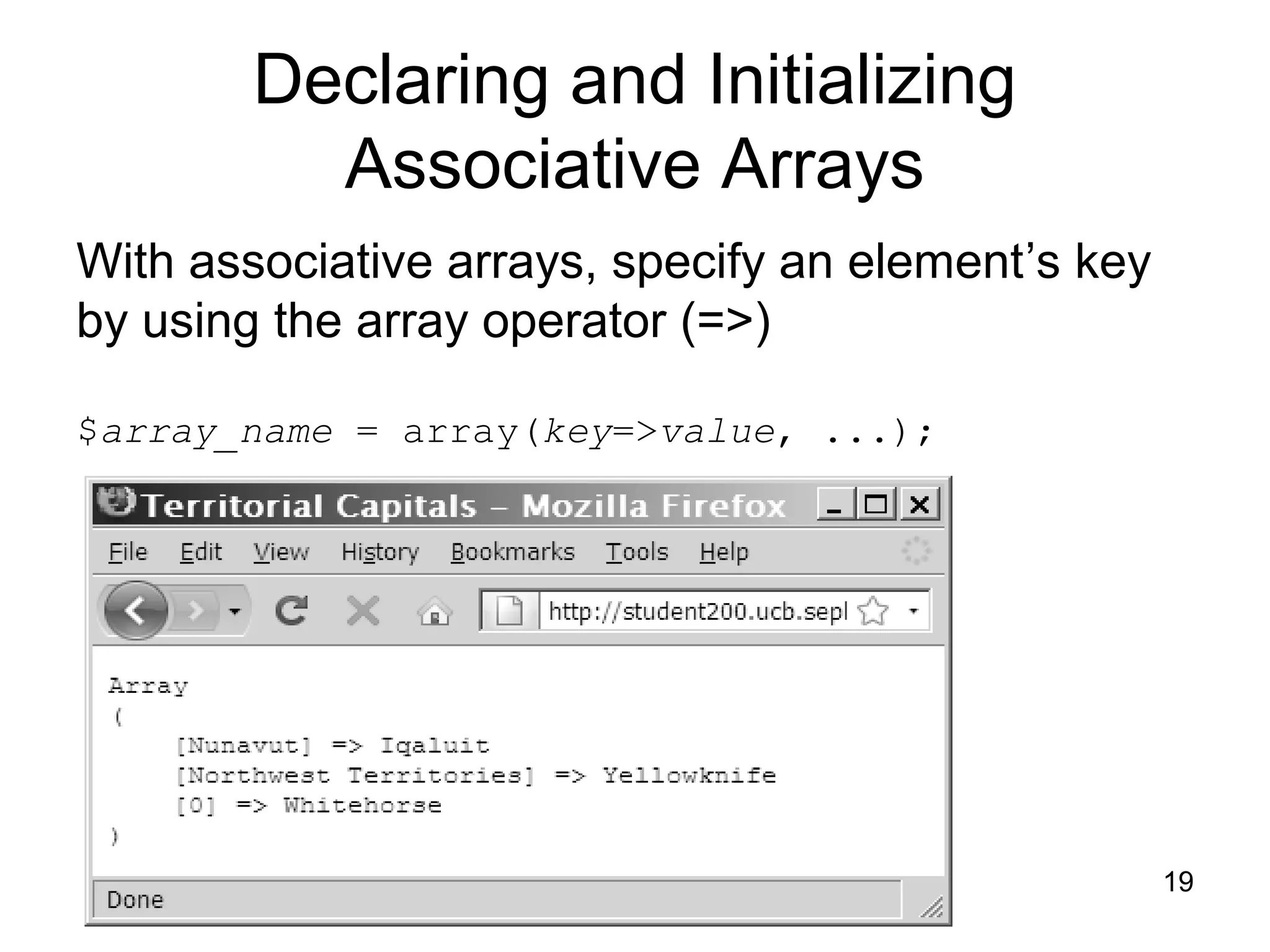
Declaring and Initializing
Associative Arrays
With associative arrays, specify an element’s key
by using the array operator (=>)
$array_name = array(key=>value, ...);
20
Associative Arrays
$Territories[100] = "Nunavut";
$Territories[] = "Northwest Territories";
$Territories[] = "Yukon Territory";
echo "<pre>n";
print_r($Territories);
echo "</pre>n";
echo '<p>The $Territories array consists of ',
count($Territories), " elements.</p>n";
21
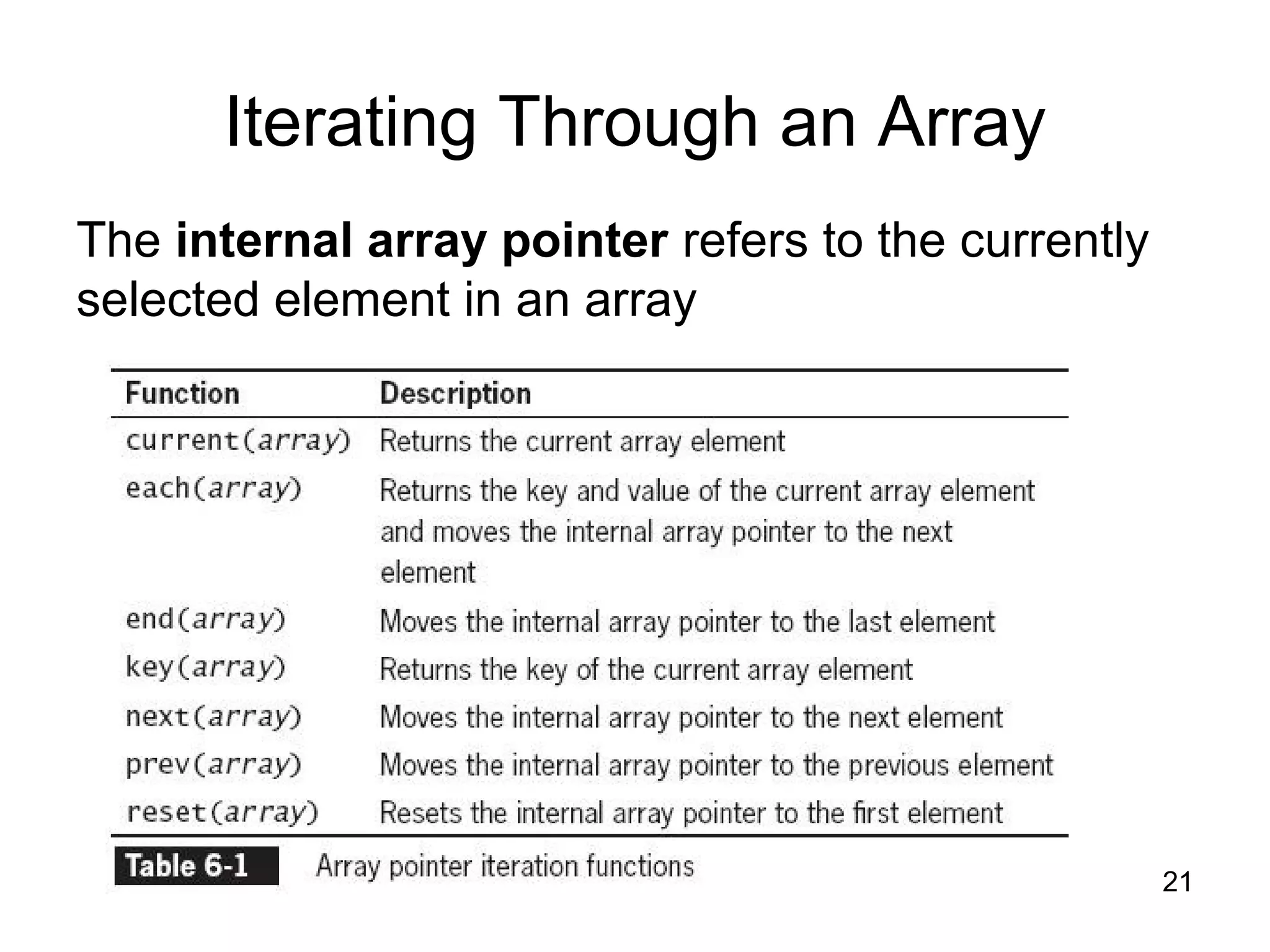
Iterating Through an Array
The internal array pointer refers to the currently
selected element in an array
22
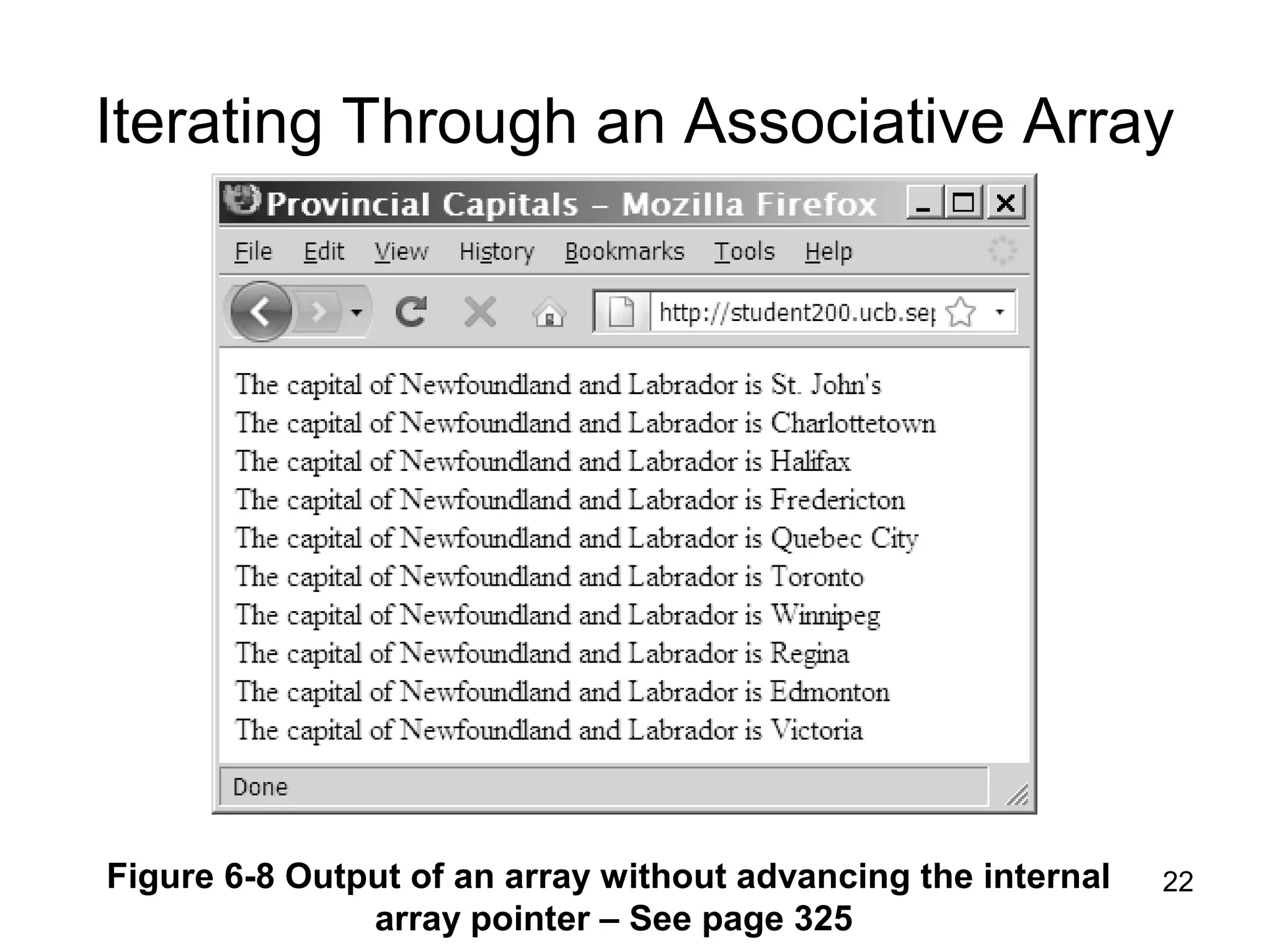
Iterating Through an Associative Array
Figure 6-8 Output of an array without advancing the internal
array pointer – See page 325
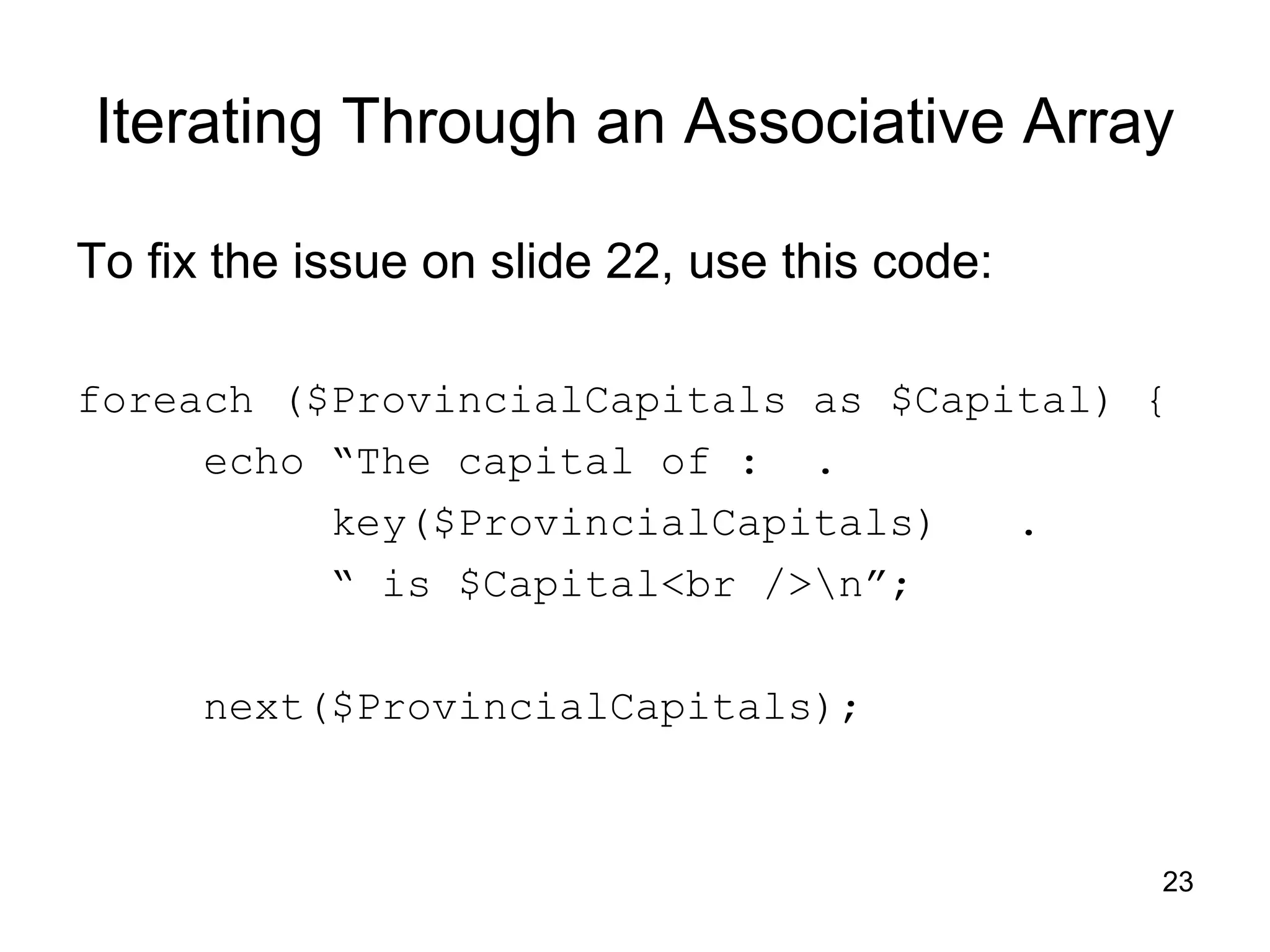
Iterating Through an Associative Array
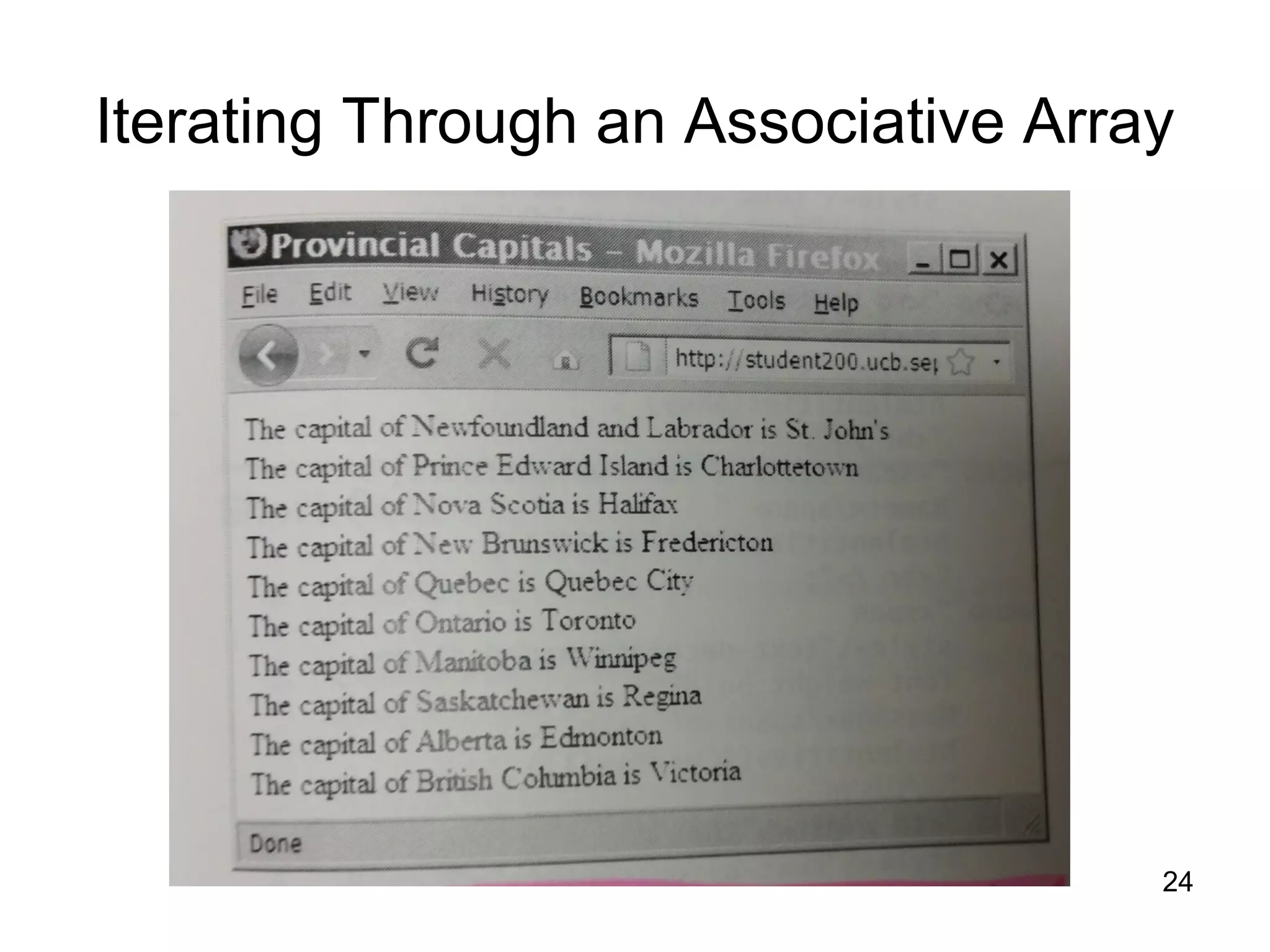
To fix the issue on slide 22, use this code:
foreach ($ProvincialCapitals as $Capital) {
echo “The capital of : .
key($ProvincialCapitals) .
“ is $Capital<br />n”;
next($ProvincialCapitals);
23
Iterating Through an Associative Array
24
25
Finding and Extracting Elements
and Values
• One of the most basic methods for finding a value
in an array is to use a looping statement to iterate
through the array until you find the value
• Rather than write custom code to find a value,
use the in_array() and array_search()
functions to determine whether a value exists in
an array
26
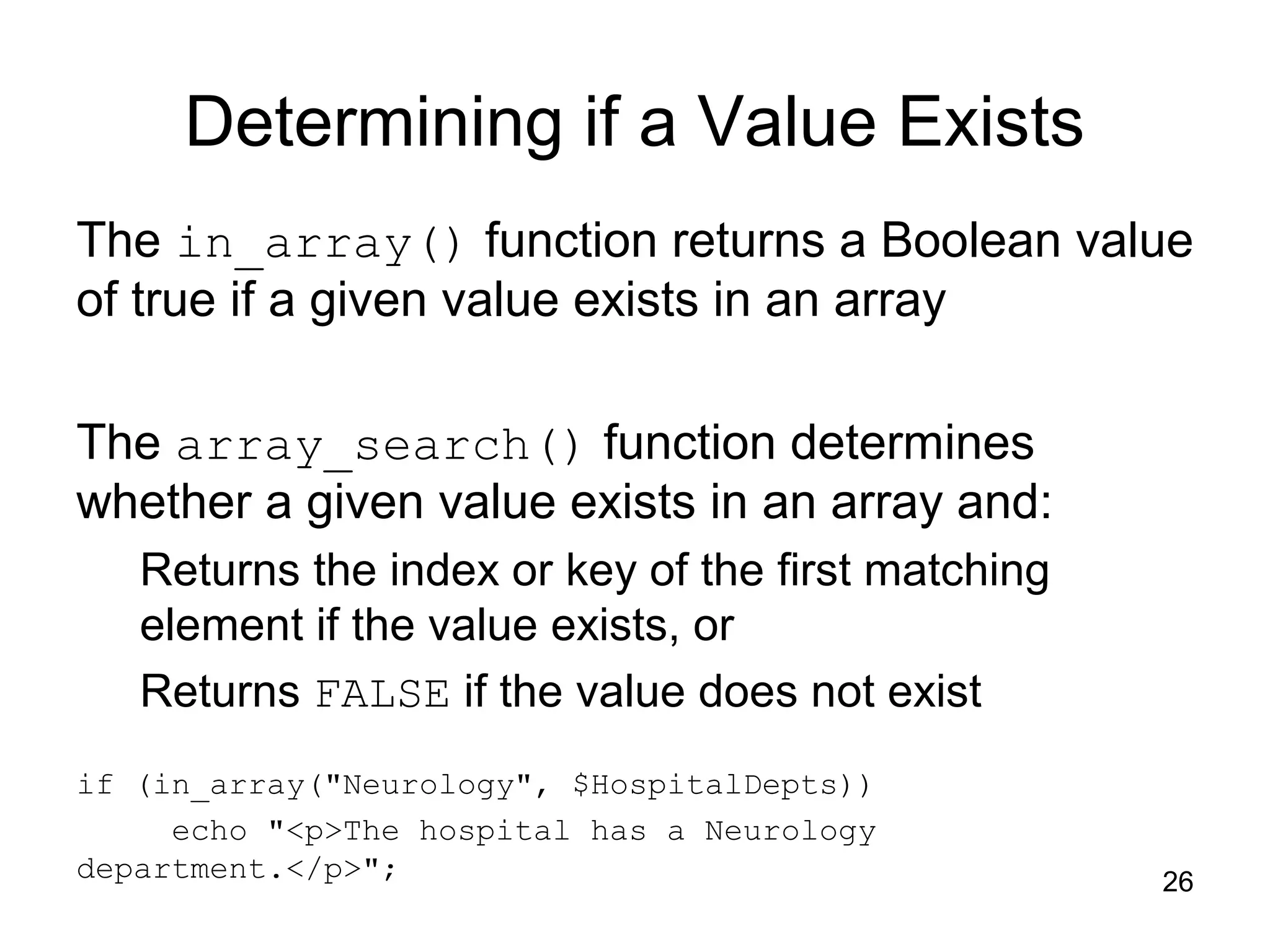
Determining if a Value Exists
The in_array() function returns a Boolean value
of true if a given value exists in an array
The array_search() function determines
whether a given value exists in an array and:
Returns the index or key of the first matching
element if the value exists, or
Returns FALSE if the value does not exist
if (in_array("Neurology", $HospitalDepts))
echo "<p>The hospital has a Neurology
department.</p>";
27
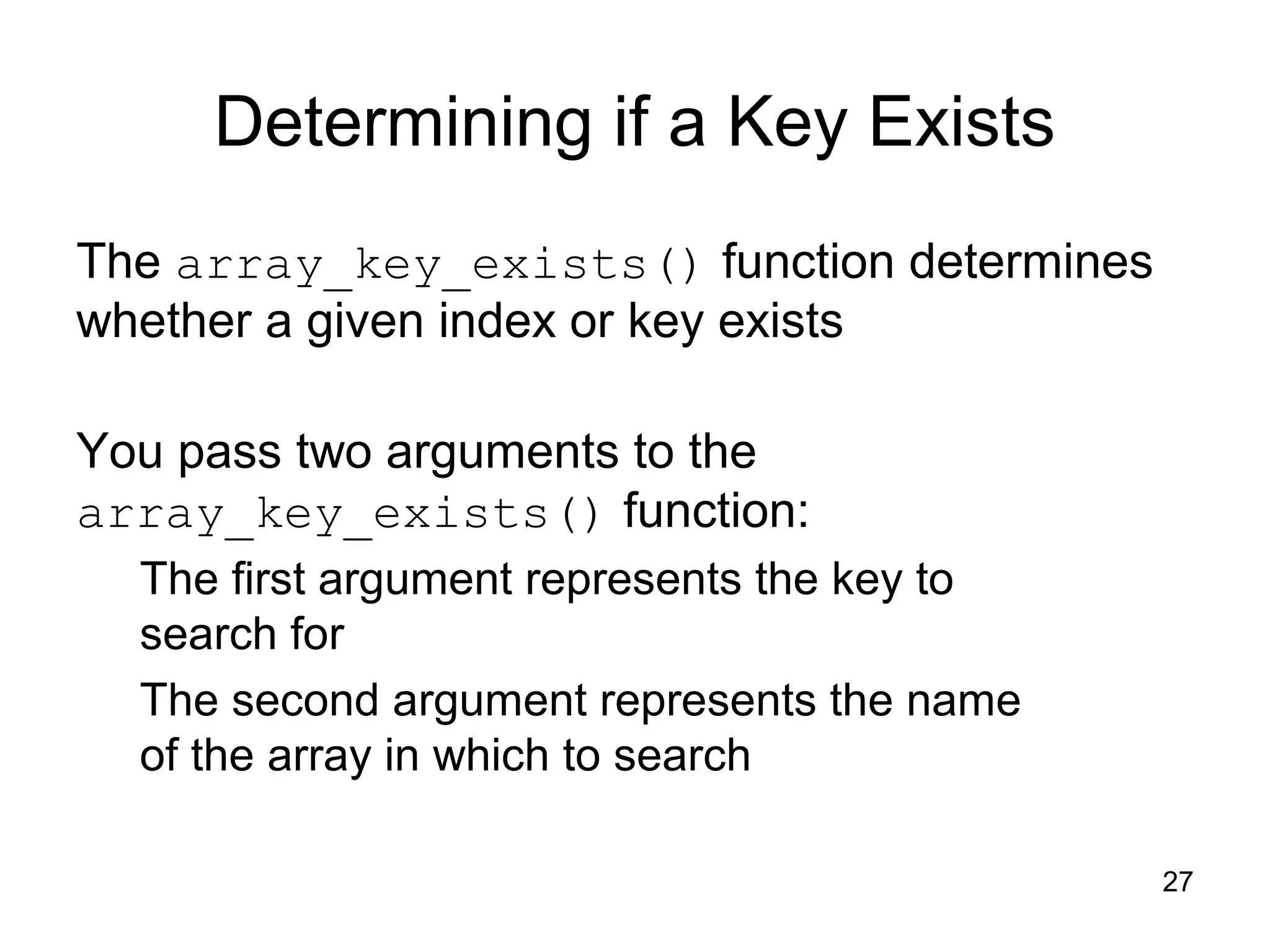
Determining if a Key Exists
The array_key_exists() function determines
whether a given index or key exists
You pass two arguments to the
array_key_exists() function:
The first argument represents the key to
search for
The second argument represents the name
of the array in which to search
28
Determining if a Key Exists
$ScreenNames["Dancer"] = "Daryl";
$ScreenNames["Fat Man"] = "Dennis";
$ScreenNames["Assassin"] = "Jennifer";
if (array_key_exists("Fat Man", $ScreenNames))
echo "<p>{$ScreenNames['Fat Man']} is already
'Fat Man'.</p>n";
else {
$ScreenNames["Fat Man"] = "Don";
echo "<p>{$ScreenNames['Fat Man']} is now
'Fat Man'.</p>";
}
29PHP Programming with MySQL, 2nd Edition
Returning a Portion of an Array
The array_slice() function returns a portion of
an array and assigns it to another array
The syntax for the array_slice() function is:
array_slice(array_name, start, characters_to_return);
30
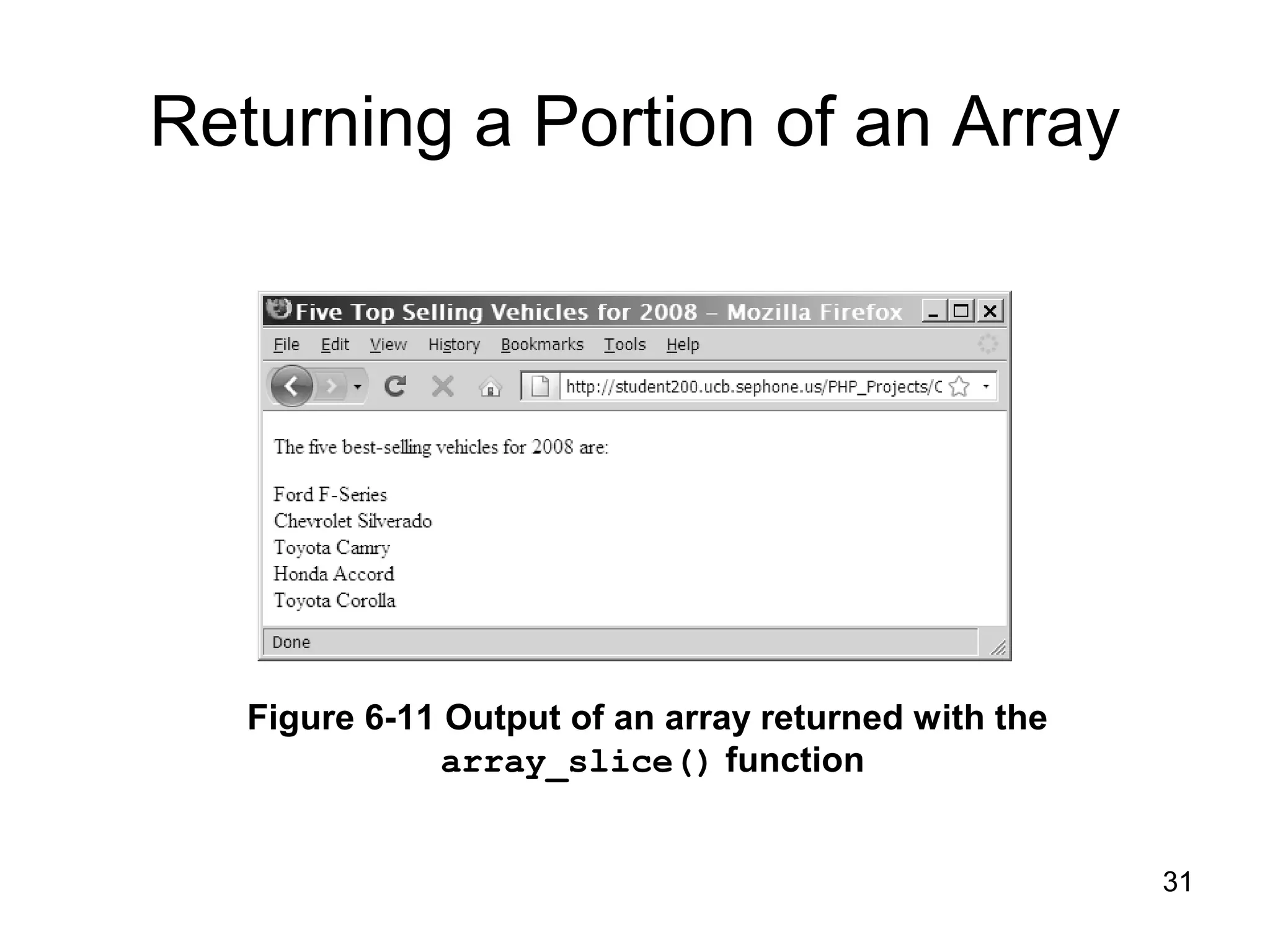
Returning a Portion of an Array
// This array is ordered by sales, high to low.
$TopSellers = array("Ford F-Series", "Chevrolet
Silverado", "Toyota Camry", "Honda Accord", "Toyota
Corolla", "Honda Civic", "Nissan Altima", "Chevrolet
Impala", "Dodge Ram", "Honda CR-V");
$FiveTopSellers = array_slice($TopSellers, 0, 5);
echo "<p>The five best-selling vehicles for 2008
are:</p>n";
for ($i=0; $i<count($FiveTopSellers); ++$i) {
echo "{$FiveTopSellers[$i]}<br />n";
}
31
Returning a Portion of an Array
Figure 6-11 Output of an array returned with the
array_slice() function
32
Creating Two-Dimensional
Indexed Arrays
A multidimensional array consists of multiple
indexes or keys
A two-dimensional array has two sets of indexes
or keys
33
Two-Dimensional Indexed Arrays
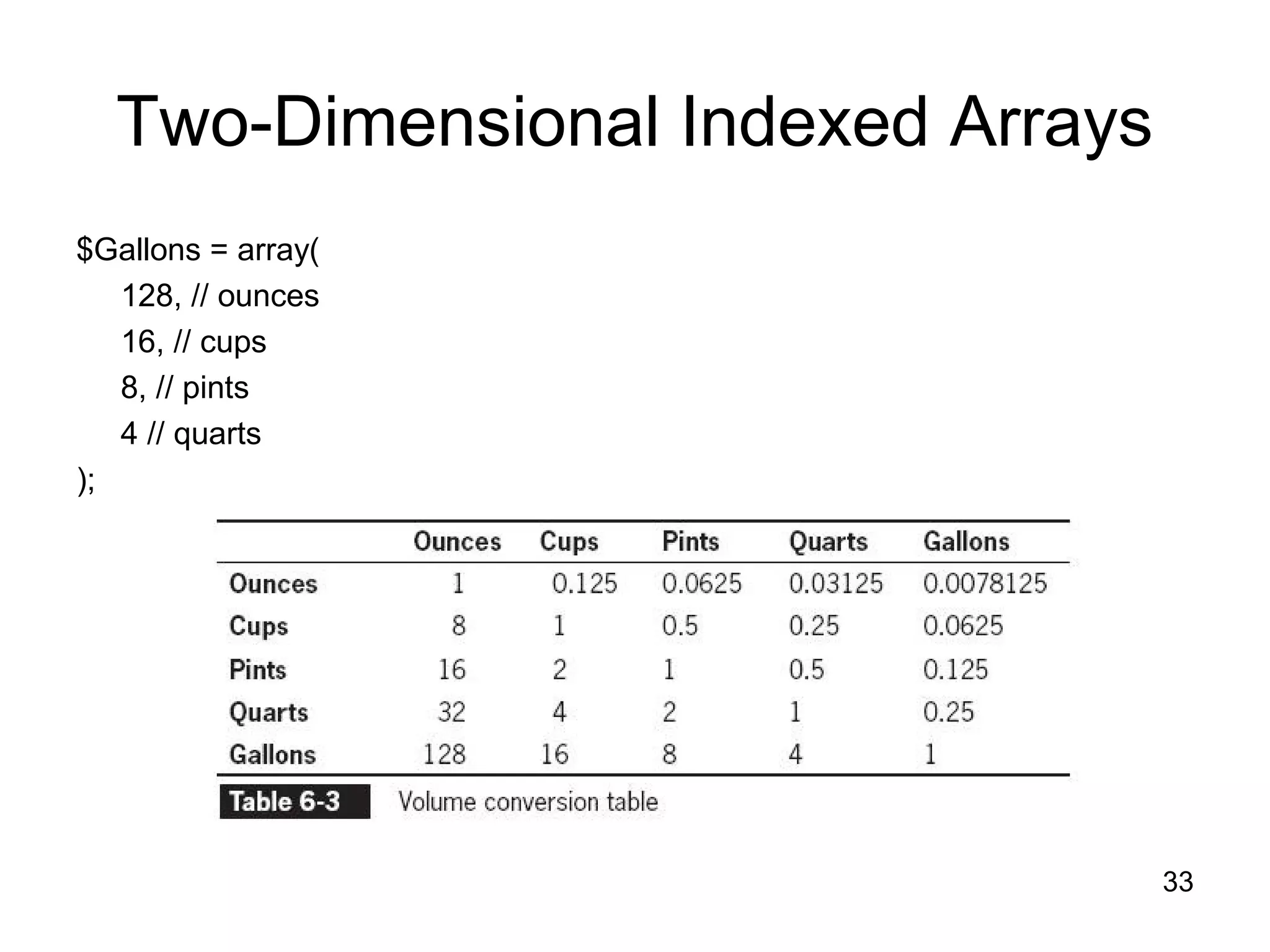
$Gallons = array(
128, // ounces
16, // cups
8, // pints
4 // quarts
);
34
Two-Dimensional Indexed Arrays
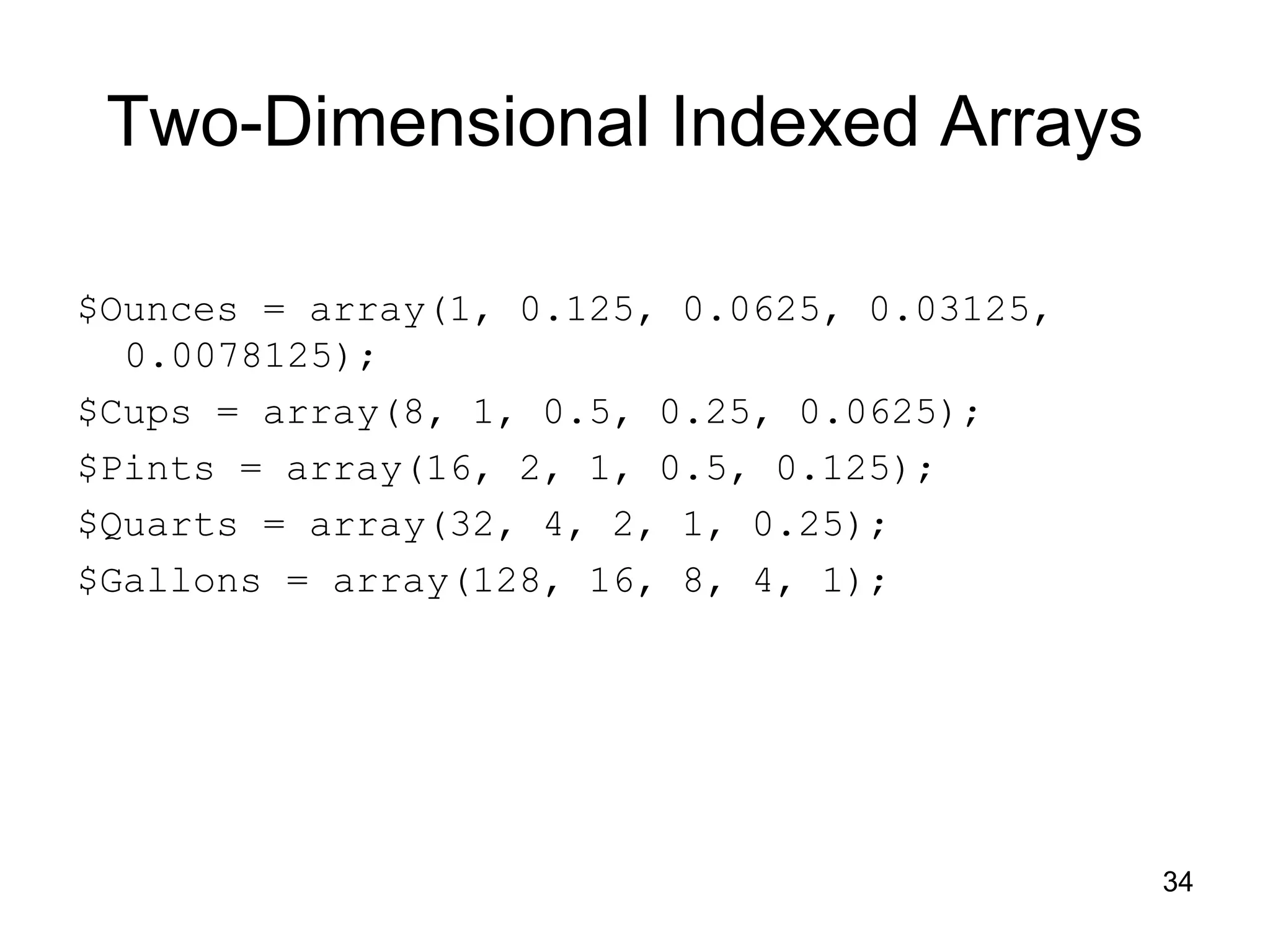
$Ounces = array(1, 0.125, 0.0625, 0.03125,
0.0078125);
$Cups = array(8, 1, 0.5, 0.25, 0.0625);
$Pints = array(16, 2, 1, 0.5, 0.125);
$Quarts = array(32, 4, 2, 1, 0.25);
$Gallons = array(128, 16, 8, 4, 1);
35
Two-Dimensional Indexed Arrays
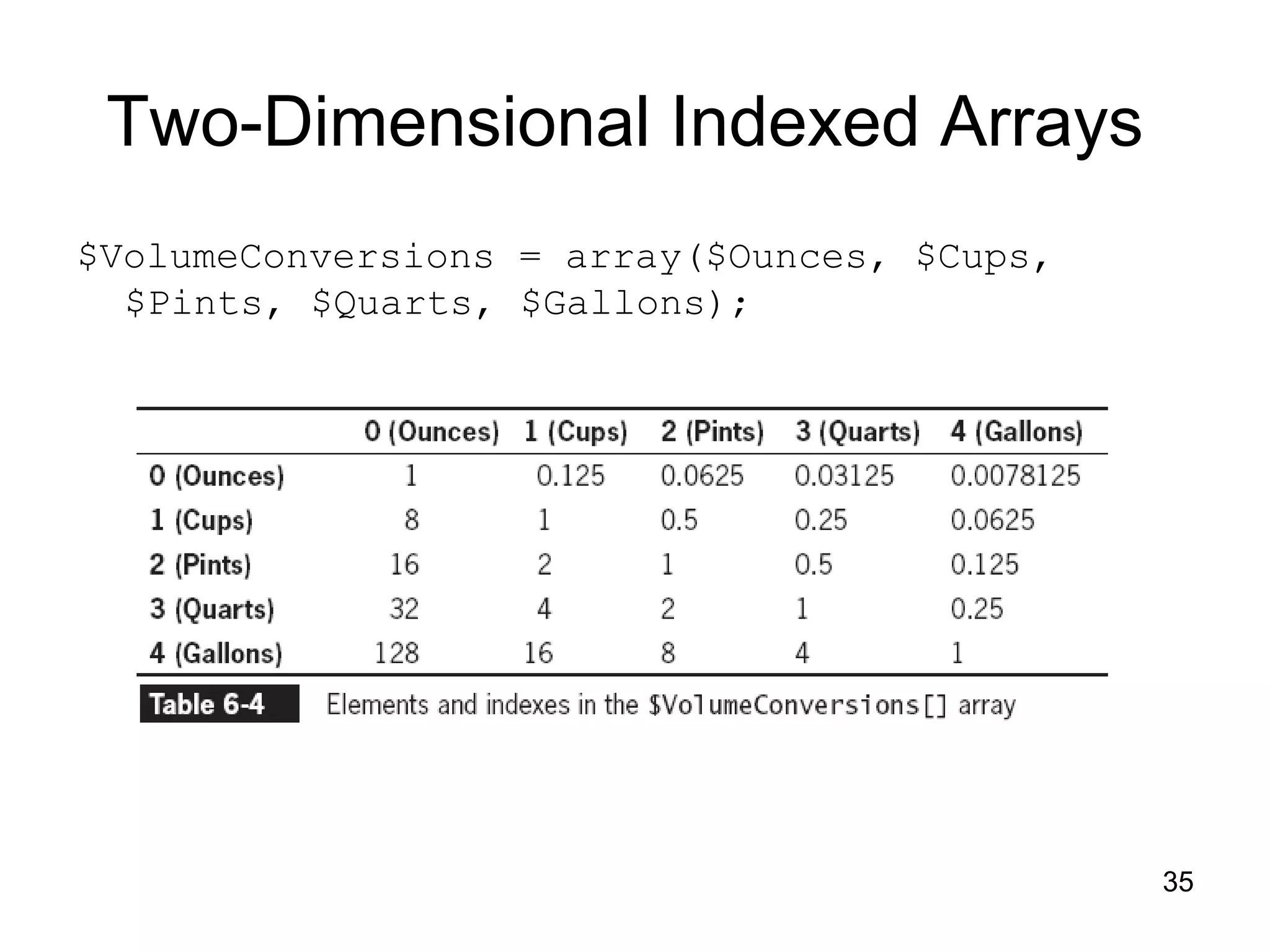
$VolumeConversions = array($Ounces, $Cups,
$Pints, $Quarts, $Gallons);
36
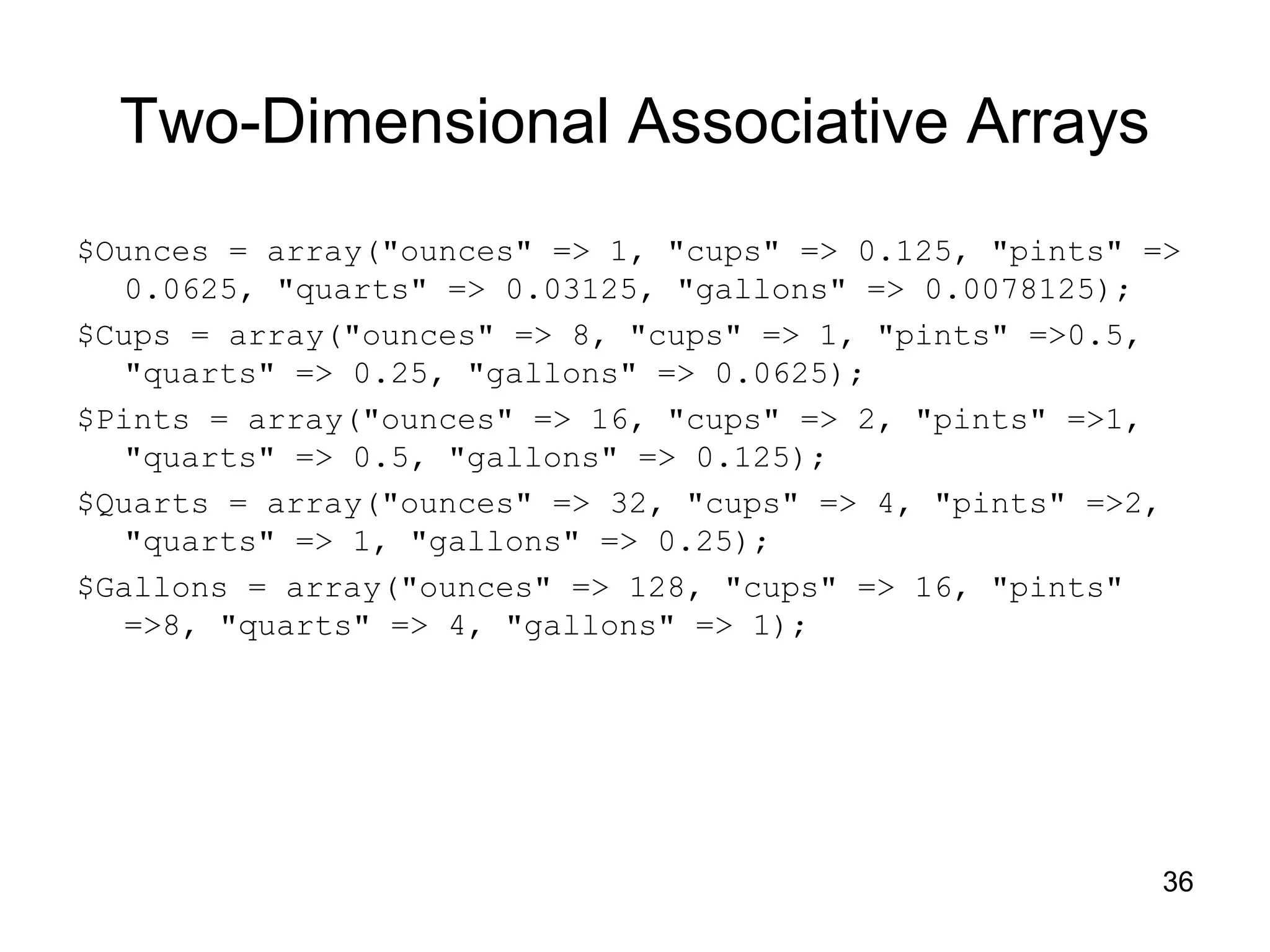
Two-Dimensional Associative Arrays
$Ounces = array("ounces" => 1, "cups" => 0.125, "pints" =>
0.0625, "quarts" => 0.03125, "gallons" => 0.0078125);
$Cups = array("ounces" => 8, "cups" => 1, "pints" =>0.5,
"quarts" => 0.25, "gallons" => 0.0625);
$Pints = array("ounces" => 16, "cups" => 2, "pints" =>1,
"quarts" => 0.5, "gallons" => 0.125);
$Quarts = array("ounces" => 32, "cups" => 4, "pints" =>2,
"quarts" => 1, "gallons" => 0.25);
$Gallons = array("ounces" => 128, "cups" => 16, "pints"
=>8, "quarts" => 4, "gallons" => 1);
37
Two-Dimensional Associative Arrays
Figure 6-21 Elements and keys in the
$VolumeConversions[ ] array
Using Arrays in Web Forms
Store form data in an array by appending an
opening and closing ([]) to the value of the
name attribute
Data from any element with the same value for the
name attribute will be appended to an array with
that name
38
Using Arrays in Web Forms
<form method='post' action='ProcessForm.php'>
<p>Enter the first answer:
<input type='text' name='answers[]' /></p>
<p>Enter the second answer:
<input type='text' name='answers[]' /></p>
<p>Enter the third answer:
<input type='text' name='answers[]' /></p>
<input type='submit' name='submit'
value='submit' />
</form>
39
Using Arrays in Web Forms
if (is_array($_POST['answers')) {
$Index = 0;
foreach ($_POST['answers'] as $Answer) {
++$Index;
echo "The answer for question $Index
is '$Answer'<br />n";
}
}
40
Using Arrays in Web Forms
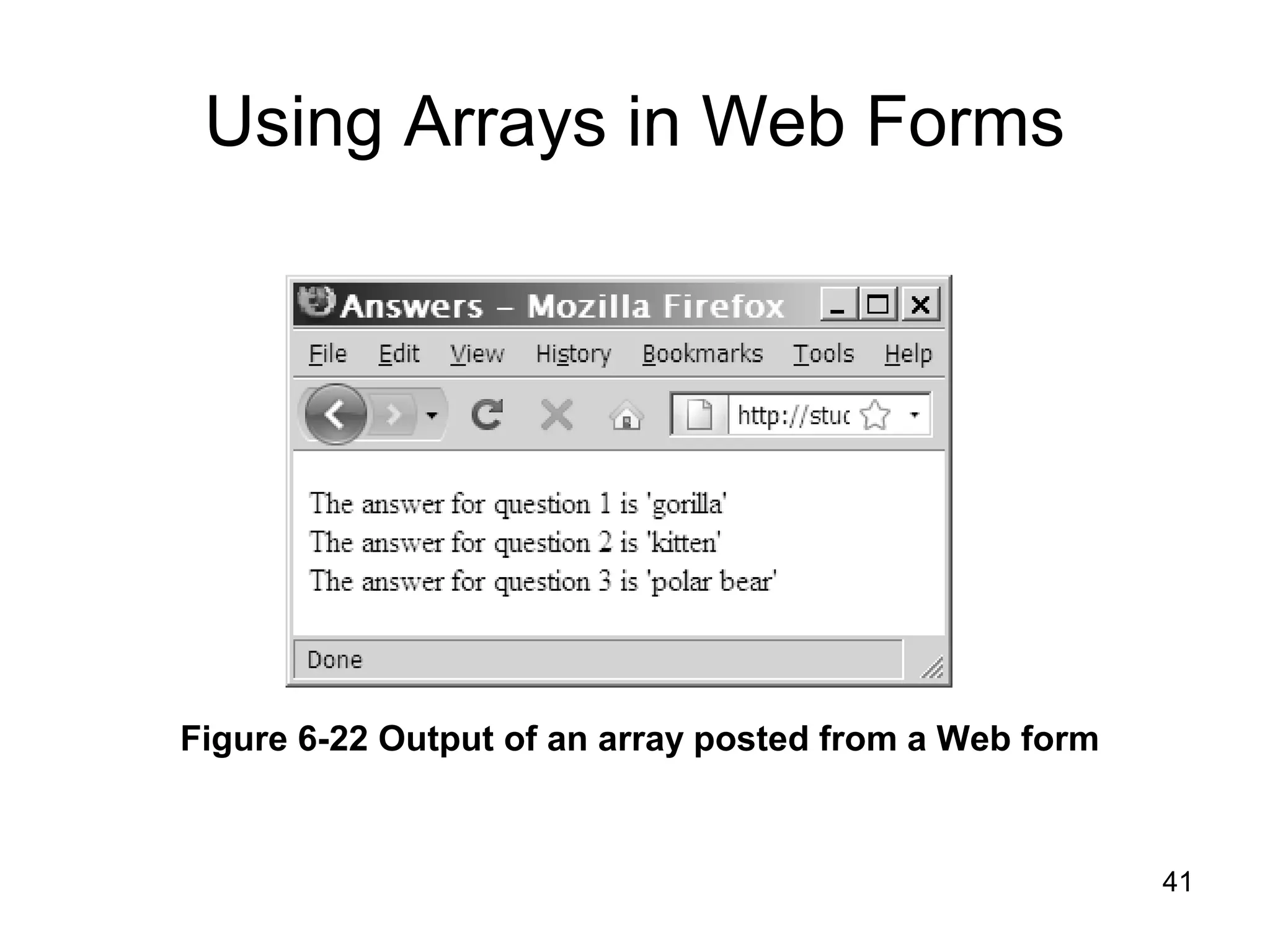
41
Figure 6-22 Output of an array posted from a Web form
Associative Forms Array
<form method='post' action='ProcessForm.php'>
<p>Enter the first answer:
<input type='text' name='answers[Question 1]' /></p>
<p>Enter the second answer:
<input type='text' name='answers[Question 2]' /></p>
<p>Enter the third answer:
<input type='text' name='answers[Question 3]' /></p>
<input type='submit' name='submit' value='submit' />
</form>
42

Using arrays with PHP for forms and storing information

  • 1.
    Using Arrays withPHP for Forms and Storing Information
  • 2.
    2 Objectives In this chapter,you will: Manipulate array elements Explore associative arrays Find and extract elements and values Understand multidimensional arrays Use arrays in Web forms
  • 3.
  • 4.
    4PHP Programming withMySQL, 2nd Edition Message Board Example
  • 5.
    5 Manipulating Elements (continued) Codeexamples at: http://zombieguineapigs.com/php
  • 6.
    6PHP Programming withMySQL, 2nd Edition Adding and Removing Elements The array_shift() function removes the first element from the beginning of an array – Pass the name of the array whose first element you want to remove The array_unshift() function adds one or more elements to the beginning of an array – Pass the name of an array followed by comma- separated values for each element you want to add
  • 7.
    7PHP Programming withMySQL, 2nd Edition Adding and Removing Elements from the Beginning of an Array $TopSellers = array( "Chevrolet Impala", "Chevrolet Malibu", "Chevrolet Silverado", "Ford F-Series", "Toyota Camry", "Toyota Corolla", "Nissan Altima", "Honda Accord", "Honda Civic", "Dodge Ram"); array_shift($TopSellers); array_unshift($TopSellers, "Honda CR-V"); echo "<pre>n"; print_r($TopSellers); echo "</pre>n";
  • 8.
  • 9.
    9PHP Programming withMySQL, 2nd Edition Adding and Removing Elements The array_pop() function removes the last element from the end of an array Pass the name of the array whose last element you want to remove The array_push() function adds one or more elements to the end of an array Pass the name of an array followed by comma-separated values for each element you want to add
  • 10.
    10PHP Programming withMySQL, 2nd Edition Adding and Removing Elements $HospitalDepts = array( "Anesthesia", "Molecular Biology", "Neurology", "Pediatrics"); array_pop($HospitalDepts); // Removes "Pediatrics" array_push($HospitalDepts, "Psychiatry", "Pulmonary Diseases");
  • 11.
    11 Adding and RemovingElements The array_splice() function adds or removes array elements The array_splice() function renumbers the indexes in the array Syntax: array_splice(array_name, start, characters_to_delete, values_to_insert);
  • 12.
    12 Adding and RemovingElements Within an Array (continued) To add an element within an array, include a value of 0 as the third argument of the array_splice() function $HospitalDepts = array( "Anesthesia", // first element (0) "Molecular Biology", // second element (1) "Neurology", // third element (2) "Pediatrics"); // fourth element (3) array_splice($HospitalDepts, 3, 0, "Ophthalmology");
  • 13.
    13 Adding and RemovingElements To add more than one element within an array, pass the array() construct as the fourth argument of the array_splice() function Separate the new element values by commas $HospitalDepts = array( "Anesthesia", // first element (0) "Molecular Biology", // second element (1) "Neurology", // third element (2) "Pediatrics"); // fourth element (3) array_splice($HospitalDepts, 3, 0, array("Opthalmology", "Otolaryngology"));
  • 14.
    14PHP Programming withMySQL, 2nd Edition Adding and Removing Elements Within an Array (continued) Delete array elements by omitting the fourth argument from the array_splice() function $HospitalDepts = array( "Anesthesia", // first element (0) "Molecular Biology", // second element (1) "Neurology", // third element (2) "Pediatrics"); // fourth element (3) array_splice($HospitalDepts, 1, 2);
  • 15.
    15 Adding and RemovingElements The unset() function removes array elements and other variables Pass to the unset() function the array name and index number of the element you want to remove To remove multiple elements, separate each index name and element number with commas unset($HospitalDepts[1], $HospitalDepts[2]);
  • 16.
    16 Removing Duplicate Elements Thearray_unique() function removes duplicate elements from an array Pass to the array_unique() function the name of the array from which you want to remove duplicate elements The array_values() and array_unique() functions do not operate directly on an array The array_unique() function renumbers the indexes after removing duplicate values
  • 17.
    17 Removing Duplicate Elements $TopSellers= array( "Ford F-Series", "Chevrolet Silverado", "Toyota Camry", "Honda Accord", "Toyota Corolla", "Ford F-Series", "Honda Civic", "Honda CR-V", "Honda Accord", "Nissan Altima", "Toyota Camry", "Chevrolet Impala", "Dodge Ram", "Honda CR-V"); echo "<p>The 2008 top selling vehicles are:</p><p>"; $TopSellers = array_unique($TopSellers); $TopSellers = array_values($TopSellers); for ($i=0; $i<count($ TopSellers); ++$i) { echo "{$TopSellers[$i]}<br />"; } echo "</p>";
  • 18.
    18 Removing Duplicate Elements Figure6-4 Output of an array after removing duplicate values with the array_unique() function
  • 19.
    19 Declaring and Initializing AssociativeArrays With associative arrays, specify an element’s key by using the array operator (=>) $array_name = array(key=>value, ...);
  • 20.
    20 Associative Arrays $Territories[100] ="Nunavut"; $Territories[] = "Northwest Territories"; $Territories[] = "Yukon Territory"; echo "<pre>n"; print_r($Territories); echo "</pre>n"; echo '<p>The $Territories array consists of ', count($Territories), " elements.</p>n";
  • 21.
    21 Iterating Through anArray The internal array pointer refers to the currently selected element in an array
  • 22.
    22 Iterating Through anAssociative Array Figure 6-8 Output of an array without advancing the internal array pointer – See page 325
  • 23.
    Iterating Through anAssociative Array To fix the issue on slide 22, use this code: foreach ($ProvincialCapitals as $Capital) { echo “The capital of : . key($ProvincialCapitals) . “ is $Capital<br />n”; next($ProvincialCapitals); 23
  • 24.
    Iterating Through anAssociative Array 24
  • 25.
    25 Finding and ExtractingElements and Values • One of the most basic methods for finding a value in an array is to use a looping statement to iterate through the array until you find the value • Rather than write custom code to find a value, use the in_array() and array_search() functions to determine whether a value exists in an array
  • 26.
    26 Determining if aValue Exists The in_array() function returns a Boolean value of true if a given value exists in an array The array_search() function determines whether a given value exists in an array and: Returns the index or key of the first matching element if the value exists, or Returns FALSE if the value does not exist if (in_array("Neurology", $HospitalDepts)) echo "<p>The hospital has a Neurology department.</p>";
  • 27.
    27 Determining if aKey Exists The array_key_exists() function determines whether a given index or key exists You pass two arguments to the array_key_exists() function: The first argument represents the key to search for The second argument represents the name of the array in which to search
  • 28.
    28 Determining if aKey Exists $ScreenNames["Dancer"] = "Daryl"; $ScreenNames["Fat Man"] = "Dennis"; $ScreenNames["Assassin"] = "Jennifer"; if (array_key_exists("Fat Man", $ScreenNames)) echo "<p>{$ScreenNames['Fat Man']} is already 'Fat Man'.</p>n"; else { $ScreenNames["Fat Man"] = "Don"; echo "<p>{$ScreenNames['Fat Man']} is now 'Fat Man'.</p>"; }
  • 29.
    29PHP Programming withMySQL, 2nd Edition Returning a Portion of an Array The array_slice() function returns a portion of an array and assigns it to another array The syntax for the array_slice() function is: array_slice(array_name, start, characters_to_return);
  • 30.
    30 Returning a Portionof an Array // This array is ordered by sales, high to low. $TopSellers = array("Ford F-Series", "Chevrolet Silverado", "Toyota Camry", "Honda Accord", "Toyota Corolla", "Honda Civic", "Nissan Altima", "Chevrolet Impala", "Dodge Ram", "Honda CR-V"); $FiveTopSellers = array_slice($TopSellers, 0, 5); echo "<p>The five best-selling vehicles for 2008 are:</p>n"; for ($i=0; $i<count($FiveTopSellers); ++$i) { echo "{$FiveTopSellers[$i]}<br />n"; }
  • 31.
    31 Returning a Portionof an Array Figure 6-11 Output of an array returned with the array_slice() function
  • 32.
    32 Creating Two-Dimensional Indexed Arrays Amultidimensional array consists of multiple indexes or keys A two-dimensional array has two sets of indexes or keys
  • 33.
    33 Two-Dimensional Indexed Arrays $Gallons= array( 128, // ounces 16, // cups 8, // pints 4 // quarts );
  • 34.
    34 Two-Dimensional Indexed Arrays $Ounces= array(1, 0.125, 0.0625, 0.03125, 0.0078125); $Cups = array(8, 1, 0.5, 0.25, 0.0625); $Pints = array(16, 2, 1, 0.5, 0.125); $Quarts = array(32, 4, 2, 1, 0.25); $Gallons = array(128, 16, 8, 4, 1);
  • 35.
    35 Two-Dimensional Indexed Arrays $VolumeConversions= array($Ounces, $Cups, $Pints, $Quarts, $Gallons);
  • 36.
    36 Two-Dimensional Associative Arrays $Ounces= array("ounces" => 1, "cups" => 0.125, "pints" => 0.0625, "quarts" => 0.03125, "gallons" => 0.0078125); $Cups = array("ounces" => 8, "cups" => 1, "pints" =>0.5, "quarts" => 0.25, "gallons" => 0.0625); $Pints = array("ounces" => 16, "cups" => 2, "pints" =>1, "quarts" => 0.5, "gallons" => 0.125); $Quarts = array("ounces" => 32, "cups" => 4, "pints" =>2, "quarts" => 1, "gallons" => 0.25); $Gallons = array("ounces" => 128, "cups" => 16, "pints" =>8, "quarts" => 4, "gallons" => 1);
  • 37.
    37 Two-Dimensional Associative Arrays Figure6-21 Elements and keys in the $VolumeConversions[ ] array
  • 38.
    Using Arrays inWeb Forms Store form data in an array by appending an opening and closing ([]) to the value of the name attribute Data from any element with the same value for the name attribute will be appended to an array with that name 38
  • 39.
    Using Arrays inWeb Forms <form method='post' action='ProcessForm.php'> <p>Enter the first answer: <input type='text' name='answers[]' /></p> <p>Enter the second answer: <input type='text' name='answers[]' /></p> <p>Enter the third answer: <input type='text' name='answers[]' /></p> <input type='submit' name='submit' value='submit' /> </form> 39
  • 40.
    Using Arrays inWeb Forms if (is_array($_POST['answers')) { $Index = 0; foreach ($_POST['answers'] as $Answer) { ++$Index; echo "The answer for question $Index is '$Answer'<br />n"; } } 40
  • 41.
    Using Arrays inWeb Forms 41 Figure 6-22 Output of an array posted from a Web form
  • 42.
    Associative Forms Array <formmethod='post' action='ProcessForm.php'> <p>Enter the first answer: <input type='text' name='answers[Question 1]' /></p> <p>Enter the second answer: <input type='text' name='answers[Question 2]' /></p> <p>Enter the third answer: <input type='text' name='answers[Question 3]' /></p> <input type='submit' name='submit' value='submit' /> </form> 42