Mango Language Database
Anna Bognolo - Reference Librarian
STCC Library
agbognolo@stcc.edu
Tel. (413) 755-4549
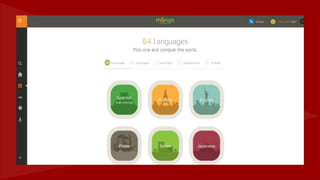
What is Mango Language?
● An online language learning system that teaches real conversation
skills for practical communication
● Provides engaging interactive lessons
● Completely web-based and remotely accessible - learn anywhere
anytime as long as you have internet connection
● Sign up/Create your own personal account
(Your account will remember where you left off
and provide you with statistics regarding your
progress, etc.)
Features
● Translator - English to a variety of foreign
languages and vice versa!
● Free Mobile App for Apple and Android
Requirements
● Microphone on your computer or a headset with
microphone is required for the
interactive/conversation part of the database
● Download “MANGO LANGUAGES LIBRARY
EDITION” app for iPhone or Android in order to
access the database on your mobile device
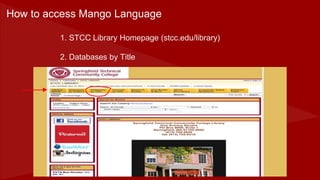
1. STCC Library Homepage (stcc.edu/library)
2. Databases by Title
How to access Mango Language
3. Select “M” for Mango Language
4. Select “Log in” or “Quick Start”
5. Select your language OR Translate
• If you are on campus (in the library or elsewhere), click on “Mango Languages”
to access the site.
• If you are off campus (at home), select “Off campus”. You will be asked to type
in your library barcode number (eg. 28132000230507) and your password
(usually your last name in CAPITAL letters)
REMEMBER: In order to use Mango Languages from home, you MUST HAVE
REGISTERED YOUR RAM CARD AT THE CIRCULATION DESK AND
KNOW YOUR PASSWORD!
Before we begin to play with Mango, here are some points to
remember...

Mango Language Database Presentation

  • 1.
    Mango Language Database AnnaBognolo - Reference Librarian STCC Library agbognolo@stcc.edu Tel. (413) 755-4549
  • 3.
    What is MangoLanguage? ● An online language learning system that teaches real conversation skills for practical communication ● Provides engaging interactive lessons ● Completely web-based and remotely accessible - learn anywhere anytime as long as you have internet connection
  • 4.
    ● Sign up/Createyour own personal account (Your account will remember where you left off and provide you with statistics regarding your progress, etc.) Features ● Translator - English to a variety of foreign languages and vice versa! ● Free Mobile App for Apple and Android
  • 5.
    Requirements ● Microphone onyour computer or a headset with microphone is required for the interactive/conversation part of the database ● Download “MANGO LANGUAGES LIBRARY EDITION” app for iPhone or Android in order to access the database on your mobile device
  • 6.
    1. STCC LibraryHomepage (stcc.edu/library) 2. Databases by Title How to access Mango Language
  • 7.
    3. Select “M”for Mango Language
  • 8.
    4. Select “Login” or “Quick Start”
  • 9.
    5. Select yourlanguage OR Translate
  • 12.
    • If youare on campus (in the library or elsewhere), click on “Mango Languages” to access the site. • If you are off campus (at home), select “Off campus”. You will be asked to type in your library barcode number (eg. 28132000230507) and your password (usually your last name in CAPITAL letters) REMEMBER: In order to use Mango Languages from home, you MUST HAVE REGISTERED YOUR RAM CARD AT THE CIRCULATION DESK AND KNOW YOUR PASSWORD! Before we begin to play with Mango, here are some points to remember...