Download to read offline
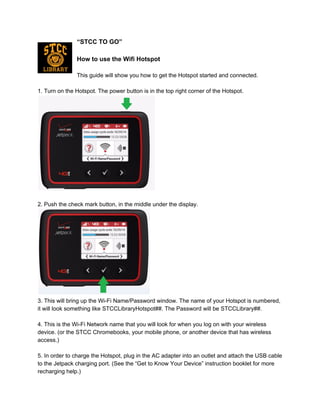
The document provides instructions for connecting a device to a WiFi hotspot. It explains that users should turn on the hotspot, press the check mark button to see the WiFi name and password, and search for a network named like "STCCLibraryHotspot##" with password "STCCLibrary##" to log on. It also notes that the hotspot charges by plugging the included AC adapter and USB cable into the device's charging port.


