LICT IT Department–Application Program-ManageEngine ADAudit Plus -Page 1
ManageEngine ADAuditPlus
V4.6.0-2013
Information Technology Department
LICT IT Department–Application Program-ManageEngine ADAudit Plus -Page 2
Revision
Version Date Author Subject
4.6.0 Majd Khriema ManageEngine ADAudit Plus
Reviewers / Approvals
Name Title Date Department Signature
Issa Nemeh IT Manager IT Department Review OK
Alfred Vitale Chief Information Officer Information Division Review OK
LICT IT Department–Application Program-ManageEngine ADAudit Plus -Page 3
Table of Contents
Introduction 4
Tabs in ManageEngine ADAudit Plus 5
Home tab 5
Reports tab 7
User Logon Report Category 8
Local Logon-Logoff Reports
13
User Management Reports 14
Computer Management Reports 19
GPO Management Reports 21
Alerts tab 23
Admin tab 25
LICT IT Department–Application Program-ManageEngine ADAudit Plus -Page 4
 Introduction
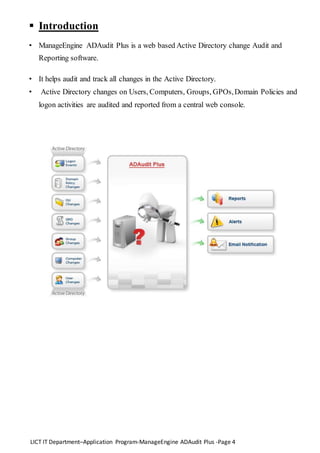
• ManageEngine ADAudit Plus is a web based Active Directory change Audit and
Reporting software.
• It helps audit and track all changes in the Active Directory.
• Active Directory changes on Users, Computers, Groups, GPOs,Domain Policies and
logon activities are audited and reported from a central web console.
LICT IT Department–Application Program-ManageEngine ADAudit Plus -Page 5
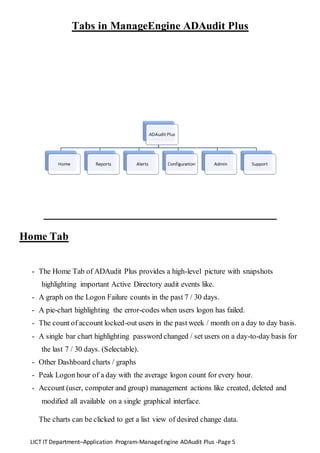
Tabs in ManageEngine ADAudit Plus
Home Tab
- The Home Tab of ADAudit Plus provides a high-level picture with snapshots
highlighting important Active Directory audit events like.
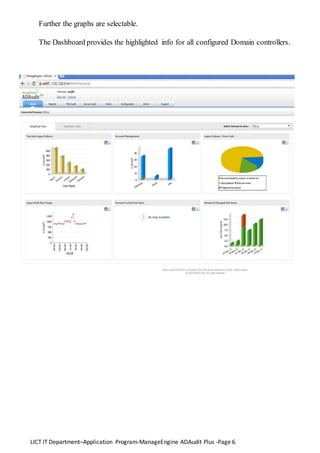
- A graph on the Logon Failure counts in the past 7 / 30 days.
- A pie-chart highlighting the error-codes when users logon has failed.
- The count of account locked-out users in the past week / month on a day to day basis.
- A single bar chart highlighting password changed / set users on a day-to-day basis for
the last 7 / 30 days. (Selectable).
- Other Dashboard charts / graphs
- Peak Logon hour of a day with the average logon count for every hour.
- Account (user, computer and group) management actions like created, deleted and
modified all available on a single graphical interface.
The charts can be clicked to get a list view of desired change data.
LICT IT Department–Application Program-ManageEngine ADAudit Plus -Page 6
Further the graphs are selectable.
The Dashboard provides the highlighted info for all configured Domain controllers.
LICT IT Department–Application Program-ManageEngine ADAudit Plus -Page 7
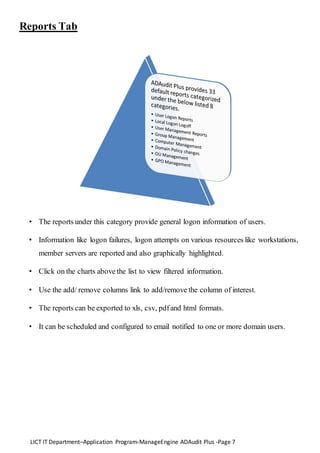
Reports Tab
• The reports under this category provide general logon information of users.
• Information like logon failures, logon attempts on various resources like workstations,
member servers are reported and also graphically highlighted.
• Click on the charts above the list to view filtered information.
• Use the add/ remove columns link to add/remove the column of interest.
• The reports can be exported to xls, csv, pdfand html formats.
• It can be scheduled and configured to email notified to one or more domain users.
LICT IT Department–Application Program-ManageEngine ADAudit Plus -Page 8
 User Logon Report Category
- The reports under this category provide general logon information of users.
- Information like logon failures, logon attempts on various resources like workstations,
member servers are reported and also graphically highlighted.
- Click on the charts above the list to view filtered information.
- Use the add/ remove columns link to add/remove the column of interest.
- The reports can be exported to xls, csv, pdfand html formats.
- It can be scheduled and configured to email notified to one or more domain users.
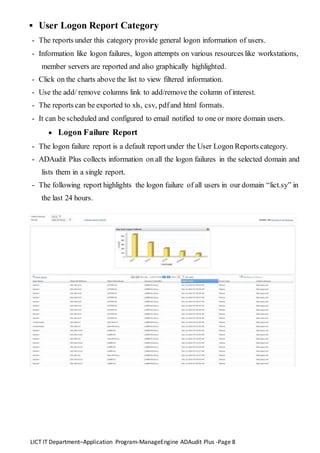
 Logon Failure Report
- The logon failure report is a default report under the User Logon Reports category.
- ADAudit Plus collects information on all the logon failures in the selected domain and
lists them in a single report.
- The following report highlights the logon failure of all users in our domain “lict.sy” in
the last 24 hours.
LICT IT Department–Application Program-ManageEngine ADAudit Plus -Page 9
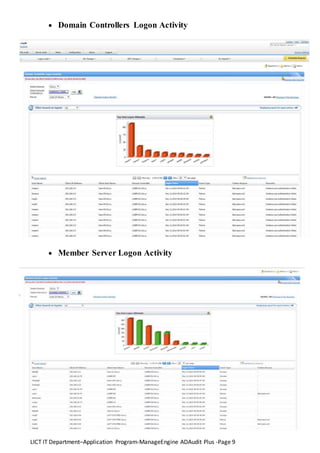
 Domain Controllers Logon Activity
 Member Server Logon Activity
LICT IT Department–Application Program-ManageEngine ADAudit Plus -Page 10
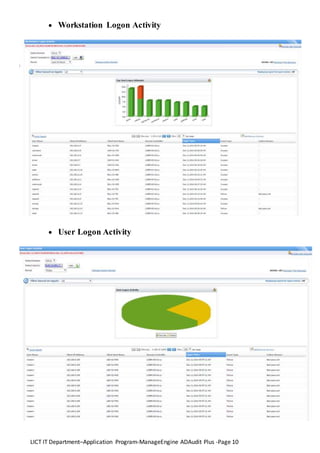
 Workstation Logon Activity
 User Logon Activity
LICT IT Department–Application Program-ManageEngine ADAudit Plus -Page 11
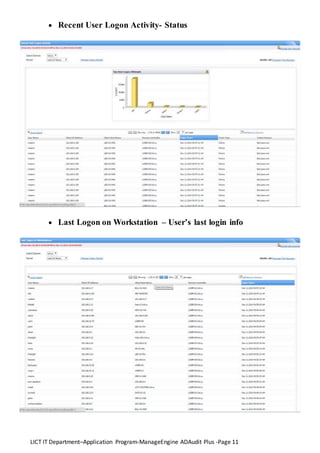
 Recent User Logon Activity- Status
 Last Logon on Workstation – User’s last login info
LICT IT Department–Application Program-ManageEngine ADAudit Plus -Page 12
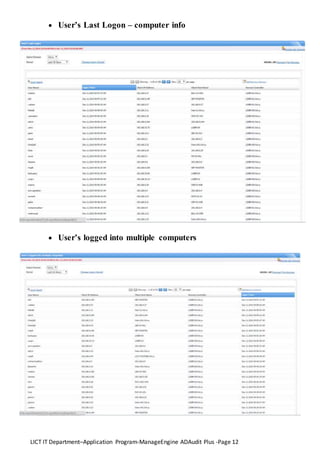
 User’s Last Logon – computer info
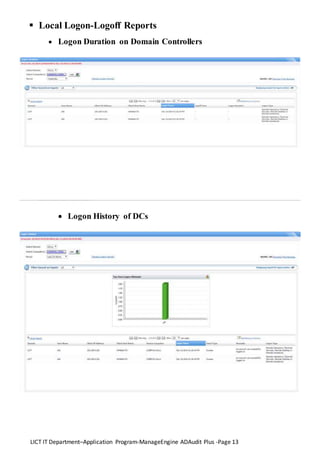
 User’s logged into multiple computers
LICT IT Department–Application Program-ManageEngine ADAudit Plus -Page 13
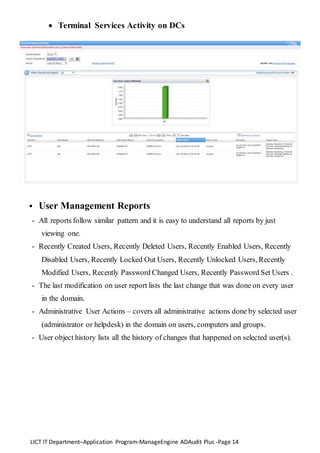
 Local Logon-Logoff Reports
 Logon Duration on Domain Controllers
 Logon History of DCs
LICT IT Department–Application Program-ManageEngine ADAudit Plus -Page 14
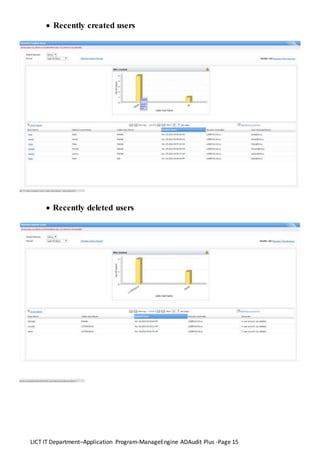
 Terminal Services Activity on DCs
 User Management Reports
- All reports follow similar pattern and it is easy to understand all reports by just
viewing one.
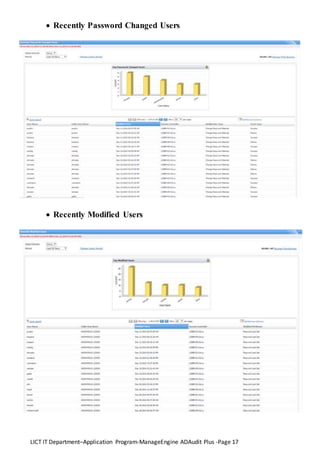
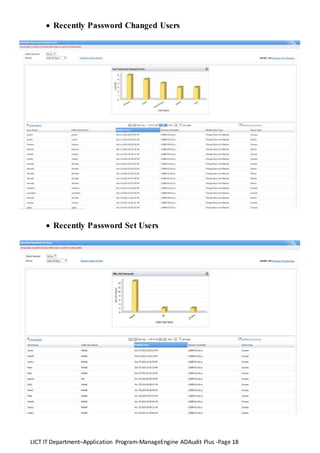
- Recently Created Users, Recently Deleted Users, Recently Enabled Users, Recently
Disabled Users, Recently Locked Out Users, Recently Unlocked Users, Recently
Modified Users, Recently Password Changed Users, Recently Password Set Users .
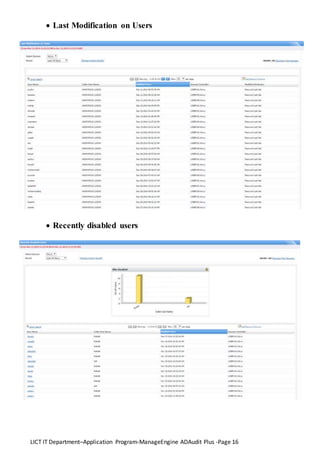
- The last modification on user report lists the last change that was done on every user
in the domain.
- Administrative User Actions – covers all administrative actions done by selected user
(administrator or helpdesk) in the domain on users, computers and groups.
- User object history lists all the history of changes that happened on selected user(s).
LICT IT Department–Application Program-ManageEngine ADAudit Plus -Page 15
 Recently created users
 Recently deleted users
LICT IT Department–Application Program-ManageEngine ADAudit Plus -Page 16
 Last Modification on Users
 Recently disabled users
LICT IT Department–Application Program-ManageEngine ADAudit Plus -Page 17
 Recently Password Changed Users
 Recently Modified Users
LICT IT Department–Application Program-ManageEngine ADAudit Plus -Page 18
 Recently Password Changed Users
 Recently Password Set Users
LICT IT Department–Application Program-ManageEngine ADAudit Plus -Page 19
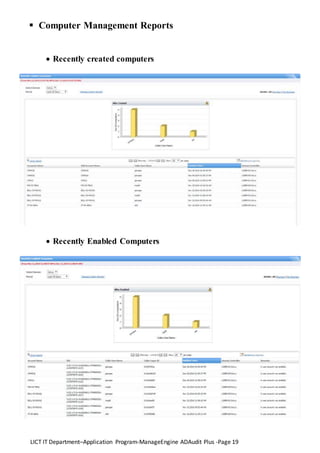
 Computer Management Reports
 Recently created computers
 Recently Enabled Computers
LICT IT Department–Application Program-ManageEngine ADAudit Plus -Page 20
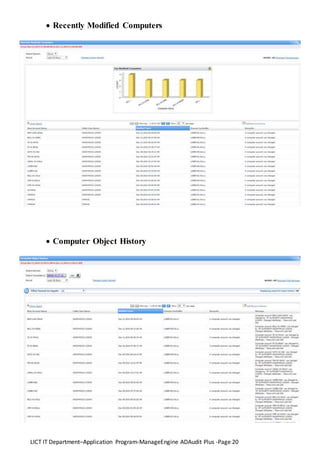
 Recently Modified Computers
 Computer Object History
LICT IT Department–Application Program-ManageEngine ADAudit Plus -Page 21
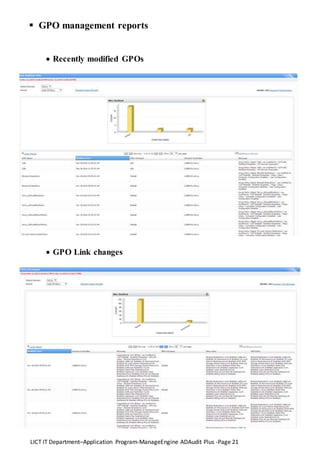
 GPO management reports
 Recently modified GPOs
 GPO Link changes
LICT IT Department–Application Program-ManageEngine ADAudit Plus -Page 22
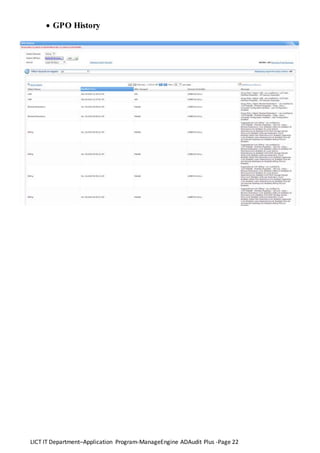
 GPO History
LICT IT Department–Application Program-ManageEngine ADAudit Plus -Page 23
Alerts Tab
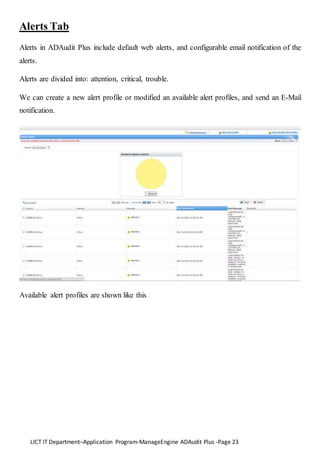
Alerts in ADAudit Plus include default web alerts, and configurable email notification of the
alerts.
Alerts are divided into: attention, critical, trouble.
We can create a new alert profile or modified an available alert profiles, and send an E-Mail
notification.
Available alert profiles are shown like this
LICT IT Department–Application Program-ManageEngine ADAudit Plus -Page 24
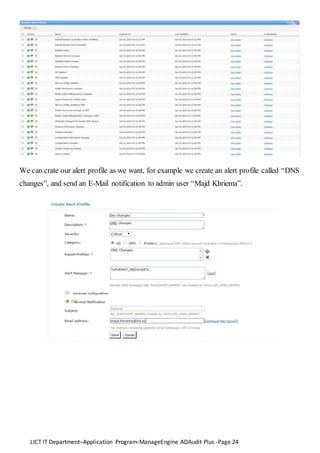
We can crate our alert profile as we want, for example we create an alert profile called “DNS
changes”, and send an E-Mail notification to admin user “Majd Khriema”.
LICT IT Department–Application Program-ManageEngine ADAudit Plus -Page 25
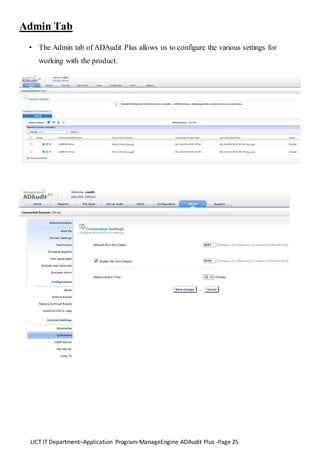
Admin Tab
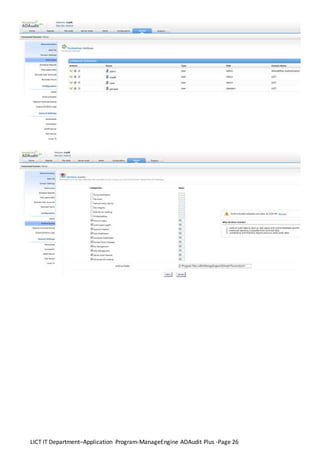
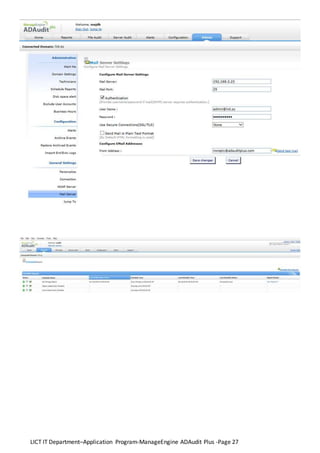
• The Admin tab of ADAudit Plus allows us to configure the various settings for
working with the product.
LICT IT Department–Application Program-ManageEngine ADAudit Plus -Page 26
LICT IT Department–Application Program-ManageEngine ADAudit Plus -Page 27
LICT IT Department–Application Program-ManageEngine ADAudit Plus -Page 28

ManageEngine ADAudit Plus

  • 1.
    LICT IT Department–ApplicationProgram-ManageEngine ADAudit Plus -Page 1 ManageEngine ADAuditPlus V4.6.0-2013 Information Technology Department
  • 2.
    LICT IT Department–ApplicationProgram-ManageEngine ADAudit Plus -Page 2 Revision Version Date Author Subject 4.6.0 Majd Khriema ManageEngine ADAudit Plus Reviewers / Approvals Name Title Date Department Signature Issa Nemeh IT Manager IT Department Review OK Alfred Vitale Chief Information Officer Information Division Review OK
  • 3.
    LICT IT Department–ApplicationProgram-ManageEngine ADAudit Plus -Page 3 Table of Contents Introduction 4 Tabs in ManageEngine ADAudit Plus 5 Home tab 5 Reports tab 7 User Logon Report Category 8 Local Logon-Logoff Reports 13 User Management Reports 14 Computer Management Reports 19 GPO Management Reports 21 Alerts tab 23 Admin tab 25
  • 4.
    LICT IT Department–ApplicationProgram-ManageEngine ADAudit Plus -Page 4  Introduction • ManageEngine ADAudit Plus is a web based Active Directory change Audit and Reporting software. • It helps audit and track all changes in the Active Directory. • Active Directory changes on Users, Computers, Groups, GPOs,Domain Policies and logon activities are audited and reported from a central web console.
  • 5.
    LICT IT Department–ApplicationProgram-ManageEngine ADAudit Plus -Page 5 Tabs in ManageEngine ADAudit Plus Home Tab - The Home Tab of ADAudit Plus provides a high-level picture with snapshots highlighting important Active Directory audit events like. - A graph on the Logon Failure counts in the past 7 / 30 days. - A pie-chart highlighting the error-codes when users logon has failed. - The count of account locked-out users in the past week / month on a day to day basis. - A single bar chart highlighting password changed / set users on a day-to-day basis for the last 7 / 30 days. (Selectable). - Other Dashboard charts / graphs - Peak Logon hour of a day with the average logon count for every hour. - Account (user, computer and group) management actions like created, deleted and modified all available on a single graphical interface. The charts can be clicked to get a list view of desired change data.
  • 6.
    LICT IT Department–ApplicationProgram-ManageEngine ADAudit Plus -Page 6 Further the graphs are selectable. The Dashboard provides the highlighted info for all configured Domain controllers.
  • 7.
    LICT IT Department–ApplicationProgram-ManageEngine ADAudit Plus -Page 7 Reports Tab • The reports under this category provide general logon information of users. • Information like logon failures, logon attempts on various resources like workstations, member servers are reported and also graphically highlighted. • Click on the charts above the list to view filtered information. • Use the add/ remove columns link to add/remove the column of interest. • The reports can be exported to xls, csv, pdfand html formats. • It can be scheduled and configured to email notified to one or more domain users.
  • 8.
    LICT IT Department–ApplicationProgram-ManageEngine ADAudit Plus -Page 8  User Logon Report Category - The reports under this category provide general logon information of users. - Information like logon failures, logon attempts on various resources like workstations, member servers are reported and also graphically highlighted. - Click on the charts above the list to view filtered information. - Use the add/ remove columns link to add/remove the column of interest. - The reports can be exported to xls, csv, pdfand html formats. - It can be scheduled and configured to email notified to one or more domain users.  Logon Failure Report - The logon failure report is a default report under the User Logon Reports category. - ADAudit Plus collects information on all the logon failures in the selected domain and lists them in a single report. - The following report highlights the logon failure of all users in our domain “lict.sy” in the last 24 hours.
  • 9.
    LICT IT Department–ApplicationProgram-ManageEngine ADAudit Plus -Page 9  Domain Controllers Logon Activity  Member Server Logon Activity
  • 10.
    LICT IT Department–ApplicationProgram-ManageEngine ADAudit Plus -Page 10  Workstation Logon Activity  User Logon Activity
  • 11.
    LICT IT Department–ApplicationProgram-ManageEngine ADAudit Plus -Page 11  Recent User Logon Activity- Status  Last Logon on Workstation – User’s last login info
  • 12.
    LICT IT Department–ApplicationProgram-ManageEngine ADAudit Plus -Page 12  User’s Last Logon – computer info  User’s logged into multiple computers
  • 13.
    LICT IT Department–ApplicationProgram-ManageEngine ADAudit Plus -Page 13  Local Logon-Logoff Reports  Logon Duration on Domain Controllers  Logon History of DCs
  • 14.
    LICT IT Department–ApplicationProgram-ManageEngine ADAudit Plus -Page 14  Terminal Services Activity on DCs  User Management Reports - All reports follow similar pattern and it is easy to understand all reports by just viewing one. - Recently Created Users, Recently Deleted Users, Recently Enabled Users, Recently Disabled Users, Recently Locked Out Users, Recently Unlocked Users, Recently Modified Users, Recently Password Changed Users, Recently Password Set Users . - The last modification on user report lists the last change that was done on every user in the domain. - Administrative User Actions – covers all administrative actions done by selected user (administrator or helpdesk) in the domain on users, computers and groups. - User object history lists all the history of changes that happened on selected user(s).
  • 15.
    LICT IT Department–ApplicationProgram-ManageEngine ADAudit Plus -Page 15  Recently created users  Recently deleted users
  • 16.
    LICT IT Department–ApplicationProgram-ManageEngine ADAudit Plus -Page 16  Last Modification on Users  Recently disabled users
  • 17.
    LICT IT Department–ApplicationProgram-ManageEngine ADAudit Plus -Page 17  Recently Password Changed Users  Recently Modified Users
  • 18.
    LICT IT Department–ApplicationProgram-ManageEngine ADAudit Plus -Page 18  Recently Password Changed Users  Recently Password Set Users
  • 19.
    LICT IT Department–ApplicationProgram-ManageEngine ADAudit Plus -Page 19  Computer Management Reports  Recently created computers  Recently Enabled Computers
  • 20.
    LICT IT Department–ApplicationProgram-ManageEngine ADAudit Plus -Page 20  Recently Modified Computers  Computer Object History
  • 21.
    LICT IT Department–ApplicationProgram-ManageEngine ADAudit Plus -Page 21  GPO management reports  Recently modified GPOs  GPO Link changes
  • 22.
    LICT IT Department–ApplicationProgram-ManageEngine ADAudit Plus -Page 22  GPO History
  • 23.
    LICT IT Department–ApplicationProgram-ManageEngine ADAudit Plus -Page 23 Alerts Tab Alerts in ADAudit Plus include default web alerts, and configurable email notification of the alerts. Alerts are divided into: attention, critical, trouble. We can create a new alert profile or modified an available alert profiles, and send an E-Mail notification. Available alert profiles are shown like this
  • 24.
    LICT IT Department–ApplicationProgram-ManageEngine ADAudit Plus -Page 24 We can crate our alert profile as we want, for example we create an alert profile called “DNS changes”, and send an E-Mail notification to admin user “Majd Khriema”.
  • 25.
    LICT IT Department–ApplicationProgram-ManageEngine ADAudit Plus -Page 25 Admin Tab • The Admin tab of ADAudit Plus allows us to configure the various settings for working with the product.
  • 26.
    LICT IT Department–ApplicationProgram-ManageEngine ADAudit Plus -Page 26
  • 27.
    LICT IT Department–ApplicationProgram-ManageEngine ADAudit Plus -Page 27
  • 28.
    LICT IT Department–ApplicationProgram-ManageEngine ADAudit Plus -Page 28